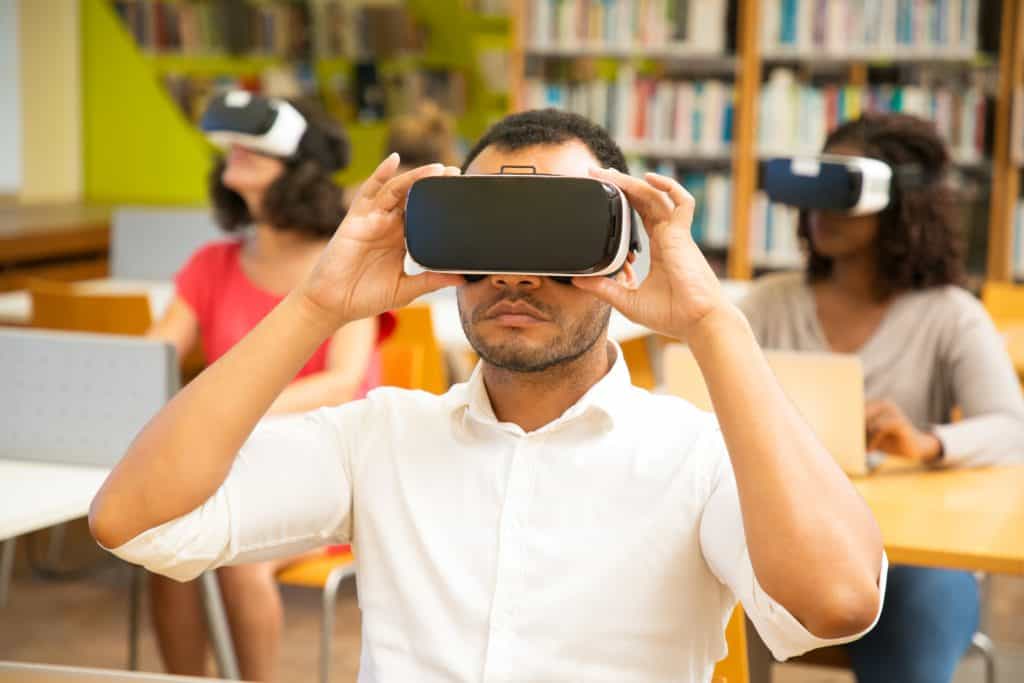
Visual Learning Mastery is a term gaining traction in education, and for good reason. In this article, we delve into the importance of visual learning in education, particularly in the context of holistic education. We’ll explore the benefits, strategies, and techniques that enhance learning through visuals, catering to a wide range of learners from K-12 students to adults in various fields, including STEM, medical, and business education.
Visual learning, a key facet of holistic education, leverages the power of images, graphs, videos, and infographics to aid comprehension. It acknowledges that individuals have diverse learning styles and recognizes the effectiveness of visual aids in cognitive development. In an era of online education, visual elements play a crucial role in curriculum design, ensuring that learning materials are engaging and accessible.
Holistic education seeks to nurture well-rounded individuals by integrating multiple dimensions of learning. Visual learning is a vital component of this approach, promoting creativity, critical thinking, and information retention. The synergy between holistic education and visual learning fosters a learning environment that caters to individual learning styles and promotes academic and personal growth.
Khan Academy view of mastery learning
Visual Learning
Visual learning, often referred to as “Visual learning mastery,” is a powerful educational approach that leverages the use of visual aids to enhance the learning process. This method holds great significance in modern education, complementing various learning styles and greatly contributing to cognitive development.
Visual learning, at its core, is an approach to learning that relies on visual stimuli to convey information. It recognizes that people have varying learning styles, and for many, visual information—such as images, charts, graphs, and videos—can be more impactful and memorable than text alone. By integrating visual elements into the learning process, educators aim to improve comprehension, retention, and engagement.
Complementing Other Learning Styles
One of the remarkable aspects of visual learning is its ability to complement other learning styles. Holistic education, which emphasizes the interconnectedness of knowledge, can benefit greatly from visual aids. Visual learning techniques encourage students to explore complex concepts from multiple angles, fostering a deeper understanding of the subject matter. This synergy between holistic education and visual learning enhances critical thinking and creativity, two vital skills for lifelong learning.
Role of Visuals in Information Retention and Comprehension
The incorporation of visuals into educational content has been shown to significantly improve information retention and comprehension. Research in visual learning psychology and neuroscience suggests that our brains are naturally wired to process visual information efficiently. Visuals stimulate cognitive processes that facilitate the encoding and recall of information.
Applications Across Education Domains
Visual learning is not limited to a specific educational level or subject. It is a versatile approach that finds application in various contexts:
K-12 Education: Visual learning techniques for children in K-12 schools can make complex topics more accessible, fostering a love for learning from an early age.
STEM Education: Visual learning is particularly valuable in STEM subjects, where intricate concepts can be better understood through diagrams, simulations, and interactive visual tools.
Medical Education: Medical students often rely on visual aids to comprehend complex anatomical structures and medical procedures, enhancing their ability to diagnose and treat patients effectively.
Business Training: In the corporate world, visual learning plays a pivotal role in training programs. It aids in conveying essential information and skills efficiently, contributing to career advancement.
Visual Learning Techniques for Beginners
Are you ready to embark on a journey towards Visual Learning Mastery? In today’s fast-paced world, the ability to learn effectively through visual means is an invaluable skill. Whether you’re a student, teacher, or lifelong learner, embracing visual learning techniques can significantly enhance your educational experience.
Visual learning is a holistic educational approach that harnesses the power of visuals to facilitate cognitive development. It has gained prominence in K-12 education, STEM education, medical education, and business training due to its remarkable benefits. By leveraging visual aids, learners can stimulate creativity, critical thinking, and improve information retention.
Practical Tips and Strategies
Incorporate Visuals: Begin by integrating visuals like diagrams, charts, and images into your study materials. This simple step can enhance comprehension and engagement.
Use Mind Maps: Mind mapping is an effective visual learning technique. Create visual representations of ideas, concepts, and their relationships to reinforce learning.
Utilize Online Resources: Explore online presentations and virtual classrooms that offer interactive visual content. Online education platforms often provide a wealth of visual learning tools and resources.
Customize Your Learning Style: Visual learning caters to diverse learning styles. Find what visual learning strategies work best for you, be it flashcards, infographics, or video tutorials.
Examples of Simple Visual Aids
In mathematics, geometric shapes to explain concepts.
For language acquisition, employ flashcards with images and words.
In STEM subjects, visualize scientific processes with animations.
Medical education benefits from anatomical diagrams.
Business training can use flowcharts to illustrate processes.
Transitioning to Visual Learning
Shifting from traditional learning to visual learning is an exciting journey. Begin by acknowledging the importance of visual learning techniques for better retention and understanding. Embrace technology and explore eLearning platforms that incorporate visual aids into their curriculum design.
Visual Learning Mastery Course
For those committed to mastering visual learning, consider enrolling in a Visual Learning Mastery Course. These courses delve into the theory, research findings, and practical applications of visual learning. You’ll gain insights into visual learning psychology, neuroscience, and its role in cognitive development and long-term memory.
Visual Learning Strategies for Kids
In today’s era of holistic education, fostering effective learning strategies for children is paramount. One powerful method that has gained prominence is visual learning mastery. Incorporating visual aids into early education can significantly enhance engagement and understanding in young learners. In this section, we’ll explore age-appropriate visual learning techniques for children and highlight the benefits of embracing visuals in their education journey.
The Power of Visual Learning
Visual learning techniques are a cornerstone of modern pedagogy. They cater to various learning styles and have proven instrumental in K-12 education, STEM education, medical education, and business training. Let’s delve into how visual learning benefits young minds:
Cognitive Development: Visual learning aids in cognitive development. Children exposed to visual learning methods tend to exhibit improved creativity and critical thinking skills. They learn to analyze, interpret, and synthesize information, fostering holistic education.
Information Retention: Visual aids make complex concepts more digestible. By associating information with visuals, children can better retain and recall what they’ve learned. This approach contributes to long-term memory development.
Enhanced Engagement: Visual learning in the classroom or online education environments keeps children actively engaged. It transforms traditional lectures into interactive and stimulating experiences, catering to various learning styles.
Curriculum Design: Effective visual learning techniques for students involve thoughtfully designed curricula. Curriculum designers can employ visual learning resources to craft engaging lessons that align with the needs of young learners.
Visual Learning Techniques for Children
To harness the benefits of visual learning, educators and parents can implement the following strategies:
Visual Learning Tools: Utilize interactive tools and software tailored to children’s needs. These tools can include visual learning apps and software, making education fun and accessible.
Visual Learning Tips: Teachers and educators can employ visual learning tips in the classroom. These tips include incorporating visual aids, such as diagrams and illustrations, into lectures and assignments.
Visual Learning Resources: Access a wealth of online resources that cater to visual learning for students. These resources provide a diverse range of materials to aid in teaching.
Visual Learning in Virtual Classrooms: In virtual classrooms, the use of visual learning techniques for special needs students and visual learners can be particularly effective. Implementing visuals effectively can bridge the gap between physical and online learning.
Visual Learning Methods for Adults
Visual learning mastery is a crucial aspect of adult education. In today’s fast-paced world, where information is abundant, adults can greatly benefit from harnessing visual learning techniques to enhance their cognitive development, improve critical thinking, and aid in information retention. This section will explore the benefits of visual learning for adults, provide examples of suitable visual learning methods, and discuss its applications in professional development.
Benefits of Visual Learning for Adults
Visual learning is a holistic education approach that leverages visual aids and strategies to facilitate comprehension and retention. Here are some key benefits for adult learners:
Enhanced Learning with Visuals: Visuals, such as diagrams, infographics, and charts, can simplify complex concepts, making them easier to understand for adults.
Effective Visual Learning: Visual learning techniques allow adults to grasp information more quickly, helping them quickly answer their search intent for knowledge acquisition.
Information Retention: Visual learning aids in long-term memory retention, ensuring that adults can recall information when needed.
Visual Learning Methods Suitable for Adult Learners
Visual Learning Tools: Online presentations and virtual classrooms can incorporate visuals like slides, videos, and interactive graphics to engage adult learners effectively.
Visual Learning Tips for Educators: Instructors can use visual aids like flashcards, mind maps, and storytelling to make lessons more engaging for adult students.
Visual Learning Resources: Online resources such as visual learning apps and software can assist adult learners in self-paced, interactive learning experiences.
Applications of Visual Learning in Professional Development
Visual learning extends its benefits to various domains of professional development:
Medical Education: Medical professionals can utilize visual aids like anatomical diagrams and 3D models for better understanding complex medical concepts.
Business Training: In the corporate world, visual learning is essential for conveying data, strategies, and concepts, improving decision-making and problem-solving skills.
Creativity and Critical Thinking: Visual learning fosters creativity and critical thinking in professionals by encouraging them to visualize problems and solutions.
Enhancing Learning with Visual Aids
Visual learning mastery is a crucial aspect of holistic education in today’s dynamic educational landscape. In this section, we will explore various types of visual aids, such as diagrams, charts, and infographics, and discuss their effectiveness in conveying complex information.
Visual Learning Benefits and Cognitive Development
Visual learning is a pedagogical approach that capitalizes on our natural inclination to process information visually. This method not only enhances information retention but also stimulates creativity and critical thinking. Research shows that visual learning benefits students across the spectrum, from preschoolers to adults, including those with special needs.
Holistic Education and Visual Learning Strategies
Holistic education emphasizes the development of the whole person, and visual learning is an integral part of this approach. Incorporating visual learning techniques into the curriculum design can greatly enhance the learning experience. Educators can use visual aids to cater to different learning styles and engage students effectively.
Types of Visual Aids
Diagrams: Diagrams are excellent tools for simplifying complex concepts. They offer a visual representation that can clarify relationships and processes. In medical education, for instance, anatomical diagrams aid in understanding the human body.
Charts: Charts, such as bar graphs and pie charts, are indispensable in STEM education. They make numerical data more accessible and facilitate data analysis.
Infographics: Infographics combine text and visuals to present information in a concise and engaging manner. They are highly effective in business training and online presentations, where complex data needs to be communicated clearly.
Effective Visual Learning Techniques
To enhance learning with visual aids, consider the following tips:
Use Color Strategically: Color coding can help highlight key points and create visual associations.
Keep It Simple: Avoid clutter and excessive detail. Visual aids should enhance understanding, not overwhelm.
Consistency is Key: Maintain a consistent style throughout your materials for better comprehension.
Engage with Technology: Leverage visual learning tools, apps, and software to create interactive learning experiences in online education.
Adapt for Special Needs: Customize visual aids to accommodate students with different learning requirements.
Effective Visual Learning Techniques for Students
In today’s dynamic educational landscape, the adoption of effective visual learning techniques has become paramount. These techniques empower students to master their learning process, enhance cognitive development, and facilitate information retention. Here, we delve into practical advice for students seeking to improve their visual learning skills, discussing note-taking techniques, mind mapping, and concept visualization.
Note-Taking Techniques for Visual Learning Mastery
Effective note-taking is a cornerstone of visual learning. When attending lectures or reading materials, students should employ visual aids such as diagrams, charts, and graphs to complement their notes. Integrating these visual elements with textual information enhances comprehension and retention.
Utilizing online presentation tools like PowerPoint or virtual whiteboards can facilitate visual learning during lectures. These tools allow students to create visual representations of complex concepts, aiding in their understanding. Moreover, the use of visual cues, such as highlighting and colour-coding, can help students organize and recall information more efficiently.
Mind Mapping Unlocks Creativity
Mind mapping is a versatile visual learning strategy that fosters creativity and critical thinking. By creating a visual representation of ideas and concepts, students can grasp the interconnectedness of information. Holistic education benefits greatly from mind mapping, as it encourages a deeper understanding of subjects.
Visual learning methods for adults often include mind mapping for brainstorming and problem-solving. In STEM education, students use mind maps to simplify complex scientific concepts. In medical education, mind mapping aids in the organization of intricate medical knowledge.
Concept Visualization Enhances Learning
Concept visualization is a powerful tool for visual learners. This technique involves transforming abstract ideas into concrete visuals, making it easier to grasp complex concepts. Students can use visual learning tools such as concept maps and infographics to achieve this.
Visual Learning Tools for Modern Education
In the realm of modern education, technology plays a pivotal role in revolutionizing the way we learn and teach. Visual learning, a cornerstone of holistic education, has seen significant enhancements through the integration of technology. This section will explore the profound impact of technology on facilitating visual learning, highlight essential visual learning tools and resources for online courses and virtual classrooms, and delve into the advantages of incorporating visual learning in eLearning environments.
Technology’s Facilitation of Visual Learning
Visual learning, characterized by the use of visual aids and strategies, has emerged as a powerful educational approach that caters to diverse learning styles. In the context of online education and curriculum design, technology has paved the way for effective visual learning techniques. With the advent of online presentations and virtual classrooms, educators have the opportunity to employ a wide range of multimedia tools and resources that enhance learning with visuals.
Visual Learning Benefits and Cognitive Development
One of the key benefits of visual learning is its positive impact on cognitive development. Studies in visual learning psychology and neuroscience have shown that visual learning aids in information retention, fosters creativity, and sharpens critical thinking skills. This approach is particularly valuable in K-12 education, STEM education, medical education, and business training.
Visual Learning Tools and Strategies
To achieve Visual Learning Mastery, educators should familiarize themselves with various visual learning techniques. These include but are not limited to:
Visual Learning Methods for Better Retention: Incorporating diagrams, charts, and infographics in lessons can significantly improve information retention.
Visual Learning Techniques for Teachers: Educators can employ interactive whiteboards, educational software, and multimedia presentations to engage students effectively.
Visual Learning Mastery Course: Enrolling in a dedicated Visual Learning Mastery course can provide educators with in-depth knowledge and practical skills.
Visual Learning Curriculum Design: Designing a curriculum with a strong visual component ensures that students benefit from visual learning theory in practice.
Visual Learning Research Findings: Staying updated with the latest research findings in visual learning and brain development is crucial for educators.
Advantages of Incorporating Visual Learning
Incorporating visual learning in online education and virtual classrooms yields several advantages. For instance:
Visual learning caters to various learning styles, making it inclusive for all students.
Visual learning promotes problem-solving skills and aids in long-term memory development.
Visual learning is highly effective for language acquisition and benefits students with special needs.
Visual learning fosters creativity and critical thinking, skills essential for academic success and career advancement.
Conclusion
In today’s rapidly evolving educational landscape, the adoption of a holistic approach to education has emerged as a game-changer. To navigate this transformative journey effectively, it’s essential to grasp the significance of visual learning and its undeniable benefits.
Holistic education encompasses a comprehensive approach that nurtures students’ physical, emotional, social, and cognitive development. At its core, it recognizes the interconnectedness of various facets of learning. Visual learning, one of the pillars of holistic education, harnesses the power of visual aids to facilitate understanding, ignite creativity, and promote critical thinking.
Visual learning techniques enhance learning with visuals, effectively bridging the gap between abstract concepts and concrete understanding. Research in visual learning psychology and neuroscience reveals that visual learning not only aids information retention but also stimulates cognitive development. It engages the brain’s visual cortex, enabling learners to process information more efficiently, leading to better problem-solving skills.
In K-12 education, visual learning techniques for children prove to be highly effective. Visual aids in classrooms engage young minds, making learning an enjoyable experience. Similarly, in STEM education, where complex concepts often intimidate learners, visual learning makes abstract theories tangible.
Medical education and business training also reap the rewards of visual learning. In medical education, visual learning aids in understanding intricate anatomical structures and medical procedures. In the world of business, visual learning plays a crucial role in conveying complex data, enhancing communication, and fostering creativity in problem-solving.
FAQs
What are the key benefits of visual learning?
Visual learning offers several benefits, including enhanced comprehension, retention, and engagement. It leverages visual aids such as diagrams, charts, and videos to make complex concepts more accessible and memorable for students. Visual learning also caters to diverse learning styles, fostering better understanding and knowledge retention.
How can holistic education enhance the learning experience?
Holistic education focuses on nurturing students’ physical, emotional, social, and intellectual development. It encourages critical thinking, creativity, and self-awareness. By addressing the whole child, holistic education promotes a deeper and more meaningful learning experience, preparing students for life beyond academics.
What are the most effective visual learning strategies for students?
Effective visual learning strategies include mind mapping, concept mapping, infographics, and using multimedia presentations. These techniques help students organize information visually, making it easier to grasp complex concepts and remember key details.
Are there any recommended tools for visual learning?
Recommended tools for visual learning include Microsoft PowerPoint, Prezi, Canva, and online whiteboard platforms like Miro and Jamboard. These tools offer features for creating engaging visual content.
How does visual learning impact memory retention?
Visual learning enhances memory retention by leveraging the brain’s ability to process and recall visual information more effectively than text alone. Visual cues and associations make information more memorable and accessible.
What is the role of visual learning in K-12 schools?
Visual learning plays a crucial role in K-12 education by making lessons more engaging and comprehensible for students. It supports diverse learning styles and helps teachers convey complex ideas effectively.
Can visual learning techniques benefit language acquisition?
Yes, visual learning techniques like flashcards, visual dictionaries, and language infographics can aid language acquisition by associating words with images, enhancing vocabulary retention, and facilitating comprehension.
How can educators implement visual learning in virtual classrooms?
Educators can implement visual learning in virtual classrooms by using screen sharing, virtual whiteboards, interactive presentations, and incorporating multimedia elements into their online lessons. Engaging visuals can enhance student participation and understanding.
Are there any apps or software for visual learning?
Yes, there are several apps and software for visual learning, including Adobe Spark, Lucidchart, MindMeister, and Padlet. These tools support creating visual content for educational purposes.
What are the cognitive development aspects of visual learning?
Visual learning enhances cognitive development by stimulating critical thinking, problem-solving, and spatial reasoning skills. It encourages students to analyze and synthesize information visually, fostering cognitive growth.
How does visual learning promote creativity?
Visual learning encourages creativity by allowing students to express ideas visually through drawings, diagrams, and presentations. It enables them to think outside the box, explore different perspectives, and communicate creatively.
How can visual learning improve critical thinking skills?
Visual learning promotes critical thinking by requiring students to analyze, interpret, and connect visual information. It encourages them to question and evaluate content, leading to improved critical thinking skills.
What is the relationship between visual learning and information retention?
Visual learning enhances information retention by creating memorable associations between visuals and content. This improves recall and the ability to apply knowledge.
How to effectively use visual learning techniques in online presentations?
To use visual learning techniques effectively in online presentations, use visuals sparingly but purposefully, focus on clarity and simplicity, and ensure alignment with the content. Use animations and transitions to engage the audience without overwhelming them.
What are the challenges and advantages of visual learning in virtual classrooms?
Advantages of visual learning in virtual classrooms include enhanced engagement and accessibility. Challenges include the need for reliable technology, ensuring all students can participate, and maintaining a balance between visuals and other teaching methods.
Remote collaboration for architects refers to the process of engaging in architectural collaboration activities and communication through virtual platforms and tools, allowing architects and their teams to work together efficiently, regardless of their physical locations. This modern approach to collaboration enables seamless interaction, data sharing, and coordination, ultimately enhancing productivity and streamlining architectural projects.Remote collaboration eliminates the limitations of geographical boundaries, enabling architects to work on projects with colleagues or clients located anywhere in the world. This allows for a more diverse and talented pool of professionals to collaborate, leading to enhanced project efficiency and outcomes.Virtual collaboration tools and platforms provide real-time communication channels such as video conferencing, instant messaging, and project management software. These tools facilitate effective communication between team members, stakeholders, and clients, fostering better understanding, quick decision-making, and smoother workflow.By eliminating the need for physical meetings and travel, remote collaboration significantly reduces expenses associated with transportation, accommodation, and other logistical aspects. Moreover, it saves valuable time by enabling architects to focus on project tasks rather than being consumed by commuting or scheduling conflicts.Remote collaboration allows architects to work at their own pace and in an environment that suits them best, resulting in improved work-life balance. This flexibility boosts creativity and productivity while accommodating diverse work preferences and individual needs.Work from Anywhere: Tools, Tips, + Methods I Use to Run a Remote Architecture Studio Remote Collaboration Tools for ArchitectsArchitects today are embracing remote collaboration tools to enhance their workflow and streamline architectural projects. Remote collaboration tools refer to software, platforms, and techniques that enable architects to collaborate effectively with their teams and clients regardless of their physical location. These tools have gained significance in architectural projects due to the increasing prevalence of remote work and the need for seamless communication and coordination.Best Remote Collaboration Software for ArchitectsWhen it comes to remote collaboration for architects, several software options stand out for their features and advantages. These tools facilitate efficient communication, file sharing, and real-time collaboration, enhancing productivity and reducing project timelines. Here are some of the best remote collaboration software options available for architects: Autodesk BIM 360: This comprehensive platform offers collaboration features specifically designed for architectural projects. It enables architects to manage designs, documents, and project data in a centralised environment accessible to all team members. Bluebeam Revu: With its powerful markup and collaboration capabilities, Bluebeam Revu allows architects to review, annotate, and share project documents effortlessly. It promotes effective collaboration among team members, eliminating the need for physical meetings. Figma: Figma is a cloud-based design and prototyping tool that supports collaborative work on architectural designs. It enables architects to create, edit, and share design files in real time, fostering seamless collaboration with team members and clients. Software Features Advantages Autodesk BIM 360 Centralized project management Streamlined coordination and document control Bluebeam Revu Markup and review tools Efficient document collaboration Figma Real-time design collaboration Seamless integration with design workflows Evaluation of Virtual Collaboration Tools for Architectural Design and Project ManagementArchitectural design and project management require effective virtual collaboration tools that support remote teamwork and enhance efficiency. The following virtual collaboration tools are suitable for architectural design and project management: Asana: Asana is a project management platform that allows architects to create tasks, set deadlines, and track progress. It facilitates collaboration by providing a central hub for project-related discussions, file sharing, and updates. Microsoft Teams: Microsoft Teams is a comprehensive collaboration platform that integrates chat, video meetings, and file sharing. It offers architects a seamless environment for virtual communication, team collaboration, and project coordination. Trello: Trello is a visual project management tool that enables architects to organise and track tasks using customisable boards. It promotes collaboration by providing a clear overview of project progress and facilitating communication among team members. Efficient Architectural Collaboration TechniquesIn today’s fast-paced world, remote collaboration for architects has become an essential aspect of efficient architectural practices. With advancements in technology, architects can now seamlessly collaborate with team members and clients regardless of their physical location. This section explores effective techniques for remote architectural collaboration, the role of virtual design collaboration software in streamlining communication and workflow, online architectural collaboration tools that enhance productivity and collaboration, and showcases successful architectural collaboration projects and the techniques utilised.Remote Collaboration for Architects: Enhancing Efficiency and FlexibilityArchitectural collaboration techniques have evolved significantly with the introduction of remote collaboration. This approach allows architects to work together efficiently and flexibly, regardless of their geographical constraints. Remote collaboration enables architects to overcome the limitations of traditional in-person meetings and facilitates seamless communication and coordination among team members.Virtual Design Collaboration Software: Streamlining Communication and WorkflowVirtual design collaboration software plays a pivotal role in remote architectural collaboration. This software empowers architects to collaborate in real-time, share design ideas, and make simultaneous modifications to architectural plans. By leveraging virtual collaboration platforms, architects can streamline communication, enhance workflow efficiency, and ensure that project timelines are met with precision.Online Architectural Collaboration Tools: Enhancing Productivity and CollaborationA wide array of online architectural collaboration tools is available to architects, offering diverse functionalities to enhance productivity and collaboration. These tools enable architects to share files, collaborate on design concepts, track project progress, and communicate seamlessly. Remote collaboration tools for architects foster a collaborative environment that encourages knowledge sharing, problem-solving, and efficient decision-making.The Future of Remote Architectural CollaborationAs technology continues to advance, remote collaboration for architects will only grow in significance. Architectural firms will increasingly rely on collaborative software, virtual collaboration platforms, and remote collaboration solutions to overcome geographical barriers and optimise their efficiency. Remote collaboration holds immense potential in transforming the architectural landscape, enabling architects to work as cohesive teams, regardless of their physical locations. Remote Collaboration for Architectural TeamsArchitectural collaboration has undergone a significant transformation with the rise of remote work. As architectural teams increasingly embrace remote collaboration, it becomes crucial to understand its importance, effective strategies, and the tools and techniques that facilitate seamless teamwork. In this section, we explore the significance of remote collaboration for architects, discuss strategies for effective collaboration within architectural teams, provide tips for remote project
With the acceleration of digitalisation in workplace collaboration, all-in-one meeting solutions like Neat Bar have maximised the creativity and productivity of the workforce. The neat Bar and Pad bundle perfectly balances high-tech engineering and user-operating simplicity. Together, Neat Bar and Neat Pad can provide you with a complete video conferencing experience second to none.The simple steps to setting up Neat Bar and Pad Bundle are as follows: Power up your Neat Pad. Power up your Neat Bar. Choose your setup scenario. Choose your Mounting Configuration. Connect Neat Pad and Neat Bar to the Internet. Choose your Neat Bar. Choose the desired platform. It’s very easy for anyone to install and set up the neat bar and pad bundle. Just plug in the cables, and the bar will auto-pair with the pad. Moreover, because the Neat Bar and Neat Pad have auto-flip, they instantly realign your view, regardless of how you mount or position them. The neat bar and pad bundle is perfect for bringing superior-quality audio and video to your meeting, huddle, or focus rooms for up to ten people. How to set up a Neat Bar and Pad Bundle? Step-by-step guide.Neat Bar is a simple and elegant video conferencing solution. It is a highly capable meeting room device with a compact design. And its setup is not much of a hustle. All you have to do is follow these simple steps. STEP 1: Turn on your Neat Pad. So, if you have Power-Over-Ethernet (PoE) built into your network, use the Ethernet cable (supplied) to plug your Neat Pad directly into an Ethernet port to receive network and power. But if you want to connect to the Neat Bar. o Neat Pad using Wi-Fi, skip this step.STEP 2: Charge your Neat Bar. Connect the Neat Bar to AC power and the TV screen using the HDMI output. But, if you use a single TV screen, make sure you connect to the Neat Bar’s HDMI 1 output.If you want to connect the Neat Bar to a wired network, connect it to your network switch using an Ethernet cable. However, do not connect the Ethernet cable if you are using Wi-Fi. If a Neat device has a wired Ethernet connection, it will always use Ethernet. To force a Neat device to use Wi-Fi, there should be no wired/Ethernet connection cable physically connected.STEP 3: Choose your setup case. So, if you are setting up a Neat Bar, the Neat Pad needs to be paired with the Bar. You will have four set-up options available to you. To do so, choose “Set up Neat Bar with a controller.”But, if you are using the Neat Pad as a standalone device, choose the other two options for room availability (Zoom: Scheduler/ Microsoft: Team Panel) or meeting control (Zoom Room Controller/ Microsoft Teams Console) as desired.STEP 4: Next, choose your mounting option. The Neat Bar supports three different mounting options: Screen mounting Wall mounting Table mounting You can pick an option according to your meeting room and preferences. The set-up Wizard will walk you through the appropriate steps to set up the Neat Bar accordingly. STEP 5: Now you have to connect both devices to the internet. So, if you’ve connected Neat Pad and Neat Bar using Ethernet cables to a wired network, you should be connected to the internet automatically. Otherwise, you will need to connect the Neat Pad to WiFi. (You can find the instructions on how to connect the Bar to Wi-Fi below.) STEP 6: Choose your Neat Bar if you have multiple Neat Bars in your office. All you have to do is select the correct serial number and hit continue.STEP 7: Lastly, you will now be asked to choose your platform as shown below. Once you have selected your preference, hit continue to begin launching either Zoom or Microsoft Teams. (Find details below.)That’s it! Now you’re done with the set-up and ready to make calls using your Neat Bar and Neat Pad. How do I pair a Neat Pad with Neat Bar?Everything you need to connect Neat Bar to your TV or monitor is in the box, so it’s easy for anyone to install and set up. Just plug in the cables, and the Neat Bar will auto-pair with the Neat Pad. However, there are three Wi-Fi deployment options when Bar and Pad are paired together: Both Neat Bar and Neat Pad are connected over Wi-Fi. Neat Bar on Wi-fi and Neat Pad on a wired network. Neat Bar on a wired network and Neat Pad on Wi-Fi. How do I connect a Neat bar to WiFi?The Neat Bar can be used on both wired and wireless networks. However, here is a step-by-step guide for you to connect to Wi-Fi. All you need is a stable internet connection: Step 1: Connect both the Neat Bar and Neat Pad to power sources and connect to an external display using the HDMI 1 port (for a second monitor, use the HDMI 2 port). Do not connect the Ethernet cable if you want to connect Neat Bar to Wi-Fi. If you want to connect the Neat Pad over Wi-Fi, use the PoE injector to power it up, but do not connect it to a wired network. Step 2: Follow the instructions on the Neat Pad, starting with the “preferred language selection.” Click on “Continue”. Step 3: Choose the setup: ‘Set up Neat Bar with controller’. Click ‘Continue’. Step 4: Next, follow the mounting guides for the appropriate configuration for your room and press ‘Start guide’ (optionally, you can choose ‘Skip’ if you are already aware of how to mount the devices.) Step 5: If you are connecting the Neat Pad to a Wi-Fi network. Step 6: Choose ‘Connect using Wi-Fi’. You will see the ‘Neat Pad Wi-Fi’screen. For a successful pairing, Neat Bar and Neat Pad will need to be on the same “subnet”. Press ‘Got it. Step 7: Next, the Neat Pad will populate a list of all connected Wi-Fi networks. Step 8: Select your Wi-Fi network, enter the
Remote work has become increasingly popular in recent years, revolutionising the traditional workplace structure. This work arrangement allows employees to perform their tasks from any location, offering flexibility and independence. However, remote teams face unique challenges in terms of organisation and focus. To overcome these hurdles, it is essential to leverage effective organisation tools that enhance productivity and collaboration. In this article, we will explore the concept of remote work, highlight the challenges faced by remote teams, and emphasise the importance of utilising remote team organisation tools to optimise team performance.Remote work refers to the practice of working outside a traditional office setting, usually from home or any location with an internet connection. With advancements in technology and a shift in work culture, remote work has gained immense popularity. It offers numerous benefits to both employees and employers, such as increased work-life balance, reduced commuting time, and access to a global talent pool. As a result, organisations are embracing remote work as a viable option to boost productivity and attract top talent.While remote work offers many advantages, it also presents unique challenges, particularly related to organisation and focus. Remote teams often struggle with coordination, communication, and maintaining a cohesive workflow. The absence of face-to-face interactions and physical proximity can hinder team dynamics and collaboration. Additionally, remote team members may find it challenging to stay focused due to distractions at home or a lack of structured work environment. Overcoming these obstacles is crucial for remote teams to achieve their goals efficiently.To address the challenges faced by remote teams, utilising effective organisation tools is paramount. These tools streamline workflows, facilitate communication, and enhance productivity and collaboration. By implementing remote team organisation tools, teams can better manage their tasks, allocate resources, and monitor progress. Let’s explore some key areas where these tools can significantly contribute to remote team success.Task and project management tools play a vital role in remote team organisation. These tools enable teams to create and assign tasks, set deadlines, and track progress. They provide a centralised platform for collaboration, where team members can update their work status, share files, and communicate in real-time. Notable examples of such tools include remote project management software, online team collaboration platforms, and virtual team organisation tools.Effective communication is the cornerstone of successful remote team collaboration. Remote team communication tools enable team members to connect seamlessly, regardless of their physical locations. These tools facilitate instant messaging, audio/video conferencing, and screen sharing, fostering real-time collaboration. By leveraging virtual team communication tools and online team collaboration platforms, remote teams can bridge the distance gap and maintain efficient communication channels.Remote Team Management Strategies | 5 BEST TOOLS TO USE Understanding Remote Team OrganizationIn today’s digital landscape, remote work has become increasingly prevalent, requiring effective remote team organisation to achieve project goals. Remote team organisation plays a crucial role in facilitating seamless collaboration, enhancing productivity, and ensuring successful project outcomes.One significant advantage of remote team organisation is the ability to tap into a global talent pool. By assembling a diverse team of professionals from different locations, organisations can benefit from a wider range of skills, perspectives, and expertise. This fosters creativity, innovation, and problem-solving, ultimately leading to more successful project outcomes.Furthermore, remote team organisation enables flexibility in work arrangements, accommodating individual preferences and allowing team members to work in their preferred environments. This flexibility promotes work-life balance, boosts morale, and enhances employee satisfaction, ultimately contributing to improved productivity and project success.Key Elements of Remote Team Organization Task Management: Effective task management is crucial for remote team organisation. Utilising remote team organisation tools such as project management software enables efficient assignment of tasks, tracking progress, setting deadlines, and allocating resources. These tools facilitate transparency, accountability, and collaboration among team members, ensuring everyone is aligned towards achieving project goals. Communication: Communication is the cornerstone of remote team organisation. Leveraging various remote communication tools, such as video conferencing, instant messaging, and collaboration platforms, fosters seamless communication and knowledge sharing. Regular check-ins, virtual meetings, and clear communication channels help bridge geographical gaps, promote collaboration, and ensure efficient decision-making processes. Project Tracking: Remote team organisation necessitates robust project tracking mechanisms. Employing remote project management software provides real-time visibility into project progress, milestones, and key deliverables. Through centralized dashboards, team members can access project updates, identify bottlenecks, and make informed decisions. This enhances transparency, streamlines workflows, and keeps the project on track. Remote Team Organization Tools Tool Description Project Management Software platforms facilitating task assignment and tracking Communication Tools for seamless virtual communication and collaboration Collaboration Platforms Platforms enabling remote teams to work together on projects Remote Project Management Software Tools for real-time project tracking and management Remote Work Tools Software and applications supporting remote work Best Remote Team Organization ToolsIn today’s fast-paced digital landscape, remote work has become increasingly prevalent, requiring efficient organisation and seamless collaboration among team members. To streamline remote team management, enhance collaboration, and facilitate effective communication, several powerful remote team organization tools have emerged in the market. In this section, we will explore the top tools specifically designed to address the challenges of remote work, empowering teams to achieve optimal productivity and success.TrelloTrello is a renowned remote project management tool that provides a visual and intuitive interface for organising tasks and projects. It offers a flexible Kanban-style board, allowing teams to create and customise workflows according to their specific needs. With Trello, remote teams can easily track project progress, assign tasks to team members, and monitor deadlines, ensuring smooth coordination and increased productivity. Its user-friendly features and seamless collaboration options make it an essential tool for remote team organisation.AsanaAsana is another popular remote team management platform that offers a comprehensive suite of features for organising, tracking, and managing projects. With its intuitive interface and robust task management capabilities, Asana enables remote teams to assign tasks, set priorities, and establish dependencies, ensuring efficient workflow and streamlined project execution. Additionally, Asana allows teams to integrate with various communication tools, fostering seamless remote collaboration and enhancing overall team productivity.SlackWhen it comes to remote
In the fast-paced world of technology, staying abreast of the latest AV innovation trends is not just a choice; it’s a necessity. Audiovisual technology has become an integral part of our daily lives, transforming the way we communicate, entertain, and learn. In this ever-evolving landscape, understanding the significance of affordable and user-friendly AV technology trends is paramount. Let’s delve into the world of AV innovation insights, exploring the cutting-edge advancements that are reshaping our experiences.Audiovisual technology, often abbreviated as AV, encompasses a wide array of innovations that merge audio and visual elements seamlessly. From interactive solutions to smart home entertainment systems, the AV industry is constantly evolving, fueled by emerging tech and AI-powered solutions. For individuals and businesses alike, keeping up with AV innovation trends is crucial to harness the full potential of these advancements.In today’s digital era, innovative audiovisual systems go beyond simple presentations; they create immersive and transformative experiences. Picture this: AI-driven audiovisual advancements powering interactive AV solutions that respond to your gestures, providing an unparalleled level of engagement. This is the future of AV industry insights unfolding before our eyes.Gone are the days when advanced visual displays and innovative sound systems were limited to high-budget projects. With the rise of user-friendly AV solutions, DIY AV setups and budget-friendly AV tech trends have become prevalent. Easy-to-install audiovisual systems, intuitive equipment, and hassle-free audiovisual experiences are no longer elusive dreams but accessible realities.ISE 2023 | Fran Chuan Q&A | How Innovative Really is the AV Industry? The Growing Demand for Affordable AV Innovation InsightsIn today’s fast-paced world, the demand for affordable AV (Audiovisual) solutions is on the rise across various sectors. Businesses, educational institutions, and even individual consumers are looking for cost-effective AV innovations to enhance their audiovisual experiences. This growing need for budget-friendly AV solutions is driven by a desire for advanced technology that doesn’t break the bank.Affordable AV Innovation Insights in Various SectorsThe AV industry, with its constant stream of innovative audiovisual technology advancements, has evolved significantly in recent years. The emergence of cutting-edge AV technologies, such as AI-powered solutions, presentation technologies, visual displays, sound systems, and home entertainment, has opened new avenues for businesses and individuals to explore.Revolutionizing the Industry with Affordable AV Innovation InsightsThe introduction of user-friendly AV solutions and integration solutions has revolutionized the way we interact with audiovisual technology. Innovative sound systems and futuristic tech, like smart devices and interactive solutions, have paved the way for immersive audiovisual experiences. These disruptive AV innovations have the potential to reshape the future of the AV industry.Industries Benefiting from Budget-Friendly AV Tech TrendsSeveral industries are already reaping the benefits of budget-friendly AV tech trends. Here are a few examples: Education: Educational institutions are adopting easy-to-install audiovisual systems to enhance the learning experience. These budget-friendly solutions make it easier for teachers and students to engage with innovative AV gadgets for home or classroom use. Business and Conferencing: Companies are embracing user-friendly audiovisual solutions that promote quick setup and hassle-free audiovisual experiences. The demand for plug-and-play audiovisual devices in conference rooms has increased, making it simpler to host meetings and presentations. Entertainment: Home entertainment systems are taking advantage of entry-level AV solutions. DIY AV setups and basic AV technology guides allow consumers to enjoy immersive audiovisual experiences without the complexity of traditional setups. Easy-to-Install Audiovisual Systems: A Game-ChangerIn today’s rapidly evolving AV industry, the concept of “Easy-to-Install Audiovisual Systems” has emerged as a game-changer, reshaping the way we experience audio and visual content. With the integration of cutting-edge innovations and user-friendly AV solutions, the market is witnessing a transformative shift towards hassle-free DIY AV setups that cater to both beginners and tech enthusiasts.AV Innovation Insights: Revolutionizing User ExperiencesAudiovisual technology has reached new heights, thanks to AV innovation trends that emphasize simplicity and accessibility. Emerging AV solutions and future-oriented technologies have paved the way for affordable AV innovation insights, making high-quality audiovisual experiences accessible to a broader audience. These advancements are driven by AI-powered solutions, enabling intuitive audiovisual equipment that enhances user experiences across various sectors.The Rise of User-Friendly Audiovisual SolutionsIn today’s fast-paced world, time is of the essence. Users seek audiovisual systems that offer quick setup and hassle-free experiences. Easy-to-install audiovisual systems have become the go-to choice, allowing individuals to enjoy immersive AV experiences without the complexities of traditional setups. These plug-and-play audiovisual devices provide straightforward AV innovations, ensuring that even beginners can effortlessly integrate them into their spaces.DIY AV Setups: Empowering UsersEmpowering users with knowledge is essential in the AV industry. Audio-visual training plays a pivotal role in guiding enthusiasts and beginners alike towards mastering the art of AV technology. Through innovative AV gadgets for home use and simple AV integration ideas, users can create personalized setups tailored to their preferences. DIY AV setups, coupled with budget-friendly AV tech trends, make it easier than ever to enjoy top-notch audiovisual experiences without breaking the bank.Futuristic Tech and Integration SolutionsThe future of the AV industry lies in the seamless integration of AI-driven audiovisual advancements. These revolutionary AV solutions offer interactive and immersive audiovisual experiences, blurring the lines between reality and virtuality. Smart home entertainment systems, equipped with advanced visual displays and innovative sound systems, redefine home entertainment. Transformative audiovisual experiences are now at the fingertips of consumers, enhancing their overall quality of life.AV Technology Updates and InsightsStaying informed about the latest trends in AV is crucial for enthusiasts and professionals alike. AV technology updates and AV innovation articles provide valuable insights into the ever-changing landscape of audiovisual technology. Accessible through cutting-edge AV gadgets and immersive AV solutions, these updates offer a glimpse into the future of audiovisual tech advancements. From disruptive AV innovations to interactive audiovisual technology, the possibilities are endless. Innovative AV Gadgets for Home: Enhancing Everyday LifeIn today’s rapidly evolving world of Audiovisual (AV) technology, innovation insights play a pivotal role in enhancing our daily lives. This section will explore the concept of innovative AV gadgets for the home, showcase cutting-edge devices and their benefits, and offer insights into how simple AV integration ideas can upgrade home entertainment. Cutting-Edge
All-in-one video solutions are becoming an aide for organisations looking for the best device with all the collaboration platforms they use and delivering high-quality audio and video conferencing. These plug-and-play units are compatible with multiple platforms and perfect for small to medium-sized huddle and conference rooms. The Logitech Rally Bar and the Logitech Meetup are both premier all-in-one video solutions. The Rally bar allows you to ditch the computer and use one-touch video conferencing. On the other hand, Meetup is the most compact video bar offering the most intelligent features. However, the Rally bar is intended for large meeting rooms, whereas Meetup is used for small to medium-sized meeting rooms. The sleek, all-in-one room system reduces setup stress with a flexible and streamlined installation. It provides an affordable and effective meeting solution and can be just as natural and productive as face-to-face collaboration. Let’s take a closer look at the difference between these two devices to help you make the better choice. Logitech Rally BarAbout Logitech Rally BarThe Logitech Rally Bar is an all-in-one video bar with an integrated AI camera for medium to large rooms. Its brilliant optics, automated PTZ, and high-performance audio set a new standard for video meetings. Logitech Rally Bar lets you do video meetings that can be just as natural as face-to-face collaboration. It is remarkably simple to manage, use, and deploy at scale, delivering professional-quality audio and video in a sleek. The Logitech Rally Bar is a system that includes cameras, microphones, and standalone speakers and is meant for larger meeting rooms.Pros of Logitech Rally Bar Compatible with most web-based video conferencing services. Camera with super-high-resolution pan-tilt-zoom. Beamforming microphone array. Wide field of view. Easy to set up. Cons of Logitech Rally Bar Two connection hubs seem duplicative. Needs a separate computer. Feature of Logitech Rally BarThe Rally Bar brings all of the features of larger meeting room kits into a compact, streamlined design. This amazing product is easy to set up in seconds, with USB plug-and-play support. The incredibly rich features of the Rally Bar include: Appliance mode for PC-free access USB plug-and-play design All-in-one audio and video RightSight for better framing One-touch join for meetings Logitech Sync for easy control RightLight for improved lighting settings RightSound for enhanced audio clarity Integrations with leading meeting rooms Remote control lens cap Remote update management 4K resolution at up to 30 FPS Pan, tilt, and 4x digital zoom Partner dashboard support Add-on microphone options AI noise suppression filter Adaptive field of view up to 110 degrees Room-filling speaker performance Beamforming microphones Product Description Camera: -Resolution: 4K, 1440p, 1080p, 900p, 720p, and SD at 30fps-Pan: Motorized ±25° -Tilt: Motorized ±15° Zoom: 15X HD zoom (5X optical, 3X digital available with upcoming software update) -Diagonal Field of View: 90° -Horizontal Field of View: 82.1° -Vertical Field of View: 52.2° -Total Room Coverage: 132.1° Horizontal x 82.2° Vertical Built-in Components: -6 beamforming microphones-2 speakers, -PTZ camera– AI Viewfinder-retention system and cable management-Logitech CollabOS platform-table stand. Power & Cables: -Power Supply: Auto-sensing -Operating Voltage/Power: 100-240V, 19V, 4.74A -Power Supply Dimensions: 127mm x 51mm x 30mm -DC Cable: 1.5m / 4.9 ft -AC Cable: 1m / 3.28 ft -HDMI 1.4 Cable: 2m / 6.5 ft -USB A to USB C 3.0 Cable: 2.2m / 7.2 ft Dimensions: -Height: 164 mm / 6.46 in -Width: 910 mm / 2.99 ft -Depth: 130.5 mm / 5.14 in -Lens Depth: 28.8 mm / 1.13 in -Weight: 7.08 kg / 15.6 lbs Interfaces: -HDMI Out: 2 (up to 1080p) -HDMI In: 1 -USB 3.0: 3x Type A, 1x Type C -Network: 10/100/1G Ethernet -WiFi: 802.11a/b/g/n/ac (MIMO) External Mic Input: Yes (proprietary input supports optional -Rally Mic Pod, Rally Mic Pod Hub, and Rally Mic Pod Extension Cable) -Remote Control: Bluetooth® Low Energy Speakers: -Drivers: 2x 70mm / 2.7 in -Output: 90dB SPL @1W, 99dB SPL @8.0W, both +/-2dB at ½ meter -Sensitivity: 90+/-3dB SPL at 1W, ½ meter -THD: 1kHz < 2% -Speaker Sampling Rate: 48 kHz Microphones: -Frequency Response: 90Hz – 16kHz -Sensitivity: >-36dBFS +/-1dB @ 1Pa -Microphone Data Rate Output: 48 kHz -Pickup Range: 4.5m / 15 ft -Beamforming Elements: Six omnidirectional digital MEMS microphones forming five adaptive acoustic broadside beams -Audio Processing: AEC (Acoustic Echo Cancellation), VAD (Voice Activity Detector) -Noise Suppression: AI filter -Add-on Mics: Supports up to 3 additional Rally Mic Pods for larger conference roomsCompatibility with other platformsThe Logitech Rally Bar is compatible with Microsoft Teams Rooms on Windows(for medium-sized rooms), Microsoft Teams Rooms on Android (for medium-sized rooms), Zoom Rooms and Google Meet Rooms.Logitech MeetupAbout Logitech MeetupLogitech Meetup, an all-in-one product with plug-and-play simplicity, is designed for small meetings and huddle rooms. Equipped to work with the latest applications for video conferencing. It is one of the front-runners in the all-in-one video conferencing appliance space. It comes with remote control and a Bluetooth option to function as a speakerphone for voice calls. Moreover, the Meetup is the only device in the pack with a pan/tilt camera, which zooms to an incredible view of 170 degrees. Pros of Logitech Meetup The adjustable camera points straight to the talker. Effective mic array to pick up voices well. It is a convenient and compact package solution, including a mic, camera, and speaker. Cons of Logitech Meetup Finding the proper software for additional features on the Logitech website. Video quality is not favourable for participants sitting a little far away. Features of Logitech MeetupThe Logitech Meetup is an excellent solution for smaller meeting spaces and intimate meeting rooms. It also comes with access to some of Logitech’s most intelligent features. It is easy to install, has a 5X zoom range, and has a wide angle of view. Here is a detailed feature list for your complete understanding: Three camera pre-set modes Multiple mounting options Excellent five times Zoom 4K ultra-HD streaming and video control All-in-one video and audio Wireless Bluetooth technology Certified for leading UCaaS tools RightLight for improved lighting settings RightSound for enhanced audio clarity RightSight for better framing 3-year warranty Compatibility with other leading Logitech tools Three microphones beam-forming array Dial in the meeting option Logitech Sync for better controls Product Description Camera: -Custom Logitech lens with 5x HD zoom and motorised pan (+/-
In today’s dynamic educational landscape, multimedia learning has emerged as a revolutionary paradigm, transforming traditional teaching methods. This innovative approach integrates diverse forms of media, such as images, videos, and interactive elements, into the educational process. Its significance lies in its capacity to engage learners, enhance comprehension, and foster immersive learning experiences.The incorporation of audiovisual (AV) elements has proven to be a game-changer in educational technology. By embracing visual learning and interactive media, educators tap into the power of multimedia integration, which in turn leads to effective learning techniques. Research indicates that multimedia content boosts information retention and engagement. This digital education evolution capitalizes on audiovisual learning to offer a holistic approach that caters to various learning styles.Immersive learning experiences are at the forefront of multimedia curriculum design. Educators now possess an array of multimedia tools to craft lessons that resonate with students. Interactive multimedia for learners not only captures attention but also enhances comprehension. Through advanced multimedia instruction, educators implement innovative AV teaching methods that resonate with today’s digital-native students.In the era of online education, multimedia’s prowess shines even brighter. The integration of multimedia in online education offers an opportunity to transcend geographical barriers. Multimedia resources provide a rich and dynamic learning environment, ensuring that digital learners remain engaged and active participants in their education.To optimize AV education, educators must be well-versed in multimedia techniques. Interactive media for better learning should be leveraged strategically. Educators can enhance audiovisual learning by utilizing multimedia platforms that cater to diverse learning preferences. Moreover, the best multimedia learning techniques should be embraced to deliver value and facilitate knowledge retention.Crafting multimedia-rich lessons demands finesse. Educators must adeptly utilize multimedia technology in education to drive home key concepts. Multimedia curriculum design hinges on innovative thinking and incorporation of interactive media. Successful examples abound, showcasing how immersive learning experiences bolster student achievement.Research-based principles for multimedia learning Best Multimedia Learning TechniquesIn today’s digital age, educational technology has revolutionized the way we learn. Multimedia learning, a dynamic approach that incorporates various forms of media, including visual, auditory, and interactive elements, has emerged as a powerful method for delivering effective learning experiences. This section explores the world of multimedia learning, delving into proven techniques, successful examples, and the integration of audiovisual training to optimize educational outcomes.Proven Techniques for Multimedia LearningThe integration of multimedia content within education has opened up a realm of possibilities. Incorporating visual learning materials, interactive media, and cutting-edge multimedia tools, educators can craft immersive learning experiences that cater to diverse learning styles. This multimedia integration can occur across various educational settings, from traditional classrooms to online platforms.Examples of Successful Multimedia Learning MethodsMultimedia techniques are effectively utilized in diverse educational contexts. In the realm of online education, educators leverage multimedia resources to create engaging lessons. For instance, interactive multimedia for learners enhances understanding through hands-on experiences. In traditional classrooms, multimedia curriculum design enhances engagement, leveraging the power of audiovisual learning to enrich lessons. Innovative AV teaching methods, such as interactive media for better learning, drive home complex concepts by tapping into the benefits of visual learning.Optimizing AV Education for Enhanced LearningThe role of multimedia in digital education cannot be understated. Incorporating multimedia tools for educators paves the way for impactful instructional strategies. By strategically blending visual learning resources and interactive media, educators can create a multimedia classroom that caters to individual student needs. This multimedia-rich environment cultivates effective learning by engaging multiple senses and learning modalities.Impact on Students and Effective LearningResearch indicates that multimedia integration strategies significantly impact students’ learning experiences. When learners are exposed to immersive learning experiences, they retain information more effectively. The utilization of multimedia in education improves comprehension, aids memory retention, and enhances critical thinking skills. Furthermore, multimedia instruction encourages active participation, fostering a deeper understanding of complex subjects.Visual Learning: From Theory to ImplementationVisual learning plays a pivotal role in multimedia-based education. Educational resources that incorporate visual elements, such as images, diagrams, and videos, provide learners with a clear and engaging way to grasp complex concepts. This approach aligns with best practices for multimedia teaching, as it ensures that information is presented in a visually appealing manner that resonates with learners.Incorporating Interactive Media for Deeper EngagementInteractive media offers a unique avenue for learners to actively engage with educational content. Through multimedia techniques, students can interact with simulations, quizzes, and virtual environments, promoting hands-on learning. This approach cultivates deeper understanding and long-lasting knowledge retention, making it an essential component of any multimedia curriculum. Optimising AV Education: Enhancing Audiovisual LearningAudiovisual education, also known as multimedia learning, revolutionizes traditional teaching methods by integrating visual learning, interactive media, and educational technology. This approach offers a dynamic and engaging learning experience that enhances comprehension and retention. AV Elements and ComprehensionThe integration of multimedia content and effective learning techniques greatly improves comprehension. Visual learning aids, such as videos, images, and infographics, provide learners with a deeper understanding of complex concepts. Interactive media encourages active participation, fostering a deeper connection to the subject matter. Educational technology enables real-time feedback, allowing students to gauge their understanding and address gaps in their knowledge.Optimizing AV Education for Different Learning StylesTo cater to diverse learning styles, educators should employ multimedia tools that accommodate various preferences. Visual learners benefit from diagrams and videos, while auditory learners thrive with audio explanations. Kinesthetic learners engage with interactive simulations. Digital education platforms offer personalized experiences, tailoring content to individual needs.Multimedia Curriculum Design and BenefitsCreating an effective multimedia curriculum requires careful consideration of multimedia integration strategies. By strategically incorporating multimedia resources, educators can create immersive learning experiences that resonate with students. The multimedia classroom becomes a dynamic environment where learners actively participate, fostering deeper engagement.Innovative AV Teaching MethodsInnovative AV teaching methods utilize multimedia technology in education. Educators leverage interactive media to provide real-world examples, making lessons relatable and memorable. Advanced multimedia instruction involves crafting multimedia-rich lessons that balance information and engagement. This approach not only addresses the topic at hand but also cultivates critical thinking skills.Role of Multimedia in Online EducationOnline education embraces multimedia’s power, ensuring that learning transcends traditional barriers.
This website uses cookies so that we can provide you with the best user experience possible. Cookie information is stored in your browser and performs functions such as recognising you when you return to our website and helping our team to understand which sections of the website you find most interesting and useful.
Strictly Necessary Cookies
Strictly Necessary Cookie should be enabled at all times so that we can save your preferences for cookie settings.
If you disable this cookie, we will not be able to save your preferences. This means that every time you visit this website you will need to enable or disable cookies again.
3rd Party Cookies
This website uses Google Analytics to collect anonymous information such as the number of visitors to the site, and the most popular pages.
Keeping this cookie enabled helps us to improve our website.
Please enable Strictly Necessary Cookies first so that we can save your preferences!