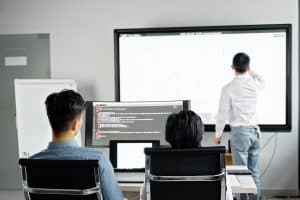
In modern business environments, meeting productivity plays a crucial role in driving success and achieving organizational goals. As businesses expand globally and remote work becomes more prevalent, the need for efficient communication and collaboration has never been more apparent. This blog aims to introduce the concept of audio visual tools and their impact on enhancing meeting efficiency. By leveraging virtual collaboration, online presentations, and conference solutions, businesses can optimize their meeting processes, foster effective communication, and boost overall productivity.
Efficient meetings are the cornerstone of successful businesses. When meetings are conducted with purpose and productivity, valuable time and resources are saved, allowing teams to focus on high-priority tasks. By maximizing meeting productivity, companies can streamline decision-making processes, resolve issues faster, and align teams towards shared objectives. Effective meetings also contribute to higher employee satisfaction and engagement, leading to a more cohesive and motivated workforce.
Audio visual tools have revolutionized the way meetings are conducted, especially in the context of remote teams and distributed workforces. These tools combine the power of multimedia presentations, web conferencing, and screen sharing to facilitate seamless communication and collaboration. They provide a dynamic and interactive platform for hosting virtual meetings, enabling participants to share ideas, discuss projects, and make decisions in real-time.
How to Build the Ultimate Productivity System (2023)
The Need for Efficient Virtual Meetings
The business landscape has witnessed a significant transformation in recent times, with the rise of remote work and virtual meetings becoming the new norm. This shift has introduced various challenges and opportunities for organizations worldwide. In this section, we will delve into the importance of efficient virtual meetings, the role of audio visual (AV) tools, and how businesses can enhance meeting productivity using these technologies.
The Growing Significance of Virtual Meetings
Virtual meetings have become indispensable for modern businesses due to their potential to connect remote teams, reduce geographical barriers, and enable seamless collaboration. The ability to hold meetings virtually allows companies to tap into a global talent pool and foster cross-functional communication among team members.
Challenges in Running Efficient Virtual Meetings
Despite their advantages, virtual meetings can be challenging to run efficiently. One of the primary challenges is ensuring active participation and engagement of all attendees. Remote team members may feel disconnected, leading to reduced collaboration and productivity. Technical issues, such as poor audio and video quality, can also hamper the effectiveness of virtual meetings.
Maximising Productivity with AV Equipment
To overcome the challenges of virtual meetings and boost productivity, businesses can leverage audio visual tools effectively. AV equipment facilitates interactive and engaging online presentations, making it easier for presenters to convey their ideas effectively.
Enhancing Meeting Efficiency with Audio Visual Tools
Efficient virtual meetings require the right set of audio visual tools to enhance communication and collaboration. Here are some essential AV tools that businesses can use to optimize virtual meetings:
Video Conferencing Solutions: High-quality video conferencing enables face-to-face interactions, bridging the gap between remote team members and promoting better engagement.
Web Conferencing and Screen Sharing: These tools allow seamless sharing of presentations, documents, and screens, promoting real-time collaboration among meeting participants.
Collaboration Software: Utilizing collaboration software streamlines project management, document sharing, and communication, leading to more effective meetings.
Productivity Software: Productivity software, such as task management and time tracking tools, aids in organizing meetings and tracking progress efficiently.
Virtual Conferencing Technology: Advanced virtual conferencing solutions offer immersive experiences, ensuring remote team members feel more connected and engaged.
Optimising Online Presentations for Maximum Impact
One of the critical aspects of efficient virtual meetings is delivering compelling online presentations. Here are some strategies to enhance presentation effectiveness:
Multimedia Presentations: Incorporate multimedia elements like videos, images, and interactive content to make presentations more engaging and informative.
Interactive Presentation Ideas: Encourage audience participation through polls, quizzes, and Q&A sessions to maintain interest and foster engagement.
Best Practices for Running Efficient Virtual Meetings
To ensure virtual meetings run smoothly and productively, businesses should follow these best practices:
Set Clear Objectives: Define meeting objectives and agenda in advance to keep discussions on track and avoid unnecessary tangents.
Select the Right AV Equipment: Choose audio-visual tools that align with the meeting’s purpose and ensure seamless communication.
Engage all Participants: Encourage active participation from all attendees to promote collaboration and exchange of ideas.
Best Audio Visual Tools for Meetings
In today’s fast-paced business world, virtual meetings have become an indispensable part of efficient collaboration. To ensure seamless communication and productivity, organizations rely on advanced audio visual (AV) tools. In this section, we will explore the best audio visual tools for meetings, reviewing their features, benefits, and how they optimize meeting productivity.
Virtual Collaboration and Online Presentations
Effective virtual collaboration is essential for remote teams to work efficiently. Utilizing feature-rich audio visual tools allows teams to engage in virtual meetings, making distance a non-issue. These tools facilitate online presentations with interactive features that keep participants engaged, making the communication process smoother and more productive.
Enhance Meeting Efficiency with Video Conferencing
Video conferencing has revolutionized remote team communication. With high-quality audio and video capabilities, teams can engage in face-to-face discussions, improving understanding and fostering better relationships. It eliminates the need for extensive travel, saving time and resources, while boosting productivity with seamless communication.
Conference Solutions for Remote Teams
Selecting the right conference solutions is crucial for ensuring successful virtual meetings. Top conference solutions offer various features, such as screen sharing, interactive presentations, and efficient communication tools. These solutions cater to the diverse needs of remote teams, allowing them to collaborate effectively and conduct meetings with ease.
Meeting Management and Productivity Software
Efficient meeting management is vital for maximizing productivity with AV equipment. Utilizing productivity software and collaboration tools streamlines the planning, organization, and execution of meetings. With features like scheduling, task assignment, and document sharing, teams can focus on the meeting’s objectives, enhancing overall productivity.
Optimising Online Presentations
Online presentations should be engaging and interactive to maintain participants’ attention. Utilize multimedia presentations and interactive tools to make the content more captivating. This approach ensures that the information is conveyed effectively and that the meeting achieves its intended goals.
Selecting the Right Meeting Room Technology
For organizations with physical meeting rooms, selecting the appropriate meeting room technology is vital. AV equipment that supports video conferencing, screen sharing, and interactive features enhances meeting productivity. It enables seamless communication between in-person and remote participants, ensuring everyone stays on the same page.
Boosting Productivity with Web Conferencing
Web conferencing tools are versatile solutions that enable remote teams to collaborate effectively. By offering features like chat, file sharing, and real-time document editing, these tools maximize productivity during virtual meetings. Participants can exchange ideas, brainstorm, and make decisions without any delays.
Best Practices for Remote Meetings
Running efficient virtual meetings requires adherence to best practices. Ensure a structured agenda, involve all participants, and encourage active participation. Use visual aids and interactive elements to keep attendees engaged and focused, ultimately maximizing meeting productivity.
Tips for Improving Meeting Productivity with Audio Visual Tools
In today’s fast-paced business environment, virtual collaboration has become a key aspect of modern work. With the help of audio visual (AV) tools, teams can conduct efficient meetings, regardless of geographical boundaries. This section presents practical tips and strategies to enhance meeting efficiency using audio visual tools. By leveraging video conferencing, screen sharing, and collaboration software, teams can streamline their communication, boost productivity, and achieve successful outcomes.
Embrace Virtual Collaboration Tools
Virtual collaboration tools have revolutionized the way teams conduct meetings. Leveraging video conferencing platforms enables face-to-face interactions, which fosters better engagement and understanding among team members. It eliminates the limitations of physical presence and facilitates productive discussions, even for remote teams.
Utilise Screen Sharing for Interactive Presentations
Screen sharing is a powerful feature that enhances meeting productivity with audio visual tools. It allows presenters to showcase their ideas, data, or slides directly to participants, creating interactive presentations. This encourages active participation, increases engagement, and ensures everyone is on the same page.
Optimise Web Conferencing for Efficient Communication
Web conferencing tools provide a seamless platform for teams to communicate and collaborate. To maximize meeting productivity with audio visual tools, choose software that offers high-quality audio and video, as clear communication is essential for effective meetings.
Select the Right Audio Visual Equipment
When conducting virtual meetings, investing in quality audio visual equipment is crucial. High-definition cameras, microphones, and speakers significantly enhance the meeting experience. Reliable equipment minimizes technical issues, ensuring smooth communication throughout the meeting.
Implement Effective Meeting Management
Efficient meeting management is key to maximizing productivity with AV tools. Start by setting clear agendas and objectives for each meeting. Designate a facilitator to keep the discussion on track and ensure everyone gets a chance to contribute.
Leverage Productivity Software
Integrate productivity software into your meetings to streamline workflows. Utilize tools that allow real-time collaboration on documents and project management, enabling teams to work together seamlessly during meetings.
Boosting Productivity with Conference Solutions
Explore conference solutions designed specifically for remote teams. These solutions often include features like breakout rooms, virtual whiteboards, and chat functions, all of which contribute to enhanced collaboration and productivity.
Tool
Features
Compatibility
Video Conferencing
Face-to-face interactions, screen sharing
Cross-platform
Screen Sharing
Interactive presentations, real-time editing
Cross-platform
Collaboration Software
Real-time collaboration, task management
Cloud-based
Enhancing Virtual Collaboration
Virtual collaboration goes beyond video conferencing. It involves utilizing various digital communication tools and platforms to work together efficiently, no matter the distance. Encourage team members to explore innovative ways to collaborate remotely.
Tips for Successful Online Presentations
Effective online presentations play a vital role in maximizing meeting productivity with audio visual tools. Craft presentations that are visually appealing, concise, and tailored to the audience’s needs. Utilize multimedia elements to keep participants engaged throughout the session.
Improving Remote Team Productivity
For distributed teams, the efficient use of audio visual tools is instrumental in boosting productivity. Regular virtual meetings and open communication channels are essential to ensure everyone is aligned with the team’s goals and progress.
Selecting the Right Meeting Room Technology for In-Person Meetings
Maximising Meeting Productivity with Audio Visual Tools
Meeting Productivity and the Role of Audio Visual Tools
In today’s fast-paced business environment, maximizing productivity with AV equipment is crucial for effective meetings. Audio visual tools play a significant role in traditional meeting spaces, enhancing meeting efficiency and enabling seamless communication among team members. By integrating the latest meeting room technology trends and advancements, businesses can boost meeting productivity and facilitate better collaboration.
Latest Meeting Room Technology Trends and Advancements
Virtual Collaboration and Online Presentations
In the era of remote teams and digital communication tools, virtual collaboration has become increasingly popular. Online presentations and conference solutions have revolutionized the way meetings are conducted, allowing teams to connect from different locations seamlessly. Video conferencing has emerged as a powerful tool for remote teams, enhancing communication and fostering collaboration regardless of physical distances.
Selecting Suitable AV Equipment to Boost Meeting Productivity
Choosing the Right Meeting Room Technology
Selecting the right meeting room technology requires careful consideration of various factors. To maximize meeting efficiency, businesses should invest in audio visual tools that cater to their specific needs. Here are some essential aspects to consider when selecting AV equipment:
Meeting Management and Web Conferencing Solutions:
Look for solutions that offer efficient meeting management capabilities, enabling seamless organization and coordination of meetings.
Web conferencing tools with screen sharing features facilitate interactive presentations and smooth information exchange.
Audio Conferencing and Productivity Software:
High-quality audio conferencing systems are essential for clear communication, especially in larger meeting rooms.
Productivity software can streamline tasks and document sharing, boosting overall meeting productivity.
Remote Collaboration and Collaboration Software:
Invest in collaboration software that fosters real-time collaboration, file sharing, and project management among remote teams.
Embrace remote collaboration tools that allow team members to work together effectively despite being physically apart.
Enhance Meeting Productivity through Virtual Meetings
Effective Meetings and Virtual Conferencing
Running efficient virtual meetings is crucial for geographically dispersed teams. By optimizing online presentations and using suitable audio visual equipment, businesses can enhance meeting productivity and ensure everyone remains engaged. Here are some tips for successful virtual meetings:
Prepare Ahead of Time: Share meeting agendas and relevant documents in advance to ensure all participants are well-prepared.
Choose the Right Tools: Select reliable virtual meeting platforms that offer features like screen sharing and interactive presentations.
Encourage Participation: Create an inclusive atmosphere where all team members feel comfortable sharing their ideas.
Comparing Audio Visual Tools for Better Meetings
Conference Technology Guide
To make an informed decision about AV equipment, consider comparing various tools available in the market. The following table outlines some key features to look for:
Audio Visual Tool
Features
Web Conferencing System
Screen Sharing, Video Quality, Recording
Collaboration Software
Real-time Collaboration, File Sharing
Audio Conferencing
Audio Clarity, Noise Cancellation
Productivity Software
Task Management, Document Sharing
Enhancing Virtual Collaboration with Audio Visual Tools
In today’s fast-paced remote work environment, virtual collaboration plays a pivotal role in ensuring seamless communication and productivity among remote teams. Leveraging audio visual (AV) tools can significantly enhance meeting productivity and overall team efficiency. This section highlights the significance of virtual collaboration in remote team settings and emphasizes the role of audio visual tools in fostering effective communication.
Virtual Collaboration: Revolutionising Remote Team Settings
Virtual collaboration has become a cornerstone of modern work culture, allowing teams to work together despite geographical barriers. In a virtual setup, teams can collaborate and communicate efficiently, enabling businesses to thrive and stay competitive. However, it is essential to maximize meeting productivity with audio visual tools to ensure seamless and successful collaboration.
The Role of Audio Visual Tools in Fostering Effective Communication
Effective communication is the backbone of any successful collaboration. Audio visual tools offer a multi-dimensional approach, facilitating a richer and more engaging communication experience. Video conferencing, a key aspect of AV tools, enables participants to connect face-to-face virtually, promoting better understanding and building stronger relationships among team members.
Maximising Productivity with AV Equipment
Maximizing productivity with AV equipment is the secret sauce to highly efficient virtual meetings. By incorporating high-quality AV tools, such as high-definition cameras and advanced microphones, participants can better comprehend each other, leading to quicker decision-making processes and task completion.
Enhancing Meeting Efficiency with Conference Solutions
Conference solutions catered to remote teams streamline the meeting process, allowing participants to schedule, join, and actively engage in meetings effortlessly. These solutions also offer features like screen sharing and interactive presentations, enabling seamless collaboration on projects and boosting productivity.
Emphasising the Importance of Virtual Meetings
Virtual meetings are no longer a novelty but a necessity in today’s interconnected world. They save time, reduce travel costs, and enable real-time communication among team members, thereby enhancing meeting productivity.
Selecting the Right Communication Tools for Remote Teams
Choosing the appropriate communication tools is crucial for smooth virtual collaboration. Businesses should invest in collaboration software that aligns with their specific needs, promoting efficient communication and seamless information sharing.
Boosting Productivity with Web Conferencing
Web conferencing solutions play a pivotal role in enhancing virtual collaboration. They empower teams to connect in real-time, discuss projects, brainstorm ideas, and make important decisions, all from the comfort of their remote locations.
Best Audio Visual Tools for Meetings: A Comparison
To ensure optimal results, businesses should explore various audio visual tools and compare their features. This comparison allows teams to identify the most suitable AV tools that align with their communication requirements, ultimately enhancing meeting productivity.
Conference Solutions for Remote Teams
In the rapidly evolving landscape of remote work, effective communication and collaboration are essential for the success of any team. To achieve maximum productivity and foster seamless virtual collaboration, businesses must leverage cutting-edge conference solutions tailored for remote teams. In this section, we will explore top-notch conference solutions, highlighting features that enhance meeting efficiency and collaboration while maximizing productivity with audio visual (AV) tools.
Enhance Meeting Efficiency with Virtual Collaboration Tools
Virtual collaboration tools play a pivotal role in streamlining communication and enhancing meeting efficiency. These tools facilitate seamless interactions among team members, regardless of their physical locations. With features like interactive presentations and multimedia support, remote teams can create engaging sessions that captivate participants and drive productivity. Additionally, effective meeting management software ensures that agendas are set, actions are assigned, and follow-ups are organized efficiently.
Top Conference Solutions for Remote Teams
Video Conferencing Platforms: Utilizing advanced video conferencing tools is crucial for remote teams to hold face-to-face virtual meetings, fostering a sense of connection among team members.
Web Conferencing with Screen Sharing: Empowering teams with web conferencing capabilities and screen sharing features enables them to collaborate in real-time, seamlessly sharing information and ideas.
Productivity Software for Efficient Communication: Leveraging productivity software enhances team communication and ensures that tasks are managed effectively.
In today’s fast-paced business environment, maximizing meeting productivity has become a crucial goal for organizations. With the rise of remote teams and virtual collaborations, effective communication and efficient meetings are more important than ever.
Audio visual tools offer a myriad of benefits in terms of meeting efficiency. By incorporating video conferencing, screen sharing, and multimedia presentations, participants can better engage with the content and stay focused on the discussions. This fosters a sense of virtual presence, making remote team collaborations more effective and productive.
With the increasing trend of virtual meetings, online presentations play a vital role in conveying information. By using audio visual equipment for better meetings, presenters can deliver content in a visually appealing and interactive manner. This not only captures the audience’s attention but also ensures that information is easily understood and retained.
One key aspect of maximizing productivity with AV equipment is choosing the right technology for meeting rooms. By investing in conference solutions that offer seamless virtual collaborations, organizations can facilitate smoother interactions and productive discussions among team members, regardless of their physical locations.
Web conferencing tools are indispensable for remote teams. These tools provide a platform for effective communication, enabling face-to-face interactions and fostering team bonding. By using virtual collaboration tools, organizations can create a conducive environment for brainstorming ideas and making critical decisions.
FAQs
How can audio visual tools enhance meeting productivity?
Audio visual tools enhance meeting productivity by providing effective means of communication and collaboration. Visual aids such as slides, charts, and videos help convey complex information clearly and engage participants. Real-time screen sharing allows for seamless presentations and demonstrations. Additionally, video conferencing fosters face-to-face interactions, promoting better understanding and building stronger connections among team members. These tools reduce miscommunication, increase engagement, and enable real-time feedback, leading to more efficient decision-making and problem-solving processes during meetings.
What are the best audio visual tools for virtual meetings?
Some of the best audio visual tools for virtual meetings include Zoom, Microsoft Teams, Google Meet, Cisco Webex, and GoToMeeting. These platforms offer reliable video conferencing, screen sharing, and interactive features that enhance collaboration. They also provide chat functions, breakout rooms, and virtual whiteboards, allowing participants to contribute actively and discuss ideas effectively. The choice of the best tool depends on specific needs, budget, and preferences, so it’s essential to assess the features that align with the team’s requirements.
How does remote collaboration improve with audio visual solutions?
Remote collaboration improves with audio visual solutions as they bridge the gap between team members in different locations. These solutions enable real-time communication through video conferencing, fostering a sense of presence and strengthening team bonds. Visual aids and screen sharing facilitate clearer explanations, reducing misunderstandings. Collaborative tools like virtual whiteboards and document sharing platforms enhance simultaneous contributions and brainstorming. With audio visual solutions, teams can work together efficiently, share ideas seamlessly, and stay aligned on projects, ultimately leading to improved productivity and successful outcomes.
Which video conferencing software is most effective for online presentations?
Zoom is considered one of the most effective video conferencing software for online presentations. It offers a user-friendly interface, reliable performance, and a range of features tailored for presentations. With features like screen sharing, annotation tools, and breakout rooms, presenters can engage their audience effectively. Zoom’s webinar functionality allows for hosting large-scale presentations with interactive elements and audience engagement features like Q&A sessions and polls.
What are the benefits of using audio visual aids in meetings?
Using audio visual aids in meetings offers several benefits. They help in conveying complex information concisely and engagingly, making it easier for participants to understand and retain the content. Visual aids enhance audience comprehension and promote active participation. They also serve as memory aids, reinforcing key points and ensuring better retention of information after the meeting. Visuals can be used to simplify data, present trends, and support arguments, leading to more informed decision-making. Overall, audio visual aids increase meeting effectiveness, facilitate communication, and leave a lasting impact on participants.
How can I optimize meeting efficiency with audio visual tools?
To optimize meeting efficiency with audio visual tools, follow these tips:
Prepare ahead: Organize content and visuals in advance to streamline presentations.
Use engaging visuals: Incorporate charts, graphs, and multimedia to support key points.
Encourage interaction: Utilize features like virtual whiteboards and polls to engage participants actively.
Keep it concise: Avoid information overload; focus on the most critical points.
Ensure compatibility: Test audio visual tools before the meeting to avoid technical issues.
Collaborate visually: Leverage screen sharing for real-time collaboration and feedback.
Recap important points: Summarize key takeaways at the end to reinforce the message.
Gather feedback: Use audio visual tools to conduct post-meeting surveys for continuous improvement.
What are the top productivity software for virtual meetings?
The top productivity software for virtual meetings includes Zoom, Microsoft Teams, Google Meet, Cisco Webex, and Slack. These platforms offer a range of features such as video conferencing, screen sharing, chat, and integrations with productivity tools like calendars and project management software. They facilitate seamless communication and collaboration among remote teams, enabling efficient sharing of information and real-time decision-making. The choice of the best productivity software depends on the specific needs of the team, the scale of the meetings, and the desired level of integration with other tools.
How do virtual whiteboards contribute to meeting productivity?
Virtual whiteboards contribute to meeting productivity by facilitating dynamic brainstorming and collaboration. Participants can share ideas, draw diagrams, and write notes in real-time, simulating an in-person meeting experience. Virtual whiteboards help visualize complex concepts, encouraging creativity and enabling teams to work together on a shared canvas. Additionally, these tools foster engagement as participants actively contribute and interact with each other’s ideas. Whiteboards also preserve meeting content, allowing attendees to refer back to the visualized information after the meeting ends. Overall, virtual whiteboards promote active participation, efficient idea generation, and improved meeting outcomes.
What are the essential features of a meeting management tool?
Essential features of a meeting management tool include:
Scheduling: Easy calendar integration and the ability to set up meetings efficiently.
Invitations and reminders: Sending invites to participants and automated reminders.
Agenda creation: Preparing and sharing meeting agendas to keep discussions focused.
Document sharing: Uploading and distributing relevant documents before and during meetings.
Minutes and action items: Recording meeting minutes and tracking action items for follow-up.
Collaboration tools: Integrated chat, virtual whiteboards, and screen sharing for active participation.
Attendance tracking: Monitoring attendance and participation of meeting attendees.
Integration capabilities: Seamless integration with other productivity and project management tools.
Reporting and analytics: Generating insights on meeting effectiveness and attendee engagement.
Security: Ensuring data privacy and secure access to meeting information.
How does audio conferencing enhance remote work?
Audio conferencing enhances remote work by providing a reliable and accessible communication channel for remote teams. With audio conferencing tools, team members can connect easily, discuss projects, and share updates without the need for video or face-to-face interaction. This simplicity allows for quick and efficient communication, making it easier to schedule and conduct impromptu meetings. Audio conferencing fosters collaboration regardless of geographical barriers and helps build a sense of camaraderie among team members. It also reduces the reliance on email communication, promoting real-time interactions and faster decision-making, ultimately improving overall remote work efficiency.
Which are the best business video solutions for meetings?
Some of the best business video solutions for meetings are Zoom, Microsoft Teams, Google Meet, Cisco Webex, and GoToMeeting. These platforms offer reliable and high-quality video conferencing capabilities, essential for productive business meetings. They support various features such as screen sharing, virtual backgrounds, chat, and integrations with other business tools, enhancing collaboration among team members. The choice of the best video solution depends on factors like the organization’s size, specific requirements, and budget constraints.
How to make virtual meetings more effective?
To make virtual meetings more effective:
Set clear objectives and agendas to keep discussions focused.
Test audio visual tools beforehand to avoid technical glitches.
Encourage active participation through interactive features like polls and Q&A sessions.
Keep meetings concise and time-bound to respect participants’ schedules.
Use visuals and multimedia to support key points and improve engagement.
Assign meeting roles, such as a facilitator and note-taker, to ensure smooth proceedings.
Follow up with action items and meeting minutes promptly after the meeting.
Gather feedback from participants to continuously improve meeting effectiveness.
Limit the number of attendees to ensure meaningful contributions and discussions.
Create a distraction-free environment and encourage others to do the same.
What are some tips for facilitating virtual meetings?
Tips for facilitating virtual meetings:
Prepare and test audio visual tools in advance.
Start with a welcome and agenda overview.
Set ground rules for participation and communication.
Encourage active participation through engagement features.
Keep discussions focused and time-managed.
Use visual aids to enhance clarity and understanding.
Summarize key takeaways at the end of the meeting.
Follow up with meeting minutes and action items promptly.
Be mindful of time zones for international participants.
Seek feedback to improve future meetings.
How do communication software enhance team collaboration?
Communication software enhances team collaboration by providing a centralized platform for real-time interaction. Features like instant messaging, video conferencing, and file sharing enable seamless communication and quick information exchange. Team members can collaborate on projects, share updates, and seek clarifications without delays. Communication software also supports the creation of dedicated channels or groups for specific tasks, keeping discussions organized and easily accessible. Additionally, these tools often integrate with other productivity software, streamlining workflows and promoting collaboration within a familiar environment.
What are the advantages of using webinar platforms for meetings?
Using webinar platforms for meetings offers several advantages. Webinars allow hosting large audiences, making them ideal for virtual events, conferences, and training sessions. These platforms often provide engagement features like Q&A sessions, polls, and surveys, fostering interactivity with participants. Webinars can be recorded and made available for on-demand viewing, extending the reach of the content beyond the live event. Moreover, advanced analytics and reporting capabilities help organizers gain insights into attendee behavior and interests. Overall, webinar platforms provide a powerful and scalable solution for delivering informative and engaging meetings to a wide audience.
In today’s rapidly evolving landscape, the demand for audiovisual (AV) skills spans across various industries. The convergence of technology and communication has placed a premium on individuals equipped with expertise in multimedia production, making tailored learning in AV skills more crucial than ever. This article explores the growing importance of AV skills, the concept of tailored learning, and the need for customized AV workshops to meet the diverse needs of learners.Audiovisual education is at the forefront of skill development in the multimedia landscape. As businesses and professionals seek to enhance their communication strategies, proficiency in AV technology becomes a valuable asset.The multimedia landscape is diverse, and a one-size-fits-all approach to training is no longer effective. Tailored instruction ensures that learners receive content that aligns with their specific needs, leading to more meaningful skill development.In the realm of audiovisual training, personalized learning experiences are indispensable. Expert-led workshops, such as those recommended by Jim Harmer, provide a unique opportunity for individuals to interact with specialized curriculum tailored to their skill level and professional aspirations. This approach fosters a deeper understanding of AV technology and multimedia production.To address the demand for personalized audiovisual training, customized AV workshops have emerged as a solution. These workshops, incorporating elements of bespoke AV solutions and individualized training, cater to the specific requirements of participants. This tailored approach ensures that learners engage in interactive sessions, acquiring skills that are directly applicable to their roles.Design, integration and full installation of AV systems in a corporate building The Significance of Customized AV WorkshopsIn the dynamic realm of Audiovisual (AV) education, the demand for customized learning experiences has surged. Tailored AV workshops have become the cornerstone for individuals at varying skill levels, offering personalized audiovisual training that caters to specific needs. This section delves into the advantages of customized workshops, emphasizing the importance of individualized instruction, expert-led sessions, and specialized curriculum in the AV domain.Customized AV Workshops for Beginners: Unlocking the PotentialTailored AV training for beginners is pivotal in laying a strong foundation for multimedia skills. These workshops are designed to address the unique needs of novices, ensuring a gradual and comprehensive understanding of AV technology and multimedia production. By integrating personalized learning experiences, beginners gain confidence and proficiency in audiovisual technologies.Expert-led Workshops: Elevating Skill DevelopmentExpert-led AV programs play a crucial role in skill development. Through specialized audiovisual courses, participants benefit from the wealth of knowledge imparted by industry experts. This bespoke AV education approach not only enhances technical skills but also provides valuable insights into the latest trends in AV technology. It’s a holistic approach to learning that goes beyond basic instruction.Personalized Learning for Varied Skill Levels:Customized workshops extend beyond beginners, catering to individuals at different skill levels. Whether it’s tailor-made learning experiences for intermediate users or advanced sessions for professionals, these programs adapt to the unique requirements of each participant. This customization in learning ensures that individuals progress at their own pace, fostering a more effective and engaging educational journey.Interactive Sessions and Multimedia Training:The incorporation of interactive learning sessions is a key component of customized AV workshops. Participants actively engage with the content, reinforcing their understanding of multimedia production and AV technology. This approach aligns with best practices for personalized learning, promoting a hands-on experience that enhances retention and application of skills.Corporate Workshops and Bespoke AV Solutions:For businesses, customized AV workshops offer tailor-made solutions for training corporate teams. These programs are designed to meet the specific needs of the company, providing specialized multimedia training for employees. The benefits extend beyond skill development, fostering teamwork and aligning the workforce with the latest AV technologies. Expert-Led AV Sessions for BusinessesIn the ever-evolving landscape of professional development, the role of expert-led AV sessions for businesses has emerged as a pivotal force in shaping the trajectory of corporate teams. As we delve into the realm of specialized audiovisual training, we explore how these workshops, customized to cater to unique industry needs, not only enhance skill development but also foster individual growth and team synergy.Tailored Instruction for Precision LearningAudiovisual education has transcended traditional boundaries, embracing customization in learning through expert-led workshops. These workshops, often tailored to specific industries and organizational objectives, go beyond generic training. They cater to the unique needs of corporate teams, ensuring that each participant receives personalized audiovisual training that aligns with their roles and responsibilities.The Impact of Expert-Guided Learning on Professional GrowthOne of the key advantages of expert-led AV programs is their transformative impact on the professional growth of employees. These workshops, rooted in the principles of multimedia training, are designed by industry experts who bring a wealth of knowledge and experience. Participants benefit not only from theoretical insights but also from real-world applications, accelerating their learning curve and contributing to their skill development.Bespoke AV Solutions for Corporate TeamsIn the realm of corporate workshops, the customization in learning extends to bespoke AV solutions. These programs, crafted with precision and expertise, address the unique challenges and opportunities within a business. Whether it’s enhancing multimedia production skills or staying updated on the latest AV technologies, these customized workshops provide a platform for targeted skill development.Interactive Sessions and Personalized Learning ExperiencesThe essence of tailored instruction lies in its interactivity and personalized learning experiences. Expert-led AV workshops foster engagement through interactive sessions, creating an environment where participants actively apply what they learn. This not only enhances retention but also ensures that the knowledge gained is immediately applicable in real-world scenarios. Personalised Learning Experiences in MultimediaIn the dynamic landscape of education, personalized learning experiences in multimedia have emerged as a cornerstone for effective skill development. This section explores the diverse aspects of multimedia, highlighting how tailored workshops cater to individual preferences, and showcases real-world examples of successful personalized multimedia training.Multimedia Training and Customization in LearningAudiovisual education is at the forefront of modern learning, encompassing various aspects of multimedia production and AV technology. Customization in learning has become a key focus, ensuring that educational events and corporate workshops provide tailored instruction. Expert-led workshops offer specialized curriculum and bespoke AV solutions, allowing for skill development through customized programs.Real-world Success
Adapting Meeting Room Technology for the Future of Work. Discover how remote work has impacted meeting room technology and explore the latest communication and collaboration tools. From virtual meetings to cloud-based solutions, we have you covered. Improve productivity and work-life balance for your remote teams with the best technology solutions.
In today’s fast-paced world, effective presentations have become essential for conveying ideas, persuading audiences, and achieving success in various domains. Audiovisual (AV) equipment plays a pivotal role in enhancing the productivity and impact of presentations. In this article, we explore the concept of AV gear optimization and its role in streamlining presentations. We also highlight the relevance of AV technology in contributing to effective public speaking and presentation skills.Audiovisual equipment serves as a powerful tool in presentations, facilitating the seamless integration of multimedia elements such as images, videos, and sound. Integrating AV technology into presentations not only captures the audience’s attention but also ensures that information is conveyed in a more engaging and digestible manner. By leveraging presentation productivity tools and AV gear optimization techniques, presenters can deliver their messages more efficiently and leave a lasting impression.AV gear optimisation involves fine-tuning and aligning the audiovisual setup to maximize its potential during presentations. Presenters can employ various strategies to improve presentation effectiveness through AV equipment usage. By considering factors such as AV gear setup checklist, AV gear compatibility guide, and AV gear maintenance tips, presenters can minimize technical glitches and distractions, allowing them to focus on delivering a compelling message.Public speaking skills are crucial for delivering impactful presentations, and AV technology can significantly contribute to their enhancement. Utilizing AV equipment during speeches allows presenters to establish a connection with the audience through visual aids, making complex concepts more accessible. By following AV gear setup tutorials and AV gear user manuals, presenters can confidently deliver interactive presentations that captivate the audience and foster a deeper understanding of the subject matter.How To Increase Employee Productivity In The Workplace AV Gear Setup Checklist for Better PresentationsWhen it comes to delivering impactful presentations, having a well-organized AV setup is crucial. An efficient audiovisual equipment arrangement not only enhances presentation productivity but also reduces technical issues, ensuring a seamless and productive presentation delivery.Maximising Productivity with AV EquipmentTo optimize productivity in presentations with AV gear, consider the following essential steps and tools: AV Gear Selection and Setup Choose top-rated AV gear brands for enhancing productivity in presentations. Ensure AV gear compatibility with your devices to streamline presentations effectively. Follow a step-by-step AV gear installation guide to avoid any setup issues. Optimize AV gear potential by avoiding common mistakes that might affect presentation productivity. Quick AV Gear Optimization Tips Conduct AV gear troubleshooting beforehand to address any technical glitches during presentations. Regular AV gear maintenance helps ensure seamless performance and boosts presentation productivity. Enhancing Presentation Impact with AV Utilize effective presentation techniques and delivery strategies while incorporating AV equipment for impressive presentations. Engage the audience with interactive presentations using AV gear for an impactful experience. Boosting Productivity with AV Technology Explore productivity tools and software recommendations for seamless integration with AV equipment. Utilize AV gear user manuals and setup tutorials to become proficient in handling the equipment. AV Gear for Better Presentations on a Budget Consider affordable AV equipment options without compromising on quality and productivity. Explore AV gear rental services to access high-end equipment for important presentations. Importance of AV Equipment in Public Speaking Understand the significance of AV gear in enhancing public speaking engagements and presentation effectiveness. Seek AV gear training for better presentation skills and delivery. Quick AV Gear Optimisation Tips for PresentationsWhen it comes to delivering impactful presentations, having optimized AV gear can significantly enhance your performance and engagement with the audience. In this section, we’ll explore practical and time-saving tips to optimize audiovisual (AV) equipment for presentations, ensuring seamless delivery and maximizing productivity. Audio Levels Adjustment for Clear Communication Properly adjusting audio levels is essential to ensure that your voice reaches all corners of the room. Use the right microphone for the venue size and speaking style. Check for any feedback or background noise and adjust accordingly to maintain clarity throughout the presentation. Display Settings for Visual Impact Selecting the right display settings can boost visual impact and improve audience retention. Calibrate the screen resolution, brightness, and colour contrast for optimal visibility. Utilize presentation software features to highlight key points and keep the audience engaged. Lighting Techniques for Setting the Mood Lighting plays a vital role in setting the mood and capturing audience’s attention. Avoid harsh overhead lights that may cast shadows on your face. Consider using stage lighting or diffused lighting to create a warm and professional atmosphere. Small Adjustments, Big Difference Even minor adjustments to your AV gear can make a significant difference in your presentation’s effectiveness. Double-check all connections and equipment functionality before the event to avoid last-minute hiccups. Enhance Presentation Delivery and Performance By leveraging AV technology, you can enhance your presentation delivery and overall performance. Use presentation productivity tools to structure your content effectively, maintain a smooth flow, and keep the audience engaged. Mastering Presentation Skills with AV Gear Practice using AV equipment to master your presentation skills. Familiarize yourself with the AV setup to seamlessly navigate through slides, videos, or other multimedia elements during your talk. AV Resources for Efficient Presentations Utilize AV resources available to you, such as presentation software, remote clickers, or audio enhancement tools, to deliver a seamless presentation and leave a lasting impact. Boosting Productivity with Audiovisual Equipment Maximize productivity with AV equipment by incorporating interactive elements or polls, enabling real-time feedback from the audience and tailoring your presentation accordingly. AV Gear Setup Checklist for Seamless Presentations Before your presentation, use a comprehensive AV gear setup checklist to ensure all components are functioning correctly, minimizing any technical interruptions during your talk. Troubleshooting AV Gear During Presentations Prepare for unforeseen technical issues by having troubleshooting steps in place. Familiarize yourself with common AV gear problems and their solutions to handle any challenges smoothly.Common AV Gear Mistakes Affecting Presentation Productivity Mistake Impact Incorrect microphone selection Poor audio quality and communication Improper screen calibration Reduced visibility and engagement Inadequate lighting setup Diminished audience attention Lack of AV gear rehearsal Disrupted presentation flow Ignoring interactive elements Limited audience engagement Affordable AV Equipment Options for PresentationsWhen it comes
In today’s rapidly evolving world, remote learning has emerged as a crucial component of education. Enabled by advancements in technology, remote learning provides students with the flexibility to access educational resources and engage in academic pursuits from any location. This article explores the concept of remote learning, highlights the significance of collaboration in student learning, and presents a wide range of remote collaboration tools that enhance student collaboration.Remote learning, also known as distance learning or e-learning, refers to the delivery of education through digital platforms, eliminating the need for physical classroom attendance. This approach has gained momentum due to its numerous benefits, such as flexible scheduling, personalized learning experiences, and expanded access to educational resources.Collaboration plays a pivotal role in fostering effective student learning. When students work together in groups, they actively engage in discussions, share ideas, and contribute their unique perspectives. This collaborative environment enhances critical thinking, problem-solving skills, and promotes creativity. Furthermore, collaboration prepares students for real-world scenarios, where teamwork and cooperation are highly valued.Remote collaboration tools empower students to interact and collaborate seamlessly, despite physical distances. These tools provide a virtual space for students to connect, communicate, and work together on various educational projects.What is an ONLINE COLLABORATION TOOL? Best Remote Collaboration Tools for StudentsEffective remote collaboration tools are essential for students engaged in remote learning. These tools enable students to work together, share ideas, and collaborate on projects seamlessly, regardless of their physical location. In this section, we will explore the top-rated remote collaboration tools for students, highlighting their features and suitability for remote learning. Google Workspace for Education Google Workspace for Education offers a comprehensive suite of tools that facilitate remote collaboration among students. With its cloud-based platform, students can access and collaborate on documents, spreadsheets, and presentations in real-time. The suite includes Google Docs, Google Sheets, Google Slides, and Google Drive, allowing students to edit and share files effortlessly. Furthermore, Google Classroom provides a centralized hub for assignments, discussions, and teacher-student communication. Microsoft 365 Education Microsoft 365 Education is another popular suite of tools for remote collaboration among students. With applications like Microsoft Word, Excel, PowerPoint, and OneDrive, students can collaborate on documents, create presentations, and store files securely in the cloud. Microsoft Teams, an integral part of Microsoft 365, offers features such as video conferencing, chat, and file sharing, facilitating seamless collaboration and communication. Slack Slack is a versatile communication and collaboration platform that is widely used in educational settings. It allows students to create channels for different subjects or projects, enabling focused discussions and file sharing. With features like direct messaging and integrations with other tools, Slack promotes efficient teamwork and facilitates quick information exchange. Trello Trello is a flexible project management tool that can be utilized by students for collaborative work. It uses boards, lists, and cards to organize tasks and track progress. Students can create boards for group projects, assign tasks, set due dates, and leave comments, fostering effective teamwork and accountability. Zoom Zoom has become an essential tool for remote communication and collaboration. Its video conferencing features enable students to participate in virtual classrooms, engage in group discussions, and conduct presentations. Zoom also offers screen sharing capabilities, breakout rooms for small group work, and chat functionality, enhancing the overall remote learning experience. Padlet Padlet is an interactive online whiteboard that facilitates collaborative brainstorming, note-taking, and content sharing. Students can create virtual bulletin boards and add text, images, videos, and other multimedia elements. Padlet encourages creativity, collaboration, and engagement within virtual classrooms or study groups. Miro Miro is a collaborative online platform that replicates a physical whiteboard environment. It allows students to collaborate on projects, create mind maps, and visualize ideas using sticky notes, drawings, and diagrams. Miro fosters creativity, critical thinking, and active participation in remote learning settings. Affordable and Free Remote Collaboration PlatformsIn today’s remote learning environment, collaboration among students is crucial for effective education. However, budget constraints can pose challenges when it comes to accessing remote collaboration tools. Fortunately, there are numerous affordable and free options available that cater to the needs of budget-conscious students and educational institutions. This section highlights a selection of cost-effective remote collaboration platforms, including free options, to facilitate seamless student collaboration and enhance the virtual learning experience.Remote Collaboration Tools for Students: Addressing the Financial AspectWhen considering remote collaboration tools for students, affordability is a key factor. Educational institutions and students alike need solutions that are not only effective but also fit within their limited budgets. Fortunately, there are a variety of affordable and free options available that can meet these needs.Affordable and Free Remote Collaboration Platforms Virtual Collaboration Platforms: Online Collaboration Tools: These tools enable real-time collaboration, allowing students to work together on projects and assignments regardless of their physical location. Digital Collaboration Tools: With features like document sharing, video conferencing, and interactive whiteboards, digital collaboration tools facilitate seamless communication and teamwork among students. Educational Collaboration Software: Remote Education Tools: These platforms are specifically designed to support remote learning environments, providing students with a virtual classroom experience and enabling interactive learning. Student Collaboration Tools: Designed to foster collaboration and group work, these tools allow students to collaborate on projects, share resources, and communicate effectively. Distance Learning Collaboration Tools: Online Group Work Tools: These platforms offer features tailored to group projects, such as task management, file sharing, and progress tracking, ensuring efficient teamwork in a virtual setting. Virtual Classroom Collaboration Tools: Designed for online classrooms, these tools enable teachers and students to engage in real-time discussions, share content, and collaborate effectively. Cloud Collaboration Tools: Collaborative Learning Software: These cloud-based tools facilitate collaborative learning by enabling students to access and work on shared documents, participate in discussions, and provide feedback. Real-Time Collaboration Apps: These apps provide instant messaging, document editing, and video conferencing features, allowing students to collaborate synchronously regardless of their physical location. Remote Study Group Tools: Student Project Collaboration Tools: These platforms are ideal for student group projects, providing features like task assignment, document collaboration, and progress monitoring. Online Teamwork Tools: These tools
Upgrade Your Remote Meetings with the Perfect Whiteboard Solution. Improve collaboration and productivity with a powerful remote meeting whiteboard. Discover the best tools and techniques to enhance your virtual meetings. Unlock the full potential of remote work with our comprehensive guide.
In today’s rapidly evolving digital landscape, the importance of Audiovisual (AV) content cannot be overstated. As technology races forward, the demand for Innovative AV Workshops becomes increasingly vital across various fields. This demand is fueled by the constant evolution of AV technology, making it essential for professionals to stay updated to remain competitive.AV technology, a cornerstone of modern multimedia training, offers Creative Techniques and Cutting-edge Solutions vital for effective Visual Storytelling and Interactive Presentations. Expert-led Instruction in Innovative AV Solutions empowers individuals to harness Advanced Learning through High-tech Tools. Multimedia Production, guided by the latest Audiovisual Education, ensures that businesses and educators can thrive in the digital age.Classroom of The Future: AV Innovations For Education Best AV Workshops for BeginnersIf you’re a newcomer to the world of audiovisual technology, finding the right resources to kickstart your journey can be a daunting task. That’s where innovative AV workshops come into play, offering entry-level learning opportunities that cater specifically to beginners. In this guide, we will explore these workshops and training programs, emphasizing their hands-on and interactive approach.Innovative AV Workshops for BeginnersWhen it comes to diving into the realm of audiovisual technology and multimedia training, you want a structured approach that helps you understand the essentials. Innovative AV workshops are designed with this in mind. They not only introduce you to the basics but also immerse you in a hands-on learning experience, making it easier to grasp complex concepts.Audio Visual Training and Multimedia ProductionAudio-visual training is the cornerstone of these workshops. It covers a wide range of topics related to AV equipment, visual storytelling, and multimedia production. This comprehensive education ensures that you are well-equipped with the knowledge needed to succeed in the industry.Hands-On and Interactive LearningOne of the standout features of innovative AV workshops is their hands-on approach. You won’t just sit in a lecture hall listening to theories. Instead, you’ll actively engage with AV equipment, exploring creative techniques and experimenting with multimedia production. The interactive nature of these workshops fosters a deeper understanding and retention of the material.Expert-Led InstructionInnovative AV workshops are often led by industry experts who share their vast knowledge and experience with beginners. This expert-led instruction ensures that you are learning from the best, giving you insights into innovative solutions and cutting-edge technology used in the field.Visual Storytelling and CommunicationVisual storytelling is at the heart of the AV industry, and these workshops delve into this art. You’ll learn how to use advanced learning techniques to communicate your ideas effectively. The use of high-tech tools and educational workshops will empower you to create impactful multimedia content that captivates your audience.AV Design and InnovationInnovative AV workshops also cover the design aspect, exploring innovative presentation methods and advanced AV learning. You’ll discover how to incorporate cutting-edge AV technologies into your projects, ensuring you stay ahead in the industry.Take Your First StepsIf you’re a beginner looking to explore the world of AV technology, consider enrolling in one of these workshops. They provide immersive AV experiences, next-gen multimedia training, and insights into audiovisual production. You can also benefit from the use of innovative AV tools for creative content creation, enhancing your skills in visual storytelling and multimedia tech.Find the Right WorkshopWhether you’re a student, educator, or professional, there are innovative AV workshops tailored to your needs. Look for expert-led AV webinars, creative audiovisual techniques for presentations, and interactive multimedia training online. These workshops are available for all, from startups to large corporations, offering cutting-edge AV equipment for events and advanced AV design for businesses. Creative AV Techniques for PresentationsIn the dynamic realms of business and education, staying ahead demands embracing cutting-edge Audiovisual (AV) technology. In this age of digital communication, leveraging Innovative AV Solutions has become indispensable. Whether you are a beginner seeking the Best AV Workshops, or a professional aiming to incorporate Advanced AV Learning into your skill set, the landscape of Interactive Audiovisual Workshops offers transformative experiences.Importance of Expert Instructors in Teaching Creative AV ApproachesExpert-led instruction forms the bedrock of effective learning. When it comes to mastering Multimedia Training and Visual Storytelling, the guidance of seasoned professionals is unparalleled. In these Interactive AV Workshops, educators not only delve into the intricacies of AV technology advancements but also explore Immersive AV Experiences and Next-gen Multimedia Training methods. This ensures that students and professionals alike are equipped with the knowledge and skills to navigate the ever-evolving world of AV technology.Innovative AV Solutions and Creative Multimedia SessionsOne of the hallmarks of these workshops is the focus on Innovative AV Solutions and Creative Multimedia Sessions. Participants gain hands-on experience with High-tech Tools and AV Equipment, fostering a deep understanding of Audiovisual Education. Through Expert-led AV Instruction, attendees learn to harness Cutting-edge AV Training, fostering the development of Interactive Visual Storytelling techniques.Interactive Presentation and Advanced AV DesignIn the context of business presentations, the incorporation of Interactive Presentation Techniques is pivotal. These workshops explore Advanced AV Design for Businesses, allowing professionals to create engaging presentations that captivate their audience. From Multimedia Tech Seminars to AV Production Training for Professionals, these sessions cater to diverse needs, ensuring that businesses are equipped with the knowledge to make an impact in their respective industries.Innovative Content Creation and Visual Communication WorkshopsMoreover, these workshops emphasize Innovative Content Creation Techniques and Visual Communication Workshops, bridging the gap between creativity and technology. Participants learn how to infuse creativity into their presentations, employing Cutting-edge AV Equipment for Events and Next-gen AV Workshops for Corporate Events to create memorable brand experiences. Visual Storytelling with AVVisual storytelling has emerged as a dynamic and engaging way to convey messages, evoke emotions, and captivate audiences. In today’s digital age, Audiovisual (AV) technology plays a pivotal role in enhancing storytelling and making narratives more compelling and immersive. The Immersive Nature of AV ContentInnovative AV solutions have opened the doors to captivating storytelling experiences. With the integration of cutting-edge AV technology, content creators can immerse their audience in a world of vivid imagery, sound, and interactivity. Multimedia training is the key to mastering these immersive capabilities. These workshops empower individuals to harness the
This website uses cookies so that we can provide you with the best user experience possible. Cookie information is stored in your browser and performs functions such as recognising you when you return to our website and helping our team to understand which sections of the website you find most interesting and useful.
Strictly Necessary Cookies
Strictly Necessary Cookie should be enabled at all times so that we can save your preferences for cookie settings.
If you disable this cookie, we will not be able to save your preferences. This means that every time you visit this website you will need to enable or disable cookies again.
3rd Party Cookies
This website uses Google Analytics to collect anonymous information such as the number of visitors to the site, and the most popular pages.
Keeping this cookie enabled helps us to improve our website.
Please enable Strictly Necessary Cookies first so that we can save your preferences!