Excellent
Next day delivery! Depending on Availability*
Here to help! Monday to Friday, 8:30AM-5:30PM*

Adapting Meeting Room Technology for the Future of Work

The impact of remote work on meeting room technology

The impact of remote work on meeting room technology is undeniable. As hybrid work and digital workplaces become more commonplace, businesses need reliable and effective communication tools for remote teams to collaborate and stay productive. Meeting room technology is crucial to this equation, providing the infrastructure for online meetings and virtual communication.

Video conferencing solutions have emerged as a top choice for businesses looking to bridge the gap between remote and on-site workers. Cloud-based solutions have made it easy to host online meetings from anywhere, while the quality of video calls and conferencing solutions continues to improve.

But video conferencing is just one piece of the puzzle. Meeting rooms must be adapted to support remote work, with features like reliable Wi-Fi, large displays, and easy-to-use collaboration tools. Communication tools for remote teams, such as instant messaging and virtual whiteboards, are also essential for productive remote collaboration.

With remote work on the rise, businesses that invest in meeting room technology for remote teams will have a competitive advantage in attracting and retaining top talent.


The evolution of meeting room technology

The traditional meeting room setup, including a large conference table and chairs, has long been a staple of corporate America. However, it has its limitations. One of the main issues is that it only accommodates in-person meetings. This setup works better for remote workers, who may be in different parts of the world and cannot physically be in the same room.

The Emergence of Remote Work and Its Impact on Meeting Room Technology

The emergence of remote work has highlighted the need for adaptable technology. The rise of remote work has necessitated that meeting room technology accommodate remote workers. Video conferencing solutions have become increasingly popular to connect remote workers with their in-person counterparts. Video conferencing has allowed remote workers to participate in meetings as if they were in the same room.

The impact of remote work on meeting room technology has been significant. Meeting room technology has had to evolve to accommodate the needs of remote workers. Cloud-based solutions have become more prevalent, allowing remote workers to connect to meetings from anywhere worldwide. Virtual meeting room technology has also become more popular, allowing remote workers to feel like they are in the same room as their in-person counterparts.

Adaptable Meeting Room Technology 

In the current digital workplace, adaptable meeting room technology is essential. As more companies embrace remote and hybrid work, meeting room technology must accommodate in-person and remote workers. Collaboration tools like video conferencing, virtual meetings, and communication tools are critical to this effort.

Adaptable meeting room technology is also essential for productivity and work-life balance. When remote workers can participate fully in meetings, it helps to ensure that everyone is on the same page and working towards the same goals. This can lead to increased productivity and better work-life balance for remote workers.

Remote communication is also critical to the success of remote teams. Communication tools that enable remote teams to collaborate effectively are key to this effort. Remote communication tools for meetings, such as video conferencing, can help facilitate communication and collaboration between remote workers and their in-person counterparts.


Collaboration tools for remote teams

The impact of remote work on meeting room technology has become increasingly important due to the rise of remote teams and hybrid work arrangements. Collaboration tools play a crucial role in keeping remote teams connected and productive. 

Benefits of Using Collaboration Tools in Meeting Rooms

Collaboration tools can help teams communicate and work together effectively, even when not in the same physical location. Here are some of the benefits of using collaboration tools in meeting rooms:

  1. Increased Productivity: Collaboration tools allow remote teams to work on projects in real-time, increasing productivity and efficiency.
  2. Work-Life Balance: With collaboration tools, remote teams can collaborate and communicate without sacrificing their work-life balance.
  3. Cost-Effective: Using collaboration tools for online meetings is a cost-effective solution, as it eliminates the need for travel and accommodation expenses.

Popular Collaboration Tools for Remote Teams

Here’s a table of popular collaboration tools for remote teams:

Collaboration Tool

Features

Comparison

Zoom Video Conferencing, Web Conferencing, Screen Sharing, Chat, File Sharing Best for Video Conferencing Solutions
Microsoft Teams Chat, Video Conferencing, Collaboration, File Sharing, Virtual Meetings Best for Hybrid Work
Slack Chat, File Sharing, Collaboration, Screen Sharing, Video Conferencing Best for Digital Workplace
Google Meet Video Conferencing, Screen Sharing, Chat, File Sharing, Virtual Meetings Best for Remote Communication
Asana Project Management, Task Management, Collaboration, File Sharing, Workflow Management Best for Remote Collaboration
Trello Task Management, Project Management, Collaboration, File Sharing, Workflow Management Best for Team Collaboration

With the popular collaboration tools provided above, remote teams can easily choose the best collaboration tool for their needs and work efficiently in their digital workplace, ultimately improving their productivity, work-life balance, and remote communication.


Video conferencing for virtual meetings

As remote work and hybrid work continues to rise. Meeting room technology has undergone significant changes. With the advent of video conferencing and cloud-based solutions, virtual meetings have become an integral part of the digital workplace. 

Benefits of Video Conferencing for Remote Teams

Remote teams rely heavily on communication tools to stay connected and maintain productivity. Video conferencing solutions provide a platform for remote teams to connect face-to-face, regardless of location. Here are some of the benefits of video conferencing for remote teams:

  1. Improved Communication: Video conferencing allows remote teams to communicate in real-time, improving collaboration and reducing misunderstandings.
  2. Greater Flexibility: Video conferencing solutions offer greater flexibility for remote workers, allowing them to participate in meetings from anywhere with an internet connection.
  3. Enhanced Productivity: Video conferencing solutions save time and increase productivity by eliminating travel.
  4. Work-Life Balance: Video conferencing solutions can help remote workers maintain a healthy work-life balance by reducing the need for travel and allowing them to work from home.

Tips for Successful Video Conferencing in Meeting Rooms

Video conferencing in meeting rooms requires careful planning to ensure a successful outcome. Here are some tips for successful video conferencing in meeting rooms:

  1. Invest in Quality Technology: High-quality meeting room technology is essential for a successful video conference. Ensure you have the necessary equipment, including a high-resolution camera, microphones, and speakers.
  2. Test Equipment: Test your meeting room technology before the video conference to ensure everything works correctly. This will help to avoid any technical difficulties during the call.
  3. Prepare for the Meeting: Prepare an agenda and distribute it to all participants before the meeting. This will help keep the discussion on track and ensure everyone is prepared.
  4. Consider the Environment: Ensure that the meeting room is well-lit and free from distractions. This will create a professional environment and ensure participants can focus on the meeting.


Hybrid work and meeting room technology

As remote work becomes increasingly popular, hybrid work is emerging as the new norm. Hybrid work refers to a work arrangement that allows employees to work remotely and from the office, providing flexibility for employees and enabling companies to optimise productivity. This new way of working is driving significant changes in meeting room technology and creating new opportunities for collaboration tools.

The pandemic has profoundly impacted meeting room technology as companies look to enable remote teams to communicate effectively. With video conferencing solutions, companies can create virtual meeting rooms allowing employees to collaborate seamlessly, regardless of location. This technology has become essential to the modern digital workplace and will likely remain so.

Need For a Flexible Meeting Room Technology In Hybrid Work

Hybrid work requires flexible meeting room technology that can accommodate remote teams and in-office employees. Companies must equip their meeting rooms with cloud-based solutions enabling employees to collaborate virtually from anywhere. Video conferencing solutions can create a seamless meeting experience with high-quality video, audio, and real-time collaboration features.

Examples of Hybrid Work Setups 

There are many examples of hybrid work setups, depending on the organisation’s needs. For example, companies may use video conferencing solutions to enable remote teams to collaborate with in-office employees or digital workplace communication tools to facilitate remote communication. Virtual meeting room technology can also help to create a seamless meeting experience for remote teams, with features such as virtual whiteboards and real-time collaboration.

Companies must also consider the impact of hybrid work on work-life balance, as employees may find it challenging to maintain a healthy balance between work and personal life. By providing flexible meeting room technology, companies can enable employees to work from home while still being productive without sacrificing their work-life balance.


Cloud-based solutions for meeting room technology

The impact of remote work on meeting room technology has been immense as companies have shifted to hybrid work models to cater to their remote teams. With remote collaboration becoming an integral part of the digital workplace, cloud-based solutions for meeting rooms have gained prominence.

Benefits of Cloud-Based Solutions for Meeting Room Technology

  • Flexibility and Mobility: Cloud-based solutions provide flexibility and mobility, allowing remote teams to connect anywhere. With cloud-based solutions, teams can access the same collaboration tools, meeting room technology, and communication tools, regardless of physical location.
  • Enhanced Productivity: Cloud-based solutions for meeting room technology provide seamless integration with other productivity tools, enabling teams to work together more efficiently. With cloud-based solutions, teams can easily share documents, collaborate on projects, and conduct virtual meetings, increasing productivity and enhancing work-life balance.
  • Cost-Effective: Cloud-based solutions for meeting room technology are cost-effective, eliminating the need for physical meeting rooms and expensive equipment. With cloud-based solutions, companies can save money on hardware, software, and maintenance costs while reducing their carbon footprint.

Popular Cloud-Based Solutions for Meeting Rooms

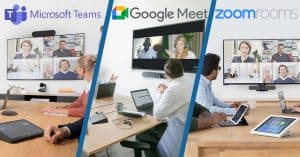
  • Zoom: Zoom is a popular video conferencing solution that provides cloud-based meeting room technology for remote teams. With Zoom, teams can conduct virtual meetings, webinars, and conferences and share content seamlessly.
  • Google Meet: Google Meet is a cloud-based video conferencing solution that integrates with other Google productivity tools, such as Google Docs and Google Calendar. With Google Meet, teams can conduct virtual meetings, share screens, and collaborate in real time.
  • Microsoft Teams: Microsoft Teams is a cloud-based collaboration platform that provides virtual meeting room technology for remote teams. With Microsoft Teams, teams can collaborate on projects, conduct virtual meetings, and share documents in real time.

Cloud-Based Solutions vs Traditional Meeting Room Setups

Cloud-Based Solutions

Traditional Meeting Room

Flexibility and Mobility Limited Mobility
Enhanced Productivity Limited Integration with Productivity Tools
Cost-Effective Expensive Equipment and Maintenance Costs
Virtual Meetings and Conferencing Solutions Physical Meetings Only


Improving productivity and work-life balance with meeting room technology

The Covid-19 pandemic has transformed the way we work. Remote work has become the new normal. As a result, meeting room technology has become crucial for facilitating communication and collaboration within remote teams. Remote work has made meeting room technology more critical than ever. Traditional meeting rooms were designed for in-person collaboration and communication. However, remote work requires new tools and technologies to facilitate virtual meetings and improve communication between remote teams. Meeting room technology has become more advanced, and businesses must adapt to these changes to remain productive and competitive.

Benefits 

Meeting room technology can significantly impact productivity and work-life balance. Here are some benefits of using meeting room technology:

  1. Enhanced collaboration: Meeting room technology can help remote teams collaborate more effectively. Video conferencing solutions allow teams to connect face-to-face, share screens, and collaborate on real-time documents, regardless of location.
  2. Improved communication: Meeting room technology can improve communication between remote teams. Digital workplace and collaboration tools can help remote workers communicate effectively, share ideas, and get feedback on their work.
  3. Greater flexibility: Meeting room technology provides greater flexibility for remote workers. Cloud-based solutions enable remote teams to access important documents and information from anywhere, at any time.

Tips for Using Meeting Room Technology To Improve Productivity and Work-life Balance

Here are some tips for improving productivity and work-life balance:

  1. Use video conferencing solutions: Video conferencing solutions allow remote teams to connect face-to-face, making communication more effective and personal. Use it to host virtual meetings, webinars, and conferences.
  2. Embrace hybrid work: Hybrid work combines remote and in-person work to provide the best of both worlds. Use meeting room technology to facilitate virtual meetings for remote workers and in-person meetings for those in the office.
  3. Leverage digital workplace and collaboration tools: Use digital workplace and collaboration tools to communicate effectively and share ideas. Use tools like Slack, Microsoft Teams, and Google Workspace to collaborate in real time.

Case Studies 

  1. Microsoft: Microsoft has embraced hybrid work, allowing employees to work from home up to 50% of the time. They have implemented digital workplace and collaboration tools like Microsoft Teams to improve communication and collaboration between remote and in-person teams.
  2. Buffer: Buffer is a fully remote company that has implemented virtual meeting room technology to facilitate communication between remote teams. They use tools like Zoom and Slack to collaborate and communicate effectively.


Conclusion

The impact of remote work on meeting room technology has been significant. As companies embrace hybrid work models, meeting room technology becomes even more crucial. Collaboration tools like video conferencing have become essential for virtual meetings and remote communication. Cloud-based solutions are becoming popular to enable online meetings, making it easier for remote teams to collaborate effectively. 

Digital workplaces require advanced communication tools for remote teams to improve productivity while maintaining work-life balance. Meeting room technology is crucial to enable effective remote collaboration, leading to better business meetings and increased productivity. Remote work meeting solutions, hybrid work technology, and virtual meeting room technology are some of the solutions that companies can consider to enhance remote collaboration. It is time for businesses to adapt their meeting rooms to remote work and invest in remote communication tools to improve their remote workforce’s productivity.


FAQs

Q. What is the impact of remote work on meeting room technology?

Remote work has led to a shift in how meeting rooms are used. With more people working remotely, traditional meeting rooms are less relevant than before. As a result, there has been an increased demand for video conferencing tools that allow remote workers to join meetings from anywhere. This has led to the development of new technologies allowing virtual meetings, including high-quality cameras, microphones, and collaboration tools.

Q. How can meeting room technology be adapted for remote work?

Meeting room technology can be adapted for remote work by incorporating video conferencing solutions, such as Zoom or Microsoft Teams, that allow remote workers to join meetings from anywhere. Implementing cloud-based solutions for online meetings can also enhance remote work capabilities. This includes virtual meeting rooms and collaboration tools allowing real-time collaboration and document sharing.

Q. What are some video conferencing solutions for remote teams?

Some popular video conferencing solutions for remote teams include Zoom, Microsoft Teams, Skype, Google Meet, and Cisco Webex. Each platform has unique features and benefits, so choosing a solution that aligns with your team’s needs and preferences is important.

Q. What are the benefits of using virtual meeting rooms?

Virtual meeting rooms offer several benefits for remote teams, including increased flexibility, reduced travel costs, and improved productivity. With virtual meeting rooms, team members can join meetings from anywhere, eliminating the need for physical travel. Additionally, virtual meeting rooms can be set up quickly, allowing teams to collaborate in real-time without extensive planning.

Q. What are some cloud-based solutions for online meetings?

Cloud-based solutions for online meetings include Zoom, Microsoft Teams, Google Meet, GoToMeeting, and Skype. These solutions offer virtual meeting rooms, document sharing, and real-time collaboration.

Q. How can remote collaboration be improved?

Remote collaboration can be improved by implementing tools that allow team members to communicate and share information in real time. This includes project management software, virtual whiteboards, and instant messaging tools. Additionally, setting clear goals and expectations, scheduling regular check-ins, and fostering a culture of collaboration can also improve remote collaboration.

Q. How can remote teams stay productive?

Remote teams can stay productive by setting clear goals and expectations, establishing a daily routine, and prioritising effective communication. Additionally, incorporating collaboration tools and project management software can help team members stay on track and manage their workload.

Q. What are some communication tools for remote teams?

Some communication tools for remote teams include Slack, Microsoft Teams, Zoom, and Google Meet. These tools offer instant messaging, video conferencing, and document-sharing features.

Q. How does hybrid work affect meeting room technology?

Hybrid work has led to a shift in meeting room technology, as businesses must now accommodate in-person and remote workers. This has increased demand for video conferencing solutions and hybrid meeting rooms, allowing seamless collaboration between remote and in-person team members.

Q. How does remote work impact work-life balance?

Remote work can have both positive and negative impacts on work-life balance. On the one hand, remote work can offer more flexibility, allowing team members to better manage their personal and professional responsibilities. However, remote work can also blur the lines between work and home life, leading to burnout and a lack of work-life balance.

Q. How can businesses effectively manage remote teams?

Businesses can effectively manage remote teams by establishing clear goals and expectations, implementing effective communication tools, and scheduling regular check-ins. Additionally, offering flexibility and support to remote team members can help foster a positive work culture and increase productivity.

Q. What are some challenges of remote collaboration?

Remote collaboration comes with several challenges, including communication breakdowns, lack of face-to-face interaction, time zone differences, technological issues, and a lack of clear communication guidelines. Remote teams often need help maintaining team cohesion, camaraderie, and the inability to read nonverbal cues easily. Moreover, remote workers may need help setting boundaries between their personal and professional lives, leading to burnout and decreased productivity. Lastly, remote workers may experience feelings of isolation and disconnection from their team and organisation.

Q. How can video calls improve remote communication?

Video calls are essential for remote communication as they provide face-to-face interaction and help build stronger connections between team members. Video calls help remote teams communicate more effectively and efficiently, allowing for real-time collaboration and the ability to read nonverbal cues. Additionally, video calls can increase engagement and accountability, as team members can see and hear each other during meetings. Video calls can also help remote workers feel less isolated and more connected to their team and organisation.

Q. What are some best practices for remote office setups?

Remote office setups should prioritise ergonomics, functionality, and mental health. It’s essential to have a designated workspace that’s comfortable and free from distractions. Adequate lighting and proper ventilation are essential for maintaining focus and preventing burnout. Additionally, having a reliable internet connection and the necessary equipment and software ensures productivity. Remote workers should also prioritise regular breaks, exercise, and healthy eating habits to maintain mental and physical health.

Q. What are the advantages of remote communication?

Remote communication has several advantages, including increased flexibility, reduced commuting time, and the ability to work from anywhere. Remote communication allows organisations to hire talent from all over the world, which can lead to a more diverse and inclusive workforce. Remote communication can also save organisations money on office space and equipment costs while allowing workers better work-life balance. Lastly, remote communication can increase productivity, as workers can work during their most productive hours and have more control over their work environment.

Q. How can virtual communication be enhanced for remote teams?

Virtual communication can be enhanced for remote teams by establishing clear communication guidelines and using communication tools effectively. Remote teams should establish regular check-ins, utilise collaborative tools such as project management software, and prioritise video calls over text-based communication. Additionally, remote teams should establish clear boundaries between work and personal time and encourage a culture of open communication and feedback. Lastly, remote teams should prioritise social connections and team-building activities to promote team cohesion and reduce feelings of isolation.

Picture of Meeting Store

Meeting Store

Table of Contents

meeting owl - features
Owl Labs

Owl Camera: The Ultimate Guide To The Owl Video Conferencing System

Looking for the perfect video conferencing solution? The Owl camera system is here to help! Our ultimate guide has everything you need to know about the Owl video conferencing camera. From setup to troubleshooting, we’ve got you covered. Get started today and experience the ultimate video conferencing solution!

Read More »
AV skills elevation
Training and Education

Elevate Your AV Skills with Expert Training

In today’s fast-evolving digital landscape, the importance of AV skills cannot be overstated. With multimedia proficiency and audiovisual expertise becoming essential in various fields, understanding the concept of AV skills elevation is crucial. This article will delve into the world of AV skills, their significance, and how to elevate them to achieve multimedia production excellence.In an era driven by multimedia and interactive media design, AV skills have become indispensable. Whether you’re a student, a professional, or an aspiring content creator, the ability to master audiovisual technologies is a gateway to success. AV skills encompass a wide range of competencies, including video editing techniques, visual communication, multimedia storytelling, and audio production.AV skills elevation is the process of enhancing your audiovisual proficiency, allowing you to excel in the digital landscape. This concept involves expert training to optimize AV equipment, create compelling multimedia content, and deliver immersive multimedia experiences. By improving your multimedia production skills, you can enhance your multimedia storytelling mastery and elevate your video presentation capabilities.AV for Education: Classrooms, Lecture Halls, AV Control  Starting from Scratch: AV Skills Training for BeginnersAV skills elevation is the cornerstone of mastering audiovisual technologies for beginners. In the rapidly evolving world of multimedia proficiency, laying a strong foundation through expert training is paramount. Understanding the significance of foundational training is pivotal in today’s digital landscape.Foundational Training: Building the BasicsFoundational training forms the bedrock of audiovisual expertise. Novices embarking on their multimedia journey must grasp the fundamentals of video editing techniques, interactive media design, and visual communication. These skills are not just tools; they are gateways to effective storytelling through AV. Immersive multimedia experience begins with a deep understanding of audio production, presentation skills, and AV equipment optimization.Resources and Courses: Nurturing NovicesFor beginners seeking multimedia proficiency development, a plethora of resources and courses await. Expert training programs delve into multimedia content creation, offering a roadmap to enhance video presentation skills. Interactive media mastery is achieved through hands-on guidance, and high-quality sound production becomes second nature. Novices can optimize AV equipment for quality, thanks to specialized workshops that focus on effective storytelling through AV. Course Description AV Skills Mastery Comprehensive training in multimedia production Multimedia Storytelling Techniques for Immersive Storytelling Interactive Media Design Best practices for engaging user experiences Audiovisual Proficiency Development of skills in AV industry knowledge Enhance Video Editing Mastering advanced video editing capabilities Navigating the AV Landscape: Expert GuidanceElevating presentation skills and multimedia production skills requires expert AV training. AV skills enhancement is not just about technical prowess; it’s about developing a holistic approach to multimedia storytelling mastery. Novices can explore advanced audiovisual techniques, interactive media design, and multimedia production excellence under the guidance of seasoned professionals.Tools and Software: Empowering CreativityProfessionals in the field recommend top-rated multimedia training programs and the best video editing courses. Interactive media workshops provide in-depth knowledge about advanced audiovisual techniques. Multimedia content creation platforms and expert video editing software empower beginners to bring their creative visions to life.  Mastering Audiovisual TechnologiesIn the ever-evolving realm of audiovisual (AV) technologies, the pursuit of AV skills elevation is paramount. With the relentless growth of multimedia proficiency, staying updated in this dynamic field is essential. This section delves into mastering audiovisual technologies, explores advanced techniques, and emphasizes the importance of continuous learning.Advanced Audiovisual TechnologiesAudiovisual expertise has expanded far beyond traditional boundaries, encompassing a multitude of disciplines, including video editing techniques, interactive media design, visual communication, and audio production. The modern multimedia storytelling landscape requires a holistic understanding of these components, promoting a more immersive multimedia experience.AV equipment optimization plays a vital role in delivering high-quality sound production. In the context of multimedia content creation, it is imperative to enhance video presentation skills and elevate video editing capabilities. This involves the mastery of advanced audiovisual techniques, such as interactive media design and multimedia storytelling.Staying Updated in the AV IndustryIn the AV industry, change is constant, and staying abreast of the latest trends and technologies is critical for success. Effective storytelling through AV requires in-depth knowledge of evolving multimedia production excellence, which can be achieved through continuous learning and expert AV training.AV Skills EnhancementAV skills enhancement is a continuous journey. It involves honing multimedia proficiency and embracing advanced AV techniques. Aspiring professionals can benefit from expert video editing tutorials, immersive multimedia learning, and advanced AV techniques guides. These resources provide valuable insights into the industry, enabling individuals to improve their multimedia storytelling and visual communication skills.Multimedia Production ExcellenceTo excel in the audiovisual realm, one must focus on multimedia production excellence. Effective visual communication strategies and optimizing AV equipment for quality are at the core of this pursuit. Aspiring professionals can benefit from interactive media design best practices, professional audiovisual production methods, and expert multimedia content creation.Learning ResourcesFor those seeking to enhance their video presentation skills and expertise, there are various interactive media storytelling techniques and multimedia production excellence tips available. Advanced audiovisual skills development is facilitated through AV skills development programs, top-rated multimedia training, and best video editing courses.  Immersive Multimedia LearningIn today’s rapidly evolving digital landscape, mastering the art of immersive multimedia learning is pivotal for anyone aspiring to excel in the AV industry. Immersive multimedia learning, often referred to as a transformative educational approach, delves deep into the integration of audiovisual (AV) technologies, multimedia storytelling, and interactive media design. This dynamic learning method not only enhances AV skills but also elevates multimedia proficiency and audiovisual expertise.Immersive Multimedia LearningImmersive multimedia learning isn’t merely a buzzword; it’s a revolutionary educational concept that emphasizes hands-on experiences, engaging content, and expert training. It involves the utilization of advanced AV techniques and multimedia production skills to create compelling narratives and visually appealing presentations. Through expert video editing tutorials and interactive media workshops, beginners can delve into mastering audiovisual technologies, optimizing AV equipment for quality, and employing effective visual communication strategies.The Role of Immersive Experiences in AV EducationIn the realm of AV skills elevation, immersive experiences play a pivotal role. Students and professionals alike benefit from immersive audio experiences and interactive media mastery, which are essential components of immersive multimedia learning.

Read More »
remote collaboration for creatives
Remote Collaboration

Unlock Remote Collaboration for Creatives: Harnessing Innovative Tools to Maximize Creative Potential

In today’s digital world, remote collaboration has become an indispensable aspect of creative work. Creative professionals, such as designers, artists, content creators, and graphic designers, often find themselves working in distributed teams, where physical proximity is no longer a requirement for collaboration. The concept of remote collaboration enables creatives to leverage their skills and expertise, regardless of their location, while harnessing the power of innovative collaboration tools. This article explores the importance of remote collaboration for creatives, highlights the challenges faced by remote creative teams, and emphasises the role of effective collaboration tools in enhancing virtual collaboration.Remote collaboration for creatives holds significant importance in the digital landscape. By embracing remote collaboration, creatives can transcend geographical boundaries and tap into a global talent pool. This allows for the fusion of diverse perspectives, ideas, and cultural influences, leading to enriched creative outcomes. Moreover, remote collaboration empowers creatives to overcome limitations imposed by physical proximity, facilitating the exploration of new possibilities and pushing the boundaries of creativity.While remote collaboration offers immense opportunities, it also presents unique challenges for creative teams. One of the key obstacles faced by remote teams is the lack of face-to-face interaction, which can hinder effective communication and impede the seamless exchange of ideas. Additionally, time zone differences and varying work schedules can create logistical challenges, making it difficult to coordinate and align efforts across the team. Without a centralised physical workspace, remote creative teams may struggle with fostering a sense of camaraderie and shared purpose, which are crucial for a collaborative environment.To overcome the challenges of remote collaboration, creative professionals rely on innovative collaboration tools. These digital solutions bridge the gap between geographically dispersed team members, enabling seamless communication, idea sharing, and project management. Remote collaboration software, collaboration platforms, and virtual collaboration software provide a centralised hub where team members can collaborate in real-time, irrespective of their physical locations. These tools offer features such as file sharing, video conferencing, task management, and document collaboration, streamlining the workflow and enhancing productivity.Best Collaboration Software  Understanding Remote Collaboration for CreativesRemote collaboration has emerged as a vital concept for creatives in the modern era, enabling them to connect and work together regardless of geographical barriers. This innovative form of collaboration leverages the power of technology to facilitate seamless communication, idea exchange, and project coordination. With the increasing prevalence of remote work, understanding the dynamics and requirements of remote collaboration in the creative industry has become crucial.The Unique Requirements and Dynamics of Remote Collaboration in the Creative IndustryRemote collaboration in the creative industry presents a distinct set of requirements and dynamics. Unlike traditional office-based collaboration, creatives engaged in remote collaboration must adapt to virtual workspaces and leverage innovative collaboration tools to bridge the physical distance. Timely and efficient communication becomes paramount, as does the ability to convey visual and conceptual ideas effectively through digital means.Collaboration tools tailored specifically for remote team collaboration play a vital role in enabling creatives to work seamlessly. These tools facilitate real-time file sharing, document collaboration, and project management, empowering creatives to overcome geographical limitations and maintain high productivity. By embracing such tools, creatives can enhance their creative potential and foster collaboration irrespective of physical location.Benefits of Remote Collaboration for Creative TeamsRemote collaboration offers numerous benefits for creative teams, revolutionising the way they work and unlocking new possibilities. Here are some key advantages: Flexibility: Remote collaboration liberates creatives from the constraints of traditional office spaces, allowing them to work from anywhere. This flexibility empowers them to strike a better work-life balance, resulting in increased job satisfaction and improved overall well-being. Global Talent Acquisition: By embracing remote collaboration, creative teams can tap into a vast pool of global talent. Geographical boundaries no longer limit access to skilled professionals, enabling teams to assemble diverse and highly talented individuals who bring unique perspectives to projects. Increased Productivity: Remote collaboration often leads to enhanced productivity due to reduced commuting time and distractions typically associated with office environments. With the right collaboration tools and efficient workflows, creatives can focus more on their work, leading to higher output and greater efficiency. Remote Collaboration Tools and SoftwareTo facilitate effective remote collaboration, creative teams can leverage a variety of digital collaboration tools and software. These tools are designed to streamline communication, project management, and file sharing, enabling creatives to work together seamlessly. Some popular options include: Collaboration Platforms: Platforms like Slack, Microsoft Teams, and Trello offer comprehensive solutions for remote team collaboration, providing features such as chat, video conferencing, task management, and shared workspaces. Virtual Collaboration Software: Tools like Miro, Mural, and Figma allow creatives to collaborate on visual projects, wireframes, and design concepts in real-time, facilitating remote design collaboration and ideation. Digital Collaboration Tools: Software such as Google Drive, Dropbox, and OneDrive enable seamless file sharing, version control, and collaborative document editing, enhancing remote collaboration for creatives working on content creation.   Best Collaboration Tools for Remote CreativesRemote collaboration has become a vital aspect of modern work environments, allowing creatives to seamlessly collaborate on projects regardless of their physical location. With the rise of remote teams and the need for efficient communication and coordination, innovative collaboration tools have emerged to empower remote creatives and unleash their creative potential. In this section, we will explore the top collaboration tools specifically tailored for remote creatives, encompassing project management software, virtual whiteboards, file-sharing platforms, and communication tools.Project Management SoftwareProject management software plays a crucial role in remote collaboration for creatives, enabling teams to organise, track progress, and ensure seamless project execution. Some popular options include: Trello: Trello offers an intuitive interface with customisable boards, lists, and cards, making it easy for remote teams to manage tasks, set deadlines, and track project status. Its flexibility and simplicity make it a preferred choice for creative collaboration. Asana: Asana provides a comprehensive project management solution, offering features like task assignment, progress tracking, and visual timelines. It fosters effective remote team collaboration and streamlines creative workflows. Virtual WhiteboardsVirtual whiteboards simulate the experience of brainstorming and ideation sessions in a physical workspace. These tools facilitate real-time

Read More »
Boosting productivity using AV technology
productivity

Experience Growth: Boosting Productivity Using AV Technology

In today’s fast-paced digital workplace, maximizing productivity has become a top priority for businesses of all sizes. Leveraging Audiovisual (AV) technology has proven to be an effective strategy in achieving this goal. AV technology encompasses a wide range of audio and visual tools that enhance performance, foster collaboration, and streamline various tasks. In this blog, we will explore the increasing importance of productivity, the role of AV technology in boosting efficiency.In the ever-evolving business landscape, productivity has emerged as a critical factor in determining an organization’s success. With mounting competition and the rise of remote work, businesses are constantly seeking ways to optimize efficiency. The digital workplace, with its reliance on technology and remote collaboration, demands enhanced productivity to stay ahead.AV technology encompasses a wide range of tools and solutions that cater to diverse needs in the workplace. From video conferencing and smart displays to automation and productivity software, AV technology plays a pivotal role in fostering efficiency and collaboration.Top 14 Ways how Modern Technology Increase Productivity in the Workplace  AV Technology for Small BusinessesAV (Audiovisual) technology has become a game-changer for small businesses, offering various tools and solutions that maximize productivity and enhance workplace efficiency. In today’s fast-paced digital world, businesses need to adopt modern collaboration solutions and productivity software to stay competitive and adapt to remote work environments. This section explores the benefits of AV technology for small businesses, delves into specific AV tools suitable for such environments, and provides real-world examples of businesses that have experienced remarkable productivity improvements through AV technology.AV Technology for Small Businesses: A Productivity Game-ChangerAV Technology: Enhancing Performance and Efficiency AV technology, with its wide range of audiovisual tools, has proven to be instrumental in boosting productivity for small businesses. From video conferencing to smart displays and automation, AV solutions are transforming the way teams collaborate and work together. The integration of AV equipment allows for seamless communication, efficient meetings, and streamlined project management, ensuring that tasks are completed promptly and with precision.Enabling Productivity in Remote Work and Digital Workplace With the rise of remote work and the digital workplace, AV technology has become indispensable. Remote teams can now connect effortlessly, bridging geographical barriers, and enhancing collaboration through video conferencing and other AV tools. AV technology enables businesses to maintain high productivity levels even when team members work from different locations.Maximizing Productivity with AV EquipmentEfficient Meetings and Collaboration Solutions AV technology offers a plethora of collaboration tools that streamline meetings and discussions, ultimately boosting productivity. Businesses can conduct virtual meetings with ease, saving time and resources that would have otherwise been spent on travel. Through interactive audiovisual systems, participants can share ideas, provide feedback, and make data-driven decisions in real-time.AV Automation for Time Management and Project Efficiency Automation is another key aspect of AV technology that contributes to maximizing productivity. Repetitive tasks can be automated, freeing up valuable time for employees to focus on more strategic and innovative endeavours. By integrating AV automation into daily operations, small businesses can optimize their time management and improve project efficiency significantly.AV Technology: A Catalyst for Small Business GrowthAV technology plays a vital role in fostering business growth and success. The benefits of enhanced productivity, efficient collaboration, and seamless communication are undeniable. To make the most of AV technology, businesses can invest in suitable AV solutions tailored to their specific needs and objectives. By embracing technology-driven productivity strategies, small businesses can stay ahead of the competition and thrive in today’s dynamic marketplace.  Boosting Productivity with Video ConferencingIn today’s digital age, the integration of AV technology has revolutionized communication and collaboration, particularly with the widespread adoption of video conferencing. This technology has significantly impacted remote work and productivity, providing efficient solutions for teams to connect and cooperate regardless of their physical location. In this section, we will explore the role of video conferencing in transforming communication and collaboration, its impact on remote work, and how to maximize productivity during video conferencing sessions.The Power of AV Technology in Transforming Communication and CollaborationAV Technology for Seamless Collaboration AV technology has enabled seamless collaboration through video conferencing, breaking down geographical barriers and fostering real-time interactions. With audiovisual tools and productivity solutions, remote teams can communicate effectively, share ideas, and work together on projects, just as if they were in the same physical space. This digital workplace integration has streamlined workflows, promoting workplace efficiency and reducing the challenges of traditional communication.Enhancing Performance with AV Equipment Video conferencing has become a cornerstone of productivity software, enhancing workplace productivity and revolutionizing communication in modern businesses. The productivity benefits of AV technology are numerous, with efficient meetings, smoother project management, and faster decision-making processes. Automation and time management tools further optimize collaboration, allowing teams to focus on high-value tasks and strategic initiatives.The Impact of Video Conferencing on Remote Work and ProductivityMaximizing Productivity with AV Technology Maximizing productivity with AV equipment is a fundamental aspect of remote work. By leveraging audiovisual systems, teams can maintain regular communication, engage in face-to-face discussions, and build stronger connections with colleagues. This fosters a sense of camaraderie, resulting in higher motivation levels and improved productivity for remote employees.AV Solutions for Efficient Collaboration Remote work productivity can be significantly improved with the use of AV solutions. Video conferencing not only facilitates virtual meetings but also enables the sharing of screens, documents, and multimedia content. This level of interaction promotes brainstorming, collaboration, and efficient problem-solving, making it easier for teams to tackle complex tasks and achieve their objectives.Tips and Best Practices for Maximizing Productivity During Video Conferencing SessionsAV Technology for Better Time Management Effective time management is crucial during video conferencing sessions. Utilize AV technology to create structured agendas, set specific time frames for each agenda item, and encourage active participation from all participants. This ensures that meetings remain focused, productive, and time-efficient.AV Technology for Enhanced Engagement Engagement is key to productive video conferencing sessions. Use AV innovations, such as smart displays, to maintain visual engagement and keep participants attentive throughout the meeting. Utilizing AV advancements like virtual whiteboards and interactive elements can also facilitate active collaboration.  Enhancing Productivity in Virtual MeetingsIn today’s digital

Read More »
AV Equipment

Our Recommended Meeting Room Equipment For 2022

Video conferencing has taken over our lives for the past two years. And with the AV market ever growing, it can be a challenge trying to find the right equipment. That not only suits your wants and needs, but each device being high quality to deliver a high quality meeting. However, now a days its not just about buying the best camera with 4K quality or a microphone with 360° pickup. You now have to think about the platforms you're using, Zoom, Teams or Google Meet. They all have the basic job of connecting people via video, but people definitely have their favourite. That's where meeting room solution kits come into the game.  With it now nearing the end of the year and there being lots of new equipment, there's still a lot to think about when buying meeting room equipment. To make things easier for you, here are our recommended meeting room equipment for 2022. For Zoom Rooms With many different video conferencing platforms, finding the right one that works for you can seem a bit pointless. Considering they all do the same thing. But with Zoom Rooms, you can conference simply and seamlessly. All you have to do is install the equipment and get to conferencing. Zoom handling the rest. If you don't know what Zoom Rooms is, it is basically turning your small, medium or large meeting room into a Zoom based room. Making Zoom meetings just as simple tap away. And that's all it takes to start a Zoom call with Zoom Room kits. It integrates all the necessary meeting room equipment with Zoom software. So if you're a dedicated Zoom platform user, purchasing Zoom Room kits is a big benefit to not only upgrading your meeting room, but upgrading your meetings and making it an easier task for you and your colleagues. Zoom Room kits can totally transform your meeting room, taking once an old, forgotten meeting room to a collaborative, easy to manage space to hold all your meetings. Its more than just room to room conferencing, it makes video conferencing external colleagues or business partners easy. Zoom Room kits don't only accommodate huddle spaces and medium to large meeting rooms, but they also offer separate touch screen displays and scheduling displays for your meeting rooms. Zoom being able to fully kit out your meeting. They have teamed up with many big named brand to bring you the best meeting room kit possible: Logitech, Yealink, DTEN, Neat, Poly, all covering small to large rooms. Yealink ZVC500 Zoom Room Meeting Kit  If Zoom Rooms sounds like the best fit to your meetings, the Yealink ZVC500 is the best kit for you. With high quality devices, your meetings will be transformed with just a few connections. This video conferencing kit comes includes: Yealink UVC50 PTZ Camera CP960 Conference Phone MCore Mini-PC A kit that includes all of your needs, taking the difficulty out of upgrading your meeting room. The ZVC500 is packed full of qualities to help you conference better. This kit is specifically designed for medium sized rooms but with a 5x optical zoom, 4k camera, and a 360° voice pickup range. It's easy for the ZVC500 to fit in with your small or even your huddle room.  Yealink UVC50 Camera The UVC50 camera makes this video conferencing equipment. It has to be in top condition to bring perfect meetings. The camera includes a pan range of 60°, a tilt range of 40° and a 91° field of view. So with these qualities alongside a powerful 4K camera to capture you and several other colleagues in a meeting. It shows that the UVC50 camera is just the camera to capture everyone in a medium sized meeting. Plus it shows that Zoom have chosen the right brand and equipment to better your meetings. Furthermore, the UVC50 includes auto framing with 60 frame rate. A perfect combination to give the best angle and the clearest picture.  Yealink CP960 Having high quality audio is important. Participants at both ends need equipment to be able to hear every thought and idea clearly. The CP960 is the perfect addition to the ZVC500 room kit. If you only have the choice of one meeting room for all of your meetings, no matter the size, then the CP960 will still work in your meeting room. With a 5" capacitive touchscreen display and 360° voice pickup range, you can place the device anywhere on your meeting room table. So if you are using your one meeting room for a huddle sized meeting. You can easily place the CP960 on the table where you and your colleague or colleagues are sitting. However, if you are using that one meeting room for your medium sized meeting and the meeting room table is full. The CP960 Conference Phone can still pick up you and your colleagues voices. Plus with Yealink Noiseproof technology, you voices will be the only thing that the CP960 will pick up. Putting across crystal clear audio to your external participants. Blocking out any unwanted and distracting noises.  MCore Mini-PC The MCore Mini-PC is the heart of the ZVC500. The heart that makes the UVC50 camera and the CP960 Conference Phone run smoothly. The 8th Gen Intel Quad-Core Processor and 128GB storage, lets you do just that. This is the heart as everything in the ZVC500 kit connects to the MCore Mini-PC. Now this may sound like a messy bit of the equipment, but the MCore has built in cable management. Stopping any cables from overlapping and confusing anyone who may need to unplug something. Not only that but keeping, wherever you put the Mini-PC, tidy. Alongside this, the MCore has a security slot. Meaning that it you want your MCore to stay in its designated space. The security slot feature will stop anyone from unplugging anything from the MCore and moving it anywhere.  [vc_images_carousel images="12288,12286" img_size="full" autoplay="yes" wrap="yes"] For Google Meet Just like Zoom Rooms, Google Meet has full kits for specific
Read More »
MeetingStore.co.uk
Logo
Compare items
  • Total (0)
Compare
0
Shopping cart