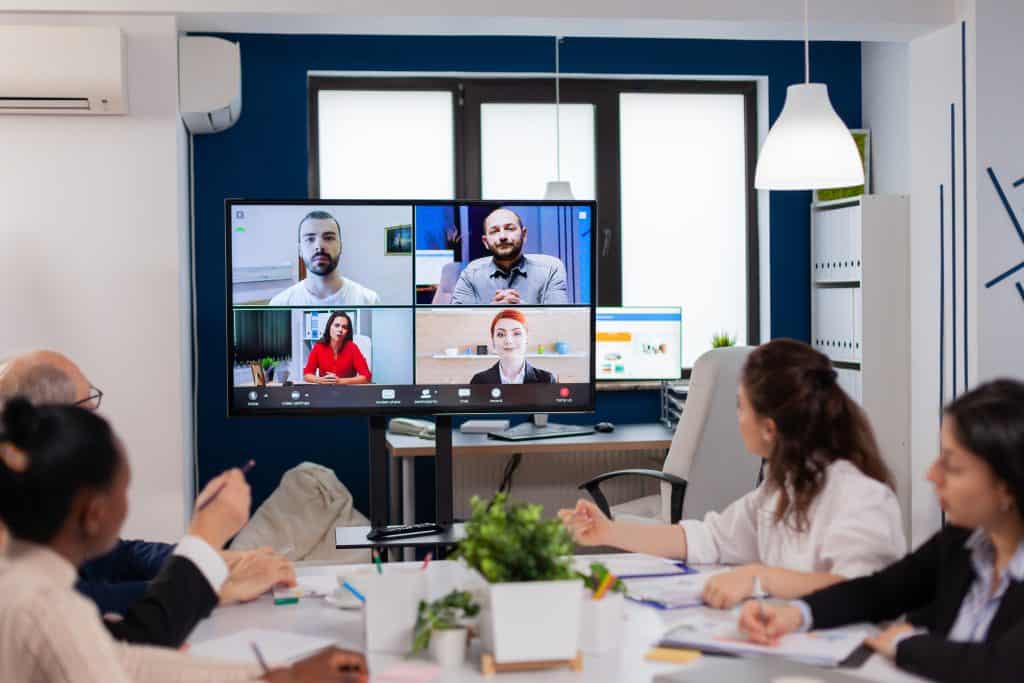
The concept of remote teams and the growing trend of remote work have revolutionized the modern workplace. In today’s digital era, organizations are increasingly embracing remote collaboration to tap into a global talent pool, enhance productivity, and foster a flexible work culture. Effective collaboration among remote teams has become paramount, enabling seamless coordination, streamlined workflows, and the achievement of common goals. This article delves into the significance of remote team collaboration, exploring its benefits, challenges, and strategies to boost performance. By leveraging proven techniques and collaboration tools, remote teams can thrive in the dynamic realm of virtual work.
Remote team collaboration is the cornerstone of driving productivity in dispersed work environments. When team members effectively communicate and coordinate their efforts, they can align their goals, share knowledge, and collectively tackle challenges. Through seamless collaboration, remote teams can leverage their diverse skills and perspectives, fostering innovation and problem-solving.
Clear and efficient communication is crucial for remote teams to build trust, maintain transparency, and foster engagement. By utilizing various communication channels and tools, such as video conferencing, instant messaging, and project management software, remote teams can bridge the physical distance and establish meaningful connections. Regular check-ins, virtual team-building activities, and knowledge-sharing sessions further strengthen collaboration bonds.
Effective remote collaboration involves establishing streamlined workflows and leveraging project management tools tailored for distributed teams. By implementing agile methodologies and task management systems, remote teams can enhance task visibility, track progress, and ensure seamless coordination across different time zones. This leads to improved efficiency, reduced bottlenecks, and timely project completion.
Remote team collaboration is instrumental in shaping a cohesive team culture that transcends physical boundaries. Encouraging open communication, recognizing achievements, and fostering a sense of belonging foster a supportive and inclusive work environment. By emphasizing shared values, remote teams can establish a strong sense of camaraderie, loyalty, and trust.
How to Manage Remote Teams – Challenges and Tips for Managing Remote Employees
Remote Team Collaboration Tools for Small Businesses
In today’s digital age, remote work has become increasingly common, necessitating effective collaboration tools for small businesses with remote teams. These tools play a crucial role in facilitating seamless communication, enhancing project management, and promoting coordination among team members. By leveraging remote team collaboration tools, small businesses can overcome the challenges posed by distance and foster a productive and cohesive work environment.
Top Remote Team Collaboration Tools Suitable for Small Businesses
Slack: Slack is a popular communication platform that allows real-time messaging, file sharing, and group discussions. Its key features include channels for organized conversations, direct messaging, integrations with other tools, and file sharing capabilities. Slack promotes quick and efficient communication, ensuring remote teams stay connected and aligned.
Asana: Asana is a versatile project management tool that enables teams to create, assign, and track tasks in a collaborative workspace. With features such as task assignments, deadlines, progress tracking, and project timelines, Asana helps small businesses streamline their workflow, enhance accountability, and ensure projects are completed efficiently.
Trello: Trello is a visual collaboration tool that uses boards, lists, and cards to organize projects and tasks. It provides an intuitive interface for managing workflows, assigning tasks, and tracking progress. Trello’s flexibility makes it suitable for various project management approaches, from agile to traditional, enabling small businesses to adapt to their preferred methodologies.
Google Drive:Google Drive offers cloud-based storage and collaboration features, allowing remote teams to store, access, and edit files in real-time. With its suite of productivity tools, including Google Docs, Sheets, and Slides, Google Drive promotes seamless document collaboration and enhances remote team productivity.
Zoom: Zoom is a video conferencing and online meeting platform that enables face-to-face communication and collaboration among remote team members. It offers features such as screen sharing, virtual backgrounds, and breakout rooms, facilitating effective team discussions, presentations, and brainstorming sessions.
– Visual boards, lists, and cards for task organization
– Task assignments
– Workflow management
Google Drive
– Cloud-based file storage and real-time collaboration
– Productivity tools (Docs, Sheets, Slides)
Zoom
– Video conferencing and online meetings
– Screen sharing
– Breakout rooms
How These Tools Facilitate Communication, Project Management, and Coordination
Effective communication, project management, and coordination are essential for remote teams’ success. Remote team collaboration tools provide the necessary infrastructure and features to achieve these goals. They enable:
Communication: Tools like Slack and Zoom foster seamless communication by allowing real-time messaging, file sharing, and video conferencing. They eliminate communication barriers, facilitate quick decision-making, and promote a sense of virtual togetherness.
Project Management: Asana and Trello offer centralized platforms for task creation, assignment, and tracking. They enable remote teams to establish project timelines, allocate resources effectively, and monitor progress, ensuring projects stay on track.
Coordination: Collaboration tools like Google Drive enable remote team members to access and edit files concurrently, fostering collaboration and eliminating version control issues. By providing a shared workspace, these tools promote coordination, knowledge sharing, and transparency.
Remote Team Collaboration Techniques for Startups
In today’s digital age, startups are increasingly embracing remote work arrangements. Operating with remote teams offers numerous benefits, such as access to a wider talent pool and cost savings. However, effective collaboration becomes crucial to ensure the success and productivity of remote teams. This section explores the significance of remote team collaboration for startups and provides practical techniques and strategies to enhance collaboration in a remote work environment.
The Importance of Effective Collaboration for Startups
Effective collaboration is vital for startups operating with remote teams. It enables seamless coordination, fosters creativity, and enhances overall team productivity. Remote collaboration allows team members to contribute their diverse skills and expertise, leading to innovative solutions and improved outcomes. Additionally, successful collaboration promotes a positive work culture, nurtures employee engagement, and strengthens team bonds.
Practical Techniques and Strategies for Enhanced Collaboration
Regular Check-ins and Virtual Meetings: Establishing a structured communication rhythm through regular check-ins and virtual meetings is crucial for remote team collaboration. These interactions promote real-time feedback, address challenges, and align team members towards common goals. Utilize collaboration tools such as video conferencing platforms to facilitate face-to-face interactions, fostering a sense of connection and engagement.
Clear Communication Channels: Clear and effective communication channels are the backbone of remote collaboration. Utilize various communication tools, such as project management software, team chat applications, and email, to ensure seamless information flow. Emphasize concise and transparent communication, using tools that facilitate document sharing, real-time editing, and version control.
Collaboration Tools for Remote Teams: Leverage collaboration tools tailored for remote teams to streamline workflows and enhance productivity. Project management platforms like Asana or Trello enable task assignment, progress tracking, and deadline management. Communication tools like Slack or Microsoft Teams facilitate instant messaging, file sharing, and team discussions, promoting efficient collaboration.
Fostering a Collaborative Culture: Building a collaborative culture within the remote team is essential for long-term success. Encourage open dialogue, idea sharing, and mutual respect among team members. Create platforms for knowledge exchange, such as internal wikis or virtual brainstorming sessions. Recognize and celebrate collaborative achievements to reinforce the importance of teamwork.
Building Trust within the Team: Trust is the foundation of effective collaboration. Establish mechanisms to build trust among remote team members, such as clear expectations, accountability frameworks, and transparency in decision-making. Encourage regular feedback and recognize individual contributions. Foster a supportive environment that values diverse perspectives and encourages risk-taking.
Remote Collaboration: Empowering Startups for Success
Remote collaboration is a powerful driver of startup success. By implementing proven collaboration techniques, startups can boost remote team performance, drive innovation, and achieve desired outcomes. Effective remote team collaboration improves productivity, enhances communication, and enables seamless coordination across projects and workflows. It nurtures a collaborative culture, fosters trust, and empowers team members to excel in their respective roles.
Effective Remote Team Collaboration Strategies for Productivity
In the age of digital transformation, remote work has become increasingly prevalent, requiring teams to adapt and find effective ways to collaborate from different locations. Successful remote team collaboration is crucial for maintaining productivity and achieving organizational goals. By implementing proven strategies and leveraging collaboration tools, teams can overcome challenges and foster a culture of effective communication, coordination, and empowerment. This section explores various strategies that can boost productivity through remote team collaboration.
Setting Clear Goals for Remote Team Collaboration
Setting clear goals is fundamental to remote team collaboration. When team members have a shared understanding of objectives, it enhances focus and alignment. Establishing specific, measurable, attainable, relevant, and time-bound (SMART) goals provides a framework for remote teams to work towards. By aligning individual tasks with overarching objectives, teams can ensure that everyone is working towards a common purpose, promoting synergy and productivity.
Establishing Accountability and Tracking Progress
Accountability is key to remote team collaboration. It fosters a sense of responsibility and ownership among team members, driving them to meet deadlines and deliver high-quality work. Regular progress tracking allows teams to stay on top of tasks and identify potential bottlenecks early on. Utilizing project management tools that enable task assignment, progress monitoring, and milestone tracking can enhance accountability and provide visibility into the team’s collective efforts.
Effective Task Delegation and Time Management
Efficient task delegation and time management are essential components of remote team collaboration. Delegating tasks based on individual strengths and expertise ensures optimal utilization of resources and promotes a sense of shared responsibility. Clear communication regarding expectations, deadlines, and priorities is vital to avoid misunderstandings and delays. Time management techniques, such as prioritizing tasks, utilizing time-tracking tools, and setting dedicated work hours, help remote teams stay focused, organized, and productive.
Streamlining Workflows and Leveraging Automation Tools
Streamlining workflows is crucial for remote team collaboration. By defining streamlined processes and removing unnecessary steps or bottlenecks, teams can optimize efficiency and productivity. Automation tools can play a significant role in simplifying repetitive tasks, reducing manual effort, and minimizing errors. Integration of collaboration and project management tools, such as shared document platforms and task management systems, streamlines workflow and enhances real-time collaboration among remote team members.
Minimizing Distractions and Promoting Focus
Distractions can hinder remote team collaboration and productivity. Establishing guidelines and best practices for minimizing distractions is essential. Encouraging team members to create dedicated workspaces, implement effective time-blocking techniques, and limit interruptions can significantly enhance focus and concentration. Additionally, promoting a culture of respect for individual work time and encouraging open communication about availability and boundaries fosters an environment conducive to remote collaboration.
Leveraging Collaboration Tools for Remote Team Success
Utilizing appropriate collaboration tools is vital for remote team success. Communication tools, such as video conferencing platforms and instant messaging applications, facilitate real-time interaction and virtual meetings. Project management tools enable centralized task management, progress tracking, and document sharing. Virtual whiteboards and file-sharing platforms enhance collaborative brainstorming and idea sharing. By leveraging these tools effectively, remote teams can overcome geographical barriers and collaborate seamlessly.
Cultivating Trust, Engagement, and Teamwork
Building trust, fostering engagement, and promoting teamwork are essential for remote team collaboration. Regular virtual team meetings provide opportunities for open discussions, brainstorming sessions, and knowledge sharing. Encouraging active participation, recognizing achievements, and providing constructive feedback contribute to a positive team dynamic. Cultivating a supportive remote team culture, where everyone feels valued and included, strengthens collaboration, motivation, and productivity.
Improving Remote Team Collaboration and Communication
Remote work has become increasingly prevalent in today’s digital age. While it offers numerous benefits, such as flexibility and increased productivity, it also presents unique challenges for team communication and collaboration. Overcoming these challenges is crucial for remote teams to thrive and achieve their goals.
One major challenge faced by remote teams is the lack of face-to-face interaction. Without the physical presence of colleagues, it can be difficult to establish rapport and build strong relationships. Additionally, remote team members may work in different time zones, making real-time communication a challenge. The absence of non-verbal cues and body language further complicates effective communication within remote teams.
Practical Tips for Improving Communication within Remote Teams
To enhance communication within remote teams and foster a collaborative environment, several strategies and techniques can be employed:
Emphasize Active Listening: Active listening is essential for effective remote collaboration. Encourage team members to actively engage in conversations, pay attention to details, and demonstrate empathy. This promotes understanding, prevents misunderstandings, and builds trust among team members.
Ensure Clarity in Written Communication: Clear and concise written communication is vital for remote teams. Encourage team members to use plain language and avoid jargon or ambiguous terms. This helps minimize misinterpretations and ensures that messages are easily understood by all.
Choose Appropriate Communication Channels: Remote teams have access to various communication tools and platforms. It’s crucial to select the right channel for each situation. Instant messaging or chat applications work well for quick questions, while video conferences are ideal for team meetings and discussions requiring visual cues.
Schedule Regular Team Meetings: Regular team meetings foster collaboration and alignment among remote team members. These meetings provide an opportunity to discuss projects, share updates, and address any challenges. They also help cultivate a sense of belonging and teamwork.
Facilitate Virtual Coffee Breaks and Informal Communication: Remote teams can benefit from informal interactions to build relationships and strengthen team dynamics. Encourage virtual coffee breaks or chat channels dedicated to non-work discussions. This allows team members to connect on a personal level, fostering a sense of camaraderie and improving collaboration.
Importance of Remote Collaboration and Teamwork
Effective remote collaboration is essential for remote teams to achieve success and maintain high levels of productivity. By leveraging proven collaboration techniques and implementing remote teamwork tips, teams can enhance their performance and achieve desired outcomes.
Collaboration Tools for Remote Teams
Collaboration tools play a crucial role in remote team success. There are several remote collaboration tools available that facilitate efficient communication and project management. Some popular options include project management platforms, file-sharing systems, and real-time collaboration software. These tools enable seamless coordination, enhance workflow efficiency, and promote a collaborative culture within remote teams.
Remote Team Collaboration Best Practices
To optimize remote team collaboration, consider the following best practices:
Establish Clear Goals and Expectations: Clearly define project goals, roles, and responsibilities for each team member. This ensures everyone is aligned and understands their contributions towards the team’s success.
Foster a Culture of Trust and Empowerment: Trust is the foundation of effective remote collaboration. Encourage open communication, transparency, and mutual respect among team members. Empower individuals to take ownership of their tasks and make decisions independently.
Implement Remote Team Collaboration Metrics: Track key metrics related to remote team collaboration and performance evaluation. This provides valuable insights into the effectiveness of teamwork, identifies areas for improvement, and ensures accountability.
Remote Team Collaboration Best Practices
Clear expectations are crucial for successful remote team collaboration. By defining roles, responsibilities, and goals upfront, teams can work together efficiently and avoid misunderstandings. Here are some best practices:
Defining Roles and Responsibilities: Clearly outline each team member’s role, tasks, and areas of expertise. This promotes accountability and avoids duplication of efforts.
Setting Objectives and Goals: Establish specific, measurable, achievable, relevant, and time-bound (SMART) goals. This ensures everyone is aligned and working towards a common purpose.
Communicating Expectations: Use regular communication channels to clearly communicate expectations regarding deadlines, quality standards, and project milestones.
Promoting Transparency
Transparency fosters trust, collaboration, and open communication within remote teams. By encouraging transparency, remote collaboration can thrive. Consider the following practices:
Open Communication Channels: Utilize collaboration tools and platforms that facilitate real-time communication, such as instant messaging, video conferencing, and project management software.
Regular Team Updates: Implement regular check-ins or stand-up meetings to share progress, challenges, and updates. This keeps everyone informed and promotes a sense of belonging.
Documenting Processes: Documenting processes and workflows ensures transparency in decision-making and allows team members to understand how their work fits into the bigger picture.
Documenting Processes and Maintaining an Organized Digital Workspace
Documentation and organization are key to remote team collaboration. They enable easy access to information, streamline workflows, and promote efficiency. Consider the following strategies:
Centralized Knowledge Base: Create a shared repository where team members can access important documents, guidelines, and resources. This enhances knowledge sharing and reduces redundancy.
Standardizing Documentation: Establish consistent templates and formats for documentation, making it easier for team members to understand and locate information.
Version Control and Collaboration Tools: Utilize tools that enable simultaneous editing, version control, and collaboration on documents. This ensures everyone is working on the most up-to-date information.
Encouraging Knowledge Sharing
Knowledge sharing enhances remote team collaboration by leveraging the collective expertise and experiences of team members. Consider implementing the following practices:
Virtual Knowledge-Sharing Sessions: Conduct regular virtual meetings or webinars where team members share their expertise, best practices, and lessons learned.
Collaborative Documentation: Encourage team members to contribute to shared documents, wikis, or internal blogs, sharing their insights, tips, and resources.
Peer Learning Opportunities: Facilitate peer-to-peer learning through mentoring programs, cross-functional projects, or online discussion forums.
Continuous Feedback and Celebrating Team Successes
Feedback and recognition play a vital role in remote team collaboration. They promote growth, motivation, and a positive team culture. Consider the following approaches:
Regular Feedback Loops: Establish a feedback culture where constructive feedback is given and received regularly. Use a mix of individual feedback sessions and team-wide feedback mechanisms.
Recognition and Rewards: Acknowledge and celebrate individual and team achievements. This can be done through virtual awards, public recognition, or informal appreciation channels.
Learning from Mistakes: Foster a blame-free environment where mistakes are viewed as learning opportunities. Encourage team members to share lessons learned and propose improvements.
All-in-one workspace for notes, tasks, and databases
Jira
Issue tracking and project management tool
Monday.com
Work management platform with customizable workflows
Virtual Team Collaboration Tips for Remote Work Success
In today’s digital age, remote work has become increasingly common, requiring effective virtual team collaboration for success. Remote teams face unique challenges in terms of coordination, communication, and building a cohesive work culture. To ensure productivity and engagement, it is essential to implement practical tips and strategies for successful collaboration in virtual teams. This section provides valuable insights and actionable advice on remote team collaboration, emphasizing the importance of virtual team building activities, effective communication tools, time zone management, and creating a flexible work environment.
Foster Virtual Team Building Activities and Promote Social Interactions
Building a sense of camaraderie and fostering social interactions among remote team members is crucial for creating a positive and productive work environment. Consider the following tips:
Schedule regular virtual team-building activities, such as online games, virtual coffee breaks, or virtual happy hours, to encourage social interactions and strengthen relationships.
Establish dedicated communication channels for casual conversations and non-work-related discussions, enabling team members to connect on a personal level.
Encourage team members to share their interests, hobbies, and achievements, fostering a sense of belonging and promoting a supportive team culture.
Leverage Video Conferencing, Screen Sharing, and Real-Time Collaboration Tools
Effective communication and collaboration tools play a vital role in remote team success. Utilize the following tools to enhance virtual team collaboration:
Video conferencing platforms like Zoom, Microsoft Teams, or Google Meet facilitate face-to-face interactions, enabling better engagement and understanding among team members.
Screen sharing capabilities allow for real-time collaboration on documents, presentations, or workflows, promoting seamless information sharing and joint problem-solving.
Utilize project management tools like Trello, Asana, or Jira to centralize project-related information, assign tasks, and track progress, enhancing overall team productivity.
Strategies for Managing Different Time Zones and Creating a Flexible Work Environment
Remote teams often span across different time zones, posing challenges for coordination and workflow. Implement the following strategies for effective time zone management and flexibility:
Establish core working hours that overlap across time zones, ensuring dedicated periods for real-time collaboration and communication.
Utilize time zone conversion tools, such as World Time Buddy or Time Zone Converter, to easily coordinate meetings and deadlines across different regions.
Encourage asynchronous communication and flexible work hours, allowing team members to optimize their productivity while accommodating personal schedules.
Nurturing Remote Team Dynamics and Trust
Strong teamwork, trust, and effective communication are fundamental to remote team collaboration. Consider the following tips to foster a positive team dynamic:
Encourage open and transparent communication channels, such as Slack or Microsoft Teams, for quick and efficient information sharing.
Establish clear guidelines and expectations for remote team members, including response times, availability, and communication protocols.
Foster a culture of trust by empowering team members to make decisions and providing autonomy in their work processes.
Utilize Collaboration Metrics for Performance Evaluation
To assess the effectiveness of remote team collaboration and identify areas for improvement, leverage collaboration metrics. Consider implementing the following metrics:
Measure team productivity by tracking completed tasks, project milestones, and meeting deadlines.
Monitor team engagement and participation in collaborative activities, evaluating individual contributions and overall team synergy.
Collect feedback through regular surveys or one-on-one discussions to gauge team satisfaction and identify areas where collaboration can be enhanced.
Remote Team Collaboration Software Comparison
In today’s digital age, remote work has become increasingly prevalent, making efficient remote team collaboration crucial for success. To streamline collaboration and enhance productivity, remote teams rely on a variety of software and tools tailored to their unique needs. This section aims to compare different remote team collaboration software and tools, evaluating their features, pricing, user-friendliness, and compatibility with remote work. By discussing the strengths and weaknesses of each tool, we aim to help readers make informed decisions and provide recommendations based on the specific needs of remote teams.
Remote Team Collaboration Strategies
To boost remote team collaboration, implementing proven collaboration techniques is essential. Here are some strategies that have proven effective:
a) Foster a Culture of Trust and Empowerment
Building trust among team members is vital for remote collaboration success. Encouraging open communication, providing autonomy, and recognizing individual contributions fosters a sense of empowerment and strengthens team dynamics.
b) Implement Effective Remote Team Management Practices
Remote team management plays a crucial role in ensuring productivity and coordination. Establishing clear goals, defining roles and responsibilities, and utilizing project management tools enable effective remote team collaboration.
c) Leverage Collaboration Tools for Remote Teams
Utilizing the right tools can significantly enhance remote team collaboration. Choosing software that offers features like shared workspaces, task assignment, and seamless communication streamlines workflow and improves productivity.
Challenges and Solutions in Remote Team Collaboration
Remote team collaboration poses unique challenges, but there are effective solutions to overcome them:
a) Communication and Collaboration Barriers
Lack of face-to-face interaction can hinder effective communication and collaboration. To mitigate this, remote teams should establish clear communication channels, leverage video conferencing tools, and promote regular check-ins.
b) Maintaining Team Engagement and Motivation
Remote work can sometimes lead to decreased engagement and motivation. Encouraging virtual team-building activities, recognizing achievements, and fostering a positive remote team culture can boost engagement and motivation levels.
Remote Team Collaboration and Work-Life Balance
Achieving a healthy work-life balance is essential for remote teams. Here are a few practices to promote work-life balance:
a) Establish Clear Boundaries
Encourage team members to define clear boundaries between work and personal life. Establishing set working hours and promoting regular breaks can help maintain a healthy work-life balance.
b) Encourage Flexibility
Remote work offers flexibility, and it’s important to embrace it. Allowing team members to adjust their schedules and providing support for personal commitments can contribute to improved work-life balance.
Conclusion
Effective collaboration is crucial for remote teams to achieve optimal performance and success. Remote work has become increasingly prevalent, necessitating the use of proven collaboration techniques and tools.
Collaboration is the cornerstone of remote team success. It fosters teamwork, productivity, and communication among virtual teams. Efficient collaboration enables effective project management, streamlined workflows, and a positive team culture. Trust, empowerment, and engagement are nurtured through regular coordination and productive meetings.
Utilize remote team collaboration tools to facilitate seamless communication, project management, and document sharing. These tools, such as Slack, Microsoft Teams, or Trello, enhance coordination and keep remote teams connected.
Foster clear and open lines of communication within the remote team. Utilize video conferences, chat platforms, and email to ensure effective information exchange and timely decision-making.
Promote a culture of collaboration, where team members feel encouraged to share ideas, provide feedback, and work together towards common goals. Encourage cross-functional collaboration to leverage diverse expertise and perspectives.
FAQs
What are the best tools for remote team collaboration?
There are several excellent tools for remote team collaboration, including:
Communication tools: Slack, Microsoft Teams, or Google Chat for real-time messaging and team discussions.
Video conferencing tools: Zoom, Microsoft Teams, or Google Meet for virtual meetings and face-to-face interactions.
Project management tools: Trello, Asana, or Jira for task management, assigning responsibilities, and tracking progress.
File sharing and document collaboration tools: Google Drive, Dropbox, or Microsoft OneDrive for storing and sharing files, enabling simultaneous editing, and version control.
Online whiteboarding tools: Miro, Mural, or Microsoft Whiteboard for visual collaboration, brainstorming, and organizing ideas.
Collaborative document editing tools: Google Docs, Microsoft Office 365, or Notion for collaborative writing, editing, and commenting on documents.
Time tracking and productivity tools: Toggl, RescueTime, or Harvest for monitoring work hours, analyzing productivity, and managing time effectively.
These tools help teams communicate, collaborate, manage tasks, and share information seamlessly in a remote work environment.
How can I improve collaboration in my remote team?
To enhance collaboration in a remote team, consider these strategies:
Foster open communication: Encourage regular and transparent communication among team members through dedicated channels and scheduled meetings.
Set clear goals and expectations: Define shared objectives, individual responsibilities, and deadlines to ensure everyone is aligned and accountable.
Promote teamwork and trust: Encourage collaboration and teamwork by assigning group projects, facilitating virtual team-building activities, and recognizing collective achievements.
Use collaboration tools effectively: Implement reliable communication and project management tools that suit your team’s needs and provide proper training to ensure their optimal utilization.
Establish a supportive culture: Encourage knowledge sharing, provide constructive feedback, and create a safe space for open discussions and idea exchange.
Schedule regular check-ins: Conduct one-on-one or team meetings to address concerns, provide guidance, and maintain team cohesion.
Encourage social interaction: Organize virtual social events, casual chats, or virtual coffee breaks to foster a sense of camaraderie and build personal connections among team members.
By implementing these strategies, you can promote collaboration, engagement, and productivity in your remote team.
What are the challenges of remote team collaboration?
Remote team collaboration poses several challenges, including:
Communication barriers: Lack of non-verbal cues and face-to-face interactions can lead to misinterpretations and misunderstandings.
Time zone differences: Coordinating work across different time zones can create challenges for real-time collaboration and timely responses.
Technology issues: Unreliable internet connections, software glitches, and compatibility problems can hinder seamless collaboration.
Building rapport and trust: It can be challenging to establish strong interpersonal connections and trust among team members who have limited or no in-person interaction.
Coordination and alignment: Ensuring everyone is on the same page, coordinating tasks, and maintaining consistency can be more challenging in a remote setting.
Managing distractions and work-life balance: Remote work environments can be prone to distractions, and finding a balance between work and personal life can be difficult for some team members.
Social isolation: Working remotely can lead to feelings of isolation and decreased motivation, which can affect collaboration and teamwork.
Recognizing these challenges and implementing appropriate strategies can help mitigate their impact on remote team collaboration.
How can remote teams communicate effectively?
To communicate effectively in remote teams:
Choose the right communication tools: Select reliable and suitable tools for real-time messaging, video conferencing, and document sharing.
Establish communication guidelines: Define expectations for response times, preferred communication channels, and meeting etiquette.
Overcommunicate: Share information proactively, keep everyone in the loop, and clarify expectations to minimize misunderstandings.
Use video conferencing: Encourage the use of video during meetings to foster better engagement, non-verbal communication, and personal connections.
Active listening: Pay attention to colleagues’ inputs, ask questions, and seek clarification to ensure mutual understanding.
Provide written summaries: After meetings or important discussions, share written summaries to ensure everyone has a clear understanding of decisions and action items.
Foster informal communication: Encourage casual conversations and virtual water cooler chats to replicate the social interactions of an office environment.
By following these practices, remote teams can enhance communication, collaboration, and overall effectiveness.
What are the benefits of remote team collaboration?
Remote team collaboration offers several advantages, including:
Increased flexibility: Remote work allows team members to work from anywhere, providing flexibility in managing their schedules and location.
Access to a global talent pool: Remote collaboration enables organizations to tap into talent worldwide, expanding their potential for diverse skill sets and perspectives.
Improved work-life balance: Remote work can help individuals better balance their personal and professional lives, leading to increased job satisfaction and reduced stress.
Enhanced productivity: Remote teams can often enjoy higher productivity levels due to fewer distractions, personalized work environments, and reduced commuting time.
Cost savings: Remote collaboration eliminates the need for physical office space and reduces associated expenses, benefiting both organizations and employees.
Reduced environmental impact: Remote work reduces commuting, resulting in lower carbon emissions and a positive environmental footprint.
Increased employee satisfaction and retention: Remote work options contribute to higher employee satisfaction, leading to improved retention rates and talent attraction.
By leveraging the benefits of remote team collaboration, organizations can foster a productive and engaged workforce.
How can I measure remote team collaboration?
Measuring remote team collaboration can be challenging, but some key metrics and approaches can provide insights:
Project/task completion: Assess the timely completion of tasks and projects assigned to remote team members to gauge their collaboration and productivity levels.
Communication responsiveness: Monitor response times to messages, emails, and requests to evaluate the team’s communication efficiency and collaboration.
Feedback and surveys: Conduct regular feedback sessions or surveys to gather team members’ opinions on collaboration effectiveness, communication, and satisfaction levels.
Meeting attendance and engagement: Track attendance and evaluate engagement during virtual meetings to assess participation and collaboration.
Usage of collaboration tools: Monitor the adoption and utilization of collaboration tools to measure their effectiveness and identify areas for improvement.
Employee satisfaction and feedback: Regularly collect feedback through surveys or one-on-one discussions to gauge team members’ satisfaction and identify any collaboration-related challenges.
Key performance indicators (KPIs): Define specific KPIs related to collaboration, such as shared goals achieved, client satisfaction, or team efficiency, and track them over time.
By combining quantitative and qualitative measures, you can gain insights into remote team collaboration and identify areas for improvement.
How can remote team collaboration increase productivity?
Remote team collaboration can enhance productivity through various means:
Flexible work environment: Remote work allows individuals to create a personalized workspace, reducing distractions and increasing focus, ultimately boosting productivity.
Fewer interruptions: Remote work environments often have fewer interruptions from colleagues, impromptu meetings, or office noise, allowing for deep work and improved productivity.
Elimination of commuting: Remote work eliminates commute time, enabling team members to allocate that time to work-related tasks, resulting in increased productivity.
Reduced meetings: Remote collaboration often requires more focused and concise meetings, eliminating unnecessary or time-consuming discussions and freeing up time for productive work.
Enhanced work-life balance: By offering greater flexibility, remote work allows employees to balance personal obligations, leading to increased job satisfaction and overall productivity.
Global collaboration and knowledge sharing: Remote teams can leverage diverse perspectives and knowledge from different locations, enhancing creativity, problem-solving, and innovation.
Access to asynchronous work: Remote collaboration allows team members to work in different time zones, enabling round-the-clock progress and faster project completion.
By capitalizing on these productivity-boosting factors, remote team collaboration can lead to increased efficiency and output.
How does remote team collaboration impact employee engagement?
Remote team collaboration can have a significant impact on employee engagement in the following ways:
Autonomy and empowerment: Remote work gives employees greater autonomy over their schedules and work environments, fostering a sense of empowerment and ownership.
Flexibility and work-life balance: Remote collaboration allows individuals to achieve a better work-life balance, leading to higher job satisfaction, reduced stress, and increased engagement.
Trust and accountability: Successful remote collaboration relies on trust and accountability, which can enhance employee engagement and commitment to their work.
Opportunity for skill development: Remote teams often require individuals to adapt to new tools and technologies, providing opportunities for skill development and growth, which can increase engagement.
Inclusion and diversity: Remote work promotes inclusivity by breaking geographical barriers, enabling diverse talent to contribute and collaborate, fostering a sense of belonging and engagement.
Recognition and feedback: Remote team collaboration should include regular recognition and feedback to acknowledge employees’ contributions and provide a sense of accomplishment, promoting engagement.
Emotional well-being: Remote work offers a less stressful environment for some individuals, improving mental well-being, job satisfaction, and overall engagement.
By fostering a collaborative and supportive remote work culture, organizations can positively impact employee engagement levels.
What are the best practices for remote team collaboration?
To facilitate effective remote team collaboration, consider these best practices:
Clear communication: Establish transparent and regular communication channels, ensuring everyone understands expectations, tasks, and deadlines.
Use video conferencing: Utilize video calls for important meetings to enhance engagement, build rapport, and improve non-verbal communication.
Shared goals and accountability: Set shared goals and individual responsibilities, ensuring accountability and alignment within the team.
Collaboration tools: Implement reliable collaboration tools for seamless communication, project management, file sharing, and document collaboration.
Regular check-ins: Conduct regular one-on-one and team meetings to provide updates, address concerns, and maintain team cohesion.
Foster social interactions: Encourage virtual social activities, team-building exercises, and casual conversations to foster relationships and build trust.
Clear documentation: Document important decisions, action items, and project updates to ensure clarity and accessibility for all team members.
Respect time zones: Be mindful of time zone differences and accommodate scheduling conflicts to ensure inclusive and effective collaboration.
Encourage feedback and learning: Create a culture that values feedback, encourages learning, and provides opportunities for professional development.
Balance synchronous and asynchronous work: Balance real-time collaboration with flexible work hours to accommodate different working styles and time zones.
By implementing these best practices, remote teams can collaborate effectively and achieve their goals.
How can remote team collaboration be successful?
To achieve success in remote team collaboration:
Define clear goals and expectations: Clearly communicate team goals, project objectives, and individual responsibilities to ensure alignment and focus.
Establish effective communication channels: Implement reliable communication tools and establish guidelines for efficient and transparent communication.
Cultivate trust and psychological safety: Create a supportive and inclusive environment that fosters trust, encourages open communication, and values diverse perspectives.
Promote collaboration and knowledge sharing: Encourage teamwork, provide platforms for sharing ideas and knowledge, and foster a culture of continuous learning.
Set regular check-ins and milestones: Schedule regular meetings, set milestones, and provide feedback to keep the team motivated, aligned, and on track.
Embrace flexibility and autonomy: Allow team members to have flexibility in their work schedules and empower them to take ownership of their tasks.
Invest in collaboration tools and training: Provide the necessary tools, resources, and training to ensure team members can effectively use collaboration tools and adapt to remote work requirements.
Foster a positive team culture: Encourage camaraderie, celebrate achievements, and promote a positive and supportive team culture, even in a virtual setting.
By implementing these strategies, remote team collaboration can thrive and contribute to overall success.
How can remote team collaboration be managed?
To effectively manage remote team collaboration:
Set clear expectations: Establish clear guidelines, goals, and communication protocols to ensure everyone understands their roles and responsibilities.
Establish regular check-ins: Schedule regular team meetings, one-on-one sessions, or daily stand-ups to provide updates, address concerns, and maintain team cohesion.
Implement project management tools: Use project management software to assign tasks, track progress, and ensure everyone is aware of project timelines and deadlines.
Promote accountability: Encourage team members to take ownership of their work, meet deadlines, and communicate proactively about any challenges or roadblocks they encounter.
Provide training and support: Offer training and support for collaboration tools, remote work best practices, and any specific skills or competencies necessary for remote team collaboration.
Foster a culture of feedback: Regularly provide constructive feedback and recognize achievements to promote continuous improvement and engagement.
Encourage social interactions: Facilitate virtual team-building activities, encourage informal conversations, and provide opportunities for team members to get to know each other on a personal level.
By effectively managing remote team collaboration, you can ensure productivity, engagement, and successful project outcomes.
What are the key elements of remote team collaboration?
Key elements of remote team collaboration include:
Communication: Clear and effective communication is essential for remote collaboration, including regular updates, active listening, and utilizing appropriate communication tools.
Trust: Building trust among team members is crucial for remote collaboration, fostering a sense of reliability, accountability, and psychological safety.
Shared goals: Establishing shared goals and objectives ensures that the team is aligned and working towards a common purpose.
Collaboration tools: Utilize reliable collaboration tools for communication, project management, file sharing, and document collaboration to enable seamless teamwork.
Documentation: Documenting decisions, action items, and project updates ensures transparency, clarity, and accountability.
Flexibility and adaptability: Remote collaboration requires flexibility in work schedules, adapting to different time zones, and accommodating individual work preferences.
Team dynamics: Nurturing positive team dynamics, fostering relationships, and creating a sense of belonging even in a virtual environment is vital for effective remote collaboration.
By focusing on these key elements, remote teams can collaborate successfully and achieve their objectives.
How can remote team collaboration be improved?
To improve remote team collaboration:
Enhance communication: Foster open and transparent communication channels, encourage active participation, and establish clear communication guidelines.
Strengthen team connections: Facilitate virtual team-building activities, informal interactions, and opportunities for personal connection to foster stronger relationships and trust.
Promote knowledge sharing: Encourage the sharing of expertise, best practices, and resources through virtual platforms or knowledge-sharing sessions to benefit the entire team.
Provide collaboration training: Offer training on effective remote collaboration tools, techniques, and best practices to ensure team members have the necessary skills for successful collaboration.
Streamline processes: Evaluate and streamline collaboration processes, eliminating unnecessary steps or bottlenecks that may hinder productivity and efficiency.
Foster a positive culture: Cultivate a supportive and inclusive team culture that values collaboration, recognizes contributions, and encourages innovation.
Seek feedback and continuous improvement: Regularly gather feedback from team members, conduct retrospectives, and implement changes based on the lessons learned to continually improve remote team collaboration.
By implementing these improvement strategies, remote team collaboration can become more effective and impactful.
How does remote team collaboration affect work-life balance?
Remote team collaboration can have a positive impact on work-life balance in several ways:
Flexible work arrangements: Remote work allows individuals to have more control over their schedules, enabling them to better balance personal and professional commitments.
Reduced commuting time: Remote work eliminates commuting, freeing up time that can be used for personal activities, relaxation, or spending time with loved ones.
Customizable work environment: Remote work enables employees to create a workspace that suits their preferences, leading to increased comfort and overall well-being.
Reduced stress: Remote work can alleviate stress associated with commuting, office distractions, or rigid work schedules, contributing to better work-life balance.
Improved personal time management: Remote collaboration requires individuals to manage their time effectively, leading to better prioritization and utilization of personal time.
Enhanced family and personal relationships: Remote work allows for increased availability and flexibility to participate in family activities, attend personal appointments, or engage in hobbies.
Reduced burnout: Remote team collaboration, when managed effectively, can help prevent burnout by providing individuals with a healthier work-life integration.
By promoting work-life balance through remote team collaboration, organizations can contribute to the well-being and satisfaction of their employees.
How can remote team collaboration be implemented in an organization?
To implement remote team collaboration effectively in an organization:
Define remote work policies: Establish clear guidelines and policies regarding remote work, including expectations, eligibility criteria, and remote work arrangements.
Provide necessary resources: Ensure that remote team members have access to reliable technology, collaboration tools, and training to effectively carry out their tasks.
Communicate expectations: Clearly communicate the goals, objectives, and communication protocols for remote team collaboration to set the foundation for successful remote work.
Foster a remote-friendly culture: Encourage a culture that supports and values remote work, promotes trust, and recognizes remote team members’ contributions.
Encourage remote work best practices: Share best practices and tips for effective remote collaboration, time management, and maintaining work-life balance.
Offer training and support: Provide training on remote collaboration tools, virtual communication, and remote work best practices to help team members navigate the remote work environment.
Continuously evaluate and improve: Regularly assess the effectiveness of remote team collaboration initiatives, gather feedback, and make adjustments to optimize remote work processes and outcomes.
By implementing these steps, organizations can successfully integrate remote team collaboration into their operations and leverage its benefits.
In today’s fast-paced business landscape, harnessing the transformative power of AV (Audiovisual) technology has become indispensable for organizations looking to thrive. AV technology is not merely about fancy equipment; it is a game-changer that can maximize productivity and efficiency in various aspects of business operations. From small businesses to remote teams and virtual meetings, the relevance of AV technology has never been more significant.Small businesses often face resource constraints, but they can gain a competitive edge by embracing AV technology. Implementing cost-effective audiovisual solutions can streamline communication, presentations, and training, leading to improved productivity and better employee engagement. Embracing AV technology benefits for small businesses can be a game-changer, empowering them to compete with larger enterprises effectively.Maximising productivity with AV equipment has become a key priority for forward-thinking companies. Utilising AV integration can optimize business processes, enhance collaboration, and facilitate remote work. By integrating audiovisual solutions, businesses can effectively connect with their teams, foster innovation, and achieve higher efficiency levels.In the modern work environment, remote teams have become a norm. AV technology enables seamless communication and collaboration across distributed teams, transcending geographical barriers. Video conferencing and collaboration tools empower remote teams to work together efficiently, reducing downtime and ensuring tasks are completed promptly.Virtual meetings have revolutionized the way businesses interact. AV technology offers interactive presentations, making virtual meetings more engaging and productive. With multimedia solutions, participants can share content in real-time, brainstorm ideas, and foster a sense of teamwork, even from different corners of the world.How to Prepare your Organization for the Future of Work, Using Modern AV Technology AV Technology and its Benefits for Small BusinessesAV technology, short for Audiovisual technology, refers to the integration of audio and visual elements to create multimedia content and facilitate communication. In today’s digital landscape, AV technology plays a pivotal role in transforming the way businesses operate and communicate. By utilizing advanced audiovisual solutions, small businesses can enhance productivity, streamline operations, and achieve higher levels of efficiency.AV Solutions: Maximising Productivity with AV EquipmentAV technology has emerged as a powerful tool for improving productivity in small businesses. By leveraging audiovisual equipment and solutions, companies can optimize their workflows and achieve better results. Maximizing productivity with AV equipment allows businesses to efficiently manage tasks, collaborate seamlessly, and communicate effectively, regardless of their team’s physical location.Benefits of AV Solutions for Small Businesses Cost-Effectiveness: AV technology offers cost-effective solutions that eliminate the need for extensive travel and on-site meetings. Video conferencing and virtual meetings enable businesses to connect with clients, partners, and remote teams without incurring significant expenses. Flexibility and Scalability: AV solutions provide small businesses with the flexibility to adapt to changing demands and scale their operations as needed. Whether it’s expanding the team or accommodating remote work, AV technology ensures seamless collaboration and communication. Improved Workplace Efficiency: AV integration streamlines internal processes and enhances workplace efficiency. By utilizing interactive presentations and communication tools, employees can share ideas and information swiftly, resulting in better decision-making and problem-solving. Enhanced Collaboration: AV technology fosters collaboration among team members, regardless of their physical location. Through virtual meetings and multimedia solutions, small businesses can brainstorm, plan, and execute projects efficiently, promoting a cohesive work environment. Support for Remote Work: With the rise of remote work, AV technology has become essential for businesses to maintain productivity. Audiovisual solutions enable teams to stay connected and remain productive, even when working from different locations. Real-Life Examples of Small Businesses Utilizing AV Technology Digital Marketing Agency “Innovate Media Solutions”: The agency implemented AV automation to streamline its content production process. By using productivity software and collaboration tools, they improved project management and content delivery, resulting in a 30% increase in client satisfaction. AV Technology Implemented Productivity Impact AV Automation Improved Efficiency Collaboration Tools Enhanced Workflow Productivity Software Streamlined Projects Tech Startup “TechSavvy Innovations”: To enhance remote team productivity, TechSavvy Innovations adopted video conferencing and smart office solutions. This move reduced communication barriers, enabling real-time collaboration and boosting overall productivity by 25%. AV Technology Implemented Productivity Impact Video Conferencing Seamless Collaboration Smart Office Solutions Enhanced Remote Work Multimedia Solutions Increased Task Efficiency Boosting Productivity with AV Solutions: A Comprehensive ApproachIn today’s fast-paced business landscape, optimizing productivity is paramount to success. Leveraging AV technology has become an indispensable strategy for companies seeking to streamline operations and enhance workplace efficiency. This section explores the various ways AV solutions can boost productivity across different departments and tasks, emphasizing the importance of seamlessly integrating AV technology into existing workflows.Maximising Productivity with AV EquipmentAV technology is a game-changer when it comes to maximizing productivity in the modern workplace. By utilizing cutting-edge audiovisual solutions, businesses can elevate their communication, collaboration, and information-sharing capabilities, ultimately leading to increased efficiency and effectiveness.Enhancing Communication with Video ConferencingOne of the key advantages of AV technology is its ability to facilitate seamless virtual meetings through video conferencing. With remote work becoming more prevalent, video conferencing has emerged as a critical tool for connecting remote teams. It enables face-to-face interactions, fostering a sense of collaboration and cohesion among team members regardless of their geographical locations.Improving Collaboration with AV ToolsCollaboration is at the core of successful projects, and AV tools play a pivotal role in enhancing teamwork. These solutions offer interactive presentations, enabling real-time feedback and idea sharing. When team members can collaborate effectively, the collective productivity of the entire workforce increases significantly.AV Technology Benefits for Small BusinessesSmall businesses can particularly benefit from AV technology adoption. With limited resources, maximizing productivity becomes even more crucial. AV solutions allow small businesses to compete on a level playing field with larger enterprises by improving their efficiency, enabling them to achieve more with fewer resources.Enhancing Productivity through AV IntegrationSeamlessly integrating AV technology into existing workflows is essential for productivity enhancement. AV integration ensures that audiovisual solutions work harmoniously with other communication tools and productivity software, providing a cohesive and streamlined user experience.AV Technology for Effective CommunicationEffective communication is the cornerstone of a well-functioning organization. AV technology offers advanced communication tools that allow teams to exchange information promptly and efficiently, reducing misunderstandings
In today’s digital age, remote collaboration has emerged as a transformative force in education, revolutionizing the way educators and students interact, learn, and engage. As traditional classrooms evolve into virtual learning environments, the significance of effective remote collaboration tools becomes increasingly evident. This article explores the growing importance of remote collaboration in education, the need for innovative solutions to enhance virtual classroom environments, and the crucial role it plays in fostering student engagement.Remote collaboration for education refers to the practice of educators and students working together seamlessly, irrespective of their physical locations. It leverages technology to bridge the gaps created by distance, facilitating real-time interaction and knowledge sharing. With the advent of online education and the rise of collaborative teaching approaches, remote collaboration has become a cornerstone of modern learning.As educators navigate the challenges of remote teaching and students adapt to distance learning, the demand for robust remote collaboration tools has surged. These tools empower educators to create interactive virtual classrooms and facilitate seamless student engagement. Additionally, they enable students to actively participate in remote education, fostering a sense of connection and community.Innovative remote collaboration tools offer numerous benefits to educators and students alike. They provide a platform for synchronous and asynchronous communication, allowing for interactive discussions, group projects, and peer-to-peer learning. Furthermore, these tools support the integration of multimedia elements, such as videos and presentations, to enhance the learning experience.To create effective virtual classroom environments, educators must embrace innovative solutions that prioritize student engagement. Remote collaboration tools play a pivotal role in achieving this objective. By incorporating features such as chat functionalities, breakout rooms, and collaborative whiteboards, these tools encourage active participation and collaboration among students.How to Keep Kids Collaborating Remotely Best Remote Collaboration Tools for EducatorsAs education evolves to meet the demands of a digital world, remote collaboration for education has become essential. Educators and students alike can benefit from harnessing the power of technology to enhance collaborative teaching and learning experiences. In this section, we will explore a selection of the top remote collaboration tools specifically designed for educators. These innovative solutions facilitate virtual classrooms, distance learning, and online education, promoting effective student engagement and interaction.Zoom for Education Remote Collaboration and Video Conferencing PlatformZoom for Education is a leading video conferencing tool that has gained immense popularity among educators worldwide. Its user-friendly interface and reliable performance make it an ideal choice for remote teaching. Educators can host virtual classes, conduct interactive discussions, and share educational resources seamlessly. The platform’s breakout rooms enable group activities, fostering collaborative learning among students, even in a virtual environment.Google Workspace for Education Comprehensive Suite of Remote Collaboration ToolsGoogle Workspace for Education, formerly known as G Suite for Education, offers a suite of powerful tools tailored for educators. With Google Classroom, teachers can create, distribute, and grade assignments digitally. Google Meet facilitates virtual classes and allows for real-time collaboration among students. Google Drive and Docs support collaborative projects, enabling students to work together on assignments and presentations.Microsoft Teams Collaboration Hub for Educators and StudentsMicrosoft Teams is an all-in-one collaboration platform that integrates seamlessly with the Microsoft Office suite. Teachers can organize virtual classrooms, conduct video meetings, and collaborate on documents with students. The “Class Notebook” feature allows educators to provide personalized feedback and track student progress effectively. Microsoft Teams also supports third-party educational apps to enhance the teaching experience.Padlet Interactive Virtual Collaboration ToolPadlet is an innovative digital platform that acts as a virtual bulletin board, promoting interactive collaboration. Educators can create “walls” where students can post their ideas, responses, and multimedia content. This fosters a sense of community and engagement among students. Padlet’s versatility makes it suitable for brainstorming sessions, discussions, and sharing resources in an online classroom setting.Nearpod Engaging Multimedia Presentations for Remote TeachingNearpod offers a dynamic platform for creating and delivering interactive lessons to remote students. Educators can build multimedia presentations, quizzes, and polls to keep students engaged throughout the learning process. The “Collaborate” feature allows students to work together on group projects and share their responses in real-time, promoting collaborative learning. Innovative Remote Collaboration Solutions for EducationRemote collaboration has become increasingly important in the field of education, especially in light of recent global events. Traditional video conferencing platforms are no longer sufficient for addressing the evolving needs of educators and students. In this section, we will explore innovative solutions that go beyond video conferencing, leveraging emerging technologies and trends in remote collaboration for education. These solutions offer unique features and advantages such as augmented reality, virtual reality, and AI-powered tools, transforming the way educators and students engage in collaborative teaching and learning.Augmented Reality in Remote CollaborationAugmented reality (AR) has the potential to revolutionize remote collaboration in education. By overlaying digital content onto the real world, AR enhances student engagement and interaction. Educators can utilize AR applications to create immersive learning experiences, allowing students to explore complex concepts and subjects in a visually captivating manner. AR can be used in virtual classrooms, providing students with interactive experiences and promoting active participation. It offers a novel way to bridge the gap between distance learning and in-person instruction, fostering a sense of presence and enhancing student understanding.Virtual Reality for Enhanced LearningVirtual reality (VR) is another cutting-edge technology that holds great promise in remote collaboration for education. By creating fully immersive and interactive environments, VR enables students to engage in virtual field trips, simulations, and experiments. Educators can leverage VR to transport students to historical sites, scientific laboratories, or even imaginary worlds, making learning more exciting and memorable. VR can also facilitate collaborative projects, where students can work together in a shared virtual space, fostering teamwork and problem-solving skills.AI-Powered Tools for Intelligent CollaborationArtificial intelligence (AI) is rapidly transforming various industries, including education. AI-powered tools can significantly enhance remote collaboration by automating repetitive tasks, providing personalized learning experiences, and facilitating intelligent feedback. Intelligent tutoring systems can adapt to individual student needs, offering tailored guidance and support. AI chatbots can assist students with questions and provide real-time assistance. These tools enable educators to focus on higher-order teaching
The Logitech Rally offers an Ultra-HD imaging system, sharp video, and exceptional optical accuracy at resolutions up to 4K. RightSight is part of RightSense. It is a collection of advanced technologies that automate the meeting experience so teams can focus on collaboration. With RightSight, the Rally’s camera finds human figures within its field of view and automatically frames everyone in the meeting. To enable RightSight on the Logitech Rally, download the Logitech Sync application. Pressing the remote’s pan, tilt, or zoom buttons will turn on the RightSight. The camera will automatically move and adjust the lens to frame meeting participants in rooms of all shapes and sizes. Besides RightSight, Logitech Rally’s RightSense Technology features RightLight and RightSound. RightLight prioritises faces over the environment to render natural-looking skin tones. Whereas RightSound enhances voice clarity by auto-levelling voices and focusing on active speakers. Why enable RightSight?Less Distraction When the camera moves during a video call, it distracts everyone in the room and anyone remote. Some legacy solutions zoom in and focus on the active speaker, which can lead to a shaky experience. RightSight leverages the mechanical PTZ feature in Rally cameras to pan, tilt, and zoom to the perfect view. Furthermore, RightSight analyses the scene and intelligently adjusts with less camera movement to minimise distractions. For instance, if someone leaves the meeting, RightSight will take longer to re-frame than if someone new joins the meeting. Perfect Framing The RightSight solutions zoom in and focus on the active speaker. However, considering how much communication is non-verbal, it’s important to provide participants with as much context as possible. The core value proposition of video conferencing is allowing teams to collaborate in a way that voice alone can’t achieve. Cropping away participants’ reactions to the conversation is a compromised experience. RightSight frames all meeting participants. It allows participants to see everyone in the room, whether speaking or listening. As participants enter or leave the room or move around during the meeting, RightSight adjusts the camera accordingly. Modern Technique Many existing technologies use face detection based on traditional computer vision technology to detect participants. These approaches can work, but the experience can be easily compromised by varying lighting conditions and whether people are facing the camera. If they’re not, they risk not being detected. RightSight uses deep learning technology, just like the one used in self-driving cars. RightSight is trained to identify participants’ bodies instead of relying only on faces. It is a more robust way to identify all participants, whether they are sitting, standing, or looking at a whiteboard at the back of the room. How to enable or disable RightSight? Logitech RightSight ensures that meeting participants are always in view and pictured on-screen. With it seamlessly at work in the background, conversations and eye contact is as easy and natural as sitting together in the same room. RightSight can be set up using the Camera Settings or Logitech Sync software. Once you have installed the software, plug in the camera and start Logitech Sync. You should see the camera on the left. Under Video, you can turn off RightSight or turn it on so that the camera only aligns once when you turn it on. Pair it with remote control The rally camera and remote control are paired at the factory. However, if you need to pair a remote to the camera (such as when replacing a lost remote), do the following: Press and hold the button on the back of the camera until LED flashes blue. Press the Video Mute button on the remote for 10 seconds to place it in pairing mode. Once the remote and camera are paired, the LED will stop flashing. If the pairing fails, the LED will keep flashing. Start from step 2 and repeat. How to install RightSight using IT tools? Deploying Logitech software and firmware can easily be accomplished using IT tools. You can mass deploy RightSight by following these instructions: Download the software/firmware and put them in your IT distribution share. Create an application using a PowerShell Script. Deploy the application. Distribute the Application. Verify Install success. ( If the install fails, you can find a log file copy in the system temp directory.) RightSight on Logitech Rally Logitech features RightSight 1 in its Logitech cameras to automatically centre single or grouped conference participants in a frame. But, RightSight 1 auto framing is available for Logitech Meetup and Rally only. Logitech’s RightSight 2 extends the feature by focusing participants in a picture-in-picture frame. For now, RightSight 2 is available for free to users of the Rally Bar and Rally Bar Mini. The technology controls one of the cameras to automatically centre a group of people in the frame. The group is tracked and centred, even when participants move. The second camera focuses on the person currently speaking. RightSight 2 combines audio and video intelligence to detect people’s presence in the room and the location of their voices. Speaker View is a new mode. It uses the two-camera system in Rally Bar and Rally Bar Mini to render a picture-in-picture view of the active speaker and the whole group. The active speaker is framed using the main camera that pans and zooms as the speaker changes. While the wide-angle AI Viewfinder frames the room. It ensures that remote participants can clearly see and hear all meeting exchanges. Besides, RightSight 2’s Speaker View is available for free on CollabOS 1.5 for Rally Bar and Rally Bar Mini only.
In today’s digital age, remote learning has become increasingly prevalent, making effective collaboration tools a necessity for educators and students alike. As the world embraces online education, the demand for enhanced learning experiences and innovative tools to facilitate remote collaboration has grown exponentially.The advent of remote learning has revolutionized education by transcending physical boundaries and offering unparalleled opportunities for students to learn from anywhere. However, to ensure a seamless learning experience, educators require robust remote collaboration tools that empower them to engage and connect with their students effectively.Educators play a crucial role in fostering student growth and development, even in remote learning environments. By harnessing the power of educational collaboration tools, teachers can create engaging and interactive virtual classrooms that promote active participation and facilitate collaborative learning.Remote collaboration tools for educators provide a range of functionalities that enable seamless communication, content sharing, and real-time interaction with students. These tools, such as online collaboration platforms, virtual classroom software, and e-learning tools, offer a comprehensive suite of features to facilitate effective remote teaching.By embracing remote collaboration tools, educators can enhance the learning experiences of their students. These tools enable teachers to deliver engaging lessons, facilitate group collaboration, and promote interactive discussions. Through features like video conferencing, screen sharing, and file sharing tools, educators can create a dynamic virtual classroom environment that closely emulates traditional in-person interactions.8 easy brainstorm apps for in a collaborative classroom Importance of Remote Collaboration Tools for EducatorsIn today’s rapidly evolving educational landscape, educators face numerous challenges when it comes to remote learning. The shift from traditional classroom settings to virtual platforms has presented unique obstacles that require innovative solutions. Educators must adapt to new teaching methods, navigate technological barriers, and ensure effective communication and collaboration with their students. By understanding these challenges, we can emphasize the need for effective remote collaboration tools to bridge the gap between educators and students.Emphasizing the Need for Effective Collaboration ToolsRemote collaboration tools play a vital role in facilitating enhanced learning experiences for educators and students alike. These tools enable seamless communication, real-time collaboration, and efficient information sharing. By leveraging remote collaboration tools, educators can overcome the barriers of physical distance and create engaging virtual classrooms.One of the key challenges in remote learning is the lack of face-to-face interaction between educators and students. Educational collaboration tools provide a solution by enabling virtual classrooms where students can actively participate in discussions, ask questions, and receive immediate feedback from their teachers. This fosters a sense of community and engagement, which is crucial for effective learning outcomes.Impact of Collaboration Tools on Student Engagement and ParticipationRemote collaboration tools have a profound impact on student engagement, participation, and overall learning outcomes. These tools empower students to actively participate in virtual classrooms, collaborate with their peers, and contribute to group projects. By facilitating interactive discussions and providing a platform for sharing ideas, collaboration tools create an inclusive learning environment that promotes active learning.Moreover, collaboration tools enable educators to personalize the learning experience for each student. They can provide individualized feedback, track student progress, and identify areas for improvement. This tailored approach enhances student engagement, motivation, and ultimately leads to better learning outcomes.Utilizing various educational collaboration tools, such as online classroom tools, virtual classroom tools, and e-learning tools, educators can leverage multimedia resources, interactive presentations, and gamified learning experiences to make lessons more engaging and interactive. These tools also allow for the integration of educational technology, enabling educators to incorporate virtual simulations, educational videos, and interactive quizzes into their teaching methods.The Impact of Collaboration Tools on Learning OutcomesBy utilizing remote collaboration tools, educators can significantly improve learning outcomes for their students. Collaborative learning promotes critical thinking, problem-solving skills, and effective communication. It encourages students to work together, share knowledge, and learn from their peers. With the help of online collaboration tools, students can engage in group projects, brainstorm ideas, and develop a deeper understanding of the subject matter.Moreover, remote collaboration tools facilitate seamless communication between educators, students, and even parents. Video conferencing tools enable real-time interaction, while screen sharing tools and file sharing tools simplify the exchange of information and resources. Online whiteboard tools offer a dynamic platform for visual explanations and concept mapping.By employing collaborative learning platforms for teachers and incorporating remote collaboration tools into their teaching strategies, educators can create an inclusive and dynamic learning environment that promotes student-centered learning. These tools empower educators to adapt their teaching methods to meet the diverse needs of their students and ensure that no student is left behind. Best Remote Collaboration Tools for EducatorsIn today’s digital age, remote collaboration tools have become essential for educators to enhance the virtual classroom experience and facilitate efficient communication and group collaboration. With the advent of educational technology, teachers and students can now seamlessly connect and engage in remote learning environments. Here, we provide an overview of the top remote collaboration tools available for educators, highlighting their features, functionalities, and how they cater to the needs of teachers and students. Collaboration Software Collaboration software is a cornerstone of remote education, enabling teachers and students to collaborate effectively regardless of their physical locations. Tools like Google Workspace (formerly G Suite), Microsoft 365, and Slack offer a range of features that promote collaboration, such as shared document editing, real-time messaging, and project management capabilities. Educators can use these tools to create virtual classrooms, share resources, and foster collaborative learning environments. Video Conferencing Tools Video conferencing tools have revolutionized remote teaching by allowing educators to conduct live classes, host webinars, and engage with students face-to-face, virtually. Popular video conferencing tools include Zoom, Google Meet, and Microsoft Teams. These platforms offer features like screen sharing, breakout rooms for group activities, and chat functionalities, enabling teachers to deliver interactive and engaging lessons while maintaining direct communication with their students. Screen Sharing Tools Screen sharing tools are invaluable for educators, as they enable seamless sharing of presentations, documents, and multimedia content during online classes. Tools such as Loom, ShareScreen, and OBS Studio allow teachers to share their screens, making it easier to
Welcome to the world of immersive AV training, a revolutionary approach to mastering the intricacies of the audiovisual (AV) technology industry. In this blog, we will delve into the significance of immersive AV training.In a rapidly evolving AV technology industry, staying competitive demands continuous learning and skills development. This is where immersive AV training comes into play. It offers a transformative learning experience that immerses participants in the world of AV technology, fostering hands-on expertise and advanced skills development.Immersive AV training programs go beyond traditional AV training institutions. They provide immersive technology learning environments that simulate real-world scenarios, enabling participants to master AV equipment, AV system integration, and sensory technology education in ways previously unattainable.Imagine virtual reality AV training that transports you to a virtual AV studio or immersive media production curriculum that allows you to create 3D audiovisual content. These are the immersive experiences that immersive AV training programs offer.How immersive technologies (AR/VR) will shape our future | Dinesh Punni | TEDxTUBerlinSalon Immersive AV Training Programs for BeginnersThe importance of catering to beginners in AV training cannot be overstated. In today’s fast-evolving audiovisual industry, having a strong foundation is essential for success. Immersive AV training programs are designed specifically for newcomers, offering a comprehensive and accessible pathway into the world of audiovisual technology.Catering to BeginnersAV training institutions and immersive learning platforms recognize the significance of catering to beginners. These programs acknowledge that not everyone starts with prior knowledge of audiovisual technology. They provide a supportive and engaging environment where beginners can thrive.Benefits of Immersive AV Training Programs for Beginners Interactive Learning: Immersive AV training programs leverage the power of immersive technology learning. These programs use sensory technology education to create an engaging and interactive learning experience. Virtual Reality AV Training: Virtual reality AV courses are a prime example of immersive training. They allow beginners to step into virtual environments and gain hands-on experience in a risk-free setting. AV Certification Courses: AV certification programs offer structured learning paths for beginners. They cover fundamental concepts and gradually build up advanced AV skills development. Entry-Level Courses and Key Features Hands-on AV Training: Beginners can participate in hands-on AV training where they gain practical experience in operating AV equipment. Immersive Media Production Curriculum: Some programs offer courses in immersive media production, teaching beginners the art of creating captivating audiovisual content. Advanced AV Skills Development: While primarily for beginners, these programs often include modules for advanced AV skills development, preparing learners for more complex tasks. AV System Integration Expertise: AV system integration is a critical skill in the industry. Beginners can acquire this expertise through immersive AV education. Virtual Reality AV Certification CoursesVirtual Reality (VR) has revolutionized the world of Audio-Visual (AV) training, offering immersive learning experiences that go beyond conventional methods. In this section, we’ll delve into the role of virtual reality in AV training, explore the advantages of VR-based AV certification courses, and highlight some popular platforms and their offerings.The Role of Virtual Reality in AV TrainingVR technology has disrupted traditional AV training methods, providing learners with an immersive AV training immersion like never before. AV training institutions and immersive learning platforms have embraced this transformative technology to enhance the learning experience.Immersive technology learning offers an unparalleled AV training program that allows learners to dive into the world of audiovisual immersion. By simulating real-world scenarios, learners can develop advanced AV skills and gain hands-on AV training. This sensory technology education provides an interactive AV education environment that fosters rapid skill development and mastery of AV equipment.Advantages of VR-Based AV Certification CoursesVirtual reality AV training programs offer a myriad of benefits for individuals seeking to excel in the audiovisual industry. Here are some advantages to consider: Immersive Learning Environment: VR AV training provides an immersive training experience, enabling learners to explore complex AV technology in a simulated environment. This immersive audiovisual education enhances comprehension and retention. Hands-On AV Training: AV certification courses in VR allow participants to practice AV system integration expertise in a risk-free setting. Learners can troubleshoot AV equipment and scenarios, preparing them for real-world challenges. Advanced AV Skills Development: With 3D audiovisual immersion courses, participants can take their skills to the next level. They learn to create and manipulate immersive media, gaining advanced AV technology skills. Interactive AV Education: VR-based AV training is interactive, engaging, and tailored to the learner’s pace. This tailored AV immersion curriculum ensures comprehensive understanding. Sensory Learning: Sensory technology education in virtual reality enhances the sensory experience of audiovisual tech. Learners gain mastery over AV equipment and sensory AV experience training. Interactive AV Workshops for ExpertsIn the ever-evolving realm of audiovisual (AV) technology, even experts recognize the imperative need for continuous learning. With AV technology evolving at breakneck speed, staying ahead of the curve is essential. This is where interactive AV workshops come into play, offering experienced professionals a gateway to enhancing their skills and knowledge in this dynamic field. The Need for Continuous Learning in AV TechnologyAV technology is not static; it’s a constantly shifting landscape with new developments and innovations emerging regularly. Even experts in the field must adapt to these changes to maintain their proficiency. AV training immersion is a key aspect of this adaptation. This immersive AV training program enables professionals to keep pace with the rapid advancements in the industry.Interactive AV Workshops: Elevating ExpertiseInteractive AV workshops are tailor-made for professionals who seek to enhance their skills and stay relevant in the audiovisual industry. These workshops provide an immersive technology learning experience that goes beyond conventional training methods. They offer hands-on AV training, fostering advanced AV skills development and mastery.Benefits of Interactive AV Workshops for Experienced Professionals Comprehensive Skill Development: Interactive AV courses cover a wide array of topics, including AV technology training, AV system integration, and sensory learning in audiovisual tech. These workshops are designed to enhance AV specialist skills comprehensively. Immersive Learning Environment: Immersive AV workshops provide an environment where participants can experiment with cutting-edge AV equipment. This sensory AV experience training is invaluable for professionals seeking AV equipment mastery. Specialized
In today’s dynamic business landscape, Audio Visual (AV) technology plays a pivotal role across various industries, transforming how information is presented, communicated, and experienced. To harness the full potential of AV technology and gain a competitive edge, individuals and professionals are turning to Professional AV Training as a strategic investment in their careers. This comprehensive training equips learners with the technical expertise, industry-specific skills, and up-to-date knowledge needed to excel in the rapidly evolving AV industry.AV technology has become the backbone of modern communication, spanning sectors like media production, education, corporate presentations, and live events. Multimedia training and visual communication have transcended traditional boundaries, enabling impactful storytelling and information dissemination. This has led to a growing demand for individuals who possess a deep understanding of Audio Visual equipment, presentation techniques, and technical skills.This training covers a wide range of topics, including audio systems setup, visual equipment operation, troubleshooting, and event management. Participants will gain hands-on experience, learning to configure AV setups for various events and venues. By mastering these skills, attendees will enhance their career prospects in fields such as event production, broadcasting, and audiovisual technology.Enter Professional AV training – the bridge to mastering the intricate world of AV technology. By pursuing Professional AV certification and audio visual training, aspiring AV professionals and enthusiasts can elevate their careers. These training programs encompass a diverse range of topics, from AV system design and advanced AV techniques to multimedia installation classes and audio-visual career development. Such comprehensive programs are designed to cater to beginners and seasoned professionals alike.A V Training Part 2 Best AV Training Online: Advantages and OptionsWhen it comes to becoming an expert in the AV industry, professional AV training plays a pivotal role. The ever-evolving world of AV technology demands individuals with exceptional technical skills and a deep understanding of multimedia training. Online AV training has emerged as a flexible and accessible way to acquire the necessary expertise, and numerous platforms offer comprehensive AV courses suitable for learners of all levels. Let’s explore the advantages of online AV training and review some of the top platforms providing these courses.Advantages of Online AV Training Flexibility and Accessibility: Online AV training offers the flexibility to learn at your own pace and convenience. Whether you’re a working professional or a beginner aiming to enter the AV industry, you can tailor your learning schedule to fit your commitments. This accessibility eliminates geographical barriers, allowing individuals from across the globe to access top-notch AV training. Customized Learning Paths: Many online platforms offer specialized AV education with hands-on experience. Learners can choose from a range of courses that cater to their interests and goals, ensuring a comprehensive understanding of AV technology and multimedia installation classes. Effective Learning Resources: The best AV training online provides a wealth of learning resources, including multimedia content, interactive modules, and industry-specific workshops. This wealth of resources ensures that learners gain a deep understanding of AV equipment mastery and advanced AV techniques. Comprehensive Curriculum: Online AV courses often feature an in-depth AV curriculum designed by expert AV instructors. This comprehensive approach covers everything from AV system design to sound system optimization, ensuring that learners are job-ready with practical AV skills. Expert Instructors: Reputed online AV training platforms collaborate with experienced professionals from the AV industry. Learners benefit from their technical expertise and gain insights into the latest AV technology trends and industry best practices. Career Development: AV industry growth is undeniable, and specialized AV education enhances career opportunities. By acquiring professional AV certification, individuals can unlock doors to various AV career paths, including AV integration learning, media production workshops, and AV programming courses. Top Online Platforms for AV Training Platform Key Features Pro AV Learning Center Offers specialized AV education with hands-on experience AVTech Academy In-depth AV curriculum and expert-led courses Multimedia Mastery Focuses on visual technology courses and AV equipment AV Pros Institute Practical AV skills training and industry-specific workshops Top AV Courses for Beginners: Building a Strong FoundationLooking to break into the exciting world of Audio Visual (AV) technology? Kickstart your journey with professional AV training that sets a strong foundation. As a beginner, choosing the right courses is essential for gaining technical expertise and unlocking a rewarding career in the AV industry. Let’s delve into the importance of starting with beginner-friendly AV courses and explore key topics covered in these programs.Why Begin with Professional AV Training?Embarking on a career in AV technology demands a solid understanding of multimedia training, visual communication, and hands-on experience with audio visual equipment. Opting for professional certification through comprehensive AV training equips you with the technical skills needed to excel in this dynamic field. As the AV industry thrives and evolves, staying updated with industry trends and best practices is crucial. By enrolling in well-structured AV courses, you lay the groundwork for continuous learning and career development.Key Topics Covered in Beginner-Friendly AV Courses AV System Fundamentals: Gain insight into AV system design and integration. Learn how to optimize sound systems, configure displays, and master interactive technologies. Media Production Essentials: Understand the nuances of media production workflows. From capturing audio-visual content to post-production editing, these courses provide hands-on experience in creating impactful media. Technical Expertise: Dive into the world of AV equipment mastery. Learn to set up and maintain audio visual equipment to ensure seamless performance in various environments. Visual Communication Skills: Develop skills in visual storytelling and presentation techniques. Effective communication is key in the AV industry, and these courses enhance your ability to convey ideas through visuals. Advanced AV Techniques: Explore advanced techniques like projection mapping, interactive displays, and video conferencing proficiency. These specialized skills elevate your capabilities in AV technology. AV Industry Trends: Stay ahead of the curve by staying informed about the latest AV technology trends. Learn how emerging technologies impact the industry and adapt your skills accordingly. Professional Certification: Many courses offer the opportunity to earn recognized AV technician certification. This credential validates your expertise and opens doors to a wide range of AV career opportunities. Affordable AV Certification:
This website uses cookies so that we can provide you with the best user experience possible. Cookie information is stored in your browser and performs functions such as recognising you when you return to our website and helping our team to understand which sections of the website you find most interesting and useful.
Strictly Necessary Cookies
Strictly Necessary Cookie should be enabled at all times so that we can save your preferences for cookie settings.
If you disable this cookie, we will not be able to save your preferences. This means that every time you visit this website you will need to enable or disable cookies again.
3rd Party Cookies
This website uses Google Analytics to collect anonymous information such as the number of visitors to the site, and the most popular pages.
Keeping this cookie enabled helps us to improve our website.
Please enable Strictly Necessary Cookies first so that we can save your preferences!