Excellent
Next day delivery! Depending on Availability*
Here to help! Monday to Friday, 8:30AM-5:30PM*

Mersive Solstice: How To Become The Leader Of Your Meeting

Without a doubt, multiple people will want to share something their either saw or created during a meeting. Then the meeting that was meant to be 30 minutes to an hour, is now running into an hour an a half long and there’s no end in sight. And its all because one person can only share at one time. If this is a common occurrence for you and your team when heading into a meeting, then it may be time to completely upgrade your system and take control of your meeting. Thankfully, Mersive can solve all your sharing problems. With this sharing device you can become the leader of your meeting, no matter if you were the original host or not. Passing the cape on to your peers, bringing independence and seamless collaboration to your meeting room. Allowing ideas to fly. 
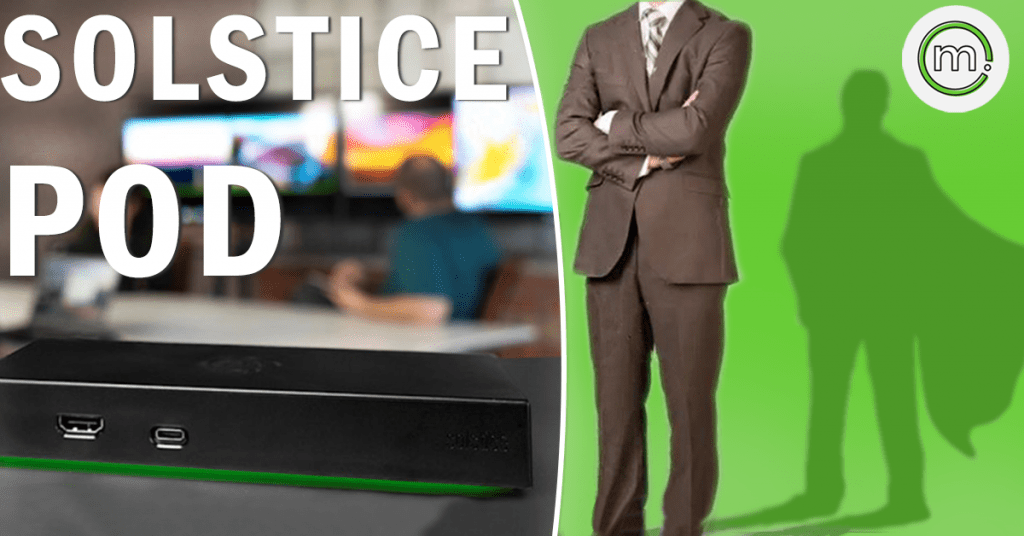
The Mersive Solstice can easily transform the way you hold meetings. Simply walk into your meeting room, enter the 4 digit pin that is shown on the display and automatically connect to the device. In an instant you are ready to be a professional and all eyes will be on you. At first glance, the Mersive Solstice Pod is just a device for sharing but the Pod delivers so much more.

What Is Mersive Solstice?

The Mersive Solstice is a wireless content sharing device for multiple people to share simultaneously in a meeting. Supporting Windows, MacOS, android and IOS, the Mersive Solstice can be integrated into any type of room. Allowing you and your guests to bring their own device. No matter your device preferences, as the Mersive is BYOD compatible. This meaning that anyone and everyone can join the meeting from there device and present their content. Whether that’s wirelessly sharing over the Mersive Solstice app on their laptop, or sharing through Miracast or airplay on their iPad. Plus, the Solstice Pod also supports all major conferencing platforms, such as Zoom, Teams and GoToMeeting. So however your meet, the Mersive Solstice wont hold you back. And any remote guests can have a clear view of what you are sharing. 

With this device, the meetings that run longer than they should will be a thing of the past. With the Mersive Solstice, you wont have to wait for one colleague to disconnect and the other next in line to pair up with the device – multiple people can share at once. Not only does this save time within your meeting, but it allows more definitive collaboration and creation within your team. Letting others in the meeting compare two pieces of work, from two different colleagues, and find out together the solution to a problem you may be having. Again making you the leader of your meeting.  

Non Sharing Capabilities

As we said, Mersive Solstice is more than a wireless sharing device. Its a great accessory to your meeting room. For when you are not wearing your meeting room cape and leading a meeting with the Solstice Pod. The cloud connected device can act as a room calendar, and be a host for digital signage. So when you are done with your meeting and disconnect from the Solstice, it can be programmed to stay on and share the room calendar or any information to the room display. So as we are still in the era of wearing face coverings, you can program the Solstice to share the informational poster you made asking people to wear masks. Very quickly changing the room display to a digital signage display. Display additional information to your employees and guests. You can do all this without needing any additional hardware or software, just jump straight into displaying your digital signage in a Mersive Solstice room. 

The way this works is that the Solstice Pod integrates with the top digital signage display management platforms. Mersive Solstice’s digital signage partners include:

  • 22Miles
  • Appspace
  • Signagelive
  • TriplePlay
  • Zignage
  • Carousel


SGE Or Enterprise

You can get a Mersive Solstice in standard or enterprise. The SP-8000-e3 Unlimited Enterprise 3, SP-8100- SGE Enterprise, SP-8000-e5 Unlimited Enterprise, SP-8100-e5 SGE Enterprise. If you are reading this looking for a a solution for your large boardroom. Then the SP-8000-e5 Unlimited Enterprise 5 will be the answer to your content sharing nightmare. This Solsitce device allows an unlimited amount of users to share.

Standard and enterprise Pods allow users to bring their own device, share their desktop screen with the Solstice Collaboration App and support up to two displays at 1080p. 

Specs

The Solstice Pods weighs 0.75lbs and measures 184.2mm x 86.2mm x 26.3mm. Meaning the Pod can easily sit either behind your meeting room display or tucked away on a cabinet close by. The Pod has an internal storage of 4GB RAM and 16GB eMMC Flash Storage. With multiple sharing capabilities, you can share 4K videos with the Pod. Letting you share the promotional video you created in crisp resolution.

The hardware ports include: 

  • Gigabit Ethernet with PoE+ support
  • Two HDMI out
  • HDMI in
  • Two USB 3.0
  • One USB-C

How To Activate Your Mersive Solstice?

With all this information at hand the Solstice may sound like a great fit for your small, medium or large meeting room. When getting your Solstice you’ll need to activate your Pod before you jump into sharing. To do this you will need to install the Solstice dashboard and import your Solstice Pod. With the Solstice Dashboard downloaded, you can then start to configure your Pod. All you have to do is plug a USB mouse and keyboard into the Pod. That is one way to complete the import but, Mersive themselves recommend using the Dashboard to configure your Pods. As it will give you a more streamline deployment and management.

If you take Mersive’s advice and configure with the Solstice Dashboard. Then your Pods and your Windows computer need to be on the same network. This will make sure that the configuration will be completed. The quickest and the most easiest way to get your Pod on the same network is by using an ethernet cable. Just simply plug the ethernet cable into the Pod and the network should automatically connect. So if you are using multiple Pods in a large boardroom, the ethernet connection route will be the best way for you to configure your Pods quickly.

However, if you are reading this and thinking about how you cant remember the last time you saw the ethernet cable you had. Then not to worry. You can also configure your Pod’s wirelessly. Just simply use the Pod’s local configuration panel, then once the configuration is all done you can then import the Pod’s into the Solstice dashboard. 

Cloud Based Management 

Managing and running multiple devices can be tricky. Especially if you have multiple offices around the country, or world, that you cant always travel to if there’s a problem. Introducing the Solstice Cloud, a cloud based management platform for you to manage your Solstice Pods. No matter where you are. Simply log your Pods into your Solstice cloud account and enjoy the freedom of device management from the comfort of your home.

Imagine a situation where your office in London has a problem with their Solstice Pod, and your all the way up north at your home. In most cases, the device would have to be left for a few hours until you arrived. Or you would have to navigate your way through the customer support line trying to retell the information to your employees in the London office. With your free Solstice Cloud account you can sort out any problems with the Pod, without having to travel to the location of the Pod. Furthermore, you can also set up email alerts that alert you about any problems with your Pod. Letting you sort out the problem, before the problem has even started. Not only can you manage any problems with the Solstice Pod but you can manage and set up your digital signage feeds.

Schedule Pod updates with the Cloud so that the device is always up to date and running smoothly. Scheduling them for your off hour times so the Pod doesn’t start updating in the middle of your meeting. 

Where Can Mersive Solstice Work?

The Mersive Solstice isn’t just for corporate use. Yes the device can do wonders for your meeting rooms but the device spans further to accommodate other potential users. It may have not been a first thought when reading about the Mersive Solstice, but this sharing device is perfect for education. If you think about it, education is all about sharing. Sharing information and knowledge to others, whether you are giving that information to your students or to your fellow classmates.

Education

So image using the Mersive Solstice in a university lecture hall. As the lecture, its important for all of you students in the room to view your lesson content easily. This normally means standing at your desk on the stage, controlling your content from your plugged in laptop. Although this is good and has obviously worked for many years, it can be a bit boring for your students. Not really capturing their attention as you just stand in the same spot for an hour, clicking the next slide button on your laptop.

With the Mersive Solstice installed, you could move around the stage, move into your audience while you share the lesson content from an iPad – wirelessly. Not only will this make your life, as a lecturer much simpler, with you just having to walk in and connect to the Solstice in just a few seconds. But can make your lessons more engaging and fun for your students. Furthermore, the lecturer isn’t the only one who could share to the big screen. As the Mersive Solstice can accompany multiple connections in your meeting room, it can do the just same in your lecture hall.

With moderation capabilities, multiple people can share simultaneously to the big screen and the lecturer has the peace of mind that you are sharing what is appropriate as they can turn on the moderation capabilities. This allows more of a relationship between students and teachers, it brings down that barrier of students always been talked at. With the simultaneous sharing, the teacher and the students can communicate together through what they are sharing. Letting a conversation form, instead of the student being talked to.


Solstice Active Learning

To provide you the best experience during a lesson, Mersive Solstice Active Learning is the software-based solution for multi-screen rooms. Perfect for classrooms, lecture halls and training centres. With this software you can share your presenting screen and students screens to one another – with just a tap of a button or drag. Simply connect each of your classroom displays to the Solstice Pod with a HDMI cable, with this you have complete control over the classroom screens. The best way to use the Solstice Active Learning is by putting your class into groups. Normally with this you would have to waste time finding sheets of paper for the different teams to use, or would have to call the team down to the front for them to present their work. Most of the time not fitting every team into one lesson.

Now with the Solstice Active Learning you can set your class up into teams with the Solstice App. Drag and dropping each team name onto the room grid, creating a virtual map. No matter if a team has three people with three screens or two people with two screens, the one team can basically share the same screen at once. If it is time for a team to present, the one team can stay sitting while you present their screens to the main room display. Plus if you want your teams to collaborate and evaluate their work together, you can share one team screen to another team screen. Just drag one virtual team on the App to another – its as simple as that, anyone can do it. To make your teaching easier, and to stop straining your voice, you can send notifications and alarms to each students screen in the classroom. 

Hybrid Learning

In a lot of places hybrid learning is still very present. With the Solstice Pod you can easily accommodate any remote students via a video conferencing platform. But the remote students won’t take up your whole Solstice Pod, their video call will run alongside any content you are sharing. Splitting up your room display to show the students actually in the classroom, the remote students and anything the teacher has shared. So if a few students decide to work from home one day, it won’t interfere with your lesson at all. Solstice can seamlessly integrate with Zoom, Teams and Webex video conferencing. 

Picture of Natalie Horn

Natalie Horn

Table of Contents

driving-productivity-with-audio-visual-equipment
productivity

Race Ahead: Driving Productivity with Audio Visual Equipment

In today’s fast-paced business world, where time is a precious commodity, the importance of productivity cannot be overstated. As organizations strive to stay ahead, finding ways to optimize work processes and communication has become imperative. This is where the concept of utilizing audio visual (AV) equipment comes into play, offering a technological edge to maximize productivity, enhance workplace efficiency, and foster seamless communication.Maximizing productivity with AV equipment is more than just a trend; it’s a strategy that aligns with the demands of the modern workplace. By integrating audio visual tools, businesses can tap into multimedia solutions that go beyond traditional methods. Visual communication through interactive displays and efficient audio conferencing systems enables teams to collaborate seamlessly, regardless of their physical locations.In the quest for an efficient work environment, AV technology emerges as a game-changer. The technology-driven productivity surge is evident as businesses adopt tools that optimize their operations. This involves leveraging advanced technology for workplace productivity, such as multimedia devices and AV solutions that facilitate remote collaboration. The benefits of these innovations are clear, enhancing communication solutions and making the concept of a modern workplace a reality.Visual presentation is a powerful tool, and interactive displays take it to a whole new level. These interactive technologies are among the best AV tools for productivity. They enable efficient communication by allowing real-time interactions, data sharing, and dynamic presentations. This aspect aligns perfectly with the role of visual communication in productivity, as it engages teams and stakeholders, leading to clearer understanding and more effective decision-making.Selecting the most suitable AV systems involves understanding the impact of interactive displays on productivity and the potential of audio visual equipment. This decision-making process necessitates an exploration of available options, focusing on factors like work effectiveness, compatibility, and user-friendliness. Organizations that prioritize choosing the right systems experience enhanced communication, better collaboration, and overall efficiency optimization.Integrating audio-visual equipment into the workplace comes with its own set of best practices. Businesses must consider how to increase productivity with AV technology effectively. This involves a strategic approach that aligns technology with specific operational needs. The benefits of audio-visual equipment go beyond boosting efficiency; they extend to optimizing workplace communication and transforming how teams interact.3 Easy Ways For Teams to Video Conference with Logitech  Maximising Productivity with AV EquipmentIn the modern workplace, productivity enhancement is the pursuit of optimizing work effectiveness, streamlining communication, and fostering efficient collaboration. Audio visual (AV) tools play a pivotal role in achieving these goals. AV technology, encompassing audio visual equipment, multimedia solutions, and communication tools, has revolutionized the way we work, enabling organizations to create an environment that thrives on efficient communication, seamless collaboration, and technological integration.The Role of AV Equipment in Creating an Engaging and Efficient Work EnvironmentVisual Presentation for Impactful CommunicationVisual communication is at the heart of driving productivity with audio visual equipment. The utilization of interactive displays, multimedia devices, and audio conferencing systems empowers professionals to convey ideas with clarity. Visual presentations are proven to be more engaging and memorable, thereby facilitating efficient knowledge transfer.Enhanced Collaboration through Technology IntegrationAV technology integration lies at the core of an efficient work ecosystem. Collaboration tools, coupled with AV solutions, allow remote teams to collaborate seamlessly. Modern workplaces leverage advanced technology for workplace productivity, using AV tools to host video conferences, conduct interactive brainstorming sessions, and present information visually.Benefits of Using Multimedia Solutions for Individual and Team ProductivityEfficiency Optimization with Multimedia DevicesBy leveraging top multimedia solutions for productivity, organizations can optimize efficiency. Interactive technologies and multimedia devices foster active participation, ensuring team members remain engaged during meetings, training sessions, and collaborative projects.Remote Collaboration with AV SolutionsRemote collaboration is made possible through the efficient communication offered by AV technology. Audio visual equipment enables dispersed teams to engage in productive discussions, share insights, and make informed decisions, transcending geographical barriers.How Technology Integration Leads to an Efficient Work EcosystemIntegrating AV Tools for EfficiencyIntegrating audio visual tools for efficiency involves leveraging the synergy between visual communication and digital tools. Interactive displays, paired with communication solutions, enable dynamic discussions, encouraging participation and yielding actionable outcomes.Role of Visual Communication in ProductivityVisual communication not only simplifies complex concepts but also reinforces information retention. Choosing the right AV systems empowers professionals to harness the power of visual aids for efficient knowledge dissemination and idea exchange.Optimizing Workplace Communication with AV TechnologyChoosing the Right AV SystemsTo increase productivity with AV technology, it’s crucial to select the best AV tools for productivity that align with the organization’s needs. This includes considering factors such as the type of multimedia solutions required, the scale of collaboration, and the nature of communication.Impact of Interactive Displays on ProductivityInteractive displays have a transformative impact on productivity. These displays allow real-time annotation, fostering dynamic discussions and idea generation during presentations and meetings. This immersive experience significantly enhances engagement and comprehension.  Best AV Tools for ProductivityIn today’s technology-driven landscape, audio visual tools have become essential for enhancing workplace productivity. The integration of AV technology with efficient communication and collaboration tools has revolutionized the modern workplace, optimizing efficiency and communication.Audio Conferencing: Bridging Distances for Efficient CommunicationAudio conferencing solutions play a pivotal role in efficient communication, particularly in remote collaboration scenarios. Tools like “ConvoConnect” enable seamless virtual meetings, eliminating geographical barriers and fostering teamwork.   Interactive Displays: Elevating Visual Presentation and CollaborationInteractive displays are at the forefront of visual communication and collaboration devices. “CollabBoard Pro” exemplifies this technology integration, allowing teams to brainstorm and collaborate in real-time. A survey by Productivity Insights revealed that companies using interactive displays witnessed a 25% improvement in idea generation during collaborative sessions, underscoring the role of these displays in boosting efficiency through multimedia devices.Digital Tools for Remote Collaboration: Redefining Work EfficiencyRemote collaboration is increasingly crucial in the modern workplace, and digital tools like “SyncTeam Hub” are facilitating it. With shared document access and real-time communication features, this tool streamlines remote work processes. A study by RemoteWork Dynamics indicated that organizations adopting remote collaboration tools experienced a 15% increase in productivity, highlighting the impact of AV solutions on efficient communication.Multimedia Solutions for Enhanced CommunicationMultimedia devices are

Read More »
AV technology immersion
Training and Education

Dive into AV Technology Immersion: Expert Insights

AV technology immersion, often referred to as audio visual training, encompasses a comprehensive approach to integrating audiovisual systems, interactive displays, virtual reality, and augmented reality learning tools in educational settings. In today’s digital age, the relevance and impact of AV technology in education are profound. Immersive learning platforms, developed by AV technology companies and educational VR developers, create multimedia educational content that enhances experiential learning. Interactive classroom technologies and AR learning applications engage students, fostering active participation and deeper understanding.Staying updated with AV technology trends is paramount. Educational technology experts and AV technology consulting firms emphasize the importance of embracing innovative learning solutions. By integrating advanced AV systems and interactive educational devices, classrooms transform into immersive digital experiences. Affordable AV technology immersion solutions empower institutions, enabling cost-effective AV integration, especially vital for remote learning environments.Embracing multimedia integration, immersive media experiences, and interactive learning tools for classrooms enhance student engagement. The benefits of audiovisual systems in classrooms are evident, paving the way for the future of immersive education. By implementing interactive digital classrooms and multimedia teaching methods, education becomes dynamic and enriching.How immersive technologies (AR/VR) will shape our future | Dinesh Punni | TEDxTUBerlinSalon  Affordable AV Technology Immersion SolutionsIn the world of education, the integration of AV technology immersion has become increasingly crucial. Schools and institutions are continuously seeking cost-effective AV solutions to enhance the learning experience for students. This section explores the availability of budget-friendly options for immersive learning and showcases real-world success stories of affordable AV technology integration.Affordable AV Technology Immersion SolutionsEducators and institutions are now turning to affordable AV technology immersion solutions to create engaging and interactive learning environments. These solutions involve the integration of audiovisual systems and multimedia content into the classroom, enabling experiential learning through interactive displays, virtual reality (VR), and augmented reality (AR). This integration is made possible by AV technology companies, immersive learning platforms, and educational VR developers who offer cost-effective options.Benefits of AV Technology ImmersionThe benefits of AV technology immersion are numerous. It allows students to experience immersive media technology, fostering better engagement and retention of information. When students can interact with multimedia educational content through interactive classroom technologies, the learning experience becomes more dynamic and effective. These immersive educational tools are supplied by AV technology consulting firms, digital learning solutions providers, and multimedia classroom equipment suppliers.Real-World Success StoriesReal-world success stories highlight the effectiveness of affordable AV technology integration. Educators have witnessed improved student engagement, retention, and overall learning outcomes. They have integrated VR and AR learning applications, which have proven to be innovative learning solutions. Such success stories are essential for educators seeking to implement AV technology in their classrooms.  Interactive Learning Tools for ClassroomsInteractive learning tools have revolutionized modern classrooms, providing immersive educational experiences that engage students and enhance their learning outcomes. In today’s digital age, AV technology immersion has become a cornerstone in educational environments, empowering teachers and students alike. Let’s explore the array of interactive learning tools suitable for classrooms and delve into the role of interactive displays and gadgets in elevating education.Interactive Learning Tools: Enhancing Classroom ExperiencesInnovative educational institutions are embracing interactive learning tools to create engaging and effective learning environments. AV technology companies and immersive learning platforms collaborate to develop cutting-edge multimedia educational content, integrating interactive classroom technologies seamlessly. These interactive educational devices, coupled with immersive media technology, enable students to delve into experiential learning, fostering a deeper understanding of complex subjects.The Role of Interactive Displays and GadgetsInteractive displays and gadgets play a pivotal role in shaping the future of education. Educational VR developers and AR learning applications have paved the way for immersive experiences, allowing students to explore virtual reality and augmented reality learning tools. These interactive displays, tailored for educational purposes, provide a gateway to interactive learning environments, encouraging student engagement and participation.Successful Utilization of Interactive TechnologyForward-thinking educational institutions have successfully integrated AV technology immersion into their classrooms. With the expertise of audiovisual integration experts and digital learning solutions providers, immersive media experiences have become a reality. AV technology consulting firms guide schools in implementing multimedia classroom equipment, ensuring seamless AV technology integration and maximizing the benefits of interactive educational gadgets.  Best Immersive Technology for EducationIn the realm of education, AV technology immersion has become a pivotal player, enhancing the learning experience like never before. With the proliferation of digital tools and interactive technologies, educators and students have a wide array of options to choose from. In this comprehensive guide, we will discuss the various immersive technologies available for educational purposes, delve into their benefits and drawbacks, and offer expert recommendations to help you choose the best immersive technology for specific learning objectives.Immersive Learning PlatformsImmersive learning platforms are the foundation of modern educational technology. These platforms employ AV technology to create interactive learning environments that engage students and facilitate experiential learning. They are highly adaptable, allowing educators to tailor the content to meet the needs of their students. However, they may require substantial investment in AV technology and multimedia educational content.Virtual Reality (VR) for EducationVR offers unparalleled immersion by placing students in virtual worlds that bring abstract concepts to life. It fosters experiential learning, making complex subjects more accessible. However, it can be expensive to implement, and not all educational VR developers provide content aligned with curricular needs.Augmented Reality (AR) Learning ApplicationsAR overlays digital information onto the physical world, providing a unique interactive classroom experience. It’s cost-effective and enhances student engagement. Nonetheless, AR learning applications may require specialized hardware and software, which can be a drawback for some institutions.Interactive Classroom TechnologiesInteractive displays, interactive technologies, and interactive educational devices have transformed traditional classrooms into multimedia classrooms. These technologies offer real-time engagement, improving the learning experience. Nevertheless, they may necessitate AV technology integration experts for installation and maintenance.Audiovisual Systems IntegrationAudiovisual integration experts play a vital role in implementing AV technology. They ensure that multimedia integration is seamless, and audiovisual solutions are optimized. This can be particularly beneficial for institutions seeking innovative learning solutions. However, finding the right AV technology consulting firm is essential for a successful integration.  AV Technology Integration

Read More »
Wireless microphones for meetings
Future Trends

The Benefits of Wireless Microphones for Meetings

Looking for an effective way to improve communication during meetings? Look no further than wireless microphones! Our guide to the benefits of wireless microphones for meetings will explain everything you need to know, from choosing the right mic to setting up your sound system for optimal performance.

Read More »
remote working and collaboration in agile teams
Remote Collaboration

Master Agile Collaboration: How to Excel at Remote Working and Collaboration in Agile Teams

Master Agile Collaboration: How to Excel at Remote Working and Collaboration in Agile Teams. Discover proven strategies and techniques to optimize remote work and foster effective collaboration in agile teams. Enhance team communication, boost productivity, and overcome challenges for successful remote teamwork. Dive into our comprehensive guide now!

Read More »
remote collaboration strategies
Remote Collaboration

Master with these Proven Remote Collaboration Strategies for Success

In today’s digital age, remote collaboration has become increasingly prevalent and essential for businesses and teams worldwide. The ability to collaborate effectively while physically separated offers numerous advantages, such as flexibility, improved productivity, and access to diverse talent pools. However, remote collaboration also presents unique challenges that need to be addressed for optimal outcomes. This article explores the importance of remote collaboration, outlines its challenges and benefits, and provides strategies to enhance collaboration in a remote work environment.Remote collaboration plays a pivotal role in facilitating efficient teamwork and fostering innovation across various industries. With advancements in technology and increasing globalization, businesses can harness the power of remote work to tap into talent from around the globe, regardless of geographic limitations. Effective remote collaboration allows teams to work together seamlessly, breaking down barriers and overcoming the constraints of traditional office-based environments. Communication and Coordination: Without face-to-face interactions, remote teams may face difficulties in clear and timely communication, leading to misunderstandings or delays in project delivery. Building Trust and Engagement: Remote work can make it challenging to build trust and maintain high levels of team engagement. The absence of in-person interactions can sometimes hinder relationship-building and shared understanding. Managing Time Zones and Cultural Differences: Remote collaboration often involves working across different time zones and cultures, which can pose coordination challenges and impact team dynamics. Maintaining Productivity and Accountability: Ensuring consistent productivity and accountability among remote team members requires effective management and clear expectations. Virtual Tools & Strategies For Successful Remote Collaboration  Remote Collaboration for Small TeamsIn today’s evolving work landscape, remote collaboration has become an integral part of small team dynamics. With the rise of remote work, it is essential for small teams to navigate the unique challenges that arise when working together from different locations. This section explores the specific obstacles faced by small teams in remote collaboration and provides practical strategies to enhance communication, foster camaraderie, and optimize productivity. Additionally, we will highlight remote collaboration tools and software tailored to the needs of small teams.Challenges in Remote Collaboration for Small TeamsSmall teams engaging in remote collaboration often encounter several distinctive challenges that can impede productivity and hinder team dynamics. Understanding and addressing these challenges is vital to creating a successful remote work environment. Limited Communication Channels: Remote collaboration can hinder spontaneous interactions and informal communication, leading to misinterpretations and delays in decision-making. Lack of Camaraderie: Building a sense of unity and camaraderie among team members is more challenging in a remote setting, potentially impacting motivation, team spirit, and overall productivity. Coordination and Synchronization: Coordinating tasks, managing deadlines, and ensuring everyone is on the same page can be more complex when team members are not physically present. Reduced Feedback and Recognition: Remote collaboration can sometimes result in reduced feedback loops, making it crucial to establish effective mechanisms for recognizing and rewarding team members’ efforts. Strategies for Effective Remote CollaborationTo overcome the challenges posed by remote collaboration, small teams can implement the following strategies tailored to their specific needs:Maintaining Clear Communication ChannelsClear and efficient communication lies at the heart of successful remote collaboration. The following strategies can help foster effective communication within small teams: Establishing Regular Check-ins: Schedule regular team meetings and one-on-one sessions to align on goals, provide updates, and address any concerns or challenges. Utilizing Collaboration Tools: Leverage remote communication platforms such as Slack, Microsoft Teams, or Zoom to facilitate real-time messaging, video conferencing, and file sharing. Encouraging Active Participation: Encourage team members to actively engage in discussions, ask questions, and provide input to maintain an inclusive and collaborative environment. Fostering a Sense of CamaraderiePromoting a positive team culture and building camaraderie is crucial for remote teams. Consider the following strategies to enhance team cohesion: Virtual Team Building Activities: Organize virtual team-building exercises, such as online games, virtual happy hours, or team challenges, to foster connection and strengthen relationships. Celebrating Milestones: Recognize and celebrate individual and team achievements to boost morale and promote a sense of accomplishment within the remote team. Encouraging Informal Interactions: Create dedicated channels or forums for non-work-related discussions to foster social interactions and build personal connections among team members. Leveraging Remote Collaboration Tools and SoftwareVarious tools and software solutions can empower small teams to streamline remote collaboration processes and enhance productivity. Consider the following options: Project Management Tools: Utilize platforms like Asana, Trello, or Monday.com to organize tasks, track progress, and ensure seamless collaboration on projects. Virtual Whiteboarding and Brainstorming Tools: Platforms like Miro or MURAL enable teams to collaborate visually, ideate, and brainstorm ideas in real-time, replicating the experience of an in-person whiteboarding session. Document Collaboration: Tools like Google Docs or Microsoft Office 365 enable simultaneous editing, commenting, and version control, facilitating efficient collaboration on shared documents.   Remote Collaboration for FreelancersIn today’s digital age, remote work has become increasingly prevalent, offering freelancers the freedom to work from anywhere in the world. However, this newfound flexibility can sometimes lead to feelings of isolation and hinder effective collaboration. To combat these challenges, freelancers must adopt remote collaboration strategies that foster communication, productivity, and teamwork. In this section, we will explore how freelancers can overcome isolation and enhance their collaboration skills in a remote working environment.Building Professional Networks and Leveraging Collaboration Platforms Join Remote Work Communities: Connect with like-minded professionals through remote work communities and forums. These platforms provide valuable networking opportunities, allowing freelancers to exchange ideas, seek advice, and collaborate on projects. Utilize Social Media: Leverage social media platforms such as LinkedIn, Twitter, and Facebook groups to build a strong professional network. Engage in discussions, share insights, and establish connections with potential collaborators. Virtual Collaboration Tools: Utilize remote collaboration platforms like Trello, Asana, or Slack to streamline project management and facilitate seamless communication among team members. These tools enhance productivity and enable real-time collaboration, regardless of geographical boundaries. Importance of Clear Communication and Setting ExpectationsEffective communication lies at the core of successful remote collaboration. Freelancers must establish clear communication channels and set expectations with clients and team members. Here are a few tips to ensure smooth remote

Read More »
Voice-activated meeting technology
Future Trends

The Future of Voice-Activated Meeting Technology

Discover the future of voice-activated meeting technology and revolutionize the way you collaborate. With our AI-powered meeting solutions, you can enhance productivity and streamline communication. Learn about the latest voice recognition software and virtual assistants that make meetings more efficient and accessible. Join us and experience the power of voice-activated conferencing.

Read More »
MeetingStore.co.uk
Logo
Compare items
  • Total (0)
Compare
0
Shopping cart