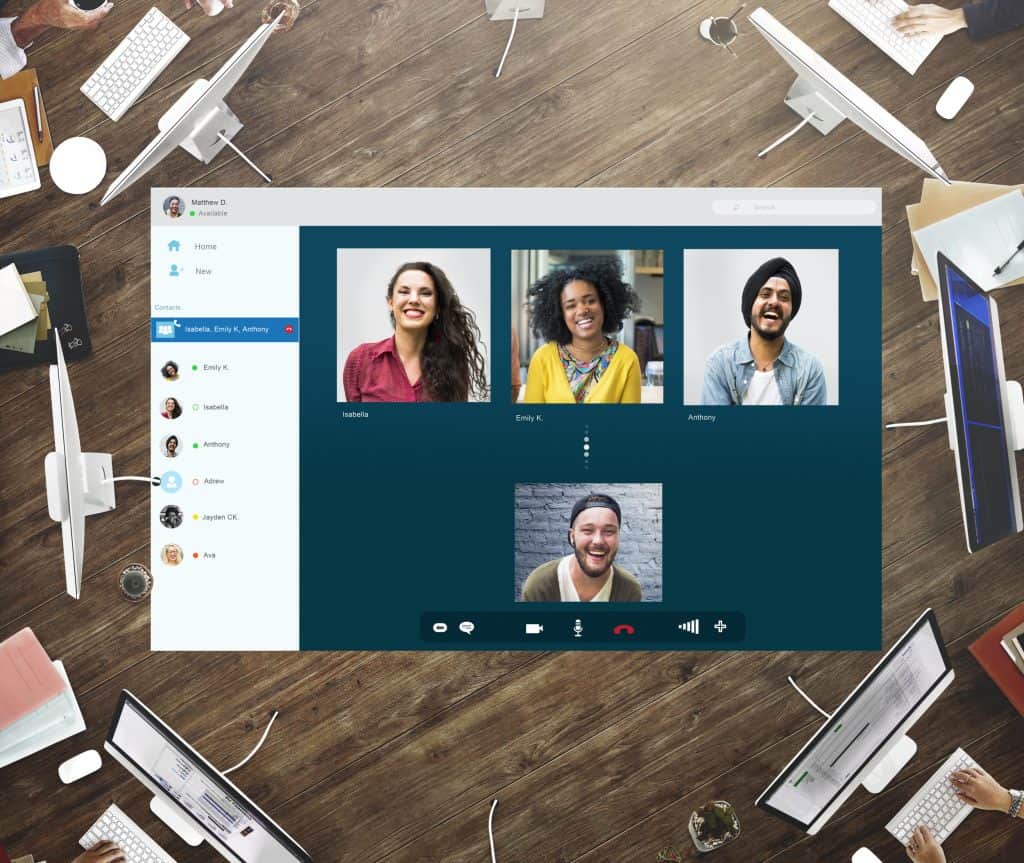
In today’s digital age, remote collaboration has become essential for businesses of all sizes. With the rise of remote work and distributed teams, having effective tools and solutions for seamless teamwork is crucial.
One of the key aspects of remote collaboration is utilising collaborative software that enables teams to work together regardless of their physical locations. Online collaboration software, such as cloud-based collaboration platforms and web-based collaboration tools, offers a range of features designed to enhance remote teamwork. These solutions provide virtual collaboration environments where team members can communicate, share files, and collaborate on projects in real-time.
Affordable and user-friendly remote collaboration platforms are crucial for small businesses and startups. These easy-to-use remote collaboration tools allow remote teams to connect, share ideas, and work on projects effortlessly. They offer features like task management, document sharing, and video conferencing to support remote team collaboration. When choosing the right remote collaboration software, it is essential to consider customisable and scalable solutions. Innovative remote collaboration tools for virtual teams provide flexibility to adapt to unique business requirements and accommodate future growth. Feature-rich remote collaboration platforms allow teams to tailor their workflows, integrate with other tools, and automate repetitive tasks, enhancing productivity.
By embracing these remote collaboration technologies, businesses can empower their teams to work together effectively, regardless of geographical barriers. In this blog post, we will explore the top remote collaboration solutions that cater to the needs of various businesses and teams. From small businesses to startups and virtual teams, we will cover a range of options that offer easy-to-use, secure, and efficient remote collaboration software. Read on to discover the best tools and platforms for enhancing remote communication and optimising team collaboration.
5 Remote Work Tools
Introduction to remote collaboration solutions
In today’s fast-paced business environment, remote collaboration has become vital for teams operating in a distributed and globalised landscape. Remote collaboration refers to working together on projects, tasks, and initiatives without being physically present in the same location. It leverages digital technologies and communication tools to bridge the gaps between team members who may be geographically dispersed.
The significance of remote collaboration in the modern workplace cannot be overstated. With the rise of remote work and the increasing need for flexible work arrangements, organisations are turning to remote collaboration solutions to ensure seamless teamwork, efficient communication, and improved productivity. By breaking down geographical barriers, remote collaboration enables teams to work together, regardless of physical location, leading to enhanced collaboration and streamlined workflows.
Benefits of Using Remote Collaboration Tools for Team Productivity and Communication
Remote collaboration tools are designed to facilitate effective teamwork and communication in virtual environments. These tools empower teams to collaborate in real time, share information, and stay connected, fostering a sense of unity and cohesion despite physical separation.
One of the key benefits of remote collaboration tools is enhanced team productivity. These tools enable seamless coordination and efficient workflow by providing a centralised platform for file sharing, document collaboration, and task management. Team members can collaborate on projects, assign tasks, track progress, and ensure accountability, all within a single platform. This streamlined approach minimises miscommunication, reduces the risk of errors, and optimises productivity.
Additionally, remote collaboration tools offer improved communication channels, bridging the gap between team members who may be working from different locations or time zones. Features such as video conferencing, instant messaging, and virtual meetings facilitate real-time communication and foster a sense of connection, despite physical distances. Effective communication leads to faster decision-making, smoother workflows, and stronger team relationships.
Key Features and Functionalities of Remote Collaboration Solutions
Remote collaboration solutions encompass various tools and platforms designed to support remote teamwork. These solutions often incorporate features such as:
File Sharing and Document Collaboration: Remote collaboration tools allow teams to share files, collaborate on documents, and maintain version control. This ensures that everyone is working on the latest version of a file, avoiding confusion and duplication of efforts.
Task and Project Management: Many remote collaboration solutions offer task and project management capabilities, enabling teams to assign tasks, set deadlines, and track progress. These features provide clarity on project timelines, responsibilities, and deliverables.
Communication and Messaging:Effective communication is a cornerstone of remote collaboration. Tools with built-in chat functionality, video conferencing, and virtual meeting rooms facilitate seamless communication and collaboration, fostering teamwork and idea exchange.
Integration and Compatibility:Remote collaboration solutions often integrate with other popular tools and platforms, such as project management software, cloud storage services, and customer relationship management systems. Integration capabilities ensure a smooth workflow across multiple applications.
The Importance of Selecting the Right Software for Your Specific Business Needs
Regarding remote collaboration, selecting the right software is crucial for achieving optimal results. Each business has unique requirements and workflows; finding a solution that aligns with these needs is essential.
Consider factors such as ease of use, scalability, security, and customisation options when evaluating remote collaboration software. Assess whether the software provides the necessary features and functionalities to support your team’s communication and collaboration requirements. Additionally, consider the software’s compatibility with existing systems and integration ability.
By choosing the right remote collaboration solution for your business, you can empower your team with the tools they need to collaborate effectively, boost productivity, and achieve successful outcomes.
Best remote collaboration solutions for small businesses
In today’s digital age, remote collaboration has become increasingly essential for small businesses aiming to maximise productivity and streamline operations. With the rise of distributed teams and remote work, finding the right remote collaboration solutions is crucial.
Top Remote Collaboration Solutions
Small businesses should consider factors like affordability, user-friendliness, and scalability when assessing remote collaboration solutions. Several platforms and software options stand out in these regards:
Online Collaboration Software:
Collaborative work software, such as project management tools, enables remote teams to streamline workflows and enhance collaboration. Examples include remote project management tools and web-based collaboration tools.
Virtual Collaboration Platforms:
Virtual collaboration platforms facilitate remote teamwork by providing a centralised space for communication, file sharing, and task management. These platforms, including virtual and cloud-based collaboration tools, enhance productivity and keep remote teams connected.
Team Collaboration Apps:
Mobile apps designed specifically for team collaboration enable small businesses to collaborate effectively, regardless of location. These apps, such as team collaboration apps, offer seamless communication and file-sharing capabilities on the go.
Different Platforms and Software Options
To assist small businesses in selecting the right remote collaboration solution, let’s compare various platforms and software based on affordability, user-friendliness, and scalability:
Platform/Software
Affordability
User-Friendliness
Scalability
Remote Collaboration Platforms
High
Excellent
Moderate
Cloud-Based Collaboration Platforms
Moderate
Good
High
Team Collaboration Apps
Low
Excellent
Low
Key Features for Small Teams
Small businesses’ best remote collaboration solutions offer specific features tailored to their needs. Some key features include:
User-Friendly Interface:
Easy-to-use remote collaboration platforms ensure seamless onboarding and allow small teams to adapt to new tools quickly.
Secure Communication:
Secure remote collaboration solutions provide encryption and robust authentication protocols to protect sensitive data during remote communication and file sharing.
Scalability:
Solutions that can easily scale alongside small businesses’ growth enable seamless collaboration as teams expand and requirements evolve.
Top remote collaboration software for remote teams
In today’s digital age, remote work has become increasingly prevalent. As a result, organisations are seeking efficient ways to promote seamless collaboration among geographically dispersed employees. Fortunately, numerous remote collaboration solutions are available to enhance team productivity and facilitate effective communication.
Leading Remote Collaboration Software
Microsoft Teams
Microsoft Teams is an all-in-one collaboration platform that combines chat, video meetings, file storage, and app integration. It enables remote teamwork through its intuitive interface and extensive features, including document collaboration, task management, and real-time communication. With its cloud-based collaboration capabilities, Microsoft Teams facilitates seamless remote collaboration, allowing teams to work together efficiently regardless of physical location.
Slack
Slack is a popular online collaboration software with a user-friendly interface and robust communication features. It enables team members to collaborate in real time through channels, direct messaging, and file sharing. Slack integrates with various productivity tools and supports virtual collaboration by providing searchable message archives, customisable notifications, and easy collaboration across remote teams.
Asana
Asana is a powerful project management tool that promotes remote collaboration and task management. It allows teams to create and assign tasks, set deadlines, and track progress in a centralised workspace. Asana’s intuitive interface and collaborative features, such as file attachments and commenting, streamline remote teamwork and enhance productivity.
Features for Seamless Collaboration
Seamless collaboration among remote teams heavily relies on specific features within collaboration software. The following features play a vital role in enhancing remote collaboration:
Real-Time Communication
Effective remote communication is crucial for successful collaboration. Remote collaboration solutions offer instant messaging, video conferencing, and audio calls to facilitate real-time communication. These features bridge the gap between team members, enabling them to exchange ideas, clarify doubts, and foster a sense of camaraderie.
File-Sharing
Remote collaboration software provides secure and efficient file-sharing capabilities. Team members can easily upload, access, and collaborate on documents, presentations, and other files in a centralised environment. Version control and commenting features ensure seamless collaboration on shared files, eliminating confusion and enhancing productivity.
Task Management
Remote teams rely on robust task management features to assign, track, and prioritise work. Collaboration software offers task boards, to-do lists, and progress-tracking tools, enabling team members to stay organised and accountable. These features promote transparency, efficient workflow management, and successful project completion.
Secure and efficient remote collaboration solutions
In today’s digital landscape, remote collaboration has become essential for thriving businesses. However, data security and privacy concerns have come to the forefront with the increasing reliance on remote collaboration solutions. To address these concerns, it is crucial to prioritise encryption and secure data transmission.
Remote Collaboration Solutions that Prioritise Encryption and Secure Data Transmission
When selecting remote collaboration solutions, choosing platforms that prioritise encryption and secure data transmission is imperative. Such solutions employ robust encryption protocols to safeguard sensitive information from unauthorised access. By utilising end-to-end encryption, these platforms ensure that data remains encrypted throughout communication, providing an extra layer of security.
Measures Taken by Software Providers to Protect Sensitive Information
Leading software providers understand the significance of protecting sensitive information in remote collaboration scenarios. They implement various measures to ensure data security and privacy. These measures include:
Stringent access controls: Remote collaboration software often incorporates role-based access controls (RBAC) to restrict access to sensitive data. This helps prevent unauthorised individuals from viewing or modifying confidential information.
Multi-factor authentication (MFA): By implementing MFA, software providers add an extra layer of security to remote collaboration platforms. Users must provide multiple pieces of evidence to authenticate their identities, such as passwords and one-time verification codes, reducing the risk of unauthorised access.
Regular software updates and patching: Software providers frequently release updates and patches to address security vulnerabilities. These updates ensure that remote collaboration platforms remain resilient against emerging threats.
Data encryption in transit and at rest: Leading collaboration solutions encrypt data during transmission and when stored on servers. This encryption helps protect data from unauthorised interception or access, whether in motion or at rest.
Best Practices for Maintaining Secure Remote Collaboration Practices
To maintain secure remote collaboration practices, following a set of best practices is essential. Consider the following tips:
Choose reputable collaboration tools: Select collaboration tools from trusted providers prioritising security and data privacy. Research and read reviews to ensure they meet your organisation’s security requirements.
Implement strong passwords and authentication: Enforce strong, unique passwords for all collaboration accounts. Additionally, encourage the use of password managers to enhance password security. Enable multi-factor authentication to protect user accounts further.
Educate users on security awareness:Conduct regular security awareness training sessions to educate remote teams about the importance of data security. Train employees on identifying phishing attempts, avoiding suspicious links, and using secure communication practices.
Regularly update software and devices: Ensure collaboration software, applications, and devices are updated with the latest security patches. Outdated software may contain vulnerabilities that hackers can exploit.
Secure network connections: Encourage using virtual private networks (VPNs) when remotely accessing collaboration tools and sensitive information. VPNs create an encrypted tunnel between the user’s device and the network, protecting data from potential eavesdropping.
Limit access privileges: Grant access privileges to collaboration tools and sensitive information on a need-to-know basis. Restrict user permissions to minimise the risk of data exposure.
Back up data regularly:Implement regular data backups to prevent data loss in case of a security incident or technical failure. Store backups securely, preferably off-site or in encrypted cloud storage.
By following these best practices, organisations can enhance the security and privacy of their remote collaboration practices, mitigating potential risks and ensuring data integrity.
User-friendly remote collaboration applications
The ability to seamlessly connect and collaborate with colleagues regardless of geographical location is essential for productivity and success. To facilitate efficient remote collaboration, organisations rely on user-friendly applications that require minimal training, offer intuitive interfaces, and deliver streamlined user experiences.
Remote Collaboration Applications that are Easy to Navigate and Require Minimal Training
When selecting remote collaboration applications, it is crucial to consider their navigability and the level of training required to use them effectively. The ideal applications allow users to adapt and engage without significant learning curves quickly. Several remote collaboration solutions excel, enabling seamless teamwork and communication.
Trello: Trello is a highly visual and easy-to-use project management tool. Its intuitive interface is based on the concept of boards, lists, and cards, making it simple to organise tasks and track progress. With drag-and-drop functionality and customisable workflows, Trello offers a user-friendly experience suitable for remote teamwork.
Google Workspace: Formerly known as G Suite, Google Workspace provides a suite of cloud-based collaboration tools. With applications like Google Docs, Sheets, and Slides, teams can work on documents in real-time, collaborate on projects, and communicate seamlessly. Google Workspace offers a familiar interface and effortless integration with other Google services, making it a user-friendly choice for remote collaboration.
Monday.com: Monday.com is a visual collaboration platform that offers an intuitive interface and a wide range of customisable templates. It allows teams to manage tasks, track progress, and collaborate effectively. With its user-friendly interface and extensive automation capabilities, Monday.com simplifies remote teamwork and enhances productivity.
Basecamp: Basecamp is a project management and team collaboration tool designed for simplicity. It offers a clean and straightforward interface that allows teams to organise projects, communicate, and share files in one centralised platform. Basecamp’s user-friendly approach is ideal for remote teams seeking an easy-to-use collaboration solution.
Jira: Jira is a powerful project management tool primarily used by software development teams. While it offers robust features for agile project management, it also provides a user-friendly interface with customisable dashboards and intuitive workflows. Jira’s flexibility and ease of use suit remote collaboration across various industries.
Zoom: Although primarily known for video conferencing, Zoom also offers collaboration features such as file sharing, chat, and screen sharing. Its user-friendly interface and reliable performance make it a popular remote communication and collaboration choice. Zoom’s ease of use and accessibility contribute to effective remote teamwork.
Miro: Miro is a collaborative online whiteboard platform that enables teams to brainstorm, visualise ideas, and work together in real time. Its intuitive interface and extensive range of templates and tools make it easy for remote teams to collaborate visually. Miro’s user-friendly approach fosters creativity and enhances remote collaboration.
Remember, when selecting a user-friendly remote collaboration application, you must consider factors such as your team’s specific requirements, ease of onboarding, and overall usability. Prioritise applications that align with your team’s workflow and goals to ensure a seamless remote collaboration experience.
The Importance of Intuitive Interfaces and Streamlined User Experiences
Intuitive interfaces and streamlined user experiences are essential for user-friendly remote collaboration applications. When users can navigate and operate these applications effortlessly, their productivity and satisfaction increase, leading to better collaboration outcomes. Here’s why intuitive interfaces and streamlined user experiences matter:
Enhanced Efficiency: Intuitive interfaces reduce the time and effort required to perform tasks, enabling teams to focus on the core objectives of their collaboration. Streamlined user experiences eliminate unnecessary complexities, increasing efficiency and smoother workflows.
Reduced Learning Curves: User-friendly applications minimise the learning curve, allowing teams to adapt to new tools and start collaborating effectively and quickly. This is especially important for remote teams that may have limited time for training or onboarding processes.
Increased User Adoption: Intuitive interfaces and streamlined user experiences foster higher user adoption rates. When applications are easy to use and navigate, team members are more likely to embrace them and fully leverage their collaboration features.
Selecting the right user-friendly remote collaboration application is vital for productive teamwork. Consider the following recommendations when choosing a collaboration solution:
Evaluate the Interface:Look for a clean and intuitive interface that facilitates seamless navigation and quick access to essential features.
Consider Learning Curve: Opt for applications with a low learning curve to minimise training requirements and ensure faster adoption by your remote team.
Seek Integration Capabilities: Choose applications that integrate well with existing tools and platforms used by your team to avoid disruption and enhance workflow efficiency.
Prioritise User Experience: Read reviews, seek recommendations, and test trial versions of remote collaboration applications to ensure they meet your team’s specific needs and preferences.
Following these recommendations, you can select user-friendly remote collaboration applications that enhance team productivity and improve remote communication and collaboration.
Innovative remote collaboration tools for virtual teams
The rise of remote work has brought about the need for efficient and seamless collaboration among virtual teams. To meet this demand, a new wave of innovative remote collaboration tools has emerged, revolutionising how teams work together, regardless of geographical barriers.
Introducing Advanced Remote Collaboration Tools
Virtual Whiteboards: One of the most exciting developments in remote collaboration is the advent of virtual whiteboards. These digital canvases replicate the experience of physical whiteboards, allowing team members to brainstorm, draw diagrams, and collaborate visually in real-time. With features like sticky notes, drawing tools, and the ability to save and share boards, virtual whiteboards promote seamless idea sharing and facilitate remote teamwork.
Augmented Reality (AR) and Virtual Reality (VR): AR and VR technologies have made significant strides in the realm of remote collaboration. By creating immersive and interactive environments, these tools enable virtual teams to collaborate as if they were physically present in the same location. Whether it’s conducting virtual meetings, training sessions, or product design reviews, AR and VR offer unparalleled experiences that bridge the gap between remote and in-person collaboration.
Benefits and Challenges of Cutting-Edge Remote Collaboration Tools
Benefits of Using Innovative Tools: Adopting remote collaboration tools brings numerous benefits to virtual teams. Firstly, it allows for seamless communication and real-time collaboration, regardless of team members’ physical locations. Secondly, it promotes creativity and innovation by providing intuitive interfaces and interactive features. Lastly, it enhances productivity and efficiency through streamlined workflows and effective project management.
Challenges to Consider: While remote collaboration tools offer immense advantages, there are challenges that teams need to address. One key consideration is ensuring data security and privacy when sharing sensitive information online. Additionally, as teams become more reliant on digital collaboration, there may be a learning curve and resistance to change among team members. Overcoming these challenges requires proper training, clear communication, and selecting secure and user-friendly tools.
Shared document editing, screen sharing, video conferencing
Tiered pricing options
Collaborative Software Solutions
Customisable workflows, third-party integrations
Pricing upon request
Customisable and feature-rich remote collaboration platforms
With the rise of remote work and distributed teams, businesses are increasingly relying on remote collaboration solutions to facilitate efficient and effective collaboration. These platforms offer customisation options to adapt to specific business requirements, integrate various collaboration functionalities, and streamline project management processes.
Remote Collaboration Platforms: Customisation for Specific Business Requirements
When it comes to remote collaboration, one size does not fit all. Every business has unique requirements and workflows. Customisable remote collaboration platforms allow businesses to tailor the platform to their needs, ensuring a seamless collaboration experience. These platforms offer flexible user interfaces, customisable workflows, and the ability to create custom templates and forms. By adapting the platform to match their business processes, teams can enhance productivity and streamline remote collaboration efforts.
Advantages of Feature-Rich Platforms: Integrating Collaboration Functionalities
Feature-rich remote collaboration platforms provide a wide range of collaboration functionalities that go beyond basic communication tools. These platforms integrate features such as document sharing, real-time editing, task management, video conferencing, and file versioning. By consolidating these functionalities into a single platform, teams can collaborate seamlessly without switching between multiple tools. This saves time and enhances team productivity and communication, ultimately leading to better outcomes.
Project Management Features and Integrations: Enhancing Collaboration Efficiency
Efficient project management is vital for successful remote collaboration. Remote collaboration platforms offer robust project management features, allowing teams to plan, track, and manage projects effectively. These features include task assignment and tracking, progress monitoring, milestone management, and deadline reminders. Furthermore, these platforms often integrate with other tools, such as calendar apps, project management software, and team communication tools. Integration with these tools enables a centralised workspace where teams can access all relevant information, collaborate on tasks, and stay updated on project progress.
Customisation Capabilities: Tailoring the Platform to Business Workflows
To maximise the benefits of remote collaboration solutions, businesses need platforms that align with their existing workflows and tools. Customisation capabilities are crucial in tailoring the platform to meet specific business requirements. Remote collaboration platforms allow businesses to configure user permissions, and create custom workflows and personalised dashboards. These customisation options ensure the platform seamlessly integrates into the existing business ecosystem, minimising disruption and maximising adoption.
Remote collaboration platforms offer myriad benefits for businesses aiming to streamline their collaboration processes. By leveraging these platforms, businesses can centralise communication, enhance team productivity, and ensure effective remote teamwork. Furthermore, these platforms enable remote communication and collaboration across geographical boundaries, fostering a sense of connection and teamwork among remote team members. Additionally, cloud-based collaboration ensures that all team members can access the latest documents and information, facilitating seamless collaboration regardless of location or time zone.
Conclusion
By choosing the right remote collaboration solution for your business, you can empower your team with the tools they need to collaborate effectively, boost productivity, and achieve successful outcomes.
In conclusion, remote collaboration solutions have become indispensable in the modern workplace. These tools enable teams to work together seamlessly, irrespective of their physical location. Businesses can leverage remote collaboration tools to enhance team productivity, improve communication, and foster effective collaboration in virtual environments. When selecting remote collaboration software, it is crucial to consider your business needs and ensure the chosen solution aligns with your requirements. Embrace the power of remote collaboration to unlock the full potential of your team and drive success in the digital era.
FAQs
What are the benefits of remote collaboration solutions?
Remote collaboration solutions offer numerous benefits, including increased flexibility and productivity. These tools eliminate geographical barriers and allow seamless collaboration across time zones by enabling people to work together from anywhere. Remote collaboration also reduces commuting time and costs, improving work-life balance and increasing job satisfaction. Additionally, it allows businesses to tap into a global talent pool and foster diverse teams. Remote collaboration solutions often include real-time document editing, video conferencing, and chat functionalities, which enhance communication and streamline teamwork. These tools also promote knowledge sharing, enable faster decision-making, and provide a centralised platform for project management. Overall, remote collaboration solutions improve efficiency, foster innovation, and support the modern workforce’s need for flexibility.
How do remote collaboration tools improve teamwork?
Remote collaboration tools enhance teamwork by providing a digital communication, coordination, and project management platform. They enable team members to collaborate in real-time, regardless of location. With features like video conferencing, chat, and document sharing, these tools facilitate seamless communication and ensure team members are on the same page. Remote collaboration tools also improve transparency by providing visibility into project progress, task assignments, and deadlines. This transparency fosters accountability and enables team members to stay aligned with project goals.
Furthermore, these tools often offer task management features, allowing teams to delegate and track assignments efficiently. By centralising information and facilitating collaboration, remote collaboration tools enable teams to work together seamlessly, leading to improved productivity and the successful completion of projects.
What features should I look for in remote collaboration software?
When choosing remote collaboration software, several key features are essential. Firstly, look for robust communication tools such as video conferencing, audio calls, and instant messaging, which facilitate real-time collaboration and ensure effective communication among team members. Document sharing and collaboration features are also crucial, allowing multiple users to simultaneously work on the same file and track changes.
Additionally, project management capabilities like task assignments, progress tracking, and deadline management are important for keeping teams organised and on track. Integration options with other productivity tools and platforms (e.g., email and calendars) can enhance workflow efficiency. Security features, including data encryption and user authentication, are vital to protect sensitive information. Finally, a user-friendly interface and cross-platform compatibility contribute to a positive user experience, ensuring team members can easily access and utilise the software regardless of their devices or operating systems.
How can I ensure secure remote collaboration?
To ensure secure remote collaboration, there are several best practices to follow. Start by using reputable and trusted remote collaboration tools with robust security measures, such as data encryption, multi-factor authentication, and regular security updates. Educate your team on best practices for secure remote collaboration, including the importance of strong passwords, avoiding phishing attempts, and being cautious when sharing sensitive information. Implement access controls to restrict data access to authorised individuals only. Regularly update and patch software to address any security vulnerabilities. Back up your data regularly and store it securely.
Additionally, consider using virtual private networks (VPNs) to encrypt data transmission and protect it from potential eavesdropping. Conduct regular security audits and assessments to identify and address any security gaps. By implementing these measures, you can significantly enhance the security of your remote collaboration activities.
What are the challenges of remote collaboration?
Remote collaboration comes with its own set of challenges. One of the primary difficulties is the lack of face-to-face interaction, which can lead to communication and misinterpretation issues. Building relationships, maintaining team morale, and resolving conflicts may be harder without physical proximity. Time zone differences can also pose challenges, making scheduling meetings and coordinating work more complex. Remote collaboration relies heavily on technology, so technical issues like internet connectivity problems or software glitches can disrupt workflow and hinder productivity. Another challenge is the potential for information overload, as remote teams often rely on various digital channels for communication, leading to scattered information and difficulty in finding critical updates. Lastly, maintaining a work-life balance can be challenging when the boundaries between work and personal life blur. Addressing these challenges requires effective communication strategies, clear expectations, and the right set of remote collaboration tools.
How does remote collaboration differ from in-person collaboration?
Remote collaboration differs from in-person collaboration primarily due to the physical separation between team members. In in-person collaboration, team members are in the same physical space, allowing immediate face-to-face communication, spontaneous discussions, and a deeper sense of connection. Non-verbal cues, such as body language, facial expressions, and tone of voice, are significant in conveying information and building relationships. Remote collaboration, on the other hand, relies heavily on digital communication tools, which can introduce communication barriers and limit the richness of interpersonal interactions. Remote collaboration requires intentional and proactive communication to compensate for the lack of non-verbal cues. It also requires more organisation and documentation to keep everyone aligned and informed. While remote collaboration offers flexibility and access to global talent, it requires different skills and strategies to overcome the challenges associated with physical separation.
How can I improve remote team collaboration?
To improve remote team collaboration, consider implementing the following strategies:
Foster open and frequent communication: Encourage team members to communicate regularly and openly. Establish formal and informal communication channels, such as dedicated chat platforms or virtual water cooler spaces.
Use video conferencing: Whenever possible, opt for video calls instead of audio-only communication to promote a stronger sense of connection and understanding among team members.
Establish clear goals and expectations: Clearly define project goals, roles, and responsibilities. Set realistic deadlines and communicate them effectively to ensure everyone is aligned.
Encourage virtual collaboration: Utilise remote collaboration tools that enable simultaneous document editing, shared whiteboards, or project management boards, allowing team members to collaborate in real time.
Schedule regular check-ins and virtual meetings: Set up regular team meetings and one-on-one check-ins to discuss progress, address concerns, and maintain team cohesion.
Promote social interactions: Organise virtual team-building activities, informal chats, or virtual coffee breaks to foster a sense of camaraderie and maintain team morale.
Provide opportunities for skill development: Offer training sessions or resources to help team members improve their remote collaboration skills and effectively utilise collaboration tools.
Seek feedback and iterate: Regularly gather feedback from team members on collaboration processes and tools to identify areas for improvement and make necessary adjustments.
Implementing these strategies can enhance remote team collaboration and create a positive and productive virtual working environment.
What are the top remote collaboration platforms available?
Several top remote collaboration platforms are available to support virtual teamwork. Some popular options include:
Microsoft Teams: Microsoft Teams provides a comprehensive suite of collaboration tools, including video conferencing, chat, file sharing, and integration with other Microsoft Office applications.
Slack: Slack is a widely used team communication platform that offers channels for organised discussions, direct messaging, file sharing, and integration with various productivity tools.
Zoom: Zoom is a video conferencing platform known for its reliable and user-friendly interface. It supports large meetings, screen sharing, and recording features.
Google Workspace (formerly G Suite): Google Workspace provides a suite of collaborative tools, including Google Drive for file sharing and real-time editing, Google Meet for video conferencing, and Google Docs for collaborative document creation.
Trello: Trello is a popular project management tool that allows teams to create boards, lists, and cards to track tasks, assignments, and progress.
These platforms offer different features and pricing plans, so consider your team’s specific needs and preferences when choosing the most suitable option.
Are there any free remote collaboration tools?
Yes, there are several free remote collaboration tools available that offer basic features for virtual teamwork. Some notable options include:
Slack (Free plan): Slack offers a free plan with limited features, including channels for team communication, direct messaging, and basic app integrations.
Microsoft Teams (Free plan): Microsoft Teams provides a free plan with video conferencing, chat, and file-sharing features.
Google Meet: Google Meet offers free video conferencing capabilities for up to a certain number of participants and time limits.
Trello (Free plan): Trello’s free plan allows teams to create boards, lists, and cards for task management and collaboration.
These free tools can be a good starting point for small teams or those with limited collaboration needs. However, remember that they may have limitations compared to their paid counterparts in terms of features, user capacity, or storage.
How do I choose the right remote collaboration software for my team?
To choose the right remote collaboration software for your team, consider the following factors:
Team needs: Assess your team’s specific requirements for collaboration. Identify the key features and functionalities for your team’s workflow and communication.
Scalability: Consider the size of your team and whether the software can accommodate your current and potential future needs as your team grows.
Integration capabilities: Check if the collaboration software integrates with other tools and platforms your team relies on, such as project management software, cloud storage, or communication tools.
User experience: Evaluate the software’s user interface and overall user experience. It should be intuitive and easy for team members to adopt and use effectively.
Security: Ensure the software provides robust security measures to protect your team’s data and sensitive information.
Cost: Consider your budget and the pricing plans offered by the software. Compare the features and value of different options to find the best fit for your team’s needs.
User feedback and reviews: Research user feedback and reviews to gain insights into the experiences of other teams using the software.
By considering these factors, you can make an informed decision and choose the remote collaboration software that best aligns with your team’s requirements.
Can remote collaboration tools be used for project management?
Yes, remote collaboration tools can be used effectively for project management. Many remote collaboration platforms offer project management features or integrate with dedicated project management tools. These features allow teams to track project progress, assign tasks, set deadlines, and collaborate on project-related documents or files. By using remote collaboration tools for project management, teams can centralise project information, improve communication, and enhance coordination among team members. Additionally, these tools often provide visualisations, such as Kanban boards or Gantt charts, to help teams visualise project timelines and identify dependencies. Project-related discussions and updates can also be conveniently organised within the collaboration tool, keeping all relevant information in one place. Overall, remote collaboration tools can streamline project management processes, facilitate collaboration, and increase team efficiency, whether the team is working remotely or in a hybrid environment.
What are the latest trends in remote collaboration technology?
The latest trends in remote collaboration technology include
Artificial intelligence (AI) integration: AI-powered features are incorporated into remote collaboration tools to automate tasks, provide personalised recommendations, and improve overall efficiency.
Virtual and augmented reality: Virtual and augmented reality technologies are being explored to enhance remote collaboration by creating immersive and interactive virtual meeting spaces and enabling remote participants to collaborate more effectively.
Enhanced security measures: With the increasing importance of data security, remote collaboration tools are implementing advanced encryption, secure file sharing, and authentication protocols to protect sensitive information.
Mobile-first approach: Remote collaboration tools increasingly focus on mobile compatibility and develop mobile apps to cater to the growing trend of remote work on smartphones and tablets.
Integration with productivity tools: Seamless integration with popular productivity tools like project management software, calendar apps, and document collaboration platforms is becoming more prevalent to streamline workflows and enhance productivity.
Emphasis on well-being and remote team culture: Remote collaboration tools incorporate features to promote well-being, such as virtual water cooler spaces, team-building activities, and tools for tracking work-life balance.
These trends reflect the continuous evolution of remote collaboration technology, aiming to address remote teams’ unique challenges and needs and enhance their overall collaboration experience.
What are the costs associated with remote collaboration software?
The costs associated with remote collaboration software can vary depending on the specific tool, the features included, and the pricing model. Some common pricing models for remote collaboration software are
Subscription-based: Many remote collaboration tools offer subscription plans based on the number of users or teams. These plans may have monthly or annual pricing options and different tiers with varying feature sets.
Freemium: Some collaboration tools provide free plans with limited features, and they offer premium plans with additional functionalities at a cost.
Enterprise or custom pricing: For larger organisations or those with specific requirements, collaboration software providers may offer custom pricing plans tailored to their needs.
The actual cost will depend on factors such as the size of your team, the required features, and any additional add-ons or integrations. It’s important to evaluate the pricing plans and consider the value carefully and the benefits the software offers to determine the cost-effectiveness for your team.
Are remote collaboration tools suitable for small businesses?
Yes, remote collaboration tools can be highly suitable for small businesses. They can provide numerous benefits, such as:
Cost-effectiveness: Remote collaboration tools often offer flexible pricing options, including free plans or affordable subscriptions, making them accessible for small businesses with limited budgets.
Scalability: These tools can easily scale up or down as the business grows, accommodating team size and requirements changes.
Enhanced productivity: Remote collaboration tools streamline communication, project management, and document sharing, improving overall productivity and efficiency for small teams.
Global talent pool: Remote collaboration allows small businesses to tap into a global talent pool and access specialised skills without geographical limitations.
Flexibility and work-life balance: Remote collaboration enables small business employees to work from anywhere, promoting flexibility and better work-life balance.
Reduced infrastructure costs: By leveraging cloud-based collaboration tools, small businesses can reduce the need for physical infrastructure and costly IT setups.
Overall, remote collaboration tools empower small businesses to compete in a digitally connected world, enabling effective teamwork and maximising their potential.
How can I optimise remote collaboration for remote workers?
To optimise remote collaboration for remote workers, consider the following strategies:
Establish clear communication guidelines: Define communication channels, response times, and expectations to ensure efficient and effective communication among remote team members.
Provide access to collaboration tools: Ensure remote workers access the necessary collaboration tools and platforms to facilitate seamless communication, document sharing, and project management.
Encourage regular check-ins: Schedule regular one-on-one or team meetings to keep remote workers engaged, provide support, and address any concerns or challenges they may face.
Foster a sense of belonging: Implement virtual team-building activities, recognise achievements, and create opportunities for remote workers to connect with their colleagues and feel part of the team.
Support work-life balance: Encourage remote workers to maintain boundaries between work and personal life, establish a dedicated workspace, and promote self-care practices.
Provide training and resources: Offer training sessions or resources to help remote workers effectively utilise collaboration tools, improve remote work skills, and stay updated with relevant technologies.
Emphasise trust and autonomy: Trust remote workers to manage their tasks and projects independently, providing autonomy while ensuring clear expectations and goals.
Gather feedback and iterate: Continuously seek feedback from remote workers to identify areas for improvement and implement changes accordingly, ensuring that remote collaboration processes are optimised for their needs.
By implementing these strategies, you can optimise remote collaboration for remote workers, foster productivity, and create a positive and inclusive virtual work environment.
Welcome to the world of AV technology finesse, where achieving visual excellence in AV setups is not just a goal; it’s a guarantee. Whether you’re a beginner venturing into the realm of audio-visual technology or someone seeking simple AV improvements, mastering the art of superior audio-visual experiences is essential.In the age of cutting-edge AV solutions, visual clarity is paramount. Our expert-led solutions empower beginners and enthusiasts alike, offering professional audio-visual mastery without the complexity. We understand the significance of clear visuals in presentations and optimal audio-visual setup at home. By mastering AV solutions, you can enhance visual clarity effortlessly, even on a budget.Our AV setup techniques ensure crystal-clear visuals, even for those new to the world of AV technology. From basic audio-visual setup guides to hassle-free visual upgrades, we provide DIY tips and expert AV solutions. Explore premium audio-visual equipment and learn how to optimize visual displays effectively. With simplified visual perfection strategies, achieving AV system perfection has never been easier.Harness the power of expert AV tips and cutting-edge AV technology to optimize audio-visual experiences. Our data-backed solutions, presented in easy-to-understand tables, guide you through quick fixes for AV issues and affordable AV optimization methods. Mastering audio-visual perfection is within reach, ensuring ultimate visual precision and superior AV setup for everyone.Metaverse school’ teaches students using VR Basic Audio-Visual Setup GuideStep 1: Understand Audio-Visual TechnologyBefore diving into AV optimization techniques, it’s essential to familiarize yourself with audio-visual technology. This knowledge serves as the foundation for achieving visual excellence in AV. Superior audio-visual experiences start with understanding the components.Step 2: Gather Your AV Setup EquipmentFor expert-led solutions, you’ll need the right tools. Ensure you have cutting-edge AV technology, including a high-quality TV or projector, a surround sound system, and compatible cables. These components are crucial for achieving visual clarity and optimal audio-visual setup.Step 3: Placement and CalibrationTo enhance visual clarity, position your TV or projector appropriately. Make sure it’s at eye level and at an optimal distance. Professional audio-visual mastery involves precise calibration to achieve crystal-clear visuals and ultimate visual precision.Step 4: Connecting Your AV SystemAV technology finesse is required for connecting all components. Use AV equipment expertise to link your TV, sound system, and source devices. This is the first step in perfecting visual displays and setting up your audio-visual system.Step 5: Audio-Visual TrainingFor those new to AV setup, audio-visual training is a helpful resource. This will guide you through the process of connecting and optimizing your system for high-quality visual experiences. Expert AV tips can simplify the setup process, making it hassle-free.Step 6: Optimize Audio-Visual ExperiencesTo optimize audio-visual experiences, delve into AV optimization techniques. Adjust picture and sound settings on your devices to enhance visual clarity in presentations and movies. This is key to achieving AV system perfection.Step 7: Visual Enhancement StrategiesUse visual enhancement strategies to master audio-visual perfection. These techniques will help you fine-tune your AV setup for top-notch AV equipment and premium audio-visual solutions.Step 8: Troubleshooting AV IssuesIn the journey toward visual excellence, you might encounter AV problems. Quick fixes for AV issues are essential to maintain superior audio-visual experiences. DIY visual enhancement tips can be a budget-friendly solution. Enhance Visual Clarity at HomeOptimizing your Audio-Visual (AV) system for superior visual excellence is essential for creating an immersive and visually stunning experience. Achieving AV perfection at home requires a strategic approach that encompasses AV technology, visual clarity, and AV optimization techniques. In this guide, we’ll provide you with expert-led solutions to enhance visual clarity, master AV solutions, and ensure cutting-edge AV technology finesse for crystal-clear visuals.AV Optimization Techniques for Visual ExcellenceTo achieve visual excellence in AV, you need to start with the fundamentals. Here are some essential tips on optimizing your AV setup at home: Display Settings Mastery Perfecting visual displays begins with tweaking your display settings. Adjust the brightness, contrast, and resolution to match your room’s lighting conditions. This ensures your content looks its best and achieves premium visual performance. Setting Purpose Recommended Values Brightness Enhance visibility Adjust to room lighting Contrast Define image depth Optimal settings Resolution Clarity and sharpness Native resolution Lighting Perfection Effective lighting plays a pivotal role in visual enhancement strategies. Ensure the room is well-lit but without glare on the screen. Use ambient lighting to create a comfortable viewing atmosphere and prevent eye strain. Seating Arrangement An optimal audio-visual setup is not complete without considering the viewer’s perspective. Position your seating at the right distance from the screen, ensuring a comfortable and immersive viewing experience. This is an essential aspect of visual clarity in presentations. AV Technology Finesse Invest in advanced audio-visual equipment for the ultimate visual precision. High-quality AV equipment expertise is key to achieving visual excellence in AV. Upgrade to cutting-edge AV technology for superior audio-visual experiences at home. Affordable AV OptimisationVisual excellence in AV is the cornerstone of superior audio-visual experiences. Achieving AV perfection is a goal shared by many, but it doesn’t have to break the bank. With the right approach, budget-friendly solutions can transform your audio-visual setup into a masterpiece of visual clarity and AV optimization.To master the art of AV optimization, you need to harness the power of cutting-edge AV solutions. Expert-led techniques and advanced audio-visual equipment play pivotal roles in enhancing your visual experience. Whether you’re a beginner or a seasoned pro, here’s how to achieve visual excellence in AV without the need for deep pockets:Budget-Friendly Equipment and Software Solutions Simple AV Improvements: Start with the basics. Ensure that your cables and connections are in top shape. Loose cables can lead to signal degradation and poor visual clarity. Quick AV System Fixes: Troubleshooting common AV issues is essential. Learn how to identify and address problems like flickering screens or distorted audio, enhancing your audio-visual setup at home with ease. DIY Visual Enhancement Tips: You don’t need to be a tech expert to optimize your AV system. Online resources and user-friendly software can help you make quick and hassle-free visual upgrades. Affordable AV Optimization: Explore cost-effective options for your AV setup. You’ll be surprised at the value you
Network Rail are using an app that alerts the user when a colleague is too close to them.With businesses under mounting pressure to demonstrate how they are making their workplaces socially-distanced and Covid-19-secure, technology startup Hack Partners has developed Mind The Gap social-distancing app.Mind The Gap has been designed and developed by London based start-up Hack Partners as an innovative way of keeping employees safe at work by reminding them to perform effective social distancing.The app does not require an internet connection to operate as it uses high frequency sound waves and Bluetooth to detect if users aare in close proximity to each other.Network Rail staff use the app widely and it has been widely heralded a success so is being rolled out to other companies in the group. “I am immensely proud of our entire workforce for the part they have played to keep the country running throughout the pandemic, As we start to plan for a return to office working, we’ve been looking at absolutely everything to make sure we can continue to keep our people safe.” Martin Frobisher, Network Rail safety, technical and engineering directorHow it works:Mind The Gap uses inaudible ultra high frequency sounds and Bluetooth to calculate the distance between mobile phones. The technology does not require an active internet connection, making it perfect for use in various environments, outdoors and indoors. It also has the option to customise thedistance that triggers the alert so it can be adapted for any change in Government guidelines.Haydon Bartlett-Tasker, COO of Hack Partners states:“We developed Mind The Gap initially to help railway staff maintain social distancing whilst at work. We quickly identified it could be opened up to other industries which – like the rail sector – face difficult challenges in safeguarding their employees that work across a variety of environments. With the economy reopening, businesses are under immense pressure to trade safely in this ‘new normal’.”We like this idea and is an interesting option to integrate into your workplace. If you need advice on how to create a COVID-secure environment within your business then call us today on 01189 977 785 or complete the form below and we can have one of our specialists contact you to discuss your requirements. b24form({“id”:”11″,”lang”:”en”,”sec”:”s1cpqe”,”type”:”inline”});
Remote file sharing has become an integral part of our modern digital landscape, offering convenience, efficiency, and enhanced collaboration opportunities. In this fast-paced world, where remote work and virtual teams are increasingly prevalent, the need for secure and efficient file sharing solutions has never been greater. Businesses, professionals, and individuals alike rely on remote file sharing tools to streamline workflows, access critical documents from anywhere, and foster seamless collaboration among team members.In today’s interconnected world, data security is a top priority. The significance of secure file sharing cannot be overstated, as sensitive information must be protected from unauthorized access, data breaches, and potential cyber threats. Furthermore, efficiency is paramount when it comes to file sharing, as it directly impacts productivity and the seamless flow of information within an organization or among remote teams.By employing secure file sharing solutions, businesses can safeguard their confidential data and ensure compliance with privacy regulations. Encryption and user authentication protocols add layers of protection to files, mitigating the risk of unauthorized access. With secure file sharing, organizations can maintain control over who can view, edit, or share files, providing peace of mind and fostering a culture of data security.Efficiency is another key aspect of remote file sharing. Traditional methods of file sharing, such as email attachments or physical media, often suffer from limitations in terms of file size, version control, and accessibility. In contrast, modern file sharing tools enable users to upload, store, and share files in the cloud, eliminating the need for physical storage devices and enhancing collaboration capabilities. Cloud-based file sharing allows seamless file synchronization across multiple devices, ensuring that the most up-to-date version is readily accessible to all authorized users.7 Free Remote Desktop Software in 2023 Easy Remote File Sharing Made SecureIn today’s fast-paced digital world, remote file sharing has become an essential aspect of efficient collaboration and productivity. The ability to easily and securely share files with colleagues, clients, and partners, regardless of geographical barriers, is a game-changer for businesses and individuals alike. In this section, we will explore the significance of easy-to-use remote file sharing tools, delve into the top platforms known for their user-friendly interfaces, highlight the simplified process of sharing and collaborating on files, and emphasize the importance of security features in remote file sharing tools.Significance of Easy-to-Use Remote File Sharing ToolsIn the realm of file sharing, simplicity is key. Easy-to-use remote file sharing tools provide immense value by streamlining the process of sharing and collaborating on files. By eliminating complex procedures and technical barriers, these tools empower users to quickly and effortlessly share files with others, regardless of their technical proficiency. This ease of use translates into enhanced productivity and seamless collaboration, enabling teams to work together efficiently, regardless of their physical locations.Top Remote File Sharing Platforms with User-Friendly Interfaces CloudShare: CloudShare is another popular platform that excels in providing a user-friendly interface. Its clean layout and intuitive controls make it a breeze to upload, organize, and share files. The platform’s well-structured folder hierarchy ensures easy access and efficient file management. FileSync: FileSync stands out for its user-centric approach to remote file sharing. The platform offers a visually appealing interface with prominently displayed sharing options. Users can effortlessly collaborate and share files, fostering a smooth and efficient workflow. Simplifying the Process of Sharing and Collaborating on FilesEasy remote file sharing tools simplify the process of sharing and collaborating on files, boosting productivity and fostering seamless teamwork. These tools typically offer features such as: Real-Time Collaboration: With remote collaboration capabilities, users can work simultaneously on shared files, making edits, comments, and suggestions in real time. This enhances communication and ensures everyone stays on the same page. Version Control: Remote file sharing tools often include version control functionality, allowing users to track changes, revert to previous versions, and maintain a comprehensive revision history. This ensures transparency and eliminates the risk of accidental data loss or conflicting edits. Notifications and Alerts: Many platforms provide notifications and alerts, keeping users informed about file updates, comments, and collaborative activities. This feature enables timely responses and facilitates efficient collaboration among team members. Importance of Security Features in Remote File Sharing ToolsWhile convenience and ease of use are paramount, ensuring the security of shared files is equally crucial. Remote file sharing tools should prioritize data security, safeguarding sensitive information from unauthorized access and potential breaches. Some key security features to consider include: Encryption: Secure file sharing tools employ robust encryption algorithms to protect files in transit and at rest. Encryption ensures that only authorized individuals can access and decipher the shared files, providing an additional layer of data security. User Authentication: Implementing strong user authentication protocols, such as multi-factor authentication, verifies the identity of individuals accessing shared files. This mitigates the risk of unauthorized access and enhances the overall security of the remote file sharing process. Access Controls: File sharing platforms with advanced security features offer granular access controls, allowing users to define specific permissions for each collaborator. This ensures that only authorized individuals can view, edit, or download files, reducing the chances of accidentaldata exposure or unauthorized actions. Activity Monitoring: Robust remote file sharing tools incorporate activity monitoring features that track and log user actions within the platform. This helps detect any suspicious activities or potential security breaches, allowing timely intervention and mitigation. Secure Remote File Sharing Tools for BusinessesIn today’s digital age, businesses require efficient and secure remote file sharing tools to enhance collaboration, productivity, and data security. With the rise of remote work and distributed teams, the need for reliable file sharing and collaboration platforms has become paramount. This section explores the specific requirements of businesses when it comes to remote file sharing, highlights the key features of secure file sharing tools designed for business use, and explains how these tools facilitate seamless collaboration within teams and across departments.Requirements of Businesses for Remote File SharingWhen it comes to remote file sharing, businesses have specific requirements that prioritize security, collaboration, and efficient workflow management. These requirements include: Secure File Sharing: Businesses need
Creative expression in audiovisual (AV) arts stands at the forefront of artistic evolution, merging traditional techniques with cutting-edge technology. In today’s rapidly evolving world, the fusion of art and technology in the realm of AV arts has become pivotal. This seamless integration sparks a wave of innovation, fostering new dimensions in artistic endeavors.In the dynamic landscape of AV arts, innovation and technology play a pivotal role. Artists are no longer confined to conventional tools; they now harness the power of interactive media art, experimenting with immersive experiences and multimedia storytelling. This evolution is not merely a trend; it’s a revolution. The creative expression in AV is reshaping the artistic paradigm, redefining the boundaries of what is possible.Exploring the world of audiovisual creativity involves delving into a plethora of techniques and methods. Artists are now adept at utilizing digital media artistry, creating expressive visual storytelling that resonates deeply with the audience. The realm of interactive media art beckons, encouraging artists to experiment with AV content creation, and pushing the boundaries of traditional art forms. These avant-garde creators employ innovative AV techniques, crafting immersive multimedia art installations that captivate and inspire.How Creative Expression can Increase Diversity in AI | Ananya Karthik | TEDxSJSU The Fusion of Art and TechnologyThe fusion of art and technology has brought forth a creative revolution in the Audiovisual (AV) industry. This dynamic integration has not only transformed the way artists create but has also redefined the way audiences experience visual and auditory content. This section delves into the evolving relationship between artists and cutting-edge technology, highlighting the crucial role of creative expression in AV.Art and Technology IntegrationThe integration of art and technology is a cornerstone of the Audiovisual arts. Artists now leverage cutting-edge tools and techniques to produce innovative AV content that captivates audiences. This integration goes beyond mere aesthetics, as it enhances the narrative and emotional impact of multimedia storytelling. Through digital creativity, artists can craft immersive experiences that resonate with viewers on a profound level.Creative Expression in AVCreative expression in AV is not confined to traditional artistic boundaries. It encompasses a wide range of disciplines, including interactive media art, visual communication, and experimental multimedia art. Artists have harnessed the power of technology to break free from conventional constraints, pushing the boundaries of creativity in the AV industry.Immersive ExperiencesThe marriage of art and technology has led to the creation of immersive experiences that engage and envelop the audience. Artists use innovative AV techniques to design multimedia installations that transport viewers into new realms of sensory delight. These immersive storytelling methods leverage cutting-edge AV techniques to craft narratives that blur the lines between fiction and reality.Multimedia StorytellingMultimedia storytelling has become a powerful tool for artists in the AV industry. Through digital media artistry, artists can combine visual arts innovation with expressive visual storytelling techniques to create compelling narratives. Whether it’s through AV content creation or the production of interactive multimedia art experiences, the possibilities are limitless.Creative Technology in AVCreative technology in AV is the driving force behind the transformation of the industry. Artists are no longer confined to static art forms; they are now exploring new media creativity and experimenting with experimental audiovisual art. This shift in approach has enabled the industry to stay at the forefront of technological innovation, pushing the envelope of what is possible in art and technology integration.AV Design InnovationInnovative AV techniques for artists have also opened up new horizons in AV design. Artists can now incorporate interactive art installations in AV projects, allowing for the seamless integration of artistic multimedia techniques. This combination of visual arts and cutting-edge AV techniques enables artists to create stunning and unique experiences that push the boundaries of artistic multimedia storytelling. Innovative AV Techniques for ArtistsWhen it comes to the dynamic realm of artistic expression, innovative AV techniques stand at the forefront, offering a captivating fusion of technology and creativity. Artists today are breaking traditional boundaries, delving into the captivating world of audiovisual arts to create immersive and interactive experiences for their audiences. This section explores the diverse landscape of innovative AV techniques, showcasing examples of artists and projects that have redefined creative expression in AV. Multimedia Storytelling Artists are embracing multimedia storytelling, weaving intricate narratives through a blend of visual and auditory elements. This approach, often termed ‘Creative expression in AV,’ incorporates Interactive media art, enhancing viewer engagement. For instance, installations like ‘Artistic Audiovisual Experiences: A Journey Through Time’ employ cutting-edge AV techniques, immersing the audience in a sensory-rich narrative experience. Digital Creativity in AV Digital media artistry has revolutionized artistic audiovisual expression, enabling artists to explore uncharted territories. Through AV content creation, artists can craft visually stimulating experiences. Take, for example, ‘Innovative Multimedia Storytelling Methods: A Digital Canvas of Emotions,’ a project that seamlessly integrates AV design innovation with expressive visual storytelling techniques. This project has garnered acclaim for its creative use of technology in audiovisual arts. Art and Technology Integration The integration of art and technology is a driving force behind experimental multimedia art. Artists are employing Creative Technology in AV to create avant-garde installations such as ‘Interactive Multimedia Art Experiences: Bridging Realities.’ This groundbreaking project explores the fusion of interactive media art and AV production innovation, offering viewers a unique blend of sensory engagement and artistic expression. Expressive Visual Storytelling Innovative AV techniques for artists encompass expressive visual storytelling techniques that captivate the audience’s imagination. AV design for immersive experiences, as seen in ‘Immersive Storytelling in Digital Media: Beyond the Canvas,’ leverages cutting-edge techniques in multimedia art to create a visual narrative that transcends traditional artistic boundaries. AV Technology in Art The AV creative process is significantly enhanced by leveraging creative expression tools and AV technology in art. Artists are utilizing Interactive digital art platforms and Visual storytelling tools to create multimedia art installations that leave a lasting impression. ‘Creative Audiovisual Experiences: A Symphony of Colors and Sounds’ is a testament to the power of innovative AV techniques, offering viewers a multisensory journey through the artist’s vision. Creative Expression Through MultimediaArtists today have a plethora
Audio visual technology refers to the integration of audio and visual elements to enhance communication and presentation. It encompasses various multimedia tools, such as projectors, video conferencing systems, interactive whiteboards, and audio equipment. The primary goal of audio visual technology is to facilitate effective communication, collaboration, and engagement in both personal and professional settings.In today’s fast-paced world, productivity is a crucial aspect of success, both in personal and professional endeavors. The ability to efficiently manage time, resources, and tasks can significantly impact an individual’s or an organization’s performance.Productivity is the key to achieving one’s goals, be it completing tasks at work or managing household responsibilities. In a professional setting, productivity directly affects a company’s growth and profitability. High productivity leads to streamlined processes, increased output, and improved customer satisfaction. In personal life, being productive allows individuals to strike a balance between work, family, and leisure, leading to a fulfilling lifestyle.Logitech Rally: 4K UHD Video, RightSense™ Automation & Modular Audio Top Audio Visual Technology for ProductivityIn today’s fast-paced work environment, productivity is a key factor that can make or break a business’s success. To stay ahead of the competition, companies are continually seeking innovative solutions to enhance workplace efficiency. One such solution that has proven to be highly effective is audio-visual (AV) technology. In this section, we will explore the top audio visual technology for productivity, its benefits, and successful implementation case studies.Maximizing Productivity with AV EquipmentThe use of audio-visual technology is a game-changer in the modern workplace, maximizing productivity with AV equipment that streamlines daily tasks and fosters effective communication. Whether it’s virtual meetings, multimedia presentations, or collaborative brainstorming sessions, AV technology offers a wide range of benefits that contribute to enhanced productivity.Audio-Visual Solutions for GrowthAudio-visual solutions provide a foundation for growth in various work environments. From small businesses to large enterprises, integrating audio-visual tools can significantly improve workflow, optimize teamwork, and increase output. Companies that embrace this technology-driven approach to productivity gain a competitive advantage by leveraging its potential for innovation.Enhance Workplace Performance with Multimedia ToolsMultimedia tools have revolutionized the way businesses operate, offering dynamic ways to engage employees and clients alike. By incorporating interactive presentations, video conferencing, and interactive displays, companies can foster a more collaborative and efficient work environment, ultimately leading to increased productivity.Audio-Visual Technology Benefits: A Data-Driven Approach Benefits of AV Technology for Productivity Percentage Increase Enhanced workplace collaboration 40% Optimized workflow 35% Increased work efficiency 30% Improved time management 25% Productivity Strategies with AV IntegrationTo harness the full potential of audio-visual technology, businesses can adopt effective productivity strategies. By embracing audio-visual aids, companies can encourage creativity, streamline processes, and drive innovation, thus boosting work efficiency and overall productivity. Productivity Tools for Small BusinessesIn today’s fast-paced business landscape, small businesses need to maximize their productivity to stay competitive. One powerful tool that has proven to be a game-changer for small businesses is audio visual (AV) technology. By integrating cost-effective AV solutions tailored for small budgets and limited resources, businesses can significantly enhance their workplace efficiency and achieve substantial growth.Audio-Visual Technology: A Productivity PowerhouseAudio-visual technology is more than just a set of tools; it is a catalyst for productivity improvement. By using technology-driven productivity strategies, businesses can create a collaborative and efficient work environment. AV solutions offer a plethora of benefits, including: Enhanced Workplace Performance: Integrating audio-visual tools empowers employees to communicate and collaborate seamlessly. This leads to more efficient workflows and better outcomes. Improved Efficiency: AV technology streamlines processes and optimizes workflow. With multimedia tools at their disposal, employees can increase output and achieve more in less time. Boosting Work Efficiency: Productivity tools that leverage AV integration enable small businesses to do more with limited resources, effectively increasing overall work efficiency. Productivity Enhancement through AV: Modern audio-visual equipment is designed to enhance productivity. Integrating these tools into daily operations boosts efficiency and accelerates growth. Cost-Effective AV Solutions for Small BudgetsSmall businesses often operate on tight budgets, making cost-effective solutions a priority. Fortunately, the market offers a wide range of AV technology that aligns with small business needs without breaking the bank. Below are some top audio visual technology solutions for productivity on a budget: AV Solution Description Video Conferencing Systems Facilitate virtual meetings, cutting down on travel costs and saving time. Digital Whiteboards Enhance collaboration and idea-sharing during meetings. Wireless Presentation Systems Improve meeting efficiency by enabling seamless content sharing. Cloud-Based Storage Solutions Facilitate easy access and sharing of files for remote teams. Webinars and Virtual Events Reach a broader audience without the need for physical venues. AV Technology for Remote Work ProductivityThe rise of remote work has highlighted the need for AV technology that supports productivity in a dispersed workforce. AV solutions have become essential for maintaining effective communication and collaboration across remote teams. Businesses can leverage AV technology to: Organize virtual meetings and conferences for remote employees, ensuring everyone stays connected. Utilize multimedia technology to conduct engaging virtual training sessions and workshops. Foster a sense of teamwork and unity among remote workers through virtual team-building activities. Boost Productivity at Work with AVIn today’s fast-paced business world, maximizing productivity is crucial for the success of any organization. One powerful tool that can significantly enhance workplace efficiency is audio-visual (AV) technology. By leveraging AV solutions, businesses can transform their meetings, presentations, and training sessions into highly productive and collaborative experiences. This section will delve into practical tips and strategies for integrating AV technology into the workplace, highlighting its benefits and its role in fostering better communication and collaboration among teams.Boosting Productivity with Audio-Visual TechnologyAV Technology for MeetingsOne of the top audio-visual technologies for productivity in meetings is video conferencing. With advanced workplace technology, remote teams can seamlessly connect and collaborate, breaking down geographical barriers and saving valuable time. Additionally, audio-visual aids like screen sharing and interactive whiteboards allow for more engaging and efficient discussions.Presentations Made PowerfulWhen it comes to presentations, AV technology can be a game-changer. Utilizing multimedia tools such as slideshows, videos, and infographics can captivate audiences and effectively convey information. Presenters can use affordable productivity
In today’s fast-paced business environment, productivity is a crucial aspect that determines the success of any organization. To enhance team productivity, effective presentations play a vital role. This blog will focus on the importance of productivity in a business setting, highlight the significance of effective presentations in boosting team productivity, and cover various presentation equipment to improve office efficiency.Productivity is the backbone of a successful business. It refers to the efficiency with which a company utilizes its resources to produce goods or services. High productivity leads to better performance, increased profitability, and a competitive edge in the market. By employing productivity-boosting strategies, businesses can achieve their goals more effectively and efficiently.Effective presentations facilitate clear and concise communication among team members. When ideas, data, and goals are presented coherently, it leads to better understanding and collaboration. Visual aids, such as graphs and charts, help convey complex information in a more comprehensible manner, promoting effective communication.Investing in the development of presentation skills among team members can significantly impact productivity. When employees can deliver presentations confidently and persuasively, it enhances their ability to convey ideas, share knowledge, and engage with clients and stakeholders effectively.Interactive presentations hold the audience’s attention and encourage active participation. Utilizing multimedia elements, such as videos and interactive slides, creates a more engaging experience for the audience, resulting in increased information retention and comprehension.Boost Your Meeting Productivity with ExcelWay Impact of Presentations on Team ProductivityIn today’s fast-paced business world, effective communication plays a crucial role in driving productivity and overall success. Presentations have emerged as a powerful tool for conveying information, ideas, and data to teams in a clear and engaging manner. In this section, we will explore the significance of visual aids and multimedia in communication, the benefits of interactive presentations, and the correlation between good presentations and increased team productivity.The Significance of Visual Aids and Multimedia in Communication and Information RetentionVisual aids are essential components of presentations that enhance the audience’s understanding and retention of information. Incorporating images, graphs, charts, and videos can significantly improve the comprehension of complex concepts. Studies have shown that the human brain processes visual information more efficiently than text, making visual aids a valuable asset in effective communication.Enhancing Meeting Efficiency with Presentation TechnologyPresentation technology, including advanced audiovisual (AV) equipment, has revolutionized the way teams conduct meetings and collaborate. By leveraging cutting-edge presentation devices and accessories, team members can efficiently share ideas, data, and insights. Modern AV solutions offer seamless integration between devices, enabling real-time information exchange and smoother communication.Interactive Presentations: Engaging Team Members and Improving Information AssimilationInteractive presentations go beyond one-way communication and actively involve team members in the learning process. By incorporating quizzes, polls, and interactive elements, presenters can keep the audience engaged and encourage active participation. This engagement leads to better information assimilation and retention, ultimately resulting in improved team productivity.Boost Team Performance with Multimedia PresentationsMultimedia presentations combine various forms of media, such as images, videos, audio, and animations, to create a dynamic and immersive experience for the audience. When team members are exposed to a well-crafted multimedia presentation, they are more likely to stay focused and grasp the presented material better. This can lead to increased team performance and productivity.Supporting Data: The Correlation Between Good Presentations and Increased ProductivitySeveral studies have explored the impact of effective presentations on team productivity, and the results are compelling. A survey conducted by a leading business research firm found that companies that prioritize employee presentation skills experienced a 20% boost in overall productivity. Additionally, teams that utilized high-quality presentation equipment reported a significant improvement in their ability to collaborate and achieve goals efficiently.Presentation Equipment for Small Businesses: A Productivity BoostFor small businesses, selecting the right presentation equipment is critical to maximize productivity. Investing in top-rated presentation devices in 2023 can significantly enhance communication and improve office efficiency. Affordable presentation tools for startups can level the playing field, enabling them to compete with larger enterprises. Best Presentation Equipment for Small Businesses and StartupsIn today’s competitive business landscape, small businesses and startups face numerous challenges, and budget constraints are one of the most significant hurdles they encounter. However, with the right presentation equipment, these enterprises can overcome such obstacles and enhance their productivity while effectively communicating their ideas. This section aims to provide a curated list of cost-effective presentation solutions that align with the specific needs of small businesses and startups, helping them boost team productivity, improve office efficiency, and elevate their overall business presentations.Importance of Productivity in Business PresentationsProductivity is the lifeblood of any successful venture, and the same applies to business presentations. Well-organized and efficient presentations can captivate the audience, making it easier to convey ideas and establish strong communication within the team and potential clients. To achieve this, investing in the right presentation equipment is crucial.Presentation Equipment for Enhancing Team ProductivityPresentation Software: Utilize the latest presentation software that offers a wide range of features to create visually appealing and interactive presentations. Some top-rated options for 2023 include SlideShare, Prezi, and Google Slides, allowing businesses to improve presentations and engage the audience effectively.Visual Aids and Accessories: Incorporating visual aids such as projectors, screens, and laser pointers can significantly enhance presentations. Additionally, investing in presentation accessories like remote clickers and tablet stands can streamline the delivery process and boost team productivity during meetings.AV Solutions for Meeting EfficiencyAudiovisual Technology: Audiovisual (AV) solutions play a vital role in making presentations impactful. Equip your office with quality AV technology, including speakers, microphones, and sound systems, to ensure clear and crisp communication, especially during video conferences and client meetings.Interactive Presentations: Interactive presentations are a game-changer for small businesses and startups. Utilizing interactive whiteboards, touchscreen displays, and gesture control technology can elevate audience engagement and provide an immersive experience, ultimately boosting team performance.The Role of Multimedia in Workplace ProductivityMultimedia Presentations: Incorporating multimedia elements like videos, images, and infographics can make presentations more dynamic and compelling. These engaging elements hold the audience’s attention, making it easier to convey complex information and ideas.Presentation Gadgets: Invest in the latest presentation gadgets like wireless presenters
This website uses cookies so that we can provide you with the best user experience possible. Cookie information is stored in your browser and performs functions such as recognising you when you return to our website and helping our team to understand which sections of the website you find most interesting and useful.
Strictly Necessary Cookies
Strictly Necessary Cookie should be enabled at all times so that we can save your preferences for cookie settings.
If you disable this cookie, we will not be able to save your preferences. This means that every time you visit this website you will need to enable or disable cookies again.
3rd Party Cookies
This website uses Google Analytics to collect anonymous information such as the number of visitors to the site, and the most popular pages.
Keeping this cookie enabled helps us to improve our website.
Please enable Strictly Necessary Cookies first so that we can save your preferences!