
Excellent
Next day delivery! Depending on Availability*
Here to help! Monday to Friday, 8:30AM-5:30PM*

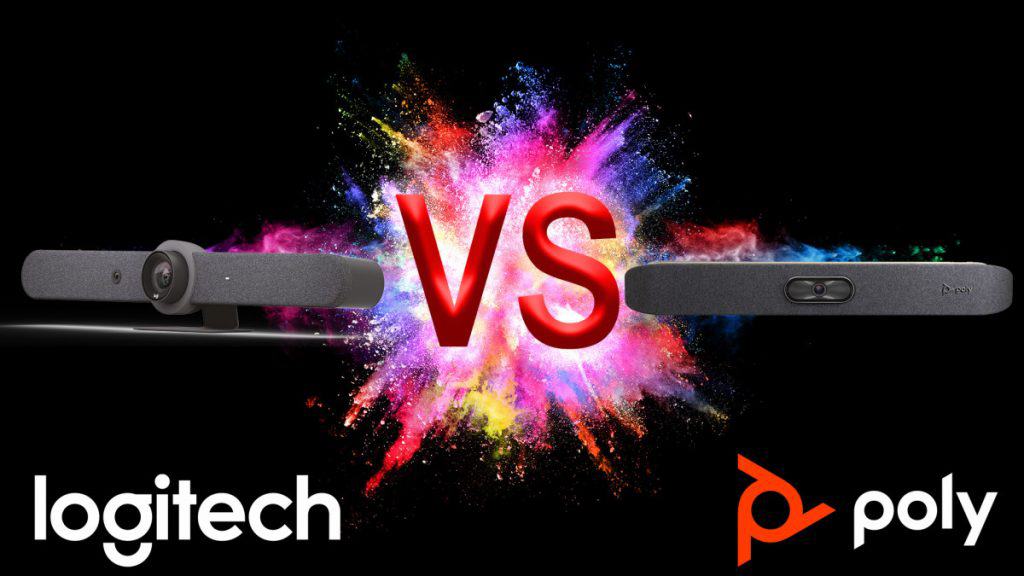
Logitech Rally Bar vs Poly X50

Logitech Rally Bar vs Poly X50

Almost every organisation has at least one meeting room; however, the space might be small to medium-sized. In such cases, an all-in-one video bar is a perfect solution for small and medium-sized meeting rooms. 

The Logitech Rally Bar and the Poly X50 are both suitable for small to medium-sized meeting rooms; however, they perform in quite different ways. The Rally Bar camera has a more limited field of view, while the X50 has a longer microphone capture range. Both could be a bargain, but the X50 camera has 5x zoom and is cheaper than the Rally Bar. 

All-in-One Video Bars are a great way to easily video-enable meeting rooms. These compact, all-in-one designs are easy to set up and use, compatible with all major video platforms, and quite affordable. 

Logitech Rally Bar

About Logitech Rally Bar

The Logitech Rally Bar is an all-in-one video bar with an integrated AI camera for medium to large rooms. Its brilliant optics, automated PTZ, and high-performance audio set a new standard for video meetings. Logitech Rally Bar lets you do video meetings that can be just as natural as face-to-face collaboration. It is remarkably simple to manage, use, and deploy at scale, delivering professional-quality audio and video in a sleek. The Logitech Rally Bar is a system that includes cameras, microphones, and standalone speakers and is meant for larger meeting rooms.

Features of Logitech Rally Bar

Logitech Rally Bar features a multi-element lens assembly, powerful low distortion speakers, and an advanced mic system to create meeting experiences that sound as good as they look. It has several management features that assemble multiple devices. Here is a detailed feature description for your complete understanding:

  • Excellent camera

The built-in camera of Logitech Rally Bar detects meeting participants automatically and moves the lens. It adjusts the zoom accordingly so that no one is left out of the picture. Logitech RightLight™ technology intelligently adjusts video settings, so everyone always looks their best, even in dim or backlit conditions. Its motorised lens covers rooms 130° across by 80° high, with lossless image quality up to 5X optical zoom.

  • Great sound quality

Logitech Rally Bar promises that even if you have many meeting participants in a room, all voices will sound good. It is because of its advanced beamforming microphones. Its large, ultra-low distortion speakers with RightSound deliver every word with clarity. You can add up to three Rally mic pods for even greater coverage if you have larger settings. 

  • PC-free solution

The Rally Bar easily connects to virtually any PC or Mac® with a USB cable. Logitech Rally Bar’s built-in computer lets you directly run supported video conferencing apps like Zoom. But the magic starts when you pair it with the one-touch Logitech Tap. Besides, Logitech’s built-in interface for meetings helps you easily and quickly initiate meetings across Microsoft Teams, Zoom, and other video conferencing apps. 

  • Double Screen

The Logitech Rally Bar can be connected to two 4K screens to get the best possible overview of virtual participants. It has a built-in proximity sensor and an HDMI input, detecting when a nearby PC opens certain programs such as PowerPoint or  Microsoft Excel. For example, if you have a Zoom Rooms account, you can wirelessly open a spreadsheet or Powerpoint presentation on your project and PC. 

Product Description 

  • Built-in Components:

-6 beamforming microphones

-2 speakers, 

-PTZ camera

– AI Viewfinder

-retention system and cable management

-Logitech CollabOS platform

-table stand.

  • Camera:

-Resolution: 4K, 1440p, 1080p, 900p, 720p, and SD at 30fps

-Pan: Motorized ±25° 

-Tilt: Motorized ±15° Zoom: 15X HD zoom (5X optical, 3X digital available with              upcoming software update) 

-Diagonal Field of View: 90° 

-Horizontal Field of View: 82.1° 

-Vertical Field of View: 52.2° 

-Total Room Coverage: 132.1° Horizontal x 82.2° Vertical

  • Dimensions:

-Height: 164 mm / 6.46 in 

-Width: 910 mm / 2.99 ft 

-Depth: 130.5 mm / 5.14 in 

-Lens Depth: 28.8 mm / 1.13 in 

-Weight: 7.08 kg / 15.6 lbs

  • Speakers:

-Drivers: 2x 70mm / 2.7 in 

-Output: 90dB SPL @1W, 99dB SPL @8.0W, both +/-2dB at ½ meter 

-Sensitivity: 90+/-3dB SPL at 1W, ½ meter 

-THD: 1kHz < 2% 

-Speaker Sampling Rate: 48 kHz

  • Interfaces:

-HDMI Out: 2 (up to 1080p) 

-HDMI In 1 

-USB 3.0: 3x Type A, 1x Type C 

-Network: 10/100/1G Ethernet 

-WiFi: 802.11a/b/g/n/ac (MIMO) External Mic Input: Yes (proprietary input supports optional -Rally Mic Pod, Rally Mic Pod Hub, and Rally Mic Pod Extension Cable) 

-Remote Control: Bluetooth® Low Energy

  • Microphones:

-Frequency Response: 90Hz – 16kHz 

-Sensitivity: >-36dBFS +/-1dB @ 1Pa 

-Microphone Data Rate Output: 48 kHz 

-Pickup Range: 4.5m / 15 ft 

-Beamforming Elements: Six omnidirectional digital MEMS microphones forming five adaptive acoustic broadside beams 

-Audio Processing: AEC (Acoustic Echo Cancellation), VAD (Voice Activity Detector) 

-Noise Suppression: AI filter 

-Add-on Mics: Supports up to 3 additional Rally Mic Pods for larger conference rooms

  • Power & Cables

-Power Supply: Auto-sensing 

-Operating Voltage/Power: 100-240V, 19V, 4.74A 

-Power Supply Dimensions: 127mm x 51mm x 30mm 

-DC Cable: 1.5m / 4.9 ft 

-AC Cable: 1m / 3.28 ft 

-HDMI 1.4 Cable: 2m / 6.5 ft 

-USB A to USB C 3.0 Cable: 2.2m / 7.2 ft

Compatibility with other platforms

The Logitech Rally Bar is compatible with Microsoft Teams Rooms on Windows(for medium-sized rooms), Microsoft Teams Rooms on Android (for medium-sized rooms), Zoom Rooms and Google Meet Rooms.

Poly X50

About Poly X50

Poly X50 video bar is designed for medium-sized conference rooms. It makes you connect natively with leading video collaboration services. X50 delivers extreme simplicity in a small, elegant package. This all-in-one sleek video bar has e full boardroom-quality audio, quick wireless content, and advanced camera capabilities. It is very easy to install and manage Poly X50 as it runs the show with any PC or Mac to drive the meeting. Poly has been a big name in the conferencing space for a long time. This all-in-one solution has all of the good parts of the other solutions. It has a wide angle of view, digital zoom, speaker tracking technology, expansion mic, etc.

 Features of Poly X50 

Video conferencing equipment such as Poly X50 helps you feel more connected with its intelligent and manageable features. It makes it easy for anyone, even guests, to share content wirelessly from any personal device without special apps or tools. Let’s look at its advanced features:

  • Amazing Camera

 The built-in 4K camera of Poly X50 makes each person on the video call clear. It automatically zooms in on the person talking because of the smart and advanced software for the camera and microphones. The Poly X50 video bar shows the received image in Ultra High Definition on the connected screen. 

  • No set-up drama

The Poly X50 is easy to install and use. All needed software is already installed on it. So you can quickly work with video conferencing apps like Microsoft Teams, Zoom, and more. Poly X50 do not require a PC or Mac as all cloud service platform support is built right in. It is ideal for rooms with up to 10 participants. Moreover, with its optional TC8 touch panel, you always control the screen and the camera.  

  • Excellent audio quality

The Poly X50 video bar has stereo speakers, providing crystal-clear and rich audio. The device features a state-of-the-art microphone array. This way, every participant in the room can hear their colleagues and be heard clearly. It provides room-filling sound and blocks out distractions with its NoiseBlock AI. 

  • Quality Performance

The user-friendly design of Poly X50 allows users to connect two screens at a time. The dual monitor offers great flexibility and makes more productivity in a meeting than ever. So if you have a medium-sized room and don’t want to install an extension mic, the X50 is a perfect choice.

Product Description

  • Camera:

-5x digital zoom

-121° DFOV, 110° HFOV

-UHD 2160p (4K) capture resolution

-Automatic group framing

-Automatic speaker framing

-Presenter Mode

-Secondary cameras can be added via USB and HDMI

  • Microphones:

-3x MEMS microphones, plus 2x 2nd order microphones

-Up to 25 ft of microphone pick-up range

-Optional expansion microphone available (p/n 2200-69631-001)

  •  Interfaces:

-2x USB-A (3.0)

-1x USB-C

-Bluetooth® 5.0

-WiFi 802.11a/b/g/n/ac (MIMO) Multi-channel Concurrency

  • Audio Output:

-Stereo speakers

*Power Handling (RMS) 20 Watts

*Power Handling (MAX) 40 Watts

*Sensitivity 86.1 dB

– audio output 5 mm

– HDMI x 1

  • Power:

-Auto-sensing power supply

-Typical operating voltage/power

    *37 VA @ 120 V @ 60 Hz

   *37 VA @ 230 V @ 50/60 Hz

– Typical BTU/h: 65

  • Dimensions:

-Height: 30 W x 4 H x 4 D (Inches) 

-Width: 762 W x 102 H x 102 D (MM) 

-Weight: 5.6 lbs/2.54 kg

  • Speakers:

 -Stereo speakers:

        * Power Handling (RMS) 20 Watts 

        * Power Handling (MAX) 40 Watts 

         * Sensitivity 86.1 dB 

-3.5 mm audio output 

– HDMI x 1

Compatibility with other platforms

Poly X50 video conferencing equipment features native support for Video-as-a-Service (VaaS) applications, including Microsoft Teams and Zoom,

Logitech Rally Bar vs Poly X50 

The following table compares the specifications of the Logitech Rally Bar and Poly X50. However, multiple configurations are available for the Logitech and Poly video bar, based on your needs and requirements.

Items Logitech Rally Bar Poly X50
Price £3,015.88  £2,122.32
Part Number 960-001312 2200-85970-102
Camera
Resolution 4K 4K
Field of View 90º 120º
Zoom 5x Digital 5x Digital
Speaker Tracking  Yes Yes
PTZ PTZ (motorised) ePTZ
Group Framing Yes Yes
Audio
Microphones 6 5
Range 15ft 20ft
Noise Filtering/Block Yes Yes
Number of Speakers 2 2
Extension Microphone Yes(Optional) Yes(Optional)
Compute Mode
USB Attached Yes Yes
Appliance (Android) Yes Yes
Ports
  USB Ports 3x USB-A, 1x USB-C 2x USB-A (3.0), 1x USB-C
Host Connection LAN LAN
Audio Input HDMI HDMI, 3.5mm
Audio Output HDMI HDMI/ 3.5mm
Video Input HDMI HDMI
Video Output 2x HDMI 2x HDMI
Connectivity/Network Wired, WiFi Wired, WiFi
Bluetooth Bluetooth® Low Energy Bluetooth® 5.0
Other Features
Content Sharing Yes Airplay/Miracast/HDMI
Mount Options Wall, Table, Display Wall, Table, Display
Displays Supported 2 2
Color Options Graphite, White Black
Room Controller (MFG) Tap V2 8″ TC8
Supported Platforms
Microsoft Teams Certified (USB Attached) Certified
Zoom Certified Certified
Google Meet Yes No


Picture of Meeting Store

Meeting Store

Table of Contents

Visual storytelling
Training and Education

Ignite Creativity with Visual Storytelling Workshops

Visual storytelling has become a cornerstone in the world of multimedia and digital marketing, offering a compelling and effective way to engage audiences. In this article, we will explore the significance of visual storytelling, its relevance for both beginners and experienced professionals, and its diverse applications in various fields.Visual storytelling is a dynamic communication technique that employs a combination of visual content, such as images, videos, and infographics, to convey a narrative. It captivates audiences by weaving a compelling story that resonates with them on a deeper level. In today’s fast-paced digital landscape, capturing the attention of your audience is more challenging than ever. Visual storytelling offers a solution by providing a medium that is not only eye-catching but also emotionally resonant. It taps into the power of storytelling techniques and narrative storytelling to create a lasting impact.For beginners, visual storytelling provides an accessible entry point into the world of content creation. With the right storytelling workshops for creatives and access to visual storytelling software, novices can quickly grasp the art of effective storytelling. This journey allows them to discover advanced storytelling techniques and visual storytelling best practices, fostering growth in their storytelling skills.BETTER Visual Storytelling With This Simple Technique  Visual Storytelling for BeginnersVisual storytelling for beginners is a captivating and effective approach that leverages the power of multimedia to convey compelling narratives. In this guide, we’ll define the concept of visual storytelling, explore the benefits of starting with visual storytelling workshops, and provide insights into its basics and fundamental principles.Defining Visual Storytelling for BeginnersVisual storytelling is the art of communicating stories and messages through a combination of visuals, such as images, videos, graphics, and animations. It goes beyond mere words and engages audiences on a deeper level by stimulating their visual and emotional senses. This technique enables storytellers to convey complex ideas, emotions, and information in a concise and impactful manner.Benefits of Starting with Visual Storytelling Workshops Enhanced Communication Skills: Visual storytelling workshops help beginners develop strong communication skills by teaching them how to convey messages effectively through visuals. Participants learn to choose the right images, videos, and graphics to support their narratives. Engagement and Retention: Visual storytelling captures and retains audience attention more effectively than traditional text-based content. This engagement can lead to higher retention rates and increased brand awareness. Versatility: Visual storytelling is a versatile technique applicable across various domains, including digital marketing, branding, journalism, and education. Beginners can apply what they learn in a wide range of contexts. Memorability: People tend to remember visual content better than text. Visual storytelling helps beginners create memorable stories that resonate with their target audience. Competitive Edge: In today’s digital landscape, where attention spans are short, businesses and individuals who can craft compelling visual narratives gain a competitive edge. Visual storytelling workshops equip beginners with the skills to stand out in the crowd.   Storytelling Workshops for CreativesVisual storytelling has become a cornerstone of modern multimedia, digital marketing, branding, and interactive media. It is an art that combines the power of storytelling with the visual appeal of images, videos, and infographics. For creative individuals looking to harness the potential of this powerful technique, attending storytelling workshops can be a game-changer.The Power of Visual StorytellingVisual storytelling is not just a buzzword; it’s a transformative tool in the world of advertising, content marketing, and e-commerce. It allows brands to connect with their audience on a deeper level by creating compelling narratives through images, videos, and interactive media. The impact of a well-crafted visual narrative can’t be overstated. It captures attention, conveys messages effectively, and drives engagement on social media and other online platforms.Storytelling Techniques UnveiledStorytelling workshops for creatives delve into the intricate techniques of weaving narratives using visual content. These workshops equip participants with the skills to narrate stories that resonate with their target audience. They explore the nuances of storytelling in marketing, design, photography, advertising, and even filmmaking. Participants learn how to craft a compelling visual narrative that aligns with their brand identity and objectives.Examples of Creative ProjectsVisual storytelling workshops often showcase inspiring examples of projects and campaigns driven by storytelling techniques. These real-world cases highlight the effectiveness of visual storytelling in various fields. For instance, an e-commerce brand might showcase how it increased conversion rates by integrating storytelling into its product descriptions. A nonprofit organization might share its success in raising awareness and funds through emotionally resonant visual narratives.Success Stories of Creative MindsPerhaps the most inspiring aspect of these workshops is the success stories of artists, designers, and writers who have honed their skills through such programs. These individuals have harnessed the power of storytelling to stand out in their respective fields. They’ve leveraged storytelling in web development to create engaging user experiences, used visual storytelling in journalism to captivate audiences, and applied storytelling techniques in design to breathe life into their creations.Interactive Workshops for Immediate ValueThe digital age has made education more accessible than ever, and visual storytelling is no exception. Online workshops cater to individuals worldwide, enabling them to learn at their own pace. These workshops cover a broad spectrum of topics, from visual storytelling for beginners to advanced techniques for brands. With the availability of resources and tools, anyone can start their journey in visual storytelling.The Role of Audio-Visual TrainingWhile the primary focus is on visual storytelling, it’s worth mentioning the importance of audio visual training in this context. Audio visual training complements visual storytelling by enhancing the overall multimedia experience. It’s a crucial element in video production, animation, and UX design, where sound and visuals work hand in hand to tell a compelling story.  Visual Storytelling in Various DomainsVisual storytelling is a dynamic and versatile strategy that has found its place in numerous domains, revolutionizing the way information is conveyed and absorbed. In this section, we will delve into the specific applications of visual storytelling in social media, content marketing, e-commerce, and education. We will also explore real-world examples showcasing how storytelling enhances engagement and conversions in each of these domains.Social Media: Enhancing Engagement Through Visual StorytellingIn the realm

Read More »
remote work whiteboard
Remote Collaboration

Transform Your Remote Work Experience with the Best Whiteboard Solutions

Transform your remote work experience with the best whiteboard solutions. Increase productivity, streamline communication, and enhance collaboration with interactive digital tools. Discover how a remote work whiteboard can revolutionize your workflow. Find the perfect solution to transform your remote work experience today.

Read More »
Progressive AV mastery
Training and Education

Progressive AV Mastery: Uncover Potential

In today’s dynamic digital landscape, mastering Progressive AV (Audiovisual) Mastery has become not just a choice, but a necessity. The world is increasingly visual, and multimedia production is at the forefront of this transformation. AV mastery, encompassing multimedia production, visual storytelling, and interactive learning, is indispensable for anyone navigating the digital sphere.Progressive AV mastery is not merely a skill; it’s an asset. In a world driven by visual content, having a stronghold on advanced audiovisual techniques is invaluable. It’s not just about producing videos anymore; it’s about creating immersive multimedia experiences that captivate audiences. Interactive audiovisual learning is the future of education, making multimedia production expertise a vital aspect of modern teaching methods.Businesses thrive on effective communication, and visual communication mastery is the key. With innovative AV solutions, companies can create compelling visual content that resonates with their audience. From cutting-edge multimedia skills to advanced visual storytelling, businesses can leverage the power of multimedia production to enhance their brand presence and engage customers.The future of AV technology is here, and it’s evolving rapidly. From AI-powered AV advancements to user-friendly multimedia editing software, staying updated with AV technology trends is crucial. Future-ready AV technology not only streamlines the production process but also ensures that the content remains relevant and impactful in the ever-changing digital landscape.For educators, embracing progressive AV tools opens doors to a world of possibilities. Creative AV solutions for education are revolutionizing classrooms, making learning interactive and engaging. Accessible multimedia technology for educators, coupled with easy-to-use visual storytelling tools, empowers teachers to deliver content in innovative ways, catering to diverse learning styles.Aspiring multimedia professionals and businesses alike can benefit from a plethora of resources available online. AV mastery online courses and multimedia production tutorials provide in-depth knowledge, guiding beginners through the nuances of multimedia production. Top AV skills development platforms offer comprehensive training, ensuring that learners are equipped with the latest skills and techniques.Mastery Learning in Mr. Vandenberg’s Class  Progressive AV Mastery Techniques for BeginnersProgressive AV mastery is the key to unlocking your potential in multimedia production and visual storytelling. If you’re a beginner looking to develop essential AV skills, this guide is tailored to help you on your journey. We’ll provide step-by-step guidance on mastering these skills, emphasizing the importance of a gradual learning approach.AV Skills DevelopmentTo embark on your journey towards AV mastery, it’s essential to start with a solid foundation. Begin by understanding the fundamentals of audiovisual technology and multimedia production. Explore the world of visual storytelling and interactive learning to grasp the core concepts. AV Mastery Foundations: Start by learning the basics of AV technology trends and multimedia solutions. This knowledge will provide you with a strong foothold in the field. Visual Communication Mastery: Effective visual communication techniques are crucial for conveying your message. Dive into the principles of visual content creation mastery. Progressive AV ToolsInnovative media applications and progressive AV tools can make your journey smoother. Consider using user-friendly multimedia editing software to enhance your skills. Some cutting-edge multimedia skills include: Advanced Multimedia Production: Delve into advanced multimedia production techniques, such as immersive multimedia experiences and interactive audiovisual learning. Next-Gen AV Mastery: Stay ahead of the curve by exploring the future-ready AV technology and AI-powered AV advancements. Step-by-Step GuidanceAchieving AV mastery takes time and practice. Follow these steps to guide your progress: Evolving Multimedia Technologies: Keep up with evolving multimedia technologies and digital media innovation. This ensures you’re always at the forefront of the field. Creative AV Applications: Apply your knowledge to create innovative media solutions. These can be beneficial for businesses, startups, and educators. Enhanced Multimedia ExperiencesCreating immersive multimedia experiences is the pinnacle of AV mastery. Consider the following: Interactive Storytelling Techniques: Learn how to captivate your audience with interactive storytelling techniques. This skill is invaluable in multimedia production. Accessible Multimedia Technology: Use user-friendly audiovisual learning platforms to make your content accessible to a wide audience. Resources for BeginnersAs a beginner, you have access to various resources to aid your AV skills development: AV Mastery Online Courses: Enroll in AV mastery online courses to receive structured guidance. Multimedia Production Tutorials: Explore multimedia production tutorials to gain practical insights. Best AV Tools for Beginners: Discover the best AV tools for beginners that streamline your creative process. Interactive Storytelling Software: Experiment with interactive storytelling software to engage your audience.   Easy AV Skills Development MethodsLearning audiovisual skills might seem daunting, but with the right methods and resources, anyone can progress swiftly in the realm of AV mastery. Whether you’re a novice or an aspiring multimedia producer, these user-friendly techniques will guide you seamlessly toward progressive AV mastery.Interactive Learning Platforms: Your Gateway to Advanced Audiovisual TechniquesEngage with interactive learning platforms tailored for AV skills development. These platforms integrate innovative AV solutions and cutting-edge multimedia technologies, providing a seamless learning experience. Explore topics such as multimedia production expertise, visual communication mastery, and immersive media solutions. With these platforms, beginners can navigate complex AV production techniques effortlessly.Creative AV Solutions for Education and BusinessesIn the ever-evolving landscape of multimedia production, creative content creation is paramount. Educators and businesses alike can benefit from affordable, user-friendly multimedia editing software and interactive storytelling tools. These tools enhance visual communication techniques and offer advanced multimedia experiences. For startups and educators, these solutions are essential, offering access to next-gen AV mastery without a steep learning curve.AV Technology Advancements: Navigating the Future of Multimedia ProductionThe future of multimedia production is now, with AI-powered AV advancements and modern multimedia production techniques. Stay ahead of the curve by exploring AV technology guides and progressive multimedia production techniques. These resources delve into the evolving multimedia technologies, ensuring you’re equipped with the knowledge to innovate and create immersive multimedia experiences.  Innovative Multimedia Production TipsIn the dynamic landscape of multimedia production, staying at the forefront of creativity and technology is essential for achieving progressive AV mastery. This journey involves honing AV skills, exploring advanced audiovisual techniques, and leveraging multimedia solutions effectively. Let’s dive straight into the world of multimedia magic!Creative Content Creation MasteryTo embark on the path of progressive AV mastery, one

Read More »
remote team task management
Remote Collaboration

Master Remote Team Task Management for a More Efficient and Collaborative Work

Remote work has become increasingly prevalent, and with it, the need for effective task management in remote teams has grown exponentially. In this article, we will delve into the definition and importance of remote team task management, exploring how it contributes to productivity, efficiency, and collaboration.Efficient team task management is crucial for remote team productivity. By implementing remote task tracking and prioritisation techniques, teams can focus on high-priority tasks and ensure timely completion. Using remote task management software, such as project management tools and team productivity apps, facilitates efficient task organisation and monitoring.Remote team efficiency relies on streamlined workflows and effective coordination. Task management techniques such as delegation and coordination enable teams to allocate resources effectively, eliminate bottlenecks, and avoid duplication of efforts. Remote task management platforms and systems provide centralised hubs for efficient workflow management.Collaborative team task management is the key to successful remote team collaboration. Virtual team collaboration tools and remote project management software enable seamless communication, file sharing, and real-time updates. This promotes effective collaboration, fosters innovation, and enhances the sense of unity within remote teams.Task Management for Remote Teams  Remote Team Task Management for Small BusinessesManaging tasks for remote teams can be a daunting challenge for small businesses. Without proper coordination and effective task management strategies, remote collaboration may suffer, impacting productivity, efficiency, and overall team performance. In this section, we will explore the unique challenges faced by small businesses in remote team task management and provide tailored strategies and techniques to improve this crucial aspect of business operations. Additionally, we will showcase case studies highlighting successful remote task management in small businesses, offering real-world examples of effective implementation.Challenges Faced by Small Businesses in Managing Tasks for Remote Teams Communication and Collaboration: Remote teams rely heavily on communication tools and techniques to bridge the physical gap. However, ensuring efficient team collaboration and seamless communication can be a major hurdle for small businesses. Establishing clear channels, utilising virtual team collaboration platforms, and fostering a culture of open communication are essential. Task Tracking and Coordination: Tracking tasks and coordinating team efforts becomes more complex in a remote setting. Small businesses often struggle to implement effective task tracking systems, resulting in confusion and delays. Leveraging remote task management software and tools can streamline workflow, improve visibility, and enhance coordination. Delegation and Prioritization: Delegating tasks and prioritizing them appropriately is crucial for maintaining productivity. Small businesses may face challenges in effectively assigning tasks to remote team members and ensuring they align with overall objectives. Implementing task management techniques, such as clear goal setting, regular feedback, and utilizing task management software, can optimise delegation and prioritisation. Strategies and Techniques Tailored for Small Businesses to Improve Remote Task Management Utilise Remote Task Management Software: Investing in remote task management software tailored to the needs of small businesses can significantly enhance team productivity and streamline task management. Look for features such as task assignment, progress tracking, deadline reminders, and collaboration capabilities to support effective remote task management. Establish Clear Communication Channels: Small businesses must establish clear and accessible communication channels to foster effective collaboration among remote teams. Utilise communication tools like video conferencing, instant messaging, and project management platforms to ensure regular and efficient communication. Define Clear Goals and Expectations: Clearly defining goals, expectations, and deliverables is essential for remote team task management. Small businesses should set SMART (Specific, Measurable, Achievable, Relevant, Time-bound) goals and communicate them effectively to ensure team members understand their roles and responsibilities. Implement Agile Project Management Methodologies: Agile project management methodologies, such as Scrum or Kanban, can provide small businesses with flexible frameworks to manage remote tasks effectively. These methodologies promote iterative progress, frequent communication, and adaptability, enabling teams to respond quickly to changing circumstances. Promote a Culture of Trust and Accountability: Building trust and fostering accountability among remote team members is vital. Small businesses should encourage transparent communication, empower employees to take ownership of their tasks, and establish regular check-ins to monitor progress and address any challenges.   Remote Team Task Management Best PracticesRemote work has become increasingly prevalent, leading to the rise of remote teams. Managing tasks within a remote team setting presents unique challenges that require effective strategies and practices. In this section, we will explore key principles and best practices for remote team task management, emphasising clear communication, goal setting, and accountability. Additionally, we will provide tips for prioritisation, time management, and workflow optimisation in remote environments.Key Principles for Effective Remote Task Management Clear Communication: Fostering Collaboration and Coordination Clear communication is paramount in remote team task management. Team members should utilise various communication channels, such as video conferencing, instant messaging, and project management tools, to facilitate efficient collaboration and coordination. Regularly scheduled virtual meetings and status updates can ensure everyone stays informed and aligned. Goal Setting: Defining Objectives and Milestones Setting clear goals and objectives is crucial for remote teams. By establishing measurable and realistic targets, team members can work towards shared outcomes. Breaking down larger goals into smaller milestones helps track progress and maintain motivation. Remote task management software and tools can assist in visualising goals and monitoring achievements. Accountability: Ensuring Ownership and Responsibility Remote teams thrive when individuals take ownership of their tasks and are accountable for their performance. Encouraging a culture of responsibility helps maintain productivity and ensures timely completion of deliverables. Task tracking systems and progress reports enable team members to monitor their own performance and support effective accountability. Best Practices for Remote Task Management Prioritisation: Focus on What Matters Most. Prioritising tasks is essential for remote team productivity. By identifying and organising tasks based on their urgency and importance, teams can allocate resources effectively. Adopting task management techniques, such as the Eisenhower Matrix or the Pomodoro Technique, can aid in prioritisation and time allocation. Time Management: Efficiently Utilize Available Time Remote work requires effective time management to maximise productivity. Establishing a routine and dedicated workspaces can help separate personal and professional life. Utilising time-tracking tools and setting clear boundaries can enhance time management and minimise distractions, resulting in improved

Read More »
AV Equipment

Our Recommended Meeting Room Equipment For 2022

Video conferencing has taken over our lives for the past two years. And with the AV market ever growing, it can be a challenge trying to find the right equipment. That not only suits your wants and needs, but each device being high quality to deliver a high quality meeting. However, now a days its not just about buying the best camera with 4K quality or a microphone with 360° pickup. You now have to think about the platforms you're using, Zoom, Teams or Google Meet. They all have the basic job of connecting people via video, but people definitely have their favourite. That's where meeting room solution kits come into the game.  With it now nearing the end of the year and there being lots of new equipment, there's still a lot to think about when buying meeting room equipment. To make things easier for you, here are our recommended meeting room equipment for 2022. For Zoom Rooms With many different video conferencing platforms, finding the right one that works for you can seem a bit pointless. Considering they all do the same thing. But with Zoom Rooms, you can conference simply and seamlessly. All you have to do is install the equipment and get to conferencing. Zoom handling the rest. If you don't know what Zoom Rooms is, it is basically turning your small, medium or large meeting room into a Zoom based room. Making Zoom meetings just as simple tap away. And that's all it takes to start a Zoom call with Zoom Room kits. It integrates all the necessary meeting room equipment with Zoom software. So if you're a dedicated Zoom platform user, purchasing Zoom Room kits is a big benefit to not only upgrading your meeting room, but upgrading your meetings and making it an easier task for you and your colleagues. Zoom Room kits can totally transform your meeting room, taking once an old, forgotten meeting room to a collaborative, easy to manage space to hold all your meetings. Its more than just room to room conferencing, it makes video conferencing external colleagues or business partners easy. Zoom Room kits don't only accommodate huddle spaces and medium to large meeting rooms, but they also offer separate touch screen displays and scheduling displays for your meeting rooms. Zoom being able to fully kit out your meeting. They have teamed up with many big named brand to bring you the best meeting room kit possible: Logitech, Yealink, DTEN, Neat, Poly, all covering small to large rooms. Yealink ZVC500 Zoom Room Meeting Kit  If Zoom Rooms sounds like the best fit to your meetings, the Yealink ZVC500 is the best kit for you. With high quality devices, your meetings will be transformed with just a few connections. This video conferencing kit comes includes: Yealink UVC50 PTZ Camera CP960 Conference Phone MCore Mini-PC A kit that includes all of your needs, taking the difficulty out of upgrading your meeting room. The ZVC500 is packed full of qualities to help you conference better. This kit is specifically designed for medium sized rooms but with a 5x optical zoom, 4k camera, and a 360° voice pickup range. It's easy for the ZVC500 to fit in with your small or even your huddle room.  Yealink UVC50 Camera The UVC50 camera makes this video conferencing equipment. It has to be in top condition to bring perfect meetings. The camera includes a pan range of 60°, a tilt range of 40° and a 91° field of view. So with these qualities alongside a powerful 4K camera to capture you and several other colleagues in a meeting. It shows that the UVC50 camera is just the camera to capture everyone in a medium sized meeting. Plus it shows that Zoom have chosen the right brand and equipment to better your meetings. Furthermore, the UVC50 includes auto framing with 60 frame rate. A perfect combination to give the best angle and the clearest picture.  Yealink CP960 Having high quality audio is important. Participants at both ends need equipment to be able to hear every thought and idea clearly. The CP960 is the perfect addition to the ZVC500 room kit. If you only have the choice of one meeting room for all of your meetings, no matter the size, then the CP960 will still work in your meeting room. With a 5" capacitive touchscreen display and 360° voice pickup range, you can place the device anywhere on your meeting room table. So if you are using your one meeting room for a huddle sized meeting. You can easily place the CP960 on the table where you and your colleague or colleagues are sitting. However, if you are using that one meeting room for your medium sized meeting and the meeting room table is full. The CP960 Conference Phone can still pick up you and your colleagues voices. Plus with Yealink Noiseproof technology, you voices will be the only thing that the CP960 will pick up. Putting across crystal clear audio to your external participants. Blocking out any unwanted and distracting noises.  MCore Mini-PC The MCore Mini-PC is the heart of the ZVC500. The heart that makes the UVC50 camera and the CP960 Conference Phone run smoothly. The 8th Gen Intel Quad-Core Processor and 128GB storage, lets you do just that. This is the heart as everything in the ZVC500 kit connects to the MCore Mini-PC. Now this may sound like a messy bit of the equipment, but the MCore has built in cable management. Stopping any cables from overlapping and confusing anyone who may need to unplug something. Not only that but keeping, wherever you put the Mini-PC, tidy. Alongside this, the MCore has a security slot. Meaning that it you want your MCore to stay in its designated space. The security slot feature will stop anyone from unplugging anything from the MCore and moving it anywhere.  [vc_images_carousel images="12288,12286" img_size="full" autoplay="yes" wrap="yes"] For Google Meet Just like Zoom Rooms, Google Meet has full kits for specific
Read More »
MeetingStore.co.uk
Logo
Compare items
  • Total (0)
Compare
0
Shopping cart