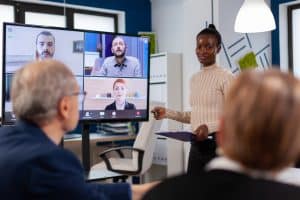
Remote teams have become increasingly prevalent in today’s work landscape, driven by the growing remote work trend. This shift has transformed organisations’ operations and created new opportunities for collaboration, team management, and productivity. Effective collaboration in remote teams plays a crucial role in achieving success and overcoming the challenges associated with virtual work environments.
One of the key reasons why effective collaboration is essential in remote teams is the need to bridge the physical distance between team members. Remote collaboration enables individuals to work together seamlessly, regardless of location. By leveraging various communication channels and collaboration platforms, teams can stay connected, share ideas, and coordinate their efforts.
Building strong connections within remote teams is vital for fostering collaboration. Establishing clear channels for remote team communication is important, allowing team members to share information, provide feedback, and collaborate on projects. Effective virtual collaboration strategies such as regular video conferences, virtual team-building activities, and leveraging remote collaboration tools can enhance teamwork and engagement.
By embracing remote team dynamics, fostering collaboration, and adopting collaboration platforms, businesses can unlock the full potential of remote work and drive their organisations towards greater achievements.
TOP REMOTE TEAM TOOLS FOR COLLABORATION AND PRODUCTIVITY
Understanding remote team collaboration
Remote team collaboration refers to individuals working together towards a common goal, despite being physically separated. It involves leveraging technology and effective communication strategies to foster teamwork, coordinate tasks, and achieve desired outcomes. In today’s increasingly digital and globalised work environment, remote collaboration has gained significant prominence. Its significance lies in its ability to transcend geographical barriers, enabling organisations to tap into a diverse talent pool and achieve greater productivity.
Key Elements of Successful Collaboration in Remote Teams
To excel at collaboration with remote teams, certain key elements are essential:
Communication: Clear and timely communication is the cornerstone of successful remote collaboration. Teams must leverage various communication channels, such as video conferencing, instant messaging, and email, to foster effective information exchange, clarify expectations, and maintain transparency.
Coordination: Remote team management necessitates efficient coordination to ensure that tasks are assigned, deadlines are met, and progress is monitored. Adopting project management tools and setting up regular check-ins can enhance coordination and keep everyone aligned.
Teamwork: Remote collaboration thrives on strong teamwork. Encouraging a supportive and inclusive environment, where team members actively contribute their skills and expertise, promotes synergy and fosters innovation. Virtual team-building activities and shared goals can enhance team dynamics.
Role of Communication, Coordination, and Teamwork in Remote Collaboration
Effective collaboration with remote teams heavily relies on seamless communication, efficient coordination, and vital teamwork:
Communication: Remote team communication involves sharing information, updates, and feedback. It helps team members stay connected, build rapport, and address challenges promptly. Regular virtual meetings, concise and well-structured messages, and active listening are key to successful communication.
Coordination: Remote team coordination ensures everyone is on the same page and working towards shared objectives. It involves setting clear expectations, defining roles and responsibilities, and establishing accountability. Collaboration platforms and shared calendars facilitate efficient task management and resource allocation.
Teamwork: Remote collaboration thrives when team members collaborate effectively. Trust and mutual respect form the foundation of strong teamwork. Encouraging open dialogue, valuing diverse perspectives, and recognising individual contributions cultivate a collaborative culture. Team-building exercises and fostering social connections can enhance engagement and cohesion.
Impact of Collaboration on Productivity and Performance
Collaboration with remote teams has a profound impact on productivity and performance:
Productivity: Remote collaboration enables flexibility and eliminates geographical constraints, allowing teams to leverage different time zones and work at their optimal hours. By leveraging remote collaboration tools, teams can access shared resources, streamline workflows, and reduce time spent on administrative tasks. This leads to increased productivity and efficient project execution.
Performance: Effective collaboration in remote teams directly influences performance outcomes. When team members work cohesively, share knowledge, and leverage each other’s strengths, they can collectively achieve better results. Collaboration fosters innovation, problem-solving, and the ability to adapt to changing circumstances, thereby driving performance excellence.
Best practices for collaborating with remote teams
Setting Clear Goals and Expectations for Remote Team Collaboration
Effective collaboration with remote teams requires setting clear goals and expectations immediately. This ensures that everyone is aligned and working towards a common objective. When defining goals, it is essential to make them specific, measurable, attainable, relevant, and time-bound (SMART). Communicate these goals to your remote team members to give them a sense of direction and purpose.
Establishing Effective Channels of Communication and Choosing Suitable Platforms
Communication plays a vital role in remote team collaboration. Establishing effective communication channels is crucial for seamless information exchange and smooth workflow. Utilise synchronous and asynchronous communication tools to cater to different needs and preferences. For real-time discussions, video conferencing platforms like Zoom or Microsoft Teams enable face-to-face interaction, fostering better engagement and understanding. Asynchronous communication platforms such as Slack or Microsoft Teams’ chat feature allow team members to communicate conveniently while ensuring timely responses.
Leveraging Technology Tools and Software for Virtual Collaboration
In the realm of remote collaboration, technology acts as an enabler. Leverage various software and tools to enhance collaboration and productivity. Project management tools like Asana, Trello, or Jira assist in organising tasks, assigning responsibilities, and tracking progress. Document collaboration tools like Google Docs or Microsoft Office 365 facilitate real-time editing and version control. Cloud storage services like Dropbox or Google Drive also ensure secure access to shared files and documents. Embrace remote collaboration tools that best suit your team’s needs, fostering efficient and seamless workflows.
Emphasising the Importance of Regular Check-ins, Feedback, and Updates
Regular check-ins, feedback sessions, and updates are vital to successful remote team collaboration. Implement a structured schedule for virtual meetings, ensuring that team members have dedicated time to discuss progress and challenges and provide feedback. Utilise video conferences to enhance engagement and build stronger connections among team members. Encourage an open feedback culture that allows for constructive criticism and suggestions, enabling continuous improvement and fostering a positive remote team dynamic.
Encouraging Active Participation and Engagement in Remote Team Activities
To excel at collaboration with remote teams, it is crucial to foster active participation and engagement. Implement strategies that encourage team members to contribute and share their ideas actively. Encourage brainstorming sessions, virtual team-building activities, and icebreaker exercises to enhance camaraderie and build stronger connections among team members. Utilise online collaboration tools that facilitate interactive sessions, such as virtual whiteboards or collaborative project management platforms. This boosts productivity and enhances creativity and innovation within remote teams.
Strategies for building strong connections with remote teams
Promoting team-building activities and virtual icebreakers
Building strong connections with remote teams fosters collaboration enhances productivity, and creates a positive work environment. Promoting team-building activities and virtual icebreakers can bring remote team members closer together.
Virtual Icebreakers: Engaging in virtual icebreakers at the beginning of team meetings or when new members join can break the ice and create a sense of camaraderie. Icebreaker activities can include sharing interesting facts, playing virtual games, or organising a virtual show-and-tell session where team members showcase items with sentimental value.
Team Building Activities: Regularly organising team building activities helps remote teams bond and collaborate more effectively. These activities include virtual escape rooms, online trivia contests, or even virtual team-building workshops facilitated by experts. Such activities encourage interaction, communication, and the development of stronger relationships among team members.
Facilitating virtual team bonding exercises and social interactions
Facilitating virtual team bonding exercises and social interactions is essential for remote team members to connect personally and build rapport. Here are some effective strategies for fostering remote collaboration through team bonding:
Virtual Coffee Chats: Encourage team members to schedule informal virtual coffee chats to discuss non-work-related topics, share personal experiences, or get to know each other better. These casual interactions help create a sense of belonging and build trust among remote team members.
Virtual Happy Hours: Organize virtual happy hours where team members can unwind, share experiences, and engage in casual conversations. These informal gatherings allow remote team members to socialise and foster a sense of community.
Organising virtual team-building events and workshops
Organising virtual team-building events and workshops can significantly contribute to remote team collaboration and engagement. Here are some effective strategies for organising such events:
Virtual Retreats: Arrange virtual retreats where remote teams can participate in team-building exercises, professional development workshops, and brainstorming sessions. These retreats provide an immersive experience that helps build connections, align goals, and enhance collaboration among remote team members.
Skill-Sharing Workshops: Encourage team members to share their expertise and organise virtual workshops to teach their colleagues new skills. This promotes cross-functional collaboration and knowledge sharing and strengthens the bonds between team members.
Encouraging cross-functional collaboration and knowledge sharing
Cross-functional collaboration and knowledge sharing are vital for successful remote team collaboration. Here are some effective strategies to foster collaboration and knowledge exchange:
Collaboration Platforms: Utilize collaboration platforms allowing remote team members to share ideas, collaborate on projects, and provide real-time feedback. These platforms facilitate seamless communication and enable efficient collaboration, irrespective of geographical location.
Regular Sync-ups: Schedule virtual meetings or sync-ups where team members can discuss ongoing projects, address challenges, and share best practices. Encourage open communication and provide opportunities for remote team members to exchange ideas and insights.
Recognising and celebrating achievements within the remote team
Recognising and celebrating achievements within a remote team is crucial for boosting morale, motivation, and overall team performance. Here are some effective strategies for acknowledging remote team members’ achievements:
Virtual Appreciation Events: Organize virtual appreciation events where remote team members can be recognised for their exceptional work and contributions. This can include virtual award ceremonies, shout-outs during team meetings, or sending personalised thank-you messages.
Performance Metrics and Rewards: Establish clear performance metrics for remote team members and provide rewards or incentives to celebrate their achievements. This includes gift cards, bonuses, or even professional development opportunities.
Overcoming challenges in remote team collaboration
Collaborating with remote teams offers numerous advantages, such as increased flexibility and access to a broader talent pool. However, it also presents unique challenges that can hinder effective collaboration. By proactively addressing these challenges, teams can excel at collaboration with remote teams and achieve their goals.
Time Zone Differences
One of the primary challenges in remote team collaboration is managing time zone differences. When team members are spread across different regions, coordinating meetings and ensuring everyone is available can be daunting. To mitigate this challenge, consider the following strategies:
Establish clear communication protocols: Implement a shared calendar system that accounts for different time zones, allowing team members to schedule meetings at mutually convenient times.
Adapt to flexible schedules: Encourage flexible work hours, enabling team members to collaborate during overlapping hours while accommodating their obligations.
Leverage asynchronous communication: Utilise collaboration tools that facilitate asynchronous communication, allowing team members to contribute and access information conveniently.
Cultural Barriers
Remote collaboration often involves working with individuals from diverse cultural backgrounds, which can lead to miscommunication and misunderstandings. To overcome cultural barriers and promote effective collaboration, consider these practical solutions:
Foster cultural awareness: Encourage team members to learn about and appreciate each other’s cultural norms, values, and communication styles. This can be achieved through team-building activities or cross-cultural training sessions.
Establish clear communication guidelines: Clearly define expectations for communication styles, ensuring everyone understands and respects different cultural approaches to teamwork.
Encourage open dialogue: Create a safe space for team members to openly discuss cultural differences, address concerns, and find mutually beneficial solutions.
Lack of Face-to-Face Interaction
In traditional office settings, face-to-face interaction fosters strong connections and promotes effective collaboration. However, in remote team settings, in-person interaction can help build relationships. Here are some tips to overcome this challenge:
Utilise video conferencing:Encourage video calls for meetings, brainstorming sessions, and informal conversations. Seeing each other’s facial expressions and body language can help build rapport and enhance communication.
Virtual team-building activities: Organize virtual team-building activities to create a sense of camaraderie and strengthen relationships. These activities include online games, virtual coffee breaks, or collaborative projects promoting teamwork.
Foster a supportive virtual environment: Encourage team members to connect personally through dedicated channels for casual conversations, sharing non-work-related interests, or celebrating achievements.
Strategies for Resolving Conflicts and Promoting a Positive Team Culture
Conflicts are inevitable in any team setting, including remote collaborations. Resolving conflicts promptly and promoting a positive team culture are crucial for maintaining productivity and engagement. Consider the following strategies:
Encourage open communication: Foster an environment where team members feel comfortable expressing their concerns and opinions. Establish clear channels for conflict resolution and guide on resolving conflicts constructively.
Implement feedback mechanisms: Regularly solicit feedback from team members to identify and address any underlying issues. Encourage constructive criticism and provide opportunities for growth and improvement.
Promote transparency and accountability: Communicate goals, expectations, and individual responsibilities. Promoting transparency and holding team members accountable can minimise misunderstandings and foster a positive team culture.
Enhancing remote team communication
In today’s fast-paced work environment, remote teams have become increasingly prevalent. However, effective communication within these teams can be challenging due to geographical distances and different time zones. To excel at collaboration with remote teams, it is essential to employ strategies and techniques that foster clear and efficient communication.
Active listening plays a crucial role in remote team communication. When team members actively listen, they demonstrate empathy, understanding, and respect for others’ perspectives. This practice helps build trust and strengthens connections among team members, enabling effective collaboration. It is important to encourage active listening during virtual meetings and written exchanges, promoting a culture of open dialogue and mutual support.
The Importance of Clarity in Remote Communication
Clear and concise communication is vital for remote collaboration. Misunderstandings and ambiguity can hinder productivity and hinder team dynamics. Remote team members rely heavily on written communication, such as emails and instant messaging, to convey ideas and share information. To ensure clarity in written communication, it is essential to use plain language, avoid jargon, and structure messages logically and organise. By doing so, remote teams can eliminate confusion and promote effective collaboration.
Tips for Written Communication: Email Etiquette and Virtual Meeting Etiquette
Written communication, including email and virtual meetings, forms the backbone of remote team collaboration. Adhering to email etiquette ensures that messages are well-received and understood by all recipients. Remote team members should use descriptive subject lines, keep messages concise, and adopt a professional tone when composing emails. Responding promptly and acknowledging receipt of emails is essential, promoting a culture of responsiveness and accountability.
In virtual meetings, following proper etiquette enhances communication and fosters engagement. Remote team members should be punctual, actively participate, and minimise distractions. Clear and respectful communication is vital during virtual meetings, ensuring everyone can express their ideas and contribute to the discussion. Encouraging video participation can also strengthen connections by allowing non-verbal cues to be observed.
Benefits of Video Conferencing and Non-Verbal Communication Cues
Video conferencing has revolutionised remote team communication by enabling face-to-face interactions, regardless of physical distance. It offers numerous benefits, including enhanced engagement, improved understanding, and increased collaboration. Through video conferencing, team members can observe non-verbal cues, such as facial expressions and body language, essential for effective communication. These cues facilitate better comprehension and build stronger connections among remote team members.
Strategies for Managing Asynchronous Communication in Remote Teams
Asynchronous communication, where team members work on different schedules, is common in remote teams. Effectively managing this type of communication ensures that collaboration remains seamless and productive. One strategy is establishing clear guidelines for response times, ensuring all team members understand expectations. Collaboration platforms and project management tools can streamline communication, allowing team members to access information and contribute conveniently. By implementing these strategies, remote teams can overcome the challenges of asynchronous communication and maintain high levels of collaboration.
Collaboration Tools for Remote Teams
Various remote collaboration tools facilitate effective communication and collaboration among remote teams. These tools enable real-time document sharing, task management, and virtual meetings. Some popular collaboration platforms include Slack, Microsoft Teams, and Google Workspace. Leveraging these tools empowers remote teams to collaborate seamlessly, improving productivity, coordination, and team performance.
Maximising remote team collaboration with tools and platforms
In today’s fast-paced digital era, remote teams have become increasingly prevalent, requiring effective collaboration to drive success. The advent of advanced tools and platforms has revolutionised remote team collaboration, enabling seamless communication, enhanced productivity, and streamlined workflows.
Project Management Software: Streamlining Team Coordination
Project management software plays a vital role in fostering collaboration within remote teams. These tools provide a centralised platform for planning, organising, and tracking tasks, ensuring smooth coordination among team members. Key features of project management software include:
Task assignment and tracking: Assigning tasks to team members, setting deadlines, and tracking progress.
Document sharing: Sharing project-related files and documents securely within the team.
Communication channels: Integrating chat, video conferencing, and discussion forums for seamless communication.
Popular project management tools like Trello, Asana, and Basecamp excel at collaboration with remote teams. They promote remote team management by enhancing visibility, accountability, and coordination, improving productivity and project success.
Efficient document collaboration is crucial for remote teams, enabling them to work seamlessly on shared files. File-sharing tools simplify sharing, editing, and reviewing documents, ensuring everyone can access the most up-to-date information. Key features of file-sharing tools include:
Cloud storage: Storing files securely in the cloud, accessible from anywhere.
Version control: Tracking changes, allowing collaborators to revert to previous versions if needed.
Commenting and feedback: Enabling real-time collaboration by leaving comments and feedback on documents.
Permissions and access control: Granting appropriate access levels to team members for enhanced security.
Leading file-sharing tools such as Google Drive, Dropbox, and Microsoft OneDrive facilitate remote team collaboration by providing a centralised document repository, fostering efficient collaboration, and saving time on manual document management.
Virtual collaboration platforms offer comprehensive solutions for remote team collaboration, encompassing communication, project management, and file-sharing capabilities. These platforms provide a unified interface that integrates various tools, eliminating the need for multiple applications. Key features of virtual collaboration platforms include:
Video conferencing: Enabling face-to-face communication and fostering a sense of teamwork.
Instant messaging: Facilitating quick and real-time communication for seamless collaboration.
Screen sharing: Sharing screens to enhance visual presentations and facilitate remote troubleshooting.
Integration with other tools: Connecting with project management software, document editors, and file-sharing tools for enhanced productivity.
Notable virtual collaboration platforms like Microsoft Teams, Slack, and Zoom offer a comprehensive suite of features that support remote team dynamics, fostering collaboration, engagement, and overall performance.
Choosing the Right Tools for Your Team’s Needs
When selecting collaboration tools for remote teams, it is essential to consider your team’s specific needs and goals. Here are some recommendations for making informed decisions:
Evaluate team requirements: Identify your team’s key challenges in remote collaboration and determine the features necessary to address them effectively.
Consider scalability: Choose tools that can scale with your team’s growth and accommodate changing needs over time.
Integration capabilities: Ensure the chosen tools can integrate with existing workflows and systems to avoid disruption.
User-friendly interface: Opt for intuitive and easy-to-use tools, minimising the learning curve for team members.
Security and data privacy: Prioritize tools with robust security measures to protect sensitive data and ensure compliance.
By carefully considering these factors, you can select the tools that align with your team’s collaboration requirements and drive remote team success.
Integrating and Streamlining Remote Team Workflows
To enhance remote team collaboration further, integrating technology into workflows is key. Consider implementing the following strategies:
Regular virtual team meetings: Schedule regular video conferences to foster connection and strengthen collaboration among team members.
Clear communication channels: Establish guidelines for communication and ensure everyone knows how and when to reach out to colleagues for effective remote team communication.
Emphasise transparency and accountability: Maintain transparency by using project management software to track progress and hold team members accountable for their assigned tasks.
Encourage virtual team-building activities: Organize virtual team-building activities to boost morale, strengthen connections, and foster a sense of camaraderie.
Provide remote collaboration training: Offer sessions on effective tools and techniques to equip team members with the necessary skills.
By implementing these strategies, you can overcome challenges in remote team collaboration and create a cohesive and productive virtual work environment.
Conclusion
To enhance remote team collaboration, employ virtual collaboration tools and platforms, such as remote collaboration software and communication platforms. Implement strategies for building trust, improving remote team communication, and enhancing productivity. Overcome challenges using remote team collaboration techniques and leveraging virtual team collaboration strategies. The benefits of collaboration with remote teams include improved teamwork, engagement, and overall performance.
As the future of remote work evolves, it is essential to adapt to the changing landscape, embrace remote team dynamics, and continually improve collaboration to achieve remote team success.
FAQs
What are the best collaboration strategies for remote teams?
The best collaboration strategies for remote teams include establishing clear communication channels, setting expectations and goals, fostering a sense of belonging, promoting transparency, and leveraging technology. Encourage regular video conferences and use collaboration tools for real-time communication and file sharing. Establish guidelines for response times and availability. Encourage team members to share updates, progress, and challenges to maintain alignment. Foster a culture of trust and encourage open and inclusive participation. Provide opportunities for virtual team-building activities and social interactions. Emphasise the importance of regular feedback and recognition to keep team members engaged. Encourage autonomy and flexibility while ensuring clarity on roles and responsibilities. Regularly assess and adapt the collaboration strategies based on team dynamics and evolving needs.
How can I improve communication in a remote team?
To improve communication in a remote team, prioritise clarity, consistency, and regularity. Clearly define communication channels and protocols, ensuring everyone is aware of the preferred modes of communication. Utilise video conferencing for face-to-face interaction and to enhance non-verbal communication cues. Establish regular check-ins and team meetings to maintain connection and alignment. Use collaborative tools for real-time communication, document sharing, and project management. Practice active listening and encourage open dialogue. Be mindful of time zones and schedule meetings that accommodate everyone’s availability. Provide clear instructions, set expectations, and ensure that information is accessible and organised. Foster a culture where questions and feedback are welcomed. Regularly assess and adapt communication practices based on team feedback and evolving needs.
What tools can help with remote team collaboration?
Several tools can aid remote team collaboration. Communication and video conferencing tools like Slack, Microsoft Teams, or Zoom enable real-time interactions, file sharing, and screen sharing. Project management tools such as Asana, Trello, or Jira facilitate task tracking, progress monitoring, and collaboration on shared documents. File-sharing and cloud storage platforms like Google Drive or Dropbox allow seamless access to files and enable collaborative editing. Virtual whiteboard tools such as Miro or MURAL provide a shared space for brainstorming and visual collaboration. Screen-sharing and remote control software like TeamViewer or AnyDesk can aid in remote troubleshooting and support. Collaboration suites like G Suite or Microsoft Office 365 offer a comprehensive range of productivity tools, including email, document editing, and shared calendars. The choice of tools should align with the team’s needs and preferences.
How do I build strong connections with remote teams?
Building strong connections with remote teams requires intentional effort and a focus on relationship-building. Foster a sense of belonging and camaraderie by creating opportunities for team members to interact informally, such as virtual coffee breaks or social channels. Encourage team members to share personal experiences and interests beyond work-related topics. Establish clear communication channels that allow for both work-related discussions and casual conversations. Consider organising virtual team-building activities or online games to facilitate bonding. Show empathy and understanding, especially regarding time zone differences and cultural diversity. Celebrate milestones and achievements to recognise individual and team accomplishments. Encourage collaboration and create opportunities for cross-functional teamwork. Regularly seek feedback from team members to understand their needs and challenges and be responsive to their concerns. Trust and strong connections can be established within remote teams by investing in relationship-building.
How can I enhance productivity in remote team collaboration?
To enhance productivity in remote team collaboration, start by setting clear goals and expectations for individuals and the team. Break down projects into manageable tasks and establish deadlines. Use project management tools to track progress, assign responsibilities, and communicate priorities. Encourage regular check-ins and provide constructive feedback to ensure alignment and address potential roadblocks. Foster a culture of autonomy and trust, allowing team members to work in ways that suit their strengths and preferences. Minimise distractions by establishing guidelines for focused work and encouraging time management strategies. Consider implementing flexible work hours to accommodate different time zones and optimise productivity. Leverage collaboration tools to streamline communication and enable seamless access to information. Regularly evaluate and optimise processes, leveraging team feedback and insights to enhance productivity.
What are the challenges of collaborating with remote teams?
Collaborating with remote teams presents several challenges. Communication can be more difficult due to potential language barriers, time zone differences, and reliance on technology. Building and maintaining trust among team members with limited face-to-face interaction can be challenging. Cultural differences and diverse work styles may lead to misunderstandings and conflicts. Managing and coordinating tasks across different locations can be complex, requiring effective project management strategies. Remote teams may also experience feelings of isolation and reduced social interaction, impacting morale and motivation. Technical issues, internet connectivity problems, or limited access to necessary tools and resources may hinder collaboration. Balancing work and personal life boundaries can be more challenging when working remotely. Overcoming these challenges requires intentional effort, clear communication, and implementing strategies tailored to remote collaboration.
How can I overcome challenges in remote team collaboration?
To overcome challenges in remote team collaboration, prioritise clear and consistent communication. Establish guidelines for communication channels, response times, and availability. Foster an environment where questions and feedback are encouraged. Invest in relationship-building and create opportunities for informal interactions—leverage video conferencing to enhance communication and bridge the gap caused by physical distance. Promote transparency and share information proactively. Provide necessary resources and tools to enable effective collaboration. Address cultural differences through cultural sensitivity and open dialogue. Implement project management strategies that promote task visibility, accountability, and progress tracking. Encourage flexibility and autonomy while ensuring clarity on roles and responsibilities. Regularly evaluate and adapt collaboration processes based on team feedback and evolving challenges. Remote team collaboration can be successful by addressing challenges directly and implementing appropriate strategies.
What are the benefits of collaborating with remote teams?
Collaborating with remote teams offers several benefits. Access to a global talent pool allows for diverse perspectives, specialised expertise, and round-the-clock productivity. Remote collaboration can foster flexibility and work-life balance, enabling team members to choose when and where they work best. Reduced commuting time and costs can enhance productivity and improve work satisfaction. Remote collaboration also reduces the need for physical office space and associated expenses. It allows for a more inclusive work environment, accommodating individuals with disabilities or personal circumstances that prevent them from working on-site. Remote teams often exhibit high levels of autonomy and self-motivation, leading to increased job satisfaction and retention. Additionally, remote collaboration promotes environmental sustainability by reducing carbon emissions associated with commuting. By harnessing the benefits of remote collaboration, organisations can tap into a global talent pool and build efficient and inclusive teams.
What skills are important for remote team collaboration?
Several skills are crucial for successful remote team collaboration. Strong communication skills are essential to ensure clarity, understanding, and effective collaboration across distances. Active listening, clear articulation, and proficiency in written communication are particularly important. Adaptability and flexibility enable individuals to navigate various time zones, cultural differences, and evolving work dynamics. Self-motivation and self-discipline are critical to maintaining productivity and meeting deadlines without constant supervision. Strong organisational and time management skills are necessary to prioritise tasks and ensure efficient remote collaboration. Problem-solving and critical thinking skills enable individuals to address challenges and make informed decisions independently. Empathy and cultural sensitivity facilitate understanding and respect within diverse remote teams. Finally, proficiency in digital tools and technology literacy is crucial for seamless collaboration and effective use of remote communication and project management tools.
How do I build trust in remote team collaboration?
Building trust in remote team collaboration requires intentional effort and consistent communication—fostering transparency by proactively sharing information, updates, and decisions. Establish clear expectations and follow through on commitments to build credibility. Encourage open and inclusive communication, where team members feel comfortable expressing their ideas and concerns. Provide regular feedback and recognition to demonstrate appreciation and build confidence. Promote opportunities for virtual face-to-face interaction through video conferencing to establish personal connections. Encourage collaboration and foster a team-oriented culture where collective success is celebrated. Establish clear guidelines and boundaries for remote work, ensuring fairness and consistency. Demonstrate empathy and understanding, especially regarding time zone differences and personal challenges. Trust can be developed and nurtured in remote team collaboration by consistently demonstrating reliability, empathy, and open communication.
What are the success factors for remote team collaboration?
Several success factors contribute to effective remote team collaboration. Clear and consistent communication is paramount, ensuring team members can access the necessary information and understand expectations. Establishing a shared purpose and common goals aligns the team’s efforts and fosters collaboration. Building trust among team members promotes open communication, cooperation, and shared accountability. Technology and collaboration tools enhance productivity and enable seamless remote collaboration. Implementing clear processes and workflows, including project management strategies, helps coordinate tasks and optimise productivity. Encouraging autonomy and flexibility while maintaining clarity on roles and responsibilities empowers individuals and promotes ownership of their work. Regular evaluation and adaptation of collaboration processes based on team feedback and evolving needs ensure continuous improvement. By considering and implementing these success factors, remote team collaboration can thrive.
How can I foster collaboration in virtual teams?
To foster collaboration in virtual teams, create a supportive environment that encourages open communication and idea sharing. Establish clear goals and expectations to provide a sense of purpose and direction. Foster a team culture where collaboration is valued and recognised. Leverage technology and collaboration tools to facilitate real-time communication, document sharing, and project management. Schedule regular virtual team meetings and check-ins to maintain connection and alignment. Encourage cross-functional collaboration and provide opportunities for team members to work together on shared projects or initiatives. Foster a sense of ownership and autonomy, allowing individuals to contribute their unique skills and perspectives. Celebrate successes and recognise the contributions of team members to reinforce a collaborative mindset. Encourage peer-to-peer learning and mentorship within the virtual team. These strategies allow virtual teams to thrive and foster a collaborative environment.
What are some virtual team collaboration strategies?
Virtual team collaboration can be enhanced through various strategies. Establish regular virtual meetings to maintain communication and alignment. Utilise video conferencing to facilitate face-to-face interaction and build relationships. Leverage collaboration tools for real-time communication, document sharing, and task management. Implement project management methodologies to track progress and allocate resources effectively. Foster a knowledge-sharing culture through virtual discussion forums, shared repositories, or wikis. Promote cross-functional collaboration by creating opportunities for team members to work on projects outside their immediate teams. Encourage regular status updates and progress reports to keep everyone informed. Schedule virtual team-building activities or social events to strengthen connections. Implement a buddy system where team members are paired for mutual support and collaboration. These strategies enable virtual teams to collaborate effectively and achieve their goals.
What are the best practices for remote team collaboration?
Best practices for remote team collaboration include clear communication, setting expectations, establishing regular check-ins, using collaboration tools, promoting transparency, and building relationships. Clearly define communication channels and protocols to avoid misunderstandings. Set expectations for availability, response times, and deliverables. Regularly check in with team members to maintain alignment and address any issues promptly. Utilise collaboration tools for real-time communication, document sharing, and task management—foster transparency by sharing updates, progress, and challenges. Encourage relationship-building through virtual team-building activities or informal interactions. Provide opportunities for feedback and recognition to keep team members engaged and motivated. Establish clear workflows and processes to optimise productivity and coordination. Regularly evaluate and refine collaboration practices based on team feedback and evolving needs. By adhering to these best practices, remote team collaboration can be efficient and successful.
How can I improve collaboration in remote teams?
To improve collaboration in remote teams, focus on communication, relationship-building, and streamlined processes. Foster open and transparent communication through regular team meetings and individual check-ins. Encourage active listening and provide a platform for all team members to voice their ideas and concerns. Use video conferencing to facilitate face-to-face interactions and build personal connections. Implement collaboration tools to enhance real-time communication and document sharing. Streamline processes and workflows to ensure clarity and efficiency. Clarify roles and responsibilities to avoid duplication of effort. Foster a sense of belonging and team spirit through virtual team-building activities and social interactions. Encourage cross-functional collaboration and knowledge sharing. Provide regular feedback and recognition to maintain motivation and engagement. Continuously evaluate and adapt collaboration practices based on team feedback and emerging challenges. By implementing these improvements, collaboration in remote teams can be strengthened.
In the dynamic realm of multimedia production, mastering in-depth AV techniques is not just an advantage but a necessity. As the digital landscape evolves, professionals must delve into the intricacies of audio-visual training, embracing a plethora of skills like video production, sound design, cinematography, and multimedia editing. This mastery isn’t just about handling AV equipment; it’s about crafting compelling narratives through visual storytelling and creative media production.Comprehensive AV Techniques: Expert AV tutorials will explore advanced video production secrets, innovative AV strategies, and creative video editing methods.Immersive Sound and Visuals: Dive into cinematic sound recording methods and immersive sound design secrets, coupled with cutting-edge multimedia production techniques.Professional Multimedia Production: Learn about post-production software recommendations and high-quality AV content examples, ensuring your creations stand out in the crowded digital landscape.Techniques for using varieties of printed audio-visual (AV) aids for education Advanced Audio-Visual Editing TipsAdvanced audio-visual (AV) editing is a vital aspect of multimedia content creation that combines several disciplines such as video production, sound design, cinematography, and post-production. To ensure high-quality visual content, precision in editing is of utmost importance. In this section, we’ll delve into the concept of advanced AV editing and provide practical tips for enhancing audio and video quality in post-production.Advanced Audio-Visual (AV) EditingAdvanced audio-visual editing involves a meticulous blend of multimedia editing and creative media production. It integrates AV equipment mastery, professional audio recording, immersive sound design, and cinematic recording techniques to create captivating multimedia content. This process requires expertise in advanced editing and advanced video production, setting the stage for a truly immersive viewer experience.Practical Tips for Enhancing Audio and Video Quality Professional Audio Recording: To achieve immersive sound, invest in professional audio recording equipment. Expert-level audio-visual equipment and advanced post-production tricks can significantly improve the quality of your audio. Consider high-quality microphones, audio interfaces, and soundproofing techniques. Cinematic Recording Techniques: Employ cinematic recording techniques to capture high-quality visual content. Expert cinematography techniques, including framing, lighting, and camera movements, contribute to the visual storytelling mastery of your project. Visual Storytelling Tips: Visual storytelling is a cornerstone of multimedia content creation. Utilize advanced sound design secrets and cinematic recording methods to enhance the narrative. Focus on conveying a clear message and emotional connection to the audience. Creative Multimedia Editing Skills: In-depth multimedia editing skills are crucial for refining your content. Use advanced video editing methods to ensure a seamless and engaging visual experience. Innovative AV strategies can help you stand out in the crowded digital landscape. Advanced Sound Design: Immersive sound design plays a pivotal role in creating a multisensory experience. Utilize cutting-edge multimedia production techniques to perfect audio synchronization and create an impactful auditory dimension. Post-Production Excellence: Advanced post-production tricks, such as color correction, audio mixing, and visual effects, are essential for a polished final product. Make use of post-production software recommendations to streamline your workflow. Importance of Precise Editing for High-Quality Visual ContentPrecise editing is the backbone of high-quality multimedia content. It ensures that the final product meets professional standards and captivates the audience. Visual storytelling techniques, combined with expert audio-visual skills, result in a seamless and engaging viewer experience. To achieve this, advanced media production and advanced AV technology insights are indispensable. Cinematic Sound Recording MethodsIn-depth AV techniques are pivotal in the realm of audio-visual projects. Mastering the art of sound recording is not merely a technicality; it’s a creative pursuit that transforms ordinary visuals into immersive experiences. In this discourse, we delve into the intricacies of capturing top-notch sound, employing various techniques rooted in professional filmmaking. Sound Recording Techniques in Professional FilmmakingWhen it comes to audio-visual training, one cannot overlook the nuances of sound design and recording methods. Advanced AV strategies employed by experts include comprehensive AV techniques that merge technical prowess with creative finesse. Expert AV tutorials emphasize the mastery of AV equipment, incorporating innovative AV strategies and expert cinematography. These techniques ensure that every whisper and roar is captured with precision, enriching the visual narrative.Cinematic recording techniques go beyond the basics, delving into the realm of immersive sound design. Utilizing cutting-edge AV skills and advanced multimedia editing, professionals weave a tapestry of auditory and visual delight. Creative cinematography techniques, combined with advanced post-production tricks, are indispensable in crafting a visual story that resonates with the audience.Elevating AV Experience through Sound QualityIn the context of visual storytelling, audio-visual techniques are indispensable. High-quality multimedia production demands expertise in professional audio recording and advanced video editing. Expert audio-visual equipment, coupled with advanced sound design secrets, creates a symphony that complements the visual elements. When AV recording methods are executed with precision, the result is an audio-visual masterpiece that captivates and engages.AV Technology Insights and Future TrendsAs we explore advanced audio-visual editing tips, it’s crucial to keep an eye on AV technology trends in 2023. Professionals are leveraging innovative multimedia techniques and immersive media creation tools to push the boundaries of creative expression. The AV industry updates constantly, requiring professionals to stay abreast of post-production software recommendations and high-quality AV content examples. Professional Video Production SecretsIn the dynamic world of video production, mastering the art of creating compelling and high-quality multimedia content requires a deep understanding of audio-visual techniques. To delve into the secrets of successful video production at an expert level, we’ll explore pre-production, shooting, and post-production techniques that yield outstanding results, while highlighting the pivotal role of AV technology.Pre-Production: Setting the Stage for ExcellenceBefore the cameras roll, a comprehensive understanding of audio-visual techniques is vital. This is where audio-visual training comes into play, offering essential skills and insights to aspiring filmmakers and professionals alike. In-depth video production starts with meticulous planning, and this is where professionals employ advanced AV strategies to map out their projects.Shooting: Expert Cinematography and Sound DesignCinematography and sound design are the cornerstone of any video production. Advanced cinematography techniques elevate the visual storytelling, making it a feast for the eyes. Simultaneously, immersive sound design techniques captivate the audience, enhancing the overall impact of the video. Cinematic sound recording methods and expert audio-visual equipment mastery play a significant role in achieving exceptional results.Post-Production: The
In today’s fast-paced digital age, Audio-Visual (AV) technology plays a pivotal role in creating immersive and engaging experiences across various industries. AV design principles form the cornerstone of this transformation, seamlessly blending technology with creativity to captivate audiences. In this comprehensive guide, we will delve into the world of AV design, highlighting its significance, and exploring how it enhances user engagement and sensory experiences.AV design principles are the guiding light in crafting sensory storytelling through multimedia. They intertwine technology and creativity to create immersive environments that leave lasting impressions. In today’s highly competitive digital landscape, where visual communication reigns supreme, mastering AV design is paramount. It ensures that your multimedia design not only captures attention but also conveys your message effectively.Creating engaging audiovisual (AV) experiences relies on several key design principles. Clarity is essential; ensure that visuals and sound are crisp and easily understood. Consistency is crucial, maintaining a unified theme throughout the AV elements.From marketing to education, entertainment to healthcare, AV technology is omnipresent. Its applications are diverse and continue to evolve with technological advancements. Whether it’s immersive multimedia art installations or interactive digital signage, AV technology integration enhances user-centric design across various sectors.Audio Visual Design Process AV Design PrinciplesIn the world of multimedia, the understanding of AV design principles is paramount. AV, short for audiovisual, plays a pivotal role in modern technology, enriching user engagement and sensory experiences.AV Design Principles UnveiledAV design principles are the fundamental guidelines that underpin the creation of audiovisual content. These principles encompass visual communication, sound design, and sensory storytelling, aiming to captivate audiences and convey messages effectively. They are the cornerstone of user-centric design, ensuring that content resonates with the intended audience.The Role of AV in Modern TechnologyIn the digital age, AV technology integration has become ubiquitous. From interactive installations to spatial audio applications, AV is omnipresent, shaping the way we interact with technology. This integration has revolutionized sensory perception, making multimedia design an immersive and engaging experience. As technology advances, staying attuned to AV technology trends is crucial for content creators and AV engineers alike.Impact on User EngagementUser engagement is at the core of multimedia design. Incorporating sensory design in AV enhances engagement by creating immersive experiences. Sensory storytelling techniques transport viewers into captivating narratives, making content more memorable and impactful. Sensory branding with AV technology leaves a lasting impression on users, fostering brand loyalty.Best AV Design Practices for BeginnersFor newcomers to AV design, embracing best practices is essential. Creating immersive AV experiences requires attention to detail and a deep understanding of AV system principles. Start by optimizing AV systems for sensory engagement, incorporating technology integration seamlessly. Multimedia integration for immersive experiences demands a user experience design that is intuitive and user-centric.Choosing the Right AV EquipmentSelecting the appropriate AV equipment is paramount in achieving sensory aesthetics in audiovisual design. With a plethora of options available, it’s crucial to consider AV engineering and digital signage trends. Ensure your AV architecture aligns with your goals, whether you’re crafting multimedia art or digital signage for commercial use.Incorporating Sensory Design in AVSensory design principles for multimedia encompass various aspects, including spatial audio technology in AV design. Utilizing spatial audio creates a three-dimensional soundscape, enhancing immersion. Interactive design elements further engage the senses, making the experience dynamic and memorable. Creating Immersive AV ExperiencesAV design principles are the foundation of creating immersive audiovisual experiences. It involves meticulous planning, from choosing the right AV equipment to optimizing AV system principles. These principles ensure seamless integration of technology and content to deliver captivating multimedia solutions that captivate users.Sensory Design and Its RoleSensory design, often overlooked, plays a pivotal role in AV experiences. It focuses on engaging the user’s senses beyond sight and sound. By incorporating sensory storytelling techniques and interactive installations, AV designers can craft experiences that stimulate touch, smell, and even taste, enhancing user engagement and making it truly immersive.Incorporating Sensory Design in AVTo incorporate sensory design in AV, designers must consider sensory perception in multimedia. User-centric multimedia design should prioritize sensory experience in technology, creating an environment where users are emotionally connected to the content.Spatial Audio Technology in AV DesignSpatial audio is a game-changer in AV design. It allows sound to come from multiple directions, creating a 3D auditory experience. Incorporating spatial audio applications can transport users into the heart of the content, making them an active part of the narrative.Multimedia Integration for Immersive ExperiencesSuccessful AV design integrates multimedia seamlessly. It combines visual communication and sound design to create immersive technologies that transcend traditional AV boundaries. This integration enhances the overall sensory engagement of users.Sensory Storytelling in AVSensory storytelling in AV involves using AV design concepts to tell compelling stories. It leverages sensory aesthetics in audiovisual design, making the story not just heard and seen but felt. This approach keeps users engaged and emotionally invested.Optimizing AV Systems for Sensory EngagementOptimizing AV systems for sensory engagement involves AV system optimization and choosing the right AV equipment. It ensures that the technology used aligns with the sensory design principles, creating seamless and effective sensory branding with AV technology.Digital Signage Trends in AV DesignDigital signage is evolving rapidly. Staying updated with digital signage best practices and AV technology trends is crucial for creating cutting-edge immersive AV experiences. It allows for real-time interaction and personalized content delivery. Enhancing User Engagement Through AudiovisualsIn the realm of multimedia design, where user engagement is paramount, AV design principles play a pivotal role. This section explores how AV design can significantly enhance user engagement, provides examples of successful AV implementations, and delves into the importance of sensory aesthetics in audiovisual design.AV Design PrinciplesAV design principles encompass a wide array of concepts and techniques aimed at creating immersive experiences and optimizing sensory engagement. By understanding these principles, one can effectively enhance user engagement through audiovisuals.User-Centric Design: AV design begins with a user-centric approach, prioritizing the end user’s needs and preferences. This principle ensures that the final product aligns with the target audience’s expectations, resulting in higher engagement.Sensory Storytelling: Incorporating sensory storytelling techniques allows multimedia designers to craft narratives that
In today’s fast-paced and competitive business landscape, the role of audiovisual (AV) gear has evolved beyond its traditional usage. AV gear, encompassing a range of audio and visual equipment, has become a cornerstone of modern work environments. The seamless integration of AV technology has not only revolutionized communication and collaboration but also holds the key to unlocking enhanced productivity and efficiency.In a world where every second counts, productivity reigns supreme. Businesses are in a constant pursuit of refining their operations to achieve the highest level of work output optimization. This pursuit is driven by the realization that increased productivity directly translates to improved bottom lines and a competitive edge. To remain at the forefront, organizations must harness every available advantage, and that includes effectively leveraging AV gear.Maximizing productivity with AV equipment is not just a lofty goal – it’s an achievable reality. The fusion of AV gear and productivity tools empowers professionals to harness the full potential of audiovisual technology. This synergy offers a multifaceted approach to workplace efficiency, enabling seamless AV integration for an enhanced workflow.The benefits of integrating AV technology extend far beyond routine tasks. By embracing AV gear, organizations can create an effective workspace environment that fosters creativity, collaboration, and innovation. Leveraging AV equipment efficiency leads to boosted work productivity, paving the way for seamless communication, remote collaboration, and impactful presentations.The impact of AV solutions on work performance is undeniable. From small businesses to startups, AV gear setup tips and AV technology for productivity provide actionable strategies for optimizing office space. Remote work AV setup and productive meetings with AV gear bridge the gap between physical and virtual interactions, ensuring effective remote collaboration tools for seamless communication.When it comes to AV gear, one size does not fit all. Choosing the right AV equipment requires a careful consideration of the specific needs and goals of the organization. Affordable AV solutions and AV gear for remote productivity offer tailored options for small businesses and startups alike. A simple AV setup guide ensures that even novices can harness the power of AV technology to their advantage.Inclusive collaboration for the modern conference room | Cisco Room Kit EQ Setting the Stage: AV Gear and Remote WorkIn the wake of the global shift towards remote work, traditional office setups have undergone a remarkable transformation. This evolution has been fueled by the increasing adoption of audiovisual (AV) gear, which plays a pivotal role in creating effective remote work environments. As businesses and individuals strive to maximize productivity with AV equipment, the synergy between technology utilization and workspace enhancement becomes paramount.AV Gear’s Crucial Role in Remote WorkAV Integration Advantages for Work Output OptimizationThe surge in remote work can be attributed to advancements in AV technology, which have enabled the seamless integration of audiovisual tools into daily operations. Leveraging AV gear for optimal productivity has become a driving force behind enhanced workflow and boosted work productivity. AV systems synergy merges the benefits of AV technology with the demands of remote work, resulting in improved work output and efficiency.Maximizing Efficiency through AV EquipmentAV gear for remote productivity goes beyond mere equipment; it transforms how tasks are accomplished. Productive meetings with AV gear become the norm, as remote collaboration tools enable effective presentations and discussions. This shift is further amplified by the use of AV gear setup hacks and strategies that optimize the home office AV environment. Even small businesses and startups can benefit from AV equipment’s potential to enhance work efficiency and collaboration.Affordable AV Solutions: Balancing Performance and CostAV Technology Benefits for Workspace EfficiencyThe impact of AV gear on work environments cannot be overstated. AV setup optimization guides businesses in choosing the right AV equipment for their specific needs. The integration of AV tools results in an audiovisual enhancement that contributes to optimizing office space. AV gear’s performance boost is not restricted by budget constraints, thanks to the availability of affordable AV solutions.AV Solutions Impact on ProductivityEffective presentations with AV and the utilization of AV hardware strategies offer a practical approach to boosting meeting efficiency. The ease of use and integration of AV technology for productivity-focused scenarios have become a priority. By enhancing remote work with AV gear, businesses can navigate the challenges of the virtual workspace and achieve productivity goals.AV Equipment Efficiency: Driving Tech-Driven ProductivityAV Resources Utilization for Work PerformanceMaximizing productivity with AV gear involves aligning technology with work goals. AV tools impact the work environment by providing an array of resources that facilitate tasks. Remote work AV setup guides offer insights into AV gear setup tips, allowing individuals to create effective workspaces. The application of AV gear workflow methodologies empowers professionals to harness the benefits of AV equipment for small businesses and large corporations alike.Optimizing Work Environment with AV ToolsChoosing the right AV equipment involves understanding the synergy between AV systems and work processes. The benefits of AV gear extend beyond traditional setups, creating an environment where technology for productivity is embraced. AV gear’s impact is twofold, combining AV setup efficiency with workspace optimization. Building Blocks: Simple AV Setup GuideIn today’s fast-paced work environment, leveraging AV gear for optimal productivity has become essential. Audiovisual technology, when integrated effectively, can greatly enhance workplace efficiency and contribute to the overall optimization of work output. This comprehensive guide will provide a step-by-step approach to setting up a basic AV system for remote work or a home office, covering essential components such as monitors, cameras, microphones, and speakers. By following these strategies, you can create an effective workspace that maximizes productivity with AV equipment.AV Gear Essentials for Remote Work AV SetupWhen optimizing your home office for productivity, it’s crucial to have the right AV gear. Here’s a breakdown of the essential components you’ll need:Monitors for Enhanced Workflow: Choose high-resolution monitors to boost visual clarity and multitasking capabilities. Opt for dual monitors to streamline work processes and compare information side by side. Cameras for Effective Presentations: Select a quality webcam for video conferences and virtual meetings. Position the camera at eye level to create a more engaging and professional presence.
Visual arts in AV integration represents a transformative approach to creative learning and multimedia art. This innovative fusion of visual arts and AV technology brings forth an array of educational tools and opportunities for student artists. The significance of this integration lies in its ability to enhance artistic expression and deliver immersive sensory experiences.In contemporary art education, AV technology plays a pivotal role by providing interactive media design and multimedia resources that engage students in sensory art experiences. This fosters creative classrooms where students can explore their artistic potential. The synergy between visual arts and AV integration opens doors to innovative AV-enhanced learning techniques, facilitating a deeper understanding of art and technology.By utilizing AV tools for art projects, educators can effectively integrate multimedia in art classes, enriching the art and technology curriculum. This results in immersive art experiences that encourage student artists to explore their creativity. Visual storytelling with multimedia becomes an educational tool, allowing students to communicate their ideas through AV-enhanced creativity.The integration of AV technology in visual arts promotes technology-driven artistic expression and establishes a strong foundation for interdisciplinary art and technology. It empowers students to harness the power of AV in contemporary art education, paving the way for interactive visual media and artistic technology integration.Why is visual arts education important? The Intersection of Visual Arts and AV ToolsThe relationship between visual arts and AV technology, often referred to as “Visual arts in AV,” is a dynamic and evolving landscape that plays a pivotal role in the creative learning process. This section explores the profound connection between visual arts and AV tools, defining their importance, and tracing the evolution of AV technology in the realm of art education. Through innovative technology and multimedia resources, this synergy enhances artistic expression and provides immersive sensory experiences for student artists.AV Tools for Art ProjectsVisual arts in AV refers to the integration of audiovisual creativity into the creative learning process. AV tools encompass a wide range of multimedia art integration techniques, including visual storytelling, interactive media design, and AV technology in art education. These tools serve as educational instruments that empower students to explore their creativity and communicate their ideas effectively.Importance of AV Tools in Art ProjectsThe importance of AV tools in art projects cannot be overstated. They bridge the gap between traditional art forms and contemporary art by allowing artists to work with digital media and interactive media. This fusion of art and technology opens up new horizons for artistic expression and enhances the creative learning techniques employed in art classrooms.Effective AV in art education goes beyond the mere incorporation of technology; it enables immersive art experiences that engage students’ senses. Sensory art activities become a means of expression, and AV-enhanced learning becomes a vehicle for interdisciplinary art and technology exploration.The Evolution of AV Technology in Art EducationOver the years, AV technology has become an integral part of art education. Digital media, artistic technology integration, and AV-enhanced creativity have transformed creative classrooms into dynamic hubs of innovation. The evolution of AV technology has allowed students to engage with contemporary art forms, fostering a deeper understanding of multimedia in creative education.Innovative AV in visual arts is not just about tools; it’s about a philosophy that encourages technology-driven visual arts. As art and technology synergy continues to grow, students are exposed to a wide range of opportunities to explore their artistic talents and experiment with new mediums.AV Integration Strategies in Art CurriculumArt and technology curricula now integrate AV tools for artistic expression seamlessly. Interactive AV art lessons and multimedia resources for artists are readily available, offering students a platform to unleash their creativity. AV integration for creative classrooms has become a standard practice, enabling student artists to excel in a rapidly evolving digital world.AV in Contemporary Art EducationIn contemporary art education, AV plays a pivotal role in the creation of interactive visual media. Artists can explore innovative technology in art classes, incorporating digital arts into their projects. This shift toward AV-enhanced creative techniques empowers student artists to produce cutting-edge, technology-driven art that resonates with today’s digital-savvy audiences. Effective Integration of AV in Art EducationIn today’s fast-paced world, the integration of AV (audiovisual) technology in art education has emerged as a transformative force, fostering creative learning and expanding the horizons of artistic expression. This section delves into the principles of effective AV integration in art education, shares success stories, and emphasizes the myriad benefits of combining visual and auditory elements in art instruction. Join us on a journey into the world of Visual arts in AV as we explore innovative technology, sensory experiences, and the fusion of art and technology.Principles of Effective AV Integration in Art EducationThe effective integration of AV technology in art education is a process that goes beyond simply using multimedia resources. It involves a strategic approach that combines traditional artistic techniques with cutting-edge AV tools for art projects. This synergy, often referred to as multimedia art integration, enables students to explore their artistic potential and enhance their creative learning techniques.AV technology in art education encompasses various aspects, including visual storytelling, interactive media design, and digital arts synergy. By incorporating these elements into the curriculum, educators can create immersive art experiences that captivate students’ senses and ignite their passion for artistic expression.Success Stories and Impact of AV Technology in Art ClassroomsTo truly understand the power of AV integration, let’s take a moment to examine some success stories and case studies. These real-world examples showcase how AV technology has revolutionized art education: Interactive Visual Media: In contemporary art classrooms, interactive visual media has become a game-changer. Students can engage with digital media art in ways that were once unimaginable. This not only enhances their artistic skills but also encourages them to explore innovative AV in visual arts. Sensory Art Experiences: AV-enhanced creativity has opened the door to sensory art experiences. Students can immerse themselves in art activities that stimulate multiple senses, leading to a deeper connection with their creative side. Multimedia Resources: The availability of multimedia educational tools has transformed art and technology
Remote work has become a prevalent mode of operation for businesses and individuals worldwide. It refers to the practice of working outside of a traditional office environment, often from home or other remote locations. The rise of remote work can be attributed to technological advancements, globalization, and the changing nature of work itself.As remote work gains popularity, the need for efficient virtual collaboration tools becomes increasingly crucial. Virtual collaboration tools enable remote teams to communicate, share information, and work together seamlessly, bridging the physical distance between team members. These tools are essential for fostering effective communication, maintaining productivity, and ensuring successful remote work experiences.One key aspect of virtual collaboration tools is desktop sharing, which allows users to share their computer screens with others in real time. This functionality has proven to be invaluable for remote teams. A reliable desktop sharing tool facilitates seamless collaboration, enabling team members to view and access each other’s screens, thereby enhancing communication, troubleshooting, and knowledge sharing.In a remote work setting, where face-to-face interactions are limited, desktop sharing plays a vital role in recreating the collaborative environment of a physical office. It enables team members to provide visual demonstrations, conduct online presentations, review and edit documents together, and collaborate on various tasks in real time. By sharing their screens, team members can gain a comprehensive understanding of projects, align their efforts, and make informed decisions, regardless of their geographical locations.7 Free Remote Desktop Software in 2023 Benefits of Desktop Sharing Tools for Remote WorkIn today’s fast-paced world, remote work has become increasingly common. With the rise of distributed teams and the need for virtual collaboration, desktop sharing tools have emerged as essential assets for seamless remote work experiences. These tools facilitate various aspects of remote work, including virtual collaboration, screen sharing, online meetings, team communication, file sharing, and productivity enhancement. Let’s delve into the advantages of using desktop sharing tools in remote work scenarios and explore how they optimize the remote work experience.Facilitating Virtual Collaboration and Screen SharingDesktop sharing tools empower remote teams to collaborate effectively regardless of physical distance. These tools enable real-time sharing of screens, allowing team members to view and interact with the same content simultaneously. By sharing screens, team members can easily discuss ideas, troubleshoot technical issues, and provide instant feedback, fostering a sense of virtual presence and teamwork. This seamless virtual collaboration ensures that everyone is on the same page, leading to increased productivity and efficient project execution.Enabling Online Meetings and Team CommunicationEfficient online meetings are crucial for remote teams to connect and discuss important matters. Desktop sharing tools often integrate video conferencing capabilities, enabling face-to-face interactions even when team members are geographically dispersed. These tools facilitate seamless remote team communication, as participants can see and hear each other, fostering a sense of camaraderie and eliminating communication barriers. Through online meetings, teams can brainstorm ideas, align objectives, and make informed decisions, leading to enhanced collaboration and synergy.Streamlining File Sharing and CollaborationEffective file sharing and collaboration are essential for remote teams to work harmoniously. Desktop sharing tools provide secure and user-friendly platforms for sharing files, documents, and resources in real time. Team members can access shared files, make edits collaboratively, and provide feedback, all within a centralized and synchronized environment. This streamlines workflow, eliminates version control issues, and ensures that everyone has the most up-to-date information at their fingertips. By enabling seamless file sharing and collaboration, these tools enhance productivity and facilitate efficient remote work processes.Boosting Productivity and Remote Work ExperienceDesktop sharing tools serve as invaluable productivity tools for remote workers. With features such as remote access, remote desktop sharing, and virtual workspaces, these tools enable individuals to seamlessly access their work resources from anywhere, anytime. This flexibility and convenience empower remote workers to optimize their work environments, ensuring uninterrupted productivity and minimizing downtime. Additionally, by providing easy-to-use interfaces and intuitive functionalities, these tools enhance the overall remote work experience, enabling individuals to focus on their tasks and achieve their goals efficiently. Key Features to Look for in the Best Desktop Sharing Tool for Remote WorkIn today’s remote work landscape, finding the right desktop sharing tool is crucial for effective online collaboration and enhanced productivity. The best desktop sharing tool should possess a comprehensive set of key features that cater to the needs of remote teams. When choosing a desktop sharing tool, it is important to consider the following essential features: Reliability: A reliable desktop sharing tool ensures smooth and uninterrupted remote collaboration. Look for features like stable connection, minimal latency, and consistent performance. Reliability allows teams to work seamlessly, avoiding disruptions and delays that can hinder productivity. Security: Security is of paramount importance when sharing sensitive information and files online. Choose a desktop sharing tool that prioritizes data protection, offers secure encryption, and has robust authentication protocols. It should also comply with industry standards and regulations to ensure the privacy and confidentiality of your remote work. Ease of Use: An intuitive and user-friendly interface is vital for efficient adoption and utilization of the desktop sharing tool. Look for features such as easy navigation, simple setup process, and clear instructions. A tool that is easy to use minimizes the learning curve, allowing teams to focus on collaboration rather than grappling with complex functionalities. Affordability: Cost-effectiveness is a crucial consideration, especially for small businesses and startups. Evaluate the pricing plans of different desktop sharing tools to find the one that aligns with your budget. Some tools offer free versions or affordable subscription plans with flexible options that cater to your specific needs. Flexibility: A versatile desktop sharing tool allows for seamless integration with other collaboration software and platforms. Look for compatibility with popular applications used for remote team communication, file sharing, and video conferencing. Flexibility enables you to leverage the tool alongside your existing remote work software ecosystem. The aforementioned features contribute to effective online collaboration and enhanced productivity in several ways: Streamlined Communication: A reliable desktop sharing tool facilitates real-time communication, enabling remote teams to interact seamlessly. Whether it’s screen sharing, team chat,
In the modern world, effective presentations are a cornerstone of success across various fields. Whether you’re a business professional, educator, or public speaker, the ability to convey your ideas with clarity and impact is crucial. Presentation techniques have evolved significantly, and one of the key factors in this evolution is the integration of audio visual (AV) technology. Audio visual technology to boost presentation success has become a vital tool, revolutionizing the way information is delivered and received.Visual communication plays a pivotal role in conveying complex ideas quickly and engagingly. With the advent of multimedia technology, presenters can now utilize a variety of visual aids, multimedia tools, and presentation equipment to create impactful visuals that resonate with audiences. The synergy between visual storytelling and presentation skills is where AV integration shines. By using advanced visuals and engaging slides software, speakers can capture and maintain the audience’s attention, maximizing productivity with AV equipment. Maximizing productivity with AV equipment isn’t just about technological prowess; it’s about harnessing the power of multimedia to make presentations memorable and effective.A significant trend in recent times is the growing interest in using AV technology to improve public speaking skills and engage audiences. This interest is fueled by the realization that audio visual solutions offer an array of benefits. These range from affordable AV tech for presentations to user-friendly presentation tech, enabling speakers to craft visually stunning and impactful content. Audience engagement devices and interactive slides software allow for real-time interactions, transforming presentations from one-sided monologues to dynamic, two-way conversations. This synergy between AV solutions and presentation effectiveness has redefined what it means to captivate an audience.The journey toward effective presentations encompasses not only visual communication but also audio enhancement. Achieving audio clarity in presentations is equally critical, as clear and resonant sound ensures that your message reaches every corner of the room. By leveraging technology for speakers, such as AV solutions for speakers, presenters can ensure that their message is not only visually compelling but also audibly captivating. Modern presentation equipment has made it easier than ever to strike a balance between impactful visuals and clear audio, creating an immersive and memorable experience for the audience.As the demand for engaging presentations rises, presenters are seeking the latest multimedia tools to stay ahead. Affordable AV tech for presentations is a game-changer, allowing even smaller organizations to harness the power of multimedia solutions. Visual aids for public speaking have become more sophisticated, offering options for creating engaging slides, interactive content, and seamless transitions. With the availability of audio visual solutions, enhancing presentation impact is no longer reserved for large corporations with vast resources; it’s an opportunity accessible to all who value effective communication.Logitech-Powered Tencent Meeting Room Tour at Steelcase The Power of Visual Communication and Presentation TechniquesVisual communication is a pivotal element in modern presentations, revolutionizing the way information is conveyed and absorbed. Leveraging advanced visuals and multimedia technology can significantly enhance the effectiveness of presentations, leading to greater audience engagement and comprehension. This section delves into the critical role of visual communication and explores effective presentation techniques that seamlessly integrate audio visual (AV) technology to boost presentation success.Enhancing Audience Engagement with AV IntegrationTo maximize audience engagement, presenters can harness the power of AV solutions for speakers. Incorporating audience engagement devices, such as interactive slides software, allows presenters to create dynamic, two-way interactions, fostering a more participatory environment. User-friendly presentation tech enables speakers to seamlessly integrate multimedia elements and engage the audience through interactive features.Simplifying Complex Ideas with Effective Visual AidsVisual aids play a crucial role in simplifying complex concepts, making them accessible to a diverse audience. By using visual aids for public speaking, such as engaging slides and multimedia tools, speakers can transform intricate ideas into digestible visual representations. Impactful visuals not only capture attention but also facilitate better understanding, enabling presenters to convey their messages with precision and clarity.Boosting Presentation Effectiveness with TechnologyThe availability of affordable AV tech for presentations has democratized the use of technology for speakers of all levels. Modern presentation equipment offers solutions that cater to various budgets, ensuring access to cutting-edge tools. AV solutions for speakers encompass audio enhancement, visual communication, and presentation equipment. These technologies collectively contribute to seamless audio visual integration, enriching the presentation experience.Incorporating Multimedia Solutions for a Captivating ExperienceThe latest multimedia tools have transformed presentations into immersive experiences. Through multimedia solutions, presenters can incorporate diverse content formats, such as videos, images, and interactive elements, adding depth and engagement to their presentations. A well-executed multimedia presentation not only captures attention but also reinforces key points, leaving a lasting impact on the audience.Public Speaking Skills and Presentation EnhancementThe integration of AV technology isn’t solely about equipment; it’s about honing presentation skills as well. Presenters can use AV technology to enhance their public speaking confidence by leveraging audio clarity in presentations and employing engaging slides. By aligning technology with effective presentation techniques, speakers can elevate their delivery and captivate audiences. Visual Aid Benefits Interactive Slides Encourages audience participation and active learning Multimedia Elements Enhances engagement through diverse content formats Impactful Visuals Simplifies complex ideas, aiding audience comprehension Audio Clarity Ensures clear and crisp delivery of spoken content Affordable AV Tech for PresentationsIn the world of presentations, the misconception that audio visual (AV) technology is costly and inaccessible has persisted for too long. However, the reality is quite the opposite. Modern presentation techniques have evolved to include an array of budget-friendly AV solutions that can significantly boost presentation success. In this guide, we will explore how investing in affordable AV tech can elevate presentation quality, captivating your audience and maximizing productivity with AV equipment.AV Solutions for Effective PresentationsWhen it comes to presentation success, having the right tools at your disposal is crucial. Multimedia technology and effective visual aids play a pivotal role in engaging your audience and conveying your message effectively. Utilizing user-friendly presentation tech, such as interactive slides software, can transform your presentations into dynamic and engaging experiences. Equipment Features Price Range Interactive Software Enables interactive and engaging slides £50 – £200
This website uses cookies so that we can provide you with the best user experience possible. Cookie information is stored in your browser and performs functions such as recognising you when you return to our website and helping our team to understand which sections of the website you find most interesting and useful.
Strictly Necessary Cookies
Strictly Necessary Cookie should be enabled at all times so that we can save your preferences for cookie settings.
If you disable this cookie, we will not be able to save your preferences. This means that every time you visit this website you will need to enable or disable cookies again.
3rd Party Cookies
This website uses Google Analytics to collect anonymous information such as the number of visitors to the site, and the most popular pages.
Keeping this cookie enabled helps us to improve our website.
Please enable Strictly Necessary Cookies first so that we can save your preferences!