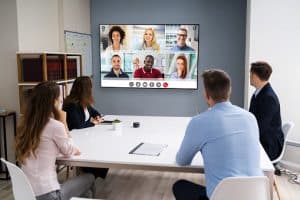
In today’s fast-paced world, presentations play a crucial role in conveying information, ideas, and messages effectively. To maximize the impact of presentations and captivate audiences, leveraging the power of AV (Audiovisual) technology has become essential. This article explores the role of AV technology in modern presentations, emphasizing its significance in enhancing presentation productivity, engagement, and overall effectiveness.
AV technology refers to the integration of audio and visual components to deliver a dynamic and immersive presentation experience. It encompasses a wide range of tools, devices, hardware, software, and systems that enhance the overall quality and impact of presentations. From simple setups like projectors and microphones to sophisticated multimedia displays and interactive whiteboards, AV technology empowers presenters to convey their ideas with clarity and professionalism.
To create captivating presentations, it is crucial to leverage AV integration. This entails seamlessly combining various AV components to work harmoniously together. By doing so, presenters can effortlessly switch between visual aids, incorporate relevant audio elements, and maintain a smooth flow throughout the presentation. Such integration eliminates technical glitches and enhances the overall presentation efficiency.
AV technology enriches presentations by making them more visually appealing, interactive, and immersive. Engaging visuals, complemented by clear audio, help the audience retain information better and grasp complex concepts more easily. This enhances the overall effectiveness of the presentation.
How can technology improve workplace productivity?
AV Technology Setup Guide for Small Presentations
In today’s fast-paced world, delivering effective presentations is crucial for success in various fields, be it classrooms, small meeting rooms, or business settings. AV (audiovisual) technology plays a pivotal role in enhancing presentation efficiency and maximizing productivity. To help you make the most out of your small presentations, we have compiled a step-by-step AV technology setup guide along with affordable AV solutions that deliver excellent results.
AV Technology for Small Presentations
Before diving into the setup guide, let’s understand the significance of AV technology in small presentations. AV technology encompasses a wide range of audiovisual solutions that can significantly impact the success of your presentations. By leveraging AV tools, you can elevate presentation productivity, engage your audience, and optimize your overall presentation performance.
Step-by-Step Guide: Setting up AV Technology for Small Presentations
Assess Presentation Needs: Begin by assessing the specific requirements of your presentation. Identify the venue, audience size, and content type to determine the ideal AV equipment.
Select Suitable AV Hardware: For small presentations, opt for lightweight and portable AV hardware. A high-quality projector or LED display with adequate brightness and resolution will ensure a clear and impactful visual experience.
Enhance Audio Components: Clear audio is essential for effective communication. Consider investing in a good-quality microphone, speakers, and audio mixers to ensure your message reaches the audience with clarity.
Seamless AV Integration: Ensure all AV components are compatible and seamlessly integrated to avoid technical glitches during your presentation.
AV Software and Tools: Utilize AV software that aids in content creation, management, and presentation delivery. Look for user-friendly solutions that enhance your presentation techniques.
Engaging Presentation Strategies: Develop engaging presentation strategies that leverage AV technology to captivate your audience. Utilize interactive tools and multimedia elements to enhance audience involvement.
AV Technology Tips for Better Presentations: Incorporate best practices such as using visual aids, effective storytelling, and employing AV technology to boost presentation impact and engagement.
Affordable AV Solutions for Small Presentations
AV technology need not be expensive. Here are some budget-friendly AV solutions that deliver excellent results for smaller settings:
AV Technology Trends for Presentations
AV Solution
Key Benefits
Portable Projectors
Versatile and easy to set up
Wireless Presentation Clickers
Facilitates seamless slide control
Audio Mixers
Improves sound quality and clarity
Interactive Whiteboards
Promotes engagement and collaboration
Web Conferencing Software
Enables remote presentations and virtual meetings
Maximizing Productivity with AV Equipment
To maximize productivity, adopt these AV technology strategies:
AV Technology for Virtual Presentations: Embrace AV technology for virtual presentations to connect with remote audiences effectively.
DIY AV Setup for Presentations: Explore DIY AV setup options to save costs while maintaining quality.
AV Technology Troubleshooting: Equip yourself with troubleshooting skills to handle technical issues during presentations.
Enhancing Classroom Presentations with the Best AV Equipment
In today’s dynamic educational landscape, maximizing productivity with AV equipment has become a game-changer for educators seeking to deliver impactful and engaging classroom presentations. Audiovisual solutions have transformed the way information is conveyed, offering a host of benefits that go beyond traditional teaching methods. Let’s explore the top AV equipment options available for classroom presentations and understand how they positively impact students’ learning experiences.
Boost Productivity in Presentations with AV Technology
AV Technology for Small Presentations
For smaller classroom settings, AV technology for small presentations comes in handy. Compact projectors, portable audio systems, and interactive whiteboards create an immersive learning environment, where teachers can easily share multimedia content, stream videos, and conduct interactive quizzes, enhancing presentation efficiency.
Best AV Equipment for Classroom Presentations
Investing in the best AV equipment for classroom presentations ensures smooth operations and impactful delivery. High-definition projectors, wireless microphones, and user-friendly AV software help educators create visually compelling content that captures students’ attention and improves presentation effectiveness.
Affordable AV Solutions for Presentations
To cater to budget-conscious educational institutions, affordable AV solutions for presentations offer a cost-effective way to integrate technology into the classroom. These solutions often include affordable projectors, basic sound systems, and versatile AV integration tools that optimize AV tools for presentations without breaking the bank.
Improving Engagement with AV Technology
AV Technology for Virtual Presentations
With the rise of remote learning, AV technology for virtual presentations has become essential. Webcams, video conferencing software, and interactive virtual whiteboards enable teachers to deliver engaging presentations regardless of physical location, further increasing presentation performance.
AV Technology for Classroom Teaching
In traditional classroom setups, AV technology can still significantly improve engagement. Teachers can use document cameras, interactive displays, and classroom response systems to involve students actively, making learning a collaborative and exciting experience.
Facilitating Better Understanding and Knowledge Retention
AV Technology for Enhanced Productivity
By using AV technology, teachers can optimize their presentation strategies to facilitate better understanding and knowledge retention. Visual aids such as educational videos, animated diagrams, and 3D models help convey complex concepts, making learning more accessible and enhancing presentation impact.
AV Technology for Interactive Presentations
Interactive presentations, made possible with AV devices like interactive whiteboards and student response systems, promote active learning and participation. These tools encourage students to ask questions, share their ideas, and collaborate, resulting in better comprehension and retention.
AV Integration for Seamless Presentations
DIY AV Setup for Presentations
For educators who prefer a hands-on approach, a DIY AV setup for presentations allows them to customize their audiovisual solutions. From setting up projectors and sound systems to calibrating interactive tools, this approach optimizes AV technology to suit specific classroom needs, boosting presentation benefits.
AV Technology for Conference Presentations
In larger educational gatherings, AV technology plays a crucial role in ensuring that presentations reach every attendee. High-quality audio systems, large-screen displays, and remote presentation control enhance presentation success in conferences and events.
Optimis ing AV Technology for Enhanced Presentation
AV Technology for Business Pitches
Beyond classroom settings, AV technology has found its way into business pitches and professional speaking events. Using advanced presentation techniques, such as video storytelling and data visualization, presenters can captivate their audience and leave a lasting impression, proving the advantages of AV technology in presentations.
AV Technology for Sales Presentations
In sales environments, AV technology can be a game-changer. Sales representatives can leverage interactive presentations, video demonstrations, and immersive VR experiences to showcase products and services effectively, increasing engagement and improving presentation performance.
Easy AV Integration Tips for Seamless Presentations
In today’s fast-paced world, presentations play a crucial role in conveying information effectively. The integration of Audiovisual (AV) technology has become essential for delivering impactful and engaging presentations. To maximize productivity with AV equipment, presenters must overcome common challenges and adopt best practices for seamless AV integration. This section offers practical tips to help you harness the power of AV technology, elevate your presentation efficiency, and reduce technical glitches.
Power of AV Technology
AV technology encompasses a wide range of tools and solutions that enhance presentation impact and engagement. From AV software and hardware to interactive devices and systems, the benefits of incorporating AV technology into presentations are numerous. By using AV technology strategically, presenters can captivate their audience and convey information more effectively.
Selecting the Right AV Equipment for Your Needs
Choosing the appropriate AV technology for your presentation is crucial. For small presentations, simple and cost-effective AV solutions work best, while classroom presentations may require more sophisticated AV equipment. Research and read reviews to identify the best AV tools that align with your specific requirements.
Easy AV Integration Tips for Seamless Presentations
Planning Ahead for a Smooth Setup
Before your presentation, thoroughly test all AV equipment to ensure everything works as expected. Create a checklist to organize your setup process and eliminate any potential technical hurdles.
Optimizing AV Technology for Better Presentations
To enhance presentation productivity, consider these tips:
AV Software for Improved Efficiency: Utilize user-friendly AV software to streamline your presentation creation process and access advanced features.
AV Hardware for Powerful Performance: Invest in high-quality AV hardware that ensures clear visuals and crisp audio.
AV Systems for Seamless Coordination: Integrated AV systems allow smooth control of multiple devices from a central interface.
Troubleshooting Common AV Challenges
Even with careful planning, technical issues may arise during your presentation. Here are some troubleshooting suggestions:
Problem
Troubleshooting Tips
No Audio Output
Check speaker connections and audio settings.
Screen Display Issues
Verify cable connections and display settings.
AV Software Malfunctions
Update the software to the latest version or restart the program.
Emphasizing Engagement with AV Technology
AV technology provides unique opportunities to engage your audience:
Interactive Devices: Encourage audience participation with interactive AV devices like audience response systems.
Virtual Conferences: Leverage AV technology to conduct virtual presentations and connect with a global audience.
Remote Presentations: Host engaging remote presentations by using reliable AV tools and video conferencing platforms.
Best Practices for Seamless AV Integration
AV Technology Trends for Presentations
Stay updated with the latest AV technology trends to maintain a competitive edge. Explore emerging technologies like augmented reality and virtual reality to create more immersive presentations.
Leveraging AV Technology for Business Pitches
When pitching your business ideas, use AV technology to deliver persuasive presentations. Incorporate visuals, infographics, and videos to enhance the impact of your pitch.
Elevating Virtual and Remote Presentations with AV Technology
In the rapidly evolving landscape of virtual and remote presentations, leveraging AV technology has become paramount for enhancing audience engagement, presentation efficiency, and overall performance. AV technology, which stands for Audio-Visual technology, encompasses a range of hardware and software solutions that seamlessly integrate audio and visual elements to deliver impactful presentations. This section explores the importance of AV technology in virtual and remote presentations, highlights specific AV software and hardware options suitable for online presentations, and explains how utilizing AV technology in virtual settings can maximize productivity and audience engagement.
The Role of AV Technology in Presentations
AV technology plays a pivotal role in modern presentations, allowing presenters to convey their message effectively and capture the audience’s attention. By integrating multimedia elements such as videos, slideshows, and interactive content, presenters can create dynamic and visually appealing presentations that keep the audience engaged throughout the session. AV technology also enables real-time collaboration and interaction, facilitating seamless communication between presenters and remote participants.
AV Software and Hardware Options for Online Presentations
AV Software
Video Conferencing Platforms: Leading platforms like Zoom, Microsoft Teams, and Google Meet offer robust AV capabilities, enabling high-quality video and audio communication.
Presentation Software: Microsoft PowerPoint and Google Slides allow presenters to create visually appealing slideshows with multimedia elements.
Webinar Tools: Webinar-specific software like WebinarJam and Demio offer advanced features for hosting interactive virtual presentations.
AV Hardware
Cameras: High-definition webcams and PTZ (Pan-Tilt-Zoom) cameras capture presenters from various angles, enhancing visual appeal.
Microphones: Quality microphones, such as lavalier and condenser mics, ensure clear audio transmission, reducing background noise.
Projectors and Screens: For in-person presentations, projectors and screens enable large-scale display of content, promoting audience visibility.
Enhancing Audience Engagement with AV Technology
Utilizing AV technology in virtual settings significantly enhances audience engagement, making presentations more immersive and memorable. Here’s how AV technology achieves this:
Interactive Elements: Incorporating interactive features like live polls, Q&A sessions, and virtual whiteboards fosters two-way communication, actively involving the audience.
Visual Appeal: High-quality visuals, animations, and video content capture the audience’s attention, making complex concepts easier to grasp.
Real-Time Demonstrations: AV technology allows presenters to demonstrate products or processes in real time, increasing audience understanding and interest.
Virtual Reality (VR) and Augmented Reality (AR): Cutting-edge AV technology enables the integration of VR and AR elements, providing a unique and immersive experience for the audience.
Maximizing Productivity with AV Equipment
To maximize productivity in presentations, presenters must optimize their use of AV equipment. Here are some strategies to consider:
Streamlined Setup: Familiarize yourself with the AV equipment before the presentation to ensure a smooth setup and avoid technical glitches.
Practice and Rehearse: Rehearsing the presentation with AV elements helps you deliver a polished performance and identify any areas that need improvement.
Test Connectivity: In remote presentations, test your internet connection, audio, and video quality to minimize disruptions during the presentation.
Backup Plan: Have a backup plan ready in case of technical difficulties, such as using an alternative communication platform or pre-recorded content.
DIY AV Setup Guide for Budget-Conscious Presenters
In today’s fast-paced world, presentations play a crucial role in conveying information effectively. Audiovisual (AV) technology has become an indispensable tool for presenters to elevate their performance, engage their audience, and maximize productivity. This DIY AV setup guide is tailored to budget-conscious presenters who seek affordable AV solutions without compromising on quality. By following these recommendations, you can harness the power of AV technology to enhance your presentation impact while staying within your budget constraints.
AV Technology for Small Presentations
For small presentations, a simple yet effective AV setup is the key. Consider investing in a reliable projector or a large-screen monitor to display your content clearly. Pair it with a decent sound system, and you’ll ensure your message reaches every corner of the room. AV technology benefits in public speaking events are undeniable, and this setup will help you leave a lasting impression on your audience.
Affordable AV Solutions for Presentations
Opting for cost-effective AV devices and tools can save you money without compromising on quality. Look for budget-friendly brands that offer reliable AV equipment for classroom presentations and public speaking events. DIY AV setup for presentations can be achieved by exploring various online marketplaces for used AV technology, which may prove to be a smart financial move.
AV Technology Setup Guide
To set up your AV equipment efficiently, consider the following steps:
AV Integration for Enhanced Productivity: Integrate your AV tools seamlessly to avoid technical glitches during your presentation. Test the setup in advance to ensure everything works smoothly.
AV Technology for Virtual Presentations: For remote presentations, rely on web conferencing platforms that offer AV technology for virtual conferences. This way, you can connect with your audience from anywhere in the world.
AV Technology for Business Pitches: Impress potential investors with a professional AV setup. Use AV technology to create compelling presentations that highlight your business’s strengths and advantages.
AV Technology Tips for Better Presentations
Here are some valuable tips to optimize AV technology for engaging presentations:
Enhance Presentation Efficiency: Learn how to use AV technology in presentations to streamline your content delivery and make your points effective.
AV Technology Trends in Presentations: Stay up-to-date with the latest AV technology trends to make the most out of innovative tools.
Leveraging AV Technology for Different Types of Presentations
In today’s fast-paced world, presentations have become a crucial aspect of communication in various settings, from business pitches to public speaking events and sales pitches. To make a lasting impact and ensure a successful presentation, leveraging AV (Audiovisual) technology is essential. This section will explore the benefits of using AV technology for different types of presentations and discuss specific AV solutions tailored to each presentation type to maximize audience engagement and improve presentation strategies.
AV Technology for Business Pitches
Business pitches are critical moments that can make or break a deal. AV technology plays a pivotal role in making a lasting first impression. Employing high-quality projectors, interactive displays, and video conferencing systems can elevate presentations to the next level. Integrating AV tools with compelling visuals and well-crafted content can boost presentation impact, making your pitch more memorable and persuasive.
AV Technology for Public Speaking Events
Public speaking events demand captivating communication. AV technology offers solutions to improve presentation efficiency and effectiveness. Utilize wireless microphones, sound systems, and large screens to reach a larger audience without compromising on sound quality. Additionally, interactive AV systems allow real-time audience participation, fostering a more engaging and impactful experience.
AV Technology for Conference Presentations
Conferences gather diverse audiences seeking valuable insights. To cater to these preferences, incorporating AV technology is essential. Utilize state-of-the-art AV equipment to enhance presentation productivity. Large LED displays, live streaming solutions, and video walls can optimize visual experiences, enabling seamless content delivery to large crowds and remote attendees.
AV Technology for Sales Pitches
Sales pitches require persuasiveness and a keen understanding of the audience. Leveraging AV technology can improve your presentation’s success rate. Employ interactive touchscreens, virtual demos, and immersive presentations to create a memorable sales pitch that resonates with potential clients. By using AV technology strategically, you can elevate your sales pitch and increase conversion rates.
Examples of Successful Presentations with AV Technology
Tesla’s Product Launch: Tesla’s electric car launch events are legendary, showcasing AV technology integration at its finest. Elon Musk uses large video screens, live demos, and interactive elements to captivate the audience and generate excitement around their new products.
TED Talks: TED Talks are known for their thought-provoking content and impactful delivery. The use of AV technology, such as captivating visuals and multimedia elements, helps speakers convey their ideas effectively, leaving a lasting impression on viewers.
Maximizing Productivity with AV Equipment
When it comes to maximizing productivity with AV equipment, consider the following best practices:
AV Technology Customization: Tailor AV solutions to fit the specific needs of each presentation type, ensuring seamless integration and engagement.
Collaboration Tools: Utilize AV software that facilitates real-time collaboration and feedback during presentations, promoting a dynamic and interactive experience.
User-Friendly Interfaces: Opt for user-friendly AV systems to ensure smooth operation, reducing the likelihood of technical glitches and enhancing overall presentation efficiency.
Training and Troubleshooting: Provide training on AV equipment usage to presenters and have dedicated support personnel for troubleshooting during presentations.
Conclusion
In today’s fast-paced world, presentations play a crucial role in effectively conveying information, ideas, and messages to diverse audiences. To truly excel in the art of presentations and leave a lasting impact, leveraging AV (Audiovisual) technology is becoming increasingly indispensable.
AV technology offers a plethora of benefits that can revolutionize presentations. By integrating audio and visual elements, presentations become more engaging, memorable, and impactful. The fusion of AV technology with presentations elevates the overall presentation efficiency, making it easier for speakers to convey complex concepts in an easily digestible manner.
Audiovisual solutions for presentations enable speakers to deliver their messages with clarity and precision. The combination of visuals, graphics, and audio ensures that the audience remains captivated and retains the information conveyed, leading to increased presentation performance.
To boost productivity in presentations with AV technology, it is essential to optimize AV tools effectively. By staying updated with the latest AV technology trends, presenters can leverage cutting-edge software and hardware to enhance their presentation impact significantly.
The key to delivering powerful presentations lies in maximizing productivity with AV equipment. Investing in top-notch AV devices and systems enables presenters to conduct seamless presentations, leaving a lasting impression on their audience.
AV integration is pivotal in the world of presentations. By seamlessly integrating AV technology into presentation strategies, speakers can create an immersive experience that fosters engagement and comprehension.
Utilizing AV technology best practices in presentations empower speakers to craft dynamic and interactive presentations. By following DIY AV setup tips, presenters can ensure that AV technology troubleshooting is minimized, resulting in smoother delivery.
Contrary to popular belief, AV technology need not be prohibitively expensive. There are cost-effective AV solutions available that cater to small presentations, virtual conferences, and classroom teaching, making them accessible to a wider range of users.
FAQs
How can AV technology boost productivity in presentations?
AV technology can boost productivity in presentations by enhancing communication and engagement. Visual aids like slides, videos, and interactive elements keep the audience focused and help convey complex information effectively. AV tools enable seamless integration of multimedia content, saving time and effort in manually switching between materials. Collaborative features allow real-time interactions, increasing audience participation and encouraging questions and feedback, leading to more productive discussions. Moreover, remote presentation capabilities enable reaching a broader audience, fostering global collaboration without the need for extensive travel. Overall, AV technology streamlines the presentation process, allowing presenters to convey their message more efficiently and captivate their audience.
What are the advantages of using AV technology in presentations?
AV technology offers numerous advantages in presentations. Firstly, it enhances communication by combining visual and auditory elements, catering to different learning styles and improving information retention. Secondly, it increases audience engagement through dynamic content like videos, animations, and interactive slides, keeping the audience attentive and interested. Thirdly, AV technology facilitates seamless integration of multimedia content, making presentations more compelling and professional. Fourthly, remote presentation capabilities broaden the reach, enabling virtual attendance from anywhere in the world. Additionally, AV tools often provide collaboration features, encouraging audience participation and fostering interactive discussions. In summary, AV technology enhances the overall effectiveness and impact of presentations, leading to more successful communication and understanding of the presented material.
How do I optimize AV tools for better presentations?
To optimize AV tools for better presentations, follow these tips:
Quality Equipment: Invest in reliable AV hardware like projectors, screens, microphones, and speakers to ensure clear visuals and audio.
Presentation Software: Choose user-friendly software with a range of features to create engaging slides and multimedia content.
Practice & Test: Rehearse your presentation using the AV setup to identify and resolve any technical issues beforehand.
Visual Design: Use clean and appealing visuals, ensuring they complement your message without overwhelming the audience.
Audio Clarity: Ensure good microphone placement and sound levels to deliver clear and audible speech.
Engage the Audience: Utilize interactive elements to keep the audience involved and attentive throughout the presentation.
Backup Plan: Have a backup plan in case of technical failures, such as keeping a printed version of your slides.
Which AV equipment is best suited for engaging presentations?
For engaging presentations, consider the following AV equipment:
High-Quality Projector: Opt for a bright and high-resolution projector to display clear visuals on a large screen.
Interactive Display: Interactive touchscreens enable real-time engagement, allowing the presenter to draw or interact with content.
Wireless Presentation System: This facilitates seamless content sharing from multiple devices, encouraging audience participation.
Professional Audio System: Clear and crisp audio ensures the audience can hear the presenter clearly.
Document Camera: Useful for displaying physical documents or objects in real-time, enhancing visual demonstrations.
Audience Response System: Enables interactive polls and Q&A sessions, encouraging audience participation and feedback.
Video Conferencing Setup: For remote presentations, a reliable video conferencing setup is essential to ensure seamless virtual interactions.
What are the key AV technology trends for presentations?
As of my last update in September 2021, some key AV technology trends for presentations included:
Virtual and Hybrid Events: A rise in remote and hybrid presentations, allowing global participation and flexibility.
AR and VR Integration: Augmented and Virtual Reality elements being incorporated into presentations to create immersive experiences.
Cloud-Based Collaboration: Cloud solutions enabling real-time collaboration on presentations from multiple locations.
Artificial Intelligence: AI-driven features like auto-transcription, language translation, and content suggestions improving presentation efficiency.
Interactive Displays: Touchscreen displays and interactive whiteboards promoting engagement and dynamic presentations.
Sustainability: Eco-friendly AV solutions and paperless presentations reflecting a growing focus on sustainability.
Mobile Integration: Smartphone compatibility for seamless content sharing and audience interaction.
Please note that technology trends may have evolved since then, so it’s best to research the latest developments for the most current information.
How can AV technology enhance the effectiveness of my presentations?
AV technology enhances presentation effectiveness by improving engagement, understanding, and retention. Visual aids, such as slides, videos, and images, complement verbal communication, catering to diverse learning styles. Interactive elements like polls and Q&A sessions encourage active audience participation, fostering a deeper connection to the material. Moreover, AV tools facilitate the integration of multimedia content, making complex topics more accessible and engaging.
Additionally, remote presentation capabilities allow reaching a broader audience, enabling seamless virtual interactions. Enhanced collaboration features facilitate real-time discussions and feedback, refining the presentation’s content and delivery. By leveraging AV technology effectively, presenters can create compelling, dynamic, and interactive presentations that leave a lasting impact on their audience.
Are there any tips for troubleshooting AV technology during presentations?
Yes, here are some tips for troubleshooting AV technology during presentations:
Prepare in Advance: Familiarize yourself with the AV equipment and software before the presentation to minimize potential issues.
Check Connectivity: Ensure all cables and connections are secure and properly plugged in.
Restart Devices: If something isn’t working, try restarting the devices involved, such as the projector or computer.
Test Equipment Beforehand: Conduct a test run of the AV setup to identify and address any technical glitches.
Have a Backup Plan: Always have a backup plan in case of technical failures, such as having printed slides or alternate devices ready.
Ask for Technical Support: If available, have a technical support person on standby to assist in case of emergencies.
Stay Calm: If issues arise during the presentation, stay composed and address the situation calmly to minimize disruption.
Remember, technical hiccups can happen to anyone, so being prepared and handling them calmly can help ensure a smooth presentation experience.
Can I use AV technology for virtual presentations?
Yes, AV technology is well-suited for virtual presentations. Virtual presentations rely heavily on AV tools to facilitate communication and engagement with the audience. Video conferencing software, screen-sharing capabilities, and interactive elements are key components for virtual presentations. Presenters can use slides, videos, and other multimedia content to enhance their message and keep the audience interested.
Moreover, AV technology enables real-time interactions with the audience through Q&A sessions, polls, and live chat features. This fosters active participation, despite the physical distance, creating a more engaging and interactive virtual presentation experience.
How does AV integration contribute to presentation success?
AV integration plays a crucial role in presentation success by streamlining the delivery of content and enhancing audience engagement. When AV equipment and software are seamlessly integrated, presenters can effortlessly incorporate multimedia elements into their presentations. This results in a more dynamic and visually appealing presentation that captivates the audience’s attention.
Furthermore, AV integration enables real-time collaboration, allowing multiple presenters to contribute remotely and fostering interactive discussions with the audience. A well-integrated AV setup also reduces the risk of technical glitches and ensures a smooth presentation experience, which enhances the presenter’s credibility and professionalism.
In summary, AV integration optimizes the presentation process, making it more efficient, engaging, and impactful, ultimately leading to presentation success.
What are the best practices for using AV technology in presentations?
Some best practices for using AV technology in presentations include:
Know Your Equipment: Familiarize yourself with the AV tools and equipment you’ll be using to ensure a seamless presentation.
Test the Setup: Conduct a thorough test run before the actual presentation to identify and address any technical issues.
Keep it Simple: Avoid overloading your presentation with too many visuals or complex multimedia elements that may distract from your message.
Engage the Audience: Utilize interactive features to involve the audience actively throughout the presentation.
Practice and Time Management: Rehearse your presentation to ensure it fits within the allocated time and flows smoothly.
Backup Files: Always have backup copies of your presentation files in case of technical failures.
Speak Clearly and Slowly: Enunciate your words clearly and maintain a steady pace to ensure the audience can follow along.
By following these best practices, you can maximize the impact of AV technology on your presentations and deliver a compelling and effective message.
How can AV technology improve the impact of business pitches?
AV technology can significantly improve the impact of business pitches by making them more engaging, persuasive, and memorable. Incorporating multimedia elements such as slides, videos, infographics, and animations can visually reinforce key points and make complex information more accessible to the audience.
Interactive features like live demos, audience polls, and Q&A sessions keep potential investors or clients actively engaged and invested in the pitch. Remote presentation capabilities allow for broader reach, enabling pitches to be delivered to geographically diverse audiences.
Moreover, AV technology helps presenters convey their ideas more confidently and professionally, leaving a positive and lasting impression on stakeholders. By leveraging AV tools effectively, business pitches become more compelling and persuasive, increasing the chances of success and securing desired outcomes.
What AV software is recommended for presentations?
Several AV software options are recommended for presentations, depending on your specific needs:
Microsoft PowerPoint: A widely-used presentation software with a user-friendly interface and extensive features for creating slideshows.
Google Slides: A cloud-based presentation tool that allows easy collaboration and access from multiple devices.
Keynote: Exclusive to Apple devices, Keynote offers sleek design options and seamless integration with other Apple software.
Prezi: Known for its non-linear, zoomable canvas, Prezi creates dynamic and visually engaging presentations.
Adobe Acrobat Pro: Ideal for interactive PDF presentations with multimedia elements and interactivity.
Haiku Deck: Focused on simplicity and visual appeal, Haiku Deck is excellent for creating visually stunning presentations.
Powtoon: Specializing in animated presentations, Powtoon adds an engaging touch to your pitches.
Select the software that aligns best with your presentation style, level of interactivity required, and the devices you use.
How do I set up AV technology for remote presentations?
To set up AV technology for remote presentations, follow these steps:
Select the Right Software: Choose a reliable video conferencing platform that suits your needs and supports the required features.
Camera and Microphone: Invest in a good-quality webcam and microphone for clear video and audio during the presentation.
Lighting: Ensure proper lighting so that your face is well-lit and visible to the audience.
Stable Internet Connection: Use a wired connection or ensure a strong Wi-Fi signal to avoid disruptions.
Content Sharing: Familiarize yourself with screen-sharing options and test them before the presentation.
Virtual Backgrounds: Check if your chosen software supports virtual backgrounds, which can add a professional touch.
Practice and Test: Rehearse your remote presentation and test the setup with a colleague or friend for feedback.
By following these steps, you can optimize your AV setup for remote presentations, ensuring a smooth and engaging virtual experience.
What are the benefits of AV technology in classroom teaching?
AV technology offers several benefits in classroom teaching:
Enhanced Learning: Visual aids, videos, and interactive content improve comprehension and retention of complex topics.
Engagement: AV elements capture students’ attention and make learning more enjoyable and interactive.
Different Learning Styles: Catering to diverse learning styles, AV technology accommodates visual and auditory learners.
Real-World Applications: Multimedia content allows students to connect theoretical concepts to real-world scenarios.
Teacher Effectiveness: AV tools empower teachers to deliver more dynamic and captivating lessons.
Remote Learning: AV technology facilitates remote or hybrid learning, enabling education from any location.
Collaboration: Interactive whiteboards and collaborative tools encourage teamwork and group discussions.
By leveraging AV technology in the classroom, educators can create a more immersive and effective learning environment, leading to improved academic outcomes.
Is there any affordable AV technology for small presentations?
Yes, there are affordable AV technology options suitable for small presentations:
Portable Projectors: Compact projectors offer reasonable image quality and are ideal for smaller venues.
USB Microphones: Affordable USB microphones provide improved audio quality for small presentations.
Webcams with Built-in Microphones: Many webcams come with built-in microphones, suitable for video conferencing and smaller presentations.
Basic Presentation Software: Free or low-cost presentation software like Google Slides or PowerPoint Online offers essential features for small presentations.
Screen Mirroring Devices: Devices like Chromecast or Apple TV enable wireless screen mirroring from laptops or smartphones to a display.
Portable Sound Systems: Budget-friendly portable speakers enhance audio quality for small audiences.
Interactive Pen Displays: For handwritten presentations, interactive pen displays are a cost-effective option.
Affordable AV technology allows small presenters or organizations with limited budgets to still deliver engaging and professional presentations without compromising on quality.
Discover the top 5 conference room technology trends shaping the future. Learn how the latest audio visual and video conferencing tools, collaborative platforms, and meeting technology are revolutionizing the workplace. Stay ahead of the game and stay competitive in today’s fast-paced digital world.
In the dynamic landscape of today’s business world, meetings play a pivotal role in driving collaboration, decision-making, and innovation. As modern enterprises strive for efficiency and engagement, the rapid advancements in audio visual (AV) technology have emerged as a game-changer. This blog explores how audio visual technology can revolutionize meetings, enhancing communication, fostering collaboration, and maximizing productivity.In the quest to revolutionize meetings, audio visual technology stands at the forefront of innovation. This technology transcends traditional meeting setups, offering interactive experiences that captivate participants. By integrating AV solutions into meeting spaces, businesses can harness the power of visual aids and dynamic presentations, effectively communicating ideas and strategies.Audio visual technology doesn’t just enhance the visual experience; it also has the potential to maximize meeting productivity. Through easy-to-use AV equipment, meetings become streamlined and efficient. Quick setup AV solutions, equipped with user-friendly interfaces, empower presenters to focus on content delivery rather than technical glitches. This synergy between technology and productivity sets the stage for efficient and impactful meetings.Innovative audio visual solutions redefine how meetings unfold. Imagine seamlessly integrating AV technology into presentations, transforming them into interactive experiences. This integration doesn’t just convey information; it engages participants, fostering discussions and ideation. The future of meetings lies in the realm of audio visual technology, where engagement and collaboration thrive.The integration of AV technology goes beyond enhancing presentations. It’s about creating an environment where engagement flourishes. Collaborative meetings with audio visual solutions allow teams to brainstorm, strategize, and problem-solve in real-time. Visual aids and presentation tools become catalysts for productive discussions, making every meeting a stepping stone towards achieving business goals.The Ideal Smart Meeting Room With New Video Conferencing Features Enhance Communication and CollaborationAudio visual technology has revolutionized the way meetings are conducted, enhancing communication through visual and auditory cues while fostering seamless collaboration among team members. This modernization of business communication has paved the way for innovative solutions that maximize productivity and engagement, ultimately transforming meeting dynamics.Revolutionize Meetings with Audio Visual TechnologyAV technology has introduced a new era of interactive experiences in meetings, breaking the boundaries of traditional presentations. By integrating high-tech audio visual equipment, businesses can now revolutionize virtual meetings with AV solutions that elevate engagement and communication. These solutions provide real-time visual aids that not only enhance presentations but also foster collaborative discussions.Enhance Communication Through AV TechAudio visual solutions for meetings have the power to enhance communication in ways that were previously unimaginable. With the ability to display visual content alongside auditory cues, complex ideas can be conveyed effortlessly, transcending language barriers. These solutions also allow for the sharing of data, charts, and graphs, making information more comprehensible and memorable.Fostering Collaboration with AV SolutionsModernizing meetings with AV technology goes beyond communication enhancement; it fosters collaboration among team members. Interactive meetings with audio visual solutions enable participants to actively engage with content, driving more meaningful discussions. This AV integration encourages brainstorming and idea sharing, leading to innovative solutions and improved decision-making processes. The Evolution of Meetings: Integrating AV TechnologyMeetings have come a long way from traditional boardrooms to modern, tech-integrated gatherings. The integration of Audio Visual (AV) technology has revolutionized the way we conduct meetings, enhancing communication, collaboration, and engagement. This section delves into the trend of AV integration, its impact on meeting dynamics, and how it’s shaping the future of business communication.Revolutionising Meetings with Audio Visual TechnologyThe advent of Audio Visual technology has transformed the landscape of meetings, allowing businesses to transcend geographical boundaries and connect in unprecedented ways. The ability to present ideas visually and interactively has elevated the efficacy of meetings, allowing participants to grasp concepts faster and engage more deeply.Maximizing Productivity with AV EquipmentMeeting efficiency is a key consideration for businesses aiming to optimize their operations. AV equipment plays a pivotal role in achieving this goal. Modern meetings demand more than just plain presentations; they require dynamic interactions and seamless sharing of information. Leveraging AV solutions, businesses can maximize productivity by offering intuitive, user-friendly tools that expedite idea sharing and decision-making.Enhancing Communication and CollaborationEffective communication lies at the heart of successful meetings. AV technology takes communication to the next level by enabling real-time interaction, video conferencing, and immersive presentations. Collaborative tools integrated with AV solutions empower teams to brainstorm, discuss, and innovate seamlessly, irrespective of their physical location.AV Integration: Shaping the Future of Business CommunicationThe future of business communication is firmly intertwined with AV integration. As technology continues to advance, so does the potential for more innovative solutions. Interactive experiences, driven by AV technology, are becoming the norm rather than the exception. This shift is reshaping the way businesses convey ideas, foster collaboration, and create impactful presentations.Meeting Room AV Solutions: A New ParadigmOne of the cornerstones of the AV revolution is the evolution of meeting room setups. Traditional boardrooms are now equipped with state-of-the-art AV equipment that facilitates engaging presentations, enhances participant engagement, and supports seamless virtual collaboration. These next-gen AV setups are no longer an extravagance; they are essential tools for modern businesses.Audio Visual Trends: Meeting Dynamics RedefinedThe integration of AV technology has brought about transformative trends in meeting dynamics. Interactive presentations, virtual engagement, and immersive content sharing have become indispensable. Businesses that embrace these trends are positioned to stay ahead in a rapidly evolving landscape. Data Impact Enhanced engagement 75% increase in participant engagement Improved retention 30% higher information retention Efficient decision-making 40% faster consensus building Interactive Presentations: Best AV EquipmentIn the rapidly evolving landscape of modern business communication, the integration of audio visual technology has emerged as a game-changing solution. By seamlessly incorporating AV equipment into presentations, meetings are transformed from mundane affairs into captivating interactive experiences that maximize productivity and engagement. Interactive Presentations in Engaging ParticipantsInteractive presentations have revolutionized the way meetings are conducted. Leveraging cutting-edge AV technology enhances communication and collaboration, ultimately leading to more productive and engaging meetings. These presentations not only provide a platform for sharing information but also encourage active participation and idea exchange. By modernizing the traditional meeting format, businesses can keep pace with technology trends and deliver impactful presentations that resonate with
Create a Winning Remote Work Environment with these Essential Digital Workspace Tools. Discover the best digital workspace tools to boost productivity, collaborate effectively, and thrive in your remote work setup. Explore a range of tools for a seamless virtual work experience and maximize your remote work potential.
Discover the latest trends and innovations in meeting room design for the future. From sustainable and eco-friendly spaces to cutting-edge technology and smart building solutions, our blog explores the most innovative and creative ideas for meeting room design. Learn how to make your meetings more efficient, productive, and engaging with our expert insights and advice.
Discover how 5G technology is transforming video conferencing in meeting rooms. Improve your virtual meetings and remote work productivity with lightning-fast network speeds and reduced latency. Find out how businesses can benefit from the latest innovations in 5G-powered video conferencing.
In today’s fast-paced world, where efficiency enhancement and work optimization are paramount, the role of audio visual tools (AV tools) has become increasingly significant. Audio visual technology has emerged as a game-changer in modern work environments, revolutionizing task management and productivity strategies. This blog will delve into the ways in which audio visual tools can maximize productivity, providing easy audio visual productivity hacks and strategies that yield effortless AV tools for better work output.Audio visual tools, encompassing a range of equipment and technology, leverage the synergy of sound and visuals to enhance workflow and task optimization. Their impact on productivity is undeniable, as they allow for more efficient communication, faster information processing, and improved comprehension.Audio visual technology for better productivity involves various tactics that align with modern work demands. By utilizing effective AV tools for productivity, tasks can be optimized and time management can be streamlined. Implement a visual task management system using AV tools to organize tasks and priorities. This technique, championed by Rand Fishkin, combines audio cues with visual cues, making task tracking more intuitive and efficient.Time Lapse: Audio Video Installation of Small Conference Room The Power of Audio Visual ToolsAudio visual tools have become indispensable in today’s fast-paced work environment, offering a plethora of benefits that contribute to enhanced efficiency and productivity. The significance of audio visual tools lies in their ability to revolutionize the way we communicate, collaborate, and manage tasks. By incorporating these tools into daily workflows, professionals can experience a remarkable transformation in their work output.Communication and Collaboration RevolutionizedEffective communication is the cornerstone of any successful endeavor, and audio visual tools provide an innovative means to achieve it. These tools facilitate real-time interactions through high-definition video conferencing, enabling teams to bridge geographical gaps effortlessly. The visual element adds a personal touch to conversations, ensuring that nuances are not lost in translation. By employing AV technology, remote teams can collaborate seamlessly, thereby fostering a culture of shared ideas and collective problem-solving.Task Management and OptimisationIn the realm of task management, audio visual tools offer a dynamic approach to streamline processes and boost efficiency. Utilizing AV solutions, teams can conduct virtual meetings, presentations, and training sessions, eliminating the need for time-consuming travel and reducing operational costs. Moreover, AV-equipped project management platforms empower teams to visualize project timelines and progress comprehensively, enhancing transparency and accountability.Better Work Output: The AV AdvantageIncorporating audio visual tools can lead to a substantial improvement in work output. These tools enable dynamic and interactive presentations, capturing and retaining the audience’s attention effectively. By leveraging audio visual aids, complex concepts can be simplified, ensuring that information is digested quickly and easily. Furthermore, AV technology facilitates efficient knowledge transfer, reducing the learning curve for new processes and technologies.Unlocking Productivity Secrets Using Audio Visual ToolsFor those seeking immediate productivity gains, embracing easy audio visual productivity hacks can yield remarkable results. Incorporating AV tools into routine tasks, such as virtual brainstorming sessions, can expedite idea generation and decision-making. Additionally, quick AV tools efficiency gains can be achieved through using audio visual equipment for time-sensitive communication, minimizing delays and maximizing output.Enhancing Efficiency Through AV TechnologyAudio visual tools have become indispensable in today’s fast-paced work environment, offering a plethora of benefits that contribute to enhanced efficiency and productivity. The significance of audio visual tools lies in their ability to revolutionize the way we communicate, collaborate, and manage tasks. By incorporating these tools into daily workflows, professionals can experience a remarkable transformation in their work output.Communication and Collaboration RevolutionizedEffective communication is the cornerstone of any successful endeavor, and audio visual tools provide an innovative means to achieve it. These tools facilitate real-time interactions through high-definition video conferencing, enabling teams to bridge geographical gaps effortlessly. The visual element adds a personal touch to conversations, ensuring that nuances are not lost in translation. By employing AV technology, remote teams can collaborate seamlessly, thereby fostering a culture of shared ideas and collective problem-solving.Task Management and OptimizationIn the realm of task management, audio visual tools offer a dynamic approach to streamline processes and boost efficiency. Utilizing AV solutions, teams can conduct virtual meetings, presentations, and training sessions, eliminating the need for time-consuming travel and reducing operational costs. Moreover, AV-equipped project management platforms empower teams to visualize project timelines and progress comprehensively, enhancing transparency and accountability.Better Work Output: The AV AdvantageIncorporating audio visual tools can lead to a substantial improvement in work output. These tools enable dynamic and interactive presentations, capturing and retaining the audience’s attention effectively. By leveraging audio visual aids, complex concepts can be simplified, ensuring that information is digested quickly and easily. Furthermore, AV technology facilitates efficient knowledge transfer, reducing the learning curve for new processes and technologies.Optimizing Tasks and StrategiesWhen it comes to optimizing tasks, audio visual solutions offer a range of benefits. These include simplifying complex instructions through visual demonstrations, enhancing team engagement through interactive workshops, and speeding up information absorption through dynamic presentations. By adopting audio visual techniques for productivity, professionals can harness the power of visuals and sound to convey information more effectively. Easy Audio Visual Productivity HacksIn the realm of modern work optimization, harnessing the potential of audio visual (AV) tools has become a game-changer. These audio visual tools aren’t just about enhancing presentations; they’re your secret weapons for streamlining tasks, boosting efficiency, and maximizing productivity. Let’s delve into some effortless AV tools for better work output.Productivity Secrets Using Audio Visual ToolsBoosting Work Efficiency with Audio Visual ToolsOne of the most potent productivity tips is integrating AV tools seamlessly into your daily routine. Audio visual technology for better productivity can be seen as a boon, transforming mundane tasks into engaging experiences. For instance, using audio cues to prompt important reminders during your workflow can aid in task management. Similarly, incorporating visuals can help process complex information faster, enhancing work performance.Audio Visual Strategies for Better OutputWhen it comes to enhancing workflow with audio visual technology, a few key strategies stand out. Utilizing AV tools for time management, such as syncing visual calendars with audible alerts, can greatly optimize your schedule. Furthermore,
This website uses cookies so that we can provide you with the best user experience possible. Cookie information is stored in your browser and performs functions such as recognising you when you return to our website and helping our team to understand which sections of the website you find most interesting and useful.
Strictly Necessary Cookies
Strictly Necessary Cookie should be enabled at all times so that we can save your preferences for cookie settings.
If you disable this cookie, we will not be able to save your preferences. This means that every time you visit this website you will need to enable or disable cookies again.
3rd Party Cookies
This website uses Google Analytics to collect anonymous information such as the number of visitors to the site, and the most popular pages.
Keeping this cookie enabled helps us to improve our website.
Please enable Strictly Necessary Cookies first so that we can save your preferences!