Excellent
Next day delivery! Depending on Availability*
Here to help! Monday to Friday, 8:30AM-5:30PM*

5 Conference Room Technology Trends Shaping the Future

Conference room technology trends

In modern workplaces, conference rooms are crucial for communication, collaboration, and productivity. As technology advances, conference room technology trends have evolved to support the needs of modern businesses. Conference room technology has come far from traditional phone and projector setups. Today, audiovisual technology is an essential component of modern conference rooms. 

By adopting five conference room technology trends-

  • video conferencing
  • voice recognition technology 
  • wireless presentation
  • virtual and augmented reality
  • artificial intelligence (AI)

businesses can improve communication, collaboration, and productivity in the modern workplace. 

Conference room technology trends are evolving rapidly, driven by the shift towards remote work and digital transformation. The latest conference room tech updates, such as meeting room design and communication technology, have also received increased attention, with businesses looking to optimise their technology for virtual meetings and smart office environments. Keeping up with the latest conference room technology trends is essential for businesses to stay competitive and improve communication.

Trend #1: Video conferencing

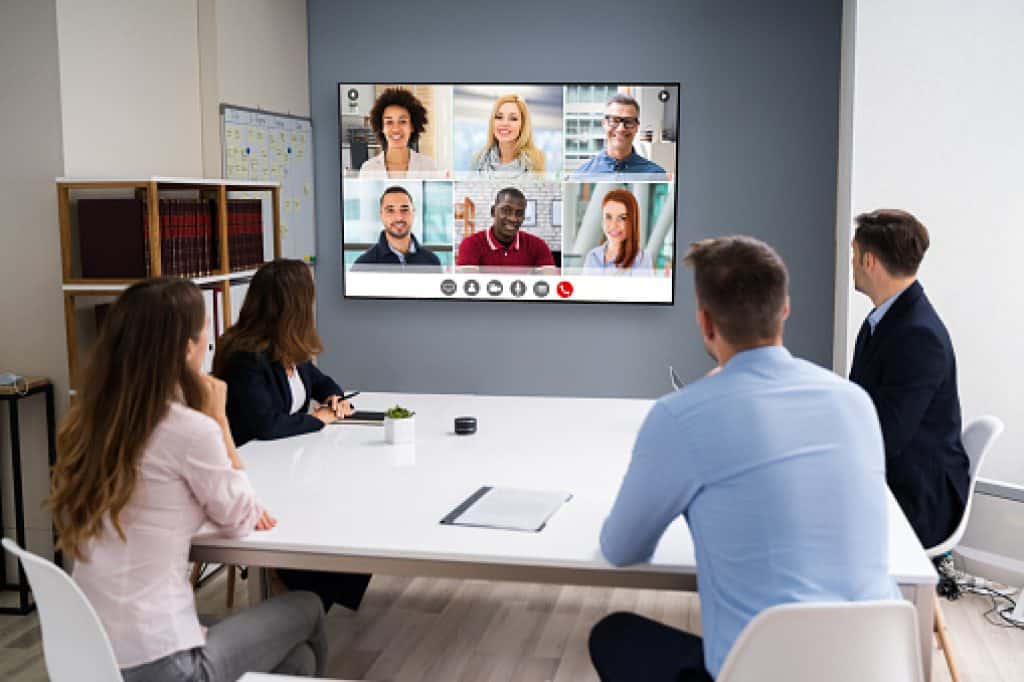
Video conferencing software like Zoom and Microsoft Teams have become ubiquitous in today’s workplace. These platforms provide high-quality audio and video capabilities for virtual meetings, making it easier for teams to collaborate and communicate. This technology is one of the most significant conference room technology trends of the digital age, enabling businesses to collaborate remotely and work together more efficiently. 

Some advanced features of video conferencing software include screen sharing, virtual backgrounds, and recording capabilities. 

  • Screen sharing enables participants to share their screen with others, making presenting information, showing slides, or reviewing documents easier.
  • Virtual backgrounds enable participants to customise their backgrounds, making the meeting more fun and engaging.
  • Recording capabilities allow participants to record the meeting, which can be useful for people who cannot attend the meeting or for future reference.

Video Conferencing Trends

AI-powered cameras and virtual backgrounds are two of the latest conference room technology trends revolutionising how businesses conduct virtual meetings. AI-powered cameras use advanced algorithms to track and zoom in on speakers, making it easier to follow the conversation and stay engaged during virtual meetings. Virtual backgrounds, on the other hand, allow users to change their backgrounds to a virtual setting, giving the impression of a professional workspace, even when working from home.

Other notable conference room technology trends include huddle and meeting room technology. Huddle room technology is designed for small group collaboration and enables teams to work more flexibly and agilely. On the other hand, meeting room technology is designed for larger groups and can include features such as interactive whiteboards, digital signage, and video walls.

Examples Of How Companies Use Video Conferencing To Improve Collaboration

Many companies have adopted video conferencing technology to improve collaboration and streamline workflows. For example, software company uses video conferencing to bring their global team together and collaborate in real-time. Similarly, healthcare companies use video conferencing to enable doctors and healthcare professionals to collaborate on patient care, regardless of location.

Other examples that use video conferencing include consulting firms that use video conferencing to enable their team to work remotely and collaborate with clients worldwide. Video conferencing provides remote training and support to employees and customers, ensuring they stay updated with the latest technology trends.

Trend #2: Voice recognition

One of the most exciting developments in recent years in conference room technology is the rise of voice recognition technology. This technology is transforming how we interact with conference room technology, making it more intuitive, user-friendly, and efficient. The integration of voice recognition technology takes it to the next level. Using voice commands, users can quickly and easily control their presentation, meeting technology, and communication tools, improving productivity and efficiency.

The use of voice recognition technology also plays an essential role in meeting room design and communication technology. By eliminating the need for physical buttons and switches, it streamlines the design of conference rooms and improves the user experience. Adopting voice recognition technology is a critical aspect of digital transformation and smart office solutions. It enables cloud collaboration and wireless presentation systems, increasing productivity and seamless communication.

Voice Recognition Trends

As we look towards the future, exciting advancements in conference room technology are on the horizon. Futuristic conference room technology will include AI-powered virtual assistants, holographic displays, and gesture-controlled interfaces. These upcoming conference room technologies will transform how we conduct meetings and collaborate with others.

  • AI-powered virtual assistants are designed to provide users with a personalised and intuitive experience where they can interact with technology using natural language. These virtual assistants use machine learning algorithms to understand user behaviour and preferences, enabling them to provide personalised recommendations and support.
  • Holographic displays are another innovative technology set to transform conference room technology. These displays use light projection to create 3D holographic images that can be viewed from different angles. This technology allows users to visualise information in a new and immersive way, enhancing the effectiveness of presentations and collaborative sessions.
  • Gesture-controlled interfaces are yet another exciting technology set to change how we interact with conference room technology. These interfaces use sensors to track hand and body movements, allowing users to control technology through gestures and movements. This technology provides a more natural and intuitive way to interact with technology, making it easier and more efficient to conduct meetings and collaborate with others.

These advanced technologies can potentially transform the conference room experience completely. With AI-powered virtual assistants providing personalised support, holographic displays delivering immersive visual experiences, and gesture-controlled interfaces providing intuitive and natural interaction, the conference room of the future promises to be a more productive, engaging, and innovative space.

Examples Of Companies Using Voice Recognition To Streamline Meetings

Several companies have adopted voice recognition technology to streamline meetings. For instance, Cisco Webex Assistant is an AI-powered voice assistant that can help participants join meetings, take notes, and provide follow-up action items. Similarly, Zoom’s virtual assistant, Zoom Assistant, allows users to launch meetings, record and transcribe meetings, and create and manage meeting invites.

Trend #3: Wireless connectivity

Wireless presentation tools are an excellent way to boost productivity and meeting collaboration. It makes it easy for multiple participants to share content and collaborate on projects. This can lead to more creative and innovative solutions and better decision-making. It is essential to have easy-to-use and reliable conferencing solutions, ensuring business communication runs smoothly. Many companies are adopting wireless presentation systems, allowing presenters to share their screens without cables or cords. This reduces clutter in the conference room and makes it easier for participants to share their screens and collaborate on projects. Examples of wireless presentation systems include Barco ClickShare and Airtame.

Wireless Connectivity Trends

As we move towards the future, staying up-to-date with the latest conference room tech updates and embracing the latest futuristic conference room technology to stay ahead of the curve is crucial. As part of the latest conference room technology trends, wireless charging and Bluetooth-enabled devices have become increasingly important in improving productivity and collaboration.

  • Wireless charging technology allows devices to be charged without cables, making it more convenient for users to charge their smartphones and laptops during meetings. With the latest wireless charging technology, users can charge their devices at a distance, making it easier to stay connected without worrying about cables and power sockets.
  • Bluetooth-enabled devices, on the other hand, allow users to connect to various devices wirelessly, enabling easy communication and collaboration. With the latest Bluetooth-enabled devices, users can easily share information and presentations, making meetings and virtual conferences more productive and efficient.

Trend #4: Virtual and augmented reality

Conference room technology trends constantly advance, and virtual and augmented reality significantly transform meeting rooms into advanced collaborative spaces. Businesses invest in cutting-edge audio-visual technology and collaborative tools to enhance virtual meetings and productivity. Integrating AR & VR creates new possibilities for conference room design, enabling users to experience immersive digital environments that can transform how meetings are conducted.

Virtual and augmented reality can provide a futuristic conference room technology experience by offering the ability to conduct meetings in virtual environments with realistic audio and visual representation. These technologies can improve remote work by simulating face-to-face communication with colleagues, allowing users to interact with each other in a more natural and intuitive way. This approach can facilitate collaboration among team members who are geographically dispersed and improve the communication experience for all attendees.

Moreover, virtual and augmented reality can enhance presentation tools by enabling users to showcase their products and services in an interactive and engaging way. This can be particularly useful for architecture, engineering, and construction businesses, where virtual environments can create 3D models and simulate real-world scenarios. This technology can also help businesses with digital transformation and workplace technology adoption, leading to more efficient and productive meetings.

Latest AR & VR Trends

Upcoming conference room technology will likely include more immersive experiences and advanced productivity tools. Businesses that want to stay ahead of the curve must keep an eye on the latest conference room technology trends and be ready to embrace them. Futuristic conference room technology includes VR headsets and AR overlays that can create an immersive experience for users. These technologies enable users to collaborate in real time and provide a more engaging experience for remote teams. 

  • VR headsets are devices worn on the head that use virtual reality technology to create immersive, three-dimensional environments. They typically consist of a headset that covers the eyes and displays images on small screens in front of each eye. The images are rendered in 3D, and the headset tracks the user’s head movements, allowing the user to look around and interact with the virtual environment. Several types of VR headsets are available on the market, ranging from high-end models that require a powerful PC or standalone models with built-in hardware that don’t require an external device.
  • AR overlays use augmented reality technology to overlay digital information onto the real world. AR overlays can be viewed through a smartphone or tablet camera or a dedicated AR headset. AR overlays use sensors and cameras to detect the user’s surroundings and then project digital images onto the real world in real-time. This can create interactive experiences that combine digital and physical elements, such as training tools, advertising campaigns, etc.

Overall, both VR headsets and AR overlays are exciting technologies that have the potential to revolutionise the way we interact with digital content and the world around us.

Trend #5: Artificial intelligence (AI)

Artificial intelligence (AI) is the simulation of human intelligence in machines programmed to learn, reason, and solve problems. Businesses worldwide have started to adopt AI in various ways to improve operations, enhance productivity, and increase profitability. Conference room technology trends have also seen the introduction of AI-driven tools and solutions that have transformed traditional meeting spaces into high-tech collaborative zones.

Implementing AI-powered audio-visual technology has facilitated remote work and eliminated the need for physical meetings. The latest conference room technology solutions now incorporate presentation, communication, and productivity tools to provide a modern workplace environment that boosts productivity and efficiency. Cloud collaboration is one of the aspects that has been transformed with AI, facilitating wireless presentation and conferencing solutions. The conference room design and meeting room equipment are now planned with the latest conference room tech updates in mind, allowing businesses to implement futuristic conference room technology.

As we look forward to 2023, conference room technology trends are expected to advance even further. AI-powered solutions will continue to shape how we conduct meetings, enhancing the communication experience and creating a more productive work environment. To take advantage of the latest conference room technology, businesses must be open to adopting new ways of conducting meetings and implementing technology that supports remote work and virtual meetings.

The Current State Of AI Technology In Conference Rooms

Conference room technology trends constantly evolve, and AI technology is at the forefront. Technology facilitates communication and collaboration in conference rooms as businesses adapt to the changing workplace landscape. One of the most significant trends in conference room technology is integrating AI-based audio-visual technology. Collaborative tools for remote teams are now a requirement for modern workplaces, with virtual meetings being the norm.

In future, it is clear that AI technology will continue to be a driving force behind these innovations. The latest conference room technology will be even more user-friendly and intuitive, and futuristic conference room technology will be even more integrated into the office fabric. AI-powered communication tools will become increasingly important as businesses look to optimise communication and collaboration. Productivity tools that utilise AI technology will become more common, making it easier for businesses to optimise their workflow and maximise efficiency. 

Examples Of AI technology That Is Changing The Game.

With the onset of digital transformation, workplace technology has been revolutionised, and collaborative tools have taken centre stage. Some examples of AI technology are changing the game in conference room technology trends:

  • One of the most significant changes in conference room technology is the advent of video conferencing. With the help of AI, video conferencing solutions have improved to a great extent. Companies such as Zoom and Cisco have integrated AI algorithms into their platforms to provide users with automatic noise cancellation, virtual backgrounds, and live transcription features.  
  • Another area where AI is making a significant impact is the design of meeting rooms. Modern conference room technology involves much more than just audiovisual technology. It’s about creating an environment that fosters collaboration and boosts productivity. AI is being used to optimise meeting room design and improve communication technology. For instance, huddle room technology involves using AI-powered devices to create small meeting spaces that facilitate collaboration and communication among team members.
  • Cloud collaboration tools have become ubiquitous in modern workplaces. With the help of AI, these tools can analyse data and provide insights that help teams work more efficiently. For example, wireless presentation systems are being integrated with AI algorithms to create smart office environments where meetings can be conducted seamlessly.

Conclusion

In today’s digital transformation, workplace technology is key, and presentation tools and meeting technology are no exception. Cloud collaboration, huddle room technology, and wireless presentation systems are all productivity tools that can make a big difference. Don’t fall behind on the latest conference room technology trends – upgrade your meeting room technology and communication tools today!

Keeping up with the latest meeting room design and communication technology can have a significant impact on productivity and efficiency. By embracing the latest conference room technology, businesses can stay competitive and ensure they are providing a modern workplace for their employees. Investing in the right audio visual technology, video conferencing capabilities, and collaborative tools can improve productivity and enable remote work and virtual meetings.

Picture of Meeting Store

Meeting Store

Table of Contents

AV technology: The productivity powerhouse
productivity

Push the Limits- AV Technology: The Productivity Powerhouse

In today’s fast-paced business landscape, where technology’s role is becoming increasingly vital, audiovisual (AV) technology has emerged as a driving force behind workplace productivity. As modern businesses recognize the pivotal importance of technology in staying competitive, they are leveraging AV technology to enhance efficiency, streamline communication, and foster collaboration. This blog aims to delve into the myriad ways AV technology transforms businesses by maximizing productivity and ushering in a new era of workplace innovation.Integrating AV technology into the workplace is akin to harnessing a suite of productivity tools that catalyze operational efficiency. By incorporating advanced AV solutions, businesses can seamlessly conduct modern conferencing, create efficient presentations, and facilitate interactive displays. This technology impact is two-fold: it optimizes communication enhancement while creating a platform for efficient collaboration among teams.In the digital transformation era, multimedia systems have emerged as indispensable components of workplace efficiency. Visual communication through AV solutions not only engages audiences but also expedites the conveyance of complex ideas. Efficient presentations using AV tools lead to better retention and understanding, a cornerstone of workplace innovation in the modern age.The trajectory of workplace productivity is closely intertwined with AV integration. Smart office technology, including seamless AV setups, paves the way for enhanced communication trends. With advanced technology at the helm, businesses are experiencing efficient collaboration that transcends geographical barriers, making remote work solutions more effective than ever.Maximizing productivity with AV integration is a hallmark of the future workplace. As businesses explore the best AV solutions for efficiency, they are investing in easy-to-use AV tools that ensure cost-effective audiovisual solutions. The future of AV technology lies in its ability to adapt to changing workplace dynamics while keeping the focus firmly on enhancing productivity.AV Systems Integration Powerhouse  Unveiling the Advantages of AV Technology for BusinessesIn the ever-evolving landscape of business, audiovisual technology emerges as a catalyst for change, revolutionizing traditional workflows and redefining workplace efficiency. The integration of AV technology has transcended the conventional norms, paving the way for digital transformation and remote work solutions. This section delves into the profound impact of AV technology on modern business operations.Enhanced Communication and Collaboration through AV IntegrationThe synergy between AV technology and productivity tools amplifies communication enhancement and collaboration, thus becoming an emblem of efficient teamwork. Through the lens of modern conferencing and collaboration tools, organizations are fostering seamless communication, irrespective of geographical boundaries. The immersive experience offered by AV solutions strengthens the connection between team members, transcending the limitations of text-based communication.Maximizing Productivity with AV EquipmentOne of the most striking advantages of AV technology is its capability to convey complex ideas effortlessly. Visual and auditory stimuli are instrumental in capturing attention, boosting information retention, and enhancing engagement. Efficient presentations are realized through multimedia systems, where intricate concepts are elucidated through a blend of visuals and sound. This approach not only quickens understanding but also aligns with the preferences of diverse learning styles.Unlocking Efficiency and InnovationThe era of smart office technology thrives on AV integration, where cutting-edge tools shape workplace innovation. AV technology allows for the creation of efficient presentations that captivate audiences and facilitate the dissemination of knowledge. As businesses delve deeper into the possibilities of AV, they unlock avenues for efficient communication and streamlined operations, manifesting in enhanced productivity.AV Technology Advantages for BusinessThe trajectory of AV technology unveils a promising future. As the world embraces AV trends that emphasize productivity, businesses are optimizing their communication strategies. The marriage of AV solutions with productivity software introduces a harmonious blend, fostering interactive displays and seamless communication. Organizations embracing these trends position themselves at the forefront of tech-driven productivity.  Boosting Productivity: The Magic of AV ToolsIn today’s rapidly evolving business landscape, where efficiency and collaboration are paramount, leveraging Audiovisual (AV) technology has emerged as a productivity powerhouse. By integrating a wide array of AV tools, businesses can optimize workplace efficiency, foster effective communication, and drive innovation. This section delves into the world of AV technology, highlighting its benefits and showcasing how industries are maximizing productivity with AV equipment.The Multitude of AV Tools at Your FingertipsFrom interactive displays to video conferencing and digital whiteboards, a plethora of AV tools is available to revolutionize the way businesses operate. These modern collaboration tools have disrupted traditional communication norms and are driving efficient presentations and seamless communication. With AV technology benefits ranging from improved engagement to enhanced understanding, businesses can truly unlock their potential.Interactive Displays: Visual Communication RedefinedIn the realm of technology integration, interactive displays stand out as champions of communication enhancement. These smart office solutions facilitate dynamic presentations, allowing teams to interact with content in real time. Whether it’s brainstorming sessions, project updates, or client presentations, interactive displays promote efficient collaboration, transforming ideas into action. Industries such as education, design, and engineering have witnessed remarkable productivity leaps by embracing interactive displays.Video Conferencing: Bridging Distances for Efficient CollaborationModern conferencing tools have transcended geographical boundaries, becoming instrumental in the era of remote work solutions. With the ability to host virtual meetings, webinars, and training sessions, video conferencing ensures that teams remain connected regardless of their locations. The technology impact is profound, fostering not only real-time discussions but also nurturing relationships critical for effective teamwork. Industries across the spectrum, from healthcare to finance, have embraced video conferencing to optimize workplace communication.Digital Whiteboards: Innovative Problem-SolvingDigital whiteboards have redefined the way ideas are conceptualized and problems are solved. These multimedia systems enable teams to collaborate on a shared virtual canvas, making information dissemination and idea sharing more efficient. Complex concepts are broken down visually, leading to enhanced productivity and workplace innovation. Fields like architecture, marketing, and product development have harnessed the advantages of digital whiteboards to drive tech-driven productivity.AV Integration: A Catalyst for Digital TransformationThe marriage of AV technology with workplace efficiency has ushered in an era of digital transformation. This integration aligns seamlessly with communication trends, leading to enhanced productivity through multimedia-rich experiences. The efficient presentations offered by AV solutions not only captivate audiences but also convey information more effectively. Forward-looking industries, including entertainment, retail, and hospitality, are spearheading the adoption of AV tools

Read More »
board 65 blog (2)
Meeting Room Solutions

Our Full Review Of The Google Meet Series One Board 65

Kitting out your meeting room can be a tough task. Finding the right equipment is the main task. But you then have to think about finding the right equipment for your specific meeting room. Its a full equation, that takes time. From finding the right camera to getting everyone into frame. Finding the right soundbar so everyone can hear what is being said and finding the right room display so everyone can see what is being shared and created. That's where the Google Meet Series One Board 65 comes into play, being the answer to your problems. Google Meet and Avocor have partnered up to create this interactive, all-in-one meeting room display. Ticking the boxes of people who want to encourage collaboration in their meetings. The 65" Board is an interactive display encouraging creative collaborations in small and medium sized meetings. Not only does the Board act as a meeting room display, but the it has an integrated camera, mic array and speakers. This collaboration being done to make creating your meeting rooms a quick and simple process. Its really a no brainer. Now the Google Meet Board 65 may already sound like a dream, but the Board brings so much more to the table than being just a meeting room display. Google and Avocor have packed the display to the brim with features, big and small, to help you get the best meeting possible. Main Features The Series One Board is loaded with features to ensure you a smooth running meeting. With the option for creative specks to shine through. From quick laptop connection for instant sharing and device control. To Avocor Intelligent Touch that allows multiple people to draw on the display at once. Without any lagging. Plus, you don't have to just use the stylus. This feature is smart, it can recognise the difference between the stylus and you using your fingers. Meaning you can create the way you want, the Board fitting too your wants and needs. That isn't the only thing that the Board can recognise. Alongside Intelligent Touch, the Board has presence sense detection. This means that when people enter the meeting room, the Board will sense this and automatically power on. Letting you focus on the meeting at hand, without having to stall while the display turns up.  This board really is perfect for those impromptu meetings that pop up out of nowhere. You wont have to waste time setting up the camera, the speakers and the soundbar. Its just a easy plug-and-play. Furthermore, you can simply walk into a meeting and activate the Board by saying "Hey Google". With this the board with automatically power on and be ready for your ideas and meetings. Just like the Google Meet Series One Desktop 27", the 65" Board fits into Google aesthetics. With the a sleek and narrow display, using white and grey as its main colours. Being able to fit into any meeting room, no matter how you have decorated. Screen Running with Google's aesthetic, the Series One Board has a clean and professional home screen. Clean as the home page is so easy to navigate, everything you need is on the first page. So, if you walk into a meeting and use the voice activation feature, "Hey Google". The Board will turn on and show you a screen that presents your scheduled meetings and a group of boxes on the left hand side of the screen. These boxes act as buttons so you can start a meeting, join a call, use the whiteboard, and have the options to wirelessly present. If you want to look or change your settings, the settings symbol is located in the top right hand corner. Along with the name of your meeting room that the Series One Board is placed in. An easy way for you to schedule meetings to the right Board 65, if you have multiple in different meeting rooms. Having one screen that connects you to everything makes your meetings even easier. All it takes is one tap with the Google Meet Board. One tap to start a meeting, one tap to create and one tap to share. Google Meet have taken the hassle out of meetings with this board and focused on you using your time for the things that actually matter. Display The 65" 4K resolution, interactive display has a 178° viewing angle. Gone is the worry of participants not being to see the screen. And creating a headache later on as they have missed vital information. Everyone can sit around the meeting table and clearly see the information presented on the board. Not only this, but the display is anti-glare and has anti-fingerprint glass, so there will be no smudging of hands or fingerprints all over the screen. Furthermore, the screen is capable of auto dimming which is great for not only energy saving but great as the screens brightness will adapt to its environment. Stopping any glaring on the screen and people having to squint to see the display.  As the Series One Board is made to be used creatively, the whiteboard is one of, or arguably, the most important feature. That's why Google and Avocor have designed the Board to be tilt optimized. This makes for the perfect writing experience, giving you a natural writing angle. Helping you create better and more efficiently. So with the display tilted at a natural writing angle, paired alongside the anti-glare and anti-fingerprint glass. Annotating has never been easier with an interactive board.  Camera The all-in-one display comes with an integrated, digital 4K PTZ (pan, tilt and zoom) camera. With a 120° field of view for all around capture, no one is left in the dark. With the camera coming with the 65" Board, there's no need for you to go out and buy a camera. And have to worry of you buying a camera and it not being compatible with the display. Again, making it easy for you to install the
Read More »
work from home collaboration tools
Remote Collaboration

Level Up Your Experience with these Exceptional Work from Home Collaboration Tools

 The concept of remote work has gained significant traction in recent years, with an increasing number of individuals and organizations embracing the flexibility and benefits it offers. This trend has been further accelerated by advancements in technology and the need for businesses to adapt to changing work environments. In this blog, we aim to explore and recommend exceptional collaboration tools that can enhance remote work productivity.Effective communication and seamless teamwork are vital components of successful remote work. Without the ability to interact and collaborate efficiently, remote teams may face challenges in maintaining productivity and achieving their goals. This is where collaboration tools play a crucial role.Remote collaboration tools act as a bridge, connecting team members regardless of their physical location. These tools enable individuals to work together, share ideas, and contribute to projects in real time. By breaking down geographical barriers, remote collaboration tools facilitate seamless communication and foster a sense of teamwork among distributed teams.In a virtual work environment, where face-to-face interaction is limited, collaboration tools become essential for enhancing productivity. These tools offer a range of features designed to streamline workflow, improve task management, and optimize project collaboration. From project management platforms to document sharing and team communication apps, the right tools empower remote teams to work efficiently and achieve their objectives.The Best Remote Team Tools for Collaboration and Productivity  The Benefits of Remote Work Collaboration ToolsIn today’s digital age, remote work has become increasingly prevalent. As a result, businesses are relying on collaboration tools to overcome geographical barriers and foster effective teamwork among distributed teams. Remote work collaboration tools, such as virtual teamwork solutions, online collaboration platforms, and cloud-based software, offer numerous advantages that enhance productivity and streamline project management. In this section, we will explore the benefits of utilizing these tools, highlighting improved efficiency, enhanced document sharing, seamless team communication, and real-time collaboration. Let’s dive in!Improved EfficiencyRemote work collaboration tools significantly improve efficiency by providing a centralized platform for collaboration. With these digital collaboration tools, team members can access project-related information, documents, and tasks from anywhere, eliminating the need for physical presence. By eliminating time-consuming manual processes, such as sharing files via email or coordinating meetings across different time zones, work from home collaboration tools enable teams to work more efficiently and complete tasks in a timely manner.Streamlined Project ManagementEffective project management is crucial for remote teams, and collaboration tools play a vital role in streamlining the process. Virtual project management tools offer features such as task assignment, progress tracking, and deadline reminders, ensuring that everyone stays on track and accountable. These tools also allow for seamless collaboration on project-related documents, enabling real-time updates and version control. By centralizing project management activities, remote collaboration software enhances coordination and ensures that projects are delivered successfully.Enhanced Document SharingOne of the primary challenges in remote work is sharing and collaborating on documents. However, work from home collaboration tools provide efficient solutions for this. Online document sharing platforms enable team members to access and edit files simultaneously, promoting real-time collaboration and eliminating the confusion caused by multiple versions of documents. Cloud collaboration software ensures that documents are securely stored in the cloud, accessible to authorized team members from anywhere, and protected against data loss.Seamless Team CommunicationEffective communication is the cornerstone of successful remote teamwork. Remote team collaboration tools offer various features that facilitate seamless communication among team members. Team collaboration software includes instant messaging, video conferencing, and virtual meeting software, allowing distributed teams to connect and interact in real-time. These tools foster a sense of camaraderie, encourage active participation, and minimize miscommunication, promoting efficient collaboration and problem-solving.Real-Time CollaborationReal-time collaboration is vital for remote teams to work together effectively. Remote work collaboration apps and web-based collaboration tools enable team members to collaborate on projects simultaneously, regardless of their physical location. With features like shared whiteboards, live editing, and commenting, real-time collaboration software allows for instant feedback, brainstorming, and decision-making. This level of collaboration boosts creativity, innovation, and productivity within distributed teams.  Key Features to Look for in Work from Home Collaboration ToolsIn the era of remote work, collaboration tools have become essential for virtual teamwork and online collaboration. As the digital workplace continues to evolve, it is crucial for remote workers to choose the right work from home collaboration tools that cater to their specific needs. In this section, we will explore the key features that remote workers should consider when selecting collaboration tools to enhance their productivity and streamline their workflows.Real-Time CollaborationOne of the most important features to look for in work from home collaboration tools is real-time collaboration capabilities. Remote collaboration software that enables simultaneous editing, commenting, and tracking changes in documents or projects is invaluable for virtual teamwork. With real-time collaboration, remote team members can work together seamlessly, fostering effective communication and boosting productivity. Such collaborative workspaces empower teams to brainstorm ideas, solve problems, and make decisions collectively, regardless of their physical location.Cloud-Based SoftwareCloud-based software is another critical feature for work from home collaboration tools. By leveraging the power of the cloud, remote workers can access their projects, documents, and resources from any location and device with an internet connection. Cloud collaboration tools offer the advantage of centralized storage, eliminating the need for complex file sharing procedures. This enables remote teams to collaborate efficiently, share files securely, and maintain version control, ensuring that everyone is working on the latest information.Secure Document SharingSecure document sharing is paramount in remote collaboration. Work from home collaboration tools should provide robust security measures to protect sensitive information. Encryption protocols, access controls, and user authentication mechanisms are essential for safeguarding documents and preventing unauthorized access. Trustworthy online collaboration platforms prioritize data privacy and compliance, giving remote workers peace of mind while sharing confidential files with their team members.Integration CapabilitiesIntegration capabilities with other productivity tools are crucial for creating a cohesive digital workplace. Remote collaboration tools that seamlessly integrate with popular productivity tools, such as project management software, team communication apps, and virtual meeting software, offer enhanced efficiency. These integrations streamline workflows, reduce duplicate efforts,

Read More »
Maximizing meeting productivity with audio visual tools
productivity

The Game-Changer: Maximizing Meeting Productivity with Audio Visual Tools

In modern business environments, meeting productivity plays a crucial role in driving success and achieving organizational goals. As businesses expand globally and remote work becomes more prevalent, the need for efficient communication and collaboration has never been more apparent. This blog aims to introduce the concept of audio visual tools and their impact on enhancing meeting efficiency. By leveraging virtual collaboration, online presentations, and conference solutions, businesses can optimize their meeting processes, foster effective communication, and boost overall productivity.Efficient meetings are the cornerstone of successful businesses. When meetings are conducted with purpose and productivity, valuable time and resources are saved, allowing teams to focus on high-priority tasks. By maximizing meeting productivity, companies can streamline decision-making processes, resolve issues faster, and align teams towards shared objectives. Effective meetings also contribute to higher employee satisfaction and engagement, leading to a more cohesive and motivated workforce.Audio visual tools have revolutionized the way meetings are conducted, especially in the context of remote teams and distributed workforces. These tools combine the power of multimedia presentations, web conferencing, and screen sharing to facilitate seamless communication and collaboration. They provide a dynamic and interactive platform for hosting virtual meetings, enabling participants to share ideas, discuss projects, and make decisions in real-time.How to Build the Ultimate Productivity System (2023)  The Need for Efficient Virtual MeetingsThe business landscape has witnessed a significant transformation in recent times, with the rise of remote work and virtual meetings becoming the new norm. This shift has introduced various challenges and opportunities for organizations worldwide. In this section, we will delve into the importance of efficient virtual meetings, the role of audio visual (AV) tools, and how businesses can enhance meeting productivity using these technologies.The Growing Significance of Virtual MeetingsVirtual meetings have become indispensable for modern businesses due to their potential to connect remote teams, reduce geographical barriers, and enable seamless collaboration. The ability to hold meetings virtually allows companies to tap into a global talent pool and foster cross-functional communication among team members.Challenges in Running Efficient Virtual MeetingsDespite their advantages, virtual meetings can be challenging to run efficiently. One of the primary challenges is ensuring active participation and engagement of all attendees. Remote team members may feel disconnected, leading to reduced collaboration and productivity. Technical issues, such as poor audio and video quality, can also hamper the effectiveness of virtual meetings.Maximising Productivity with AV EquipmentTo overcome the challenges of virtual meetings and boost productivity, businesses can leverage audio visual tools effectively. AV equipment facilitates interactive and engaging online presentations, making it easier for presenters to convey their ideas effectively.Enhancing Meeting Efficiency with Audio Visual ToolsEfficient virtual meetings require the right set of audio visual tools to enhance communication and collaboration. Here are some essential AV tools that businesses can use to optimize virtual meetings: Video Conferencing Solutions: High-quality video conferencing enables face-to-face interactions, bridging the gap between remote team members and promoting better engagement. Web Conferencing and Screen Sharing: These tools allow seamless sharing of presentations, documents, and screens, promoting real-time collaboration among meeting participants. Collaboration Software: Utilizing collaboration software streamlines project management, document sharing, and communication, leading to more effective meetings. Productivity Software: Productivity software, such as task management and time tracking tools, aids in organizing meetings and tracking progress efficiently. Virtual Conferencing Technology: Advanced virtual conferencing solutions offer immersive experiences, ensuring remote team members feel more connected and engaged. Optimising Online Presentations for Maximum ImpactOne of the critical aspects of efficient virtual meetings is delivering compelling online presentations. Here are some strategies to enhance presentation effectiveness: Multimedia Presentations: Incorporate multimedia elements like videos, images, and interactive content to make presentations more engaging and informative. Interactive Presentation Ideas: Encourage audience participation through polls, quizzes, and Q&A sessions to maintain interest and foster engagement. Best Practices for Running Efficient Virtual MeetingsTo ensure virtual meetings run smoothly and productively, businesses should follow these best practices: Set Clear Objectives: Define meeting objectives and agenda in advance to keep discussions on track and avoid unnecessary tangents. Select the Right AV Equipment: Choose audio-visual tools that align with the meeting’s purpose and ensure seamless communication. Engage all Participants: Encourage active participation from all attendees to promote collaboration and exchange of ideas.   Best Audio Visual Tools for MeetingsIn today’s fast-paced business world, virtual meetings have become an indispensable part of efficient collaboration. To ensure seamless communication and productivity, organizations rely on advanced audio visual (AV) tools. In this section, we will explore the best audio visual tools for meetings, reviewing their features, benefits, and how they optimize meeting productivity. Virtual Collaboration and Online PresentationsEffective virtual collaboration is essential for remote teams to work efficiently. Utilizing feature-rich audio visual tools allows teams to engage in virtual meetings, making distance a non-issue. These tools facilitate online presentations with interactive features that keep participants engaged, making the communication process smoother and more productive.Enhance Meeting Efficiency with Video ConferencingVideo conferencing has revolutionized remote team communication. With high-quality audio and video capabilities, teams can engage in face-to-face discussions, improving understanding and fostering better relationships. It eliminates the need for extensive travel, saving time and resources, while boosting productivity with seamless communication.Conference Solutions for Remote TeamsSelecting the right conference solutions is crucial for ensuring successful virtual meetings. Top conference solutions offer various features, such as screen sharing, interactive presentations, and efficient communication tools. These solutions cater to the diverse needs of remote teams, allowing them to collaborate effectively and conduct meetings with ease.Meeting Management and Productivity SoftwareEfficient meeting management is vital for maximizing productivity with AV equipment. Utilizing productivity software and collaboration tools streamlines the planning, organization, and execution of meetings. With features like scheduling, task assignment, and document sharing, teams can focus on the meeting’s objectives, enhancing overall productivity.Optimising Online PresentationsOnline presentations should be engaging and interactive to maintain participants’ attention. Utilize multimedia presentations and interactive tools to make the content more captivating. This approach ensures that the information is conveyed effectively and that the meeting achieves its intended goals.Selecting the Right Meeting Room TechnologyFor organizations with physical meeting rooms, selecting the appropriate meeting

Read More »
remote team planning tools
Remote Collaboration

Plan and Execute Projects Efficiently with these Remote Team Planning Tools

In today’s rapidly evolving work landscape, remote teams have become increasingly prevalent. The rise of technology and the need for flexibility have paved the way for remote collaboration, enabling organizations to tap into talent from across the globe. However, managing projects and coordinating teams in a remote setup comes with its own set of challenges. In this article, we will explore the challenges faced by remote teams in project planning and execution and emphasize the importance of using effective remote team planning tools to streamline collaboration, enhance productivity, and achieve project goals.Coordination and Communication: Remote teams often struggle with effective coordination and communication due to geographical barriers. Lack of face-to-face interaction can lead to misunderstandings, delays, and misalignment. It is crucial to implement remote team coordination tools and team communication tools to bridge this gap and foster seamless collaboration.Task Management and Tracking: Without proper visibility and accountability, tracking tasks and ensuring project progress becomes challenging. Remote team task management software and project tracking tools play a vital role in facilitating efficient task allocation, tracking, and reporting. These tools provide real-time updates and enable teams to stay on top of their responsibilities.Project Planning and Scheduling: Remote team project planning requires careful consideration of time zones, availability, and dependencies. Project planning software and project scheduling tools designed for remote teams help optimize workflows, allocate resources effectively, and create realistic project timelines. These tools enable efficient project execution and ensure that deadlines are met.Collaboration and Document Sharing: Seamless collaboration is essential for remote teams to work together efficiently. Remote team collaboration tools with real-time collaboration features facilitate smooth document sharing, feedback exchange, and version control. Such tools promote effective teamwork and eliminate the challenges of working on shared documents across different time zones.Virtual Team Management: Managing a virtual team requires strong organizational skills. Remote team organization techniques and virtual team management tools help establish clear roles and responsibilities, maintain team cohesion, and ensure everyone is on the same page. These tools provide a centralized platform for storing information, sharing updates, and fostering a sense of unity among team members.7 Best Task Management Tools in 2023  Remote Team Planning Tools for Small BusinessesSmall businesses operating with remote teams face unique needs and constraints that require effective remote team planning tools. With team members spread across different locations, it becomes essential to have streamlined processes and tools in place to ensure efficient project execution, seamless communication, and optimal productivity.One of the key challenges faced by small businesses is the need for affordable tools that meet their specific requirements. Limited budgets often restrict the choice of tools, making it crucial to find cost-effective solutions without compromising functionality.Scalability is another consideration for small businesses. As the team grows and more projects are undertaken, the planning tools must be able to accommodate increasing demands and provide scalability options for smooth operations.Ease of use is paramount for small businesses, as they may not have dedicated IT staff or extensive training resources. Intuitive and user-friendly planning tools enable quick adoption and minimize learning curves, allowing teams to focus on their work.Selection of Remote Team Planning Tools Specifically Tailored for Small Businesses Project Planning Software: Effective project planning is essential for small businesses operating with remote teams. Tools like Trello and Asana offer intuitive interfaces and allow for easy creation and management of tasks, deadlines, and dependencies. These platforms promote collaboration and keep everyone on the same page throughout the project lifecycle. Project Management Tools: Remote team project management tools such as Monday.com and Basecamp provide comprehensive solutions for small businesses. They facilitate team coordination, task assignment, progress tracking, and document sharing, enabling seamless collaboration among team members regardless of their physical location. Task Management Software: To ensure efficient task execution and timely delivery, small businesses can utilize task management software like Todoist or Wrike. These tools offer features such as task assignment, prioritization, and progress tracking, helping remote teams stay organized and focused on their objectives. Team Communication Tools: Smooth communication is vital for remote teams, and tools like Slack and Microsoft Teams facilitate real-time messaging, file sharing, and video conferencing. These platforms enhance collaboration, foster quick decision-making, and promote a sense of virtual togetherness among team members. Project Tracking Tools: Small businesses can benefit from project tracking tools such as Jira or ClickUp. These tools allow for detailed project tracking, issue management, and reporting, enabling teams to identify bottlenecks, make data-driven decisions, and ensure project success. Addressing Challenges of Affordability, Scalability, and Ease of UseThe selected remote team planning tools specifically tailored for small businesses address the challenges of affordability, scalability, and ease of use in the following ways: Affordability: Trello, Asana, Todoist, and Monday.com offer free or low-cost plans with sufficient functionality for small teams, ensuring affordability without compromising essential features. This allows small businesses to access powerful planning tools within their budgetary constraints. Scalability: Basecamp, Wrike, and ClickUp provide scalable solutions, accommodating the growth and evolving needs of small businesses. These tools offer flexible pricing plans and additional features to support expanding teams and projects, ensuring smooth scalability as the business expands. Ease of Use: Slack, Microsoft Teams, and intuitive tools like Trello prioritize ease of use with user-friendly interfaces and simple onboarding processes. This allows small businesses to quickly adopt and integrate the tools into their workflow, minimizing training requirements and maximizing productivity. Tool Key Features Trello Intuitive task and project management Asana Collaborative project planning and tracking Todoist Efficient task management and prioritization Monday.com Comprehensive project management and team coordination Slack Real-time communication and collaboration Microsoft Teams Messaging, video conferencing, and file sharing Jira Detailed project tracking and issue management ClickUp Scalable project tracking and reporting Basecamp Streamlined team coordination and document sharing Wrike Task management and scalable project planning   Top Remote Team Collaboration ToolsIn today’s digital age, remote teams have become increasingly common, requiring effective collaboration tools to ensure seamless communication and efficient project execution. In this section, we will discuss a curated list of top remote team collaboration tools that enable remote collaboration

Read More »
In-depth AV techniques
Training and Education

Master In-Depth AV Techniques: Expert Training

In the dynamic realm of multimedia production, mastering in-depth AV techniques is not just an advantage but a necessity. As the digital landscape evolves, professionals must delve into the intricacies of audio-visual training, embracing a plethora of skills like video production, sound design, cinematography, and multimedia editing. This mastery isn’t just about handling AV equipment; it’s about crafting compelling narratives through visual storytelling and creative media production.Comprehensive AV Techniques: Expert AV tutorials will explore advanced video production secrets, innovative AV strategies, and creative video editing methods.Immersive Sound and Visuals: Dive into cinematic sound recording methods and immersive sound design secrets, coupled with cutting-edge multimedia production techniques.Professional Multimedia Production: Learn about post-production software recommendations and high-quality AV content examples, ensuring your creations stand out in the crowded digital landscape.Techniques for using varieties of printed audio-visual (AV) aids for education  Advanced Audio-Visual Editing TipsAdvanced audio-visual (AV) editing is a vital aspect of multimedia content creation that combines several disciplines such as video production, sound design, cinematography, and post-production. To ensure high-quality visual content, precision in editing is of utmost importance. In this section, we’ll delve into the concept of advanced AV editing and provide practical tips for enhancing audio and video quality in post-production.Advanced Audio-Visual (AV) EditingAdvanced audio-visual editing involves a meticulous blend of multimedia editing and creative media production. It integrates AV equipment mastery, professional audio recording, immersive sound design, and cinematic recording techniques to create captivating multimedia content. This process requires expertise in advanced editing and advanced video production, setting the stage for a truly immersive viewer experience.Practical Tips for Enhancing Audio and Video Quality Professional Audio Recording: To achieve immersive sound, invest in professional audio recording equipment. Expert-level audio-visual equipment and advanced post-production tricks can significantly improve the quality of your audio. Consider high-quality microphones, audio interfaces, and soundproofing techniques. Cinematic Recording Techniques: Employ cinematic recording techniques to capture high-quality visual content. Expert cinematography techniques, including framing, lighting, and camera movements, contribute to the visual storytelling mastery of your project. Visual Storytelling Tips: Visual storytelling is a cornerstone of multimedia content creation. Utilize advanced sound design secrets and cinematic recording methods to enhance the narrative. Focus on conveying a clear message and emotional connection to the audience. Creative Multimedia Editing Skills: In-depth multimedia editing skills are crucial for refining your content. Use advanced video editing methods to ensure a seamless and engaging visual experience. Innovative AV strategies can help you stand out in the crowded digital landscape. Advanced Sound Design: Immersive sound design plays a pivotal role in creating a multisensory experience. Utilize cutting-edge multimedia production techniques to perfect audio synchronization and create an impactful auditory dimension. Post-Production Excellence: Advanced post-production tricks, such as color correction, audio mixing, and visual effects, are essential for a polished final product. Make use of post-production software recommendations to streamline your workflow. Importance of Precise Editing for High-Quality Visual ContentPrecise editing is the backbone of high-quality multimedia content. It ensures that the final product meets professional standards and captivates the audience. Visual storytelling techniques, combined with expert audio-visual skills, result in a seamless and engaging viewer experience. To achieve this, advanced media production and advanced AV technology insights are indispensable.  Cinematic Sound Recording MethodsIn-depth AV techniques are pivotal in the realm of audio-visual projects. Mastering the art of sound recording is not merely a technicality; it’s a creative pursuit that transforms ordinary visuals into immersive experiences. In this discourse, we delve into the intricacies of capturing top-notch sound, employing various techniques rooted in professional filmmaking. Sound Recording Techniques in Professional FilmmakingWhen it comes to audio-visual training, one cannot overlook the nuances of sound design and recording methods. Advanced AV strategies employed by experts include comprehensive AV techniques that merge technical prowess with creative finesse. Expert AV tutorials emphasize the mastery of AV equipment, incorporating innovative AV strategies and expert cinematography. These techniques ensure that every whisper and roar is captured with precision, enriching the visual narrative.Cinematic recording techniques go beyond the basics, delving into the realm of immersive sound design. Utilizing cutting-edge AV skills and advanced multimedia editing, professionals weave a tapestry of auditory and visual delight. Creative cinematography techniques, combined with advanced post-production tricks, are indispensable in crafting a visual story that resonates with the audience.Elevating AV Experience through Sound QualityIn the context of visual storytelling, audio-visual techniques are indispensable. High-quality multimedia production demands expertise in professional audio recording and advanced video editing. Expert audio-visual equipment, coupled with advanced sound design secrets, creates a symphony that complements the visual elements. When AV recording methods are executed with precision, the result is an audio-visual masterpiece that captivates and engages.AV Technology Insights and Future TrendsAs we explore advanced audio-visual editing tips, it’s crucial to keep an eye on AV technology trends in 2023. Professionals are leveraging innovative multimedia techniques and immersive media creation tools to push the boundaries of creative expression. The AV industry updates constantly, requiring professionals to stay abreast of post-production software recommendations and high-quality AV content examples.  Professional Video Production SecretsIn the dynamic world of video production, mastering the art of creating compelling and high-quality multimedia content requires a deep understanding of audio-visual techniques. To delve into the secrets of successful video production at an expert level, we’ll explore pre-production, shooting, and post-production techniques that yield outstanding results, while highlighting the pivotal role of AV technology.Pre-Production: Setting the Stage for ExcellenceBefore the cameras roll, a comprehensive understanding of audio-visual techniques is vital. This is where audio-visual training comes into play, offering essential skills and insights to aspiring filmmakers and professionals alike. In-depth video production starts with meticulous planning, and this is where professionals employ advanced AV strategies to map out their projects.Shooting: Expert Cinematography and Sound DesignCinematography and sound design are the cornerstone of any video production. Advanced cinematography techniques elevate the visual storytelling, making it a feast for the eyes. Simultaneously, immersive sound design techniques captivate the audience, enhancing the overall impact of the video. Cinematic sound recording methods and expert audio-visual equipment mastery play a significant role in achieving exceptional results.Post-Production: The

Read More »
MeetingStore.co.uk
Logo
Compare items
  • Total (0)
Compare
0
Shopping cart