Excellent
Next day delivery! Depending on Availability*
Here to help! Monday to Friday, 8:30AM-5:30PM*

The Potential of Projection Mapping in Meeting Rooms

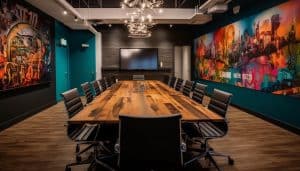
Projection mapping in meeting rooms

Projection mapping is a relatively new technology gaining popularity in various industries, including event planning and corporate meetings. In simple terms, projection mapping involves using video projection technology to transform an object, such as a building or a stage, into a dynamic display. Using specialised software and projectors, images and videos can be projected onto any surface, creating an immersive and interactive experience for the audience.

Projection mapping is used in event technology to create visually stunning and immersive experiences for attendees. In corporate events, projection mapping in meeting rooms can transform a standard conference room into an immersive and interactive space that engages attendees. With the rise of video conferencing solutions, projection mapping can enhance the remote attendee’s experience by creating a more dynamic and interactive virtual meeting.

Some creative projection mapping ideas for meeting rooms include using projection mapping to display data in a more interactive way, creating a 3D virtual tour of a product or space, or using projection mapping to create a branded environment that enhances the overall attendee experience. Projection mapping for event planning is becoming more accessible, with affordable projection mapping solutions for meeting rooms widely available.


The benefits of projection mapping in meeting rooms

Projection mapping in meeting rooms is an innovative technology that can transform an ordinary meeting into a dynamic and memorable experience. It has become an increasingly popular trend in the corporate event industry. It offers a range of benefits, such as

Increased Engagement and Audience Interaction

Projection mapping technology can help keep attendees engaged and involved during a corporate event or meeting. Projecting images and videos onto different surfaces can create a visually stunning experience that captures the audience’s attention. This can be especially effective in large meeting rooms, where traditional displays may be less impactful.

Immersive Experiences and Interactive Displays

Projection mapping allows event planners to create immersive experiences that fully engage attendees and leave a lasting impression. This can be achieved through 3D mapping, which can project images and videos onto three-dimensional surfaces, creating an interactive and engaging experience. Interactive displays can also be incorporated into projection mapping, allowing attendees to interact with the technology and create unique experiences.

Digital Signage, Advertising, and Branding

In addition to creating immersive experiences and interactive displays, projection mapping can also be used for digital signage, advertising, and branding. Projecting logos and other brand-related imagery onto different surfaces can create a visually stunning and impactful branding experience that will leave a lasting impression on attendees.


How projection mapping works

Projection mapping is an innovative technology used in various corporate events and meeting rooms to create immersive experiences for attendees. It involves using specialised software and projectors to project images onto any surface, making it possible to create realistic and engaging projections.

How Does It Work?

Projection mapping technology uses specialised software and projectors to create dynamic images projected onto various surfaces. The software maps out the surface where the images will be projected, considering the surface’s shape, size, and texture. The software then uses this information to warp and blend the images, creating a seamless visual experience.

The projectors used for projection mapping are designed to be versatile and can project images onto any surface, including walls, ceilings, floors, and even objects. The projectors can also use other AV technology, such as digital signage and interactive displays, to create a truly immersive experience.

3D Mapping in Projection Mapping

3D mapping is essential to projection mapping technology. It involves using specialised software to create a 3D model of the surface onto which the images will be projected. The software then maps the images onto the 3D model, creating a realistic and engaging projection.

3D mapping in projection mapping is especially effective in creating immersive experiences for attendees. It can be used to project images that appear to be coming out of the walls or floors, creating a sense of depth and dimensionality that is impossible with traditional displays.

Different Types of Projection Mapping Setups

Projection mapping setups can vary depending on the event’s needs and the desired effect. In meeting rooms, projection mapping can create immersive experiences for attendees during presentations or product launches.

  • One of the most common setups is to project images onto a large screen or wall. This setup can display multimedia content, such as videos and animations, to enhance presentations and engage attendees.
  • Another popular setup uses multiple projectors to project images onto different surfaces. This setup can create a more immersive experience, with images moving seamlessly from one surface to another.


Use cases for projection mapping in meeting rooms.

Projection mapping is a technology that can transform any surface into a dynamic and interactive display, making it a popular choice for corporate meetings and events. 

Ways to Use Projection Mapping in Corporate Meetings and Events

  • Product Launches

Projection mapping can create an immersive experience for product launches. It can be used to showcase new product features, benefits, and uses in a visually attractive and interactive way. For example, the car manufacturer Audi used projection mapping to create a virtual showroom for its new A3 model, which allowed customers to see the car in various settings and colours.

  • Training Sessions

Projection mapping can create interactive displays for training sessions. It can display information visually appealing and engagingly, making it easier for attendees to retain it. For example, the pharmaceutical company Pfizer used projection mapping to display the mechanism of action of one of its drugs in a training session.

  • Trade Shows

Projection mapping can create a unique and engaging experience for trade show attendees. It can be used to showcase products and services in a visually attractive way, attracting more visitors to the booth. For example, the food and beverage company Nestle used projection mapping to create an interactive booth that showcased its products in a fun and engaging way.

Successful Projection Mapping Installations and Events

  • One successful projection mapping installation is the Victoria’s Secret Fashion Show. The show featured a 3D projection mapping display that created an immersive experience for the audience. The display showcased the brand’s lingerie in a visually stunning and engaging way, enhancing the overall experience for the audience. 
  • Another successful projection mapping event is the launch of the new Ford Mustang. Ford used projection mapping to create a virtual showroom for the new Mustang, allowing customers to see the car in various settings and colours before it was released. The event generated a lot of buzz and excitement for the new car.

Challenges of Using Projection Mapping in Meeting Rooms 

One challenge of using projection mapping in meeting rooms is the room size. The projection mapping display may be less effective if the room is bigger. To address this challenge, choosing the right projector and projection mapping software for the room size is important.

Another challenge is the ambient light in the room. Too much ambient light can wash out the projection mapping display, making it difficult to see. To address this challenge, choosing the right projector and projection mapping software that can handle ambient light is important.


AV technology and projection mapping

AV technology has revolutionised the event industry, providing endless opportunities to create immersive experiences for attendees. Projection mapping is one such technology that can be used with AV technology to create an unforgettable experience. 

Projection mapping in meeting rooms

Projection mapping can take presentations to a whole new level. It can make the content more engaging and memorable, resulting in better retention and understanding of the message. Using projection mapping for corporate events and meetings can create a unique and memorable experience for the attendees. With the right AV technology, projection mapping can provide an immersive experience that will leave a lasting impression.

Why Use High-Quality Projectors?

To achieve the best results, it is important to use high-quality projectors and sound systems. Low-quality projectors and sound systems can affect the overall experience negatively. Investing in high-quality AV technology will provide better resolution, brightness, and contrast ratio, resulting in a better projection mapping experience. A good sound system will enhance the overall experience and make the presentation more immersive.

Different Types of AV Technology Used With Projection Mapping

  • Interactive displays

Interactive displays are one of the most common types of AV technology used in conjunction with projection mapping. They allow attendees to interact with the content, making the experience more engaging and memorable. Interactive displays can be used for various purposes, such as product demonstrations, data visualisation, and entertainment.

  • Video conferencing solutions

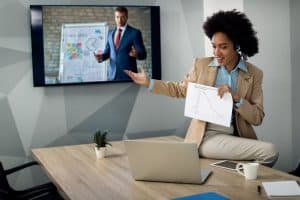
Video conferencing solutions are also becoming increasingly popular in conjunction with projection mapping. With the rise of remote work, video conferencing solutions have become necessary for most businesses. Combining video conferencing solutions with projection mapping can create a unique and immersive experience for remote attendees.

  • 3D mapping

3D mapping is another AV technology commonly used with projection mapping. It can bring static objects to life by projecting images onto them. 3D mapping can be used for various purposes, such as creating virtual environments, product demonstrations, and entertainment.

  • Digital signage

Digital signage is another AV technology that can be used with projection mapping. It can display dynamic content and information, making the experience more engaging and informative. Digital signage can be used for various purposes, such as wayfinding, information display, and advertising.

  • Experiential marketing

Experiential marketing is a marketing strategy focusing on engaging customers through interactive and memorable experiences. Projection mapping is a popular AV technology used in experiential marketing. It can create a unique and immersive customer experience, improving brand awareness and customer loyalty.


The role of experiential marketing in projection mapping

Experiential marketing has become increasingly popular in recent years as a way to create a more engaging and memorable event experience. Combined with projection mapping technology, it can create a truly immersive and unforgettable experience for attendees.

Importance of a Cohesive Marketing Message

One of the key aspects of creating a successful experiential marketing campaign using projection mapping is to ensure that the marketing message is cohesive and aligned with the visuals being projected. This means the marketing message must be clear, concise, and relevant to the event and audience. The projected visuals should complement and enhance the marketing message rather than distract from it.

Successful Experiential Marketing Campaigns Using Projection Mapping

Many successful experiential marketing campaigns have used projection mapping technology to create a more immersive experience for attendees. One example is the “Coke Is It” campaign by Coca-Cola, which used 3D projection mapping to create a dynamic and interactive display that engaged audiences and reinforced the brand message. Another example is the “Galaxy Chocolate” campaign, which used projection mapping to create an immersive chocolate-themed environment that allowed attendees to interact with the brand in a fun and memorable way.


Tips for using projection mapping in meeting rooms

Projection mapping is an innovative technology that has revolutionised event technology by creating immersive experiences for event attendees. This technology has been widely adopted in corporate events, weddings, product launches, and trade shows. 

Best Practices for Selecting Projection Mapping Hardware and Software

When selecting projection mapping hardware and software, it is important to consider the size and layout of the room, as well as the desired outcome. The following are some of the best practices for selecting the right projection mapping hardware and software:

  1. Consider the brightness and resolution of the projector: For meeting rooms, it is recommended to use a high-brightness projector with at least 5000 lumens. The resolution should also be high enough to produce clear images.
  2. Choose the right projection mapping software: There are many options available, and selecting one that suits your needs is important. 
  3. Use a media server: A media server is a hardware device or software application that manages multimedia content. It is essential for large-scale projection mapping displays and helps to ensure a smooth and seamless experience.

Some projection mapping software for meeting rooms:

Projection Mapping Software

Price

Features

MadMapper

£240-£970

2D and 3D mapping, MIDI and DMX control, Syphon

Resolume Arena

£650-£1160

Projection mapping, live video mixing, audio sync

TouchDesigner

£365-£970

3D modelling, projection mapping, interactive apps

HeavyM

£15-£800

3D projection mapping, live effects, audio-visual

Millumin

£0-£630

Projection mapping, interactive installations

Working with Experienced Technicians and Designers

Projection mapping requires technical expertise and artistic creativity. When working with experienced technicians and designers, the following are some of the best practices to ensure the project’s success:

  1. Hire professionals with experience in projection mapping: Look for technicians and designers with experience in projection mapping and a portfolio of successful projects.
  2. Collaborate with the team: Working closely and communicating your goals and expectations is important.
  3. Conduct a site visit: A site visit is important to assess the space and identify any technical or design challenges.

Key Factors to Consider When Designing Projection Mapping Displays for Meeting Rooms and Event Spaces

When designing projection mapping displays for meeting rooms and event spaces, it is important to consider the following factors:

  1. The purpose of the display: The design of the projection mapping display should align with the goals of the event. For example, if the event is a product launch, the display should highlight the features and benefits of the product.
  2. The layout of the room: The layout of the room should be taken into consideration when designing the projection mapping display. The design should complement the existing architecture and decor of the space.
  3. Interactivity: Interactive displays are becoming increasingly popular and can enhance the overall experience for attendees. Consider incorporating touchscreens or other interactive elements into the projection mapping display.
  4. Content creation: Content creation is essential to projection mapping displays. The content should be visually engaging and align with the event’s goals.


Conclusion

Projection mapping is a powerful technology that transforms ordinary meeting rooms into immersive and interactive environments, creating an engaging experience that leaves a lasting impression. This technology offers visual storytelling and interactive displays that encourage attendee participation and collaboration, making it ideal for corporate events. Despite its advanced features, projection mapping can be affordable with many tools and software for event planners.

With its ability to create breathtaking immersive experiences and dynamic interactive displays, projection mapping is an exciting technology that can add value to any event. To learn more about projection mapping technology and its applications in the corporate world, readers are encouraged to explore the following additional resources:

  • Best projection mapping software for meeting rooms
  • How to use projection mapping in corporate events
  • Creative projection mapping ideas for meeting rooms
  • Projection mapping technology for interactive displays
  • Projection mapping for event planning
  • Projection mapping techniques for immersive experiences
  • Affordable projection mapping solutions for meeting rooms

Furthermore, readers can explore the benefits of projection mapping in events, projection mapping companies, and projection mapping trends. Using projection mapping in meeting rooms, event planners can elevate the attendee experience and create memorable events that leave a lasting impression. 


FAQs

Q. What is projection mapping?

Projection mapping, or spatial augmented reality or video mapping, projects 2D and 3D animations onto physical objects or surfaces to create a visual experience. It involves using specialised software to map the projection onto the target surface accurately, taking into account any distortions or irregularities in the surface.

Q. How does projection mapping work?

Projection mapping uses specialised software to create a virtual map of the target surface, aligning the projected image precisely with the surface’s contours and dimensions. The software uses brightness, contrast, and colour parameters to adjust the projection for an optimal viewing experience. It then projects the images or videos onto the surface using a high-quality projector or a series of projectors, creating an illusion of depth and movement.

Q. What are the benefits of projection mapping in meeting rooms?

Projection mapping can transform a plain meeting room into an immersive and engaging environment, making presentations and meetings more dynamic and memorable. It can be used to display information, graphics, and other media on walls, tables, or any other surface, enhancing the visual impact of presentations and making it easier to convey complex ideas. Projection mapping can also create interactive elements, allowing participants to interact with the projection using touchscreens or other devices.

Q. What are the best projection mapping tools?

Some of the best projection mapping tools available include TouchDesigner, Resolume Arena, and MadMapper. These tools provide many features, including advanced mapping capabilities, real-time rendering, and support for multiple projectors.

Q. How to set up a projection mapping display?

To set up a projection mapping display, you must clearly understand the target surface’s dimensions, contours, and texture. You will also need to use specialised software to map the projection onto the surface accurately. Once the mapping is complete, you must adjust the projector settings to optimise the projection’s brightness, contrast, and colour for the best viewing experience.

Q. What types of events can use projection mapping?

Projection mapping can be used in various events, including concerts, exhibitions, trade shows, product launches, and corporate events. It can create immersive environments, display information, and create interactive elements for guests to engage with.

Q. Can projection mapping be used with augmented reality?

Yes, projection mapping can be used with augmented reality to create more immersive and engaging experiences. By combining projection mapping with AR technology, users can interact with virtual objects and information projected onto physical surfaces, creating a unique and engaging experience.

Q. What is the cost of projection mapping for events?

The cost of projection mapping for events can vary widely, depending on factors such as the complexity of the mapping, the size of the target surface, and the number of projectors needed. A basic projection mapping display can cost anywhere from a few hundred to several thousand dollars.

Q. How to choose a projection mapping company?

To choose a projection mapping company, looking for one with experience in creating high-quality displays for events is important. Look for companies with a portfolio of past projects, testimonials from previous clients, and a team of experienced professionals. It’s also important to consider factors such as pricing, equipment quality, and customer service before deciding.

Picture of Meeting Store

Meeting Store

Table of Contents

AV equipment mastery
Training and Education

Achieve AV Equipment Mastery: Expert-Led Training

In today’s technology-driven world, mastering AV equipment is more crucial than ever. The demand for audiovisual experts spans across various industries, making it a valuable skillset. This blog will delve into the importance of AV equipment mastery, the increasing demand for audiovisual experts.AV equipment, short for audiovisual equipment, encompasses a broad range of multimedia gear, sound systems, video equipment, and AV systems. The ability to master these tools and technologies is vital, ensuring seamless operation, optimal performance, and troubleshooting when issues arise. Whether you’re an aspiring professional or a seasoned expert, AV equipment mastery unlocks countless opportunities.Expert-led training programs can help you achieve AV equipment mastery by providing comprehensive instruction from seasoned professionals. These programs typically cover various aspects of audiovisual equipment, including setup, operation, troubleshooting, and advanced techniques.With the advancement of audiovisual technology, the demand for certified experts has surged. Industries such as entertainment, education, corporate, and healthcare require professionals with competency in multimedia equipment and audiovisual skills. The need for advanced AV knowledge is undeniable as organizations seek individuals who can optimize AV systems effectively.Equipment for Online Teaching | Best Microphone, Headphones & Webcam  Best Practices for AV Equipment MasteryIn the fast-evolving world of audiovisual technology, mastering AV equipment is paramount to staying competitive and providing top-notch multimedia experiences. This section explores fundamental principles and best practices for achieving AV equipment mastery, emphasizing the significance of understanding both audio and visual components. Basics of AV EquipmentAV equipment encompasses a wide range of multimedia gear, including sound systems, video equipment, and AV systems. To excel in this field, you need to start with a solid foundation of knowledge. This begins with AV equipment training, which is essential for mastering AV gear.AV Equipment TrainingAudiovisual expertise starts with proper training. Consider enrolling in expert-led AV training programs that cover a wide range of topics. These programs often include certification to validate your expertise, making it an excellent investment in your professional growth.Continuous LearningThe world of AV technology is constantly evolving. To stay on top, you must commit to continuous learning. Online classes, workshops, and tutorials are invaluable learning resources that allow you to keep your skills sharp. Many professionals also benefit from participating in AV equipment mastery courses to further hone their expertise.Advanced AV SkillsBecoming an AV equipment expert involves more than just the basics. Advanced AV skills are necessary to tackle complex projects. These skills include troubleshooting, optimization, and advanced audiovisual techniques. Mastering audiovisual technology proficiency is essential for delivering exceptional multimedia experiences.Choosing the Right EquipmentOne of the best practices for AV equipment mastery is selecting the right gear for the job. This includes understanding the different options available in the market and choosing equipment that aligns with your project requirements. Your professional AV knowledge will guide you in making informed decisions.Maintenance and OptimizationOnce you have your AV equipment in place, it’s crucial to ensure it operates flawlessly. Regular maintenance is key to preventing issues and optimizing performance. Effective AV system optimization and multimedia gear maintenance hacks are essential skills for any AV professional.Data-Driven DecisionsIn the era of data-driven decision-making, mastering video equipment operation is a significant advantage. Professionals who can analyze and utilize data effectively are in high demand. This skill enhances your ability to provide value to clients and organizations.Becoming an AV ExpertBecoming an AV expert is a journey that requires dedication and commitment. With the right AV equipment learning resources and professional AV training, you can achieve mastery in this field. Remember to keep an eye on industry trends, as staying up-to-date is crucial for maintaining your competitive edge.  How to Become an AV Equipment ExpertStep 1: Start with a Strong Foundation in AV Equipment TrainingThe journey toward AV equipment mastery begins with a solid educational foundation. Enroll in reputable audiovisual training programs that offer comprehensive courses on AV equipment and technology. These programs provide structured learning resources and expert-led AV training to help you build a strong knowledge base.Step 2: Embrace Continuous Learning and CertificationTo excel in the field of AV equipment, never stop learning. Seek certifications in advanced AV systems to demonstrate your commitment to professional competency. Certifications add credibility to your profile and signify your dedication to mastering AV gear.Explore certification programs such as “Advanced AV system certification” to further enhance your skills. These certifications often include modules on maintenance, troubleshooting, and optimization of AV systems, providing valuable insights for your journey.Step 3: Gain Practical ExperienceWhile formal education and certifications are crucial, practical experience is equally vital. Hands-on experience with audiovisual equipment allows you to apply your knowledge and develop expertise. Consider internships or entry-level positions in the AV industry to gain valuable real-world exposure.Learn from experienced professionals who have already mastered audiovisual technology. Networking with experts in the field can provide you with valuable insights and mentorship opportunities.Step 4: Explore Learning Resources and WorkshopsTo continue your growth, explore additional learning resources and workshops. Online classes and tutorials on AV equipment can be highly beneficial. These resources offer flexibility in your learning journey and cover advanced audiovisual techniques.Look for “top AV training” options and “AV equipment mastery course” offerings to stay updated with the latest advancements in the AV industry. These resources ensure you remain at the forefront of audiovisual technology proficiency.Step 5: Optimize Your AV Equipment MasteryBecoming an AV equipment expert involves not only learning but also optimizing your skills. Regularly update your knowledge base to stay relevant in the ever-evolving AV landscape. Mastering video equipment operation, audiovisual technology proficiency, and advanced AV skills should be ongoing goals.Utilize “AV equipment maintenance hacks” and “effective AV system optimization” techniques to keep your equipment in peak condition. This ensures that you can provide top-notch audiovisual skills to your clients or organization.  AV Equipment Training for BeginnersAre you eager to embark on a journey towards AV equipment mastery? If you’re a beginner looking to acquire audiovisual expertise and professional competency, you’re in the right place. In this guide, we’ll provide you with tailored advice, recommend beginner-friendly resources and courses, and discuss the foundational skills and knowledge needed to get

Read More »
remote collaboration for developers
Remote Collaboration

Remote Collaboration for Developers: Maximize Your Productivity with These Top Tools and Techniques

In recent years, the software development industry has witnessed a remarkable shift towards remote work. This growing trend of remote work has revolutionized the way developers collaborate and has brought about significant changes in the industry. Efficient remote collaboration has become increasingly essential for developers to ensure productivity and success in their projects. This article explores the significance of remote collaboration for developers in the software development industry, highlighting the various aspects and tools involved.Efficient remote collaboration plays a crucial role in boosting developer productivity. By leveraging remote collaboration tools and techniques, developers can seamlessly collaborate on coding tasks, share knowledge, and address challenges in real-time. Virtual collaboration platforms offer developers the flexibility to work from anywhere, allowing them to maintain focus, reduce distractions, and optimize their coding capabilities.Remote collaboration empowers developers to engage in coding collaboration effortlessly. Developers can leverage online collaboration tools to work together on projects, regardless of their physical locations. These tools facilitate real-time code sharing, collaborative editing, and version control, enabling smooth and effective teamwork. Remote coding collaboration fosters knowledge exchange and improves code quality through collective code review, pair programming, and agile development practices.The concept of a remote team has become increasingly prevalent in the software development industry. Remote teams bring together developers from diverse geographical locations, enabling companies to tap into a global talent pool. Effective remote collaboration ensures seamless communication, task coordination, and knowledge sharing among team members. By leveraging remote teamwork solutions, such as video conferencing, instant messaging, and project management tools, remote teams can overcome the challenges of distance and time zones.The Best Online Collaboration Tool? | Miro  Understanding the Importance of Remote Collaboration for DevelopersIn today’s digital age, remote collaboration has become a crucial aspect of software development. It offers numerous benefits to developers, such as increased flexibility, access to a global talent pool, and better work-life balance. However, it also poses challenges that can impact productivity. This section will delve into the significance of remote collaboration for developers, explore its benefits, discuss challenges faced in a remote work environment, and examine its impact on productivity.Benefits of Remote Collaboration for Developers Increased Flexibility: Remote collaboration empowers developers to work from anywhere, breaking the barriers of physical location. With the aid of remote collaboration tools and techniques, developers can seamlessly contribute to projects while enjoying the freedom to choose their ideal work environment. This flexibility enhances productivity and enables developers to achieve a better work-life balance. Access to a Global Talent Pool: Remote collaboration eliminates geographical limitations, allowing developers to tap into a diverse talent pool across the globe. Developers can collaborate with experts from different regions, bringing unique perspectives and insights to projects. This global collaboration fosters innovation and facilitates knowledge exchange, ultimately resulting in high-quality software development. Better Work-Life Balance: Remote collaboration enables developers to customize their work schedules, promoting a healthier work-life balance. Developers can eliminate time-consuming commutes and allocate more time to personal pursuits, leading to reduced stress and increased job satisfaction. Moreover, the ability to work remotely accommodates personal obligations, making it easier for developers to manage their professional and personal lives effectively. Challenges of Remote Collaboration for Developers Communication and Collaboration: Effective remote collaboration heavily relies on robust communication and collaboration practices. Developers need to overcome challenges related to remote developer communication, as they might encounter difficulties in conveying complex technical concepts or addressing issues promptly. Remote collaboration tools play a pivotal role in mitigating these challenges by providing platforms for real-time communication, virtual team collaboration, and collaborative coding tools. Maintaining Productivity: While remote work offers flexibility, it also demands self-discipline and self-motivation to maintain productivity. Developers may face distractions at home or struggle to establish a dedicated workspace. Additionally, the lack of direct supervision can lead to decreased accountability and potential productivity setbacks. Adopting remote developer productivity strategies, such as setting clear goals, using time management techniques, and leveraging collaboration tools for programmers, can help developers overcome these challenges and maintain their productivity levels. Overcoming Technical Hurdles: Remote collaboration relies heavily on technology, and developers may encounter technical challenges while working remotely. Issues such as unstable internet connections, software compatibility problems, or insufficient hardware resources can hinder progress and impact collaborative efforts. Employing effective remote collaboration techniques, utilizing reliable remote collaboration tools for developers, and ensuring technical support are essential to overcoming these hurdles. Impact on ProductivityRemote collaboration has both positive and negative implications for developer productivity. While the flexibility and autonomy associated with remote work can enhance productivity, challenges such as communication barriers, potential distractions, and technical difficulties can hinder it. To optimize productivity in a remote work environment, developers should prioritize effective communication, establish clear workflows, leverage collaborative coding tools, and embrace agile development methodologies.  Top Remote Collaboration Tools for DevelopersIn today’s evolving work environment, remote collaboration has become essential for developers to seamlessly work together, regardless of their physical locations. Effective remote collaboration tools enable developers to overcome geographical barriers and enhance productivity. This section presents a comprehensive list of remote collaboration tools specially designed for developers. These tools offer functionalities such as code collaboration, communication, project management, and version control, enabling efficient remote work and software development.Code Collaboration ToolsCode collaboration tools are vital for developers working remotely as they facilitate collaborative coding, code review, and pair programming. Here are some popular code collaboration tools: GitHub: GitHub is a leading platform that enables developers to collaborate on code projects. It provides version control, issue tracking, and code review features, fostering effective remote collaboration and facilitating distributed development teams. Developers can create repositories, review code, and track project progress seamlessly. GitLab: GitLab is another widely used tool for remote code collaboration. It offers a complete DevOps platform with built-in version control, code review, continuous integration, and deployment features. With its collaborative environment, developers can efficiently work together, ensuring smooth remote software development processes. Communication and Collaboration ToolsEfficient communication is crucial for remote collaboration among developers. The following tools facilitate seamless communication and collaboration: Slack: Slack is a popular communication platform that allows

Read More »
Boosting productivity with audio visual technology
productivity

Propel Growth: Boosting Productivity with Audio Visual Technology

Audio visual technology refers to the integration of audio and visual elements to enhance communication and presentation. It encompasses various multimedia tools, such as projectors, video conferencing systems, interactive whiteboards, and audio equipment. The primary goal of audio visual technology is to facilitate effective communication, collaboration, and engagement in both personal and professional settings.In today’s fast-paced world, productivity is a crucial aspect of success, both in personal and professional endeavors. The ability to efficiently manage time, resources, and tasks can significantly impact an individual’s or an organization’s performance.Productivity is the key to achieving one’s goals, be it completing tasks at work or managing household responsibilities. In a professional setting, productivity directly affects a company’s growth and profitability. High productivity leads to streamlined processes, increased output, and improved customer satisfaction. In personal life, being productive allows individuals to strike a balance between work, family, and leisure, leading to a fulfilling lifestyle.Logitech Rally: 4K UHD Video, RightSense™ Automation & Modular Audio  Top Audio Visual Technology for ProductivityIn today’s fast-paced work environment, productivity is a key factor that can make or break a business’s success. To stay ahead of the competition, companies are continually seeking innovative solutions to enhance workplace efficiency. One such solution that has proven to be highly effective is audio-visual (AV) technology. In this section, we will explore the top audio visual technology for productivity, its benefits, and successful implementation case studies.Maximizing Productivity with AV EquipmentThe use of audio-visual technology is a game-changer in the modern workplace, maximizing productivity with AV equipment that streamlines daily tasks and fosters effective communication. Whether it’s virtual meetings, multimedia presentations, or collaborative brainstorming sessions, AV technology offers a wide range of benefits that contribute to enhanced productivity.Audio-Visual Solutions for GrowthAudio-visual solutions provide a foundation for growth in various work environments. From small businesses to large enterprises, integrating audio-visual tools can significantly improve workflow, optimize teamwork, and increase output. Companies that embrace this technology-driven approach to productivity gain a competitive advantage by leveraging its potential for innovation.Enhance Workplace Performance with Multimedia ToolsMultimedia tools have revolutionized the way businesses operate, offering dynamic ways to engage employees and clients alike. By incorporating interactive presentations, video conferencing, and interactive displays, companies can foster a more collaborative and efficient work environment, ultimately leading to increased productivity.Audio-Visual Technology Benefits: A Data-Driven Approach Benefits of AV Technology for Productivity Percentage Increase Enhanced workplace collaboration 40% Optimized workflow 35% Increased work efficiency 30% Improved time management 25% Productivity Strategies with AV IntegrationTo harness the full potential of audio-visual technology, businesses can adopt effective productivity strategies. By embracing audio-visual aids, companies can encourage creativity, streamline processes, and drive innovation, thus boosting work efficiency and overall productivity.  Productivity Tools for Small BusinessesIn today’s fast-paced business landscape, small businesses need to maximize their productivity to stay competitive. One powerful tool that has proven to be a game-changer for small businesses is audio visual (AV) technology. By integrating cost-effective AV solutions tailored for small budgets and limited resources, businesses can significantly enhance their workplace efficiency and achieve substantial growth.Audio-Visual Technology: A Productivity PowerhouseAudio-visual technology is more than just a set of tools; it is a catalyst for productivity improvement. By using technology-driven productivity strategies, businesses can create a collaborative and efficient work environment. AV solutions offer a plethora of benefits, including: Enhanced Workplace Performance: Integrating audio-visual tools empowers employees to communicate and collaborate seamlessly. This leads to more efficient workflows and better outcomes. Improved Efficiency: AV technology streamlines processes and optimizes workflow. With multimedia tools at their disposal, employees can increase output and achieve more in less time. Boosting Work Efficiency: Productivity tools that leverage AV integration enable small businesses to do more with limited resources, effectively increasing overall work efficiency. Productivity Enhancement through AV: Modern audio-visual equipment is designed to enhance productivity. Integrating these tools into daily operations boosts efficiency and accelerates growth. Cost-Effective AV Solutions for Small BudgetsSmall businesses often operate on tight budgets, making cost-effective solutions a priority. Fortunately, the market offers a wide range of AV technology that aligns with small business needs without breaking the bank. Below are some top audio visual technology solutions for productivity on a budget: AV Solution Description Video Conferencing Systems Facilitate virtual meetings, cutting down on travel costs and saving time. Digital Whiteboards Enhance collaboration and idea-sharing during meetings. Wireless Presentation Systems Improve meeting efficiency by enabling seamless content sharing. Cloud-Based Storage Solutions Facilitate easy access and sharing of files for remote teams. Webinars and Virtual Events Reach a broader audience without the need for physical venues.   AV Technology for Remote Work ProductivityThe rise of remote work has highlighted the need for AV technology that supports productivity in a dispersed workforce. AV solutions have become essential for maintaining effective communication and collaboration across remote teams. Businesses can leverage AV technology to: Organize virtual meetings and conferences for remote employees, ensuring everyone stays connected. Utilize multimedia technology to conduct engaging virtual training sessions and workshops. Foster a sense of teamwork and unity among remote workers through virtual team-building activities.   Boost Productivity at Work with AVIn today’s fast-paced business world, maximizing productivity is crucial for the success of any organization. One powerful tool that can significantly enhance workplace efficiency is audio-visual (AV) technology. By leveraging AV solutions, businesses can transform their meetings, presentations, and training sessions into highly productive and collaborative experiences. This section will delve into practical tips and strategies for integrating AV technology into the workplace, highlighting its benefits and its role in fostering better communication and collaboration among teams.Boosting Productivity with Audio-Visual TechnologyAV Technology for MeetingsOne of the top audio-visual technologies for productivity in meetings is video conferencing. With advanced workplace technology, remote teams can seamlessly connect and collaborate, breaking down geographical barriers and saving valuable time. Additionally, audio-visual aids like screen sharing and interactive whiteboards allow for more engaging and efficient discussions.Presentations Made PowerfulWhen it comes to presentations, AV technology can be a game-changer. Utilizing multimedia tools such as slideshows, videos, and infographics can captivate audiences and effectively convey information. Presenters can use affordable productivity

Read More »
Transform productivity with AV tools
productivity

Stir Up Success: Transform Productivity with AV Tools

In today’s fast-paced work environment, where optimizing work efficiency is paramount, audiovisual (AV) tools have emerged as indispensable aids. The integration of audiovisual technology into various aspects of business and tasks is revolutionizing the way we work, enabling us to respond to the growing demand for productivity enhancement. Leveraging AV tools can significantly transform the work landscape, providing a seamless experience that ensures tasks are completed effectively and efficiently.In a technology-driven world, harnessing the potential of AV tools has become essential for businesses aiming to stay competitive. The advent of audiovisual solutions has introduced innovative ways to boost work performance and optimize output. Advanced audiovisual tools not only enhance workflow but also increase work output by streamlining processes and facilitating better communication. Businesses that embrace AV technology benefit from improved effectiveness and an elevated work environment, where collaboration and task management are seamlessly integrated.With the rapid evolution of AV integration, the impact on productivity enhancement is undeniable. The efficiency boost provided by AV solutions is reshaping how tasks are managed and executed. Professionals can now maximize task efficiency and elevate work productivity through the effective use of AV tools. This technology for productivity allows for better work optimization, ensuring that tasks are completed with precision and in a time-efficient manner.Utilizing AV tools can lead to a transformative shift in how tasks are approached and executed. Top audiovisual solutions for productivity offer the promise of enhancing work performance with every interaction. AV technology benefits work efficiency improvement by providing seamless integration, thereby optimizing productivity. Workflows are improved, and task management becomes more efficient, leading to an increase in overall work efficiency.Employing AV solutions results in a more coherent workflow, as information can be shared in real time, minimizing delays and miscommunication. This directly impacts productivity optimization, ensuring tasks are executed smoothly.Transform every meeting with Microsoft Teams Rooms  Power of AV Tools for ProductivityAV tools have emerged as indispensable productivity tools in today’s fast-paced work environment. The integration of audiovisual technology has revolutionized traditional work methods, ushering in a new era of enhanced efficiency and streamlined processes. By leveraging AV solutions, businesses can effectively transform their work processes, optimizing output and elevating work performance.Enhancing Information Retention through Audio and Visual ElementsThe use of audio and visual elements plays a pivotal role in enhancing information retention. Studies have consistently shown that incorporating visual aids and auditory cues in learning materials can significantly improve effectiveness. When applied to work settings, this translates to better understanding and retention of complex concepts. AV tools enable the creation of engaging presentations, training modules, and instructional videos, maximizing productivity with AV equipment. This not only elevates task performance but also contributes to a better work environment where learning is more interactive and stimulating.Communication, Collaboration, and Task ManagementAV tools offer unparalleled potential in communication, collaboration, and task management. Efficient communication is the cornerstone of any successful project, and AV solutions provide dynamic ways to connect. Video conferencing, webinars, and multimedia presentations enable teams to interact seamlessly across geographical boundaries, ensuring that all members are on the same page. AV technology benefits collaboration by allowing instant sharing of ideas, documents, and insights, resulting in improved workflow and better work productivity.Maximizing Productivity with AV EquipmentMaximizing productivity with AV equipment is not just a possibility but a reality in today’s tech-driven landscape. The integration of AV tools allows for the optimization of work efficiency, a concept crucial for businesses aiming to stay competitive. By utilizing top audiovisual solutions for productivity, organizations can boost output, streamline operations, and enhance overall work performance. The advanced audiovisual tools available today offer a myriad of features that cater to specific needs, whether it’s real-time collaboration, remote communication, or dynamic presentations.AV Integration and Workflow ImprovementThe impact of AV technology on workflow improvement cannot be overstated. AV integration brings together various elements of communication, data sharing, and task management into a cohesive ecosystem. This synergy leads to an efficiency boost where tasks are seamlessly executed, and processes are streamlined. As a result, work efficiency improvement becomes an achievable goal, leading to enhanced productivity optimization across the board.Unlocking the Benefits of AV ToolsThe benefits of AV tools for seamless work are not limited to a single aspect. Rather, they span across diverse areas, each contributing to overall productivity enhancement. From better task management to increased work output, AV solutions prove their mettle. The use of AV tools also has a positive impact on the work environment, creating a more engaging and interactive atmosphere. AV technology benefits extend beyond individual tasks, reaching the very core of how organizations function.  Integrating AV Technology for Seamless WorkflowsAudiovisual (AV) integration has emerged as a pivotal strategy to transform productivity with AV tools across various industries. It involves the strategic amalgamation of productivity tools with advanced audiovisual technology, which significantly enhances work efficiency, task optimization, and overall work performance. By integrating AV tools seamlessly into existing workflows, businesses can capitalize on technology benefits to achieve productivity enhancement and workflow improvement.Maximizing Productivity with AV EquipmentAV integration revolutionizes the way businesses operate, offering an efficiency boost that optimizes output and streamlines processes. The use of AV equipment elevates work productivity, enabling employees to perform tasks with greater effectiveness. This transformation is a direct result of the AV technology impact on productivity, as it paves the way for better work productivity, task management, and performance.Examples of Successful AV IntegrationNumerous industries have witnessed remarkable success in integrating AV technology for seamless workflows. For instance, the education sector has effectively incorporated AV solutions to enhance work environment and task management. Virtual classrooms and interactive presentations optimize output and elevate task performance, showcasing the benefits of AV tools for efficiency.Likewise, the corporate world has embraced AV integration for better work performance and workflow improvement. Meetings and presentations are seamlessly facilitated with advanced audiovisual tools, fostering better collaboration and productivity optimization. AV solutions have also proven valuable in healthcare, where the use of AV equipment enhances workflow, increases work output, and boosts work performance through efficient communication and resource management.AV Tools: Advantages

Read More »
Using AV equipment to facilitate productive meetings
productivity

Outperform: Using AV Equipment to Facilitate Productive Meetings

In today’s fast-paced business world, the key to success lies in conducting efficient and productive meetings. To achieve this, organizations are increasingly turning to Audio-Visual (AV) equipment to revolutionize the way meetings are conducted. AV technology offers a wide range of benefits, from small business gatherings to large conference rooms, and from virtual meetings to hybrid setups. Let’s explore how AV equipment can be your secret weapon in achieving more efficient, engaging, and collaborative meetings.With the right AV setup, meetings can become seamless and productive. AV equipment plays a crucial role in enhancing communication and collaboration among team members. Through interactive presentations, real-time data sharing, and smooth video conferencing, AV technology fosters a more engaging meeting environment. When participants feel connected and involved, meeting productivity soars.One of the most significant advantages of AV equipment is the array of tools it offers for productive meetings. AV devices such as high-definition projectors, video conferencing systems, and audio systems with crystal-clear sound quality elevate the meeting experience. These tools promote effective communication, help maintain focus, and ensure that every attendee can actively participate.Implementing AV techniques can further improve meeting outcomes. Making the best use of visuals, multimedia content, and interactive elements keeps attendees engaged and interested. From well-designed presentations to immersive virtual reality experiences, AV technology adds a new dimension to meetings, making them memorable and impactful.To leverage the full potential of AV equipment, it’s crucial to choose the right tools for your specific meeting needs. For small business meetings, portable and easy-to-use AV solutions are ideal. On the other hand, large conference rooms require more sophisticated AV setups to accommodate a larger audience effectively.Meeting Facilitation Tips – How to Facilitate Your First Meeting  AV Equipment for Small Business MeetingsIn today’s fast-paced business environment, small businesses and startups are increasingly recognizing the importance of holding productive meetings to achieve their goals effectively. One key factor that can significantly enhance meeting efficiency is the proper utilization of AV equipment. Audio-visual technology plays a crucial role in meeting facilitation, communication, collaboration, and productivity. In this section, we will explore budget-friendly AV solutions that can benefit small business meetings and offer tips for setting up an effective AV system in a small meeting room.Maximising Productivity with AV EquipmentAV equipment can be a game-changer when it comes to maximizing productivity during meetings. By incorporating AV technology strategically, small businesses can create an environment that fosters engagement, interaction, and seamless communication. Utilizing AV equipment allows participants to share information visually and audibly, leading to more focused discussions and better decision-making processes.AV Equipment for Small Business Meetings: The Basics Understanding the Importance of AV Technology in Meetings: AV equipment offers the advantage of making meetings more dynamic and engaging. Visual aids, such as presentations and videos, help in conveying complex ideas effectively, leading to better understanding and retention of information. Exploring Budget-Friendly AV Solutions: Small businesses often have limited resources, but that doesn’t mean compromising on AV capabilities. There are affordable AV solutions available, including AV equipment rental services, which provide access to high-quality devices without the need for significant upfront investments. The Advantages of Using AV Devices to Improve Meeting Efficiency: AV technology promotes active participation and collaboration, which can significantly enhance meeting outcomes. By incorporating AV devices, businesses can stimulate creativity and ensure everyone’s ideas are effectively communicated. Tips for an Effective AV Setup in a Small Meeting Room Choosing the Right AV Equipment: Selecting suitable AV gear is crucial for a successful meeting. Consider factors such as the size of the meeting room, the number of participants, and the type of interactions expected to ensure the equipment meets the specific needs of the business. Ensuring Seamless Meeting Collaboration: AV equipment should be easy to use to avoid unnecessary technical hiccups. Collaborative tools, such as interactive displays and wireless screen sharing, allow for smooth teamwork and idea exchange. Enhancing Meeting Communication with AV: Effective communication is the backbone of productive meetings. AV technology provides various means of communication, such as video conferencing and instant messaging, to keep everyone connected and informed. AV Equipment Features Benefits Interactive Displays Touchscreen capability, real-time editing Facilitates interactive discussions Video Conferencing Systems High-quality audio and video Enables seamless remote collaboration Wireless Screen Sharing Easy content sharing from devices Encourages participation and idea exchange Audio Systems Crystal-clear sound quality Ensures clear communication during meetings   Effective Meeting Room AV SetupIn today’s rapidly evolving business landscape, virtual meetings have become an essential aspect of modern communication and collaboration. To ensure productive and engaging virtual meetings, the right audio-visual (AV) equipment and tools play a crucial role. In this section, we will evaluate the best AV software for virtual meetings and explore how AV technology can overcome common challenges in virtual collaboration while enhancing meeting efficiency and communication.AV Equipment for Productive Meetings: Choosing the Right ToolsOne of the key elements in facilitating productive meetings is selecting the appropriate AV equipment. For small business meetings or large conference rooms, the right AV setup can make a significant difference. To enhance virtual team collaboration, businesses should invest in AV technology that supports interactive features and seamless communication.Top-rated AV Tools for Virtual Meetings: Boosting Engagement and InteractionWhen it comes to virtual meetings, engagement is vital to ensure active participation and collaboration among attendees. Utilizing top-rated AV tools can foster engagement by offering features like real-time polls, whiteboard sharing, and virtual breakout rooms for group discussions. These tools help create an immersive meeting environment that maximizes productivity and ensures effective communication.Overcoming Common Challenges in Virtual Collaboration: AV SolutionsVirtual collaboration comes with its own set of challenges, such as technical glitches, poor audio quality, and limited interaction. However, with the right AV equipment and tools, businesses can overcome these obstacles. AV equipment benefits in business meetings include improved communication, reduced meeting downtime, and enhanced meeting productivity.Integrating AV Technology with Virtual Meeting Platforms: Seamless ImplementationTo achieve a seamless meeting experience, integrating AV technology with virtual meeting platforms is essential. By following AV equipment implementation best practices, businesses can ensure that their virtual

Read More »
remote whiteboard
Remote Collaboration

Discover the Ultimate Remote Whiteboard for Effortless Visual Collaboration

In the era of remote work, effective online collaboration tools have become increasingly essential for seamless communication and productivity. One such tool that holds significant importance in remote team collaboration is the remote whiteboard. With its interactive features and real-time syncing capabilities, a reliable and easy-to-use remote whiteboard serves as a valuable asset for remote teams, enabling them to enhance their visual collaboration efforts. In this article, we will explore the concept of remote whiteboards, their importance in visual collaboration for remote teams, and the growing demand for such tools in the current work landscape.As remote work continues to gain momentum, the need for virtual collaboration tools has become crucial. Remote whiteboards act as a digital substitute for traditional whiteboards, providing a shared space where remote team members can brainstorm, ideate, and collaborate in real-time. By replicating the physical whiteboard experience, these interactive tools eliminate geographical limitations and foster a sense of connection among team members, regardless of their locations.A reliable remote whiteboard empowers remote teams to streamline their project management efforts. With features like real-time syncing, remote teams can work simultaneously on the same canvas, making it easy to share ideas, provide feedback, and iterate on concepts collaboratively. The interactive nature of remote whiteboards promotes active participation, ensuring that everyone’s voice is heard, and facilitating effective communication within the team.The significance of remote whiteboards extends beyond project management. In the realm of online education and design collaboration, these digital tools serve as indispensable aids. Educators can leverage remote whiteboards to conduct interactive virtual classrooms, engaging students in a visually stimulating environment. Similarly, design teams can utilize remote whiteboards to share concepts, sketch ideas, and collaborate on designs, even when working from different locations.BEST FREE online whiteboard for remote meetings? (I can’t stop using it!) Miro Tutorial  Understanding the Benefits of Remote WhiteboardsRemote collaboration has become an integral part of the modern work landscape, with distributed teams and virtual meetings becoming the norm. To facilitate effective visual collaboration, remote whiteboards have emerged as a valuable tool. In this section, we will explore the advantages of using a remote whiteboard for visual collaboration, discuss how it improves team collaboration, brainstorming, and idea sharing, and explain how it facilitates real-time syncing and seamless collaboration among distributed teams. Furthermore, we will delve into how a cloud-based whiteboard enhances accessibility and ensures data security.Improved Team Collaboration, Brainstorming, and Idea SharingUsing a remote whiteboard for visual collaboration brings numerous advantages to teams working remotely. It serves as an interactive tool that enables team members to collaborate seamlessly, regardless of their physical location. By providing a shared space for brainstorming, remote whiteboards foster creativity and idea generation. Team members can contribute their thoughts, concepts, and sketches in real-time, promoting an engaging and collaborative environment. The visual nature of remote whiteboards aids in conveying ideas effectively, ensuring that everyone is on the same page and encouraging active participation.Real-Time Syncing and Seamless Collaboration among Distributed TeamsOne of the key strengths of remote whiteboards is their ability to facilitate real-time syncing and seamless collaboration among distributed teams. Changes made by one team member on the whiteboard are instantly visible to others, regardless of their location. This real-time synchronization eliminates communication barriers and allows for efficient collaboration, even in geographically dispersed teams. Remote whiteboards enable teams to work on projects simultaneously, ensuring that everyone is working with the most up-to-date information. This level of collaboration promotes productivity, accelerates decision-making, and streamlines project management.Enhanced Accessibility and Data Security with Cloud-Based WhiteboardsCloud-based whiteboards offer enhanced accessibility and data security compared to traditional physical whiteboards. With a cloud-based whiteboard, team members can access and collaborate on projects from anywhere, using various devices such as laptops, tablets, or smartphones. This accessibility enables remote work and fosters flexibility among team members. Additionally, cloud-based whiteboards ensure data security by providing robust encryption and backup mechanisms. Confidential information shared on the whiteboard is protected, and data loss due to technical issues or device failures is mitigated. These features contribute to a safe and reliable collaboration platform for remote teams.  Criteria for Selecting the Best Remote WhiteboardIn today’s era of remote work and virtual collaboration, having the right tools is crucial for effective communication, productivity, and project management. A remote whiteboard is an interactive tool that enables visual collaboration, allowing teams to brainstorm, present ideas, and work together seamlessly, regardless of their physical locations. When selecting the best remote whiteboard for your needs, it’s important to consider several key factors that can enhance user-friendliness, facilitate real-time syncing and video conferencing integration, ensure compatibility across devices and platforms, and provide cost-effectiveness and scalability for remote teams and project management.User-Friendliness: A Seamless ExperienceWhen choosing a remote whiteboard, user-friendliness is paramount. The tool should be intuitive and easy to navigate, allowing both technical and non-technical users to quickly grasp its functionality. An ideal remote whiteboard should have a clean and clutter-free interface, enabling users to focus on their collaboration without unnecessary distractions. Look for features such as drag-and-drop functionality, customizable templates, and a straightforward menu structure that promotes effortless interaction.Real-Time Syncing and Video Conferencing Integration: Seamless CollaborationA key feature to consider in a remote whiteboard is real-time syncing. This allows team members to collaborate simultaneously, seeing each other’s changes in real-time. With real-time syncing, remote teams can engage in interactive brainstorming sessions, contribute ideas, and build upon each other’s work seamlessly. Additionally, integration with video conferencing platforms enhances remote collaboration by allowing participants to communicate through audio and video while utilizing the whiteboard. This combination of real-time syncing and video conferencing integration fosters a virtual collaboration environment that closely mimics face-to-face interactions.Compatibility Across Devices and Platforms: Anytime, Anywhere CollaborationAs remote work becomes more prevalent, teams often use a variety of devices and platforms. To ensure seamless collaboration, it’s crucial to select a remote whiteboard that is compatible with different devices such as desktops, laptops, tablets, and smartphones. Furthermore, the whiteboard should be accessible across various operating systems and web browsers, ensuring that team members can join the collaboration regardless of their preferred

Read More »
MeetingStore.co.uk
Logo
Compare items
  • Total (0)
Compare
0
Shopping cart