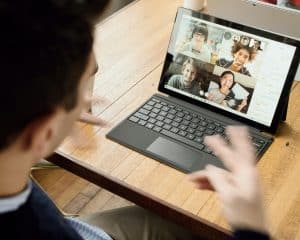
In the rapidly evolving landscape of modern business, the rise of remote work and virtual meetings has become the new norm. This necessitates the adoption of effective collaboration apps and virtual communication tools to facilitate seamless interactions among remote teams. The use of audio visual (AV) tools in meetings has proven to be a game-changer, enhancing productivity, and efficiency. In this blog, we will explore the importance of audio visual tools in modern meetings, their relevance in boosting meeting productivity, and how they contribute to efficient communication.
As the world embraces remote work, virtual meetings have become the cornerstone of modern collaboration. Businesses worldwide are leveraging collaboration software, web conferencing solutions, and virtual communication tools to bridge the gap between team members working from different locations. The demand for effective meetings tools and conference room tech has surged to create an immersive meeting experience that rivals in-person interactions.
Audio visual tools for effective meetings offer a rich and engaging experience. Video conferencing devices and online presentation tools enable participants to see and interact with each other, fostering better engagement and understanding. The use of visual aids in presentations enhances retention and comprehension, making meetings more impactful.
With the right meeting management apps and digital collaboration platforms, organizers can effortlessly schedule, plan, and conduct meetings. These tools facilitate easy participant invitations, agenda sharing, and note-taking, streamlining the entire meeting process.
Virtual communication tools play a pivotal role in connecting remote teams. Through video calls, teleconferencing devices, and screen sharing software, team members can collaborate in real-time, brainstorm ideas, and work together effectively, breaking the barriers of distance.
How To Setup A Hybrid Meeting Audio Visual Tips (“Fly on Wall” Virtual Attendees)
The Best Audio Visual Tools for Meetings
In today’s fast-paced business environment, effective meetings are crucial for fostering collaboration and driving productivity. Leveraging audio visual (AV) tools can significantly enhance meeting experiences, whether conducted in person or virtually. In this comprehensive guide, we will explore the top audio visual tools for hosting effective meetings, including video conferencing devices and web conferencing gadgets. By comparing features, functionalities, and pricing, we aim to help readers make informed decisions to boost their meeting productivity.
Virtual meetings have become an integral part of modern business operations, facilitating remote team communication across geographical boundaries. Leveraging audio visual communication is the key to creating engaging and productive virtual meetings. With cutting-edge collaboration software and web conferencing solutions, teams can seamlessly connect, share ideas, and work together efficiently.
Software
Features
Pricing
AV Connect Pro
Interactive whiteboard tools
£19.99/month
VirtualCollab360
Screen sharing software
£29.95/month
TeamComm Suite
Meeting management apps
£49.99/month
VisionaryWeb
Multimedia presentation tools
£39.95/month
The Power of Video Conferencing Devices
Enhancing Meeting Facilitation with Video Call Solutions
Video conferencing devices play a vital role in creating a face-to-face meeting experience, even when teams are physically apart. These devices enable seamless video calls, encouraging real-time discussions, and boosting virtual team communication. When equipped with high-quality audio visual aids, video conferencing becomes an indispensable tool for remote team productivity.
Device
Features
Pricing
ZoomPro 500
Digital meeting tools
£299.99
CollaboraCam X2
Audio visual equipment
£249.95
MeetUp Elite
Teleconferencing devices
£349.00
OmniView Pro HD
Screen sharing capabilities
£199.99
Presentation Tools: Engaging Audiences Virtually
Unlocking the Potential of Online Presentation Solutions
In today’s dynamic world, delivering captivating multimedia presentations is essential. Effective audio visual tools enable speakers to incorporate visual aids, making presentations more impactful and memorable. Selecting the right meeting management app and optimizing screen sharing further improves the overall meeting experience.
Tool
Features
Pricing
SlideMaster Pro
Interactive multimedia presentations
£29.99/month
VisualEngage Suite
Meeting facilitation tech
£19.95/month
PresentoFlex360
Visual aids for presentations
£39.99/month
SlideCast Ultra
Efficient screen sharing for meetings
£24.95/month
AV Equipment for Conference Rooms: Unlocking Productivity
Ensuring Smooth Meeting Facilitation with Advanced Tech
Conference rooms equipped with state-of-the-art audio visual equipment enhance team collaboration and communication. With efficient audio visual tools, teams can conduct effective virtual meetings, benefiting from improved remote meeting productivity.
Enhancing Collaboration with Virtual Meeting Software
In today’s fast-paced and dynamic work environment, effective collaboration among remote teams has become essential for business success. To foster seamless communication and cooperation, companies rely on virtual meeting software equipped with advanced audio visual tools for effective meetings. In this section, we will explore the top virtual meeting software available in the market and highlight their unique features that facilitate remote team communication and collaboration. These tools play a pivotal role in conducting effective meetings and enhancing team collaboration, ultimately leading to improved productivity and success.
The Power of Virtual Meetings
Virtual meetings have revolutionized the way teams communicate and collaborate, breaking down geographical barriers and enabling real-time interactions. With the advent of collaboration software and web conferencing solutions, teams can connect seamlessly through video conferencing devices, fostering effective communication and collaboration regardless of their physical locations.
Top Virtual Meeting Software
Here, we present a comprehensive review of some of the best virtual meeting software available today:
a) Productivity Apps for Remote Teams
Maximizing productivity with AV equipment
Audio visual tools play a vital role in enhancing remote team productivity during virtual meetings. These tools, including interactive whiteboard tools and screen sharing software, allow team members to share ideas visually, making the collaboration process more efficient.
Video conferencing devices are essential for effective virtual communication. These tools enable face-to-face interactions, fostering a sense of connection among team members, and encouraging active participation during meetings.
Meeting management apps streamline the process of organizing and conducting virtual meetings. These apps help schedule meetings, send reminders, and provide a centralized platform for participants to access relevant documents and resources.
Enhancing Collaboration with Audio Visual Communication
Audio-visual communication tools are essential for effective meetings, as they enable clear and engaging interactions.
a) Importance of Visual Aids in Presentations
Visual aids play a crucial role in keeping participants engaged during presentations. Utilizing multimedia presentation tools allows presenters to convey information effectively and capture the audience’s attention.
b) Meeting Facilitation Tech
Enhancing meeting facilitation techniques
Meeting facilitation tech, such as digital collaboration platforms and audio visual aids, empowers facilitators to keep discussions on track, ensure active participation, and drive effective decision-making.
Remote Team Collaboration Benefits
Collaboration software fosters efficient team collaboration, enabling remote teams to work together seamlessly. With virtual communication tools and online presentation tools at their disposal, team members can share ideas, brainstorm, and collaborate on projects in real-time.
Effective Collaboration Apps for Remote Teams
In today’s fast-paced world, remote teams have become increasingly common. To ensure seamless communication and efficient teamwork, businesses rely on collaboration apps designed specifically for remote work. These apps facilitate virtual meetings and presentations while maximizing productivity with AV equipment. Let’s explore some of the top collaboration apps that empower remote teams to communicate and collaborate effectively.
Audio Visual Tools for Effective Meetings
Maximizing productivity with AV equipment is crucial for remote teams. Utilizing audio visual tools enhances communication and keeps team members engaged during virtual meetings. Integrating video conferencing devices, interactive whiteboard tools, and screen sharing software streamlines presentations and discussions.
Web Conferencing Solutions
Web conferencing is the backbone of remote team communication. Collaboration software like Zoom, Microsoft Teams, and Google Meet offers seamless virtual meeting experiences. These platforms support video calls, chat features, and presentation tools, ensuring effective meetings and enhanced team collaboration.
Remote Team Communication
Efficient online presentation tools and teleconferencing devices aid in remote team communication. With the right audio visual equipment for conference rooms, team members can interact in real-time, irrespective of geographical barriers.
Meeting Management Apps
Meeting management apps assist in organizing and streamlining virtual meetings. They allow scheduling, agenda sharing, and meeting recording, ensuring that remote teams stay on track and focused.
Multimedia Presentation Tools
Multimedia presentation tools help create engaging and interactive presentations. Incorporating audio visual aids in presentations captures the audience’s attention and ensures a more impactful virtual meeting experience.
Digital Collaboration Platforms
Digital collaboration platforms serve as virtual workspaces, promoting effective collaboration among remote teams. Such platforms offer file sharing, task assignment, and real-time editing, fostering seamless teamwork.
Enhancing Meeting Facilitation Techniques
Effective collaboration apps provide features that enhance meeting facilitation. Video call solutions, chat features, and interactive whiteboard usage tips empower meeting leaders to run smooth and productive virtual meetings.
Boosting Virtual Team Communication
Virtual communication tools play a vital role in boosting team communication. These tools facilitate instant messaging, video calls, and virtual huddles, promoting regular interactions among team members.
Mastering Online Presentations with Interactive Whiteboards
In today’s digital age, audio visual tools for effective meetings play a crucial role in facilitating virtual communication, collaboration, and presentations. Among these tools, interactive whiteboards stand out for their ability to enhance online presentations and engage meeting participants effectively. Let’s delve into the features of interactive whiteboards and explore their applications in virtual meetings and multimedia presentations. Additionally, we will offer valuable tips on how to use these tools efficiently to create impactful online presentations and foster seamless team collaboration.
Interactive Whiteboard Features
Interactive whiteboards are advanced presentation tools that allow users to interact with digital content in real-time. They enable presenters to display multimedia elements such as images, videos, and presentations, making virtual meetings more engaging and interactive. With touch-screen capabilities and interactive pens, users can annotate content, highlight important points, and collaborate with remote team members effectively.
These whiteboards often come with integrated collaboration software, web conferencing solutions, and screen sharing capabilities, making them versatile assets for remote team communication and online presentation delivery.
Applications in Virtual Meetings and Multimedia Presentations
In virtual meetings, interactive whiteboards act as digital canvases, empowering presenters to convey information dynamically. Whether it’s illustrating complex ideas, brainstorming sessions, or conducting training sessions, these whiteboards foster an environment that closely resembles in-person interactions.
For businesses with remote teams, interactive whiteboards are invaluable tools for fostering team collaboration and communication. By allowing teams to work together on the same virtual whiteboard in real-time, these tools promote an inclusive and productive work environment.
Furthermore, interactive whiteboards prove highly beneficial in multimedia presentations. Presenters can seamlessly switch between different media types, keeping the audience engaged and reinforcing key points effectively. These boards also allow for easy integration with video conferencing devices, ensuring smooth communication during remote presentations.
Tips for Effectively Using Interactive Whiteboards
Plan and Organize Content: Outline your presentation beforehand, ensuring a clear flow of ideas and content. Utilize the interactive whiteboard’s features to present information in a visually appealing manner.
Engage Your Audience: Encourage audience participation by incorporating interactive elements such as polls, quizzes, and Q&A sessions. Utilize the digital collaboration platform to gather feedback and insights from participants.
Utilize Visual Aids: Leverage the interactive whiteboard’s capabilities to create visual aids that support your presentation. Visuals can reinforce key concepts and make complex information easier to understand.
Practice Smooth Navigation: Familiarize yourself with the whiteboard’s navigation tools to switch seamlessly between different media types and content. This ensures a seamless presentation experience for your audience.
Optimize Screen Sharing: If sharing the whiteboard with remote participants, ensure that the screen sharing software is reliable and provides high-quality visuals and minimal lag.
Encourage Collaboration: Foster teamwork by inviting participants to interact and contribute to the whiteboard in real-time. This fosters a sense of ownership and inclusion among team members.
Meeting Management and Productivity Hacks
In today’s fast-paced business environment, effective meeting management is crucial to ensure productive collaboration among teams, especially in remote setups. Leveraging audio visual tools is a game-changer, streamlining meeting processes and enhancing communication. This section explores strategies, tools, and hacks to conduct successful meetings, making the most of audio visual technologies.
Strategies for Effective Meeting Management
Embracing Audio Visual Communication
Audio visual communication plays a pivotal role in virtual meetings, enabling participants to interact seamlessly. Utilizing collaboration software and web conferencing solutions facilitates real-time discussions, fosters teamwork, and breaks down geographical barriers. Virtual communication tools and video conferencing devices ensure effective remote team communication, promoting a cohesive work environment.
Facilitating Multimedia Presentations
Integrating multimedia presentation tools can captivate meeting attendees and convey information more effectively. Employing visual aids, such as interactive whiteboard tools and digital collaboration platforms, enhances engagement and information retention. Presenters can leverage audio visual aids to deliver impactful presentations that leave a lasting impression.
Optimize Screen Sharing for Enhanced Productivity
Screen sharing software is invaluable when collaborating on projects or presentations. By optimizing screen sharing techniques, meeting facilitators can ensure smoother discussions, allowing participants to focus on the shared content. This fosters a more productive environment and avoids time wasted on technical difficulties.
Productivity Hacks for Streamlined Meetings
Selecting the Right Meeting Management App
Choosing the appropriate meeting management app is vital for seamless organization and collaboration. Look for features like scheduling capabilities, file sharing, and task assignment to maximize productivity during meetings. Efficient online meeting software ensures that participants can focus on the agenda without unnecessary distractions.
Utilizing Teleconferencing Devices
Audio visual equipment for conference rooms, including high-quality teleconferencing devices, creates an immersive meeting experience. Clear audio and video enable effective communication, even in large meetings. Investing in top-rated teleconferencing gadgets enhances virtual meeting interactions.
Enhancing Meeting Facilitation Techniques
Strong meeting facilitation skills are essential for productive discussions. Utilize facilitation tech, such as interactive whiteboards and video call solutions, to keep participants engaged and focused. This helps maintain a well-structured meeting with clear goals and outcomes.
Platform Name
Participants Limit
Screen Sharing
Collaboration Features
Video Quality
WebConferencio
Up to 250
Yes
Yes
HD
VirtualConnect
Up to 1000
Yes
Yes
Full HD
RemoteMeetPro
Up to 500
Yes
Yes
Ultra HD
Enhancing Remote Presentation Skills with Audio Visual Tools
In today’s digital world, remote meetings have become an integral part of business communication and collaboration. To deliver impactful remote presentations, leveraging audio visual (AV) tools is essential. This section will provide valuable tips on using AV tools to maximize productivity during remote meetings, emphasizing the importance of visual aids and multimedia presentation techniques to capture the audience’s attention and enhance virtual communication.
Importance of Audio Visual Tools for Effective Meetings
Audio visual tools play a pivotal role in conducting successful virtual meetings. They enable seamless communication, enhance engagement, and foster better understanding among remote team members. Utilizing collaboration software and web conferencing solutions, such as video conferencing devices, ensures real-time interaction, breaking down geographical barriers, and promoting effective remote team communication.
Maximizing Productivity with AV Equipment
Efficiency is vital in remote meetings. To maximize productivity, invest in state-of-the-art AV equipment. Leverage productivity apps, interactive whiteboard tools, and screen sharing software to facilitate smooth information exchange and encourage active participation. These tools create a collaborative environment that fosters creativity and teamwork.
The Role of Visual Aids in Remote Presentations
Visual aids are essential elements of impactful presentations. Incorporate multimedia presentation tools to illustrate ideas effectively. Digital collaboration platforms with audio visual aids, such as charts, graphs, and images, help convey complex information in a comprehensible manner. This not only captures the audience’s attention but also enhances remote team productivity and communication.
Tips for Delivering Impactful Remote Presentations
Utilize Video Call Solutions: When conducting virtual meetings, ensure video is enabled. Face-to-face interaction promotes better engagement and helps build a sense of connection among team members.
Prepare Engaging Content: Craft compelling presentations that quickly answer the searcher’s intent. Use interactive visuals and captivating content to keep participants interested and attentive.
Incorporate Visual Aids: Leverage visual aids for presentations to complement your speech and convey information more effectively. These aids enhance understanding and retention of the key points.
Choose the Right Meeting Management App: Select an appropriate meeting management app to streamline the organization of remote meetings. These apps help schedule, track, and manage tasks efficiently.
Optimize Screen Sharing for Meetings: When sharing your screen, ensure it is clear and well-organized. Highlight important sections and minimize distractions to keep the focus on the subject matter.
Comparison of Audio Visual Tools for Effective Remote Presentations
To make an informed decision about the best audio visual tools for meetings, consider the following options:
Audio Visual Tool
Features
Benefits
Interactive Whiteboard Tools
Real-time collaboration, drawing tools
Facilitates brainstorming and teamwork
Video Conferencing Devices
High-definition video, audio clarity
Enables seamless virtual communication
Screen Sharing Software
Share screens and applications
Simplifies information sharing
Multimedia Presentation Tools
Rich media integration
Enhances engagement and understanding
Meeting Management Apps
Task tracking and scheduling features
Organizes remote meetings efficiently
Conclusion
In today’s fast-paced and interconnected world, audio visual tools have revolutionized the way we conduct meetings. Virtual communication and collaboration software, combined with advanced audio visual equipment, have become essential for effective meetings, especially in remote team setups.
Incorporating audio visual tools in meetings enhances communication, engagement, and understanding among team members. Video conferencing devices and web conferencing solutions bridge the gap between remote teams, fostering real-time collaboration and virtual communication. These tools enable participants to see facial expressions, body language, and visual aids, making interactions more natural and meaningful.
Collaboration software and digital collaboration platforms have emerged as game-changers for remote team communication. Features such as interactive whiteboard tools, screen sharing software, and visual aids for presentations facilitate brainstorming sessions, project discussions, and seamless document sharing, promoting efficient teamwork.
Effective meetings require proper organization and management. Meeting management apps and productivity apps for remote teams assist in scheduling, sending reminders, and tracking action items, ensuring that meetings stay on track and deliver valuable outcomes.
Multimedia presentation tools allow presenters to create engaging and impactful presentations. With multimedia elements like videos, images, and animations, information becomes more digestible and memorable for participants, contributing to the overall success of the meeting.
FAQs
What are the best audio visual tools for effective meetings?
The best audio-visual tools for effective meetings include video conferencing platforms like Zoom or Microsoft Teams, which allow real-time communication with remote participants. Screen sharing features help present content, while interactive whiteboards facilitate collaborative brainstorming. High-quality microphones and cameras are essential for clear communication, and noise-cancellation headphones ensure better focus. Additionally, cloud-based file-sharing services like Google Drive or Dropbox aid seamless document collaboration during meetings.
How can I improve my meeting facilitation techniques?
To improve meeting facilitation techniques, start by setting clear objectives and an agenda in advance. Encourage active participation, ask open-ended questions, and ensure everyone’s voice is heard. Stay neutral and manage conflicts diplomatically. Use visual aids and interactive tools to engage participants. Keep the meeting on track and manage time effectively. Foster a collaborative environment and summarize key points at the end. Regularly seek feedback to enhance future facilitation.
What are the benefits of using collaboration software?
Collaboration software offers numerous benefits, including improved team communication, increased productivity, and streamlined project management. It allows real-time collaboration on documents and fosters teamwork among remote or distributed teams. Collaboration software also enables easy file sharing, version control, and task assignment, promoting efficiency and reducing email clutter. With centralized data storage, it enhances data security and simplifies access to critical information. Overall, it boosts team collaboration, accelerates project completion, and enhances overall organizational performance.
Which web conferencing platform is recommended for remote teams?
For remote teams, Zoom is a highly recommended web conferencing platform. It offers stable and reliable video and audio quality, supports large meetings, and provides interactive features like breakout rooms, screen sharing, and virtual backgrounds. Zoom’s user-friendly interface and cross-platform compatibility make it accessible for participants using various devices. It also integrates with popular productivity tools, enhancing collaboration and efficiency.
How can I enhance my online presentation skills?
To enhance online presentation skills, begin with thorough preparation and know your audience. Structure your content logically and keep it concise. Engage participants with visuals, multimedia elements, and interactive elements like polls or quizzes. Practice speaking clearly and confidently, and use a conversational tone. Maintain eye contact by looking into the camera. Encourage questions and interaction during the presentation, and be prepared to address them. Recording and reviewing your presentations can help identify areas for improvement and refine your skills further.
What are the top video conferencing devices for business meetings?
The top video conferencing devices for business meetings include:
Poly Studio X Series: Offers high-quality audio and video, with integrated conferencing features and compatibility with various platforms.
Logitech MeetUp: A compact all-in-one device with a wide-angle lens and excellent audio performance.
Cisco Webex Room Series: Provides advanced collaboration features and high-quality video for larger meeting rooms.
Microsoft Teams Rooms: Designed to integrate seamlessly with Microsoft Teams, offering a smooth meeting experience.
Owl Labs Meeting Owl Pro: A unique 360-degree camera with smart features, ideal for smaller meeting rooms and huddle spaces.
Are there any affordable teleconferencing devices available?
Yes, there are affordable teleconferencing devices available for smaller budgets. Some options include:
Jabra Speak series: Portable speakerphones with excellent audio quality for small group conferencing.
Logitech BCC950: A compact conference camera with integrated speaker and microphone.
Yamaha YVC-200: A portable speakerphone suitable for small conference rooms and individual use.
AVer CAM340+: A compact camera with good video quality and a built-in microphone.
These devices offer practical solutions for remote or small teams without compromising on audio and video quality.
How do I manage remote team meetings efficiently?
To manage remote team meetings efficiently:
Plan and share the agenda beforehand.
Use video conferencing to facilitate face-to-face communication.
Set clear objectives and allocate time for each agenda item.
Encourage active participation and engage all team members.
Assign roles, such as a facilitator or timekeeper, to ensure smooth proceedings.
Utilize collaboration tools for document sharing and real-time editing.
Follow up with meeting minutes and action items promptly.
Gather feedback to continuously improve the meeting process and address any concerns.
What are the features of interactive whiteboard tools?
Interactive whiteboard tools offer various features, such as:
Real-time collaboration: Multiple users can work together simultaneously on the same virtual whiteboard.
Drawing and annotation: Participants can draw, write, or annotate content using different digital tools.
Multimedia integration: Users can add images, videos, and other multimedia elements to enhance presentations.
Shape recognition: Some tools automatically convert hand-drawn shapes into precise geometrical shapes.
Integration with other apps: Seamless integration with productivity and collaboration tools.
Cloud storage: Saving and accessing whiteboard content across devices and locations.
Screen sharing: The ability to share the interactive whiteboard with meeting participants.
Which productivity apps are best for remote teams?
Some of the best productivity apps for remote teams include:
Asana: For task and project management, team collaboration, and tracking progress.
Slack: A messaging platform for real-time communication and file sharing.
Trello: Organizes tasks and projects using boards, lists, and cards.
Google Workspace (formerly G Suite): Offers a suite of productivity tools, including Google Docs, Sheets, and Drive.
Microsoft 365: Provides a range of productivity apps like Word, Excel, and Teams for seamless collaboration.
These apps facilitate streamlined communication, enhance collaboration, and improve overall team productivity.
How do visual aids enhance presentations?
Visual aids enhance presentations by making complex information more accessible and engaging for the audience. They help clarify key points, improve retention, and cater to different learning styles. Visuals, such as slides, charts, and graphs, provide a clear structure to the content and aid in storytelling. Additionally, visuals can evoke emotions, making the presentation more memorable and impactful. When used thoughtfully, visual aids can reinforce the speaker’s message, maintain audience interest, and create a cohesive and compelling presentation experience.
What are the important aspects of meeting management?
Effective meeting management involves several key aspects, including:
Preparing a clear agenda and sharing it with participants in advance.
Inviting only relevant attendees to ensure efficiency.
Starting and ending meetings on time to respect participants’ schedules.
Facilitating open communication and encouraging active participation.
Managing discussions to stay focused on the agenda items.
Assigning action items and responsibilities with clear deadlines.
Recording minutes and key decisions for future reference.
Following up on action items and monitoring progress.
Seeking feedback to continuously improve meeting processes.
How can I optimize screen sharing for virtual meetings?
To optimize screen sharing for virtual meetings:
Check your screen in advance for any sensitive or unnecessary content.
Close irrelevant applications and notifications to minimize distractions.
Use a high-speed internet connection to ensure smooth sharing.
Share only the specific application or window relevant to the discussion.
Briefly explain the content you’re sharing to provide context for participants.
Pause and check for understanding during the screen sharing to address questions.
Utilize screen annotation tools if available to highlight key points.
End screen sharing when it’s no longer necessary to focus on other discussions.
How to boost virtual team communication?
To boost virtual team communication:
Use video conferencing to enhance face-to-face interactions.
Establish clear communication channels, such as messaging apps or team platforms.
Encourage regular check-ins and one-on-one meetings to address individual concerns.
Foster an open and inclusive culture where everyone feels comfortable sharing their ideas.
Use visual aids and collaboration tools to improve engagement during virtual meetings.
Organize team-building activities and virtual social events to strengthen relationships.
Be responsive and acknowledge messages promptly to maintain a sense of connection.
Provide clear guidelines on communication etiquette and expectations.
How does audio-visual communication benefit meetings?
Audio-visual communication benefits meetings by improving engagement, understanding, and retention among participants. Visual aids, such as slides, graphs, and videos, help clarify complex information and support the speaker’s message. Audio ensures clear and real-time communication, reducing misunderstandings. Video conferencing enhances the meeting experience, as participants can observe facial expressions and body language, promoting better connection and collaboration. Moreover, audio-visual communication accommodates different learning styles, making meetings more inclusive and effective. By leveraging these tools, meetings become more interactive, efficient, and impactful, leading to better decision-making and successful outcomes.
Discover the advantages of cloud-based meeting technology and take your remote collaboration to the next level. With features like video conferencing, screen sharing, and team collaboration, our software is perfect for remote teams looking for an easy-to-use and reliable solution.
The AV industry is evolving at a rapid pace, driven by continuous advancements in audiovisual technology. Professionals in this field must stay ahead of the curve to remain competitive. One effective way to do so is by participating in AV hardware workshops. These workshops offer hands-on experience and immersive training, fostering technical proficiency and expertise. In this article, we’ll delve into the importance of AV hardware workshops for professionals in the AV industry.The AV industry is no longer limited to setting up audiovisual equipment; it now involves complex technical setups and technology integration. AV hardware workshops serve as invaluable training programs designed to equip professionals with the necessary skills to thrive in this dynamic field.AV hardware workshops provide participants with hands-on experience in handling multimedia gear, AV systems, and various technical setups. This interactive learning approach goes beyond theoretical knowledge, allowing professionals to troubleshoot AV systems effectively. This practical experience is crucial for those seeking advanced audiovisual training.In the AV industry, maintaining and optimizing AV equipment is a constant challenge. AV hardware workshops impart practical skills in equipment maintenance and AV setup techniques. Professionals gain the technical proficiency needed to ensure that multimedia gear functions at its best, minimizing downtime and maximizing efficiency.To excel in the AV industry, professionals must be well-versed in the latest audiovisual technology. Immersive training programs immerse participants in advanced AV technology, giving them a comprehensive understanding of the equipment and its applications. This immersive approach sets AV hardware workshops apart from traditional seminars.Professional AV Applications The Essence of Effective AV Hardware TrainingEffective AV hardware training is at the heart of professional development in the AV industry. To excel in this field, individuals must master the art of audiovisual technology, equipment maintenance, and technical proficiency. The Foundation of Effective TrainingTo grasp the essence of effective AV hardware training, one must recognize that it goes beyond the mere transfer of knowledge. It encompasses a comprehensive approach that fosters professional skills development. Here are the key elements that underpin effective training in the AV industry: Technical Expertise: Effective AV training programs focus on imparting technical expertise. This includes a deep understanding of AV hardware, professional skills, and AV systems troubleshooting. Hands-on Experience: Practical workshop sessions are crucial for AV professionals. Hands-on experience with audio-visual equipment is invaluable for mastering hardware setups and equipment maintenance tips. Immersive Multimedia Workshops: Immersive training experiences using multimedia gear ensure learners gain real-world insights into advanced audiovisual technology. AV Hardware Workshops: The Training NexusAV hardware workshops are the linchpin of effective training in the AV industry. These workshops offer interactive learning environments that enable participants to dive deep into the world of AV hardware, professional skills, and technology integration. Let’s explore how these workshops align with training effectiveness: AV Industry Best Practices: AV hardware workshops immerse participants in best practices, equipping them with the knowledge needed to excel in the industry. Multimedia Gear Maintenance: Workshop sessions often cover multimedia gear maintenance, a critical aspect of AV equipment optimization. Technical Proficiency: Through hands-on AV workshops, individuals develop technical proficiency in AV setup techniques, advanced AV technology, and equipment maintenance. Benefits of Hands-on AV WorkshopsThe benefits of hands-on AV workshops are multifaceted and directly contribute to professional development in AV: Practical AV Skills: Participants acquire practical skills that enable them to handle complex AV systems with ease. Interactive Learning: Interactive training sessions foster engagement and deep understanding, making learning more effective. Technology Integration: Hands-on AV workshops encourage technology integration, allowing participants to stay ahead in the ever-evolving AV industry. Building Professional AV SkillsIn the dynamic landscape of the AV industry, staying ahead requires continuous learning and development. One of the most effective ways to enhance your expertise is by attending AV hardware workshops. These workshops offer hands-on experience and immersive training in audiovisual technology, making them essential for anyone seeking to excel in this field.Scope of AV Hardware TrainingAV hardware workshops are the cornerstone of professional development in the AV industry. They cover a wide range of topics, from basic AV setups to advanced audiovisual technology integration. By participating in these workshops, AV specialists gain the technical proficiency needed to excel in their roles.Developing Technical Expertise in AV through WorkshopsWorkshops provide a platform for participants to delve deep into the intricacies of AV systems. They offer practical, interactive learning experiences that go beyond theoretical knowledge. Participants get to work with multimedia gear, troubleshoot AV systems, and optimize equipment—skills that are invaluable in the AV industry.The Role of Workshops in Crafting Professional AV SkillsProfessional AV skills development requires more than just theoretical knowledge. It demands hands-on experience and the ability to adapt to evolving technology. AV hardware workshops address this need by providing immersive multimedia training and technology integration sessions.Hands-On AV Workshops for Practical LearningEffective AV hardware training is all about practicality. Participants in these workshops engage in workshop sessions that simulate real-world scenarios. They learn AV hardware setup techniques, multimedia gear maintenance, and equipment optimization, preparing them to tackle any challenges they may encounter in the field.Interactive Audiovisual Training for Advanced AV TechnologyThe AV industry is constantly evolving, with new technologies emerging regularly. To stay relevant, AV professionals need to keep pace with these advancements. Advanced AV technology workshops offer an avenue for professionals to stay updated on the latest trends and best practices.AV Equipment Maintenance and TroubleshootingAV specialists often find themselves tasked with equipment maintenance and troubleshooting. AV hardware workshops equip participants with the skills to efficiently maintain and troubleshoot AV setups. This not only reduces downtime but also enhances the overall performance of audiovisual systems.Technical Expertise in AV for Seamless IntegrationIn today’s AV industry, technology integration is key. AV systems must seamlessly work together to provide a flawless experience. Technical proficiency in AV, gained through workshops, ensures that AV specialists can effectively integrate various components to create a cohesive audiovisual environment. AV Hardware Maintenance and OptimisationAV hardware is the backbone of audiovisual technology, powering our presentations, events, and entertainment experiences. To maintain and optimize these essential components, professionals require technical expertise and hands-on experience. AV Hardware
Remote work has become a prevalent mode of operation for businesses and individuals worldwide. It refers to the practice of working outside of a traditional office environment, often from home or other remote locations. The rise of remote work can be attributed to technological advancements, globalization, and the changing nature of work itself.As remote work gains popularity, the need for efficient virtual collaboration tools becomes increasingly crucial. Virtual collaboration tools enable remote teams to communicate, share information, and work together seamlessly, bridging the physical distance between team members. These tools are essential for fostering effective communication, maintaining productivity, and ensuring successful remote work experiences.One key aspect of virtual collaboration tools is desktop sharing, which allows users to share their computer screens with others in real time. This functionality has proven to be invaluable for remote teams. A reliable desktop sharing tool facilitates seamless collaboration, enabling team members to view and access each other’s screens, thereby enhancing communication, troubleshooting, and knowledge sharing.In a remote work setting, where face-to-face interactions are limited, desktop sharing plays a vital role in recreating the collaborative environment of a physical office. It enables team members to provide visual demonstrations, conduct online presentations, review and edit documents together, and collaborate on various tasks in real time. By sharing their screens, team members can gain a comprehensive understanding of projects, align their efforts, and make informed decisions, regardless of their geographical locations.7 Free Remote Desktop Software in 2023 Benefits of Desktop Sharing Tools for Remote WorkIn today’s fast-paced world, remote work has become increasingly common. With the rise of distributed teams and the need for virtual collaboration, desktop sharing tools have emerged as essential assets for seamless remote work experiences. These tools facilitate various aspects of remote work, including virtual collaboration, screen sharing, online meetings, team communication, file sharing, and productivity enhancement. Let’s delve into the advantages of using desktop sharing tools in remote work scenarios and explore how they optimize the remote work experience.Facilitating Virtual Collaboration and Screen SharingDesktop sharing tools empower remote teams to collaborate effectively regardless of physical distance. These tools enable real-time sharing of screens, allowing team members to view and interact with the same content simultaneously. By sharing screens, team members can easily discuss ideas, troubleshoot technical issues, and provide instant feedback, fostering a sense of virtual presence and teamwork. This seamless virtual collaboration ensures that everyone is on the same page, leading to increased productivity and efficient project execution.Enabling Online Meetings and Team CommunicationEfficient online meetings are crucial for remote teams to connect and discuss important matters. Desktop sharing tools often integrate video conferencing capabilities, enabling face-to-face interactions even when team members are geographically dispersed. These tools facilitate seamless remote team communication, as participants can see and hear each other, fostering a sense of camaraderie and eliminating communication barriers. Through online meetings, teams can brainstorm ideas, align objectives, and make informed decisions, leading to enhanced collaboration and synergy.Streamlining File Sharing and CollaborationEffective file sharing and collaboration are essential for remote teams to work harmoniously. Desktop sharing tools provide secure and user-friendly platforms for sharing files, documents, and resources in real time. Team members can access shared files, make edits collaboratively, and provide feedback, all within a centralized and synchronized environment. This streamlines workflow, eliminates version control issues, and ensures that everyone has the most up-to-date information at their fingertips. By enabling seamless file sharing and collaboration, these tools enhance productivity and facilitate efficient remote work processes.Boosting Productivity and Remote Work ExperienceDesktop sharing tools serve as invaluable productivity tools for remote workers. With features such as remote access, remote desktop sharing, and virtual workspaces, these tools enable individuals to seamlessly access their work resources from anywhere, anytime. This flexibility and convenience empower remote workers to optimize their work environments, ensuring uninterrupted productivity and minimizing downtime. Additionally, by providing easy-to-use interfaces and intuitive functionalities, these tools enhance the overall remote work experience, enabling individuals to focus on their tasks and achieve their goals efficiently. Key Features to Look for in the Best Desktop Sharing Tool for Remote WorkIn today’s remote work landscape, finding the right desktop sharing tool is crucial for effective online collaboration and enhanced productivity. The best desktop sharing tool should possess a comprehensive set of key features that cater to the needs of remote teams. When choosing a desktop sharing tool, it is important to consider the following essential features: Reliability: A reliable desktop sharing tool ensures smooth and uninterrupted remote collaboration. Look for features like stable connection, minimal latency, and consistent performance. Reliability allows teams to work seamlessly, avoiding disruptions and delays that can hinder productivity. Security: Security is of paramount importance when sharing sensitive information and files online. Choose a desktop sharing tool that prioritizes data protection, offers secure encryption, and has robust authentication protocols. It should also comply with industry standards and regulations to ensure the privacy and confidentiality of your remote work. Ease of Use: An intuitive and user-friendly interface is vital for efficient adoption and utilization of the desktop sharing tool. Look for features such as easy navigation, simple setup process, and clear instructions. A tool that is easy to use minimizes the learning curve, allowing teams to focus on collaboration rather than grappling with complex functionalities. Affordability: Cost-effectiveness is a crucial consideration, especially for small businesses and startups. Evaluate the pricing plans of different desktop sharing tools to find the one that aligns with your budget. Some tools offer free versions or affordable subscription plans with flexible options that cater to your specific needs. Flexibility: A versatile desktop sharing tool allows for seamless integration with other collaboration software and platforms. Look for compatibility with popular applications used for remote team communication, file sharing, and video conferencing. Flexibility enables you to leverage the tool alongside your existing remote work software ecosystem. The aforementioned features contribute to effective online collaboration and enhanced productivity in several ways: Streamlined Communication: A reliable desktop sharing tool facilitates real-time communication, enabling remote teams to interact seamlessly. Whether it’s screen sharing, team chat,
Discover how video walls are transforming meeting room technology. With seamless displays and advanced collaboration tools, video walls are revolutionizing the way we communicate and present in meetings. Learn more about the benefits of video walls and how they can improve your meeting experience.
In today’s dynamic landscape, effective presentations have emerged as a cornerstone in various domains, enabling professionals to convey information, ideas, and strategies with impact. As technology continues to reshape communication, presentation dynamics have undergone a profound transformation, largely attributed to the integration of audiovisual (AV) technology. This blog delves into the significance of seamless presentations, focusing on the pivotal role of AV technology in enhancing communication and engagement.The fusion of presentation technology and audiovisual integration has revolutionized how information is shared. Multimedia solutions, such as interactive displays and digital projection, have become instrumental in elevating presentations through engaging visuals and interactive experiences. These innovations enable presenters to not only convey information but also immerse their audience in a captivating journey.Visual aids have long been recognized as a catalyst for effective communication. With AV technology, the impact of visual aids is amplified. Innovative AV tools for presentations allow for dynamic content delivery, making complex concepts digestible and memorable. Integrating modern presentation tools seamlessly creates a multimedia delivery that resonates with audiences, enhancing comprehension and retention.One of the key challenges in presentations is maintaining audience engagement. This is where AV solutions shine. Interactive displays facilitate real-time audience participation, transforming presentations into collaborative experiences. This not only maximizes productivity with AV equipment but also fosters a deeper connection between presenter and audience.The marriage of AV advancements and presentation equipment has paved the way for impactful presentations. By leveraging cutting-edge tools, presenters can seamlessly integrate audiovisual elements, resulting in presentations that leave a lasting impression. Innovative AV equipment for impactful talks ensures a flawless execution, enabling presenters to focus on content delivery rather than technical glitches.Electronic Design Company – Conference Room AV Innovative AV Tools for PresentationsIn the fast-evolving landscape of presentations, the integration of AV technology has revolutionized the way we communicate and engage with audiences. The synergy between presentation technology and audiovisual integration has given rise to an array of multimedia solutions that excel in delivering effective communication. This section delves into the emergence of cutting-edge AV tools designed specifically for presentations, highlighting their impact on enhancing engagement and captivating audiences through unique features.Maximizing Productivity with AV EquipmentThe modern ethos of presentation success is anchored in the strategic utilization of AV technology. By maximizing productivity with AV equipment, presenters can seamlessly integrate multimedia solutions that amplify their message’s impact. These tech-enabled presentations transcend the traditional mold, engaging audiences in ways previously unimagined.Interactive Displays for Effective PresentationsOne of the groundbreaking innovations in AV technology is interactive displays. These dynamic tools enable presenters to transform passive audiences into active participants. With interactive whiteboards, for instance, speakers can illustrate concepts, annotate ideas, and encourage real-time collaboration. This integration of technology fosters effective communication, making presentations more engaging and memorable.Boost Engagement with AV TechnologyThe incorporation of AV technology has a profound impact on audience engagement. Holographic displays, a testament to AV advancements, immerse viewers in captivating visual narratives. Presenters can illustrate complex concepts with 3D holograms, transcending the limitations of traditional projection. This seamless integration of AV solutions enhances engagement and lends authenticity to presentations.Enhance Presentations Using MultimediaVisual aids are the cornerstone of impactful presentations. The amalgamation of AV technology and presentation equipment has led to a new era of multimedia delivery. Digital projection systems offer dynamic displays, combining images, videos, and animations to elucidate ideas effectively. This modern approach to presentation technology elevates communication and resonates with diverse audiences.Elevate Communication with Presentation TechnologyThe significance of technology integration in presentations cannot be overstated. Virtual reality systems provide an immersive experience, transporting audiences to different realms. This innovation allows presenters to create memorable narratives, effectively bridging the gap between information and emotion. The synergy between presentation technology and AV support amplifies the effectiveness of these tech-enabled presentations.Seamless AV Integration for Impactful TalksSuccessful presentations hinge on seamless AV integration. Through modern AV equipment, presenters can effortlessly incorporate diverse media formats. This harmonious blending of audiovisual tools ensures that the message is not only heard but also seen and felt. Such presentation enhancement through technology integration resonates deeply with audiences and underscores the importance of AV innovation. Interactive Displays for Effective PresentationsIn the realm of modern presentation technology, the integration of audiovisual (AV) tools has become a cornerstone of successful talks, and the utilization of innovative displays, particularly interactive displays, has emerged as a game-changing strategy. By harnessing the power of AV advancements, seamless presentations can be achieved, enhancing engagement, communication, and the overall impact of your message.Enhance Presentations Using Multimedia SolutionsIn today’s fast-paced world, maximizing productivity with AV equipment is crucial. Interactive displays, as part of cutting-edge presentation technology, play a pivotal role in elevating communication. These displays are not just static visual aids but dynamic tools that foster engagement and facilitate two-way communication, transforming traditional presentations into immersive and interactive experiences.Impactful Presentations Through AV IntegrationAudiovisual integration is at the heart of tech-enabled presentations. By incorporating interactive displays, presenters can captivate audiences with engaging visuals and dynamic content delivery. Imagine a scenario where a speaker effortlessly navigates through content, drawing insights from real-time audience interactions, all displayed seamlessly through multimedia solutions.Real-World Instances of Interactive Displays in Action Educational Workshops: In academic settings, educators are leveraging interactive displays to create engaging lessons. By integrating AV technology, teachers can display multimedia content, showcase visual aids, and encourage student participation, resulting in enhanced comprehension and active learning. Business Seminars: Corporate professionals are utilizing interactive displays to make their presentations more interactive and memorable. Through touch-enabled displays, presenters can incorporate data visualization, videos, and live demonstrations, effectively conveying complex information while maintaining audience engagement. Conferences and Events: At large-scale conferences, interactive displays are revolutionizing how information is shared. By allowing attendees to interact with the content, navigate through topics of interest, and submit questions digitally, presentations become personalized experiences that cater to individual needs. Elevate Communication with Presentation TechnologyThe seamless integration of AV solutions in talks significantly enhances audience engagement. Through digital projection and interactive displays, presenters can dynamically shift between different forms of content, keeping the audience intrigued and ensuring the message
In today’s fast-paced world, gaining proficiency in audio-visual (AV) skills is pivotal for both personal and professional growth. AV learning is more than just a tool; it’s a pathway towards expertise through AV. With the guidance of AV learning experts, visual education authorities, and expert AV coaches, you can embark on a journey of skill enhancement that will set you on the path to success.The importance of AV learning techniques cannot be overstated. It’s a conduit for enhancing skills with AV, mastering audio-visual skills, and achieving AV proficiency. When you seek expert advice on AV skills and follow advanced AV techniques, you’re well on your way to excellence.Our blog aims to provide you with optimal learning through AV, courtesy of expert development consultants, AV education specialists, and visual learning gurus. We offer expert-led visual education and expertise enhancement via AV, ensuring you fine-tune your skills through AV education.To cater to beginners, we’ve laid out the best expert-guided AV learning methods, mastering AV skills step by step, and effective AV learning strategies. Our goal is to help you quickly enhance your AV expertise with practical tips for mastering AV skills.5 tips to improve your critical thinking – Samantha Agoos Expertise in AV Techniques for BeginnersWhen embarking on the journey of expertise through AV techniques, beginners often face challenges in grasping fundamental concepts. To address this, AV learning experts recommend a structured approach, incorporating expert guidance in AV, enhancing skills with AV, and mastering audio-visual skills step by step. Visual education authorities emphasize the importance of effective AV learning strategies, ensuring optimal learning through AV for beginners.Detailed Explanations and Step-by-Step InstructionsAV education specialists and skill mastery guides stress the significance of expert-led AV learning, providing specialized AV coaching for skill enhancement. To facilitate easy understanding, beginners can benefit from practical tips for mastering AV skills, such as interactive AV learning pathways and expert-recommended AV resources. Expertise development consultants advocate for the use of advanced AV skills development tips, ensuring beginners fine-tune their skills through AV education.Overcoming Common Challenges in AV LearningSkillful AV techniques require overcoming challenges efficiently. AV knowledge mentors highlight the benefits of AV workshops for expertise, where beginners can interact with expert AV tutors near them. Learning techniques advisors emphasize the advantages of top AV coaching centres, offering expert-guided skill enhancement. By accessing AV coaching reviews, beginners can make informed decisions about the most effective AV learning programs.Expert-Led AV Learning Resources Resource Description AV Learning Programs Comprehensive courses designed for beginners, focusing on AV expertise development. Visual Education Platforms Interactive online platforms offer a wide range of visual learning materials and tutorials. AV Workshops for Expertise Hands-on workshops conducted by expert AV tutors, providing practical insights and guidance. Expert-Led Coaching Centers Specialized centres offering personalized AV coaching for skill enhancement and mastery. Expert-Recommended AV Learning HacksAV proficiency trainers and learning pathway advisors recommend quick AV mastery techniques for beginners. Advanced learning through AV ensures expertise enhancement via AV, emphasizing the importance of AV expertise certification. Expert-led visual education for expertise focuses on enhancing expertise through interactive AV learning, allowing beginners to optimize their audio-visual learning pathways effectively. Best Expert-Guided AV Learning MethodsIf you’re on a journey to acquire expertise through AV (Audio-Visual) learning, you’re in the right place. We aim to provide you with insights into the pros and cons of each method, helping you make informed decisions about enhancing your skills through Audio-Visual expertise.AV Learning Experts and Their InfluenceAV learning is a dynamic field, and it’s crucial to tap into the wisdom of AV learning experts, also known as Visual Education Authorities. These expert AV coaches play a pivotal role in guiding learners on their journey towards skill enhancement.Expertise in AV Techniques for BeginnersFor those new to AV learning, it’s essential to master the basics. Expert AV coaches offer step-by-step guidance, ensuring that beginners can quickly grasp the fundamentals of Audio-Visual expertise.Advanced Learning through AVIf you’re looking to take your AV skills to the next level, consider seeking advice from AV Mastery Guides. These professionals offer advanced AV techniques, helping you enhance your proficiency.Expert Guidance in AV for ProfessionalsFor professionals seeking to enhance their AV skills, learning from Expert-Led AV education influencers can be highly beneficial. They offer expertise development through specialized programs. Mastering AV Skills Step by StepIn your quest to achieve expertise through AV, you’ll find a structured learning path can be your guiding light. This section breaks down complex concepts into manageable tasks, allowing you to enhance your skills with AV, and quickly answer your intent for optimal learning. We draw inspiration from AV learning experts, visual education authorities, expert AV coaches, and skill enhancement mentors. Here, we present a detailed roadmap, including real-life examples and success stories, to motivate you on your AV learning journey.Step 1: Understanding the Foundation of AVBefore diving into advanced AV techniques, it’s crucial to build a strong foundation. Expertise through AV starts with grasping the basics. You can begin by exploring audio-visual expertise and AV learning techniques, and gaining insights from AV knowledge mentors and learning techniques advisors. Start with: Audio-Visual Fundamentals: Familiarize yourself with the core principles of AV, such as sound and visual technology. Equipment Familiarization: Learn about the essential tools and software used in AV. Step 2: Expert Guidance in AVOptimal learning through AV requires expert guidance. Seek advice from AV learning experts and expert development consultants. They can help you master audio-visual skills effectively. Topics to explore: Best Expert-Guided AV Learning Methods: Discover the most efficient ways to learn from AV experts. Specialized AV Coaching: Consider enrolling in specialized AV coaching programs for skill enhancement. Step 3: Advanced Learning through AVTo excel in AV, it’s essential to delve into advanced AV skills. With expert-led visual education and expert advice on AV skills, you can progress rapidly. Explore: Advanced AV Skills Development: Develop proficiency in advanced AV techniques. Expert-Recommended Resources: Access valuable resources and courses suggested by experts. Step 4: Practical Tips for Mastering AV SkillsFine-tuning your skills through AV education is a gradual process. Expertise enhancement via AV
This website uses cookies so that we can provide you with the best user experience possible. Cookie information is stored in your browser and performs functions such as recognising you when you return to our website and helping our team to understand which sections of the website you find most interesting and useful.
Strictly Necessary Cookies
Strictly Necessary Cookie should be enabled at all times so that we can save your preferences for cookie settings.
If you disable this cookie, we will not be able to save your preferences. This means that every time you visit this website you will need to enable or disable cookies again.
3rd Party Cookies
This website uses Google Analytics to collect anonymous information such as the number of visitors to the site, and the most popular pages.
Keeping this cookie enabled helps us to improve our website.
Please enable Strictly Necessary Cookies first so that we can save your preferences!