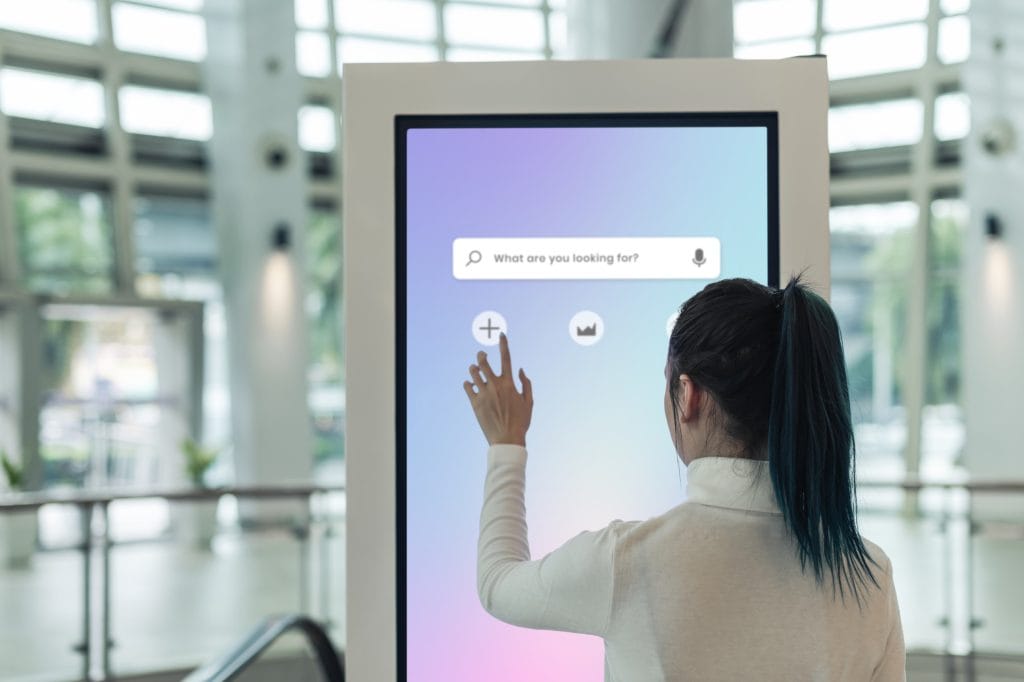
Audio visual systems (AV) have become an integral part of our daily lives, enriching our entertainment, communication, and work experiences. From streaming movies to conducting virtual meetings, AV systems play a pivotal role. However, even the most sophisticated setups can encounter glitches and errors, disrupting our seamless interactions. This is where the importance of AV troubleshooting steps comes into play. In this comprehensive AV troubleshooting guide, we’ll delve into the concept of AV troubleshooting and its significance, addressing common frustrations people face when their AV systems encounter problems.
AV troubleshooting involves the process of diagnosing and rectifying audiovisual issues that hinder the smooth functioning of equipment. It’s the art of identifying and resolving AV problems efficiently, allowing users to enjoy uninterrupted audio and video experiences. Troubleshooting AV issues requires a blend of technical expertise and problem-solving techniques, making it an essential skill in our tech-driven world.
Picture this: you’re immersed in a crucial video conference, and suddenly, the audio cuts out. Or you’re all set for a movie night, but the display glitches spoil the mood. These are just a couple of examples of the frustrations people encounter when their AV systems malfunction. AV equipment glitches, display errors, audio problems, and video errors can disrupt the flow of our tasks and leisure activities.
This AV troubleshooting guide aims to be your go-to resource for resolving various audiovisual problems. Whether you’re facing AV system errors, display glitches, or audio problems, this guide will provide you with step-by-step AV solutions and troubleshooting strategies. We understand that the need for quick AV problem fixes is paramount, which is why this guide focuses on straightforward techniques that empower you to fix AV setup issues with ease.
To become adept at troubleshooting AV issues, consider it as an audio visual training of sorts. Our guide will equip you with AV troubleshooting techniques and expert tips that cater to beginners and tech-savvy individuals alike. You’ll learn how to diagnose AV tech glitches, solve video audio errors, and tackle common AV issues head-on. With the right AV troubleshooting methods, even complex AV problem diagnoses can become manageable tasks.
Troubleshooting AV Equipment | HowToAV
AV Troubleshooting
AV troubleshooting, a cornerstone of maintaining seamless entertainment and communication experiences, is the process of identifying and resolving audiovisual issues that can hinder your AV setup’s performance. A well-structured troubleshooting guide plays a pivotal role in swiftly addressing AV problems, ensuring uninterrupted audio and video experiences.
The Role of AV Troubleshooting: Swift Solutions for Seamless Entertainment
AV troubleshooting is your go-to approach for fixing audio problems, video errors, and other AV system errors that can disrupt your audiovisual setup. By employing advanced troubleshooting strategies, you can quickly diagnose glitches and apply effective solution methods. An AV troubleshooting guide serves as your expert companion, offering step-by-step AV troubleshooting steps to address complex issues, making audio-video problem-solving a breeze.
Benefits of a Troubleshooting Guide: Your Quick-Fix Companion
Having a troubleshooting guide at your fingertips provides several advantages. It empowers you with AV troubleshooting techniques, tips, and expert advice, enabling you to resolve display glitches, AV equipment glitches, and more. Such a guide is a lifesaver when dealing with AV tech glitches, as it offers actionable solutions for AV system errors, keeping your entertainment setup error-free.
Systematic Approach: Unveiling the Power of Methodical AV Troubleshooting
A systematic approach is pivotal when it comes to troubleshooting AV issues. By following a structured AV troubleshooting walkthrough, you can diagnose and fix AV setup errors efficiently. AV problem diagnosis becomes straightforward with the application of AV troubleshooting methods that outline specific troubleshooting solutions for common AV issues. This approach enables you to identify and resolve audiovisual problems without the hassle.
Enhancing Your AV Experience: AV Troubleshooting Expert Tips
For quick AV problem fixes, you need a comprehensive troubleshooting guide that emphasizes AV troubleshooting strategies and techniques. It provides rapid AV glitch solutions, straightforward AV issue troubleshooting, and audio-video solutions. Utilizing an AV problem-solving guide, resolving audiovisual setup errors becomes a breeze, enhancing your overall AV experience.
Quick AV Problem Fixes
In the realm of audiovisual setups, glitches and errors can disrupt your experience. Whether it’s a sudden audio dropout or a distorted video display, these issues demand swift solutions. This AV troubleshooting guide presents practical steps to address common AV problems, allowing you to restore your system’s functionality promptly. Read on for easy AV troubleshooting steps and rapid solutions.
Audio Problems: No Sound Output
AV Troubleshooting Steps: Check the audio cables and ensure they’re securely connected to the appropriate ports.
AV Troubleshooting Techniques: Verify that the audio source is correctly selected on both the AV system and the playback device.
AV Troubleshooting Tips: Adjust the volume levels on both the AV equipment and the connected device to ensure they’re audible.
Video Errors: Distorted Display
Troubleshoot AV Issues: Inspect the video cables for any damage and replace them if necessary.
Resolve Display Glitches: Adjust the resolution settings on your source device and display to match.
AV Problem Diagnosis: Ensure that the AV equipment is receiving proper power and is free from dust or overheating.
Remote Control Issues: Unresponsive Controls
AV Troubleshooting Methods: Replace remote control batteries with fresh ones and ensure proper polarity.
AV Glitch Diagnosis: Clean the remote control’s IR sensor and ensure there are no obstructions.
AV Troubleshooting Strategies: Re-pair the remote control with the AV equipment according to the manufacturer’s instructions.
AV Setup Problems: Connectivity Glitches
Fix AV Setup: Check all cable connections and tighten any loose connectors.
AV Troubleshooting Walkthrough: Power cycle all components in the AV setup to reset connections.
AV Troubleshooting Expert Tips: Update firmware for AV equipment and ensure compatibility between devices.
Audio-Video Sync Issues: Delayed Audio
Troubleshoot AV Issues: Check for any audio delay settings on your playback device and adjust as needed.
AV Troubleshooting Techniques: If using external speakers, ensure they are in sync with the video display.
AV Troubleshooting Tips: Restart all connected devices and verify if the issue persists.
Projector Problems: No Image Display
AV Troubleshooting Strategies: Check the projector’s lamp and replace if it’s dim or burnt out.
Resolve Display Issues: Ensure the correct input source is selected on the projector.
AV Glitch Diagnosis: Inspect the projector’s ventilation and cooling systems for any obstructions.
HDMI Connection Troubles: Signal Dropout
AV Troubleshooting Tips: Re-seat the HDMI cable at both ends to ensure a secure connection.
Troubleshoot Screen Flickering: Try a different HDMI port on both the source device and the display.
AV Problem-Solving Guide: Use high-quality HDMI cables that support the necessary bandwidth.
Easy Step-by-Step AV Solutions
Welcome to your ultimate AV troubleshooting guide, your go-to resource for swiftly resolving audiovisual issues. Whether you’re dealing with audio problems, video errors, or overall AV setup glitches, our expert tips and systematic troubleshooting strategies will empower you to diagnose and fix AV problems like a pro.
AV Troubleshooting Steps
When it comes to troubleshooting AV issues, a step-by-step approach ensures effective problem-solving. Follow these AV troubleshooting steps to address any audiovisual hiccup:
Identify the Problem: Begin by understanding the specific AV problem you’re facing. Is it related to audio problems, video errors, or display glitches?
Check AV Setup: Verify your AV setup, including connections, cables, and configurations. AV equipment glitches often arise from improper setup.
Diagnose AV System Errors: Investigate any error messages or unusual behaviour. This will help you pinpoint the root cause of the issue.
Resolving Audiovisual Problems: Determine whether the issue lies in the audio, video, or both. Troubleshoot screen flickering, sound problems, and HDMI connections as needed.
AV Glitch Diagnosis: Employ effective AV glitch diagnosis techniques to identify equipment errors and system malfunctions accurately.
AV Problem Diagnosis: Employ problem-solving techniques to delve into the intricacies of the issue. Quick AV problem fixes often stem from a thorough diagnosis.
AV Troubleshooting Techniques: Utilize a range of troubleshooting solutions to tackle AV tech glitches and resolve display issues promptly.
Audio-Video Solutions: With a focus on audio-video problem-solving, implement AV troubleshooting methods to address common AV issues.
AV Troubleshooting Tips: Leverage expert tips to streamline your AV troubleshooting process. Easy AV troubleshooting relies on tried-and-true techniques.
AV Troubleshooting Walkthrough: Follow a step-by-step AV solution method that walks you through each stage of problem diagnosis and resolution.
Common AV Issues Solved
Here are some common AV issues you might encounter, along with simple solutions:
AV Issue
Solution
No Audio Output
Check cable connections and audio settings.
Video Display Issues
Inspect cables, update drivers, or adjust display settings.
Projector Problems
Verify input sources, lens cleanliness, and settings.
Fast AV Problem Resolution
When time is of the essence, utilise these quick-fix AV techniques:
Basic AV Troubleshooting: Start with basic AV error solutions before delving deeper.
Effortless AV Issue Fixes: Address straightforward issues promptly for fast AV problem resolution.
Rapid AV Glitch Solutions: Swiftly resolve glitches with focused troubleshooting methods.
Audio-Video Debugging
Mastering AV troubleshooting involves effective debugging:
AV Troubleshooting Strategies: Implement reliable strategies to systematically address AV problems.
AV Issues Resolution: Utilize problem-solving techniques to resolve complex AV issues.
AV Troubleshooting Expert Tips: Apply expert insights to troubleshoot with confidence.
Your Audiovisual Training
For audiovisual setup repair, we provide comprehensive training that covers:
AV Problem Diagnosis: Efficiently diagnose AV issues using reliable techniques.
Troubleshooting Guide: Follow a detailed guide to navigate through AV problems seamlessly.
AV Troubleshooting Methods: Explore proven methods for addressing audio-video errors.
Common AV Issues Solved
AV troubleshooting steps are crucial to resolving audiovisual issues promptly and effectively. In this comprehensive AV troubleshooting guide, we’ll delve into frequently encountered AV problems and provide in-depth solutions. Whether you’re dealing with audio problems, video errors, or glitches in your AV setup, this guide offers troubleshooting strategies and solution methods that guarantee quick audio-video solutions.
Audio Problems
Poor Audio Quality: If you’re facing distorted or unclear audio, ensure all cables are securely connected. Adjust audio settings on both source and output devices. Check for any speaker obstructions causing muffled sound.
No Sound: Verify that all devices are powered on, and cables are properly connected. Inspect mute settings on devices and adjust volume levels. Update audio drivers if necessary.
Audio Lag: Audio-video synchronization issues can arise. Adjust audio delay settings on devices or playback software. Check for firmware updates for audio equipment.
Video Errors
Screen Flickering: Screen flickering can result from incompatible refresh rates. Ensure all devices are set to the same refresh rate. Test with different cables and ports.
Video Distortion: If you encounter distorted video, check cable integrity and try different cables. Adjust resolution and refresh rate settings. Ensure proper ventilation for devices to prevent overheating.
No Video Signal: When facing a blank screen, confirm all cables are properly connected. Test with an alternative display or projector. Update graphics drivers on computers.
AV Setup and Connectivity
HDMI Connection Issues: Troubleshoot HDMI connections by testing different cables or ports. Power cycle devices and ensure HDMI-CEC settings are compatible.
Projector Problems: If the projector won’t display, inspect the lamp and filter indicators. Verify input sources and cables. Reset projector settings if needed.
Equipment Glitches: Random AV tech glitches might occur. Restart devices and update the firmware. Disconnect and reconnect cables to rectify intermittent issues.
Display and System Errors
Display Glitches: Address display artefacts by updating graphics drivers. Check for interference from nearby electronic devices. Ensure cables are shielded.
AV System Errors: If the entire AV system malfunctions, power cycle all components. Review error codes in manuals. Reset to factory settings if required.
Troubleshooting Techniques
AV Glitch Diagnosis: Pinpoint issues by isolating components. Test one device at a time to identify the source of the problem.
Troubleshoot AV Issues: Use a step-by-step approach to diagnose and fix AV glitches. Begin with basic checks before delving into advanced solutions.
AV Problem-Solving Guide: Follow a structured troubleshooting guide tailored to your specific AV setup. This streamlines the problem-solving process.
Quick AV Problem Fixes
Basic AV Troubleshooting: Resolve common AV issues using straightforward techniques. Inspect cables, restart devices, and adjust settings for quick fixes.
Easy AV Troubleshooting: Employ rapid AV glitch solutions for instant problem resolution. Update software and drivers for easy audio-video repair.
Simple AV Glitch Remedies
When it comes to audiovisual setups, encountering glitches is an inevitable challenge. These AV problems can be baffling, but the good news is that even seemingly complex glitches often have surprisingly simple solutions. This AV troubleshooting guide will walk you through real-life examples of challenging AV glitches and how they were resolved using basic techniques, emphasizing the importance of starting with the fundamentals before delving into complex troubleshooting.
Resolving Audio Problems with Ease
One common issue in AV setups is audio disturbances. Imagine you’re in the midst of an important presentation, and suddenly the sound cuts out. Panic not! In such cases, basic AV troubleshooting steps can save the day. Check if the audio cables are properly connected, and make sure the volume settings are appropriate. Sometimes, a loose cable or a muted setting might be the culprit behind the audio glitch. A quick audio-video problem-solving approach often involves these straightforward AV troubleshooting techniques.
Effortless Video Error Solutions
Video errors can be equally frustrating. Think about a scenario where your video display is flickering or showing distorted images. Instead of diving into complex AV glitch diagnosis, start by examining the basics. Verify that your video cables are securely plugged in and that the display settings match your equipment’s capabilities. Many times, such AV system errors can be resolved by simply ensuring the right connections and settings, making troubleshooting HDMI connections or screen flickering issues a breeze.
Straightforward Display Glitch Diagnosis
Display glitches can be vexing, especially during crucial presentations. To illustrate, consider a projector suddenly displaying a blurry image. Instead of panicking, take a deep breath and focus on the fundamental troubleshooting solutions. Check the projector’s lens for dirt or smudges that might be causing the blurriness. Cleaning the lens can remarkably improve image quality. This example demonstrates the significance of basic AV error solutions in tackling display issues efficiently.
Solving AV Setup Problems in Minutes
AV equipment glitches are also part and parcel of the audiovisual world. Let’s say your AV setup isn’t producing any sound or video. Before assuming the worst, verify if all components are powered on and connected correctly. AV troubleshooting experts often advise double-checking the connections and power sources before proceeding to more intricate troubleshooting methods. This step-by-step AV solution method can save you time and frustration.
Effortless AV Issue Fixes
AV troubleshooting doesn’t have to be a daunting task. You don’t need to be a tech expert to resolve audiovisual issues. In this comprehensive AV troubleshooting guide, we’ll walk you through simple yet effective troubleshooting techniques to fix common AV problems. Whether you’re dealing with audio problems, video errors, display glitches, or equipment malfunctions, these straightforward steps will empower you to tackle AV issues with confidence.
Quick AV Problem Fixes: Your Step-by-Step AV Solutions
When your audiovisual setup encounters glitches, follow these easy AV troubleshooting steps to get your system back on track:
Check Connections: Often, loose cables are the culprit behind AV equipment glitches. Make sure all cables are securely plugged in and connected to the correct ports.
Restart Devices: A quick restart can resolve many AV system errors. Turn off all equipment, wait for a minute, and then power them back on.
Inspect Settings: Incorrect settings can lead to audio problems or display glitches. Verify settings on your devices, ensuring they’re optimized for your setup.
Update Firmware: Outdated firmware can cause compatibility issues. Visit the manufacturer’s website for firmware updates and follow their instructions for installation.
Troubleshoot HDMI Connections: HDMI-related problems are common. If you’re facing issues with video display or sound, try using a different HDMI cable or port.
Audio-Video Problem Solving: If you’re experiencing both audio and video issues, start by troubleshooting the audio. Sometimes, fixing audio problems can automatically resolve video errors.
Common AV Issues Solved: Your Troubleshooting Solutions
Here are some specific scenarios and troubleshooting techniques to address common AV problems:
No Sound?: Check if your audio source is muted, volume settings are appropriate, and cables are correctly connected to the right audio input/output ports.
Display Glitches?: If your display is flickering or showing artifacts, ensure that the display cable is secure, and your graphics settings are compatible with your monitor.
Projector Problems?: Verify that the projector lens is clean and the bulb is functioning. Also, ensure the input source and resolution settings match your content.
AV Tech Glitches?: Sometimes AV equipment glitches can be fixed with a simple power cycle. Unplug the device, wait a moment, and then plug it back in.
Rapid AV Problem Resolution
In today’s fast-paced digital landscape, where every second counts, swift solutions are paramount. Audiovisual (AV) issues can disrupt workflows and hamper productivity.
Key Takeaways from the Guide: Speed and Effectiveness
Navigating through AV problems demands a strategic approach. Our guide outlines a comprehensive array of troubleshooting strategies, addressing everything from audio problems to video errors. Through concise AV troubleshooting steps, we’ve distilled the expertise of AV troubleshooting experts into actionable methods.
Problem
Solution Methodology
Display Glitches
AV glitch diagnosis techniques combined with basic AV error solutions yield rapid display issue resolution.
Audio Problems
Employ AV troubleshooting tips for audio issues. Quick AV problem fixes ensure uninterrupted sound.
Video Errors
Easy AV troubleshooting steps empower users to solve video audio errors, enhancing overall AV setup.
Bookmark for Future Reference
This guide serves as your go-to resource for swift AV issue resolution. The next time you encounter equipment errors, audiovisual glitches, or AV system errors, turn to our troubleshooting guide. It’s a curated collection of AV troubleshooting techniques, expert tips, and step-by-step solutions. By bookmarking this guide, you ensure access to instant AV troubleshooting strategies whenever the need arises.
Common AV Issues and Solutions
AV Equipment Glitches: Troubleshoot AV issues effectively with our AV equipment glitches section. It provides AV tech glitches and remedies and addresses common AV problems.
AV System Errors: Rapidly resolve AV system errors using our tried-and-true AV glitch diagnosis methods and troubleshooting solutions.
Display Glitches: Instantly resolve display issues by following our AV problem diagnosis techniques and easy AV problem fixes.
Audio Problems: Fix audio issues swiftly with straightforward AV issue troubleshooting and basic AV error solutions.
Quick AV Problem Fixes: Simple Solutions
In the realm of AV troubleshooting, time is of the essence. Our guide prioritizes quick fixes to ensure minimal disruptions. With step-by-step AV solutions, you’ll effortlessly navigate through AV problems. Whether it’s solving projector problems, troubleshooting HDMI connections, or fixing audiovisual setup glitches, our guide has you covered.
Conclusion
In a world driven by audiovisual experiences, maintaining uninterrupted entertainment and communication is paramount. The realm of AV troubleshooting holds the key to resolving common audiovisual issues that might disrupt your audio and video setup. AV problems are not only prevalent but also highly solvable with the right approach.
Audio visual training has empowered us to create immersive entertainment hubs and seamless communication networks. However, even the most advanced AV systems can encounter occasional hiccups. This is where AV troubleshooting steps in as your dependable companion. From audio problems to video errors, our troubleshooting guide equips you with the problem-solving techniques you need to diagnose glitches, equipment errors, and display issues.
We encourage readers to embark on their AV problem-solving journey and share their success stories with the techniques outlined in this guide. Your victories in resolving AV issues using our AV troubleshooting methods are valuable to the community. Join discussions, swap troubleshooting strategies, and be an active part of the AV troubleshooting community’s growth.
While this guide equips you with AV troubleshooting expert tips and AV problem-solving strategies, there’s always more to discover. Explore additional resources and engage in discussions to enhance your understanding of AV glitches and their solutions. Whether you’re looking for basic AV error solutions or in-depth AV troubleshooting walkthroughs, the path to AV issue resolution is at your fingertips.
The realm of AV troubleshooting is your gateway to seamless entertainment and uninterrupted communication. The amalgamation of AV troubleshooting tips, AV glitch diagnosis, and troubleshooting solutions creates a robust toolkit that empowers you to conquer AV problems with confidence. Remember, AV problems are common, but with the right approach, they’re also highly solvable.
FAQs
How do I fix audio problems?
To fix audio problems, start by checking connections, ensuring cables are secure. Adjust volume settings on both the source device and the audio system. Verify that the correct audio input/output is selected. Restart devices and update drivers. If issues persist, consider hardware faults, like faulty speakers or a damaged sound card.
What causes AV equipment glitches?
AV equipment glitches can be caused by loose cables, incompatible connectors, outdated firmware, or overheating components. Signal interference, power fluctuations, and software bugs can also lead to glitches. Inadequate ventilation and improper device handling might contribute to hardware malfunctions.
How to troubleshoot screen flickering?
Troubleshoot screen flickering by adjusting refresh rates, resolution settings, and cable connections. Update graphics drivers, as outdated drivers can cause flickering. Scan for malware affecting display behavior. If flickering persists, it might be due to a faulty monitor or graphics card.
Why is my video display not working?
A non-functional video display might result from loose cables, incorrect input source selection, or GPU driver issues. Insufficient power supply, a damaged graphics card, or a faulty monitor can also lead to this problem.
What are common AV issues?
Common AV issues include audio delays, poor video quality, distorted sound, connectivity problems, and mismatched resolutions. Audio-video synchronization problems and unsupported file formats also occur frequently.
How to solve projector problems?
To solve projector problems, check the bulb for damage and replace if needed. Ensure correct input source and cables. Adjust focus and keystone settings. Update projector firmware. If overheating, clean filters and provide proper ventilation. Consult the user manual or manufacturer’s support for specific issues.
What are AV system error solutions?
AV system errors can be resolved by double-checking connections, restarting devices, updating drivers and firmware, and ensuring proper ventilation. Troubleshoot network connectivity if applicable. Review error messages and consult user manuals or manufacturer resources for specific solutions.
How do I diagnose video audio errors?
Diagnose video audio errors by confirming cable connections, testing different input sources, and adjusting audio settings. Try alternate cables and ensure audio output is correctly selected. If problems persist, examine device settings, drivers, and potential hardware malfunctions.
How to fix HDMI connections?
To fix HDMI connections, ensure cables are securely plugged into compatible ports. Try different HDMI ports on both devices. Verify input source and display settings. If issues continue, test with alternate cables. Updating device firmware and drivers can also help.
What are AV glitch diagnosis methods?
AV glitch diagnosis involves systematically checking connections, cables, and input sources. Testing different equipment components and settings can isolate the problem. Monitoring for patterns, like intermittent issues, aids in identifying root causes.
How to troubleshoot audiovisual setup?
Troubleshoot an audiovisual setup by following proper equipment connection procedures. Verify power sources and signal paths. Adjust settings for resolution, refresh rates, and audio output. Update software and firmware. Check for compatibility between devices and cables.
What are AV troubleshooting techniques?
AV troubleshooting involves careful cable inspection, device restarts, and adjusting settings. Testing one component at a time helps identify faulty equipment. Analyzing error codes and seeking manufacturer support can provide further insights.
How to resolve display glitches?
Resolve display glitches by updating graphics drivers and operating systems. Adjust display settings, especially refresh rates and resolution. Check for software conflicts or malware. If persistent, the issue might be hardware-related, requiring professional inspection.
How can I fix video errors?
Fix video errors by ensuring proper codecs are installed for video playback. Update graphics drivers and software. Check for system updates and patches. If a specific video file is problematic, try converting it to a different format or playing it using a different media player.
What are AV problem-solving tips?
AV problem-solving involves methodical checks, patience, and attention to detail. Start with simple solutions like cable adjustments and restarts. Research known issues with your equipment. If needed, seek online forums or contact customer support for guidance.
Project Starline. Sounds futuristic and like it would be out of something like Star Trek, right? Well its not out of Star Trek but it is something futuristic and frankly magic. With this device, video conferencing has taken a giant leap into a new world. Making general video conferencing something of the past. Google have been know to push limits with their technology, thinking and researching ways to bring something new and exciting into the technology world. Covid has pushed and pulled people away from each other, family members not seeing each other in months. Some cases years. Project Starline is a telepresence system to bring people together, in the most realistic form possible. Now we've heard of telepresence before within the business world. A group of screens able to bring companies together from around the world and make each member of the meeting feel like they are all the same room. But Starline pushes the limit. Project Starline has already been introduced into Google offices around the United States Of America. With those employees using and enjoying the 3D imagining device to hold interviews, meet new colleagues and hold meetings. Breakdown Of Project Starline If you break Project Starline down in to very simple terms, it is basically a 3D video conferencing platform. Making you feel that you are in the same room as the person you are talking to over Starline. To make it feel as immersed as it is, Starline is created within its own sort of cubby hole. Giving you a dedicated seat and background with the 'magic glass' in front of you with a table. Allowing the users to feel as though they are in the same room. This is miles apart from other telepresence system, Google really upgrading the game. Alongside the look of Starline, the system if filled with cameras, microphones, sensors and tracking devices to present you in the hyper realistic way. Bringing those from across the world right into your office which a much more realistic and natural feel. Then if you were to use immersive headsets. A more natural feel as you wont need to be wearing a chunky headset, microphones or any controllers for your movement. Simply sit down and whoever you are meeting with will appear in front of you. Even though Google advertise the Starline as a great way for you to meet with friends and family, which it probably is. The Starline will most likely be used within corporate businesses. Bringing the most realistic one-on-one meetings when you might be thousands of miles apart. Technical To follow you movement smoothly, Starline comes with face tracking with the focus of motion parallax and stereopsis. Now a quick breakdown of these two things, motion parallax refers to objects moving at a constant speed and stereopsis refers to depth perception. With these two terms in mind, Google has used the four face tracking cameras on the Starline to not only track your face but to render your face in almost perfect form. Whether you tend to move around a lot in meetings, with non verbal cues such as head nodding, the face tracking cameras will take motion parallax and stereopsis into mind. Following you head movements smoothly. No matter if you are up-close to the camera or as far away as you can get. [wb_vc_before_after_image_comparison before_image="32119" after_image="32118" image_size="medium_large" wbvcbaic_orientation="" wbvcbaic_default_offset="" wbvcbaic_before_text="" wbvcbaic_after_text="" wbvcbaic_click_to_move="" wbvcbaic_move_on_hover=""] Again, if are one of those people that move around during meetings, the audio pickup is important. If your appearance is rendered to almost perfect form, you voice needs to be at the same level and match up. Including four microphone array, the face tracking cameras aid beamforming to help the microphone pickup where your voice is coming from. Localising your voice. The microphones following the direction of your voice and outputting the sound to your participant from the right direction. Creating spatial audio. Going back to the cameras, the 65" display will bring your colleague, interviewee, business partner to life. The 3D camera pod captures 120fps, focusing on the location of your eyes, mouth and ears. Estimating their location within around 5mm. Not exact, but obviously very close that your rendered self will pretty much look identical to your true self. Now with this in mind not everything is perfect, Google are open with the fact that some render images have limits. However, they aren't big enough where Starline looses its charm. The stereo system can only capture so much, for example if there are a few frizzy bits of hair. The stereo system wont be able to capture them as they are too thin. But even then, if you have a bad hair day the Starline wont be able to pick it up. Camera Pods To create your 3D form perfectly, the Starline includes 3 camera pods. These pods contain two infrared and one colour camera. The infrared camera focuses on creating the perfect 3D form, calculating your to make the right silhouette. This is done by the infrared backlight, this stops any noisy background data and then creates the right silhouette. Alongside this, the upper left depth stream, upper right depth stream and the lower centre depth stream will all capture separate parts of you. Then to bring the the final silhouette all together, the cameras will fuse together. Connecting together like a puzzle. Plus, the bottom camera includes an extra colour camera that focuses on your face. Zoomed in on your face for better resolution. Just like the depth streams, once the silhouette is found the colour cameras will all fuse and blend together seamlessly. Who Likes The Starline? Project Starline has been in the making for a few years. With Google finally coming to a final product, but as we said Google has deployed Project Starline throughout their offices in America. Many employees of Google have used Project Starline and loved the impact it had on their meeting. It has been recorded that users of Project Starline have
4K webcams have really started to come into their own in the past year. So, the question presents itself, are 4k webcams really worth it? What is it about the 4K webcams that have people so hooked?Countless businesses now offer some kind of working from home, but still want to replicate face-to face as well as possible. While the lockdown season has gradually started to lift, it still could last a long time and even once restrictions are listed it is thought that a large proportion of businesses will be offer flexible working policies.Even if your office and workspaces were to open up before vaccines have reached everyone, it would have to be in a hybrid capacity. That means some employees will still have to turn in their work from home.Without a doubt, there is a reason why a good 4K webcam is at the top of the list for working form home equipment. The list of the unique benefits it offers is large. While you should neither under-invest nor over-invest in a product, 4K webcams leave little to be desired.4K webcams and your work environmentThere has been an increasing requirement for immersive and easy collaboration. For a company to operate and function just as efficiently as it used to before lockdown, it is imperative. Online sessions and meetings are the only way for employers to communicate with their employees. Or so is the case with extensively work from home employees where face-to-face interaction simply is not an option.Besides, people have also started realising how much they are saving on things like, traveling, and other similar costs. That could mean an extension of this kind of work structure.Keeping all that in mind, is choosing to buy a 4K webcam beneficial for you or just overkill?4K Webcams: Breaking it down furtherA 4K webcam offers you a digital resolution of around 4,000 pixels across, but the definition of 4K comes from a resolution of 3840 x 2160.Due to the recent surge of remote working requirements, 4K webcams have started to gain a lot of popularity. They offer exceptional depth perception and a much higher image definition. Naturally, the colours you see tend to feel much more vibrant as well.They are used by a wide range of people from those who want to record content to those who are regularly on video calls and want a much more lifelike feel to their calls. The unbeatable benefits of a 4K webcamTier One featuresMost 4K UHD webcams that you find in the market today start from about 8 Megapixels. The resolution varies from one model to another, along with an average of 30 FPS. Depending on the image sensors, the picture created will being sharp and clear.Most of the models out there provide a viewing angle of between 90 degrees and 160 degrees. The camera lens usually comes with an anti-glare coating to cut out any harshness. Along similar lines, it may also include multiple microphones to eliminate any unnecessary background noise.Tripod for ConvenienceWhile you can place a 4K camera on most surfaces, some models come with a tripod stand. That makes things more convenient, especially if a table or a desk is inaccessible at the time.CompatibilityUnless you are into the platform specific solutions, most 4K webcams are compatible with all video conferencing solutions like Zoom or Microsoft Teams. They will work across operating systems be it Windows or Mac.If you are looking to buy a 4k webcam because you do a lot of streaming on platforms like YouTube, TikTok, Instagram, or Twitch, then the clarity of your videos will be vastly improved.Easy Set-UpWith the advances of technology, a push for user-friendliness has seen a rise as well. Most 4k webcams simply require you to plug in the USB cable in the device you are using. You do not need to waste time downloading additional applications or software to enjoy 4K video quality.Privacy CoverYou will find that most 4K webcams prioritise user-experience; and a large part of user-experience depends on sustained privacy. The best 4K webcams will come with a privacy cover to protect you when it is not in use.Adjustable BrightnessSeveral 4K webcams allow you to adjust how you look in the video or picture. The multiple tiered brightness adjustment offers additional customisation, especially when you cannot control your surroundings and the lighting is not optimal.Some come with automatic image optimisation tools like auto white balance which helps you turn your video into a more professional one. On the other hand, the automatic low light correction will make you stand out from the rest of the background. Flexibility and Built-In FeaturesIf your 4K webcam comes with a feature of a flexible clip, you will be able to do things like secure it to the top of a monitor. That said, you will also be able to alter the angle of the camera. As mentioned before, the flexibility of a 4K webcam also includes automatic noise reduction.Understanding the best option for youYou can rarely go wrong with a 4K webcam. So now, all you need to do is ask yourself a bunch of related questions. What is the kind of quality you need to deliver? How crisp do your image and video need to be? Can you achieve your goal through some other alternative? Or will you be compromising in that case?Secondly comes the question of price and affordability. We only supply the best 4K webcams on the market and would highly recommend either the Yealink UVC30 or the Logitech Brio.
In the fast-evolving realm of technology, staying ahead of the curve is paramount. This is where AV innovation seminars come into play. AV innovation seminars, also known as audiovisual technology innovation seminars, are dynamic gatherings of industry experts, thought leaders, and tech enthusiasts. These events serve as hubs for the exchange of cutting-edge ideas, insights, and advancements within the AV industry.The tech industry is a constantly shifting landscape, and staying informed about the latest trends and technological advancements is crucial. AV innovation seminars have gained immense significance as they provide a platform for professionals to immerse themselves in the latest audiovisual advancements, innovation forums, and tech talks.The growing interest in AV innovation is a testament to the rapid evolution of the tech sector. With emerging tech trends reshaping industries, professionals are flocking to AV innovation seminars to gain insights from keynote speakers and experts in the field.By connecting professionals, entrepreneurs, and enthusiasts, these seminars not only promote knowledge exchange but also spark innovation. Attendees will gain invaluable insights into industry trends, unlocking opportunities to revolutionize entertainment, education, healthcare, and beyond.AV innovation seminars have a wide-reaching impact across various sectors. From startups seeking AV industry insights to established businesses looking for technological wave events, these seminars offer value to diverse audiences.Immersive AV at Innovation Zero Latest AV Innovation TrendsIn the fast-evolving landscape of Audiovisual technology, staying ahead of the curve is crucial for both industry professionals and enthusiasts. The AV industry is constantly shaped by technological advancements, innovation seminars, and tech conferences. In 2023, several key trends are set to redefine the AV landscape, making it imperative to stay updated and engage in Audiovisual training for sustainable growth and success.Why Staying Updated with AV Technology Trends MattersRemaining abreast of AV innovation trends is not just an option; it’s a necessity. In an industry that thrives on cutting-edge tech talks and innovation workshops, being unaware of the latest developments can leave you at a disadvantage. Let’s dive into the key trends that will dominate the AV industry in 2023.Key Trends Shaping the AV Industry in 2023 Immersive Experiences: As Audiovisual advancements continue, immersive experiences are becoming the norm. Tech conferences and innovation forums are abuzz with discussions on augmented and virtual reality, revolutionizing how content is delivered and consumed. AI Integration: AI is infiltrating the AV industry, transforming the way we interact with audiovisual technology. Future tech talks and AV innovation seminars will delve into AI-driven solutions for enhanced user experiences and operational efficiency. 5G Revolution: The rollout of 5G technology will open new possibilities for the AV industry. With lightning-fast data transfer, AV trends are leaning towards seamless connectivity, making tech seminars essential to grasp these advancements fully. Sustainability: Innovation workshops will focus on eco-friendly AV solutions. As the world becomes more conscious of environmental impact, the AV industry is aligning with these values, offering sustainable alternatives. Remote Collaboration: The pandemic has accelerated the need for remote collaboration tools. AV industry updates emphasize the importance of technology summits that address remote work solutions and hybrid event strategies. Security Concerns: Audiovisual advancements also bring cybersecurity challenges. AV innovation forums will discuss safeguarding systems against cyber threats, making technology symposiums vital for industry professionals. Importance of AV Innovation SeminarsAV innovation seminars are the epicentre of knowledge exchange in the AV industry. These seminars bring together keynote speakers and experts to share insights on emerging tech trends, technological advancements, and audiovisual innovation. Professionals and beginners alike benefit from these forums, as they provide a platform to network, learn, and explore innovation workshops tailored to their needs. Unveiling Top AV Innovation SpeakersAt AV innovation seminars, keynote speakers take centre stage, delivering talks that resonate with tech enthusiasts, startup founders, and professionals seeking to stay updated on the latest AV trends. These influential figures are driving technological advancements and pushing the boundaries of audiovisual technology. Their presentations cover a wide range of topics, from cutting-edge tech talks to innovation workshops for entrepreneurs.AV Industry Insights for StartupsFor startups, gaining a competitive edge in the AV industry is crucial. AV innovation seminars offer invaluable insights tailored to the needs of emerging businesses. These seminars are not just tech conferences; they are opportunities to gain a deeper understanding of the AV industry’s intricacies.AV Innovation Seminars: Where Technology Meets InspirationAttending AV innovation seminars is not just about acquiring knowledge; it’s about building connections and staying updated on technological wave events. These seminars are not your typical technology symposiums; they are a breeding ground for innovation and collaboration.Staying Informed on AV TrendsFor professionals looking to stay updated on AV trends, these seminars offer a wealth of information. The latest AV innovation trends are dissected and discussed, providing attendees with a comprehensive understanding of where the industry is heading.Networking Opportunities and MoreIn addition to the insightful sessions, AV innovation seminars also offer networking opportunities in tech conferences. Meeting like-minded individuals and industry experts can lead to valuable partnerships and collaborations.Innovation Symposiums for ProfessionalsProfessionals seeking in-depth knowledge can benefit from innovation symposiums. These events offer a deep dive into specific topics within the AV industry, catering to the needs of those looking for specialized expertise. Innovative Tech Talks in 2023Looking for cutting-edge tech talks in 2023 that delve into audiovisual technology and innovation seminars? You’re in the right place! In this comprehensive guide, we’ll provide insights into upcoming tech talks and seminars scheduled for 2023, covering a diverse range of topics and themes while incorporating the long tail keyword “Cutting-edge tech talks in 2023” to attract tech enthusiasts. Let’s dive straight into the world of AV innovation seminars.Upcoming AV Innovation Seminars: A Glimpse into the Future of TechnologyIn 2023, the tech conference landscape promises to be dynamic and insightful, offering a multitude of opportunities for professionals and tech enthusiasts to stay updated on the latest trends in the AV industry. These events serve as innovation forums where industry leaders and keynote speakers share their expertise and vision for the future. Let’s explore some of the top tech talks and seminars to mark on your calendar: AV
In the dynamic landscape of modern business, the integration of technology has taken center stage, revolutionizing the way we work, communicate, and collaborate. One of the most remarkable advancements in this realm is the emergence of audiovisual (AV) gear, which has rapidly gained prominence due to its remarkable ability to enhance workplace productivity and efficiency.In a world that thrives on speed and agility, businesses are constantly seeking ways to optimize their operations and maintain a competitive edge. The concept of “Powering Productivity with Audio Visual Gear” goes beyond mere convenience; it signifies a paradigm shift in how organizations harness technology to enhance efficiency. This shift is embodied by the multifaceted advantages offered by AV technology, ranging from seamless communication to streamlined collaboration.The recent surge in remote work arrangements has redefined the traditional notion of the workplace. With an increasing number of employees working from diverse locations, the importance of AV gear becomes even more pronounced. Organizations are now utilizing advanced audiovisual solutions to bridge geographical gaps, enabling virtual teams to communicate effectively and collaborate seamlessly. Efficient teamwork forms the bedrock of any successful business. AV gear not only facilitates better communication but also fosters a sense of camaraderie among team members. The integration of multimedia tools empowers teams to exchange ideas, share information, and collectively brainstorm, thereby boosting productivity levels. Setting Up Video or Teleconferencing Equipment For Conference Rooms on Pro Acoustics Tech Talk Ep 75 Optimising Remote Work with AV GearIn today’s fast-paced business landscape, remote work has become the norm. However, with this shift comes a set of challenges. As teams are geographically dispersed, effective communication and collaboration become pivotal for workplace efficiency. This is where audio visual (AV) gear steps in as a game-changer. Maximizing productivity with AV equipment is not just a trend; it’s a necessity for modern businesses.Enhancing Virtual Interactions with AV GearBoosting Teamwork Through Audiovisual ToolsRemote work often means relying on digital communication platforms. These tools, while convenient, lack the depth of face-to-face interactions. AV gear, including high-quality webcams and microphones, bridges this gap. By integrating technology and enhancing visual communication, teams can foster a sense of connection, essential for effective collaboration.Impact of Clear Audio and Video on Remote MeetingsEfficient virtual meetings are critical for decision-making and project updates. AV technology ensures that every word is heard and every facial expression is captured. In fact, studies show that clear audio and video lead to higher engagement levels and reduced misunderstandings. The seamless audiovisual integration provided by AV equipment enables teams to focus on the discussion rather than deciphering poor-quality signals.Elevating Presentations and CollaborationEnhancing Presentations with Audiovisual GearEffective presentations are at the heart of business success. AV gear enables advanced presentations with crisp visuals and impeccable audio. Whether it’s a sales pitch or a quarterly report, multimedia devices integrated into AV solutions captivate audiences and convey messages with precision. The impact? Improved communication and better retention of information.Improving Virtual Collaboration Through AV TechnologyIn the realm of remote work, collaboration can be challenging. AV technology transforms this challenge into an opportunity. With tech-enabled productivity tools, teams can brainstorm, share ideas, and co-create as if they were in the same room. Visual technology enables a dynamic exchange of thoughts, resulting in faster decision-making and seamless project progression.Modernizing Workspaces with AV SolutionsThe modern workplace demands versatility. AV gear ensures that teams can transition effortlessly from solo tasks to collaborative endeavours. The integration of AV equipment isn’t just about upgrading technology; it’s about embracing business enhancement. It’s about investing in tools that streamline communication and maximize productivity. Benefit Description Enhanced Collaboration AV gear promotes real-time interactions, fostering teamwork and creative brainstorming. Improved Engagement High-quality audio and video keep participants engaged, reducing distractions. Seamless Communication AV solutions bridge geographical gaps, ensuring smooth and effective information exchange. Elevated Presentation Quality Multimedia integration enhances presentations, making them more impactful and engaging. Streamlined Decision-Making Clear communication leads to faster decision-making and efficient project progression. Boosting Teamwork Through Audiovisual ToolsIn the modern business landscape, teamwork stands as a cornerstone for achieving organizational goals. The collaborative efforts of a cohesive team lead to heightened workplace efficiency and better outcomes. To harness the true potential of teamwork, organizations are turning to advanced multimedia solutions and audiovisual (AV) technology. These tools not only enhance collaboration but also power productivity, ushering in a new era of work optimization.Enhancing Collaboration with AV ToolsMaximizing productivity with AV equipment has become a focal point for forward-thinking companies. The integration of audiovisual gear into the workplace environment fosters effective collaboration and efficient communication. Through seamless visual communication, teams can share ideas, insights, and strategies with clarity, leading to quicker decision-making and improved problem-solving.Modernizing Workspaces with Multimedia IntegrationThe evolution of work practices has given rise to remote work scenarios. To optimize remote work and maintain effective collaboration, AV gear proves indispensable. Teams can use video conferencing platforms to bridge geographical gaps, enhance presentations with audiovisual gear, and streamline communication using AV solutions. This tech-enabled productivity ensures that remote teams remain seamlessly connected and aligned with organizational objectives.Strategies for Enhanced Team DynamicsTo boost teamwork, it’s imperative to implement audiovisual advancements effectively. The integration of collaborative whiteboards into brainstorming sessions promotes active participation, while AV-equipped conference rooms enable dynamic and efficient presentations. By utilizing AV technology, businesses can enhance collaboration, break down communication barriers, and foster a cohesive work environment.Choosing the Right AV Equipment for Your NeedsSelecting appropriate audiovisual gear requires a keen understanding of your organization’s needs and goals. Consider factors such as the size of your team, the nature of collaboration, and the frequency of virtual meetings. This strategic approach ensures that the chosen AV equipment aligns perfectly with your vision for enhancing workplace efficiency. Increasing Productivity with Multimedia IntegrationIn the modern business landscape, where workplace efficiency and effective communication are paramount, integrating technology has become a cornerstone of success. Maximizing productivity with AV equipment has emerged as a key strategy for businesses seeking to optimize their operations and enhance collaboration. In this section, we’ll explore how audio visual gear, in the form of projectors, interactive
In today’s fast-paced professional landscape, audiovisual expertise stands as the cornerstone of success. With technology evolving at an unprecedented rate, mastering advanced audiovisual skills is not just an option but a necessity. This blog delves deep into the realm of audio visual training, emphasizing its pivotal role in experiential education and hands-on training. Let’s embark on a journey where expert guidance through audiovisual means isn’t just a choice, but the key to unlocking unparalleled success in the world of AV technology.In an era where visual learning methods are surpassing traditional modes of education, practical skills in AV technology are invaluable. The demand for specialized training programs, offering immersive learning experiences, is at an all-time high. With expert-led AV education becoming the norm, professionals are not just acquiring knowledge; they are mastering the art of AV technology. Guided learning solutions in AV are designed to enhance AV proficiency, providing interactive visual learning experiences that cater to the needs of the modern learner.This blog serves a vital purpose for individuals seeking practical expertise in AV technology. By exploring advanced audiovisual skills training, hands-on AV expertise courses, and specialized AV training programs, readers gain insights into the immersive expertise training online. Our focus is on expert-guided immersive learning, where experiential AV education for professionals becomes more than just a concept; it becomes a reality.Delving into the depths of audiovisual mastery, our content navigates the complexities of AV skills development. Through immersive AV education programs and expert-guided hands-on AV training, individuals not only gain practical expertise but also understand the intricacies of AV technology. Interactive visual education programs facilitate the learning process, ensuring that learners grasp the concepts effectively. Data, when applicable, is presented in easy-to-understand tables, ensuring that readers can absorb complex information effortlessly.Impression AV our expertise The Evolution of LearningIn the ever-evolving landscape of education, the shift from conventional classroom settings to hands-on AV expertise courses and specialized training programs has been nothing short of transformative. This shift has been facilitated by technology, ushering in a new era of experiential education, guided learning, and immersive learning experiences. The Role of Technology in Shaping LearningThe integration of technology into education has been a driving force behind the evolution of learning. In the past, traditional learning methods relied heavily on textbooks and lectures, which often left learners passive and detached. Today, we have immersive learning experiences that make use of AV technology, providing a dynamic and engaging way to acquire knowledge.Immersive Learning: A New ParadigmImmersive learning is at the forefront of the educational revolution. It involves interactive AV training that places learners at the center of the learning experience. Through audiovisual expertise training, students can engage with the subject matter in a way that traditional methods could never replicate. This method caters to different learning styles, such as visual learning, making it more effective and enjoyable for a broader range of students.Guided Learning SolutionsExpert guidance plays a pivotal role in the evolution of learning. Expert-led AV education ensures that students receive the most up-to-date and relevant information. Whether it’s in the form of hands-on AV expertise courses or specialized AV training programs, expert guidance through audiovisuals ensures that learners are on the right path to mastery.Practical Skills and Specialized TrainingThe integration of AV technology has allowed for more practical skills development in fields that require specialized expertise. Whether it’s enhancing AV technology skills or offering specialized training in visual learning techniques, these programs provide learners with the tools they need to excel in their chosen field.Interactive AV TrainingInteractive AV training is a cornerstone of the modern learning experience. It provides learners with the opportunity to actively engage with the material, solidifying their understanding through hands-on expertise with AV. This approach is highly effective in enhancing experiential learning through AV.Advanced AV Skills DevelopmentWith the advent of experiential AV training, learners can advance their AV skills to levels previously unattainable through traditional methods. This practical AV knowledge enhancement is vital in a world where technology continues to play an integral role in various industries. Immersive Learning: Beyond the BasicsImmersive learning stands at the forefront of education, transforming the way we acquire audiovisual (AV) expertise. In this digital age, where audiovisual technology shapes our daily interactions, having specialized skills in AV technology is crucial. This section explores the concept of immersive learning, its significance in acquiring AV expertise, and the impact of interactive visual learning solutions on the learning process.Expert-Guided Immersive Learning: Mastering AV TechnologyIn the realm of audiovisual expertise, guided learning solutions are paramount. Expert guidance through audiovisual immersive learning experiences not only enhances practical skills but also accelerates the mastery of AV technology. Hands-on AV expertise courses, such as expert-guided immersive learning, enable professionals to delve deep into the nuances of AV technology. Interactive visual learning solutions, rooted in expert-led AV education, provide a comprehensive understanding of advanced audiovisual skills training.Interactive Visual Learning: A Game-Changer in AV EducationThe fusion of practical AV knowledge enhancement and immersive expertise training online is revolutionizing AV education. Guided visual learning, combined with specialized AV training programs, creates an environment where professionals can hone their skills effectively. Interactive visual education programs, facilitated by experts, ensure experiential AV education for professionals. Through expert-guided hands-on AV training, individuals gain practical expertise in AV technology, setting them apart in the competitive landscape.The Impact of Immersive Learning on Practical AV SkillsImmersive expertise through AV goes beyond traditional learning methods. Expert-guided audiovisual education emphasizes hands-on training in AV skills development. Specialized visual learning courses, designed to enhance AV proficiency, utilize immersive AV training courses. This approach not only imparts advanced audiovisual skills but also focuses on practical expertise in AV technology. Experiential AV training, rooted in expert-led audiovisual mastery, shapes professionals into industry-ready experts. Experiential AV Education for ProfessionalsThe increasing demand for specialized AV training programs tailored to the needs of professionals is driven by the rapid evolution of audiovisual technology. In today’s fast-paced world, staying ahead in the realm of AV expertise is essential for success in numerous industries and professions. This section will delve into the
In the ever-evolving digital age, the mastery of visual communication has become paramount across various fields, from content creation and marketing to presentations. This article delves into the significance of visual communication, emphasizing its relevance in 2023. We will explore the role of creativity in visual communication, its impact on effective communication, and the tools and techniques that can aid in mastering this vital skill.Visual communication refers to the art of conveying information through visual elements like images, graphics, and videos. In 2023, this skill has never been more crucial. With the digital landscape inundated by an abundance of content, capturing and retaining audience attention demands effective visual communication.Content creators wield the power to engage and educate audiences. Visual communication skills for professionals encompass not only the ability to craft compelling visuals but also to harmonize them with textual content. In the age of video content, mastering visual communication is a prerequisite for content creators looking to make a significant impact.Visual marketing is a field where the art of visual communication shines brightly. Visuals are the linchpin of successful digital marketing campaigns. Whether it’s creating eye-catching ads or developing shareable infographics, visual communication in marketing can make or break a brand’s online presence.Effective presentations hinge on the adept use of visual communication techniques. Visual storytelling is a key aspect, as it allows presenters to engage their audience emotionally and intellectually. Visual design principles play a pivotal role in ensuring that information is presented clearly and memorably.Visual Communication – What is it and why is it important? The Fundamentals of Visual CommunicationVisual communication is an indispensable facet of the modern world, shaping how we interact, learn, and engage with information. This comprehensive guide explores the fundamentals of visual communication, delving into core principles, the importance of mastering the basics and providing actionable tips for beginners. Let’s dive into the world of Visual Communication Mastery. Visual Communication and its Core PrinciplesVisual communication, in its essence, refers to the art and science of conveying information, ideas, or emotions through visual elements. This includes but is not limited to visual design, graphic communication, and visual storytelling. At its core, it seeks to facilitate effective communication and engagement.Core Principles: Clarity and Simplicity: Effective visual communication hinges on the ability to convey complex ideas with clarity and simplicity. Distilling information to its essential elements ensures the message is easily understood. Visual Aesthetics: Aesthetics play a vital role in capturing the viewer’s attention. It involves careful consideration of colour, typography, and layout to create visually appealing content. Storytelling: Visual storytelling is the backbone of effective communication. Narratives that resonate with the audience are more likely to be remembered and shared. Consistency: Maintaining a consistent visual identity across various media channels enhances brand recognition and fosters trust. Mastering the Basics for Advanced TechniquesBefore delving into advanced visual communication techniques, it is crucial to master the basics. Just as a house requires a strong foundation, advanced visual communication builds upon fundamental skills. For instance: Understanding Design Principles: To create compelling visuals, one must grasp design principles such as balance, contrast, and hierarchy. Digital Communication: Proficiency in digital tools and platforms is essential. This includes graphic design software, video editing, and animation tools. Visual Engagement: Techniques for capturing and retaining audience attention are fundamental. This includes effective use of visuals, infographics, and multimedia elements. Visual Strategy: Developing a well-thought-out visual strategy ensures that communication aligns with overarching goals. Visual Communication Tips for BeginnersFor those embarking on their visual communication journey, here are actionable tips: Start Simple: Begin with straightforward visuals and gradually incorporate complexity as you gain confidence. Learn from Examples: Analyze successful visual communication examples to understand what works. Utilize Tools: Explore a variety of visual communication tools for graphic design, video editing, and data visualization. Seek Feedback: Don’t hesitate to seek feedback from peers or mentors to refine your skills. Stay Updated: Visual communication is ever-evolving. Stay informed about the latest trends and tools to remain competitive. Advanced Visual Communication TechniquesVisual communication mastery is a crucial skill in today’s digital age. To excel in this field, one must explore advanced techniques that take visual communication to the next level. This section delves into the use of visual metaphors, symbolism, and storytelling in communication while highlighting the role of psychology in more impactful messaging.Visual Metaphors and SymbolismIn the realm of visual communication, metaphors and symbolism serve as powerful tools. They help convey complex ideas and emotions through simple imagery. Visual metaphors, such as using a puzzle piece to represent unity, can instantly connect with the audience. Symbols, like a heart to signify love or a globe for global impact, create a universal language.These techniques tap into the viewer’s subconscious, making the message more memorable and emotionally resonant. Effective visual communication requires a deep understanding of cultural and psychological associations, ensuring that the chosen symbols align with the intended message.Storytelling in Visual CommunicationStorytelling transcends verbal communication and extends to the visual realm. Effective visual storytellers craft narratives that engage the audience on a profound level. Whether through a single image or a series of visuals, storytelling captivates and leaves a lasting impression.Visual storytelling encompasses a beginning, middle, and end, guiding the viewer through a narrative arc. This technique enhances viewer engagement and ensures that the message is not just seen but also comprehended and internalized.Psychology in Visual CommunicationThe psychology of visual communication plays a pivotal role in conveying messages effectively. Understanding cognitive processes, emotions, and perceptual biases helps in crafting visuals that resonate with the audience. Here are a few key principles: Colour Psychology: Colors evoke specific emotions and associations. For example, blue conveys trust and professionalism, while red can signify urgency or passion. Leveraging colour psychology can significantly impact how the message is received. Gestalt Principles: These principles, such as proximity, similarity, and closure, explain how our minds naturally organize visual elements. Applying these principles ensures that visuals are structured in a way that makes sense to viewers. Emotional Appeal: Emotional images, such as those featuring happy faces or heartwarming
This website uses cookies so that we can provide you with the best user experience possible. Cookie information is stored in your browser and performs functions such as recognising you when you return to our website and helping our team to understand which sections of the website you find most interesting and useful.
Strictly Necessary Cookies
Strictly Necessary Cookie should be enabled at all times so that we can save your preferences for cookie settings.
If you disable this cookie, we will not be able to save your preferences. This means that every time you visit this website you will need to enable or disable cookies again.
3rd Party Cookies
This website uses Google Analytics to collect anonymous information such as the number of visitors to the site, and the most popular pages.
Keeping this cookie enabled helps us to improve our website.
Please enable Strictly Necessary Cookies first so that we can save your preferences!