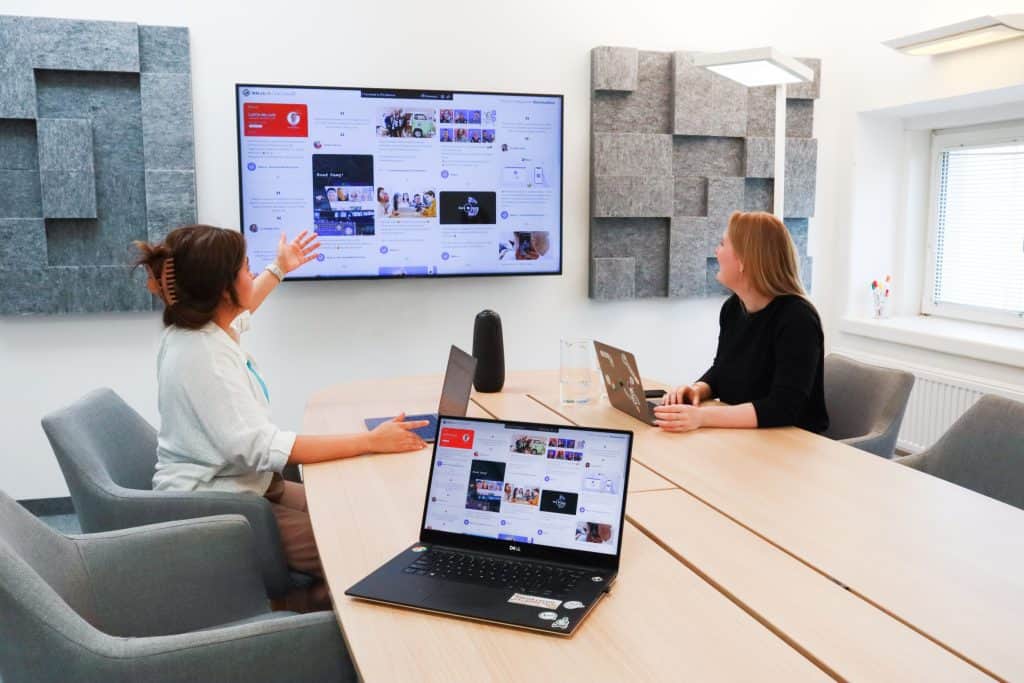
In today’s fast-paced world, productivity is a crucial aspect of success in both traditional and remote work settings. To achieve optimal productivity, finding the right tools and techniques is essential. One powerful way to enhance productivity is by leveraging audio visual (AV) gear. In this article, we will explore various audio visual solutions that can significantly improve focus, output, and overall performance.
Audio visual gear plays a vital role in boosting work performance. By combining visual aids and audio aids, AV equipment provides a multi-sensory experience that engages individuals more effectively than traditional methods.
One of the best ways to leverage AV gear for productivity is by utilizing productivity tools that incorporate audio visual elements. These tools offer innovative ways to manage tasks, collaborate with teams, and organize projects. By integrating visual elements into task management and project planning, individuals can easily prioritize and complete tasks efficiently.
To achieve productivity goals, investing in the right audio visual equipment is crucial. From high-quality displays and projectors to advanced sound systems, having reliable AV gear can significantly enhance presentations, meetings, and training sessions. The use of AV equipment ensures that information is delivered effectively, leaving a lasting impact on the audience.
AV gear can also be utilized to improve focus and concentration during work. Implementing techniques that combine audio and visual cues can help individuals maintain attention on tasks and avoid distractions. For instance, incorporating soothing background sounds and visual elements in a workspace can create a conducive environment for better focus.
Audio visual solutions are designed to cater to the specific needs of businesses and professionals. These solutions offer seamless integration of AV technology into various workflows, enabling teams to collaborate efficiently, regardless of their physical location. With AV solutions, remote work becomes more productive, as teams can engage in real-time communication and access shared resources effortlessly.
The advancements in audio visual technology have revolutionized the way work is done. With features like video conferencing, screen sharing, and virtual whiteboards, AV technology facilitates seamless communication and knowledge sharing. This accessibility to information and resources results in improved productivity across the board.
The 10 Best Windows Productivity Apps in 2022
Impact of Audio Visual Gear on Productivity
In today’s fast-paced world, maximizing productivity has become a critical goal for individuals and businesses alike. One way to achieve this is by incorporating audio visual (AV) gear into daily workflows. This section explores the relationship between audio visual aids and productivity, highlighting their advantages and how they can boost collaboration and communication.
Audio Visual Gear and Productivity
Boosting Performance with AV Equipment
Audio visual gear plays a crucial role in enhancing efficiency and improving focus. By providing visual aids and audio aids, AV equipment helps users absorb information more effectively. Whether it’s through presentations, tutorials, or training sessions, incorporating audio visual elements can significantly boost work performance.
Productivity Tools and Techniques
When it comes to productivity, having the right tools and techniques in place is vital. Audio visual technology provides innovative solutions to common challenges, allowing individuals to optimize their output and streamline their work processes. Through the use of productivity tools and techniques, tasks become more manageable and less time-consuming.
Collaboration and Communication
In today’s interconnected world, effective collaboration and communication are essential for success. Audio visual gear facilitates seamless interactions among team members, irrespective of their locations. This is particularly beneficial for remote work setups, as AV technology bridges the gap and ensures teams can work together efficiently.
Advantages of Incorporating AV Resources
Enhanced Productivity Optimisation
By using audio visual devices strategically, organizations can witness a significant productivity improvement. Visual aids, combined with audio support, enable employees to grasp concepts faster, leading to a more efficient workforce and enhanced productivity optimization.
Easy Ways to Amplify Productivity
Audio visual gear offers easy ways to amplify productivity. Whether it’s using AV solutions for meetings, presentations, or brainstorming sessions, these resources empower individuals to convey ideas more effectively and collaborate seamlessly, thereby maximizing productivity with AV equipment.
Boosting Work Performance with AV Solutions
Businesses looking to boost their employees’ work performance can turn to audio visual technology. By providing the right tools and resources, such as AV-equipped meeting rooms or interactive displays, companies can create an environment that fosters productivity and innovation.
Utilising AV Technology for Work Efficiency
Audio Visual Techniques to Increase Work Output
Implementing audio visual techniques can significantly increase work output. For example, using instructional videos or interactive presentations can help employees grasp complex concepts more efficiently, enabling them to apply newfound knowledge promptly.
Productivity Hacks Using AV Gear
Productivity hacks involving audio visual gear can revolutionize the way work is done. For instance, using screen-sharing during virtual meetings or leveraging interactive whiteboards for brainstorming sessions can lead to enhanced collaboration and problem-solving.
AV Gear for Remote Work Productivity
Importance of AV Solutions in Remote Work
In remote work settings, audio visual solutions play a critical role in ensuring teams remain connected and productive. Video conferencing, virtual collaboration tools, and shared workspaces enable remote workers to overcome geographical barriers and work together seamlessly.
Top Productivity Tools with Audio Visual Support
Identifying the best audio visual gear for productivity in remote work scenarios is essential. Reliable video conferencing systems, noise-canceling headphones, and high-quality webcams are some examples of productivity-enhancing AV equipment for remote workers.
Best Audio Visual Gear for Productivity
In today’s fast-paced world, productivity is a crucial factor that determines the success of individuals and businesses alike. To enhance efficiency, performance, and output, incorporating audio visual gear into daily workflows has become a game-changer. This section reviews and recommends the best audio visual equipment and devices, exploring how they can elevate productivity to new heights.
The Impact of Audio Visual Gear on Productivity
Audio visual gear plays a pivotal role in boosting work performance and improving focus. By leveraging visual aids and audio aids, individuals can optimize their productivity and enhance their overall output. Incorporating productivity tools with audio visual support has been proven to streamline tasks and facilitate better time management, allowing professionals to achieve more in less time.
Top Audio Visual Equipment for Productivity
Here, we present a list of the best audio visual gear for productivity:
Name
Type
Features
Price Range
ProVisual X100
Visualizer
High-resolution imaging, real-time sharing
£300-£500
SoundMast 2000
Sound System
Crystal-clear audio, noise cancellation
£150-£250
FocusVision VR
Virtual Reality
Immersive experience, task-specific simulations
£500-£800
TechTalk Presenter
Presentation Tool
AI-powered slide suggestions, gesture control
£200-£350
WorkSense SmartBoard
Interactive Board
Touch-enabled, seamless integration with devices
£400-£600
Audio Visual Gear for Remote Work Productivity
With the rise of remote work, audio visual equipment has become essential for maintaining productivity outside traditional office settings. Remote professionals can benefit from:
Conducting virtual meetings effortlessly, fostering collaboration among team members.
Utilizing virtual reality technology for immersive remote training sessions.
Enhancing remote presentations with interactive tools for a more engaging experience.
Productivity Enhancement with Audio Visual Solutions
Audio visual technology offers unique solutions to common productivity challenges. These solutions include:
Utilizing productivity techniques with audio visual aids to manage time effectively.
Incorporating audio visual resources to enhance creativity and problem-solving skills.
Leveraging productivity optimization through intuitive audio visual devices and systems.
Tips for Amplifying Productivity with Audio Visual Gear
To maximize productivity with AV equipment, consider the following tips:
Invest in quality audio visual tools that align with your specific needs and workflow.
Keep audio visual gear updated to leverage the latest advancements in technology.
Seek training and learn productivity strategies for utilizing AV equipment to its full potential.
Productivity Hacks Using Audio Visual Gear
In today’s fast-paced world, maximizing productivity is a key goal for individuals and businesses alike. To achieve this, leveraging audio visual (AV) gear can be a game-changer. AV equipment offers innovative solutions and techniques that help streamline tasks, manage time effectively, and stay organized, ultimately boosting work output and enhancing overall productivity. In this section, we’ll explore various productivity hacks using audio visual gear and demonstrate creative ways to optimize efficiency with AV technology.
The Power of Audio Visual Aids
When it comes to productivity tools, audio visual gear takes the spotlight. Visual aids, such as charts, graphs, and infographics, enable users to absorb information faster and comprehend complex data effortlessly. Simultaneously, audio aids, like podcasts and voice notes, enhance multitasking capabilities, allowing users to absorb information while performing other tasks.
Boosting Work Performance with AV Solutions
Employing audio visual solutions can significantly improve work efficiency. Utilizing video conferencing tools enables seamless collaboration among remote teams, reducing communication barriers and increasing productivity. Additionally, conducting presentations using AV equipment keeps the audience engaged, leading to better retention of information.
Improving Focus with Audio Visual Techniques
One of the biggest challenges to productivity is maintaining focus. AV gear can be utilized to create a conducive environment for concentration. Background music or ambient sounds can help drown out distractions, fostering a more focused work atmosphere.
Audio Visual Gear for Remote Work Productivity
As remote work becomes increasingly prevalent, having the right AV equipment is crucial. High-quality webcams, noise-cancelling microphones, and efficient screen-sharing tools facilitate seamless virtual collaboration, ensuring productivity remains uninterrupted regardless of location.
Optimising Work Efficiency with AV Resources
Efficient use of AV resources is key to maximizing productivity. Employing productivity techniques like time-lapse videos to analyze workflows helps identify areas for improvement. Furthermore, incorporating interactive training videos equips employees with essential skills, reducing the learning curve and enhancing overall performance.
The Best AV Gear for Productivity
Here are some of the best audio visual gear for productivity:
Gear
Features
High-Resolution Monitor
Crisp visuals for detailed work
Noise-Cancelling Headphones
Isolate from distractions and focus better
Wireless Presentation Clicker
Seamless control during presentations
Digital Voice Recorder
Capture ideas and reminders on-the-go
Affordable AV Equipment for Efficiency
Productivity need not come at a steep price. There are several cost-effective AV options available in the market, including budget-friendly webcams, portable LED projectors, and versatile audio recording devices.
Easy Ways to Amplify Productivity with AV Aids
Amplifying productivity with audio visual gear can be straightforward. Consider these tips:
Create visual to-do lists for better task organization.
Record audio summaries of important meetings for quick reference.
Utilize screen recording tools for sharing tutorials and instructions.
Implement whiteboard animation to simplify complex concepts.
Audio Visual Gear for Remote Work Productivity
As remote work becomes more prevalent, addressing the specific needs of remote workers and the challenges they face is crucial for maximizing productivity with AV equipment. In this section, we’ll explore the benefits of audio visual gear for remote work productivity, introduce audio visual solutions that enhance collaboration and efficiency, and provide tips for setting up a productive audio visual workspace at home.
Maximising Productivity with AV Equipment
Remote work demands efficiency and performance, and audio visual gear plays a vital role in achieving that. By incorporating visual aids and audio aids, productivity tools, and techniques, workers can improve focus and increase output while benefiting from the flexibility and convenience of remote work.
The Power of Audio Visual Gear for Remote Work Productivity
Productivity Enhancement with AV Technology: Utilizing audio visual equipment empowers remote workers to enhance efficiency significantly. Video conferences, virtual meetings, and screen sharing ensure seamless communication and collaboration with team members, even from different locations.
Boosting Work Performance with AV Solutions: Audio visual gear offers real-time solutions to challenges faced during remote work. Through interactive presentations and virtual brainstorming sessions, teams can improve their problem-solving abilities and generate innovative ideas.
Tips for Setting Up a Productive AV Workspace at Home
A well-organized workspace is crucial for maintaining focus and staying productive while working remotely. Consider the following tips:
a. Choose the Right Equipment: Invest in high-quality audio visual devices to ensure clear communication and seamless collaboration.
b. Ergonomics Matters: Set up your workspace ergonomically, with the right chair, desk, and lighting to minimize distractions and enhance comfort.
c. Background Noise Reduction: Use audio aids like noise-cancelling headphones to block out distractions and improve concentration during virtual meetings.
d. Designated Work Area: Create a dedicated space for work to mentally separate work from personal life and maximize productivity.
e. Utilize AV Technology for Task Management: Employ productivity tools that integrate audio visual features to organize tasks efficiently and optimize time management.
The Role of Audio Visual Technology in Productivity Improvement
Emphasize the importance of audio visual technology in remote work. With AV resources, workers can deliver engaging presentations, collaborate effectively, and streamline workflows, leading to enhanced productivity.
Improving Focus through Audio Visual Techniques
In today’s fast-paced and demanding work environment, enhancing productivity and maintaining focus are crucial for achieving success. One effective way to achieve these goals is by leveraging audio visual (AV) techniques. By incorporating audio visual elements, individuals can minimize distractions, boost performance, and create a conducive work environment. This section explores the impact of audio visual aids on focus and concentration while providing valuable tips and strategies to maximize productivity with AV equipment.
The Impact of Audio Visual Elements on Focus and Concentration
Boosting Work Performance with AV Gear
Integrating audio aids and visual aids can significantly improve information retention and comprehension, leading to enhanced focus and productivity.
Enhance Efficiency through AV Techniques
By utilizing audio visual equipment, individuals can streamline tasks, manage time efficiently, and reduce cognitive load, ultimately amplifying productivity.
Importance of Audio Visual Solutions in Productivity Enhancement
Implementing audio visual solutions, such as presentations, webinars, and training videos, can optimize information delivery and facilitate better understanding, leading to improved output.
Techniques to Use Audio Visual Aids and Minimize Distractions
Optimize Work Efficiency with AV Technology
Invest in high-quality audio visual technology that enables seamless communication and collaboration, promoting efficient work processes.
Utilize Audio Visual Resources for Productivity
Access a range of audio visual resources, such as podcasts, webinars, and online courses, to stay informed and continually enhance your skill set.
Audio Visual Gadgets for Productivity Support
Discover productivity-enhancing gadgets like digital whiteboards, noise-canceling headphones, and dual-monitor setups to maximize your output.
Audio Visual Gear for a Conducive Work Environment
Productivity Tools with AV Support
Incorporate productivity tools that offer audio visual features, such as project management software with video conferencing capabilities.
The Best Audio Visual Gear for Remote Work Productivity
Remote workers can benefit from AV gear like video conferencing systems and virtual collaboration platforms to stay connected and focused.
Affordable Audio Visual Equipment for Efficiency
Cost-effective AV gear, such as presentation clickers and portable projectors, can help create a productive workspace without breaking the bank.
Utilizing AV Techniques to Increase Output
Audio Visual Techniques for Improved Focus
Employ AV techniques, like mind maps and visual aids, to enhance focus, stimulate creativity, and boost work performance.
Easy Ways to Amplify Productivity with Audio Visual Aids
Embrace simple but effective AV aids, such as ambient music or nature sounds, to create a more focused and immersive work environment.
Productivity Benefits of Audio Visual Technology
In today’s fast-paced world, businesses and organizations are constantly seeking ways to enhance their productivity and work efficiency. One such powerful solution that has proven to be highly effective in maximizing productivity is the use of audio visual (AV) technology. By leveraging the benefits of audio visual gear, organizations can significantly boost performance, improve focus, and increase output. This section explores the productivity benefits of audio visual technology, provides real-life case studies, and discusses strategies for measuring the impact of AV equipment on work efficiency.
Enhancing Efficiency with Audio Visual Solutions
Utilizing audio visual equipment in the workplace can have a profound impact on efficiency. Audio visual gear, such as projectors, interactive displays, and video conferencing systems, enables seamless communication and collaboration among team members, regardless of their location. Meetings and presentations can be conducted more effectively, saving valuable time and resources.
Measuring the Impact of Audio Visual Gear
Measuring the impact of audio visual gear on work efficiency is essential to understand its effectiveness. Organizations can use key performance indicators (KPIs) such as meeting duration, project completion rate, and employee satisfaction surveys. By comparing productivity levels before and after the implementation of AV equipment, businesses can quantify the improvements and make data-driven decisions.
Maximizing Productivity with AV Equipment
To achieve maximum productivity, it is crucial to invest in the right audio visual tools and techniques. Selecting the best audio visual gear for productivity requires understanding specific organizational needs and workflows. Investing in top productivity tools with audio visual support can make a significant difference in day-to-day operations.
Enhancing Focus and Output with Visual and Audio Aids
Audio visual equipment offers visual aids and audio aids that enhance focus and facilitate learning. For example, using interactive whiteboards during training sessions can make information more engaging and memorable for employees, leading to better retention and application of knowledge.
Tips and Strategies for Audio Visual Productivity
Utilizing Productivity Tools: Explore various productivity tools that incorporate audio visual elements. Applications like collaborative project management software with video conferencing capabilities can streamline workflows and communication.
Optimizing Work Efficiency: Integrate audio visual equipment with existing systems and workflows to maximize its impact. Ensure proper training for employees to utilize AV solutions effectively.
Enhance Remote Work Productivity: With the rise of remote work, audio visual gear can play a vital role in maintaining team cohesion and productivity. Implementing AV solutions for virtual meetings and presentations can foster seamless remote collaboration.
Audio Visual Technology for Productivity Enhancement
Audio visual technology offers a wide range of resources and devices that can transform the way organizations operate. From interactive displays to video walls, AV technology opens up new possibilities for boosting productivity and efficiency.
Affordable Audio Visual Equipment for Efficiency
In today’s fast-paced world, productivity is crucial for success in both professional and personal endeavors. Embracing the right tools and techniques can significantly enhance efficiency and performance. One area that holds immense potential is audio visual (AV) gear, offering a wide range of solutions to amplify productivity and improve focus. In this section, we will explore some cost-effective AV tools that deliver excellent results while staying within your budget.
The Power of Audio Visual Gear for Productivity
Embrace Audio Visual Equipment: Investing in quality AV equipment is a game-changer for individuals and businesses alike. Visual aids enhance learning and information retention, while audio aids can increase focus and engagement during tasks.
AV Technology for Remote Work: In the era of remote work, audio visual gear has become even more critical. Video conferencing solutions, virtual collaboration platforms, and interactive presentation tools are essential for seamless communication and productivity.
Affordable AV Equipment Recommendations
Budget-Friendly Visual Solutions: Projection screens and LED displays are cost-effective options to create impactful presentations, making them ideal for small businesses and educational institutions.
Productivity-Boosting Audio Devices: Noise-canceling headphones and microphone sets help minimize distractions and ensure crystal-clear communication during virtual meetings, boosting work performance.
Productivity Tips with AV Gear
Focus Enhancement Techniques: Utilize ambient music or white noise through audio devices to create a conducive work environment that fosters concentration and creativity.
Audio Visual Techniques for Increased Output: Leverage mind mapping software and presentation tools to organize thoughts, ideas, and information visually, leading to improved productivity.
AV Gear for Efficiency
AV Equipment
Price Range (£)
User Ratings (out of 5)
LED Projector
200 – 500
4.5
Noise-Canceling Headphones
50 – 150
4.8
Interactive Whiteboard
300 – 800
4.7
The Importance of AV Solutions in Productivity Enhancement
Multi-Sensory Learning: AV gear allows users to absorb information through multiple senses, making it easier to understand and retain knowledge.
Collaboration and Communication: Effective communication is vital for productivity. AV tools facilitate seamless collaboration, bridging the gap between team members, and ensuring ideas flow freely.
Conclusion
In today’s fast-paced work environment, maximizing productivity is crucial for success, whether you work remotely or in a traditional office setting. One powerful way to achieve this is by harnessing the potential of audio visual gear.
Audio visual gear encompasses a wide range of tools, techniques, and equipment designed to improve your work processes. By integrating visual aids and audio aids into your workflow, you can boost performance and productivity significantly.
One of the key benefits of audio visual gear is the availability of productivity tools tailored to enhance your efficiency. From collaborative video conferencing platforms to task management tools with visual cues, these solutions streamline communication and task organization.
Investing in high-quality audio visual equipment can pay dividends in terms of productivity gains. Clear and crisp audio, along with high-definition visuals, can lead to better communication and more effective presentations.
Audio visual gear can also play a crucial role in improving focus and concentration. Utilizing techniques such as guided meditation or background white noise can create an optimal work environment, minimizing distractions and boosting productivity.
Studies have shown that incorporating visual and audio aids into presentations and learning materials can lead to higher information retention and better understanding.
FAQs
What is audio visual gear for productivity?
Audio visual gear for productivity refers to equipment that combines both auditory and visual elements to enhance efficiency and effectiveness in various work-related tasks. This equipment typically includes items such as video conferencing systems, projectors, interactive whiteboards, webcams, high-quality speakers, and professional headphones.
How does it enhance work efficiency?
Audio visual gear enhances work efficiency by providing more engaging and interactive communication channels. It allows for clearer presentations, better collaboration in virtual meetings, and improved understanding of complex concepts through visual aids. By incorporating audio visual elements into workflows, teams can streamline communication, reduce misunderstandings, and share information more effectively.
Which are the best productivity tools with audio visual support?
Some of the best productivity tools with audio visual support include Microsoft Teams, Zoom, Google Meet, Slack, Trello, Asana, and Miro. These platforms offer features like video conferencing, screen sharing, virtual whiteboards, and document collaboration, enabling teams to work together seamlessly.
Can audio visual equipment improve focus at work?
Yes, audio visual equipment can improve focus at work by providing engaging and immersive experiences. Visual aids help people better grasp information, and clear audio ensures effective communication. Moreover, virtual meetings with video support can increase accountability and attentiveness among participants, resulting in better concentration during discussions.
How to use audio visual gear to boost productivity?
To boost productivity, use audio visual gear for presentations, team meetings, and collaborative brainstorming sessions. Share visual content to complement your verbal communication and make complex ideas easier to understand. Use video conferencing to connect with remote team members and improve the sense of connection within the team. Ensure that the audio is clear to prevent misunderstandings and distractions during virtual interactions.
What are the benefits of audio visual solutions in productivity enhancement?
Audio visual solutions offer several benefits in productivity enhancement, including improved communication, increased engagement, better collaboration, enhanced learning experiences, and streamlined information sharing. They can also reduce travel time and costs by facilitating remote meetings, thereby saving valuable resources for businesses.
Which audio visual devices are top-rated for productivity?
Top-rated audio visual devices for productivity include professional-grade webcams (e.g., Logitech C920), high-quality microphones (e.g., Blue Yeti), noise-canceling headphones (e.g., Bose QuietComfort), interactive displays (e.g., Microsoft Surface Hub), and video conferencing systems (e.g., Cisco Webex Room Kit).
Where can I find audio visual gear reviews for productivity?
You can find audio visual gear reviews for productivity on technology websites, online retailers like Amazon, professional audio visual equipment suppliers’ websites, and tech-focused publications. Look for reputable sources and customer reviews to get insights into the performance and suitability of specific gear for your productivity needs.
How to choose the right audio visual equipment for productivity?
To choose the right audio visual equipment for productivity, consider your specific needs, budget, and the nature of your work. Assess factors such as audio quality, video resolution, compatibility with your existing setup, ease of use, and any additional features you may require. Read reviews, seek recommendations, and compare different products before making a decision.
Are there any productivity gadgets with audio visual aid?
Yes, there are productivity gadgets with audio visual aid, such as smart projectors, digital pens for interactive whiteboards, document cameras for real-time visual presentations, and smart glasses that display information directly in the user’s field of view.
What are the techniques to increase work output using audio visual gear?
To increase work output using audio visual gear, use visual aids in presentations to make information more digestible, incorporate video conferencing for more effective communication, and leverage interactive whiteboards for collaborative ideation. Ensure that audio is of high quality to avoid misunderstandings and keep participants engaged during virtual meetings.
How can audio visual techniques optimize productivity?
Audio visual techniques can optimize productivity by promoting clearer communication, fostering better understanding of concepts, encouraging collaboration among team members, reducing meeting time, and facilitating remote work. By leveraging audio visual tools effectively, teams can streamline workflows and achieve tasks more efficiently.
Does audio visual technology really improve productivity?
Yes, audio visual technology can significantly improve productivity in various ways. It enhances communication, simplifies complex ideas, increases engagement, and enables more effective collaboration among team members. The combination of visual aids and clear audio results in better understanding and retention of information, leading to increased work efficiency and output.
Remote work has witnessed a significant surge in recent years, revolutionizing the way teams collaborate and operate. This growing trend of remote work has necessitated the adoption of effective collaboration tools to ensure seamless communication, maximize productivity, and enhance project management. In this article, we will explore the importance of using the best collaboration tools for remote teams and how they contribute to the success of distributed work environments.Remote collaboration has become a game-changer for modern teams, enabling individuals to work together regardless of their physical location. With remote work, teams can tap into global talent pools, achieving diversity and expertise that traditional office settings may lack. By leveraging the power of collaboration tools, remote teams can overcome geographical barriers, foster effective communication, and streamline their workflows.To maximize productivity in remote work scenarios, utilizing the best collaboration tools for remote teams is crucial. These tools empower teams to collaborate seamlessly, enabling real-time communication, task management, and file sharing. By leveraging these tools, teams can stay organized, work efficiently, and deliver outstanding results.Effective task management is essential for remote teams to stay on track. Collaboration tools such as project management software and task management apps offer features like task assignment, progress tracking, and deadline reminders. These tools help distribute work evenly, promote accountability, and ensure timely completion of projects.TOP REMOTE TEAM TOOLS FOR COLLABORATION AND PRODUCTIVITY Collaboration Tools for Remote Teams with Document SharingDocument sharing plays a vital role in facilitating seamless collaboration among remote teams. In a remote work environment, effective communication, efficient project management, and streamlined workflow are crucial for the success of distributed teams. Document sharing not only enhances team collaboration but also maximizes productivity and ensures the smooth progress of projects.When remote teams have access to collaboration tools with robust document sharing capabilities, they can easily share files, work on them simultaneously, and track changes in real-time. This promotes efficient collaboration and eliminates the challenges of version control and the hassle of constantly emailing or transferring files. By enabling remote team members to collaborate on documents seamlessly, organizations can foster a sense of unity and collective progress, regardless of geographical boundaries.Best Collaboration Tools for Remote Teams Google Workspace: Key Features: Google Workspace offers a suite of productivity apps, including Google Docs, Sheets, and Slides, which allow real-time document collaboration and editing. It also provides seamless integration with other Google tools such as Google Drive and Google Meet for file storage and video conferencing. Benefits: Google Workspace ensures easy document sharing, simultaneous editing, and centralized storage. It enhances remote team communication and enables efficient project management with shared calendars and task assignment features. User Experience: Users appreciate the simplicity and user-friendly interface of Google Workspace, enabling smooth collaboration and streamlined workflows for remote teams. Microsoft 365: Key Features: Microsoft 365 offers tools like Microsoft Word, Excel, and PowerPoint for document collaboration. It provides cloud storage through OneDrive and integrates with Microsoft Teams for communication and project management. Benefits: With Microsoft 365, remote teams can collaborate on documents in real-time, co-author files, and access them from anywhere. The integration with Microsoft Teams allows seamless communication, video conferencing, and task management. User Experience: Users value the familiar Microsoft Office interface and appreciate the robust collaboration features offered by Microsoft 365. The comprehensive suite of tools simplifies remote team collaboration and enhances productivity. Slack: Key Features: Slack is a messaging and collaboration platform that offers document sharing and integration with various productivity apps. It allows teams to create channels for specific projects, share files, and communicate in real-time. Benefits: Slack facilitates efficient communication and document sharing, promoting collaboration among remote teams. It integrates with popular productivity apps, such as Google Drive and Dropbox, for seamless file sharing and collaboration. User Experience: Users find Slack intuitive and appreciate its organized workspace, quick search functionality, and the ability to integrate with other tools. The platform enhances remote team collaboration by providing a centralized hub for communication and file sharing. Trello: Key Features: Trello is a visual project management tool that enables remote teams to organize tasks, create workflows, and share documents. It offers boards, lists, and cards to track project progress and assign tasks. Benefits: Trello enhances remote team collaboration by providing a visual representation of projects and tasks. It allows document sharing within cards, providing context and clarity for team members. User Experience: Users find Trello easy to use and appreciate its visual interface for managing projects and tasks. The intuitive drag-and-drop functionality and seamless collaboration features make it a popular choice for remote teams. Easy-to-Use Collaboration Tools for Virtual TeamsIn today’s fast-paced work environment, remote teams are becoming increasingly common. To ensure the success of these distributed teams, it is crucial to equip them with the best collaboration tools for remote teams. These tools not only simplify remote collaboration but also minimize learning curves and maximize productivity. In this section, we will explore a selection of collaboration tools known for their intuitive interfaces and ease of use, providing valuable insights into how they simplify collaboration for remote teams.Project Management ToolsEfficient project management lies at the core of successful remote team collaboration. The following project management tools excel in providing seamless communication, task management, and organization: Trello: Trello offers a user-friendly interface that allows remote teams to manage projects with ease. Its intuitive Kanban-style boards enable teams to visualize workflows, assign tasks, and track progress effortlessly. Asana: Asana is a comprehensive project management solution that promotes team collaboration and accountability. Its easy-to-use interface facilitates seamless task assignment, prioritization, and tracking, ensuring efficient remote work collaboration. Communication and Messaging AppsEffective communication is vital for remote teams to stay connected and work cohesively. The following communication and messaging apps enhance remote team collaboration: Slack: Slack is a popular messaging app that enables real-time communication, file sharing, and team collaboration. Its intuitive interface and robust features foster seamless communication and keep remote teams connected. Microsoft Teams: Microsoft Teams offers a unified platform for remote team communication, file sharing, and video conferencing. Its user-friendly interface, coupled
In the modern world, effective presentations are a cornerstone of success across various fields. Whether you’re a business professional, educator, or public speaker, the ability to convey your ideas with clarity and impact is crucial. Presentation techniques have evolved significantly, and one of the key factors in this evolution is the integration of audio visual (AV) technology. Audio visual technology to boost presentation success has become a vital tool, revolutionizing the way information is delivered and received.Visual communication plays a pivotal role in conveying complex ideas quickly and engagingly. With the advent of multimedia technology, presenters can now utilize a variety of visual aids, multimedia tools, and presentation equipment to create impactful visuals that resonate with audiences. The synergy between visual storytelling and presentation skills is where AV integration shines. By using advanced visuals and engaging slides software, speakers can capture and maintain the audience’s attention, maximizing productivity with AV equipment. Maximizing productivity with AV equipment isn’t just about technological prowess; it’s about harnessing the power of multimedia to make presentations memorable and effective.A significant trend in recent times is the growing interest in using AV technology to improve public speaking skills and engage audiences. This interest is fueled by the realization that audio visual solutions offer an array of benefits. These range from affordable AV tech for presentations to user-friendly presentation tech, enabling speakers to craft visually stunning and impactful content. Audience engagement devices and interactive slides software allow for real-time interactions, transforming presentations from one-sided monologues to dynamic, two-way conversations. This synergy between AV solutions and presentation effectiveness has redefined what it means to captivate an audience.The journey toward effective presentations encompasses not only visual communication but also audio enhancement. Achieving audio clarity in presentations is equally critical, as clear and resonant sound ensures that your message reaches every corner of the room. By leveraging technology for speakers, such as AV solutions for speakers, presenters can ensure that their message is not only visually compelling but also audibly captivating. Modern presentation equipment has made it easier than ever to strike a balance between impactful visuals and clear audio, creating an immersive and memorable experience for the audience.As the demand for engaging presentations rises, presenters are seeking the latest multimedia tools to stay ahead. Affordable AV tech for presentations is a game-changer, allowing even smaller organizations to harness the power of multimedia solutions. Visual aids for public speaking have become more sophisticated, offering options for creating engaging slides, interactive content, and seamless transitions. With the availability of audio visual solutions, enhancing presentation impact is no longer reserved for large corporations with vast resources; it’s an opportunity accessible to all who value effective communication.Logitech-Powered Tencent Meeting Room Tour at Steelcase The Power of Visual Communication and Presentation TechniquesVisual communication is a pivotal element in modern presentations, revolutionizing the way information is conveyed and absorbed. Leveraging advanced visuals and multimedia technology can significantly enhance the effectiveness of presentations, leading to greater audience engagement and comprehension. This section delves into the critical role of visual communication and explores effective presentation techniques that seamlessly integrate audio visual (AV) technology to boost presentation success.Enhancing Audience Engagement with AV IntegrationTo maximize audience engagement, presenters can harness the power of AV solutions for speakers. Incorporating audience engagement devices, such as interactive slides software, allows presenters to create dynamic, two-way interactions, fostering a more participatory environment. User-friendly presentation tech enables speakers to seamlessly integrate multimedia elements and engage the audience through interactive features.Simplifying Complex Ideas with Effective Visual AidsVisual aids play a crucial role in simplifying complex concepts, making them accessible to a diverse audience. By using visual aids for public speaking, such as engaging slides and multimedia tools, speakers can transform intricate ideas into digestible visual representations. Impactful visuals not only capture attention but also facilitate better understanding, enabling presenters to convey their messages with precision and clarity.Boosting Presentation Effectiveness with TechnologyThe availability of affordable AV tech for presentations has democratized the use of technology for speakers of all levels. Modern presentation equipment offers solutions that cater to various budgets, ensuring access to cutting-edge tools. AV solutions for speakers encompass audio enhancement, visual communication, and presentation equipment. These technologies collectively contribute to seamless audio visual integration, enriching the presentation experience.Incorporating Multimedia Solutions for a Captivating ExperienceThe latest multimedia tools have transformed presentations into immersive experiences. Through multimedia solutions, presenters can incorporate diverse content formats, such as videos, images, and interactive elements, adding depth and engagement to their presentations. A well-executed multimedia presentation not only captures attention but also reinforces key points, leaving a lasting impact on the audience.Public Speaking Skills and Presentation EnhancementThe integration of AV technology isn’t solely about equipment; it’s about honing presentation skills as well. Presenters can use AV technology to enhance their public speaking confidence by leveraging audio clarity in presentations and employing engaging slides. By aligning technology with effective presentation techniques, speakers can elevate their delivery and captivate audiences. Visual Aid Benefits Interactive Slides Encourages audience participation and active learning Multimedia Elements Enhances engagement through diverse content formats Impactful Visuals Simplifies complex ideas, aiding audience comprehension Audio Clarity Ensures clear and crisp delivery of spoken content Affordable AV Tech for PresentationsIn the world of presentations, the misconception that audio visual (AV) technology is costly and inaccessible has persisted for too long. However, the reality is quite the opposite. Modern presentation techniques have evolved to include an array of budget-friendly AV solutions that can significantly boost presentation success. In this guide, we will explore how investing in affordable AV tech can elevate presentation quality, captivating your audience and maximizing productivity with AV equipment.AV Solutions for Effective PresentationsWhen it comes to presentation success, having the right tools at your disposal is crucial. Multimedia technology and effective visual aids play a pivotal role in engaging your audience and conveying your message effectively. Utilizing user-friendly presentation tech, such as interactive slides software, can transform your presentations into dynamic and engaging experiences. Equipment Features Price Range Interactive Software Enables interactive and engaging slides £50 – £200
In today’s digital landscape, the audiovisual (AV) industry plays a pivotal role, in shaping how we consume information, communicate, and engage with multimedia content. Staying up-to-date with the latest AV industry insights is paramount to harnessing the full potential of this dynamic sector. This blog will provide a comprehensive overview of key aspects of the audiovisual industry.The AV industry encompasses a vast spectrum of technologies, including multimedia solutions, video conferencing, digital signage, AV integration, and emerging technologies. It’s the backbone of modern communication, enabling businesses to connect globally and enhancing educational and entertainment experiences. As remote work solutions become increasingly prevalent, the AV industry’s importance grows, supported by technologies like 5G connectivity and IoT integration.The AV (Audio-Visual) industry is continually evolving, offering exciting opportunities for professionals and enthusiasts alike. Staying informed and inspired in this dynamic field is crucial. Keep a watchful eye on emerging technologies like augmented reality (AR) and virtual reality (VR), which are reshaping the AV landscape. Explore industry publications, attend conferences, and engage with online communities to stay updated on the latest trends, products, and best practices.Keeping up with audiovisual industry insights is essential for professionals and enthusiasts alike. From emerging AV technologies to industry statistics and audiovisual innovations, our blog provides readers with a one-stop resource for AV industry news updates, AV technology trends, and AV sector analysis.In the upcoming year, we anticipate revolutionary changes in the AV industry. From next-gen audiovisual experiences to disruptions in the AV market, digital transformation, and evolving AV technologies, we will cover it all.Tech Tuesday: RVonAV-Emerging Technologies Shaping the AV Industry Upcoming Audiovisual Trends in 2023The AV industry is on the brink of a transformational year in 2023, with several exciting trends poised to shape the future of audiovisual technology. In this comprehensive guide, we delve into the most anticipated trends, their real-world applications, and how they are influencing the AV industry landscape. Immersive Media Takes Center Stage One of the most captivating trends that will revolutionize visual technology is the rise of immersive media in AV. Augmented Reality (AR) and Virtual Reality (VR) applications are making their mark in various sectors. For instance, in the healthcare industry, surgeons can now use AR headsets for complex surgeries, enhancing precision and reducing risks. AI’s Impact on the AV Industry AI in AV is no longer a distant dream but a concrete reality. AI-driven solutions are becoming integral to AV technology. AI-powered content analysis ensures that audiovisual content is easily searchable and accessible, benefiting both creators and users. This trend is dramatically improving the user experience and content management in the AV industry. 5G Connectivity Revolutionises Video Conferencing With 5G connectivity, video conferencing is set to reach new heights of efficiency and clarity. The reduced latency and higher bandwidth of 5G networks enable seamless, high-quality video conferences, making remote collaboration smoother and more productive. This is a game-changer for remote work solutions. Sustainability Practices Gain Momentum The AV industry is not just about cutting-edge technology; it’s also about sustainability. As environmental concerns grow, AV companies are actively implementing eco-friendly practices. For example, using energy-efficient components in AV integration and digital signage can reduce carbon footprints, aligning with sustainability goals. Interactive Displays Redefine Engagement Interactive displays are becoming increasingly popular in business and education. They foster engagement and collaboration, enhancing learning experiences in classrooms and facilitating dynamic presentations in boardrooms. These interactive displays are part of the evolving audiovisual sector. IoT Integration for Seamless Connectivity The Internet of Things (IoT) is seamlessly integrating with AV technology, enhancing user experiences. Smart AV devices can now communicate with each other, providing users with a holistic and interconnected multimedia solution. This trend has the potential to reshape how we interact with audiovisual technology. AV Certifications and Skill Development As the AV industry continues to evolve, the importance of AV certifications cannot be overstated. Audiovisual training and certifications are essential for professionals to stay updated with the latest AV developments and technology updates. Industry-recognized certifications are a valuable asset in this fast-paced environment. Digital Transformation and Multimedia Solutions The digital transformation in AV is evident, with multimedia solutions at the forefront. Businesses are leveraging digital signage to promote products and services effectively. This technology is a powerful tool for conveying information and creating memorable customer experiences. Revolutionising Visual TechnologyThe AV industry is in the midst of a transformative revolution, driven by cutting-edge visual technologies. These innovations are reshaping the landscape of audiovisual solutions, multimedia experiences, and remote work solutions. In this section, we delve into the key breakthroughs and their impact on user experiences within the AV industry.OLED and MicroLED DisplaysTwo of the most remarkable developments in visual technology are OLED and MicroLED displays. OLED (Organic Light Emitting Diode) displays offer vibrant colours, infinite contrast ratios, and ultra-thin screens. MicroLED, on the other hand, combines the benefits of OLED with enhanced brightness and longevity. These technologies are not only redefining the quality of displays but also contributing to sustainability practices within the AV industry, as they are more energy-efficient and durable.AR/VR IntegrationAugmented Reality (AR) and Virtual Reality (VR) are rapidly gaining ground in the AV industry. These immersive technologies are being harnessed for various applications, including audio-visual training, multimedia solutions, and video conferencing. They provide an unparalleled level of interactivity and engagement, revolutionizing user experiences. AR/VR technologies have found applications in AV integration for enhancing presentations and training sessions, further driving the adoption of these technologies.The Impact on User ExperiencesThe integration of OLED and MicroLED displays, along with AR/VR technologies, is transforming user experiences in numerous ways: Enhanced Education with Audio Visual Training: Educational institutions are leveraging these advancements to provide audiovisual training that is more engaging and interactive. Students can immerse themselves in virtual environments, enhancing their learning experiences. Interactive Displays for Businesses: Digital signage and interactive displays have become integral for businesses. They enable companies to engage with customers in innovative ways, leading to improved customer experiences and brand recognition. AI and IoT Integration: Emerging technologies like AI are being used in conjunction with AV
In today’s competitive world, presentation productivity plays a pivotal role in leaving a lasting impact on your audience. To achieve success in public speaking and effectively convey your message, leveraging audio-visual (AV) equipment has become indispensable. This blog will focus on the significance of AV tools in enhancing presentations and provide valuable insights into boosting productivity during speeches.Incorporating presentation equipment, such as AV devices and interactive displays, enriches your content and keeps your audience engaged. Utilizing advanced multimedia aids not only helps deliver your message effectively but also makes your presentations more captivating and memorable.AV tools enable you to fine-tune your public speaking skills by providing real-time feedback and offering opportunities for improvement. With the right AV integration, you can analyze your performance and make necessary adjustments to deliver impactful presentations.Presentation software, combined with the latest AV technology, empowers you to create compelling and dynamic slideshows. Streamlined and visually appealing presentations aid in better comprehension and information retention, thereby maximizing productivity.The Ideal Meeting Room Setup The Power of AV Equipment for Engaging PresentationsIn the fast-paced world of presentations, captivating your audience and keeping them engaged is essential for successful communication. The power of AV (Audio-Visual) equipment in achieving this goal cannot be underestimated. AV tools not only enhance visual communication but also improve public speaking, making presentations more interactive and impactful.Maximising Productivity with AV EquipmentWhen it comes to maximizing productivity with AV equipment, professionals can leverage the latest advancements in presentation technology to deliver efficient and impactful presentations. By incorporating AV devices strategically, speakers can elevate their speaking skills and leave a lasting impression on their audience.The Role of AV Equipment in Captivating AudiencesAV equipment plays a pivotal role in captivating audiences during presentations. It adds a dynamic element to otherwise static talks, making them visually engaging and interactive. With advanced multimedia aids, speakers can seamlessly integrate visuals, audio, and interactive displays to keep the audience hooked throughout the presentation.Various Types of AV Tools and Their Impact on Visual Communication Projectors: Projectors have revolutionized the way presentations are delivered. From traditional conference room setups to modern portable projectors, they allow speakers to project their content on large screens, making it easily visible to all attendees. The projection systems are invaluable tools for data-driven presentations, allowing the speaker to present complex information with clarity. Displays: Interactive displays take presentations to a whole new level. These tech-enhanced screens enable speakers to navigate through their content with ease, making the presentation more fluid and interactive. Visual communication is enhanced, leaving a lasting impact on the audience. Audio Aids: Clear and crisp audio is crucial for effective presentations. AV equipment that includes high-quality audio aids ensures that the message is heard loud and clear, eliminating any distractions and maximizing the speaker’s impact. Successful Presentations Leveraging AV Equipment TED Talks: TED Talks are renowned for their impactful use of AV equipment. Speakers utilize interactive displays, advanced presentation tools, and multimedia aids to deliver thought-provoking and engaging talks. Corporate Presentations: In the business world, AV integration in conference rooms has become the norm. Executives use efficient presentation software, top-of-the-line projection systems, and AV accessories to elevate their presentations, resulting in productive meetings and better decision-making. AV Equipment Impact on Presentations Interactive Displays Enhances engagement levels Projectors Facilitates data-driven talks Audio Aids Ensures clear communication Ways to Improve Presentation Productivity with AV Equipment Incorporate interactive displays to foster engagement. Use efficient presentation software for seamless content delivery. Invest in high-quality audio aids for clear communication. Stay up-to-date with the latest AV technology to keep presentations modern and impactful. Choosing the Best AV Setup for PresentationsIn today’s fast-paced world, delivering impactful presentations is crucial for professionals and public speakers. The right AV (audio-visual) equipment can make all the difference in capturing and retaining your audience’s attention. This comprehensive guide will help you choose the best AV setup for presentations, considering the latest trends in AV technology and focusing on productivity boosters to enhance your overall presentation experience.AV Equipment for Engaging PresentationsTo create engaging presentations, you need reliable and efficient AV tools. These tools encompass a wide range of multimedia aids, including projection systems, interactive displays, audio aids, and presentation software. By utilizing these resources effectively, you can elevate your speaking skills and improve public speaking.Boost Productivity with AV ToolsProductivity is key when it comes to delivering successful presentations. AV devices play a crucial role in increasing productivity by streamlining your presentation process. With advanced presentation tools and AV integration, you can efficiently create impactful slideshows and seamless audio-visual experiences that leave a lasting impression on your audience.Choosing the Best AV Setup for PresentationsWhen selecting your AV setup, consider your specific presentation needs. Evaluate the available AV equipment, focusing on their functionalities and how they align with your presentation style. Below, we compare various AV devices in the market and their suitability for different presentation scenarios.AV Solutions for Conference Rooms AV Device Features Suitability Interactive Displays Touchscreen capabilities, real-time annotations Ideal for collaborative presentations in conference rooms. Projection Systems Large screen display, high image resolution Perfect for large audiences in conference settings. Audio Aids High-quality microphones, sound systems Enhances speaker’s voice and ensures clear communication. Advanced Multimedia Aids for Speeches AV Device Features Suitability Presentation Software User-friendly interface, customizable templates Ideal for professionals creating data-driven presentations. Presentation Remote Wireless control, slide navigation Convenient for dynamic speakers who move around while presenting. AV Integration Seamless device connectivity, easy setup Suitable for multi-device presentations with smooth transitions. Improving Visual Communication in PresentationsVisual communication is a powerful aspect of any presentation. Incorporate AV equipment to enhance visual elements and captivate your audience. Utilize Interactive Displays: Engage your audience by allowing them to interact with the presentation content directly. Integrate Audio Aids: Crystal-clear sound quality ensures your message reaches every corner of the room. Embrace Projection Systems: Showcase your ideas on a large scale for better visibility. Tech-Enhanced Presentations in 2023As we move into 2023, AV technology continues to advance rapidly. Embrace the latest trends to elevate your presentations. 3D Projection Systems: Create
In today’s fast-paced world, the audiovisual (AV) industry is constantly evolving, making lifelong learning in AV an essential concept for AV professionals. This article explores the significance of staying updated and continuously improving AV skills, emphasizing the relevance of AV in various sectors and its rapid technological advancements.Lifelong learning in AV is crucial due to the ever-evolving nature of AV technology. AV professionals must adapt to stay at the forefront of industry trends and advancements, ensuring they can effectively harness the power of the latest AV solutions.AV certifications are valuable assets that demonstrate your expertise. By pursuing these certifications through online courses and AV training programs, you can unlock new career opportunities and higher earning potential.Lifelong learning is essential for professionals in the field of Autonomous Vehicles (AV) to stay relevant and excel in their careers. In this dynamic industry, technology and regulations are constantly evolving. To embark on a path of continuous growth, start by building a strong foundation in AV fundamentals, including computer vision, machine learning, and robotics. AV is not limited to entertainment; it plays a pivotal role in various sectors, including education, healthcare, corporate, and events. Lifelong learning ensures you remain adaptable, and capable of catering to diverse industry needs.Access to lifelong learning resources allows you to acquire knowledge and improve your skills efficiently. These resources encompass a wide range of topics, from AV industry insights to AV technology updates, maximizing your AV skills.What is lifelong learning? Effective AV Training for BeginnersBeginners entering the audiovisual (AV) industry encounter several challenges. Understanding the complex AV technology landscape, staying updated with industry trends, and gaining practical experience can be daunting. Lifelong learning in AV is crucial to address these challenges effectively.Foundational AV TrainingFoundational AV training serves as the cornerstone of a successful career in the AV industry. It equips beginners with essential skills, ensuring a solid grasp of AV technology and continuous growth potential. Lifelong learning in AV is pivotal for AV professionals seeking career advancement.Recommendations for BeginnersFor newcomers, there are numerous online courses and resources available to kickstart their AV journey: AV Certification Programs: Pursue AV certifications like CTS (Certified Technology Specialist) to gain industry-recognized credentials and boost career prospects. Online AV Courses: Platforms like Coursera, Udemy, and LinkedIn Learning offer a wide range of online AV courses. “Audiovisual Education Online” and “Continuous Learning in Audiovisual” are excellent choices. AV Training Programs: Consider specialized AV training programs offered by AVIXA (The Audiovisual and Integrated Experience Association) and InfoComm Academy. These programs cover AV technology updates and industry insights. Lifelong Learning Platforms: Explore lifelong learning platforms like edX, which provide access to AV education pathways and knowledge acquisition resources. Specific Courses and Platforms for NovicesFor beginners in the AV industry, specific courses and platforms can provide valuable skills and knowledge: Coursera: Enroll in “AV Essentials: Complete Audio Visual Training” to build a strong foundation. Udemy: Take “AV Basics: Everything You Need to Know About Audio Visual” for a comprehensive overview. InfoComm Academy: Explore their “Introduction to AV” course for in-depth AV industry insights. edX: Access “AV Technology Fundamentals” to learn about AV technology and its applications. Lifelong Learning in AVLifelong learning in AV offers numerous benefits, including: Continuous Growth: AV professionals who embrace lifelong learning benefit from continuous growth in their skills and knowledge. Skill Enhancement: Regular training and knowledge acquisition result in AV skill enhancement, making professionals more valuable in the industry. Industry Trends: Staying updated with AV industry trends is vital for success. Lifelong learning provides insights into the latest developments. AV Learning Community: Engage with the AV learning community to share experiences and access lifelong learning opportunities. Advanced AV Skills for ProfessionalsIn today’s fast-paced world, the need for professionals to advance their AV skills has never been more critical. Lifelong learning in AV (audiovisual) is not just a choice; it’s a necessity for those seeking continuous growth and success in the industry. The Need for Lifelong Learning in AVIn the rapidly evolving landscape of AV technology, professionals must stay updated with the latest industry trends and advancements. Lifelong learning in AV is essential to keep pace with the ever-changing AV technology landscape. AV professionals who embrace continuous learning are better equipped to adapt to new challenges and opportunities, making them invaluable assets to their organizations.Benefits of Mastering Advanced AV Techniques Career Advancement: Lifelong learning in AV opens doors to career growth opportunities. Professionals who master advanced AV techniques are more likely to secure higher-paying positions and advance their careers in the AV industry. Industry Insights: Lifelong learners stay ahead of AV industry trends. They possess a deeper understanding of emerging technologies and market shifts, allowing them to make informed decisions and contribute to their organizations’ success. Skill Enhancement: Advanced AV skills development leads to enhanced technical proficiency. Lifelong learners can tackle complex projects with ease, ensuring the delivery of high-quality AV solutions. Knowledge Acquisition: Lifelong learning resources empower AV professionals to acquire knowledge continuously. Whether through online courses, workshops, or AV education pathways, professionals can expand their expertise. Advanced AV Training Options and CertificationsFor those committed to lifelong learning in AV, several advanced AV training options and certifications are available: Online AV Courses: Online courses for AV enthusiasts offer flexibility and convenience, allowing professionals to learn at their own pace. These courses cover a wide range of topics, from AV technology updates to effective AV training for beginners. AV Certifications: AV certifications for career growth are recognized by industry leaders. These certifications validate an individual’s expertise and open doors to new opportunities. AV Training Programs: Specialized AV courses offer in-depth knowledge and practical experience. These programs equip professionals with the skills needed to excel in the field. Online Courses for AV EnthusiastsThe rapid evolution of audiovisual (AV) technology has led to a growing demand for continuous growth and skill enhancement among AV professionals. Lifelong learning in AV has become a necessity for staying relevant in this ever-changing industry. The Rise of Online Learning in the AV FieldLifelong learning in AV, often referred to as continuous growth in
In today’s digital age, the rise of remote work has revolutionized how businesses operate. As companies increasingly embrace remote collaboration, the concept of remote team onboarding has become paramount. Remote team onboarding refers to the process of integrating new employees into a virtual work environment, providing them with the necessary tools, techniques, and support to ensure a smooth onboarding experience. Recognizing its importance, organizations are turning to remote team onboarding tools and techniques to facilitate efficient and effective onboarding, ultimately leading to improved remote team productivity.Unlike traditional onboarding, remote team onboarding lacks the physical presence and immediate interaction between team members. This absence of in-person communication can hinder the development of personal connections and impede effective team collaboration.Remote team members often face communication barriers due to geographical dispersion, varying time zones, and limited non-verbal cues. Building rapport, fostering engagement, and maintaining effective remote team communication is vital to overcoming these obstacles.Without standardized onboarding processes, organizations risk inconsistency in imparting essential knowledge and skills to new remote team members. Establishing streamlined onboarding strategies and employing remote team onboarding tools can ensure consistency and efficiency throughout the onboarding journey.Remote team integration challenges can arise from the diversity of cultures, languages, and work styles within a virtual team. Encouraging remote team members to embrace a common remote team culture fosters a sense of belonging, collaboration, and shared values.5 Best Onboarding Software Tools For Employees & Customers in 2022 Remote Team Onboarding Checklist TemplateEffective onboarding plays a vital role in setting remote teams up for success. By utilizing a comprehensive remote team onboarding checklist template, organizations can ensure a smooth onboarding experience, facilitate remote collaboration, and enhance team productivity. This section explores the significance of having a remote team onboarding checklist template and provides a comprehensive checklist covering essential onboarding steps for remote employees.Why Use a Remote Team Onboarding Checklist Template?A remote team onboarding checklist template offers several benefits, enabling organizations to streamline the onboarding process and ensure a consistent experience for new hires. Let’s delve into its advantages: Structured Onboarding: A checklist template provides a structured approach to onboarding, ensuring that no crucial steps are missed. It outlines the necessary tasks and milestones, making it easier for both managers and new hires to navigate through the onboarding process. Efficient Resource: By using an onboarding checklist template, organizations can save valuable time and resources. It eliminates the need to recreate the onboarding process for each new remote employee, allowing HR departments to focus on other essential responsibilities. Consistency and Compliance: A standardized onboarding checklist ensures that all new remote employees receive consistent information and undergo necessary compliance procedures. This consistency fosters a positive onboarding experience and ensures that important policies, guidelines, and legal requirements are communicated effectively. Streamlining Onboarding and Ensuring ConsistencyUsing a remote team onboarding checklist template helps streamline the onboarding process, ensuring consistency and minimizing errors or oversights. It offers a clear roadmap for HR departments and managers, enabling them to deliver a standardized onboarding experience to all remote employees.By implementing an onboarding checklist template, organizations can accomplish the following: Efficiency: The checklist ensures that all necessary steps, such as providing access to remote team tools, onboarding software, and employee onboarding tools, are completed promptly. This streamlines the process, allowing new hires to become productive faster. Effective Communication: The template emphasizes the importance of remote team communication tools, encouraging the use of appropriate channels for effective collaboration and knowledge sharing. This promotes efficient remote collaboration and teamwork. Integration and Engagement: A well-structured onboarding checklist includes techniques for virtual onboarding and remote team integration. Activities like virtual team building and onboarding strategies foster engagement and a sense of belonging among remote employees. Remote Team Management: The checklist addresses remote team management strategies, ensuring that managers have the necessary tools and techniques to effectively lead their teams in a remote work environment. This supports team productivity and overall success. Best Remote Team Onboarding SoftwareEffective remote team onboarding plays a vital role in ensuring a smooth transition for new employees joining virtual work environments. To streamline this crucial process, utilizing dedicated remote team onboarding software is essential. In this section, we will discuss the importance of utilizing such software, review some of the best options available in the market, and provide a comprehensive analysis of their features, benefits, and pricing options.Importance of Utilizing Dedicated Software for Remote Team OnboardingRemote team onboarding tools are designed to simplify and enhance the onboarding experience for both employees and organizations. These tools offer a range of features and benefits that enable seamless remote collaboration, promote team productivity, and establish effective onboarding techniques. By leveraging dedicated software, businesses can overcome the challenges associated with onboarding remote employees and foster a culture of success within their virtual teams.Review of the Best Remote Team Onboarding Software Onboard: Features: Onboard offers a comprehensive set of features, including remote team management, onboarding process automation, team collaboration tools, and remote employee onboarding capabilities. Benefits: With Onboard, organizations can streamline the onboarding journey through virtual team onboarding techniques, effective remote team communication, and integration challenges. Pricing: Onboard provides flexible pricing options tailored to the specific needs of businesses, with packages starting at £180 per month. TeamUp: Features: TeamUp provides an intuitive interface, remote team collaboration tools, and onboarding best practices to facilitate seamless virtual onboarding. Benefits: TeamUp enables remote team integration, builds a cohesive remote team culture, and enhances remote team productivity. Pricing: TeamUp offers affordable pricing plans, starting at £12 per user per month, making it suitable for businesses of all sizes. Onboarding New Remote EmployeesEffective onboarding plays a crucial role in setting the stage for a remote team’s success. With the rise of remote work, companies need to adapt their onboarding processes to ensure smooth integration and productivity for new remote employees. In this section, we will share practical tips and strategies for onboarding new remote employees, highlighting the key differences and considerations compared to onboarding in a traditional office setting. Providing Clear Expectations Clear communication and setting expectations are essential when onboarding new
This website uses cookies so that we can provide you with the best user experience possible. Cookie information is stored in your browser and performs functions such as recognising you when you return to our website and helping our team to understand which sections of the website you find most interesting and useful.
Strictly Necessary Cookies
Strictly Necessary Cookie should be enabled at all times so that we can save your preferences for cookie settings.
If you disable this cookie, we will not be able to save your preferences. This means that every time you visit this website you will need to enable or disable cookies again.
3rd Party Cookies
This website uses Google Analytics to collect anonymous information such as the number of visitors to the site, and the most popular pages.
Keeping this cookie enabled helps us to improve our website.
Please enable Strictly Necessary Cookies first so that we can save your preferences!