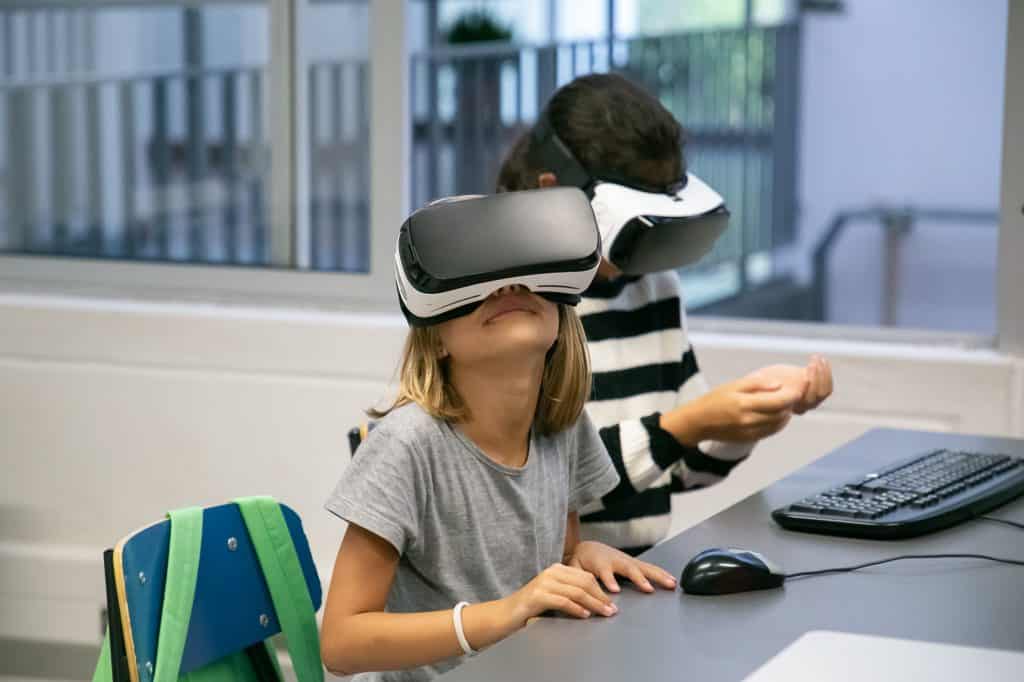
Inclusive AV education is the cornerstone of modern educational approaches, catering to diverse classrooms and empowering learners of all backgrounds and abilities. As we delve into the concept of Inclusive AV education, we explore its relevance in enhancing learning for all students, ensuring equal educational opportunities, and fostering educational accessibility.
Inclusive education, characterized by its commitment to accommodating diverse learners, lies at the heart of today’s educational landscape. Inclusive AV education builds upon this foundation by integrating AV technology seamlessly into the classroom environment. This synergy promotes interactive learning experiences, fostering student engagement and facilitating personalized learning.
AV technology has become an indispensable tool in education. Its adaptability and accessibility make it a powerful ally for educators striving to meet the diverse needs of their students. Whether through audiovisual resources, digital learning tools, or AV integration, this technology transcends traditional teaching boundaries.
One of the primary objectives of inclusive AV education is to empower all learners. It caters not only to mainstream students but also to those in special education programs. AV technology for special needs education ensures that every student has access to an accessible curriculum, thereby levelling the playing field and providing equal educational opportunities.
Student engagement is a critical factor in educational success. In diverse classrooms, AV technology enhances engagement by making learning interactive and immersive. Interactive audiovisual resources and digital learning tools are vital components of this equation.
Inclusive Education – Education Equity Now
Inclusive AV Technology for Special Education
Inclusive education has transformed the landscape of teaching, emphasizing the importance of catering to the diverse needs of students. AV technology plays a pivotal role in empowering learners with special educational requirements, fostering equal educational opportunities and enhancing accessibility in diverse classrooms.
AV Technology: Bridging the Gap in Inclusive Education
Inclusive education is a philosophy that promotes the integration of students with diverse abilities into regular classrooms. To achieve this, educators must leverage AV technology as a powerful tool to create an accessible curriculum that accommodates various learning styles.
Empowering Learners Through AV Integration
When it comes to empowering learners with special needs, AV technology is indispensable. It enables educators to implement inclusive teaching methods that cater to the unique needs of each student. Visual learners, for instance, benefit from interactive learning experiences facilitated by audiovisual resources. This personalized approach ensures that every student has equal access to educational content.
Enhancing Accessibility with Assistive Technology
Assistive technology is an integral part of inclusive AV education. It provides specialized tools and software that support students with disabilities. From screen readers for visually impaired students to speech recognition software for those with communication challenges, AV technology ensures that everyone can actively participate in the learning process.
Fostering Student Engagement
In an inclusive classroom, student engagement is paramount. Utilizing AV integration and digital learning tools, educators can create interactive lessons that captivate the attention of diverse learners. This engagement is especially crucial for students with special needs, as it helps them stay motivated and actively involved in their education.
Universal Design and Differentiated Instruction
Inclusive AV technology embraces universal design principles, ensuring that educational resources are accessible to all students, regardless of their abilities. Moreover, it facilitates differentiated instruction, allowing educators to tailor their teaching methods to meet the individual needs of each student. This approach promotes a more inclusive and equitable learning environment.
Customised AV Solutions for Education
To enhance the inclusivity of AV technology, educational institutions should invest in customized AV solutions tailored to their specific needs. These solutions can include interactive audiovisual tools, accessible curriculum resources, and digital learning platforms that cater to a wide range of learning abilities.
Enhancing Audiovisual Inclusivity
Inclusive education is a pivotal aspect of our educational landscape, aiming to provide equal educational opportunities for all learners, regardless of their diverse needs and backgrounds. In this digital age, the role of audiovisual (AV) content cannot be underestimated when it comes to empowering learners and creating a more inclusive learning environment. Let’s delve into the strategies and tips for enhancing the inclusivity of audiovisual materials, with a focus on Inclusive AV education.
The Power of AV Technology
AV technology has the potential to revolutionize education by making it more accessible and engaging for all. When used effectively, it can cater to the needs of diverse classrooms, including students with special education requirements. Educational accessibility is at the core of AV technology, with assistive technology playing a crucial role in bridging gaps and ensuring that no learner is left behind.
Inclusive AV Tools
To truly embrace inclusive education, educators should explore a wide range of AV tools and resources. These tools not only promote equal educational opportunities but also provide an accessible curriculum for all students. EdTech solutions, such as interactive learning platforms and digital learning tools, can help tailor content to individual learning needs, supporting differentiated instruction.
Inclusive Teaching Methods
Incorporating inclusive teaching methods with AV technology is key to fostering learner diversity. Universal design principles can guide the development of AV resources that accommodate a wide range of learners, including those with visual impairments or other special needs. Adaptive learning systems offer personalized learning experiences, ensuring that each student can engage with the material effectively.
Engaging Learners with AV Integration
Student engagement is a critical factor in effective teaching. AV integration into the curriculum can make learning more engaging and interactive. When educators use AV technology strategically, it enhances student engagement and encourages active participation in the learning process.
Accessible Curriculum Solutions
Inclusive education is a fundamental principle that ensures equal educational opportunities for all students, regardless of their diverse backgrounds and learning needs. In today’s digital age, audiovisual (AV) technology plays a pivotal role in empowering learners and creating diverse classrooms that cater to individual needs.
AV Technology: A Key to Educational Accessibility
AV technology is an integral part of modern education, facilitating engaging and interactive learning experiences. Its potential for creating accessible curriculum solutions cannot be understated. By incorporating AV technology, educators can implement inclusive teaching methods that cater to the learner diversity present in their classrooms.
Empowering Learners Through AV Integration
Empowering learners with AV technology is at the core of promoting inclusive AV education. Students, including those with special needs, benefit from the use of assistive technology, such as audio descriptions and captions, which make educational content more accessible. This approach ensures equal educational opportunities for all.
Accessible Curriculum Solutions: The Key to Inclusivity
Accessible curriculum solutions encompass a wide range of strategies and resources designed to meet the diverse needs of students. These solutions are rooted in the principles of universal design, ensuring that educational materials are accessible to everyone, regardless of their abilities or learning styles.
Accessible Curriculum Tools and Resources
Digital Learning Tools: Educational technology (EdTech) solutions have revolutionized the way we approach teaching and learning. Customized AV solutions for education, such as interactive whiteboards and digital textbooks, enhance the accessibility of educational materials.
Differentiated Instruction: Inclusive AV tools allow educators to provide differentiated instruction, tailoring lessons to individual students’ needs. This approach increases student engagement and promotes learner diversity.
Interactive Learning: AV integration promotes interactive learning experiences, enabling students to actively participate in the educational process. This fosters a more inclusive classroom environment.
Enhancing Audiovisual Inclusivity
Inclusive AV technology for special education focuses on enhancing audiovisual inclusivity. Implementing AV in inclusive classrooms requires educators to adopt inclusive teaching techniques that consider the diverse needs of students. Strategies for inclusive teaching include using AV resources that accommodate different learning styles.
Promoting Equity in Education
One of the primary goals of accessible curriculum solutions is to promote equity in education. By providing equal access to educational materials and resources, AV technology levels the playing field for all students. It ensures that visual learners, in particular, can benefit from audiovisual resources.
Effective AV Tools for Diverse Classrooms
Inclusive education is a cornerstone of modern pedagogy, striving to provide equal educational opportunities for all students, regardless of their diverse learning styles and preferences. To achieve this, educators turn to AV technology as a powerful tool in their arsenal.
Audiovisual Inclusion: The Heart of Inclusive AV Education
Inclusive AV education begins with recognizing the pivotal role of AV technology in empowering learners. It transcends traditional teaching methods, offering a dynamic platform that caters to the diverse needs of students. By incorporating interactive learning experiences, educators can create accessible curriculum solutions that resonate with every student, including those in special education.
Empowering All Learners Through AV
AV technology is a game-changer when it comes to empowering students with diverse needs. It provides a means for educators to implement inclusive teaching methods that foster student engagement. Visual learners, in particular, benefit immensely from AV resources, as they enhance comprehension and retention through multimedia experiences. This inclusivity is crucial in ensuring learner diversity is celebrated and accommodated.
Universal Design in AV Resources
Universal design principles play a pivotal role in making AV resources accessible to everyone. By embracing universal design, educators can create adaptive learning environments where students of all abilities thrive. It’s about creating digital accessibility in education, bridging gaps, and making EdTech solutions work for every student. This approach ensures that AV integration is seamless and equitable.
Personalized Learning with Audiovisual
One of the key advantages of AV technology is its potential to facilitate personalized learning experiences. Differentiated instruction becomes more achievable through the use of digital learning tools. Educators can tailor content to suit individual needs, making the learning process more engaging and effective.
Effective AV Tools for Diverse Classrooms
Now, let’s delve into some effective AV tools for diverse classrooms. These tools align with the principles of inclusive education and cater to various learning styles and preferences:
Interactive Whiteboards: These digital wonders promote student engagement by allowing students to interact with the content, making learning more hands-on.
Captioning and Transcription Services: These assistive technology options ensure that content is accessible to students with hearing impairments or those who prefer textual learning.
Augmented Reality (AR) and Virtual Reality (VR): These immersive technologies bring abstract concepts to life, benefiting visual learners and enhancing the learning experience for all.
Speech-to-Text Software: This technology supports students with language processing difficulties, ensuring they can access and engage with audiovisual resources effectively.
AV Education for Diverse Learners: A Path to Equity
Inclusive AV education is not just a trend; it’s a pathway to equity in education. By implementing these effective AV tools and strategies, educators can bridge gaps and create inclusive classrooms where every student has equal access to an accessible curriculum.
Inclusive Teaching Methods with AV
In today’s diverse classrooms, educators face the exciting challenge of meeting the unique needs of all students. The key to success lies in embracing inclusive teaching methods that leverage AV technology. In this section, we will explore the transformative power of Inclusive AV Education, sharing success stories and case studies that highlight the profound impact of this approach on educational accessibility, student engagement, and the pursuit of equal educational opportunities.
Inclusive Education and AV Technology
Inclusive education is a fundamental concept that strives to provide equal educational opportunities to learners of all backgrounds and abilities. To achieve this, educators are turning to AV technology as a valuable tool in their teaching arsenal. AV technology, which includes audiovisual resources and interactive learning tools, can be customized to cater to the diverse needs of students.
Educational Accessibility for All
Educational accessibility is at the core of inclusive teaching methods with AV. With the aid of AV integration and universal design principles, educators can ensure that their curriculum is accessible to every student. This means providing adaptable content and personalized learning experiences, ultimately breaking down barriers that may hinder student progress.
Success Stories and Case Studies
To illustrate the tangible benefits of inclusive AV education, let’s delve into some real-world success stories and case studies:
Enhancing Audiovisual Inclusivity
In a special education setting, educators have witnessed remarkable progress by embracing AV technology tailored to individual student needs. By using adaptive learning solutions and personalized AV tools, students with diverse requirements have experienced improved engagement and learning outcomes.
Digital Accessibility in Education
Incorporating AV technology into the classroom promotes digital accessibility, making learning materials available to students with various abilities. This approach ensures that all learners, regardless of their challenges, can access the curriculum effectively and participate actively in the learning process.
Personalized Learning with Audiovisual
Inclusive AV education enables personalized learning experiences. Educators can tailor content delivery to match each student’s learning pace and style, leveraging AV integration to create adaptive educational journeys.
AV Integration Best Practices
Educators who have successfully integrated AV technology into their classrooms emphasize the importance of understanding and implementing best practices. They stress the need for ongoing training to maximize the benefits of AV tools and ensure equitable access for all students.
Empowering All Learners Through AV
Inclusive AV education is more than just a buzzword; it’s a transformative force that empowers learners, promotes equity, and bridges educational gaps. By harnessing the potential of AV technology, educators can create diverse classrooms where every student has equal educational opportunities. In this discussion, we delve into the broader impact of inclusive AV education on student empowerment and success.
AV Technology: The Bridge to Empowerment
Inclusive education is at the heart of the modern pedagogical landscape, aiming to provide quality education to students of all abilities. AV technology plays a pivotal role in achieving this goal. It caters to diverse classrooms by offering educational accessibility through assistive technology. Special education students benefit immensely from the use of AV tools, as it levels the playing field and ensures an accessible curriculum for all.
EdTech Solutions for Inclusive Teaching
One of the key facets of inclusive AV education is the use of EdTech solutions that facilitate interactive learning. These digital learning tools enable educators to implement inclusive teaching methods that accommodate learner diversity. Universal design principles and differentiated instruction are seamlessly integrated into classrooms through AV resources.
The Impact of AV Integration
When discussing inclusive AV education, it’s essential to highlight the impact of AV integration. This encompasses the use of audiovisual resources to create an environment where students of varying abilities can thrive. AV technology enhances student engagement, making learning more dynamic and participatory.
Promoting Equity in Education
Achieving equity in education is a fundamental goal of inclusive AV education. It ensures that all students, regardless of their backgrounds or abilities, have access to the same high-quality education. Through personalized learning with audiovisual tools, teachers can cater to individual learning needs, promoting a fair and inclusive educational experience.
AV Technology for Special Education
In the realm of special education, AV technology is a game-changer. Inclusive AV technology for special education addresses the unique requirements of students with disabilities, enhancing their learning experience. It offers customized AV solutions that cater to specific needs, making education more effective and inclusive.
Enhancing Audiovisual Inclusivity
To truly empower all learners, it’s essential to focus on enhancing audiovisual inclusivity. This involves implementing universal design principles in AV resources to ensure that they are accessible to everyone. From captions for the hearing-impaired to visual aids for visual learners, AV technology can be adapted to suit diverse needs.
Conclusion
Inclusive AV education is not just a buzzword; it’s a transformative approach that holds the potential to empower all learners in today’s diverse classrooms. By embracing and implementing inclusive AV practices, educators can pave the way for equal educational opportunities, accessible curriculum, and enhanced student engagement.
Key Takeaways from Inclusive AV Education
Inclusive Education and AV Technology: Inclusive education aims to provide equal educational opportunities to all students, regardless of their abilities or backgrounds. AV technology plays a pivotal role in achieving this goal by facilitating audiovisual inclusion, and making learning more accessible and engaging for everyone.
Empowering Learners: Inclusive AV education empowers learners by accommodating diverse needs. It ensures that visual and auditory learners, as well as those with special needs, can access educational content effectively. This empowers students to take control of their learning journey.
Diverse Classrooms and Educational Accessibility: Inclusive AV practices make classrooms more diverse and accessible. They cater to the unique learning styles and abilities of students, breaking down barriers to education and fostering a more inclusive environment.
Assistive Technology and Special Education: For students with special needs, assistive technology integrated into AV resources can be a game-changer. It enables personalized learning experiences and supports their individual requirements, making special education more effective.
Equal Educational Opportunities: Inclusive AV education ensures that every student has an equal chance to excel. It levels the playing field, regardless of learning disabilities or differences, ensuring that no one is left behind.
Accessible Curriculum and EdTech Solutions: AV technology provides accessible curriculum solutions through digital learning tools. EdTech solutions offer a diverse range of resources that can be customized to meet individual needs, promoting equity in education.
FAQs
What is inclusive AV education?
Inclusive AV education is an approach that incorporates audiovisual (AV) technology to create an inclusive learning environment that accommodates diverse learners. It aims to provide equal access to educational content and resources for all students, regardless of their abilities, backgrounds, or learning styles.
How does AV technology benefit diverse learners?
AV technology benefits diverse learners by offering multiple modalities for content delivery, catering to various learning styles. It provides visual and auditory stimuli, aiding comprehension and retention. Additionally, it can be customized to accommodate individual needs, making learning more engaging and accessible.
Can AV tools support special education?
Yes, AV tools can support special education by offering tailored resources, such as captioning, sign language interpretation, or interactive interfaces, to meet the unique needs of students with disabilities. These tools promote engagement, participation, and better learning outcomes.
What are inclusive teaching methods with AV?
Inclusive teaching methods with AV involve using technology to create diverse and adaptable learning experiences. This may include providing captions for videos, using interactive simulations, and incorporating multimedia to appeal to various learning preferences.
How can I make my curriculum accessible?
To make your curriculum accessible, use AV tools like screen readers, closed captions, and adjustable fonts. Ensure content is available in multiple formats, such as text, audio, and video, and consider students’ individual needs and preferences when designing materials.
What are the advantages of EdTech in inclusive classrooms?
EdTech in inclusive classrooms fosters personalized learning, enhances engagement, and accommodates diverse needs. It offers accessibility features, adapts to different learning styles, and provides teachers with data to track and support student progress.
How to engage diverse students with AV resources?
Engage diverse students with AV resources by offering options like interactive activities, diverse media formats, and opportunities for collaboration. Ensure content is relevant and relatable to their backgrounds and experiences.
What is the role of universal design in AV?
Universal design in AV means creating content and technology that is accessible and usable by everyone from the start, without the need for adaptation. It ensures that AV materials are inclusive and can be used by individuals with diverse abilities.
How to customize AV solutions for education?
Customize AV solutions by considering the specific needs of your students. Provide adjustable settings, offer various content formats, and use analytics to adapt materials based on individual learning progress and preferences.
Are there interactive audiovisual tools for student engagement?
Yes, there are interactive audiovisual tools like interactive whiteboards, educational apps, and virtual simulations that engage students in active learning and promote participation in the learning process.
How can AV enhance visual learning?
AV enhances visual learning through the use of graphics, animations, videos, and diagrams, which help students grasp complex concepts. It provides a visual context that aids in comprehension and memory retention.
What is assistive technology in education?
Assistive technology in education refers to tools, devices, or software that assist students with disabilities in accessing educational content and participating in learning activities. Examples include screen readers, speech-to-text software, and alternative input devices.
How to integrate AV effectively?
To integrate AV effectively, plan lessons that align with learning objectives, provide clear instructions, and ensure technical reliability. Foster collaboration, engage students through discussion, and regularly assess the impact of AV on learning outcomes.
How does AV empower students?
AV empowers students by offering them choices in how they learn, promoting active engagement, and accommodating diverse learning styles. It enhances their access to information and encourages self-directed learning.
What are the best practices for AV integration?
Best practices for AV integration include aligning technology with learning goals, providing training for educators, ensuring accessibility, maintaining technical support, and regularly evaluating the effectiveness of AV tools in enhancing learning experiences.
In today’s fast-paced world, presentations play a crucial role in conveying information, ideas, and messages effectively. To maximize the impact of presentations and captivate audiences, leveraging the power of AV (Audiovisual) technology has become essential. This article explores the role of AV technology in modern presentations, emphasizing its significance in enhancing presentation productivity, engagement, and overall effectiveness.AV technology refers to the integration of audio and visual components to deliver a dynamic and immersive presentation experience. It encompasses a wide range of tools, devices, hardware, software, and systems that enhance the overall quality and impact of presentations. From simple setups like projectors and microphones to sophisticated multimedia displays and interactive whiteboards, AV technology empowers presenters to convey their ideas with clarity and professionalism.To create captivating presentations, it is crucial to leverage AV integration. This entails seamlessly combining various AV components to work harmoniously together. By doing so, presenters can effortlessly switch between visual aids, incorporate relevant audio elements, and maintain a smooth flow throughout the presentation. Such integration eliminates technical glitches and enhances the overall presentation efficiency.AV technology enriches presentations by making them more visually appealing, interactive, and immersive. Engaging visuals, complemented by clear audio, help the audience retain information better and grasp complex concepts more easily. This enhances the overall effectiveness of the presentation.How can technology improve workplace productivity? AV Technology Setup Guide for Small PresentationsIn today’s fast-paced world, delivering effective presentations is crucial for success in various fields, be it classrooms, small meeting rooms, or business settings. AV (audiovisual) technology plays a pivotal role in enhancing presentation efficiency and maximizing productivity. To help you make the most out of your small presentations, we have compiled a step-by-step AV technology setup guide along with affordable AV solutions that deliver excellent results.AV Technology for Small PresentationsBefore diving into the setup guide, let’s understand the significance of AV technology in small presentations. AV technology encompasses a wide range of audiovisual solutions that can significantly impact the success of your presentations. By leveraging AV tools, you can elevate presentation productivity, engage your audience, and optimize your overall presentation performance.Step-by-Step Guide: Setting up AV Technology for Small Presentations Assess Presentation Needs: Begin by assessing the specific requirements of your presentation. Identify the venue, audience size, and content type to determine the ideal AV equipment. Select Suitable AV Hardware: For small presentations, opt for lightweight and portable AV hardware. A high-quality projector or LED display with adequate brightness and resolution will ensure a clear and impactful visual experience. Enhance Audio Components: Clear audio is essential for effective communication. Consider investing in a good-quality microphone, speakers, and audio mixers to ensure your message reaches the audience with clarity. Seamless AV Integration: Ensure all AV components are compatible and seamlessly integrated to avoid technical glitches during your presentation. AV Software and Tools: Utilize AV software that aids in content creation, management, and presentation delivery. Look for user-friendly solutions that enhance your presentation techniques. Engaging Presentation Strategies: Develop engaging presentation strategies that leverage AV technology to captivate your audience. Utilize interactive tools and multimedia elements to enhance audience involvement. AV Technology Tips for Better Presentations: Incorporate best practices such as using visual aids, effective storytelling, and employing AV technology to boost presentation impact and engagement. Affordable AV Solutions for Small PresentationsAV technology need not be expensive. Here are some budget-friendly AV solutions that deliver excellent results for smaller settings:AV Technology Trends for Presentations AV Solution Key Benefits Portable Projectors Versatile and easy to set up Wireless Presentation Clickers Facilitates seamless slide control Audio Mixers Improves sound quality and clarity Interactive Whiteboards Promotes engagement and collaboration Web Conferencing Software Enables remote presentations and virtual meetings Maximizing Productivity with AV EquipmentTo maximize productivity, adopt these AV technology strategies: AV Technology for Virtual Presentations: Embrace AV technology for virtual presentations to connect with remote audiences effectively. DIY AV Setup for Presentations: Explore DIY AV setup options to save costs while maintaining quality. AV Technology Troubleshooting: Equip yourself with troubleshooting skills to handle technical issues during presentations. Enhancing Classroom Presentations with the Best AV EquipmentIn today’s dynamic educational landscape, maximizing productivity with AV equipment has become a game-changer for educators seeking to deliver impactful and engaging classroom presentations. Audiovisual solutions have transformed the way information is conveyed, offering a host of benefits that go beyond traditional teaching methods. Let’s explore the top AV equipment options available for classroom presentations and understand how they positively impact students’ learning experiences.Boost Productivity in Presentations with AV TechnologyAV Technology for Small PresentationsFor smaller classroom settings, AV technology for small presentations comes in handy. Compact projectors, portable audio systems, and interactive whiteboards create an immersive learning environment, where teachers can easily share multimedia content, stream videos, and conduct interactive quizzes, enhancing presentation efficiency.Best AV Equipment for Classroom PresentationsInvesting in the best AV equipment for classroom presentations ensures smooth operations and impactful delivery. High-definition projectors, wireless microphones, and user-friendly AV software help educators create visually compelling content that captures students’ attention and improves presentation effectiveness.Affordable AV Solutions for PresentationsTo cater to budget-conscious educational institutions, affordable AV solutions for presentations offer a cost-effective way to integrate technology into the classroom. These solutions often include affordable projectors, basic sound systems, and versatile AV integration tools that optimize AV tools for presentations without breaking the bank.Improving Engagement with AV TechnologyAV Technology for Virtual PresentationsWith the rise of remote learning, AV technology for virtual presentations has become essential. Webcams, video conferencing software, and interactive virtual whiteboards enable teachers to deliver engaging presentations regardless of physical location, further increasing presentation performance.AV Technology for Classroom TeachingIn traditional classroom setups, AV technology can still significantly improve engagement. Teachers can use document cameras, interactive displays, and classroom response systems to involve students actively, making learning a collaborative and exciting experience.Facilitating Better Understanding and Knowledge RetentionAV Technology for Enhanced ProductivityBy using AV technology, teachers can optimize their presentation strategies to facilitate better understanding and knowledge retention. Visual aids such as educational videos, animated diagrams, and 3D models help convey complex concepts, making learning more accessible and enhancing
In today’s digital age, the rise of remote work has revolutionized how businesses operate. As companies increasingly embrace remote collaboration, the concept of remote team onboarding has become paramount. Remote team onboarding refers to the process of integrating new employees into a virtual work environment, providing them with the necessary tools, techniques, and support to ensure a smooth onboarding experience. Recognizing its importance, organizations are turning to remote team onboarding tools and techniques to facilitate efficient and effective onboarding, ultimately leading to improved remote team productivity.Unlike traditional onboarding, remote team onboarding lacks the physical presence and immediate interaction between team members. This absence of in-person communication can hinder the development of personal connections and impede effective team collaboration.Remote team members often face communication barriers due to geographical dispersion, varying time zones, and limited non-verbal cues. Building rapport, fostering engagement, and maintaining effective remote team communication is vital to overcoming these obstacles.Without standardized onboarding processes, organizations risk inconsistency in imparting essential knowledge and skills to new remote team members. Establishing streamlined onboarding strategies and employing remote team onboarding tools can ensure consistency and efficiency throughout the onboarding journey.Remote team integration challenges can arise from the diversity of cultures, languages, and work styles within a virtual team. Encouraging remote team members to embrace a common remote team culture fosters a sense of belonging, collaboration, and shared values.5 Best Onboarding Software Tools For Employees & Customers in 2022 Remote Team Onboarding Checklist TemplateEffective onboarding plays a vital role in setting remote teams up for success. By utilizing a comprehensive remote team onboarding checklist template, organizations can ensure a smooth onboarding experience, facilitate remote collaboration, and enhance team productivity. This section explores the significance of having a remote team onboarding checklist template and provides a comprehensive checklist covering essential onboarding steps for remote employees.Why Use a Remote Team Onboarding Checklist Template?A remote team onboarding checklist template offers several benefits, enabling organizations to streamline the onboarding process and ensure a consistent experience for new hires. Let’s delve into its advantages: Structured Onboarding: A checklist template provides a structured approach to onboarding, ensuring that no crucial steps are missed. It outlines the necessary tasks and milestones, making it easier for both managers and new hires to navigate through the onboarding process. Efficient Resource: By using an onboarding checklist template, organizations can save valuable time and resources. It eliminates the need to recreate the onboarding process for each new remote employee, allowing HR departments to focus on other essential responsibilities. Consistency and Compliance: A standardized onboarding checklist ensures that all new remote employees receive consistent information and undergo necessary compliance procedures. This consistency fosters a positive onboarding experience and ensures that important policies, guidelines, and legal requirements are communicated effectively. Streamlining Onboarding and Ensuring ConsistencyUsing a remote team onboarding checklist template helps streamline the onboarding process, ensuring consistency and minimizing errors or oversights. It offers a clear roadmap for HR departments and managers, enabling them to deliver a standardized onboarding experience to all remote employees.By implementing an onboarding checklist template, organizations can accomplish the following: Efficiency: The checklist ensures that all necessary steps, such as providing access to remote team tools, onboarding software, and employee onboarding tools, are completed promptly. This streamlines the process, allowing new hires to become productive faster. Effective Communication: The template emphasizes the importance of remote team communication tools, encouraging the use of appropriate channels for effective collaboration and knowledge sharing. This promotes efficient remote collaboration and teamwork. Integration and Engagement: A well-structured onboarding checklist includes techniques for virtual onboarding and remote team integration. Activities like virtual team building and onboarding strategies foster engagement and a sense of belonging among remote employees. Remote Team Management: The checklist addresses remote team management strategies, ensuring that managers have the necessary tools and techniques to effectively lead their teams in a remote work environment. This supports team productivity and overall success. Best Remote Team Onboarding SoftwareEffective remote team onboarding plays a vital role in ensuring a smooth transition for new employees joining virtual work environments. To streamline this crucial process, utilizing dedicated remote team onboarding software is essential. In this section, we will discuss the importance of utilizing such software, review some of the best options available in the market, and provide a comprehensive analysis of their features, benefits, and pricing options.Importance of Utilizing Dedicated Software for Remote Team OnboardingRemote team onboarding tools are designed to simplify and enhance the onboarding experience for both employees and organizations. These tools offer a range of features and benefits that enable seamless remote collaboration, promote team productivity, and establish effective onboarding techniques. By leveraging dedicated software, businesses can overcome the challenges associated with onboarding remote employees and foster a culture of success within their virtual teams.Review of the Best Remote Team Onboarding Software Onboard: Features: Onboard offers a comprehensive set of features, including remote team management, onboarding process automation, team collaboration tools, and remote employee onboarding capabilities. Benefits: With Onboard, organizations can streamline the onboarding journey through virtual team onboarding techniques, effective remote team communication, and integration challenges. Pricing: Onboard provides flexible pricing options tailored to the specific needs of businesses, with packages starting at £180 per month. TeamUp: Features: TeamUp provides an intuitive interface, remote team collaboration tools, and onboarding best practices to facilitate seamless virtual onboarding. Benefits: TeamUp enables remote team integration, builds a cohesive remote team culture, and enhances remote team productivity. Pricing: TeamUp offers affordable pricing plans, starting at £12 per user per month, making it suitable for businesses of all sizes. Onboarding New Remote EmployeesEffective onboarding plays a crucial role in setting the stage for a remote team’s success. With the rise of remote work, companies need to adapt their onboarding processes to ensure smooth integration and productivity for new remote employees. In this section, we will share practical tips and strategies for onboarding new remote employees, highlighting the key differences and considerations compared to onboarding in a traditional office setting. Providing Clear Expectations Clear communication and setting expectations are essential when onboarding new
In the dynamic landscape of digital content creation, Creative AV exploration stands as a pivotal force, driving avant-garde multimedia experiences and immersive storytelling. This blog embarks on a journey to unravel the significance of Creative AV exploration, providing a brief yet comprehensive overview.Creative AV exploration refers to the strategic utilization of Audio-Visual (AV) technology in multimedia content creation. At its core, it involves expert-guided learning, pushing the boundaries of artistic innovation in interactive media. This blog focuses on innovative approaches within the realm of experiential media and the role of Creative AV exploration in shaping technological trends.Delving into the realms of AV technology, this exploration spotlights cutting-edge solutions that redefine multimedia design concepts. From sensory-rich digital experiences to avant-garde multimedia storytelling, we navigate through immersive technology applications, bringing forth unconventional audiovisual projects.Immersive storytelling trends and artistic visual displays take centre stage as we explore creative technology advancements. Unveiling imaginative audiovisual projects, this content caters to beginners and seasoned creators alike, offering insights into the realm of next-gen AV exploration.Smart Spaces by AVI-SPL: Huddle Rooms, Conference Rooms, Collaboration Spaces Unveiling Unique AV TechniquesIn the dynamic realm of AV technology, multimedia design, and digital content creation, the pursuit of innovation is paramount. Creative AV exploration stands at the forefront, pushing boundaries and reshaping the landscape of experiential media. This section delves into unconventional audiovisual experiences, showcasing examples of avant-garde multimedia storytelling while emphasizing the importance of pushing creative boundaries in AV projects.Creative AV Exploration: Redefining the PossibilitiesIn the realm of audiovisual creativity, the concept of Creative AV exploration takes centre stage. This approach involves the strategic utilization of multimedia innovation, interactive media, and digital content creation to deliver immersive storytelling that resonates with audiences. By incorporating avant-garde multimedia techniques, creators can elevate their projects to new heights, offering sensory-rich digital experiences that captivate and engage.Immersive Technology and Artistic InnovationCreative technology and artistic innovation converge in the realm of AV exploration. Leveraging innovative AV solutions, creators can craft cutting-edge content that goes beyond traditional boundaries. The marriage of experiential media design and avant-garde multimedia allows for the development of imaginative audiovisual projects, fostering an environment of constant evolution in the field.Next-Gen AV Exploration and Technology TrendsAs technology trends evolve, so do the opportunities for creative exploration in the audiovisual domain. Forward-thinking creators embrace next-gen AV exploration, experimenting with immersive storytelling and multimedia design concepts that redefine the possibilities of interactive visual arts. This commitment to technological creativity leads to the development of innovative AV experiences that set new standards in the industry.Innovative Approaches to Audiovisual ContentThe quest for innovative approaches to audiovisual content is an ongoing endeavour. Creative multimedia projects, sensory-rich digital experiences, and avant-garde multimedia storytelling form the pillars of this exploration. By incorporating interactive media design concepts, creators can unlock new dimensions of expression, pushing the boundaries of conventional storytelling and embracing the avant-garde. Innovative Approaches to Audiovisual ContentIn the realm of AV technology, multimedia design, and interactive media, the landscape is continually evolving with cutting-edge solutions that redefine creative boundaries. This exploration into the avant-garde realm of audiovisual creativity unveils the impactful fusion of artistic tech advancements and multimedia expression.AV Technology Trends and Multimedia InnovationKeeping pace with technology trends is paramount in the realm of creative AV exploration. Today, immersive storytelling and digital content creation stand as pillars shaping the future of sensory experiences. The convergence of visual arts and sound design is at the forefront, creating a synergy that enhances experiential media. Innovative content creators are delving into avant-garde multimedia, paving the way for next-gen audiovisual experiences.Creative Technology and Experiential Media DesignThe crux of artistic innovation lies in creative technology, and it manifests through imaginative audiovisual projects. The industry is witnessing a surge in unconventional audiovisual experiences that push the boundaries of immersive technology. Multimedia design concepts are evolving, incorporating interactive visual arts and immersive sound design to craft sensory-rich media that captivates audiences.Immersive Storytelling and Technology TrendsThe canvas of creative exploration broadens with each technological stride. Exploring unique AV techniques has become synonymous with pushing the envelope of multimedia storytelling innovations. From artistic visual displays to cutting-edge AV solutions, the industry is witnessing a surge in imaginative visual displays and experiential sound design.Innovative AV Experiences and Multimedia Design ConceptsIn the pursuit of technological creativity, the focus is on innovative AV experiences. Multimedia design concepts are adapting to the demands of avant-garde content creation, offering creative technology trends that resonate with the audience. Creative AV exploration now encompasses avant-garde tech projects that redefine the parameters of multimedia expression. Creative Multimedia ProjectsIn the realm of multimedia design, avant-garde exploration is essential for pushing the boundaries of creative technology. This journey into the innovative world of Creative AV Exploration involves unravelling inspiring and imaginative visual displays, delving into the role of experiential sound design in multimedia storytelling, and showcasing projects that transcend traditional boundaries.Visual Innovation Beyond LimitsCreative AV exploration is at the forefront of artistic innovation, combining visual arts and technology trends to create immersive storytelling experiences. Multimedia design concepts are evolving, with a focus on interactive media that captivates audiences through sensory-rich content creation. This innovative approach goes beyond conventional limits, paving the way for next-gen audiovisual experiences.Experiential Sound Design: A Catalyst for Immersive StorytellingIn the realm of avant-garde multimedia storytelling, experiential sound design plays a pivotal role. Imagine a multimedia project where every sound enhances the narrative, creating a sensory-rich digital experience. This is the power of audiovisual creativity, where technology meets artistic expression. Innovative sound design goes hand in hand with cutting-edge AV solutions, elevating the immersive technology experience.Examples of Creative Multimedia ProjectsLet’s delve into some examples that exemplify the essence of Creative AV Exploration: Sensory-Rich Digital Experiences: A project that intertwines multimedia innovation with interactive media, offering users a journey through a world of artistic audiovisual experimentation. Avant-Garde Multimedia Storytelling: Explore unconventional audiovisual experiences where technology trends merge with avant-garde content creation, pushing the boundaries of imaginative visual displays. Innovative Sensory Media: Immerse yourself in projects that go beyond the norm, incorporating cutting-edge AV solutions to create sensory-rich multimedia
In today’s fast-paced technological landscape, the significance of audiovisual (AV) solutions has transcended mere convenience, evolving into an indispensable component across various settings. From corporate boardrooms to classrooms, the demand for seamless multimedia integration, efficient video conferencing, and dynamic digital signage has skyrocketed. This blog focuses on the journey toward achieving mastery in AV solutions, exploring the relevance of AV technology in diverse scenarios.AV technology is no longer confined to professional installations; it has become a driving force behind immersive experiences and multimedia trends. As businesses increasingly adopt video conferencing solutions and interactive presentation tools, the need for AV solutions mastery has never been more apparent. Professionals seeking to optimize conference room technology and live streaming solutions can benefit from advanced AV solutions and industry best practices.In the realm of AV solutions mastery, understanding multimedia integration is paramount. This involves not only choosing the right AV equipment but also delving into cutting-edge multimedia solutions. Professionals can enhance their skills through online courses, gaining insights into AV system optimization and AV integration techniques. As the industry evolves, staying abreast of audiovisual technology trends is crucial for continued success.For businesses, video conferencing solutions are no longer a luxury but a necessity. This blog emphasizes the importance of mastering AV solutions for small businesses and optimizing AV setups to meet the demands of today’s dynamic work environment. Additionally, it explores affordable digital signage solutions, providing a comprehensive review of advanced options available in the market.Audio-Visual Solutions on a Budget AV Solutions for Small BusinessesIn today’s fast-paced technological landscape, the significance of audiovisual (AV) solutions has transcended mere convenience, evolving into an indispensable component across various settings. From corporate boardrooms to classrooms, the demand for seamless multimedia integration, efficient video conferencing, and dynamic digital signage has skyrocketed. The Growing Importance of AV Solutions MasteryAV technology is no longer confined to professional installations; it has become a driving force behind immersive experiences and multimedia trends. As businesses increasingly adopt video conferencing solutions and interactive presentation tools, the need for AV solutions mastery has never been more apparent. Professionals seeking to optimize conference room technology and live streaming solutions can benefit from advanced AV solutions and industry best practices.Navigating the Multimedia Integration LandscapeIn the realm of AV solutions mastery, understanding multimedia integration is paramount. This involves not only choosing the right AV equipment but also delving into cutting-edge multimedia solutions. Professionals can enhance their skills through online courses, gaining insights into AV system optimization and AV integration techniques. As the industry evolves, staying abreast of audiovisual technology trends is crucial for continued success.Unlocking the Potential of Video Conferencing and Digital SignageFor businesses, video conferencing solutions are no longer a luxury but a necessity. This blog emphasizes the importance of mastering AV solutions for small businesses and optimizing AV setups to meet the demands of today’s dynamic work environment. Additionally, it explores affordable digital signage solutions, providing a comprehensive review of advanced options available in the market. Optimising AV Setups: A Comprehensive GuideWhen it comes to achieving AV solutions mastery, a well-optimized audiovisual (AV) setup is paramount. Whether you are delving into AV technology for professional installations or looking to enhance your multimedia integration, this guide breaks down the essential elements for an optimal AV experience.Essential Elements of an AV SetupAV Technology MasteryBegin by understanding the core components of professional AV systems. This includes selecting the right audiovisual equipment, mastering AV troubleshooting skills, and staying abreast of the latest multimedia trends. Investing time in audio-visual training and online courses ensures you are well-equipped with the knowledge to tackle any challenges that may arise.Audio and Video ConfigurationsTo achieve AV solutions mastery, pay meticulous attention to audio and video configurations. Explore advanced AV technology for immersive audiovisual experiences. Consider affordable video conferencing tools for effective communication and digital signage solutions for impactful presentations. This optimization process is crucial for conference room technology and for creating cutting-edge multimedia solutions.Tips and Tricks for OptimizationRoom Acoustics and LightingUnderstanding the role of room acoustics and lighting is key to creating immersive AV experiences. Apply AV design principles to optimize conference room AV setups. Choose the right AV equipment for events, and explore affordable digital signage solutions to enhance the visual appeal. This meticulous approach ensures that your setup aligns with industry best practices.Live Streaming SolutionsFor mastering live streaming techniques, focus on optimizing the quality of your live streams. This involves troubleshooting AV issues and choosing the right equipment. Explore live streaming solutions that align with AV technology trends and ensure a seamless streaming experience for your audience. Affordable Video Conferencing ToolsIn the realm of AV technology, mastering audiovisual solutions is crucial for businesses seeking budget-friendly and effective video conferencing tools. This section explores various affordable options, comparing and contrasting their features and costs while emphasizing the importance of seamless virtual communication.AV Solutions Mastery: Key ConsiderationsAffordable Video Conferencing ToolsWhen delving into AV solutions mastery, businesses often seek affordable video conferencing tools. Popular choices include Zoom, Microsoft Teams, and Google Meet. Each platform offers unique features catering to different business needs, from small businesses to large enterprises. Video Conferencing Tools Features Cost (Starting From) Zoom HD Video, Screen Sharing, Collaboration Tools £14.99/month Microsoft Teams Integrated with Office 365, Chat, File Sharing £5/user/month Google Meet Seamless Integration with Google Workspace £6/user/month Seamless Virtual Communication for BusinessesMastering AV solutions extends beyond the choice of video conferencing tools. Businesses must consider multimedia integration, conference room technology, and digital signage to create immersive experiences. Multimedia Trends: Staying updated on multimedia trends ensures businesses leverage cutting-edge solutions for effective communication. Immersive Experiences: Incorporating advanced AV technology enhances the overall quality of virtual interactions. AV Certification and Professional InstallationsTo achieve AV solutions mastery, businesses should invest in AV certification programs and professional installations. This ensures expertise in AV troubleshooting, system optimization, and adherence to industry best practices. AV Certification Programs: Online courses offering AV certification provide valuable learning resources for mastering AV solutions. Professional Installations: Industry experts ensure proper AV equipment mastery and efficient AV integration techniques. Advanced AV Solutions: Navigating the LandscapeInteractive Presentations
Almost every organisation has at least one meeting room; however, the space might be small to medium-sized. In such cases, an all-in-one video bar is a perfect solution for small and medium-sized meeting rooms. The Logitech Rally Bar and the Poly X50 are both suitable for small to medium-sized meeting rooms; however, they perform in quite different ways. The Rally Bar camera has a more limited field of view, while the X50 has a longer microphone capture range. Both could be a bargain, but the X50 camera has 5x zoom and is cheaper than the Rally Bar. All-in-One Video Bars are a great way to easily video-enable meeting rooms. These compact, all-in-one designs are easy to set up and use, compatible with all major video platforms, and quite affordable. Logitech Rally BarAbout Logitech Rally BarThe Logitech Rally Bar is an all-in-one video bar with an integrated AI camera for medium to large rooms. Its brilliant optics, automated PTZ, and high-performance audio set a new standard for video meetings. Logitech Rally Bar lets you do video meetings that can be just as natural as face-to-face collaboration. It is remarkably simple to manage, use, and deploy at scale, delivering professional-quality audio and video in a sleek. The Logitech Rally Bar is a system that includes cameras, microphones, and standalone speakers and is meant for larger meeting rooms.Features of Logitech Rally BarLogitech Rally Bar features a multi-element lens assembly, powerful low distortion speakers, and an advanced mic system to create meeting experiences that sound as good as they look. It has several management features that assemble multiple devices. Here is a detailed feature description for your complete understanding: Excellent camera The built-in camera of Logitech Rally Bar detects meeting participants automatically and moves the lens. It adjusts the zoom accordingly so that no one is left out of the picture. Logitech RightLight™ technology intelligently adjusts video settings, so everyone always looks their best, even in dim or backlit conditions. Its motorised lens covers rooms 130° across by 80° high, with lossless image quality up to 5X optical zoom. Great sound quality Logitech Rally Bar promises that even if you have many meeting participants in a room, all voices will sound good. It is because of its advanced beamforming microphones. Its large, ultra-low distortion speakers with RightSound deliver every word with clarity. You can add up to three Rally mic pods for even greater coverage if you have larger settings. PC-free solution The Rally Bar easily connects to virtually any PC or Mac® with a USB cable. Logitech Rally Bar’s built-in computer lets you directly run supported video conferencing apps like Zoom. But the magic starts when you pair it with the one-touch Logitech Tap. Besides, Logitech’s built-in interface for meetings helps you easily and quickly initiate meetings across Microsoft Teams, Zoom, and other video conferencing apps. Double Screen The Logitech Rally Bar can be connected to two 4K screens to get the best possible overview of virtual participants. It has a built-in proximity sensor and an HDMI input, detecting when a nearby PC opens certain programs such as PowerPoint or Microsoft Excel. For example, if you have a Zoom Rooms account, you can wirelessly open a spreadsheet or Powerpoint presentation on your project and PC. Product Description Built-in Components: -6 beamforming microphones-2 speakers, -PTZ camera– AI Viewfinder-retention system and cable management-Logitech CollabOS platform-table stand. Camera: -Resolution: 4K, 1440p, 1080p, 900p, 720p, and SD at 30fps-Pan: Motorized ±25° -Tilt: Motorized ±15° Zoom: 15X HD zoom (5X optical, 3X digital available with upcoming software update) -Diagonal Field of View: 90° -Horizontal Field of View: 82.1° -Vertical Field of View: 52.2° -Total Room Coverage: 132.1° Horizontal x 82.2° Vertical Dimensions: -Height: 164 mm / 6.46 in -Width: 910 mm / 2.99 ft -Depth: 130.5 mm / 5.14 in -Lens Depth: 28.8 mm / 1.13 in -Weight: 7.08 kg / 15.6 lbs Speakers: -Drivers: 2x 70mm / 2.7 in -Output: 90dB SPL @1W, 99dB SPL @8.0W, both +/-2dB at ½ meter -Sensitivity: 90+/-3dB SPL at 1W, ½ meter -THD: 1kHz < 2% -Speaker Sampling Rate: 48 kHz Interfaces: -HDMI Out: 2 (up to 1080p) -HDMI In 1 -USB 3.0: 3x Type A, 1x Type C -Network: 10/100/1G Ethernet -WiFi: 802.11a/b/g/n/ac (MIMO) External Mic Input: Yes (proprietary input supports optional -Rally Mic Pod, Rally Mic Pod Hub, and Rally Mic Pod Extension Cable) -Remote Control: Bluetooth® Low Energy Microphones: -Frequency Response: 90Hz – 16kHz -Sensitivity: >-36dBFS +/-1dB @ 1Pa -Microphone Data Rate Output: 48 kHz -Pickup Range: 4.5m / 15 ft -Beamforming Elements: Six omnidirectional digital MEMS microphones forming five adaptive acoustic broadside beams -Audio Processing: AEC (Acoustic Echo Cancellation), VAD (Voice Activity Detector) -Noise Suppression: AI filter -Add-on Mics: Supports up to 3 additional Rally Mic Pods for larger conference rooms Power & Cables -Power Supply: Auto-sensing -Operating Voltage/Power: 100-240V, 19V, 4.74A -Power Supply Dimensions: 127mm x 51mm x 30mm -DC Cable: 1.5m / 4.9 ft -AC Cable: 1m / 3.28 ft -HDMI 1.4 Cable: 2m / 6.5 ft -USB A to USB C 3.0 Cable: 2.2m / 7.2 ftCompatibility with other platformsThe Logitech Rally Bar is compatible with Microsoft Teams Rooms on Windows(for medium-sized rooms), Microsoft Teams Rooms on Android (for medium-sized rooms), Zoom Rooms and Google Meet Rooms.Poly X50About Poly X50Poly X50 video bar is designed for medium-sized conference rooms. It makes you connect natively with leading video collaboration services. X50 delivers extreme simplicity in a small, elegant package. This all-in-one sleek video bar has e full boardroom-quality audio, quick wireless content, and advanced camera capabilities. It is very easy to install and manage Poly X50 as it runs the show with any PC or Mac to drive the meeting. Poly has been a big name in the conferencing space for a long time. This all-in-one solution has all of the good parts of the other solutions. It has a wide angle of view, digital zoom, speaker tracking technology, expansion mic, etc. Features of Poly X50 Video conferencing equipment such as Poly X50 helps you feel more connected with its intelligent and manageable features. It makes it easy for anyone, even guests, to share content wirelessly from any personal device without special apps or tools. Let’s
Empower your remote team with the must-have collaboration tool for remote teams. This collaboration software enables real-time team communication and project management, improving productivity for remote teams. Discover how this tool can benefit your team today.
This website uses cookies so that we can provide you with the best user experience possible. Cookie information is stored in your browser and performs functions such as recognising you when you return to our website and helping our team to understand which sections of the website you find most interesting and useful.
Strictly Necessary Cookies
Strictly Necessary Cookie should be enabled at all times so that we can save your preferences for cookie settings.
If you disable this cookie, we will not be able to save your preferences. This means that every time you visit this website you will need to enable or disable cookies again.
3rd Party Cookies
This website uses Google Analytics to collect anonymous information such as the number of visitors to the site, and the most popular pages.
Keeping this cookie enabled helps us to improve our website.
Please enable Strictly Necessary Cookies first so that we can save your preferences!