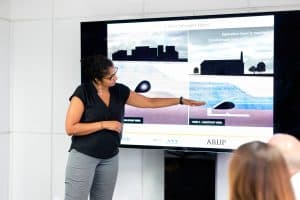
In today’s fast-paced world, audiovisual (AV) technology has become an indispensable tool for delivering efficient and impactful presentations. This article explores the importance of AV technology in modern presentations, its impact on audience engagement and communication success. We will also delve into a wide range of topics, from cost-effective solutions to advanced multimedia options, catering to various presentation needs.
AV technology enables presenters to go beyond traditional text-based presentations. Interactive displays and visual aids create an immersive experience for the audience, increasing engagement and comprehension.
Incorporating multimedia elements such as images, videos, and animations can effectively convey complex information and captivate the audience’s attention, ensuring a smooth flow of ideas.
High-quality audio systems ensure clear and crisp sound, eliminating communication barriers, while cutting-edge presentation devices add a touch of professionalism to the overall presentation.
Implementing AV technology doesn’t have to break the bank. Many cost-effective solutions are available, making it accessible to businesses of all sizes.
BenQ Meeting Room Projector | Easily use a projector for the first time
The Evolution of Audio Visual Technology in Presentations
Audio visual technology has undergone remarkable advancements over the years, transforming traditional presentations into interactive and dynamic experiences. This evolution has significantly enhanced communication and engagement, making presentations more efficient and effective in conveying information. In this section, we will explore the historical development of audiovisual technology in presentation settings, discuss its significance in modern communication, and highlight the various tools and solutions that maximize productivity with AV equipment.
Historical Development of Audiovisual Technology in Presentation Settings
The Early Days of Visual Communication
The roots of audiovisual technology in presentations can be traced back to the early 19th century when visual aids like charts, graphs, and illustrations were used to support oral presentations. However, it wasn’t until the 20th century that significant advancements were made with the introduction of overhead projectors and slide projectors. These tools revolutionized presentations by enabling speakers to display visual content to large audiences.
The Advent of Audio in Presentations
With the advent of audio technology, presentations took a leap forward in the 1920s when the first sound systems were incorporated into presentations. This innovation allowed presenters to add voiceovers, music, and sound effects to their visuals, further enhancing the audience’s engagement and comprehension.
The Digital Revolution
The digital era brought about a profound transformation in audiovisual technology. In the 1980s, digital projectors replaced traditional slide projectors, enabling presenters to display high-quality images and videos effortlessly. Additionally, presentation software, such as PowerPoint, emerged, providing a user-friendly platform for creating multimedia presentations.
Advancements Transforming Traditional Presentations
Interactive Displays and Multimedia Solutions
Interactive displays have ushered in a new era of audience participation. These advanced presentation devices allow presenters to engage their audience by enabling touch-screen interactions, real-time annotations, and collaborative activities. Moreover, multimedia solutions integrate various forms of content, such as video, audio, graphics, and text, into a seamless and engaging presentation.
Smart Presentation Technology
The integration of smart technology has revolutionized the way presentations are conducted. Smart presentation technology allows presenters to control visuals, audio, and other elements remotely, streamlining the presentation process and enhancing the overall experience for both presenters and audiences.
Presentation Automation and AV Integration
Automation has further improved presentation efficiency by allowing presenters to schedule and execute tasks automatically. Furthermore, audiovisual integration has enabled seamless connectivity between various presentation tools and devices, reducing setup time and ensuring smooth presentations.
Audiovisual Technology in Modern Communication
Audiovisual technology plays a pivotal role in modern communication, offering numerous benefits to presenters and audiences alike. Its significance can be summarized as follows:
Enhanced Engagement: The integration of audio, visuals, and interactive elements keeps audiences engaged and attentive, leading to better retention of information.
Clear Communication: Visual aids and audio systems help presenters convey complex ideas more effectively, ensuring that the message is understood clearly.
Versatility: From conference room solutions to remote presentations, audiovisual technology adapts to various settings and caters to different presentation needs.
Professionalism: The use of modern presentation tools reflects professionalism and competence, leaving a positive impression on the audience.
Efficiency: AV technology streamlines the presentation process, saving time and effort for both presenters and attendees.
Maximising Productivity with AV Equipment
To maximize productivity with AV equipment, presenters must utilize the latest audiovisual tools and solutions. By incorporating interactive displays, presentation software, and smart technology, presenters can create captivating and efficient presentations that leave a lasting impact on their audience.
Best Presentation Software for Remote Teams
In today’s remote work environment, efficient collaboration is crucial for the success of teams. Presentation software plays a significant role in enabling seamless communication and engagement among remote team members. This section explores top-rated presentation software that enhances collaboration for remote teams, focusing on audiovisual technology for efficient presentations.
Cloud-Based Solutions for Collaborative Presentations
Cloud-based presentation software offers remote teams the advantage of real-time collaboration, allowing multiple team members to work on presentations simultaneously. With features like live editing, comments, and version control, teams can collaborate seamlessly and efficiently. By leveraging modern presentation tools, remote teams can enhance productivity and streamline their workflows.
Real-Time Editing and Virtual Meeting Integration
Efficient presentations require the ability to edit and update content in real time, especially when team members are geographically dispersed. The integration of presentation software with virtual meeting platforms enables real-time interactions, feedback, and discussion, creating a dynamic and engaging presentation experience. By utilizing interactive displays and visual aids, remote teams can capture their audience’s attention and foster better communication.
Audio Visual Technology for Engaging Presentations
Audiovisual technology plays a crucial role in capturing and maintaining audience engagement during remote presentations. High-quality audio systems ensure clear communication, while digital projectors and multimedia solutions provide visually appealing presentations. Integrating AV technology effectively leads to effective communication and more engaging presentations, resulting in better understanding and retention of information.
Conference Room Solutions and Presentation Accessories
For hybrid teams with some members working in physical conference rooms, having compatible AV technology is essential. Conference room solutions that integrate seamlessly with presentation software facilitate better connectivity and communication between remote and on-site team members. Additionally, using wireless presentation accessories offers convenience and flexibility, making the presentation process smoother.
Choosing the Best Presentation Software for Remote Teams
When selecting presentation software for remote teams, it’s crucial to consider factors such as ease of use, collaborative features, and compatibility with various devices. The software should support multiple file formats, offer secure data storage, and provide efficient technical support. By comparing presentation software options, teams can find the best fit for their unique needs and requirements.
Interactive Displays for Engaging Presentations
In today’s fast-paced world, effective presentations are crucial for conveying ideas and information. Interactive displays have emerged as a powerful tool in captivating and immersive presentations. Leveraging audiovisual technology for efficient presentations is the key to maximizing productivity with AV equipment. Let’s explore the benefits of interactive displays and their impact on engaging presentations.
The Power of Interactive Displays
Interactive Displays for Engaging Presentations
Interactive displays revolutionize the way presentations are delivered. Through touch-screen technology, presenters can navigate content dynamically, making the presentation more interactive and engaging. By incorporating interactive whiteboards, ideas can be brainstormed, visualized, and shared in real time with participants. This fosters a collaborative atmosphere, encouraging active involvement and comprehension.
Captivating Audience Participation Features
Audio Visual Technology for Efficient Presentations
Utilizing audiovisual technology in presentations brings forth an array of audience participation features. With smart presentation technology, attendees can provide real-time feedback, respond to polls, and engage with interactive elements. Such two-way communication enhances audience retention and enables speakers to tailor their content to meet the specific needs and preferences of the audience.
Enhancing Visual Communication
Visual Communication Systems for Impactful Presentations
Interactive displays contribute significantly to visual communication during presentations. Incorporating multimedia solutions, such as videos, images, and animations, keeps the audience interested and reinforces the key messages. These advanced presentation devices allow seamless integration of presentation software, enabling presenters to effortlessly navigate through various visual aids.
Audio Systems for Immersive Experience
Choosing the Right Audio System for Your Presentation
To complement the visual experience, audio systems play a vital role in creating an immersive presentation environment. Clear and crisp sound ensures that the message reaches every corner of the room. Moreover, an immersive audio experience captivates the audience and keeps them engaged throughout the presentation.
Efficient Presentation Accessories
Wireless Presentation Accessories for Convenience
Presentation accessories play a significant role in enhancing efficiency during presentations. Wireless technologies provide presenters with freedom of movement, enabling them to interact with the audience while controlling the content. With cutting-edge presentation technology trends, the seamless integration of accessories allows smooth transitions, leaving a lasting impression on the audience.
Feature
Benefits
Digital Projectors
Crystal-clear visuals
Conference Room Solutions
Customized setups for various events
AV Technology Integration
Streamlined presentation management
Presentation Automation
Saves time and reduces manual efforts
AV Integration in the Workplace
Enhances communication within teams
Affordable Conference Room AV Solutions
In today’s fast-paced business environment, having a well-equipped conference room is essential for seamless communication and collaboration. Audiovisual (AV) technology plays a vital role in efficient presentations, enabling teams to share ideas, data, and insights effectively. In this section, we will explore budget-friendly AV solutions that can transform your conference room into a hub of productivity.
Audio Visual Technology: The Foundation of Engaging Presentations
Audiovisual technology forms the backbone of any conference room setup. Integrating the right equipment can significantly enhance the overall presentation experience. Focus on reliable presentation software, digital projectors, and advanced multimedia solutions to create impactful presentations.
Essential Equipment for Conference Rooms
Digital Projectors for Crisp Visuals
Digital projectors are indispensable for displaying content on a large screen. Opt for top-rated digital projectors that offer high resolution and brightness, ensuring clear visuals even in well-lit rooms.
Audio Systems for Crystal Clear Sound
A quality audio system is crucial for ensuring that every participant can hear and be heard during presentations. Invest in suitable audio systems to avoid disruptions and enhance communication.
Video Conferencing Tools for Seamless Collaboration
Incorporate interactive displays and video conferencing tools for remote collaboration. These modern presentation tools enable seamless communication with teams across the globe.
Presentation Accessories for Enhanced User Experience
Wireless Presentation Accessories
Cut the clutter and streamline presentations with wireless accessories. Wireless presenters and screen mirroring devices provide convenience and freedom of movement during presentations.
Interactive Presentation Solutions
Engage your audience with interactive displays and presentation software. These tools allow participants to interact directly with the content, fostering a more dynamic and engaging experience.
AV Technology Integration and Automation
Seamless Audiovisual Integration
Efficiently integrate AV technology into your conference room setup for a seamless experience. Ensure that all equipment works harmoniously, allowing presenters to focus on their message.
Presentation Automation for Efficiency
Save time and effort with presentation automation tools. They enable presenters to program certain tasks, such as slide transitions and video playback, allowing for a smooth and professional presentation.
Choosing the Right AV Solution for Your Business
Cost-Effective Audio Visual Technology
For budget-conscious businesses, seek cost-effective AV solutions that meet your requirements without compromising on quality.
AV Technology for Small Businesses
Small businesses can benefit from user-friendly AV technology that enhances communication and collaboration without overwhelming complexity.
Top-rated Digital Projectors for Presentations
When it comes to maximizing productivity with AV equipment during presentations, having the right digital projector is essential. A high-quality digital projector can make a significant difference in the clarity and impact of your presentations. In this guide, we’ll explore the top-rated digital projectors for presentations, focusing on key features such as brightness, resolution, and connectivity options. Let’s dive in:
Brightness and Resolution
High brightness is crucial for ensuring a clear and vibrant display, especially in well-lit rooms or large conference halls. Look for projectors with at least 3,000 ANSI lumens or more for bright and captivating presentations.
Resolution plays a vital role in delivering sharp images and text. Opt for projectors with a minimum of 1080p Full HD resolution to provide a professional and immersive viewing experience.
Connectivity Options
HDMI: HDMI connectivity allows seamless connections to laptops, PCs, and other devices, enabling smooth presentations without any hassle.
USB: USB ports offer convenient plug-and-play options, allowing you to present directly from a USB drive or connect to other peripherals.
Wireless Connectivity: Modern presentation tools often include wireless options, reducing cable clutter and enabling smooth transitions between speakers.
Interactive Displays and Multimedia Solutions
Some digital projectors come with interactive displays that enable audience engagement through touch-screen technology or interactive pens. This feature is particularly beneficial in educational settings and collaborative business presentations.
Look for multimedia solutions that support various file formats and media types, such as images, videos, and audio. Versatile multimedia support enhances your presentation capabilities.
Audio Systems and Visual Communication
Integrated audio systems or audio-out ports are essential for delivering clear and impactful sound during presentations. This ensures that your audience can hear and understand your message effectively.
Visual communication systems, when combined with digital projectors, can elevate your presentations to the next level, allowing you to convey complex ideas with visual aids and graphics.
Conference Room Solutions and Presentation Accessories
For businesses, having conference room solutions that integrate seamlessly with digital projectors can enhance collaboration and communication during meetings and presentations.
Consider investing in presentation accessories such as remote control devices or laser pointers for smooth and professional delivery.
Smart Presentation Technology
Smart presentation technology incorporates advanced features like AI-powered automation, gesture control, and real-time collaboration, providing a cutting-edge and interactive experience for both presenters and attendees.
Wireless Presentation Accessories for Convenience
In today’s fast-paced world, audiovisual technology plays a crucial role in delivering efficient presentations. To enhance the presentation experience and streamline the process, a wide range of wireless presentation accessories are available. These accessories not only add convenience to presentations but also elevate the overall productivity of presenters. Let’s explore some of the top wireless presentation accessories and their impact on presentation efficiency.
Wireless Presentation Remotes: Streamlining Control
Wireless presentation remotes are indispensable tools for presenters seeking seamless control over their presentations. These compact devices enable presenters to advance slides, go back to previous ones, and pause the presentation from anywhere in the room. With the freedom to move around, presenters can engage their audience better and maintain a strong connection throughout the session. The ease of use and reliable connectivity of modern wireless presentation remotes contribute to smoother presentations, impressing both colleagues and clients.
Screen Mirroring Devices: Enhancing Visual Communication
The integration of screen mirroring devices revolutionizes the way content is shared during presentations. These devices allow presenters to wirelessly project their screens onto larger displays, such as smart TVs or interactive displays. This feature facilitates a dynamic and engaging presentation experience. By wirelessly mirroring their screens, presenters can showcase multimedia solutions, interactive content, and multimedia-rich presentations, keeping their audience captivated and informed.
Connectivity Solutions: Seamless Integration
Smooth connectivity is the backbone of efficient presentations. Wireless connectivity solutions, including audio systems and conference room solutions, are vital components for delivering an impeccable presentation. By leveraging cutting-edge presentation technology, presenters can effortlessly connect various devices, such as laptops, smartphones, or tablets, to presentation displays. This seamless integration eliminates technical glitches, ensuring a seamless flow of information and enabling effective communication.
The inclusion of wireless presentation accessories significantly impacts presentation efficiency. By incorporating these modern tools, presenters can:
Save Time and Effort: Wireless presentation remotes enable presenters to effortlessly navigate through slides, eliminating the need to be stationed at a computer.
Engage Audience Better: Screen mirroring devices allow presenters to create interactive displays and visually captivating presentations, resulting in improved audience engagement.
Facilitate Collaboration: Connectivity solutions foster collaboration during presentations, as multiple participants can effortlessly share content, contributing to a more interactive and dynamic environment.
Enable Flexibility: With wireless presentation accessories, presenters gain the flexibility to move around the room, fostering a deeper connection with the audience and increasing overall impact.
Conclusion
In the fast-paced world of modern communication, the role of audiovisual technology in delivering efficient presentations cannot be overstated. With a focus on providing value and addressing the searcher’s intent, we uncover the true power of smart presentation technology and its impact on maximizing productivity with AV equipment.
Audiovisual technology has revolutionized the way presentations are delivered and received. Combining both auditory and visual elements, it enables presenters to communicate their messages with greater clarity and impact. Through the seamless integration of presentation equipment such as multimedia solutions, interactive displays, audio systems, and presentation software, the audience’s engagement is enhanced, leading to more effective communication.
In today’s digital age, the demand for interactive and immersive presentations is on the rise. Smart presentation technology offers advanced presentation devices that cater to this need. With features like audiovisual integration, interactive presentation solutions, and cutting-edge presentation technology, presenters can create captivating experiences that leave a lasting impression on their audience. Embracing these innovative tools helps presenters deliver content in a way that captivates and educates effectively.
Visual aids play a crucial role in conveying complex information concisely. Audiovisual technology facilitates the seamless integration of visual communication systems, enabling presenters to create engaging visuals that aid in understanding and retention. This not only enhances the audience’s learning experience but also ensures that the key points are well-received and remembered.
Efficiency is the hallmark of successful presentations. Digital projectors, conference room solutions, and presentation accessories equipped with the latest AV technology streamline the presentation process, making it smoother and more professional. Presenters can focus on delivering their content without technical interruptions, enhancing their credibility and the overall impact of their message.
To remain at the forefront of presentation excellence, staying up-to-date with the latest AV technology trends is crucial. From wireless presentation solutions to AI-driven presentation automation, the industry is constantly evolving. By adopting next-gen presentation solutions and incorporating the latest features, presenters can differentiate themselves and deliver presentations that stand out.
FAQs
What are the benefits of using audiovisual technology for presentations?
Audiovisual technology enhances presentations by engaging multiple senses, making the content more memorable and impactful. It improves audience understanding through visual aids, such as slides, charts, and videos, while audio reinforces key points. Presenters can create dynamic and interactive presentations, fostering better communication and knowledge retention.
How can I make my presentations more efficient?
To make presentations more efficient, focus on clear and concise messaging. Plan and structure your content logically. Use visually appealing slides with minimal text. Practice and time your delivery to ensure it fits within the allocated time frame. Engage the audience with interactive elements or discussions. Emphasize key takeaways to reinforce the main points.
Which presentation software is best for businesses?
Microsoft PowerPoint and Google Slides are popular choices for businesses. PowerPoint offers robust features, design templates, and integration with other Microsoft tools. Google Slides provides cloud-based collaboration and sharing capabilities, making it ideal for remote teams. The best choice depends on specific needs and preferences.
What are the latest trends in AV technology?
As of my last update in September 2021, some latest trends in AV technology include AI-powered speech recognition for real-time translation and transcription, augmented reality (AR) and virtual reality (VR) integration for immersive presentations, and advanced interactive displays with touch and gesture control. However, newer developments may have occurred since then.
How do interactive displays enhance presentations?
Interactive displays enable presenters to engage with their content and audience in real-time. They allow touch and gesture-based interactions, fostering collaboration and audience participation. Annotations, on-screen highlighting, and live demonstrations make complex topics easier to understand. These displays also create a dynamic and memorable presentation experience.
What audio systems work best for large conferences?
For large conferences, line array speaker systems are commonly used. They offer excellent sound dispersion and clarity over long distances, ensuring even coverage throughout the venue. Additionally, digital signal processing (DSP) technology can optimize audio quality and adjust for various room acoustics.
Which digital projectors offer high-quality presentations?
Brands like Epson, Sony, and BenQ offer digital projectors with high-quality performance suitable for presentations. Look for projectors with high resolution, brightness, and connectivity options to ensure crisp and clear visuals in various presentation environments.
How can visual aids improve communication?
Visual aids enhance communication by complementing verbal information. They help clarify complex concepts, maintain audience interest, and facilitate information retention. Visuals such as slides, images, and infographics make content more accessible, engaging, and easier to comprehend.
Why is modern presentation equipment important?
Modern presentation equipment is essential because it ensures effective communication and engagement with the audience. Up-to-date technology offers improved reliability, higher-quality visuals, and seamless integration with various devices. It also reflects a professional image and demonstrates a commitment to delivering impactful presentations.
How do I integrate AV technology in conference rooms?
To integrate AV technology in conference rooms, assess the room’s size, layout, and connectivity needs. Install projectors, displays, and audio systems appropriate for the space. Implement video conferencing solutions and connect them to the room’s display and audio setup. Use wireless presentation systems for easy content sharing. Ensure compatibility and user-friendliness for all equipment.
What are the essential presentation accessories?
Essential presentation accessories may include a remote control or clicker for advancing slides, a laser pointer for highlighting key points, and a portable screen for projection. Additionally, consider backup cables, a spare projector lamp, and audio adapters for seamless connectivity. A portable whiteboard or flip chart can also be useful for impromptu brainstorming sessions.
How does smart presentation technology work?
Smart presentation technology utilizes AI, IoT, and automation to enhance presentations. It can automate slide creation and design, optimize content layout, and provide real-time audience feedback. Voice-activated controls and gesture recognition allow for hands-free interactions. Smart technology also facilitates seamless integration with other devices and cloud-based collaboration platforms.
What are the advantages of using multimedia solutions for presentations?
Multimedia solutions combine various formats such as text, images, audio, video, and interactive elements to create engaging presentations. The advantages include improved audience engagement, better information retention, and effective storytelling. Multimedia presentations cater to different learning styles, making the content more accessible and impactful.
How can I automate my presentations?
To automate presentations, you can use presentation software with built-in automation features. Pre-recorded voiceovers, timed transitions, and automatic slide advancement can be set up to run without constant manual input. Additionally, you can explore AI-powered tools that help generate content, suggest visuals, or provide real-time data updates during presentations.
What are the top-rated professional presentation devices?
As device ratings can change over time, it’s essential to check the latest reviews. However, some top-rated professional presentation devices historically include Logitech’s professional presenter remote controls, Wacom’s interactive pen displays for annotations, and Epson’s high-brightness projectors for large venues. Always consider your specific needs and read recent reviews before making a purchase.
In today’s rapidly evolving work environment, remote collaboration has emerged as a vital component for teams to stay connected, work efficiently, and achieve their goals. The advent of secure remote collaboration has transformed the way businesses operate, allowing teams to collaborate effectively regardless of their physical location. By leveraging secure solutions and advanced communication tools, organizations can overcome the challenges associated with remote work and foster seamless teamwork.Remote collaboration presents unique challenges that need to be addressed to ensure productive and secure work environments. One of the primary concerns is the security of sensitive data during file sharing and document collaboration. Without adequate precautions, there is an increased risk of data breaches and unauthorized access to confidential information. Additionally, effective communication and coordination among team members can become more challenging in virtual teams, leading to misunderstandings and inefficiencies. These challenges emphasize the need for secure remote collaboration solutions that prioritize data protection, seamless communication, and efficient project management.The purpose of this blog is to equip organizations and teams with essential secure remote collaboration solutions that empower them to work efficiently, securely, and collaboratively. By implementing the right tools and strategies, teams can overcome the challenges of remote work and unlock their full potential. Let’s explore some key aspects and solutions to establish secure remote collaboration environments:To facilitate secure remote collaboration, organizations should leverage reliable collaboration software and platforms. These secure platforms offer features such as encrypted communication, secure file sharing, and document collaboration. By choosing the right collaboration software, teams can safeguard their data while ensuring seamless collaboration across virtual teams.Effective communication lies at the core of successful remote collaboration. Secure communication tools enable teams to stay connected in real-time, fostering smooth information exchange and reducing communication gaps. With secure communication platforms, virtual teams can conduct secure video conferences, hold virtual meetings, and share updates effortlessly, enhancing collaboration and ensuring everyone stays on the same page.Discover the secure collaboration tools for remote work and success Understanding Secure Remote CollaborationSecure remote collaboration refers to the process of working together on projects, tasks, and initiatives while physically separated, utilizing digital tools and technologies. It involves teams, whether they are in different locations or working remotely, collaborating effectively and securely through various communication channels and platforms. Secure remote collaboration ensures that sensitive information remains protected, while facilitating seamless teamwork and productivity.Importance of Maintaining Data Privacy and Security in Remote CollaborationIn the realm of remote collaboration, maintaining data privacy and security is of paramount importance. As teams collaborate across different locations and utilize online platforms, the risk of unauthorized access, data breaches, and cyber threats becomes a significant concern. By prioritizing data privacy and security, organizations can safeguard sensitive information, maintain the trust of clients and partners, and comply with relevant regulations and industry standards.One of the critical aspects of secure remote collaboration is protecting confidential files and documents shared among team members. Secure file sharing solutions with robust encryption and access controls are essential to prevent unauthorized individuals from gaining access to sensitive data. Such solutions enable teams to securely exchange files, ensuring that only authorized personnel can view, edit, or download them.Discussion on the Benefits of Using Secure Solutions for Team Collaboration Enhanced Data Protection: Secure collaboration solutions provide advanced security measures, such as encryption, secure authentication, and data backup, to protect sensitive information from unauthorized access or loss. Improved Communication: Effective communication is vital for remote collaboration. Secure communication tools offer encrypted channels for messaging, voice calls, and video conferences, ensuring that sensitive discussions remain confidential. Streamlined Project Management: Remote collaboration often involves managing projects across multiple locations. Secure project management tools enable teams to coordinate tasks, track progress, and share project-related information securely. Efficient Document Collaboration: Secure document collaboration platforms facilitate real-time collaboration on shared files, allowing team members to work simultaneously while maintaining version control and ensuring data integrity. Seamless Virtual Teams: Remote collaboration relies on virtual teams working together seamlessly. Secure platforms provide a centralized space for team members to access project-related resources, communicate, and collaborate effectively. Secure Remote Collaboration: Tools and Platforms Tool/Platform Description Secure Collaboration Software Comprehensive platforms for secure remote collaboration, offering features like document sharing, task management, and communication tools. Secure Video Collaboration Video conferencing solutions with robust security features, enabling teams to have secure virtual meetings, presentations, and discussions. Online Collaboration Apps Mobile applications that provide secure access to collaboration tools, allowing teams to collaborate on the go, ensuring data security. Secure Cloud Collaboration Cloud-based platforms designed for secure remote collaboration, providing centralized file storage, version control, and secure access controls. Secure Collaboration Platforms Integrated platforms that offer a wide range of secure collaboration features, including document collaboration, project management, and communication tools. Secure Communication Tools Encrypted messaging and communication tools that ensure secure and private conversations between team members. Secure File Sharing Solutions that allow secure sharing of files and documents, ensuring data privacy and controlled access. Secure Document Collaboration for Remote TeamsIn today’s digital age, remote collaboration has become the norm for teams worldwide. As virtual teams and remote work continue to rise in popularity, the need for secure document collaboration solutions has become paramount. Secure document collaboration refers to the process of safely sharing, editing, and storing documents in a remote work environment, ensuring confidentiality, integrity, and accessibility. This section explores the significance of secure document collaboration and highlights the best practices and tools to facilitate seamless collaboration for remote teams.Explaining How Secure Platforms Enable Safe Sharing, Editing, and Storing of DocumentsSecure collaboration solutions play a vital role in protecting sensitive information while allowing teams to work together efficiently. These platforms provide robust security measures to safeguard documents from unauthorized access, data breaches, and other cyber threats. By leveraging encryption protocols, user authentication, and access controls, secure platforms ensure that only authorized individuals can access, edit, or share documents. This level of security enables teams to collaborate with peace of mind, knowing that their valuable data remains protected throughout the collaboration process.Tips and Best Practices for Secure Document Management in
In today’s fast-paced digital landscape, the seamless integration of AV technology has become an indispensable component across various sectors. This blog will delve into the significance of AV technology integration, exploring its relevance in different industries.AV technology integration involves the harmonious convergence of AV equipment, audiovisual technology, and integration services to create multimedia solutions that empower businesses and organizations. Whether it’s for smart technology implementation, conference room setup, home automation, or digital signage, AV technology integration serves as the cornerstone for enhancing user experiences.Smart technology adoption is on the rise, transforming the way businesses operate. AV integration companies are at the forefront of implementing AV control systems and seamless AV solutions. This trend is vital for optimizing operational efficiency and staying competitive.AV technology in education facilitates interactive learning experiences. Incorporating AV integration solutions enhances classrooms, making learning more engaging and effective. We’ll explore the best practices for AV technology integration in educational settings.Seamless AV technology integration requires meticulous planning and coordination across various components, such as audiovisual equipment, control systems, and network infrastructure. Experts emphasize the importance of selecting compatible and scalable technologies, ensuring proper cabling and signal routing, and employing user-friendly control interfaces. This integration enhances communication and productivity while minimizing downtime, making it essential for modern workplaces and entertainment environments.Design, integration and full installation of AV systems in a corporate building Benefits of Seamless AV IntegrationIn today’s digital age, seamless AV technology integration has become crucial for businesses and individuals alike. This integration involves the incorporation of AV equipment, audiovisual technology, and integration services into various environments, such as conference rooms, homes, and commercial spaces. Enhanced Productivity with AV Technology IntegrationOne of the key benefits of AV technology integration is the significant enhancement of productivity. In the corporate world, efficient communication is vital, and this is where integrated AV systems shine. Businesses can optimize their operations by seamlessly connecting employees, clients, and partners through conference room setups equipped with state-of-the-art AV equipment.Improved User ExperienceUser experience (UX) is a critical factor in any AV technology integration project. The goal is to create a user-friendly environment where individuals can interact effortlessly with audiovisual technology. Integrating smart technology and multimedia solutions ensures that users can control and customize their AV systems with ease, resulting in a more enjoyable and efficient experience.Cost-Effective Solutions for Small BusinessesFor small businesses, cost-effective AV integration solutions are a game-changer. Leveraging integrated technology allows these businesses to compete on a level playing field with larger enterprises. By implementing AV equipment and integration services strategically, small businesses can enhance their operations and communication without breaking the bank.Immersive ExperiencesSeamless AV integration goes beyond standard setups. It can create immersive experiences that captivate audiences. Whether it’s in education, healthcare, or events, AV technology integration can transform spaces into immersive environments. Audiovisual tech can be used to educate, entertain, and engage, enhancing the overall experience. Best Practices for AV Technology IntegrationWhen it comes to AV technology integration, following best practices is essential to ensure seamless operation and optimal user experience. In this guide, we’ll explore key strategies and recommendations to help you achieve success in integrating AV equipment, audiovisual technology, and multimedia solutions into various settings, such as conference rooms, home automation, and digital signage. Let’s dive straight into the valuable insights you need. Choose the Right AV Equipment for Integration AV technology integration begins with selecting the appropriate equipment. Consider factors like the purpose of the integration, budget constraints, and future scalability. Ensure that your chosen AV equipment aligns with your specific needs, whether it’s for smart technology in a conference room or immersive experiences in a home theatre setup. This decision sets the foundation for a successful integration process. Plan Your AV Integration Carefully Effective planning is crucial for seamless AV integration. Develop a detailed AV design that takes into account the layout, user requirements, and technology trends. Consider consulting with an AV consultant or specialist for expert guidance. A well-thought-out plan ensures that AV systems work harmoniously together, providing a superior user experience. Prioritize User Experience User experience should be at the forefront of your AV technology integration efforts. Make sure that the integrated technology is user-friendly and intuitive. Training on audiovisual tech might be necessary, particularly for complex AV control systems. A user-friendly setup reduces troubleshooting and enhances overall satisfaction. Embrace Smart Technology Integration The integration of smart technology enhances the functionality of AV systems. Implement features like voice control, automation, and remote management for added convenience. This approach is especially beneficial for home automation setups and conference room AV, where efficiency is paramount. Consider Cost-Effective Solutions Cost-effectiveness is a significant concern for small businesses and organizations. Look for cost-effective AV integration solutions that offer the desired functionality without breaking the budget. Evaluate options such as open-source software and affordable AV equipment to optimize your investment. Stay Updated on AV Technology Trends AV technology is constantly evolving. Stay informed about the latest AV technology trends to ensure that your integration remains current and future-proof. Regularly update your AV equipment and systems to take advantage of the latest advancements. Troubleshoot AV Integration Issues Proactively Even with meticulous planning, occasional issues may arise. Develop troubleshooting protocols and provide training for quick issue resolution. Having a proactive approach to problem-solving minimizes downtime and frustration. Explore Future Trends in Audiovisual Integration Look ahead to future trends in audiovisual integration. As immersive experiences become more prevalent, consider how you can incorporate them into your AV systems. Keep an eye on emerging technologies like augmented reality and virtual reality for potential integration opportunities. Choosing the Right AV EquipmentIn today’s fast-paced world, the seamless integration of AV technology into various environments, whether it be a conference room setup, a home automation system, or digital signage solutions, is paramount. Businesses and individuals alike seek to harness the power of audiovisual technology to enhance user experiences, improve communication, and stay on the cutting edge of technology trends. This guide explores the key factors to consider when selecting the appropriate AV equipment for integration projects.Compatibility and ScalabilityOne of the foremost
In today’s remote work environment, the significance of remote collaboration for sales teams cannot be overstated. Remote collaboration refers to the process of working together, sharing ideas, and exchanging information virtually, regardless of geographical locations. It enables sales teams to overcome the challenges posed by remote settings and enhance their overall performance. By leveraging collaboration tools specifically designed for remote work, sales teams can maximize their productivity, efficiency, and communication, ultimately driving better results.Sales teams operating in remote settings face several challenges that can hinder their performance. One of the primary obstacles is the lack of face-to-face interaction, which can lead to reduced engagement and decreased team cohesion. Additionally, the absence of physical proximity makes it difficult to provide immediate assistance, address queries, or share knowledge swiftly. These limitations can impede effective team communication and diminish the sense of camaraderie among sales professionals.To overcome the challenges faced by sales teams in remote settings, the adoption of remote collaboration tools is crucial. These tools facilitate virtual collaboration and enable sales teams to thrive in a remote work environment. By leveraging such tools, sales professionals can bridge the gap created by physical separation and ensure seamless communication, collaboration, and knowledge sharing. Remote collaboration tools offer real-time messaging, video conferencing, and file sharing capabilities, enabling sales teams to communicate effectively regardless of their physical locations. Such tools facilitate instant feedback, quick decision-making, and seamless coordination, fostering a cohesive and productive sales team.7 Tips To Improve Collaboration For Remote Teams Benefits of Remote Collaboration for Sales TeamsIn today’s dynamic business landscape, remote collaboration has emerged as a game-changer for sales teams, empowering them with unparalleled advantages. This section explores the numerous benefits of remote collaboration for sales teams, highlighting its positive impact on productivity, communication, and efficiency. Enhanced Productivity and EfficiencyRemote collaboration revolutionizes the way sales teams operate, providing them with tools and platforms that foster seamless information exchange and workflow optimization. By leveraging remote collaboration tools, such as project management software, virtual team communication platforms, and integrated CRM systems, sales teams can streamline their processes and reduce time-consuming administrative tasks. “According to a study conducted by Remote Collaboration Statistics, organizations adopting remote collaboration witnessed a 30% increase in sales team productivity and a 40% improvement in overall team efficiency.” As a result, they can focus more on revenue-generating activities, such as client interactions, lead nurturing, and deal closures.Improved Communication and Team CollaborationEffective communication lies at the heart of successful sales teams. Remote collaboration tools bridge geographical gaps, enabling seamless communication among team members, regardless of their physical locations. Sales professionals can leverage virtual collaboration tools, video conferencing software, and team messaging platforms to connect in real-time, fostering meaningful discussions, brainstorming sessions, and knowledge sharing.Studies have shown that sales teams that embrace remote collaboration experience a 25% reduction in communication barriers and a 35% increase in collaboration effectiveness. By leveraging remote collaboration solutions, sales teams can cultivate a culture of open communication, leading to enhanced collaboration, idea generation, and ultimately, improved sales outcomes.Empowering Remote Sales TeamsRemote collaboration is particularly advantageous for sales teams that operate remotely or have geographically dispersed members. By utilizing online collaboration tools, virtual collaboration platforms, and cloud-based sales software, remote sales teams can bridge physical distances, collaborate seamlessly, and maintain consistent productivity levels.A case study conducted by Remote Sales Team highlighted a 50% increase in sales revenue for a remote sales team that integrated remote collaboration software into their daily operations. This success story emphasizes the potential of remote collaboration in empowering sales teams to achieve exceptional results, regardless of their location.Leveraging Technology and SolutionsThe availability of a diverse range of remote collaboration tools and software allows sales teams to optimize their operations and stay ahead in a competitive market. By adopting easy-to-use remote collaboration software, sales teams can streamline their processes, track performance metrics, and gain actionable insights to drive revenue growth.To ensure effective collaboration, sales teams can consider utilizing virtual collaboration tools with CRM integration, which allows seamless information exchange between sales and customer data. Furthermore, secure remote collaboration tools provide a safe environment for sales professionals to share confidential information, fostering trust and enabling successful deal negotiations. Key Considerations for Remote Collaboration ToolsWhen it comes to remote collaboration for sales teams, selecting the right collaboration tools is crucial for maximizing performance and ensuring seamless team communication. The following key factors should be considered when choosing remote collaboration tools for sales teams:Ease of UseOne of the primary considerations for remote collaboration tools is their ease of use. Sales teams often work in fast-paced environments and need tools that are intuitive and user-friendly. Simple and intuitive interfaces help reduce the learning curve and enable sales teams to quickly adapt to new collaboration software.AffordabilityAffordability is another important factor to consider when evaluating remote collaboration tools. It’s essential to choose tools that fit within your budget without compromising on functionality and quality. Many remote collaboration apps and software solutions offer different pricing plans, so it’s important to assess the cost and value provided by each option.Integration CapabilitiesSeamless integration with existing software and systems used by sales teams is crucial for effective collaboration. Look for collaboration tools that integrate well with customer relationship management (CRM) systems, project management tools, and other essential software used by your sales team. Integration capabilities enable smooth data transfer, streamlined workflows, and efficient information sharing.SecurityProtecting sensitive sales data and customer information is of utmost importance. When selecting remote collaboration tools, prioritize security features such as data encryption, access controls, and secure file sharing. Ensure that the collaboration software follows industry best practices to safeguard against data breaches and unauthorized access.Real-Time ReportingReal-time reporting features empower sales teams to track their progress, monitor performance, and make data-driven decisions. Look for collaboration tools that provide comprehensive reporting capabilities, such as analytics dashboards, sales performance metrics, and activity logs. Real-time reporting enables sales managers to identify areas for improvement and optimize team performance.Alignment with Specific Needs and GoalsEvery sales team has unique needs and goals. It’s essential to choose collaboration tools that align with
In today’s fast-paced world, where efficiency enhancement and work optimization are paramount, the role of audio visual tools (AV tools) has become increasingly significant. Audio visual technology has emerged as a game-changer in modern work environments, revolutionizing task management and productivity strategies. This blog will delve into the ways in which audio visual tools can maximize productivity, providing easy audio visual productivity hacks and strategies that yield effortless AV tools for better work output.Audio visual tools, encompassing a range of equipment and technology, leverage the synergy of sound and visuals to enhance workflow and task optimization. Their impact on productivity is undeniable, as they allow for more efficient communication, faster information processing, and improved comprehension.Audio visual technology for better productivity involves various tactics that align with modern work demands. By utilizing effective AV tools for productivity, tasks can be optimized and time management can be streamlined. Implement a visual task management system using AV tools to organize tasks and priorities. This technique, championed by Rand Fishkin, combines audio cues with visual cues, making task tracking more intuitive and efficient.Time Lapse: Audio Video Installation of Small Conference Room The Power of Audio Visual ToolsAudio visual tools have become indispensable in today’s fast-paced work environment, offering a plethora of benefits that contribute to enhanced efficiency and productivity. The significance of audio visual tools lies in their ability to revolutionize the way we communicate, collaborate, and manage tasks. By incorporating these tools into daily workflows, professionals can experience a remarkable transformation in their work output.Communication and Collaboration RevolutionizedEffective communication is the cornerstone of any successful endeavor, and audio visual tools provide an innovative means to achieve it. These tools facilitate real-time interactions through high-definition video conferencing, enabling teams to bridge geographical gaps effortlessly. The visual element adds a personal touch to conversations, ensuring that nuances are not lost in translation. By employing AV technology, remote teams can collaborate seamlessly, thereby fostering a culture of shared ideas and collective problem-solving.Task Management and OptimisationIn the realm of task management, audio visual tools offer a dynamic approach to streamline processes and boost efficiency. Utilizing AV solutions, teams can conduct virtual meetings, presentations, and training sessions, eliminating the need for time-consuming travel and reducing operational costs. Moreover, AV-equipped project management platforms empower teams to visualize project timelines and progress comprehensively, enhancing transparency and accountability.Better Work Output: The AV AdvantageIncorporating audio visual tools can lead to a substantial improvement in work output. These tools enable dynamic and interactive presentations, capturing and retaining the audience’s attention effectively. By leveraging audio visual aids, complex concepts can be simplified, ensuring that information is digested quickly and easily. Furthermore, AV technology facilitates efficient knowledge transfer, reducing the learning curve for new processes and technologies.Unlocking Productivity Secrets Using Audio Visual ToolsFor those seeking immediate productivity gains, embracing easy audio visual productivity hacks can yield remarkable results. Incorporating AV tools into routine tasks, such as virtual brainstorming sessions, can expedite idea generation and decision-making. Additionally, quick AV tools efficiency gains can be achieved through using audio visual equipment for time-sensitive communication, minimizing delays and maximizing output.Enhancing Efficiency Through AV TechnologyAudio visual tools have become indispensable in today’s fast-paced work environment, offering a plethora of benefits that contribute to enhanced efficiency and productivity. The significance of audio visual tools lies in their ability to revolutionize the way we communicate, collaborate, and manage tasks. By incorporating these tools into daily workflows, professionals can experience a remarkable transformation in their work output.Communication and Collaboration RevolutionizedEffective communication is the cornerstone of any successful endeavor, and audio visual tools provide an innovative means to achieve it. These tools facilitate real-time interactions through high-definition video conferencing, enabling teams to bridge geographical gaps effortlessly. The visual element adds a personal touch to conversations, ensuring that nuances are not lost in translation. By employing AV technology, remote teams can collaborate seamlessly, thereby fostering a culture of shared ideas and collective problem-solving.Task Management and OptimizationIn the realm of task management, audio visual tools offer a dynamic approach to streamline processes and boost efficiency. Utilizing AV solutions, teams can conduct virtual meetings, presentations, and training sessions, eliminating the need for time-consuming travel and reducing operational costs. Moreover, AV-equipped project management platforms empower teams to visualize project timelines and progress comprehensively, enhancing transparency and accountability.Better Work Output: The AV AdvantageIncorporating audio visual tools can lead to a substantial improvement in work output. These tools enable dynamic and interactive presentations, capturing and retaining the audience’s attention effectively. By leveraging audio visual aids, complex concepts can be simplified, ensuring that information is digested quickly and easily. Furthermore, AV technology facilitates efficient knowledge transfer, reducing the learning curve for new processes and technologies.Optimizing Tasks and StrategiesWhen it comes to optimizing tasks, audio visual solutions offer a range of benefits. These include simplifying complex instructions through visual demonstrations, enhancing team engagement through interactive workshops, and speeding up information absorption through dynamic presentations. By adopting audio visual techniques for productivity, professionals can harness the power of visuals and sound to convey information more effectively. Easy Audio Visual Productivity HacksIn the realm of modern work optimization, harnessing the potential of audio visual (AV) tools has become a game-changer. These audio visual tools aren’t just about enhancing presentations; they’re your secret weapons for streamlining tasks, boosting efficiency, and maximizing productivity. Let’s delve into some effortless AV tools for better work output.Productivity Secrets Using Audio Visual ToolsBoosting Work Efficiency with Audio Visual ToolsOne of the most potent productivity tips is integrating AV tools seamlessly into your daily routine. Audio visual technology for better productivity can be seen as a boon, transforming mundane tasks into engaging experiences. For instance, using audio cues to prompt important reminders during your workflow can aid in task management. Similarly, incorporating visuals can help process complex information faster, enhancing work performance.Audio Visual Strategies for Better OutputWhen it comes to enhancing workflow with audio visual technology, a few key strategies stand out. Utilizing AV tools for time management, such as syncing visual calendars with audible alerts, can greatly optimize your schedule. Furthermore,
Discover the future of touchless meeting room technology and the latest innovations that are shaping the way we collaborate. From contactless controls to gesture recognition, we explore the benefits of touchless solutions that are improving safety and accessibility in the workplace. Learn how you can enhance remote collaboration and streamline meetings with cutting-edge touchless technology.
In the dynamic landscape of today’s business world, meetings play a pivotal role in driving collaboration, decision-making, and innovation. As modern enterprises strive for efficiency and engagement, the rapid advancements in audio visual (AV) technology have emerged as a game-changer. This blog explores how audio visual technology can revolutionize meetings, enhancing communication, fostering collaboration, and maximizing productivity.In the quest to revolutionize meetings, audio visual technology stands at the forefront of innovation. This technology transcends traditional meeting setups, offering interactive experiences that captivate participants. By integrating AV solutions into meeting spaces, businesses can harness the power of visual aids and dynamic presentations, effectively communicating ideas and strategies.Audio visual technology doesn’t just enhance the visual experience; it also has the potential to maximize meeting productivity. Through easy-to-use AV equipment, meetings become streamlined and efficient. Quick setup AV solutions, equipped with user-friendly interfaces, empower presenters to focus on content delivery rather than technical glitches. This synergy between technology and productivity sets the stage for efficient and impactful meetings.Innovative audio visual solutions redefine how meetings unfold. Imagine seamlessly integrating AV technology into presentations, transforming them into interactive experiences. This integration doesn’t just convey information; it engages participants, fostering discussions and ideation. The future of meetings lies in the realm of audio visual technology, where engagement and collaboration thrive.The integration of AV technology goes beyond enhancing presentations. It’s about creating an environment where engagement flourishes. Collaborative meetings with audio visual solutions allow teams to brainstorm, strategize, and problem-solve in real-time. Visual aids and presentation tools become catalysts for productive discussions, making every meeting a stepping stone towards achieving business goals.The Ideal Smart Meeting Room With New Video Conferencing Features Enhance Communication and CollaborationAudio visual technology has revolutionized the way meetings are conducted, enhancing communication through visual and auditory cues while fostering seamless collaboration among team members. This modernization of business communication has paved the way for innovative solutions that maximize productivity and engagement, ultimately transforming meeting dynamics.Revolutionize Meetings with Audio Visual TechnologyAV technology has introduced a new era of interactive experiences in meetings, breaking the boundaries of traditional presentations. By integrating high-tech audio visual equipment, businesses can now revolutionize virtual meetings with AV solutions that elevate engagement and communication. These solutions provide real-time visual aids that not only enhance presentations but also foster collaborative discussions.Enhance Communication Through AV TechAudio visual solutions for meetings have the power to enhance communication in ways that were previously unimaginable. With the ability to display visual content alongside auditory cues, complex ideas can be conveyed effortlessly, transcending language barriers. These solutions also allow for the sharing of data, charts, and graphs, making information more comprehensible and memorable.Fostering Collaboration with AV SolutionsModernizing meetings with AV technology goes beyond communication enhancement; it fosters collaboration among team members. Interactive meetings with audio visual solutions enable participants to actively engage with content, driving more meaningful discussions. This AV integration encourages brainstorming and idea sharing, leading to innovative solutions and improved decision-making processes. The Evolution of Meetings: Integrating AV TechnologyMeetings have come a long way from traditional boardrooms to modern, tech-integrated gatherings. The integration of Audio Visual (AV) technology has revolutionized the way we conduct meetings, enhancing communication, collaboration, and engagement. This section delves into the trend of AV integration, its impact on meeting dynamics, and how it’s shaping the future of business communication.Revolutionising Meetings with Audio Visual TechnologyThe advent of Audio Visual technology has transformed the landscape of meetings, allowing businesses to transcend geographical boundaries and connect in unprecedented ways. The ability to present ideas visually and interactively has elevated the efficacy of meetings, allowing participants to grasp concepts faster and engage more deeply.Maximizing Productivity with AV EquipmentMeeting efficiency is a key consideration for businesses aiming to optimize their operations. AV equipment plays a pivotal role in achieving this goal. Modern meetings demand more than just plain presentations; they require dynamic interactions and seamless sharing of information. Leveraging AV solutions, businesses can maximize productivity by offering intuitive, user-friendly tools that expedite idea sharing and decision-making.Enhancing Communication and CollaborationEffective communication lies at the heart of successful meetings. AV technology takes communication to the next level by enabling real-time interaction, video conferencing, and immersive presentations. Collaborative tools integrated with AV solutions empower teams to brainstorm, discuss, and innovate seamlessly, irrespective of their physical location.AV Integration: Shaping the Future of Business CommunicationThe future of business communication is firmly intertwined with AV integration. As technology continues to advance, so does the potential for more innovative solutions. Interactive experiences, driven by AV technology, are becoming the norm rather than the exception. This shift is reshaping the way businesses convey ideas, foster collaboration, and create impactful presentations.Meeting Room AV Solutions: A New ParadigmOne of the cornerstones of the AV revolution is the evolution of meeting room setups. Traditional boardrooms are now equipped with state-of-the-art AV equipment that facilitates engaging presentations, enhances participant engagement, and supports seamless virtual collaboration. These next-gen AV setups are no longer an extravagance; they are essential tools for modern businesses.Audio Visual Trends: Meeting Dynamics RedefinedThe integration of AV technology has brought about transformative trends in meeting dynamics. Interactive presentations, virtual engagement, and immersive content sharing have become indispensable. Businesses that embrace these trends are positioned to stay ahead in a rapidly evolving landscape. Data Impact Enhanced engagement 75% increase in participant engagement Improved retention 30% higher information retention Efficient decision-making 40% faster consensus building Interactive Presentations: Best AV EquipmentIn the rapidly evolving landscape of modern business communication, the integration of audio visual technology has emerged as a game-changing solution. By seamlessly incorporating AV equipment into presentations, meetings are transformed from mundane affairs into captivating interactive experiences that maximize productivity and engagement. Interactive Presentations in Engaging ParticipantsInteractive presentations have revolutionized the way meetings are conducted. Leveraging cutting-edge AV technology enhances communication and collaboration, ultimately leading to more productive and engaging meetings. These presentations not only provide a platform for sharing information but also encourage active participation and idea exchange. By modernizing the traditional meeting format, businesses can keep pace with technology trends and deliver impactful presentations that resonate with
This website uses cookies so that we can provide you with the best user experience possible. Cookie information is stored in your browser and performs functions such as recognising you when you return to our website and helping our team to understand which sections of the website you find most interesting and useful.
Strictly Necessary Cookies
Strictly Necessary Cookie should be enabled at all times so that we can save your preferences for cookie settings.
If you disable this cookie, we will not be able to save your preferences. This means that every time you visit this website you will need to enable or disable cookies again.
3rd Party Cookies
This website uses Google Analytics to collect anonymous information such as the number of visitors to the site, and the most popular pages.
Keeping this cookie enabled helps us to improve our website.
Please enable Strictly Necessary Cookies first so that we can save your preferences!