Excellent
Next day delivery! Depending on Availability*
Here to help! Monday to Friday, 8:30AM-5:30PM*

The Future of Touchless Meeting Room Technology

Touchless meeting room technology

Touchless meeting room technology is becoming increasingly relevant today, especially due to the pandemic. Touchless technology has been embraced in different sectors, and meeting rooms are no exception. With touchless meeting room controls, meetings can be held without physical contact, promoting hygiene and reducing the spread of germs.

The future of touchless meeting rooms looks promising, with touchless presentation technology, gesture-controlled meetings, touchless collaboration, and touchless screen sharing leading the way. Some other available features are voice-activated meeting rooms, contactless AV technology, proximity sensors for meetings, touchless room scheduling, touchless whiteboards, and touchless digital signage.

Touchless meeting room technology is essential to modern meeting rooms, providing a safe and convenient way to collaborate. The technology has many benefits, including hygiene, accessibility, and ease of use. Whether you are holding a meeting with colleagues or clients, touchless meeting room technology is an excellent option to consider.


Touchless technology: What is it?

Touchless technology refers to using automated systems and devices that require no physical contact with users. Touchless technology is becoming increasingly prevalent in meeting rooms due to its benefits in reducing the spread of germs and increasing efficiency. Touchless meeting room technology refers to various types of hardware and software that allow for remote collaboration, gesture control, proximity sensors, digital signage, automation, and hybrid meetings.

One of the most popular touchless meeting room technologies is video conferencing solutions. These solutions allow remote workers to attend meetings from anywhere via the Internet. Gesture-controlled meetings and touchless collaboration tools are also gaining popularity, allowing users to control meeting room equipment without touching anything.

Touchless meeting room technology trends include increasing automation, the integration of artificial intelligence, and the use of non-contact meeting technology. As remote collaboration becomes more prevalent, touchless meeting room technology will become even more important for businesses and organisations.


Benefits of touchless technology in meeting rooms

Touchless technology has revolutionised how we interact with audio-visual technology in meeting rooms. With the advent of touchless meeting room technology, it has become easier for businesses to conduct meetings while keeping the safety and hygiene of employees in mind. 

Increased Safety and Hygiene

Touchless meeting room controls, such as gesture control and proximity sensors, help minimise the spread of germs and bacteria. With touchless presentation technology, users no longer need to touch shared equipment, such as remote controls or keyboards, to deliver their presentations. This significantly reduces the risk of contamination, making it ideal for businesses prioritising employee health and safety.

Improved Accessibility for People with Disabilities

Touchless meeting room technology also improves accessibility for people with disabilities. For instance, voice-activated meeting rooms make it easier for individuals with speech impediments to controlling audio-visual equipment, while proximity sensors for meetings assist individuals with mobility issues by enabling them to control equipment without moving around the room.

Enhanced User Experience and Convenience

Touchless meeting room technology offers numerous user experience benefits. For example, touchless screen sharing and collaboration tools allow remote workers to participate in meetings effortlessly. Touchless digital signage displays information without physical contact, making navigating the meeting space easy. Touchless room scheduling, automation, and whiteboards enable users to quickly and easily schedule and manage meetings, making the meeting experience more efficient.


Touchless audio-visual technology

Touchless technology has become increasingly popular recently, and meeting rooms are no exception. Touchless meeting room technology allows users to control audio-visual equipment without touching it, which can help reduce the spread of germs in shared spaces.

How Touchless Audio-Visual Technology Can Enhance Remote Collaboration

Touchless audio-visual technology can enhance remote collaboration in several ways. 

  • First, it allows users to control audio-visual equipment from a distance, which can be particularly useful in hybrid meetings where some participants are in the room, and others are remote. This can help ensure everyone can see and hear what’s happening in the meeting, regardless of location.
  • Touchless audio-visual technology can facilitate collaboration by allowing users to share screens and present information without touching the equipment. This can be especially useful for no-touch meetings, where participants try to minimise germs spread.
  • Finally, touchless audio-visual technology can help automate meeting room controls, saving time and reducing the risk of human error. For example, touchless room scheduling can automatically reserve meeting rooms based on availability, and touchless room automation can turn off equipment when it’s not in use to save energy.

Examples of Touchless Audio-Visual Technology

Several examples of touchless audio-visual technology can be used in meeting rooms. 

  • One example is gesture control, allowing users to control audio-visual equipment by waving their hands or making specific gestures. Another example is proximity sensors, which can detect when someone is near the audio-visual equipment and turn it on automatically.
  • Voice recognition is another popular touchless audio-visual technology that allows users to control audio-visual equipment with their voice. This can be particularly useful for remote collaboration, as users can control the equipment from a distance without touching it. Touchless screen sharing and touchless presentation technology are also examples of touchless audio-visual technology that can be used in meeting rooms.


Touchless video conferencing

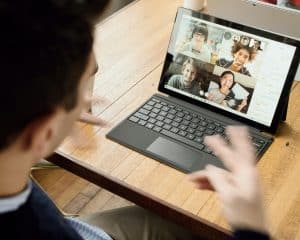
Touchless video conferencing is a new way of remote collaboration that has gained significant momentum recently due to the COVID-19 pandemic. It allows participants to join meetings without touching surfaces or devices, enhancing safety and hygiene in meeting rooms.

Touchless Video Conferencing and Its Benefits

Touchless video conferencing refers to remote collaboration solutions that enable participants to join meetings without the need to touch any surfaces or devices. The technology leverages gesture control, proximity sensors, and voice activation to enable touchless room controls, touchless screen sharing, collaboration, and touchless whiteboarding. Touchless technology reduces the need for human interaction with meeting room equipment, which enhances safety, and minimises the spread of germs.

Touchless video conferencing technology offers many benefits, including cost-effectiveness, improved productivity, and better meeting experiences. It eliminates the need for physical cables, which saves on installation costs and reduces the complexity of setup. Touchless room solutions offer flexibility by allowing participants to join meetings anywhere. It also enhances collaboration by enabling touchless screen sharing and touchless whiteboarding.

Examples of Touchless Video Conferencing Technology

  • Facial recognition is one of the most popular touchless video conferencing solutions. It enables participants to log in to meetings using their facial features, eliminating the need for passwords or PINs. 
  • Virtual backgrounds are another touchless technology that allows participants to change the background of their video feed without needing a green screen. It enhances privacy by allowing participants to hide their surroundings during meetings. 
  • Touchless room scheduling is another popular technology enabling participants to book meeting rooms remotely without touching surfaces or devices.

Touchless Video Conferencing Can Improve the Quality of Hybrid Meetings

Touchless video conferencing solutions can improve the quality of hybrid meetings in many ways. 

  • Firstly, it enhances safety and hygiene by eliminating the need for physical contact with meeting room equipment. 
  • It also enhances collaboration by enabling touchless screen sharing and touchless whiteboarding, improving meeting information flow. 
  • Touchless room automation enhances meeting experiences by automatically adjusting the lighting and temperature of meeting rooms. This reduces distractions during meetings and ensures that participants are comfortable throughout the meeting.


Gesture control

The gesture control technology is quickly becoming a popular way for people to interact with technology, especially in meeting rooms. It allows people to control their devices with simple hand gestures or body movements, eliminating the need for physical touch and enhancing user experience. 

Gesture Control and its Benefits

Gesture control technology uses sensors to track hand gestures and body movements, allowing users to control their devices without physical touch. This touchless technology has many benefits, including improved hygiene and convenience. Touchless meeting room technology, including gesture control, is becoming more popular due to the COVID-19 pandemic, as it helps reduce the risk of spreading germs.

Examples of Gesture Control Technology

Many types of gesture control technology include hand gestures, body movements, voice activation, and proximity sensors. 

  • Hand gestures are the most common type of gesture control, allowing users to control devices by moving their hands differently. 
  • Body movements, such as head movements, can also control devices. 
  • Voice activation is another type of gesture control technology that allows users to control their devices using their voice. 

Gesture Control Can Enhance User Experience and Streamline Meetings

Gesture control technology can enhance user experience in many ways. It provides a touchless and hygienic way to interact with devices, making it an ideal solution for meeting rooms. Gesture-controlled devices are also more intuitive to use, reducing the learning curve for new users.

In addition to enhancing user experience, gesture control technology can streamline meetings. For example, touchless meeting room controls allow users to start meetings with just a wave. Touchless room solutions can also automate tasks like turning on lights and opening blinds. This automation can save time and make meetings more efficient.


Proximity sensors

Proximity sensors detect the presence or absence of an object or person within a certain distance. They emit an electromagnetic field or beam of radiation and detect changes in that field or beam to determine the proximity of an object. This technology has many applications, from automotive safety systems to touchless meeting room technology.

The benefits of proximity sensors are numerous. They can improve energy efficiency by turning off lights and electronics when not in use and automating meeting room settings to optimise comfort and productivity. Proximity sensors also provide a touchless solution for controlling AV technology, such as video conferencing solutions, in meeting rooms.

Examples of Proximity Sensor Technology

  • One example of proximity sensor technology is occupancy sensors, which detect the presence of people in a room and turn on/off the lights and other electronics accordingly. This technology is commonly used in offices, schools, and other public spaces to save energy and reduce utility costs.
  • Another example is motion detectors, which use infrared technology to detect movement and trigger certain actions, such as turning on the lights or adjusting the temperature in a room. This technology is commonly used in security systems but can also be used to automate meeting room settings.

Proximity Sensors for Meetings and Touchless Room Solutions

Proximity sensors can improve energy efficiency by turning off lights and electronics when not in use. This can be especially useful in meeting rooms, where people often need to turn off the lights or electronics when leaving the room. Using occupancy sensors or motion detectors, the lights and electronics can be automatically turned off when the room is empty.

Proximity sensors can also automate meeting room settings to optimise comfort and productivity. For example, suppose a meeting room is equipped with touchless meeting room technology, such as gesture control or voice activation. In that case, proximity sensors can detect when someone enters the room and activate the technology accordingly. This can save time and improve the overall meeting experience.


Digital signage

Digital signage is revolutionising the way businesses communicate and share information. With the increasing demand for touchless meeting room technology, investing in this technology is becoming more important than ever.

Digital Signage and its Benefits

Digital signage is a dynamic and interactive platform that allows businesses to communicate with their audience using multimedia content. From touchless kiosks to interactive displays, digital signage is the future of communication. It is a cost-effective and engaging way to deliver information to customers, employees, and visitors.

Benefits of Digital Signage:

  • It attracts attention and engages the audience
  • It provides a platform for real-time information sharing
  • It is versatile and can be used for multiple purposes
  • It is an eco-friendly alternative to traditional printed signage
  • It is easy to update and maintain

Examples of Digital Signage Technology

Interactive displays and touchless kiosks are just some examples of digital signage technology. Interactive displays can create engaging presentations and facilitate collaboration, while touchless kiosks provide a safe and hygienic way to interact with information. Other touchless meeting room controls include gesture and proximity sensors, allowing for hands-free technology interaction.

Digital Signage Can Enhance Communication and Information Sharing in Meeting Rooms

Digital signage can enhance communication and information sharing in meeting rooms in several ways. Touchless presentation technology allows for seamless and efficient presentations without physical contact. Touchless collaboration and screen sharing enable multiple users to work together in a safe and hygienic environment. Voice-activated meeting rooms and non-contact AV technology provide a touchless experience for participants.


Automation

Automation is the use of technology to perform tasks without human intervention. It has become an essential aspect of modern-day living, and meeting rooms are no exception. Touchless meeting room technology is rapidly gaining popularity in the corporate world. It is a form of automation that eliminates the need for physical contact with equipment in meeting rooms, reducing the risk of spreading germs and viruses.

Benefits of Automation in Meeting Rooms

Automation has several benefits, including improved productivity, reduced operational costs, increased safety, and enhanced user experience. In meeting rooms, automation technology can streamline workflows, making meetings more efficient and productive. It can also reduce operational costs by minimising energy consumption and equipment maintenance.

Examples of Automation Technology in Meeting Rooms

Several examples of automation technology can be used in meeting rooms. Smart lighting and climate control systems are two examples. These systems can be programmed to turn on and off automatically based on occupancy, reducing energy consumption. They can also be controlled remotely, making managing meeting rooms from a central location easy.

Another example is touchless meeting room controls. These controls use gesture and proximity sensors to operate equipment without physical contact. They can control audio-visual technology, video conferencing solutions, and digital signage. Touchless presentation technology allows presenters to interact with screens and displays using gestures, eliminating the need for physical contact.

Automation Can Improve Energy Efficiency and Enhance User Experience in Meeting Rooms

Touchless meeting room technology can improve energy efficiency and enhance the user experience in several ways. For example, proximity sensors can turn on equipment when people enter the room and turn it off when they leave. This helps to reduce energy consumption and extend the lifespan of the equipment.

Automation can also enhance the user experience by making scheduling meetings, booking rooms, and managing equipment easy. Voice-activated meeting rooms, touchless room scheduling, and touchless whiteboards are just a few examples of how automation can improve the user experience in meeting rooms.

In addition, touchless meeting room technology can facilitate remote collaboration. Video conferencing solutions allow people to participate in meetings from anywhere in the world, while gesture-controlled meetings and touchless collaboration tools make it easy to interact with remote participants.


Conclusion

Touchless meeting room technology is a game-changer for workplaces. It offers many benefits and innovations, such as improving safety, accessibility, and collaboration. The touchless technology includes gesture control, proximity sensors, touchless room solutions, and touchless presentation technology. Voice-activated meeting rooms, touchless screen sharing, and touchless digital signage facilitate the no-touch meetings. The video conferencing solutions enable remote collaboration tools and touchless audio conferences. Hybrid meetings are made easier with touchless room scheduling and automation. Affordable touchless meeting room tech is available for small businesses, schools, and startups. Best touchless meeting room solutions and design ideas can be found in various touchless technology providers. The benefits of touchless meeting room technology outweigh the price, and it is worth considering for any workplace.


FAQs

Q. What is touchless meeting room technology?

Touchless meeting room technology uses hands-free and voice-activated technology to operate and manage meeting rooms without physical contact. This technology allows individuals to control various aspects of the meeting room environment, including lighting, temperature, audiovisual equipment, and room scheduling, through voice commands or sensors.

Q. How does touchless meeting room technology work?

Touchless meeting room technology uses sensors, cameras, and voice recognition technology to detect and respond to user commands. For example, motion sensors can detect when someone enters or leaves the room and adjust lighting and temperature accordingly. Voice recognition technology can schedule meetings, start or end presentations, and control audiovisual equipment.

Q. What are the benefits of touchless meeting room technology?

The benefits of touchless meeting room technology include increased hygiene and safety, improved accessibility for people with disabilities, greater efficiency in managing meeting spaces, and enhanced collaboration and productivity through streamlined technology.

Q. What are some touchless meeting room technology providers?

Some touchless meeting room technology providers include Crestron, Zoom, Cisco Webex, Microsoft Teams, and Google Meet.

Q. How much does touchless meeting room technology cost?

The cost of touchless meeting room technology can vary widely depending on the specific technology and features required. Basic touchless control systems for lighting and temperature can cost a few hundred dollars. In contrast, more advanced systems with audiovisual equipment and room scheduling capabilities can cost tens of thousands of dollars.

Q. Can touchless meeting room technology be installed in existing meeting rooms?

Yes, touchless meeting room technology can be installed in existing meeting rooms. Depending on the specific technology and features required, installation may involve adding sensors, cameras, and control systems and upgrading existing equipment to be compatible with touchless control.

Q. How does touchless meeting room scheduling work?

Touchless meeting room scheduling uses voice commands or a mobile app to reserve a meeting room. Sensors in the room can detect when the meeting has started and adjust the lighting and temperature accordingly.

Q. What are some touchless presentation technology options?

Some touchless presentation technology options include voice-activated projectors, wireless screen sharing, and gesture-based presentation controls.

Q. What is the future of touchless meeting room technology?

The future of touchless meeting room technology is likely to involve greater integration with artificial intelligence and machine learning, enabling more advanced voice recognition and predictive capabilities. There may also be greater emphasis on customising and personalising meeting room environments based on user preferences and behaviours.

Q. How can touchless meeting room technology improve remote collaboration?

Touchless meeting room technology can improve remote collaboration by allowing users to control and interact with meeting room technology without the need for physical contact. This can improve efficiency and productivity in remote meetings and provide a more seamless and immersive experience.

Q. What are some touchless meeting room design ideas?

Some touchless meeting room design ideas include incorporating motion sensors for lighting and temperature control, using voice-activated control systems, and designing meeting room layouts that facilitate social distancing.

Q. What industries can benefit from touchless meeting room technology?

Any industry using meeting rooms can benefit from touchless technology, including healthcare, education, corporate offices, and hospitality.

Q. How can touchless meeting room technology improve safety in the workplace?

Touchless meeting room technology can improve safety in the workplace by reducing the risk of transmission of germs and viruses through shared surfaces and physical contact with equipment. This can help create a safer and healthier work environment for employees and visitors.

Q. How can touchless meeting room technology improve accessibility for people with disabilities?

Touchless meeting room technology can improve accessibility for people with disabilities by enabling them to control and interact with meeting room technology through voice commands or other touchless means. This includes adjusting the lighting, temperature, and audiovisual equipment, scheduling meetings, and accessing presentation materials. Touchless meeting room technology can also provide greater flexibility and independence for people with disabilities, allowing them to participate in meetings and collaborate more easily.

Q. What are some touchless room automation options?

Some touchless room automation options include voice-activated lighting and temperature control, motion sensors that adjust lighting and temperature based on occupancy, automated window shades, and voice-activated audiovisual equipment control. Other options include touchless door openers, occupancy sensors for room scheduling, and voice-activated room service requests in hospitality settings. These options can help create a more streamlined and efficient meeting room experience while promoting hygiene and safety through touchless control. 

Picture of Meeting Store

Meeting Store

Table of Contents

AV career acceleration
Training and Education

Accelerate Your AV Career with Targeted Training

In the fast-paced world of audiovisual (AV) technology, career acceleration is a goal shared by many aspiring professionals. Whether you’re just starting your journey or looking to take your AV career to the next level, this comprehensive guide will provide you with insights, strategies, and resources to help you achieve success in the audiovisual industry.Audiovisual career development begins with proper training. AV industry training programs provide the foundation for job skills development, ensuring you have the competencies needed to excel in the field. The best AV certification programs for career growth offer specialized courses that align with industry demands, such as AV career advancement, audiovisual career development, and AV industry training.Professional AV training and AV industry certifications are essential for anyone looking to advance in their AV career. These certifications validate your expertise and demonstrate your commitment to excellence. Consider enrolling in AV certification programs like AV career enhancement, AV industry certifications, and AV job skills development to boost your credibility and career prospects.Accelerating your career in the audiovisual (AV) industry can be achieved through targeted training. To excel in this field, focus on gaining expertise in emerging AV technologies, such as 4K/8K displays, immersive audio systems, and video conferencing solutions. Seek certifications like CTS (Certified Technology Specialist) to validate your skills.To succeed in the audiovisual industry, it’s crucial to have a clear AV career path. Set achievable AV career goals and create a comprehensive AV career development plan. This plan should include strategies for AV career advancement and highlight the key skills required for AV job success, such as AV career progression, AV job skills, and AV career opportunities.Accelerated Learning  AV Industry in 2023The audiovisual (AV) industry is experiencing unprecedented growth in 2023, presenting numerous opportunities for career acceleration and professional development. In this section, we will explore the current landscape of the AV industry, highlight the growth and opportunities in AV technology, and provide insights on how you can advance your AV career. Let’s dive right in.The AV Industry Landscape in 2023The AV industry has evolved significantly over the years, driven by rapid technological advancements. Today, it encompasses a wide range of fields, including live events, film and television production, corporate AV, and home entertainment systems. The demand for AV solutions in various sectors has never been higher, making it a promising field for those seeking career growth.AV Career Acceleration Opportunities Audiovisual Training and Skills Development: To excel in the AV industry, it’s crucial to invest in audiovisual training and job skills development. Audio-visual training programs provide hands-on experience and knowledge in AV technology, equipping you with the skills needed to thrive in this dynamic field. Consider enrolling in professional AV training courses to boost your expertise. AV Industry Certifications: AV industry certifications are a testament to your proficiency and commitment to excellence. They can enhance your credibility in the job market and open doors to higher-paying positions. Some of the best AV certification programs for career growth include [insert names of relevant certifications], which are recognized industry-wide. Navigating the AV Career Path: Success in the audiovisual industry requires careful planning and a clear career path. Create a detailed AV career development plan that outlines your goals and the steps needed to achieve them. This plan will serve as your roadmap to career advancement. AV Job Market Trends: Staying informed about the latest AV job market trends in 2023 is essential. Knowing which skills are in demand can help you tailor your career development strategies accordingly. Keep an eye on AV job market statistics and job boards to identify opportunities. Professional AV Training ProgramsProfessional training is a cornerstone of AV career success. The following programs can help you accelerate your AV career: Audiovisual Career Advancement Strategies: These programs offer insights into effective strategies for AV career advancement. They focus on honing your skills and positioning yourself as a valuable asset in the industry. AV Career Enhancement: Enhance your skills and knowledge through AV career enhancement programs. These courses cover advanced topics and emerging technologies, keeping you ahead of the curve. AV Career Progression Tips: Learn practical tips and techniques for advancing your AV career. These programs provide actionable advice on networking, job searching, and career growth. Key Skills for AV Job SuccessTo excel in the AV industry, it’s essential to develop a diverse skill set. Some key skills that will boost your AV career include: Technical Proficiency: Mastering AV equipment and software is fundamental. Stay updated on the latest AV technology trends and software applications. Problem-Solving: AV professionals often encounter technical challenges. The ability to troubleshoot and find solutions quickly is highly valued. Communication: Effective communication is crucial when working in teams or with clients. Clear communication ensures that AV projects run smoothly.   Mapping Your AV Career PathAre you looking to accelerate your AV career? If you’re passionate about the audiovisual industry and eager to climb the ladder of success, you’ve come to the right place. In this comprehensive guide, we will explore how to plan your long-term career in the AV industry.AV Career Advancement StrategiesTo achieve AV career acceleration, you need a well-thought-out plan. Let’s dive into some effective strategies that can help you chart your course in the audiovisual career landscape. Audiovisual Career Development Plan The first step in your journey is to create a solid audiovisual career development plan. This plan should outline your career goals, the skills you need to acquire, and the milestones you aim to achieve. Think of it as your roadmap to success in the AV industry. AV Industry Training and Education Audio-visual training plays a pivotal role in your career growth. Look for professional AV training courses and programs that align with your career goals. These programs can provide you with the necessary AV job skills development to excel in the field. AV Certification Programs Consider enrolling in AV certification programs. AV industry certifications not only validate your expertise but also open doors to better career opportunities. The best AV certification programs for career growth can significantly boost your credibility

Read More »
Next-gen AV learning
Training and Education

Next-Gen AV Learning: Pioneering Education for Tomorrow

In today’s fast-paced world, staying updated with the latest trends and advancements in audiovisual (AV) technology is crucial for career growth and industry relevance. This article provides a comprehensive overview of Next-Gen AV learning, emphasizing the need for advanced AV education, and highlighting the AV technology trends of 2023.Audiovisual technology has become an integral part of various industries, from entertainment and education to business and healthcare. As AV technology continues to evolve rapidly, the demand for skilled AV professionals is on the rise. To meet this demand, individuals must invest in advanced audiovisual learning.AV training and education encompass a wide range of opportunities, including online courses, AV certification programs, and instructional resources tailored to emerging trends. These resources are designed to equip individuals with the necessary skills to thrive in the AV industry.One of the most convenient ways to pursue AV education is through online courses. These programs offer flexible learning schedules, making it easier for professionals to balance their education with their careers. Online AV courses cover a variety of topics, from AV equipment mastery to AV integration skills.Innovative AV instruction methods go beyond traditional lectures. Interactive learning techniques, such as virtual simulations and experiential learning, provide hands-on experiences that are essential for understanding complex AV systems. This approach is particularly effective for individuals looking to develop cutting-edge AV skills.AV education providers continually update their curriculum to keep pace with the evolving AV industry. These updates ensure that learners receive the most relevant and up-to-date knowledge. Staying informed about AV technology advancements and industry insights is critical for career development.Next-Gen AV Learning is a cutting-edge educational approach that leverages advanced audiovisual technologies to revolutionize learning methods. It provides immersive and interactive experiences, fostering deep understanding and engagement among students, paving the way for a brighter educational future.DIB Audio Visual – March 2020 – Food Technology classroom audio visual upgrade  The Evolution of AV EducationThe evolution of AV education has been nothing short of remarkable, with traditional AV training methods giving way to interactive AV learning. In this section, we will delve into the past and present of AV education, exploring how it has transformed to meet the demands of the modern world. Our focus will be on the emergence of interactive AV learning, the role of technology in AV education, and how professionals can stay ahead in this dynamic field.Traditional AV Training MethodsBefore we plunge into the realm of next-gen AV education, let’s take a brief look back at traditional AV training methods. In the past, AV education primarily consisted of in-person classes and on-the-job training. These methods, while valuable in their time, often lacked flexibility and accessibility.AV specialists relied on instructional resources that were limited in scope, making it challenging to keep up with emerging trends in audiovisual technology. AV education was often seen as a lengthy process, requiring years of hands-on experience to master AV equipment and systems.Emergence of Interactive AV LearningThe advent of online courses and AV certification programs has revolutionized AV education. Interactive AV learning platforms now offer learners the opportunity to acquire AV skills at their own pace and convenience. This innovative AV instruction is designed to cater to a wide range of learners, from beginners to seasoned professionals.In these cutting-edge training programs, learners can explore AV technology training modules, gaining advanced audiovisual learning experiences. The curriculum design is meticulously crafted to reflect industry updates and emerging AV trends, ensuring that learners are equipped with the latest knowledge.AV Education for Career DevelopmentFor those aspiring to excel in the AV industry, these online AV tutorials and certification programs provide a pathway to success. Career development in AV is now more achievable than ever, with specialized AV certifications that validate one’s skills and expertise.AV specialists can harness the power of immersive AV education, mastering AV equipment and integration skills. The AV industry is constantly evolving, and staying ahead requires a deep understanding of AV technology advancements. These programs offer insights into the AV industry’s evolution and prepare professionals for the future.AV Industry InsightsAs we look ahead to 2023, it’s clear that AV education for professionals is essential. The AV industry is booming, with job prospects on the rise. Specialized AV certifications and advanced AV courses are key to unlocking career growth in AV.  Specialised AV CertificationsThe audiovisual industry, driven by rapid technological advancements, demands professionals who are well-versed in the latest AV technology trends. To keep pace with this evolving landscape, AV specialists must invest in their skill sets through specialized AV certifications. In this comprehensive guide, we will delve into the importance of these certifications, highlight some of the top options, and discuss the benefits they offer to AV professionals. As the AV industry continues to flourish, staying competitive requires a commitment to lifelong learning. Specialized AV certifications are crucial in this regard. They serve as a testament to your expertise, providing a competitive edge in a rapidly evolving field.Top Certifications and Their Benefits for AV ProfessionalsLet’s explore some of the best AV certification programs and the advantages they offer: Certified Technology Specialist (CTS): Offered by AVIXA, this certification covers a wide range of AV technology training. CTS certification demonstrates your expertise in AV integration skills, AV equipment mastery, and AV system knowledge. It’s a solid foundation for career growth in AV. Certified Audiovisual Solutions Provider (CAVSP): This InfoComm certification validates your commitment to excellence in AV solutions. It showcases your ability to provide cutting-edge training and innovative AV instruction to clients. Digital Media Training: In the age of digital media, specialized training in this area is crucial. Courses on digital media provide you with practical AV knowledge and skills, keeping you updated on emerging AV trends and technology advancements. AVIXA’s Learning Resources: AVIXA offers a wealth of AV industry insights and AV education platforms. Explore their resources for immersive AV education and curriculum updates, ensuring you’re at the forefront of the industry. Customized Training Programs: Some top AV instructors offer specialized, hands-on AV training. These programs are designed to equip you with advanced AV skills and

Read More »
av-design-principles
Training and Education

Uncover AV Design Principles: Creating Engaging Experiences

In today’s fast-paced digital age, Audio-Visual (AV) technology plays a pivotal role in creating immersive and engaging experiences across various industries. AV design principles form the cornerstone of this transformation, seamlessly blending technology with creativity to captivate audiences. In this comprehensive guide, we will delve into the world of AV design, highlighting its significance, and exploring how it enhances user engagement and sensory experiences.AV design principles are the guiding light in crafting sensory storytelling through multimedia. They intertwine technology and creativity to create immersive environments that leave lasting impressions. In today’s highly competitive digital landscape, where visual communication reigns supreme, mastering AV design is paramount. It ensures that your multimedia design not only captures attention but also conveys your message effectively.Creating engaging audiovisual (AV) experiences relies on several key design principles.  Clarity is essential; ensure that visuals and sound are crisp and easily understood. Consistency is crucial, maintaining a unified theme throughout the AV elements.From marketing to education, entertainment to healthcare, AV technology is omnipresent. Its applications are diverse and continue to evolve with technological advancements. Whether it’s immersive multimedia art installations or interactive digital signage, AV technology integration enhances user-centric design across various sectors.Audio Visual Design Process  AV Design PrinciplesIn the world of multimedia, the understanding of AV design principles is paramount. AV, short for audiovisual, plays a pivotal role in modern technology, enriching user engagement and sensory experiences.AV Design Principles UnveiledAV design principles are the fundamental guidelines that underpin the creation of audiovisual content. These principles encompass visual communication, sound design, and sensory storytelling, aiming to captivate audiences and convey messages effectively. They are the cornerstone of user-centric design, ensuring that content resonates with the intended audience.The Role of AV in Modern TechnologyIn the digital age, AV technology integration has become ubiquitous. From interactive installations to spatial audio applications, AV is omnipresent, shaping the way we interact with technology. This integration has revolutionized sensory perception, making multimedia design an immersive and engaging experience. As technology advances, staying attuned to AV technology trends is crucial for content creators and AV engineers alike.Impact on User EngagementUser engagement is at the core of multimedia design. Incorporating sensory design in AV enhances engagement by creating immersive experiences. Sensory storytelling techniques transport viewers into captivating narratives, making content more memorable and impactful. Sensory branding with AV technology leaves a lasting impression on users, fostering brand loyalty.Best AV Design Practices for BeginnersFor newcomers to AV design, embracing best practices is essential. Creating immersive AV experiences requires attention to detail and a deep understanding of AV system principles. Start by optimizing AV systems for sensory engagement, incorporating technology integration seamlessly. Multimedia integration for immersive experiences demands a user experience design that is intuitive and user-centric.Choosing the Right AV EquipmentSelecting the appropriate AV equipment is paramount in achieving sensory aesthetics in audiovisual design. With a plethora of options available, it’s crucial to consider AV engineering and digital signage trends. Ensure your AV architecture aligns with your goals, whether you’re crafting multimedia art or digital signage for commercial use.Incorporating Sensory Design in AVSensory design principles for multimedia encompass various aspects, including spatial audio technology in AV design. Utilizing spatial audio creates a three-dimensional soundscape, enhancing immersion. Interactive design elements further engage the senses, making the experience dynamic and memorable.  Creating Immersive AV ExperiencesAV design principles are the foundation of creating immersive audiovisual experiences. It involves meticulous planning, from choosing the right AV equipment to optimizing AV system principles. These principles ensure seamless integration of technology and content to deliver captivating multimedia solutions that captivate users.Sensory Design and Its RoleSensory design, often overlooked, plays a pivotal role in AV experiences. It focuses on engaging the user’s senses beyond sight and sound. By incorporating sensory storytelling techniques and interactive installations, AV designers can craft experiences that stimulate touch, smell, and even taste, enhancing user engagement and making it truly immersive.Incorporating Sensory Design in AVTo incorporate sensory design in AV, designers must consider sensory perception in multimedia. User-centric multimedia design should prioritize sensory experience in technology, creating an environment where users are emotionally connected to the content.Spatial Audio Technology in AV DesignSpatial audio is a game-changer in AV design. It allows sound to come from multiple directions, creating a 3D auditory experience. Incorporating spatial audio applications can transport users into the heart of the content, making them an active part of the narrative.Multimedia Integration for Immersive ExperiencesSuccessful AV design integrates multimedia seamlessly. It combines visual communication and sound design to create immersive technologies that transcend traditional AV boundaries. This integration enhances the overall sensory engagement of users.Sensory Storytelling in AVSensory storytelling in AV involves using AV design concepts to tell compelling stories. It leverages sensory aesthetics in audiovisual design, making the story not just heard and seen but felt. This approach keeps users engaged and emotionally invested.Optimizing AV Systems for Sensory EngagementOptimizing AV systems for sensory engagement involves AV system optimization and choosing the right AV equipment. It ensures that the technology used aligns with the sensory design principles, creating seamless and effective sensory branding with AV technology.Digital Signage Trends in AV DesignDigital signage is evolving rapidly. Staying updated with digital signage best practices and AV technology trends is crucial for creating cutting-edge immersive AV experiences. It allows for real-time interaction and personalized content delivery.  Enhancing User Engagement Through AudiovisualsIn the realm of multimedia design, where user engagement is paramount, AV design principles play a pivotal role. This section explores how AV design can significantly enhance user engagement, provides examples of successful AV implementations, and delves into the importance of sensory aesthetics in audiovisual design.AV Design PrinciplesAV design principles encompass a wide array of concepts and techniques aimed at creating immersive experiences and optimizing sensory engagement. By understanding these principles, one can effectively enhance user engagement through audiovisuals.User-Centric Design: AV design begins with a user-centric approach, prioritizing the end user’s needs and preferences. This principle ensures that the final product aligns with the target audience’s expectations, resulting in higher engagement.Sensory Storytelling: Incorporating sensory storytelling techniques allows multimedia designers to craft narratives that

Read More »
Meeting room scheduling software
Future Trends

The Benefits of Meeting Room Scheduling Software

Discover the numerous benefits of meeting room scheduling software. Automate your scheduling, streamline your operations and optimize your resources with our easy-to-use software. Get more done in less time with our powerful scheduling tools.

Read More »
best remote work tools
Remote Collaboration

Discover the Best Remote Work Tools for Unparalleled Productivity

Remote work has become increasingly popular in today’s workforce, transforming the way businesses operate and employees carry out their tasks. With advancements in technology and the need for flexibility, remote work has gained significant traction, allowing individuals to work from any location and collaborate seamlessly. To ensure optimal productivity and effective collaboration, it is essential to utilize the right tools specifically designed for remote work environments. This blog aims to explore the best remote work tools across various categories, focusing on enhancing productivity and collaboration for remote teams.In recent years, remote work has witnessed a remarkable surge in popularity. This shift in the work landscape has been fueled by various factors, including technological advancements, changing work preferences, and the need for improved work-life balance. Remote work allows individuals to break free from the traditional office setting, offering the flexibility to work from home, co-working spaces, or any location with an internet connection.Remote work brings its own set of challenges, such as maintaining productivity, effective collaboration, and seamless communication. To overcome these challenges and ensure success in a remote work environment, it is crucial to leverage the power of the right tools. The use of appropriate tools can enhance productivity, streamline communication, and foster collaboration among remote teams. By incorporating these tools into daily work routines, remote workers can achieve efficient workflows and maintain high levels of productivity.Remote collaboration is a vital aspect of successful remote work. The right tools enable team members to collaborate effectively, regardless of their physical locations. Whether it’s brainstorming ideas, sharing documents, or conducting virtual meetings, remote collaboration tools play a significant role in bridging the gap and ensuring seamless teamwork.My Top 4 Tools for Working Remote!  Best Remote Work Tools for Small TeamsIn today’s digital age, remote work has become increasingly prevalent, and small teams often face unique challenges in this setup. To ensure seamless collaboration and efficient communication, it is crucial for small teams to utilize the right remote work tools. In this section, we will discuss the specific needs of small teams in a remote work setup and present a curated list of remote work tools that cater to those requirements. These tools offer features and benefits that are suitable for small team collaboration and communication, enabling teams to thrive in a remote work environment.Project Management ToolsSmall teams require robust project management tools to streamline their workflow and enhance productivity. The following tools are highly recommended: Trello: Trello provides a visual and intuitive interface for organizing tasks, assigning responsibilities, and tracking progress. Its user-friendly design makes it ideal for small teams to manage projects effectively. Asana: Asana offers a comprehensive project management platform with features such as task assignment, deadline tracking, and team collaboration. It simplifies the coordination of small teams working remotely. Communication ToolsEffective communication is essential for small teams to maintain cohesion and stay connected. Consider the following communication tools: Slack: Slack is a popular instant messaging platform that enables real-time communication. It allows small teams to create dedicated channels for different projects, fostering seamless collaboration and remote communication. Microsoft Teams: Microsoft Teams combines chat, video meetings, and file sharing capabilities into one platform. It offers a centralized space for small teams to communicate and collaborate effectively. Collaboration ToolsRemote collaboration tools facilitate teamwork and enable small teams to collaborate efficiently on shared tasks. The following tools are highly recommended: Google Workspace: Formerly known as G Suite, Google Workspace provides a suite of productivity tools such as Google Docs, Sheets, and Slides. These tools allow small teams to collaborate in real-time, edit documents simultaneously, and ensure version control. Miro: Miro is a virtual whiteboard platform that enables remote teams to brainstorm, visualize ideas, and collaborate on projects. It offers a range of templates and tools to enhance small team collaboration. Time Management ToolsTo ensure optimal time utilization and productivity, small teams can benefit from time management tools. Consider the following options: RescueTime: RescueTime tracks the time spent on various tasks and provides insights into productivity. It helps small teams identify time-wasting activities and optimize their workflow. Toggl: Toggl is a time tracking tool that allows small teams to monitor their work hours accurately. It provides detailed reports and helps identify areas where time can be better allocated.   Affordable Remote Work ToolsIn the era of remote work, having the right tools at your disposal is crucial for staying productive and connected. However, cost concerns can often hinder the adoption of remote work tools. Fortunately, there are several cost-effective solutions available that deliver functionality and performance without compromising quality. In this section, we will explore a curated selection of affordable remote work tools that provide excellent value for money.Productivity Tools for Efficient Remote WorkWhen it comes to optimizing your remote work experience, productivity tools play a vital role. Here are some budget-friendly options worth considering: Toggl – Toggl offers a time tracking app that helps you monitor and manage your work hours effectively. It allows you to track your time across different projects, generate reports, and improve your productivity by identifying time-wasting activities. Notion – Notion is a versatile workspace tool that combines note-taking, task management, and collaboration features. It enables seamless organization, efficient collaboration, and easy access to information, making it a valuable asset for remote teams. Asana – Asana is a popular project management platform that empowers teams to streamline their workflows and stay on top of tasks. With intuitive task management, milestone tracking, and team communication features, Asana fosters efficient remote collaboration. Collaboration and Communication Tools for Remote TeamsEffective collaboration and communication are essential for remote teams to thrive. Here are some affordable tools that facilitate seamless teamwork: Slack – Slack is a leading communication platform that enables real-time messaging, file sharing, and integrations with various apps. It helps remote teams stay connected, exchange ideas, and collaborate effortlessly, fostering a sense of virtual togetherness. Google Workspace – Google Workspace offers a suite of cloud-based productivity tools, including Google Docs, Sheets, and Drive. These tools allow for real-time document collaboration, file storage,

Read More »
remote collaboration for sales teams
Remote Collaboration

Enhance Sales Performance through Effective Remote Collaboration for Sales Teams

In today’s remote work environment, the significance of remote collaboration for sales teams cannot be overstated. Remote collaboration refers to the process of working together, sharing ideas, and exchanging information virtually, regardless of geographical locations. It enables sales teams to overcome the challenges posed by remote settings and enhance their overall performance. By leveraging collaboration tools specifically designed for remote work, sales teams can maximize their productivity, efficiency, and communication, ultimately driving better results.Sales teams operating in remote settings face several challenges that can hinder their performance. One of the primary obstacles is the lack of face-to-face interaction, which can lead to reduced engagement and decreased team cohesion. Additionally, the absence of physical proximity makes it difficult to provide immediate assistance, address queries, or share knowledge swiftly. These limitations can impede effective team communication and diminish the sense of camaraderie among sales professionals.To overcome the challenges faced by sales teams in remote settings, the adoption of remote collaboration tools is crucial. These tools facilitate virtual collaboration and enable sales teams to thrive in a remote work environment. By leveraging such tools, sales professionals can bridge the gap created by physical separation and ensure seamless communication, collaboration, and knowledge sharing. Remote collaboration tools offer real-time messaging, video conferencing, and file sharing capabilities, enabling sales teams to communicate effectively regardless of their physical locations. Such tools facilitate instant feedback, quick decision-making, and seamless coordination, fostering a cohesive and productive sales team.7 Tips To Improve Collaboration For Remote Teams  Benefits of Remote Collaboration for Sales TeamsIn today’s dynamic business landscape, remote collaboration has emerged as a game-changer for sales teams, empowering them with unparalleled advantages. This section explores the numerous benefits of remote collaboration for sales teams, highlighting its positive impact on productivity, communication, and efficiency. Enhanced Productivity and EfficiencyRemote collaboration revolutionizes the way sales teams operate, providing them with tools and platforms that foster seamless information exchange and workflow optimization. By leveraging remote collaboration tools, such as project management software, virtual team communication platforms, and integrated CRM systems, sales teams can streamline their processes and reduce time-consuming administrative tasks.  “According to a study conducted by Remote Collaboration Statistics, organizations adopting remote collaboration witnessed a 30% increase in sales team productivity and a 40% improvement in overall team efficiency.” As a result, they can focus more on revenue-generating activities, such as client interactions, lead nurturing, and deal closures.Improved Communication and Team CollaborationEffective communication lies at the heart of successful sales teams. Remote collaboration tools bridge geographical gaps, enabling seamless communication among team members, regardless of their physical locations. Sales professionals can leverage virtual collaboration tools, video conferencing software, and team messaging platforms to connect in real-time, fostering meaningful discussions, brainstorming sessions, and knowledge sharing.Studies have shown that sales teams that embrace remote collaboration experience a 25% reduction in communication barriers and a 35% increase in collaboration effectiveness. By leveraging remote collaboration solutions, sales teams can cultivate a culture of open communication, leading to enhanced collaboration, idea generation, and ultimately, improved sales outcomes.Empowering Remote Sales TeamsRemote collaboration is particularly advantageous for sales teams that operate remotely or have geographically dispersed members. By utilizing online collaboration tools, virtual collaboration platforms, and cloud-based sales software, remote sales teams can bridge physical distances, collaborate seamlessly, and maintain consistent productivity levels.A case study conducted by Remote Sales Team  highlighted a 50% increase in sales revenue for a remote sales team that integrated remote collaboration software into their daily operations. This success story emphasizes the potential of remote collaboration in empowering sales teams to achieve exceptional results, regardless of their location.Leveraging Technology and SolutionsThe availability of a diverse range of remote collaboration tools and software allows sales teams to optimize their operations and stay ahead in a competitive market. By adopting easy-to-use remote collaboration software, sales teams can streamline their processes, track performance metrics, and gain actionable insights to drive revenue growth.To ensure effective collaboration, sales teams can consider utilizing virtual collaboration tools with CRM integration, which allows seamless information exchange between sales and customer data. Furthermore, secure remote collaboration tools provide a safe environment for sales professionals to share confidential information, fostering trust and enabling successful deal negotiations.  Key Considerations for Remote Collaboration ToolsWhen it comes to remote collaboration for sales teams, selecting the right collaboration tools is crucial for maximizing performance and ensuring seamless team communication. The following key factors should be considered when choosing remote collaboration tools for sales teams:Ease of UseOne of the primary considerations for remote collaboration tools is their ease of use. Sales teams often work in fast-paced environments and need tools that are intuitive and user-friendly. Simple and intuitive interfaces help reduce the learning curve and enable sales teams to quickly adapt to new collaboration software.AffordabilityAffordability is another important factor to consider when evaluating remote collaboration tools. It’s essential to choose tools that fit within your budget without compromising on functionality and quality. Many remote collaboration apps and software solutions offer different pricing plans, so it’s important to assess the cost and value provided by each option.Integration CapabilitiesSeamless integration with existing software and systems used by sales teams is crucial for effective collaboration. Look for collaboration tools that integrate well with customer relationship management (CRM) systems, project management tools, and other essential software used by your sales team. Integration capabilities enable smooth data transfer, streamlined workflows, and efficient information sharing.SecurityProtecting sensitive sales data and customer information is of utmost importance. When selecting remote collaboration tools, prioritize security features such as data encryption, access controls, and secure file sharing. Ensure that the collaboration software follows industry best practices to safeguard against data breaches and unauthorized access.Real-Time ReportingReal-time reporting features empower sales teams to track their progress, monitor performance, and make data-driven decisions. Look for collaboration tools that provide comprehensive reporting capabilities, such as analytics dashboards, sales performance metrics, and activity logs. Real-time reporting enables sales managers to identify areas for improvement and optimize team performance.Alignment with Specific Needs and GoalsEvery sales team has unique needs and goals. It’s essential to choose collaboration tools that align with

Read More »
MeetingStore.co.uk
Logo
Compare items
  • Total (0)
Compare
0
Shopping cart