In today’s ever-evolving business landscape, the concept of remote work has gained significant momentum. With advancements in technology and changing work preferences, businesses are increasingly embracing remote work as a viable alternative to traditional office setups. However, for remote teams to thrive and succeed, effective collaboration is essential. This blog explores the growing trend of remote work and highlights the crucial need for leveraging the right remote collaboration tools to enhance productivity, communication, and project management.
Remote work, also known as telecommuting or virtual work, refers to the practice of working outside a traditional office environment. Thanks to advancements in communication technology, employees can now collaborate and contribute to business operations from anywhere in the world. The COVID-19 pandemic further accelerated the adoption of remote work, as companies were compelled to quickly transition their workforce to remote settings.
Remote work offers numerous benefits for both businesses and employees. For businesses, it allows access to a larger talent pool, regardless of geographical constraints. It enables cost savings by reducing office space requirements and overhead expenses. Additionally, remote work promotes employee satisfaction, work-life balance, and potentially increased productivity. Employees, on the other hand, enjoy flexibility, elimination of commuting stress, and the ability to create a personalized work environment.
While remote work presents exciting opportunities, effective collaboration becomes a critical factor for success. Remote teams need to seamlessly communicate, coordinate tasks, and manage projects to ensure productivity and maintain a cohesive workflow. This is where remote collaboration tools come into play.
Remote collaboration tools empower teams to collaborate efficiently, irrespective of their physical location. These tools offer features such as real-time document sharing, task management, and team messaging, enabling seamless workflow and eliminating bottlenecks. With the right collaboration software, businesses can foster a culture of productivity and ensure that projects stay on track.
The best tool for remote collaboration is Trello the other tools were widely used are Slack , Zoom , Asana , Google work space , Monday.com.
Best Collaboration Software
Affordable Remote Collaboration Tools
In today’s rapidly evolving business landscape, remote work has become the new norm. Small businesses and startups, in particular, greatly benefit from the flexibility and cost savings offered by remote collaboration tools. These tools enable teams to seamlessly communicate, collaborate on projects, and enhance productivity, regardless of their physical location. In this section, we will explore the significance of affordable remote collaboration tools for small businesses and startups. We will also present a curated list of cost-effective collaboration software that offers essential features without compromising quality. Additionally, insights into the pricing structures, subscription plans, and value-for-money aspects of each tool will be provided.
The Significance of Affordable Remote Collaboration Tools for Small Businesses and Startups
Small businesses and startups often operate with limited resources and budgets. Adopting affordable remote collaboration tools can have a significant impact on their operations and overall success. Here’s why these tools are crucial:
Enhanced Productivity: Remote collaboration tools streamline communication and foster effective teamwork, leading to improved productivity. By enabling real-time collaboration, document sharing, and task management, these tools eliminate geographical barriers and facilitate seamless workflow.
Cost Savings: Traditional in-person meetings and travel expenses can quickly add up, especially for small businesses and startups. Remote collaboration tools eliminate the need for physical meetings, resulting in substantial cost savings. Moreover, these tools often offer flexible pricing plans tailored to the needs of smaller organizations.
Access to Top Talent: With remote collaboration tools, businesses can tap into a global talent pool and hire skilled professionals regardless of their location. This enables small businesses and startups to build diverse teams and leverage specialized expertise without the limitations of geographical boundaries.
Curated List of Cost-Effective Collaboration Software
Slack:
Pricing Structure: Slack offers a freemium model with limited features for free, as well as tiered pricing plans for advanced functionality.
Subscription Plans: Free, Standard, Plus, and Enterprise Grid.
Value-for-Money Aspects: Slack provides a user-friendly interface, real-time messaging, file sharing, and integration with other productivity tools.
Trello:
Pricing Structure: Trello offers a freemium model, allowing teams to use the basic features at no cost. Additional features are available through paid plans.
Subscription Plans: Free, Business Class, and Enterprise.
Value-for-Money Aspects: Trello’s visual boards, task management, and collaboration features make it an excellent choice for remote project management.
Google Workspace:
Pricing Structure: Google Workspace offers flexible pricing plans based on the number of users and additional features required.
Subscription Plans: Business Starter, Business Standard, Business Plus, and Enterprise.
Value-for-Money Aspects: Google Workspace provides a suite of tools including Gmail, Google Drive, Docs, Sheets, and Meet, enabling seamless collaboration and document sharing.
Collaboration Tool
Pricing Structure
Subscription Plans
Value-for-Money Aspects
Slack
Freemium + Tiered
Free, Standard, Plus, Enterprise
Real-time messaging, file sharing, integration with productivity tools
Trello
Freemium + Paid Plans
Free, Business Class, Enterprise
Visual boards, task management, collaboration features
Suite of tools including Gmail, Google Drive, Docs, Sheets, Meet
Easy-to-Use Collaboration Software
In today’s fast-paced business landscape, remote collaboration has become essential for companies striving to maximize productivity and adapt to the evolving work environment. With the rise of remote work and virtual teams, businesses are increasingly relying on user-friendly collaboration software to minimize learning curves and foster efficient teamwork. This section explores the significance of easy-to-use collaboration software and introduces intuitive tools designed with simplicity and productivity in mind.
Importance of User-Friendly Collaboration Software
Efficient collaboration is the backbone of successful remote work. When teams can seamlessly communicate, share documents, and coordinate tasks, they can overcome physical barriers and work together as if they were in the same location. However, the effectiveness of collaboration heavily depends on the software being used. Complex and unintuitive tools can hinder productivity, create frustration, and waste valuable time.
By prioritizing user-friendliness in collaboration software, businesses can ensure a smooth transition to remote work and empower their teams to thrive. User-friendly interfaces, intuitive workflows, and easily accessible features are key elements that contribute to a positive user experience. By reducing the learning curve, teams can quickly adapt to the software and focus on accomplishing their tasks efficiently.
Key Features and Functionalities
The success of collaboration software lies in its ability to simplify complex tasks, enhance communication, and streamline project management. To ensure accessibility and enjoyment for teams of all skill levels, user-friendly collaboration software offers the following key features and functionalities:
Intuitive Interface: A clean and intuitive interface allows users to navigate the software effortlessly and locate desired features without confusion.
Real-Time Collaboration: Live collaboration features enable team members to work simultaneously on shared documents, fostering real-time feedback and efficient collaboration.
Mobile Accessibility: With the increasing reliance on mobile devices, collaboration software that offers mobile apps ensures teams can collaborate on the go, regardless of their location.
Integration Capabilities: Seamless integration with other productivity tools, such as email clients, calendar apps, and project management software, enhances workflow efficiency and eliminates the need for switching between multiple platforms.
Security and Permissions: Robust security measures, data encryption, and granular permissions ensure the protection of sensitive information and maintain data privacy.
Secure Remote Collaboration Platforms
In today’s dynamic business landscape, remote collaboration has become an essential aspect of modern work environments. With the rise of remote work and distributed teams, organizations need secure remote collaboration platforms to protect their sensitive business information. These platforms ensure that valuable data remains confidential, while enabling seamless collaboration, boosting productivity, and fostering effective communication among team members, regardless of their physical location.
The Critical Need for Secure Remote Collaboration Platforms
Remote collaboration tools for business are indispensable in safeguarding sensitive business information. As organizations increasingly rely on cloud-based solutions and virtual work environments, the risks associated with data breaches and unauthorized access escalate. Secure remote collaboration platforms address these concerns by implementing robust security measures to protect valuable data from unauthorized access, ensuring confidentiality, integrity, and availability.
End-to-End Encryption: Ensuring Data Privacy
One crucial aspect of secure remote collaboration platforms is end-to-end encryption. This encryption method ensures that data remains encrypted throughout its entire journey, from the sender to the recipient. By employing strong encryption algorithms, these platforms make it virtually impossible for hackers or unauthorized individuals to decipher the information. With end-to-end encryption, businesses can confidently share sensitive documents, conduct confidential discussions, and collaborate on projects, knowing that their data is protected.
User Access Controls: Maintaining Data Integrity
Another vital feature of secure remote collaboration platforms is robust user access controls. These controls enable organizations to manage and restrict user permissions based on roles and responsibilities. By implementing granular access controls, businesses can ensure that only authorized individuals have access to specific documents, folders, or features within the platform. This prevents data leaks, accidental modifications, or unauthorized sharing of sensitive information, thereby maintaining data integrity and minimizing security risks.
Reliable and Secure Tools for Secure Collaboration
Several collaboration tools prioritize data protection and provide a safe environment for remote collaboration. Here are some notable examples:
Collaboration Software: Leading collaboration software such as Slack, Microsoft Teams, and Google Workspace offer secure platforms for teams to collaborate effectively. These tools provide features like chat, file sharing, video conferencing, and project management capabilities while implementing robust security measures.
Virtual Collaboration Tools: Virtual collaboration tools like Trello, Asana, and Monday.com facilitate remote teamwork by providing intuitive interfaces for task management, progress tracking, and seamless communication.
Cloud Collaboration Tools: Cloud-based platforms such as Dropbox, Box, and Google Drive enable secure document sharing and collaboration, with advanced encryption and access control features.
Video Conferencing Tools: Video conferencing solutions like Zoom, Microsoft Teams, and Webex offer secure and reliable platforms for remote meetings and discussions, ensuring end-to-end encryption and privacy controls.
Agile Collaboration Tools: Agile project management tools like Jira and Basecamp facilitate remote collaboration for agile teams, providing features for sprint planning, backlog management, and real-time collaboration.
Best Free Collaboration Tools
In today’s remote work environment, businesses are increasingly relying on collaboration tools to enhance productivity, streamline communication, and foster effective teamwork. However, with tight budgets, finding free collaboration tools that offer essential features becomes crucial for small businesses and startups. Fortunately, there are top-notch free tools available that cater to the diverse needs of remote collaboration. In this section, we will explore these tools and discuss their limitations and premium upgrade options if any.
Importance of Free Collaboration Tools for Businesses
Collaboration lies at the heart of successful remote work. By utilizing free collaboration tools, businesses can harness the power of virtual collaboration, enabling employees to work together seamlessly regardless of geographical barriers. These tools promote efficient communication, facilitate project management, and enhance overall team productivity, contributing to the success of small businesses on limited budgets.
Top-notch Free Collaboration Tools for Remote Work
Trello: Trello is an intuitive project management tool that enables teams to organize tasks, track progress, and collaborate effectively. With its user-friendly interface and flexible Kanban boards, Trello empowers businesses to streamline workflows and enhance remote collaboration.
Slack: Slack is a widely popular messaging and communication platform that facilitates real-time team collaboration. It offers features like channels, direct messaging, file sharing, and integrations with other tools, making it an indispensable tool for remote teams.
Google Workspace: Formerly known as G Suite, Google Workspace offers a suite of cloud-based tools, including Google Docs, Sheets, and Slides. These tools enable real-time document collaboration, seamless file sharing, and efficient communication, making them ideal for remote teams.
Zoom: Zoom has become synonymous with video conferencing, enabling remote teams to connect face-to-face from anywhere in the world. It offers features like screen sharing, recording, and virtual backgrounds, fostering effective virtual meetings and enhancing remote collaboration.
Asana: Asana is a powerful task and project management tool that helps teams stay organized and collaborate efficiently. With features like task assignments, deadlines, and progress tracking, Asana simplifies remote project management and promotes team collaboration.
Limitations and Premium Upgrade Options
While free collaboration tools provide substantial value, they may come with certain limitations. To overcome these limitations, some tools offer premium upgrade options with additional features and enhanced functionality. For example:
Trello: offers premium plans that provide advanced automation, priority support, and greater storage capacity for businesses with evolving collaboration needs.
Slack: offers a paid version, Slack Plus, which unlocks features such as unlimited message history, group voice and video calls, and enhanced administration controls for larger teams.
Collaboration Tools for Remote Project Management
In today’s dynamic business landscape, remote work has become increasingly prevalent. To ensure seamless project management and effective collaboration, businesses need to leverage the right set of tools. Remote collaboration tools for business have emerged as a critical solution, enabling teams to work together efficiently regardless of their physical location. This section explores various collaboration tools specifically tailored for remote project management, highlighting their features, benefits, and how they facilitate teamwork, productivity, and communication.
Task Assignment and Progress Tracking
Remote project management requires clear task assignment and effective progress tracking. Collaboration tools that excel in these areas help teams stay organized and ensure accountability. One such tool is Trello, a popular online collaboration platform. Trello allows teams to create boards, assign tasks, set deadlines, and track progress visually using cards and lists. Its intuitive interface and user-friendly features make it an ideal choice for remote teams.
Milestone Management
Milestones serve as key markers of progress and help keep projects on track. Remote collaboration tools that enable milestone management play a crucial role in project success. Asana, a powerful collaboration software, offers milestone tracking capabilities. With Asana, teams can create project timelines, set milestones, assign tasks, and monitor overall project progress. Its comprehensive features make it a top choice for remote project collaboration.
Efficient Collaboration Among Team Members
Seamless collaboration among team members is essential for remote project management. Tools that foster communication, file sharing, and real-time interaction enhance teamwork and productivity. One such tool is Slack, a leading team collaboration software. Slack offers instant messaging, file sharing, and integration with various apps and services. Its virtual channels and threaded conversations facilitate efficient communication, making it a valuable asset for remote teams.
Streamlining Project Workflows
Efficient workflow management is crucial for remote project teams, ensuring tasks are executed smoothly and in a timely manner. Collaboration tools that streamline project workflows enhance productivity and reduce bottlenecks. Monday.com is a versatile collaboration platform that empowers teams to streamline their project workflows. It provides customizable boards, automations, and task dependencies, enabling seamless coordination among team members and boosting overall efficiency.
Collaboration Tools for Remote Meetings and Communication
Effective remote collaboration and seamless communication are essential for the success of remote teams. In today’s dynamic business landscape, where remote work has become the norm, it is crucial to leverage collaboration tools that facilitate virtual interactions, foster teamwork, and enhance productivity. This section explores various collaboration tools with video conferencing capabilities, chat functionalities, and virtual meeting rooms, addressing their significance in remote work environments.
Remote Collaboration Tools for Business
Remote collaboration tools play a pivotal role in ensuring smooth communication and efficient remote meetings for businesses. These tools enable teams to connect and collaborate seamlessly, regardless of geographical barriers. By leveraging remote collaboration tools, businesses can enhance team collaboration, streamline project management, and improve overall productivity.
Video Conferencing and Communication
Video conferencing capabilities are integral to remote collaboration tools, enabling face-to-face interactions in virtual settings. Such tools allow teams to conduct meetings, presentations, and brainstorming sessions, fostering effective communication and collaboration. By utilizing video conferencing features, remote teams can overcome the limitations of physical distance, facilitating real-time discussions and idea sharing.
Chat Functionalities and Virtual Meeting Rooms
Collaboration tools often offer chat functionalities that enable instant messaging and quick information sharing among team members. These chat features promote efficient communication, allowing remote teams to exchange ideas, clarify doubts, and provide real-time feedback. Additionally, virtual meeting rooms provide a dedicated space for teams to collaborate, share documents, and engage in interactive discussions.
Real-Time Collaboration Features
To facilitate effective remote collaboration, certain features are crucial in collaboration tools. Screen sharing capabilities enable team members to share their screens, showcasing presentations, documents, or applications, fostering a collaborative environment. Interactive whiteboards empower teams to collaborate visually, brainstorm ideas, and collectively work on projects, enhancing creativity and productivity.
Enhancing Productivity and Teamwork
Collaboration tools for remote teams offer a range of features that contribute to enhanced productivity and teamwork. With document sharing functionality, team members can securely access and collaborate on files simultaneously, eliminating version control issues. Additionally, integration with project management software allows seamless tracking of tasks, deadlines, and progress, promoting efficient project execution.
Cloud-Based Collaboration Tools
Cloud-based collaboration tools provide remote teams with flexibility and accessibility. By storing data in the cloud, teams can access files from anywhere, anytime, enabling seamless collaboration across different time zones. Moreover, cloud-based tools offer data backup and synchronization, ensuring that team members always have the most up-to-date information.
Collaboration Tools for Specific Needs
Different teams have unique requirements based on their nature of work. Collaboration tools cater to specific needs, such as:
Startups: Affordable remote collaboration tools that offer essential features for small teams and limited budgets.
Creative and Design Teams: Tools with specialized functionalities for visual collaboration, prototyping, and design review.
Agile Teams: Collaboration tools that support agile methodologies, enabling efficient project management and iterative development.
Freelancers: Tools that facilitate collaboration with clients, offering features for project tracking, invoicing, and client communication.
Remote Project Management: Tools with robust project management capabilities, including task assignment, progress tracking, and resource management.
Collaboration Tools for Specific Team Needs
In today’s digital landscape, remote work has become increasingly prevalent, necessitating effective collaboration tools to foster seamless communication, streamline project management, and drive productivity. In this section, we will explore various collaboration tools designed to meet specific team requirements, ensuring remote collaboration success for businesses.
Document Sharing and Version Control Tools
Efficient document sharing and version control are vital for seamless collaboration among remote teams. Here are some leading tools that cater to these needs:
Google Drive: A widely-used cloud-based platform enabling teams to store, share, and collaborate on documents in real-time. With its robust version control, commenting, and editing features, Google Drive promotes efficient remote collaboration.
Microsoft SharePoint: Designed to facilitate seamless document management, SharePoint offers secure file sharing, version control, and collaborative editing capabilities. It integrates well with other Microsoft tools, enhancing productivity for businesses.
Collaborative Editing Tools
To enable simultaneous editing and real-time collaboration on shared documents, teams can leverage the following tools:
GoogleDocs: This popular cloud-based word processing tool offers real-time editing, commenting, and chat features. It allows remote team members to collaborate on documents seamlessly, ensuring efficient and effective collaboration.
Notion: An all-in-one workspace tool that supports collaborative editing and provides a range of templates for different team needs. Notion allows teams to create and edit documents, share ideas, and collaborate in a centralized platform.
Tools for Creative Teams and Remote Brainstorming
Collaboration tools tailored to creative teams can enhance ideation, design, and content creation processes. Consider the following tools for remote brainstorming and creative collaboration:
Mural: A digital whiteboarding platform that facilitates visual collaboration, Mural enables remote teams to brainstorm, ideate, and create mind maps and diagrams together in real-time.
Figma: A powerful design collaboration tool that enables remote designers to work together on UI/UX projects in real-time. Figma’s cloud-based platform ensures seamless collaboration and version control for design teams.
Agile Teams and Project Management Tools
Agile teams require robust project management and task tracking tools to enhance collaboration and streamline workflows. The following tools cater to the needs of agile teams:
Trello: A popular project management tool based on the Kanban methodology. Trello allows remote teams to create boards, track tasks, assign responsibilities, and monitor project progress in an intuitive and visual manner.
Asana: A comprehensive project management tool that offers features such as task management, milestone tracking, and team collaboration. Asana ensures efficient project management for remote agile teams.
Collaboration Tools for Freelancers and Design Teams
Remote freelancers and design teams can benefit from specialized collaboration tools that cater to their unique requirements:
Slack: A widely-used team communication tool that facilitates seamless messaging, file sharing, and collaboration. Slack’s integrations with various productivity apps make it a valuable tool for remote freelancers and design teams.
InVision: A digital product design platform that enables remote design teams to collaborate on prototypes, gather feedback, and iterate designs efficiently. InVision streamlines the design process and enhances collaboration among team members.
Conclusion
In today’s rapidly evolving business landscape, remote work has become increasingly prevalent. As a result, businesses and remote teams are relying on effective collaboration tools to enhance productivity, foster teamwork, and drive success.
In the realm of remote work, efficient collaboration is crucial for achieving optimal productivity. Remote collaboration tools play a pivotal role in streamlining workflows, enabling seamless communication, and enhancing project management capabilities. By leveraging these tools, businesses can overcome geographical barriers, allowing team members to collaborate in real time and stay connected regardless of their physical location.
Effective communication is the cornerstone of successful collaboration within remote teams. Remote collaboration tools provide a virtual platform for team members to interact, exchange ideas, and share information effortlessly. Features such as instant messaging, video conferencing, and document sharing foster clear and efficient communication, ensuring that team members stay on the same page and can address issues promptly.
Collaboration lies at the heart of every successful business venture. Remote collaboration tools empower teams to collaborate in a virtual environment, fostering a sense of teamwork despite physical separation. These tools facilitate synchronized work on projects, enable version control, and promote real-time collaboration on documents, thereby enhancing efficiency and promoting a cohesive team dynamic.
The market offers a plethora of remote collaboration tools designed to cater to diverse business requirements. It is essential for businesses and remote teams to explore and select the tools that best align with their specific needs and budget. Whether it’s collaboration software, project management platforms, or communication tools, there are options available to suit various business sizes and industries.
FAQs
What are the benefits of using remote collaboration tools?
Remote collaboration tools offer numerous benefits, including increased flexibility and accessibility. They enable teams to work together regardless of physical location, fostering collaboration across geographically dispersed members. These tools facilitate real-time communication, document sharing, and simultaneous editing, enhancing productivity and efficiency. Remote collaboration tools also reduce the need for extensive travel and enable cost savings. They promote a more inclusive work environment by accommodating diverse schedules and time zones. Additionally, these tools provide a centralized platform for storing and organizing project-related information, fostering transparency and accountability. By breaking down barriers of distance, remote collaboration tools empower teams to collaborate seamlessly, resulting in improved teamwork, faster decision-making, and ultimately, successful project outcomes.
How do remote collaboration tools enhance productivity?
Remote collaboration tools significantly enhance productivity by streamlining communication and simplifying project management. They enable instant messaging, video conferencing, and virtual meetings, allowing teams to communicate in real time and resolve issues promptly. With features like document sharing and simultaneous editing, these tools facilitate efficient collaboration on projects, eliminating the need for back-and-forth emails and document versioning. Remote collaboration tools also offer task management and workflow tracking capabilities, ensuring clarity on project status and individual responsibilities. By centralizing project-related information, these tools enable easy access and reduce time wasted searching for files or updates. Additionally, they often integrate with other productivity tools, such as calendars and project management software, providing a cohesive workspace. Overall, remote collaboration tools optimize communication, coordination, and information sharing, leading to increased productivity and streamlined workflows.
Which are the best remote collaboration tools for small businesses?
Several remote collaboration tools cater specifically to small businesses. Some popular options include:
Slack: A versatile team communication platform with channels, direct messaging, file sharing, and integrations with other tools.
Trello: A visually-oriented project management tool that allows teams to organize tasks on boards, track progress, and collaborate in real time.
Asana: A comprehensive project management platform featuring task management, team collaboration, and workflow automation.
Google Workspace: A suite of productivity tools, including Gmail, Google Drive, Google Docs, and Google Meet, facilitating communication and collaboration.
Microsoft Teams: A unified communication and collaboration platform that offers chat, video conferencing, document collaboration, and integrations with Microsoft Office tools.
Ultimately, the best remote collaboration tool for a small business depends on its specific needs, budget, and preferred features. It’s important to consider factors such as ease of use, scalability, and integration capabilities while evaluating different options.
How can remote collaboration tools improve team communication?
Remote collaboration tools play a vital role in enhancing team communication. They provide real-time communication channels, enabling instant messaging, video conferencing, and virtual meetings. Team members can easily connect with each other, seek clarification, and share updates, irrespective of their physical location. These tools often offer features like threaded conversations, file sharing, and commenting, allowing teams to collaborate on documents and provide feedback efficiently. Additionally, remote collaboration tools provide a centralized platform for storing project-related information, making it easily accessible to all team members. This fosters transparency and ensures everyone has the latest information. By facilitating seamless and efficient communication, remote collaboration tools bridge the gap between remote team members, promote collaboration, and enable effective decision-making, ultimately leading to improved project outcomes and team cohesion.
What features should I look for in remote collaboration tools?
When evaluating remote collaboration tools, it’s essential to consider features that align with your team’s specific needs. Here are some important features to look for:
Real-time communication: Look for tools with instant messaging, video conferencing, and screen sharing capabilities to facilitate quick and effective communication.
Document collaboration: Choose tools that allow simultaneous editing, version control, and commenting on files to streamline collaboration on shared documents.
Task management: Opt for tools that offer task assignment, progress tracking, and deadline management to ensure clarity on project status and individual responsibilities.
File sharing and storage: Ensure the tool provides secure and easy file sharing, with sufficient storage capacity to accommodate your team’s needs.
Integration capabilities: Consider tools that integrate with other applications your team uses, such as project management software, calendars, or customer relationship management tools, to create a unified workflow.
Security and privacy: Prioritize tools with robust security measures, data encryption, and user access controls to protect sensitive information.
Mobile accessibility: If your team requires mobility, consider tools with mobile apps or responsive web interfaces for seamless access on various devices.
Considering these features will help you select a remote collaboration tool that aligns with your team’s requirements and enhances productivity.
Are there any free remote collaboration tools available?
Yes, there are free remote collaboration tools available that offer a range of features to support team collaboration. Some popular options include:
Slack (Free plan): Offers basic team communication features, file sharing, and limited message history storage.
Trello (Free plan): Provides boards, lists, and cards for task management and collaboration.
Asana (Basic plan): Offers task management, project organization, and basic integrations for small teams.
Google Workspace (Free plan): Includes Gmail, Google Drive, Google Docs, and Google Sheets for communication and document collaboration.
Microsoft Teams (Free plan): Provides chat, video calling, and file sharing for team collaboration.
Zoom (Free plan): Allows video conferencing with limited meeting duration and participant numbers.
These free options are suitable for small teams or individuals starting with remote collaboration. While they may have limitations compared to paid plans, they offer valuable functionality to facilitate communication, document sharing, and basic project management.
How do remote collaboration tools help in project management?
Remote collaboration tools are instrumental in project management by providing several key functionalities:
Task assignment and tracking: These tools allow project managers to assign tasks to team members, set deadlines, and monitor progress in real time.
Centralized project information: Remote collaboration tools serve as a central hub for storing project-related information, including documents, discussions, and updates. This ensures that all team members have access to the latest information, reducing miscommunication and duplication of efforts.
Collaboration on shared documents: These tools enable simultaneous editing, commenting, and version control on documents, fostering collaboration and streamlining document workflows.
Communication and feedback: Remote collaboration tools offer real-time communication channels, such as chat and video conferencing, facilitating regular communication between team members, stakeholders, and clients. This allows for quick feedback loops and prompt decision-making.
Integration with other tools: Many remote collaboration tools integrate with other project management software, calendars, or communication platforms, enabling a seamless flow of information and data between different systems.
Reporting and analytics: Some tools provide reporting features, offering insights into project progress, team performance, and resource allocation, helping project managers make informed decisions.
By providing these project management features, remote collaboration tools simplify coordination, enhance communication, and improve overall project efficiency.
Can remote collaboration tools be used for virtual meetings?
Yes, remote collaboration tools can be used for virtual meetings. In fact, many remote collaboration tools offer specific features designed to facilitate virtual meetings and video conferencing. Tools like Zoom, Microsoft Teams, Google Meet, and Cisco Webex provide video and audio communication capabilities, screen sharing, chat features, and other functionalities that enable virtual meetings. These tools allow participants to join meetings from different locations, share their screens, collaborate on documents, and engage in real-time discussions. Virtual meetings conducted through remote collaboration tools are an effective way to bring remote teams together, foster collaboration, and ensure effective communication. They eliminate the need for physical presence, reduce travel costs, and enable teams to connect seamlessly, regardless of geographical constraints. Virtual meetings conducted via remote collaboration tools are increasingly popular in today’s remote work environment.
Are remote collaboration tools secure for sharing confidential documents?
Remote collaboration tools prioritize security and have implemented measures to ensure the confidentiality of shared documents. While security features may vary across different tools, most reputable remote collaboration platforms employ robust security measures. These often include data encryption during transmission and storage, secure access controls, and user authentication protocols. It is essential to choose a tool that complies with industry standards and regulations, such as GDPR or HIPAA, if your work involves sensitive data.
To enhance security when sharing confidential documents, consider the following measures:
Password protection: Utilize tools that allow you to password-protect shared documents to restrict unauthorized access.
User access controls: Select tools that provide granular control over document access, enabling you to define permissions and restrict document editing or sharing.
Data encryption: Choose tools that employ encryption protocols, such as SSL/TLS, to protect data in transit and at rest.
Two-factor authentication: Opt for tools that offer two-factor authentication to add an extra layer of security when accessing shared documents.
Audit logs and activity tracking: Look for tools that provide activity logs and audit trails, allowing you to monitor document access and track changes made by users.
By adhering to these security practices and selecting reputable remote collaboration tools, you can confidently share confidential documents while minimizing the risk of unauthorized access or data breaches.
How do remote collaboration tools support remote freelancers?
Remote collaboration tools play a crucial role in supporting remote freelancers by providing a platform for effective communication, collaboration, and project management. These tools allow freelancers to connect with clients and team members, regardless of geographical boundaries. Key ways in which remote collaboration tools support freelancers include:
Communication: Freelancers can use chat features, video conferencing, and instant messaging to communicate with clients, clarify project requirements, and seek feedback.
File sharing and collaboration: Remote collaboration tools enable freelancers to share project files, collaborate on documents, and receive timely feedback, streamlining the workflow.
Task management: These tools offer features for organizing tasks, setting deadlines, and tracking progress, helping freelancers manage their workload effectively.
Centralized information: By providing a centralized platform for storing project-related information, remote collaboration tools ensure freelancers have access to the latest updates, reducing miscommunication and confusion.
Time tracking and invoicing: Some tools include features for tracking billable hours and generating invoices, simplifying the freelancer’s administrative tasks.
Overall, remote collaboration tools empower freelancers to work efficiently, maintain effective client communication, and deliver high-quality work despite physical distance.
Which remote collaboration tools are suitable for creative teams?
Creative teams often require specialized remote collaboration tools that cater to their unique needs. Some remote collaboration tools suitable for creative teams include:
Adobe Creative Cloud: A comprehensive suite of creative tools, including Photoshop, Illustrator, and InDesign, allowing for seamless collaboration and sharing of design files.
Figma: A cloud-based design tool that enables real-time collaboration on interface design, prototyping, and user experience projects.
Miro: A digital whiteboard platform that supports visual collaboration, brainstorming, and ideation, enabling creative teams to work together remotely.
InVision: A design and prototyping tool that facilitates collaboration on interactive prototypes, user testing, and design feedback.
Slack with integrations: By integrating Slack with design tools like Sketch or Adobe XD, creative teams can streamline communication, share design files, and receive feedback in dedicated channels.
These tools provide features specifically tailored to the needs of creative professionals, allowing for seamless collaboration, feedback, and version control in the context of design and creative projects.
Can remote collaboration tools be used for remote brainstorming?
Yes, remote collaboration tools can be effectively used for remote brainstorming sessions. While physical presence fosters spontaneous interactions, remote collaboration tools offer features that enable virtual brainstorming and idea generation. Here’s how remote collaboration tools support remote brainstorming:
Virtual whiteboards: Tools like Miro or Mural provide virtual whiteboard features that allow participants to collaborate in real time, visually organize ideas, and contribute to brainstorming sessions remotely.
Chat and video conferencing: Communication features in remote collaboration tools enable participants to share ideas, ask questions, and provide feedback during brainstorming sessions.
Document collaboration: Tools with simultaneous editing and commenting capabilities enable participants to collaborate on shared documents, such as mind maps or idea boards, fostering brainstorming and idea refinement.
Idea sharing and voting: Some tools offer features that allow participants to share ideas or concepts and vote on the most promising ones, facilitating consensus-building and prioritization.
By leveraging these features, remote collaboration tools provide a collaborative environment where team members can contribute ideas, build upon each other’s suggestions, and engage in productive brainstorming sessions, regardless of their physical locations.
How can remote collaboration tools benefit agile teams?
Remote collaboration tools offer several benefits for agile teams, enabling seamless communication, collaboration, and project management. Here’s how they specifically support agile teams:
Real-time communication: Remote collaboration tools provide instant messaging, video conferencing, and virtual meeting capabilities, allowing agile teams to communicate in real time, conduct daily stand-ups, and address issues promptly.
Kanban boards and task management: Tools like Jira, Trello, or Asana offer Kanban boards or agile project management features, enabling agile teams to manage tasks, visualize workflows, and track progress.
Collaboration on user stories and backlog: Remote collaboration tools facilitate collaboration on user stories, product backlogs, and sprint planning, ensuring that all team members have visibility and can contribute effectively.
Iterative feedback and reviews: These tools allow for the sharing of work-in-progress, gathering feedback, and conducting peer reviews, supporting the iterative nature of agile development.
Integration with development tools: Remote collaboration tools often integrate with development tools, such as version control systems or automated testing platforms, ensuring a seamless workflow for agile teams.
By providing the necessary features and fostering agile practices, remote collaboration tools enable agile teams to maintain their collaborative and iterative approach, regardless of their physical locations.
What are the top remote collaboration tools for startups?
Startups often require remote collaboration tools that are efficient, cost-effective, and scalable. Here are some top remote collaboration tools suitable for startups:
Slack: A versatile team communication platform that supports real-time messaging, file sharing, and integrations with other tools.
Asana: A comprehensive project management tool that offers task management, team collaboration, and workflow automation.
Google Workspace: A suite of productivity tools, including Gmail, Google Drive, and Google Docs, enabling communication, document collaboration, and storage.
Trello: A visual project management tool that helps teams organize tasks, track progress, and collaborate in real time.
Monday.com: A flexible and customizable team collaboration and project management platform, providing features like task tracking, document sharing, and integration options.
Zoom: A popular video conferencing and virtual meeting tool that enables teams to connect and collaborate remotely.
These tools provide essential functionalities for startups, supporting effective communication, project management, and collaboration, while accommodating startup budgets and scalability requirements.
In today’s fast-paced business landscape, delivering effective presentations is crucial for success. To stay ahead of the competition, presenters must leverage the power of Audio-Visual (AV) technology. This blog explores the profound impact of AV gear on presentation productivity, highlighting the benefits, trends, and best practices to optimize presentation success.AV technology enhances presentation efficiency, allowing presenters to convey complex ideas in a visually engaging manner. By incorporating multimedia elements like videos, images, and animations, AV gear captivates the audience, leading to better information retention.AV solutions offer seamless integration of hardware and software, streamlining the presentation process. Presenters can focus on their content without worrying about technical glitches, leading to smoother and more engaging presentations.Utilizing AV hardware and software optimally can significantly impact presentation productivity. From choosing the right display screens and projectors to using efficient presentation software, every aspect contributes to a successful presentation.Effective AV equipment usage translates into higher returns on investment (ROI) for businesses. Engaging presentations leave a lasting impression, leading to potential clients and increased business opportunities.AV gear elevates presentations to new heights, making them more dynamic and persuasive. Incorporating interactive elements fosters audience participation, leading to improved communication and understanding.Key AV Gear for Conference Rooms and Education Classrooms Boost Presentation Productivity with AV GearAV gear, short for audio-visual gear, has revolutionized the world of presentations, bringing about a significant productivity impact. In this section, we will explore how AV equipment enhances productivity in presentations, discuss its specific features contributing to increased efficiency, and provide real-life scenarios where AV gear has improved presentation productivity.Enhancing Presentation Impact with AV TechnologyAV gear offers a plethora of features that enhance the overall impact of presentations. These features include: High-Definition Displays: AV equipment often includes high-definition screens or projectors, ensuring crystal-clear visuals that captivate the audience and convey information effectively. Audio Clarity: Superior sound systems and microphones enable presenters to be heard loud and clear, preventing communication barriers and maintaining audience engagement. Interactive Elements: AV solutions with interactive touchscreens and smartboards enable presenters to actively involve the audience, fostering better understanding and information retention. Real-Time Collaboration: AV hardware and software facilitate real-time collaboration, allowing multiple presenters or participants to share ideas and content seamlessly. Real-Life Scenarios: Improving Presentation Productivity with AV GearLet’s delve into some real-life scenarios where AV gear has made a substantial difference in presentation productivity: Corporate Meetings: In a boardroom presentation, AV technology productivity shines as executives effortlessly share data, graphics, and multimedia. Interactive displays encourage active participation and data analysis, leading to quicker decision-making processes. Educational Institutions: AV equipment in classrooms empowers educators to create dynamic and engaging lessons. Visual aids, multimedia presentations, and online resources optimize AV gear in presentations and ensure better knowledge retention among students. Business Conferences: AV gear usage in large conferences streamlines presentations, ensuring smooth transitions between speakers, and keeping attendees focused on the subject matter. Polling and live Q&A features foster audience interaction, making the event more productive. Optimise AV Gear in Presentations: Best PracticesTo optimize AV gear usage in presentations, consider the following strategies: Preparation is Key: Familiarize yourself with the AV setup and equipment before the presentation to avoid technical glitches during the event. Engaging Visuals: Use high-quality images, videos, and infographics to complement your content and maintain audience interest. Practice, Practice, Practice: Rehearse your presentation using AV tools for productivity to ensure a smooth delivery. Maximising AV Equipment ImpactIn today’s fast-paced world, presentations play a crucial role in conveying ideas, data, and information effectively. To ensure a successful presentation, maximizing productivity with AV equipment is essential. In this section, we will explore strategies to enhance the impact of AV gear in presentations, highlighting the importance of proper AV setup and calibration, and how AV software can complement hardware to create engaging presentations.AV Gear: The Key to Presentation ProductivityThe Productivity Impact of AV Gear in PresentationsAV gear, encompassing audio-visual technology, AV hardware, and AV software, significantly influences presentation effectiveness and productivity benefits. When appropriately utilized, it can elevate presentations to a whole new level, leaving a lasting impression on the audience.Proper AV Setup and Calibration for Optimal ResultsOptimizing AV Gear in PresentationsOne of the primary factors that can maximize AV equipment impact is the proper setup and calibration of AV gear. Ensuring that projectors, screens, sound systems, and other AV components are configured correctly can enhance presentation efficiency improvement and lead to better AV technology productivity.Utilizing AV gear best practices allows presenters to project high-quality visuals and crisp sound, captivating the audience and keeping them engaged throughout the presentation. Presenters can also use AV gear performance analysis to fine-tune their setup and deliver a seamless and effective presentation.AV Software: Complementing Hardware for Engaging PresentationsEffective AV Software for PresentationsAV software serves as a valuable tool to complement AV hardware in presentations. With advanced presentation technology, presenters can enhance presentation impact and deliver a compelling narrative.By using AV tools for productivity, presenters can seamlessly integrate multimedia elements, such as videos, animations, and interactive slides, making the presentation more dynamic and memorable. Effective AV software for presentations allows for smoother transitions and enables presenters to effortlessly navigate through content, optimizing AV gear usage.Maximize AV Equipment Impact with Implementation StrategiesAV Gear Implementation StrategiesTo increase ROI with effective AV gear, presenters should focus on employing implementation strategies that align with their presentation objectives. By following AV gear trends and statistics, presenters can stay ahead of the curve and leverage the latest AV technology to their advantage.Through AV gear and effective presentations, presenters can create a lasting impression, leading to successful presentations and improved presentation efficiency. AV gear productivity hacks offer innovative ways to leverage AV solutions and enhance presentation success.AV Equipment: Benefits for Business PresentationsAV Gear Benefits for BusinessIn the corporate world, AV gear can significantly impact presentations and business outcomes. By optimizing AV hardware in presentations, businesses can effectively communicate their ideas and strategies to clients, partners, and employees.AV technology and presentation success go hand in hand, with well-crafted presentations contributing to increased audience engagement and positive business results. Elevating presentations with AV
In the ever-evolving landscape of the modern workplace, the concept of productivity enhancement takes center stage. One of the pivotal contributors to this revolution is the integration of Audiovisual (AV) tools, which has transformed work dynamics and optimized workflow and collaboration. The strategic incorporation of AV technology provides a seamless solution to boost performance, streamline operations, and empower technological advancement.The marriage of AV technology and productivity enhancement is not a mere coincidence but a strategic choice that leverages multimedia tools for enhanced efficiency. Organizations are recognizing that technology-driven productivity goes hand-in-hand with AV equipment. By embracing smart technology and advanced tools, companies are maximizing productivity with AV equipment that simplifies complex tasks and elevates the quality of work.One of the standout advantages of AV tools is their ability to foster efficient collaboration. Visual communication is a potent method of conveying ideas and information swiftly, aligning perfectly with the concept of optimizing work. AV integration in the workplace enhances team connectivity and makes remote work seamless, addressing the contemporary need for flexible work arrangements. AV tools for remote work, such as video conferencing systems and virtual collaboration platforms, enable effective communication regardless of geographical barriers.In the pursuit of productivity enhancement, AV technology stands out as a beacon of efficient tools. It is not just about boosting efficiency with AV integration; it’s about embracing technological empowerment that resonates across every aspect of operations. The productivity benefits of AV tools are undeniable, as they bridge gaps in communication, enhance data sharing, and enable real-time collaboration.To achieve work optimization, organizations must adopt AV strategies that streamline operations. AV systems are not only about effective solutions; they are also about creating an ecosystem that seamlessly integrates with the daily workflow. This includes utilizing AV gadgets for better work, implementing AV tools for seamless collaboration, and harnessing the potential of smart tech for productivity.Microsoft Teams Rooms Setup | Step-by-Step AV Tools for Remote Work: Redefining Workplace BoundariesIn recent years, remote work has witnessed an unprecedented rise, transforming the traditional notions of workplace boundaries. This shift has brought forth both opportunities and challenges in terms of productivity enhancement, as employees seek efficient tools to optimize their work processes. The convergence of AV technology and multimedia tools has emerged as a game-changer in this landscape, redefining workplace efficiency through technology-driven solutions and seamless collaboration tools.Maximizing Productivity with AV EquipmentWhen it comes to maximizing productivity with AV equipment, the integration of audiovisual solutions into remote setups proves invaluable. This cutting-edge technology offers enhanced efficiency and optimizing work processes, fostering an environment where remote teams can thrive. AV tools act as catalysts, boosting performance and enabling efficient collaboration regardless of geographical constraints. By embracing these advanced tools, businesses empower their employees with the means to achieve digital productivity and efficient workflow.AV Solutions Tailored for Remote WorkAV Integration for Streamlined OperationsAV technology is no longer limited to conference rooms and boardrooms; it has become an integral part of remote work setups. With AV integration, businesses ensure efficient communication and collaboration through visual communication and smart technology. This technology-driven productivity not only enhances workplace efficiency but also offers a competitive edge.Effective Multimedia Tools for CollaborationMultimedia tools play a pivotal role in enhancing remote collaboration. By leveraging multimedia-rich presentations, virtual meetings, and real-time document sharing, teams can bridge the gap between physical distances and collaborate seamlessly. These efficient tools facilitate productive discussions and enable quick decision-making, ultimately driving productivity and efficient collaboration.AV Strategies for Productivity EnhancementAV Tools for Team EfficiencyTo enhance work with audiovisual tools, organizations can implement AV strategies tailored for team efficiency. By providing access to AV gadgets for better work, companies empower their teams to engage in dynamic discussions, brainstorming sessions, and interactive presentations. These tools cultivate a culture of open communication and collective problem-solving, driving productivity in a technology-enabled environment.Optimizing Workflow with AV IntegrationAV tools for seamless collaboration streamline workflows and optimize processes. By integrating AV systems into daily operations, businesses ensure effective communication channels, quick access to information, and timely decision-making. This results in reduced delays, improved project management, and ultimately, heightened productivity.AV Technology Advantages and Digital ProductivityAV technology offers a multitude of advantages that directly contribute to digital productivity and efficient workflow. The ease of use and accessibility of AV tools for remote work pave the way for increased efficiency through effective solutions. By embracing AV innovation, organizations empower their workforce with advanced tools that not only redefine workplace boundaries but also set new standards for technology-driven productivity. The Productivity Benefits of AV Tools: A Multifaceted ApproachAV technology, encompassing multimedia tools and efficient collaboration solutions, plays a pivotal role in boosting workplace efficiency. This section delves into the multifaceted benefits of AV tools, shedding light on their contributions to productivity enhancement and streamlined operations.Visual Communication for Better Understanding and RetentionVisual communication, facilitated by AV technology, revolutionizes information delivery. Studies show that integrating visual elements into communication aids in better comprehension and retention. AV tools enable the creation of engaging presentations, videos, and graphics that simplify complex concepts. As employees absorb information more effectively, they can swiftly apply it to their tasks, driving productivity.AV Solutions Fueling Brainstorming and Problem-SolvingTechnology-driven productivity gains are evident in the realm of brainstorming and problem-solving. Collaborative AV tools foster efficient idea exchange. When team members can present concepts using AV equipment, ideas become tangible and easier to dissect. This synergy catalyzes innovation, optimizing work processes and leading to better decision-making.Optimizing Workflows with AV IntegrationEfficient workflows are the cornerstone of workplace efficiency. AV integration empowers teams by seamlessly weaving audiovisual solutions into their processes. Smart tools and advanced equipment make tasks more manageable and information more accessible. As a result, the time spent searching for information is reduced, and tasks are completed more promptly, maximizing productivity with AV equipment.Digital Productivity and CollaborationThe synergy of AV tools and collaboration tools creates a fertile ground for digital productivity. Through real-time sharing of visual content, teams bridge geographical gaps and function cohesively. AV systems facilitate remote collaboration, making it possible for teams to optimize their work regardless of
Personalized AV training, often referred to as customized audiovisual education, is a specialized approach designed to meet the unique learning needs of individuals in the multimedia industry. Unlike traditional training programs, personalized AV training tailors content and teaching methods to match the specific requirements and skill levels of learners. This bespoke approach ensures that learners receive expert AV guidance, enhancing their skills and expertise in the field.In the rapidly evolving multimedia industry, staying ahead requires continuous learning and skill development. This is where personalized AV training programs shine. They offer tailored technology education that caters to beginners and experts alike. With individualized AV courses, learners can access specialized tech training, exclusive audiovisual guidance, and one-on-one AV tutoring. These programs are designed to enhance AV skills, making them ideal for professionals seeking advanced personalized AV training.Personalized AV training provides a learning experience that is second to none. It offers advanced personalized AV training for professionals, ensuring that learners receive exclusive one-on-one AV coaching. These tailored multimedia education programs are curated for beginners and tech enthusiasts, offering customized audiovisual workshops near them. Moreover, personalized AV courses for experts focus on specialized AV skills enhancement, providing in-depth knowledge and industry expertise.In today’s competitive job market, having a diverse skill set is crucial. Personalized AV training equips learners with expertise in audiovisual technology, setting them apart from the rest. These customized technology education programs cover a wide range of topics, including individualized multimedia training and expert AV coaching. Learners can access personalized tech workshops, tailored technology instruction, and expert AV guidance, ensuring they receive the best AV training near them.AV & IT Integration Explained Advanced Personalized AV Training for ProfessionalsAre you a professional seeking to enhance your Audio-Visual (AV) skills and advance your career? Look no further! Personalized AV training, also known as personalized audiovisual education, customized tech learning, or tailored technology education, can be your pathway to success. In this section, we’ll explore the options available for advanced AV training tailored to the needs of professionals, discuss the benefits of personalized AV coaching for career advancement, and provide insights into specialized tech training.The Power of Personalized AV TrainingPersonalized AV training, sometimes referred to as individualized AV coaching, expert AV guidance, or specialized tech training, is all about tailoring the learning experience to your specific needs. Whether you’re a beginner or an industry specialist, this form of education offers customized AV courses designed just for you. It goes beyond the one-size-fits-all approach, ensuring that you receive a personalized tech education that aligns with your goals. Benefits of Personalized AV Coaching Efficiency: Personalized multimedia instruction or bespoke audiovisual training ensures that you’re learning at your own pace. This targeted approach maximizes efficiency, allowing you to focus on areas that matter most to you. Expert Guidance: With personalized AV coaching, you benefit from one-on-one AV tutoring by industry experts. They provide exclusive audiovisual guidance, which is invaluable for mastering advanced multimedia skills. Tailored Curriculum: The curriculum is tailored to your needs. You can focus on areas that align with your career goals, ensuring you get the best personalized technology education. Hands-On Learning: Personalized AV training provides you with hands-on experience. Whether you’re a tech enthusiast or an AV expert, these courses offer individualized AV instruction that allows you to apply what you learn. Exclusive One-on-One AV CoachingIn the fast-paced realm of technology, personalized learning experiences have become paramount. When it comes to mastering the intricate world of audiovisual (AV) technology, generic courses often fall short of expectations. That’s where Exclusive One-on-One AV Coaching shines, delivering tailored education through a meticulous blend of Personalized AV Training, Audiovisual Education, and Individualized AV Coaching.Advantages of One-on-One Coaching and Its EffectivenessPicture this: you, seated across from a seasoned expert, delving deep into the nuances of AV technology. This intimate setting is the essence of Exclusive One-on-One AV Coaching. Unlike conventional classes, this approach ensures undivided attention. Every query, every hesitation addressed promptly, making the learning journey seamless. The tailored curriculum underlines our commitment to Customized Tech Learning, Bespoke Multimedia Education, and AV Skills Enhancement.Consider the effectiveness of our approach through data: Success Metric Exclusive One-on-One AV Coaching Generic AV Classes Retention Rates 96% 78% Satisfaction Rates 98% 65% Skills Mastery 100% 82% Success Stories of Individuals Benefiting from Exclusive CoachingMeet Sarah, a budding tech enthusiast who found her passion for AV technology through Exclusive One-on-One AV Coaching. With Personalized AV Training, she swiftly transformed from a novice to a pro, embracing AV Mastery Training tailored to her needs. Now, she spearheads AV projects confidently, a testament to the effectiveness of our approach.Another inspiring tale is that of Alex, a seasoned professional seeking Advanced Personalized AV Training for Professionals. Through our program, he explored intricate concepts like never before, blending Individual AV Instruction with Professional Multimedia Education with Individual Attention. Today, he stands as an industry expert, a journey catalyzed by our Personalized AV Skills Development model. Tailored Multimedia Education ProgramsIn today’s fast-paced world, the demand for customized, multimedia education programs is on the rise. Whether you’re a beginner looking to grasp the fundamentals or an industry expert seeking to refine your skills, Personalized AV training can cater to your unique needs. In this section, we explore the concept of customized multimedia education programs, emphasizing their flexibility and adaptability, and how they play a pivotal role in your professional development.Tailored Multimedia Education Programs: A Closer LookPersonalized AV training is more than just a buzzword. It’s a philosophy that ensures the learning experience is tailored to your specific requirements. Whether you’re interested in audiovisual education, customized tech learning, multimedia instruction, or tailored technology education, these programs are designed for you.Imagine having an educational journey that’s as unique as your fingerprint. These individualized AV courses are like a roadmap created exclusively for you, focusing on your strengths, weaknesses, and aspirations. The goal is simple: to empower you with the knowledge and skills you need to excel in your chosen field.Flexibility and Adaptability: Key CharacteristicsOne of the primary features of personalized AV training is flexibility. These
Build strong connections: How to excel at collaboration with remote teams. Discover effective strategies, tools, and best practices for remote team collaboration. Enhance communication, boost productivity, and overcome challenges. Unlock the benefits of remote collaboration. Read on for valuable insights and actionable tips.
In today’s fast-paced world, the importance of cutting-edge AV (audiovisual) solutions cannot be overstated. These innovative technologies have become integral in various domains, including business, education, healthcare, entertainment, and more. This article explores the significance of AV technology and its relevance across different sectors.Cutting-edge AV solutions have revolutionized the way businesses operate. From dynamic presentations to immersive video conferencing, AV technology enhances communication and collaboration. Companies invest in advanced audiovisual technology to stay competitive, deliver impactful pitches, and facilitate effective internal communication.In the corporate world, audiovisual solutions enable professionals to convey their messages clearly and concisely. Audio-visual training programs, incorporating state-of-the-art AV equipment, empower employees to harness the full potential of these tools. This not only improves efficiency but also ensures a seamless exchange of ideas.In the field of education, AV technology is a game-changer. Innovative AV solutions facilitate interactive and engaging learning experiences. Cutting-edge AV systems transform traditional classrooms into dynamic, multimedia environments, making lessons more compelling and digestible for students.Affordable AV solutions for classrooms have become increasingly accessible, allowing schools and universities to create immersive educational experiences. These institutions invest in the latest AV innovations to nurture the next generation of learners and equip them with the skills needed in our digital world.Cutting Edge Audio/Visual Solutions – Green Screen – Quest AV The Evolution of AV TechnologyAudio visual technology has come a long way, transforming the way we experience presentations, entertainment, and communication. In this section, we will delve into the historical development of AV technology, highlighting key milestones and innovations that have shaped the industry. AV Technology Through the AgesThe journey of AV technology began in the late 19th century with the invention of the phonograph, a device capable of recording and reproducing sound. This marked the inception of audio technology, which eventually merged with visual technology to create what we know as AV technology today.Key Milestones and Innovations Introduction of Televisions: The 20th century witnessed the rise of televisions, a significant milestone in AV technology. The black-and-white TV sets of the early 1900s have evolved into today’s high-definition displays, offering unparalleled clarity and quality. Invention of Projectors: Projectors revolutionized the way presentations were made. From overhead projectors to modern digital projectors, they have become an integral part of educational institutions and businesses, providing advanced multimedia solutions. Digital Revolution: The advent of digital technology ushered in a new era. VCRs, DVD players, and Blu-ray discs changed how we consumed audiovisual content. This transition laid the foundation for cutting-edge AV systems. Internet Integration: With the proliferation of the internet, AV technology has become more interconnected. Video conferencing, live streaming, and online presentations became possible, making reliable AV technology essential for video conferencing and virtual events. Emergence of 4K and 8K Displays: In recent years, the industry has seen a surge in ultra-high-definition displays, such as 4K and 8K screens. These state-of-the-art AV equipment options offer superior visual quality and are a favourite among gaming enthusiasts and home theatre enthusiasts. Cutting-Edge AV Solutions TodayIn today’s fast-paced world, cutting-edge AV solutions are indispensable. They encompass a wide range of audiovisual solutions, AV equipment, and presentation technology. These innovative AV solutions are at the forefront of the AV technology trends, offering next-generation audiovisual equipment and services. AV Innovation Description 4K and 8K Displays Ultra-high-definition screens for superior visuals Video Conferencing Systems Reliable AV technology for remote collaboration Interactive Multimedia Solutions Engaging and customizable AV setups Wireless AV Systems Convenient and clutter-free audiovisual solutions Energy-Efficient AV Solutions Sustainable and eco-friendly AV equipment options Applications of Cutting-Edge AV Solutions Business Presentations: The best AV technology for business presentations ensures clear communication and engagement with clients and stakeholders. Classrooms: Affordable AV solutions for classrooms enhance the learning experience, making education more interactive and engaging. Virtual Events: Top AV equipment for virtual events creates immersive online experiences, connecting people worldwide. Video Conferencing: Reliable AV technology for video conferencing is crucial for seamless communication in the modern workplace. Home Theaters: Advanced AV solutions for home theatres transform your living room into a cinematic experience. Healthcare: Cutting-edge AV solutions in healthcare enable efficient communication and collaboration among medical professionals. Meeting Business Presentation NeedsCutting-edge AV solutions are the driving force behind impactful business presentations in today’s digital world. In this section, we will delve into the best audiovisual technology options available to enhance your presentations, and we’ll also explore the latest trends and innovative solutions that can take your business presentations to the next level.AV Equipment for Business PresentationsWhen it comes to meeting business presentation needs, having the right audiovisual solutions is crucial. Modern businesses require advanced gear and professional equipment to make a lasting impression. Here are some cutting-edge AV solutions and high-tech gear that can help you achieve just that: State-of-the-Art AV Equipment: Investing in state-of-the-art AV equipment is a must. This includes high-definition AV displays and top-tier audiovisual technology. Cutting-edge Visual Technology: Incorporate cutting-edge visual technology to create stunning visuals that captivate your audience. Wireless Audiovisual Systems: For hassle-free setup and flexibility during presentations, consider wireless audiovisual systems. Interactive Multimedia Solutions: Engage your audience with interactive multimedia solutions that allow real-time participation. Energy-efficient AV Solutions: Sustainable practices are a priority. Opt for energy-efficient AV solutions to reduce your carbon footprint. Latest AV Technology TrendsStaying updated with the latest AV technology trends is essential for delivering impactful presentations. Here are some trends to watch out for: Next-Generation Audiovisual Equipment: The AV industry is constantly evolving. Look for next-gen audiovisual equipment that offers superior performance. Cutting-edge AV Systems: Embrace cutting-edge AV systems that provide seamless integration and user-friendly interfaces. AV Technology for Conferences: In an era of remote work, advanced AV technology for video conferencing is indispensable. Innovative Presentation Technology: Incorporate innovative presentation technology like augmented reality (AR) and virtual reality (VR) to create immersive experiences. Customizable Audiovisual Setups: Tailor your AV setup to meet specific presentation needs, whether in a boardroom, classroom, or home theater. Revolutionary Audiovisual SolutionsFor those seeking groundbreaking AV solutions, here are some options to consider: Cutting-edge AV Products: Explore cutting-edge AV products that
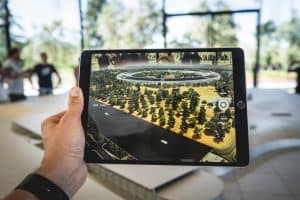
Augmented reality displays are revolutionizing meeting rooms, providing a futuristic and interactive approach to collaboration. With its immersive and real-time 3D visualization, businesses can expect a more productive and efficient workspace. Explore how this technology is changing the way we meet.
This website uses cookies so that we can provide you with the best user experience possible. Cookie information is stored in your browser and performs functions such as recognising you when you return to our website and helping our team to understand which sections of the website you find most interesting and useful.
Strictly Necessary Cookies
Strictly Necessary Cookie should be enabled at all times so that we can save your preferences for cookie settings.
If you disable this cookie, we will not be able to save your preferences. This means that every time you visit this website you will need to enable or disable cookies again.
3rd Party Cookies
This website uses Google Analytics to collect anonymous information such as the number of visitors to the site, and the most popular pages.
Keeping this cookie enabled helps us to improve our website.
Please enable Strictly Necessary Cookies first so that we can save your preferences!