
Excellent
Next day delivery! Depending on Availability*
Here to help! Monday to Friday, 8:30AM-5:30PM*

How Are Augmented Reality Displays Revolutionizing Meeting Rooms?

Augmented reality displays for meetings

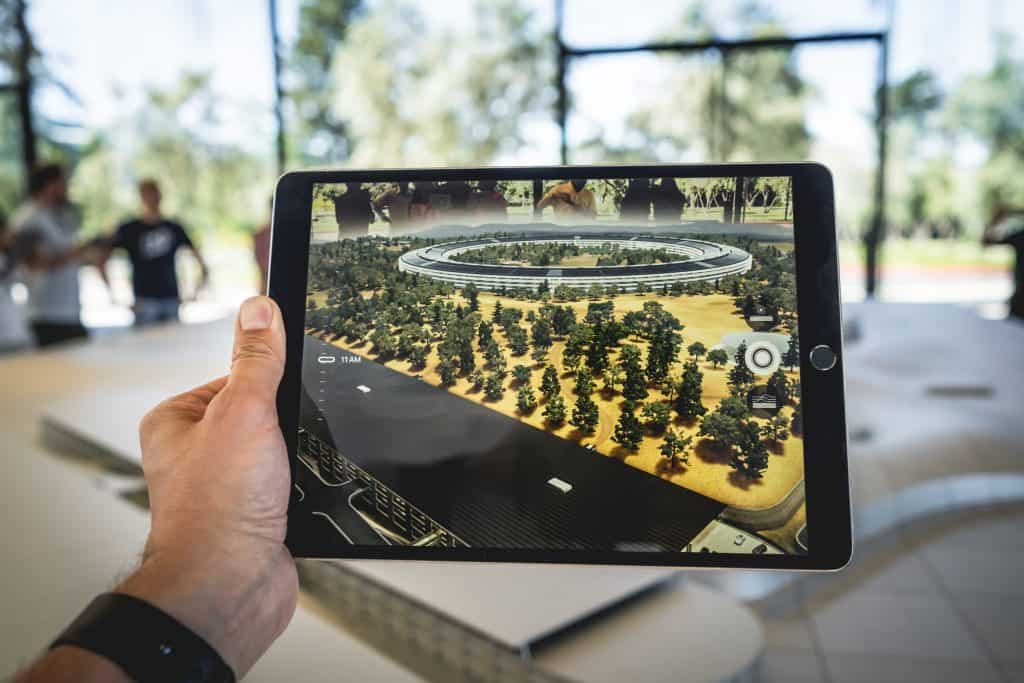
Augmented reality display for meetings transforms how we collaborate in the modern workspace. Augmented reality displays allow users to overlay digital images onto the physical world, creating an interactive, immersive experience that enhances visual communication. 

With AR displays in meeting rooms, companies can transform traditional conference rooms into futuristic spaces that facilitate remote work, telepresence, and collaboration. These displays provide 3D visualisation and holographic capabilities for better spatial computing and smarter office technology. 

These displays can also be used for remote meetings, making them an excellent option for businesses with a remote workforce. By using augmented reality displays, remote workers can have telepresence in the meeting room, allowing them to participate in the collaboration process actively. This technology creates an immersive, interactive experience that enhances visual communication, increases engagement, and enables real-time collaboration. 

The basics of augmented reality displays

Augmented reality (AR) is an interactive digital experience that overlays virtual elements in the real world. Unlike virtual reality (VR), which creates a fully immersive, simulated environment, AR enhances the user’s perception of the real world by adding digital elements. Augmented reality displays for meetings can transform traditional conference rooms into collaborative, interactive workspaces. 

AR technology uses cameras, sensors, and software to detect and analyse the real-world environment and then superimpose digital content on top of it. Some of the most popular augmented reality displays currently on the market include Microsoft HoloLens, Magic Leap, and Epson Moverio. These devices offer high-quality holographic displays, interactive features, and immersive experiences that can be used in small conference rooms or large meeting spaces.

Benefits of augmented reality displays for meetings

Augmented reality meeting displays offer many benefits, including improved collaboration, increased engagement, and enhanced visual communication. With the rapid development of spatial computing technology, augmented reality displays have become more affordable and accessible, making them an attractive option for businesses of all sizes.

Improved Collaboration

One of the biggest benefits of using augmented reality displays in meeting rooms is improved collaboration. These displays allow participants to share and manipulate virtual objects in real time, regardless of location. This makes it easier to work together on complex projects and make decisions more quickly. In addition, augmented reality displays can also help to break down language barriers, making it easier for participants who speak different languages to communicate effectively.

Increased Engagement

By providing an immersive and interactive experience, these displays can keep participants focused and interested throughout the meeting. This can lead to more productive meetings and better outcomes overall.

Enhanced Visual Communication

In addition to improving collaboration and engagement, augmented reality displays offer enhanced visual communication. These displays can create 3D visualisations of data, making complex information easier to understand. In addition, augmented reality displays can also be used to create holographic images, which are particularly useful for presentations and demonstrations.

Cost Saving

By utilising augmented reality displays, businesses can create a virtual workspace that allows team members to interact with each other as if they were in the same room. This technology allows for real-time communication and collaboration, significantly reducing the need for costly and time-consuming travel. In addition, augmented reality displays can provide 3D visualisations of data and products, allowing teams to work with complex information in a more intuitive and interactive way.

Collaborate Remotely

Augmented reality display has the ability to conduct remote meetings. With remote work becoming more prevalent, companies must have the tools to collaborate effectively from different locations. Augmented reality displays provide a unique and engaging way for teams to work together, regardless of their physical location. This technology can also reduce the cost of remote collaboration by eliminating the need for expensive video conferencing equipment.

Smart Office

Augmented reality displays create a smart office environment. These displays can control and manage the physical workspace, including lighting and temperature, providing a more efficient and comfortable work environment. Additionally, augmented reality displays can be used in education and healthcare, offering a more immersive and interactive experience for students and patients.

AR displays vs traditional meeting room technology

Augmented reality displays are digital screens that allow users to see virtual objects superimposed on the real world. They use cameras and sensors to track the user’s position and movements, allowing them to interact with the virtual objects in real time. AR displays are highly customisable; users can create 3D visualisations, interactive models, and even holographic displays.

On the other hand, traditional meeting room technology, such as video conferencing systems and projectors, has been around for decades. They allow remote participants to join a meeting, share their screens, and collaborate. While video conferencing systems provide a convenient way to conduct remote meetings, they lack the immersive experience that AR displays provide.

However, augmented reality displays for meetings offer many advantages over traditional technology. AR displays provide an immersive and interactive experience that enhances collaboration in meeting rooms. AR displays use holographic and digital technology to create a futuristic workspace that is visually stunning and engaging. 

Transforming conference rooms with AR displays

Augmented reality displays for meetings are quickly becoming the latest trend in transforming conference rooms into more interactive and immersive spaces. With the rise of spatial computing, this technology has the potential to revolutionise the way businesses approach collaboration and communication. Augmented Reality (AR) displays can transform conference rooms into more interactive and immersive spaces by enhancing collaboration, engagement, and communication among meeting participants. Here are some ways AR displays can achieve this:

  • Enhancing visual aids: AR displays can let participants see 3D models, graphs, and other visual aids projected in the room, creating a more engaging and interactive experience. This can improve communication and understanding of complex ideas.
  • Interactive Presentations: AR displays can enable speakers to make their presentations more interactive by incorporating animations, videos, and quizzes. This can keep the audience engaged and promote participation.
  • Remote Collaboration: AR displays can facilitate remote collaboration by allowing participants in different locations to join the conference room virtually. This can improve team communication and collaboration, especially in different geographic areas.
  • Virtual Tours: AR displays can provide virtual tours of products, facilities, or other locations, allowing participants to explore and interact with these locations more immersively. This can be particularly useful for product demonstrations, training sessions, or facility tours.
  • Interactive Whiteboards: AR displays can act as interactive whiteboards, allowing participants to annotate, draw, and collaborate on ideas in real time. This can promote engagement and collaboration among participants.
  • Real-time Data Analytics: AR displays can enable real-time data analytics, allowing participants to monitor and analyse data during a meeting. This can promote data-driven decision-making and improve communication among participants.

Challenges of implementing augmented reality displays for meetings

As technology advances, businesses seek innovative ways to improve collaboration and communication in the workspace. One solution is implementing augmented reality (AR) displays in meeting rooms. However, this implementation can come with its fair share of challenges.

  • Cost is one of the companies’ biggest challenges when implementing AR displays in meeting rooms. The cost of hardware and software can be significant, and it may require a considerable investment upfront. However, the long-term benefits of improved collaboration and communication may offset these costs.
  • Compatibility issues are another potential challenge when implementing AR displays in meeting rooms. Compatibility issues can arise due to differences in hardware and software configurations, making it difficult for users to work together effectively. Additionally, compatibility issues can make integrating existing systems with new AR displays challenging.
  • User training is also a critical challenge that companies may face when implementing AR displays in meeting rooms. Users may be unfamiliar with AR technology and require significant training to become proficient with the new system. This training can be time-consuming and costly, but ensuring that users are comfortable and confident with the new technology is essential.

Tips To Overcome Challenges

Despite these challenges, the benefits of AR displays in meeting rooms are significant. AR displays can provide a range of interactive and immersive experiences, from 3D visualisation to holographic displays. They can also enable real-time collaboration between remote teams, improving communication and efficiency.

Businesses can choose from various AR display options that vary in cost and capabilities. Some of the best-augmented reality displays for meetings include the Microsoft HoloLens 2 and the Magic Leap One. These displays offer high-quality graphics and advanced features, making them ideal for larger conference rooms.

More affordable augmented reality displays are available for smaller conference rooms, such as the Epson Moverio BT-300. This device offers a range of features, including video conferencing and 3D visualisation, at a lower cost. Thus, when implementing AR displays in meeting rooms, it is essential to consider the future of AR technology. AR displays will likely become more common in the workspace. By investing in AR displays now, businesses can position themselves for success in the future.

Future of augmented reality displays for meetings

The world has seen an increased interest in augmented reality displays for meetings. This technology has proven to be a game-changer, making meetings more interactive, collaborative, and immersive. It has also helped businesses and individuals work remotely, saving them time and money. With the rapid advancements in technology, augmented reality displays for meetings are poised to become even more ubiquitous, offering exciting opportunities for businesses and individuals alike.

Integration With Other Technologies

One of the most exciting potential future developments of augmented reality displays for meetings is increased integration with other technologies. As augmented reality continues to evolve, it will likely become more closely integrated with virtual reality, holographic displays, and 3D visualisation technologies. This integration will allow for even more immersive experiences in meeting rooms, with participants able to interact with virtual objects and environments in real time.

Enhanced Resolution & Image Quality

Another potential development for augmented reality displays for meetings is improved resolution and image quality. As technology advances, we can expect augmented reality displays to become even sharper and more realistic. This will make virtual objects, and environments feel even more lifelike and improve the overall experience for meeting participants.

Improved User Interfaces

Enhanced user interfaces are also a significant future development of augmented reality displays for meetings. As technology develops, we can expect interfaces to become more intuitive and user-friendly. This will make it easier for people to collaborate remotely and interact with virtual objects and environments in real time.

Conclusion

Augmented reality displays for meetings have revolutionised the way businesses conduct their meetings. AR technology allows teams to collaborate and communicate more effectively in the same room or globally. AR displays in meeting rooms enhance visual communication, making communicating and engaging with stakeholders easier. By implementing affordable augmented reality displays, businesses can save time and money by reducing travel costs and improving remote collaboration. Consider the benefits of using AR displays in your meeting rooms to stay ahead of the competition.

FAQs

Q. What is an augmented reality display?

An augmented reality display is a technology that allows users to overlay digital information in the real world.

Q. How do augmented reality displays work? 

Augmented reality displays work by using cameras or sensors to track the position and movement of the user and the objects in the real world and then projecting digital information onto a transparent display or the user’s field of view using a headset.

Q. What are the benefits of using augmented reality displays in meetings?

The benefits of using augmented reality displays in meetings include enhanced collaboration and communication, improved visualisation and understanding of complex data, and increased engagement and interactivity.

Q. Are augmented reality displays expensive?

The cost of augmented reality displays varies depending on the type and quality of the technology, but they can be expensive compared to traditional displays.

Q. Can augmented reality displays be used for remote meetings? 

Yes, augmented reality displays can be used for remote meetings through specialised software and hardware.

Q. How does augmented reality compare to holographic displays?

Augmented reality and holographic displays similarly overlay digital information in the real world. Still, holographic displays use different technology to create 3D images that can be viewed without a headset.

Q. What are some examples of augmented reality displays for meetings? 

Examples of augmented reality displays for meetings include virtual whiteboards, 3D models, and interactive presentations.

Q. How can businesses integrate augmented reality displays in their meeting rooms? 

Businesses can integrate augmented reality displays in their meeting rooms by investing in the necessary hardware and software and incorporating them into their collaboration and communication tools.

Q. What is the future of augmented reality in meetings?

The future of augmented reality in meetings is expected to grow as technology becomes more advanced and widely available.

Q. Can augmented reality displays be used for educational purposes?

Yes, augmented reality displays can be used for educational purposes such as virtual field trips, interactive learning experiences, and immersive simulations.

Picture of Meeting Store

Meeting Store

Table of Contents

cloud collaboration tools
Remote Collaboration

Transform Your Workflow with these Powerful Cloud Collaboration Tools

In today’s fast-paced digital workplace, effective collaboration is crucial for success. Cloud collaboration tools have revolutionized the way teams work together, providing seamless communication, enhanced productivity, and streamlined workflow management. This blog explores a variety of powerful cloud collaboration tools that cater to different needs and scenarios, empowering businesses to achieve their goals efficiently.Cloud collaboration tools play a pivotal role in fostering teamwork and boosting productivity within organizations. These tools facilitate real-time collaboration among team members, regardless of their geographical location. By enabling virtual teams to work together seamlessly, cloud collaboration tools break down barriers and promote efficient communication.Efficient workflow management is a key aspect of any successful business. Cloud collaboration tools offer a range of features that simplify task and project management. With cloud-based software, teams can track progress, assign tasks, and set deadlines, ensuring everyone is aligned and aware of their responsibilities. This streamlined workflow management helps teams stay organized, meet deadlines, and achieve optimal efficiency.Best Free Cloud Collaboration Tools  Cloud Collaboration Tools for Startups and Small BusinessesStartups and small businesses often face unique challenges when it comes to collaboration and workflow management. Limited resources, remote work setups, and the need for seamless communication among team members are just a few of the hurdles they encounter. To overcome these challenges, leveraging cloud collaboration tools can be a game-changer. These tools enable teams to collaborate effectively, streamline their workflows, and improve productivity. In this section, we will discuss specific challenges faced by startups and small businesses in terms of collaboration and workflow management, and present a curated list of cloud collaboration tools designed to address these challenges.Limited Resources and Budget ConstraintsStartups and small businesses often have limited resources and tight budgets. Investing in expensive collaboration solutions can be a challenge. However, cloud collaboration tools provide affordable options without compromising functionality. They offer flexible pricing plans and scalable features, allowing businesses to adapt as they grow.Remote Work and Virtual TeamsWith the rise of remote work, startups and small businesses frequently operate with virtual teams spread across different locations. This setup requires effective collaboration tools that facilitate seamless communication, file sharing, and real-time editing. Cloud-based software provides a centralized platform accessible from anywhere, allowing team members to collaborate efficiently regardless of their physical location.Document Management and Version ControlEfficient document management is crucial for startups and small businesses to ensure seamless collaboration. Cloud collaboration tools offer robust document management features, allowing teams to store, share, and manage files securely. Additionally, version control features ensure that everyone is working on the latest document version, eliminating confusion and saving time.Curated List of Cloud Collaboration Tools Google Workspace Google Workspace (formerly G Suite) is a comprehensive cloud-based collaboration platform that offers a suite of productivity tools, including Gmail, Google Drive, Google Docs, Google Sheets, and Google Meet. It enables real-time collaboration, document sharing, and video conferencing. Google Workspace is suitable for startups and small businesses of all sizes, offering affordable pricing plans and seamless integration with other Google services. Microsoft 365 Microsoft 365 (formerly Office 365) is another popular cloud collaboration suite. It includes tools like Microsoft Teams, SharePoint, OneDrive, and Microsoft Word, Excel, and PowerPoint. Microsoft 365 provides a robust ecosystem for teamwork, project management, and file sharing. It offers various plans tailored to the needs of startups and small businesses, ensuring affordability and scalability. Slack Slack is a cloud-based team collaboration tool designed to enhance communication and streamline workflows. It offers channels for organized discussions, direct messaging, file sharing, and integration with other apps. Slack provides startups and small businesses with an efficient platform for remote collaboration, boosting productivity and fostering teamwork. Trello Trello is a popular cloud-based project management tool that uses a visual board and card system. It allows teams to create task lists, assign responsibilities, set due dates, and track progress. Trello’s intuitive interface makes it easy to manage projects and collaborate effectively. Startups and small businesses can benefit from Trello’s simplicity and flexibility. Asana Asana is a powerful cloud-based project and task management tool. It offers features such as project planning, task assignment, deadlines, and progress tracking. Asana provides startups and small businesses with a centralized platform for managing workflows, increasing transparency, and improving team collaboration. Dropbox Dropbox is a widely used cloud-based file sharing and storage platform. It allows teams to store, sync, and share files securely. With features like file versioning and collaboration on documents, Dropbox facilitates smooth teamwork and efficient collaboration. Startups and small businesses can benefit from its user-friendly interface and robust security measures.  Boosting Productivity with Easy-to-Use Cloud Collaboration ToolsWhen it comes to optimizing productivity in today’s fast-paced work environment, seamless collaboration among team members is paramount. Cloud collaboration tools have emerged as a game-changer, enabling remote collaboration and enhancing teamwork by providing efficient project management, file sharing, real-time editing, and more. To maximize productivity, it is essential for these tools to offer user-friendly interfaces and intuitive workflows that minimize the learning curve for team members.Facilitating Seamless Collaboration and Minimizing Learning CurvesThe chosen cloud collaboration tools provide several key benefits that facilitate seamless collaboration and minimize the learning curve for team members:Streamlined Workflow ManagementBy offering intuitive workflow management features, cloud collaboration tools enable teams to organize and prioritize tasks efficiently. The ability to assign, track, and update tasks in real-time fosters transparency and accountability, leading to increased productivity and smoother project execution.Real-time Editing and CollaborationCloud collaboration tools empower team members to collaborate on shared documents in real time. Multiple users can simultaneously make edits and provide feedback, eliminating the need for time-consuming back-and-forth exchanges. This real-time editing capability enhances efficiency and accelerates decision-making, ultimately boosting overall productivity.Simplified File Sharing and Document ManagementEffortless file sharing and secure document management are crucial aspects of effective cloud collaboration. The selected tools offer secure cloud-based platforms that enable seamless sharing of files and folders among team members. Additionally, advanced document management features, such as version control and document locking, ensure data integrity and eliminate confusion caused by multiple file versions.  Secure and Efficient Cloud Collaboration ToolsIn today’s dynamic work environment,

Read More »
Augmented reality displays for meetings
Future Trends

How Are Augmented Reality Displays Revolutionizing Meeting Rooms?

Augmented reality displays are revolutionizing meeting rooms, providing a futuristic and interactive approach to collaboration. With its immersive and real-time 3D visualization, businesses can expect a more productive and efficient workspace. Explore how this technology is changing the way we meet.

Read More »
collaboration tools for remote teams
Remote Collaboration

Empower Your Teams with these Essential Collaboration Tools for Remote Teams

In recent years, remote work has experienced a tremendous surge in popularity. With advancements in technology and the evolving nature of work, companies are increasingly embracing the concept of remote teams. Remote work offers numerous benefits, such as enhanced flexibility, increased work-life balance, access to a global talent pool, and reduced overhead costs. As a result, businesses of all sizes are adopting remote work models to stay competitive in today’s fast-paced world.Effective collaboration is crucial for the success of remote teams. Without physical proximity, team members face challenges in communicating, coordinating tasks, and managing projects. This is where collaboration tools come into play. These tools enable seamless communication, boost productivity, and enhance project management for remote teams.Communication lies at the heart of successful collaboration within remote teams. Remote collaboration tools facilitate real-time communication through various channels like instant messaging, video conferencing, and virtual meetings. They enable team members to connect, share ideas, discuss project updates, and seek clarifications irrespective of their geographical locations. This fosters a sense of unity and helps remote teams overcome the communication barriers associated with physical separation.Remote teams heavily rely on collaboration tools to streamline their workflow and enhance productivity. These tools provide features like task management, document sharing, and version control, enabling seamless collaboration on projects. Team members can access shared documents, make edits in real-time, and track changes effortlessly. Furthermore, collaboration tools help remote teams prioritize tasks, set deadlines, and monitor progress, ensuring efficient project execution.Managing projects in a remote work environment can be challenging without the right tools. Collaboration software equips remote teams with project management functionalities that enable efficient coordination and organization. Team members can create project timelines, assign tasks, and monitor milestones collaboratively. Additionally, these tools offer transparency by providing visibility into project progress, ensuring everyone is on the same page. Remote project management tools promote accountability, effective resource allocation, and seamless project execution.The increasing popularity of remote work necessitates the adoption of collaboration tools. To foster effective collaboration, organizations must invest in the right tools to facilitate communication, boost productivity, and streamline project management. From virtual team collaboration tools to online collaboration platforms, a wide range of options are available to cater to the unique needs of remote teams.Boost Remote Team Productivity with Top Online Collaboration Tools 2023 || Remote Jobs 2023  Collaboration Tools for Remote Teams on a BudgetRemote collaboration has become a prevalent mode of working, with virtual teams and online collaboration playing a significant role in today’s business landscape. However, limited budgets can pose a challenge when it comes to finding cost-effective collaboration tools that meet the needs of remote teams. In this section, we will explore a range of collaboration tools suitable for remote teams with budget constraints, highlighting their features, benefits, and how they can improve team collaboration.Free Collaboration ToolsWhen operating on a limited budget, free collaboration tools can be a lifesaver. These tools offer essential functionalities for remote teams without the need for financial investment. Some notable options include:a) Collaboration AppsCollaboration apps such as Slack and Microsoft Teams have gained popularity for their ability to facilitate seamless communication among team members. These apps provide features like instant messaging, file sharing, and project management capabilities, making them ideal for remote team collaboration. By leveraging these apps, teams can enhance their communication, promote efficient workflow, and foster collaboration regardless of physical distance.b) Remote Collaboration ToolsTools like Google Drive and Dropbox offer reliable file-sharing capabilities, allowing remote teams to share and collaborate on documents, spreadsheets, and presentations in real-time. With their cloud-based storage and version control features, these tools enable remote team members to work together seamlessly, boosting productivity and ensuring efficient file management.Open-Source Collaboration SoftwareFor teams seeking more robust collaboration solutions without breaking the bank, open-source collaboration software can be a great option. These software solutions offer extensive functionality and can be customized to fit specific team requirements. Some notable open-source collaboration tools include:a) Project Management ToolsOpen-source project management tools like Redmine and Taiga provide remote teams with comprehensive project management capabilities. These tools enable task tracking, milestone management, and team coordination, ensuring smooth workflow and effective project execution. With features such as Gantt charts, issue tracking, and time management, these tools empower remote teams to stay organized, meet deadlines, and collaborate efficiently.b) Team Communication ToolsOpen-source team communication tools like Mattermost and Rocket.Chat offer secure messaging and collaboration features, allowing remote team members to communicate effectively. These tools provide instant messaging, voice, and video calling, and integration with other collaboration tools. With their self-hosted nature, these tools offer enhanced security and privacy for remote team communication.Affordable Collaboration SoftwareWhile some collaboration tools require a financial investment, there are affordable options available that provide excellent value for remote teams on a budget. These software solutions offer advanced features at a fraction of the cost compared to enterprise-grade tools. Here are a few worth considering:a) Collaboration PlatformsCollaboration platforms like Asana and Trello offer intuitive interfaces and powerful features for remote team collaboration. These platforms enable task management, progress tracking, and team coordination, enhancing productivity and ensuring efficient project execution. With their user-friendly design and affordable pricing tiers, these platforms are ideal for small to medium-sized remote teams looking to streamline their workflows.b) Team Collaboration SolutionsTeam collaboration solutions such as Monday.com and Basecamp provide comprehensive features to support remote team collaboration. These solutions offer task assignment, document sharing, and progress tracking, allowing teams to collaborate seamlessly across various projects. With their intuitive interfaces and robust functionalities, these solutions empower remote teams to improve communication, increase productivity, and meet project goals efficiently.  Easy-to-Use Collaboration Tools for Remote TeamsRemote collaboration has become the norm in today’s digital landscape, with teams working from different locations to achieve common goals. To facilitate seamless communication and collaboration among remote team members, it is crucial to harness the power of user-friendly collaboration tools. In this section, we will explore various collaboration tools specifically designed for remote teams, emphasizing intuitive interfaces and simple setup processes.Benefits of Collaboration Tools for Remote TeamsCollaboration tools offer numerous advantages for remote teams.

Read More »
Specialized AV knowledge
Training and Education

Attain Specialized AV Knowledge Through Expert Training

In today’s fast-paced and technology-driven world, the importance of specialized AV knowledge cannot be overstated. With rapid advancements in audiovisual technology, staying ahead of the curve is crucial. This article delves into the relevance of acquiring specialized AV skills, shedding light on the myriad benefits and opportunities available in this dynamic field.The world of audiovisual technology has witnessed a remarkable evolution in recent years. From cutting-edge displays to immersive sound systems, the possibilities are endless. To navigate this landscape effectively, individuals must equip themselves with specialized AV knowledge. This knowledge serves as the foundation for professionals to harness the power of advanced techniques and emerging trends.One of the key avenues for acquiring specialized AV knowledge is through AV certification. These certifications are designed to provide in-depth AV knowledge, ensuring that individuals can confidently handle the complexities of modern AV systems. Expert training programs cover a wide range of topics, from the fundamentals of audiovisual expertise to the intricacies of advanced audiovisual skills.Specialized programs are tailored to meet the specific needs of aspiring AV specialists. They offer a structured approach to AV education, ensuring that individuals gain specialized AV knowledge in a systematic manner. These programs often include a specialized curriculum that covers topics such as AV proficiency, advanced AV techniques, and specialized AV courses.Smart Online Classroom Solution – How it Works ? Solution Offered by PeopleLink – Part 2  Becoming an AV ExpertBecoming an AV expert, or an Audiovisual expert, is an exciting and promising career choice in today’s digital age. AV experts are professionals who excel in handling audio and visual equipment, creating seamless multimedia experiences, and troubleshooting technical issues related to audiovisual systems. Prerequisites for Pursuing a Career in AVBefore embarking on the journey to become an AV specialist, it’s essential to lay the groundwork with the right prerequisites. Specialized AV knowledge forms the foundation upon which your expertise will grow. This knowledge can be acquired through AV certification, expert training, and advanced audiovisual skills development.Qualities and Skills Required to Excel in this Field Technical Aptitude: An AV expert must have a strong technical aptitude to work with complex audio and visual equipment effectively. Advanced AV techniques are learned through specialized audiovisual training. Problem-Solving Skills: Troubleshooting is a significant part of an AV specialist’s job. You’ll need in-depth AV knowledge to diagnose and resolve technical issues swiftly. Attention to Detail: AV professionals must be meticulous in their work, ensuring that every component of an AV setup functions flawlessly. Specialized AV education emphasizes attention to detail. Communication Skills: Effective communication is key when working with clients or team members on AV projects. AV specialist skills include clear and concise communication. Adaptability: Technology evolves rapidly in the audiovisual industry. AV experts need to stay updated with the latest advancements, which can be achieved through specialized AV workshops and online courses. Specialized AV Knowledge and Professional DevelopmentSpecialized AV knowledge is the cornerstone of success in this field. AV certification benefits include validating your expertise and opening doors to exciting career paths. Expert training and specialized programs equip you with advanced audiovisual skills, making you an invaluable AV specialist.To build your AV proficiency, consider specialized AV courses, which provide in-depth AV knowledge tailored to industry demands. These courses cover advanced AV techniques and offer specialized curriculum options. Online courses are particularly convenient for professionals looking to enhance their AV expertise at their own pace.Moreover, specialized AV certification adds credibility to your profile and increases your career prospects. Certification benefits include improved job opportunities and higher earning potential.AV Career Development and Building ExpertiseAs you progress in your AV career, you’ll discover numerous paths for specialization. AV specialists can focus on areas such as live event production, home theatre installation, or corporate AV solutions. Your advanced AV skills and specialized AV education will guide your career development.Professional AV knowledge is not static; it continues to evolve. To stay at the forefront of the industry, consider attending specialized AV workshops near you. These workshops provide hands-on experience and networking opportunities with fellow AV professionals.  Specialised AV Training Programs in 2023If you’re looking to excel in the realm of audio-visual (AV) expertise, enrolling in specialized AV training programs in 2023 is your key to success. In this section, we will explore the top AV certification programs and discuss their key features and the numerous benefits they offer for your professional development. AV Certification Excellence Specialized AV knowledge is the cornerstone of a successful career in audiovisual expertise. AV certification programs, such as those offered by industry leaders, provide expert training that equips you with advanced audiovisual skills. These programs feature specialized curricula designed to help you achieve AV mastery. They cover a wide range of topics, from in-depth AV knowledge to advanced AV techniques. Online AV Proficiency In today’s digital age, online courses are a game-changer for those seeking specialized AV education. These courses offer flexibility and convenience, making it easier than ever to acquire specialized AV knowledge. You can learn at your own pace while maintaining your professional commitments. Specialized AV Workshops For hands-on experience and networking opportunities, consider specialized AV workshops near you. These workshops delve deep into AV specialist skills, offering advanced AV techniques and the chance to collaborate with industry experts. They are ideal for AV career development. Choosing the Right AV Courses The task of mastering AV techniques starts with choosing the right AV courses. Look for programs that offer specialized AV certification benefits and emphasize advanced audiovisual training. These courses should align with your career goals and provide specialized AV knowledge tailored to your needs. Building Expertise in AV Becoming an AV expert requires dedication and continuous learning. Specialized AV programs can help you build expertise in AV through comprehensive training, practical exercises, and expert guidance. Whether you’re a beginner or an experienced professional, these programs cater to all levels. Professional AV Development Enrolling in specialized AV education options demonstrates your commitment to professional development. Employers value individuals with specialized AV skills, and these programs can open up lucrative AV specialist career

Read More »
Maximizing productivity with AV equipment
productivity

Unlock the Power: Maximizing Productivity with AV Equipment

In today’s fast-paced work environment, where time is of the essence, businesses and individuals alike are constantly seeking ways to enhance productivity and efficiency. The rapid evolution of technology has introduced a plethora of tools and strategies to streamline tasks and optimize workflows. One such crucial element that plays a significant role in boosting productivity is AV equipment (Audiovisual Equipment). In this blog, we will explore the relevance and importance of AV equipment in the workplace and how it can be leveraged to maximize productivity. We’ll delve into various aspects, including AV equipment tips, AV tools for productivity, AV equipment benefits, and much more.In the modern business landscape, collaboration is a cornerstone of success. AV equipment fosters seamless communication and collaboration among team members, whether they are working together in the office or remotely. Virtual meetings and conference calls facilitated by AV technology transcend geographical barriers and promote efficient collaboration, ensuring that tasks are completed promptly.Visual aids have proven to be highly effective in conveying information and ideas. Utilizing AV equipment for presentations, training sessions, and data visualization enables better comprehension and retention of essential information. This, in turn, enhances productivity by reducing the time needed to grasp complex concepts.AV equipment aids in time management by enabling professionals to organize and prioritize tasks effectively. Through webinars, instructional videos, and tutorials, employees can efficiently learn new skills and improve existing ones, thus optimizing their work processes and achieving better results in less time.Integrating AV equipment into daily operations streamlines workflows and simplifies routine tasks. Video conferencing, for instance, eliminates the need for time-consuming in-person meetings and ensures that decision-making processes are swift and efficient.5 Tips For Organizing YOUR Desk Setup & MAXIMIZING Productivity! (Work From Home) | Raymond Strazdas  AV Equipment for ProductivityAV equipment, short for audiovisual equipment, encompasses a range of tools and technologies designed to enhance communication, collaboration, and overall efficiency in various settings. From corporate offices and classrooms to home-based work environments, AV equipment plays a crucial role in facilitating seamless interactions and boosting productivity.AV Equipment Definition and Its ImportanceAV equipment refers to a collection of tools such as projectors, video conferencing systems, interactive whiteboards, audio systems, and presentation software that combine both visual and auditory elements to deliver information effectively. The significance of AV equipment lies in its ability to engage multiple senses simultaneously, leading to better information retention and comprehension.Maximising Efficiency with AV TechnologyTo maximize productivity with AV equipment, consider the following tips: Invest in Quality AV Gear: Opt for reputable AV equipment brands known for their reliability and performance. This ensures that your tools work seamlessly, reducing disruptions during critical tasks. Utilize AV Tools for Productivity Enhancement: Explore various AV solutions tailored to specific tasks, such as video conferencing for remote collaboration or interactive displays for engaging presentations. AV Equipment Optimization: Regularly update and maintain your AV equipment to ensure it operates at its full potential, preventing technical glitches that could hinder productivity. AV Equipment for Workplace ProductivityIn corporate environments, AV equipment fosters better collaboration and communication among team members. Meetings and presentations become more dynamic and interactive, leading to enhanced idea-sharing and decision-making processes.AV Equipment for Classroom ProductivityIn educational settings, AV equipment aids teachers in delivering engaging lessons, capturing students’ attention, and promoting active learning. Visual aids, such as multimedia presentations, make complex topics more digestible, resulting in improved comprehension and retention.AV Equipment for Home Office ProductivityFor remote workers and home-based professionals, AV equipment is instrumental in maintaining effective communication with colleagues and clients. Video conferencing tools enable face-to-face interactions, nurturing stronger professional relationships.Boosting Productivity with Audiovisual ToolsEmploy the following AV equipment efficiency techniques to maximize productivity: Time Management with AV Technology: Use AV tools to schedule and conduct efficient online meetings, reducing the time spent on administrative tasks. Task Optimization with Visual Aids: Visualize data and information through charts, graphs, and presentations to streamline decision-making processes. AV Equipment Hacks for Better FocusAV Equipment for Better Focus and Productivity: In work environments where focus is essential, noise-cancelling headphones and soundproofing equipment enhance concentration, leading to increased productivity.AV Equipment for Collaboration and Remote Work ProductivityBest AV Equipment for Productivity: The best AV equipment for remote work includes high-definition webcams, premium microphones, and reliable video conferencing software, fostering seamless virtual collaboration.Increasing Productivity with AV Equipment in Small BusinessesSmall businesses can benefit from AV equipment that streamlines internal communications, enhances customer interactions, and boosts overall efficiency. By investing in budget-friendly AV solutions, small businesses can compete effectively with larger enterprises.AV Equipment Setup for Enhanced EfficiencyAV Equipment for Online Meetings Productivity: Utilize AV equipment setups optimized for online meetings, featuring user-friendly interfaces and robust connectivity to prevent technical disruptions during critical discussions.AV Equipment for Classroom Productivity and PresentationAV Equipment for Classroom Productivity: Teachers can leverage AV equipment to deliver more engaging and interactive lessons, leading to increased student participation and better learning outcomes.AV Equipment Buying Guide for ProductivityAV Equipment Reviews for Productivity Enhancement: Before purchasing AV equipment, read reviews and comparisons to ensure you invest in tools that align with your specific productivity needs.  Choosing the Best AV Equipment for ProductivityFor small businesses seeking to boost workplace productivity, incorporating the right AV equipment can make a significant difference. Here are some top AV tools suitable for small business settings: Interactive Whiteboards: These versatile tools combine visual aids and collaborative features, enabling teams to brainstorm, plan, and present ideas effectively. Interactive whiteboards encourage active participation and foster innovation within the team. Wireless Presentation Systems: These systems allow seamless sharing of content from multiple devices onto a central screen. This enhances collaboration during meetings, making it easier for team members to share their insights and contribute to discussions effortlessly. Unified Communication Systems: With remote work becoming prevalent, unified communication systems integrate various AV components like video conferencing, screen sharing, and instant messaging. This setup ensures efficient communication and project coordination among distributed teams. AV Equipment for Home OfficesWorking from home demands a different set of AV equipment to ensure maximum productivity. Consider the following gadgets for your home office setup: HD

Read More »
remote collaboration tools whiteboard
Remote Collaboration

Discover the Best Remote Collaboration Tools Whiteboard for a Seamless Experience

In today’s fast-paced and interconnected world, remote collaboration has become a vital aspect of the modern workplace. As teams and organizations increasingly embrace remote work, the need for effective collaboration tools and strategies has never been more critical. This article explores the significance of remote collaboration, highlights the benefits of using remote collaboration tools, and introduces the concept of a whiteboard for virtual collaboration.Remote collaboration refers to the process of working together on projects and tasks with colleagues who are geographically dispersed. It enables teams to collaborate seamlessly, regardless of their physical location, and promotes a sense of inclusivity, flexibility, and productivity. By leveraging online collaboration platforms and tools, remote teams can overcome the challenges posed by distance and achieve their goals efficiently.One of the primary advantages of utilizing remote collaboration tools is the substantial boost in team productivity. These tools facilitate real-time collaboration, allowing team members to work on projects simultaneously, share ideas, and provide feedback instantly. By eliminating the need for time-consuming back-and-forth communication, remote collaboration tools enable teams to accomplish tasks more efficiently.Effective communication lies at the heart of successful collaboration, and remote collaboration tools excel in fostering seamless communication among team members. Features such as video conferencing, instant messaging, and screen sharing empower virtual teams to interact in real time, facilitating smooth information exchange and fostering a sense of connectivity despite physical distance.Remote collaboration tools often incorporate robust project management features, enabling teams to plan, track, and organize their work effectively. These tools provide centralized platforms for task assignment, progress monitoring, and deadline management. By keeping everyone on the same page, remote collaboration tools enhance coordination and ensure efficient project execution.A whiteboard for virtual collaboration is a digital counterpart of traditional whiteboards used in physical meeting rooms. It offers a versatile and interactive platform for teams to brainstorm, visualize ideas, and collaborate in real time. By leveraging a whiteboard for virtual collaboration, remote teams can bridge the gap between physical separation and effective teamwork.ONLINE WHITEBOARD Demo for remote collaboration – Microsoft Whiteboard vs Miro vs Mural vs Klaxoon  Affordable Whiteboard Collaboration ToolsIn today’s digital age, remote collaboration has become the norm for teams worldwide. With the rise of remote work and virtual teams, it is crucial to have efficient and cost-effective tools that foster seamless collaboration. In this section, we will explore affordable whiteboard collaboration software options that cater to the needs of remote teams, without compromising on functionality.The Importance of Cost-Effective SolutionsRemote collaboration tools are essential for facilitating efficient teamwork, regardless of geographical boundaries. However, budget constraints can pose challenges for businesses and educational institutions seeking reliable solutions. That’s where affordable whiteboard collaboration software comes into play, offering a balance between cost and functionality.Remote Collaboration Tools and Their ImpactThe increasing popularity of remote work and virtual teams has underscored the need for reliable remote collaboration tools. These tools enable teams to collaborate seamlessly, even when physically apart. Leveraging real-time collaboration, online collaboration tools empower team members to share ideas, work on projects simultaneously, and enhance productivity.Embracing Cloud-Based CollaborationCloud-based collaboration is at the core of modern remote work dynamics. By leveraging the power of the cloud, teams can access and collaborate on shared whiteboards and documents from anywhere, at any time. This flexibility allows for efficient project management, seamless file sharing, and streamlined communication within virtual teams.  Free Online Whiteboard CollaborationThe increasing demand for remote collaboration tools has led to the rise of various platforms that facilitate online collaboration. In this section, we will explore the availability of free online whiteboard collaboration tools and review their limitations and features. Additionally, we will suggest scenarios where free options are sufficient for remote collaboration needs. Whether you’re part of a remote team, an educational institution, or a creative design team, these tools can enhance your virtual collaboration experience.Popular Free Whiteboard Collaboration ToolsMiro: Miro is a leading whiteboard collaboration software that offers a seamless whiteboard experience for remote teams. It provides real-time collaboration, allowing team members to work together on a virtual canvas. Miro is widely used by creative teams, design teams, and project management professionals.Limnu: Limnu is another popular choice for online whiteboard collaboration. With its user-friendly interface and intuitive tools, Limnu enables remote teams to brainstorm, plan, and collaborate effectively. It offers a range of features tailored to the needs of remote work and virtual teams.AWW App: AWW App is a cloud-based collaboration platform that offers a diverse set of tools for remote collaboration. Its interactive whiteboard tools make it ideal for educational institutions and remote teaching scenarios. AWW App also integrates with popular video conferencing platforms, enhancing real-time collaboration.Scenarios Where Free Options Are SufficientSmall Businesses: For small businesses with limited budgets, free online whiteboard collaboration tools provide an affordable solution to foster team collaboration. These tools offer essential features that can enhance communication and project management, even on a tight budget.Educational Institutions: Online collaboration tools are valuable assets for educational institutions transitioning to remote teaching. Free whiteboard collaboration tools, such as AWW App mentioned earlier, offer educators the ability to engage students and facilitate interactive learning experiences.Creative Teams: Creative teams, including design teams and content creators, can benefit from free whiteboard collaboration tools. These tools allow for real-time collaboration, visual brainstorming, and sharing of ideas, supporting efficient remote collaboration for creative projects.Project Management: Even in project management scenarios, free online whiteboard collaboration tools can provide substantial value. They enable teams to visualize project workflows, assign tasks, and track progress in a collaborative environment, fostering effective project management. Tool Features Real-Time Collaboration Educational Support Miro Seamless whiteboard experience Yes Limited Limnu User-friendly interface and intuitive tools Yes No AWW App Interactive whiteboard tools Yes Yes   Whiteboard Collaboration Tools for Virtual TeamsIn today’s fast-paced digital landscape, remote collaboration has become increasingly prevalent. As virtual teams navigate the challenges of working across different locations, effective communication and collaboration are essential for their success. Whiteboard collaboration tools offer a valuable solution by facilitating real-time collaboration, digital brainstorming, and file sharing. This section explores the specific challenges faced by virtual teams and

Read More »
MeetingStore.co.uk
Logo
Compare items
  • Total (0)
Compare
0
Shopping cart