Excellent
Next day delivery! Depending on Availability*
Here to help! Monday to Friday, 8:30AM-5:30PM*

The Convenience of Wireless Charging in Meeting Rooms

Wireless charging in meeting rooms

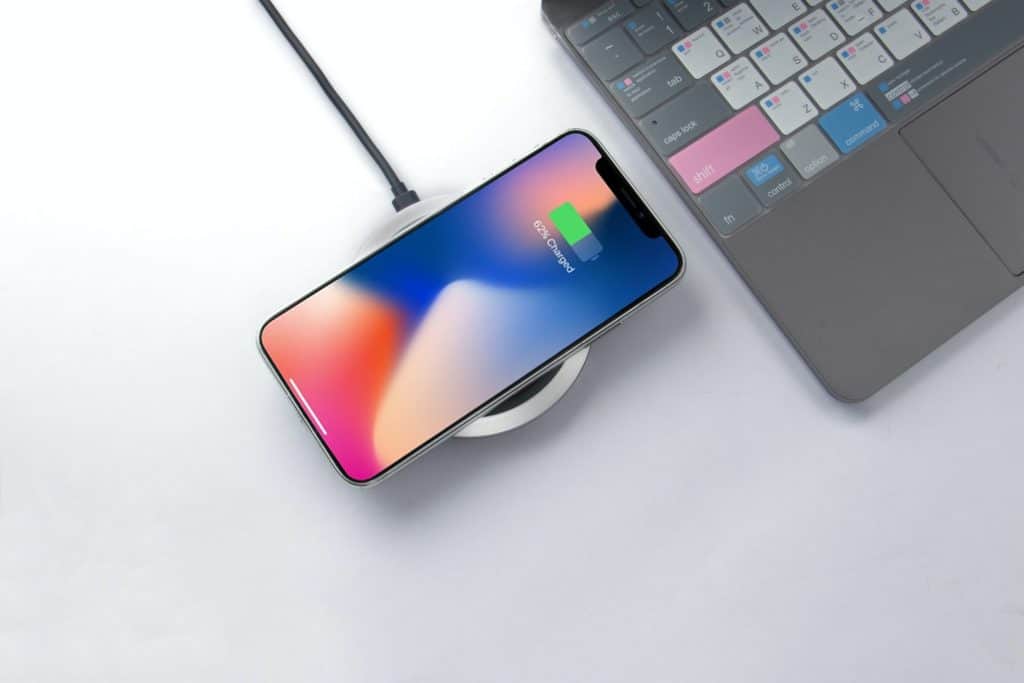
Wireless charging in meeting rooms is a revolutionary technology that provides convenience, productivity, and workplace efficiency. This technology eliminates the need for cables, wires, and charging stations, which can be a hassle in a busy office environment. Wireless charging in meeting rooms enables mobile devices to be charged without needing a physical power source or charging cables.

Wireless charging solutions for meeting rooms have become increasingly popular in recent years due to the rise of mobile technology and the need for efficient charging infrastructure in the workplace. This technology can be easily integrated into conference rooms and meeting spaces, making it a valuable addition to office technology.

Wireless charging in meeting rooms is an innovative technology that provides convenience, productivity, and workplace efficiency. Wireless charging solutions for meeting rooms improve the overall office experience and ensure that employees remain connected and productive throughout the day by eliminating the need for cables and charging stations.


What is wireless charging?

Wireless charging technology has been around for several years and has gained immense popularity due to its convenience and productivity. It has made life easier for mobile device users who no longer have to deal with the hassle of messy cables and cords. Wireless charging is a technology that allows charging devices without cables or cords. It uses a power source to charge mobile devices via charging pads placed on charging points. Wireless charging technology has been integrated into various devices, including smartphones, smartwatches, and other portable devices.

How does Wireless Charging work?

Wireless charging technology uses the principle of electromagnetic induction to transfer power from the charging pad to the mobile device. The charging pad generates an electromagnetic field, which creates an electric current that powers the mobile device’s battery. The charging pad and mobile device must be compatible with wireless charging.

Advantages of Wireless Charging 

Wireless charging offers several advantages over traditional cable charging. Some of these benefits include:

  1. Convenience: Wireless charging allows users to charge their mobile devices without plugging them into a charging cable. This feature is particularly useful in meeting rooms where video conferencing is used for meetings.
  2. Cable-free charging: Wireless charging eliminates the need for cables, which can be cumbersome and messy, especially in meeting spaces.
  3. Device Compatibility: Wireless charging technology has been integrated into various devices, including smartphones, smartwatches, and other portable devices, making it easy to charge multiple devices.
  4. Power Management: Wireless charging eliminates the need for multiple charging cables, making power management much easier.
  5. Workplace Efficiency: Wireless charging technology has made charging mobile devices more convenient and has improved workplace efficiency. By eliminating cables and charging infrastructure, meeting rooms can be set up more efficiently, allowing more time for productive work.


Meeting rooms: The heart of the business

Meeting rooms are the heart of any business setting, where professionals come together to brainstorm, collaborate, and communicate their ideas. A well-designed meeting room can significantly improve workplace efficiency and productivity. 

The Importance of Meeting Rooms in Business Settings

Meeting rooms provide a dedicated space for employees to come together and discuss important matters. They allow for better communication and collaboration, as well as improved decision-making. Furthermore, meeting rooms provide a professional and organised environment for presentations and meetings with clients and partners.

A dedicated meeting space also helps reduce distractions, providing a quiet space to concentrate and focus on the task. Additionally, it can help build a sense of teamwork and encourage participation and engagement among team members.

The Role of Technology in Modern Meeting Rooms

Technology has transformed the way we work, and it has also had a significant impact on meeting rooms. Modern meeting rooms now incorporate advanced technology to improve productivity and convenience. Wireless charging solutions are one of the most significant advances in meeting room technology.

Wireless charging in meeting rooms eliminates the need for charging cables, providing a cable-free charging solution for mobile devices. This technology integration enables meeting attendees to charge their devices conveniently during meetings without worrying about running out of power. It also removes the need for charging cables and provides a clutter-free meeting environment.

Wireless charging solutions for meeting rooms come in various forms, including charging pads, charging points, and charging stations. They are designed to be compatible with multiple mobile devices, making them ideal for any workplace. Wireless charging options for meeting rooms are an efficient and effective solution for powering mobile devices while providing cable management.


Wireless charging in meeting rooms

Wireless charging technology has revolutionised how we power our mobile devices. This innovative technology has made its way to meeting rooms and conference spaces, providing an efficient and convenient charging solution for all mobile devices.

Wireless Charging in Meeting Rooms: The Convenience Factor

Wireless charging in meeting rooms provides convenience unavailable with traditional charging solutions. With wireless charging, users do not need to worry about charging cables and power management. They can simply place their device on a charging pad or point and charge their device without any hassle.

Wireless charging also eliminates the need for different charging cables for mobile devices. With wireless charging the technology is compatible with all mobile devices that support wireless charging technology. This means users can charge their mobile devices without worrying about compatibility issues.

Benefits of Cable-free Charging Solutions for Meeting Rooms

Wireless charging solutions provide many benefits for meeting rooms and conference spaces. Here are some of the key benefits of cable-free charging solutions:

  1. Workplace Efficiency: Wireless charging eliminates the need for charging cables, reducing clutter and improving cable management. This results in a more organised and efficient workspace, improving workplace efficiency.
  2. Technology Integration: Wireless charging solutions can be integrated with office technology, such as video conferencing, to provide a seamless user experience. This integration makes it easier for users to connect their mobile devices to video conferencing solutions without worrying about battery life.
  3. Mobile Charging: Wireless charging solutions provide an efficient and convenient way to charge mobile devices in meeting rooms and conference spaces. Users can run out of battery during important meetings and presentations.
  4. Charging Infrastructure: Wireless charging solutions provide a scalable charging infrastructure that can be easily expanded as the number of mobile devices increases in the workplace.

Advantages of Wireless Charging for Mobile Devices Used in Meetings

Wireless charging technology provides several advantages for mobile devices used in meetings. 

  • Firstly, it allows for easy wireless charging for meetings, making it more convenient for attendees to keep their mobile devices charged during the meeting. 
  • Secondly, it eliminates the need for charging cables, making it easier for attendees to use their mobile devices during the meeting without the fear of running out of battery. 
  • Thirdly, wireless charging technology ensures device compatibility, making it easier for attendees to charge their mobile devices, regardless of the make and model.


Improving workplace efficiency with wireless charging

Wireless charging is quickly becoming a popular solution for mobile devices in the workplace. With the rise of remote work and an increase in the use of mobile devices, wireless charging in meeting rooms is a convenient and efficient way to keep devices powered up.

How Wireless Charging Can Improve Workplace Efficiency

Wireless charging is a cable-free solution that provides a power source to mobile devices. It eliminates the need for charging cables, which can be a productivity drain in the workplace. With cable-free charging, employees no longer have to worry about finding the right cable or dealing with tangled cords.

Wireless charging pads and charging points can be installed in meeting spaces and conference rooms, making it easy for employees to charge their devices throughout the day. This eliminates the need for employees to leave the meeting room to find a charging station or charging cable, improving their productivity and efficiency.

Furthermore, wireless charging solutions can also improve workplace efficiency by minimising employees’ time on charging devices, leaving more time for work-related tasks. With easy access to charging infrastructure, employees can focus more on their work without worrying about running out of battery.

Cable Management as a Productivity Drain in the Workplace

Cable management is a challenge for many workplaces, with many employees needing help to keep charging cables organised and out of the way. This can be a significant productivity drain in the workplace, as employees spend valuable time untangling cords or finding the right cable for their devices.

With wireless charging, cable management is no longer a concern. It eliminates the need for charging cables, ensuring the workplace remains organised and efficient. This also reduces the risk of tripping hazards and accidents, as no cords are on the floor.

Benefits of Technology Integration in Meeting Rooms

Wireless charging is just one aspect of technology integration in meeting rooms. Technology integration in meeting rooms is essential with the rise of remote work and the need for video conferencing solutions.

Wireless charging pads and charging points can be integrated into meeting rooms, making it easy for employees to stay connected and charged during video conference calls. This eliminates the need for employees to leave the meeting room to find a charging station or charging cable, improving their productivity and efficiency.

Moreover, wireless charging technology can be integrated into conference room technology, making it easy for employees to connect and charge their devices during presentations. This also eliminates the need for employees to bring their charging cables, ensuring that the workplace remains organised and efficient.


Choosing the right charging solutions for your meeting room

Mobile devices are an integral part of our daily lives, and meeting rooms are no exception. Wireless charging solutions have made it possible to keep your mobile devices powered up without the inconvenience of tangled cords and cables. 

Factors to Consider When Selecting Charging Solutions for Your Business

  1. Device Compatibility: Ensure the wireless charging solutions you choose are compatible with the mobile devices used in your meetings. Some solutions only work with specific models or brands of devices, so it’s important to check for compatibility before purchasing.
  2. Cable Management: Tangled cables can be a source of frustration in any meeting room. Wireless charging solutions provide a cable-free charging experience, eliminating the need for charging cables and keeping your meeting space neat and organised.
  3. Power Management: Power management is important when selecting charging solutions for your meeting room. Ensure the solutions you choose are efficient and provide the power to keep your mobile devices charged throughout your meetings.
  4. Technology Integration: Your wireless charging solutions should integrate seamlessly with your existing office technology. Ensure your chosen solutions are compatible with your current audio-visual and video conferencing systems.

Tips on How to Choose the Right Wireless Charging Solutions for Your Meeting Room

  • Determine Your Charging Needs: Assess the number of mobile devices that need to be charged in your meeting room. This will help you determine the number and type of charging solutions required.
  • Research the Market: Research the available wireless charging solutions in the market. Compare the features and pricing of different solutions to find the best fit for your business needs.
  • Evaluate User Reviews: User reviews provide valuable insights into the performance and reliability of wireless charging solutions. Evaluate the user reviews of different solutions to understand their strengths and weaknesses better.


The future of wireless charging in meeting rooms

Wireless charging has come a long way in recent years and is expected to grow in popularity, especially in meeting rooms. Businesses ahead of the curve are already adopting wireless charging solutions to provide convenience and productivity for their employees, along with a cable-free charging experience.

Wireless charging in meeting rooms is becoming more popular than ever before. The use of wireless charging technology in the workplace has grown significantly in the past few years and is expected to grow in the coming years. This growth is mainly due to the convenience and productivity that wireless charging offers to mobile device users.

Upcoming Trends in Wireless Charging Technology

The wireless charging market is growing rapidly, and there are several trends that businesses should be aware of. 

  • One of the most significant trends is the use of charging pads and charging points. These charging solutions are easy to install and can be placed anywhere in a meeting or conference room. 
  • Another trend is the focus on device compatibility. Businesses must ensure their wireless charging solutions are compatible with their employees’ mobile devices. There is also a growing trend towards power and cable management in the workplace.

How Businesses Can Stay Ahead of the Curve by Adopting Wireless Charging Solutions

Businesses must adopt wireless charging solutions in their meeting rooms to stay ahead of the curve. Doing so has several benefits, including increased workplace efficiency and productivity. With wireless charging, employees no longer need to worry about carrying charging cables or finding a power source for their mobile devices. Wireless charging also provides a cable-free charging experience, eliminating the need for messy cables in the meeting room.

Businesses can choose from a variety of wireless charging solutions for meeting rooms. They can opt for charging pads or charging points depending on their needs. They can also choose from different wireless charging options for the workplace, such as easy wireless charging for meetings or cable-free charging for conferences. It is important for businesses to ensure that their wireless charging solutions are efficient and compatible with their mobile devices.


Conclusion

Wireless charging in meeting rooms is a game changer for workplace efficiency and technology integration. With cable-free charging solutions, mobile devices can stay powered up without the need for messy charging cables or power management issues. Not only does this add convenience to meetings and conference rooms, but it also saves time and increases productivity. Installing wireless charging points and charging pads in meeting spaces can benefit any business, regardless of device compatibility. 

Consider adopting wireless charging technology for your workplace and experience the benefits of easy mobile charging in conference rooms. Have you explored the benefits of wireless charging for video conferencing solutions?


FAQs

Q. How does wireless charging work in meeting rooms?

Wireless charging in meeting rooms uses an electromagnetic field to transfer energy from a charging pad to a device with a compatible receiver. The charging pad is connected to a power source. When a device is placed on the pad, the electromagnetic field induces an electric current in the receiver, which charges the device’s battery.

Q. What types of devices can be charged wirelessly in meeting rooms?

Many devices, such as wireless earbuds and smartwatches, can be charged wirelessly in meeting rooms, including smartphones, tablets, laptops, and other devices that support wireless charging technology.

Q. What are the benefits of wireless charging in meeting rooms?

Wireless charging in meeting rooms eliminates the need for multiple charging cables and adapters, simplifies charging for multiple devices, reduces clutter and cord-related hazards, and provides convenient access to charging throughout the meeting room.

Q. Are there any disadvantages of wireless charging in meeting rooms?

The main disadvantage of wireless charging in meeting rooms is that it can be slower than wired charging, which can be an issue for devices that require quick charging. Additionally, not all devices support wireless charging, which may limit its usefulness in some meeting rooms.

Q. How do I install wireless charging in my meeting room?

Wireless charging can be installed in meeting rooms by purchasing wireless charging pads and installing them in strategic locations throughout the room. The pads should be connected to a power source and placed in areas where users can easily access them.

Q. How much does install wireless charging in a meeting room cost?

Installing wireless charging in a meeting room varies depending on the required charging pads and cost. Generally, the cost ranges from $50 to $100 per pad, plus the installation cost.

Q. How many charging points should a meeting room have?

The number of charging points required in a meeting room depends on the size of the room and the number of users who will need to charge their devices. Generally, a meeting room should have at least one charging pad for every four to six users.

Q. Is wireless charging safe?

Wireless charging is generally safe and is designed to meet established safety standards. However, users should ensure their devices and charging pads are compatible and use high-quality products from reputable manufacturers.

Q. Can wireless charging pads overheat?

Wireless charging pads can overheat if they are not designed or used properly. Users should ensure that their charging pads are not covered or obstructed during use and are not placed near heat sources or in direct sunlight.

Q. How do I choose the right wireless charging pad?

When choosing a wireless charging pad, consider the compatibility with your device, the charging speed, the design and durability, and additional features such as multiple charging coils or built-in cooling fans.

Q. What is the maximum distance for wireless charging?

The maximum distance for wireless charging depends on the type of wireless charging technology used. Generally, wireless charging pads require direct contact with the device, while more advanced technologies, such as resonant charging, can transmit energy over short distances of up to a few centimetres.

Q. Can I use my phone while it’s charging wirelessly?

Yes, most devices can be used while charging wirelessly, although the charging speed may be slower than when using a wired charger.

Q. What is the difference between wireless charging and fast charging?

Wireless charging and fast charging are two different charging technologies. Wireless charging uses an electromagnetic field to transfer energy to the device, while fast charging uses higher voltage and amperage to charge the battery more quickly.

Q. What are the best wireless charging solutions for meeting rooms?

The best wireless charging solutions for meeting rooms are reliable, efficient, and compatible with various devices. Some of the best wireless charging solutions for meeting rooms include Qi-certified charging pads, which are widely available and compatible with many smartphones, tablets, and other devices. Other options include charging stations that can charge multiple devices simultaneously, such as those with built-in charging cables or multiple charging coils. 

Picture of Meeting Store

Meeting Store

Table of Contents

virtual team collaboration software
Remote Collaboration

Drive Exceptional Results with the Best Virtual Team Collaboration Software

Drive Exceptional Results with the Best Virtual Team Collaboration Software. Enhance your team’s productivity and streamline communication with our powerful virtual team collaboration software. Experience seamless collaboration, efficient project management, and effective remote teamwork. Find the perfect solution for your business and achieve outstanding outcomes.

Read More »
Transforming presentations with audio visual technology
productivity

Lead the Charge: Transforming Presentations with Audio Visual Technology

In today’s fast-paced world, presentations have become a crucial aspect of various fields, from education and business to entertainment and public speaking. With the rapid advancement of technology, the role of presentations has evolved, and audio visual (AV) technology has emerged as a game-changer in enhancing the impact and effectiveness of these presentations. This article delves into the significance of integrating audio visual technology into presentations, highlighting the growing role of technology and exploring innovative techniques to maximize the potential of presentations.In the digital age, presentation technology has transcended traditional boundaries. Audio visual tools have taken center stage, revolutionizing the way information is conveyed. Visual communication has proven to be far more engaging than text-heavy content, and multimedia integration has become essential to capture and retain audience attention. Technology-driven talks have become the norm, enabling speakers to deliver complex ideas with clarity and flair.The concept of transforming presentations with audio visual technology goes beyond mere visual appeal. It’s about leveraging modern presentation techniques to deliver information in a captivating and memorable manner. By integrating interactive visuals and multimedia storytelling, speakers can create immersive presentations that resonate with their audience. This evolution in presentation design not only enhances the audience’s understanding but also leaves a lasting impact.Incorporating audio visual solutions in presentations doesn’t just enhance the visual aspect but also maximizes productivity. Utilizing the right technology allows speakers to streamline their message, communicate complex ideas succinctly, and maintain audience engagement throughout. Modern presentation tools, backed by audio visual innovation, empower speakers to create impactful tech-driven slideshows that hold the audience’s attention and facilitate better knowledge retention.Visual communication strategies have taken center stage in the realm of effective presentations. Through multimedia engagement, speakers can convey emotions, concepts, and data with unparalleled clarity. The integration of audio visual elements in talks facilitates a deeper connection with the audience, making the content relatable and memorable. This synergy of visuals and communication transforms ordinary talks into dynamic and engaging experiences.Introducing a new hybrid meeting experience at Microsoft  Innovative Audio Visual Techniques for PresentationsIn today’s fast-paced world, presentations have evolved beyond traditional slideshows. Harnessing the power of innovative audio visual (AV) techniques can revolutionize your talks, captivating your audience and enhancing your message. In this section, we delve into cutting-edge AV techniques, exploring virtual reality (VR), augmented reality (AR), and other multimedia integration strategies that are reshaping modern presentation experiences.Enhancing Presentations with Multimedia IntegrationMultimedia integration lies at the core of transforming presentations. By seamlessly blending visual, auditory, and interactive elements, speakers can create immersive experiences that resonate deeply with their audience. Utilizing presentation technology to incorporate video clips, infographics, and animations can effectively convey complex ideas while maintaining audience engagement.Maximizing Productivity with AV EquipmentModern presentation tools offer a range of AV solutions to enhance productivity. By embracing audio visual technology, speakers can effortlessly convey their message, making it easier for both the presenter and the audience to grasp intricate concepts. Integrating audio visual solutions streamlines the presentation process, allowing speakers to focus on delivering impactful content.Tech-Powered Presentations: Virtual Reality and Augmented RealityThe impact of virtual reality (VR) and augmented reality (AR) in presentations cannot be overstated. VR immerses the audience in a simulated environment, making them active participants rather than passive observers. AR overlays digital content onto the real world, adding layers of information and interactivity. These technologies enable presenters to transport their audience to remote locations, visualize abstract concepts, and explore intricate details, thereby revolutionizing the art of storytelling.Case Studies: Success Stories of Innovative AV Techniques Tesla’s AR-Enhanced Product Launch: Tesla leveraged AR to unveil its latest electric vehicle. Attendees used AR-enabled devices to explore the vehicle’s features, creating an interactive and memorable experience. TED Talks’ VR-Infused Presentations: TED incorporated VR elements to transport viewers to the speaker’s environment, fostering a deeper connection between the speaker and the audience. Effective Multimedia Engagement StrategiesIncorporating advanced presentation techniques can significantly impact presentation effectiveness. By leveraging audio visual innovation, presenters can create memorable and impactful experiences that resonate with their audience. Interactive visuals, combined with compelling visual storytelling, enable presenters to connect on a personal level, driving home key messages and leaving a lasting impression.Future Trends in Audio Visual IntegrationThe future of presentations lies in embracing audio visual integration to the fullest. As technology evolves, we can anticipate more immersive experiences, enhanced interactive features, and seamless integration of multimedia elements. Presenters who stay ahead of these trends will continue to captivate and engage their audiences effectively.  Enhancing Presentations with MultimediaIn today’s tech-driven world, presentation technology has evolved significantly, paving the way for innovative audio visual techniques for presentations. Transforming presentations with audio visual technology has become a cornerstone of modern presentation techniques, maximizing productivity with AV equipment while elevating the overall impact of talks. Visual communication strategies have taken center stage, and integrating multimedia elements such as images, videos, and animations into presentations has become essential.Benefits of Multimedia IntegrationEngaging Audiences and Enhancing Information RetentionMultimedia integration in presentations goes beyond mere aesthetics. It plays a pivotal role in engaging audiences and facilitating better information retention. Research suggests that people remember only 10% of information delivered through oral communication, whereas combining visuals with auditory inputs can lead to a retention rate of 65%. Interactive audio visual presentations leverage the power of both visual and auditory senses, ensuring that information is comprehended and remembered more effectively.Tech-Enhanced Presentations for Immersive ExperiencesWith the incorporation of interactive visuals, presentation impact is heightened. Utilizing audio visual solutions allows speakers to create immersive presentations that captivate the audience’s attention. These innovative techniques for presentations transform ordinary talks into dynamic experiences, making complex concepts easier to understand. This multimedia engagement holds the audience’s focus, fostering a deeper connection between the speaker and the listeners.Practical Tips for Effective Multimedia IncorporationStrategies for Seamless Multimedia StorytellingTo truly leverage the potential of multimedia integration, speakers should master the art of multimedia storytelling. This involves crafting a narrative that seamlessly weaves in images, videos, and animations to support key points. The narrative should unfold coherently, with each multimedia element serving a purpose –

Read More »
Productive meetings using AV technology
productivity

Breakthrough Success: Productive Meetings Using AV Technology

In the fast-paced and remote-friendly business landscape of today, effective communication and collaboration are crucial for achieving breakthrough success. Audiovisual (AV) technology has emerged as a game-changer, enabling organizations to conduct productive meetings seamlessly, irrespective of geographical barriers. This blog explores how AV technology can revolutionize your meetings and boost overall productivity.In today’s digital age, AV technology plays a pivotal role in facilitating productive meetings. With the aid of collaborative tools and video conferencing, remote collaboration has become more efficient than ever before. AV technology allows teams to interact virtually, breaking down communication barriers and fostering seamless information exchange.Virtual meetings powered by AV technology have become the norm for modern workplaces. These online presentations facilitate efficient meetings, allowing participants to engage in interactive discussions and share their ideas effortlessly. The utilization of audiovisual solutions not only saves time and resources but also enhances workplace productivity.Incorporating AV technology in meeting rooms has a significant impact on team communication and meeting efficiency. With features like video calls and conference technology, participants can join remotely and actively contribute to discussions. This digital transformation empowers efficient teamwork and fosters a sense of collaboration among remote team members.Remote work solutions have become indispensable in today’s work environment, and AV technology plays a crucial role in ensuring seamless collaboration. By mastering AV technology for meetings, teams can hold effective virtual meetings and improve remote team collaboration. This leads to boosted meeting productivity and better outcomes.Top 5 Tips to Run a Productive Meeting | Leading Effective Meeting Tips  Leveraging AV Technology for Virtual MeetingsIn today’s digital age, AV technology has become an indispensable tool for conducting productive virtual meetings. With the rise of remote work and the need for seamless collaboration, businesses are relying more than ever on communication tools, video conferencing, and audiovisual solutions to ensure meeting efficiency and workplace productivity. This section will explore the benefits of using AV tools for effective virtual meetings and provide valuable tips for setting up a productive virtual meeting environment.The Power of AV Technology in Facilitating Virtual MeetingsAV technology plays a crucial role in enabling effective communication and collaboration among remote teams. With video conferencing, online presentations, and interactive meetings using AV solutions, teams can engage in face-to-face discussions despite being physically apart. This level of virtual communication fosters a sense of teamwork and camaraderie, contributing to efficient teamwork and business productivity.Benefits of Using AV Tools for Effective Virtual Meetings Enhanced Communication: AV technology allows participants to engage in real-time discussions, making it easier to convey ideas, share feedback, and address queries promptly. This fosters open communication and ensures everyone is on the same page. Seamless Video Calls: High-quality video conferencing through AV solutions provides a more personal touch to virtual meetings, increasing engagement and reducing miscommunications. Interactive Presentations: AV technology enables dynamic and interactive presentations, keeping attendees engaged and interested throughout the meeting. Efficient Meeting Collaboration: With AV tools, remote teams can collaborate effectively, brainstorm ideas, and work together on projects seamlessly. Workplace Efficiency: Utilizing AV technology optimizes meeting times, leading to increased workplace efficiency and saving valuable time for other essential tasks. Tips for Setting Up a Productive Virtual Meeting EnvironmentCreating the Right Virtual Meeting Setup Choose a quiet and well-lit space: Ensure participants can see and hear each other clearly by selecting a quiet location with adequate lighting. Use a reliable AV equipment: Invest in high-quality audiovisual solutions and communication technology to avoid technical glitches during meetings. Preparing for a Virtual Meeting Share the agenda beforehand: Sending the meeting agenda in advance allows participants to come prepared and stay focused on the meeting’s objectives. Familiarize with AV tools: Ensure all participants are comfortable using the AV technology and offer training if required. Conducting the Virtual Meeting Encourage active participation: Engage all attendees by asking questions, seeking opinions, and promoting an open discussion. Keep the meeting focused: Stick to the agenda to avoid going off track and respect everyone’s time. Post-Meeting Follow-Up Share meeting minutes: Distribute meeting minutes and action items promptly to ensure everyone is aware of their responsibilities. Gather feedback: Collect feedback from participants to continuously improve the virtual meeting experience. Trend Impact on Productivity Interactive virtual collaboration Boosts creativity and problem-solving Advanced audiovisual solutions Ensures clear communication and understanding Seamless video conferencing Facilitates real-time decision-making Integrated team communication Enhances collaboration and teamwork Smart meeting room technology Streamlines meeting logistics   Enhancing Remote Team Collaboration with AV SolutionsRemote work has become increasingly prevalent in today’s fast-paced business world. As teams collaborate from different locations, the need for effective communication and engagement becomes paramount. Leveraging audiovisual (AV) technology is a game-changer in this context, facilitating productive meetings and boosting overall team collaboration. In this section, we explore how AV solutions can overcome challenges in remote team collaboration and provide best practices for maximizing productivity using AV equipment. AV Technology: A Key Enabler for Productive Meetings AV technology offers a wide range of communication tools that enhance remote team collaboration. Video conferencing, one of the most essential AV tools, enables face-to-face interactions regardless of geographical distances. It fosters a sense of connection among team members, promoting effective communication and understanding. Optimizing Meeting Efficiency with AV Solutions Virtual meetings have become the norm in remote work setups. AV technology enables interactive meetings that keep participants engaged and invested. By incorporating features like screen sharing, chat functions, and real-time document editing, teams can collaborate seamlessly during virtual meetings, driving meeting efficiency to new heights. Embracing the Power of AV Technology for Remote Collaboration Audiovisual solutions play a pivotal role in enhancing workplace productivity. By leveraging AV tools during online presentations and conference calls, teams can communicate their ideas effectively, resulting in better decision-making and smoother project execution. Best Practices for Seamless Virtual Communication To conduct productive meetings using AV technology, certain best practices should be followed. Ensuring a stable internet connection, using high-quality AV equipment, and incorporating interactive elements into presentations are some effective ways to enhance virtual collaboration and communication. Unlocking the Potential of Meeting Room Technology Smart meeting

Read More »
best remote collaboration tools
Remote Collaboration

Achieve Unrivaled Success with the Best Remote Collaboration Tools

In today’s work environment, remote collaboration has emerged as a vital aspect of modern businesses. With the rise of remote work and the need for seamless teamwork regardless of physical location, the utilization of the best remote collaboration tools has become paramount. This blog aims to provide valuable information about a range of remote collaboration tools that can revolutionize your team’s productivity and streamline your collaborative efforts.Remote collaboration refers to the process of working together as a team, even when team members are physically separated. It enables professionals to overcome geographical barriers, allowing them to collaborate efficiently from anywhere in the world. As remote work continues to gain popularity, the importance of effective remote collaboration becomes evident.To maximize productivity and foster effective teamwork in a remote setting, it is essential to leverage the best remote collaboration tools available. These tools facilitate seamless communication, project management, file sharing, video conferencing, and task management, among other crucial aspects of collaboration.Collaboration software plays a pivotal role in remote teamwork, offering a centralized platform where team members can collaborate on projects, share documents, and track progress. By utilizing remote collaboration software, teams can streamline their workflows, ensuring smooth and organized project execution.Virtual collaboration heavily relies on video conferencing tools that enable face-to-face communication, regardless of geographical boundaries. With remote video conferencing tools, team members can hold virtual meetings, discuss project details, and brainstorm ideas, fostering a sense of unity and collaboration.Efficient file sharing is crucial for remote collaboration, as team members need to exchange documents, files, and resources seamlessly. Remote file sharing tools provide a secure environment for sharing, reviewing, and editing files, ensuring that everyone has access to the latest versions and can collaborate efficiently.Choosing a Virtual Collaboration Tool – Which is Best?  The Benefits of Remote Collaboration ToolsIn today’s dynamic work environment, remote collaboration tools have become indispensable for teams to achieve seamless collaboration, regardless of geographical barriers. These tools offer a multitude of advantages, including improved communication, enhanced flexibility, and increased efficiency.Improved CommunicationRemote collaboration tools revolutionize the way teams communicate, bridging the gap between dispersed team members. By utilizing collaboration software and virtual collaboration platforms, teams can engage in real-time discussions, share ideas, and provide feedback effortlessly. Online collaboration tools enable instant messaging, audio calls, and video conferencing, fostering effective communication regardless of physical location. This enhanced communication eliminates delays, encourages transparency, and ensures everyone stays on the same page.Enhanced FlexibilityOne of the key benefits of remote collaboration tools is the flexibility they provide to individuals and teams. Remote work has become a standard practice, and these tools facilitate collaboration among remote team members. Cloud-based remote collaboration tools enable access to files, project management, and task tracking from anywhere, at any time. This flexibility allows team members to work according to their own schedules and preferences, promoting work-life balance and empowering productivity.Increased EfficiencyRemote collaboration tools significantly enhance efficiency by streamlining workflows and eliminating barriers to productivity. With document collaboration features, team members can work on the same file simultaneously, making real-time edits and updates. Remote project management tools enable efficient task allocation, progress tracking, and milestone management, ensuring projects stay on track. Furthermore, remote file sharing and task management tools provide centralized platforms for seamless information exchange and streamlined coordination, saving time and effort.Seamless Collaboration Across Geographically Dispersed TeamsRemote collaboration tools enable geographically dispersed teams to collaborate seamlessly, breaking down physical barriers and enabling efficient collaboration.Collaboration Beyond BordersRemote collaboration tools empower teams to collaborate regardless of their geographical location. Teams spread across different cities, countries, or time zones can connect effortlessly using virtual collaboration platforms. These tools facilitate real-time collaboration, enabling remote team members to work together on projects, share knowledge, and make informed decisions collectively.Real-Time Collaboration FeaturesVirtual collaboration tools offer real-time editing and shared document capabilities, allowing team members to work simultaneously on files and witness updates in real time. This ensures that everyone is working with the most up-to-date information and enables teams to complete tasks efficiently. Additionally, remote communication tools foster instant feedback, reducing communication gaps and enhancing overall team collaboration.Positive Impact on Productivity, Team Cohesion, and Work-Life BalanceRemote collaboration tools have a profound positive impact on productivity, team cohesion, and work-life balance, leading to improved overall performance and satisfaction.Enhanced ProductivityBy leveraging remote collaboration tools, teams can streamline workflows, eliminate bottlenecks, and increase overall productivity. These tools facilitate efficient task management, ensuring clear assignment of responsibilities and tracking of progress. With real-time collaboration features, teams can resolve issues swiftly, make quick decisions, and avoid time-consuming back-and-forth communication.Improved Team CohesionRemote collaboration tools foster a sense of unity among geographically dispersed teams. Through virtual team collaboration tools, team members can connect, share ideas, and collaborate as if they were working side by side. By nurturing a collaborative environment, these tools strengthen team bonds, foster creativity, and encourage knowledge sharing, leading to improved team cohesion and morale.Enhanced Work-Life BalanceRemote collaboration tools promote a healthy work-life balance by offering flexible work arrangements and reducing the need for constant physical presence. With mobile-friendly and browser-based remote collaboration tools, team members can access project management, file sharing, and communication platforms from their preferred devices, enhancing convenience and allowing them to adapt work to fit their personal lives better.  Key Features to Look for in Remote Collaboration ToolsIn the rapidly evolving landscape of remote work, selecting the best remote collaboration tools is crucial for seamless communication and productivity. To ensure effective collaboration within dispersed teams, it’s important to consider certain key features. This section will provide an overview of essential features to look for when choosing remote collaboration tools that enable smooth remote work and team collaboration.Affordability: Empowering Remote WorkAffordability plays a significant role when selecting remote collaboration tools. Affordable remote collaboration tools cater to a wide range of users, including small businesses, freelancers, startups, and large teams. By choosing affordable solutions, remote teams can maximize their collaboration potential without straining their budgets.Ease of Use: Intuitive and User-FriendlyWhen it comes to remote collaboration, simplicity is key. Opting for easy-to-use remote collaboration tools ensures smooth onboarding and

Read More »
productivity

Master the Stage: Successful Meetings Using Audio Visual Equipment

In today’s fast-paced business landscape, the role of audio visual equipment in conducting successful meetings and impactful presentations cannot be overstated. As the corporate world continually evolves, technology solutions have become integral to ensuring that meetings are not just a mundane routine, but rather a platform for innovation, collaboration, and knowledge exchange. In the realm of modern business, the phrase “Successful meetings using audio visual equipment” resonates deeply. The integration of audio visual tools enables organizations to harness the power of technology to optimize meetings for productivity, engagement, and seamless communication. By employing audio visual equipment efficiently, businesses can create an environment that encourages effective presentations, interactive discussions, and collaborative problem-solving.One of the paramount objectives of incorporating audio visual equipment is to maximize productivity during meetings. With the right AV setup, participants can seamlessly share information, display data-driven insights, and deliver impactful presentations. This synergy between AV technology and meeting dynamics ensures that discussions remain focused and decisions are made efficiently, thereby translating into measurable business outcomes.Successful meetings hinge on the efficiency of audio visual equipment. The careful selection of AV tools and their integration within the conference tech ecosystem significantly influences the overall presentation effectiveness. High-quality audio visuals, coupled with visually engaging aids, enhance the clarity of communication and make complex ideas easier to grasp. Consequently, meeting room setups equipped with advanced AV tools become hubs of innovation and collaboration.Going Hybrid: Small Meeting Hybrid Tech Setup  The Power of Audio Visual Equipment in MeetingsIn the realm of modern business, the utilization of audio visual equipment (AV) has revolutionized the way meetings are conducted. The integration of AV technology has the potential to transform ordinary gatherings into engaging and impactful experiences, ultimately leading to successful meetings using audio visual equipment. Let’s delve into how AV equipment can amplify the effectiveness of presentations, boost engagement, and maximize productivity.Improving Communication and ComprehensionVisual Aids Impact: Elevating Presentation EffectivenessEffective presentations are at the heart of successful meetings. Integrating audio visual equipment provides a powerful arsenal of visual communication tools that cater to diverse learning styles. Visual aids such as graphics, videos, and slides optimize the transmission of information.  AV Integration Strategies: A Path to EngagementStreamlined Conference Tech SetupTo ensure seamless conference tech, it’s imperative to master AV setup for productive meetings. By optimizing meeting room AV, you create an environment conducive to engagement and interaction. Strategic placement of screens, audio devices, and AV tools enhances the overall experience, allowing the presenter to effortlessly navigate the technology. This kind of conference room setup guarantees that the technology doesn’t become a hurdle, but rather an enabler for successful presentation techniques.Maximizing Productivity with AV EquipmentAV Technology Success: Elevate Meeting Room VisualsThe role of AV technology extends beyond visuals; high-quality audio visuals also play a crucial part. Optimal AV equipment ensures that every participant can hear and comprehend clearly, eradicating potential communication barriers. Mastering meeting AV setup, coupled with advanced AV tools, creates an immersive auditory experience, contributing to meeting room tech excellence.Efficiency and Impact: The AV EquationAV Setup for Efficient MeetingsThe importance of AV integration in boosting productivity cannot be overstated. By adopting easy AV solutions for meetings, you can effectively utilize AV equipment to create engaging presentations. Successful business meetings hinge on the seamless flow of information and ideas, which is effortlessly facilitated by the right AV setup. Efficient meetings become the cornerstone of successful presentations, creating an atmosphere conducive to collaboration and innovation.Conference Room AV Optimization: A Recipe for SuccessSuccessful meetings using audio visual equipment are characterized by conference room AV optimization. When every detail of the AV setup is aligned, from audio clarity to visual impact, the outcome is an immersive and impactful meeting experience. Employing top audio visual tools for presentations ensures that participants are engaged, ideas are communicated effectively, and the goals of the meeting are met with utmost efficiency.Visual Aids Effectiveness: The Secret SauceVisual aids form the bedrock of impactful presentations. Their effectiveness is multiplied through AV technology. With advanced AV tools at your disposal, you can seamlessly incorporate a variety of visual aids to illustrate complex concepts, support arguments, and maintain audience interest. Utilizing visual aids in business meetings enhances comprehension and retention, leaving a lasting impact on participants.  Best AV Equipment for MeetingsIn today’s fast-paced business landscape, successful meetings are the cornerstone of effective collaboration and decision-making. Maximizing productivity with AV equipment has become paramount in achieving seamless communication and impactful presentations. This comprehensive review delves into the top audio visual equipment options for meetings, encompassing projectors, displays, audio systems, video conferencing tools, and interactive whiteboards. By exploring the features, pros, and cons of each option, we cater to various meeting needs while adhering to audio visual best practices and ensuring presentation effectiveness.Streamlined Conference Tech Setup for Optimal AV Equipment UtilizationA streamlined conference tech setup is pivotal in boosting presentation impact and enhancing meeting room tech excellence. To achieve this, integrating audio visual equipment efficiently is key. Leveraging AV integration strategies ensures a harmonious blend of technology solutions that work cohesively, ultimately enhancing meetings with AV. Modern meeting technology advantages stem from the mastery of audio visual setup, encompassing both hardware and software components.Top Audio Visual Tools for Presentations: Projectors and DisplaysProjectors For successful business meetings, projectors remain a staple. Optimize meeting room AV with high-quality audio visuals by choosing a projector that aligns with your needs. The presentation impact is elevated when selecting advanced AV tools that provide sharp, clear images and vibrant colors. The conference room AV optimization is achieved through seamless conference tech and audio visual solutions that facilitate engaging presentations.Displays Modern meeting technology takes a step further with interactive displays. These visual communication tools offer an immersive experience, allowing presenters to interact with content directly. The visual aids effectiveness is heightened, providing a dynamic platform for effective presentations. The importance of AV integration is clear as displays offer a versatile solution for different meeting room tech solutions.Elevate Meeting Presentations with Audio Systems and Video Conferencing ToolsAudio Systems Effective visual aids for meetings encompass more than just visuals; audio plays a crucial

Read More »
In-depth AV knowledge
Training and Education

Mastering In-Depth AV Knowledge: Guided Learning

In today’s multimedia-driven world, possessing in-depth AV (Audio-Visual) knowledge is paramount. As technology advances, understanding audio-visual components and mastering AV technology for beginners have become essential skills. With the rise of Audio-visual technology and multimedia integration, individuals must delve into comprehensive AV learning to stay ahead.Our expert AV insights and in-depth AV tutorials serve as invaluable resources, guiding beginners through easy AV system setup and simplified multimedia learning. From basic AV terminology explained to step-by-step AV learning, our content caters to novices, making mastering AV tech at home accessible.Navigating the complex world of AV equipment is made effortless through our multimedia equipment reviews and best AV equipment guides. We simplify advanced multimedia techniques and provide expert AV advice, ensuring that even beginners can troubleshoot AV issues with ease. Our simplified multimedia learning approach includes beginner-friendly AV tutorials and quick AV setup tips, empowering individuals to grasp advanced audio-visual skills effortlessly.Our commitment to providing profound audio-visual expertise is reflected in our in-depth multimedia education, expert multimedia insights, and advanced AV techniques. By offering comprehensive AV education and expert AV knowledge, we empower readers to comprehend AV technology trends and the latest multimedia innovations. With our comprehensive AV guides and multimedia system insights, individuals can confidently integrate audio-visual components, making AV system integration a seamless process.What is audio visual (AV) equipment?  Mastering AV Technology for BeginnersAudio-visual technology has become an integral part of our daily lives. Whether it’s for work, education, entertainment, or communication, having in-depth AV knowledge is essential for beginners. In this guide, we’ll provide a comprehensive overview of why AV technology matters for novices, what it encompasses, and the foundational concepts to get started. Why AV Technology Is Essential for BeginnersIn today’s digital age, audio-visual technology permeates various aspects of our lives. To thrive in this tech-savvy world, in-depth AV knowledge is a prerequisite. You need to understand audio-visual expertise to navigate through multimedia components, AV equipment, and multimedia integration effectively. Mastering AV technology empowers you to harness the potential of this powerful tool. It enables you to create, communicate, and engage with the world around you.Overview of AV TechnologyAV technology encompasses a wide array of multimedia components and tools that deliver audio and visual experiences. These may include AV equipment, software, and systems that allow you to create, share, and consume multimedia content. To grasp the fundamentals, you must familiarize yourself with the following concepts: Audio-Visual System Setup: Learning the basics of AV system setup is crucial. This involves understanding how to connect devices, set up sound systems, and configure displays for optimal audio-visual integration. Multimedia Equipment Reviews: Stay updated with the latest multimedia innovations and AV technology trends. Equipment reviews help you make informed choices when selecting AV gear. AV Tutorials: Seek expert AV advice through in-depth tutorials. These resources provide comprehensive AV education and are invaluable for beginners looking to build profound audio-visual expertise. Advanced Multimedia Techniques: As you progress, delve into advanced audio-visual skills and techniques that enhance your multimedia capabilities. This includes mastering AV technology and multimedia system insights.   Easy AV System Setup GuideSetting up an Audio-Visual (AV) system might seem daunting, but fear not! This easy AV system setup guide will walk you through the process step by step, ensuring a hassle-free installation. Whether you’re a novice or looking to enhance your in-depth AV knowledge, this guide provides expert AV insights, advanced audio-visual skills, and comprehensive AV learning resources.Step 1: Understand Multimedia ComponentsBefore diving into the setup, familiarize yourself with essential multimedia components. Table 1 outlines the necessary equipment and their roles in your AV system: Equipment Role AV Receiver A central hub for audio and video signals Speakers Produce high-quality sound Display (TV/Monitor) Displays video content Source Devices (DVD, Blu-ray, Game Consoles) Provide media content Cables and Connectors Establish connections between devices Step 2: Hassle-free Installation Tips Quality Equipment Selection: Choose the best AV equipment for beginners, ensuring compatibility and longevity. Proper Wiring: Use labelled cables and connectors for easy identification and organization. Refer to AV technology tutorials for wiring guidance. Optimal Placement: Position speakers strategically for balanced sound distribution and place the display at eye level for comfortable viewing. AV Troubleshooting Made Easy: Prepare for potential issues by understanding basic AV terminology. AV essentials for novices can be found in comprehensive AV guides. Step 3: Mastering AV Tech at HomeTo truly master AV technology, consider enrolling in audio-visual training courses. These courses offer in-depth AV learning resources, expert AV knowledge, and advanced multimedia skills. With a focus on audio-visual integration and advanced multimedia techniques, you’ll gain profound audio-visual expertise.Step 4: Multimedia System InsightsStay updated with the latest AV technology trends and multimedia equipment reviews. Understanding audio-visual components and mastering AV equipment mastery is essential. Expert multimedia insights can be found in multimedia integration tips and AV tutorials.  Understanding Multimedia ComponentsIn the realm of audio-visual technology, mastering AV technology requires in-depth AV knowledge, audio-visual expertise, and comprehensive AV learning. To achieve this, it’s essential to have a profound understanding of multimedia components and how they contribute to a seamless AV experience. In this guide, we’ll detail the key components of a multimedia system, the role of devices like speakers, projectors, and amplifiers, and how these elements work together to provide expert AV insights. Multimedia Components: The Building BlocksTo start our journey into the world of AV technology, let’s break down the key multimedia components. These components are the foundation for mastering AV technology, and they include: Video Sources: These are devices or media that provide video content, such as DVD players, streaming devices, and cameras. Audio Sources: Audio content is equally crucial. It includes devices like microphones, musical instruments, and audio players. Processing Units: AV systems rely on processing units to decode, enhance, and manage both video and audio signals. This component plays a pivotal role in achieving advanced multimedia techniques. Displays: Whether it’s a TV screen, projector, or computer monitor, displays are essential for visual output. Speakers: When it comes to audio-visual integration, speakers are fundamental for delivering sound. In-depth multimedia knowledge involves understanding

Read More »
MeetingStore.co.uk
Logo
Compare items
  • Total (0)
Compare
0
Shopping cart