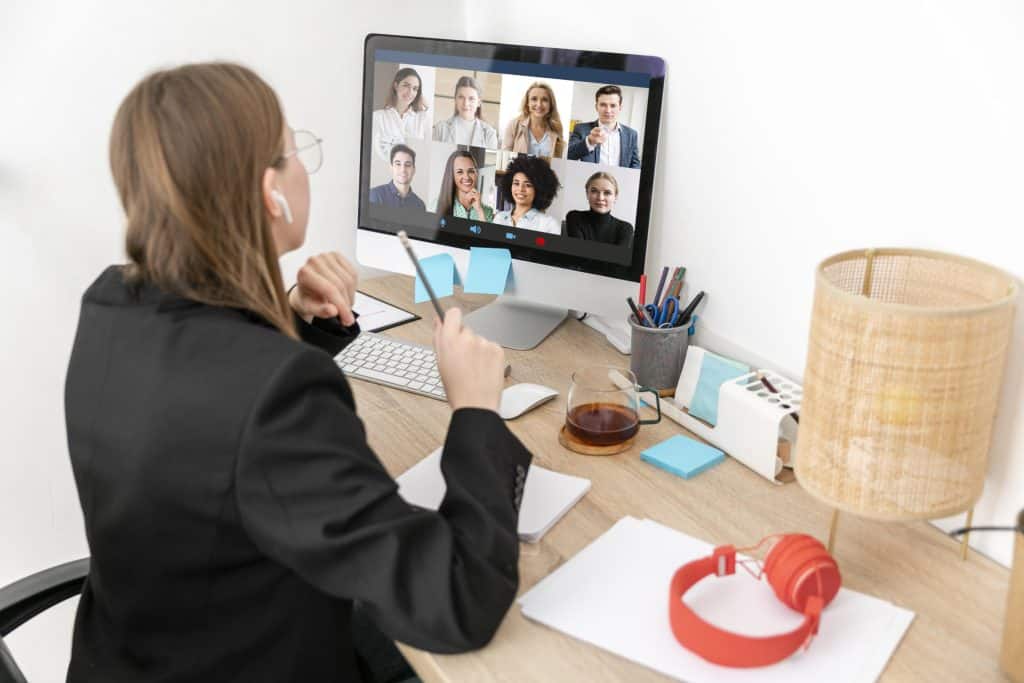
In today’s fast-paced business environment, remote team meetings have become an essential aspect of effective collaboration. These meetings enable geographically dispersed teams to come together virtually, ensuring smooth communication, enhanced productivity, and strong team dynamics. Remote team meetings play a crucial role in facilitating collaboration and overcoming the challenges posed by physical distance.
Remote team meetings provide a platform for team members to discuss ideas, share updates, and align their efforts towards common goals. By fostering open and frequent communication, these meetings promote collaboration, preventing silos and ensuring everyone stays on the same page.
Efficient remote team meetings help optimize productivity by enabling teams to brainstorm, problem-solve, and make decisions collectively. With the right facilitation techniques, such as structured agendas and time management strategies, teams can accomplish tasks more effectively and efficiently.
Regular remote team meetings foster a sense of camaraderie and trust among team members. These meetings allow individuals to connect on a personal level, increasing team cohesion and reducing the feeling of isolation that remote work can sometimes bring.
Virtual Team Meeting Facilitation – 5 TIPS & TRICKS for SUCCESS
Remote Team Meeting Facilitation Techniques for Beginners
In today’s dynamic work environment, remote team meetings have become a crucial part of effective collaboration. As a beginner, understanding the fundamentals of remote team meeting facilitation is essential for successful interactions and achieving team goals. This section aims to provide practical tips and strategies to enhance your remote team meeting facilitation skills, establish meeting norms, and promote effective communication within virtual teams.
Establishing Meeting Norms and Expectations
Setting clear meeting norms and expectations lays the foundation for productive remote team meetings. By establishing guidelines, you ensure everyone is on the same page and understands their responsibilities. Consider the following techniques:
Define Meeting Objectives and Agendas
Clearly define meeting objectives to focus discussions and keep participants engaged. Develop a structured agenda that outlines the topics, time allocation, and desired outcomes. This helps maintain meeting flow and ensures valuable discussions.
Encourage Active Participation
Create an inclusive environment where team members feel comfortable sharing their ideas and opinions. Encourage active participation by involving everyone in discussions, asking for input, and fostering a respectful atmosphere that values diverse perspectives.
Set Clear Communication Guidelines
Establish guidelines for effective remote team communication, including expectations for audio and video quality, using chat features, and handling interruptions. By ensuring clear communication protocols, you minimize misunderstandings and promote efficient collaboration.
Facilitation Techniques for Effective Remote Team Meetings
Mastering remote team meeting facilitation techniques is vital for seamless information exchange, active engagement, and positive outcomes. Consider implementing the following strategies:
Encourage Pre-Meeting Preparation
Request participants to review pre-meeting materials or share their insights beforehand. This prepares everyone and allows for more focused discussions during the meeting. Additionally, provide meeting materials in advance to ensure everyone has access to relevant information.
Use Icebreakers and Energizers
Remote team meetings can sometimes lack the personal touch of face-to-face interactions. Incorporating icebreakers and energizers at the beginning or during longer meetings helps foster team bonding, improve engagement, and create a positive atmosphere.
Foster Effective Time Management
Time management is crucial for maintaining meeting efficiency. Start and end meetings on time, allocate specific time slots for each agenda item, and ensure discussions stay on track. Using visual cues like countdown timers can help participants stay aware of time constraints.
Remote Collaboration Tools and Tips
Utilizing the right remote collaboration tools and implementing best practices can significantly enhance remote team meeting effectiveness. Consider the following recommendations:
Leverage Video Conferencing Platforms
Invest in reliable video conferencing platforms that support high-quality audio and video. Ensure that participants have access to stable internet connections and recommend using headphones and microphones for better audio clarity.
Utilize Visual Aids and Presentations
Make use of visual aids such as slides, charts, and graphs to convey information effectively. Visual representations can aid comprehension and facilitate engagement during remote team meetings.
Implement Project Management Tools
Integrate project management tools that allow teams to collaborate, track progress, and manage tasks efficiently. These tools streamline remote team communication, enhance productivity, and provide transparency in project management.
Encourage Follow-Up and Documentation
After each remote team meeting, encourage participants to summarize action items, decisions, and next steps. Documenting meeting outcomes and sharing them with the team ensures accountability and provides a reference for future discussions.
Effective Virtual Team Meeting Strategies
As remote work becomes increasingly prevalent, effective virtual team meetings have become crucial for maintaining productivity and fostering collaboration. In this section, we will explore strategies to enhance the effectiveness of remote team meetings, focusing on techniques for structuring and organizing meetings, the importance of setting clear goals and objectives, and the role of remote team facilitation.
Structuring and Organizing Remote Team Meetings
Structuring remote team meetings is essential to ensure smooth communication and engagement. By following these techniques, you can optimize the effectiveness of your virtual meetings:
Establish a Clear Agenda: Before the meeting, create a detailed agenda that outlines the topics to be discussed and the allotted time for each. This provides clarity to participants and helps maintain focus.
Define Roles and Responsibilities: Assign specific roles to team members, such as timekeeper, note-taker, or facilitator. This ensures that everyone understands their responsibilities and contributes actively to the meeting.
Encourage Active Participation: Actively engage all team members by encouraging them to share their thoughts and ideas. Use interactive tools and techniques to facilitate collaboration and brainstorming.
Leverage Technology: Utilize remote collaboration tools and platforms to enhance communication and productivity. Platforms like Slack, Microsoft Teams, or Zoom offer features such as chat, file sharing, and screen sharing, enabling effective virtual collaboration.
Importance of Setting Clear Meeting Goals and Objectives
To ensure productive virtual team meetings, setting clear goals and objectives is paramount. The following strategies can help you achieve this:
Define Meeting Purpose: Clearly communicate the purpose of the meeting to participants beforehand. This helps them understand the expected outcomes and align their contributions accordingly.
Establish SMART Goals: Set Specific, Measurable, Achievable, Relevant, and Time-bound (SMART) goals for each meeting. SMART goals provide focus and enable participants to track progress effectively.
Communicate Expectations: Clearly communicate the expected level of preparation and participation to team members. This ensures that everyone comes prepared and actively contributes to the meeting.
Remote Team Meeting Facilitation and Collaboration
Effective remote team meeting facilitation is vital to ensure smooth communication, engagement, and collaboration. Consider employing the following techniques:
Create a Positive Environment: Foster a positive and inclusive atmosphere in virtual meetings. Begin with icebreakers or energizers to create a sense of camaraderie and boost team morale.
Encourage Open Communication: Promote open dialogue and active listening among team members. Encourage questions, feedback, and constructive criticism to foster a culture of collaboration and innovation.
Manage Time Effectively: Ensure meetings start and end on time, and allocate sufficient time to each agenda item. Avoid going off-topic and use time management techniques to maintain focus.
Facilitate Decision-Making: Employ facilitation techniques to guide discussions and decision-making processes. Use tools like online voting or structured brainstorming to ensure all voices are heard and decisions are made efficiently.
Strategies
Description
Establish a Clear Agenda
Create a detailed agenda outlining topics and timeframes
Define Roles and Responsibilities
Assign specific roles to team members
Encourage Active Participation
Foster engagement and collaboration among team members
Leverage Technology
Utilize remote collaboration tools and platforms
Define Meeting Purpose
Clearly communicate the purpose of the meeting
Establish SMART Goals
Set Specific, Measurable, Achievable, Relevant, Time-bound goals
Communicate Expectations
Clearly communicate preparation and participation expectations
Create a Positive Environment
Foster a positive and inclusive atmosphere
Encourage Open Communication
Promote dialogue and active listening among team members
Manage Time Effectively
Ensure meetings start and end on time
Facilitate Decision-Making
Guide discussions and decision-making processes
Remote Team Collaboration Tools and Tips
In today’s digital landscape, remote team collaboration has become increasingly essential for businesses. With teams dispersed across different locations, it is crucial to leverage the right tools to facilitate effective communication and collaboration. In this section, we will explore various remote team collaboration tools and provide tips for selecting the right ones to enhance remote team meetings.
Remote Team Meeting Facilitation Techniques for Beginners
Facilitating remote team meetings can be challenging, especially for beginners. However, with the right techniques, you can master remote team meetings and foster effective collaboration. Here are some facilitation techniques to ensure smooth and productive remote team meetings:
Establish Clear Objectives: Start each meeting with clearly defined objectives to keep the discussion focused and productive. Outline the key topics to be addressed and the desired outcomes.
Create an Agenda: Develop a well-structured agenda that outlines the meeting flow and topics to be covered. Share the agenda with participants in advance to allow them to prepare adequately.
Encourage Active Participation: Remote team meetings should encourage active participation from all team members. Encourage everyone to contribute their ideas, ask questions, and provide feedback. Utilize collaboration tools that enable real-time collaboration, such as virtual whiteboards and shared document editing.
Set Meeting Norms: Establish meeting norms to ensure everyone follows a set of guidelines for effective communication. These norms may include muting microphones when not speaking, raising virtual hands to indicate a desire to speak, and respecting others’ opinions.
Manage Time Effectively: Time management is crucial in remote team meetings. Allocate specific time slots for each agenda item and stick to them. Avoid going off-topic to ensure the meeting stays focused.
Use Visual Aids: Incorporate visual aids like charts, graphs, and presentations to enhance understanding and engagement during remote team meetings. Visuals can help clarify complex ideas and facilitate effective communication.
Provide Meeting Summaries: After each remote team meeting, share a meeting summary that includes key takeaways, action items, and decisions made. This ensures everyone is on the same page and holds individuals accountable for their assigned tasks.
Tips for Selecting the Right Tools to Facilitate Remote Team Meetings
Selecting the appropriate tools is crucial for seamless remote team collaboration. Consider the following tips when choosing tools to facilitate remote team meetings:
Evaluate Communication Features: Look for collaboration tools that offer real-time messaging, video conferencing, and screen sharing capabilities. These features enable smooth communication and foster virtual team collaboration.
Consider Integration Possibilities: Choose tools that integrate with your existing workflow and communication platforms. Seamless integration reduces the need for switching between multiple applications and improves overall productivity.
Assess Security Measures: Prioritize tools that offer robust security features to protect sensitive information shared during remote team meetings. Look for end-to-end encryption, secure data storage, and user access controls.
User-Friendly Interface: Opt for user-friendly tools that are easy to navigate and require minimal training. Intuitive interfaces reduce the learning curve and ensure smooth adoption by all team members.
Scalability and Flexibility: Consider the scalability and flexibility of the tools to accommodate future growth and changing needs. Ensure that the tools can adapt to evolving remote team collaboration requirements.
Leveraging Collaboration Tools for Effective Communication and Collaboration
Effective communication and collaboration are at the core of successful remote team meetings. By leveraging collaboration tools, you can enhance these aspects and improve overall remote team productivity. Here are some key ways to leverage collaboration tools for effective communication and collaboration:
Real-Time Document Collaboration: Utilize tools that enable real-time document collaboration, allowing team members to work together on the same file simultaneously. This facilitates seamless sharing of ideas, edits, and feedback, eliminating version control issues.
Virtual Whiteboarding: Virtual whiteboarding tools empower remote teams to brainstorm, visualize concepts, and map out ideas collectively. These tools simulate an in-person whiteboard experience, fostering creativity and ideation.
Task and Project Management: Implement task and project management tools to streamline workflows, assign tasks, track progress, and ensure accountability. These tools provide transparency and help remote teams stay organized.
Video Conferencing with Screen Sharing: Video conferencing tools with screen sharing capabilities enable effective presentations, demonstrations, and remote training sessions. Team members can easily share their screens to provide visual context and enhance understanding.
Virtual Meeting Icebreakers and Energizers: Incorporate virtual meeting icebreakers and energizers to create a positive and engaging atmosphere. These activities help team members connect on a personal level and foster a sense of camaraderie.
How to Improve Remote Team Meeting Productivity
Remote team meetings have become an integral part of modern work dynamics, allowing teams to collaborate and communicate effectively despite geographical barriers. However, ensuring productivity in these virtual settings can present unique challenges. By implementing effective remote team meeting facilitation techniques, addressing common productivity hurdles, and managing distractions, teams can optimize their virtual meetings for success.
Facilitation Techniques for Mastering Remote Team Meetings
To foster efficient and engaging remote team meetings, facilitation plays a crucial role. Here are some techniques to enhance your facilitation skills:
Set Clear Meeting Objectives: Clearly define the purpose, desired outcomes, and agenda of each remote team meeting. This ensures participants understand expectations and can actively contribute.
Establish Ground Rules: Establishing guidelines for participation, turn-taking, and respectful communication promotes a productive meeting environment. Encourage all participants to adhere to these ground rules.
Engage All Participants: Actively involve all team members in discussions and decision-making processes. Encourage contributions from introverted team members and ensure everyone’s ideas are valued and heard.
Use Collaboration Tools: Leverage remote collaboration tools such as project management software, video conferencing platforms, and shared document editors. These tools enhance real-time collaboration, document sharing, and task tracking.
Foster Open Communication: Encourage open and transparent communication within the team. Emphasize the importance of active listening, constructive feedback, and providing updates on progress.
Addressing Common Productivity Challenges and Providing Solutions
Remote team meetings can face specific challenges that hinder productivity. By identifying and addressing these challenges, teams can find effective solutions. Here are some common challenges and strategies to overcome them:
Technical Issues: Unstable internet connections, audio problems, or software glitches can disrupt meetings. Encourage participants to perform technical checks before the meeting and have backup communication channels ready in case of connectivity issues.
Lack of Engagement: Remote meetings may lead to reduced engagement and participation. Implement interactive strategies such as icebreakers, energizers, and role rotations to keep participants engaged throughout the meeting.
Time Zone Differences: Coordinating meetings across different time zones can be challenging. Establish a meeting schedule that accommodates the majority of participants and rotates meeting times to ensure fairness.
Information Overload: Lengthy presentations or excessive information can lead to reduced attention and comprehension. Break down information into smaller, digestible chunks, and provide supporting visuals or handouts to enhance understanding.
Strategies for Managing Distractions and Maintaining Focus
Maintaining focus and minimizing distractions are essential for productive remote team meetings. Consider the following strategies:
Create a Distraction-Free Environment: Encourage participants to find a quiet and dedicated workspace for meetings. Minimize background noise and visual distractions to foster concentration.
Implement Meeting Etiquette: Establish guidelines for meeting conduct, including muting microphones when not speaking, avoiding multitasking, and refraining from side conversations.
Use Visual Cues: Utilize video conferencing features to ensure participants stay visually engaged. Encourage the use of webcams, as seeing facial expressions and body language enhances communication and accountability.
Take Regular Breaks: Prolonged virtual meetings can lead to fatigue and decreased focus. Incorporate short breaks to allow participants to refresh and refocus their attention.
Best Practices for Remote Team Meetings
Remote team meetings have become a vital part of modern work culture, enabling organizations to connect and collaborate across geographical boundaries. However, to ensure the effectiveness and productivity of remote team meetings, it is crucial to follow best practices that enhance communication, engagement, and inclusivity. In this section, we will explore essential strategies and techniques for successful remote team meeting facilitation.
Establishing Effective Communication and Active Participation
To foster meaningful collaboration during remote team meetings, it is essential to prioritize effective communication and encourage active participation. Consider the following best practices:
Encourage Open Dialogue: Create a supportive environment where team members feel comfortable sharing their thoughts, ideas, and concerns. Actively listen to everyone’s input and provide equal opportunities for participation.
Use Video Conferencing Tools: Leverage video conferencing platforms to facilitate face-to-face interaction and non-verbal communication cues. This helps build rapport and enhances engagement among remote team members.
Set Clear Meeting Objectives: Define specific goals for each meeting and communicate them in advance. Clear objectives ensure that everyone understands the purpose of the meeting and can come prepared.
Implement Structured Agendas: Prepare well-organized agendas outlining the topics to be discussed, the time allocated for each item, and any pre-work requirements. This keeps the meeting focused and ensures efficient use of time.
Importance of Inclusive and Transparent Meeting Practices
Inclusive and transparent meeting practices are essential to ensure that every team member feels valued and included. Consider the following best practices:
Establish Meeting Norms: Collaboratively establish ground rules that promote inclusivity, respect, and active participation. Encourage attendees to adhere to these norms, creating a safe and supportive meeting environment.
Embrace Diverse Perspectives: Recognize and appreciate the diverse backgrounds and experiences of your remote team members. Encourage different viewpoints, as they can lead to innovative solutions and more robust decision-making.
Provide Meeting Materials in Advance: Share relevant documents, presentations, or agendas with attendees prior to the meeting. This allows team members to review the materials and come prepared, fostering meaningful contributions during discussions.
Document Meeting Minutes: Assign someone to take detailed meeting minutes and distribute them to all participants afterwards. This ensures that everyone is informed about the meeting outcomes, action items, and any decisions made.
Optimizing Remote Collaboration
Remote collaboration plays a pivotal role in the success of virtual team meetings. Leveraging appropriate tools and techniques can enhance productivity and streamline workflow. Consider the following strategies:
Utilize Collaboration Platforms: Make use of online collaboration tools such as project management software, document sharing platforms, and real-time messaging apps. These tools facilitate seamless communication and foster a sense of shared purpose among team members.
Encourage Breakout Sessions: Divide larger meetings into smaller breakout sessions to encourage focused discussions and brainstorming. This allows for deeper collaboration and participation from all team members.
Foster Informal Interactions: Remote team meetings shouldn’t solely revolve around work-related discussions. Allocate time for informal interactions, icebreakers, or team-building activities to strengthen relationships and boost morale.
Leverage Remote Collaboration Tools: Explore various remote collaboration tools and software that facilitate virtual brainstorming, whiteboarding, or visual presentations. These tools enable a more interactive and engaging remote meeting experience.
By implementing these best practices, remote team meetings can become productive, engaging, and inclusive, leading to enhanced collaboration and overall team success.
In the realm of remote team meetings, fostering engagement and connection among team members is paramount to success. To create a positive and collaborative meeting atmosphere, incorporating icebreakers and energizers can work wonders. These activities not only break the ice but also enhance team dynamics, boost productivity, and promote a sense of camaraderie. This section delves into various techniques and strategies for effective remote team meeting facilitation, ensuring that your virtual meetings become engaging and impactful.
Suggestions for Engaging Activities to Foster Team Connection and Engagement
Virtual Team Building Games: Engage participants with fun and interactive games designed specifically for remote collaboration. Games like “Two Truths and a Lie” or “Virtual Scavenger Hunt” encourage team members to interact and learn more about one another, fostering stronger connections.
Icebreaker Questions: Begin your virtual team meetings with icebreaker questions that prompt personal sharing. Examples include, “What’s your favorite travel destination?” or “Share a hobby you enjoy outside of work.” Such questions create a relaxed and friendly environment, allowing team members to connect on a more personal level.
Show and Tell: Allocate a few minutes during each meeting for team members to share something interesting or meaningful with the group. This could be a favorite book, a cherished possession, or an accomplishment. Show and Tell sessions provide opportunities for team members to showcase their personalities and build rapport.
Collaborative Brainstorming: Encourage creative thinking and active participation by incorporating collaborative brainstorming activities. Utilize virtual whiteboards or collaboration tools that enable simultaneous idea sharing. This fosters a sense of teamwork and helps generate innovative solutions.
Tips for Creating a Positive and Collaborative Meeting Atmosphere
Set Clear Meeting Objectives: Before each meeting, establish clear objectives and communicate them to all participants. This ensures that everyone is aligned and understands the purpose of the meeting.
Create an Agenda: Share a well-structured agenda ahead of time, outlining the topics to be discussed and the expected duration for each. This helps maintain focus and keeps the meeting on track.
Use Video Conferencing: Whenever possible, encourage the use of video during virtual team meetings. Visual cues and facial expressions enhance communication and foster a sense of connection among participants.
Active Listening and Participation: Encourage active participation by all team members. Foster a culture of respectful listening, where each person’s input is valued. This promotes inclusivity and a collaborative meeting environment.
Time Management: Respect everyone’s time by adhering to scheduled meeting durations. Avoid running over the allotted time and ensure that discussions remain focused on the agenda items.
Remote Collaboration and the Power of Virtual Team Meetings
Remote collaboration has become an essential aspect of modern work environments. With the right facilitation techniques, mastering remote team meetings can unlock the full potential of distributed teams. Effective remote team meetings enable seamless communication, promote productivity, and enhance overall team performance. By implementing remote meeting tips and best practices, organizations can create an environment conducive to remote team management, engagement, and success.
Tool
Features
Slack
Real-time messaging, file sharing, and collaboration
Remote team meetings have become an essential part of modern work dynamics, allowing teams to collaborate regardless of geographical barriers. However, to maximize the benefits of these virtual gatherings, it is crucial to employ effective remote team meeting facilitation techniques.
Remote team meetings serve as platforms for collaboration, decision-making, and information exchange. Effective facilitation ensures that these gatherings run smoothly and achieve their intended objectives. By leveraging facilitation techniques, such as structuring agendas, setting clear goals, and managing time efficiently, you can optimize the outcomes of remote team meetings.
Structuring Agendas: Craft a well-organized agenda that outlines meeting objectives, topics, and time allocations. Clear and concise agendas keep participants focused and ensure all essential points are addressed.
Establishing Ground Rules: Set guidelines for communication, participation, and meeting etiquette to foster a respectful and inclusive environment. Encourage active engagement from all team members to enhance collaboration and decision-making.
Encouraging Participation: Create opportunities for every team member to contribute their ideas and perspectives. Facilitate open discussions and encourage active listening, allowing for diverse insights and fostering a sense of ownership and involvement.
Leveraging Technology: Utilize remote collaboration tools that enable seamless communication, file sharing, and real-time collaboration. These tools promote efficient remote team communication and enhance productivity.
FAQs
What are the best facilitation techniques for remote team meetings?
Some of the best facilitation techniques for remote team meetings include:
Clear Agenda: Provide a well-defined agenda in advance to help participants prepare and stay focused during the meeting.
Engage Everyone: Encourage active participation by involving all team members through polls, breakout sessions, or Q&A sessions.
Visual Aids: Utilize visual aids like slide presentations, screen sharing, or virtual whiteboards to enhance understanding and engagement.
Time Management: Set clear time limits for each agenda item and ensure discussions stay on track to avoid overrunning the meeting.
Encourage Collaboration: Foster collaboration by using online collaboration tools, such as shared documents or project management platforms.
Active Listening: Practice active listening by summarizing key points, asking clarifying questions, and ensuring everyone’s voice is heard.
Facilitate Decision-making: Use techniques like dot voting or anonymous surveys to facilitate decision-making and ensure equal participation.
Meeting Reflection: Wrap up meetings by summarizing action items, decisions, and next steps to ensure clarity and accountability.
How can I improve my remote team meeting facilitation skills?
To improve your remote team meeting facilitation skills, consider the following:
Preparation: Prepare a clear agenda, set goals, and gather necessary materials in advance.
Technology Proficiency: Familiarize yourself with the remote meeting tools and features you’ll be using to ensure smooth facilitation.
Engage Participants: Encourage active participation by creating opportunities for everyone to contribute, ask questions, and share their thoughts.
Communication Skills: Develop effective communication skills, such as active listening, clarity in speech, and concise explanations.
Time Management: Practice efficient time management by setting clear time limits for each agenda item and ensuring discussions stay on track.
Flexibility: Adapt to different communication styles and be flexible in accommodating participants’ needs and preferences.
Continuous Improvement: Seek feedback from participants, reflect on your facilitation performance, and make adjustments accordingly.
By consistently practicing and refining these skills, you can enhance your remote team meeting facilitation capabilities.
What are the challenges of remote team meeting facilitation?
Remote team meeting facilitation comes with a unique set of challenges:
Technology Issues: Connectivity problems, audio/video glitches, or software compatibility issues can disrupt the meeting flow.
Lack of Non-verbal Cues: Remote meetings may lack non-verbal cues like body language, making it harder to gauge participants’ reactions and engagement.
Time Zone Differences: Coordinating meetings across different time zones can be challenging, leading to scheduling conflicts or fatigue for some team members.
Communication Barriers: Language barriers, cultural differences, or varying levels of fluency in the shared language can hinder effective communication.
Engagement and Participation: It can be difficult to engage and involve all participants actively, leading to decreased collaboration and participation levels.
Distractions and Multitasking: Participants may face distractions in their home environment, leading to reduced focus and engagement during meetings.
Building Rapport: Developing and maintaining team rapport can be more challenging in a remote setting, which can affect team dynamics and trust.
Addressing these challenges requires thoughtful planning, effective communication strategies, and the use of appropriate tools and techniques.
What tools can I use for remote team meeting facilitation?
Several tools can enhance remote team meeting facilitation:
Video Conferencing Platforms: Tools like Zoom, Microsoft Teams, or Google Meet provide video, audio, and chat capabilities for hosting virtual meetings.
Project Management Platforms: Tools like Asana, Trello, or Jira enable collaboration, task management, and tracking progress during remote meetings.
Online Whiteboards: Platforms like Miro or Mural offer virtual whiteboards for brainstorming, mind mapping, and collaborative visualizations.
Document Collaboration: Tools like Google Docs or Microsoft Office 365 allow real-time collaboration on shared documents, presentations, or spreadsheets.
Polling and Survey Tools: Services such as Mentimeter or SurveyMonkey facilitate engagement and gathering opinions through polls and surveys.
Screen Sharing: Built-in screen sharing features in video conferencing tools allow participants to present documents, slides, or software demonstrations.
Chat and Messaging Apps: Instant messaging platforms like Slack, Microsoft Teams, or Discord enable real-time communication and collaboration during meetings.
Virtual Breakout Rooms: Platforms like Zoom or Microsoft Teams offer breakout room functionalities for smaller group discussions or activities.
Meeting Agendas and Note-Taking: Tools like Google Docs, Evernote, or Notion help create and share meeting agendas and capture meeting minutes.
Choosing the right tools based on your meeting requirements can significantly improve collaboration, engagement, and productivity during remote team meetings.
How can I engage my remote team in meetings?
Engaging remote teams in meetings is crucial for participation and collaboration. Here are some techniques to promote engagement:
Clear Objectives: Start meetings by clearly stating the purpose, goals, and expected outcomes to align everyone’s focus.
Active Participation: Encourage active involvement by inviting input from all participants, asking questions, and seeking opinions.
Icebreakers and Energizers: Begin meetings with icebreaker activities or short energizers to boost energy, build rapport, and create a positive atmosphere.
Visual Aids: Utilize visual aids like slides, diagrams, or screen sharing to present information in a visually engaging manner.
Breakout Sessions: Divide participants into smaller groups using breakout rooms to facilitate focused discussions, brainstorming, or problem-solving.
Collaboration Tools: Leverage online collaboration tools to enable real-time collaboration, document sharing, and co-editing during meetings.
Regular Check-ins: Take short breaks during longer meetings to check in with participants, address concerns, or answer questions.
Q&A and Discussion Opportunities: Allocate time for questions, discussions, and open dialogue to encourage active engagement and exchange of ideas.
Rotating Roles: Assign different meeting roles (e.g., facilitator, timekeeper, note-taker) to team members for each meeting to foster a sense of ownership and engagement.
Recognition and Appreciation: Acknowledge and appreciate contributions from team members to reinforce their engagement and build a positive team culture.
By implementing these strategies, you can create an inclusive and engaging environment that encourages active participation and collaboration in remote team meetings.
What are the best practices for remote team meetings?
To conduct effective remote team meetings, consider these best practices:
Set Clear Objectives: Define clear meeting objectives and communicate them to participants in advance.
Prepare an Agenda: Create a detailed agenda with allotted time for each item, and share it with participants ahead of the meeting.
Test Technology: Familiarize yourself with the meeting platform and test the audio, video, and screen-sharing capabilities before the meeting starts.
Start with an Icebreaker: Use icebreaker activities or informal conversation starters to build rapport and create a positive meeting atmosphere.
Encourage Active Participation: Engage all participants by involving them in discussions, asking for their input, and encouraging questions and comments.
Be Mindful of Time: Respect participants’ time by starting and ending meetings on time and adhering to the agenda schedule.
Use Visual Aids: Utilize visual aids such as slides, diagrams, or screen sharing to enhance understanding and engagement.
Practice Active Listening: Listen attentively, paraphrase key points, and encourage others to express their thoughts to foster effective communication.
Summarize and Recap: Summarize key takeaways, decisions, and action items at the end of the meeting to ensure clarity and accountability.
Gather Feedback: Seek feedback from participants to continuously improve future meetings and address any concerns or challenges.
By following these best practices, you can facilitate productive and engaging remote team meetings.
How can I enhance communication in remote team meetings?
To enhance communication in remote team meetings, consider these strategies:
Clear and Concise Messages: Express thoughts and ideas clearly, using concise language to ensure effective communication.
Active Listening: Pay attention to what others are saying, avoid interruptions, and ask clarifying questions to demonstrate active listening.
Use Visual Cues: Leverage non-verbal cues like nodding or hand gestures to provide visual feedback and show engagement during meetings.
Choose the Right Communication Channel: Select appropriate communication channels (video, audio, chat) based on the nature of the discussion and participants’ preferences.
Encourage Turn-Taking: Establish guidelines for turn-taking during discussions to prevent interruptions and ensure everyone has a chance to speak.
Visual Aids: Utilize visual aids such as slides, diagrams, or screen sharing to enhance understanding and convey information more effectively.
Respect Different Time Zones: Be mindful of participants in different time zones when scheduling meetings and consider rotating meeting times to accommodate everyone.
Foster a Safe Environment: Create an inclusive and safe space where team members feel comfortable expressing their opinions and ideas.
Use Synchronous and Asynchronous Communication: Leverage asynchronous communication channels like email or project management tools for non-urgent matters, while using synchronous channels like video conferencing for real-time discussions.
Provide Meeting Summaries: Follow up meetings with concise summaries that capture key decisions, action items, and next steps to ensure everyone is aligned.
By implementing these strategies, you can enhance communication effectiveness and create a collaborative atmosphere during remote team meetings.
How do I facilitate effective virtual team meetings?
To facilitate effective virtual team meetings, consider the following steps:
Prepare in Advance: Define meeting objectives, create an agenda, and gather necessary materials before the meeting.
Share Meeting Materials: Share the agenda, relevant documents, and any pre-reading materials with participants well in advance to allow for preparation.
Familiarize with Technology: Ensure you are familiar with the virtual meeting platform and its features to avoid technical difficulties during the meeting.
Set Meeting Norms: Establish meeting guidelines, such as muting microphones when not speaking, raising hands to indicate a desire to speak, or using chat for questions.
Engage Participants: Encourage active participation by asking for input, seeking opinions, and involving participants in discussions and decision-making.
Use Visual Aids: Utilize visual aids like slides, diagrams, or screen sharing to enhance understanding and keep participants engaged.
Manage Time: Allocate specific time slots for each agenda item, and keep the meeting on track to ensure efficient use of time.
Address Connectivity Issues: Be prepared to troubleshoot and provide alternative communication options in case of connectivity or technical issues.
Summarize and Follow Up: Summarize key points, decisions, and action items at the end of the meeting, and share meeting minutes or notes with participants.
Seek Feedback: Regularly solicit feedback from participants to improve future meetings and address any concerns or challenges.
By following these steps, you can facilitate effective virtual team meetings that encourage collaboration, productivity, and engagement.
What are the tips for successful online team meetings?
To ensure successful online team meetings, consider these tips:
Prepare and Share an Agenda: Clearly define the meeting’s purpose, create an agenda with time allocations, and share it with participants in advance.
Test Technology: Familiarize yourself with the meeting platform, test audio and video settings, and ensure participants have the necessary access and instructions.
Minimize Distractions: Choose a quiet and well-lit location, silence notifications, and encourage participants to minimize distractions during the meeting.
Encourage Active Participation: Engage participants by asking questions, encouraging contributions, and creating opportunities for discussion and collaboration.
Use Video whenever possible: Encourage participants to enable their video to facilitate non-verbal communication and foster a sense of connection.
Manage Meeting Size: Consider breaking large meetings into smaller groups or utilizing breakout rooms to promote focused discussions and active participation.
Share Visual Aids: Utilize slides, documents, or screen sharing to visually support your discussions and enhance understanding.
Be Mindful of Time: Start and end meetings on time, keep discussions focused, and allocate sufficient time for each agenda item.
Summarize and Follow Up: Summarize key takeaways, decisions, and action items at the end of the meeting, and share meeting minutes or a follow-up email with participants.
Continuous Improvement: Reflect on each meeting, seek feedback from participants, and make adjustments to enhance future meetings.
By implementing these tips, you can conduct successful online team meetings that are productive, engaging, and focused.
How can I build rapport in virtual team meetings?
To build rapport in virtual team meetings, consider the following strategies:
Icebreaker Activities: Start meetings with icebreaker questions or activities to help team members get to know each other better.
Share Personal Updates: Encourage participants to share brief personal updates or anecdotes at the beginning of the meeting to foster a sense of connection.
Active Listening: Demonstrate active listening by giving full attention to each participant, acknowledging their contributions, and asking follow-up questions.
Use Video: Encourage participants to enable their video during meetings to create a more personal and human connection.
Foster Informal Conversations: Allocate some time for informal conversations at the beginning or end of the meeting to discuss non-work-related topics.
Virtual Team-building Activities: Plan occasional virtual team-building activities or games to promote camaraderie and strengthen relationships.
Show Appreciation: Recognize and appreciate individual contributions and achievements publicly during meetings to reinforce positive team dynamics.
Encourage Collaboration: Provide opportunities for team members to collaborate and work together on shared tasks or projects during meetings.
Share Success Stories: Allow team members to share success stories, lessons learned, or best practices to inspire and motivate others.
Celebrate Milestones: Acknowledge team or individual milestones, birthdays, or work anniversaries during meetings to create a sense of celebration and camaraderie.
By implementing these strategies, you can foster a positive team culture, strengthen relationships, and build rapport in virtual team meetings.
How do I manage a remote team meeting agenda?
To effectively manage a remote team meeting agenda, consider the following steps:
Define Meeting Objectives: Clarify the purpose and desired outcomes of the meeting to set a clear direction for the agenda.
Prioritize Agenda Items: Arrange agenda items in order of importance, ensuring critical topics are addressed early in the meeting.
Set Time Allocations: Assign appropriate time limits to each agenda item to ensure efficient use of meeting time.
Share the Agenda in Advance: Distribute the agenda to participants before the meeting, allowing them to prepare and understand the meeting’s structure.
Stick to the Schedule: Begin the meeting on time, and facilitate discussions to stay within the allocated time for each agenda item.
Address Time-sensitive Issues First: If time constraints are anticipated, discuss time-sensitive or urgent matters first to ensure they receive proper attention.
Allocate Time for Q&A and Discussion: Reserve specific time slots for questions, open dialogue, and discussion to foster engagement and collaboration.
Facilitate Decision-making: Clearly identify items that require decisions, and allocate appropriate time for thorough discussion and consensus-building.
Stay Flexible: Be prepared to adjust the agenda in real-time if new priorities or unexpected issues arise during the meeting.
Summarize Action Items: Conclude the meeting by summarizing action items, decisions, and next steps to ensure clarity and accountability.
By following these steps, you can effectively manage your remote team meeting agenda, promote productivity, and keep discussions focused.
How can I increase productivity in remote team meetings?
To increase productivity in remote team meetings, consider these strategies:
Define Clear Objectives: Clearly communicate the purpose and expected outcomes of the meeting to ensure everyone is aligned.
Prepare in Advance: Share meeting materials, such as agendas or pre-reading materials, ahead of time to allow participants to come prepared.
Stick to the Agenda: Follow the agenda closely, allocate time for each agenda item, and guide discussions to stay on track.
Minimize Distractions: Encourage participants to find a quiet and focused environment, minimize interruptions, and avoid multitasking during the meeting.
Encourage Active Participation: Engage all participants by inviting their input, asking for opinions, and creating opportunities for collaboration.
Utilize Technology: Leverage collaboration tools, screen sharing, or virtual whiteboards to enhance productivity and facilitate real-time interaction.
Delegate Meeting Roles: Assign meeting roles, such as facilitator, timekeeper, or note-taker, to different team members to distribute responsibilities and maintain productivity.
Establish Guidelines for Communication: Set expectations for meeting etiquette, such as muting microphones when not speaking, using chat for questions, or raising hands to indicate a desire to speak.
Follow Up with Action Items: Summarize action items, decisions, and next steps at the end of the meeting, and share them with participants for clarity and accountability.
Seek Continuous Improvement: Regularly reflect on meeting effectiveness, gather feedback from participants, and make adjustments to improve future meetings.
By implementing these strategies, you can enhance productivity during remote team meetings and achieve desired outcomes efficiently.
How can I improve virtual team meeting effectiveness?
To improve the effectiveness of virtual team meetings, consider the following:
Set Clear Meeting Objectives: Define specific goals and outcomes for each meeting to provide a clear focus.
Plan and Communicate the Agenda: Prepare a well-structured agenda and share it with participants in advance to ensure everyone is prepared and aligned.
Optimize Technology Usage: Familiarize yourself with the meeting platform features, test audio/video settings, and troubleshoot potential technical issues before the meeting starts.
Encourage Active Participation: Create a participatory environment by involving all team members through discussions, polls, or breakout sessions.
Visual Engagement: Utilize visual aids, such as slides, diagrams, or screen sharing, to enhance engagement and comprehension during the meeting.
Manage Time Effectively: Allocate time for each agenda item, facilitate efficient discussions, and ensure the meeting progresses according to the schedule.
Foster Collaboration: Utilize collaboration tools, project management platforms, or virtual whiteboards to encourage teamwork and co-creation during the meeting.
Clarify Action Items: Summarize key decisions, action items, and responsibilities at the end of the meeting to ensure clarity and accountability.
Evaluate and Adapt: Regularly assess meeting effectiveness, seek feedback from participants, and make necessary adjustments to improve future meetings.
Continuous Learning: Stay updated with best practices for virtual meetings, attend training or webinars, and explore new tools and techniques to enhance meeting effectiveness.
By implementing these strategies and maintaining a focus on continuous improvement, you can significantly enhance the effectiveness of your virtual team meetings.
What are some icebreakers and energizers for virtual team meetings?
Here are some icebreakers and energizers you can use for virtual team meetings:
Two Truths and a Lie: Ask each participant to share two true statements and one false statement about themselves, and have others guess which one is the lie.
Emoji Check-in: Ask participants to choose an emoji that represents their current mood or state of mind, and briefly explain why they chose it.
Show-and-Tell: Have participants share an item from their workspace that is meaningful to them and explain its significance to the team.
Virtual Scavenger Hunt: Create a list of items participants need to find within their immediate surroundings, and the first one to find each item shares their success.
Quickfire Questions: Pose a series of rapid-fire questions to participants, giving them a short time to answer each one and share their responses.
Stretch Break: Lead a short stretching or relaxation exercise to help participants refresh and re-energize during longer meetings.
Virtual Trivia: Organize a trivia game related to a specific topic or general knowledge, using a platform like Kahoot or Quizizz to engage participants.
“Would You Rather”: Present participants with a series of dilemmas, and have them choose between two options, explaining their reasoning.
Personal Playlist: Ask participants to share a song or a favorite music genre that boosts their mood or motivates them, and create a collaborative playlist.
Virtual Coffee Break: Allocate a few minutes for informal conversation, allowing participants to chat and connect on non-work-related topics.
These icebreakers and energizers can help create a positive and engaging atmosphere in virtual team meetings, fostering connections and boosting team morale.
How do I promote team building in remote team meetings?
To promote team building in remote team meetings, consider the following strategies:
Icebreaker Activities: Start meetings with icebreaker questions or activities to help team members get to know each other better.
Virtual Team-building Games: Incorporate interactive team-building games or challenges into your meetings, such as virtual escape rooms or collaborative puzzles.
Show Appreciation: Set aside time to recognize and appreciate individual team members’ contributions or milestones during the meeting.
Virtual Social Events: Organize occasional virtual social events, such as virtual happy hours, trivia nights, or talent shows, to provide informal opportunities for team bonding.
Share Success Stories: Allow team members to share success stories, lessons learned, or best practices to inspire and motivate others.
Rotating Meeting Roles: Assign different meeting roles (e.g., facilitator, timekeeper, note-taker) to team members for each meeting to foster a sense of ownership and teamwork.
Collaborative Activities: Incorporate collaborative activities, such as brainstorming sessions or problem-solving exercises, to encourage teamwork and idea sharing.
Virtual Coffee or Lunch Breaks: Organize virtual coffee or lunch breaks where team members can casually chat and connect on non-work-related topics.
Virtual Team-building Surveys: Conduct team-building surveys to gather input and ideas from team members about their preferences for virtual team-building activities.
Virtual Team-building Workshops: Arrange virtual workshops or training sessions focused on team-building topics, such as communication, conflict resolution, or trust-building.
By implementing these strategies, you can foster a sense of camaraderie, strengthen relationships, and promote team building in remote team meetings.
The audiovisual (AV) technology landscape is in a constant state of evolution, driven by a relentless pursuit of innovation and cutting-edge solutions. In today’s world, AV technology breakthroughs are shaping the way we interact with digital content, transforming industries, and creating immersive experiences like never before. In this article, we’ll delve into the significance of AV technology in the modern world and explore the latest AV innovations, breakthroughs, and game-changing advancements.The rapid digital transformation in AV technology has given rise to a wave of revolutionary solutions and advanced equipment. This industry evolution is powered by game-changing tech trends and disruptive innovations that are redefining how we perceive and interact with audiovisual content.The future of AV technology is being defined by innovative gadgets and digital AV systems that push the boundaries of what’s possible. The industry is witnessing a series of breakthrough tech trends and transformative audiovisual technologies, making it an exciting time for both consumers and businesses.One of the most significant developments in the AV industry is the creation of immersive audiovisual solutions. These innovative AV devices provide users with truly groundbreaking audiovisual experiences. This immersive technology allows users to dive into digital realms and experience content in unprecedented ways.AV TECHNOLOGIES AND THE SMART CLASSROOM The Current State of AV TechnologyThe audiovisual technology landscape is constantly evolving, with AV innovations and breakthroughs shaping the industry’s future. In this section, we’ll explore the prevalent trends and technologies in AV, focusing on cutting-edge devices, digital transformation, and the revolutionary solutions that are redefining the field.AV Innovations and BreakthroughsThe world of AV technology is witnessing a revolution with groundbreaking innovations and breakthroughs. These disruptive innovations have paved the way for transformative audiovisual technologies. From advanced audiovisual systems to immersive audiovisual solutions, the industry is experiencing a significant evolution. The integration of AI and machine learning has unlocked new possibilities, enhancing the overall user experience.Cutting-Edge Tech TrendsCutting-edge technology is at the forefront of AV advancements. AV industry evolution is driven by game-changing tech trends that enable innovative digital experiences. These trends are making way for the next-gen audiovisual technology, providing users with top audiovisual innovations. One such trend is the rise of augmented reality (AR) and virtual reality (VR) in the AV domain, offering immersive audiovisual solutions.Digital Transformation in AVDigital transformation is a core aspect of the current state of AV technology. The industry is undergoing a significant shift, embracing digital AV systems and innovative gadgets. This transformation is not just about hardware but also extends to software, creating a seamless user experience. This evolution is pushing the boundaries of what is possible in the AV world.Revolutionary TechnologiesRevolutionary technologies are shaping the future of AV. These innovative AV devices and advanced equipment are designed to provide groundbreaking audiovisual solutions. From 4K and 8K displays to sophisticated sound systems, these advancements offer unmatched clarity and quality. The AV technology revolution is underway, and it’s changing the way we consume and interact with audiovisual content.AV Technology EvolutionThe AV technology evolution is marked by leading-edge innovations that cater to the diverse needs of users. The industry is moving towards advanced digital AV systems, emphasizing ease of use and enhanced functionality. Innovative audiovisual solutions are driving this evolution, offering a range of features and capabilities that were previously unimaginable. Advancements in AV Technology DevicesIn a rapidly evolving digital landscape, audiovisual technology has witnessed a monumental revolution. The AV industry’s relentless pursuit of breakthroughs and disruptive innovations has given rise to cutting-edge devices that are transforming the way we experience audio and visuals. In this section, we delve into the latest advancements in AV technology devices, highlighting their features and impact on the industry’s evolution.AV Technology Breakthroughs and Their ImpactThe term AV technology breakthrough resonates throughout the industry, signifying groundbreaking developments that are redefining the future of AV. These breakthroughs encompass audiovisual innovations, cutting-edge tech, and digital transformation, all aimed at delivering immersive experiences and innovative solutions to consumers.Revolutionary AV DevicesOne of the most prominent facets of AV technology advancements is the proliferation of revolutionary devices. These devices have not only changed the game but set new standards in the industry. From advanced audiovisual systems to next-gen audiovisual technology, the market is brimming with innovation.In the realm of audio, we encounter pioneering breakthroughs that encompass game-changing advancements in sound quality and clarity. Cutting-edge audiovisual equipment now incorporates spatial audio technology, delivering an immersive auditory experience. These advanced audio devices cater to the modern consumer’s quest for high-fidelity sound.Innovative Gadgets and Immersive ExperiencesInnovative gadgets are driving the AV industry’s evolution. These devices merge AV technology, AI, and cutting-edge audiovisual equipment to provide transformative audiovisual experiences. Users can now enjoy immersive audiovisual solutions that blur the line between the real and digital worlds. From augmented reality headsets to smart displays, these gadgets are changing the way we consume content.AV Technology Revolution: Future TrendsAs we look ahead, the future of AV technology promises to be a thrilling journey. Breakthrough tech trends are expected to take centre stage, shaping the industry’s landscape. Emerging AV solutions will continue to disrupt the status quo, ushering in the next generation of AV devices.Digital AV systems are on the rise, with an emphasis on user-friendly interfaces and intuitive controls. These systems are designed to simplify the user experience while delivering high-quality audiovisual content. Leading-edge innovations in this domain will offer seamless integration with various devices, ensuring a consistent and convenient AV experience. Disruptive Tech AdvancementsIn recent years, the audiovisual (AV) industry has experienced groundbreaking shifts, owing to disruptive technologies that have reshaped how we consume media. These AV technology breakthroughs, coupled with audio-visual training, have ushered in a new era of immersive experiences and innovative gadgets, transforming the way we engage with digital content.AV Innovations and Industry EvolutionThe landscape of audiovisual technology has been significantly impacted by breakthroughs and cutting-edge devices. From advanced equipment to digital AV systems, the industry has witnessed revolutionary solutions that cater to the evolving needs of consumers. Emerging AV solutions and the latest tech breakthroughs have paved the way for transformative audiovisual technologies, creating
In today’s fast-paced world, effective presentations play a crucial role in conveying information and engaging audiences. Audio-visual (AV) equipment has revolutionized the way presentations are delivered, offering a seamless integration of multimedia elements to captivate and communicate with the audience effectively. In this blog, we will explore the significance of AV equipment in modern presentations and the importance of optimizing AV systems to enhance presentation productivity.AV equipment refers to a wide range of tools and technologies designed to facilitate the creation and delivery of compelling presentations. From multimedia projectors and interactive displays to video conferencing solutions and presentation software, AV equipment has become an indispensable part of the modern business landscape.To maximize presentation productivity, businesses must invest in AV integration and optimize their AV systems. By seamlessly integrating AV equipment into conference rooms, classrooms, or event spaces, organizations can elevate the overall presentation experience and ensure seamless communication.Utilizing advanced presentation tools and software can significantly impact the effectiveness of a presentation. With the help of interactive displays, visual aids, and multimedia presentations, presenters can keep their audience engaged and interested throughout the presentation.The Impact of Augmented Reality on Worker Training and Productivity AV Equipment for Small BusinessesIn the modern business landscape, effective presentations play a crucial role in conveying ideas, closing deals, and engaging audiences. For small businesses, creating impactful presentations is essential to stand out from the competition. Leveraging Audio-Visual (AV) equipment can significantly enhance presentation productivity, making it a game-changer for small businesses seeking success. This section explores the role of AV equipment in small business presentations, identifies budget-friendly options, and highlights how AV technology can level the playing field for small businesses during presentations.AV Equipment’s Impact on Presentation ProductivityAV Solutions for Engaging Multimedia PresentationsUtilizing advanced AV solutions is the key to creating engaging multimedia presentations. Incorporating interactive displays, multimedia projectors, and video conferencing systems can significantly enhance the overall presentation experience. Integrating AV technology allows presenters to seamlessly communicate ideas, capture the audience’s attention, and foster interactivity.Affordable Presentation Tools for Small BusinessesSmall businesses often operate with tight budgets, but that shouldn’t limit their access to effective presentation tools. There are various budget-friendly AV options available. For instance, wireless technology eliminates the need for complex setups and cables, making it an accessible choice for small businesses. Furthermore, using presentation software and AV integration in conference rooms can streamline the process, enabling seamless presentations without breaking the bank.Leveling the Playing Field with AV TechnologyEnhancing Presentations with Visual AidsAV equipment empowers small businesses to utilize compelling visual aids, captivating audiences and conveying messages effectively. Incorporating visual elements, such as charts, graphs, and images, can help reinforce key points and make complex concepts easier to understand.AV Integration in Classrooms and Educational PurposesSmall businesses involved in education and training can benefit from AV integration in classrooms. This technology fosters interactive learning environments, increasing audience engagement and knowledge retention. By investing in AV equipment for educational purposes, small businesses can provide top-notch training sessions, conferences, and workshops.Boosting Productivity with Presentation SoftwarePresentation software is an essential productivity booster for small businesses. These tools provide intuitive interfaces and customizable templates, helping presenters create professional-looking slides with ease. Additionally, many presentation software options offer cloud-based collaboration features, allowing teams to work together remotely on presentations in real-time. AV Equipment Key Features Budget-Friendly Option Multimedia Projectors High-quality display, portability LED Projectors Interactive Displays Touchscreen capabilities, real-time collaboration Interactive Whiteboards Video Conferencing Seamless virtual meetings, screen sharing Web Conferencing Tools Presentation Software Intuitive interface, cloud-based collaboration Cloud-Based Options Wireless Technology Cable-free setups, flexibility Wireless Presenters Best AV Technology for PresentationsIn today’s fast-paced world, effective presentations are crucial for conveying ideas, engaging audiences, and achieving business objectives. AV equipment plays a pivotal role in enhancing presentation productivity, making it imperative to optimize audio-visual solutions for seamless presentations. This guide provides a comprehensive step-by-step approach to set up AV equipment in presentation spaces and addresses common challenges, enabling you to create captivating and impactful presentations. AV Equipment’s Impact on Presentation Productivity Before diving into the setup process, it’s essential to grasp the profound impact AV equipment can have on presentation productivity. By leveraging AV technology, presentations become more dynamic, engaging, and memorable. The integration of multimedia presentations, interactive displays, and wireless technology elevates audience participation, leading to enhanced comprehension and retention of information. AV Equipment Setup Guide a) Identify Presentation Requirements and Audience: Begin by understanding the nature of your presentation and the audience’s expectations. Different presentation scenarios demand specific AV solutions, so tailor your setup accordingly.b) Selecting the Right AV Tools: Research and invest in AV equipment that aligns with your presentation needs. Choose from a wide array of multimedia projectors, presentation software, and interactive displays for an impactful presentation experience.c) AV Integration in Conference Rooms: Conference room technology is vital for hosting successful presentations. Integrate AV equipment seamlessly into the room’s design to avoid any technical glitches during your presentation.d) Presentation Equipment Maintenance Tips: Regularly maintain and update AV systems to ensure peak performance. Schedule routine checks for multimedia projectors, audio systems, and presentation tools to avoid last-minute disruptions. Tips for Optimising Audio-Visual Solutions a) Visual Aids and Productivity Enhancement: Utilize visual aids to supplement your presentation content. Charts, graphs, and images not only make information more digestible but also enhance audience engagement.b) Efficient Use of Presentation Software: Familiarize yourself with presentation software capabilities and features. Incorporate interactive elements and transitions to keep your audience captivated throughout the presentation.c) AV Solutions for Large Events: Large-scale presentations demand powerful AV solutions. Consider AV systems with superior performance capabilities, accommodating larger audiences without compromising on presentation quality. Overcoming Common Challenges in AV Setup a) AV Impact on Audience Engagement: Measure presentation productivity by assessing audience engagement. Encourage real-time feedback and participation, enabling you to fine-tune your presentation style for future events.b) AV Setup for Remote Presentations: In an increasingly remote work environment, master the art of virtual presentations. Invest in reliable AV equipment that ensures seamless communication with remote audiences. AV Equipment Setup GuideAV technology has revolutionized the way presentations are
Returning to the office has been challenging for most, and not just for those working from home. Finding the right solution for a meeting room can be tough and with so many options out there it can take time in finding the products that are right for your needs and meeting rooms. With Neat, a new level of design and technology will be introduced to your meetings, whether that's a large, small, or focus room. Neat's slimline products span across all types of work spaces, but each of their devices are made to fit the individual needs of a person either working from home, or back working in the office. If Neat sounds like something you want to add to your basket, then chat to us by filling out the form or give us a call on (01189) 977 785 to learn more about Neat and how it can introduce a new way of video conferencing into your hybrid workplace. Neat Bar And Pad Certified for Zoom and Teams, Neat Bar And Pad easily fits into your meeting room. A sleek audio and video bar that snaps onto your meeting room display the Bar only takes minutes to get to work. The integrated 120° and 4 x digital zoom camera catches every corner of the room. The wide angled camera works perfectly for those bigger meetings. Although the Bar can be used for bigger sized meeting rooms, it also is a great solution for smaller, brainstorming sized rooms. The automatic framing feature included will cut off the unnecessary view of the room around you. Putting you in centre frame. Not only will the Bar make sure that you are the main focus of your meeting, as you should be, Neat Bar will also re-adjust and re-frame. Making sure that any last minute attendees to the meeting will be added. 120° Camera with 4x digital zoom 5 Microphone array Wide angle tweater Double screen support 4x Digital zoom Dual screen support Made For Content Sharing Neat Bar And Pad bundle is most suited for video centred meeting rooms. These types of rooms are focused on content being shared from the meeting room participants to the remote participants. So having the best video and audio is important for this type of meeting. Luckily with Neat Bars technology, the wide angled lens and multiple microphone array capture the best audio and video possible. Letting you and your colleagues express your ideas easily and communicate them all together. Why Not A Controller? Or A Scheduler? Working alongside the Bar, Neat Pad adds a room controller or a scheduler to your meeting room. Using Neat Pad as a room controller allows you to start, join, and control your meeting all from the 8" touchscreen. Not only can you start a meeting from the device with a single tap, but can wirelessly share content to the main display. The Pad controller is easy to set up with a quick connection to power over ethernet and you can pair your Pad to the Bar to start controlling. If you are wanting to use Neat Pad as a room scheduler, the Pad will sit outside your meeting room with the availability shown on the screen. Stopping any interruptions from happening as the Pad has LED indicators showing if the room is free or not. Neat Bar Pro And Pad If Neat Bar sounds like a device that you want to get your hands on but know that the size and technology of the Bar wouldn't fit into your meeting rooms. Don't worry, Neat Bar Pro offers everything Neat Bar can offer and more to fit a larger room. Being able to support more than two screens in a larger meeting room, Neat Bar Pro offers a larger field of view with more digital zoom. Meaning that everyone around the meeting room table, no matter the size or shape, will be seen clearly. Linking to Neat's mission of looking after users wellbeing and making meetings more realistic and genuine. Promoting this mission even further, Neat Bar Pro has 3 full range speakers with 16 beamforming microphone array and 4 tracking microphones. Making for crystal clear audio that flows throughout the meeting room. 70° to 113° Field of view camera with 16x digital zoom 3 Full range speakers 16 Beamforming microphone array 4 Tracking microphones 1080p People video resolution Triple Screen Support Neat Bar Pro For Larger Meetings For a larger meeting room setting, Neat Bar Pro will be better suited than a Neat Bar. Neat Bar Pro gives the opportunity to let its users use multiple screens with the Pro Bar. A great chance to let teams hold their Zoom meeting on one screen, show a diagram on the other screen, and present content on the third. It makes sharing content in your meeting room much simpler and clearer to view. Each bit of content you want seen in the meeting spread across all three screens. Making it clearer for teams to have discussions about any content shared, leaving no ones ideas behind. Neat Frame Out of all the other Neat devices, Neat Frame is the most suitable device for home offices. Working as a second screen, Neat Frame can hold all your Zoom meetings on a 15.6" portrait touchscreen. While you use your laptop simultaneously on the side. Even though Neat Frame is the smallest out of all the Neat devices, the meeting device still offers power to those working from home or those coming into the office to quickly use the focus room for their meeting. Neat Frame gives a 113° field of view and 8x digital zoom This pairs well with the auto framing feature as you have the freedom to stand up and move around the room with Neat Frame's camera having a wide enough field of view to follow you. Making your meeting much more personal and in a sense more realistic to running a meeting in person. 113° Field of view camera
The concept of remote work has gained significant traction in recent years, with an increasing number of individuals and organizations embracing the flexibility and benefits it offers. This trend has been further accelerated by advancements in technology and the need for businesses to adapt to changing work environments. In this blog, we aim to explore and recommend exceptional collaboration tools that can enhance remote work productivity.Effective communication and seamless teamwork are vital components of successful remote work. Without the ability to interact and collaborate efficiently, remote teams may face challenges in maintaining productivity and achieving their goals. This is where collaboration tools play a crucial role.Remote collaboration tools act as a bridge, connecting team members regardless of their physical location. These tools enable individuals to work together, share ideas, and contribute to projects in real time. By breaking down geographical barriers, remote collaboration tools facilitate seamless communication and foster a sense of teamwork among distributed teams.In a virtual work environment, where face-to-face interaction is limited, collaboration tools become essential for enhancing productivity. These tools offer a range of features designed to streamline workflow, improve task management, and optimize project collaboration. From project management platforms to document sharing and team communication apps, the right tools empower remote teams to work efficiently and achieve their objectives.The Best Remote Team Tools for Collaboration and Productivity The Benefits of Remote Work Collaboration ToolsIn today’s digital age, remote work has become increasingly prevalent. As a result, businesses are relying on collaboration tools to overcome geographical barriers and foster effective teamwork among distributed teams. Remote work collaboration tools, such as virtual teamwork solutions, online collaboration platforms, and cloud-based software, offer numerous advantages that enhance productivity and streamline project management. In this section, we will explore the benefits of utilizing these tools, highlighting improved efficiency, enhanced document sharing, seamless team communication, and real-time collaboration. Let’s dive in!Improved EfficiencyRemote work collaboration tools significantly improve efficiency by providing a centralized platform for collaboration. With these digital collaboration tools, team members can access project-related information, documents, and tasks from anywhere, eliminating the need for physical presence. By eliminating time-consuming manual processes, such as sharing files via email or coordinating meetings across different time zones, work from home collaboration tools enable teams to work more efficiently and complete tasks in a timely manner.Streamlined Project ManagementEffective project management is crucial for remote teams, and collaboration tools play a vital role in streamlining the process. Virtual project management tools offer features such as task assignment, progress tracking, and deadline reminders, ensuring that everyone stays on track and accountable. These tools also allow for seamless collaboration on project-related documents, enabling real-time updates and version control. By centralizing project management activities, remote collaboration software enhances coordination and ensures that projects are delivered successfully.Enhanced Document SharingOne of the primary challenges in remote work is sharing and collaborating on documents. However, work from home collaboration tools provide efficient solutions for this. Online document sharing platforms enable team members to access and edit files simultaneously, promoting real-time collaboration and eliminating the confusion caused by multiple versions of documents. Cloud collaboration software ensures that documents are securely stored in the cloud, accessible to authorized team members from anywhere, and protected against data loss.Seamless Team CommunicationEffective communication is the cornerstone of successful remote teamwork. Remote team collaboration tools offer various features that facilitate seamless communication among team members. Team collaboration software includes instant messaging, video conferencing, and virtual meeting software, allowing distributed teams to connect and interact in real-time. These tools foster a sense of camaraderie, encourage active participation, and minimize miscommunication, promoting efficient collaboration and problem-solving.Real-Time CollaborationReal-time collaboration is vital for remote teams to work together effectively. Remote work collaboration apps and web-based collaboration tools enable team members to collaborate on projects simultaneously, regardless of their physical location. With features like shared whiteboards, live editing, and commenting, real-time collaboration software allows for instant feedback, brainstorming, and decision-making. This level of collaboration boosts creativity, innovation, and productivity within distributed teams. Key Features to Look for in Work from Home Collaboration ToolsIn the era of remote work, collaboration tools have become essential for virtual teamwork and online collaboration. As the digital workplace continues to evolve, it is crucial for remote workers to choose the right work from home collaboration tools that cater to their specific needs. In this section, we will explore the key features that remote workers should consider when selecting collaboration tools to enhance their productivity and streamline their workflows.Real-Time CollaborationOne of the most important features to look for in work from home collaboration tools is real-time collaboration capabilities. Remote collaboration software that enables simultaneous editing, commenting, and tracking changes in documents or projects is invaluable for virtual teamwork. With real-time collaboration, remote team members can work together seamlessly, fostering effective communication and boosting productivity. Such collaborative workspaces empower teams to brainstorm ideas, solve problems, and make decisions collectively, regardless of their physical location.Cloud-Based SoftwareCloud-based software is another critical feature for work from home collaboration tools. By leveraging the power of the cloud, remote workers can access their projects, documents, and resources from any location and device with an internet connection. Cloud collaboration tools offer the advantage of centralized storage, eliminating the need for complex file sharing procedures. This enables remote teams to collaborate efficiently, share files securely, and maintain version control, ensuring that everyone is working on the latest information.Secure Document SharingSecure document sharing is paramount in remote collaboration. Work from home collaboration tools should provide robust security measures to protect sensitive information. Encryption protocols, access controls, and user authentication mechanisms are essential for safeguarding documents and preventing unauthorized access. Trustworthy online collaboration platforms prioritize data privacy and compliance, giving remote workers peace of mind while sharing confidential files with their team members.Integration CapabilitiesIntegration capabilities with other productivity tools are crucial for creating a cohesive digital workplace. Remote collaboration tools that seamlessly integrate with popular productivity tools, such as project management software, team communication apps, and virtual meeting software, offer enhanced efficiency. These integrations streamline workflows, reduce duplicate efforts,
Looking for an effective way to improve communication during meetings? Look no further than wireless microphones! Our guide to the benefits of wireless microphones for meetings will explain everything you need to know, from choosing the right mic to setting up your sound system for optimal performance.
Video conferencing gives you the power to touch base with clients and teammates worldwide while still getting the interpersonal advantage of seeing and hearing them face-to-face. But setting up video conferencing in a meeting room is a bit complicated. And so many moving parts go into specific solutions, making it challenging to provide an exact budget. The price for a video conference room ranges from £2000- £8000. However, the price will depend on technology and sizes of rooms: small, medium, and large. The most affordable options depend on what you need in a video conferencing meeting room. A video conference room requires eight items to function fully: A computer- to run everything Video input(s) – cameras Video output(s) – monitors or TVs Audio input(s) – microphones Audio output(s) – speakers A way to control – navigating the video conferencing interface A physical form – something to hold it in place Miscellaneous items – ranges from small nuts and bolts to control systems programming. Still, the great deal here is that you do not have to spend on these items separately and buy an all-in-one video conferencing solution. Budget according to room size Small Room: An ideal size of a small room is 10’x10′ or smaller. It is designed for up to 4 participants. So the average price for a small video conference room is around £75 per square foot, or up to £2000. Medium Room: A medium room size is generally 20’x20′ to 30’x30′ and is designed to seat 5-10 participants. Thus, the average price for a medium video conference room is around £25 per square foot or up to £5,000. Large Room: A large-sized room will be larger than 30’x30′ and closer to 50’x50′. It is designed for 10+ participants. The average price for a large video conference room will be around £8,000. Budget of technologyThe key to putting together a good meeting room on a budget is anticipating the kind of interactions the meeting room will need to enable. And what type of technology is adopted depicts the quality of the meeting. Therefore, the cost of technology is distributed as Cost of SoftwareMost organisations are adopting cloud-based video conferencing services nowadays. A cloud video conferencing software service is all that is required to enable video conferencing on personal devices like laptops and phones. However, small and remote teams without conference rooms may not need meeting room equipment and can opt for a software-only solution. Organisations just starting with video conferencing generally should budget £4 to £18 per user per month — or £48 to £220 per year when billed annually. For many organisations, this is less than the cost of legacy audio-only or web conferencing contracts. One common cost justification is to replace a legacy audio conferencing plan with a modern video conferencing solution. Some of the encrypted and reliable business-class video conferencing services/software are: Zoom: Starting at £13.27 per user per month Microsoft Teams: Starting at £4.23 per user per month Google Meet: Starting at £4.14 per user per month Items Microsoft Teams Zoom Google Meet Group Meeting Time Limit (Free version) No Limit 40 minutes 60 minutes Group Meeting Time Limit (Paid version) Unlimited Unlimited Unlimited Maximum Participants 250 100 100 Free Trial Available Available Available Recording Yes Yes Yes Screen Sharing Yes Yes Yes Customer Support Ticket, Phone & Live Chat Ticket & Live Chat 24/7 Online Style Modern Standard Standard Number Of Meetings Unlimited Unlimited Unlimited Virtual Background Yes Yes Yes Cost of HardwareThe availability of high-speed networks and HD cameras has led to all-in-one conference room solutions that now cost a tenth of what similar solutions sold less than a decade ago. However, the company should set room standards by determining the best video conferencing equipment for your different-sized rooms to ensure a consistent user experience for every conference room. The best video conferencing equipment you need for your business like conference cameras, speakers, microphones, TVs, etc. are actually depended on the size of the room where they will be used.For small rooms or huddlesA huddle space is a small room that accommodates meetings for up to 4-5 people. These spaces need technology that lets teams share ideas and collaborate effectively. As the small space is intended for local and virtual collaboration and co-creation, these video bars adjust anywhere and do not require additional accessories. Simple all-in-one video bars would be sufficient because you don’t need to worry about squeezing people into the frame or inconsistent audio quality. Logitech Rally Mini- £2,336.36 Yealink MeetingBar A20- £1,538.83 Poly X50 & TC8 Touch Panel Bundle- £2,419.84 Logitech Rally- £3,015.88 (For premium quality) For medium size roomsA medium room is good for small groups of four to eight people to spread out when needed. Thus, flexibility is important to optimise your mid-sized rooms for video collaboration. In mid-size rooms, the camera should be capable of capturing and focusing on people near and far. Added pan/tilt/zoom capabilities improves the goal of making everyone visible to people on the other end of the video meeting. The range of room sizes and configurations typical of mid-sized rooms are: Logitech Rally Bar Room Solution- £5,666.76 (Including software license fee) Yealink A30 With Touch Panel Controller- £2,313.33 Poly X50 & TC8 Touch Panel Bundle- £2,419.84 Logitech Rally Bar Mini & Tap- £3,218.49 For large size roomsWith the right video conferencing solution, large rooms can be as easy to manage, outfit, and use as a huddle room. If you’re conducting a meeting with upwards of 10 people or more in a room, chances are you can’t risk the inconveniences due to technical inefficiencies. For rooms on the larger end, you may need multiple mics and high-performance cameras set up around the room. Thus, it’s crucial to make sure that the camera can be controlled and adjusted through multiple control methods such as remote control, keyboard, etc. Yealink MVC840- £3,186.82 Poly STUDIO X70 & TC8 Bundle- £5,260.73 Rally Bar & Tap Bundle- £3,883.66 Logitech Tap Room Solution- £5,158.56 (Including software license fee) Miscellaneous costDespite the thorough nature
This website uses cookies so that we can provide you with the best user experience possible. Cookie information is stored in your browser and performs functions such as recognising you when you return to our website and helping our team to understand which sections of the website you find most interesting and useful.
Strictly Necessary Cookies
Strictly Necessary Cookie should be enabled at all times so that we can save your preferences for cookie settings.
If you disable this cookie, we will not be able to save your preferences. This means that every time you visit this website you will need to enable or disable cookies again.
3rd Party Cookies
This website uses Google Analytics to collect anonymous information such as the number of visitors to the site, and the most popular pages.
Keeping this cookie enabled helps us to improve our website.
Please enable Strictly Necessary Cookies first so that we can save your preferences!