Excellent
Next day delivery! Depending on Availability*
Here to help! Monday to Friday, 8:30AM-5:30PM*

Everything You Need To Know About Airtame

Everything About Airtame - Blog

Airtame is one of the most well known brands that can make your meetings simpler. Their wireless presentation device, the Airtame 2, makes for great content sharing during meetings and presentations. Making it easy for colleagues in the office and guests to share their ideas and PowerPoints to the meeting.

Now with their newest device, the Airtame Hub, it can help you join any meeting from anywhere. Helping join hybrid and in-office workers together. Making hybrid meetings possible in your office, not only making your team meetings easier but giving your employees flexibility in working environments.
If Airtame sounds like something that you think could take your meetings to the next level, fill out the form with all your details or give us a call on (01189) 977 785

Airtame 2

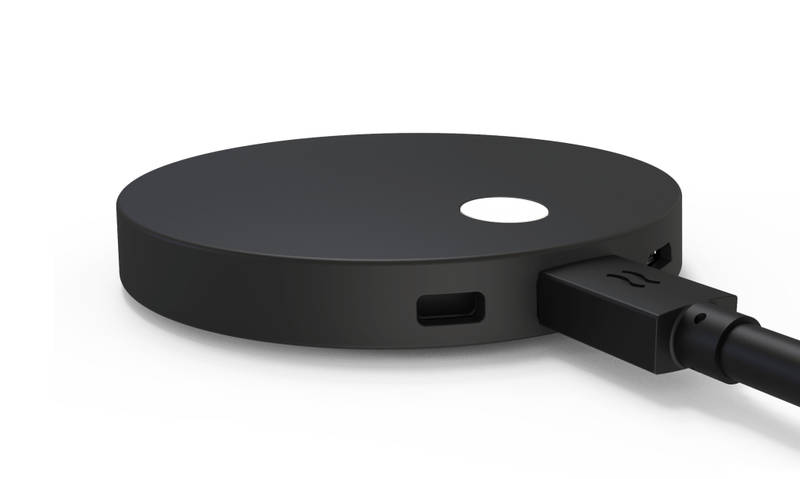
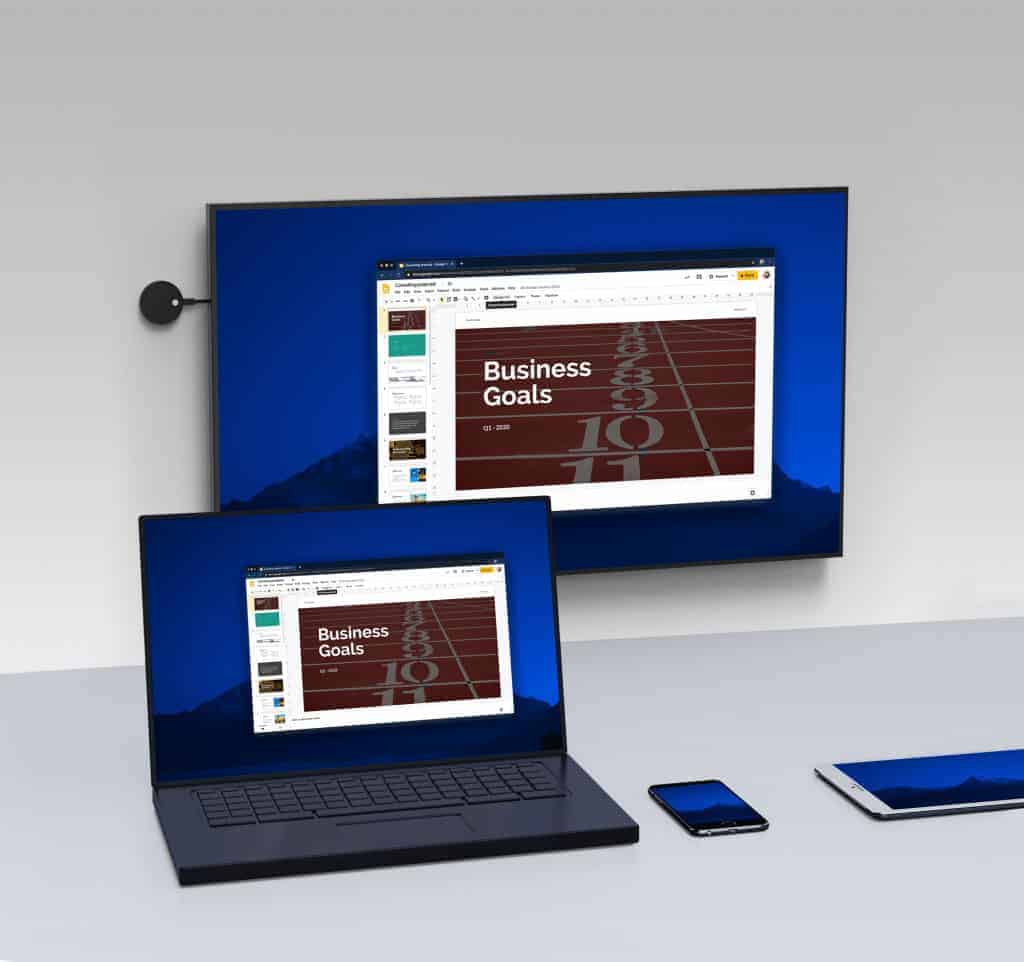
The Airtame 2 is a dongle device that brings wireless sharing and digital signage to any display. Securely sitting behind your chosen display, the Airtame 2 allows regulars and guests to wirelessly connect and share either the content or mirror their full screen. With the option to use Miracast, GoogleCast, Airplay, or the Airtame App, it really doesn’t matter what type of device you have. As long as you have any of these options you can share via the Airtame. 

Airtame Specs

  • Connections: 1x USB-C (Power, HDMI, USB Host, Ethernet) 1x Micro USB OTG port
  • Output Resolution: 1920 x 1080 (up to 60 Hz progressive mode) 1280 x 720 (up to 60 Hz)
  • Screen Connections: HDMI 1.4b / VGA* / DVI* With external adapter
airtame 2 wireless presentation

Digital Signage

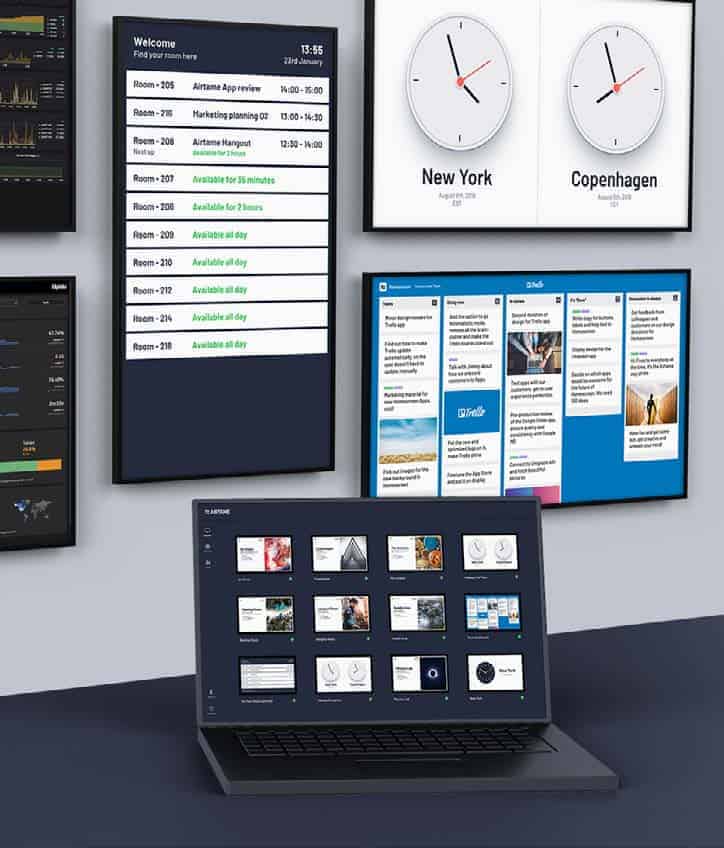
Having the option to use the Airtame 2 as a digital signage display, means that the Airtame 2 can work for anyone. No matter their business. Plan, create, and schedule you digital signage content to any of your screens with the Airtame 2 connected. With the integrated apps:

  • Youtube
  • Room Overview
  • Dropbox Gallery & Dropbox Video
  • OneDrive Gallery & OneDrive Video
  • Google Slides
  • PowerPoint
  • Trello
  • World Clock
  • Website
  • Home screen
  • Rise Vision 
  • Unsplash

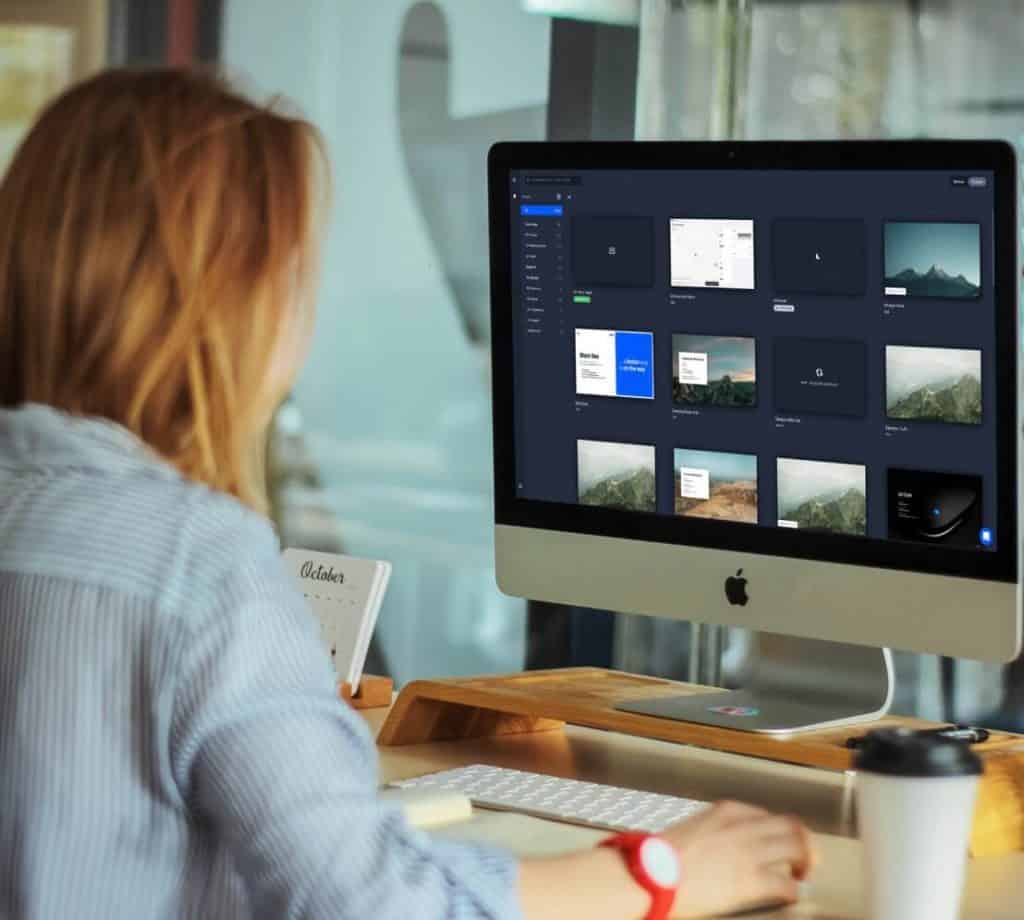
you can turn you screen into something creative with the Rise Vision app and informative with the Room Overview app. Making digital signage creativities endless. With all of these apps included making a fun or professional displays is easy, and so is publishing your content. With Airtame Cloud you have the chance to preview you content, correcting or adding, then you can schedule the signage on set weeks, days, and times. 

Wireless Sharing 

Now some of you may be thinking that if anyone can connect and share with the Airtame 2, then interruptions are bound to happen. And when you’re holding a professional meeting with lets say potential business partners, having another colleague connect and start sharing to the Airtame device by accident can be unprofessional. However with Airtame thinking of this situation, they give you a pin code to enter your meeting. Meaning that the random colleague sharing situation won’t happen, plus you have piece of mind that any content shared by you or your guests in the meeting will be secure and private to only those in the meeting.   

Airtame Hub

To make hybrid conferencing easier, the Airtame Hub will be your answer. This sleek box will connect your hybrid workers to your meeting, no matter where they are. With hybrid conferencing now being the normal way of meeting in the office, something like the Airtame Hub in your meeting room will make it easier for you to walk into the meeting room and connect as quickly as possible. Not only does the Airtame Hub allow for quicker meeting connections, but it means that the meeting call, either Teams or Zoom, will now run on the Airtame Hub instead of running on your laptop. Leading to a better performing video conferencing. 

Airtame Hub UK

Just like the Airtame 2, the Airtame Hub is easy to install and use in your meeting room. With PoE for power it makes for quicker installations, along with better quality images and audio while sharing with the Airtame Hub.

Airtame Hub Specs

  • Connections: 2x HDMI Out, 2x Type A, 1x Type C USB
  • Power Input: PoE IEEE 802.3 at Type 2
  • Streaming Encryption: Airplay, Miracast
  • Conferencing Encryption: TLS, WebRTC

Airtame In Meetings

Wireless sharing in meetings has never been easier with Airtame. Using the Airtame 2 you have multiple meeting avenues you can go down, you can wirelessly share content the way you want, fully mirror your laptop screen, and create information packed digital signage for your displays. With full screen mirroring and wireless sharing capabilities, anyone and everyone in the meeting can share their ideas to the team. Now normally when guests join your meeting, its a fumble for cables and sharing devices to allow them to present their plan and ideas. Its a fumble that can waste time and look unprofessional if you are really trying to impress. With the Airtame 2 that scramble for a cable is long gone. Sitting discretely behind you meeting room display, guests and regular attendees to your meeting room can wirelessly connect and share their content to the meeting. Saving time and keeping professionalism within your meeting. As mentioned, the Airtame 2 dongle will sit comfortably behind your display, not only keeping your meeting room spick and pan of cables and wires but keeps the Airtame 2 accessible and close by for a perfect connection.

Using the Airtame 2 for digital signage is a no brainer, with a list of integrated apps you can create digital signage displays how you want. With apps including, Youtube, PowerPoint, OneDrive Gallery, Room Overview, and many more, creating a digital signage display with Airtame makes life just that tad easier. Plus with the Airtame 2, you can turn any of your displays into a digital signage device. Making the Airtame 2 suitable for any of your displays. Got a display in your reception area? Connect the Airtame 2 and turn the standard screen into a digital signage display. Got a display in your meeting room? The obvious answer is to use the Airtame 2 to hold your meetings, allowing for wireless sharing and collaboration to happen.

It doesn’t matter what size meeting room you use the Airtame 2 in as the device can work anywhere. Huddle, small, medium, or large the Airtame 2 can bring high quality sharing. 


Airtame In Education

Just like using the Airtame 2 in your meeting rooms, the device can work seamlessly in any education environment. The wireless sharing feature can make it easy for students to hold team presentations and for teachers to wirelessly connect their laptop to a screen and share with the class. Again just like using the Airtame 2 in your meetings, it saves times as you wont have to sit download the presentation on a memory stick or a shared drive. You can just connect to the Airtame and quickly start sharing you presentation to the whole class. Therefore, saving time and  making team presentations more efficient. 


Airtame Rooms

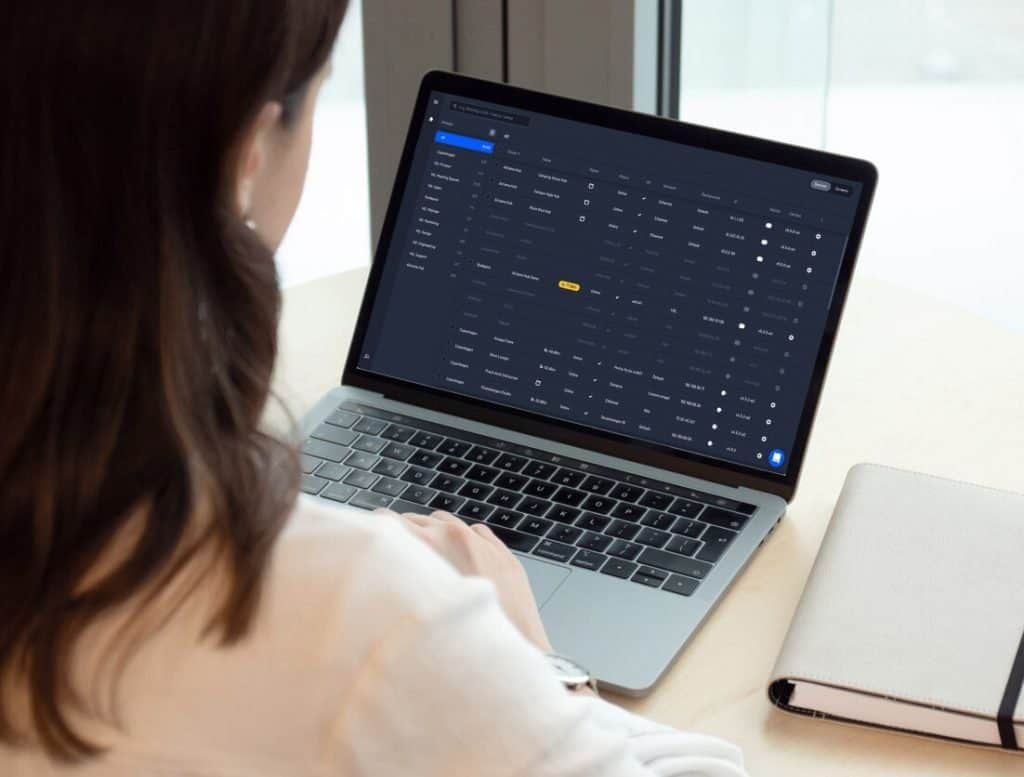
One place to control you hybrid conferencing. Airtame Rooms lets you have unified cloud management through the web portal, in this cloud management you can update the firmware, monitor usage, and control your digital signage displays. All of this management in one place. This is perfect for managers who are still working from home as they can easily log into the web portal and make sure that everything is up to date and running as it should. 

On the other side of Airtame Rooms, it lets you join your meetings even quicker. Pair your Microsoft Outlook Calendar to the Airtame App, meaning that you and your team can join the meeting from the Outlook Calendar. Making it easier for your team to know when the meeting is scheduled for and to join the meeting, integrating your calendar and meetings together makes sure that everyone will join the meeting on time. Making the Airtame Hub essential to holding your Teams and Zoom meetings. Leading on from this, the Airtame Hub lets you CastYourCall. This feature lets you join your meeting from your calendar integration on your laptop and lets you cast the video conference call to your Airtame Hub in the meeting room. Not only making it easier for you to use your laptop during a meeting, but stops the video conference from draining the battery on your laptop.  

Keep in mind that Airtame Rooms only runs on the Airtame Hub, with the solution only being offered in a bundled package with a one year software license with annual renewal.

Airtame Cloud

Airtame Cloud and Airtame Rooms can seem similar, but Airtame Cloud gives centralized remote management. Different from Airtame Rooms, Cloud is more of a system that allows you to run your content instead of making sure that the firmware is up-to-date. With Cloud you can control your screens from wherever you are. Run your digital signage, set a screen timer to save power, and schedule content to specific Airtame screens, all from Airtame Cloud.

Whats great about Airtame Cloud is that if you are unable to get into the Cloud and schedule a piece of content that needs to be scheduled, you can assign different levels of access to other users. So stopping any panic or worrying, you can assign another one of your colleagues the access to be able to find the content and schedule it on the desired week, day, and time. Not only does the feature of assigning different levels of access help with any interruptions with logging in, but it can also help stop any mistakes from happening with people clicking on the wrong thing by accident. Giving people only access to what they need, making their job easier and stopping any cross overs. Also, with single sign in access to OneDrive and Dropbox, it helps keep your content secure.

There are three different types of Airtame Cloud Licenses you can get, lite, plus, or custom.

Included in all three licenses you can get the basics of;

  • firmware updates
  • Unlimited amount of users, groups, and devices
  • Global device management
  • Moderator mode
  • Branded image and custom background
  • Change the screen orientation
  • Set a public website URL for your digital signage

Then with the plus and custom licenses you can get;

  • Signage content scheduling
  • Looped content with playlists for signage
  • Third party app integrations
  • Remote monitoring with up-to-date screen preview
  • Meeting room overview 
  • Energy saver with Sleep Schedule 
  • On-demand training
  • 24-Hour email, chat support

Then finally with the custom licenses you can get the extras of a dedicated training webinar and a designated customer success team for onboarding and activation. 

Picture of Natalie Horn

Natalie Horn

Table of Contents

collaboration work from home
Remote Collaboration

Maximize Productivity with these Proven Techniques for Collaboration Work from Home

Remote work, also known as telecommuting or working from home, has witnessed a surge in popularity in recent years. This work arrangement allows individuals to carry out their professional responsibilities outside of the traditional office setting, using technology to stay connected and collaborate with colleagues. With advancements in digital communication tools and a shifting mindset towards work-life balance, remote work has become an attractive option for both employees and employers.Remote work offers numerous benefits, including increased flexibility, improved work-life integration, reduced commuting time, and enhanced productivity. Employees can enjoy a better work-life balance by eliminating the constraints of a fixed office schedule, leading to increased job satisfaction and reduced stress levels. For employers, remote work can boost productivity by providing employees with an environment that suits their individual preferences and allows them to focus on tasks without interruptions commonly found in office settings.Collaboration plays a vital role in maximizing productivity in a remote work environment. While physical proximity may no longer be a requirement, fostering effective collaboration among remote teams is crucial to ensure seamless workflow and achieve collective goals. Remote collaboration involves leveraging digital tools and strategies to facilitate communication, cooperation, and knowledge sharing among team members who are geographically dispersed.In a remote work setup, teamwork and collaboration take on a virtual form, emphasizing the need for effective communication channels and shared platforms. Team members must actively engage in virtual collaboration to exchange ideas, provide feedback, and collectively solve problems. By doing so, they can leverage diverse perspectives and pool their expertise to arrive at innovative solutions.Invite Collaboration in English and Help Your Team to Work Together  Understanding Remote Work CollaborationRemote Work and its Challenges Related to CollaborationRemote work, also known as telecommuting or working from home, refers to the practice of employees carrying out their job responsibilities outside of a traditional office environment. This arrangement has gained significant traction in recent years, driven by advancements in technology and changing work dynamics. However, remote work poses unique challenges when it comes to collaboration.Definition of Remote Work Remote work involves individuals performing their tasks remotely, often utilizing digital tools and technologies to communicate and collaborate with their colleagues. This setup enables employees to work from any location, providing flexibility and freedom from the constraints of a physical office.Challenges in Remote Collaboration Communication Barriers: The lack of face-to-face interactions in remote work settings can hinder effective communication. Misinterpretations and delays in message delivery may occur, leading to misunderstandings and reduced collaboration. Limited Non-Verbal Cues: Without the ability to observe body language and facial expressions, remote team members may struggle to interpret and convey intentions accurately. This limitation can hinder effective collaboration and compromise team dynamics. Time Zone Differences: Remote teams often consist of members from various geographical locations, resulting in different time zones. Synchronizing work schedules and arranging meetings can be challenging, potentially impeding timely collaboration. Technical Challenges: Dependence on technology introduces the risk of connectivity issues, software glitches, or unfamiliarity with remote collaboration tools. These technical challenges can disrupt workflow and hinder seamless collaboration. The Significance of Effective Collaboration in Remote TeamsEfficient collaboration is paramount for remote teams to achieve their goals and maintain productivity. Effective collaboration fosters cohesion, synergy, and a shared sense of purpose among team members, regardless of physical distance.Enhanced Communication and Knowledge Sharing Seamless Information Flow: Effective collaboration ensures open lines of communication, enabling team members to share ideas, seek clarification, and provide feedback promptly. This facilitates streamlined workflows and minimizes the potential for bottlenecks. Knowledge Exchange: Collaborative environments encourage the sharing of expertise and insights. Remote team members can leverage their diverse backgrounds and experiences to enhance problem-solving and decision-making, ultimately leading to higher-quality outcomes. Strengthened Team Cohesion and Engagement Building Trust: Collaborative work fosters trust and camaraderie among remote team members. Regular interactions and transparent communication contribute to stronger professional relationships and improved morale. Increased Engagement: When team members feel valued and engaged in collaborative efforts, they are more likely to contribute actively, leading to heightened motivation and job satisfaction. This, in turn, positively impacts productivity and overall team performance. Benefits of Successful Remote Work Collaboration for Productivity and EfficiencyImproved Task Coordination and Project Management Clear Role Definition: Effective collaboration in remote teams ensures that each member understands their responsibilities, avoiding duplication of efforts and confusion. Clear role definition streamlines workflow and minimizes the risk of tasks being overlooked. Seamless Project Tracking: Remote collaboration allows for real-time updates and progress tracking. By utilizing online collaboration software and tools, team members can monitor project milestones, identify potential roadblocks, and proactively address them, leading to enhanced efficiency. Enhanced Flexibility and Work-Life Balance Increased Productivity: Successful remote collaboration provides flexibility in terms of working hours and location. Team members can align their work with their peak productivity periods, resulting in optimized output and efficiency. Improved Work-Life Integration: Remote work collaboration enables individuals to strike a better balance between professional and personal commitments. This flexibility enhances job satisfaction and employee well-being, translating into higher retention rates and reduced burnout.   Essential Collaboration Techniques for Remote WorkImplementing Clear Communication Channels Clear communication is crucial for successful remote collaboration. Establishing dedicated communication channels such as video conferencing tools, instant messaging platforms, and project management software enables team members to connect and share information seamlessly. These tools facilitate real-time discussions, quick problem-solving, and effective coordination among remote team members.Setting Clear Goals and Expectations Clearly defined goals and expectations help remote teams stay focused and aligned. By setting specific objectives, milestones, and deadlines, everyone understands their responsibilities and can work towards a common purpose. This promotes accountability, increases productivity, and ensures that remote collaboration efforts are in sync.Embracing Virtual Meetings and Video Conferencing Virtual meetings and video conferencing platforms foster face-to-face interactions, even in remote work environments. Through these tools, team members can engage in discussions, brainstorm ideas, and provide updates. This facilitates a sense of connection, strengthens teamwork, and enhances remote collaboration by allowing visual cues and non-verbal communication.Establishing a Collaborative Work Environment Creating a collaborative work environment, even when physically apart, is crucial for remote teams.

Read More »
Buying a 4k webcam guide
Webcams

4K Webcams Reality Check: Should You Get One?

4K webcams have really started to come into their own in the past year. So, the question presents itself, are 4k webcams really worth it? What is it about the 4K webcams that have people so hooked?Countless businesses now offer some kind of working from home, but still want to replicate face-to face as well as possible. While the lockdown season has gradually started to lift, it still could last a long time and even once restrictions are listed it is thought that a large proportion of businesses will be offer flexible working policies.Even if your office and workspaces were to open up before vaccines have reached everyone, it would have to be in a hybrid capacity. That means some employees will still have to turn in their work from home.Without a doubt, there is a reason why a good 4K webcam is at the top of the list for working form home equipment. The list of the unique benefits it offers is large. While you should neither under-invest nor over-invest in a product, 4K webcams leave little to be desired.4K webcams and your work environmentThere has been an increasing requirement for immersive and easy collaboration. For a company to operate and function just as efficiently as it used to before lockdown, it is imperative. Online sessions and meetings are the only way for employers to communicate with their employees. Or so is the case with extensively work from home employees where face-to-face interaction simply is not an option.Besides, people have also started realising how much they are saving on things like, traveling, and other similar costs. That could mean an extension of this kind of work structure.Keeping all that in mind, is choosing to buy a 4K webcam beneficial for you or just overkill?4K Webcams: Breaking it down furtherA 4K webcam offers you a digital resolution of around 4,000 pixels across, but the definition of 4K comes from a resolution of 3840 x 2160.Due to the recent surge of remote working requirements, 4K webcams have started to gain a lot of popularity. They offer exceptional depth perception and a much higher image definition. Naturally, the colours you see tend to feel much more vibrant as well.They are used by a wide range of people from those who want to record content to those who are regularly on video calls and want a much more lifelike feel to their calls. The unbeatable benefits of a 4K webcamTier One featuresMost 4K UHD webcams that you find in the market today start from about 8 Megapixels. The resolution varies from one model to another, along with an average of 30 FPS. Depending on the image sensors, the picture created will being sharp and clear.Most of the models out there provide a viewing angle of between 90 degrees and 160 degrees. The camera lens usually comes with an anti-glare coating to cut out any harshness. Along similar lines, it may also include multiple microphones to eliminate any unnecessary background noise.Tripod for ConvenienceWhile you can place a 4K camera on most surfaces, some models come with a tripod stand. That makes things more convenient, especially if a table or a desk is inaccessible at the time.CompatibilityUnless you are into the platform specific solutions, most 4K webcams are compatible with all video conferencing solutions like Zoom or Microsoft Teams. They will work across operating systems be it Windows or Mac.If you are looking to buy a 4k webcam because you do a lot of streaming on platforms like YouTube, TikTok, Instagram, or Twitch, then the clarity of your videos will be vastly improved.Easy Set-UpWith the advances of technology, a push for user-friendliness has seen a rise as well. Most 4k webcams simply require you to plug in the USB cable in the device you are using. You do not need to waste time downloading additional applications or software to enjoy 4K video quality.Privacy CoverYou will find that most 4K webcams prioritise user-experience; and a large part of user-experience depends on sustained privacy. The best 4K webcams will come with a privacy cover to protect you when it is not in use.Adjustable BrightnessSeveral 4K webcams allow you to adjust how you look in the video or picture. The multiple tiered brightness adjustment offers additional customisation, especially when you cannot control your surroundings and the lighting is not optimal.Some come with automatic image optimisation tools like auto white balance which helps you turn your video into a more professional one. On the other hand, the automatic low light correction will make you stand out from the rest of the background. Flexibility and Built-In FeaturesIf your 4K webcam comes with a feature of a flexible clip, you will be able to do things like secure it to the top of a monitor. That said, you will also be able to alter the angle of the camera. As mentioned before, the flexibility of a 4K webcam also includes automatic noise reduction.Understanding the best option for youYou can rarely go wrong with a 4K webcam. So now, all you need to do is ask yourself a bunch of related questions. What is the kind of quality you need to deliver? How crisp do your image and video need to be? Can you achieve your goal through some other alternative? Or will you be compromising in that case?Secondly comes the question of price and affordability. We only supply the best 4K webcams on the market and would highly recommend either the Yealink UVC30 or the Logitech Brio.

Read More »
Skill-focused AV mastery
Training and Education

Achieve Skill-Focused AV Mastery: Expert Training

In today’s rapidly evolving digital landscape, possessing audiovisual (AV) skills is no longer a luxury but a necessity. As we navigate through a world saturated with multimedia content, individuals equipped with skill-focused AV mastery stand at the forefront of professional success. This article delves into the pivotal role of AV skills, especially for beginners, emphasizing the importance of basic multimedia skill development.Entering the dynamic field of media production requires more than just theoretical knowledge; it demands skill-focused AV mastery. This concept revolves around not only understanding the theoretical underpinnings of AV technology but also honing practical skills crucial for effective content creation. Beginners must grasp the intricacies of AV craftsmanship, visual storytelling, and technical proficiency to thrive in this competitive landscape.AV education goes beyond the traditional classroom setting. It extends into the realm of multimedia training, encompassing visual communication, audiovisual technology, and media production. Skill development is the cornerstone for individuals embarking on a journey into this field. It involves cultivating creative skills, mastering A/V equipment, and attaining technical proficiency—all essential components for successful content creation.For those just starting, a step-by-step AV training approach proves to be highly effective. This easy multimedia content creation guide aims to provide beginner-friendly techniques and quick AV proficiency tips. The foundational principles of AV mastery are presented in a simple, accessible manner, ensuring novices grasp the basics efficiently. This practical AV learning guide acts as a quick-start manual for entry-level AV education.The crux of AV mastery lies in employing advanced audiovisual expertise and multimedia proficiency. Skill-focused AV training incorporates expert AV learning techniques, ensuring individuals gain the necessary skills to navigate the intricacies of media production. With a focus on visual communication skills and digital content creation, this training goes beyond theoretical knowledge, fostering practical expertise.Unleash Ultimate Control: Mine S in Auditorium – AV Device Mastery  Fundamentals of AV MasteryWelcome to the world of audiovisual technology, where mastery is not just a goal but a journey. In this guide, we will delve into the foundational principles that form the bedrock of skill-focused AV mastery. Whether you’re a novice seeking entry-level AV education or a seasoned professional looking to enhance your multimedia expertise, this exploration is tailored to meet your needs.Audio Visual Training for Skill DevelopmentTo embark on the path of skill-focused AV mastery, it’s crucial to understand the nuances of audiovisual training. The convergence of creative skills and technical proficiency is at the heart of this journey. From mastering A/V equipment to honing multimedia proficiency, our step-by-step AV training guide ensures a seamless learning experience.Visual Storytelling and Effective CommunicationVisual communication is a linchpin in the realm of multimedia content creation. We integrate advanced audiovisual expertise with visual storytelling skills to provide you with a comprehensive understanding. Explore the world of media production mastery and discover how to convey compelling narratives through effective visual communication.Essential Skills for Entry-Level AV EducationFor those starting, our guide unravels the essential skills required for entry-level AV education. Navigate the landscape of digital content creation skills and AV craftsmanship with ease. This beginner-friendly guide ensures a quick start to AV expertise, offering fundamental skills for novices.AV Craftsmanship and Professional DevelopmentAs you progress, the importance of AV craftsmanship becomes evident. Our guide not only covers basic audiovisual technology skills but also provides insights into professional AV development. Explore innovative AV training programs and media technology certifications to elevate your career in multimedia production.Quick Tips for Skill-Centric Audiovisual EducationIn the fast-paced world of AV education, we understand the need for quick and practical tips. Dive into our easy multimedia content creation tips and discover the best practices for AV mastery. Whether you seek basic visual storytelling techniques or advanced audiovisual skills, our guide caters to your learning needs.  Step-by-Step AV TrainingIn the dynamic landscape of today’s multimedia-driven world, acquiring skill-focused AV mastery is essential for professionals and novices alike. This detailed guide provides a comprehensive, step-by-step approach to practical AV learning, ensuring a quick start to AV expertise through hands-on examples.AV Education and Multimedia Training: Building FoundationsEmbarking on a journey towards skill-focused AV mastery begins with a solid foundation in AV education and multimedia training. Novices can kickstart their expertise by understanding the fundamentals of audiovisual technology and media production. This guide serves as a quick and easy entry point for those seeking skill development in visual communication and creative skills.AV Mastery Techniques for Skill DevelopmentTo achieve skill-focused AV mastery, individuals must delve into expert training that emphasizes technical proficiency and multimedia expertise. The guide introduces AV craftsmanship and visual storytelling, fostering the development of essential skills in content creation. It serves as a practical resource for those aiming to enhance their skill set in the realm of A/V equipment and technical AV proficiency.The Path to Professional Development: Multimedia ProficiencySkill-centric audiovisual education is vital for professional development. Aspiring individuals can explore advanced audiovisual expertise and media production mastery through skill-based AV education. The guide offers a step-by-step approach to AV system mastery, ensuring a seamless transition from novices to professionals in multimedia content creation and visual storytelling.  Simple Audiovisual TechniquesSkill-focused AV mastery is essential for beginners looking to enhance their proficiency in audiovisual techniques. In this comprehensive guide, we will explore practical tips and basic multimedia content creation strategies to facilitate quick improvement in AV skills. Whether you’re delving into AV education, multimedia training, or overall skill development, this guide is tailored for a beginner-friendly experience.Audio Visual Training for Skill DevelopmentSkill-focused AV Training TechniquesMastering audiovisual skills requires a strategic approach, incorporating skill-focused AV training and expert learning methods. Beginners can kickstart their journey with step-by-step AV training, emphasizing practical and easy-to-follow techniques. This approach ensures a quick grasp of essential concepts, leading to skill-based AV education. AV Mastery Techniques Description Skill-focused AV training Incorporate a structured training regimen emphasizing practical application. AV mastery techniques Explore advanced techniques to elevate your proficiency in audiovisual craft. Audio-visual skill development Focus on developing a holistic skill set encompassing both audio and visual elements. Expert AV learning Seek guidance from industry experts for in-depth and specialized knowledge. Multimedia

Read More »
Projection mapping in meeting rooms
Future Trends

The Potential of Projection Mapping in Meeting Rooms

Transform your meetings and events with the power of projection mapping. Experience immersive visual storytelling and interactive displays with our cutting-edge event technology. Learn how projection mapping can elevate your event experience today.

Read More »
Transforming presentations with audio visual technology
productivity

Lead the Charge: Transforming Presentations with Audio Visual Technology

In today’s fast-paced world, presentations have become a crucial aspect of various fields, from education and business to entertainment and public speaking. With the rapid advancement of technology, the role of presentations has evolved, and audio visual (AV) technology has emerged as a game-changer in enhancing the impact and effectiveness of these presentations. This article delves into the significance of integrating audio visual technology into presentations, highlighting the growing role of technology and exploring innovative techniques to maximize the potential of presentations.In the digital age, presentation technology has transcended traditional boundaries. Audio visual tools have taken center stage, revolutionizing the way information is conveyed. Visual communication has proven to be far more engaging than text-heavy content, and multimedia integration has become essential to capture and retain audience attention. Technology-driven talks have become the norm, enabling speakers to deliver complex ideas with clarity and flair.The concept of transforming presentations with audio visual technology goes beyond mere visual appeal. It’s about leveraging modern presentation techniques to deliver information in a captivating and memorable manner. By integrating interactive visuals and multimedia storytelling, speakers can create immersive presentations that resonate with their audience. This evolution in presentation design not only enhances the audience’s understanding but also leaves a lasting impact.Incorporating audio visual solutions in presentations doesn’t just enhance the visual aspect but also maximizes productivity. Utilizing the right technology allows speakers to streamline their message, communicate complex ideas succinctly, and maintain audience engagement throughout. Modern presentation tools, backed by audio visual innovation, empower speakers to create impactful tech-driven slideshows that hold the audience’s attention and facilitate better knowledge retention.Visual communication strategies have taken center stage in the realm of effective presentations. Through multimedia engagement, speakers can convey emotions, concepts, and data with unparalleled clarity. The integration of audio visual elements in talks facilitates a deeper connection with the audience, making the content relatable and memorable. This synergy of visuals and communication transforms ordinary talks into dynamic and engaging experiences.Introducing a new hybrid meeting experience at Microsoft  Innovative Audio Visual Techniques for PresentationsIn today’s fast-paced world, presentations have evolved beyond traditional slideshows. Harnessing the power of innovative audio visual (AV) techniques can revolutionize your talks, captivating your audience and enhancing your message. In this section, we delve into cutting-edge AV techniques, exploring virtual reality (VR), augmented reality (AR), and other multimedia integration strategies that are reshaping modern presentation experiences.Enhancing Presentations with Multimedia IntegrationMultimedia integration lies at the core of transforming presentations. By seamlessly blending visual, auditory, and interactive elements, speakers can create immersive experiences that resonate deeply with their audience. Utilizing presentation technology to incorporate video clips, infographics, and animations can effectively convey complex ideas while maintaining audience engagement.Maximizing Productivity with AV EquipmentModern presentation tools offer a range of AV solutions to enhance productivity. By embracing audio visual technology, speakers can effortlessly convey their message, making it easier for both the presenter and the audience to grasp intricate concepts. Integrating audio visual solutions streamlines the presentation process, allowing speakers to focus on delivering impactful content.Tech-Powered Presentations: Virtual Reality and Augmented RealityThe impact of virtual reality (VR) and augmented reality (AR) in presentations cannot be overstated. VR immerses the audience in a simulated environment, making them active participants rather than passive observers. AR overlays digital content onto the real world, adding layers of information and interactivity. These technologies enable presenters to transport their audience to remote locations, visualize abstract concepts, and explore intricate details, thereby revolutionizing the art of storytelling.Case Studies: Success Stories of Innovative AV Techniques Tesla’s AR-Enhanced Product Launch: Tesla leveraged AR to unveil its latest electric vehicle. Attendees used AR-enabled devices to explore the vehicle’s features, creating an interactive and memorable experience. TED Talks’ VR-Infused Presentations: TED incorporated VR elements to transport viewers to the speaker’s environment, fostering a deeper connection between the speaker and the audience. Effective Multimedia Engagement StrategiesIncorporating advanced presentation techniques can significantly impact presentation effectiveness. By leveraging audio visual innovation, presenters can create memorable and impactful experiences that resonate with their audience. Interactive visuals, combined with compelling visual storytelling, enable presenters to connect on a personal level, driving home key messages and leaving a lasting impression.Future Trends in Audio Visual IntegrationThe future of presentations lies in embracing audio visual integration to the fullest. As technology evolves, we can anticipate more immersive experiences, enhanced interactive features, and seamless integration of multimedia elements. Presenters who stay ahead of these trends will continue to captivate and engage their audiences effectively.  Enhancing Presentations with MultimediaIn today’s tech-driven world, presentation technology has evolved significantly, paving the way for innovative audio visual techniques for presentations. Transforming presentations with audio visual technology has become a cornerstone of modern presentation techniques, maximizing productivity with AV equipment while elevating the overall impact of talks. Visual communication strategies have taken center stage, and integrating multimedia elements such as images, videos, and animations into presentations has become essential.Benefits of Multimedia IntegrationEngaging Audiences and Enhancing Information RetentionMultimedia integration in presentations goes beyond mere aesthetics. It plays a pivotal role in engaging audiences and facilitating better information retention. Research suggests that people remember only 10% of information delivered through oral communication, whereas combining visuals with auditory inputs can lead to a retention rate of 65%. Interactive audio visual presentations leverage the power of both visual and auditory senses, ensuring that information is comprehended and remembered more effectively.Tech-Enhanced Presentations for Immersive ExperiencesWith the incorporation of interactive visuals, presentation impact is heightened. Utilizing audio visual solutions allows speakers to create immersive presentations that captivate the audience’s attention. These innovative techniques for presentations transform ordinary talks into dynamic experiences, making complex concepts easier to understand. This multimedia engagement holds the audience’s focus, fostering a deeper connection between the speaker and the listeners.Practical Tips for Effective Multimedia IncorporationStrategies for Seamless Multimedia StorytellingTo truly leverage the potential of multimedia integration, speakers should master the art of multimedia storytelling. This involves crafting a narrative that seamlessly weaves in images, videos, and animations to support key points. The narrative should unfold coherently, with each multimedia element serving a purpose –

Read More »
remote collaboration platform
Remote Collaboration

Scale Your Business with the Next-Generation Remote Collaboration Platform

Scale Your Business with the Next-Generation Remote Collaboration Platform. Enhance your team’s productivity and streamline your workflow with our state-of-the-art remote collaboration platform. Our platform offers real-time collaboration, secure file sharing, and project management tools to support your remote workforce. Discover how our software can take your business to the next level.

Read More »
MeetingStore.co.uk
Logo
Compare items
  • Total (0)
Compare
0
Shopping cart