Excellent
Next day delivery! Depending on Availability*
Here to help! Monday to Friday, 8:30AM-5:30PM*

Transform Your Remote Team: Strategies for Effective Collaboration in Remote Teams

collaboration in remote teams

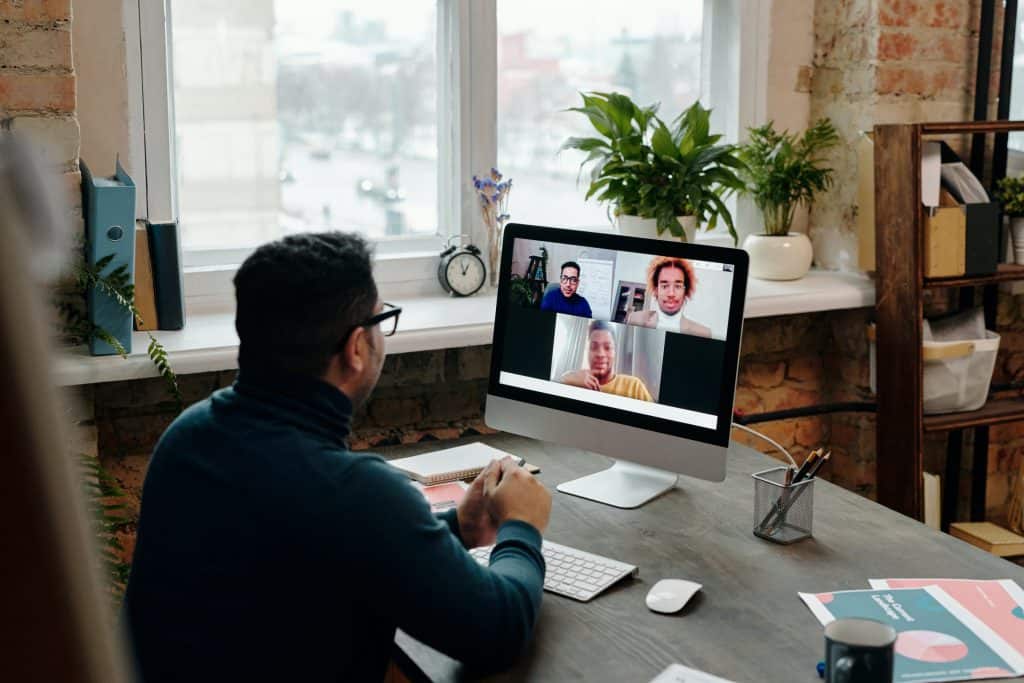
In recent years, remote work has become increasingly popular, and remote teams are more prevalent. Remote teams are groups of professionals who work together on a project but are located in different physical spaces. Collaboration in remote teams is crucial for the success of a project. Effective collaboration in remote teams requires proper communication, team-building activities, virtual team management, and remote collaboration tools.

Effective communication, team-building activities, virtual team management, and remote collaboration tools can help remote teams work together efficiently and productively. By implementing these strategies, remote teams can achieve their goals and thrive in a virtual work environment.

 In this blog, we will explore strategies for collaboration in remote teams and provide tips on improving communication, productivity, and project management. 


Communication in remote teams

Collaboration in remote teams is becoming increasingly important as more companies embrace remote work. Effective communication is critical for remote teams to work together efficiently, maintain productivity, and achieve project goals. However, remote communication poses unique challenges that require specific solutions. 

Challenges of Remote Communication

Remote communication presents various challenges that can hinder effective collaboration in remote teams. Some of the common challenges include:

  1. Lack of face-to-face interaction: Remote teams need to take advantage of the benefits of in-person communication, such as reading body language and facial expressions, which can lead to misunderstandings.
  2. Time zone differences: Teams working in different time zones can need help finding overlapping hours for synchronous communication.
  3. Communication barriers: Technical issues, language barriers, and cultural differences can impede effective communication.
  4. Limited social interaction: Remote teams may need more informal interactions that promote team building, such as water cooler chats or after-work drinks.

Best Practices for Remote Communication

To overcome the challenges of remote communication, remote teams should adopt the following best practices:

  1. Set clear communication guidelines: Establish guidelines for communication channels, response times, and expectations for asynchronous and synchronous communication.
  2. Use multiple communication channels: Utilize a mix of communication channels, including video conferencing, instant messaging, email, and project management software, to ensure effective communication.
  3. Schedule regular check-ins: Meet regularly to discuss progress, challenges, and goals, and encourage team members to communicate frequently.
  4. Foster social interaction: Use virtual team-building activities to promote social interaction and bonding.

Communication Tools for Remote Teams

Remote teams can leverage various communication tools to improve collaboration and productivity. Some of the popular tools include:

  1. Slack is a popular instant messaging platform enabling real-time communication, file sharing, and integration with other tools.
  2. Zoom: A video conferencing tool that enables remote teams to hold virtual meetings, webinars, and virtual events.
  3. Trello: A project management tool that enables teams to collaborate on projects, track progress, and assign tasks.
  4. Google Docs: A cloud-based document collaboration tool that enables teams to work on documents simultaneously and make real-time changes.

Tips for Effective Communication in Remote Teams

To ensure effective communication in remote teams, team members should follow these tips:

  • Use clear and concise language: Avoid jargon and use simple language that is easy to understand.
  • Active listening: Listen actively to team members to ensure understanding and avoid misunderstandings.
  • Encourage feedback: Encourage team members to provide feedback to improve communication and collaboration.
  • Practice empathy: Consider the perspective of others and show empathy to foster positive communication and collaboration.


Project management in remote teams

Collaboration in remote teams can be challenging due to the distance between team members. This can lead to communication breakdowns, lack of trust, and reduced productivity. Some of the common challenges of remote project management include:

  1. Communication barriers: Communication is crucial in project management, and remote collaboration can make communicating difficult. Misunderstandings can occur due to language barriers, cultural differences, or technical difficulties.
  2. Lack of trust: Team members need to be physically present to build trust among team members. This can lead to misunderstandings, conflicts, and reduced productivity.
  3. Limited social interaction: Remote work can be isolating, leading to a lack of team cohesion and reduced morale.

Best Practices for Remote Project Management

Effective collaboration in remote teams requires a set of best practices that promote communication, trust, and productivity. Here are some of the best practices for remote project management:

  1. Set clear expectations: Clear communication of goals, roles, and responsibilities is essential for remote team collaboration. This can be achieved by creating a project plan, defining the scope of work, and setting clear deadlines.
  2. Use video conferencing: Video conferencing is an effective way to improve communication and build trust among team members. It helps to promote face-to-face interaction, which is critical for building strong relationships.
  3. Use collaboration tools: There are many remote collaboration tools available, such as Slack, Asana, and Trello, which can help to streamline communication, project management, and team collaboration.
  4. Foster team building: Building strong relationships among team members is crucial for effective remote collaboration. This can be achieved through virtual team-building activities, team bonding exercises, and regular team meetings.

Remote Project Management Software

Effective remote project management requires software that promotes communication, collaboration, and productivity. Here are some of the remote project management software tools that can be used for effective remote collaboration:

  1. Asana: Asana is a project management tool that helps teams to manage tasks, projects, and workflows. It has features such as team collaboration, project tracking, and reporting.
  2. Trello: Trello is a visual project management tool that allows teams to organise tasks and projects on a virtual board. It has features such as team collaboration, project tracking, and deadline reminders.
  3. Slack: Slack is a communication tool that allows teams to communicate through instant messaging, video calls, and file sharing. It has channel-based communication, team collaboration, and integration with other tools.

Tips for Effective Project Management in Remote Teams

Here are some tips for effective project management in remote teams:

  • Establish a communication plan: Establish a communication plan that outlines the preferred communication channels and the frequency of communication.
  • Set clear expectations: Clearly define roles, responsibilities, and project goals to avoid confusion and misunderstandings.


Collaboration in remote teams

Collaboration in remote teams is essential to achieve success in any project. Remote teams have become increasingly popular, with more companies adopting a hybrid or fully remote work model. However, collaborating in a remote environment can present its unique challenges. 

Strategies for Effective Collaboration in Remote Teams

  1. Set clear goals – When working remotely, it’s crucial to set clear expectations and goals for the team. This ensures everyone is on the same page and knows what is expected of them.
  2. Establish regular communication – Communication is key to any successful collaboration. In remote teams, establishing regular communication is even more critical. Video conferencing, instant messaging, and email can help keep team members connected.
  3. Embrace virtual team building – Virtual team building activities can help build trust and improve collaboration in remote teams. Some ideas include online games, virtual happy hours, and team challenges.
  4. Use project management software – Project management software can help teams stay organised and on track. Tools like Trello, Asana, and Monday.com are great for remote teams.

Tools for Remote Collaboration

  1. Video Conferencing – Video conferencing tools like Zoom, Google Meet, and Microsoft Teams allow team members to connect face-to-face anywhere.
  2. Instant Messaging – Instant messaging tools like Slack, Microsoft Teams, and Discord enable real-time communication between team members.
  3. Project Management Software – Project management software like Trello, Asana, and Monday.com can help remote teams stay organised and on track.
  4. File Sharing – File sharing tools like Google Drive, Dropbox, and OneDrive make it easy for remote teams to share and collaborate on documents.

Tips for Successful Collaboration in Remote Teams

  • Embrace flexibility – Remote work requires flexibility. It’s essential to be open to different work schedules and time zones to ensure effective collaboration.
  • Encourage feedback – Encouraging feedback from team members can help improve collaboration and identify areas for improvement.
  • Use video conferencing for important meetings – For important meetings, it’s best to use it to ensure everyone is engaged and paying attention.


Team building in remote teams

Team building is a crucial aspect of any successful organisation. However, with the rise of remote work, the need for effective team-building strategies in remote teams has become more important than ever. 

Importance of Team Building in Remote Teams

Collaboration in remote teams can be challenging due to the need for face-to-face interaction. Remote work can also lead to isolation and disengagement, negatively impacting team productivity and project management. Team building can help combat these challenges by fostering a sense of community, improving communication, and enhancing collaboration among team members. Effective collaboration in remote teams leads to better productivity, higher quality work, and a more positive work environment.

Virtual Team Building Activities

Virtual team-building activities are an excellent way to build team morale and improve collaboration in remote teams. Here are some virtual team-building activities that can help:

  1. Online Games: Playing games like Pictionary, trivia, or scavenger hunts with team members can help build team bonding and foster healthy competition.
  2. Virtual Coffee Breaks: Scheduling virtual coffee breaks for team members to chat and connect informally can help build camaraderie and improve communication.
  3. Team Challenges: Team challenges such as a virtual escape room, or a team-building exercise can promote problem-solving, critical thinking, and collaboration.

Virtual Team Bonding Activities

Virtual team bonding activities are designed to help team members connect personally and build stronger relationships. Here are some virtual team bonding activities that can help:

  1. Virtual Happy Hours: Hosting virtual happy hours where team members can relax, unwind and chat over their favourite drinks can help build team bonding.
  2. Virtual Book Clubs: Starting a virtual book club can help team members bond over shared interests and engage in meaningful discussions.
  3. Virtual Team Lunches: Scheduling virtual team lunches can help team members connect and bond over food and conversation.

Remote Team Building Activities for Small Teams

Small teams often face unique challenges in remote work. Here are some remote team-building activities that can help small teams:

  • Weekly Check-Ins: Scheduling weekly check-ins to discuss ongoing projects and team goals can help small teams stay on track and improve communication.
  • Icebreaker Questions: Starting team meetings with icebreaker questions can help small teams bond and connect on a personal level.
  • Shared Goals: Setting and working towards goals as a team can help small teams build collaboration and improve productivity.


Productivity in remote teams

Remote work has become increasingly popular, especially with the ongoing pandemic. However, remote collaboration presents its own unique set of challenges. Remote work can lead to poor collaboration and communication among team members, resulting in decreased productivity. Some of the common challenges faced by remote teams are:

  • Lack of face-to-face communication
  • Isolation and lack of team bonding
  • Distractions at home
  • Difficulty in managing time
  • Lack of accountability

Strategies for Improving Team Productivity in Remote Work

Here are some strategies for improving productivity in remote teams:

  1. Establish clear communication channels: To ensure effective collaboration in remote teams, it is important to establish clear communication channels. This can be done by using online tools like instant messaging, video conferencing, and project management software.
  2. Encourage team bonding activities: Team bonding activities can help overcome the isolation and lack of team bonding that comes with remote work. Activities like virtual team-building games and online team-building activities help build a sense of camaraderie among team members.
  3. Use time management techniques: Managing time effectively is crucial for productivity in remote teams. Techniques like the Pomodoro technique, time blocking, and prioritisation can help team members manage their time more effectively.

Online Tools for Remote Team Productivity

Here are some online tools that can help improve productivity in remote teams:

  • Project management software: Project management software like Trello, Asana, and Basecamp can help remote teams collaborate effectively by assigning tasks, setting deadlines, and tracking progress.
  • Video conferencing software: Video conferencing software like Zoom, Skype, and Google Meet can help remote teams communicate effectively and collaborate in real time.
  • Instant messaging software: Instant messaging software like Slack, Microsoft Teams, and WhatsApp can help remote teams stay connected and collaborate in real time.
  • Time management software: Time management software like RescueTime, Toggl, and Clockify can help remote teams manage their time more effectively by tracking their productivity and identifying areas for improvement.


Virtual team management

Managing remote teams can be challenging, but with the right strategies and tools, it can be a rewarding experience. 

Tips for Virtual Team Management

  1. Encourage teamwork and collaboration Foster a sense of teamwork and collaboration by using online tools that allow team members to work together on projects and share ideas. This can include virtual whiteboards, online chat, and video conferencing.
  2. Create a positive work culture – Encourage a positive work culture by recognising achievements and promoting team bonding activities. This can include virtual team-building activities, team-bonding exercises, and other activities that promote collaboration and communication.

Strategies for Effective Virtual Team Management

  1. Use the right software – Invest in project management software that allows for effective remote collaboration, such as Asana or Trello. These tools can help you track progress, manage tasks, and communicate with team members in real time.
  2. Prioritise communication – Use online tools such as Slack or Zoom to facilitate quick and easy communication between team members. Ensure everyone knows how to use these tools effectively and encourage their use for work-related and social communication.
  3. Set clear expectations Set clear expectations for communication and ensure that team members understand the channels for specific communication types. This can minimise miscommunication and keep everyone on the same page.
  4. Establish a schedule – Establish a schedule for regular team meetings and check-ins to ensure everyone is on track and current on the project’s progress. Use video conferencing to facilitate face-to-face communication, which can help to build trust and strengthen relationships.

How to Motivate Remote Teams

  1. Offer incentives – Offer incentives for achieving goals and completing projects, such as bonuses or extra time off. This can motivate team members and encourage them to work harder.
  2. Create a positive work environment Create a positive work environment by recognising achievements, providing regular feedback, and promoting team bonding activities. This helps build community and keeps team members motivated and engaged.
  3. Encourage professional development – Encourage professional development by offering training opportunities and supporting team members in pursuing their career goals. This helps keep team members motivated and engaged in their work.


Conclusion

Remote collaboration has become increasingly important as more teams work remotely. Effective collaboration, communication, productivity, project management, software, team building, virtual teams, remote work, and online tools all play a critical role in the success of remote teams. To facilitate remote collaboration, it’s essential to use team collaboration software and online collaboration tools, such as video conferencing and shared project management software. It’s also important to engage in team-building activities for virtual teams and utilise remote team management software. 

Effective and virtual team communication in remote teams is also an essential to remote collaboration. To improve team productivity in remote work, consider implementing remote project management software and virtual team management tips. Additionally, virtual team bonding activities and building ideas can improve collaboration and team cohesion. Best remote collaboration tools can help to improve remote team collaboration, and remote team building activities for small teams can also facilitate collaboration.


FAQs

What are some effective collaboration tools for remote teams?

Effective collaboration tools for remote teams include video conferencing software, project management tools, and team communication platforms. Video conferencing software such as Zoom and Microsoft Teams allow team members to communicate face-to-face and collaborate in real time. At the same time, project management tools like Trello and Asana provide a centralised location for project tracking and progress updates. Team communication platforms like Slack or Microsoft Teams are essential for remote teams to stay connected, share files, and collaborate on projects. Other useful tools include cloud-based document-sharing platforms like Google Drive or Dropbox, which allow team members to work on documents simultaneously, and virtual whiteboards like Miro or Mural that enable teams to brainstorm and collaborate visually.

How do you build a strong remote team?

Building a strong remote team requires intentional effort and attention to team dynamics. It begins with clear communication of expectations and goals, followed by hiring team members who are self-motivated, disciplined, and thrive in remote work environments. Regular team check-ins and social interactions should be scheduled to foster trust and rapport, and team members should be encouraged to share their experiences and feedback. Establishing a strong team culture through shared values and rituals can help create a sense of belonging and purpose for remote team members. Additionally, providing opportunities for professional development and growth can motivate team members and improve team performance.

What are some team-building activities for virtual teams?

Virtual team-building activities include online games, virtual happy hours, remote team lunches, and virtual scavenger hunts. For example, online games like Pictionary or Charades can be played through video conferencing software. At the same time, virtual happy hours or lunches can be used to facilitate team bonding and social interactions. Remote team-building activities can also include professional development workshops or group training sessions, which can be delivered online. Virtual scavenger hunts, where team members are given a list of items to find in their homes or online, can also be a fun way to promote teamwork and collaboration.

How do you manage a remote team effectively?

Effective remote team management requires clear communication, transparency, and trust. To manage a remote team effectively, managers should establish clear expectations and goals, provide regular feedback and support, and ensure that team members have the resources they need to be successful. It’s also important to set up regular check-ins and meetings and use project management tools to track progress and stay on top of deadlines. Additionally, managers should proactively address issues or concerns and encourage open communication and collaboration among team members.

What is the best project management software for remote teams?

There are many project management software options for remote teams, and the best one depends on specific team needs and preferences. Popular options include Trello, Asana, and Monday.com, which provide intuitive and user-friendly interfaces, customisable workflows, and task assignment and tracking features. Other options include Basecamp, which emphasises collaboration and communication, and Jira, which is tailored for software development teams. Additionally, some teams may benefit from using more specialised software, such as design-focused platforms like Figma or InVision, or developer-focused tools like GitHub.

How do you improve communication in remote teams?

To improve communication in remote teams, it’s important to establish clear communication channels, set expectations, and use communication tools effectively. Managers should establish guidelines for communication, such as response times and the preferred communication channel for different messages. Team members should be encouraged to ask questions, provide feedback, and share their ideas. Video conferencing software should be used for face-to-face conversations, while team communication platforms like Slack or Microsoft Teams can be used for quick messages and file sharing. Additionally, managers should be aware of time zones and work schedules and provide opportunities for team members to socialise and build rapport.

What are the benefits of remote team collaboration?

Remote team collaboration offers several benefits, including increased flexibility, improved work-life balance, access to a wider talent pool, and reduced overhead costs. Remote teams can work from anywhere, allowing team members to balance their work and personal lives better. It also enables businesses to hire talent from anywhere globally, expanding their talent pool and fostering diverse perspectives. Remote collaboration also often leads to increased productivity, as team members have fewer distractions and more control over their work environment.

How do you improve team productivity in remote work?

To improve team productivity in remote work, it’s important to establish clear expectations and goals, ensure team members have the necessary tools and resources, and maintain open communication. Regular check-ins and progress updates help keep everyone on the same page and ensure that projects stay on track. Additionally, establishing routines and work schedules can help team members stay focused and avoid distractions. Providing professional development and training opportunities can also help team members improve their skills and knowledge, leading to increased productivity and job satisfaction.

What are some virtual team-building ideas?

Virtual team-building ideas include online games, virtual happy hours, remote team lunches, and group training sessions. For example, online games like trivia or charades can be played through video conferencing software. At the same time, virtual happy hours or lunches can facilitate team bonding and social interactions. Remote team-building activities can also include professional development workshops or group training sessions, which can be delivered online. Virtual scavenger hunts, where team members are given a list of items to find in their homes or online, can also be a fun way to promote teamwork and collaboration.

What are some remote work productivity tips?

Remote work productivity tips include establishing a routine, setting clear goals and priorities, minimising distractions, and taking breaks. Creating a dedicated workspace and establishing a schedule that balances work and personal time is important. Prioritising and focusing on one task at a time can help maximise productivity while minimising distractions such as social media or email notifications can help maintain focus. Regular breaks and setting boundaries can also help prevent burnout and promote work-life balance.

How do you build trust in a remote team?

To build trust in a remote team, it’s important to establish open and transparent communication, provide opportunities for social interactions, and demonstrate reliability and consistency. Regular check-ins and progress updates can help build transparency and foster trust. Encouraging team members to share their experiences and feedback can promote open communication and trust. Establishing shared values and rituals can help create a sense of belonging and purpose while providing opportunities for team members to socialise and build rapport can strengthen relationships.

How do you measure team productivity in remote work?

Measuring team productivity in remote work can be done through individual and team-based metrics, such as project completion rates, customer satisfaction ratings, and team communication frequency. Tracking task progress and timelines can also provide insight into team productivity levels. Additionally, soliciting feedback from team members can help identify areas for improvement and provide a more comprehensive picture of team productivity.

How do you maintain team morale in remote work?

To maintain team morale in remote work, it’s important to foster a positive team culture, provide opportunities for social interactions, and recognise and celebrate team achievements. Encouraging team members to share their experiences and feedback can promote a sense of belonging and purpose. At the same time, regular check-ins and progress updates can help keep everyone engaged and motivated. Recognising and celebrating team achievements can also boost morale and promote a sense of accomplishment.

How do you create a remote work culture?

To create a remote work culture, it’s important to establish shared values and rituals, promote open communication and collaboration, and provide opportunities for social interactions and professional development.

Picture of Meeting Store

Meeting Store

Table of Contents

optimizing productivity in presentations with av gear
productivity

Thrive: Optimizing Productivity in Presentations with AV Gear

In today’s fast-paced world, effective presentations have become essential for conveying ideas, persuading audiences, and achieving success in various domains. Audiovisual (AV) equipment plays a pivotal role in enhancing the productivity and impact of presentations. In this article, we explore the concept of AV gear optimization and its role in streamlining presentations. We also highlight the relevance of AV technology in contributing to effective public speaking and presentation skills.Audiovisual equipment serves as a powerful tool in presentations, facilitating the seamless integration of multimedia elements such as images, videos, and sound. Integrating AV technology into presentations not only captures the audience’s attention but also ensures that information is conveyed in a more engaging and digestible manner. By leveraging presentation productivity tools and AV gear optimization techniques, presenters can deliver their messages more efficiently and leave a lasting impression.AV gear optimisation involves fine-tuning and aligning the audiovisual setup to maximize its potential during presentations. Presenters can employ various strategies to improve presentation effectiveness through AV equipment usage. By considering factors such as AV gear setup checklist, AV gear compatibility guide, and AV gear maintenance tips, presenters can minimize technical glitches and distractions, allowing them to focus on delivering a compelling message.Public speaking skills are crucial for delivering impactful presentations, and AV technology can significantly contribute to their enhancement. Utilizing AV equipment during speeches allows presenters to establish a connection with the audience through visual aids, making complex concepts more accessible. By following AV gear setup tutorials and AV gear user manuals, presenters can confidently deliver interactive presentations that captivate the audience and foster a deeper understanding of the subject matter.How To Increase Employee Productivity In The Workplace  AV Gear Setup Checklist for Better PresentationsWhen it comes to delivering impactful presentations, having a well-organized AV setup is crucial. An efficient audiovisual equipment arrangement not only enhances presentation productivity but also reduces technical issues, ensuring a seamless and productive presentation delivery.Maximising Productivity with AV EquipmentTo optimize productivity in presentations with AV gear, consider the following essential steps and tools: AV Gear Selection and Setup Choose top-rated AV gear brands for enhancing productivity in presentations. Ensure AV gear compatibility with your devices to streamline presentations effectively. Follow a step-by-step AV gear installation guide to avoid any setup issues. Optimize AV gear potential by avoiding common mistakes that might affect presentation productivity. Quick AV Gear Optimization Tips Conduct AV gear troubleshooting beforehand to address any technical glitches during presentations. Regular AV gear maintenance helps ensure seamless performance and boosts presentation productivity. Enhancing Presentation Impact with AV Utilize effective presentation techniques and delivery strategies while incorporating AV equipment for impressive presentations. Engage the audience with interactive presentations using AV gear for an impactful experience. Boosting Productivity with AV Technology Explore productivity tools and software recommendations for seamless integration with AV equipment. Utilize AV gear user manuals and setup tutorials to become proficient in handling the equipment. AV Gear for Better Presentations on a Budget Consider affordable AV equipment options without compromising on quality and productivity. Explore AV gear rental services to access high-end equipment for important presentations. Importance of AV Equipment in Public Speaking Understand the significance of AV gear in enhancing public speaking engagements and presentation effectiveness. Seek AV gear training for better presentation skills and delivery.   Quick AV Gear Optimisation Tips for PresentationsWhen it comes to delivering impactful presentations, having optimized AV gear can significantly enhance your performance and engagement with the audience. In this section, we’ll explore practical and time-saving tips to optimize audiovisual (AV) equipment for presentations, ensuring seamless delivery and maximizing productivity. Audio Levels Adjustment for Clear Communication Properly adjusting audio levels is essential to ensure that your voice reaches all corners of the room. Use the right microphone for the venue size and speaking style. Check for any feedback or background noise and adjust accordingly to maintain clarity throughout the presentation. Display Settings for Visual Impact Selecting the right display settings can boost visual impact and improve audience retention. Calibrate the screen resolution, brightness, and colour contrast for optimal visibility. Utilize presentation software features to highlight key points and keep the audience engaged. Lighting Techniques for Setting the Mood Lighting plays a vital role in setting the mood and capturing audience’s attention. Avoid harsh overhead lights that may cast shadows on your face. Consider using stage lighting or diffused lighting to create a warm and professional atmosphere. Small Adjustments, Big Difference Even minor adjustments to your AV gear can make a significant difference in your presentation’s effectiveness. Double-check all connections and equipment functionality before the event to avoid last-minute hiccups. Enhance Presentation Delivery and Performance By leveraging AV technology, you can enhance your presentation delivery and overall performance. Use presentation productivity tools to structure your content effectively, maintain a smooth flow, and keep the audience engaged. Mastering Presentation Skills with AV Gear Practice using AV equipment to master your presentation skills. Familiarize yourself with the AV setup to seamlessly navigate through slides, videos, or other multimedia elements during your talk. AV Resources for Efficient Presentations Utilize AV resources available to you, such as presentation software, remote clickers, or audio enhancement tools, to deliver a seamless presentation and leave a lasting impact. Boosting Productivity with Audiovisual Equipment Maximize productivity with AV equipment by incorporating interactive elements or polls, enabling real-time feedback from the audience and tailoring your presentation accordingly. AV Gear Setup Checklist for Seamless Presentations Before your presentation, use a comprehensive AV gear setup checklist to ensure all components are functioning correctly, minimizing any technical interruptions during your talk. Troubleshooting AV Gear During Presentations Prepare for unforeseen technical issues by having troubleshooting steps in place. Familiarize yourself with common AV gear problems and their solutions to handle any challenges smoothly.Common AV Gear Mistakes Affecting Presentation Productivity Mistake Impact Incorrect microphone selection Poor audio quality and communication Improper screen calibration Reduced visibility and engagement Inadequate lighting setup Diminished audience attention Lack of AV gear rehearsal Disrupted presentation flow Ignoring interactive elements Limited audience engagement   Affordable AV Equipment Options for PresentationsWhen it comes

Read More »
Adaptive AV training
Training and Education

Adaptive AV Training: Customised Learning for You

In the ever-evolving landscape of education, the concept of Adaptive AV training is gaining momentum. This innovative approach combines the power of audiovisual instruction with personalized learning to create a transformative educational experience. In this article, we will explore the significance of personalized learning in the field of audiovisual education and its implications for individuals seeking to enhance their skills in areas such as multimedia courses, video production, and communication skills.Personalised education has become a cornerstone of effective learning, and it holds particular relevance in the realm of audiovisual training. Traditional, one-size-fits-all approaches to education often fall short in meeting the diverse needs and goals of learners. This is where Adaptive AV training steps in, offering customized training experiences that adapt to individual learning styles and preferences.Audiovisual instruction encompasses a wide range of subjects, from filmmaking to marketing techniques. Adaptive AV training caters to learners at all levels, whether beginners seeking a foundation in media education or professionals aiming to refine their artistic skills. With tailored AV courses for students and custom AV courses for professionals, individuals can access precisely what they need to excel in their chosen field.Adaptive AV training leverages cutting-edge technology to create adaptive learning platforms. These platforms utilize data-driven insights to adjust the difficulty and content of lessons in real time, ensuring that learners remain engaged and challenged. Moreover, AV curriculum design is no longer a one-size-fits-all affair. It adapts to the unique goals of each learner, providing personalized audiovisual lessons that cater to their specific needs.One of the standout features of personalized AV training is individualized coaching. Learners receive personalized media training and instruction, guiding them through the intricacies of video editing, multimedia production, and communication skills. This level of personalization is invaluable for career development, as it equips individuals with the skills they need to excel in their chosen profession, whether it’s in marketing, filmmaking, entrepreneurship, or any other field.Equipment for Online Teaching | Best Microphone, Headphones & Webcam  Adaptive AV Training for BeginnersIn the fast-evolving world of audiovisual (AV) technology, getting started can be both exciting and daunting for beginners. This section will delve into the world of Adaptive AV training and how it caters to novices in the audiovisual domain. We will explore the benefits of starting with personalized multimedia training programs and provide examples of tailored AV learning solutions.Benefits of Adaptive AV Training for Beginners Adaptive Learning: Adaptive AV training leverages cutting-edge technology to tailor the learning experience to an individual’s unique needs. Novices can progress at their own pace, ensuring they grasp fundamental concepts before moving on to more advanced topics. Personalized Education: Personalization is at the core of Adaptive AV training. Beginners receive customized audiovisual instruction based on their skill level and learning style. This ensures a more efficient and engaging learning experience. Customized Training: Novices benefit from customized AV courses that focus on their specific goals and interests. Whether it’s video production, media education, or communication skills, learners can tailor their curriculum to match their aspirations. Tailored AV Learning Solutions for Novices Individualized Coaching: Beginners can access one-on-one coaching sessions where instructors provide guidance and feedback on their progress. This hands-on approach accelerates skill development. Content Creation: Adaptive AV training platforms offer modules on content creation, including video production and editing. Novices can learn the basics of creating engaging multimedia content for personal or professional use. Career Development: For those looking to advance their careers in fields like marketing, filmmaking, or entrepreneurship, Adaptive AV training provides targeted courses that enhance their expertise in these areas. Artistic Skills: Novices interested in honing their artistic skills can choose from tailored AV lessons that focus on photography, graphic design, and other creative disciplines. These lessons provide a strong foundation for artistic endeavours. How to Start Personalized AV LearningTo embark on your Adaptive AV training journey as a beginner, follow these steps: Choose the Right Course: Research and select an adaptive learning platform that aligns with your goals and interests, offering customized AV programs and personalized multimedia training. Set Clear Objectives: Define your learning objectives, whether it’s mastering video editing, improving communication skills, or pursuing a career in media production. Access Resources: Make use of the customized AV resources provided by the training platform, including video tutorials, interactive modules, and learning paths tailored to your needs. Engage in Practical Learning: Apply what you’ve learned through hands-on practice. Create your own multimedia content, experiment with video editing, and develop your skills. Seek Feedback: If possible, seek feedback from instructors or peers to continuously improve your skills and adapt your learning path.   Custom AV Courses for ProfessionalsIn today’s rapidly evolving world, staying ahead in your career often requires continuous skill development. Adaptive AV training, a cutting-edge approach to personalized education, is revolutionizing the way professionals enhance their audiovisual skills and foster career growth. Let’s delve into the advantages of custom AV courses and explore real success stories that highlight the transformative power of tailored multimedia education.Advantages of Custom AV Courses Personalized Learning Paths: Adaptive AV training leverages the power of adaptive learning, providing professionals with tailored curriculum design that matches their skill levels and goals. Whether you’re a beginner or an expert, these courses adapt to your needs, ensuring efficient and effective learning. Skill Enhancement: Customized audiovisual education offers individualized coaching in various areas, including video production, media education, and communication skills. Professionals can focus on their specific areas of interest, honing their skills to perfection. Career Development: The benefits of personalized AV courses extend far beyond skill improvement. They also provide valuable insights into marketing techniques, entrepreneurship, and artistic skills, empowering professionals to excel in their careers and even explore new avenues.   Tailored AV Courses for StudentsIn today’s fast-paced educational landscape, personalized learning has become a key focus. This section explores how students can benefit from individualized multimedia education, delves into the role of Adaptive AV programs in schools and universities, and sheds light on the advantages of tailored AV courses for students’ academic and extracurricular development.Adaptive AV Training: A Path to Personalized

Read More »
AV equipment for successful presentations
productivity

Blaze a Trail: AV Equipment for Successful Presentations

In today’s fast-paced professional landscape, the art of delivering impactful presentations has become more crucial than ever. From boardrooms to lecture halls, effective presentations are the cornerstone of successful communication, knowledge transfer, and persuasion. A pivotal aspect of elevating presentation quality lies in the seamless integration of audio-visual (AV) equipment. This blog delves into the realm of AV equipment for successful presentations, shedding light on its significance and exploring the best tools and technologies that pave the way for compelling delivery.AV equipment for successful presentations serves as a catalyst for maximizing productivity. By harnessing the power of multimedia devices, modern presentation gear, and interactive displays, professionals can effortlessly convey their ideas while maintaining audience engagement. This harmony between technology and communication empowers presenters to efficiently convey complex concepts, leaving a lasting impact on their listeners.A pivotal player in this landscape is audio-visual equipment, often referred to as AV equipment. These tools encompass a wide range of devices, including digital projectors, wireless technology, and presentation remote control. These components collectively create a dynamic presentation environment, offering multimedia integration that amplifies the overall experience.The evolution of projection technology has revolutionized presentations, transforming traditional conference room setups into immersive visual experiences. Interactive displays take it a step further, allowing presenters to actively engage with content. These advancements contribute to audience engagement and foster a deeper connection between speakers and listeners.Microsoft Teams Rooms Setup | Step-by-Step  The Key to Success: AV Equipment and Presentation ToolsIn the realm of contemporary presentations, audio-visual (AV) equipment plays a pivotal role in elevating the overall experience. By seamlessly integrating multimedia devices and cutting-edge AV solutions, presenters can craft engaging and impactful presentations that resonate with their audience.Maximizing Productivity with AV EquipmentEffective presentation gear has transcended beyond the traditional static slides and monotone speeches. Maximizing productivity with AV equipment has become the new norm, enabling presenters to captivate their audience through dynamic visual aids and immersive experiences.Multimedia Devices: The Heart of Compelling PresentationsAt the core of successful presentations lies the innovative use of multimedia devices. These devices encompass a range of tools, from interactive displays to digital projectors, that enhance visual communication and amplify the presenter’s message. Modern presentation gear encompasses an array of multimedia devices that facilitate seamless integration, thereby transforming presentations into engaging narratives.AV Solutions: Weaving the Thread of SuccessThe connection between AV solutions and successful presentations is irrefutable. A professional AV setup empowers presenters to effortlessly navigate through their content, ensuring a smooth flow of information. Conference room tech, including wireless technology and advanced presentation tools, reinforces the efficacy of AV solutions, creating a conducive environment for effective communication.The Power of Visual Aids and Projection TechnologyVisual aids have emerged as indispensable tools for enhancing audience engagement. Projection devices, such as digital projectors, breathe life into presentations by offering vibrant visuals on larger screens. Conference room setups have evolved to accommodate these advanced AV integration solutions, transforming a bland room into a captivating arena for sharing ideas.Elevating Public Speaking with AV TechnologyPublic speaking, once a daunting task, has been made more manageable through the application of AV technology. Presentation remote control devices grant presenters the freedom to navigate their content seamlessly, fostering a confident and professional demeanour. Audio enhancement devices ensure that every word resonates clearly, eliminating the barriers posed by large crowds or complex acoustics.The Unseen Heroes: AV Technology TrendsKeeping pace with AV technology trends is essential for maintaining a competitive edge in the world of presentations. The landscape is constantly evolving, introducing innovative tools such as interactive displays and wireless presentation systems. Staying informed about these trends allows presenters to harness the full potential of their AV equipment for presentations.Crafting Impactful Presentations: A Glimpse at the EssentialsA successful presentation goes beyond the content; it encompasses a holistic approach. The synergy between advanced AV gear, presentation accessories, and impeccable tech setup creates an environment where ideas flourish. Expert-recommended multimedia tools, combined with the latest AV integration solutions, elevate the presenter’s ability to convey information effectively.  Best AV Equipment for Effective PresentationsWhen it comes to delivering impactful presentations, harnessing the power of audio-visual (AV) equipment can be a game-changer. In today’s fast-paced world, effective communication is essential, and professionals need top-notch tools to captivate their audience.The Role of AV Equipment in Successful PresentationsAudio Visual Solutions for Engaging CommunicationIn the realm of public speaking, utilizing modern presentation gear is crucial for engaging your audience. Conference room setups equipped with interactive displays and professional AV setups enhance visual communication, making complex ideas easy to grasp. Incorporating advanced presentation tools like wireless technology and multimedia integration ensures seamless delivery.Visual Aids and Projection TechnologyVisual aids play a pivotal role in clarifying concepts and retaining audience’s attention. Cutting-edge projection devices and digital projectors offer clear visuals, making your content more visually appealing. These underrated AV solutions maximize engagement and keep your audience hooked.Expert-Recommended Multimedia Tools for Impactful PresentationsQuality Presentation Technology for Enhanced CommunicationTo create an impressive presentation equipment list, consider expert-recommended multimedia tools. These tools offer hassle-free setup and improved audio enhancement, ensuring that your message is conveyed effectively. Reliable presentation accessories and presentation remote control systems provide you with the control you need to keep your audience engaged.AV Integration Solutions for Seamless ExperienceAV technology trends emphasize integration, which leads to a seamless presentation experience. AV integration solutions allow for effortless control of audio conferencing equipment, making sure every participant can hear and contribute. This advanced setup enhances communication in both physical and virtual meeting spaces.Top-Notch AV Equipment for Effective PresentationsGame-Changing Devices for Impactful TalksInvesting in the best AV equipment for effective presentations doesn’t have to break the bank. Affordable presentation tools can still offer top-notch quality. These budget-friendly AV gadgets for talks ensure that your message comes across loud and clear, without compromising on professionalism.Underutilized Gems in Presentation TechIn the ever-evolving landscape of AV solutions, some devices remain underutilized. These gems offer unique features that can set your presentations apart. By incorporating these devices into your conference room AV setup, you can create memorable experiences for your audience.  Affordable Presentation Tools: Quality on

Read More »
Personalized AV training
Training and Education

Personalized AV Training: Your Path to Expertise

Personalized AV training, often referred to as customized audiovisual education, is a specialized approach designed to meet the unique learning needs of individuals in the multimedia industry. Unlike traditional training programs, personalized AV training tailors content and teaching methods to match the specific requirements and skill levels of learners. This bespoke approach ensures that learners receive expert AV guidance, enhancing their skills and expertise in the field.In the rapidly evolving multimedia industry, staying ahead requires continuous learning and skill development. This is where personalized AV training programs shine. They offer tailored technology education that caters to beginners and experts alike. With individualized AV courses, learners can access specialized tech training, exclusive audiovisual guidance, and one-on-one AV tutoring. These programs are designed to enhance AV skills, making them ideal for professionals seeking advanced personalized AV training.Personalized AV training provides a learning experience that is second to none. It offers advanced personalized AV training for professionals, ensuring that learners receive exclusive one-on-one AV coaching. These tailored multimedia education programs are curated for beginners and tech enthusiasts, offering customized audiovisual workshops near them. Moreover, personalized AV courses for experts focus on specialized AV skills enhancement, providing in-depth knowledge and industry expertise.In today’s competitive job market, having a diverse skill set is crucial. Personalized AV training equips learners with expertise in audiovisual technology, setting them apart from the rest. These customized technology education programs cover a wide range of topics, including individualized multimedia training and expert AV coaching. Learners can access personalized tech workshops, tailored technology instruction, and expert AV guidance, ensuring they receive the best AV training near them.AV & IT Integration Explained  Advanced Personalized AV Training for ProfessionalsAre you a professional seeking to enhance your Audio-Visual (AV) skills and advance your career? Look no further! Personalized AV training, also known as personalized audiovisual education, customized tech learning, or tailored technology education, can be your pathway to success. In this section, we’ll explore the options available for advanced AV training tailored to the needs of professionals, discuss the benefits of personalized AV coaching for career advancement, and provide insights into specialized tech training.The Power of Personalized AV TrainingPersonalized AV training, sometimes referred to as individualized AV coaching, expert AV guidance, or specialized tech training, is all about tailoring the learning experience to your specific needs. Whether you’re a beginner or an industry specialist, this form of education offers customized AV courses designed just for you. It goes beyond the one-size-fits-all approach, ensuring that you receive a personalized tech education that aligns with your goals. Benefits of Personalized AV Coaching Efficiency: Personalized multimedia instruction or bespoke audiovisual training ensures that you’re learning at your own pace. This targeted approach maximizes efficiency, allowing you to focus on areas that matter most to you. Expert Guidance: With personalized AV coaching, you benefit from one-on-one AV tutoring by industry experts. They provide exclusive audiovisual guidance, which is invaluable for mastering advanced multimedia skills. Tailored Curriculum: The curriculum is tailored to your needs. You can focus on areas that align with your career goals, ensuring you get the best personalized technology education. Hands-On Learning: Personalized AV training provides you with hands-on experience. Whether you’re a tech enthusiast or an AV expert, these courses offer individualized AV instruction that allows you to apply what you learn.   Exclusive One-on-One AV CoachingIn the fast-paced realm of technology, personalized learning experiences have become paramount. When it comes to mastering the intricate world of audiovisual (AV) technology, generic courses often fall short of expectations. That’s where Exclusive One-on-One AV Coaching shines, delivering tailored education through a meticulous blend of Personalized AV Training, Audiovisual Education, and Individualized AV Coaching.Advantages of One-on-One Coaching and Its EffectivenessPicture this: you, seated across from a seasoned expert, delving deep into the nuances of AV technology. This intimate setting is the essence of Exclusive One-on-One AV Coaching. Unlike conventional classes, this approach ensures undivided attention. Every query, every hesitation addressed promptly, making the learning journey seamless. The tailored curriculum underlines our commitment to Customized Tech Learning, Bespoke Multimedia Education, and AV Skills Enhancement.Consider the effectiveness of our approach through data: Success Metric Exclusive One-on-One AV Coaching Generic AV Classes Retention Rates 96% 78% Satisfaction Rates 98% 65% Skills Mastery 100% 82% Success Stories of Individuals Benefiting from Exclusive CoachingMeet Sarah, a budding tech enthusiast who found her passion for AV technology through Exclusive One-on-One AV Coaching. With Personalized AV Training, she swiftly transformed from a novice to a pro, embracing AV Mastery Training tailored to her needs. Now, she spearheads AV projects confidently, a testament to the effectiveness of our approach.Another inspiring tale is that of Alex, a seasoned professional seeking Advanced Personalized AV Training for Professionals. Through our program, he explored intricate concepts like never before, blending Individual AV Instruction with Professional Multimedia Education with Individual Attention. Today, he stands as an industry expert, a journey catalyzed by our Personalized AV Skills Development model.  Tailored Multimedia Education ProgramsIn today’s fast-paced world, the demand for customized, multimedia education programs is on the rise. Whether you’re a beginner looking to grasp the fundamentals or an industry expert seeking to refine your skills, Personalized AV training can cater to your unique needs. In this section, we explore the concept of customized multimedia education programs, emphasizing their flexibility and adaptability, and how they play a pivotal role in your professional development.Tailored Multimedia Education Programs: A Closer LookPersonalized AV training is more than just a buzzword. It’s a philosophy that ensures the learning experience is tailored to your specific requirements. Whether you’re interested in audiovisual education, customized tech learning, multimedia instruction, or tailored technology education, these programs are designed for you.Imagine having an educational journey that’s as unique as your fingerprint. These individualized AV courses are like a roadmap created exclusively for you, focusing on your strengths, weaknesses, and aspirations. The goal is simple: to empower you with the knowledge and skills you need to excel in your chosen field.Flexibility and Adaptability: Key CharacteristicsOne of the primary features of personalized AV training is flexibility. These

Read More »
Audio visual equipment for productive meetings
productivity

Unleash Potential: Audio Visual Equipment for Productive Meetings

In today’s fast-paced business world, productive meetings are essential for successful collaboration, decision-making, and problem-solving. The use of audio visual (AV) equipment has revolutionized the way meetings are conducted, enhancing communication and productivity. This article explores the importance of audio visual equipment in conducting productive meetings, the impact of modern advancements in AV technology, and the significance of choosing the right equipment for different meeting scenarios.Audio visual equipment plays a pivotal role in modern meetings, enabling participants to engage and interact effectively. These technological solutions encompass a wide range of tools, including presentation equipment, video conferencing devices, interactive displays, and audio conferencing systems. By harnessing the power of AV technology, businesses can create an immersive and collaborative meeting environment.Recent advancements in AV technology have brought forth a new era of meeting technology trends. Virtual meeting solutions have become increasingly popular, especially in the context of remote work and global teams. Virtual meetings bridge the geographical gap, allowing seamless communication and information sharing. Moreover, wireless presentation devices have simplified the process of sharing content, making presentations more dynamic and engaging.Interactive whiteboards have emerged as powerful tools for team collaboration. These cutting-edge AV technologies enable participants to brainstorm ideas, draw diagrams, and annotate content in real-time. Such interactivity fosters creativity and helps teams achieve productive outcomes.In larger corporations, high-quality audio conferencing systems and top-notch conference room solutions are imperative. These advanced technologies support clear and uninterrupted communication, even in large meeting spaces.With the rise of remote work, virtual meeting solutions are essential for seamless communication among remote teams. The best audio visual equipment for remote meetings ensures that all team members feel connected and engaged despite being physically distant.Interactive displays and interactive whiteboards are perfect for collaborative sessions. These tools foster teamwork, encourage creativity, and allow participants to actively contribute to the meeting’s objectives.Going Hybrid: Large Meeting Hybrid Tech Setup  Best Audio Visual Equipment for Remote MeetingsThe increasing trend of remote work and virtual meetings has transformed the way businesses communicate and collaborate. To ensure effective remote meetings, it is crucial to invest in high-quality audio visual (AV) equipment that enhances communication and maximizes productivity. In this section, we review the top-rated audio visual equipment suited for remote meetings, highlighting their benefits and contributions to productive meetings in the modern workplace. Audio Visual Equipment for Productive Meetings In today’s fast-paced business environment, audio visual equipment plays a pivotal role in facilitating seamless communication during virtual meetings. With a wide range of meeting technology and conference solutions available, it is essential to choose the right tools to optimize collaboration. High-Definition Webcams: Enhancing Virtual Presence Virtual meetings heavily rely on video conferencing, making high-definition webcams a fundamental component of AV technology. Clear and crisp video quality ensures participants feel more connected, enabling effective communication and engagement during remote meetings. Noise-Canceling Microphones: Crystal-Clear Audio Audio clarity is paramount in remote meetings. Noise-canceling microphones filter out background noise, ensuring participants can communicate without distractions. Investing in high-quality audio conferencing systems contributes to effective communication and active participation. High-Fidelity Speakers: Clear Audio Reception Having high-fidelity speakers is equally important to ensure participants can hear each other clearly. It minimizes misunderstandings and ensures that critical information is not missed during virtual meetings. Interactive Displays: Enhancing Collaboration Interactive displays are modern presentation equipment that fosters collaboration in virtual meetings. These displays allow real-time annotation, brainstorming, and interactive discussions, creating a more engaging and productive meeting environment. Virtual Meeting Solutions for Remote Teams With remote work becoming the new normal, virtual meeting solutions are a must-have for businesses. These solutions offer seamless video conferencing, screen sharing, and document collaboration, enabling teams to work together efficiently from any location. Wireless Presentation Devices: Freedom of Mobility Gone are the days of wired connections. Wireless presentation devices provide the freedom to move around during presentations, promoting a dynamic and engaging meeting experience. Smart Presentation Tools: Elevating Meetings Smart presentation tools integrate cutting-edge AV technology with business communication devices, offering advanced features like AI-driven analytics, real-time language translation, and gesture control, elevating the meeting experience to new heights. Meeting Technology Trends: Staying Ahead As technology continues to evolve, staying updated with the latest meeting technology trends ensures businesses remain competitive and can conduct meetings with efficiency and ease. Effective Communication Tools: The Key to Success Clear and effective communication is the backbone of productive meetings. Investing in high-quality audio equipment and visual presentation aids strengthens communication and fosters a collaborative atmosphere.  Affordable Meeting Room TechnologyIn today’s fast-paced business world, productive meetings are essential for the success of small businesses and startups. To facilitate efficient collaboration and communication, having the right audio-visual (AV) equipment is crucial. In this section, we will explore budget-friendly AV solutions that address the concerns of small businesses and startups while maintaining the quality needed to ensure optimal performance. The Power of Audio Visual Equipment for Productive Meetings Audio visual equipment plays a pivotal role in enhancing meetings, enabling seamless communication, and delivering impactful presentations. Integrating advanced meeting technology can significantly improve team collaboration and overall meeting efficiency. Budget-Friendly AV Solutions for Small Businesses Cost-Effective ProjectorsProjectors offer an affordable way to present information to a group. Look for modern office technology projectors that provide clear visuals and seamless connectivity options, ensuring you get the best value for your investment.Entry-Level Video Conferencing SystemsVideo conferencing devices are indispensable for remote work and virtual meetings. Opt for budget-friendly video conferencing solutions that offer high-quality audio and video performance, ensuring effective communication with remote teams.Budget-Friendly Interactive DisplaysInteractive whiteboards are excellent collaboration tools that foster engagement during meetings. Seek cost-effective interactive displays with user-friendly interfaces and versatile features to enhance team collaboration without breaking the bank. Balancing Cost-Effectiveness with Quality While affordability is crucial, compromising on quality can lead to frustrating meeting experiences. Finding the right balance between cost-effectiveness and performance ensures that your AV equipment meets the demands of productive meetings. The Rise of Virtual Meetings and Remote Work Tools In today’s dynamic business landscape, virtual meetings have become the norm. Embrace virtual meeting solutions and

Read More »
MeetingStore.co.uk
Logo
Compare items
  • Total (0)
Compare
0
Shopping cart