In today’s fast-paced professional landscape, the art of delivering impactful presentations has become more crucial than ever. From boardrooms to lecture halls, effective presentations are the cornerstone of successful communication, knowledge transfer, and persuasion. A pivotal aspect of elevating presentation quality lies in the seamless integration of audio-visual (AV) equipment. This blog delves into the realm of AV equipment for successful presentations, shedding light on its significance and exploring the best tools and technologies that pave the way for compelling delivery.
AV equipment for successful presentations serves as a catalyst for maximizing productivity. By harnessing the power of multimedia devices, modern presentation gear, and interactive displays, professionals can effortlessly convey their ideas while maintaining audience engagement. This harmony between technology and communication empowers presenters to efficiently convey complex concepts, leaving a lasting impact on their listeners.
A pivotal player in this landscape is audio-visual equipment, often referred to as AV equipment. These tools encompass a wide range of devices, including digital projectors, wireless technology, and presentation remote control. These components collectively create a dynamic presentation environment, offering multimedia integration that amplifies the overall experience.
The evolution of projection technology has revolutionized presentations, transforming traditional conference room setups into immersive visual experiences. Interactive displays take it a step further, allowing presenters to actively engage with content. These advancements contribute to audience engagement and foster a deeper connection between speakers and listeners.
Microsoft Teams Rooms Setup | Step-by-Step
The Key to Success: AV Equipment and Presentation Tools
In the realm of contemporary presentations, audio-visual (AV) equipment plays a pivotal role in elevating the overall experience. By seamlessly integrating multimedia devices and cutting-edge AV solutions, presenters can craft engaging and impactful presentations that resonate with their audience.
Maximizing Productivity with AV Equipment
Effective presentation gear has transcended beyond the traditional static slides and monotone speeches. Maximizing productivity with AV equipment has become the new norm, enabling presenters to captivate their audience through dynamic visual aids and immersive experiences.
Multimedia Devices: The Heart of Compelling Presentations
At the core of successful presentations lies the innovative use of multimedia devices. These devices encompass a range of tools, from interactive displays to digital projectors, that enhance visual communication and amplify the presenter’s message. Modern presentation gear encompasses an array of multimedia devices that facilitate seamless integration, thereby transforming presentations into engaging narratives.
AV Solutions: Weaving the Thread of Success
The connection between AV solutions and successful presentations is irrefutable. A professional AV setup empowers presenters to effortlessly navigate through their content, ensuring a smooth flow of information. Conference room tech, including wireless technology and advanced presentation tools, reinforces the efficacy of AV solutions, creating a conducive environment for effective communication.
The Power of Visual Aids and Projection Technology
Visual aids have emerged as indispensable tools for enhancing audience engagement. Projection devices, such as digital projectors, breathe life into presentations by offering vibrant visuals on larger screens. Conference room setups have evolved to accommodate these advanced AV integration solutions, transforming a bland room into a captivating arena for sharing ideas.
Elevating Public Speaking with AV Technology
Public speaking, once a daunting task, has been made more manageable through the application of AV technology. Presentation remote control devices grant presenters the freedom to navigate their content seamlessly, fostering a confident and professional demeanour. Audio enhancement devices ensure that every word resonates clearly, eliminating the barriers posed by large crowds or complex acoustics.
The Unseen Heroes: AV Technology Trends
Keeping pace with AV technology trends is essential for maintaining a competitive edge in the world of presentations. The landscape is constantly evolving, introducing innovative tools such as interactive displays and wireless presentation systems. Staying informed about these trends allows presenters to harness the full potential of their AV equipment for presentations.
Crafting Impactful Presentations: A Glimpse at the Essentials
A successful presentation goes beyond the content; it encompasses a holistic approach. The synergy between advanced AV gear, presentation accessories, and impeccable tech setup creates an environment where ideas flourish. Expert-recommended multimedia tools, combined with the latest AV integration solutions, elevate the presenter’s ability to convey information effectively.
Best AV Equipment for Effective Presentations
When it comes to delivering impactful presentations, harnessing the power of audio-visual (AV) equipment can be a game-changer. In today’s fast-paced world, effective communication is essential, and professionals need top-notch tools to captivate their audience.
The Role of AV Equipment in Successful Presentations
Audio Visual Solutions for Engaging Communication
In the realm of public speaking, utilizing modern presentation gear is crucial for engaging your audience. Conference room setups equipped with interactive displays and professional AV setups enhance visual communication, making complex ideas easy to grasp. Incorporating advanced presentation tools like wireless technology and multimedia integration ensures seamless delivery.
Visual Aids and Projection Technology
Visual aids play a pivotal role in clarifying concepts and retaining audience’s attention. Cutting-edge projection devices and digital projectors offer clear visuals, making your content more visually appealing. These underrated AV solutions maximize engagement and keep your audience hooked.
Expert-Recommended Multimedia Tools for Impactful Presentations
Quality Presentation Technology for Enhanced Communication
To create an impressive presentation equipment list, consider expert-recommended multimedia tools. These tools offer hassle-free setup and improved audio enhancement, ensuring that your message is conveyed effectively. Reliable presentation accessories and presentation remote control systems provide you with the control you need to keep your audience engaged.
AV Integration Solutions for Seamless Experience
AV technology trends emphasize integration, which leads to a seamless presentation experience. AV integration solutions allow for effortless control of audio conferencing equipment, making sure every participant can hear and contribute. This advanced setup enhances communication in both physical and virtual meeting spaces.
Top-Notch AV Equipment for Effective Presentations
Game-Changing Devices for Impactful Talks
Investing in the best AV equipment for effective presentations doesn’t have to break the bank. Affordable presentation tools can still offer top-notch quality. These budget-friendly AV gadgets for talks ensure that your message comes across loud and clear, without compromising on professionalism.
Underutilized Gems in Presentation Tech
In the ever-evolving landscape of AV solutions, some devices remain underutilized. These gems offer unique features that can set your presentations apart. By incorporating these devices into your conference room AV setup, you can create memorable experiences for your audience.
Affordable Presentation Tools: Quality on a Budget
In the realm of successful presentations, the right AV equipment plays a pivotal role in captivating your audience and delivering your message effectively. However, there’s a common concern surrounding the cost-effectiveness of audio visual equipment selection. The good news is that achieving top-notch presentation quality doesn’t have to break the bank.
Maximizing Productivity with AV Equipment
When it comes to maximizing productivity with AV equipment for successful presentations, it’s essential to strike a balance between quality and cost-effectiveness. By exploring a range of options, you can discover presentation tools that deliver exceptional value without compromising on performance.
Presentation Technology Essentials
Audio Visual Solutions for Impactful Talks
Affordable doesn’t mean sacrificing quality. Utilize audio-visual solutions that offer clear visuals and crisp sound, enhancing your presentation’s impact.
Multimedia devices like digital projectors and interactive displays create dynamic visuals that engage your audience and bring concepts to life.
Conference Room Setup: A Crucial Element
Conference room tech doesn’t have to be extravagant. Simple yet effective presentation gear, such as projection devices and wireless technology, ensures a seamless presentation experience.
Incorporate wireless presentation systems for hassle-free sharing of content, fostering a professional communication environment.
Value-packed Presentation Accessories
Visual Aids with a Punch
Visual aids are the backbone of successful presentations. Incorporate visual aids like charts, images, and graphs to convey complex information with clarity.
Cutting-edge projection devices offer sharp and vibrant visuals, making your content stand out.
Enhancing Audience Engagement
Interactive displays take audience engagement to the next level. These modern presentation equipment options allow real-time interactions, transforming passive listeners into active participants.
Audio enhancement devices ensure every word is heard, even in larger spaces, maintaining audience attention.
Unveiling Underrated AV Solutions
AV Technology Trends: What’s Hot
Stay updated on AV technology trends. The market offers underutilized presentation tech that provides unique features at affordable prices.
Consider game-changing presentation devices that enable advanced features, such as augmented reality integration or multi-device connectivity.
Expert-Recommended Multimedia Tools
Experts acknowledge the value of affordable presentation tools. These tools encompass presentation remote control devices, AV integration solutions, and audio conferencing equipment.
These essentials facilitate seamless transitions, enhancing your presentation’s flow and keeping your audience engaged.
Unveiling the Underrated: Cutting-Edge Presentation Devices
In today’s fast-paced world, effective presentations are more crucial than ever. Leveraging advanced audio visual (AV) equipment for presentations has become a cornerstone of successful public speaking. To truly set presentations apart and captivate audiences, it’s essential to explore the realm of underutilized AV solutions and cutting-edge presentation devices. In this guide, we delve into the world of modern presentation gear that has the potential to transform talks and enhance audience engagement.
Game-Changing Presentation Devices: Elevating Visual Communication Gear
1. Interactive Displays for Immersive Engagement
Interactive displays have emerged as game-changers in the world of presentations. These displays combine high-definition visuals with touch-screen capabilities, allowing speakers to interact directly with content. From annotations to real-time audience participation, interactive displays make presentations engaging and dynamic. With wireless technology integration, these displays offer seamless connectivity for a hassle-free presentation setup.
2. Advanced Audio Enhancement Devices for Crystal-Clear Sound
While visuals are essential, audio quality plays a pivotal role in maintaining audience interest. Incorporating advanced audio enhancement devices, such as high-quality microphones and sound systems, ensures that every word resonates with the audience. Crystal-clear sound minimizes distractions, helping speakers deliver their messages with confidence and impact.
Underutilized AV Solutions: Elevating Visual Communication Gear
1. Cutting-edge projection Devices for Visual Impact
Projection technology has taken a giant leap forward with cutting-edge projection devices. These devices offer high-resolution visuals, even in well-lit environments. Presenters can captivate their audience with stunning visuals and dynamic presentations. With the ability to project from various angles, these devices make conference room setups versatile and visually striking.
2. Underrated AV Integration Solutions for Seamless Connectivity
AV solutions are only effective when they seamlessly integrate into the presentation workflow. Underrated AV integration solutions streamline the connection of various multimedia devices, making transitions smooth and effortless. This ensures that speakers can focus on delivering their message rather than troubleshooting technical glitches.
Expert-Recommended Multimedia Tools: Elevating Visual Communication Gear
1. Professional Presentation Remote Controls for Fluid Delivery
A presentation remote control might seem simple, but the right one can significantly impact the flow of your talk. Modern presentation remote controls offer features like slide previews, timers, and gesture controls. These tools empower speakers to navigate through their content seamlessly and maintain a natural connection with the audience.
2. Budget-Friendly AV Gear for Talks: Affordable Presentation Tools
While advanced AV gear is exciting, budget constraints are a reality for many presenters. Affordable presentation tools, such as reliable digital projectors and wireless presentation systems, provide accessible options for delivering impactful talks. These tools prove that you don’t need to break the bank to incorporate effective AV equipment for presentations.
Enhancing Audience Engagement: Elevating Visual Communication Gear
1. Visual Aids and Multimedia Integration for Dynamic Content
Visual aids play a pivotal role in conveying complex information in an easily digestible manner. Effective presentation gear seamlessly integrates multimedia devices, enabling the inclusion of videos, infographics, and interactive elements. This dynamic content keeps the audience engaged and reinforces key points.
2. AV Technology Trends: Staying Ahead in Presentation Equipment
As technology evolves, so do AV trends. Staying updated on the latest advancements ensures that presentations remain fresh and relevant. From AI-powered content suggestions to augmented reality overlays, embracing AV technology trends can take presentations to the next level of innovation.
Elevate Your Setup: Conference Room AV Arrangements
In today’s fast-paced business landscape, effective communication and seamless presentations are crucial for success. Maximizing productivity with AV equipment has become a cornerstone of modern professional communication.
AV Equipment for Successful Presentations
When it comes to delivering impactful presentations, having the right AV equipment is paramount. Conference rooms equipped with state-of-the-art audiovisual solutions enhance the overall experience for both presenters and participants. From interactive displays to advanced presentation tools, the modern conference room tech arsenal is vast and diverse.
AV Trends Shaping the Future
In the ever-evolving landscape of AV technology, staying up-to-date with the latest trends is crucial. The integration of wireless technology, multimedia devices, and audio enhancement tools has revolutionized the way presentations are conducted. Interactive displays and digital projectors have become staples, allowing presenters to engage their audience dynamically.
Seamless Presentation Setup
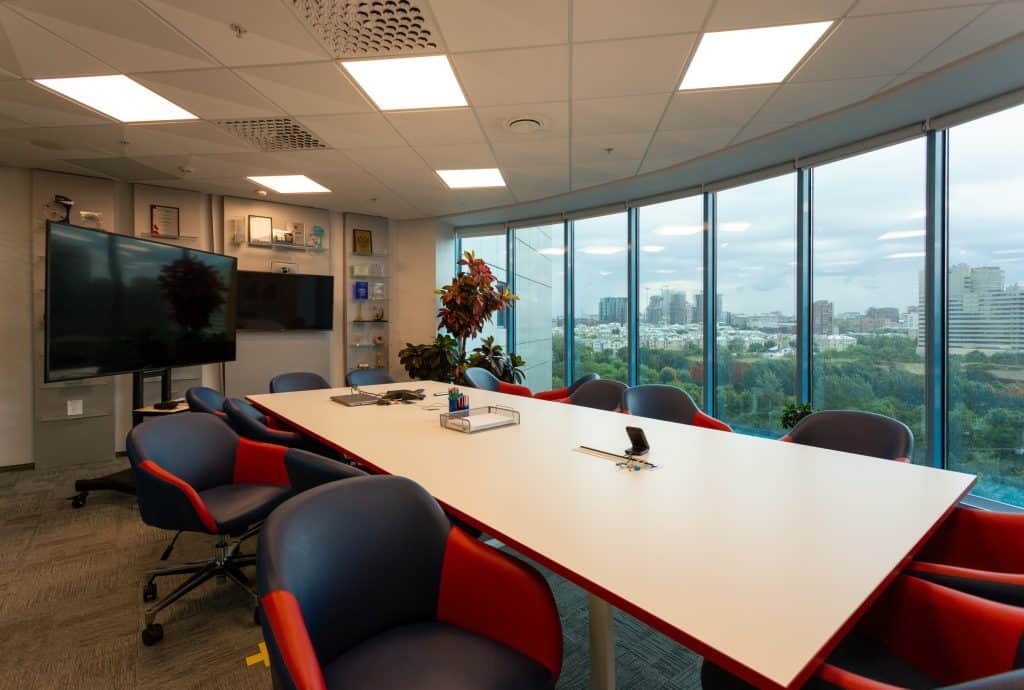
A well-organized conference room setup lays the foundation for successful presentations. The proper arrangement of AV equipment, visual aids, and projection technology ensures that every seat in the room offers a clear view. This setup not only enhances the speaker’s credibility but also boosts audience engagement.
Enhancing Audience Engagement
One of the primary goals of any presentation is to engage the audience effectively. Advanced AV gear for talks, such as interactive displays and audio conferencing equipment, transforms passive listeners into active participants. Incorporating multimedia integration and presentation accessories can transform a mundane presentation into an immersive experience.
AV Integration Solutions for Professional Communication
Professional communication hinges on the seamless integration of AV solutions. When presentation technology seamlessly works together, it eliminates technical glitches that can disrupt the flow of information. AV integration solutions ensure that various devices, from presentation remote control to audio enhancement devices, function harmoniously.
Top-notch Presentation Gadgets
Choosing the best AV equipment for effective presentations doesn’t always mean opting for the most expensive options. Affordable presentation tools can deliver exceptional results when selected wisely. Underrated AV solutions and underutilized presentation tech, when used creatively, can become game-changers for presentations on a budget.
The Fusion of Sight and Sound: Audio-Visual Integration
In the realm of successful presentations, the fusion of sight and sound through audio-visual (AV) integration has emerged as a game-changing strategy. This advanced approach incorporates cutting-edge technology to create impactful talks that captivate audiences and deliver messages with unparalleled effectiveness.
The Power of AV Equipment for Presentations
In the dynamic landscape of public speaking and professional communication, AV equipment has risen to prominence as an indispensable tool. Successful presentations now demand more than traditional visual aids; they require the seamless integration of multimedia devices and AV solutions. This approach enhances audience engagement, facilitates interactive displays, and ensures that messages are conveyed with precision.
Projection Technology and Audio Enhancement: The Dynamic Duo
Multimedia integration in presentations is driven by the synergy between projection technology and audio enhancement. High-definition digital projectors not only showcase visual content with exceptional clarity but also contribute to creating immersive experiences for the audience. The ability to seamlessly transition between slides, images, and videos enhances the flow of the presentation, thus capturing and retaining audience attention.
Audio enhancement devices, on the other hand, complement the visual content by ensuring clear and resonant sound quality. Modern presentation gear includes wireless microphones and advanced audio systems that eliminate acoustic barriers, making the speaker’s voice more impactful. The marriage of crisp visuals and immersive sound elevates the overall communication experience, making presentations truly unforgettable.
Modern Touch with Digital Projectors and Wireless Technology
The incorporation of digital projectors and wireless technology brings a modern touch to presentations. Digital projectors offer the flexibility to display content from various sources, including laptops, tablets, and smartphones, thus accommodating diverse presentation equipment lists. This adaptability streamlines conference room setups and ensures seamless compatibility with presentation technology.
Wireless technology further amplifies the advantages of AV equipment for successful presentations. Wireless presentation systems eliminate the need for cumbersome cables, offering a clutter-free environment and enabling presenters to move freely. This fosters a professional AV setup while allowing presenters to focus on their message, rather than technical logistics.
AV Integration Solutions: Leading AV Trends
As presentation technology evolves, staying abreast of AV trends becomes paramount. From advanced presentation tools to interactive displays, professionals are embracing innovative approaches to enhance visual communication gear. One notable trend is the integration of AV technology with audience engagement strategies. This synergy fosters real-time interactions, quizzes, and polls, transforming presentations into dynamic dialogues.
Conclusion
In the fast-evolving landscape of modern communication, effective presentations are pivotal for conveying ideas, inspiring engagement, and leaving a lasting impact. Leveraging the power of Audio Visual (AV) equipment has emerged as a game-changer in this realm. By integrating cutting-edge AV solutions, speakers can elevate their presentations to new heights, enhancing audience engagement and facilitating seamless communication.
The fusion of visual aids and crisp audio enhancement forms the cornerstone of successful presentations. Incorporating AV technology trends such as interactive displays, digital projectors, and wireless presentation systems can captivate the audience’s attention and bolster message retention. Multimedia integration transforms monotonous talks into dynamic narratives, fostering effective communication.
A comprehensive presentation equipment list encompasses not only cutting-edge projection devices but also an array of presentation accessories. From advanced presentation remote control systems to expert-recommended multimedia tools, each element contributes to a hassle-free presentation setup. This combination equips speakers with the means to seamlessly navigate their content and interact with the audience.
The conference room setup serves as the canvas for successful presentations. Implementing professional AV setup essentials guarantees a seamless experience for both speakers and attendees. Quality audio conferencing equipment, advanced AV integration solutions, and optimal visual communication gear facilitate crystal-clear interaction and ensure that the message reaches every corner of the room.
The heart of any presentation lies in captivating the audience. Underrated AV solutions like presentation remote control devices, interactive displays, and underutilized presentation tech can significantly enhance audience engagement. By encouraging participation and enabling real-time interaction, these tools transform passive listeners into active participants.
Remaining updated with AV technology trends is imperative. The latest audio visual equipment, including top-notch presentation gadgets and wireless technology, empowers presenters to leverage the full potential of their message. Embracing AV technology trends also means staying attuned to best practices for conference room setup and optimizing visual aids in presentations.
FAQs
What are the essential AV equipment for successful presentations?
Essential AV equipment for successful presentations typically includes a projector or display screen, a computer or media player, audio speakers, cables, and a control system. A microphone for the presenter might also be necessary for larger venues. These components ensure clear visuals, crisp sound, and smooth control over the presentation.
How do I choose the right presentation technology?
Choosing the right presentation technology depends on factors like audience size, venue, content type, and budget. Consider whether you need a projector or a large display, the necessary audio quality, compatibility with your devices, and any interactive features. Opt for user-friendly solutions that align with your presentation style and goals.
What are the benefits of using multimedia devices in talks?
Using multimedia devices enhances talks by engaging multiple senses. Visuals aid in understanding complex topics, while audio maintains interest. This combination improves information retention and audience engagement, making your presentation more impactful.
Which projection devices are recommended for conference rooms?
For conference rooms, consider laser projectors or high-resolution displays with ample brightness and adjustable settings. Short-throw or ultra-short-throw projectors can maximize space. Wireless connectivity and compatibility with various devices are also advantageous.
How can interactive displays improve presentations?
Interactive displays encourage audience participation, allowing real-time engagement with content. These displays facilitate annotations, demonstrations, and collaborative discussions, making presentations dynamic and memorable.
What should I consider when setting up AV solutions?
When setting up AV solutions, consider the room’s layout, lighting conditions, and acoustics. Choose equipment that suits the space, test compatibility with your devices, ensure proper cable management, and have a backup plan in case of technical glitches.
How does audio enhancement impact presentations?
Audio enhancement ensures clear communication, preventing the loss of valuable information. Quality sound maintains audience attention and conveys the presenter’s message effectively, especially in larger or noisy settings.
Are there wireless presentation systems available?
Yes, wireless presentation systems like Apple AirPlay, Google Chromecast, or dedicated systems from brands like Barco ClickShare offer seamless content sharing from devices to displays, eliminating the need for cables and simplifying setup.
How do I troubleshoot common projection device issues?
Common projection issues like blurry images or connectivity problems can often be resolved by checking cable connections, adjusting focus and settings, updating drivers, or ensuring the input source is correct.
What are the latest AV technology trends for talks?
Recent AV trends for talks include AI-powered content personalization, virtual and augmented reality integration, and advanced audience analytics to tailor presentations. Additionally, hybrid event solutions that combine in-person and virtual audiences are gaining traction.
How can I enhance audience engagement with presentation tools?
Use interactive polls, Q&A sessions, and live chat features to involve the audience. Integrate multimedia content strategically and encourage social media participation to create a dynamic and participatory presentation experience.
What are the key features of modern presentation gear?
Modern presentation gear includes wireless connectivity, high-resolution displays or projectors, touch or stylus support for interactivity, robust audio systems, compatibility with various devices, and user-friendly interfaces.
Which accessories should I use for effective presentations?
Essential accessories include a presentation remote control, laser pointer, spare cables, adapters for different devices, a portable projector screen (if needed), and backup batteries for your devices and accessories.
How do I optimize the use of visual aids in talks?
Ensure visual aids are clear, concise, and complementary to your spoken words. Limit text, use high-quality images or diagrams, and maintain consistency in design. Control the pace of information delivery to prevent overwhelming the audience.
What’s the best way to use a presentation remote control?
Familiarize yourself with the remote’s functions before the presentation. Hold it comfortably, use the laser pointer purposefully but sparingly, and practice seamless transitions between slides. The remote should enhance your delivery, not distract from it.
In today’s fast-paced world, productivity is a crucial aspect of success in both traditional and remote work settings. To achieve optimal productivity, finding the right tools and techniques is essential. One powerful way to enhance productivity is by leveraging audio visual (AV) gear. In this article, we will explore various audio visual solutions that can significantly improve focus, output, and overall performance.Audio visual gear plays a vital role in boosting work performance. By combining visual aids and audio aids, AV equipment provides a multi-sensory experience that engages individuals more effectively than traditional methods. One of the best ways to leverage AV gear for productivity is by utilizing productivity tools that incorporate audio visual elements. These tools offer innovative ways to manage tasks, collaborate with teams, and organize projects. By integrating visual elements into task management and project planning, individuals can easily prioritize and complete tasks efficiently.To achieve productivity goals, investing in the right audio visual equipment is crucial. From high-quality displays and projectors to advanced sound systems, having reliable AV gear can significantly enhance presentations, meetings, and training sessions. The use of AV equipment ensures that information is delivered effectively, leaving a lasting impact on the audience.AV gear can also be utilized to improve focus and concentration during work. Implementing techniques that combine audio and visual cues can help individuals maintain attention on tasks and avoid distractions. For instance, incorporating soothing background sounds and visual elements in a workspace can create a conducive environment for better focus.Audio visual solutions are designed to cater to the specific needs of businesses and professionals. These solutions offer seamless integration of AV technology into various workflows, enabling teams to collaborate efficiently, regardless of their physical location. With AV solutions, remote work becomes more productive, as teams can engage in real-time communication and access shared resources effortlessly.The advancements in audio visual technology have revolutionized the way work is done. With features like video conferencing, screen sharing, and virtual whiteboards, AV technology facilitates seamless communication and knowledge sharing. This accessibility to information and resources results in improved productivity across the board.The 10 Best Windows Productivity Apps in 2022 Impact of Audio Visual Gear on ProductivityIn today’s fast-paced world, maximizing productivity has become a critical goal for individuals and businesses alike. One way to achieve this is by incorporating audio visual (AV) gear into daily workflows. This section explores the relationship between audio visual aids and productivity, highlighting their advantages and how they can boost collaboration and communication.Audio Visual Gear and Productivity Boosting Performance with AV Equipment Audio visual gear plays a crucial role in enhancing efficiency and improving focus. By providing visual aids and audio aids, AV equipment helps users absorb information more effectively. Whether it’s through presentations, tutorials, or training sessions, incorporating audio visual elements can significantly boost work performance. Productivity Tools and Techniques When it comes to productivity, having the right tools and techniques in place is vital. Audio visual technology provides innovative solutions to common challenges, allowing individuals to optimize their output and streamline their work processes. Through the use of productivity tools and techniques, tasks become more manageable and less time-consuming. Collaboration and Communication In today’s interconnected world, effective collaboration and communication are essential for success. Audio visual gear facilitates seamless interactions among team members, irrespective of their locations. This is particularly beneficial for remote work setups, as AV technology bridges the gap and ensures teams can work together efficiently.Advantages of Incorporating AV Resources Enhanced Productivity Optimisation By using audio visual devices strategically, organizations can witness a significant productivity improvement. Visual aids, combined with audio support, enable employees to grasp concepts faster, leading to a more efficient workforce and enhanced productivity optimization. Easy Ways to Amplify Productivity Audio visual gear offers easy ways to amplify productivity. Whether it’s using AV solutions for meetings, presentations, or brainstorming sessions, these resources empower individuals to convey ideas more effectively and collaborate seamlessly, thereby maximizing productivity with AV equipment. Boosting Work Performance with AV Solutions Businesses looking to boost their employees’ work performance can turn to audio visual technology. By providing the right tools and resources, such as AV-equipped meeting rooms or interactive displays, companies can create an environment that fosters productivity and innovation.Utilising AV Technology for Work Efficiency Audio Visual Techniques to Increase Work Output Implementing audio visual techniques can significantly increase work output. For example, using instructional videos or interactive presentations can help employees grasp complex concepts more efficiently, enabling them to apply newfound knowledge promptly. Productivity Hacks Using AV Gear Productivity hacks involving audio visual gear can revolutionize the way work is done. For instance, using screen-sharing during virtual meetings or leveraging interactive whiteboards for brainstorming sessions can lead to enhanced collaboration and problem-solving.AV Gear for Remote Work Productivity Importance of AV Solutions in Remote Work In remote work settings, audio visual solutions play a critical role in ensuring teams remain connected and productive. Video conferencing, virtual collaboration tools, and shared workspaces enable remote workers to overcome geographical barriers and work together seamlessly. Top Productivity Tools with Audio Visual Support Identifying the best audio visual gear for productivity in remote work scenarios is essential. Reliable video conferencing systems, noise-canceling headphones, and high-quality webcams are some examples of productivity-enhancing AV equipment for remote workers. Best Audio Visual Gear for ProductivityIn today’s fast-paced world, productivity is a crucial factor that determines the success of individuals and businesses alike. To enhance efficiency, performance, and output, incorporating audio visual gear into daily workflows has become a game-changer. This section reviews and recommends the best audio visual equipment and devices, exploring how they can elevate productivity to new heights. The Impact of Audio Visual Gear on Productivity Audio visual gear plays a pivotal role in boosting work performance and improving focus. By leveraging visual aids and audio aids, individuals can optimize their productivity and enhance their overall output. Incorporating productivity tools with audio visual support has been proven to streamline tasks and facilitate better time management, allowing professionals to achieve more in less time. Top Audio Visual Equipment for Productivity
Welcome to the world of immersive AV training, a revolutionary approach to mastering the intricacies of the audiovisual (AV) technology industry. In this blog, we will delve into the significance of immersive AV training.In a rapidly evolving AV technology industry, staying competitive demands continuous learning and skills development. This is where immersive AV training comes into play. It offers a transformative learning experience that immerses participants in the world of AV technology, fostering hands-on expertise and advanced skills development.Immersive AV training programs go beyond traditional AV training institutions. They provide immersive technology learning environments that simulate real-world scenarios, enabling participants to master AV equipment, AV system integration, and sensory technology education in ways previously unattainable.Imagine virtual reality AV training that transports you to a virtual AV studio or immersive media production curriculum that allows you to create 3D audiovisual content. These are the immersive experiences that immersive AV training programs offer.How immersive technologies (AR/VR) will shape our future | Dinesh Punni | TEDxTUBerlinSalon Immersive AV Training Programs for BeginnersThe importance of catering to beginners in AV training cannot be overstated. In today’s fast-evolving audiovisual industry, having a strong foundation is essential for success. Immersive AV training programs are designed specifically for newcomers, offering a comprehensive and accessible pathway into the world of audiovisual technology.Catering to BeginnersAV training institutions and immersive learning platforms recognize the significance of catering to beginners. These programs acknowledge that not everyone starts with prior knowledge of audiovisual technology. They provide a supportive and engaging environment where beginners can thrive.Benefits of Immersive AV Training Programs for Beginners Interactive Learning: Immersive AV training programs leverage the power of immersive technology learning. These programs use sensory technology education to create an engaging and interactive learning experience. Virtual Reality AV Training: Virtual reality AV courses are a prime example of immersive training. They allow beginners to step into virtual environments and gain hands-on experience in a risk-free setting. AV Certification Courses: AV certification programs offer structured learning paths for beginners. They cover fundamental concepts and gradually build up advanced AV skills development. Entry-Level Courses and Key Features Hands-on AV Training: Beginners can participate in hands-on AV training where they gain practical experience in operating AV equipment. Immersive Media Production Curriculum: Some programs offer courses in immersive media production, teaching beginners the art of creating captivating audiovisual content. Advanced AV Skills Development: While primarily for beginners, these programs often include modules for advanced AV skills development, preparing learners for more complex tasks. AV System Integration Expertise: AV system integration is a critical skill in the industry. Beginners can acquire this expertise through immersive AV education. Virtual Reality AV Certification CoursesVirtual Reality (VR) has revolutionized the world of Audio-Visual (AV) training, offering immersive learning experiences that go beyond conventional methods. In this section, we’ll delve into the role of virtual reality in AV training, explore the advantages of VR-based AV certification courses, and highlight some popular platforms and their offerings.The Role of Virtual Reality in AV TrainingVR technology has disrupted traditional AV training methods, providing learners with an immersive AV training immersion like never before. AV training institutions and immersive learning platforms have embraced this transformative technology to enhance the learning experience.Immersive technology learning offers an unparalleled AV training program that allows learners to dive into the world of audiovisual immersion. By simulating real-world scenarios, learners can develop advanced AV skills and gain hands-on AV training. This sensory technology education provides an interactive AV education environment that fosters rapid skill development and mastery of AV equipment.Advantages of VR-Based AV Certification CoursesVirtual reality AV training programs offer a myriad of benefits for individuals seeking to excel in the audiovisual industry. Here are some advantages to consider: Immersive Learning Environment: VR AV training provides an immersive training experience, enabling learners to explore complex AV technology in a simulated environment. This immersive audiovisual education enhances comprehension and retention. Hands-On AV Training: AV certification courses in VR allow participants to practice AV system integration expertise in a risk-free setting. Learners can troubleshoot AV equipment and scenarios, preparing them for real-world challenges. Advanced AV Skills Development: With 3D audiovisual immersion courses, participants can take their skills to the next level. They learn to create and manipulate immersive media, gaining advanced AV technology skills. Interactive AV Education: VR-based AV training is interactive, engaging, and tailored to the learner’s pace. This tailored AV immersion curriculum ensures comprehensive understanding. Sensory Learning: Sensory technology education in virtual reality enhances the sensory experience of audiovisual tech. Learners gain mastery over AV equipment and sensory AV experience training. Interactive AV Workshops for ExpertsIn the ever-evolving realm of audiovisual (AV) technology, even experts recognize the imperative need for continuous learning. With AV technology evolving at breakneck speed, staying ahead of the curve is essential. This is where interactive AV workshops come into play, offering experienced professionals a gateway to enhancing their skills and knowledge in this dynamic field. The Need for Continuous Learning in AV TechnologyAV technology is not static; it’s a constantly shifting landscape with new developments and innovations emerging regularly. Even experts in the field must adapt to these changes to maintain their proficiency. AV training immersion is a key aspect of this adaptation. This immersive AV training program enables professionals to keep pace with the rapid advancements in the industry.Interactive AV Workshops: Elevating ExpertiseInteractive AV workshops are tailor-made for professionals who seek to enhance their skills and stay relevant in the audiovisual industry. These workshops provide an immersive technology learning experience that goes beyond conventional training methods. They offer hands-on AV training, fostering advanced AV skills development and mastery.Benefits of Interactive AV Workshops for Experienced Professionals Comprehensive Skill Development: Interactive AV courses cover a wide array of topics, including AV technology training, AV system integration, and sensory learning in audiovisual tech. These workshops are designed to enhance AV specialist skills comprehensively. Immersive Learning Environment: Immersive AV workshops provide an environment where participants can experiment with cutting-edge AV equipment. This sensory AV experience training is invaluable for professionals seeking AV equipment mastery. Specialized
In the era of remote work, effective online collaboration tools have become increasingly essential for seamless communication and productivity. One such tool that holds significant importance in remote team collaboration is the remote whiteboard. With its interactive features and real-time syncing capabilities, a reliable and easy-to-use remote whiteboard serves as a valuable asset for remote teams, enabling them to enhance their visual collaboration efforts. In this article, we will explore the concept of remote whiteboards, their importance in visual collaboration for remote teams, and the growing demand for such tools in the current work landscape.As remote work continues to gain momentum, the need for virtual collaboration tools has become crucial. Remote whiteboards act as a digital substitute for traditional whiteboards, providing a shared space where remote team members can brainstorm, ideate, and collaborate in real-time. By replicating the physical whiteboard experience, these interactive tools eliminate geographical limitations and foster a sense of connection among team members, regardless of their locations.A reliable remote whiteboard empowers remote teams to streamline their project management efforts. With features like real-time syncing, remote teams can work simultaneously on the same canvas, making it easy to share ideas, provide feedback, and iterate on concepts collaboratively. The interactive nature of remote whiteboards promotes active participation, ensuring that everyone’s voice is heard, and facilitating effective communication within the team.The significance of remote whiteboards extends beyond project management. In the realm of online education and design collaboration, these digital tools serve as indispensable aids. Educators can leverage remote whiteboards to conduct interactive virtual classrooms, engaging students in a visually stimulating environment. Similarly, design teams can utilize remote whiteboards to share concepts, sketch ideas, and collaborate on designs, even when working from different locations.BEST FREE online whiteboard for remote meetings? (I can’t stop using it!) Miro Tutorial Understanding the Benefits of Remote WhiteboardsRemote collaboration has become an integral part of the modern work landscape, with distributed teams and virtual meetings becoming the norm. To facilitate effective visual collaboration, remote whiteboards have emerged as a valuable tool. In this section, we will explore the advantages of using a remote whiteboard for visual collaboration, discuss how it improves team collaboration, brainstorming, and idea sharing, and explain how it facilitates real-time syncing and seamless collaboration among distributed teams. Furthermore, we will delve into how a cloud-based whiteboard enhances accessibility and ensures data security.Improved Team Collaboration, Brainstorming, and Idea SharingUsing a remote whiteboard for visual collaboration brings numerous advantages to teams working remotely. It serves as an interactive tool that enables team members to collaborate seamlessly, regardless of their physical location. By providing a shared space for brainstorming, remote whiteboards foster creativity and idea generation. Team members can contribute their thoughts, concepts, and sketches in real-time, promoting an engaging and collaborative environment. The visual nature of remote whiteboards aids in conveying ideas effectively, ensuring that everyone is on the same page and encouraging active participation.Real-Time Syncing and Seamless Collaboration among Distributed TeamsOne of the key strengths of remote whiteboards is their ability to facilitate real-time syncing and seamless collaboration among distributed teams. Changes made by one team member on the whiteboard are instantly visible to others, regardless of their location. This real-time synchronization eliminates communication barriers and allows for efficient collaboration, even in geographically dispersed teams. Remote whiteboards enable teams to work on projects simultaneously, ensuring that everyone is working with the most up-to-date information. This level of collaboration promotes productivity, accelerates decision-making, and streamlines project management.Enhanced Accessibility and Data Security with Cloud-Based WhiteboardsCloud-based whiteboards offer enhanced accessibility and data security compared to traditional physical whiteboards. With a cloud-based whiteboard, team members can access and collaborate on projects from anywhere, using various devices such as laptops, tablets, or smartphones. This accessibility enables remote work and fosters flexibility among team members. Additionally, cloud-based whiteboards ensure data security by providing robust encryption and backup mechanisms. Confidential information shared on the whiteboard is protected, and data loss due to technical issues or device failures is mitigated. These features contribute to a safe and reliable collaboration platform for remote teams. Criteria for Selecting the Best Remote WhiteboardIn today’s era of remote work and virtual collaboration, having the right tools is crucial for effective communication, productivity, and project management. A remote whiteboard is an interactive tool that enables visual collaboration, allowing teams to brainstorm, present ideas, and work together seamlessly, regardless of their physical locations. When selecting the best remote whiteboard for your needs, it’s important to consider several key factors that can enhance user-friendliness, facilitate real-time syncing and video conferencing integration, ensure compatibility across devices and platforms, and provide cost-effectiveness and scalability for remote teams and project management.User-Friendliness: A Seamless ExperienceWhen choosing a remote whiteboard, user-friendliness is paramount. The tool should be intuitive and easy to navigate, allowing both technical and non-technical users to quickly grasp its functionality. An ideal remote whiteboard should have a clean and clutter-free interface, enabling users to focus on their collaboration without unnecessary distractions. Look for features such as drag-and-drop functionality, customizable templates, and a straightforward menu structure that promotes effortless interaction.Real-Time Syncing and Video Conferencing Integration: Seamless CollaborationA key feature to consider in a remote whiteboard is real-time syncing. This allows team members to collaborate simultaneously, seeing each other’s changes in real-time. With real-time syncing, remote teams can engage in interactive brainstorming sessions, contribute ideas, and build upon each other’s work seamlessly. Additionally, integration with video conferencing platforms enhances remote collaboration by allowing participants to communicate through audio and video while utilizing the whiteboard. This combination of real-time syncing and video conferencing integration fosters a virtual collaboration environment that closely mimics face-to-face interactions.Compatibility Across Devices and Platforms: Anytime, Anywhere CollaborationAs remote work becomes more prevalent, teams often use a variety of devices and platforms. To ensure seamless collaboration, it’s crucial to select a remote whiteboard that is compatible with different devices such as desktops, laptops, tablets, and smartphones. Furthermore, the whiteboard should be accessible across various operating systems and web browsers, ensuring that team members can join the collaboration regardless of their preferred
In the fast-evolving Audio-Visual (AV) industry, the concept of future-proofing skills has never been more critical. To stay competitive and relevant in the AV job market, professionals must embrace the rapid technological advancements and adapt swiftly to the changing landscape.AV professionals who invest in continuous learning and AV certification are better positioned to thrive in this dynamic field. As AV industry trends and AV technology evolution continue at breakneck speed, the need for advanced AV training becomes paramount.Embracing emerging AV technologies and staying updated with AV industry trends are essential for career growth and sustainability. Audio visual training programs offer avenues for AV skills development, ensuring that AV professionals remain future-ready.Future-proofing your skills through forward-looking training is essential in our rapidly evolving world. With technology advancing at an unprecedented pace, staying relevant means continuously learning and adapting. Invest in lifelong learning, focusing on areas such as data science, artificial intelligence, and digital marketing. To meet future AV demands, AV professionals should focus on next-gen AV skills and AV certifications. This strategic approach aligns with AV industry growth and provides the skills required to excel in an ever-evolving field.Immersive technology skills and AV innovations are shaping the AV sector. AV professionals who invest in advanced AV training programs position themselves for success, leveraging cutting-edge AV skills for career development.For those considering AV career prospects, it’s essential to analyze AV market trends and AV tech advancements. This insight helps in making informed choices about AV training for job market readiness.How to Future-Proof Your Tech Career in an AI & Automation World The Changing Landscape of the AV IndustryThe AV industry, which encompasses audiovisual technology, is experiencing rapid technological advancements that are reshaping the job market and necessitating the adaptation of professionals. In this ever-evolving landscape, future-proof AV skills are essential for career growth and staying competitive.AV Industry Trends and Technology EvolutionThe AV industry has witnessed a dynamic transformation in recent years, driven by emerging AV technologies. These innovations have not only revolutionized the way we experience audio and visual content but have also created new opportunities and challenges for professionals.One key aspect of staying relevant in the AV industry is to keep pace with AV technology evolution. Advanced AV training is paramount to acquiring the necessary skills to work with cutting-edge equipment and systems. Professionals must embrace immersive technology skills, as trends like augmented reality (AR) and virtual reality (VR) continue to gain prominence. The industry updates constantly, and staying informed about these trends is crucial.Reshaping the Job MarketThe job market in the AV industry is undergoing significant changes. The demand for professionals with future AV demands is on the rise. Employers are seeking individuals with next-gen AV skills who can adapt to the evolving AV landscape. This shift in job market trends necessitates AV professionals to enhance their skills continuously.The Importance of AV CertificationAV certification plays a pivotal role in career advancement. It validates an individual’s expertise and commitment to excellence in the field. AV certifications, such as those offered by recognized institutions, provide a solid foundation for future-proofing one’s AV career.AV Education Programs and Career ProspectsTo stay relevant in the AV industry, individuals must engage in AV education programs that offer advanced audiovisual training. These programs equip professionals with the skills needed to succeed in the industry. They cover topics like AV system design, AV tech advancements, and AV market analysis.Furthermore, professionals must consider AV career sustainability tips to ensure long-term success. This includes staying competitive in the AV industry by continuously adapting AV skills to meet emerging AV trends. This adaptability is essential for career sustainability.AV Workforce Readiness and AV Skill DevelopmentAV workforce readiness is crucial for individuals aiming to thrive in the ever-changing AV sector. This readiness involves keeping up with AV industry changes and actively seeking AV skill development courses. As technology-driven AV skills become increasingly important, being prepared for future job demands is imperative.Are AV Certifications Worth It?One common question among AV professionals is whether AV certifications are worth the investment. The answer is a resounding yes. AV certifications not only enhance your knowledge but also demonstrate your commitment to the industry. They make you stand out in a competitive job market and open doors to career prospects. Future-Proofing Your AV CareerTo future-proof your AV career is to ensure its resilience and relevance in an ever-evolving industry. In a fast-paced world driven by technology, audiovisual professionals must adapt and thrive amid constant change. Future-proofing your AV career is not merely about securing a job; it’s about crafting a sustainable and prosperous journey within the dynamic AV industry. Let’s delve into what this means and why it’s crucial.Future-Proofing for AV ProfessionalsFuture-proofing AV skills entail continuous learning, staying updated with AV industry trends, and honing advanced AV technology skills. It’s about being prepared for the next wave of AV job demands and emerging AV technologies. It’s the commitment to adapting to AV sector changes proactively.The Benefits of Future-Proofing Job Security: AV professionals who invest in AV certification and advanced AV training are better equipped to face market fluctuations. Their enhanced skill sets make them indispensable, ensuring job security even as the industry evolves. Career Sustainability: In a world where technology evolves at breakneck speed, those with future-proof AV skills remain relevant and continue to grow. Career sustainability is about consistently upgrading your skills to match the industry’s pace. Challenges Faced by Those Who Fail to AdaptAV professionals who neglect future-proofing face several challenges: Stagnation: Without ongoing AV skill development and knowledge of emerging AV technologies, your career may plateau, limiting your earning potential. Relevance: Falling out of touch with AV industry changes can lead to irrelevance. Employers seek professionals who can navigate the latest AV innovations. Limited Career Advancement: As the AV industry grows and changes, only those who adapt can tap into new opportunities. Without future-proof AV skills, career advancement may remain elusive. Navigating the Path to Future-ProofingTo ensure future-proofing in your AV career, consider these actionable steps: AV Certifications: Pursue relevant AV certifications to demonstrate your expertise
In today’s professional landscape, Audio-Visual (AV) proficiency is a critical skill that can significantly impact career development. The demand for individuals with enhanced AV skills is evident, emphasizing the need for AV proficiency elevation. Investing in audio-visual training is key to staying ahead in this competitive field.AV proficiency elevation involves immersive tech learning through expert-led workshops and specialized AV courses offered by top AV training institutes. Multimedia education programs play a crucial role in advancing audiovisual skills enhancement, providing hands-on training advantages. These programs cover cutting-edge audiovisual techniques and ensure professionals are well-versed in advanced media proficiency.Navigating the multimedia mastery journey involves exploring tailored multimedia education, such as niche AV technology training and personalized audiovisual skill development. Expert-led AV courses near me offer practical AV proficiency tips, while advanced visual communication workshops focus on mastering multimedia software and effective AV presentation techniques.Professional audiovisual development is facilitated by high-tech media skills acquired through AV skill elevation workshops. Specialized media skills are honed, providing professionals with an edge in the competitive market. The AV mastery program is designed to meet the needs of beginners and seasoned experts alike, offering advanced AV techniques for professionals.Audio Visual Systems for Classrooms, Boardrooms, Theatres & Halls – DIB Australia Effective AV Presentation TechniquesIn the fast-evolving landscape of professional communication, mastering effective AV presentation techniques has become paramount for individuals seeking to elevate their expertise. This section delves into the role of these techniques in communication, highlighting their impact on professionalism and audience engagement. Let’s explore how honing AV proficiency can be a game-changer in various industries.Role of Effective AV Presentation TechniquesAV proficiency is not just about navigating multimedia software; it’s a comprehensive skill set encompassing advanced media production, immersive audiovisual learning, and specialized training tailored for professionals. Expert-led training, such as that provided by AV training institutes and multimedia education programs, plays a pivotal role in shaping individuals into adept communicators.Enhancing Professionalism and Audience EngagementImagine a scenario where a presenter effortlessly utilizes cutting-edge audiovisual techniques, seamlessly integrating advanced visual communication methods. This not only reflects elevated AV knowledge but also enhances professionalism. The audience is captivated by the immersive media experience, leading to heightened engagement. Such scenarios are not hypothetical; they are the result of hands-on training advantages provided by specialized AV courses.Successful Presentations and Impact on IndustriesIndustries across the spectrum have witnessed the transformative power of effective AV presentation techniques. From personalized audiovisual skill development to tailored multimedia education, professionals are leveraging these skills to stay ahead. Let’s consider some real-world examples: Industry Successful Presentation Impact Marketing Niche AV technology training Increased brand visibility and engagement Education Advanced media learning Enhanced student comprehension Healthcare Expert-led AV courses near me Improved patient communication Corporate Communication Immersive tech workshops Streamlined internal communication AV Proficiency Elevation in Training ProgramsThe importance of AV proficiency workshops cannot be overstated. These hands-on sessions offer more than just audiovisual education. They provide immersive media training, ensuring participants gain advanced audiovisual techniques. The emphasis is on elevated tech proficiency, creating professionals equipped with high-tech media skills. Mastering Multimedia Software for Enhanced AV SkillsIn the realm of audiovisual (AV) proficiency elevation, the key lies in mastering multimedia software tools. This comprehensive guide delves into the essential aspects, advantages, and recommendations for AV professionals seeking advanced media production skills.Multimedia Software ToolsFor those embarking on the journey of audio-visual training, understanding the crux of multimedia software is paramount. Multimedia mastery opens doors to advanced audiovisual techniques, setting the stage for elevated AV knowledge. Expert-led training in cutting-edge AV techniques becomes the foundation for a professional’s growth. AV Proficiency Elevation Through Multimedia Expertise Audiovisual Education Benefits: AV training programs, coupled with expert multimedia courses, provide immersive tech workshops. These hands-on experiences form the backbone of audiovisual skill development, ensuring advanced media learning. Specialized AV Courses: AV skill elevation becomes tangible through specialized courses offered by AV training institutes. These programs focus on niche AV technology training, tailored multimedia education, and specialized visual communication workshops. High-Tech Media Education: Multimedia proficiency certification is the hallmark of professional visual communication. AV professionals benefit from advanced audiovisual courses that incorporate cutting-edge tech in media. Advantages of Mastering Multimedia SoftwareAV professionals engaging in immersive audiovisual learning gain practical AV proficiency tips and personalized audiovisual skill development. The effectiveness of AV presentation techniques is amplified through hands-on multimedia workshops. This specialized training transcends conventional boundaries, offering advanced AV techniques for professionals.Elevating AV Proficiency Through Expert-Led Training Expert-Led AV Courses Near Me: The accessibility of expert-led AV courses near you ensures a localized touch to immersive technology learning. AV mastery for beginners becomes achievable through customized media skill enhancement. Specialized Media Skills: Professional audiovisual development is nurtured through expert-led AV courses that focus on specialized AV skills. These courses cater to the growing demand for advanced visual communication in the industry. Immersive Media Training: Immersive media training is a cornerstone in AV skill elevation. Hands-on AV workshops enrich participants with advanced audiovisual techniques, fostering high-tech media skills. Immersive Audiovisual Learning: A Gateway to AV MasteryImmersive audiovisual learning has emerged as a transformative gateway to AV mastery, offering a dynamic approach that enhances understanding and retention of complex concepts. In this exploration, we delve into the world of immersive techniques and showcase their pivotal role in advancing audiovisual proficiency.AV Proficiency Elevation Through Immersive LearningThe journey toward elevated AV knowledge begins with immersive audiovisual training, a method recognized for its efficacy in skill development. AV proficiency elevation is not just a goal; it’s a tangible outcome of engaging with specialized AV courses that incorporate cutting-edge audiovisual techniques. These courses, offered by reputable AV training institutes, emphasize hands-on training advantages and provide a holistic multimedia education experience.Showcasing the Impact: Multimedia Mastery in ActionTo illustrate the impact of immersive learning, let’s explore real-world examples of successful immersive AV learning initiatives. These initiatives, often structured as expert-led workshops and advanced media proficiency programs, have proven instrumental in fostering multimedia mastery. Participants benefit from tailored multimedia education, gaining advanced visual communication skills that set them apart in the professional landscape.Hands-On Training Advantages
In today’s ever-evolving audiovisual (AV) industry, staying ahead of the curve is not just a competitive advantage; it’s a necessity. Advanced AV workshops play a pivotal role in ensuring that AV professionals and enthusiasts are well-equipped to harness the power of audiovisual technology. This article explores the importance of these workshops in the context of the audiovisual industry’s rapid evolution.The audiovisual industry, encompassing innovative AV solutions, multimedia integration, and cutting-edge technology, is dynamic and constantly changing. To thrive in this environment, professionals need continuous learning and upskilling opportunities. This is where advanced AV workshops shine.Transformative opportunity for individuals seeking to delve into the cutting-edge world of audiovisual technology. These workshops provide a dynamic platform for participants to explore and master the latest advancements in AV technology, ranging from immersive virtual reality experiences to high-definition audio systems.The AV landscape is constantly evolving, with new hardware and software integration, high-tech equipment, and interactive presentation tools emerging regularly. Advanced AV workshops keep participants up-to-date with the latest trends in AV technology, ensuring they can adapt quickly to industry changes.Professional development is at the core of advanced AV workshops. These workshops offer hands-on training, expert-led sessions, and immersive learning experiences that allow attendees to acquire advanced AV techniques. Participants gain industry expertise and certification, making them sought-after AV professionals.Basic Event Audio Visual Training With Will Curran Effective AV Presentation TechniquesEffective AV presentation techniques play a pivotal role in conveying messages that leave a lasting impression. In today’s fast-paced world, where attention spans are shrinking, it is essential to harness the power of audiovisual technology to engage your audience effectively. In this guide, we will delve into the significance of these techniques and provide you with specific strategies to create engaging AV presentations.The Importance of Effective AV Presentation TechniquesIn the dynamic audiovisual industry, staying ahead is crucial. Audiovisual technology has evolved rapidly, and the demand for innovative AV solutions is higher than ever. AV presentations are not just about conveying information; they are about creating an immersive and interactive experience for your audience.Visual Display and Multimedia Integration: The fusion of cutting-edge technology allows you to create visually appealing presentations that captivate your audience’s attention. Integrating multimedia elements like videos, animations, and interactive slides can make your message more compelling.Professional Development and AV Experts: To excel in the field, AV professionals need continuous learning. AV education and hands-on training are essential for mastering AV equipment and software integration. Professional development through advanced AV workshops keeps you updated with industry expertise and the latest trends in AV.Strategies for Creating Engaging AV Presentations Interactive Presentations: Encourage audience participation through polls, Q&A sessions, or live chats. This not only engages your viewers but also helps you tailor your content to their interests. Advanced AV Techniques: Explore advanced AV techniques such as 3D modelling, virtual reality, and augmented reality to make your presentations more immersive and captivating. AV Mastery through Workshops: Enroll in advanced audiovisual classes and workshops to gain hands-on experience with high-tech equipment. These workshops provide industry insights and expert-led sessions to enhance your skills. Software Integration: Master the art of integrating AV hardware and software seamlessly. This skill ensures that your presentations run smoothly without technical glitches. Visual Storytelling: Use storytelling techniques to convey your message effectively. A well-crafted narrative can make complex information easier to understand and remember. Joining Advanced AV WorkshopsThe path to becoming a proficient AV professional often begins with joining advanced AV workshops. These workshops are designed to offer immersive learning experiences and enhance your audiovisual skills. Here are some benefits: AV Certification: Many advanced AV workshops offer certifications that validate your expertise. These certifications can boost your credibility in the industry. Next-Level AV Training: Advanced tech workshops take your skills to the next level by focusing on cutting-edge AV technology and innovation seminars. Hands-On Training: Practical, hands-on training ensures you are well-prepared to troubleshoot and operate AV equipment effectively. Networking Opportunities: Workshops provide opportunities to connect with AV specialists and professionals, creating a network that can be valuable for future collaborations. Industry Expertise: Learn from experts who are well-versed in the field of audiovisual technology. Gain insights into the latest AV solutions and industry trends. AV Troubleshooting Tips for BeginnersAV technology is an integral part of our lives, from home entertainment systems to business presentations. However, for beginners, it can sometimes be a source of frustration when things don’t work as expected.Common AV Issues for Beginners No Audio or Video Output: The most common issue beginners face is no audio or video output. Before panicking, check if all cables are securely connected. If the issue persists, it might be a problem with your AV hardware or software integration. Poor Picture Quality: If you’re experiencing a blurry or distorted picture, it could be due to a resolution mismatch. Ensure that your visual display settings match your content. This is a fundamental aspect of AV technology. Remote Control Problems: AV control systems can be intimidating. If your remote isn’t working, check the batteries first. If that’s not the issue, consult the user manual for troubleshooting guidance. Sound Distortion: If you’re hearing crackling or distorted sound, it could be a speaker issue. Check speaker connections, and if necessary, consider professional AV equipment maintenance. Practical Troubleshooting Tips Check Power Sources: Always ensure that your AV equipment is plugged in and powered on. Sometimes, the simplest solution is the most effective. Update Software: AV technology relies heavily on software integration. Make sure your software is up to date to avoid compatibility issues. Calibrate Your System: Regularly calibrate your AV system for optimal performance. This is especially crucial for home theatres. AV Workshops for Beginners: To gain confidence in troubleshooting AV issues, consider enrolling in advanced AV workshops. These workshops provide immersive learning experiences, hands-on training, and expert-led sessions. They cover advanced audiovisual classes, innovation seminars, and cutting-edge AV workshops, ensuring you’re well-prepared to handle any issues that arise. Mastering AV Control SystemsAre you ready to dive into the intricate world of AV control systems and unlock the
This website uses cookies so that we can provide you with the best user experience possible. Cookie information is stored in your browser and performs functions such as recognising you when you return to our website and helping our team to understand which sections of the website you find most interesting and useful.
Strictly Necessary Cookies
Strictly Necessary Cookie should be enabled at all times so that we can save your preferences for cookie settings.
If you disable this cookie, we will not be able to save your preferences. This means that every time you visit this website you will need to enable or disable cookies again.
3rd Party Cookies
This website uses Google Analytics to collect anonymous information such as the number of visitors to the site, and the most popular pages.
Keeping this cookie enabled helps us to improve our website.
Please enable Strictly Necessary Cookies first so that we can save your preferences!