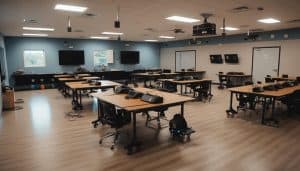
In today’s fast-paced world, Audio-Visual (AV) technology plays a pivotal role across various sectors, from education and business to entertainment and beyond. This blog will delve into the importance of AV technology, its essential aspects, and how mastering them can significantly benefit individuals and businesses. We’ll also cover relevant keywords and topics to provide you with a comprehensive understanding of this dynamic field.
AV technology, encompassing audiovisual technology, multimedia systems, and AV equipment, has become an integral part of modern life. Its significance lies in its ability to enhance communication, collaboration, and information dissemination. Businesses rely on AV technology for video conferencing, presentation technology, digital signage, and conference room solutions to streamline operations and engage with stakeholders effectively. On the other hand, AV technology enriches our entertainment experiences through home theatres and professional audio systems.
Mastering AV technology essentials for success is a crucial endeavor in today’s interconnected world. AV technology plays a pivotal role in various industries, from education and corporate settings to entertainment and healthcare. To succeed in this field, one must acquire a deep understanding of audio-visual systems, equipment, and best practices.
For individuals and businesses alike, mastering AV technology essentials is a game-changer. It ensures seamless integration of AV equipment, video conferencing solutions, and presentation technology, leading to more efficient operations. Moreover, businesses can create immersive customer experiences through digital signage and engage employees with state-of-the-art conference room technology.
Technology of The Future Classroom
Best AV Equipment for Small Businesses
In today’s fast-paced business world, equipping your small business with the right Audiovisual (AV) technology essentials is not just a luxury but a necessity. AV technology plays a pivotal role in enhancing communication, collaboration, and presentation capabilities. In this guide, we will explore specific AV equipment options suitable for small businesses, provide cost-effective recommendations, and highlight the advantages of investing in quality AV technology.
AV Technology Essentials for Small Businesses
Small businesses can benefit significantly from a well-equipped AV arsenal. Here are the key AV technology essentials every small business should consider:
Multimedia Systems: Start with a reliable multimedia system that includes projectors, screens, and high-quality speakers. This forms the foundation for effective presentations and conferences.
Video Conferencing Solutions: In the era of remote work and virtual meetings, investing in video conferencing solutions is crucial. Look for user-friendly systems that support HD video and clear audio.
Digital Signage: Digital signage can help small businesses stand out and engage customers. Use digital displays to showcase promotions, menus, or important announcements.
Conference Room Solutions: Equip your meeting rooms with AV technology that facilitates seamless presentations and discussions. This includes AV control systems and interactive displays for dynamic collaboration.
Audio Systems: Ensure crystal-clear sound quality during presentations, events, and meetings with professional audio systems. Invest in sound reinforcement systems for larger spaces.
Home Theater Setup: If your business includes entertainment areas, consider home theater setups. These can enhance customer experiences in lounges or waiting areas.
Cost-Effective AV Solutions
Small businesses often operate on tight budgets, so it’s essential to find cost-effective AV solutions that deliver value. Here are some tips:
AV Integration: Opt for AV integration services that customize solutions to your specific needs, avoiding unnecessary expenses.
Used AV Equipment: Consider purchasing refurbished AV equipment to save money without sacrificing quality.
Smart Classroom Solutions: If you’re an educational institution, explore smart classroom technology that combines AV functionality with educational tools, making the most of your investment.
How to Troubleshoot AV Technology Issues
When it comes to AV technology essentials, ensuring seamless performance is crucial, whether you’re dealing with multimedia systems, video conferencing, presentation technology, or digital signage. In this comprehensive guide, we’ll share tips and tricks to quickly identify and resolve common AV technology problems, emphasizing the importance of proactive maintenance to prevent future issues.
Troubleshooting Common AV Technology Issues
AV technology plays a pivotal role in various settings, from conference room solutions to home theaters and live events. To ensure your audiovisual experience is uninterrupted, let’s dive into effective troubleshooting techniques.
Identifying the Problem
AV Technology Basics: Begin with the basics. Check if all AV equipment is properly connected and powered on. Often, loose cables or power issues can cause disruptions.
AV Technology for Presentations: When facing issues during presentations, ensure that your video conferencing solutions are up to date, and the internet connection is stable.
AV Technology for Events: In live event technology, sound reinforcement is critical. Verify that audio systems and microphones are functioning correctly, and cables are securely connected.
Quick Solutions
AV Integration: For seamless integration, invest in AV control systems. These systems help streamline operations and can be a game-changer in troubleshooting.
AV Solutions: Look for professional audio systems that offer reliability. They can significantly improve sound quality during events or presentations.
AV Installation: If you’re new to AV technology, consider professional AV installation. Experts can ensure everything is set up correctly from the beginning.
Preventive Maintenance
AV Technology Maintenance: Regular maintenance is key. Schedule routine check-ups and updates to keep your AV equipment and multimedia systems in top shape.
AV Technology Industry Standards: Stay updated with industry standards and the latest AV technology advancements. This knowledge can help you anticipate and avoid issues.
Choosing the Right AV Control System
AV technology essentials play a pivotal role in managing audio and video equipment across various settings, from corporate boardrooms to home theatres. To make an informed decision when selecting an AV control system, it’s essential to understand its significance and compare different types of control systems, such as remote controls and touch panels.
The Role of AV Control Systems
AV control systems are the central nervous system of any audiovisual technology setup. They provide seamless integration and control over various AV equipment, ensuring a smooth and efficient user experience. Whether you’re in a conference room, home theatre, or live event, AV control systems are the invisible orchestrators that make it all work.
Comparing Control Systems
Remote Control: Remote controls are the most common and user-friendly AV control solution. They offer basic functionality for managing audiovisual essentials, like adjusting volume, changing channels, and controlling multimedia systems. While suitable for home theatres and small businesses, they may lack the complexity required for larger setups.
Touch Panels: Touch panels are a more sophisticated AV control option, often used in corporate environments and high-end home theatres. They provide intuitive, touchscreen interfaces that allow users to control various AV equipment with precision. These systems offer advanced features and customization options, making them ideal for demanding multimedia systems and professional audio setups.
Making Informed Decisions
When selecting an AV control system, consider the following factors:
Scalability: Determine whether the system can accommodate your future AV technology advancements and expansion needs.
Compatibility: Ensure that the AV control system is compatible with your existing AV equipment, such as video conferencing solutions, digital signage displays, and sound reinforcement systems.
Ease of Use: User-friendliness is crucial. Look for systems that offer a straightforward interface and minimal AV troubleshooting requirements.
Industry Standards: Verify that the system adheres to audiovisual standards and best practices to guarantee long-term reliability and performance.
AV Integration for Educational Institutions
In today’s digital age, educational institutions are embracing the integration of audiovisual (AV) technology to create engaging and immersive learning environments. This trend, driven by the advancement of AV technology essentials, has revolutionized the way students and educators interact with information.
One of the cornerstones of AV integration in education is the utilization of interactive whiteboards. These versatile tools allow educators to bring lessons to life by displaying multimedia content and fostering active participation. Interactive whiteboards are equipped with AV control systems that enable seamless navigation, annotation, and multimedia playback, making lessons more engaging and informative. With AV technology advancements, interactive whiteboards have become a staple in modern classrooms, promoting collaboration and enhancing learning outcomes.
Projectors: Enabling Visual Impact
Projectors are indispensable components of AV integration in educational institutions. They enable educators to project high-quality visuals, diagrams, and presentations, captivating the attention of students. AV equipment such as multimedia systems and video conferencing solutions can be seamlessly integrated with projectors to facilitate dynamic learning experiences. Whether it’s showcasing educational videos or conducting virtual lectures, projectors play a pivotal role in enhancing the effectiveness of presentations and classroom activities.
Audio Systems: Enhancing Clarity and Engagement
Audiovisual technology encompasses not only visuals but also sound reinforcement systems. Audio systems, when integrated into educational settings, ensure that every student can hear and engage with the content being presented. Professional audio systems are essential for large lecture halls, auditoriums, and live events within educational institutions. With AV technology essentials in place, these systems deliver crystal-clear sound, eliminating distractions and ensuring that the message is conveyed effectively.
Digital Signage Solutions for Retail
In the competitive realm of retail, businesses constantly seek innovative ways to engage customers, enhance brand visibility, and boost sales. One such game-changing avenue is leveraging Audiovisual (AV) technology essentials through digital signage solutions.
Impact of Digital Signage in Retail Environments
Digital signage has revolutionized the retail landscape by providing a dynamic platform for conveying messages and captivating audiences. Here’s how it impacts the industry:
Enhanced Customer Experience: Interactive displays and multimedia systems elevate the in-store experience, making it more engaging and informative. Shoppers are drawn to visually appealing content that showcases products and promotions.
Increased Sales: Presentation technology, including video conferencing solutions, allows retailers to demonstrate product features, conduct virtual consultations, and close deals, ultimately boosting sales conversion rates.
Real-time Updates: Digital signage offers the advantage of instant content updates. Retailers can swiftly adapt to changing market trends, pricing, or promotions, ensuring that customers receive the most up-to-date information.
Options for Digital Signage Hardware and Software
To effectively deploy digital signage in a retail setting, businesses must carefully consider their AV equipment and software choices:
AV Equipment: Retailers can choose from a wide array of AV equipment, including high-resolution displays, video walls, and sound reinforcement systems. The selection should align with the store’s size, layout, and budget.
Digital Signage Software: AV control systems and multimedia software play a crucial role in content management and display control. Solutions like AV technology advancements have made it easier than ever to design and schedule content for dynamic displays.
Latest Trends in Conference Room Technology
In today’s fast-paced business world, staying ahead of the curve is crucial, and this extends to conference room technology. Cutting-edge Audiovisual (AV) technology essentials are transforming the way businesses communicate and collaborate. In this section, we’ll explore the latest trends in conference room technology, focusing on AV technology and how it can enhance your business operations.
AV Technology Essentials for Conference Rooms
Video Conferencing Solutions
Video conferencing has become a cornerstone of modern business communication. With the advent of high-definition cameras, seamless connectivity, and AI integration, video conferencing solutions have evolved significantly. They enable teams to connect globally, making remote work and collaboration effortless.
Wireless Connectivity
Gone are the days of tangled wires and complicated setups. Wireless connectivity is now an AV technology essential. It allows for easy screen sharing and content sharing from multiple devices, fostering a more interactive and efficient meeting environment.
AI Integration
Artificial Intelligence (AI) has permeated conference room technology, making meetings smarter and more productive. AI-powered features can transcribe meetings, offer real-time language translation, and even provide insights into meeting dynamics. These advancements streamline collaboration and decision-making processes.
Digital Signage and Presentation Technology
Conference rooms are no longer limited to traditional presentations. Digital signage and presentation technology enable dynamic and engaging content delivery. With interactive displays and multimedia systems, conveying information becomes more impactful and memorable.
Home Theater Setup for Hybrid Meetings
As remote and hybrid work models gain popularity, home theatre setups for conference calls are emerging as a trend. These setups ensure a professional audio-visual experience for employees working from home, bridging the gap between on-site and remote participants.
Sound Reinforcement Systems
Crystal-clear audio is vital for effective communication. Sound reinforcement systems optimize audio quality, ensuring that every voice is heard distinctly during meetings and presentations.
Live Event Technology
Conference rooms are not just for internal meetings. They’re also becoming versatile spaces for hosting live events and webinars. AV technology advancements enable businesses to reach a wider audience through seamless live streaming and interactive features.
Conclusion
In the ever-evolving world of Audiovisual (AV) technology, staying ahead of the curve is essential. Whether you are a business professional, educator, or tech enthusiast, mastering AV technology essentials is crucial for seamless operations and delivering immersive experiences.
Key Takeaways from the Blog
Understanding the Foundation: AV technology encompasses a wide array of components, including audiovisual technology, multimedia systems, AV equipment, and presentation technology. A fundamental grasp of these elements is vital.
Collaboration in the Modern Era: Video conferencing has become a cornerstone of business communication. Integrating the right AV solutions for video conferencing is paramount for effective remote collaboration.
Enhancing Engagement: Digital signage and interactive displays are transforming the way information is presented. Whether in a corporate setting or an educational institution, these technologies engage audiences like never before.
Creating Immersive Environments: Home theatre enthusiasts can achieve cinematic experiences by mastering AV control and selecting the best audio systems. The right setup guide can make a world of difference.
Innovations in Conference Rooms: Conference room solutions are more than just projectors and screens. Discover the latest trends in conference room technology to make your meetings more productive and engaging.
Sound Reinforcement for Events: Professional audio systems are essential for live events. Learn how to choose the best equipment to ensure crystal-clear sound and unforgettable experiences.
Troubleshooting Expertise: AV technology is not without its challenges. Knowing how to troubleshoot common AV technology issues is a valuable skill set.
Adhering to Standards: Industry standards are critical for compatibility and performance. Familiarize yourself with audiovisual standards to ensure seamless integration and operation.
FAQs
What are the essential components of AV technology?
Audiovisual (AV) technology typically includes components such as displays (TVs, projectors, screens), audio equipment (speakers, microphones), source devices (computers, Blu-ray players), signal processors (AV receivers, switchers), and control interfaces (remote controls, touch panels). Cables and connectors, mounting hardware, and power management are also crucial.
How do I choose the right AV equipment for my needs?
To choose the right AV equipment, consider your specific needs and budget. Start by defining your purpose (e.g., home theater, business presentations) and desired features (e.g., 4K resolution, wireless connectivity). Research brands and models, read reviews, and compare prices. It’s essential to match equipment capabilities to your intended use and consider future expansion.
What are the common issues with AV technology and how to troubleshoot them?
Common AV issues include connectivity problems, audio/video sync issues, and poor image quality. Troubleshoot by checking connections, updating firmware, and adjusting settings. Refer to user manuals and online forums for specific guidance.
Can you recommend AV technology for home use?
For home use, consider brands like Sony, Samsung, and LG for TVs, Sonos or Bose for audio, and devices like Apple TV or Roku for streaming. Choose equipment that suits your space and entertainment preferences.
What are the latest trends in AV integration for classrooms?
Recent trends in AV integration for classrooms include interactive displays, wireless screen sharing, video conferencing integration, and smart classroom control systems. These technologies enhance engagement and remote learning capabilities.
How do I design an effective AV system for my business?
Designing an effective AV system for your business involves assessing your needs, budget, and space. Consult with AV professionals, plan the layout, choose reliable equipment, and consider scalability and future upgrades.
What are the best practices for maintaining AV equipment?
Regularly clean and inspect your AV equipment. Perform firmware updates, secure cables, and provide proper ventilation. Use surge protectors and follow manufacturer recommendations for maintenance.
Are there any industry standards for audiovisual technology?
Yes, there are several industry standards for AV technology, such as HDMI (for audio/video connectivity), ISF (Imaging Science Foundation) calibration for video displays, and various audio encoding standards. Compliance with these standards ensures compatibility and quality in AV setups.
Interactive AV techniques, at the intersection of cutting-edge AV technology and multimedia engagement, have emerged as a transformative force across various sectors. These user-friendly technologies facilitate real-time interaction and offer immersive audiovisual experiences, making them integral for educational technology, event solutions, conference technology, and even museum exhibits.Our blog focuses on guided training for interactive AV techniques, catering to the rising demand for seamless digital media integration and interactive content creation. With a commitment to providing value, we delve into the world of interactive learning, where presentation tools and interactive storytelling methods play pivotal roles.In an age of ever-evolving educational technology, interactive AV techniques have become central to interactive learning technologies, responsive AV systems, and interactive classroom AV. For businesses, including small enterprises, affordable interactive AV solutions offer an edge, while the event industry embraces interactive event technologies to captivate audiences.Museums, too, leverage interactive AV for interactive museum displays, enhancing audience engagement and storytelling methods. As AV technology integration advances, these immersive audiovisual experiences are no longer just a trend; they are the future of interactive media and educational technology.Interactive Immersive Classroom Affordable Interactive AV Solutions for Small BusinessesIn today’s fast-paced digital landscape, small businesses are continually seeking innovative solutions to engage their audience effectively. Enter Interactive AV techniques, the transformative force reshaping business interactions. This cutting-edge technology not only enhances multimedia engagement but also offers user-friendly solutions for real-time interaction. Small businesses are embracing interactive audiovisual experiences, recognizing their potential to revolutionize operations, events, and education.Benefits of Affordable Interactive Technology for Small Businesses1. Enhanced Engagement:Interactive AV techniques empower businesses to create immersive audiovisual experiences, captivating their audience’s attention. Utilizing advanced AV technology, small businesses can seamlessly integrate digital media, fostering interactive content creation and real-time engagement. These responsive AV systems are tailored for audience engagement, whether in classrooms, conferences, or virtual events.2. Educational Advancements:In the realm of education, affordable interactive AV solutions are reshaping traditional learning platforms. Interactive learning technologies provide teachers and students with interactive classroom AV tools, enhancing the learning experience. Small businesses in the education sector benefit from interactive multimedia solutions, enabling dynamic content creation and interactive storytelling methods.Case Studies: Successful Implementation Stories1. Small Business Conferences:A local marketing agency implemented interactive AV for their annual conference, leveraging interactive conference solutions. Attendees experienced firsthand the power of interactive media production, engaging with presentations and speakers. This approach significantly enhanced audience participation and knowledge retention.2. Museum Exhibits Reimagined:A regional museum incorporated interactive AV for its exhibits, embracing interactive museum displays. By integrating interactive media storytelling techniques, they created an immersive learning environment. Visitors engaged with exhibits on a deeper level, enhancing their understanding of historical narratives.AV Equipment Innovations: A Comparative Analysis AV Technology Advantages Interactive Presentation Tools Facilitate dynamic presentations with interactive elements. Interactive Learning Platforms Enhance education through interactive modules and assessments. Interactive Conference Solutions Foster active participation and collaboration during events. Interactive AV in Business: Future TrendsThe future of interactive media is promising, with continuous advancements in AV technology. Small businesses are urged to stay updated with interactive AV technology trends, ensuring they remain competitive. Emerging trends like interactive AV for training sessions and interactive multimedia content creation are reshaping the business landscape. Easy Interactive Multimedia Tools: User-Friendly OptionsWhen it comes to interactive multimedia tools, the key to success lies in user-friendliness. In this guide, we will review user-friendly interactive multimedia tools, compare ease-of-use among popular interactive AV devices, and provide tips on selecting the right tools to meet your specific needs.Reviewing User-Friendly Interactive Multimedia ToolsInteractive AV techniques are at the forefront of creating immersive audiovisual experiences. Whether you’re in the educational technology sector, event solutions, or museum exhibits, the demand for user-friendly technology is on the rise. Users expect real-time interaction and seamless digital media integration.One of the most important considerations in the world of interactive content is the ease of use. Interactive multimedia solutions that are cumbersome or complex can deter users and hinder audience engagement. To meet this challenge, advanced AV technology is continuously evolving to offer user-friendly interactive AV devices.Comparison of Ease-of-Use Among Popular Interactive AV DevicesTo ensure you select the right interactive multimedia tools, it’s essential to compare the ease-of-use among popular options. Cutting-edge AV experiences require responsive, user-friendly technology. This includes interactive presentation tools, interactive learning platforms, and interactive storytelling methods.In the realm of interactive media systems, the focus is on interactive content creation and real-time interactive AV. Whether you’re planning an educational event, conference, or museum exhibit, you need interactive user interfaces and user-friendly interactive AV.Let’s delve into a comparison of some key interactive AV options: Interactive AV Tools Ease of Use Features Offered Best Interactive Software High Real-time interaction, user-friendly interface Interactive Learning Platforms Moderate Varied features for educational technology Interactive Museum Displays High Immersive experiences for museum exhibits Interactive AV for Education High User-friendly technology for educational purposes Interactive Media Production Services High Professional content creation for events Tips on Selecting User-Friendly Interactive AV DevicesNow, let’s provide some practical tips for selecting the right user-friendly tools that cater to your specific needs. Affordable interactive AV solutions are available for small businesses, making them accessible to a wide range of users.When choosing the best interactive presentation software, consider the specific requirements of your event or project. Interactive AV for virtual events may require different features compared to interactive museum displays. Always check user reviews and interactive AV hardware reviews to gain insights into ease of use and user satisfaction.To stay ahead of AV technology trends, you must be aware of the latest interactive AV software comparison. This will help you make informed decisions when implementing interactive AV technology for your events, educational institutions, or businesses. Best Interactive Presentation Software: Making an ImpactIn today’s fast-paced world, interactive AV techniques have revolutionized the way we engage with multimedia content. Whether it’s for educational purposes, business presentations, or museum exhibits, the demand for user-friendly technology that offers real-time interaction and immersive audiovisual experiences is on the rise. Interactive AV Techniques: Transforming EngagementInteractive AV techniques encompass a wide array of tools and strategies that facilitate audience
In today’s evolving work landscape, remote collaboration has become increasingly prevalent, transforming the way organizations operate. However, with the transition to remote work, numerous challenges arise for remote teams, including communication gaps, productivity monitoring, and performance evaluation. To address these obstacles, organizations must leverage the power of remote team analytics tools to gain valuable data-driven insights.Effective remote team analysis software enables organizations to monitor virtual team performance, facilitating the identification of areas for improvement. By leveraging remote workforce data analysis techniques and team productivity measurement tools, organizations can assess the productivity of remote employees and distributed teams accurately. These tools offer comprehensive data analysis and visualization solutions, empowering organizations to track KPIs, evaluate performance, and make informed decisions.Successful remote team collaboration relies on understanding team dynamics and fostering engagement. Remote team analytics tools play a vital role in measuring team collaboration and engagement. Through virtual team data visualization techniques and remote team collaboration analytics, organizations can gain insights into the effectiveness of collaboration efforts. By utilizing remote workforce productivity metrics and team performance assessment tools, organizations can identify areas that require improvement and implement strategies to enhance collaboration and employee engagement.Remote team analytics tools provide the necessary data analysis capabilities to make informed decisions. With virtual team performance metrics and remote team data analysis tools, organizations can evaluate the performance of distributed teams and identify patterns and trends. Leveraging proven distributed team productivity measurement techniques and remote workforce analytics platforms, organizations can extract valuable insights and adjust strategies to optimize team performance.🤝 12 little-known tools for managing remote teams Understanding Remote Team Analytics ToolsIn today’s digital landscape, remote team collaboration has become a prevalent and efficient way of working. With the rise of distributed teams and remote workforces, organizations require robust remote team analytics tools to analyze data and make informed decisions. These tools offer valuable insights into team productivity, performance tracking, and collaboration analytics. In this section, we will delve into the definition, key features, importance of selection, and benefits of using remote team analytics tools for data analysis and decision-making.Definition and Explanation of Remote Team Analytics ToolsRemote team analytics tools refer to software or platforms designed to gather, analyze, and visualize data related to remote team performance, collaboration, and productivity. These tools provide organizations with comprehensive insights into their distributed workforce, enabling them to assess individual and team performance, identify areas for improvement, and make data-driven decisions.Overview of Key Features and Functionalities Offered by These Tools Performance Tracking and Productivity Metrics: Remote team analytics tools enable organizations to track team and individual performance by monitoring key performance indicators (KPIs) and productivity metrics. These metrics can include task completion rates, project milestones, time spent on specific activities, and overall efficiency. Collaboration Analytics: By analyzing collaboration patterns and interactions within remote teams, these tools offer valuable insights into teamwork dynamics, communication effectiveness, and the overall level of collaboration. They can identify bottlenecks, areas of improved efficiency, and facilitate better collaboration strategies. Data Visualization and Dashboards: Remote team analytics tools often provide data visualization capabilities through intuitive dashboards. These visual representations allow organizations to interpret complex data easily, identify trends, and gain actionable insights. Performance Assessment and Engagement Measurement: These tools facilitate the assessment of individual and team performance, helping organizations evaluate achievements, set goals, and identify areas for growth. Additionally, they measure employee engagement levels, promoting a positive remote work culture. Importance of Selecting the Right Analytics Tools to Meet Specific Organizational NeedsSelecting the right remote team analytics tools is crucial for organizations to maximize the benefits of data analysis and decision-making. It ensures that the chosen tools align with specific organizational needs, promoting effective remote team collaboration and enhancing productivity. Consider the following factors when selecting remote team analytics tools: Comprehensive Functionality: Choose tools that offer a wide range of features and functionalities to meet various analytical needs, such as performance tracking, collaboration analytics, and data visualization. User-Friendly Interface: Opt for tools that are intuitive and easy to navigate, allowing team members to access and interpret data without requiring extensive technical knowledge. Integration Capabilities: Ensure that the chosen tools can seamlessly integrate with existing platforms and systems used by the remote team, facilitating data consolidation and analysis. Scalability and Flexibility: Select tools that can accommodate the organization’s growth and adapt to changing remote team dynamics, ensuring long-term usability and scalability. Discussion of the Benefits of Using Remote Team Analytics Tools for Data Analysis and Decision-Making Enhanced Data-Driven Decision-Making: Remote team analytics tools provide organizations with reliable data to make informed decisions. By analyzing performance metrics, collaboration patterns, and engagement levels, leaders can identify areas of improvement, optimize workflows, and allocate resources effectively. Improved Productivity and Efficiency: These tools enable organizations to track team productivity metrics, identify bottlenecks, and implement strategies to enhance efficiency. By understanding individual and team performance, organizations can foster a culture of accountability and encourage remote employees to reach their full potential. Effective Collaboration and Communication: Remote team analytics tools offer insights into collaboration patterns, communication effectiveness, and teamwork dynamics. This data helps organizations identify communication gaps, foster better collaboration practices, and strengthen teamwork within distributed teams. Real-Time Monitoring and Performance Assessment: With remote team analytics tools, organizations can monitor team performance in real-time and conduct ongoing performance assessments. This allows for timely feedback, coaching, and identification of training needs, ultimately leading to continuous improvement. Top Remote Team Analytics Tools in the MarketIn today’s remote work environment, businesses rely heavily on effective collaboration and productivity tracking to ensure the success of their distributed teams. Remote team analytics tools play a crucial role in providing insights into data analysis, team productivity, and performance assessment. This in-depth review evaluates the capabilities of the best remote team analytics tools available, comparing their features, pricing, and user-friendliness. By considering user reviews and feedback, we aim to provide valuable insights into the effectiveness and reliability of each tool. Remote Team Analytics Pro Data Analysis: Remote Team Analytics Pro offers comprehensive data analysis capabilities, allowing businesses to track and analyze various metrics
In today’s work environment, remote collaboration has emerged as a pivotal force transforming the way teams operate. As businesses increasingly adopt remote work policies and distributed teams become the norm, the importance of effective collaboration techniques cannot be overstated. This blog explores the concept of remote collaboration, delving into its significance, the challenges faced by remote teams, and the need for robust collaboration strategies. With a specific focus on top-performing teams, we aim to uncover a range of remote collaboration techniques that enhance productivity, foster teamwork, and maximize overall success.Remote teams encounter unique challenges that can hinder collaboration and productivity. One of the primary hurdles is overcoming the physical distance and lack of face-to-face interaction. Team members often struggle to establish personal connections, resulting in reduced cohesion and a sense of isolation. Additionally, remote work requires exceptional self-discipline and time management skills to maintain focus amidst the distractions of the home environment. Communication barriers, varying time zones, and cultural differences further compound the challenges faced by remote teams.Remote collaboration tools play a pivotal role in enabling efficient teamwork and streamlined project management. Platforms such as Trello, Asana, and Basecamp facilitate task assignment, progress tracking, and document sharing, promoting transparency and accountability within the team. By harnessing the power of these tools, teams can centralize information, improve organization, and enhance overall productivity.Virtual collaboration techniques leverage advanced communication technologies to bridge the gap between remote team members. Video conferencing tools like Zoom and Microsoft Teams facilitate face-to-face interactions, ensuring clear and real-time communication. Additionally, chat and messaging platforms, such as Slack and Microsoft Teams, foster quick and efficient exchanges, promoting collaboration and idea-sharing.Remote team management involves effective leadership and coordination, ensuring that team members feel supported and motivated. Managers should emphasize clear goal setting, establish regular check-ins, and encourage open communication channels. By nurturing a culture of trust and providing the necessary resources, managers can foster a sense of belonging and maintain team morale.To enhance remote collaboration, teams should adopt best practices that optimize teamwork and productivity. Establishing guidelines for clear and concise communication, setting realistic deadlines, and encouraging active participation in virtual meetings are just a few examples. Emphasizing the importance of punctuality, respect for different time zones, and cultural sensitivity further strengthens collaboration within remote teams.7 Tips To Improve Collaboration For Remote Teams Understanding Remote CollaborationRemote collaboration refers to the process of individuals or teams working together on projects and tasks while being physically separated. In the context of modern work dynamics, remote collaboration has gained significant importance due to the rise of remote work and the increasing reliance on technology for communication and project management. It enables organizations to leverage talent from different geographical locations, optimize resources, and enhance productivity.Benefits of Remote Collaboration for Organizations and Teams Increased Flexibility and Work-Life Balance: Remote collaboration allows employees to work from any location, promoting a better work-life balance and reducing commuting time and costs. Access to Top-Performing Teams: Organizations can tap into a global talent pool and assemble diverse teams with specialized skills, leading to enhanced creativity, innovation, and problem-solving. Cost Savings: Remote collaboration eliminates the need for dedicated office spaces and reduces expenses associated with commuting, office supplies, and utilities. Improved Productivity: By eliminating distractions and providing a personalized work environment, remote collaboration enables individuals to focus on their tasks, resulting in increased productivity. Enhanced Team Communication: Through various online collaboration techniques and tools, team members can stay connected, share information, provide feedback, and collaborate seamlessly, regardless of their physical location. Effective Project Management: Remote collaboration platforms offer features like task management, file sharing, and progress tracking, facilitating efficient project planning, execution, and monitoring. Empowered Remote Employees: Remote collaboration fosters a sense of ownership and autonomy among remote employees, leading to higher job satisfaction and retention rates. Key Entities in Remote Collaboration Remote Teams: These are teams consisting of individuals who work together on projects from different locations, leveraging remote collaboration techniques and tools for effective teamwork. Virtual Collaboration: Virtual collaboration refers to the utilization of digital platforms and tools to facilitate communication, collaboration, and coordination among remote team members. Distributed Teams: Distributed teams are comprised of individuals located in different regions or countries, working together through remote collaboration to achieve shared goals. Remote Collaboration Techniques and ToolsTo achieve effective remote collaboration, organizations and teams can employ various techniques and leverage appropriate tools, such as: Remote Collaboration Platforms: Utilizing platforms like Slack, Microsoft Teams, or Asana, teams can streamline communication, share files, assign tasks, and track progress in real-time. Remote Collaboration Software: Software applications like Zoom, Google Meet, or Webex enable virtual meetings, video conferences, and screen sharing, fostering seamless communication and collaboration. Online Collaboration Techniques: Online collaboration techniques involve utilizing cloud-based tools for document collaboration, version control, and simultaneous editing, such as Google Docs or Microsoft Office 365. Remote Collaboration Best Practices: Following best practices like setting clear goals, establishing regular check-ins, providing constructive feedback, and maintaining a shared knowledge base, ensures successful remote collaboration. Remote Team Management: Effective remote team management involves utilizing tools and strategies for task delegation, performance monitoring, and fostering team cohesion despite physical distance. Remote Collaboration Challenges and SolutionsWhile remote collaboration offers numerous benefits, it also comes with certain challenges. Addressing these challenges with appropriate solutions is essential for successful remote collaboration. Some common challenges include: Effective Communication: Overcoming communication barriers caused by time zone differences, language barriers, or technological limitations can be mitigated through clear communication protocols, regular video conferences, and utilizing collaboration tools. Team Dynamics: Nurturing team dynamics and fostering collaboration among remote team members requires cultivating trust, facilitating virtual team-building activities, and encouraging open and transparent communication. Work Effectiveness: Maintaining work effectiveness and avoiding distractions in a remote environment can be achieved through time management techniques, creating a dedicated workspace, and setting clear boundaries between work and personal life. Project Management: Remote project management necessitates establishing clear project goals, utilizing project management tools, maintaining transparency through shared project dashboards, and implementing regular progress reporting. Best Practices for Successful Remote CollaborationEffective Communication
In today’s digital world, education is undergoing a rapid transformation, thanks to the integration of interactive learning tools. These tools have become indispensable in modern education, revolutionizing the way students learn and educators teach. Interactive learning tools encompass a wide array of educational technology, e-learning platforms, and virtual classrooms designed to engage and educate students in a dynamic and interactive manner. They have redefined the way students access knowledge, making learning more accessible, engaging, and effective.Audio-visual (AV) education plays a pivotal role in modern education. With the rise of digital learning platforms, multimedia learning has become an integral part of the educational landscape. AV technology enables students to grasp complex concepts more easily by combining visual and auditory elements. This enhances their retention and understanding of educational content, making it a crucial component of interactive learning.Top Tech Tools for Teachers in 2021 The Role of Interactive Learning Tools in EducationInteractive learning tools play a pivotal role in modern education, transforming the way students engage with educational content and significantly enhancing the learning experience. In this section, we will define interactive learning tools and explore their profound impact on AV education.Interactive Learning ToolsInteractive learning tools refer to digital resources, applications, and platforms designed to actively engage learners and facilitate a dynamic learning process. These tools leverage a variety of technologies, including educational technology, to create immersive and engaging learning environments. They encompass a wide range of resources such as multimedia learning materials, digital learning platforms, AI-powered education, interactive educational games, and much more.Enhancing the Learning ExperienceInteractive learning tools have revolutionized AV education by providing several benefits: Engagement and Interactivity: These tools enable students to actively participate in their learning journey. Through interactive lessons, educational apps, and multimedia learning resources, students can grasp complex concepts more effectively. Personalization: Adaptive learning solutions tailor educational content to each student’s individual needs, pacing, and learning style. This personalized approach ensures that students receive content that matches their proficiency level. Accessibility: Online education and virtual classrooms powered by interactive learning tools break down geographical barriers, making education accessible to a global audience. Students can access high-quality education from the comfort of their homes. Multimedia Learning: Multimedia elements such as videos, animations, and interactive content make learning more engaging and memorable. They appeal to various learning styles, enhancing retention and comprehension. Blended Learning: Interactive learning tools seamlessly integrate with traditional teaching methods, promoting a blended learning approach. This combination of in-person and digital learning maximizes the benefits of both worlds. AV Education and Interactive Learning ToolsAudio visual training (AV education) has particularly benefited from interactive learning tools. Here’s how: Virtual Learning Environments: AV technology in education has evolved through virtual classrooms and interactive courseware. These platforms facilitate real-time interaction, ensuring that students receive a rich and immersive learning experience. Interactive Curriculum: Interactive teaching tools and resources allow educators to create dynamic and engaging AV curricula. This not only captures students’ attention but also helps them develop practical skills. Educational Apps for AV Learning: Specialized educational apps for AV learning provide hands-on experiences, enabling students to practice and refine their skills in an interactive and engaging manner. Interactive Lessons for Students: AV technology, combined with interactive lessons, empowers students to explore complex audiovisual concepts through practical application. Best Interactive Learning Tools for AV EducationInteractive learning tools have revolutionized AV education by providing engaging and effective ways to impart knowledge. In this comprehensive guide, we will discuss the top interactive learning tools available in the market, catering to AV education. These tools leverage cutting-edge educational technology and e-learning strategies, making them essential for modern classrooms and distance learning environments. EdTech Solutions EdTech solutions encompass a wide range of interactive learning tools designed to enhance AV education. These tools leverage technology to create immersive learning experiences, combining audio visual training with digital resources. They enable students to access multimedia learning materials, interactive educational resources, and virtual classrooms. Virtual Classroom Software Virtual classrooms are at the forefront of AV education. They provide a platform for online education and interactive lessons, bridging the gap between physical and digital learning environments. These platforms offer real-time interaction, making them essential for distance learning. They also allow educators to share interactive content and teaching tools seamlessly. Interactive Educational Games Interactive educational games offer a fun and engaging way to learn. These games are designed to educate while entertaining students, making AV education enjoyable. They cover a wide range of subjects and can be integrated into the curriculum to reinforce key concepts. AI-Powered Education Artificial Intelligence (AI) has transformed AV education. AI-powered educational tools offer personalized learning experiences, adapting content to individual student needs. This adaptive learning approach ensures that students receive tailored audio visual training, improving comprehension and retention. Blended Learning Strategies Blended learning combines traditional classroom methods with digital resources. It incorporates interactive courseware, multimedia learning materials, and technology-enhanced learning to create a well-rounded AV education experience. Blended learning is particularly effective for AV technology in education. Interactive Curriculum Interactive curriculum design is crucial for AV education. It involves creating digital courses and resources that promote active learning. These materials often include interactive software, virtual learning environments, and interactive lessons for students. They empower educators to create dynamic and engaging educational experiences. Educational Apps Educational apps have become essential tools for AV education. They provide easy access to interactive content and teaching tools, making learning more accessible. These apps cover various subjects, offering a wide range of interactive educational games and resources. AV Technology in Education The integration of AV technology in education has numerous benefits. It enhances the learning experience by providing high-quality audio visual training. AV technology benefits in education include improved engagement, better comprehension, and the development of critical skills. Integrating Interactive Learning Tools into E-Learning PlatformsIn today’s rapidly evolving educational landscape, the integration of interactive learning tools into e-learning platforms is revolutionizing the way we engage with educational content. This dynamic synergy between interactive learning tools and e-learning platforms is reshaping AV education and enhancing the overall learning experience. In this section,
With the acceleration of digitalisation in workplace collaboration, all-in-one meeting solutions like Neat Bar have maximised the creativity and productivity of the workforce. The neat Bar and Pad bundle perfectly balances high-tech engineering and user-operating simplicity. Together, Neat Bar and Neat Pad can provide you with a complete video conferencing experience second to none.The simple steps to setting up Neat Bar and Pad Bundle are as follows: Power up your Neat Pad. Power up your Neat Bar. Choose your setup scenario. Choose your Mounting Configuration. Connect Neat Pad and Neat Bar to the Internet. Choose your Neat Bar. Choose the desired platform. It’s very easy for anyone to install and set up the neat bar and pad bundle. Just plug in the cables, and the bar will auto-pair with the pad. Moreover, because the Neat Bar and Neat Pad have auto-flip, they instantly realign your view, regardless of how you mount or position them. The neat bar and pad bundle is perfect for bringing superior-quality audio and video to your meeting, huddle, or focus rooms for up to ten people. How to set up a Neat Bar and Pad Bundle? Step-by-step guide.Neat Bar is a simple and elegant video conferencing solution. It is a highly capable meeting room device with a compact design. And its setup is not much of a hustle. All you have to do is follow these simple steps. STEP 1: Turn on your Neat Pad. So, if you have Power-Over-Ethernet (PoE) built into your network, use the Ethernet cable (supplied) to plug your Neat Pad directly into an Ethernet port to receive network and power. But if you want to connect to the Neat Bar. o Neat Pad using Wi-Fi, skip this step.STEP 2: Charge your Neat Bar. Connect the Neat Bar to AC power and the TV screen using the HDMI output. But, if you use a single TV screen, make sure you connect to the Neat Bar’s HDMI 1 output.If you want to connect the Neat Bar to a wired network, connect it to your network switch using an Ethernet cable. However, do not connect the Ethernet cable if you are using Wi-Fi. If a Neat device has a wired Ethernet connection, it will always use Ethernet. To force a Neat device to use Wi-Fi, there should be no wired/Ethernet connection cable physically connected.STEP 3: Choose your setup case. So, if you are setting up a Neat Bar, the Neat Pad needs to be paired with the Bar. You will have four set-up options available to you. To do so, choose “Set up Neat Bar with a controller.”But, if you are using the Neat Pad as a standalone device, choose the other two options for room availability (Zoom: Scheduler/ Microsoft: Team Panel) or meeting control (Zoom Room Controller/ Microsoft Teams Console) as desired.STEP 4: Next, choose your mounting option. The Neat Bar supports three different mounting options: Screen mounting Wall mounting Table mounting You can pick an option according to your meeting room and preferences. The set-up Wizard will walk you through the appropriate steps to set up the Neat Bar accordingly. STEP 5: Now you have to connect both devices to the internet. So, if you’ve connected Neat Pad and Neat Bar using Ethernet cables to a wired network, you should be connected to the internet automatically. Otherwise, you will need to connect the Neat Pad to WiFi. (You can find the instructions on how to connect the Bar to Wi-Fi below.) STEP 6: Choose your Neat Bar if you have multiple Neat Bars in your office. All you have to do is select the correct serial number and hit continue.STEP 7: Lastly, you will now be asked to choose your platform as shown below. Once you have selected your preference, hit continue to begin launching either Zoom or Microsoft Teams. (Find details below.)That’s it! Now you’re done with the set-up and ready to make calls using your Neat Bar and Neat Pad. How do I pair a Neat Pad with Neat Bar?Everything you need to connect Neat Bar to your TV or monitor is in the box, so it’s easy for anyone to install and set up. Just plug in the cables, and the Neat Bar will auto-pair with the Neat Pad. However, there are three Wi-Fi deployment options when Bar and Pad are paired together: Both Neat Bar and Neat Pad are connected over Wi-Fi. Neat Bar on Wi-fi and Neat Pad on a wired network. Neat Bar on a wired network and Neat Pad on Wi-Fi. How do I connect a Neat bar to WiFi?The Neat Bar can be used on both wired and wireless networks. However, here is a step-by-step guide for you to connect to Wi-Fi. All you need is a stable internet connection: Step 1: Connect both the Neat Bar and Neat Pad to power sources and connect to an external display using the HDMI 1 port (for a second monitor, use the HDMI 2 port). Do not connect the Ethernet cable if you want to connect Neat Bar to Wi-Fi. If you want to connect the Neat Pad over Wi-Fi, use the PoE injector to power it up, but do not connect it to a wired network. Step 2: Follow the instructions on the Neat Pad, starting with the “preferred language selection.” Click on “Continue”. Step 3: Choose the setup: ‘Set up Neat Bar with controller’. Click ‘Continue’. Step 4: Next, follow the mounting guides for the appropriate configuration for your room and press ‘Start guide’ (optionally, you can choose ‘Skip’ if you are already aware of how to mount the devices.) Step 5: If you are connecting the Neat Pad to a Wi-Fi network. Step 6: Choose ‘Connect using Wi-Fi’. You will see the ‘Neat Pad Wi-Fi’screen. For a successful pairing, Neat Bar and Neat Pad will need to be on the same “subnet”. Press ‘Got it. Step 7: Next, the Neat Pad will populate a list of all connected Wi-Fi networks. Step 8: Select your Wi-Fi network, enter the
In today’s ever-evolving audiovisual (AV) industry, staying ahead of the curve is not just a competitive advantage; it’s a necessity. Advanced AV workshops play a pivotal role in ensuring that AV professionals and enthusiasts are well-equipped to harness the power of audiovisual technology. This article explores the importance of these workshops in the context of the audiovisual industry’s rapid evolution.The audiovisual industry, encompassing innovative AV solutions, multimedia integration, and cutting-edge technology, is dynamic and constantly changing. To thrive in this environment, professionals need continuous learning and upskilling opportunities. This is where advanced AV workshops shine.Transformative opportunity for individuals seeking to delve into the cutting-edge world of audiovisual technology. These workshops provide a dynamic platform for participants to explore and master the latest advancements in AV technology, ranging from immersive virtual reality experiences to high-definition audio systems.The AV landscape is constantly evolving, with new hardware and software integration, high-tech equipment, and interactive presentation tools emerging regularly. Advanced AV workshops keep participants up-to-date with the latest trends in AV technology, ensuring they can adapt quickly to industry changes.Professional development is at the core of advanced AV workshops. These workshops offer hands-on training, expert-led sessions, and immersive learning experiences that allow attendees to acquire advanced AV techniques. Participants gain industry expertise and certification, making them sought-after AV professionals.Basic Event Audio Visual Training With Will Curran Effective AV Presentation TechniquesEffective AV presentation techniques play a pivotal role in conveying messages that leave a lasting impression. In today’s fast-paced world, where attention spans are shrinking, it is essential to harness the power of audiovisual technology to engage your audience effectively. In this guide, we will delve into the significance of these techniques and provide you with specific strategies to create engaging AV presentations.The Importance of Effective AV Presentation TechniquesIn the dynamic audiovisual industry, staying ahead is crucial. Audiovisual technology has evolved rapidly, and the demand for innovative AV solutions is higher than ever. AV presentations are not just about conveying information; they are about creating an immersive and interactive experience for your audience.Visual Display and Multimedia Integration: The fusion of cutting-edge technology allows you to create visually appealing presentations that captivate your audience’s attention. Integrating multimedia elements like videos, animations, and interactive slides can make your message more compelling.Professional Development and AV Experts: To excel in the field, AV professionals need continuous learning. AV education and hands-on training are essential for mastering AV equipment and software integration. Professional development through advanced AV workshops keeps you updated with industry expertise and the latest trends in AV.Strategies for Creating Engaging AV Presentations Interactive Presentations: Encourage audience participation through polls, Q&A sessions, or live chats. This not only engages your viewers but also helps you tailor your content to their interests. Advanced AV Techniques: Explore advanced AV techniques such as 3D modelling, virtual reality, and augmented reality to make your presentations more immersive and captivating. AV Mastery through Workshops: Enroll in advanced audiovisual classes and workshops to gain hands-on experience with high-tech equipment. These workshops provide industry insights and expert-led sessions to enhance your skills. Software Integration: Master the art of integrating AV hardware and software seamlessly. This skill ensures that your presentations run smoothly without technical glitches. Visual Storytelling: Use storytelling techniques to convey your message effectively. A well-crafted narrative can make complex information easier to understand and remember. Joining Advanced AV WorkshopsThe path to becoming a proficient AV professional often begins with joining advanced AV workshops. These workshops are designed to offer immersive learning experiences and enhance your audiovisual skills. Here are some benefits: AV Certification: Many advanced AV workshops offer certifications that validate your expertise. These certifications can boost your credibility in the industry. Next-Level AV Training: Advanced tech workshops take your skills to the next level by focusing on cutting-edge AV technology and innovation seminars. Hands-On Training: Practical, hands-on training ensures you are well-prepared to troubleshoot and operate AV equipment effectively. Networking Opportunities: Workshops provide opportunities to connect with AV specialists and professionals, creating a network that can be valuable for future collaborations. Industry Expertise: Learn from experts who are well-versed in the field of audiovisual technology. Gain insights into the latest AV solutions and industry trends. AV Troubleshooting Tips for BeginnersAV technology is an integral part of our lives, from home entertainment systems to business presentations. However, for beginners, it can sometimes be a source of frustration when things don’t work as expected.Common AV Issues for Beginners No Audio or Video Output: The most common issue beginners face is no audio or video output. Before panicking, check if all cables are securely connected. If the issue persists, it might be a problem with your AV hardware or software integration. Poor Picture Quality: If you’re experiencing a blurry or distorted picture, it could be due to a resolution mismatch. Ensure that your visual display settings match your content. This is a fundamental aspect of AV technology. Remote Control Problems: AV control systems can be intimidating. If your remote isn’t working, check the batteries first. If that’s not the issue, consult the user manual for troubleshooting guidance. Sound Distortion: If you’re hearing crackling or distorted sound, it could be a speaker issue. Check speaker connections, and if necessary, consider professional AV equipment maintenance. Practical Troubleshooting Tips Check Power Sources: Always ensure that your AV equipment is plugged in and powered on. Sometimes, the simplest solution is the most effective. Update Software: AV technology relies heavily on software integration. Make sure your software is up to date to avoid compatibility issues. Calibrate Your System: Regularly calibrate your AV system for optimal performance. This is especially crucial for home theatres. AV Workshops for Beginners: To gain confidence in troubleshooting AV issues, consider enrolling in advanced AV workshops. These workshops provide immersive learning experiences, hands-on training, and expert-led sessions. They cover advanced audiovisual classes, innovation seminars, and cutting-edge AV workshops, ensuring you’re well-prepared to handle any issues that arise. Mastering AV Control SystemsAre you ready to dive into the intricate world of AV control systems and unlock the
This website uses cookies so that we can provide you with the best user experience possible. Cookie information is stored in your browser and performs functions such as recognising you when you return to our website and helping our team to understand which sections of the website you find most interesting and useful.
Strictly Necessary Cookies
Strictly Necessary Cookie should be enabled at all times so that we can save your preferences for cookie settings.
If you disable this cookie, we will not be able to save your preferences. This means that every time you visit this website you will need to enable or disable cookies again.
3rd Party Cookies
This website uses Google Analytics to collect anonymous information such as the number of visitors to the site, and the most popular pages.
Keeping this cookie enabled helps us to improve our website.
Please enable Strictly Necessary Cookies first so that we can save your preferences!