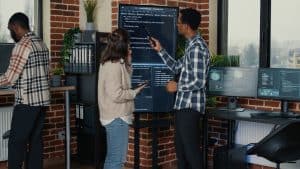
The advent of remote work has revolutionized the way businesses operate, with profound implications for traditional meetings. In this era of remote collaboration, where physical presence is no longer a necessity, organizations are leveraging technology to conduct virtual meetings seamlessly. This shift necessitates a deep understanding of audiovisual (AV) tools to enhance meeting productivity and efficiency.
In the realm of remote work, the importance of AV technology in achieving meeting productivity cannot be overstated. With the emergence of sophisticated audiovisual solutions, virtual meetings have transitioned from being mere communication tools to platforms that facilitate enhanced collaboration. AV technology encompasses video conferencing, multimedia presentations, and seamless audio communication. These tools bridge the gap between in-person and virtual interactions, fostering effective communication and engagement among remote teams.
The core objective of any meeting is to exchange ideas, make decisions, and drive projects forward. AV technology serves as the catalyst for this process by offering various features designed to optimize virtual meetings for better collaboration and efficiency. The integration of AV equipment, such as high-quality cameras, microphones, and displays, ensures that participants can communicate clearly and effectively. This technology transforms virtual meetings into productive sessions that rival face-to-face interactions.
Remote team collaboration hinges on effective communication, and AV technology plays a pivotal role in facilitating this. The integration of advanced AV solutions fosters seamless remote work by enabling crystal-clear video communication and efficient information sharing. Organizations can achieve meeting efficiency through interactive presentations, where multimedia content is seamlessly incorporated to convey ideas comprehensively. This integration enhances engagement, thereby strengthening team collaboration and decision-making.
To achieve meeting productivity with AV tools, organizations must explore an array of virtual meeting solutions. Selecting the right AV equipment and digital collaboration tools is crucial for streamlining meetings and maximizing productivity. By choosing top video conferencing tools, organizations can ensure high-quality interactions that foster productive discussions and efficient decision-making. Additionally, mastering virtual communication with AV solutions ensures that remote teams are well-connected and aligned with shared goals.
Video Conference Setup Basic Requirements By Peoplelink – Easy to Use and Set Up
Optimising Virtual Meetings for Productivity
Remote collaboration has become a cornerstone of modern work dynamics, but it brings its fair share of challenges. The shift to virtual meetings has posed hurdles that can lead to decreased productivity. The absence of face-to-face interaction can result in miscommunication and decreased engagement, hampering the effectiveness of meetings. Remote team collaboration demands special attention to ensure efficient communication and participation.
AV Technology: A Solution to Enhance Engagement and Interaction
Achieving meeting productivity with AV tools is a critical goal in the era of remote work. AV technology has emerged as a powerful solution to address the challenges of remote meetings. By incorporating audiovisual solutions and advanced communication tools, businesses can bridge the gap between in-person and virtual interactions. The integration of technology-assisted meetings enhances collaboration and boosts meeting efficiency.
Maximizing Productivity with AV Equipment
Maximizing productivity with AV equipment is achievable through its strategic implementation. The utilization of top-notch video conferencing tools for better productivity is crucial. These tools offer features like real-time collaboration, screen sharing, and interactive whiteboards that simulate face-to-face meetings, leading to enhanced remote team collaboration. Effective online conferencing strategies are instrumental in achieving meeting efficiency.
Visual and Audio Cues: Maintaining Attention and Interaction
Visual and audio cues play a pivotal role in maintaining participants’ attention during virtual meetings. These cues mirror the nonverbal communication that occurs in physical meetings. By focusing on the visual aspects such as body language and gestures, participants can stay engaged. Similarly, audio cues like voice modulation and active participation foster interaction, contributing to efficient communication and productive virtual meetings.
Enhancing Presentations and Communication
The significance of multimedia presentations cannot be overstated in the realm of remote meetings. Integrating AV technology enables effective presentations, incorporating visuals and graphics that enhance understanding. Choosing the right AV tools for virtual meetings is crucial to seamlessly deliver information and maintain engagement. AV integration empowers efficient communication, making virtual workspace tools indispensable for remote meeting success.
Best AV Tools for Remote Collaboration
In today’s era of remote work and digital collaboration, achieving meeting productivity is crucial for the success of any organization. Leveraging the power of audiovisual (AV) tools can significantly enhance remote collaboration and virtual meetings, making them more efficient and effective. By integrating advanced AV technology, meeting participants can seamlessly communicate, share ideas, and collaborate on projects, regardless of their physical location. Let’s explore some of the best AV tools for remote collaboration that can help you maximize meeting productivity and achieve successful outcomes.
Top AV Tools for Remote Collaboration
Zoom – Seamless Video Conferencing
Zoom has revolutionized remote communication with its user-friendly interface and powerful features. This platform offers high-quality video and audio communication, ensuring clear conversations and easy understanding among participants. With features such as screen sharing, virtual backgrounds, and real-time chat, Zoom facilitates enhanced collaboration during virtual meetings. However, some users have expressed concerns about its security features and the potential for “Zoom fatigue” due to prolonged usage.
Microsoft Teams – Integrated Communication
Microsoft Teams provides a comprehensive suite of communication tools, including video conferencing, instant messaging, and file sharing. Its seamless integration with other Microsoft Office applications allows for efficient collaboration within a familiar environment. Teams’ ability to create channels for specific projects or topics enhances organization and keeps conversations focused. However, the platform’s extensive features might require some time for users to fully master.
Cisco Webex – Feature-Rich Collaboration
Cisco Webex offers a range of features designed to optimize virtual meetings. From HD video quality to interactive whiteboarding, Webex ensures participants remain engaged and connected. The platform’s emphasis on security and end-to-end encryption enhances confidentiality during remote discussions. Despite its impressive features, some users find the user interface a bit complex and overwhelming.
Google Meet – Simplicity and Integration
Google Meet provides a straightforward video conferencing solution with seamless integration into the Google Workspace ecosystem. Its simplicity and ease of use make it an attractive option for teams already using Google services. Google Meet supports real-time captions and allows participants to join meetings directly from their web browsers. However, some users miss advanced features present in other platforms.
Maximizing Productivity with AV Equipment
To maximize meeting productivity with AV tools, it’s essential to choose the right solutions that cater to various aspects of virtual meetings:
Video Quality: Crystal-clear video quality ensures participants can see facial expressions and nonverbal cues, enhancing communication.
Audio Clarity: Clear audio transmission is crucial for understanding discussions and preventing miscommunication.
Screen Sharing: The ability to share screens aids in presentations and collaborative problem-solving.
Real-Time Collaboration: Tools that facilitate real-time collaboration, such as interactive whiteboards, encourage active engagement.
By selecting AV tools that address these aspects, teams can collaborate effectively and achieve meeting productivity.
Streamlined Meetings with Audiovisual Technology
In today’s fast-paced business landscape, achieving meeting productivity with AV tools has become an essential strategy for organizations embracing remote collaboration. Leveraging advanced AV technology not only enhances communication but also streamlines the entire meeting process from scheduling to follow-up. This section delves into the integration of AV tools with calendars, task management apps, and communication platforms to maximize productivity and efficiency.
AV Integration: A Catalyst for Enhanced Collaboration
Achieve Meeting Productivity with AV Tools: AV technology has revolutionized the way businesses conduct virtual meetings. By seamlessly integrating audiovisual solutions into the meeting workflow, companies can ensure efficient communication and collaboration among remote teams. With video conferencing at the forefront, participants can engage in face-to-face discussions, regardless of geographical barriers. This enhances teamwork, fosters engagement, and accelerates decision-making processes.
Multimedia Presentations for Effective Communication
To boost meeting efficiency through AV solutions, multimedia presentations play a pivotal role. Maximizing Productivity with AV Equipment: Incorporating multimedia elements, such as slides, graphics, and videos, transforms ordinary presentations into dynamic, engaging experiences. These captivating visuals not only convey information effectively but also leave a lasting impact on attendees. By utilizing AV technology, presenters can maintain audience attention and deliver key messages with clarity.
Seamless Integration with Communication Tools
The importance of AV equipment in virtual meetings is undeniable, especially when integrated with communication tools. Enhancing Remote Team Collaboration with AV Technology: Communication platforms, when combined with AV solutions, create a unified virtual workspace that fosters seamless interactions. Participants can share ideas, documents, and feedback in real-time, replicating the spontaneity of in-person discussions. This digital collaboration enhances remote meeting success and strengthens team cohesion.
Choosing the Right AV Tools for Virtual Meetings
Selecting the best AV tools for remote collaboration is crucial for meeting productivity. Effective Online Conferencing Strategies: Organizations must assess their unique needs and preferences before investing in technology-assisted meetings. Prioritize video conferencing solutions that offer high-definition video quality, reliable connectivity, and user-friendly interfaces. Compatibility with various devices ensures a versatile virtual workspace, accommodating diverse remote work setups.
Boost Meeting Efficiency through AV Solutions
In today’s rapidly evolving work landscape, remote collaboration has become a cornerstone of success for businesses worldwide. The integration of AV technology has revolutionized the way meetings are conducted, enhancing meeting productivity and communication efficiency. By leveraging the power of audiovisual solutions, companies can optimize virtual meetings for productivity, streamline teamwork, and master the art of virtual communication.
Optimising Virtual Meetings for Productivity
AV technology plays a pivotal role in achieving meeting efficiency by offering a plethora of features tailored to remote collaboration. Video conferencing, a key component of AV solutions, allows teams to bridge geographical gaps and facilitate effective presentations. Through advanced AV solutions, participants can engage in high-definition video communication, replicating the benefits of face-to-face interaction. The incorporation of AV hardware ensures seamless communication, leading to enhanced collaboration and efficient information exchange.
Enhancing Remote Team Collaboration with AV Technology
Choosing the right AV tools for virtual meetings is essential to harness the full potential of remote team collaboration. Video conferencing tools have emerged as indispensable assets, enabling geographically dispersed teams to interact as if they were in the same room. Tools like virtual backgrounds not only add a professional touch to meetings but also minimize distractions, fostering a more focused atmosphere. Breakout rooms facilitate parallel discussions, ensuring that different aspects of a project can be addressed simultaneously, thereby maximizing productivity with AV equipment.
Importance of AV Equipment in Virtual Meetings
The impact of high-definition video conferencing on non-verbal communication cannot be underestimated. Facial expressions, body language, and gestures play a vital role in conveying messages accurately. AV solutions enhance these nuances, allowing participants to interpret subtle cues, thereby reducing the chances of miscommunication. The ability to see colleagues’ reactions in real-time creates a more personal and connected environment, even in a virtual setting.
Effective Online Conferencing Strategies
Selecting the right AV equipment is a critical aspect of remote meeting success. With a myriad of options available, companies should prioritize features such as real-time document collaboration. This feature enables participants to collaborate on shared documents seamlessly, eliminating the need for constant file sharing and version control. As a result, decisions are made more efficiently, and projects progress without hindrance.
Mastering Virtual Communication with AV Solutions
AV integration offers a multitude of benefits beyond video conferencing. Virtual workspace tools provide a platform for multimedia presentations, ensuring that information is delivered effectively. Interactive elements, such as annotation and whiteboarding, facilitate real-time brainstorming, transforming virtual meetings into dynamic collaboration hubs. Such tools bridge the gap between in-person and virtual discussions, contributing to effective communication and overall meeting enhancement.
Enhancing Remote Team Collaboration with AV Technology
Remote work has become an integral part of the modern business landscape, enabling organizations to tap into global talent pools and operate with unprecedented flexibility. However, remote team collaboration presents its own set of challenges, ranging from communication barriers to maintaining a cohesive team culture. To bridge this gap, businesses are increasingly turning to AV technology to facilitate seamless and effective collaboration. By leveraging audiovisual solutions, virtual meetings, and advanced communication tools, companies can achieve meeting productivity and enhance remote team collaboration.
Fostering Presence and Connection: The Role of Video Conferencing
Video conferencing has emerged as a cornerstone of remote collaboration, revolutionizing the way teams interact and ensuring a sense of presence despite physical separation. Through technology-assisted meetings, AV technology creates an environment that closely mimics in-person interactions. Team members can engage in real-time discussions, share ideas, and receive instant feedback, maximizing productivity with AV tools. This sense of connection fosters a stronger bond among team members, leading to enhanced collaboration and improved outcomes.
Choosing the Right AV Tools for Effective Online Conferencing
Selecting the best AV tools for remote collaboration requires a strategic approach. Organizations must consider factors such as user-friendliness, compatibility, and features that support enhanced collaboration. When choosing video conferencing tools, look for platforms that enable efficient communication and offer advanced features like screen sharing and interactive whiteboards. These tools empower teams to conduct effective presentations and discussions, ultimately enhancing remote team collaboration and meeting productivity.
Optimizing Virtual Meetings with AV Integration
To further optimize virtual meetings for productivity, businesses should focus on AV integration. By seamlessly incorporating AV technology into existing communication tools, organizations can create a cohesive environment for effective video communication. This integration facilitates streamlined meetings, efficient communication, and technology-assisted meetings. When AV hardware is properly integrated, it becomes a valuable asset in the digital collaboration landscape, enabling teams to master virtual communication and achieve meeting enhancement.
Choosing the Right AV Tools for Virtual Meetings
In the realm of remote work and virtual meetings, harnessing the power of AV technology is essential to achieving meeting productivity. By seamlessly integrating audiovisual solutions, you can create an environment conducive to effective communication and enhanced collaboration. In this comprehensive guide, we’ll delve into the crucial factors for selecting the appropriate AV tools that align with your specific meeting needs.
Tailoring AV Tools to Meeting Requirements
Size of the Team and Meeting Frequency
When considering AV equipment, the size of your team and the frequency of your virtual meetings play pivotal roles. For smaller teams with occasional meetings, streamlined meetings with audiovisual technology can significantly enhance efficiency. On the other hand, larger teams with frequent meetings might benefit from advanced AV solutions, enabling seamless interaction and optimal engagement.
Navigating Budget and Technical Requirements
Budget Considerations
AV equipment comes in a variety of price ranges, so it’s essential to align your budget with your needs. Opt for AV tools that strike a balance between cost and functionality. This ensures that you’re investing in tools that contribute to meeting enhancement without breaking the bank.
Technical Compatibility
Technology-assisted meetings require AV tools that seamlessly integrate with your existing infrastructure. Your chosen tools should facilitate efficient communication and enhance the virtual meeting experience. Prioritize AV technology that offers compatibility with a range of communication tools and platforms, ensuring that your remote collaboration remains frictionless.
Creating a Checklist for Informed Decision-Making
Meeting Purpose and Scope: Identify the primary purpose of your virtual meetings. Are they for presentations, brainstorming sessions, project updates, or client interactions? Different purposes demand specific AV equipment for optimal results.
Audio and Video Quality: High-quality audiovisual solutions are essential for effective virtual communication. Prioritize tools that deliver clear audio, crisp visuals, and smooth video streaming, ensuring that participants remain engaged and attentive.
Collaboration Features: Look for AV tools that offer interactive features such as screen sharing, whiteboarding, and real-time document collaboration. These features promote enhanced teamwork and idea sharing.
Ease of Use: User-friendly AV tools minimize technical hiccups and ensure that meetings run smoothly. Select tools that have an intuitive interface and require minimal setup.
Integration Capabilities: Seamless integration with other communication tools, such as video conferencing platforms and project management software, enhances the overall remote work experience.
Scalability: As your team and meeting requirements evolve, your AV tools should accommodate growth. Opt for solutions that are scalable and adaptable to changing needs.
Conclusion
In today’s fast-paced digital landscape, the integration of AV technology has become paramount in achieving meeting productivity and enhancing remote collaboration. As the business world continues to embrace remote work and virtual meetings, the role of audiovisual solutions has never been more crucial.
To achieve meeting productivity with AV tools, it’s essential to understand how these advanced solutions contribute to efficient remote collaboration. AV technology goes beyond traditional communication tools, offering a seamless blend of audio and visual components that empower participants to engage, present, and collaborate effectively. By embracing AV equipment, businesses can create an environment conducive to productive virtual meetings and enhanced teamwork.
One of the most significant advantages of AV technology lies in its ability to enhance collaboration during virtual meetings. Utilizing top-tier video conferencing tools not only allows teams to communicate in real time but also facilitates effective presentations through multimedia displays. This integration of AV equipment transforms ordinary online conferencing into a dynamic platform for sharing ideas, data, and insights.
When considering AV solutions for remote collaboration, it’s important to choose tools that align with your organization’s specific needs. Experts like Brian Dean emphasize the importance of selecting advanced AV solutions tailored to your virtual workspace. By experimenting with various AV equipment and strategies, businesses can discover the best-fit tools to achieve meeting productivity and streamline their remote communication.
Achieving meeting productivity with AV tools involves more than just integrating technology. It requires mastering effective online conferencing strategies and optimizing virtual meetings for efficiency.
In the realm of remote work, AV hardware plays a pivotal role in achieving meeting productivity and enhancing collaboration. Successful virtual meetings hinge on reliable AV equipment that supports seamless communication, advanced presentations, and efficient data sharing. Brands that invest in top video conferencing tools and audiovisual solutions position themselves for remote meeting success and productive outcomes.
FAQs
How can AV tools enhance meeting productivity?
AV tools enhance meeting productivity by enabling clear communication through high-quality audio and video, interactive presentations, and real-time content sharing. They engage participants, reduce misunderstandings, and foster collaboration by allowing visual cues and non-verbal communication. Features like screen sharing, virtual whiteboards, and recording capabilities aid in content retention and follow-up. Integrating AV tools with scheduling platforms streamlines meeting setup. Additionally, remote participants can join seamlessly, reducing time and travel constraints. Effective AV tools ensure efficient communication, encourage active participation, and result in more productive meetings.
What are the benefits of using AV technology for remote collaboration?
AV technology facilitates remote collaboration by providing lifelike interactions. It enables face-to-face communication, increasing engagement and building stronger relationships among remote teams. Visual cues reduce misunderstandings, while screen sharing and virtual whiteboards enhance idea sharing and brainstorming. AV tech transcends geographical barriers, enabling real-time participation, fostering teamwork, and accommodating flexible schedules. It also supports archived recordings for future reference. Overall, AV technology enriches remote collaboration, leading to improved communication, innovation, and productivity.
Which video conferencing tools are best for virtual meetings?
Several video conferencing tools excel in virtual meetings. Zoom offers intuitive interface and breakout rooms. Microsoft Teams integrates seamlessly with Office apps. Google Meet is convenient with G Suite integration. Cisco Webex provides robust security. Slack offers quick communication and integration. Each tool varies in features, user-friendliness, and integrations, making the choice dependent on specific team needs and preferences.
How does AV equipment improve presentations?
AV equipment enhances presentations by adding visual and auditory elements. Projectors or displays make content engaging and easy to follow. Quality audio systems ensure clear delivery. Interactive whiteboards encourage real-time annotations. Multimedia elements like videos and slides enrich information. AV equipment captivates audiences, aids information retention, and accommodates diverse learning styles, resulting in more effective and impactful presentations.
What strategies optimize remote team collaboration?
Optimal remote collaboration involves clear communication, defined goals, and structured workflows. Regular video meetings establish connection, while collaborative platforms centralize information sharing. Setting expectations, using project management tools, and allocating responsibilities keep teams aligned. Virtual team-building activities foster relationships. Flexibility in work hours accommodates global teams. Encouraging open dialogue and valuing diverse input enhances creativity and problem-solving, optimizing remote team collaboration.
How to choose suitable AV solutions for online conferencing?
Choosing suitable AV solutions involves assessing needs, compatibility, and features. Prioritize seamless integration with existing tools. Consider audio quality, video resolution, screen sharing, and recording options. User-friendly interfaces enhance adoption. Scalability is important for growing teams. Test audio and video performance to ensure clear communication. Check security protocols for data protection. User reviews and trial periods can aid decision-making, helping select AV solutions that best fit online conferencing requirements.
What role does digital collaboration play in meetings?
Digital collaboration transforms meetings into interactive sessions. Virtual whiteboards, real-time document editing, and screen sharing enable dynamic idea exchange. Cloud storage facilitates easy access to shared resources. Remote participants engage actively through chat and polls. Digital collaboration ensures all voices are heard, promotes inclusivity, and encourages participation, ultimately leading to more productive and interactive meetings.
How can AV integration enhance virtual communication?
AV integration enhances virtual communication by seamlessly merging audio, video, and content sharing technologies. It eliminates technical glitches and simplifies user experience. Integrated AV systems ensure clear and uninterrupted communication, reducing distractions. Compatibility with various devices ensures flexibility for participants. This integration streamlines meeting setup, encourages active engagement, and results in smooth and effective virtual communication.
What are the key components of efficient virtual meetings?
Efficient virtual meetings encompass clear objectives, structured agendas, and active participation. High-quality audio and video facilitate seamless communication. Interactive elements like polls and Q&A sessions engage attendees. Screen sharing and virtual whiteboards aid content delivery. Time management ensures meetings stay on track. Follow-up actions and assigned responsibilities promote accountability. Regular evaluations enable continuous improvement. Efficient virtual meetings prioritize engagement, collaboration, and well-defined outcomes.
How to ensure successful remote meeting outcomes?
Successful remote meeting outcomes hinge on thorough preparation, engagement, and follow-up. Set clear goals and distribute agendas in advance. Engage participants through interactive discussions and visuals. Assign action items and document decisions for future reference. Record the meeting for absentees. Follow up with a summary email outlining key takeaways and action steps. Regularly assess meeting effectiveness and gather feedback to refine remote collaboration processes.
How does technology-assisted communication impact meetings?
Technology-assisted communication revolutionizes meetings by enabling seamless interactions regardless of location. It enhances engagement through visual cues and real-time content sharing. Chat features promote active participation and clarify discussions. Virtual backgrounds and filters personalize the experience. Integrating technology streamlines scheduling and simplifies document management. Overall, technology-assisted communication fosters efficient, inclusive, and dynamic meetings.
What are the top AV tools for enhancing remote work?
Top AV tools for enhancing remote work include Zoom, Microsoft Teams, Google Meet, Slack, and Cisco Webex. These tools offer high-quality video and audio, screen sharing, chat features, and integrations with productivity apps. They enable virtual collaboration, from team meetings to client presentations, enhancing communication and productivity in remote work setups.
How to improve virtual presentations with multimedia?
To enhance virtual presentations with multimedia, incorporate relevant visuals, videos, and graphics. Ensure multimedia aligns with the content and supports key points. Use animations and transitions for engagement. Practice seamless integration of multimedia during rehearsals. Optimize file formats for compatibility. Test audio and video quality in advance. A well-balanced mix of multimedia elements will captivate the audience and reinforce the presentation’s message effectively.
How do audiovisual solutions contribute to the virtual workspace?
Audiovisual solutions enrich the virtual workspace by facilitating seamless communication and collaboration. High-quality audio and video enhance interactions. Screen sharing, virtual whiteboards, and annotation tools aid idea sharing and brainstorming. Video conferencing bridges distance, fostering team cohesion. AV solutions ensure effective content delivery, making presentations engaging and informative. By replicating in-person interactions, audiovisual solutions create a dynamic and productive virtual workspace.
What are effective techniques for online meetings?
Effective online meetings start with clear objectives and well-structured agendas. Engage participants through interactive discussions and visual aids. Allocate time for Q&A and collaboration. Manage distractions by muting when not speaking. Use video to establish connection. Utilize breakout rooms for focused discussions. Record meetings for future reference. Follow up with action items and summaries. Regularly assess meeting effectiveness and adjust techniques for continuous improvement.
In today’s rapidly evolving multimedia industry, possessing Audiovisual (AV) expertise has become a prerequisite for professionals seeking career growth and success. As technology continues to advance, multimedia skills and AV knowledge development have taken center stage. This blog explores the significance of AV expertise in the contemporary multimedia landscape.The fusion of audiovisual technology and multimedia training forms the backbone of the AV industry. Professionals who invest in AV expertise development are better equipped to adapt to the ever-changing landscape of visual communication and media production. With the multimedia industry evolving at a rapid pace, staying abreast of audiovisual technology advancements is crucial.For those aiming to excel in the multimedia industry, professional development is indispensable. AV certification programs offer a structured path towards mastering AV skills. They provide multimedia professionals with the necessary expertise to navigate the complexities of the AV industry successfully.AV expertise is synonymous with career growth in the multimedia sector. Professionals who invest in AV knowledge development open doors to diverse career options. From media production to visual communication techniques, the benefits of AV expertise are far-reaching.Effective AV training for beginners is the foundation upon which AV expertise is built. Those new to the industry can kickstart their journey by enrolling in comprehensive multimedia training programs. These programs cover the fundamentals of audiovisual technology, ensuring a strong base for future AV mastery.Working as an Audio Visual Engineer at Paladin Technologies Starting from Scratch: Effective AV Training for BeginnersIf you’re venturing into the world of Audiovisual (AV) technology and seeking to develop your AV expertise, you’re on the right track. Building a strong foundation in AV skills is crucial for success in the AV industry and multimedia professionals. This section will guide you through the fundamentals of AV technology, recommend beginner-friendly AV training resources, and emphasize the importance of AV expertise development.Fundamentals of AV TechnologyTo begin your journey toward AV expertise development, it’s essential to understand the basics of audiovisual technology. AV technology encompasses various aspects of visual communication and media production. It includes audio and video equipment, multimedia skills, and the ability to create compelling content.Recommended AV Training Resources AV Certification Programs: Start by exploring AV certification programs. These programs provide structured learning paths and industry-recognized credentials. Look for courses that cover topics like audiovisual technology, multimedia training, and professional development in AV. Multimedia Training Courses: Enhancing multimedia skills is a crucial part of AV expertise development. Consider enrolling in multimedia training courses that teach you how to create engaging visual content, which is essential in the AV industry. Online AV Education: The AV industry is constantly evolving. Stay updated with the latest trends and advancements in audiovisual technology by taking advantage of online AV education resources. These can include webinars, podcasts, and forums discussing AV industry insights. AV Mastery Courses: If you’re looking to accelerate your AV knowledge development, consider advanced AV certification programs. These programs are designed for individuals who want to become professional AV specialists and master visual communication techniques. Importance of Building a Strong Foundation in AV SkillsBuilding a strong foundation in AV skills is not just about getting a certification; it’s about preparing yourself for a successful career in the AV industry. Here are some career benefits of AV expertise: Career Growth: Having professional AV skills opens doors to exciting career opportunities in the multimedia industry. You can work in various roles, from AV specialists to media producers. Audiovisual Competence: As you gain AV expertise, you’ll become more competent in handling audiovisual technology, allowing you to excel in multimedia production and communication. AV Knowledge Development: AV knowledge development is an ongoing process. By continuously improving your skills, you’ll stay ahead of the curve in the ever-changing AV industry. Going Beyond Basics: Advanced AV Certification ProgramsWhen it comes to advancing your career in the Audiovisual (AV) industry, seeking out advanced AV certification programs is a wise choice. These programs offer a gateway to AV expertise development, enabling you to stand out in a competitive field. AV Certification: A Path to Professional AV SkillsAudiovisual technology has become an integral part of our lives, influencing how we communicate and engage with multimedia content. To thrive in this ever-evolving industry, professionals need continuous multimedia training and development. Advanced AV certification programs are designed to meet this need, equipping you with the latest multimedia skills and AV knowledge.Key Certification Bodies and Their OfferingsSeveral certification bodies in the AV industry provide comprehensive training and certification programs to help you enhance your AV expertise: InfoComm International: This organization offers the Certified Technology Specialist (CTS) program, covering various aspects of AV technology, multimedia skills, and audiovisual competence. Their courses provide a solid foundation for AV career growth. AVIXA: The Audiovisual and Integrated Experience Association offers the Certified Technology Specialist – Installation (CTS-I) and Certified Technology Specialist – Design (CTS-D) certifications. These programs focus on AV knowledge development and expertise in AV professionalism. ISEC: The International Systems Engineering Certification provides a well-rounded curriculum for professionals seeking advanced AV skills. Their AV certification programs cater to those interested in media production and AV specialists. CEDIA: The Custom Electronic Design & Installation Association specializes in home technology integration. Their advanced AV certification programs prepare you for successful AV knowledge development in the residential AV industry. Enhancing Multimedia Skills EasilyIn today’s rapidly evolving digital landscape, staying ahead in the audiovisual (AV) industry requires continuous learning and skill enhancement. This section explores various techniques and resources to help multimedia professionals in their journey towards AV expertise development. Enhancing Multimedia Skills with Audiovisual TechnologyAudiovisual technology is at the core of the multimedia industry. To embark on a successful AV expertise development journey, one must have a solid foundation in this field. Effective AV training for beginners is crucial. Consider enrolling in comprehensive multimedia training programs that cover the latest audiovisual technology advancements.Continuous Learning for AV Professional DevelopmentThe AV industry is dynamic, with new trends emerging constantly. To keep pace, professionals must prioritize continuous learning. This includes advanced AV certification programs that provide in-depth knowledge and hands-on experience. AV certification
In today’s fast-paced world, the importance of cutting-edge AV (audiovisual) solutions cannot be overstated. These innovative technologies have become integral in various domains, including business, education, healthcare, entertainment, and more. This article explores the significance of AV technology and its relevance across different sectors.Cutting-edge AV solutions have revolutionized the way businesses operate. From dynamic presentations to immersive video conferencing, AV technology enhances communication and collaboration. Companies invest in advanced audiovisual technology to stay competitive, deliver impactful pitches, and facilitate effective internal communication.In the corporate world, audiovisual solutions enable professionals to convey their messages clearly and concisely. Audio-visual training programs, incorporating state-of-the-art AV equipment, empower employees to harness the full potential of these tools. This not only improves efficiency but also ensures a seamless exchange of ideas.In the field of education, AV technology is a game-changer. Innovative AV solutions facilitate interactive and engaging learning experiences. Cutting-edge AV systems transform traditional classrooms into dynamic, multimedia environments, making lessons more compelling and digestible for students.Affordable AV solutions for classrooms have become increasingly accessible, allowing schools and universities to create immersive educational experiences. These institutions invest in the latest AV innovations to nurture the next generation of learners and equip them with the skills needed in our digital world.Cutting Edge Audio/Visual Solutions – Green Screen – Quest AV The Evolution of AV TechnologyAudio visual technology has come a long way, transforming the way we experience presentations, entertainment, and communication. In this section, we will delve into the historical development of AV technology, highlighting key milestones and innovations that have shaped the industry. AV Technology Through the AgesThe journey of AV technology began in the late 19th century with the invention of the phonograph, a device capable of recording and reproducing sound. This marked the inception of audio technology, which eventually merged with visual technology to create what we know as AV technology today.Key Milestones and Innovations Introduction of Televisions: The 20th century witnessed the rise of televisions, a significant milestone in AV technology. The black-and-white TV sets of the early 1900s have evolved into today’s high-definition displays, offering unparalleled clarity and quality. Invention of Projectors: Projectors revolutionized the way presentations were made. From overhead projectors to modern digital projectors, they have become an integral part of educational institutions and businesses, providing advanced multimedia solutions. Digital Revolution: The advent of digital technology ushered in a new era. VCRs, DVD players, and Blu-ray discs changed how we consumed audiovisual content. This transition laid the foundation for cutting-edge AV systems. Internet Integration: With the proliferation of the internet, AV technology has become more interconnected. Video conferencing, live streaming, and online presentations became possible, making reliable AV technology essential for video conferencing and virtual events. Emergence of 4K and 8K Displays: In recent years, the industry has seen a surge in ultra-high-definition displays, such as 4K and 8K screens. These state-of-the-art AV equipment options offer superior visual quality and are a favourite among gaming enthusiasts and home theatre enthusiasts. Cutting-Edge AV Solutions TodayIn today’s fast-paced world, cutting-edge AV solutions are indispensable. They encompass a wide range of audiovisual solutions, AV equipment, and presentation technology. These innovative AV solutions are at the forefront of the AV technology trends, offering next-generation audiovisual equipment and services. AV Innovation Description 4K and 8K Displays Ultra-high-definition screens for superior visuals Video Conferencing Systems Reliable AV technology for remote collaboration Interactive Multimedia Solutions Engaging and customizable AV setups Wireless AV Systems Convenient and clutter-free audiovisual solutions Energy-Efficient AV Solutions Sustainable and eco-friendly AV equipment options Applications of Cutting-Edge AV Solutions Business Presentations: The best AV technology for business presentations ensures clear communication and engagement with clients and stakeholders. Classrooms: Affordable AV solutions for classrooms enhance the learning experience, making education more interactive and engaging. Virtual Events: Top AV equipment for virtual events creates immersive online experiences, connecting people worldwide. Video Conferencing: Reliable AV technology for video conferencing is crucial for seamless communication in the modern workplace. Home Theaters: Advanced AV solutions for home theatres transform your living room into a cinematic experience. Healthcare: Cutting-edge AV solutions in healthcare enable efficient communication and collaboration among medical professionals. Meeting Business Presentation NeedsCutting-edge AV solutions are the driving force behind impactful business presentations in today’s digital world. In this section, we will delve into the best audiovisual technology options available to enhance your presentations, and we’ll also explore the latest trends and innovative solutions that can take your business presentations to the next level.AV Equipment for Business PresentationsWhen it comes to meeting business presentation needs, having the right audiovisual solutions is crucial. Modern businesses require advanced gear and professional equipment to make a lasting impression. Here are some cutting-edge AV solutions and high-tech gear that can help you achieve just that: State-of-the-Art AV Equipment: Investing in state-of-the-art AV equipment is a must. This includes high-definition AV displays and top-tier audiovisual technology. Cutting-edge Visual Technology: Incorporate cutting-edge visual technology to create stunning visuals that captivate your audience. Wireless Audiovisual Systems: For hassle-free setup and flexibility during presentations, consider wireless audiovisual systems. Interactive Multimedia Solutions: Engage your audience with interactive multimedia solutions that allow real-time participation. Energy-efficient AV Solutions: Sustainable practices are a priority. Opt for energy-efficient AV solutions to reduce your carbon footprint. Latest AV Technology TrendsStaying updated with the latest AV technology trends is essential for delivering impactful presentations. Here are some trends to watch out for: Next-Generation Audiovisual Equipment: The AV industry is constantly evolving. Look for next-gen audiovisual equipment that offers superior performance. Cutting-edge AV Systems: Embrace cutting-edge AV systems that provide seamless integration and user-friendly interfaces. AV Technology for Conferences: In an era of remote work, advanced AV technology for video conferencing is indispensable. Innovative Presentation Technology: Incorporate innovative presentation technology like augmented reality (AR) and virtual reality (VR) to create immersive experiences. Customizable Audiovisual Setups: Tailor your AV setup to meet specific presentation needs, whether in a boardroom, classroom, or home theater. Revolutionary Audiovisual SolutionsFor those seeking groundbreaking AV solutions, here are some options to consider: Cutting-edge AV Products: Explore cutting-edge AV products that
In today’s fast-paced and competitive world, achieving optimal productivity is essential for individuals and businesses alike. The ability to efficiently manage time, focus on tasks, collaborate effectively, and achieve goals plays a crucial role in success. One valuable tool that has revolutionized productivity is audio visual (AV) gear. This blog explores the importance of AV gear in enhancing productivity and efficiency, covering a range of topics related to technology, equipment, tools, and solutions that contribute to improved performance and work-life balance.Boosting Focus and Efficiency: AV equipment offers innovative solutions to improve focus and concentration, reducing distractions and increasing overall efficiency. By using audio visual tools for success, individuals can optimize their workflow, making multitasking more manageable and goal achievement more attainable.Facilitating Remote Work and Collaboration: With the rise of remote work, audio visual gear plays a critical role in facilitating seamless communication and collaboration among teams, regardless of physical location. Utilizing AV gear for virtual collaboration enhances teamwork and fosters creativity, making it easier to achieve project success.Workflow Optimization: Incorporating audio visual gear into daily routines enables effective project management and workflow optimization. AV gear for workflow optimization streamlines tasks, ensuring a smooth and productive working process.Time Management and Task Efficiency: Time-saving tips are essential in maximizing productivity. AV gear, designed for optimal performance, helps individuals better manage their time, prioritize tasks, and achieve work-life balance.Logitech + Microsoft Teams | Raising the Bar on Video Meetings Audio Visual Gear Buying GuideIn today’s fast-paced world, productivity is the key to success. Whether you’re a professional, content creator, remote worker, or team collaborator, having the right audio visual (AV) gear can significantly enhance your efficiency, focus, and overall performance. This comprehensive buying guide will explore various types of AV equipment, their features, and reputable brands to help you make informed decisions based on your needs and budget. Power of AV Equipment for Productivity Audiovisual gear goes beyond mere entertainment; it is a powerful tool that can revolutionize the way you work and interact. With the right AV setup, you can achieve optimal performance, seamless collaboration, and efficient time management in various scenarios, such as remote work, project management, and team meetings. Different Types of AV Gear Projectors: Ideal for presentations and large gatherings, projectors offer high-quality visual aids for better engagement. Monitors: From multitasking to content creation, a good monitor with high resolution and connectivity options can boost your productivity. Headphones: Noise-canceling headphones provide a focused work environment, enhancing your concentration and reducing stress. Cameras: For content creators and online teachers, high-quality cameras are essential to capture and share valuable information effectively. Microphones: Crystal-clear audio is crucial for virtual events, public speaking, and effective collaboration. Features to Consider Resolution: Higher resolution ensures clarity, which is essential for reading text, viewing presentations, or creating content. Connectivity Options: Look for AV gear with versatile connectivity to seamlessly integrate with your existing devices. Portability: Lightweight and portable equipment are convenient for remote work and on-the-go professionals. Compatibility: Ensure your AV gear works with various devices and software to avoid compatibility issues. Best Audio Visual Gear Under £500In today’s fast-paced world, where productivity and optimal performance are paramount, leveraging audio visual gear can make a significant difference in various aspects of work and life. In this section, we curate a list of the best audio visual tools and equipment under £500, highlighting their functionalities, benefits, and how affordability does not compromise quality and effectiveness. Whether you’re working remotely, collaborating with a team, managing projects, or seeking work-life balance, these audio visual solutions will elevate your efficiency, creativity, and overall productivity. Wireless Presentation Clicker Enhance Efficiency in Meetings and PresentationsA wireless presentation clicker is an indispensable tool for professionals giving presentations or collaborating remotely. With seamless connectivity and intuitive controls, it allows you to navigate slides effortlessly, freeing you from being tethered to your computer. Boost productivity by capturing and holding your audience’s attention with smooth transitions and confident control over your presentation flow. HD Webcam with Built-in Microphone Improve Collaboration and Remote WorkIn an increasingly remote work landscape, effective communication is key. An HD webcam with a built-in microphone ensures crystal-clear video calls, promoting seamless collaboration and eliminating communication barriers. Experience virtual meetings with a sense of presence and engagement, enabling effective teamwork and project management even across vast distances. Multi-Device Charging Station Optimize Workflow and MultitaskingA multi-device charging station helps declutter your workspace and manage multiple devices efficiently. With the ability to charge smartphones, tablets, and other gadgets simultaneously, it saves valuable time and keeps you connected and focused on your tasks. Stay organized and maximize productivity by eliminating the need to search for charging outlets or untangling cables. Noise-Canceling Headphones Boost Focus and MindfulnessAchieving optimal productivity often requires a quiet and distraction-free environment. Noise-canceling headphones create a personal oasis, blocking out external sounds and distractions. Whether you’re working on a project, engaging in creative tasks, or seeking moments of mindfulness, these headphones facilitate deep focus and reduce stress, leading to enhanced productivity. Portable LED Projector Enhance Presentations and CreativityA portable LED projector is a game-changer for professionals who frequently conduct presentations or creative workshops. With its compact design and versatility, you can bring your ideas to life anywhere, whether it’s in the office, at home, or on the go. Engage your audience with dynamic visuals and foster creativity in your brainstorming sessions. Video Conferencing Camera with 360-Degree View Facilitate Effective Meetings and TeamworkCollaborative discussions and teamwork thrive when all participants can interact seamlessly. A video conferencing camera with a 360-degree view ensures that everyone is visible and engaged during virtual meetings. This fosters a sense of inclusivity, leading to improved communication, effective decision-making, and goal achievement. Audio Visual Gear for Remote Work and CollaborationIn the ever-evolving world of remote work and collaboration, audio visual (AV) gear plays a crucial role in ensuring optimal productivity and efficient communication. With a myriad of tools and devices available, remote teams can enhance their workflow, teamwork, and project management, resulting in successful outcomes. This section explores the importance of
Discover the advantages of customizable meeting room technology and take your meetings to the next level. Our cutting-edge solutions offer wireless presentation systems, video conferencing, and digital collaboration tools for seamless communication and productivity. Improve your meeting experience with smart meeting room technology that can be customized to fit your unique needs.
Audio visual systems (AV) have become an integral part of our daily lives, enriching our entertainment, communication, and work experiences. From streaming movies to conducting virtual meetings, AV systems play a pivotal role. However, even the most sophisticated setups can encounter glitches and errors, disrupting our seamless interactions. This is where the importance of AV troubleshooting steps comes into play. In this comprehensive AV troubleshooting guide, we’ll delve into the concept of AV troubleshooting and its significance, addressing common frustrations people face when their AV systems encounter problems.AV troubleshooting involves the process of diagnosing and rectifying audiovisual issues that hinder the smooth functioning of equipment. It’s the art of identifying and resolving AV problems efficiently, allowing users to enjoy uninterrupted audio and video experiences. Troubleshooting AV issues requires a blend of technical expertise and problem-solving techniques, making it an essential skill in our tech-driven world.Picture this: you’re immersed in a crucial video conference, and suddenly, the audio cuts out. Or you’re all set for a movie night, but the display glitches spoil the mood. These are just a couple of examples of the frustrations people encounter when their AV systems malfunction. AV equipment glitches, display errors, audio problems, and video errors can disrupt the flow of our tasks and leisure activities.This AV troubleshooting guide aims to be your go-to resource for resolving various audiovisual problems. Whether you’re facing AV system errors, display glitches, or audio problems, this guide will provide you with step-by-step AV solutions and troubleshooting strategies. We understand that the need for quick AV problem fixes is paramount, which is why this guide focuses on straightforward techniques that empower you to fix AV setup issues with ease.To become adept at troubleshooting AV issues, consider it as an audio visual training of sorts. Our guide will equip you with AV troubleshooting techniques and expert tips that cater to beginners and tech-savvy individuals alike. You’ll learn how to diagnose AV tech glitches, solve video audio errors, and tackle common AV issues head-on. With the right AV troubleshooting methods, even complex AV problem diagnoses can become manageable tasks.Troubleshooting AV Equipment | HowToAV AV TroubleshootingAV troubleshooting, a cornerstone of maintaining seamless entertainment and communication experiences, is the process of identifying and resolving audiovisual issues that can hinder your AV setup’s performance. A well-structured troubleshooting guide plays a pivotal role in swiftly addressing AV problems, ensuring uninterrupted audio and video experiences. The Role of AV Troubleshooting: Swift Solutions for Seamless EntertainmentAV troubleshooting is your go-to approach for fixing audio problems, video errors, and other AV system errors that can disrupt your audiovisual setup. By employing advanced troubleshooting strategies, you can quickly diagnose glitches and apply effective solution methods. An AV troubleshooting guide serves as your expert companion, offering step-by-step AV troubleshooting steps to address complex issues, making audio-video problem-solving a breeze.Benefits of a Troubleshooting Guide: Your Quick-Fix CompanionHaving a troubleshooting guide at your fingertips provides several advantages. It empowers you with AV troubleshooting techniques, tips, and expert advice, enabling you to resolve display glitches, AV equipment glitches, and more. Such a guide is a lifesaver when dealing with AV tech glitches, as it offers actionable solutions for AV system errors, keeping your entertainment setup error-free.Systematic Approach: Unveiling the Power of Methodical AV TroubleshootingA systematic approach is pivotal when it comes to troubleshooting AV issues. By following a structured AV troubleshooting walkthrough, you can diagnose and fix AV setup errors efficiently. AV problem diagnosis becomes straightforward with the application of AV troubleshooting methods that outline specific troubleshooting solutions for common AV issues. This approach enables you to identify and resolve audiovisual problems without the hassle.Enhancing Your AV Experience: AV Troubleshooting Expert TipsFor quick AV problem fixes, you need a comprehensive troubleshooting guide that emphasizes AV troubleshooting strategies and techniques. It provides rapid AV glitch solutions, straightforward AV issue troubleshooting, and audio-video solutions. Utilizing an AV problem-solving guide, resolving audiovisual setup errors becomes a breeze, enhancing your overall AV experience. Quick AV Problem FixesIn the realm of audiovisual setups, glitches and errors can disrupt your experience. Whether it’s a sudden audio dropout or a distorted video display, these issues demand swift solutions. This AV troubleshooting guide presents practical steps to address common AV problems, allowing you to restore your system’s functionality promptly. Read on for easy AV troubleshooting steps and rapid solutions.Audio Problems: No Sound Output AV Troubleshooting Steps: Check the audio cables and ensure they’re securely connected to the appropriate ports. AV Troubleshooting Techniques: Verify that the audio source is correctly selected on both the AV system and the playback device. AV Troubleshooting Tips: Adjust the volume levels on both the AV equipment and the connected device to ensure they’re audible. Video Errors: Distorted Display Troubleshoot AV Issues: Inspect the video cables for any damage and replace them if necessary. Resolve Display Glitches: Adjust the resolution settings on your source device and display to match. AV Problem Diagnosis: Ensure that the AV equipment is receiving proper power and is free from dust or overheating. Remote Control Issues: Unresponsive Controls AV Troubleshooting Methods: Replace remote control batteries with fresh ones and ensure proper polarity. AV Glitch Diagnosis: Clean the remote control’s IR sensor and ensure there are no obstructions. AV Troubleshooting Strategies: Re-pair the remote control with the AV equipment according to the manufacturer’s instructions. AV Setup Problems: Connectivity Glitches Fix AV Setup: Check all cable connections and tighten any loose connectors. AV Troubleshooting Walkthrough: Power cycle all components in the AV setup to reset connections. AV Troubleshooting Expert Tips: Update firmware for AV equipment and ensure compatibility between devices. Audio-Video Sync Issues: Delayed Audio Troubleshoot AV Issues: Check for any audio delay settings on your playback device and adjust as needed. AV Troubleshooting Techniques: If using external speakers, ensure they are in sync with the video display. AV Troubleshooting Tips: Restart all connected devices and verify if the issue persists. Projector Problems: No Image Display AV Troubleshooting Strategies: Check the projector’s lamp and replace if it’s dim or burnt out. Resolve Display Issues: Ensure the correct
Effective collaboration is vital for designers in the digital age, especially when working remotely. Design projects often require a high level of coordination and teamwork, making collaboration an essential aspect of the design process. By leveraging remote collaboration solutions, designers can overcome geographical barriers and work seamlessly together, ensuring the successful completion of projects.In remote work environments, effective communication and coordination are crucial. Designers need to be able to share ideas, provide feedback, and align their efforts seamlessly. Remote collaboration software plays a pivotal role in bridging this gap by offering real-time communication channels, such as chat, video conferencing, and project management tools.Collaborating on design projects often involves sharing and editing large files. Remote design teams need reliable solutions for version control and secure file sharing. Design collaboration software enables teams to maintain a centralized repository for their design files, ensuring that everyone has access to the latest versions. This eliminates confusion and minimizes the risk of errors or data loss.Designers thrive on visual feedback to iterate and improve their work. Remote collaboration tools provide features that allow team members to provide feedback directly on design files, making it easier to communicate ideas and suggestions. Visual annotations and comments streamline the feedback process, reducing the need for lengthy email threads or multiple feedback rounds.Collaboration Tools For Designers – Remote Working Basics Best Collaboration Software for DesignersIn today’s remote work landscape, collaboration software has become an essential tool for designers and design teams. This review explores the top collaboration platforms, examining their suitability for designers and highlighting their unique features and integrations. Whether you are a graphic designer, UX designer, or part of a design team, these remote collaboration solutions can enhance your productivity and streamline your design projects. Remote Collaboration Solutions for Designers Remote collaboration has become a norm in the design industry. Designers now rely on various digital collaboration tools to work seamlessly with clients and colleagues, regardless of geographical barriers. These solutions facilitate efficient communication and real-time collaboration, empowering designers to produce their best work. Top Collaboration Software for Designers Here are some of the best collaboration software options for designers:Virtual Collaboration Design Collaboration Software: This platform offers a wide range of tools for remote design teams. It allows real-time collaboration, file sharing, and feedback collection, making it a top choice for designers seeking seamless communication. Remote Design Collaboration Tools: Tailored specifically for designers, this software streamlines the design process by providing features like version control, design annotations, and task assignments. Online Collaboration Solutions Virtual Design Collaboration Tools: Ideal for virtual design teams, this software fosters creativity and productivity through collaborative brainstorming sessions and interactive whiteboards. Remote Design Team Tools: This platform focuses on enhancing team efficiency through project management, resource allocation, and progress tracking. Digital Collaboration Online Collaboration Software: With a user-friendly interface and secure cloud storage, this software enables designers to collaborate on projects seamlessly. Remote Graphic Design Collaboration: Tailored specifically for graphic designers, this software allows for quick and effective collaboration on visual assets. Collaboration Software Unique Features Integrations Design Collaboration Software Real-time commenting and annotation on designs Adobe Creative Suite, Sketch Remote Design Collaboration Tools Design version control and comparison Figma, Adobe XD Virtual Design Collaboration Tools Virtual whiteboards for brainstorming Miro, MURAL Remote Design Team Tools Task automation and project timelines Trello, Asana Online Collaboration Software Integrated video conferencing Zoom, Microsoft Teams Remote Graphic Design Collaboration Visual feedback and collaboration tools InVision, Marvel Effective Virtual Collaboration ToolsIn today’s remote work environment, collaboration among designers has become essential for successful project execution. With the rise of remote collaboration solutions, designers can now seamlessly work together regardless of their physical location. In this section, we will explore the key aspects of virtual collaboration tools, including real-time collaboration, file sharing, and feedback features. We will also highlight how these tools enhance productivity and creativity for remote design teams.Analyzing Real-Time Collaboration, File Sharing, and Feedback FeaturesReal-time collaboration is the cornerstone of effective remote design collaboration. With the help of collaboration software, designers can work together on the same project simultaneously, making it easier to brainstorm ideas, provide feedback, and make instant changes. This level of synchronization greatly improves the efficiency of design collaboration, enabling designers to work in harmony, even when physically apart.File sharing is another crucial aspect of virtual collaboration tools. Designers can securely upload and share design files, ensuring everyone has access to the latest version. By centralizing all design assets in one place, collaboration software streamlines the workflow and eliminates the hassle of emailing large files back and forth. Designers can now focus on their creative process without worrying about version control issues.Feedback features play a vital role in remote design collaboration. These tools allow designers to provide comments, annotations, and suggestions directly on design files. With clear communication channels facilitated by virtual collaboration tools, designers can exchange feedback and iterate on designs seamlessly. This interactive process enhances the quality of the final product and fosters a collaborative environment where ideas can flourish.Showcasing How These Tools Enhance Productivity and CreativityVirtual collaboration tools offer numerous benefits that significantly enhance productivity and creativity for designers. Let’s explore some key advantages: Seamless Communication: Online collaboration solutions provide real-time messaging and video conferencing capabilities, enabling designers to communicate effortlessly. This eliminates the need for lengthy email chains and ensures quick decision-making, ultimately saving valuable time. Increased Efficiency: By leveraging remote collaboration platforms, designers can access design files anytime, anywhere. This flexibility allows for efficient time management and eliminates delays caused by geographic barriers or conflicting schedules. Streamlined Project Management: Design collaboration software often includes project management features that enable remote design teams to track tasks, set deadlines, and monitor progress. This centralized approach enhances organization and accountability, leading to improved project outcomes. Enhanced Creativity: The virtual nature of design collaboration tools allows designers to break free from the constraints of physical space. Remote graphic design collaboration fosters diversity by bringing together talent from different regions and backgrounds. This fusion of ideas and perspectives often leads to innovative and
This website uses cookies so that we can provide you with the best user experience possible. Cookie information is stored in your browser and performs functions such as recognising you when you return to our website and helping our team to understand which sections of the website you find most interesting and useful.
Strictly Necessary Cookies
Strictly Necessary Cookie should be enabled at all times so that we can save your preferences for cookie settings.
If you disable this cookie, we will not be able to save your preferences. This means that every time you visit this website you will need to enable or disable cookies again.
3rd Party Cookies
This website uses Google Analytics to collect anonymous information such as the number of visitors to the site, and the most popular pages.
Keeping this cookie enabled helps us to improve our website.
Please enable Strictly Necessary Cookies first so that we can save your preferences!