In modern business environments, meeting productivity plays a crucial role in driving success and achieving organizational goals. As businesses expand globally and remote work becomes more prevalent, the need for efficient communication and collaboration has never been more apparent. This blog aims to introduce the concept of audio visual tools and their impact on enhancing meeting efficiency. By leveraging virtual collaboration, online presentations, and conference solutions, businesses can optimize their meeting processes, foster effective communication, and boost overall productivity.
Efficient meetings are the cornerstone of successful businesses. When meetings are conducted with purpose and productivity, valuable time and resources are saved, allowing teams to focus on high-priority tasks. By maximizing meeting productivity, companies can streamline decision-making processes, resolve issues faster, and align teams towards shared objectives. Effective meetings also contribute to higher employee satisfaction and engagement, leading to a more cohesive and motivated workforce.
Audio visual tools have revolutionized the way meetings are conducted, especially in the context of remote teams and distributed workforces. These tools combine the power of multimedia presentations, web conferencing, and screen sharing to facilitate seamless communication and collaboration. They provide a dynamic and interactive platform for hosting virtual meetings, enabling participants to share ideas, discuss projects, and make decisions in real-time.
How to Build the Ultimate Productivity System (2023)
The Need for Efficient Virtual Meetings
The business landscape has witnessed a significant transformation in recent times, with the rise of remote work and virtual meetings becoming the new norm. This shift has introduced various challenges and opportunities for organizations worldwide. In this section, we will delve into the importance of efficient virtual meetings, the role of audio visual (AV) tools, and how businesses can enhance meeting productivity using these technologies.
The Growing Significance of Virtual Meetings
Virtual meetings have become indispensable for modern businesses due to their potential to connect remote teams, reduce geographical barriers, and enable seamless collaboration. The ability to hold meetings virtually allows companies to tap into a global talent pool and foster cross-functional communication among team members.
Challenges in Running Efficient Virtual Meetings
Despite their advantages, virtual meetings can be challenging to run efficiently. One of the primary challenges is ensuring active participation and engagement of all attendees. Remote team members may feel disconnected, leading to reduced collaboration and productivity. Technical issues, such as poor audio and video quality, can also hamper the effectiveness of virtual meetings.
Maximising Productivity with AV Equipment
To overcome the challenges of virtual meetings and boost productivity, businesses can leverage audio visual tools effectively. AV equipment facilitates interactive and engaging online presentations, making it easier for presenters to convey their ideas effectively.
Enhancing Meeting Efficiency with Audio Visual Tools
Efficient virtual meetings require the right set of audio visual tools to enhance communication and collaboration. Here are some essential AV tools that businesses can use to optimize virtual meetings:
Video Conferencing Solutions: High-quality video conferencing enables face-to-face interactions, bridging the gap between remote team members and promoting better engagement.
Web Conferencing and Screen Sharing: These tools allow seamless sharing of presentations, documents, and screens, promoting real-time collaboration among meeting participants.
Collaboration Software: Utilizing collaboration software streamlines project management, document sharing, and communication, leading to more effective meetings.
Productivity Software: Productivity software, such as task management and time tracking tools, aids in organizing meetings and tracking progress efficiently.
Virtual Conferencing Technology: Advanced virtual conferencing solutions offer immersive experiences, ensuring remote team members feel more connected and engaged.
Optimising Online Presentations for Maximum Impact
One of the critical aspects of efficient virtual meetings is delivering compelling online presentations. Here are some strategies to enhance presentation effectiveness:
Multimedia Presentations: Incorporate multimedia elements like videos, images, and interactive content to make presentations more engaging and informative.
Interactive Presentation Ideas: Encourage audience participation through polls, quizzes, and Q&A sessions to maintain interest and foster engagement.
Best Practices for Running Efficient Virtual Meetings
To ensure virtual meetings run smoothly and productively, businesses should follow these best practices:
Set Clear Objectives: Define meeting objectives and agenda in advance to keep discussions on track and avoid unnecessary tangents.
Select the Right AV Equipment: Choose audio-visual tools that align with the meeting’s purpose and ensure seamless communication.
Engage all Participants: Encourage active participation from all attendees to promote collaboration and exchange of ideas.
Best Audio Visual Tools for Meetings
In today’s fast-paced business world, virtual meetings have become an indispensable part of efficient collaboration. To ensure seamless communication and productivity, organizations rely on advanced audio visual (AV) tools. In this section, we will explore the best audio visual tools for meetings, reviewing their features, benefits, and how they optimize meeting productivity.
Virtual Collaboration and Online Presentations
Effective virtual collaboration is essential for remote teams to work efficiently. Utilizing feature-rich audio visual tools allows teams to engage in virtual meetings, making distance a non-issue. These tools facilitate online presentations with interactive features that keep participants engaged, making the communication process smoother and more productive.
Enhance Meeting Efficiency with Video Conferencing
Video conferencing has revolutionized remote team communication. With high-quality audio and video capabilities, teams can engage in face-to-face discussions, improving understanding and fostering better relationships. It eliminates the need for extensive travel, saving time and resources, while boosting productivity with seamless communication.
Conference Solutions for Remote Teams
Selecting the right conference solutions is crucial for ensuring successful virtual meetings. Top conference solutions offer various features, such as screen sharing, interactive presentations, and efficient communication tools. These solutions cater to the diverse needs of remote teams, allowing them to collaborate effectively and conduct meetings with ease.
Meeting Management and Productivity Software
Efficient meeting management is vital for maximizing productivity with AV equipment. Utilizing productivity software and collaboration tools streamlines the planning, organization, and execution of meetings. With features like scheduling, task assignment, and document sharing, teams can focus on the meeting’s objectives, enhancing overall productivity.
Optimising Online Presentations
Online presentations should be engaging and interactive to maintain participants’ attention. Utilize multimedia presentations and interactive tools to make the content more captivating. This approach ensures that the information is conveyed effectively and that the meeting achieves its intended goals.
Selecting the Right Meeting Room Technology
For organizations with physical meeting rooms, selecting the appropriate meeting room technology is vital. AV equipment that supports video conferencing, screen sharing, and interactive features enhances meeting productivity. It enables seamless communication between in-person and remote participants, ensuring everyone stays on the same page.
Boosting Productivity with Web Conferencing
Web conferencing tools are versatile solutions that enable remote teams to collaborate effectively. By offering features like chat, file sharing, and real-time document editing, these tools maximize productivity during virtual meetings. Participants can exchange ideas, brainstorm, and make decisions without any delays.
Best Practices for Remote Meetings
Running efficient virtual meetings requires adherence to best practices. Ensure a structured agenda, involve all participants, and encourage active participation. Use visual aids and interactive elements to keep attendees engaged and focused, ultimately maximizing meeting productivity.
Tips for Improving Meeting Productivity with Audio Visual Tools
In today’s fast-paced business environment, virtual collaboration has become a key aspect of modern work. With the help of audio visual (AV) tools, teams can conduct efficient meetings, regardless of geographical boundaries. This section presents practical tips and strategies to enhance meeting efficiency using audio visual tools. By leveraging video conferencing, screen sharing, and collaboration software, teams can streamline their communication, boost productivity, and achieve successful outcomes.
Embrace Virtual Collaboration Tools
Virtual collaboration tools have revolutionized the way teams conduct meetings. Leveraging video conferencing platforms enables face-to-face interactions, which fosters better engagement and understanding among team members. It eliminates the limitations of physical presence and facilitates productive discussions, even for remote teams.
Utilise Screen Sharing for Interactive Presentations
Screen sharing is a powerful feature that enhances meeting productivity with audio visual tools. It allows presenters to showcase their ideas, data, or slides directly to participants, creating interactive presentations. This encourages active participation, increases engagement, and ensures everyone is on the same page.
Optimise Web Conferencing for Efficient Communication
Web conferencing tools provide a seamless platform for teams to communicate and collaborate. To maximize meeting productivity with audio visual tools, choose software that offers high-quality audio and video, as clear communication is essential for effective meetings.
Select the Right Audio Visual Equipment
When conducting virtual meetings, investing in quality audio visual equipment is crucial. High-definition cameras, microphones, and speakers significantly enhance the meeting experience. Reliable equipment minimizes technical issues, ensuring smooth communication throughout the meeting.
Implement Effective Meeting Management
Efficient meeting management is key to maximizing productivity with AV tools. Start by setting clear agendas and objectives for each meeting. Designate a facilitator to keep the discussion on track and ensure everyone gets a chance to contribute.
Leverage Productivity Software
Integrate productivity software into your meetings to streamline workflows. Utilize tools that allow real-time collaboration on documents and project management, enabling teams to work together seamlessly during meetings.
Boosting Productivity with Conference Solutions
Explore conference solutions designed specifically for remote teams. These solutions often include features like breakout rooms, virtual whiteboards, and chat functions, all of which contribute to enhanced collaboration and productivity.
Tool
Features
Compatibility
Video Conferencing
Face-to-face interactions, screen sharing
Cross-platform
Screen Sharing
Interactive presentations, real-time editing
Cross-platform
Collaboration Software
Real-time collaboration, task management
Cloud-based
Enhancing Virtual Collaboration
Virtual collaboration goes beyond video conferencing. It involves utilizing various digital communication tools and platforms to work together efficiently, no matter the distance. Encourage team members to explore innovative ways to collaborate remotely.
Tips for Successful Online Presentations
Effective online presentations play a vital role in maximizing meeting productivity with audio visual tools. Craft presentations that are visually appealing, concise, and tailored to the audience’s needs. Utilize multimedia elements to keep participants engaged throughout the session.
Improving Remote Team Productivity
For distributed teams, the efficient use of audio visual tools is instrumental in boosting productivity. Regular virtual meetings and open communication channels are essential to ensure everyone is aligned with the team’s goals and progress.
Selecting the Right Meeting Room Technology for In-Person Meetings
Maximising Meeting Productivity with Audio Visual Tools
Meeting Productivity and the Role of Audio Visual Tools
In today’s fast-paced business environment, maximizing productivity with AV equipment is crucial for effective meetings. Audio visual tools play a significant role in traditional meeting spaces, enhancing meeting efficiency and enabling seamless communication among team members. By integrating the latest meeting room technology trends and advancements, businesses can boost meeting productivity and facilitate better collaboration.
Latest Meeting Room Technology Trends and Advancements
Virtual Collaboration and Online Presentations
In the era of remote teams and digital communication tools, virtual collaboration has become increasingly popular. Online presentations and conference solutions have revolutionized the way meetings are conducted, allowing teams to connect from different locations seamlessly. Video conferencing has emerged as a powerful tool for remote teams, enhancing communication and fostering collaboration regardless of physical distances.
Selecting Suitable AV Equipment to Boost Meeting Productivity
Choosing the Right Meeting Room Technology
Selecting the right meeting room technology requires careful consideration of various factors. To maximize meeting efficiency, businesses should invest in audio visual tools that cater to their specific needs. Here are some essential aspects to consider when selecting AV equipment:
Meeting Management and Web Conferencing Solutions:
Look for solutions that offer efficient meeting management capabilities, enabling seamless organization and coordination of meetings.
Web conferencing tools with screen sharing features facilitate interactive presentations and smooth information exchange.
Audio Conferencing and Productivity Software:
High-quality audio conferencing systems are essential for clear communication, especially in larger meeting rooms.
Productivity software can streamline tasks and document sharing, boosting overall meeting productivity.
Remote Collaboration and Collaboration Software:
Invest in collaboration software that fosters real-time collaboration, file sharing, and project management among remote teams.
Embrace remote collaboration tools that allow team members to work together effectively despite being physically apart.
Enhance Meeting Productivity through Virtual Meetings
Effective Meetings and Virtual Conferencing
Running efficient virtual meetings is crucial for geographically dispersed teams. By optimizing online presentations and using suitable audio visual equipment, businesses can enhance meeting productivity and ensure everyone remains engaged. Here are some tips for successful virtual meetings:
Prepare Ahead of Time: Share meeting agendas and relevant documents in advance to ensure all participants are well-prepared.
Choose the Right Tools: Select reliable virtual meeting platforms that offer features like screen sharing and interactive presentations.
Encourage Participation: Create an inclusive atmosphere where all team members feel comfortable sharing their ideas.
Comparing Audio Visual Tools for Better Meetings
Conference Technology Guide
To make an informed decision about AV equipment, consider comparing various tools available in the market. The following table outlines some key features to look for:
Audio Visual Tool
Features
Web Conferencing System
Screen Sharing, Video Quality, Recording
Collaboration Software
Real-time Collaboration, File Sharing
Audio Conferencing
Audio Clarity, Noise Cancellation
Productivity Software
Task Management, Document Sharing
Enhancing Virtual Collaboration with Audio Visual Tools
In today’s fast-paced remote work environment, virtual collaboration plays a pivotal role in ensuring seamless communication and productivity among remote teams. Leveraging audio visual (AV) tools can significantly enhance meeting productivity and overall team efficiency. This section highlights the significance of virtual collaboration in remote team settings and emphasizes the role of audio visual tools in fostering effective communication.
Virtual Collaboration: Revolutionising Remote Team Settings
Virtual collaboration has become a cornerstone of modern work culture, allowing teams to work together despite geographical barriers. In a virtual setup, teams can collaborate and communicate efficiently, enabling businesses to thrive and stay competitive. However, it is essential to maximize meeting productivity with audio visual tools to ensure seamless and successful collaboration.
The Role of Audio Visual Tools in Fostering Effective Communication
Effective communication is the backbone of any successful collaboration. Audio visual tools offer a multi-dimensional approach, facilitating a richer and more engaging communication experience. Video conferencing, a key aspect of AV tools, enables participants to connect face-to-face virtually, promoting better understanding and building stronger relationships among team members.
Maximising Productivity with AV Equipment
Maximizing productivity with AV equipment is the secret sauce to highly efficient virtual meetings. By incorporating high-quality AV tools, such as high-definition cameras and advanced microphones, participants can better comprehend each other, leading to quicker decision-making processes and task completion.
Enhancing Meeting Efficiency with Conference Solutions
Conference solutions catered to remote teams streamline the meeting process, allowing participants to schedule, join, and actively engage in meetings effortlessly. These solutions also offer features like screen sharing and interactive presentations, enabling seamless collaboration on projects and boosting productivity.
Emphasising the Importance of Virtual Meetings
Virtual meetings are no longer a novelty but a necessity in today’s interconnected world. They save time, reduce travel costs, and enable real-time communication among team members, thereby enhancing meeting productivity.
Selecting the Right Communication Tools for Remote Teams
Choosing the appropriate communication tools is crucial for smooth virtual collaboration. Businesses should invest in collaboration software that aligns with their specific needs, promoting efficient communication and seamless information sharing.
Boosting Productivity with Web Conferencing
Web conferencing solutions play a pivotal role in enhancing virtual collaboration. They empower teams to connect in real-time, discuss projects, brainstorm ideas, and make important decisions, all from the comfort of their remote locations.
Best Audio Visual Tools for Meetings: A Comparison
To ensure optimal results, businesses should explore various audio visual tools and compare their features. This comparison allows teams to identify the most suitable AV tools that align with their communication requirements, ultimately enhancing meeting productivity.
Conference Solutions for Remote Teams
In the rapidly evolving landscape of remote work, effective communication and collaboration are essential for the success of any team. To achieve maximum productivity and foster seamless virtual collaboration, businesses must leverage cutting-edge conference solutions tailored for remote teams. In this section, we will explore top-notch conference solutions, highlighting features that enhance meeting efficiency and collaboration while maximizing productivity with audio visual (AV) tools.
Enhance Meeting Efficiency with Virtual Collaboration Tools
Virtual collaboration tools play a pivotal role in streamlining communication and enhancing meeting efficiency. These tools facilitate seamless interactions among team members, regardless of their physical locations. With features like interactive presentations and multimedia support, remote teams can create engaging sessions that captivate participants and drive productivity. Additionally, effective meeting management software ensures that agendas are set, actions are assigned, and follow-ups are organized efficiently.
Top Conference Solutions for Remote Teams
Video Conferencing Platforms: Utilizing advanced video conferencing tools is crucial for remote teams to hold face-to-face virtual meetings, fostering a sense of connection among team members.
Web Conferencing with Screen Sharing: Empowering teams with web conferencing capabilities and screen sharing features enables them to collaborate in real-time, seamlessly sharing information and ideas.
Productivity Software for Efficient Communication: Leveraging productivity software enhances team communication and ensures that tasks are managed effectively.
In today’s fast-paced business environment, maximizing meeting productivity has become a crucial goal for organizations. With the rise of remote teams and virtual collaborations, effective communication and efficient meetings are more important than ever.
Audio visual tools offer a myriad of benefits in terms of meeting efficiency. By incorporating video conferencing, screen sharing, and multimedia presentations, participants can better engage with the content and stay focused on the discussions. This fosters a sense of virtual presence, making remote team collaborations more effective and productive.
With the increasing trend of virtual meetings, online presentations play a vital role in conveying information. By using audio visual equipment for better meetings, presenters can deliver content in a visually appealing and interactive manner. This not only captures the audience’s attention but also ensures that information is easily understood and retained.
One key aspect of maximizing productivity with AV equipment is choosing the right technology for meeting rooms. By investing in conference solutions that offer seamless virtual collaborations, organizations can facilitate smoother interactions and productive discussions among team members, regardless of their physical locations.
Web conferencing tools are indispensable for remote teams. These tools provide a platform for effective communication, enabling face-to-face interactions and fostering team bonding. By using virtual collaboration tools, organizations can create a conducive environment for brainstorming ideas and making critical decisions.
FAQs
How can audio visual tools enhance meeting productivity?
Audio visual tools enhance meeting productivity by providing effective means of communication and collaboration. Visual aids such as slides, charts, and videos help convey complex information clearly and engage participants. Real-time screen sharing allows for seamless presentations and demonstrations. Additionally, video conferencing fosters face-to-face interactions, promoting better understanding and building stronger connections among team members. These tools reduce miscommunication, increase engagement, and enable real-time feedback, leading to more efficient decision-making and problem-solving processes during meetings.
What are the best audio visual tools for virtual meetings?
Some of the best audio visual tools for virtual meetings include Zoom, Microsoft Teams, Google Meet, Cisco Webex, and GoToMeeting. These platforms offer reliable video conferencing, screen sharing, and interactive features that enhance collaboration. They also provide chat functions, breakout rooms, and virtual whiteboards, allowing participants to contribute actively and discuss ideas effectively. The choice of the best tool depends on specific needs, budget, and preferences, so it’s essential to assess the features that align with the team’s requirements.
How does remote collaboration improve with audio visual solutions?
Remote collaboration improves with audio visual solutions as they bridge the gap between team members in different locations. These solutions enable real-time communication through video conferencing, fostering a sense of presence and strengthening team bonds. Visual aids and screen sharing facilitate clearer explanations, reducing misunderstandings. Collaborative tools like virtual whiteboards and document sharing platforms enhance simultaneous contributions and brainstorming. With audio visual solutions, teams can work together efficiently, share ideas seamlessly, and stay aligned on projects, ultimately leading to improved productivity and successful outcomes.
Which video conferencing software is most effective for online presentations?
Zoom is considered one of the most effective video conferencing software for online presentations. It offers a user-friendly interface, reliable performance, and a range of features tailored for presentations. With features like screen sharing, annotation tools, and breakout rooms, presenters can engage their audience effectively. Zoom’s webinar functionality allows for hosting large-scale presentations with interactive elements and audience engagement features like Q&A sessions and polls.
What are the benefits of using audio visual aids in meetings?
Using audio visual aids in meetings offers several benefits. They help in conveying complex information concisely and engagingly, making it easier for participants to understand and retain the content. Visual aids enhance audience comprehension and promote active participation. They also serve as memory aids, reinforcing key points and ensuring better retention of information after the meeting. Visuals can be used to simplify data, present trends, and support arguments, leading to more informed decision-making. Overall, audio visual aids increase meeting effectiveness, facilitate communication, and leave a lasting impact on participants.
How can I optimize meeting efficiency with audio visual tools?
To optimize meeting efficiency with audio visual tools, follow these tips:
Prepare ahead: Organize content and visuals in advance to streamline presentations.
Use engaging visuals: Incorporate charts, graphs, and multimedia to support key points.
Encourage interaction: Utilize features like virtual whiteboards and polls to engage participants actively.
Keep it concise: Avoid information overload; focus on the most critical points.
Ensure compatibility: Test audio visual tools before the meeting to avoid technical issues.
Collaborate visually: Leverage screen sharing for real-time collaboration and feedback.
Recap important points: Summarize key takeaways at the end to reinforce the message.
Gather feedback: Use audio visual tools to conduct post-meeting surveys for continuous improvement.
What are the top productivity software for virtual meetings?
The top productivity software for virtual meetings includes Zoom, Microsoft Teams, Google Meet, Cisco Webex, and Slack. These platforms offer a range of features such as video conferencing, screen sharing, chat, and integrations with productivity tools like calendars and project management software. They facilitate seamless communication and collaboration among remote teams, enabling efficient sharing of information and real-time decision-making. The choice of the best productivity software depends on the specific needs of the team, the scale of the meetings, and the desired level of integration with other tools.
How do virtual whiteboards contribute to meeting productivity?
Virtual whiteboards contribute to meeting productivity by facilitating dynamic brainstorming and collaboration. Participants can share ideas, draw diagrams, and write notes in real-time, simulating an in-person meeting experience. Virtual whiteboards help visualize complex concepts, encouraging creativity and enabling teams to work together on a shared canvas. Additionally, these tools foster engagement as participants actively contribute and interact with each other’s ideas. Whiteboards also preserve meeting content, allowing attendees to refer back to the visualized information after the meeting ends. Overall, virtual whiteboards promote active participation, efficient idea generation, and improved meeting outcomes.
What are the essential features of a meeting management tool?
Essential features of a meeting management tool include:
Scheduling: Easy calendar integration and the ability to set up meetings efficiently.
Invitations and reminders: Sending invites to participants and automated reminders.
Agenda creation: Preparing and sharing meeting agendas to keep discussions focused.
Document sharing: Uploading and distributing relevant documents before and during meetings.
Minutes and action items: Recording meeting minutes and tracking action items for follow-up.
Collaboration tools: Integrated chat, virtual whiteboards, and screen sharing for active participation.
Attendance tracking: Monitoring attendance and participation of meeting attendees.
Integration capabilities: Seamless integration with other productivity and project management tools.
Reporting and analytics: Generating insights on meeting effectiveness and attendee engagement.
Security: Ensuring data privacy and secure access to meeting information.
How does audio conferencing enhance remote work?
Audio conferencing enhances remote work by providing a reliable and accessible communication channel for remote teams. With audio conferencing tools, team members can connect easily, discuss projects, and share updates without the need for video or face-to-face interaction. This simplicity allows for quick and efficient communication, making it easier to schedule and conduct impromptu meetings. Audio conferencing fosters collaboration regardless of geographical barriers and helps build a sense of camaraderie among team members. It also reduces the reliance on email communication, promoting real-time interactions and faster decision-making, ultimately improving overall remote work efficiency.
Which are the best business video solutions for meetings?
Some of the best business video solutions for meetings are Zoom, Microsoft Teams, Google Meet, Cisco Webex, and GoToMeeting. These platforms offer reliable and high-quality video conferencing capabilities, essential for productive business meetings. They support various features such as screen sharing, virtual backgrounds, chat, and integrations with other business tools, enhancing collaboration among team members. The choice of the best video solution depends on factors like the organization’s size, specific requirements, and budget constraints.
How to make virtual meetings more effective?
To make virtual meetings more effective:
Set clear objectives and agendas to keep discussions focused.
Test audio visual tools beforehand to avoid technical glitches.
Encourage active participation through interactive features like polls and Q&A sessions.
Keep meetings concise and time-bound to respect participants’ schedules.
Use visuals and multimedia to support key points and improve engagement.
Assign meeting roles, such as a facilitator and note-taker, to ensure smooth proceedings.
Follow up with action items and meeting minutes promptly after the meeting.
Gather feedback from participants to continuously improve meeting effectiveness.
Limit the number of attendees to ensure meaningful contributions and discussions.
Create a distraction-free environment and encourage others to do the same.
What are some tips for facilitating virtual meetings?
Tips for facilitating virtual meetings:
Prepare and test audio visual tools in advance.
Start with a welcome and agenda overview.
Set ground rules for participation and communication.
Encourage active participation through engagement features.
Keep discussions focused and time-managed.
Use visual aids to enhance clarity and understanding.
Summarize key takeaways at the end of the meeting.
Follow up with meeting minutes and action items promptly.
Be mindful of time zones for international participants.
Seek feedback to improve future meetings.
How do communication software enhance team collaboration?
Communication software enhances team collaboration by providing a centralized platform for real-time interaction. Features like instant messaging, video conferencing, and file sharing enable seamless communication and quick information exchange. Team members can collaborate on projects, share updates, and seek clarifications without delays. Communication software also supports the creation of dedicated channels or groups for specific tasks, keeping discussions organized and easily accessible. Additionally, these tools often integrate with other productivity software, streamlining workflows and promoting collaboration within a familiar environment.
What are the advantages of using webinar platforms for meetings?
Using webinar platforms for meetings offers several advantages. Webinars allow hosting large audiences, making them ideal for virtual events, conferences, and training sessions. These platforms often provide engagement features like Q&A sessions, polls, and surveys, fostering interactivity with participants. Webinars can be recorded and made available for on-demand viewing, extending the reach of the content beyond the live event. Moreover, advanced analytics and reporting capabilities help organizers gain insights into attendee behavior and interests. Overall, webinar platforms provide a powerful and scalable solution for delivering informative and engaging meetings to a wide audience.
Experience seamless communication with the ultimate remote collaboration whiteboard. Our digital whiteboard enables virtual collaboration and remote teamwork with ease. Discover how our collaborative software can enhance your remote work and transform your team’s productivity.
Supercharge Remote Work: How to Excel at Collaboration while Working Remotely” offers practical tips and insights on how to collaborate effectively in a remote work environment. From communication strategies to remote team building, this blog provides everything you need to know to succeed as a remote worker. Read on for valuable insights and actionable advice to improve your remote collaboration skills.
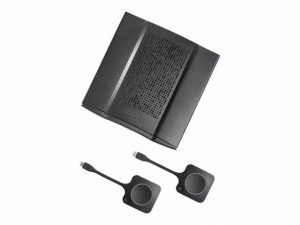
Barco’s ClickShare wirelessly connects your device to the room display, speakers, and camera in this era of click and sharing anything. Ensuring everyone is heard & seen, whether people join remotely or are right in the room. It’s a wireless presentation and conferencing technology that is easy to set up, saving time and allowing you to engage with in-room and remote participants. The Barco Clickshare Application is available for Mac, Microsoft, and mobile systems and can be downloaded from the website. Download the Application. Follow the instructions in the installation manual. Plug the Clickshare Button into the USB port of your PC/Mac. Barco Clickshare helps the presenter get the presentation on-screen in a second, but it also allows the others in the meeting to participate more actively. Moreover, it can also be used as your display for digital signage when not for presenting or conferencing. How to download Barco Clickshare?Clickshare connects your screen, speakers, and microphone to the main presentation screen with no hassle, messy cables, and quick, secure sharing. Before downloading, first, install the base unit of Clickshare. The steps of installation include: Take the Base Unit out of the box, and connect the Base Unit to the network and the display. Connect the power cable to the Base Unit; this will start up the device. Now, connect your meeting room peripherals to the USB port of the Base Unit. Navigate to the Clickshare configuration wizard and click Finish configuration to complete the configuration. Tips on Installation: It is recommended to set it to automatic so that your Base Unit can automatically update at any time after Barco has released a new version of the firmware. Register your Clickshare Base Unit SmartCare in XMS Cloud. It will ensure that the SmartCare contract is activated. Once the Button is paired, it will only connect to that Base Unit, and when a consecutive firmware version is installed on the Base Unit, it is not required to re-pair the Buttons. Once the Clickshare base unit is installed, you can download the Clickshare app, enter a meeting room, and get on the screen in a few seconds. The Clickshare app connects to the meeting room screen to share your content. Its presence detection technology does so. The Clickshare app uses an audio signal and WiFi beacon to detect the most nearby meeting rooms and a list of the five most nearby meeting rooms sorted based on signal strength. Just click on your meeting room name. Simple ways to download the Clickshare application are: Download Barco Clickshare Windows App Step 1: Go to Barco’s official website and opt for ClickshareStep 2: Click on the ‘Download’ to download the app on your window. Step 3: Wait for the download to finish.Step 4:Run the downloaded file and perform installationStep 5: Host your call and/or start sharingDownload Barco Clickshare MacOS AppStep 1: Go to Barco’s official website and opt for ClickshareStep 2: Click on the ‘Download’ to download the app on your window. Step 3: Wait for the download to finish.Step 4:Run the downloaded file and perform installationStep 5: Host your call and/or start sharingDownload Barco Clickshare Mobile AppStep 1: Go to the Google Play/App Store and search for ‘Barco Clickshare App’.Step 2: Click on ‘Install’.Step 3: Wait for the download to finishStep 4: Host your call and/or start sharingHow do you use the Clickshare app?To be able to use a Button, it should be assigned to the Base Unit you are using. However, the ClickShare app could be connected in two ways: by plugging the Button into the Base Unit via dongle. by running the Clickshare application on your laptop/desktop/android device. Connect through USB Locate the room’s AV touch panel and select ‘POWER ON.’ If the touch panel is black or showing ‘PRESS SCREEN TO ACTIVATE’, touch the display to activate the panel. Select the ‘Click Share’ button at the bottom of the screen. Connect the Clickshare USB dongle to your laptop. The light on the dongle will flash. If you’re using a Windows device, open ‘File Explorer’ > ‘Clickshare’ > ‘Clickshare_for_Windows’. If you’re using a Mac, open ‘Finder’ > ‘Clickshare’> ‘Clickshare_for_Mac’. When Clickshare is ready, the light on the dongle will stop flashing. To share your screen on display, click the button on the dongle. The light on the dongle will change to red. To stop sharing your screen, click the button on the dongle again. Connect Using Windows PC Locate the room’s audiovisual (AV) touch panel and select ‘POWER ON. If the touch panel is black or showing ‘PRESS SCREEN TO ACTIVATE’, touch the display to activate the touch panel. Select the ‘Click Share’ button at the bottom of the screen. Connect to the ClickShare wifi network. The wifi network name will correspond with the campus, building and room that you’re in Enter ‘clickshare’ as the wifi password. Select ‘Settings’ from the ‘Start Menu. Select ‘Devices’ > ‘Connected devices’ > ‘Add a device. A list of available devices will appear; select ‘Clickshare’. Connect Using Android Device Locate the room’s audiovisual (AV) touch panel and select ‘POWER ON. If the touch panel is black or showing ‘PRESS SCREEN TO ACTIVATE’, touch the display to activate the touch panel. Select the ‘Click Share’ button at the bottom of the screen. Connect to the Clickshare wifi network. The Clickshare wifi network name will correspond with the campus, building and room you’re in. Enter ‘Clickshare’ as the Wifi password. Open ‘Settings’. Select ‘Displays’> ‘Cast Screen’. A list of available devices will appear; select ‘Clickshare’. Connect through MacOs Locate the room’s AV touch panel and select ‘POWER ON. If the touch panel is black or showing ‘PRESS SCREEN TO ACTIVATE’, touch the display to activate the touch panel. Select the ‘Click Share’ button at the bottom of the screen. Connect to the Clickshare wifi network. The wifi network name will correspond with the campus, building and room you’re in. Enter ‘Clickshare’ as the wifi password. Select AirPlay from the status menu at the top right of your screen. A list of available devices will
Elevate Your Remote Work Experience with Powerful Virtual Collaboration Techniques. Learn how to optimize your remote work experience with effective remote virtual collaboration. Discover the best tools, strategies, and techniques to enhance teamwork, streamline project management, and improve communication in virtual environments. Unlock the full potential of remote collaboration and boost your productivity today!
In today’s fast-paced world, presentations have become an integral part of business, education, and communication. To captivate and engage audiences, presenters need to leverage the power of AV (audio-visual) tools effectively. This blog explores various easy-to-use AV tools that can enhance productivity in presentations, along with presentation improvement hacks and techniques to optimize your slides. By harnessing AV technology’s benefits, presenters can maximize their impact and leave a lasting impression on their audiences.AV tools play a vital role in enhancing productivity during presentations. These tools encompass multimedia, audio-visual solutions, and technology that enable seamless content delivery. By incorporating AV tools into presentations, presenters can achieve greater efficiency and effectiveness, resulting in a more impactful delivery.Utilize presentation software features that support interactive elements. Engaging multimedia presentations can significantly enhance audience interest and understanding.Use AV tools to optimize your slides visually. Incorporate visual aids, such as images, infographics, and videos, to complement your content and keep the audience engaged.Advanced Meeting Room Interactive Tool The Importance of AV Tools in PresentationsIn today’s fast-paced world, presentations play a crucial role in communicating information effectively. To create impactful presentations, incorporating Audio-Visual (AV) tools and multimedia solutions is essential. This section explores the significance of AV tools in presentations, how they revolutionize communication, and the benefits they offer to maximize productivity.Significance of Multimedia and AV Solutions in PresentationsMultimedia and AV solutions have transformed the way presentations are delivered and received. By combining visual aids, audio elements, and interactive features, AV tools enhance the overall appeal and engagement of presentations. The integration of multimedia creates a dynamic and immersive experience, capturing the audience’s attention and increasing information retention.How AV Tools Can Revolutionize the Way You Communicate Information Presentation Efficiency with AV Technology: AV tools streamline the presentation process, allowing presenters to organize, edit, and deliver content seamlessly. With user-friendly software, like presentation software comparison, presenters can optimize their workflow and focus on delivering compelling content. Enhancing Slides with AV Tools: Incorporating multimedia tools into slides can transform static information into visually captivating elements. Multimedia presentations provide a better understanding of complex ideas and leave a lasting impact on the audience. Interactive Presentations with AV Integration: AV technology enables interactivity, encouraging audience participation and engagement. Presenters can use advanced AV tools to create interactive quizzes, polls, and live demonstrations, making presentations more memorable. Benefits of Incorporating AV Technology into Your Presentations Maximizing Productivity with AV Equipment: By utilizing AV tools, presenters can efficiently manage their time and resources. AV integration in presentations enables smoother transitions, reducing the likelihood of technical glitches and disruptions. Boosting Presentation Productivity: Easy-to-use AV tools facilitate a seamless presentation experience. Presenters can save time by quickly accessing and customizing multimedia content, optimizing their delivery. Presentation Improvement Hacks: AV tools offer presentation software tutorials and tips for using AV tools in presentations. These resources enhance presentation skills, ensuring presenters deliver polished and impactful content. Common Challenge AV Solution Lack of Audience Engagement Utilize multimedia presentation ideas and interactive AV tools to keep the audience actively involved. Limited Information Retention Incorporate visual aids and multimedia software features to enhance information retention. Technical Difficulties Choose easy-to-use AV tools and conduct thorough AV equipment testing before presentations. Easy-to-Use AV Tools for Captivating PresentationsIn today’s fast-paced world, delivering impactful presentations is essential for success in various professional settings. To maximize productivity with AV equipment and create captivating presentations, incorporating user-friendly AV tools is crucial. This section explores different AV software solutions, their features, and how to seamlessly integrate them into your presentation workflow. Comparing User-Friendly AV Tools When it comes to enhancing presentations, the right AV tools can make all the difference. Let’s compare some of the best AV tools for captivating presentations and maximizing productivity: Presentation Software Comparison Effective presentations demand top-notch software that aligns with your needs. Consider using advanced AV tools like interactive multimedia software that enable captivating presentations with visual aids. Multimedia Tools for Impactful Presentations Enhance your slides with multimedia software that offers a range of features, such as animation, video integration, and audio enhancements, allowing you to craft dynamic and engaging presentations. Features and Functionalities To create compelling presentations, you must have access to the right AV technology. Let’s explore the features and functionalities of some popular AV tools: Seamless AV Integration Look for AV tools that seamlessly integrate with your existing presentation software. This ensures a smooth workflow and saves time on manual data transfer. Presentation Efficiency and Optimization Optimize your presentations with AV tools that allow you to easily rearrange content, add multimedia elements, and ensure smooth transitions, leading to more efficient and impactful presentations. Step-by-Step Guide to Incorporate AV Tools Now that you understand the importance of AV tools, here’s a step-by-step guide to incorporating them seamlessly into your presentation workflow:Selecting the Right AV Tools Consider your specific needs and objectives to choose AV tools that align with your presentation style and content requirements. Understanding the Software Features Familiarize yourself with the features of your chosen AV tools to make the most of their capabilities and enhance your presentation’s visual appeal. Optimizing Multimedia Elements Integrate multimedia elements, such as images, videos, and infographics, to convey complex ideas effectively and leave a lasting impact on your audience. Enhancing Slides with AV Tools Use AV tools to refine your slides by incorporating animations, transitions, and interactive elements, making your presentation more engaging and memorable. Presentation Improvement Hacks with AV ToolsIn today’s fast-paced world, making impactful presentations is essential for effective communication. To achieve this, leveraging Audio-Visual (AV) tools and multimedia solutions can significantly enhance productivity and efficiency in presentations. In this section, we will explore various techniques and tips to improve presentation skills, optimize flow, and create visually appealing and engaging presentations using AV tools.Maximizing Productivity with AV EquipmentWhen it comes to delivering presentations, maximizing productivity with AV equipment can be a game-changer. By incorporating advanced AV tools, presenters can streamline their preparation process, saving valuable time and resources. Additionally, utilizing efficient AV technology enables seamless integration of multimedia elements, contributing to a
In today’s digital landscape, remote teams have become increasingly prevalent, requiring effective strategies for creativity and collaboration. This article explores the significance of these elements in remote work settings and delves into the challenges of remote brainstorming. Additionally, it provides an overview of remote brainstorming tools and techniques to facilitate efficient idea generation and collaboration among team members.Remote collaboration plays a vital role in fostering creative thinking within remote teams. By leveraging the expertise and perspectives of individuals from diverse backgrounds and locations, teams can tap into a wealth of innovative ideas. Collaborative brainstorming sessions encourage the sharing of unique insights, sparking creativity and pushing the boundaries of conventional thinking.While remote brainstorming offers numerous benefits, it also presents challenges that must be addressed for optimal results. One such challenge is the lack of in-person interaction, which can hinder the free flow of ideas and spontaneous exchanges. Overcoming this hurdle requires the use of effective tools and techniques specifically designed for remote brainstorming.To facilitate seamless remote brainstorming, the utilization of appropriate tools is essential. Remote brainstorming tools offer virtual spaces where team members can collaborate in real time, overcoming geographical barriers. These tools enable idea generation, organization, and evaluation, allowing teams to capture and develop concepts effectively.Group Brainstorming Techniques [Types of Brainstorming that Work] Understanding Remote BrainstormingRemote brainstorming has become an essential practice for modern businesses, enabling teams to collaborate and generate innovative ideas regardless of their geographical locations. In this section, we will delve into the definition and significance of remote brainstorming, explore the benefits it offers to remote teams, and highlight the strong connection between creative thinking and remote collaboration.Definition and Significance of Remote BrainstormingRemote brainstorming refers to the process of generating ideas, solutions, or strategies through collaborative efforts, where team members are physically separated and rely on digital tools and platforms to communicate and share their thoughts. It has gained significant importance in today’s digital era due to the rise of remote teams and the need for effective collaboration across distances.The significance of remote brainstorming lies in its ability to overcome geographical barriers and foster a sense of inclusivity among team members. By leveraging collaborative brainstorming tools, such as virtual whiteboards and online collaboration platforms, remote teams can engage in interactive idea generation sessions, contributing their unique perspectives and expertise to the creative process.Benefits of Virtual Brainstorming for Remote TeamsVirtual brainstorming offers numerous benefits for remote teams, enhancing their productivity, creativity, and overall collaboration. Let’s explore some of the key advantages: Enhanced Collaboration: Remote brainstorming tools enable real-time collaboration, allowing team members to contribute ideas simultaneously. This fosters a sense of teamwork and collective ownership of the brainstorming process. Increased Diversity of Perspectives: With remote brainstorming, teams can include members from diverse backgrounds and cultures, bringing fresh perspectives and ideas to the table. This diversity promotes creativity and helps teams think outside the box. Flexible Scheduling: Remote brainstorming eliminates the constraints of physical meetings and time zones. Team members can engage in brainstorming sessions at their convenience, leading to increased flexibility and improved work-life balance. Improved Documentation and Idea Capture: Digital brainstorming platforms provide the advantage of capturing and organizing ideas efficiently. Team members can easily document their thoughts, facilitating future reference and preventing valuable ideas from being lost or forgotten. Cost and Time Savings: Remote brainstorming eliminates the need for travel, venue arrangements, and other logistical considerations associated with traditional in-person sessions. This leads to significant cost savings and allows teams to focus more on the brainstorming process itself. Best Remote Brainstorming Tools for TeamsIn today’s fast-paced digital landscape, remote teams face the challenge of maintaining effective collaboration and unleashing their creative potential. With the right tools, however, remote brainstorming can be as productive and engaging as in-person sessions. In this section, we explore the importance of selecting the best remote brainstorming tools and review some top virtual brainstorming apps that foster collaboration, idea generation, and digital brainstorming for remote teams.Importance of Selecting the Right Tools for Remote BrainstormingRemote brainstorming requires tools that facilitate seamless collaboration, encourage creative thinking, and enable efficient idea sharing. By selecting the right tools, remote teams can overcome geographical barriers and maximize their collective potential. When evaluating remote brainstorming tools, consider the following factors: Collaboration Software for Seamless Teamwork: Effective online collaboration tools are crucial for remote teams to work together seamlessly. Look for platforms that offer real-time editing, document sharing, and communication features to enhance teamwork and idea exchange. Brainstorming Techniques and Exercises: A diverse range of brainstorming techniques and exercises can stimulate creativity and engagement within remote teams. Tools that provide prompts, timers, and facilitation features can help structure brainstorming sessions and spark innovative ideas. Virtual Whiteboard Tools for Idea Visualization: Visualizing ideas is an essential aspect of brainstorming. Virtual whiteboard tools allow teams to create, organize, and share ideas visually, making collaboration more intuitive and efficient. Brainstorming Sessions: Facilitation Look for tools that offer features specifically designed to facilitate remote brainstorming sessions. These can include breakout rooms for small group discussions, voting mechanisms to prioritize ideas, and recording options for future reference. Effective Online Brainstorming TechniquesIn today’s digital age, remote collaboration has become an essential part of work for many individuals and teams. Remote brainstorming, in particular, plays a crucial role in fostering creative thinking and idea generation among distributed teams. This section explores effective online brainstorming techniques, innovative brainstorming apps, interactive brainstorming activities, and remote team idea generation techniques. By utilizing these strategies, remote teams can unlock their collective creativity and collaborate effectively regardless of physical distance.Interactive Brainstorming Activities for Virtual TeamsEngaging in interactive brainstorming activities is vital to stimulate creativity and generate innovative ideas within remote teams. Here are a few activities that promote active participation and collaboration: Virtual Idea Storming: In a virtual idea storming session, team members contribute as many ideas as possible within a given time frame. This activity encourages participants to think freely and generate a large pool of ideas. Round-Robin Brainstorming: Round-robin brainstorming involves taking turns sharing ideas within the team. Each
This website uses cookies so that we can provide you with the best user experience possible. Cookie information is stored in your browser and performs functions such as recognising you when you return to our website and helping our team to understand which sections of the website you find most interesting and useful.
Strictly Necessary Cookies
Strictly Necessary Cookie should be enabled at all times so that we can save your preferences for cookie settings.
If you disable this cookie, we will not be able to save your preferences. This means that every time you visit this website you will need to enable or disable cookies again.
3rd Party Cookies
This website uses Google Analytics to collect anonymous information such as the number of visitors to the site, and the most popular pages.
Keeping this cookie enabled helps us to improve our website.
Please enable Strictly Necessary Cookies first so that we can save your preferences!