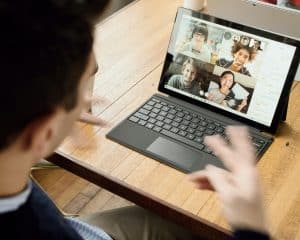
In today’s fast-paced digital age, remote work has emerged as a prominent trend, transforming how people work and collaborate. With technological advancements, businesses worldwide are embracing remote work arrangements, and remote virtual collaboration has become an essential aspect of this paradigm shift.
Remote work refers to an arrangement where individuals can perform their duties outside of a traditional office environment, often from the comfort of their homes or any location with an internet connection. As organisations strive to attract and retain top talent, remote work offers flexibility, work-life balance, and improved productivity. This trend has gained immense popularity recently, especially due to its positive impact on employee satisfaction and reduced business overhead costs.
Virtual collaboration is pivotal in fostering effective communication and teamwork among remote teams in remote work settings. By leveraging virtual collaboration tools, remote teams can seamlessly connect, share ideas, and work together despite physical distance. These digital collaboration tools enable real-time communication, file sharing, task management, and document collaboration, creating a virtual workspace that mirrors the dynamics of an in-person office environment.
Successful remote collaboration strategies involve implementing virtual teamwork software, virtual collaboration solutions, and remote team communication tools. These digital collaboration techniques enhance coordination, streamline project management, and optimise productivity for remote employees. Organisations can leverage remote collaboration apps and platforms to facilitate virtual project collaboration, improving remote teamwork and achieving project goals efficiently.
In this blog, we will delve into the best virtual collaboration techniques for remote teams, explore efficient virtual collaboration methods, and provide insights into optimising virtual collaboration in remote teams.
Zoom Meetings
Understanding remote work and virtual collaboration
Remote work has become increasingly prevalent in today’s digital age, offering numerous benefits for employees and employers.
Remote Work: Embracing Flexibility and Freedom
Remote work, or telecommuting or telework, refers to a work arrangement where individuals perform their duties outside of a traditional office environment. Instead of commuting to a physical workspace, remote workers leverage technology to carry out their tasks from anywhere with an internet connection. This setup allows for increased flexibility, improved work-life balance, and enhanced productivity.
With remote work, employees can save time and money by eliminating the need for a daily commute. It also offers employers a wider pool of talent, as geographical barriers are no longer a limiting factor. Remote work enables companies to tap into a global talent pool, resulting in diverse and highly skilled teams.
Virtual Collaboration: Building Strong Remote Teams
Virtual collaboration facilitates seamless teamwork and efficient communication among remote employees. It involves leveraging digital tools and online collaboration platforms to connect and collaborate in a virtual environment. These tools provide a centralised space for team members to share ideas, exchange feedback, and collaborate on projects.
In remote teams, virtual collaboration tools are the backbone of effective communication and project management. They enable real-time messaging, video conferencing, file sharing, and task tracking. With features like document collaboration, remote team members can simultaneously edit and review content, fostering a sense of unity and shared progress.
The Importance of Effective Communication and Collaboration
For remote work to thrive, effective communication and collaboration are paramount. Remote team members must overcome the physical distance and establish strong working relationships. Clear and concise communication ensures everyone understands their roles, tasks, and deadlines.
Virtual team collaboration requires active participation and open lines of communication. Regular check-ins, team meetings, and status updates keep everyone aligned and informed. Utilising digital collaboration techniques, such as video conferences and screen-sharing, helps create a sense of connection and transparency among team members.
Moreover, remote collaboration strategies should foster a collaborative culture where individuals feel comfortable sharing ideas, asking questions, and providing constructive feedback. Encouraging teamwork and promoting a supportive work environment is key to maximising productivity and achieving successful outcomes in remote teams.
Optimising Remote Virtual Collaboration
To optimise remote virtual collaboration, several techniques and tools can be utilised. Remote collaboration platforms, such as virtual and online project management tools, streamline teamwork by providing a centralised hub for communication and task management.
Implementing effective remote collaboration strategies involves utilising digital collaboration tools and techniques. Virtual teamwork software and remote collaboration apps enable efficient communication, file sharing, and task coordination. By leveraging these tools, remote teams can enhance productivity, improve workflow efficiency, and achieve successful project outcomes.
It’s important to note that while remote collaboration offers numerous advantages, it also comes with its challenges. Overcoming these challenges requires focusing on virtual collaboration best practices, continuous improvement, and adopting innovative virtual collaboration techniques for remote professionals.
Best virtual collaboration techniques for remote teams
In today’s digital age, remote work has become increasingly prevalent, necessitating effective virtual collaboration techniques for remote teams. The ability to collaborate seamlessly across distances is vital for productivity and success. Fortunately, numerous virtual collaboration methods and tools exist to facilitate smooth communication, efficient project management, and effective teamwork.
Choosing the Right Techniques for Specific Needs
When it comes to remote collaboration, choosing the techniques that align with your specific needs and objectives is essential. Not all virtual collaboration methods are created equal, and what works well for one team may not be suitable for another. Consider factors such as the nature of the work, team size, communication preferences, and the complexity of projects. Selecting the right techniques can optimise remote collaboration and enhance overall productivity.
Examples of Popular and Effective Virtual Collaboration Methods
Online Collaboration Platforms: Online collaboration platforms are versatile tools that offer a range of features to facilitate remote teamwork. These platforms provide virtual workspaces where team members can collaborate in real-time, share files, assign tasks, and track project progress. Examples include popular platforms like Trello, Asana, and Basecamp. By leveraging online collaboration platforms, remote teams can streamline workflows, improve task management, and enhance overall collaboration efficiency.
Virtual Project Management: Remote collaboration heavily relies on effective project management. Virtual project management tools like Jira, Monday.com, and Wrike enable teams to organise projects, set milestones, assign tasks, and monitor progress. These tools enhance transparency, accountability, and coordination among team members, leading to better project outcomes.
Remote Team Communication: Clear and timely communication is the backbone of remote collaboration. Teams can utilise various digital communication tools such as Slack, Microsoft Teams, and Google Meet to foster effective communication. These platforms offer instant messaging, video conferencing, and file-sharing capabilities, enabling seamless communication and reducing communication gaps in remote teams.
Virtual Collaboration Software: Remote collaboration software solutions like Microsoft SharePoint, Google Workspace, and Zoom provide comprehensive platforms that integrate multiple collaboration functionalities. These tools offer document sharing, real-time editing, video conferencing, and collaborative project management features. By leveraging such software, remote teams can consolidate their collaboration efforts and ensure a cohesive working environment.
Digital Collaboration Tools: Digital collaboration tools leverage technology to enhance remote collaboration. They include cloud storage, version control, and real-time editing capabilities. These tools ensure team members can collaborate on documents simultaneously, reducing version conflicts and improving overall efficiency.
Tool Name
Key Features
Basecamp
All-in-one project management and team communication platform
Jira
Agile project management software
Monday.com
Team collaboration and project management platform
Wrike
Cloud-based project management and collaboration software
To optimise remote collaboration, consider implementing the following strategies:
Establish Clear Communication Channels: Define preferred communication channels and establish guidelines for remote team members. Encourage regular check-ins, virtual meetings, and collaboration tools for seamless information exchange.
Set Clear Goals and Deadlines: Clearly define project goals, milestones, and deadlines to keep remote teams focused and accountable. Utilise project management tools to assign tasks, track progress, and ensure timely completion.
Encourage Collaboration and Knowledge Sharing: Foster a culture of collaboration and knowledge sharing within remote teams. Encourage open communication, brainstorming sessions, and sharing best practices and resources.
Promote Virtual Team-Building Activities:Remote teams may need more informal interactions in in-person work environments. Organise virtual team-building activities like virtual coffee breaks, online games, or team challenge to build camaraderie and strengthen team relationships.
Advanced virtual collaboration tools for remote employees
In today’s fast-paced work environment, remote work has become increasingly prevalent. As a result, the need for effective virtual collaboration tools has grown exponentially. Remote teams require seamless communication, efficient project management, and streamlined collaboration to achieve their goals.
Popular Virtual Collaboration Tools and Platforms
Slack: Slack is a widely adopted online collaboration platform that enables real-time messaging and file sharing. With features like channels, direct messaging, and integrations with other tools, it enhances remote team communication and fosters collaboration.
Microsoft Teams: Microsoft Teams is an all-in-one collaboration platform that combines chat, video conferencing, and document collaboration. It integrates seamlessly with other Microsoft Office tools, providing a comprehensive solution for remote teams.
Trello: Trello is a popular virtual project management tool that uses boards, lists, and cards to help teams manage tasks and projects. It provides a visual and intuitive interface, making it easy for remote teams to track progress and collaborate effectively.
Google Workspace: Formerly known as G Suite, Google Workspace offers a suite of collaboration tools, including Google Docs, Sheets, and Slides. These tools allow real-time co-authoring, commenting, and sharing, enabling remote teams to collaborate efficiently on documents.
Zoom: Zoom is a leading video conferencing tool that facilitates virtual face-to-face meetings. It offers screen sharing, breakout rooms, and recording capabilities, enabling remote teams to collaborate effectively during meetings and presentations.
Asana: Asana is a robust project management tool that helps remote teams track tasks, assign responsibilities, and manage deadlines. It provides a visual overview of project progress, ensuring efficient collaboration and execution.
Task tracking, assignment, and deadline management
By utilising these advanced virtual collaboration tools, remote teams can overcome the challenges of physical distance and work together seamlessly. These tools’ key features and benefits enable efficient remote collaboration, effective communication, and streamlined project management.
Optimising virtual collaboration in remote teams
Remote work has become the norm, leading to an increased reliance on virtual collaboration in remote teams. Efficient collaboration is vital for the success of any remote team, as it fosters engagement, builds trust, and enhances overall productivity. To optimise virtual collaboration, remote teams can leverage various strategies, tools, and project management techniques.
Strategies for Optimizing Virtual Collaboration in Remote Teams
To maximise the potential of remote collaboration, remote teams can implement the following strategies:
Embrace Virtual Collaboration Tools: Leveraging remote and online collaboration tools is essential for seamless communication and efficient teamwork. These digital collaboration tools facilitate real-time document sharing, video conferencing, and project tracking, ensuring smooth collaboration across geographically dispersed teams.
Establish Clear Communication Channels: Remote team communication is pivotal in virtual collaboration. It is crucial to establish effective communication channels that promote transparency and accessibility. Utilise remote team communication platforms to foster instant messaging, video calls, and virtual meetings, encouraging open dialogue and idea sharing.
Foster a Culture of Trust and Accountability: Building trust among remote team members is paramount. Encourage a supportive and inclusive work environment that promotes trust and accountability. Foster team bonding through virtual team-building activities, encourage regular check-ins and recognise individual and team achievements to strengthen collaboration and morale.
Define Roles and Responsibilities: Defining roles and responsibilities helps avoid confusion and streamlines collaboration. Remote team members should have a clear understanding of their tasks and deadlines. Virtual collaboration platforms allow for task assignment and progress tracking, ensuring accountability and efficient project management.
Encourage Virtual Teamwork and Knowledge Sharing: Virtual teamwork is key to successful remote collaboration. Encourage knowledge sharing and collaboration by implementing virtual teamwork software and digital collaboration techniques. Virtual collaboration solutions facilitate joint brainstorming, document collaboration, and knowledge sharing, empowering teams to work cohesively despite physical distance.
Tips for Fostering Engagement and Building Trust among Team Members
Engagement and trust are vital for effective remote collaboration. Here are some tips for fostering engagement and building trust among remote team members:
Establish Regular Communication Routines: Schedule regular team meetings, virtual coffee breaks, or informal check-ins to maintain a sense of connection and engagement. These interactions allow team members to discuss challenges, share updates, and build rapport.
Encourage Active Participation: Actively encourage remote team members to contribute ideas, insights, and suggestions during virtual meetings and collaborative discussions. Promote an inclusive environment where every team member feels valued and heard.
Recognise and Celebrate Achievements: Celebrate individual and team achievements to boost morale and foster a sense of accomplishment. Acknowledging remote team members’ efforts and successes encourages engagement and motivation.
Facilitate Virtual Social Interactions: Promote virtual social interactions through team-building activities, such as online games, virtual happy hours, or virtual water cooler discussions. These activities enhance team bonding and create a positive team culture.
Provide Opportunities for Professional Development: Support remote team members’ professional growth by offering virtual training sessions, webinars, or access to online resources. Encouraging continuous learning helps team members stay motivated and engaged.
Role of Virtual Project Management in Enhancing Collaboration
Effective virtual project management is crucial for optimising remote collaboration. It enables teams to stay organised, track progress, and meet project deadlines. Here’s how virtual project management enhances collaboration:
Centralised Project Documentation:Virtual project management tools allow teams to store project-related documents, files, and resources in a centralised location accessible to all team members. This ensures everyone has real-time access to essential project information, fostering collaboration and reducing confusion.
Streamlined Task Management: Virtual project management platforms enable teams to assign tasks, set deadlines, and track progress. Clear task management ensures accountability, enhances collaboration and keeps projects on track.
Seamless Communication and Collaboration: Virtual project management tools often incorporate communication features like shared chat channels, comment sections and email notifications. These features streamline collaboration by facilitating quick and efficient communication among team members, reducing the need for scattered email threads.
Real-Time Progress Tracking: Virtual project management software provides visibility into the progress of individual tasks and overall project milestones. This transparency enhances collaboration by enabling team members to identify bottlenecks, make data-driven decisions, and take necessary actions to keep projects moving forward.
Efficient Resource Allocation: Virtual project management tools assist in allocating resources effectively. With clear visibility into team members’ availability and workload, project managers can ensure equitable distribution of tasks, preventing burnout and maximising productivity.
Enhancing virtual collaboration for remote workers
Remote collaboration has emerged as a critical aspect of successful remote teams, requiring innovative techniques, effective communication practices, and virtual collaboration tools and platforms.
Importance of Remote Team Communication and its Challenges
Remote team communication plays a pivotal role in the success of virtual collaboration. With team members spread across different locations, it is essential to establish seamless channels of communication to foster collaboration and maintain synergy. However, remote collaboration comes with unique challenges, such as the need for face-to-face interaction, potential communication gaps, and differences in time zones. Overcoming these challenges requires a proactive approach and the implementation of effective communication practices.
Effective Communication Practices for Remote Virtual Collaboration
Clear and concise communication: Communication should be precise, ensuring that all team members easily understand messages. Emphasise brevity and clarity in written and verbal exchanges to avoid misunderstandings and promote efficient collaboration.
Utilise online collaboration platforms:Online collaboration platforms, such as virtual teamwork software and digital collaboration tools, serve as invaluable resources for remote workers. These platforms facilitate real-time communication, file sharing, task management, and project tracking, allowing team members to collaborate effectively, irrespective of their physical locations.
Establish regular virtual meetings: Regular virtual meetings are vital to foster connection and maintain a sense of unity within remote teams. Schedule video conferences or audio calls to discuss projects, share updates, address concerns, and provide feedback. Such interactions help build relationships and improve overall team cohesion.
Encourage active participation: Encourage all team members to actively participate in virtual discussions, brainstorming sessions, and decision-making processes. Provide opportunities for individuals to express their ideas, ask questions, and contribute to the team’s objectives. This inclusive approach enhances engagement and strengthens the collective knowledge of the team.
Foster a supportive virtual work culture: Cultivate a supportive work culture that values open communication, collaboration, and respect among team members. Encourage virtual social interactions, such as virtual coffee breaks or team-building activities, to enhance camaraderie and strengthen relationships within the team.
Innovative Techniques for Enhancing Virtual Collaboration
To enhance virtual collaboration, remote professionals can leverage innovative techniques and utilise various virtual collaboration tools and techniques. Here are some strategies to consider:
Streamlining virtual collaboration with remote collaboration software: Implement remote collaboration software, such as virtual collaboration platforms or online collaboration tools, to streamline workflows and improve team efficiency. These tools enable real-time document editing, version control, and task management, facilitating smooth collaboration from different locations.
Maximising productivity through virtual collaboration: Optimise productivity by using virtual collaboration techniques such as time management tools, project tracking systems, and virtual task boards. These tools enable remote professionals to prioritise tasks, set deadlines, and monitor progress effectively.
Advanced virtual collaboration tools for remote employees: Explore advanced virtual collaboration tools that facilitate seamless collaboration, such as virtual project management tools, virtual team communication tools, and virtual collaboration apps. These tools offer features like shared calendars, chat functionalities, and video conferencing capabilities, enabling remote workers to collaborate efficiently.
Maximising productivity through virtual collaboration
Remote teams can employ various techniques and leverage innovative tools to ensure optimal productivity and seamless teamwork.
Techniques for Maximising Productivity in Remote Work Settings
Efficient Workflow and Goal Setting: Creating an efficient workflow is crucial for remote teams to streamline their tasks and achieve productivity. Start by outlining clear objectives and breaking them into smaller, manageable tasks. Consider using digital collaboration tools that allow team members to assign tasks, set deadlines, and track progress. This promotes transparency, accountability, and a shared understanding of goals.
Effective Communication: Remote collaboration heavily relies on strong communication among team members. Utilise online collaboration platforms and remote team communication tools to facilitate real-time interactions, video conferences, and instant messaging. Clear and concise communication helps avoid misunderstandings, promotes collaboration, and fosters a sense of connection within the team.
Virtual Project Management: Efficient project management is vital for remote teams to stay organised and meet deadlines. Leverage virtual project management tools that enable task scheduling, resource allocation, and progress tracking. These tools provide a centralised platform for collaboration, ensuring everyone stays on the same page and can easily access project-related information.
Time Management and Task Tracking Tools for Remote Teams
Time management is crucial when working remotely to maintain productivity and prevent distractions. Here are some time management and task-tracking tools that remote teams can employ:
Remote Collaboration Software: Utilise remote collaboration software to streamline team workflows and enhance productivity. These platforms often offer features like task management, document sharing, and virtual meeting capabilities. By centralising team communication and project-related activities, remote collaboration software fosters seamless collaboration and maximises productivity.
Online Collaboration Platforms: Online collaboration platforms facilitate real-time collaboration among remote team members. These platforms provide a digital workspace for sharing files, brainstorming ideas, and managing tasks. Look for platforms that offer integrated communication tools, task management features, and document collaboration capabilities.
Tips for Creating an Efficient Workflow and Setting Realistic Goals
Prioritise and Delegate Tasks: Remote teams should prioritise tasks based on their importance and urgency. Delegate tasks according to team members’ strengths and expertise, ensuring a balanced workload. Effective task allocation ensures that each team member can contribute their best and prevents burnout.
Set Realistic Goals and Deadlines: Setting realistic goals and deadlines is essential for remote teams to maintain motivation and productivity. Goals should be specific, measurable, attainable, relevant, and time-bound (SMART). Clearly define project milestones and establish deadlines that allow sufficient time for quality work without causing unnecessary stress.
Embrace Flexibility and Adaptability: Remote work often offers more flexibility in scheduling and location. Embrace this flexibility while maintaining a balance between work and personal life. Encourage team members to create schedules that suit their preferences, promote work-life balance, and boost productivity.
Regularly Evaluate and Adjust: Regularly evaluate the efficiency of your workflow and the achievement of goals. Solicit feedback from team members to identify areas for improvement. Adjust your workflow and goals accordingly to optimise productivity and address any challenges.
Virtual collaboration best practices for remote work
In today’s rapidly evolving work landscape, remote virtual collaboration has become essential to successful remote work environments. As remote teams continue to grow, it is crucial to implement effective virtual collaboration strategies, leverage appropriate tools, and embrace continuous improvement and adaptability.
Key Best Practices for Successful Remote Virtual Collaboration
Establish Clear Communication Channels: Effective remote team communication is the cornerstone of successful virtual collaboration. Utilise online collaboration platforms and remote team communication tools to ensure seamless and efficient information exchange. Clear and concise communication helps avoid misunderstandings and keeps remote teams aligned.
Utilise Virtual Collaboration Tools: Leverage virtual collaboration tools to streamline remote project management and enhance teamwork. Virtual collaboration software offers features like task assignment, file sharing, and real-time collaboration. Online collaboration platforms facilitate seamless communication, document sharing, and meeting coordination, enabling remote teams to work together effectively.
Foster a Culture of Trust and Accountability: Trust is crucial for remote collaboration. Encourage open and transparent communication, allowing remote team members to express ideas and concerns. Foster a sense of accountability by setting clear goals, tracking progress, and recognising individual and team achievements.
Establish Structured Remote Collaboration Processes: Develop standardised remote collaboration processes to ensure consistency and efficiency across remote teams. Define workflows, establish timelines, and allocate responsibilities to create a structured virtual collaboration environment. This promotes clarity, reduces ambiguity, and helps remote teams stay focused and organised.
Promote Virtual Teamwork: Encourage virtual teamwork by fostering a collaborative environment where remote team members can actively contribute and share knowledge. Implement virtual teamwork software that facilitates seamless collaboration, such as shared document editing and virtual whiteboarding. Emphasise the value of collective expertise and create opportunities for remote team members to collaborate on projects.
Embrace Agile Practices and Continuous Improvement: Remote collaboration requires adaptability and agility. Adopt agile project management methodologies and encourage continuous improvement through regular retrospectives and feedback loops. This allows remote teams to iterate on processes, identify areas for improvement, and optimise virtual collaboration for better outcomes.
Maintain Regular Check-Ins and Virtual Meetings: Schedule regular check-ins and virtual meetings to foster team unity and maintain a sense of connectedness. Video conferences and virtual meetings enable face-to-face interactions, improving remote team dynamics and minimising feelings of isolation. Ensure that virtual meetings are well-structured, focused, and inclusive, allowing all team members to contribute.
Virtual collaboration is pivotal in remote work environments, enabling organisations to overcome geographical barriers and leverage global talent. It offers numerous benefits, including enhanced productivity, improved work-life balance, and reduced overhead costs. Remote collaboration facilitates knowledge sharing, empowers remote team members to contribute their unique perspectives, and fosters innovation through diverse thinking.
Conclusion
By embracing virtual collaboration, organisations can tap into a vast talent pool, optimise resources, and adapt to changing market dynamics more efficiently. It promotes a culture of inclusivity and diversity, allowing remote teams to thrive and achieve exceptional results. Moreover, effective virtual collaboration boosts employee satisfaction and engagement, increasing retention rates and overall organisational success.
In conclusion, remote virtual collaboration is indispensable to modern remote work environments. By following the key best practices outlined above and leveraging appropriate virtual collaboration tools, organisations can harness the full potential of remote teams, maximise productivity, and achieve remarkable outcomes. Embrace continuous improvement, adaptability, and the power of virtual collaboration to unlock success in the evolving landscape of remote work.
FAQs
What are some effective virtual collaboration techniques for remote teams?
Effective virtual collaboration techniques for remote teams include regular and clear communication, using video conferencing for face-to-face interactions, setting clear goals and deadlines, utilising project management tools, fostering a culture of trust and accountability, promoting active participation and engagement during virtual meetings, encouraging regular feedback and open dialogue, leveraging collaborative document editing and file-sharing platforms, and organising virtual team-building activities and social events to build rapport and camaraderie among team members.
How can virtual collaboration software enhance remote teamwork?
Virtual collaboration software enhances remote teamwork by providing a centralised communication, document sharing, and project management platform. It enables real-time collaboration through video conferencing, instant messaging, and screen sharing, facilitating effective communication and reducing misunderstandings. Document collaboration tools allow team members to work on files simultaneously, ensuring version control and improving productivity. Virtual collaboration software also enables task management, progress tracking, and team coordination, providing visibility into project timelines and individual responsibilities. With the right software, remote teams can collaborate seamlessly, access shared resources, and stay connected regardless of their physical locations.
What are the benefits of remote collaboration tools?
Remote collaboration tools offer numerous benefits for teams working remotely. They enable seamless communication and collaboration, allowing team members to connect and collaborate in real-time regardless of geographical distances. These tools promote efficient information sharing, document collaboration, and project management, improving productivity. Remote collaboration tools also facilitate flexible work arrangements and work-life balance, as team members can collaborate from anywhere with an internet connection. Additionally, these tools enhance transparency and accountability, as progress, updates, and discussions are documented and accessible to the entire team. Overall, remote collaboration tools promote effective teamwork, boost productivity, and overcome the challenges of remote work.
How do virtual collaboration platforms compare to in-person collaboration?
Virtual collaboration platforms offer several advantages over in-person collaboration, but there are also some differences. Virtual platforms allow teams to collaborate regardless of geographical location, enabling diverse talent acquisition and flexible work arrangements. They eliminate the need for travel and reduce associated costs, increasing efficiency and cost savings. However, virtual collaboration can lack the non-verbal cues and spontaneous interactions present in face-to-face settings, which may affect interpersonal dynamics and creativity. Building personal connections and trust can also be more challenging in virtual environments. Nevertheless, virtual collaboration platforms provide a range of tools to bridge these gaps, such as video conferencing and instant messaging, enabling real-time communication and document collaboration to ensure effective teamwork and project success.
Which virtual project management tools are recommended for remote work?
Several virtual project management tools are recommended for remote work. Some popular options include Asana, Trello, Monday.com, Basecamp, and Jira. These tools offer features such as task management, progress tracking, file sharing, team collaboration, and communication capabilities. Asana provides a user-friendly interface and allows for task dependencies and timeline visualisation. Trello uses a flexible board and card system to manage tasks and workflows. Monday.com offers customisable project tracking and collaboration features. Basecamp provides a comprehensive suite for project management and team communication. Jira, often used in software development, offers robust issue tracking and agile project management capabilities. Ultimately, the choice of a virtual project management tool depends on the specific needs and preferences of the remote team, so it’s important to evaluate the features and usability of each tool before making a decision.
What are the challenges of virtual collaboration?
Virtual collaboration presents several challenges for remote teams. Communication can be hindered due to technological issues, time zone differences, language barriers, or lack of non-verbal cues. Building trust and rapport among team members may be more difficult in virtual settings. Collaborating on documents and ensuring version control can be challenging without proper tools. Maintaining engagement and motivation in remote teams can also be challenging, as there may be less social interaction and accountability. Additionally, managing work-life balance and avoiding burnout can be more challenging when work and personal life blur in remote settings. Overcoming these challenges requires clear communication, effective use of virtual collaboration tools, fostering a positive team culture, setting clear expectations, and establishing regular check-ins and feedback mechanisms.
How can remote teams improve their virtual collaboration?
Remote teams can improve their virtual collaboration by implementing several strategies. First, they should establish clear communication channels and protocols, ensuring everyone understands how and when to communicate. Regular virtual meetings, both one-on-one and team-wide, should be scheduled to maintain connections and provide updates. Instead of relying solely on text-based communication, video conferencing can foster more personal interactions. Implementing project management tools for task tracking, document collaboration, and progress visibility promotes transparency and accountability. Establishing clear goals, deadlines, and expectations for each team member and project is important. Regular feedback and recognition should be provided to maintain motivation and engagement. Lastly, organising virtual team-building activities and social events helps build relationships and camaraderie among team members.
What are some best practices for virtual collaboration in remote work?
Some best practices for virtual collaboration in remote work include establishing clear communication channels and expectations, leveraging video conferencing for face-to-face interactions, using project management tools for task tracking and progress visibility, setting and adhering to deadlines, promoting active participation and engagement during virtual meetings, encouraging regular feedback and open dialogue, creating a culture of trust and accountability, fostering social connections through virtual team-building activities, maintaining work-life balance, and adapting to the needs and preferences of team members. It’s also important to regularly evaluate and optimise virtual collaboration processes and tools based on team feedback and evolving requirements.
How do remote collaboration tools benefit remote employees?
Remote collaboration tools benefit remote employees by allowing them to communicate effectively, collaborate, and manage projects from anywhere. These tools eliminate the limitations of physical distance, enabling remote employees to connect with their colleagues, access shared resources, and participate in real-time collaboration. Remote collaboration tools ensure that remote employees have access to the same information, documents, and updates as their in-office counterparts, fostering a sense of inclusion and reducing the risk of isolation. These tools also enhance productivity by streamlining communication, facilitating document collaboration, and providing centralised platforms for project management.
Additionally, remote collaboration tools promote flexible work arrangements, allowing remote employees to maintain a better work-life balance and adapt to their preferred work environments, ultimately contributing to higher job satisfaction and overall well-being.
How can virtual collaboration optimise productivity in remote teams?
Virtual collaboration can optimise productivity in remote teams by streamlining communication and providing efficient tools for task management and project coordination. Teams can communicate in real time through virtual collaboration platforms, reducing delays and miscommunication. Features like video conferencing and instant messaging enable quick decision-making and problem-solving, while document collaboration tools allow for simultaneous editing and version control. Virtual project management tools help teams track progress, set priorities, and allocate resources effectively. By centralising communication and information sharing, virtual collaboration minimises the time spent searching for information and enhances collaboration efficiency.
Furthermore, virtual collaboration enables flexible work arrangements, empowering team members to work at their most productive hours and adapt their work environment to their preferences. With the right virtual collaboration practices and tools, remote teams can optimise productivity and achieve their goals efficiently.
What are some tips for successful remote collaboration?
To facilitate successful remote collaboration, it is important to establish clear communication channels and protocols from the start. Video conferences and virtual meetings should be scheduled to maintain connections and discuss important matters. Utilise collaboration tools that suit the team’s needs, ensuring efficient document sharing, task management, and progress tracking. Clearly define each team member’s goals, expectations, and deadlines, promoting accountability and transparency. Foster a positive team culture by encouraging regular feedback, recognition, and open dialogue. Make an effort to build personal connections among team members through virtual team-building activities and social events. Ensure team members have the resources and support to work effectively in remote settings. Regularly evaluate and optimise collaboration processes based on team feedback and evolving requirements. Lastly, prioritise work-life balance and encourage self-care practices to prevent burnout and maintain well-being.
What are the advantages of remote collaboration?
Remote collaboration offers several advantages for teams and individuals. It enables access to a wider talent pool as geographical barriers are eliminated, allowing organisations to hire the best candidates regardless of location. Remote collaboration promotes flexibility, allowing team members to work from anywhere and reducing commuting time and associated costs. It also enables a better work-life balance, as individuals can structure their work around their personal lives. Remote collaboration increases productivity by minimising interruptions and distractions commonly found in traditional office settings. It fosters a diverse and inclusive work environment, as individuals from different backgrounds and cultures can collaborate seamlessly.
Additionally, remote collaboration reduces the carbon footprint associated with commuting and office space, contributing to environmental sustainability. Remote collaboration provides increased efficiency, flexibility, diversity, and work-life integration opportunities.
Which tools are useful for remote team communication?
Several tools are useful for remote team communication. Video conferencing platforms like Zoom, Microsoft Teams, and Google Meet enable face-to-face interactions and facilitate team meetings, presentations, and discussions. Instant messaging tools like Slack, Microsoft Teams, and Mattermost provide real-time chat features for quick questions, updates, and informal communication. Collaboration and project management platforms like Asana, Trello, and Basecamp offer communication features alongside task management, document sharing, and progress tracking capabilities. Email remains an essential tool for formal communication and sharing detailed information. Additionally, cloud-based file-sharing services like Google Drive, Dropbox, and OneDrive enable teams to access and collaborate on shared documents and files. The choice of tools depends on the team’s specific needs, preferences, and the level of integration required for effective remote communication.
How can virtual collaboration overcome geographical barriers?
Virtual collaboration overcomes geographical barriers by providing remote teams with the means to communicate and collaborate regardless of physical location. With video conferencing, instant messaging, and document collaboration tools, team members can engage in real-time discussions, share ideas, and work together on projects as if they were in the same room. Information and updates can be easily disseminated through virtual collaboration platforms to all team members, ensuring everyone is on the same page. Time zone differences can be managed by scheduling meetings and tasks to accommodate different regions. Effective communication strategies, such as providing written summaries and ensuring discussion clarity, can mitigate language barriers. Overall, virtual collaboration promotes inclusivity, enables diverse teams, and allows organisations to leverage talent from anywhere in the world, overcoming the limitations of physical distance.
How do digital collaboration tools facilitate remote collaboration?
Digital collaboration tools facilitate remote collaboration by providing platforms and features that enable effective communication, document sharing, and project management. These tools offer real-time communication capabilities, such as video conferencing and instant messaging, allowing team members to connect and collaborate regardless of location. They provide shared workspaces and document collaboration features, enabling multiple team members to work on files simultaneously, track changes, and ensure version control. Project management tools integrated into digital collaboration platforms allow teams to assign tasks, set deadlines, monitor progress, and allocate resources efficiently. These tools often offer additional features like notifications, reminders, and analytics to enhance productivity and coordination. By centralising communication and collaboration in a digital environment, these tools streamline remote collaboration and enable teams to work together seamlessly.
In today’s tech-driven world, the importance of audiovisual (AV) skills cannot be overstated. As the demand for effective AV training methods continues to grow, expert-led AV instruction emerges as a crucial component of professional development. In this article, we will delve into the significance of expert-led AV instruction, exploring how it fits into the broader landscape of audiovisual guidance and education.The AV industry is dynamic and constantly evolving, with new technologies and innovations emerging regularly. To keep pace with these changes, individuals seeking to excel in this field must invest in continuous learning and skill development. This is where expert-led AV instruction becomes invaluable.Expert-led AV instruction provides learners with access to knowledgeable AV experts who possess real-world experience and a deep understanding of industry trends. These instructors guide learners on their AV learning journey, helping them navigate the complexities of the field with ease. This type of mentorship and guidance is particularly vital for those just starting in AV skills or looking to master advanced AV techniques.BRAVIA 4K Professional Displays Tips – Pro settings: Restore picture and sound adjustments The Benefits of Expert-Led AV InstructionIn today’s rapidly evolving world of audiovisual technology, staying at the forefront of innovation and mastering AV skills is essential. Expert-led AV instruction is a powerful method to achieve this, providing unparalleled advantages for individuals seeking to excel in the AV industry. Let’s delve into the numerous benefits of learning from experienced AV instructors and explore the impact of expert guidance on skill development. Accelerated Learning with Expert Guidance Audiovisual instruction, led by seasoned AV experts, accelerates your learning journey. These experts bring a wealth of knowledge and experience to the table, ensuring that you gain practical insights and hands-on expertise. With their guidance, you can quickly grasp complex AV concepts and techniques. Industry-Recognized Certification One of the most significant advantages of expert-led AV instruction is the opportunity to earn industry-recognized certification. These certifications validate your skills and expertise in the AV industry, enhancing your professional development and career prospects. AV certification is often a prerequisite for lucrative job opportunities in the field. Access to Advanced AV Training Through expert-led AV instruction, you gain access to advanced training that covers a wide range of topics, from AV troubleshooting tips to mastering AV technology. This comprehensive training equips you with the skills needed to tackle even the most complex AV challenges. Practical AV Mastery AV instruction goes beyond theoretical knowledge, focusing on practical application. You’ll learn how to effectively operate AV equipment, enhance audiovisual competence, and deliver flawless presentations. This hands-on approach ensures that you’re well-prepared for real-world scenarios. Personalized AV Coaching Expert-led AV classes provide personalized coaching and mentorship opportunities. Instructors tailor their guidance to your specific needs, helping you overcome obstacles and excel in areas where you need improvement. This personalized attention can significantly boost your learning outcomes. Valuable AV Resources These courses often come with a wealth of AV tutorial series and instructional resources. You’ll have access to a treasure trove of knowledge, including AV equipment tutorials and advanced audiovisual techniques. This extensive resource library supports your ongoing learning and skill development. Career Growth in AV Investing in expert-led AV instruction can open doors to exciting career growth opportunities in the AV industry. Employers value candidates who have received quality AV education and certification, making it easier to advance in your career. Online AV Courses for Flexibility Online learning has become increasingly popular, offering flexibility and convenience. Many expert-led AV instruction programs are available online, allowing you to balance your professional development with other commitments. Choosing the Right AV InstructorWhen it comes to mastering AV technology and enhancing your audiovisual competence, expert-led AV instruction is crucial. The right AV instructor can make a significant difference in your learning journey and professional development. In this guide, we’ll provide you with essential tips and criteria to help you choose the best AV instructor who aligns with your goals and needs.Qualifications and Industry ExperienceOne of the fundamental aspects to consider when selecting an AV instructor is their qualifications and industry experience. Look for instructors who have a strong background in the AV industry and possess relevant certifications. These certifications, such as AVIXA’s Certified Technology Specialist (CTS) designation, demonstrate their expertise and commitment to the field.Moreover, consider the instructor’s track record in the AV industry. Have they worked on significant projects? Do they have a history of successful AV training? Evaluating an instructor’s experience can provide valuable insights into their ability to guide you effectively.Expert-Led AV InstructionEffective audiovisual training methods are rooted in expert guidance. When you choose an instructor with substantial AV expertise, you’re setting yourself on a path to mastering AV technology. These experts have a deep understanding of AV skills and can provide you with the knowledge and tools you need to succeed.AV Mentorship and Learning ResourcesConsider AV mentorship programs offered by the instructor. Mentorship can accelerate your learning and provide personalized guidance. In addition to one-on-one instruction, look for AV tutorial videos and instructional resources that supplement your learning journey. AV Certification BenefitsIn the fast-evolving world of audiovisual technology, staying ahead of the curve is essential. As technology continues to advance, businesses and individuals alike seek expert-led AV instruction to harness the power of audiovisual systems effectively. This section explores the invaluable benefits of obtaining AV certifications, how they can enhance career opportunities, and insights into some of the most recognized AV certification programs.Enhancing Career OpportunitiesEarning an AV certification opens a world of opportunities for professionals in the AV industry. It’s not just about acquiring knowledge; it’s about showcasing your expertise. Here’s how AV certifications can supercharge your career: Competitive Edge: In a competitive job market, AV certifications distinguish you as a qualified candidate. Employers often seek individuals with validated AV skills to ensure smooth operations in audiovisual setups. Higher Earning Potential: Certified AV experts typically command higher salaries. The confidence that comes with certification can empower you to negotiate better compensation for your specialized skills. Career Advancement: AV certifications can be a stepping stone to
Discover the advantages of cloud-based meeting technology and take your remote collaboration to the next level. With features like video conferencing, screen sharing, and team collaboration, our software is perfect for remote teams looking for an easy-to-use and reliable solution.
In the ever-evolving landscape of the modern workplace, the concept of productivity enhancement takes center stage. One of the pivotal contributors to this revolution is the integration of Audiovisual (AV) tools, which has transformed work dynamics and optimized workflow and collaboration. The strategic incorporation of AV technology provides a seamless solution to boost performance, streamline operations, and empower technological advancement.The marriage of AV technology and productivity enhancement is not a mere coincidence but a strategic choice that leverages multimedia tools for enhanced efficiency. Organizations are recognizing that technology-driven productivity goes hand-in-hand with AV equipment. By embracing smart technology and advanced tools, companies are maximizing productivity with AV equipment that simplifies complex tasks and elevates the quality of work.One of the standout advantages of AV tools is their ability to foster efficient collaboration. Visual communication is a potent method of conveying ideas and information swiftly, aligning perfectly with the concept of optimizing work. AV integration in the workplace enhances team connectivity and makes remote work seamless, addressing the contemporary need for flexible work arrangements. AV tools for remote work, such as video conferencing systems and virtual collaboration platforms, enable effective communication regardless of geographical barriers.In the pursuit of productivity enhancement, AV technology stands out as a beacon of efficient tools. It is not just about boosting efficiency with AV integration; it’s about embracing technological empowerment that resonates across every aspect of operations. The productivity benefits of AV tools are undeniable, as they bridge gaps in communication, enhance data sharing, and enable real-time collaboration.To achieve work optimization, organizations must adopt AV strategies that streamline operations. AV systems are not only about effective solutions; they are also about creating an ecosystem that seamlessly integrates with the daily workflow. This includes utilizing AV gadgets for better work, implementing AV tools for seamless collaboration, and harnessing the potential of smart tech for productivity.Microsoft Teams Rooms Setup | Step-by-Step AV Tools for Remote Work: Redefining Workplace BoundariesIn recent years, remote work has witnessed an unprecedented rise, transforming the traditional notions of workplace boundaries. This shift has brought forth both opportunities and challenges in terms of productivity enhancement, as employees seek efficient tools to optimize their work processes. The convergence of AV technology and multimedia tools has emerged as a game-changer in this landscape, redefining workplace efficiency through technology-driven solutions and seamless collaboration tools.Maximizing Productivity with AV EquipmentWhen it comes to maximizing productivity with AV equipment, the integration of audiovisual solutions into remote setups proves invaluable. This cutting-edge technology offers enhanced efficiency and optimizing work processes, fostering an environment where remote teams can thrive. AV tools act as catalysts, boosting performance and enabling efficient collaboration regardless of geographical constraints. By embracing these advanced tools, businesses empower their employees with the means to achieve digital productivity and efficient workflow.AV Solutions Tailored for Remote WorkAV Integration for Streamlined OperationsAV technology is no longer limited to conference rooms and boardrooms; it has become an integral part of remote work setups. With AV integration, businesses ensure efficient communication and collaboration through visual communication and smart technology. This technology-driven productivity not only enhances workplace efficiency but also offers a competitive edge.Effective Multimedia Tools for CollaborationMultimedia tools play a pivotal role in enhancing remote collaboration. By leveraging multimedia-rich presentations, virtual meetings, and real-time document sharing, teams can bridge the gap between physical distances and collaborate seamlessly. These efficient tools facilitate productive discussions and enable quick decision-making, ultimately driving productivity and efficient collaboration.AV Strategies for Productivity EnhancementAV Tools for Team EfficiencyTo enhance work with audiovisual tools, organizations can implement AV strategies tailored for team efficiency. By providing access to AV gadgets for better work, companies empower their teams to engage in dynamic discussions, brainstorming sessions, and interactive presentations. These tools cultivate a culture of open communication and collective problem-solving, driving productivity in a technology-enabled environment.Optimizing Workflow with AV IntegrationAV tools for seamless collaboration streamline workflows and optimize processes. By integrating AV systems into daily operations, businesses ensure effective communication channels, quick access to information, and timely decision-making. This results in reduced delays, improved project management, and ultimately, heightened productivity.AV Technology Advantages and Digital ProductivityAV technology offers a multitude of advantages that directly contribute to digital productivity and efficient workflow. The ease of use and accessibility of AV tools for remote work pave the way for increased efficiency through effective solutions. By embracing AV innovation, organizations empower their workforce with advanced tools that not only redefine workplace boundaries but also set new standards for technology-driven productivity. The Productivity Benefits of AV Tools: A Multifaceted ApproachAV technology, encompassing multimedia tools and efficient collaboration solutions, plays a pivotal role in boosting workplace efficiency. This section delves into the multifaceted benefits of AV tools, shedding light on their contributions to productivity enhancement and streamlined operations.Visual Communication for Better Understanding and RetentionVisual communication, facilitated by AV technology, revolutionizes information delivery. Studies show that integrating visual elements into communication aids in better comprehension and retention. AV tools enable the creation of engaging presentations, videos, and graphics that simplify complex concepts. As employees absorb information more effectively, they can swiftly apply it to their tasks, driving productivity.AV Solutions Fueling Brainstorming and Problem-SolvingTechnology-driven productivity gains are evident in the realm of brainstorming and problem-solving. Collaborative AV tools foster efficient idea exchange. When team members can present concepts using AV equipment, ideas become tangible and easier to dissect. This synergy catalyzes innovation, optimizing work processes and leading to better decision-making.Optimizing Workflows with AV IntegrationEfficient workflows are the cornerstone of workplace efficiency. AV integration empowers teams by seamlessly weaving audiovisual solutions into their processes. Smart tools and advanced equipment make tasks more manageable and information more accessible. As a result, the time spent searching for information is reduced, and tasks are completed more promptly, maximizing productivity with AV equipment.Digital Productivity and CollaborationThe synergy of AV tools and collaboration tools creates a fertile ground for digital productivity. Through real-time sharing of visual content, teams bridge geographical gaps and function cohesively. AV systems facilitate remote collaboration, making it possible for teams to optimize their work regardless of
Unlock your team’s potential with these must-have remote collaboration apps. Enhance productivity, streamline communication, and foster seamless teamwork. Discover the power of efficient and effective remote collaboration tools to unlock your team’s success. Read on for in-depth insights and recommendations.
In the realm of education, the rise of Personalized AV Learning signifies a transformative wave, revolutionizing traditional teaching methods. The concept revolves around individualized instruction, tailoring education to diverse learning needs and preferences. In this age of information, catering to varied learning styles is imperative, and Audio Visual Training plays a pivotal role in meeting these demands.Advanced AV learning isn’t just a boon for beginners; it’s a paradigm shift in education. AV learning platforms offer bespoke lessons and unique educational pathways, utilizing adaptive teaching methods. Such tailored instruction is fundamental for cognitive development in AV learning. Our blog delves into the heart of Personalized AV Education, shedding light on customized AV courses and multimedia education. By recommending the best-personalized AV courses and specialized AV training programs, we empower learners to optimize their audiovisual education effectively.AI in Education: Personalized Learning and Classroom Innovations Personalized AV LearningPersonalized AV learning, a concept at the forefront of modern education, is redefining the way individuals acquire audiovisual skills and knowledge. This approach encompasses tailored instruction, multimedia education, and individualized learning pathways, offering a highly customized learning experience. In this section, we will delve into the meaning and significance of personalized AV learning, contrast it with traditional one-size-fits-all AV education, and explore how it transforms the learning landscape.What is Personalized AV Learning?Personalized AV learning is an innovative educational model that centres around meeting the unique needs and preferences of learners. It involves the use of various AV learning platforms, individualized instruction, and multimedia resources. This approach allows for the creation of personalized curricula, which are adaptive and customized to each student’s specific requirements. It goes beyond the boundaries of standardized education, fostering bespoke lessons and unique educational pathways.The significance of personalized AV learning cannot be overstated. It revolutionizes traditional educational methods, making learning more efficient and effective. By catering to individual needs, it enhances cognitive development in AV learning, ensuring that students grasp concepts more thoroughly and retain knowledge for longer periods.Challenges of Traditional One-Size-Fits-All AV EducationTraditional one-size-fits-all AV education falls short in addressing the diverse needs of learners. It often fails to consider the unique learning styles and paces of students. This rigid approach lacks the adaptability required for optimal skill development in the audiovisual domain. It’s a generic, one-size-fits-all content delivery model that leaves many learners struggling to keep up.Transformation through Individualized Multimedia TeachingPersonalized AV learning thrives on individualized multimedia teaching methods. It seamlessly blends audio and visual elements, tailoring content to the learner’s specific requirements. Customized content, including video education and audiovisual training, ensures that each student gets a one-on-one learning experience.Customized AV Courses and Bespoke LessonsThe core of personalized AV learning revolves around customized audiovisual courses and bespoke lessons. These courses are specifically designed to match a student’s proficiency level, pace, and areas of interest. They provide advanced AV learning for beginners, making the educational journey more accessible and enjoyable.Adaptive Teaching MethodsThe adaptive teaching methods employed in personalized AV learning ensure that students get the best possible education. Custom-tailored audiovisual courses facilitate the development of advanced techniques for beginners. Moreover, personalized course recommendations enhance learning outcomes by suggesting specialized AV training programs that fit individual needs.Benefits of Personalized AV LearningThe benefits of personalized AV learning are vast. It maximizes the advantages of personalized multimedia instruction, leading to the optimization of audiovisual learning. The adaptability in AV learning caters to diverse needs, allowing individuals to enhance their AV skills effectively. The Best Personalized AV CoursesWhen it comes to advancing in the modern world, personalized AV learning stands as a beacon of tailored education, catering to the diverse needs of learners. AV learning platforms have revolutionized education, offering individualized instruction through multimedia approaches. In this digital age, where customized content is the key, specialized AV training programs play a pivotal role in meeting unique needs. Let’s delve into the features and benefits of these courses, emphasizing the role of personalized AV training programs in meeting the distinctive requirements of learners.Key Features of Personalized AV Learning Bespoke Lessons: Personalized AV courses offer bespoke lessons tailored to individual needs. Learners can delve into specific topics, focusing on areas they find challenging, promoting a deeper understanding of audiovisual concepts. Customized Curriculum: Unlike traditional learning, personalized AV education allows students to follow a customized curriculum. This tailored approach ensures that learners progress at their own pace, reinforcing their foundational knowledge before moving on to advanced topics. Adaptive Teaching Methods: AV learning platforms employ adaptive teaching methods that adjust based on the learner’s progress. This dynamic approach ensures that students grasp fundamental concepts before moving on to more complex audiovisual techniques. Unique Educational Pathways: Personalized AV courses pave unique educational pathways, allowing learners to explore diverse topics within the AV spectrum. From basic audiovisual education for beginners to advanced techniques, these courses cater to learners of all levels. Benefits of Personalized AV Learning Cognitive Development in AV Learning: Personalized AV learning enhances cognitive development by engaging learners through visual and auditory stimuli. This multi-sensory experience strengthens neural connections, promoting a deeper understanding of audiovisual concepts. Enhanced AV Skills: Through one-on-one AV lessons and customized multimedia tutorials, learners develop enhanced AV skills. These skills are not only beneficial for academic pursuits but also highly valuable in the professional world, opening doors to various career opportunities. Optimized Audiovisual Learning: AV education and cognitive development go hand in hand. Optimizing audiovisual learning through personalized teaching approaches ensures that learners absorb information effectively, leading to a comprehensive understanding of complex AV concepts. Designing a Personalized AV CurriculumCreating a personalized AV curriculum is a crucial endeavour that involves tailoring audiovisual content to meet the unique needs and preferences of learners. Personalized AV learning is a powerful method for enhancing cognitive development in AV education, and it can be achieved through individualized instruction and customized content. In this discussion, we will explore the process of designing a personalized AV curriculum, the factors to consider when creating bespoke audiovisual lesson plans, and the role of AV content customization in providing value through individualized multimedia resources.Process of Designing
In the rapidly evolving landscape of technology, Audiovisual (AV) technology has emerged as a driving force that permeates both personal and professional spheres. Mastering AV technology is not merely an option but a necessity, as it plays a pivotal role in enhancing communication, entertainment, and productivity. In this comprehensive guide, we will explore the significance of AV technology in the modern world and why mastering it is crucial in various contexts.The modern world is characterized by an insatiable appetite for innovation and seamless connectivity. AV technology, encompassing audiovisual equipment, AV systems, and multimedia integration, stands at the forefront of this technological revolution. Its importance lies in its ability to facilitate effective communication, information dissemination, and immersive experiences.In a personal context, AV technology mastery enables individuals to optimize audiovisual systems, enhancing their entertainment and communication experiences. From mastering video conferencing for seamless virtual meetings to setting up advanced AV equipment for home entertainment, individuals can benefit from a profound understanding of AV technology. Beginners can start with AV technology basics, gradually advancing to top-tier audio equipment mastery and effective visual communication techniques.Participants will gain hands-on experience in configuring and troubleshooting AV setups, learning to optimize audio and video quality. They’ll also explore the latest trends in the AV industry, such as 4K resolution, virtual reality, and interactive displays.In the professional realm, AV technology plays a pivotal role in various industries. AV professionals with expertise in AV certification, multimedia integration, and troubleshooting are in high demand. They contribute to the successful implementation of AV solutions in diverse settings, such as digital signage installation, event tech solutions, and multimedia management.Integrate 2023 :: Sound Control Technologies (AV Distributors) AV Technology Basics for BeginnersAV technology, short for Audiovisual technology, encompasses a wide array of tools and systems designed to enhance visual and auditory experiences in various settings. It combines audio and visual components to deliver immersive and interactive multimedia content. AV technology mastery is essential in today’s world, as it plays a pivotal role in numerous fields, from business presentations to entertainment and education.Fundamental Concepts and TerminologiesFor beginners venturing into the world of AV technology, understanding key concepts and terminologies is crucial. Let’s dive into some fundamental terms: AV Systems: AV systems refer to the integrated equipment and technology used to transmit and display audio and visual content. This includes projectors, screens, sound systems, and more. AV Equipment: This encompasses all the hardware components used in AV systems, such as cameras, microphones, speakers, and control units. Video Conferencing: Video conferencing is a communication method that allows individuals or groups to interact face-to-face in real-time, even when located in different places. Multimedia Integration: This involves combining various types of media, like video, audio, graphics, and text, into a single coherent presentation or system. AV Certification: AV certification programs provide training and validate expertise in audiovisual technology, helping professionals stand out in the field. Troubleshooting: Troubleshooting is the process of identifying and resolving issues or malfunctions in AV systems. Best Practices: AV best practices involve guidelines and standards for designing, installing, and operating AV systems efficiently. Digital Signage: Digital signage is the use of electronic displays to convey information, advertisements, or messages in a dynamic and engaging manner. Getting Started with AV TechnologyFor those new to AV technology, here are some valuable tips and resources: AV Training: Seek out reputable AV training programs to gain the necessary skills and knowledge. Consider courses on AV technology, multimedia integration, and video conferencing. AV Certification: Pursue AV certification to demonstrate your expertise to potential employers or clients. AV Industry Trends: Stay updated with the latest AV technology trends and innovations by following industry news and attending conferences. AV Maintenance: Regularly maintain your AV equipment to ensure optimal performance and longevity. AV Troubleshooting: Familiarize yourself with common troubleshooting techniques to quickly address issues when they arise. AV Standards: Adhere to industry standards and best practices to deliver high-quality AV solutions. AV Professionals: Connect with AV professionals and specialists to gain insights and network within the industry. Technology Mastery: Continuously strive for technology mastery by exploring advanced AV hardware and software solutions. Incorporating AV Technology MasteryAV technology mastery is a journey that requires dedication and continuous learning. Whether you’re optimizing audiovisual systems, mastering video conferencing, or enhancing digital presentations, remember that your goal is to provide top-tier multimedia excellence. By following AV best practices and staying informed about industry trends, you can become an AV expert who excels in delivering immersive tech solutions for various events and settings. Optimising Audiovisual SystemsIn today’s fast-paced digital world, optimizing audiovisual (AV) systems is crucial for achieving AV technology mastery. Whether you’re an AV professional or a beginner looking to enhance your skills, understanding the importance of optimizing AV systems and following best practices is essential for success. Importance of Optimizing AV SystemsAV technology plays a pivotal role in various industries, including education, business, entertainment, and healthcare. Therefore, mastering AV technology is a vital skill for professionals seeking to stay ahead in the industry. By optimizing AV systems, you ensure that audiovisual technology operates at its best, delivering seamless multimedia integration, top-tier video conferencing, and digital signage installation.Steps and Best Practices for Optimization AV Systems Assessment: Begin by evaluating your existing AV systems and identifying areas that need improvement. Conduct thorough AV training and troubleshooting to pinpoint issues. Up-to-date Equipment: Invest in the latest audiovisual equipment, ensuring that your AV technology stays current with industry trends. This includes advanced AV equipment setup and multimedia integration strategies. Calibration and Configuration: Properly calibrate and configure AV systems for optimal audio and video quality. Adjust display settings, audio levels, and connectivity options to meet AV certification standards. Network Stability: A stable network is crucial for video conferencing and multimedia management. Prioritize network optimization to avoid disruptions during presentations and meetings. Regular Maintenance: Implement a proactive AV maintenance schedule to prevent downtime and ensure AV technology runs smoothly. This includes routine AV troubleshooting and audiovisual equipment maintenance. Digital Signage Excellence: Incorporate digital signage installation with effective visual communication techniques. Keep content fresh
This website uses cookies so that we can provide you with the best user experience possible. Cookie information is stored in your browser and performs functions such as recognising you when you return to our website and helping our team to understand which sections of the website you find most interesting and useful.
Strictly Necessary Cookies
Strictly Necessary Cookie should be enabled at all times so that we can save your preferences for cookie settings.
If you disable this cookie, we will not be able to save your preferences. This means that every time you visit this website you will need to enable or disable cookies again.
3rd Party Cookies
This website uses Google Analytics to collect anonymous information such as the number of visitors to the site, and the most popular pages.
Keeping this cookie enabled helps us to improve our website.
Please enable Strictly Necessary Cookies first so that we can save your preferences!