In today’s fast-paced business world, meetings play a crucial role in decision-making, collaboration, and information exchange. However, the success of a meeting heavily relies on the effectiveness of communication, collaboration, and presentation. This is where audio visual (AV) gear steps in, offering a seamless and immersive meeting experience. In this blog, we will explore the significance of AV gear in enhancing meetings and discuss various affordable, high-quality, and innovative options for different meeting scenarios.
Audio visual gear for better meetings fosters seamless communication among participants, whether they are physically present or attending remotely. With advanced audio conferencing devices and video conferencing solutions, team members can engage in real-time discussions, share ideas, and exchange feedback effortlessly.Collaborative tools integrated with AV systems allow for interactive brainstorming sessions, improving team synergy and decision-making processes.
Gone are the days of boring slide decks and static presentations. Audio visual equipment adds life to presentations by incorporating visual aids, multimedia devices, and interactive presentation tools. These modern meeting tools not only capture the audience’s attention but also help presenters effectively convey their ideas, resulting in a more impactful meeting experience.
Modern Conference Rooms: The 5 Products You Absolutely MUST Have!
Impact of Audio Visual Gear on Meetings
Meetings play a pivotal role in modern business environments, bringing teams together for collaboration, decision-making, and problem-solving. In recent years, the integration of audio visual (AV) gear in meeting setups has transformed the traditional meeting landscape. This section explores the positive impact of effective AV systems on meeting engagement, productivity, and decision-making, while also delving into the role of visual communication aids in better information retention and understanding.
Maximising Productivity with AV Equipment
Meetings can often be time-consuming and less productive when not properly facilitated. However, by leveraging state-of-the-art audio visual equipment, such as conference gear, presentation tools, and multimedia devices, meeting facilitators can streamline communication, foster engagement, and drive better decision-making. Maximizing productivity with AV equipment is achievable through seamless audio conferencing, immersive video conferencing, and effective collaboration tools.
The Positive Impact of Effective AV Systems
Enhanced Meeting Engagement
Audio visual gear fosters an immersive meeting experience that captivates participants and keeps them engaged. Interactive presentation devices and visual aids for presentations enable dynamic content delivery, making meetings more interesting and compelling. By involving meeting attendees actively, AV gear creates an inclusive environment that encourages idea sharing and active participation.
Heightened Meeting Productivity
With modern meeting room technology and professional audiovisual tools, participants can efficiently exchange ideas, insights, and data. These AV systems facilitate real-time information sharing, allowing teams to make informed decisions promptly. The ability to share screens, conduct live demonstrations, and access shared resources empowers teams to work collaboratively, ultimately boosting overall meeting productivity.
Improved Decision-Making
Visual communication tools play a crucial role in decision-making processes during meetings. When complex data or proposals are presented visually, it becomes easier for participants to comprehend and analyze information effectively. This clarity fosters informed decision-making, leading to better outcomes and consensus-building.
Visual Communication for Better Information Retention and Understanding
Human brains process visual information more effectively than textual content alone. By incorporating visual aids, such as charts, graphs, and diagrams, AV gear enhances information retention and understanding during meetings. Meeting attendees can grasp complex concepts quicker and remember crucial details more efficiently when visual elements are employed.
Meeting Room Essentials Checklist
The successful implementation of AV gear for business meetings requires a comprehensive approach. Here’s a checklist of meeting room essentials to ensure a seamless AV setup:
Item
Purpose
Audio Conferencing
Clear audio communication for remote attendees
Video Conferencing
Facilitating face-to-face virtual meetings
Collaboration Tools
Real-time document sharing and annotation
Interactive Devices
Engaging and interactive presentations
Visual Aids
Enhancing data visualization and comprehension
Meeting Technology
Seamless integration and connectivity
Professional AV Tools
High-quality audiovisual output
Presentation Gadgets
Facilitating dynamic content delivery
Essential Audio Visual Gear for Small Businesses
In today’s competitive market, small businesses need to leverage modern technologies to stay ahead. Audio visual (AV) gear plays a pivotal role in enhancing meetings, presentations, and collaboration. By investing in top-quality AV equipment, small businesses can unlock their full potential, leading to better outcomes and increased productivity.
Importance of Audio-Visual Gear for Better Meetings
In the digital age, meetings have evolved beyond physical gatherings, with remote meetings becoming the norm. Utilizing advanced audio visual gear for better meetings is essential to create seamless communication and foster collaboration among team members, irrespective of their locations. The right AV equipment enables businesses to connect with clients, partners, and employees effectively, leading to improved decision-making and overall success.
Best Audio Visual Gear for Small Meeting Rooms and Budgets
For small businesses, investing in affordable yet high-quality audio visual gear is crucial. Here is a curated list of professional audiovisual tools suitable for small meeting rooms and budgets:
Product
Features and Benefits
1. Audio Conferencing Device
Crystal-clear audio for remote meetings
Noise reduction technology for distraction-free conversations
Easy-to-use controls for seamless operation
2. Video Conferencing System
HD video quality for immersive virtual meetings
Screen sharing for presentations and collaboration
Supports multiple participants for large-scale conferences
3. Interactive Presentation Device
Touchscreen interface for engaging presentations
Built-in annotation tools for real-time collaboration
Compatibility with various presentation software
4. Multimedia Gear
High-definition projectors for impressive visuals
Versatile connectivity options for various devices
Portable and compact design for easy setup and storage
Features and Benefits of Recommended Products
Audio Conferencing Device
This audio conferencing device offers crystal-clear sound quality, ensuring that every participant’s voice is heard distinctly during remote meetings. With noise reduction technology, it eliminates background distractions, providing a seamless communication experience. The user-friendly controls make it easy to operate, allowing small businesses to conduct efficient and productive virtual meetings.
Video Conferencing System
Designed for small meeting rooms, this video conferencing system delivers high-definition video quality, creating a lifelike meeting experience. Its screen-sharing feature facilitates interactive presentations and collaborative discussions. Additionally, it accommodates multiple participants, making it suitable for conferences with external stakeholders or clients.
Interactive Presentation Device
The interactive presentation device features a user-friendly touchscreen interface, enabling engaging and interactive presentations. Its built-in annotation tools empower presenters to draw, highlight, and emphasize key points in real-time, fostering active participation and understanding. Furthermore, it seamlessly integrates with various presentation software, offering versatility and ease of use.
Multimedia Gear
With high-definition projectors, this multimedia gear enhances visual impact during presentations. Its versatile connectivity options ensure compatibility with various devices, such as laptops and tablets, allowing seamless content sharing. The portable and compact design makes it a convenient choice for small meeting rooms.
Utilising AV Gear for Business Success
The right audio-visual equipment not only maximizes meeting productivity but also enhances collaboration, information sharing, and decision-making. Small businesses can benefit from the following features of AV gear:
Visual Aids for Presentations: AV equipment enables businesses to use visual aids, such as slideshows and videos, to convey information more effectively during meetings and presentations.
Meeting Room Essentials Checklist: AV gear forms an essential part of any meeting room essentials checklist, ensuring that all necessary tools are available for seamless communication.
Benefits of Using Audio Visual Gear in Meetings: Small businesses can experience improved engagement, better understanding, and increased participation by using AV gear in their meetings.
Importance of Collaboration Equipment: The integration of collaboration tools in AV equipment facilitates real-time feedback, brainstorming, and collective problem-solving, driving business success.
High-Quality Conference Equipment for Effective Meetings
In today’s fast-paced business world, successful meetings and conferences rely heavily on top-rated conference gear that ensures smooth audio conferencing and video conferencing experiences. High-quality conference equipment plays a pivotal role in elevating the professionalism and efficiency of large-scale meetings and events. This section delves into the crucial aspects of conference equipment and its role in enhancing the overall meeting experience.
Audio Visual Gear for Better Meetings
Highly productive meetings demand the seamless integration of audio visual gear to facilitate effective communication and collaboration. Utilizing the right audio visual equipment helps in creating engaging presentations and enables participants to grasp information effortlessly. AV systems, encompassing visual aids for presentations, audio conferencing devices, multimedia gear, and presentation accessories, play a key role in fostering interactive and dynamic meeting environments.
Top-Rated Conference Gear for Smooth Conferencing Experiences
Advanced Audio Visual Systems: Cutting-edge audio visual equipment ensures clear communication and enhances the overall presentation quality, making it a crucial investment for large-scale meetings.
Video Conferencing Solutions: In the age of remote meetings, reliable video conferencing solutions bring participants together seamlessly, transcending geographical barriers.
Collaboration Equipment: Interactive presentation devices and collaboration tools encourage active participation and idea-sharing during meetings, promoting a productive atmosphere.
Elevating Professionalism and Efficiency of Conferences
High-quality conference equipment significantly contributes to elevating the professionalism and efficiency of conferences in the following ways:
Enhanced Communication: Crystal-clear audio conferencing and high-definition video conferencing ensure effective communication and foster better understanding among participants.
Engaging Presentations: Visual communication tools and multimedia devices enhance presentations, making them captivating and impactful, thereby leaving a lasting impression on the audience.
Seamless Collaboration: Professional audiovisual tools facilitate seamless collaboration, enabling teams to work together efficiently, regardless of their physical location.
The Role of AV Gear in Meeting Room Technology
In modern meeting rooms, AV gear acts as the backbone of efficient communication and collaboration. Meeting room essentials checklist includes:
Reliable Audio Conferencing Devices: User-friendly audio conferencing devices ensure crisp and clear audio quality during remote meetings.
Easy-to-Use Presentation Gadgets: Interactive presentation devices make it easier for speakers to engage with the audience effectively.
Meeting Enhancement Devices: Innovative audiovisual solutions, such as visual aids and collaboration equipment, enhance the overall meeting experience.
Affordable and Budget-Friendly AV Setup
Despite the advanced features, affordable audio visual gear is available for small businesses, making high-quality conference equipment accessible to all. Budget-friendly AV setups empower businesses to conduct effective meetings without compromising on quality.
Optimising Remote Meetings with Audio Visual Tools
Remote meetings have become a rising trend in today’s fast-paced business world. With the need for seamless virtual collaboration, reliable audio visual solutions are crucial to ensure effective communication and engagement among remote team members and clients. In this section, we will explore the benefits of using audio visual gear for better meetings, suggest user-friendly tools, and discuss how they bridge the gap between geographically dispersed teams and clients.
Enhancing Virtual Collaboration with Audio Visual Gear
Audio Visual Gear: A Key Enabler of Effective Meetings
Remote meetings rely heavily on audio visual gear, conference equipment, and presentation tools to facilitate smooth communication and idea exchange. By harnessing the power of multimedia devices and meeting room technology, participants can engage in virtual meetings with ease and efficiency.
Seamless Audio Conferencing and Video Conferencing Solutions
Effective audio conferencing devices and video conferencing platforms ensure that remote participants can interact in real-time, fostering a sense of connection and collaboration. These professional audiovisual tools allow teams to conduct face-to-face discussions and presentations from anywhere, reducing the need for physical presence.
Collaboration Tools for Enhanced Teamwork
Modern collaboration equipment empowers remote teams to work together seamlessly, making it easier to share files, ideas, and feedback. The integration of AV systems and visual communication tools enables dynamic brainstorming sessions and effective decision-making.
User-Friendly Audio Visual Tools for Remote Meetings
Interactive Presentation Devices for Engaging Meetings
Utilizing interactive presentation gadgets elevates remote meetings by enabling participants to actively engage with the content. Visual aids for presentations, such as touch-screen displays and digital whiteboards, create an immersive environment and encourage participation.
Meeting Enhancement Devices for Smooth Communication
Incorporating meeting productivity tools, such as noise-canceling microphones and high-quality speakers, ensures clear and uninterrupted communication during remote meetings. Reliable multimedia gear enhances the overall meeting experience and minimizes technical disruptions.
Bridging the Gap between Remote Teams and Clients
Affordable AV Gear for Small Businesses
Small businesses can benefit from budget-friendly meeting room AV setups, allowing them to participate in virtual meetings without breaking the bank. By investing in simple audio conferencing devices and user-friendly presentation gadgets, small teams can engage with clients and stakeholders effectively.
Top-Rated AV Tools for Remote Meetings
High-quality conference equipment tailored for remote meetings guarantees a professional and polished virtual experience. This level of professionalism builds trust with clients and ensures that communication remains seamless and efficient.
AV Tool
Features
Price Range
Video Conferencing
HD Video, Screen Sharing
£200-£500/month
Interactive Display
Touchscreen, Digital Whiteboard
£800-£1,500
Noise-Canceling Mic
Crystal Clear Audio
£50-£150
High-Quality Camera
High-Resolution Video
£100-£300
Budget-Friendly Meeting Room AV Setup
In today’s fast-paced business environment, meetings play a crucial role in driving collaboration and decision-making processes. However, setting up audio visual (AV) gear in meeting rooms can often be a daunting task, especially for small businesses with budget constraints. To ensure smooth and productive meetings without overspending, it’s essential to explore cost-effective solutions and budget-friendly options that do not compromise on quality. In this section, we will discuss how small businesses can optimize their meeting spaces by leveraging affordable AV equipment and explore various meeting room technology solutions.
The Importance of AV Equipment for Better Meetings
Audio visual gear plays a pivotal role in enhancing meeting experiences, fostering better communication, and boosting productivity. It enables seamless audio conferencing, video conferencing, and visual communication tools that facilitate effective meetings, whether in-person or remote.
Affordable Audio Visual Gear for Meetings: Meeting Room Essentials Checklist
Start with the Basics:
Prioritize essential AV systems, such as projectors, screens, and audio conferencing devices, to create a foundation for productive meetings.
Opt for user-friendly meeting technology that requires minimal setup and maintenance, reducing long-term costs.
Invest in Budget-Friendly Presentation Tools:
Choose multimedia devices and visual aids for presentations that are both cost-effective and offer high-quality output.
Consider presentation gadgets that are easy-to-use and do not require extensive training for team members.
Explore Collaboration Equipment:
Embrace collaboration tools that promote active engagement and teamwork during meetings.
Look for innovative audiovisual solutions for conferences that encourage participation and idea sharing.
Cost-Effective AV Solutions for Small Businesses
Utilize Open-Source Software:
To save on licensing costs, consider open-source AV software for audio conferencing and video conferencing solutions.
Many open-source tools provide functionalities comparable to their commercial counterparts.
Refurbished AV Equipment:
Explore the option of purchasing certified refurbished AV gear. This can significantly reduce costs while maintaining quality.
Reputable vendors offer warranty and support on refurbished equipment.
Enhancing Meeting Room Technology
Advanced Audio Visual Systems:
Upgrade to modern meeting tools that integrate multiple functions, such as interactive presentation devices and meeting facilitation gear.
These comprehensive systems streamline operations and improve meeting efficiency.
Visual Communication Tools for Better Presentations:
Incorporate visual communication tools like digital whiteboards and interactive displays to make presentations more engaging.
These tools encourage active participation and collaboration.
Innovative Audiovisual Solutions for Conferences
Conferences serve as critical platforms for knowledge sharing and networking, making it essential to employ cutting-edge audiovisual solutions for enhanced engagement. In this section, we explore how innovative multimedia devices can captivate audiences, leaving a lasting impression and encouraging businesses to embrace technological advancements for successful conferences.
Captivating Audiences with Audio Visual Gear
In today’s fast-paced world, conferences demand innovative audiovisual gear to ensure maximum audience engagement. Leveraging state-of-the-art AV systems, visual communication tools, and presentation accessories, businesses can create immersive conference experiences. These solutions cater to different learning styles and enhance the overall impact of presentations.
Embracing Technological Advancements
Modern meetings rely heavily on audio conferencing, video conferencing, and collaboration tools. Embracing the latest audio visual gear and meeting room technology empowers businesses to conduct efficient and productive meetings, regardless of participants’ physical locations. Remote meetings become more seamless, fostering better communication and collaboration.
Professional Audiovisual Tools for Enhanced Meetings
To elevate conferences, investing in professional audiovisual tools is paramount. These tools encompass audio conferencing devices, multimedia gear, and interactive presentation devices. When utilized correctly, they facilitate meeting enhancement and contribute to increased productivity.
Affordable AV Gear for Meetings
Conference organizers should consider affordable audiovisual gear for meetings, especially for small businesses. These solutions provide high-quality outcomes without straining budgets. Businesses can explore budget-friendly meeting room AV setups to create an impactful conference environment.
Top-rated Audio Visual Tools for Remote Meetings
Remote meetings have become the norm, making it essential to equip conference rooms with top-rated audiovisual tools. These tools ensure smooth virtual interactions and effective communication, enhancing the overall meeting experience.
Choosing the Right Conference Equipment
Selecting appropriate conference equipment is crucial for a successful event. Businesses should consider the specific needs of their conferences, such as the size of the venue and the audience’s preferences. A comprehensive meeting room essentials checklist can aid in making well-informed decisions.
Enhancing Meetings with Collaboration Equipment
Collaboration equipment plays a pivotal role in fostering teamwork and brainstorming sessions. These tools enable real-time communication and idea sharing, resulting in productive discussions and well-executed conferences.
Setting Up Audio Visual Gear for Meetings
Proper setup of audio visual gear is vital to ensure flawless conference experiences. Businesses must understand the technicalities involved in configuring multimedia devices and presentation gadgets. User-friendly and efficient setups contribute to seamless event execution.
Popular Audio Visual Equipment
Equipment
Description
Audio Conferencing
Devices for high-quality voice communication during meetings
Video Conferencing
Platforms enabling real-time video communication among participants
Visual Communication
Tools for conveying information visually
Collaboration Tools
Software facilitating teamwork and idea sharing
Multimedia Devices
Equipment supporting multiple forms of media presentation
AV Systems
Comprehensive audiovisual setups for conference rooms
Conclusion
In today’s fast-paced business world, conducting productive and engaging meetings is crucial for success. One of the key factors in achieving this goal is leveraging the power of audio visual (AV) gear.
When it comes to conducting effective meetings, having the right audio visual gear can make a significant difference. Whether it’s conference equipment, presentation tools, or multimedia devices, investing in the appropriate AV systems ensures that your meetings run smoothly and efficiently. With advanced audio visual systems and visual communication tools, you can quickly convey information and ideas, keeping participants engaged and informed.
Audio visual equipment plays a crucial role in boosting meeting productivity. Interactive presentation devices and collaboration tools enable seamless information exchange, idea generation, and decision-making. Moreover, using meeting enhancement devices like audio conferencing and video conferencing solutions allows teams to connect remotely, making collaboration with colleagues across different locations more efficient.
When searching for audio visual gear for business meetings, it’s essential to consider the specific needs of your organization. Opt for professional audiovisual tools that align with your goals. Look for user-friendly meeting technology that helps streamline your meeting processes and encourages active participation from all attendees.
For small businesses and organizations with limited budgets, affordable audio visual gear for meetings can be a game-changer. You don’t need to compromise on quality; there are plenty of reliable multimedia gear options available that won’t break the bank. These cost-effective tools can still provide an immersive meeting experience.
Creating an effective meeting environment starts with having the right meeting room essentials. Consider audio visual equipment, meeting room gear, and presentation accessories that facilitate seamless communication and presentations. A well-equipped meeting space sets the stage for successful gatherings.
FAQs
What are the essential audiovisual gear for better meetings?
For better meetings, essential audiovisual gear includes a high-quality projector or display screen, reliable audio system with microphones and speakers, a webcam for video conferencing, and appropriate cables/connectors. Additionally, a video conferencing platform or software is crucial for remote participants, along with a conference phone for clear audio during remote calls. Whiteboards or interactive displays can enhance collaboration, while a reliable internet connection is vital for seamless virtual meetings.
How can audiovisual equipment enhance meetings?
Audiovisual equipment enhances meetings by improving communication and engagement. Clear audio ensures everyone can participate effectively, while visual aids like presentations and videos aid comprehension. Video conferencing fosters face-to-face interactions with remote participants, promoting better understanding and relationship-building. Interactive displays encourage collaboration and idea-sharing. Overall, AV equipment creates a dynamic and immersive environment, leading to more productive and efficient meetings.
Which conference gear is best for effective presentations?
The best conference gear for effective presentations includes a high-resolution projector or large display screen, wireless presentation clicker, and quality audio system. Interactive whiteboards or touchscreen displays can add interactivity, keeping the audience engaged. Additionally, using a reliable wireless screen-sharing device allows seamless content sharing from various devices. Consider investing in a good laser pointer for emphasis, and if budget permits, a video camera to record presentations for future reference or sharing with absent attendees.
What are the benefits of using multimedia devices in meetings?
Using multimedia devices in meetings offers numerous benefits. It enhances communication by combining visual and auditory elements, making information more memorable and easier to understand. Presentations with multimedia content captivate participants, leading to increased engagement. Videos, graphics, and interactive displays can clarify complex concepts and encourage brainstorming. Additionally, multimedia facilitates remote collaboration, connecting participants from different locations. Overall, leveraging multimedia devices in meetings leads to better information retention, more productive discussions, and improved decision-making.
How to set up audiovisual gear for remote meetings?
To set up audiovisual gear for remote meetings, start by choosing a reliable video conferencing platform compatible with your equipment. Ensure you have a high-quality webcam, a good microphone, and speakers to provide clear audio and video. Test the setup in advance to avoid technical issues during the meeting. Position the camera at eye level to create a natural perspective. Use a wired internet connection for a stable connection or a reliable Wi-Fi network. Consider using a second monitor for multitasking or sharing content. Lastly, create a well-lit and quiet environment to enhance the remote meeting experience.
Which audio conferencing devices are easy to use?
Many audio conferencing devices are user-friendly, but some stand out for their ease of use. Portable speakerphones like Jabra Speak series and Plantronics Calisto series offer simple plug-and-play functionality with clear audio and intuitive controls. Conference phones like Polycom SoundStation and Yamaha YVC series provide seamless audio conferencing experiences with easy setup and operation. Additionally, web conferencing platforms like Zoom, Microsoft Teams, and Google Meet offer built-in audio conferencing capabilities, making it convenient for users to join calls with a single click.
What are the top-rated presentation gadgets for meetings?
Top-rated presentation gadgets for meetings include wireless presentation clickers like Logitech Spotlight and Logitech R500, which offer advanced features like cursor control and timer functions. For interactive presentations, devices like Microsoft Surface Hub and SMART Board interactive displays are popular choices. High-quality laser pointers such as the Logitech R800 and DinoFire Presentation Remote provide excellent visibility during presentations. Furthermore, compact and portable document cameras like the IPEVO V4K enable real-time demonstrations and sharing of physical documents with the audience.
How does meeting room technology improve productivity?
Meeting room technology improves productivity by streamlining communication and collaboration. With advanced AV gear, participants can share ideas more effectively, leading to quicker decision-making. Video conferencing reduces the need for travel, saving time and resources. Interactive displays and collaboration tools foster real-time engagement and idea generation. Seamless wireless connectivity allows participants to share content effortlessly, enhancing the flow of discussions. Overall, meeting room technology optimizes efficiency, minimizes downtime, and enables a more focused and productive meeting environment.
What are the best collaboration tools for business meetings?
The best collaboration tools for business meetings include Microsoft Teams, Slack, and Google Workspace (formerly G Suite), offering instant messaging, file sharing, and real-time collaboration features. Project management tools like Trello and Asana facilitate task assignment and tracking. For brainstorming and idea-sharing, Miro and MURAL provide virtual whiteboard functionalities. Zoom and Cisco Webex offer comprehensive video conferencing platforms with screen-sharing capabilities. Integrating these tools can enhance team collaboration and communication, streamlining workflows and ensuring successful business meetings.
How to choose the right AV equipment for conferences?
To choose the right AV equipment for conferences, consider the meeting’s purpose, venue size, and expected number of attendees. Assess the audio requirements, opting for microphones and speakers suitable for the room’s acoustics. Select a projector or display screen with adequate brightness and resolution for clear visuals. Ensure compatibility with the chosen video conferencing platform and devices for remote participation. User-friendly controls and reliable connectivity are essential factors. Prioritize quality over price to avoid technical glitches during critical conferences.
Which visual communication tools are popular for presentations?
Visual communication tools popular for presentations include Microsoft PowerPoint, Google Slides, and Apple Keynote, which offer user-friendly interfaces and a wide range of templates and multimedia options. Prezi allows for dynamic and interactive presentations with non-linear storytelling. Canva is a versatile graphic design tool that aids in creating visually appealing slides. Additionally, Adobe Spark and Visme offer tools to design engaging infographics and videos for impactful presentations. These visual communication tools enhance the presentation experience, making it more engaging and persuasive.
How can meeting facilitation gear improve interactions?
Meeting facilitation gear, such as interactive whiteboards, audience response systems, and collaborative software, improves interactions by promoting active participation and engagement. Interactive whiteboards allow real-time annotation and collaboration, encouraging attendees to contribute directly to discussions. Audience response systems enable instant feedback and polling, fostering two-way communication. Collaborative software facilitates seamless content sharing and simultaneous editing, promoting idea-sharing and teamwork. By providing tools that empower participants, meeting facilitation gear creates a more inclusive and interactive environment, leading to better decision-making and problem-solving.
What are the latest trends in meeting room AV setup?
As of my last update in September 2021, the latest trends in meeting room AV setups include:
Hybrid Meeting Solutions: Integration of AV equipment to support seamless collaboration between in-person and remote participants.
AI-Enhanced Audio: Smart audio systems using AI algorithms for noise cancellation and improved voice clarity.
Touchless Control: Voice-activated and gesture-based control systems to minimize physical contact with AV devices.
Interactive Virtual Whiteboards: Advanced interactive displays and whiteboard solutions for engaging and collaborative presentations.
Video Wall Displays: Large, high-resolution video walls for impactful visual presentations.
Cloud-Based AV Solutions: Cloud integration for easier setup, management, and access to AV resources from anywhere.
4K and Ultra HD: Adoption of higher-resolution displays and cameras for clearer visuals.
Sustainable AV Practices: Eco-friendly AV equipment and energy-efficient solutions to reduce environmental impact.
How to improve remote presentations with audiovisual tools?
To improve remote presentations with audiovisual tools, follow these tips:
Use a high-quality webcam and microphone for clear video and audio.
Employ interactive elements like polls, quizzes, and Q&A sessions to engage remote audiences.
Use visual aids like slides, graphics, and videos to complement your presentation.
Consider a wireless presentation clicker for smooth navigation during the presentation.
Ensure a reliable internet connection and test all equipment before the presentation.
Opt for virtual backgrounds or green screens to maintain a professional appearance.
Encourage active participation by using collaboration tools and inviting questions.
Record the presentation for later sharing and review.
What are the recommended professional audiovisual solutions for meetings?
Recommended professional audiovisual solutions for meetings include video conferencing systems like Cisco Webex Room Series and Zoom Room Kits, which offer seamless integration with high-quality audio and video capabilities. For presentation purposes, consider interactive displays like Microsoft Surface Hub 2S or SMART Board MX series, enabling collaborative presentations. Yamaha YVC series and Polycom SoundStation conference phones are reliable choices for crystal-clear audio during conference calls. Additionally, Shure MXA910 Ceiling Array Microphone systems are ideal for large meeting spaces requiring advanced audio capture. These solutions cater to various meeting needs, delivering professional-grade audiovisual experiences.
In today’s fast-paced and competitive business landscape, the role of audiovisual (AV) gear has evolved beyond its traditional usage. AV gear, encompassing a range of audio and visual equipment, has become a cornerstone of modern work environments. The seamless integration of AV technology has not only revolutionized communication and collaboration but also holds the key to unlocking enhanced productivity and efficiency.In a world where every second counts, productivity reigns supreme. Businesses are in a constant pursuit of refining their operations to achieve the highest level of work output optimization. This pursuit is driven by the realization that increased productivity directly translates to improved bottom lines and a competitive edge. To remain at the forefront, organizations must harness every available advantage, and that includes effectively leveraging AV gear.Maximizing productivity with AV equipment is not just a lofty goal – it’s an achievable reality. The fusion of AV gear and productivity tools empowers professionals to harness the full potential of audiovisual technology. This synergy offers a multifaceted approach to workplace efficiency, enabling seamless AV integration for an enhanced workflow.The benefits of integrating AV technology extend far beyond routine tasks. By embracing AV gear, organizations can create an effective workspace environment that fosters creativity, collaboration, and innovation. Leveraging AV equipment efficiency leads to boosted work productivity, paving the way for seamless communication, remote collaboration, and impactful presentations.The impact of AV solutions on work performance is undeniable. From small businesses to startups, AV gear setup tips and AV technology for productivity provide actionable strategies for optimizing office space. Remote work AV setup and productive meetings with AV gear bridge the gap between physical and virtual interactions, ensuring effective remote collaboration tools for seamless communication.When it comes to AV gear, one size does not fit all. Choosing the right AV equipment requires a careful consideration of the specific needs and goals of the organization. Affordable AV solutions and AV gear for remote productivity offer tailored options for small businesses and startups alike. A simple AV setup guide ensures that even novices can harness the power of AV technology to their advantage.Inclusive collaboration for the modern conference room | Cisco Room Kit EQ Setting the Stage: AV Gear and Remote WorkIn the wake of the global shift towards remote work, traditional office setups have undergone a remarkable transformation. This evolution has been fueled by the increasing adoption of audiovisual (AV) gear, which plays a pivotal role in creating effective remote work environments. As businesses and individuals strive to maximize productivity with AV equipment, the synergy between technology utilization and workspace enhancement becomes paramount.AV Gear’s Crucial Role in Remote WorkAV Integration Advantages for Work Output OptimizationThe surge in remote work can be attributed to advancements in AV technology, which have enabled the seamless integration of audiovisual tools into daily operations. Leveraging AV gear for optimal productivity has become a driving force behind enhanced workflow and boosted work productivity. AV systems synergy merges the benefits of AV technology with the demands of remote work, resulting in improved work output and efficiency.Maximizing Efficiency through AV EquipmentAV gear for remote productivity goes beyond mere equipment; it transforms how tasks are accomplished. Productive meetings with AV gear become the norm, as remote collaboration tools enable effective presentations and discussions. This shift is further amplified by the use of AV gear setup hacks and strategies that optimize the home office AV environment. Even small businesses and startups can benefit from AV equipment’s potential to enhance work efficiency and collaboration.Affordable AV Solutions: Balancing Performance and CostAV Technology Benefits for Workspace EfficiencyThe impact of AV gear on work environments cannot be overstated. AV setup optimization guides businesses in choosing the right AV equipment for their specific needs. The integration of AV tools results in an audiovisual enhancement that contributes to optimizing office space. AV gear’s performance boost is not restricted by budget constraints, thanks to the availability of affordable AV solutions.AV Solutions Impact on ProductivityEffective presentations with AV and the utilization of AV hardware strategies offer a practical approach to boosting meeting efficiency. The ease of use and integration of AV technology for productivity-focused scenarios have become a priority. By enhancing remote work with AV gear, businesses can navigate the challenges of the virtual workspace and achieve productivity goals.AV Equipment Efficiency: Driving Tech-Driven ProductivityAV Resources Utilization for Work PerformanceMaximizing productivity with AV gear involves aligning technology with work goals. AV tools impact the work environment by providing an array of resources that facilitate tasks. Remote work AV setup guides offer insights into AV gear setup tips, allowing individuals to create effective workspaces. The application of AV gear workflow methodologies empowers professionals to harness the benefits of AV equipment for small businesses and large corporations alike.Optimizing Work Environment with AV ToolsChoosing the right AV equipment involves understanding the synergy between AV systems and work processes. The benefits of AV gear extend beyond traditional setups, creating an environment where technology for productivity is embraced. AV gear’s impact is twofold, combining AV setup efficiency with workspace optimization. Building Blocks: Simple AV Setup GuideIn today’s fast-paced work environment, leveraging AV gear for optimal productivity has become essential. Audiovisual technology, when integrated effectively, can greatly enhance workplace efficiency and contribute to the overall optimization of work output. This comprehensive guide will provide a step-by-step approach to setting up a basic AV system for remote work or a home office, covering essential components such as monitors, cameras, microphones, and speakers. By following these strategies, you can create an effective workspace that maximizes productivity with AV equipment.AV Gear Essentials for Remote Work AV SetupWhen optimizing your home office for productivity, it’s crucial to have the right AV gear. Here’s a breakdown of the essential components you’ll need:Monitors for Enhanced Workflow: Choose high-resolution monitors to boost visual clarity and multitasking capabilities. Opt for dual monitors to streamline work processes and compare information side by side. Cameras for Effective Presentations: Select a quality webcam for video conferences and virtual meetings. Position the camera at eye level to create a more engaging and professional presence.
In today’s fast-paced business environment, meetings play a crucial role in fostering collaboration, making decisions, and driving projects forward. However, traditional meetings often suffer from inefficiencies and lack of engagement. The advent of Audio Visual (AV) technology has revolutionized the way meetings are conducted, offering numerous opportunities to enhance productivity and communication. In this blog, we will delve into the significant impact of AV technology on meeting productivity and explore how organizations can leverage this powerful tool to optimize their meeting processes.Integrating audio visual technology in meetings can significantly improve productivity. Interactive displays and AV software facilitate dynamic presentations and real-time data sharing, enabling participants to actively engage with the content.AV technology empowers teams to have virtual meetings, transcending geographical barriers and promoting seamless collaboration among remote team members. It offers various communication channels and tools, such as video conferencing and screen sharing, which are essential for effective virtual meetings.AV technology provides visual aids and multimedia resources that make presentations more engaging and informative. Visual aids aid in better information retention and understanding, thus fostering more productive discussions during meetings.Investing in high-quality AV equipment ensures smooth meeting operations. Conference rooms equipped with AV technology enable seamless presentations and interactions, reducing technical glitches and saving valuable time.A Board Meeting room like no other – Saudi Arabia Smart Meeting Room, Latest Audio Visual technology Audio Visual Technology in the WorkplaceIn today’s fast-paced business environment, audio visual (AV) technology has emerged as a powerful tool for enhancing workplace productivity. Audio visual technology encompasses a wide range of equipment, software, and integration solutions that facilitate communication, collaboration, and presentation in various business settings. This section explores the impact of audio visual technology on meeting productivity and delves into the key components that contribute to its effectiveness.Facilitating Communication and CollaborationEnhancing Meeting Productivity with AV TechnologyOne of the primary benefits of audio-visual technology in the workplace is its ability to foster seamless communication and collaboration among team members. Virtual meetings have become increasingly prevalent, and AV solutions play a crucial role in ensuring these meetings are efficient and productive. By utilizing video conferencing and collaboration tools, teams can connect, brainstorm ideas, and make decisions in real time, regardless of their physical locations.AV Equipment for Productive MeetingsMaximizing productivity with AV equipment is vital for businesses aiming to conduct efficient meetings. High-quality audio and video equipment, interactive displays, and other AV tools empower presenters to deliver their messages effectively. Additionally, such equipment enables participants to engage actively in discussions, resulting in more fruitful outcomes.Key Components of AV SystemsAV Technology Integration for MeetingsFor successful implementation, AV technology should be seamlessly integrated into conference rooms and meeting spaces. A well-planned AV setup ensures that meetings run smoothly, minimizing technical glitches and distractions. The integration of AV systems allows for easy access to essential communication and presentation tools, contributing to a productive meeting environment.AV Software for Better MeetingsThe right AV software is crucial for enhancing meeting efficiency. Feature-rich software enables interactive presentations, screen sharing, and real-time document collaboration. Leveraging AV software streamlines discussions and facilitates information sharing, leading to quicker decision-making processes. AV Technology and Meeting Efficiency: A Winning CombinationIn today’s fast-paced business landscape, the successful execution of meetings plays a crucial role in fostering productivity and effective communication among teams. With the advent of audiovisual (AV) technology, the way meetings are conducted has undergone a transformative change. This section explores the direct link between AV technology and meeting efficiency, highlighting how AV solutions streamline meeting setup, preparation, and engagement. We will delve into the various ways AV equipment maximizes productivity during meetings, ultimately leading to more fruitful collaboration and workplace productivity.Enhancing Meeting Efficiency with AV TechnologyMeeting Room AV Setup and IntegrationOne of the primary advantages of AV technology is its seamless integration into conference rooms, making it a powerful tool for enhancing meeting productivity. AV integration allows for quick and hassle-free setup, enabling presenters to focus on delivering their content without technical interruptions. Audio visual conferencing systems, interactive displays, and AV software are key components that facilitate smooth and efficient communication during virtual meetings.Utilizing AV Equipment for Productive MeetingsThe proper utilization of AV equipment can significantly impact the productivity of meetings. Visual aids, such as presentations and graphics, are known to enhance message retention and understanding, thus promoting effective communication among participants. Interactive displays and AV tools encourage engagement, making meetings more collaborative and result-oriented.Impact of AV Technology on Meeting EffectivenessQuick Answers to Searcher’s IntentAV technology plays a crucial role in meeting preparation by providing quick access to relevant information. When equipped with AV software and tools, presenters can access data, charts, and statistics, which can be readily incorporated into presentations, leading to a faster response to the searcher’s intent.AV Solutions for Virtual MeetingsIn the current era of remote work and global collaborations, AV solutions for virtual meetings are gaining immense popularity. The availability of top AV tools for productive virtual meetings ensures that teams can seamlessly collaborate, regardless of geographical barriers, thus contributing to meeting effectiveness and productivity.Audio Visual Technology Trends in Meeting RoomsAs technology continues to evolve rapidly, AV technology trends in meeting rooms have witnessed significant advancements. The incorporation of AI-powered features, cloud-based collaboration, and improved AV hardware has elevated meeting efficiency, promoting more productive and fruitful interactions. Elevating Collaboration with Audio-Visual ToolsIn today’s fast-paced business landscape, effective collaboration among team members is crucial for achieving success. To foster seamless communication and boost productivity during meetings, audio visual (AV) technology plays a vital role. In this section, we will explore the impact of audio visual technology on meeting productivity, highlighting how AV equipment, visual aids, and interactive features can enhance communication and lead to successful collaborations. Let’s dive in! The Role of AV Technology in Fostering Effective Collaboration AV technology has revolutionized the way teams collaborate, enabling them to overcome geographical barriers and engage in real-time interactions. With virtual meetings becoming the norm, AV equipment provides a seamless platform for communication, allowing teams to hold productive discussions regardless of their physical locations. These tools facilitate face-to-face interactions, which are
In today’s fast-paced business landscape, leveraging cutting-edge technologies is paramount to stay competitive. Audiovisual (AV) technology stands at the forefront of this technological revolution, revolutionizing workplace productivity and communication. From enhancing collaboration and communication to facilitating remote work, AV tools have become essential components of the modern workplace. This blog delves into the myriad ways AV technology for productivity enhancement is reshaping how we work.Advancements in AV technology have redefined the way we interact and share information in the workplace. With the emergence of interactive displays, digital presentations, and smart conferencing equipment, visual communication systems have transcended traditional boundaries. As a result, effective communication has become more seamless and engaging, breaking down barriers between team members irrespective of their physical locations. This shift is especially crucial in the era of remote work solutions, as AV tools bridge the gap between in-office and remote team members.One of the most significant benefits of AV technology for productivity enhancement is its power to foster collaboration. Multimedia collaboration tools empower teams to brainstorm, discuss, and ideate as if they were in the same room. Immersive collaboration tools, such as high-quality video conferencing and interactive displays, enable real-time interactions, enabling more effective teamwork. This transformation extends to remote collaboration, allowing teams to seamlessly share insights and collaborate on projects, transcending geographical constraints.In the digital communication landscape, AV technology plays a pivotal role in enhancing communication efficiency. Through efficient workplace technology and advanced audiovisual tools, organizations can create technology-enhanced productivity hubs. These hubs facilitate streamlined communication and idea exchange, ensuring that information flows smoothly across departments. With AV integration, employees can effortlessly navigate through digital communication platforms, ensuring that messages are delivered clearly and effectively, further boosting workplace efficiency.Audio Visual Technology for the Modern Office | RJ Young Affordable AV Tools for ProductivityIn today’s fast-paced business landscape, harnessing the power of audiovisual (AV) technology for productivity enhancement has become paramount. From startups to small businesses, cost-effective AV solutions play a pivotal role in optimizing workplace efficiency, streamlining collaboration, and enabling seamless communication. Integrating advanced audiovisual tools not only boosts productivity but also fosters innovation and growth.Maximizing Productivity with AV EquipmentMaximizing productivity with AV equipment is a strategic approach that empowers businesses to leverage cutting-edge technology for enhanced workplace performance. By embracing affordable AV tools, organizations can revolutionize their communication methods, streamline operations, and create an environment that thrives on efficient teamwork and collaboration.Affordable AV Tools for Enhanced ProductivityStreamlined Conference Tech for Effective MeetingsIncorporating user-friendly office AV systems can significantly enhance meeting efficiency. Emerging AV trends for efficiency focus on delivering cost-effective solutions like interactive displays and digital presentation tools. These innovative productivity tools transform traditional meetings into dynamic, tech-driven sessions, ensuring that every participant stays engaged and connected.Cost-Effective Workplace AV Integration for Small BusinessesFor startups and small businesses, efficient workplace technology is vital. AV integration offers a seamless audiovisual experience, empowering teams to communicate effectively, even in remote work scenarios. By embracing affordable AV solutions, businesses can optimize communication enhancement, leading to enhanced remote work and collaborative capabilities.AV Tools for Remote Collaboration and CommunicationEnhancing Virtual Presentations with Multimedia CollaborationIn the digital age, virtual presentations have become commonplace. Utilizing advanced audiovisual tools enables businesses to create captivating and informative presentations. High-quality video conferencing, immersive collaboration tools, and innovative AV solutions facilitate impactful remote presentations that captivate audiences and enhance communication.Boosting Teamwork with Audiovisual TechnologyAV technology for virtual collaboration is a game-changer for businesses seeking to enhance teamwork across geographical boundaries. Integrating AV tools for remote collaboration enables seamless communication, smooth information sharing, and efficient project management. By embracing these tools, businesses can break down barriers and boost productivity, ensuring everyone remains on the same page.Future Trends in Workplace AV and ConclusionAs we navigate the future of workplace AV, it’s clear that cost-effective AV solutions hold the key to unlocking enhanced productivity. The role of AV technology in communication, remote meetings, and virtual collaboration is pivotal. By choosing the right audiovisual tools, businesses can optimize their operations, maximize efficiency, and stay at the forefront of innovation. In a world driven by technology, embracing AV solutions is not just a choice; it’s a strategic imperative for sustainable growth and success.Affordable AV Tools Comparison Tool Features Benefits Interactive Displays Touchscreen interface for dynamic presentations Engaging presentations; enhanced interactivity Video Conferencing High-quality video and audio communication Seamless remote collaboration; reduced travel Digital Presentation Create captivating and informative slides Engage audiences; convey complex information Smart Conferencing Intelligent meeting management and scheduling Efficient meeting coordination; time savings Visual Communication Share visuals, diagrams, and annotations Clear communication; visual aids for clarity Streamlined Conference Tech: Navigating Efficient MeetingsIn the dynamic landscape of today’s workplace, maximizing productivity with AV equipment has become a crucial aspect of efficient meetings. With the rise of remote work solutions and the need for seamless collaboration, audiovisual technology has emerged as a game-changer, enhancing communication, decision-making, and overall workplace productivity. This section delves into the realm of streamlined conference technologies, exploring their benefits and practical implementation.Enhancing Communication and Collaboration Through AV IntegrationThe integration of audiovisual technology significantly impacts communication enhancement and collaboration. Advanced audio visual tools, such as interactive displays and smart conferencing equipment, offer a modern approach to meetings. These cutting-edge AV solutions create immersive collaboration tools, facilitating high-quality video conferencing and digital presentations. Visual communication systems have redefined the way teams interact, enabling real-time discussions and reducing communication barriers.Efficient Workplace Technology for Future-Ready CollaborationThe future of workplace AV lies in multimedia collaboration. With the emerging trends in visual collaboration, it’s essential to explore the benefits of affordable AV tools for productivity. These solutions empower small businesses and startups to navigate AV technology in the office effectively. User-friendly office AV systems enable seamless audiovisual experiences, optimizing workplace technology for enhanced efficiency. Integrating AV for productivity is not just a trend; it’s a necessity.Strategies for Seamless AV Integration and Remote CollaborationThe role of AV technology in remote meetings cannot be understated. Navigating AV technology for virtual collaboration requires choosing the right AV solutions. This involves understanding the importance of AV technology
Today, almost every company heavily relies on remote communication tools to create a hybrid workplace and support its business. All-in-one video bars deliver a clear picture and audio in such scenarios, making a video conferencing solution great. Thus, the implementation of these two pillars has proven to be anything but simple. Both the Logitech Rally Bar and the Logitech Rally Bar Mini are made to provide a well-defined, clear, and crisp video resolution for video conferencing. Rally bar mini is intended for small-medium rooms. On the other hand, a rally bar is used in a large meeting room. Logitech’s Rally Bar and Mini is a far tidier proposition which combines everything into a single unit that can be mounted on a wall or desk. With so many amazing features, the best way to decide which Logitech product is right for you is to focus on your specific preferences. Let us know each of them in detail to help you make the right choice. Logitech Rally BarAbout Logitech Rally BarWith a 4K-resolution wide-angle pan-tilt-zoom camera, solid speaker sound, and a beamforming mic array, the Logitech Rally is the perfect all-in-one meeting solution. It prepares you for the next bump in video conferencing quality and technology. It is designed to work with various video conferencing software applications. Logitech Rally Bar is remarkably simple to manage, use, and deploy at scale, delivering professional-quality audio and video sleekly. It offers expanded room coverage for large to medium-sized rooms and supports two display monitors.Product Description Camera: -Resolution: 4K, 1440p, 1080p, 900p, 720p, and SD at 30fps-Pan: Motorized ±25° -Tilt: Motorized ±15° Zoom: 15X HD zoom (5X optical, 3X digital available with upcoming software update) -Total Room Coverage: 132.1° Horizontal x 82.2° Vertical*Diagonal Field of View: 90° *Horizontal Field of View: 82.1° *Vertical Field of View: 52.2° Built-in Components: -6 beamforming microphones-2 speakers, -PTZ camera– AI Viewfinder-retention system and cable management-Logitech CollabOS platform-table stand. Power & Cables -Power Supply: Auto-sensing -Operating Voltage/Power: 100-240V, 19V, 4.74A -Power Supply Dimensions: 127mm x 51mm x 30mm -DC Cable: 1.5m / 4.9 ft -AC Cable: 1m / 3.28 ft -HDMI 1.4 Cable: 2m / 6.5 ft -USB A to USB C 3.0 Cable: 2.2m / 7.2 ft Dimensions: -Height: 164 mm / 6.46 in -Width: 910 mm / 2.99 ft -Depth: 130.5 mm / 5.14 in -Lens Depth: 28.8 mm / 1.13 in -Weight: 7.08 kg / 15.6 lbs Interfaces: -HDMI Out: 2 (up to 1080p) -HDMI In: 1 -USB 3.0: 3x Type A, 1x Type C -Network: 10/100/1G Ethernet -WiFi: 802.11a/b/g/n/ac (MIMO) External Mic Input: Yes (proprietary input supports optional -Rally Mic Pod, Rally Mic Pod Hub, and Rally Mic Pod Extension Cable) -Remote Control: Bluetooth® Low Energy Speakers: -Drivers: 2x 70mm / 2.7 in -Output: 90dB SPL @1W, 99dB SPL @8.0W, both +/-2dB at ½ meter -Sensitivity: 90+/-3dB SPL at 1W, ½ meter -THD: 1kHz < 2% -Speaker Sampling Rate: 48 kHz Microphones: -Frequency Response: 90Hz – 16kHz -Sensitivity: >-36dBFS +/-1dB @ 1Pa -Microphone Data Rate Output: 48 kHz -Pickup Range: 4.5m / 15 ft -Beamforming Elements: Six omnidirectional digital MEMS microphones forming five adaptive acoustic broadside beams -Audio Processing: AEC (Acoustic Echo Cancellation), VAD (Voice Activity Detector) -Noise Suppression: AI filter -Add-on Mics: Supports up to 3 additional Rally Mic Pods for larger conference roomsCompatibility with other platformsThe Logitech Rally Bar works best with Microsoft Teams Rooms on Windows(for medium-sized rooms), Microsoft Teams Rooms on Android (for medium-sized rooms), Zoom Rooms and Google Meet Rooms. Logitech Rally Bar MiniAbout Logitech Rally Bar MiniThe Logitech Rally Bar Mini is a simple, plug-and-play device for the modern meeting room. This little brother of the Rally Bar was launched in mid-2021. It offers an all-in-one solution for small conference rooms with approximately 1–6 participants. Rally Bar Mini is a convenient product which is easy to set up within seconds, with USB plug-and-play support. Designed to reduce setup stress with a streamlined and flexible installation, Rally Bar Mini allows for instant access to a wide variety of video conferencing software applications. Product Description Built-in Components: -6 beamforming microphones-PTZ camera-3 speakers-AI Viewfinder -cable management & retention system-table stand-Logitech CollabOS platform Camera: -Resolution: 4K, 1440p, 1080p, 900p, 720p, and SD at 30fps -Pan: Motorized ±25° -Tilt: Motorized ±15° -Zoom: 4X HD digital zoom -Total Room Coverage (field of view + pan and tilt): 163° horizontal x 110° vertical *Diagonal Field of View: 120° *Horizontal Field of View: 113° *Vertical Field of View: 80.7° Dimensions: -Height: 91.4 mm / 3.6 in -Width: 719 mm / 2.36 ft -Depth: 101 mm / 3.98 in -Lens Depth: 18.5 mm / 0.73 in -Weight: 4.03 kgs / 8.88 lbs Microphones: -Frequency Response: 90Hz – 16kHz -Sensitivity: >-36dBFS +/-1dB @ 1Pa -Microphone Data Rate Output: 48 kHz -Pickup Range: 4.5m / 15 ft -Beamforming Elements: Six omnidirectional digital MEMS microphones forming five adaptive acoustic broadside beams -Audio Processing: AEC (Acoustic Echo Cancellation), VAD (Voice Activity Detector) -Noise Suppression: AI filter -Add-on Mics: Supports up to 2 additional Rally Mic Pods Speakers: -Woofer: 70mm / 2.7in -Mid-range: 2x / 1.5in -Output: 90dB SPL @1W, 99dB SPL @8.0W, both +/-2dB at ½ meter -Sensitivity: 86+/-2dB SPL at 1W, ½ meter -THD: 1kHz < 2% -Speaker Sampling Rate: 48 kHz Power & Cables: -Power Supply: Auto-sensing -Operating Voltage/Power: 100-240V, 19V, 4.74A -Power Supply Dimensions: 127mm x 51mm x 30mm -DC Cable: 1.5m / 4.9 ft -AC Cable: 1m / 3.28 ft -HDMI 1.4 Cable: 2m / 6.5 ft -USB A to USB C 3.0 Cable: 2.2m / 7.2 ft Interfaces: -HDMI Out: 2 (up to 1080p) -HDMI In: 1 -USB 3.0: 3x Type A, 1x Type C -Network: 10/100/1G Ethernet -WiFi: 802.11a/b/g/n/ac (MIMO) -External Mic Input: Yes (proprietary input supports optional Rally Mic Pod, Rally Mic Pod Hub, and Rally Mic Pod Extension Cable) -Remote Control: Bluetooth® Low EnergyCompatibility with other platformsThe Logitech Rally Bar Mini supports compatible video conferencing software in appliance mode with Microsoft Teams Rooms on Android and Zoom Rooms. Besides, it is highly certified for Microsoft Teams Rooms on Android (for small rooms), Microsoft Teams Rooms on Windows (for small rooms), Zoom Rooms, and Google Meet. Similar Features Of Logitech Rally Bar and Logitech Rally Bar Mini Easy to manage Both Logitech Rally Bar and Rally Bar Mini come with an easy-to-understand guide. It makes operating and managing gadgets easily for the user. Easy to set up and install Both
Scale Your Business with the Next-Generation Remote Collaboration Platform. Enhance your team’s productivity and streamline your workflow with our state-of-the-art remote collaboration platform. Our platform offers real-time collaboration, secure file sharing, and project management tools to support your remote workforce. Discover how our software can take your business to the next level.
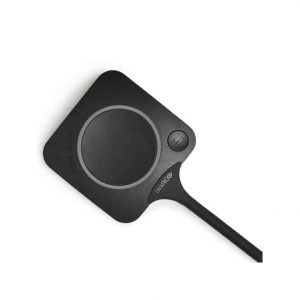
Barco Clickshare is a wireless, click-to-share group collaboration system for conference room meetings. It facilitates hybrid collaboration in your huddle spaces and meeting rooms. Whether your team is in the meeting room or joining remotely, Clickshare allows hybrid collaboration in meeting spaces that feature existing conferencing systems. Barco Clickshare offers flexible, engaged, and productive meetings with instant and easy collaboration in your medium-to-large meeting rooms. It boosts business efficiency and performance for all employees. It turns any space into a hybrid meeting space with just one click. With Barco Clickshare wireless conferencing systems and collaboration tools, you can connect, collaborate and share content from anywhere. It can also display digital signage content when not used for presenting or conferencing. Top features to check while buying barco clickshareBarco Clickshare wirelessly connects to the room camera, microphone and speaker. So all participants, in-room or remote, can be seen and heard. The systems boast a range of interactive features: Triple agnosticClickshare can be used on your laptop or desktop, connects instantly with your brand of peripherals, and works with any conferencing platform. It works with any device, conferencing platform, camera, microphone or speaker in the meeting room.Always up-to-dateThe new Clickshare can update itself with your XMS (Cloud) Management Platform console or manually. You can be sure you have the latest version of wireless conferencing to give you a competitive edge.Easy collaboration One-click conferencing experience to start hybrid meetings in less than 7 seconds. Access a set of collaborative features. Get a copy of the main screen on your laptop & view the content in full detail. It also opens up a range of advanced functions.ISO 27001 certifiedClickshare is the first wireless collaboration technology to get ISO 27001 Certification. It demonstrates Barco’s commitment to the right processes and structures for the highest international security standards. Integrated insights moduleClickshare conferencing has an insights module of the XMS Management Platform. It helps you understand behaviour in the workplace and run it more efficiently. You can have instant insights on how often meeting rooms are used and how people use Clickshare when things are hectic or quiet. Management dashboardManaging Clickshare across your business is simple with our XMS (Cloud) Management Platform. Units are discovered easily and added to the management console with key information available on a dashboard. Administrators can intervene remotely without interrupting the meeting.Benefits of clickshareClickshare is a completely wireless system that can even bring your meeting (BYOM) and start a video meeting with your preferred online conferencing solution from your laptop, connecting wirelessly to the room’s display and AV peripherals. Alongside this, Clickshare conferencing also brings you several unique benefits: Complete Wireless Solution Clickshare offers a complete wireless solution that connects through a Clickshare Button plugged into the USB port on your laptop or desktop or the Clickshare App for mobile devices and pc. It also means you don’t have to contact and wait for IT to locate a specific cable to help you connect to the meeting room screen. Simply connect your device to the system, and you’ll be able to use Clickshare Conference to share content on the screen and connect wirelessly to the room camera and speakers for better hybrid meetings. Guest-Friendly Wireless conferencing with the Barco Clickshare is guest-friendly. Anyone can start a video call and share content in any meeting room. Guests bring their devices and are often crucial participants in meetings. It is a secure solution that enables your employees to close deals and brainstorm with guests in and outside the meeting room. Manageable The day-to-day management of Clickshare is easy, with tools like the Clickshare configurator. But the real value comes when working with our XMS management platform. With XMS cloud-based solution, managing, monitoring and updating are done automatically and seamlessly. Moreover, dashboards and analytics offer insights into using your collaborative tools and give further possibilities to optimise the facility’s capacity. Integrated with your environment The integration of Clickshare wireless conference systems is simple. It can be fully adapted to your network requirements. Therefore, Clickshare collaboration is natural and intuitive for real human interaction. No extra training A new tool or technology means investing time in learning how to work with it. And every minute of your workday is precious. With Clickshare, you don’t need extra training, heavy manuals or extra instructions. It is Plug and Play and you do not have to call IT for support. Moreover, Clickshare fits with a consistent and intuitive meeting experience that allows you to train users on their laptops. Thus, enabling them to use that same workflow to start a meeting in any meeting room. BYOD compatible Clickshare Conference is an agnostic solution. They help you get the most out of your meetings. It is completely compatible with BYOD (Bring Your Own Device) and works with any device to share content or collaborate. Engaging and productive meetings Clickshare keeps your data secure with only ISO 27001 certification. It boosts your meetings with interactivity features like blackboarding or annotation. Thus, engages remote colleagues, huddles and maximises your time.Barco ClickshareSystems like Clickshare are at the heart of this evolution in working practice, with users able to hold smoother, more efficient and more effective meetings from any device in any location with the help of this sleek, innovative system. Barco Clickshare integrates with your existing audio-visual solutions. Thus, you can choose one according to your room size. CX-20Barco Clickshare CX-20 provides smooth hybrid collaboration and flexibility to team meetings. It is an ideal wireless conferencing solution for enhancing hybrid meetings in focus rooms and small meeting spaces. It provides inspiring conference facilities: Full BYOD support Remote Collaboration Triple agnostic: works with any device, any UC technology and any brand of AV peripheral Enhanced security Connected and managed in the cloud CX-30Clickshare CX-30 from Barco offers a seamless one-click wireless conferencing room system to bring teams together. It is perfect for transforming your small to medium-sized huddle rooms and conference rooms into collaborative environments with full interactivity. It has features like: Full BYOD support Collaborate remotely Full interactivity and moderation
This website uses cookies so that we can provide you with the best user experience possible. Cookie information is stored in your browser and performs functions such as recognising you when you return to our website and helping our team to understand which sections of the website you find most interesting and useful.
Strictly Necessary Cookies
Strictly Necessary Cookie should be enabled at all times so that we can save your preferences for cookie settings.
If you disable this cookie, we will not be able to save your preferences. This means that every time you visit this website you will need to enable or disable cookies again.
3rd Party Cookies
This website uses Google Analytics to collect anonymous information such as the number of visitors to the site, and the most popular pages.
Keeping this cookie enabled helps us to improve our website.
Please enable Strictly Necessary Cookies first so that we can save your preferences!