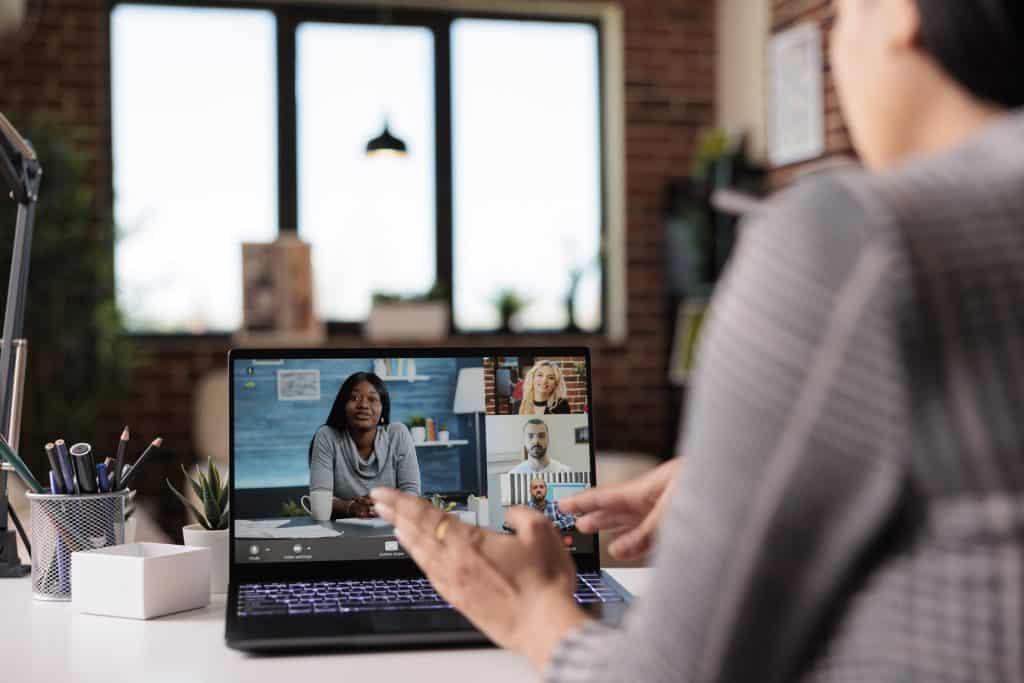
In today’s digital landscape, remote working has emerged as a popular choice for organizations worldwide. As the traditional office setup gives way to a more flexible and location-independent work culture, businesses are embracing the benefits of remote work. This blog explores the concept of remote working, highlighting the importance of effective collaboration and teamwork for remote teams. Additionally, we aim to delve into a range of essential collaborative tools that can enhance productivity and streamline remote work processes.
Remote working, also known as telecommuting or working from home, refers to a work arrangement where employees can perform their duties outside of a traditional office environment. Enabled by advanced technologies and robust internet connectivity, remote working has gained significant popularity in recent years. Companies recognize the value of remote work in terms of increased employee satisfaction, reduced overhead costs, and access to a global talent pool.
Remote teams heavily rely on collaboration to ensure smooth workflow and successful project outcomes. Effective collaboration fosters synergy, encourages knowledge sharing, and boosts overall team productivity. It helps remote workers feel connected, engaged, and aligned with organizational goals. By leveraging collaborative tools and techniques, remote teams can overcome geographical barriers and create a cohesive work environment.
Team collaboration apps provide a centralized platform for remote workers to communicate, collaborate, and share information seamlessly. These apps facilitate real-time messaging, file sharing, and task management, enabling remote team members to stay connected and work together efficiently.
Virtual collaboration tools offer features like virtual whiteboards, document co-editing, and real-time collaboration on projects. They enable remote workers to brainstorm ideas, make annotations, and work on shared documents simultaneously, fostering a collaborative and productive work environment.
Essential tool for remote collaboration are Zoom , Dropbox , Trello , Miro , Monday.com , Asana , Slack , Microsoft Teams , Evernote.
5 Remote Work Tools
The Benefits of Collaborative Tools for Remote Teams
In today’s digital landscape, remote working has become increasingly prevalent, with distributed teams and virtual collaboration becoming the norm. To ensure seamless operations and foster a sense of teamwork, the use of collaborative tools for remote working is crucial. These tools offer a wide range of advantages, including improved communication, enhanced productivity, and streamlined project management. Let’s delve into the benefits they bring to remote teams.
Improved Communication
Effective communication lies at the heart of successful teamwork, and collaborative tools for remote working play a pivotal role in bridging the gap. Remote team communication tools enable real-time collaboration, allowing team members to connect and interact seamlessly regardless of their physical location. With features like video conferencing, instant messaging, and collaborative note-taking, these tools facilitate virtual face-to-face interaction, fostering a sense of camaraderie and trust among team members. They also help overcome the challenges posed by time zone differences, ensuring that everyone is on the same page and can communicate effortlessly.
Enhanced Productivity
When it comes to remote collaboration, productivity is a key factor. Collaborative tools empower remote teams to work together efficiently, leveraging various functionalities to streamline workflows. Project management tools offer features such as task management, workflow management, and collaborative project tracking, enabling teams to stay organized, delegate tasks, and monitor progress in real-time. With cloud-based collaboration tools, team members can access and edit files simultaneously, eliminating version control issues and reducing delays. These tools also facilitate collaborative document editing, allowing multiple stakeholders to contribute and provide feedback, leading to faster and more accurate results.
Streamlined Project Management
Efficient project management is essential for remote teams, and collaborative tools offer comprehensive solutions. Collaborative project management software provides a centralized platform for planning, scheduling, and tracking projects. With features like collaborative task assignment and project scheduling, teams can allocate resources effectively and ensure timely completion of deliverables. Additionally, these tools enable collaborative workflow management, allowing team members to visualize the entire project timeline, identify dependencies, and make informed decisions. The ability to collaborate and coordinate seamlessly within a single platform enhances efficiency and keeps remote teams aligned towards shared goals.
Fostering a Sense of Teamwork
One of the biggest challenges faced by remote teams is the lack of face-to-face interaction. Collaborative tools bridge this gap by creating virtual spaces where team members can collaborate and engage in a shared environment. By providing real-time collaboration tools, such as video conferencing and collaborative brainstorming tools, these platforms encourage active participation and idea sharing. They also facilitate seamless communication, enabling remote team members to build relationships, trust, and a sense of camaraderie. The ability to work together in a virtual environment cultivates a strong team culture, boosting morale and motivation.
Top Collaboration Tools for Virtual Teams
As remote working becomes increasingly prevalent, the need for effective collaboration tools has become paramount. Virtual teams require robust solutions that facilitate seamless communication, efficient task management, secure file sharing, and streamlined project tracking. In this section, we present a comprehensive list of the best collaborative tools suitable for remote teams, highlighting their features, functionalities, and unique selling points.
Zoom
Remote collaboration software that has gained immense popularity due to its reliable video conferencing capabilities.
Offers high-quality audio and video, screen sharing, and real-time chat features.
Enables seamless virtual meetings, webinars, and conference calls.
Provides an intuitive user interface and supports collaboration with external participants.
Helps foster remote team communication and strengthens online collaboration.
Choosing the Right Collaboration Software for Remote Work
In today’s digital age, remote work has become increasingly prevalent, necessitating the need for effective collaboration tools. Selecting the right collaborative tools for remote working is crucial for enhancing team collaboration, streamlining workflows, and ensuring seamless communication in virtual teams. To make an informed decision, it is essential to consider several key factors that contribute to successful remote collaboration. This section explores the importance of ease of use, compatibility with existing workflows, and integration capabilities with other software when choosing collaborative tools for remote work. Additionally, it provides valuable insights into evaluating pricing plans, security measures, and customer support options.
Ease of Use: Enhancing Remote Collaboration Efficiency
When assessing collaborative tools for remote working, ease of use is a paramount factor. Intuitive user interfaces, straightforward navigation, and comprehensive features contribute to enhanced remote collaboration efficiency. Look for remote collaboration software that offers a user-friendly experience, allowing team members to quickly adapt and utilize the tool’s functionalities effectively. Intuitive tools reduce the learning curve, enabling remote teams to focus on productive tasks rather than grappling with complex interfaces.
Compatibility with Existing Workflows: Seamless Integration Matters
Integrating collaborative tools seamlessly into existing workflows is vital for maintaining productivity and avoiding disruptions in remote work environments. Consider solutions that align with your team’s preferred project management methodologies, file sharing systems, and communication platforms. Opting for collaborative tools that integrate well with other software your team uses, such as productivity software, task management systems, or workflow management platforms, fosters a cohesive and efficient remote work ecosystem.
Collaborative tools that offer integration capabilities with other software enable streamlined communication and efficient task management across various platforms. For instance, look for remote collaboration software that integrates with popular video conferencing tools, enabling seamless transition between virtual meetings and collaborative work sessions. Furthermore, seek out solutions that facilitate collaborative project tracking, document editing, note-taking, and file sharing to promote cross-software collaboration within remote teams.
Evaluating Pricing Plans, Security Measures, and Customer Support
Apart from functionality, it is crucial to evaluate pricing plans, security measures, and customer support options when selecting collaborative tools for remote work. Consider the following aspects to ensure a well-rounded decision:
Pricing Plans: Balancing Affordability and Functionality
Carefully examine the pricing plans offered by different remote collaboration software providers. Consider your team’s requirements and budgetary constraints when assessing the value provided by each plan. Look for affordable online collaboration platforms that offer a comprehensive range of features to meet your team’s needs without unnecessary expenditure.
Security Measures: Protecting Sensitive Data
Remote team collaboration involves sharing sensitive information and documents. Therefore, prioritizing security measures is vital to safeguarding confidential data. Ensure that the collaborative tools you choose provide robust encryption protocols, user access controls, and data backup mechanisms. Trusted cloud-based collaboration tools with built-in security features offer peace of mind and protect your team’s valuable information.
Customer Support Options: Timely Assistance Matters
When technical issues arise or questions arise, having reliable customer support can be invaluable. Evaluate the customer support options provided by remote collaboration software providers. Look for responsive customer support channels, such as email, live chat, or phone support, to address any concerns or troubleshoot issues promptly. Additionally, consider online documentation, video tutorials, and community forums that provide self-help resources and foster a supportive user community.
Enhancing Remote Team Communication and Project Management
In today’s dynamic work environment, remote working has become increasingly prevalent. As teams are geographically dispersed, effective communication and streamlined project management are essential for ensuring productivity and success. Collaborative tools for remote working play a pivotal role in enabling seamless collaboration, enhancing team communication, and facilitating efficient project tracking. This section explores specific tools that cater to these needs, highlighting their features that promote transparency, accountability, and efficient task assignment within virtual teams.
Collaborative Tools for Remote Team Communication
Remote team communication tools are vital for maintaining effective and efficient communication channels among team members. These tools enable real-time interaction and foster a sense of connection, despite physical distances. Here are some examples of collaborative tools for remote team communication:
Video Conferencing Tools: Video conferencing platforms like Zoom, Microsoft Teams, and Google Meet enable face-to-face virtual meetings, allowing team members to communicate, collaborate, and share screens in real time. These tools facilitate instant communication, helping teams overcome geographical barriers and enhance remote collaboration.
Instant Messaging and Chat Apps: Tools such as Slack, Microsoft Teams, and Telegram provide instant messaging and chat capabilities for quick and informal communication. They offer features like group chats, file sharing, and integration with other tools, promoting seamless communication within virtual teams.
Collaborative Tools for Project Management
Efficient project management is crucial for remote teams to stay organized, meet deadlines, and track progress. Collaborative tools that focus on project management provide a centralized platform for planning, assigning tasks, and monitoring project milestones. Here are some examples of collaborative project management tools:
Task Management Software: Task management tools like Asana, Trello, and Jira enable teams to create and assign tasks, set deadlines, and track progress in a collaborative manner. These tools provide a visual overview of projects, ensuring everyone is aligned and aware of their responsibilities.
Workflow Management Tools: Workflow management platforms such as Monday.com and Wrike streamline project workflows by automating repetitive tasks, establishing clear processes, and optimizing team collaboration. They enable teams to define project stages, assign roles, and monitor progress, resulting in improved productivity and efficiency.
Features Promoting Transparency, Accountability, and Efficient Task Assignment
Collaborative tools for remote working incorporate various features that promote transparency, accountability, and efficient task assignment within virtual teams. These features ensure that everyone is on the same page and facilitate smooth collaboration. Here are some notable features:
Real-time Collaboration and Editing: Tools like Google Docs, Microsoft Office 365, and Notion allow multiple team members to collaborate on the same document simultaneously. This feature fosters transparency, as changes are visible in real time, and promotes efficient document editing and collaboration.
Task Assignment and Tracking: Task management tools offer features such as task assignment, progress tracking, and deadline reminders. These features enable teams to assign tasks, monitor their completion, and ensure accountability, fostering efficient task management within virtual teams.
Boosting Productivity with Task and Workflow Management Tools
In today’s fast-paced work environment, remote collaboration has become an integral part of efficient task and workflow management for teams. By leveraging collaborative tools designed for remote working, teams can effectively organize, prioritize tasks, set deadlines, and track progress, leading to improved productivity. In this section, we will explore the benefits of these tools and how they facilitate seamless remote collaboration.
Organizing and Prioritizing Tasks
Collaborative tools for remote working offer a range of features to help teams organize and prioritize tasks effectively. With intuitive task management capabilities, these tools enable teams to create, assign, and categorize tasks, ensuring everyone is on the same page. By using collaborative project management software, teams can easily access project timelines, task dependencies, and milestones. This transparency fosters a shared understanding of the project’s progress and helps prioritize tasks based on their urgency and importance.
Setting Deadlines and Tracking Progress
Remote collaboration software provides teams with the ability to set deadlines and track progress in real-time. By leveraging cloud-based collaboration tools, teams can create shared calendars and define due dates for tasks and milestones. Notifications and reminders ensure that team members stay informed about approaching deadlines, promoting accountability and timely completion of tasks. Additionally, collaborative project tracking solutions offer visual representations of project progress, enabling teams to identify bottlenecks and make necessary adjustments.
Promoting Collaboration
Effective collaboration is crucial for remote teams, and collaborative tools facilitate seamless communication and cooperation. By integrating with popular project management platforms, these tools centralize communication channels, allowing teams to collaborate on tasks, projects, and files. Real-time collaboration tools enable simultaneous document editing, note-taking, and brainstorming sessions, fostering a sense of unity among team members. Furthermore, video conferencing capabilities enable face-to-face interactions, enhancing remote team communication and strengthening collaboration.
Features that Enhance Collaboration
Collaborative tools for remote working offer various features that promote collaboration and streamline workflows. Some key features include:
Shared Calendars: Shared calendars allow teams to schedule meetings, track deadlines, and coordinate activities efficiently.
Notifications: Instant notifications keep team members updated about task assignments, comments, and changes, ensuring seamless collaboration.
Integrations with Project Management Platforms: Integration with popular project management platforms enables teams to consolidate their work and easily access project-related information.
Conclusion
In today’s fast-paced and interconnected world, remote working has become increasingly prevalent. As businesses embrace the flexibility and advantages of virtual teams, the need for effective collaboration tools becomes paramount. Collaborative tools for remote working enable seamless communication, streamlined project management, and efficient workflow, empowering teams to work together regardless of their physical locations. In this article, we will highlight the significance of using collaborative tools for remote teams, discuss the benefits they bring to the workflow, and encourage readers to explore and implement these tools to enhance teamwork in their remote work environments.
Collaborative tools play a vital role in fostering effective team collaboration within remote working setups. These tools provide a centralized platform for team members to communicate, share ideas, and collaborate on projects. Virtual team collaboration tools, such as online collaboration platforms, enable real-time interactions, making it easy for dispersed team members to connect and collaborate seamlessly. By utilizing cloud-based collaboration tools, remote teams can work on shared documents, engage in collaborative document editing, and ensure everyone stays on the same page. These tools facilitate collaborative task management, project tracking, and scheduling, keeping remote teams organized and productive.
Remote team communication is a cornerstone of successful collaboration. Collaborative tools for remote working offer a range of solutions to overcome communication barriers. With remote team communication tools, such as video conferencing software, teams can conduct virtual meetings, brainstorm ideas, and foster a sense of camaraderie. Additionally, collaborative file sharing tools enable secure and efficient document exchange among team members. By leveraging these tools, remote teams can ensure that information flows seamlessly, enhancing productivity and minimizing delays caused by geographical distances.
Efficient workflow management is essential for remote teams to stay productive and meet deadlines. Collaborative project management software empowers remote teams to manage projects effectively, allocate tasks, and track progress in real time. These tools provide visibility into the project’s status, allowing team members to identify bottlenecks and make necessary adjustments promptly. By utilizing collaborative work management tools, remote teams can optimize their workflow, ensure accountability, and maintain high-quality outputs.
In the ever-evolving landscape of remote work, continuous improvement and adaptation are crucial for maximizing the potential of collaborative tools. Remote work collaboration solutions evolve rapidly, offering new features and functionalities that enhance team productivity. It is vital for remote teams to stay updated with the latest advancements in collaborative tools for remote working, such as innovative collaborative brainstorming tools or feature-rich collaboration software for distributed teams. By embracing these advancements, remote teams can unlock new levels of efficiency, foster creativity, and adapt to changing work dynamics.
FAQs
What are some popular collaborative tools for remote working?
Some popular collaborative tools for remote working include:
Slack: A messaging and collaboration platform that allows teams to communicate and share files in channels.
Microsoft Teams: A communication and collaboration tool that integrates with other Microsoft Office applications and offers features like chat, video meetings, and file sharing.
Google Workspace: Formerly known as G Suite, it includes tools like Google Docs, Sheets, and Drive for real-time collaboration and document sharing.
Trello: A project management tool that uses boards and cards to help teams track tasks and collaborate on projects.
Asana: A task management tool that enables teams to create and assign tasks, set deadlines, and track progress.
Zoom: A video conferencing platform that allows teams to have virtual meetings and collaborate through screen sharing and chat.
Miro: A digital whiteboard tool that facilitates collaborative brainstorming, diagramming, and visual planning.
These are just a few examples, and there are many other collaborative tools available depending on specific team needs and preferences.
How can I improve team collaboration while working remotely?
To improve team collaboration while working remotely, you can:
Establish clear communication channels: Use tools like instant messaging, video conferencing, and project management software to facilitate regular and effective communication.
Set clear goals and expectations: Clearly define tasks, deadlines, and roles within the team to ensure everyone understands their responsibilities.
Foster a positive team culture: Encourage open communication, provide feedback, and recognize achievements to build trust and collaboration among team members.
Schedule regular check-ins and meetings: Conduct virtual meetings to discuss progress, address challenges, and provide updates on projects.
Utilize collaboration tools: Use collaborative software and platforms that allow team members to share documents, track tasks, and work on projects simultaneously.
Promote virtual team building activities: Arrange virtual social events or team-building exercises to strengthen relationships and boost morale.
Provide opportunities for informal communication: Encourage team members to engage in casual conversations and virtual watercooler chats to foster a sense of connection and camaraderie.
By implementing these strategies, you can enhance team collaboration and productivity while working remotely.
What features should I look for in remote collaboration software?
When selecting remote collaboration software, consider the following features:
Communication tools: Look for features like instant messaging, video conferencing, and audio calls to facilitate real-time communication.
File sharing and storage: The software should allow easy sharing and storage of files, documents, and other resources.
Project/task management: Ensure the software offers features for creating, assigning, and tracking tasks, as well as setting deadlines and priorities.
Collaboration features: Look for tools that enable simultaneous editing, version control, and commenting on documents or projects.
Integration capabilities: Check if the software integrates with other essential tools your team uses, such as calendars, email clients, or project management platforms.
Security and privacy: Ensure the software provides robust security measures, such as data encryption and access controls, to protect sensitive information.
Mobile accessibility: Consider whether the software has mobile apps or a responsive design to enable collaboration on the go.
By evaluating these features, you can find collaboration software that aligns with your team’s needs and enhances remote work.
Are there any free collaborative tools for remote teams?
Yes, there are several free collaborative tools available for remote teams. Some examples include:
Slack (free version): Offers basic communication and collaboration features with limited storage and integration options.
Trello (free version): Allows teams to create boards, lists, and cards for task management and collaboration.
Google Workspace (free version): Provides access to tools like Google Docs, Sheets, and Drive for real-time collaboration and file sharing.
Microsoft Teams (free version): Offers chat, video meetings, and document collaboration features for teams.
Asana (free version): Enables task management and basic collaboration for teams with limited users and features.
Zoom (free version): Allows for video meetings and screen sharing with limited meeting duration.
These free tools often have limitations compared to their paid counterparts but can still be valuable for smaller remote teams or for those on a tight budget.
How do virtual collaboration platforms work?
Virtual collaboration platforms facilitate remote teamwork by providing digital spaces for communication, file sharing, and collaborative work. They typically work through a combination of the following:
Communication tools: Virtual collaboration platforms offer features like instant messaging, video conferencing, and audio calls to enable real-time communication among team members.
File sharing and storage: These platforms provide a central location for sharing and storing files, documents, and other resources, allowing team members to access and collaborate on them remotely.
Collaboration features: They often offer features like simultaneous editing, commenting, and version control, enabling multiple team members to work together on the same document or project.
Task and project management: Virtual collaboration platforms may include tools for creating, assigning, and tracking tasks, as well as setting deadlines and priorities.
Integration capabilities: They can integrate with other software and tools, such as project management platforms, calendars, or email clients, to streamline workflows and enhance productivity.
By bringing together these features, virtual collaboration platforms foster teamwork and enable remote teams to collaborate effectively regardless of their physical location.
How can I ensure secure file sharing in remote teams?
To ensure secure file sharing in remote teams, you can take the following measures:
Use secure file-sharing platforms: Choose reputable and secure file-sharing services that offer encryption and access controls to protect your files.
Implement strong passwords and two-factor authentication: Encourage team members to use strong, unique passwords for their accounts and enable two-factor authentication for an added layer of security.
Educate team members about cybersecurity best practices: Train your team on the importance of secure file sharing, phishing awareness, and safe online practices to mitigate the risk of data breaches.
Limit access permissions: Grant file access only to the necessary team members and implement role-based access controls to ensure that sensitive files are only accessible to authorized individuals.
Regularly update software and devices: Keep your file-sharing software, operating systems, and antivirus programs up to date to protect against known vulnerabilities and security risks.
Regularly back up files: Implement a reliable backup system to ensure that important files are securely stored and can be recovered in case of data loss or accidental deletion.
By following these guidelines, you can enhance the security of file sharing in remote teams and protect sensitive information.
What are the benefits of real-time collaboration tools?
Real-time collaboration tools offer several benefits for remote teams, including:
Improved communication: Real-time collaboration tools enable instant messaging, video conferencing, and audio calls, fostering quick and effective communication among team members.
Enhanced productivity: These tools allow team members to work on projects simultaneously, accelerating decision-making and reducing delays.
Simultaneous editing and feedback: Real-time collaboration tools enable multiple team members to edit and provide feedback on documents or projects in real-time, promoting collaboration and iteration.
Increased flexibility and remote work capabilities: With real-time collaboration tools, team members can collaborate regardless of their geographical location, enabling remote work and flexibility.
Efficient problem-solving: Real-time collaboration fosters immediate problem-solving through instant communication and quick access to shared resources.
Reduced versioning issues: Since real-time collaboration tools allow simultaneous editing, they reduce versioning conflicts and ensure that team members always work on the most up-to-date version of a document.
Time and cost savings: Real-time collaboration reduces the need for lengthy email exchanges and physical meetings, saving time and costs associated with travel and in-person collaboration.
Overall, real-time collaboration tools streamline teamwork, promote efficiency, and enable seamless collaboration in remote teams.
How can I effectively manage tasks in a remote team?
To effectively manage tasks in a remote team, consider the following tips:
Use task management software: Utilize task management tools like Trello, Asana, or Monday.com to create, assign, and track tasks, set deadlines, and visualize progress.
Set clear expectations and priorities: Clearly communicate task requirements, deadlines, and priorities to ensure that team members understand what needs to be accomplished.
Break tasks into smaller subtasks: Divide larger tasks into smaller, manageable subtasks to provide clarity and promote progress tracking.
Foster accountability: Encourage team members to take ownership of their tasks and provide regular updates on progress and completion.
Establish regular check-ins: Schedule regular team meetings or check-ins to discuss task status, address challenges, and provide guidance or support.
Communicate effectively: Use communication tools to provide clear instructions, answer questions, and ensure that team members have the necessary information to complete their tasks.
Provide feedback and recognition: Offer constructive feedback and acknowledge team members’ achievements to motivate and encourage a sense of accomplishment.
By implementing these strategies, you can effectively manage tasks in a remote team and ensure that projects progress smoothly.
How do remote team communication tools facilitate collaboration?
Remote team communication tools facilitate collaboration by providing channels for real-time communication and information sharing. They typically offer the following benefits:
Instant messaging: Communication tools like Slack or Microsoft Teams enable quick and informal communication among team members, fostering collaboration and prompt decision-making.
Video conferencing: Platforms such as Zoom or Google Meet allow face-to-face meetings, enabling richer communication, virtual presentations, and team discussions.
Audio calls: Remote team communication tools often provide audio call features, enabling voice communication for discussions, clarifications, or brainstorming sessions.
Screen sharing: Many communication tools allow screen sharing, making it easier to demonstrate ideas, provide instructions, or collaborate on documents or presentations.
File sharing: Communication tools often integrate file-sharing capabilities, allowing team members to share documents, images, or other files during conversations or meetings.
Threaded discussions: Some tools provide threaded discussions or chat channels, making it easy to organize conversations around specific topics or projects.
Mobile accessibility: Remote team communication tools often have mobile apps, ensuring that team members can stay connected and collaborate on the go.
By leveraging these features, remote team communication tools enable efficient and seamless collaboration, regardless of physical location.
Can collaborative project management software track progress?
Yes, collaborative project management software often includes features to track progress. These features can include:
Task tracking: Project management software allows you to create tasks, assign them to team members, set deadlines, and track their progress. You can see the status of each task, whether it’s in progress, completed, or overdue.
Gantt charts: Some project management tools offer Gantt charts that visualize task dependencies, timelines, and milestones, providing a clear overview of project progress.
Kanban boards: Kanban-style project management tools like Trello or Asana display tasks on boards with columns representing different stages. Team members can move tasks from one column to another as they progress, allowing everyone to see the status of each task.
Progress indicators: Project management software often provides visual indicators or progress bars that show the completion status of tasks or projects.
Reporting and analytics: Advanced project management tools offer reporting features that provide insights into project progress, team performance, and resource utilization.
By utilizing these progress tracking features, collaborative project management software allows teams to monitor project status, identify bottlenecks, and make informed decisions to keep projects on track.
Are there any collaborative note-taking tools for remote work?
Yes, there are collaborative note-taking tools designed for remote work. Some popular examples include:
Google Docs: Google Docs allows real-time collaboration on documents, enabling team members to take notes simultaneously, make edits, and provide comments.
Microsoft OneNote: OneNote offers collaborative note-taking features, allowing team members to create and share notes, images, and other content in a collaborative workspace.
Notion: Notion is a flexible tool that combines note-taking, project management, and wikis. It allows teams to create shared notes, databases, and documents in a collaborative environment.
Evernote: Evernote supports collaboration by enabling users to share notes, documents, and checklists with team members, facilitating collaborative note-taking and information sharing.
Dropbox Paper: Dropbox Paper provides a collaborative workspace for note-taking, document creation, and team collaboration, allowing real-time editing and commenting on shared documents.
These tools allow team members to collaborate on note-taking, share ideas, and create a centralized repository of information, enhancing remote work efficiency and collaboration.
What is the best collaborative video conferencing software?
Determining the best collaborative video conferencing software depends on your specific needs and preferences. However, some widely used and highly regarded options include:
Zoom: Zoom is a popular video conferencing platform known for its ease of use, reliable performance, and extensive features such as screen sharing, virtual backgrounds, and breakout rooms.
Microsoft Teams: Microsoft Teams offers video conferencing capabilities along with other collaboration tools, making it a comprehensive solution for remote teamwork.
Google Meet: Google Meet is a secure and user-friendly video conferencing platform that integrates seamlessly with other Google Workspace tools.
Cisco Webex: Webex provides feature-rich video conferencing, including HD video and audio, screen sharing, and recording capabilities.
GoToMeeting: GoToMeeting is known for its simplicity and reliability, offering high-quality video and audio conferencing, as well as screen sharing and recording features.
These are just a few examples, and there are other video conferencing software options available. Consider your specific requirements, such as the number of participants, desired features, and budget, to choose the best collaborative video conferencing software for your remote team.
How can I assign tasks collaboratively in a remote team?
To assign tasks collaboratively in a remote team, follow these steps:
Use a task management tool: Implement a task management software like Trello, Asana, or Monday.com that allows you to create tasks and assign them to team members.
Clearly define tasks and expectations: Clearly communicate the details, objectives, deadlines, and requirements of each task to ensure that team members understand what is expected of them.
Consider individual strengths and availability: When assigning tasks, consider each team member’s skills, expertise, and availability to ensure a good fit and maximize productivity.
Provide context and resources: Give team members the necessary context, information, and resources to complete their assigned tasks effectively. This may include providing access to relevant documents, guidelines, or supporting materials.
Encourage collaboration and communication: Encourage team members to collaborate and seek clarification or support from each other during the task execution process. Provide channels for communication and ensure that team members feel comfortable asking questions or seeking guidance.
Monitor progress and provide feedback: Regularly check the progress of assigned tasks and provide feedback to team members. Address any challenges or issues promptly to ensure tasks stay on track.
Recognize achievements and celebrate milestones: Acknowledge team members’ efforts and achievements when tasks are completed or milestones are reached. This fosters a positive and collaborative team environment.
By following these steps, you can assign tasks collaboratively and promote effective teamwork within your remote team.
What are some examples of cloud-based collaboration tools?
Cloud-based collaboration tools leverage cloud computing technology to enable remote teams to collaborate and share information. Here are some examples:
Google Workspace (formerly G Suite): Google Workspace offers a suite of cloud-based collaboration tools, including Gmail, Google Drive, Google Docs, Google Sheets, and Google Slides, which enable real-time collaboration and file sharing.
Microsoft 365 (formerly Office 365): Microsoft 365 provides cloud-based versions of popular productivity tools like Microsoft Word, Excel, PowerPoint, and Teams, allowing for collaborative editing and file sharing.
Dropbox: Dropbox is a cloud storage and collaboration platform that enables teams to store, access, and share files from anywhere, facilitating seamless collaboration.
Slack: Slack is a cloud-based messaging and collaboration platform that brings team communication together in one place, allowing for real-time collaboration, file sharing, and integrations with other tools.
Trello: Trello is a cloud-based project management tool that uses boards, lists, and cards to help teams organize and track their work in a collaborative manner.
Asana: Asana is a cloud-based project and task management platform that allows teams to manage projects, assign tasks, track progress, and collaborate in real-time.
These examples showcase the range of cloud-based collaboration tools available, each with its own set of features designed to enhance remote team collaboration and productivity.
How can collaborative project scheduling enhance remote work?
Collaborative project scheduling can enhance remote work in the following ways:
Coordination and alignment: Collaborative project scheduling enables team members to view and access project schedules, ensuring everyone is on the same page regarding timelines, deadlines, and dependencies. This facilitates coordination and alignment among team members, even when working remotely.
Transparency and visibility: By using collaborative project scheduling tools, team members can easily see the overall project schedule, task assignments, and progress. This transparency enhances visibility into project timelines, allowing for better planning, tracking, and decision-making.
Efficient resource allocation: Collaborative project scheduling enables teams to assign resources effectively by considering availability and workload. This helps balance workloads, avoid overloading individuals, and optimize resource utilization.
Real-time updates and notifications: With collaborative project scheduling tools, team members can receive real-time updates and notifications about schedule changes, task assignments, or deadlines. This ensures that everyone stays informed and can adapt their work accordingly.
Improved communication and collaboration: Collaborative project scheduling tools often include communication features such as comments, notifications, and discussions. These features facilitate collaboration by allowing team members to communicate, provide feedback, or address scheduling conflicts directly within the scheduling tool.
Agile adaptation: Collaborative project scheduling tools often support agile methodologies, allowing teams to adapt schedules dynamically as priorities change or new information emerges. This flexibility is particularly valuable in remote work settings where requirements may evolve quickly.
By leveraging collaborative project scheduling, remote teams can enhance coordination, transparency, and communication, leading to improved project outcomes and productivity.
Are there any collaborative workflow management solutions for distributed teams?
Yes, there are collaborative workflow management solutions designed for distributed teams. These solutions provide tools and features that help streamline and optimize workflows in a remote work environment. Some examples include:
Monday.com: Monday.com is a cloud-based platform that offers visual workflow management features, allowing teams to track and manage their work processes collaboratively.
Asana: Asana provides workflow management capabilities, enabling teams to create and customize workflows, track progress, and automate repetitive tasks.
Jira: Jira is a popular workflow management tool that facilitates agile project management and issue tracking, allowing distributed teams to collaborate on workflows and manage complex projects.
Wrike: Wrike is a cloud-based work management platform that offers workflow management features, including task assignment, progress tracking, and resource allocation.
Airtable: Airtable combines the functionality of a spreadsheet and a database, offering flexible workflow management options for teams to collaborate and track their work.
ClickUp: ClickUp is a comprehensive project management platform that provides workflow management features, including customizable task statuses, automation, and collaboration tools.
These collaborative workflow management solutions enable distributed teams to effectively manage their workflows, track progress, and foster collaboration, ensuring smooth and efficient remote work processes.
Welcome to the world of AV technology finesse, where achieving visual excellence in AV setups is not just a goal; it’s a guarantee. Whether you’re a beginner venturing into the realm of audio-visual technology or someone seeking simple AV improvements, mastering the art of superior audio-visual experiences is essential.In the age of cutting-edge AV solutions, visual clarity is paramount. Our expert-led solutions empower beginners and enthusiasts alike, offering professional audio-visual mastery without the complexity. We understand the significance of clear visuals in presentations and optimal audio-visual setup at home. By mastering AV solutions, you can enhance visual clarity effortlessly, even on a budget.Our AV setup techniques ensure crystal-clear visuals, even for those new to the world of AV technology. From basic audio-visual setup guides to hassle-free visual upgrades, we provide DIY tips and expert AV solutions. Explore premium audio-visual equipment and learn how to optimize visual displays effectively. With simplified visual perfection strategies, achieving AV system perfection has never been easier.Harness the power of expert AV tips and cutting-edge AV technology to optimize audio-visual experiences. Our data-backed solutions, presented in easy-to-understand tables, guide you through quick fixes for AV issues and affordable AV optimization methods. Mastering audio-visual perfection is within reach, ensuring ultimate visual precision and superior AV setup for everyone.Metaverse school’ teaches students using VR Basic Audio-Visual Setup GuideStep 1: Understand Audio-Visual TechnologyBefore diving into AV optimization techniques, it’s essential to familiarize yourself with audio-visual technology. This knowledge serves as the foundation for achieving visual excellence in AV. Superior audio-visual experiences start with understanding the components.Step 2: Gather Your AV Setup EquipmentFor expert-led solutions, you’ll need the right tools. Ensure you have cutting-edge AV technology, including a high-quality TV or projector, a surround sound system, and compatible cables. These components are crucial for achieving visual clarity and optimal audio-visual setup.Step 3: Placement and CalibrationTo enhance visual clarity, position your TV or projector appropriately. Make sure it’s at eye level and at an optimal distance. Professional audio-visual mastery involves precise calibration to achieve crystal-clear visuals and ultimate visual precision.Step 4: Connecting Your AV SystemAV technology finesse is required for connecting all components. Use AV equipment expertise to link your TV, sound system, and source devices. This is the first step in perfecting visual displays and setting up your audio-visual system.Step 5: Audio-Visual TrainingFor those new to AV setup, audio-visual training is a helpful resource. This will guide you through the process of connecting and optimizing your system for high-quality visual experiences. Expert AV tips can simplify the setup process, making it hassle-free.Step 6: Optimize Audio-Visual ExperiencesTo optimize audio-visual experiences, delve into AV optimization techniques. Adjust picture and sound settings on your devices to enhance visual clarity in presentations and movies. This is key to achieving AV system perfection.Step 7: Visual Enhancement StrategiesUse visual enhancement strategies to master audio-visual perfection. These techniques will help you fine-tune your AV setup for top-notch AV equipment and premium audio-visual solutions.Step 8: Troubleshooting AV IssuesIn the journey toward visual excellence, you might encounter AV problems. Quick fixes for AV issues are essential to maintain superior audio-visual experiences. DIY visual enhancement tips can be a budget-friendly solution. Enhance Visual Clarity at HomeOptimizing your Audio-Visual (AV) system for superior visual excellence is essential for creating an immersive and visually stunning experience. Achieving AV perfection at home requires a strategic approach that encompasses AV technology, visual clarity, and AV optimization techniques. In this guide, we’ll provide you with expert-led solutions to enhance visual clarity, master AV solutions, and ensure cutting-edge AV technology finesse for crystal-clear visuals.AV Optimization Techniques for Visual ExcellenceTo achieve visual excellence in AV, you need to start with the fundamentals. Here are some essential tips on optimizing your AV setup at home: Display Settings Mastery Perfecting visual displays begins with tweaking your display settings. Adjust the brightness, contrast, and resolution to match your room’s lighting conditions. This ensures your content looks its best and achieves premium visual performance. Setting Purpose Recommended Values Brightness Enhance visibility Adjust to room lighting Contrast Define image depth Optimal settings Resolution Clarity and sharpness Native resolution Lighting Perfection Effective lighting plays a pivotal role in visual enhancement strategies. Ensure the room is well-lit but without glare on the screen. Use ambient lighting to create a comfortable viewing atmosphere and prevent eye strain. Seating Arrangement An optimal audio-visual setup is not complete without considering the viewer’s perspective. Position your seating at the right distance from the screen, ensuring a comfortable and immersive viewing experience. This is an essential aspect of visual clarity in presentations. AV Technology Finesse Invest in advanced audio-visual equipment for the ultimate visual precision. High-quality AV equipment expertise is key to achieving visual excellence in AV. Upgrade to cutting-edge AV technology for superior audio-visual experiences at home. Affordable AV OptimisationVisual excellence in AV is the cornerstone of superior audio-visual experiences. Achieving AV perfection is a goal shared by many, but it doesn’t have to break the bank. With the right approach, budget-friendly solutions can transform your audio-visual setup into a masterpiece of visual clarity and AV optimization.To master the art of AV optimization, you need to harness the power of cutting-edge AV solutions. Expert-led techniques and advanced audio-visual equipment play pivotal roles in enhancing your visual experience. Whether you’re a beginner or a seasoned pro, here’s how to achieve visual excellence in AV without the need for deep pockets:Budget-Friendly Equipment and Software Solutions Simple AV Improvements: Start with the basics. Ensure that your cables and connections are in top shape. Loose cables can lead to signal degradation and poor visual clarity. Quick AV System Fixes: Troubleshooting common AV issues is essential. Learn how to identify and address problems like flickering screens or distorted audio, enhancing your audio-visual setup at home with ease. DIY Visual Enhancement Tips: You don’t need to be a tech expert to optimize your AV system. Online resources and user-friendly software can help you make quick and hassle-free visual upgrades. Affordable AV Optimization: Explore cost-effective options for your AV setup. You’ll be surprised at the value you
In today’s fast-paced business landscape, driving meeting success is paramount to efficient collaboration and achieving organizational goals. With the ever-evolving advancements in audiovisual (AV) technology, businesses have unprecedented opportunities to enhance meeting efficiency, communication, and overall productivity. Leveraging the power of AV technology in your conference room setup and remote work solutions can transform the way you conduct meetings and collaborate. AV technology plays a pivotal role in modern business communication, providing seamless interactions regardless of geographical constraints. By integrating audiovisual solutions, you can create an environment that facilitates virtual conferencing and remote collaboration. This integration allows teams to engage in productive discussions, share ideas, and make informed decisions, regardless of their physical location.Business conferencing has been redefined by the integration of AV equipment. High-quality video conferencing, presentation technology, and interactive displays empower participants to engage actively during meetings. This technology integration enhances digital communication, making presentations more captivating and discussions more interactive, ultimately leading to improved meeting efficiency.In the modern workplace, remote collaboration has become essential. AV technology enables advanced communication, allowing remote teams to work together seamlessly. Utilizing AV equipment enhances multimedia communication and promotes effective virtual presentations, thus maximizing productivity with AV equipment and promoting successful AV integration in meetings.Conference solutions today involve more than a simple projector and screen setup. AV technology has evolved to encompass interactive displays, smart meeting solutions, and enhanced AV equipment. These advancements streamline conference room technology, providing a dynamic environment for effective meetings. With proper AV integration, your conference room becomes a hub for creativity and problem-solving.Using Technology In Meetings The Evolution of Meetings and AV TechnologyBusiness meetings, once confined to physical boardrooms, have undergone a remarkable evolution in the digital era. This transformation is driven by the integration of audiovisual (AV) technology, revolutionizing the way meetings are conducted and reshaping the dynamics of communication and collaboration in the modern workplace. With the advent of remote work solutions and the need for seamless interactions, the role of AV technology in driving meeting success has become paramount.Challenges Faced in Traditional Meetings and the Call for InnovationTraditional meetings were often characterized by logistical challenges and limitations. Inefficient communication, geographical barriers, and time constraints hindered the effectiveness of these gatherings. The demand for meeting efficiency and enhanced collaboration spurred the development of innovative solutions. This is where AV integration stepped in, offering a transformative approach to business communication and collaboration tools.Maximizing Productivity with AV Equipment: A Paradigm ShiftThe concept of “Maximizing productivity with AV equipment” has become the cornerstone of modern meetings. The integration of audiovisual technology has enabled businesses to break free from the constraints of physical presence. Remote work solutions and virtual conferencing tools have facilitated seamless interactions, enabling teams to connect regardless of their geographical locations. This advancement has not only streamlined conference room setups but also elevated workplace productivity to unprecedented heights.Audiovisual Technology: Reshaping Meeting DynamicsIn the digital age, audiovisual technology plays a pivotal role in reshaping meeting dynamics. Interactive displays, multimedia communication, and advanced presentation technology have redefined the way information is shared and absorbed during meetings. The integration of AV equipment allows for enhanced presentations, making complex ideas more digestible and engaging for participants. This technology also fosters remote teamwork and collaboration, bridging gaps and enabling efficient decision-making regardless of physical proximity.Driving Meeting Success with AV Technology: Strategies for ImplementationTo drive meeting success with AV technology, businesses must focus on AV solutions for effective meetings. By embracing virtual presentations and employing audio-video tools, companies can boost the impact of their meetings. Successful AV integration involves streamlining conference room technology and choosing the right AV equipment for business needs. Moreover, staying updated with AV technology trends in meetings ensures that businesses remain at the forefront of innovation.Enhancing Virtual Meetings: Mastering Remote CollaborationThe era of remote collaboration demands mastery over virtual meetings. AV technology facilitates remote teamwork by providing the means for seamless communication and sharing of ideas. The use of interactive displays and communication technology fosters engagement and participation, ensuring that every team member’s input is valued. With AV solutions for effective meetings, businesses can overcome the challenges of distance and time zones, enabling teams to collaborate as if they were in the same room. Improving Virtual Meetings with AV TechVirtual meetings have become an integral part of the modern workplace, enabling remote collaboration and efficient business communication. However, they come with certain limitations that can hinder the effectiveness of communication and collaboration. The integration of Audiovisual (AV) technology offers transformative solutions to these limitations, revolutionizing the way meetings are conducted and maximizing productivity with AV equipment.Enhancing Virtual Presentations with AV Solutions for Effective MeetingsIn the realm of business communication and remote work solutions, AV integration plays a pivotal role in addressing the challenges of virtual meetings. One of the primary limitations of virtual meetings is the potential loss of non-verbal cues and engagement, which are crucial for effective interactions. Here’s where AV technology shines. High-quality cameras capture subtle facial expressions and gestures, fostering a sense of presence that bridges the gap between physical and virtual interactions.Boosting Meeting Impact through AV Technology IntegrationAudiovisual solutions empower remote teamwork by facilitating seamless interactions. Cutting-edge microphones capture crystal-clear audio, ensuring every participant’s voice is heard. Interactive displays transform virtual conferencing into dynamic experiences, allowing presenters to engage their audience through enhanced presentations. This level of engagement leads to better comprehension and retention, ultimately driving meeting success.“According to a survey by a leading technology research firm, companies that invested in AV solutions for conference room setups experienced a 30% increase in meeting efficiency and participant engagement. Furthermore, organizations reported a 25% improvement in collaboration and decision-making processes after integrating AV technology.”Streamlining Conference Room Technology for Remote CollaborationIncorporating AV equipment also contributes to workplace productivity. AV technology trends in meetings reveal that companies embracing AV solutions witness an uptick in communication technology integration. Video conferencing with high-quality cameras and presentation technology minimizes communication barriers, facilitating smooth information exchange and idea sharing across teams.Mastering Remote Collaboration with AV SolutionsSuccessful AV integration isn’t just about hardware; it’s about
Boost your team’s performance with the best remote work collaboration software. Discover powerful tools and strategies to enhance virtual teamwork, streamline project management, and improve communication. Unlock the full potential of remote work productivity and create a digital workplace that drives success. Read on to revolutionize your remote collaboration experience.
In today’s digital world, where technology rapidly evolves, audiovisual (AV) knowledge has become a cornerstone of effective communication and engagement. The value of AV education cannot be overstated, as it empowers individuals to harness the power of visual and auditory elements for various purposes. User-friendly tutorials play a pivotal role in making this intricate knowledge accessible and comprehensible to everyone, fostering seamless learning experiences.User experience lies at the heart of AV education, and user-friendly tutorials are the bridge that connects complex AV concepts with individuals seeking to learn. These tutorials adopt a user-centric approach, delivering instructional content in an approachable manner. By offering step-by-step learning, interactive lessons, and beginner-friendly instructions, these tutorials cater to diverse learning styles and levels of expertise. This instructional content isn’t just about providing information—it’s about empowering learners to understand, apply, and create with confidence.The range of AV topics that can be mastered through user-friendly tutorials is impressive. From learning how to operate AV equipment to creating captivating visual content, these tutorials cover it all. Beginners can delve into simple AV guides, quick-start AV lessons, and easy-to-understand AV demonstrations. The comprehensive demonstrations enable learners to grasp intricate AV techniques while following clear instructions. Visual learning becomes easy, and the process is enriched by intuitive lessons and accessible AV learning resources.The effectiveness of AV tutorial quality is not just in the content itself but in how it is presented. User-empowering education is achieved through user-oriented instructional content and approachable tutorials. These tutorials not only impart knowledge but also boost learners’ confidence in applying what they’ve learned. The seamless learning process is further enhanced by the integration of interactive elements, making learning engaging and enjoyable.AV tutorial excellence extends to education accessibility. Beginner AV learning becomes a reality as user-friendly online tutorials and AV tutorial websites offer a wealth of resources. AV tutorial platforms provide user-centric AV guides, ensuring that AV education is within reach for all. The benefits of these tutorials ripple through various domains, from personal creative projects to professional presentations.Lecture Theatre Audio Visual Tutorial The Significance of User-Friendly TutorialsLearning the intricacies of audio visual (AV) technology can be a daunting task for beginners. The complex terminology and technical jargon often act as barriers to entry, leaving learners overwhelmed. This is where user-friendly tutorials come into play, bridging the gap between complex AV terminology and learners’ understanding.Challenges for Beginners in AV EducationNovices entering the world of AV face a steep learning curve. Technical terms like HDMI, resolution, codec, and bit rate can confuse and discourage learners. The lack of familiarity with AV equipment and processes compounds the difficulty. Traditional educational resources often fail to address these challenges, leaving learners frustrated and disheartened.Breaking Down Technical JargonUser-friendly tutorials address these challenges by dismantling complex AV terminology. These tutorials take a user-centric approach, presenting information in a way that beginners can grasp easily. They offer step-by-step learning, interactive lessons, and simplified explanations that cater to the needs of novices. The instructional content utilizes beginner-friendly instructions, helpful how-tos, and intuitive lessons to make AV education accessible to all.Boosting Learners’ ConfidenceThe impact of approachable tutorials on learners’ confidence is profound. When beginners can comprehend and apply AV concepts through user-empowering education, their self-assurance grows. Visual learning aids and easy-to-follow demos provide a sense of accomplishment, motivating learners to explore further. As learners overcome challenges with seamless learning, their engagement and enthusiasm rise.Empowering AV EducationUser-friendly tutorials redefine AV education accessibility. They transform complex topics into comprehensive demonstrations that enhance learning experiences. By using clear instructions and a user-centric approach, these tutorials empower learners to navigate AV technology with ease. The availability of top-quality AV tutorial techniques, such as interactive lessons and user-oriented guides, ensures that beginners can develop their skills effectively.AV Learning Made EasyThe emergence of online AV tutorial platforms has revolutionized AV education. Learners now have access to a wealth of user-friendly online tutorials that offer quick-start AV lessons. These platforms curate instructional content that aligns with AV tutorial excellence. Beginners can explore simplified AV guides, making their journey into AV education more accessible and enjoyable. Best User-Friendly AV TutorialsIn today’s dynamic digital landscape, gaining proficiency in audio visual (AV) skills is essential for effective communication. Fortunately, a wealth of user-friendly tutorials is readily available online, catering to learners of all levels. These tutorials empower users to navigate the realm of AV technology effortlessly, ensuring a comprehensive and engaging learning experience.User-Centric Approach to AV EducationWhen it comes to AV education, user experience reigns supreme. User-friendly tutorials prioritize learners by offering step-by-step guidance, interactive lessons, and beginner-friendly instructions. These tutorials adopt an approach that is intuitive and easy to follow, making the journey into AV mastery a seamless one.Diverse Range of TopicsThe realm of AV is broad and diverse, and user-friendly tutorials reflect this diversity. From quick-start AV lessons for beginners to in-depth demonstrations for the more advanced, these tutorials cover a comprehensive array of topics. Whether you’re exploring how to use AV equipment or seeking to enhance your interactive AV skills, these tutorials provide invaluable insights.Simplified Learning through Visual GuidesVisual learning is a cornerstone of user-friendly AV instruction. These tutorials leverage the power of visual aids to simplify complex concepts. With easy-to-understand AV demonstrations and approachable how-tos, users can grasp intricate AV techniques with ease.Accessibility and EmpowermentEducation accessibility is a key consideration in user-friendly AV tutorials. These tutorials are designed to empower users with varying learning needs. The tutorials are not only approachable but also provide comprehensive demonstrations that cater to different learning styles.Enhanced Learning ExperiencesTop user-friendly AV tutorials offer more than just information—they create enhanced learning experiences. With a focus on user-centric guidance, these tutorials are structured to ensure that learners feel supported every step of the way. The tutorials enable users to develop their AV skills effectively, boosting confidence and competence.Choosing the Best User-Friendly AV TutorialsFor those seeking the best user-friendly AV tutorials, several strategies can streamline the selection process. Look for tutorials labeled as ‘Best user-friendly AV tutorials’ to ensure top-notch quality. Seek out simple AV guides for beginners or
In today’s fast-paced business landscape, delivering effective presentations is crucial for success. To stay ahead of the competition, presenters must leverage the power of Audio-Visual (AV) technology. This blog explores the profound impact of AV gear on presentation productivity, highlighting the benefits, trends, and best practices to optimize presentation success.AV technology enhances presentation efficiency, allowing presenters to convey complex ideas in a visually engaging manner. By incorporating multimedia elements like videos, images, and animations, AV gear captivates the audience, leading to better information retention.AV solutions offer seamless integration of hardware and software, streamlining the presentation process. Presenters can focus on their content without worrying about technical glitches, leading to smoother and more engaging presentations.Utilizing AV hardware and software optimally can significantly impact presentation productivity. From choosing the right display screens and projectors to using efficient presentation software, every aspect contributes to a successful presentation.Effective AV equipment usage translates into higher returns on investment (ROI) for businesses. Engaging presentations leave a lasting impression, leading to potential clients and increased business opportunities.AV gear elevates presentations to new heights, making them more dynamic and persuasive. Incorporating interactive elements fosters audience participation, leading to improved communication and understanding.Key AV Gear for Conference Rooms and Education Classrooms Boost Presentation Productivity with AV GearAV gear, short for audio-visual gear, has revolutionized the world of presentations, bringing about a significant productivity impact. In this section, we will explore how AV equipment enhances productivity in presentations, discuss its specific features contributing to increased efficiency, and provide real-life scenarios where AV gear has improved presentation productivity.Enhancing Presentation Impact with AV TechnologyAV gear offers a plethora of features that enhance the overall impact of presentations. These features include: High-Definition Displays: AV equipment often includes high-definition screens or projectors, ensuring crystal-clear visuals that captivate the audience and convey information effectively. Audio Clarity: Superior sound systems and microphones enable presenters to be heard loud and clear, preventing communication barriers and maintaining audience engagement. Interactive Elements: AV solutions with interactive touchscreens and smartboards enable presenters to actively involve the audience, fostering better understanding and information retention. Real-Time Collaboration: AV hardware and software facilitate real-time collaboration, allowing multiple presenters or participants to share ideas and content seamlessly. Real-Life Scenarios: Improving Presentation Productivity with AV GearLet’s delve into some real-life scenarios where AV gear has made a substantial difference in presentation productivity: Corporate Meetings: In a boardroom presentation, AV technology productivity shines as executives effortlessly share data, graphics, and multimedia. Interactive displays encourage active participation and data analysis, leading to quicker decision-making processes. Educational Institutions: AV equipment in classrooms empowers educators to create dynamic and engaging lessons. Visual aids, multimedia presentations, and online resources optimize AV gear in presentations and ensure better knowledge retention among students. Business Conferences: AV gear usage in large conferences streamlines presentations, ensuring smooth transitions between speakers, and keeping attendees focused on the subject matter. Polling and live Q&A features foster audience interaction, making the event more productive. Optimise AV Gear in Presentations: Best PracticesTo optimize AV gear usage in presentations, consider the following strategies: Preparation is Key: Familiarize yourself with the AV setup and equipment before the presentation to avoid technical glitches during the event. Engaging Visuals: Use high-quality images, videos, and infographics to complement your content and maintain audience interest. Practice, Practice, Practice: Rehearse your presentation using AV tools for productivity to ensure a smooth delivery. Maximising AV Equipment ImpactIn today’s fast-paced world, presentations play a crucial role in conveying ideas, data, and information effectively. To ensure a successful presentation, maximizing productivity with AV equipment is essential. In this section, we will explore strategies to enhance the impact of AV gear in presentations, highlighting the importance of proper AV setup and calibration, and how AV software can complement hardware to create engaging presentations.AV Gear: The Key to Presentation ProductivityThe Productivity Impact of AV Gear in PresentationsAV gear, encompassing audio-visual technology, AV hardware, and AV software, significantly influences presentation effectiveness and productivity benefits. When appropriately utilized, it can elevate presentations to a whole new level, leaving a lasting impression on the audience.Proper AV Setup and Calibration for Optimal ResultsOptimizing AV Gear in PresentationsOne of the primary factors that can maximize AV equipment impact is the proper setup and calibration of AV gear. Ensuring that projectors, screens, sound systems, and other AV components are configured correctly can enhance presentation efficiency improvement and lead to better AV technology productivity.Utilizing AV gear best practices allows presenters to project high-quality visuals and crisp sound, captivating the audience and keeping them engaged throughout the presentation. Presenters can also use AV gear performance analysis to fine-tune their setup and deliver a seamless and effective presentation.AV Software: Complementing Hardware for Engaging PresentationsEffective AV Software for PresentationsAV software serves as a valuable tool to complement AV hardware in presentations. With advanced presentation technology, presenters can enhance presentation impact and deliver a compelling narrative.By using AV tools for productivity, presenters can seamlessly integrate multimedia elements, such as videos, animations, and interactive slides, making the presentation more dynamic and memorable. Effective AV software for presentations allows for smoother transitions and enables presenters to effortlessly navigate through content, optimizing AV gear usage.Maximize AV Equipment Impact with Implementation StrategiesAV Gear Implementation StrategiesTo increase ROI with effective AV gear, presenters should focus on employing implementation strategies that align with their presentation objectives. By following AV gear trends and statistics, presenters can stay ahead of the curve and leverage the latest AV technology to their advantage.Through AV gear and effective presentations, presenters can create a lasting impression, leading to successful presentations and improved presentation efficiency. AV gear productivity hacks offer innovative ways to leverage AV solutions and enhance presentation success.AV Equipment: Benefits for Business PresentationsAV Gear Benefits for BusinessIn the corporate world, AV gear can significantly impact presentations and business outcomes. By optimizing AV hardware in presentations, businesses can effectively communicate their ideas and strategies to clients, partners, and employees.AV technology and presentation success go hand in hand, with well-crafted presentations contributing to increased audience engagement and positive business results. Elevating presentations with AV
The AV industry is evolving at a rapid pace, driven by continuous advancements in audiovisual technology. Professionals in this field must stay ahead of the curve to remain competitive. One effective way to do so is by participating in AV hardware workshops. These workshops offer hands-on experience and immersive training, fostering technical proficiency and expertise. In this article, we’ll delve into the importance of AV hardware workshops for professionals in the AV industry.The AV industry is no longer limited to setting up audiovisual equipment; it now involves complex technical setups and technology integration. AV hardware workshops serve as invaluable training programs designed to equip professionals with the necessary skills to thrive in this dynamic field.AV hardware workshops provide participants with hands-on experience in handling multimedia gear, AV systems, and various technical setups. This interactive learning approach goes beyond theoretical knowledge, allowing professionals to troubleshoot AV systems effectively. This practical experience is crucial for those seeking advanced audiovisual training.In the AV industry, maintaining and optimizing AV equipment is a constant challenge. AV hardware workshops impart practical skills in equipment maintenance and AV setup techniques. Professionals gain the technical proficiency needed to ensure that multimedia gear functions at its best, minimizing downtime and maximizing efficiency.To excel in the AV industry, professionals must be well-versed in the latest audiovisual technology. Immersive training programs immerse participants in advanced AV technology, giving them a comprehensive understanding of the equipment and its applications. This immersive approach sets AV hardware workshops apart from traditional seminars.Professional AV Applications The Essence of Effective AV Hardware TrainingEffective AV hardware training is at the heart of professional development in the AV industry. To excel in this field, individuals must master the art of audiovisual technology, equipment maintenance, and technical proficiency. The Foundation of Effective TrainingTo grasp the essence of effective AV hardware training, one must recognize that it goes beyond the mere transfer of knowledge. It encompasses a comprehensive approach that fosters professional skills development. Here are the key elements that underpin effective training in the AV industry: Technical Expertise: Effective AV training programs focus on imparting technical expertise. This includes a deep understanding of AV hardware, professional skills, and AV systems troubleshooting. Hands-on Experience: Practical workshop sessions are crucial for AV professionals. Hands-on experience with audio-visual equipment is invaluable for mastering hardware setups and equipment maintenance tips. Immersive Multimedia Workshops: Immersive training experiences using multimedia gear ensure learners gain real-world insights into advanced audiovisual technology. AV Hardware Workshops: The Training NexusAV hardware workshops are the linchpin of effective training in the AV industry. These workshops offer interactive learning environments that enable participants to dive deep into the world of AV hardware, professional skills, and technology integration. Let’s explore how these workshops align with training effectiveness: AV Industry Best Practices: AV hardware workshops immerse participants in best practices, equipping them with the knowledge needed to excel in the industry. Multimedia Gear Maintenance: Workshop sessions often cover multimedia gear maintenance, a critical aspect of AV equipment optimization. Technical Proficiency: Through hands-on AV workshops, individuals develop technical proficiency in AV setup techniques, advanced AV technology, and equipment maintenance. Benefits of Hands-on AV WorkshopsThe benefits of hands-on AV workshops are multifaceted and directly contribute to professional development in AV: Practical AV Skills: Participants acquire practical skills that enable them to handle complex AV systems with ease. Interactive Learning: Interactive training sessions foster engagement and deep understanding, making learning more effective. Technology Integration: Hands-on AV workshops encourage technology integration, allowing participants to stay ahead in the ever-evolving AV industry. Building Professional AV SkillsIn the dynamic landscape of the AV industry, staying ahead requires continuous learning and development. One of the most effective ways to enhance your expertise is by attending AV hardware workshops. These workshops offer hands-on experience and immersive training in audiovisual technology, making them essential for anyone seeking to excel in this field.Scope of AV Hardware TrainingAV hardware workshops are the cornerstone of professional development in the AV industry. They cover a wide range of topics, from basic AV setups to advanced audiovisual technology integration. By participating in these workshops, AV specialists gain the technical proficiency needed to excel in their roles.Developing Technical Expertise in AV through WorkshopsWorkshops provide a platform for participants to delve deep into the intricacies of AV systems. They offer practical, interactive learning experiences that go beyond theoretical knowledge. Participants get to work with multimedia gear, troubleshoot AV systems, and optimize equipment—skills that are invaluable in the AV industry.The Role of Workshops in Crafting Professional AV SkillsProfessional AV skills development requires more than just theoretical knowledge. It demands hands-on experience and the ability to adapt to evolving technology. AV hardware workshops address this need by providing immersive multimedia training and technology integration sessions.Hands-On AV Workshops for Practical LearningEffective AV hardware training is all about practicality. Participants in these workshops engage in workshop sessions that simulate real-world scenarios. They learn AV hardware setup techniques, multimedia gear maintenance, and equipment optimization, preparing them to tackle any challenges they may encounter in the field.Interactive Audiovisual Training for Advanced AV TechnologyThe AV industry is constantly evolving, with new technologies emerging regularly. To stay relevant, AV professionals need to keep pace with these advancements. Advanced AV technology workshops offer an avenue for professionals to stay updated on the latest trends and best practices.AV Equipment Maintenance and TroubleshootingAV specialists often find themselves tasked with equipment maintenance and troubleshooting. AV hardware workshops equip participants with the skills to efficiently maintain and troubleshoot AV setups. This not only reduces downtime but also enhances the overall performance of audiovisual systems.Technical Expertise in AV for Seamless IntegrationIn today’s AV industry, technology integration is key. AV systems must seamlessly work together to provide a flawless experience. Technical proficiency in AV, gained through workshops, ensures that AV specialists can effectively integrate various components to create a cohesive audiovisual environment. AV Hardware Maintenance and OptimisationAV hardware is the backbone of audiovisual technology, powering our presentations, events, and entertainment experiences. To maintain and optimize these essential components, professionals require technical expertise and hands-on experience. AV Hardware
This website uses cookies so that we can provide you with the best user experience possible. Cookie information is stored in your browser and performs functions such as recognising you when you return to our website and helping our team to understand which sections of the website you find most interesting and useful.
Strictly Necessary Cookies
Strictly Necessary Cookie should be enabled at all times so that we can save your preferences for cookie settings.
If you disable this cookie, we will not be able to save your preferences. This means that every time you visit this website you will need to enable or disable cookies again.
3rd Party Cookies
This website uses Google Analytics to collect anonymous information such as the number of visitors to the site, and the most popular pages.
Keeping this cookie enabled helps us to improve our website.
Please enable Strictly Necessary Cookies first so that we can save your preferences!