Excellent
Next day delivery! Depending on Availability*
Here to help! Monday to Friday, 8:30AM-5:30PM*

How AI is Revolutionizing Meeting Room Technology?

AI-powered meeting technology

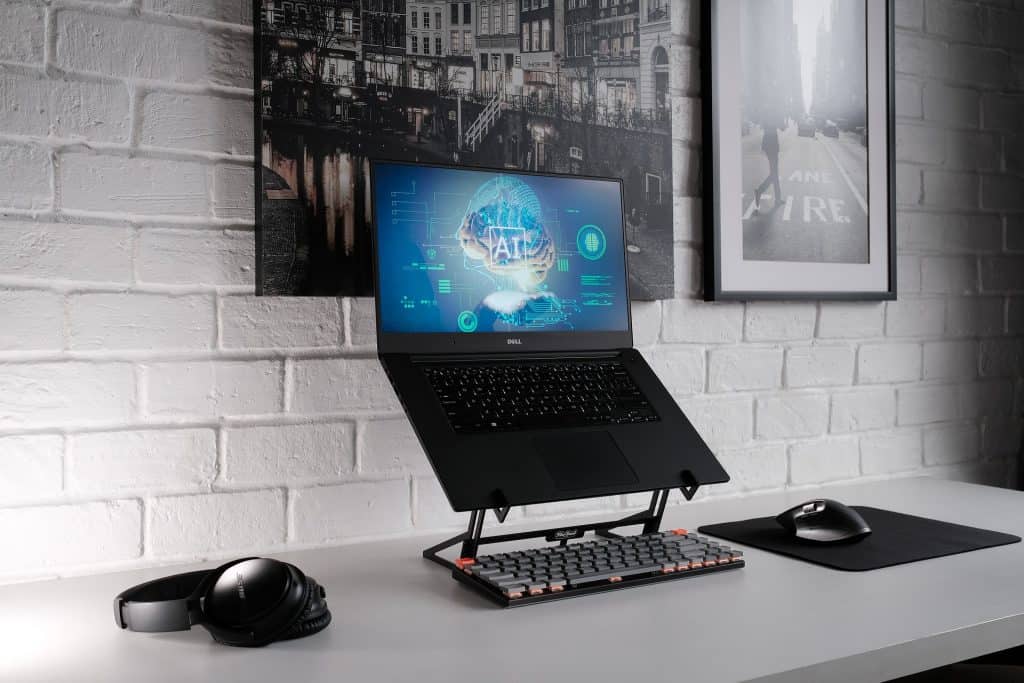
AI-powered meeting technology has become increasingly prevalent in the business world in recent years. This technology leverages artificial intelligence, machine learning, and automation to create more efficient and effective meetings. With the rise of remote work, virtual meetings have become more common, and AI-powered technology has helped to bridge the gap between physical and virtual collaboration.

AI-powered meeting technology is transforming how we work and collaborate with the integration of: 

  • Machine learning
  • Natural language processing
  • Voice recognition
  • Chatbots
  • Voice assistance, and more.

For small businesses and startups, affordable AI-powered meeting solutions can help to level the playing field with larger competitors. Remote teams can also benefit from this technology, allowing for seamless collaboration across distances. AI-powered meeting technology can facilitate telemedicine and remote learning in healthcare and education.

As workplace technology evolves, AI-powered meeting technology increasingly integrates with other smart devices and the Internet of Things. Chatbots and voice assistants can help to automate tasks such as meeting scheduling, while smart speakers and conference rooms provide a more immersive meeting experience.

What is AI-powered meeting technology?

AI-powered meeting technology uses artificial intelligence (AI), machine learning, and automation to enhance collaboration and productivity during virtual meetings. This smart technology transforms conference rooms, virtual meetings, and workplace technology, enabling remote teams to work efficiently and productively.

One of the key features of AI-powered meeting technology is its ability to improve communication by using voice recognition and natural language processing (NLP). This technology enables smart devices, chatbots, voice assistants, and smart speakers to understand and respond to human speech. 

AI-powered meeting technology is revolutionising how businesses and teams collaborate, providing a more efficient and productive environment for remote work. It’s the future of workplace technology, and its potential is limitless.

Benefits of AI-powered meeting technology

  • Increase productivity and efficiency. 

With the help of smart technology, voice recognition, and natural language processing, users can easily schedule, join, and participate in meetings without any delays or disruptions. AI-powered meeting technology for remote teams enables team members to collaborate from anywhere, saving time and costs associated with travel.

  • Improved collaboration and communication 

With the rise of remote work and virtual meetings, AI-powered collaboration tools are becoming increasingly popular. These tools allow team members to work together on real-time projects, regardless of location. AI-powered video conferencing and smart devices like voice assistants and smart speakers make communicating with colleagues and clients easily.

  • Enhances the user experience

AI enhances user engagement and experience by providing a seamless and intuitive interface. AI-powered conference rooms with smart technology, speech recognition, and real-time translation facilitate smooth and engaging communication. Workplace technology that includes chatbots and voice assistants can help employees easily access information and complete tasks, leading to a better user experience.

  • Cost savings 

With the ability to collaborate and communicate remotely, companies can significantly reduce travel and meeting expenses. AI-powered meeting technology for small businesses and startups is also becoming increasingly affordable, allowing them to access the benefits of these tools without breaking the bank.

Thus, the benefits of AI-powered collaboration tools are vast, and as the technology continues to evolve, we can expect to see more innovative features in the future.

How AI-powered meeting technology is revolutionising meeting rooms?

AI and Machine Learning in Meeting Room Technology

AI-powered meeting technology is transforming the way we collaborate in conference rooms. Artificial intelligence and machine learning algorithms power smart technology, voice recognition, and natural language processing to automate tasks, improve productivity, and enhance remote work. Video conferencing, smart devices, and chatbots are a few examples of AI revolutionising meeting rooms.

One area that can benefit greatly from using AI-powered meeting technology is the meeting room. Using artificial intelligence and machine learning, meeting rooms can be transformed into smart spaces that offer a range of benefits, including increased productivity and reduced human error.

Using AI-powered meeting technology can automate many of the tasks that are traditionally done manually. For example, smart technology can schedule meetings automatically, freeing up valuable time for employees to focus on more important tasks. Additionally, voice recognition and natural language processing can be used to transcribe meeting notes, reducing the risk of errors and ensuring that all information is captured accurately.

Natural Language Processing in Meeting Room Technology

Natural Language Processing (NLP) is a subset of Artificial Intelligence (AI) that focuses on the interaction between computers and humans, allowing machines to process, analyse and understand human language in a natural and intuitive way. AI-powered meeting technology uses NLP to enhance collaboration and productivity in meeting rooms, enabling smart technology to automate tasks, provide real-time translation and transcription, and recognise voice commands.

This technology has become essential in today’s workplace, especially with the rise of remote work and virtual meetings. NLP-powered collaboration tools, such as chatbots, voice assistants, and smart speakers, make it easier for team members to communicate and collaborate in real-time, regardless of location.

Using natural language processing (NLP) in such technology is the ability to improve communication and collaboration among meeting attendees. NLP allows meeting attendees to use their natural language to interact with the technology, making conveying their thoughts and ideas easier.

Virtual Meetings and Collaboration

Virtual meetings are a popular way for businesses and teams to collaborate from anywhere, at any time. With AI-powered meeting technology, these meetings have become even more efficient and effective. AI-powered meeting technology uses artificial intelligence and machine learning to automate processes, improve productivity, and enhance communication.

One of the most significant benefits of AI-powered meeting technology is increased flexibility. With virtual meetings, attendees can join from anywhere in the world, using any device with an internet connection. This makes it easier to schedule meetings and collaborate with remote teams. Additionally, AI-powered meeting technology provides real-time translation, making it easier for international teams to communicate effectively.

AI-powered collaboration tools can create more opportunities for remote work, making it easier for teams to work together regardless of location. Furthermore, AI-powered conference rooms can optimise the physical space to provide an ideal environment for virtual meetings.

Voice Recognition in Meeting Room Technology

With its capabilities in voice recognition, natural language processing, and real-time translation, AI-powered meeting technology is transforming conference rooms and virtual meetings. With smart technology and voice recognition, meetings can become more accessible, efficient, and productive. Voice recognition, in particular, has become an integral part of AI-powered meeting technology, allowing individuals to interact with machines and devices using natural language processing and speech recognition.

One of the key benefits of using voice recognition in meetings is that it improves accessibility for individuals with disabilities. It allows them to participate fully and contribute to the conversation without barriers. Additionally, voice recognition technology can enhance the efficiency of meetings by automating tasks such as meeting scheduling, note-taking, and real-time translation, which saves time and increases productivity.

Data Analysis in Meeting Room Technology

AI-powered meeting technology uses voice recognition and natural language processing to analyse meeting data and provide a real-time translation. It also helps in data analysis, making identifying key trends and insights easier. With the help of AI-powered chatbots and voice assistants, meeting scheduling and follow-up tasks can be automated, thereby improving productivity.

With features such as automation, virtual meetings, and smart devices, AI-powered meeting technology can provide businesses valuable insights into their operations. One of the biggest benefits of using data analysis with AI-powered meeting technology is the ability to identify trends. By collecting and analysing data from meetings, businesses can identify patterns and trends in their operations, which can be used to inform decision-making. For example, data analysis can help identify which topics are most commonly discussed in meetings and which participants are most engaged.

Chatbots, Voice Assistants, and Smart Speakers in Meeting Room Technology

AI-powered meeting technology is transforming the way we conduct meetings. Chatbots, voice assistants, and smart speakers are some of the tools that can enhance the productivity of meetings in conference rooms or during virtual meetings. AI-powered meeting technology has become essential in the digital transformation of workplaces and has become increasingly popular for remote teams, small businesses, education, startups, and healthcare.

Chatbots can help automate meeting scheduling, take minutes, and provide real-time translation for global teams. Voice assistants can control smart devices, adjust the lighting, and set up the conference room for meetings. Smart speakers can also act as virtual assistants by answering questions, finding information, and making reminders.

Conclusion

AI-powered meeting technology revolutionises our work, making virtual meetings and collaboration more productive and efficient. With the help of artificial intelligence, machine learning, and automation, teams can now easily conduct meetings remotely. In conclusion, AI-powered meeting technology is an essential part of digital transformation and the future of the workplace.

FAQs

Q. What is AI-powered meeting technology?

AI-powered meeting technology refers to software tools that leverage artificial intelligence (AI) to enhance various aspects of meetings, such as scheduling, note-taking, transcription, analysis, and decision-making.

Q. How does AI improve meetings?

AI improves meetings by automating repetitive tasks, reducing manual errors, providing real-time insights, enhancing communication and collaboration, and enabling more productive and engaging interactions.

Q. What are the benefits of using AI in meetings?

The benefits of using AI in meetings include increased efficiency, accuracy, and productivity, reduced administrative burden, better data-driven decision-making, improved engagement and collaboration, and enhanced accessibility and inclusivity.

Q. How does AI enhance collaboration?

AI enhances collaboration by providing real-time translation, transcription, and summarisation of conversations, facilitating document sharing and editing, suggesting action items and follow-ups, and analysing meeting data identify areas for improvement and optimisation.

Q. What are some popular AI-powered tools for meetings?

Popular AI-powered meeting tools include Zoom, Microsoft Teams, Google Meet, Cisco Webex, BlueJeans, and many others that offer automatic transcription, virtual backgrounds, noise suppression, and intelligent scheduling.

Q. Can AI be used for virtual meetings?

Yes, AI can be used for virtual meetings to enhance various aspects of the meeting experience, including audio and video quality, collaboration, scheduling, note-taking, transcription, and analysis.

Q. How does speech recognition work in meeting technology?

Speech recognition in meeting technology works by using algorithms to convert audio signals into text, which can be displayed in real-time or stored for later reference. Advanced speech recognition systems can also identify speakers, detect emotions, and generate summaries.

Q. What is the role of machine learning in meeting technology?

Machine learning plays a crucial role in meeting technology by enabling algorithms to learn from data and improve their performance over time. For example, machine learning can be used to improve speech recognition accuracy, automate note-taking, and analyse meeting data to identify patterns and insights.

Q. What are virtual assistants in meeting technology?

Virtual assistants in meeting technology are AI-powered software tools that can assist users with various tasks, such as scheduling meetings, taking notes, transcribing conversations, and generating action items. Virtual assistants can be integrated into popular meeting platforms or accessed as standalone applications.

Q. How does AI enhance productivity in meetings?

AI enhances meeting productivity by automating routine tasks, such as scheduling, note-taking, and transcription, allowing participants to focus on more strategic and creative activities. AI can also provide real-time insights, facilitate collaboration, and optimise decision-making, leading to more effective and efficient meetings.

Picture of Meeting Store

Meeting Store

Table of Contents

AV hardware workshops
Training and Education

Unveiling AV Hardware Workshops: Crafting Professional Skills

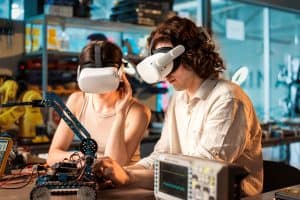
The AV industry is evolving at a rapid pace, driven by continuous advancements in audiovisual technology. Professionals in this field must stay ahead of the curve to remain competitive. One effective way to do so is by participating in AV hardware workshops. These workshops offer hands-on experience and immersive training, fostering technical proficiency and expertise. In this article, we’ll delve into the importance of AV hardware workshops for professionals in the AV industry.The AV industry is no longer limited to setting up audiovisual equipment; it now involves complex technical setups and technology integration. AV hardware workshops serve as invaluable training programs designed to equip professionals with the necessary skills to thrive in this dynamic field.AV hardware workshops provide participants with hands-on experience in handling multimedia gear, AV systems, and various technical setups. This interactive learning approach goes beyond theoretical knowledge, allowing professionals to troubleshoot AV systems effectively. This practical experience is crucial for those seeking advanced audiovisual training.In the AV industry, maintaining and optimizing AV equipment is a constant challenge. AV hardware workshops impart practical skills in equipment maintenance and AV setup techniques. Professionals gain the technical proficiency needed to ensure that multimedia gear functions at its best, minimizing downtime and maximizing efficiency.To excel in the AV industry, professionals must be well-versed in the latest audiovisual technology. Immersive training programs immerse participants in advanced AV technology, giving them a comprehensive understanding of the equipment and its applications. This immersive approach sets AV hardware workshops apart from traditional seminars.Professional AV Applications  The Essence of Effective AV Hardware TrainingEffective AV hardware training is at the heart of professional development in the AV industry. To excel in this field, individuals must master the art of audiovisual technology, equipment maintenance, and technical proficiency. The Foundation of Effective TrainingTo grasp the essence of effective AV hardware training, one must recognize that it goes beyond the mere transfer of knowledge. It encompasses a comprehensive approach that fosters professional skills development. Here are the key elements that underpin effective training in the AV industry: Technical Expertise: Effective AV training programs focus on imparting technical expertise. This includes a deep understanding of AV hardware, professional skills, and AV systems troubleshooting. Hands-on Experience: Practical workshop sessions are crucial for AV professionals. Hands-on experience with audio-visual equipment is invaluable for mastering hardware setups and equipment maintenance tips. Immersive Multimedia Workshops: Immersive training experiences using multimedia gear ensure learners gain real-world insights into advanced audiovisual technology. AV Hardware Workshops: The Training NexusAV hardware workshops are the linchpin of effective training in the AV industry. These workshops offer interactive learning environments that enable participants to dive deep into the world of AV hardware, professional skills, and technology integration. Let’s explore how these workshops align with training effectiveness: AV Industry Best Practices: AV hardware workshops immerse participants in best practices, equipping them with the knowledge needed to excel in the industry. Multimedia Gear Maintenance: Workshop sessions often cover multimedia gear maintenance, a critical aspect of AV equipment optimization. Technical Proficiency: Through hands-on AV workshops, individuals develop technical proficiency in AV setup techniques, advanced AV technology, and equipment maintenance. Benefits of Hands-on AV WorkshopsThe benefits of hands-on AV workshops are multifaceted and directly contribute to professional development in AV: Practical AV Skills: Participants acquire practical skills that enable them to handle complex AV systems with ease. Interactive Learning: Interactive training sessions foster engagement and deep understanding, making learning more effective. Technology Integration: Hands-on AV workshops encourage technology integration, allowing participants to stay ahead in the ever-evolving AV industry.   Building Professional AV SkillsIn the dynamic landscape of the AV industry, staying ahead requires continuous learning and development. One of the most effective ways to enhance your expertise is by attending AV hardware workshops. These workshops offer hands-on experience and immersive training in audiovisual technology, making them essential for anyone seeking to excel in this field.Scope of AV Hardware TrainingAV hardware workshops are the cornerstone of professional development in the AV industry. They cover a wide range of topics, from basic AV setups to advanced audiovisual technology integration. By participating in these workshops, AV specialists gain the technical proficiency needed to excel in their roles.Developing Technical Expertise in AV through WorkshopsWorkshops provide a platform for participants to delve deep into the intricacies of AV systems. They offer practical, interactive learning experiences that go beyond theoretical knowledge. Participants get to work with multimedia gear, troubleshoot AV systems, and optimize equipment—skills that are invaluable in the AV industry.The Role of Workshops in Crafting Professional AV SkillsProfessional AV skills development requires more than just theoretical knowledge. It demands hands-on experience and the ability to adapt to evolving technology. AV hardware workshops address this need by providing immersive multimedia training and technology integration sessions.Hands-On AV Workshops for Practical LearningEffective AV hardware training is all about practicality. Participants in these workshops engage in workshop sessions that simulate real-world scenarios. They learn AV hardware setup techniques, multimedia gear maintenance, and equipment optimization, preparing them to tackle any challenges they may encounter in the field.Interactive Audiovisual Training for Advanced AV TechnologyThe AV industry is constantly evolving, with new technologies emerging regularly. To stay relevant, AV professionals need to keep pace with these advancements. Advanced AV technology workshops offer an avenue for professionals to stay updated on the latest trends and best practices.AV Equipment Maintenance and TroubleshootingAV specialists often find themselves tasked with equipment maintenance and troubleshooting. AV hardware workshops equip participants with the skills to efficiently maintain and troubleshoot AV setups. This not only reduces downtime but also enhances the overall performance of audiovisual systems.Technical Expertise in AV for Seamless IntegrationIn today’s AV industry, technology integration is key. AV systems must seamlessly work together to provide a flawless experience. Technical proficiency in AV, gained through workshops, ensures that AV specialists can effectively integrate various components to create a cohesive audiovisual environment.  AV Hardware Maintenance and OptimisationAV hardware is the backbone of audiovisual technology, powering our presentations, events, and entertainment experiences. To maintain and optimize these essential components, professionals require technical expertise and hands-on experience. AV Hardware

Read More »
effective-productivity-tactics-using-av-technology
productivity

Blaze Your Trail: Effective Productivity Tactics Using AV Technology

In today’s fast-paced work environment, leveraging AV technology has become a cornerstone of productivity enhancement. As businesses strive to optimize their work processes, audiovisual tools have emerged as valuable allies in achieving efficiency strategies. By seamlessly integrating AV solutions into daily tasks, professionals can unlock a world of effective productivity methods that revolutionize the way work is done.When it comes to maximizing productivity with AV equipment, savvy professionals recognize the potential for significant improvements in work optimization. Employing AV technology to its fullest potential empowers individuals to boost their output while adhering to effective productivity methods. These strategies enable the seamless integration of AV tools for enhanced efficiency and work performance.One of the most prominent aspects of enhancing productivity using audiovisual tech is the array of audiovisual tools available. From video conferencing platforms that facilitate remote collaboration to interactive displays that streamline presentations, AV technology plays a pivotal role in better work efficiency. By adopting AV solutions, professionals can optimize their work processes and achieve productivity enhancement that directly impacts their work performance.AV innovation has transformed the landscape of effective productivity methods. The integration of AV technology into routine tasks has paved the way for a significant improvement in work efficiency. Professionals can now harness the power of AV technology-driven productivity tactics to streamline their work processes, ultimately achieving better time management and an increase in overall productivity.The synergy between AV technology and work efficiency is undeniable. By using AV tools for work efficiency, professionals can embrace practical AV tactics that save time and improve productivity. AV technology offers a wealth of shortcuts for effective work, allowing individuals to focus on their tasks without being bogged down by cumbersome processes.Conference Room and Office AV: Work From Home  Intersection: Productivity Tactics and AV TechnologyIn today’s fast-paced work environment, achieving optimal productivity is a priority for professionals across industries. The fusion of productivity tactics and AV technology presents a groundbreaking avenue for revolutionizing work efficiency. By leveraging the synergy between these domains, professionals can unlock new levels of productivity enhancement and work optimization.Productivity Tactics: The Foundation of Efficient WorkEffective productivity methods serve as the cornerstone of streamlined work processes. Through the implementation of well-defined efficiency strategies, professionals can maximize their work output and accomplish tasks more effectively. Productivity tactics empower individuals to manage their time efficiently, prioritize tasks, and maintain a structured approach to work. By integrating AV technology into these tactics, professionals can supercharge their productivity to unprecedented levels.AV Technology: The Catalyst for EfficiencyAV technology has become a pivotal component in modern workspaces, offering a range of audiovisual tools for efficiency improvement. Audiovisual aids provide an immersive experience that enhances comprehension and information retention. Leveraging AV solutions can lead to improved work efficiency through enhanced communication, collaboration, and presentation methods. Integrating AV tech into routine tasks can optimize work processes, allowing professionals to achieve more in less time.Maximizing Productivity with AV EquipmentMaximizing efficiency through AV tools is at the forefront of work optimization. AV technology-driven productivity tactics offer quick AV tech productivity hacks that can be easily incorporated into daily routines. Simple AV productivity tips can include using audiovisual techniques for improved productivity and time-saving AV strategies for work. These practical AV tactics facilitate better time management and streamline work processes, making productivity enhancement tangible and achievable.AV Solutions: Elevating Work EfficiencyThe integration of AV technology for better work efficiency extends beyond mere tools. AV solutions encompass a range of AV innovation and productivity strategies that elevate work performance. By incorporating AV devices and techniques, professionals can enhance their work efficiency and output. AV-driven effective productivity methods ensure that AV technology benefits for work are maximized, leading to enhanced work tactics using AV tools.Unlocking the Benefits: AV Technology and Productivity EnhancementThe benefits of AV technology in boosting productivity are multi-fold. AV technology for better time management allows professionals to efficiently allocate their resources, ensuring that tasks are completed within deadlines. AV tools for streamlined work processes lead to enhanced collaboration and seamless workflow. These enhancements are crucial in the modern work landscape, where productivity and efficiency are paramount.Exploring AV Technology’s ImpactUnderstanding how to use AV technology for productivity is essential in today’s digital era. AV solutions in productivity enhancement are a testament to the transformative power of AV innovation. By integrating AV tech for better productivity, professionals can witness a significant impact on their work efficiency. AV technology’s impact on productivity is not only evident in individual work output but also in team collaboration and overall organizational performance.Incorporating AV Technology: Practical StepsIntegrating AV technology into work routines involves adopting AV technology shortcuts for effective work. AV equipment in work productivity becomes a crucial component in achieving seamless work efficiency. AV solutions for effective output can be achieved through easy ways to boost work efficiency with AV. Professionals can harness the potential of AV technology by understanding its nuances and tailoring it to their specific work needs.  Unveiling the Power of Simple AV Productivity TipsIn today’s fast-paced work environment, harnessing the potential of audiovisual (AV) technology is paramount for achieving optimal productivity. By incorporating effective productivity tactics using AV technology, you can elevate your work efficiency and achieve remarkable results. In this comprehensive guide, we’ll delve into a collection of straightforward and actionable AV productivity tips that seamlessly integrate into your daily routine, allowing you to streamline your tasks, enhance collaboration, and achieve more with less effort.Maximizing Productivity with AV EquipmentThe synergy between AV technology and work efficiency is undeniable. By maximizing productivity with AV equipment, you tap into a realm of possibilities that can transform your workflow. Whether you’re a remote worker, a team leader, or an entrepreneur, these tips will empower you to unlock the true potential of AV technology for productivity enhancement.Quick AV Tech Productivity HacksTime is of the essence in the modern work landscape. Employ quick AV tech productivity hacks to optimize your time management and output. Leverage AV tools for streamlined work processes, utilizing audiovisual aids for better productivity. These practical strategies enable you to achieve more in less

Read More »

Climb to Victory: Driving Meeting Success with AV Technology

In today’s fast-paced business landscape, driving meeting success is paramount to efficient collaboration and achieving organizational goals. With the ever-evolving advancements in audiovisual (AV) technology, businesses have unprecedented opportunities to enhance meeting efficiency, communication, and overall productivity. Leveraging the power of AV technology in your conference room setup and remote work solutions can transform the way you conduct meetings and collaborate. AV technology plays a pivotal role in modern business communication, providing seamless interactions regardless of geographical constraints. By integrating audiovisual solutions, you can create an environment that facilitates virtual conferencing and remote collaboration. This integration allows teams to engage in productive discussions, share ideas, and make informed decisions, regardless of their physical location.Business conferencing has been redefined by the integration of AV equipment. High-quality video conferencing, presentation technology, and interactive displays empower participants to engage actively during meetings. This technology integration enhances digital communication, making presentations more captivating and discussions more interactive, ultimately leading to improved meeting efficiency.In the modern workplace, remote collaboration has become essential. AV technology enables advanced communication, allowing remote teams to work together seamlessly. Utilizing AV equipment enhances multimedia communication and promotes effective virtual presentations, thus maximizing productivity with AV equipment and promoting successful AV integration in meetings.Conference solutions today involve more than a simple projector and screen setup. AV technology has evolved to encompass interactive displays, smart meeting solutions, and enhanced AV equipment. These advancements streamline conference room technology, providing a dynamic environment for effective meetings. With proper AV integration, your conference room becomes a hub for creativity and problem-solving.Using Technology In Meetings  The Evolution of Meetings and AV TechnologyBusiness meetings, once confined to physical boardrooms, have undergone a remarkable evolution in the digital era. This transformation is driven by the integration of audiovisual (AV) technology, revolutionizing the way meetings are conducted and reshaping the dynamics of communication and collaboration in the modern workplace. With the advent of remote work solutions and the need for seamless interactions, the role of AV technology in driving meeting success has become paramount.Challenges Faced in Traditional Meetings and the Call for InnovationTraditional meetings were often characterized by logistical challenges and limitations. Inefficient communication, geographical barriers, and time constraints hindered the effectiveness of these gatherings. The demand for meeting efficiency and enhanced collaboration spurred the development of innovative solutions. This is where AV integration stepped in, offering a transformative approach to business communication and collaboration tools.Maximizing Productivity with AV Equipment: A Paradigm ShiftThe concept of “Maximizing productivity with AV equipment” has become the cornerstone of modern meetings. The integration of audiovisual technology has enabled businesses to break free from the constraints of physical presence. Remote work solutions and virtual conferencing tools have facilitated seamless interactions, enabling teams to connect regardless of their geographical locations. This advancement has not only streamlined conference room setups but also elevated workplace productivity to unprecedented heights.Audiovisual Technology: Reshaping Meeting DynamicsIn the digital age, audiovisual technology plays a pivotal role in reshaping meeting dynamics. Interactive displays, multimedia communication, and advanced presentation technology have redefined the way information is shared and absorbed during meetings. The integration of AV equipment allows for enhanced presentations, making complex ideas more digestible and engaging for participants. This technology also fosters remote teamwork and collaboration, bridging gaps and enabling efficient decision-making regardless of physical proximity.Driving Meeting Success with AV Technology: Strategies for ImplementationTo drive meeting success with AV technology, businesses must focus on AV solutions for effective meetings. By embracing virtual presentations and employing audio-video tools, companies can boost the impact of their meetings. Successful AV integration involves streamlining conference room technology and choosing the right AV equipment for business needs. Moreover, staying updated with AV technology trends in meetings ensures that businesses remain at the forefront of innovation.Enhancing Virtual Meetings: Mastering Remote CollaborationThe era of remote collaboration demands mastery over virtual meetings. AV technology facilitates remote teamwork by providing the means for seamless communication and sharing of ideas. The use of interactive displays and communication technology fosters engagement and participation, ensuring that every team member’s input is valued. With AV solutions for effective meetings, businesses can overcome the challenges of distance and time zones, enabling teams to collaborate as if they were in the same room.  Improving Virtual Meetings with AV TechVirtual meetings have become an integral part of the modern workplace, enabling remote collaboration and efficient business communication. However, they come with certain limitations that can hinder the effectiveness of communication and collaboration. The integration of Audiovisual (AV) technology offers transformative solutions to these limitations, revolutionizing the way meetings are conducted and maximizing productivity with AV equipment.Enhancing Virtual Presentations with AV Solutions for Effective MeetingsIn the realm of business communication and remote work solutions, AV integration plays a pivotal role in addressing the challenges of virtual meetings. One of the primary limitations of virtual meetings is the potential loss of non-verbal cues and engagement, which are crucial for effective interactions. Here’s where AV technology shines. High-quality cameras capture subtle facial expressions and gestures, fostering a sense of presence that bridges the gap between physical and virtual interactions.Boosting Meeting Impact through AV Technology IntegrationAudiovisual solutions empower remote teamwork by facilitating seamless interactions. Cutting-edge microphones capture crystal-clear audio, ensuring every participant’s voice is heard. Interactive displays transform virtual conferencing into dynamic experiences, allowing presenters to engage their audience through enhanced presentations. This level of engagement leads to better comprehension and retention, ultimately driving meeting success.“According to a survey by a leading technology research firm, companies that invested in AV solutions for conference room setups experienced a 30% increase in meeting efficiency and participant engagement. Furthermore, organizations reported a 25% improvement in collaboration and decision-making processes after integrating AV technology.”Streamlining Conference Room Technology for Remote CollaborationIncorporating AV equipment also contributes to workplace productivity. AV technology trends in meetings reveal that companies embracing AV solutions witness an uptick in communication technology integration. Video conferencing with high-quality cameras and presentation technology minimizes communication barriers, facilitating smooth information exchange and idea sharing across teams.Mastering Remote Collaboration with AV SolutionsSuccessful AV integration isn’t just about hardware; it’s about

Read More »
AV Equipment

All You Need To Know About The Whiteboard Owl: Our Full Review

The Meeting Owl Pro has been the go to product for many meeting rooms. A unique way to really see everybody in the meeting - up close and personal. The Meeting Owl Pro boasts 360-degree views of your meeting room, putting everyone on your screen. Up close. Allowing you to see everybody at once. Without having to wait for the camera to track and move to who is speaking. By the time it processes who is speaking, its too late. The Meeting Owl Pro covered that. However now that working from home is the new normal, being able to create and present to your colleagues, or your students, has been a bit of a challenge. Even though a lot of interactive displays have integrated digital whiteboards. Being able to create in real time, on a real whiteboard big enough for you, your colleagues and your classmates. Is a must for a lot of people. That's where Owl Labs stood up and created the Whiteboard Owl. The Meeting Owl's friend that captures your whiteboard content.  But with the Whiteboard Owl seeming like just another meeting room camera, how does the Whiteboard Owl differ from other meeting room cameras? What Is The Whiteboard Owl? The Whiteboard Owl is a camera for you to capture your whiteboard content, shooting it across to your remote participants in HD quality. All of this while working with the Meeting Owl Pro. Just pair the two devices together and your meeting will have 360-degree views of the people within the meeting room or classroom. The Whiteboard Owl is fully flexible to your needs. It can be mounted on the ceiling, the wall or can be mounted on a tripod. If you chose to mount the Owl on your wall or on a tripod, it is recommended that you place it 7 - 16 feet away from your whiteboard and 6 feet off the ground. Allowing the Owl to capture a large area of your whiteboard and capture the content clearly.  The Whiteboard Owl includes: Whiteboard Tags Power Supply Mount Adhesive Strips  Cable Management Pieces Drywall Hangers  Screws A tripod for the Whiteboard Owl will have to be bought separately. But not to worry though - you wont need to think too much about buying the right tripod. The Owl comes with a tripod screw thread on the bottom of the device. Making it easy for you to set up the Owl and chose the right tripod. Just make sure that you use a tripod screw that isn't longer than 8mm - otherwise you will damage the Whiteboard Owl. If you are going to be moving the Owl from room to room. Then getting a tripod is recommended. Instead of you having to take the Owl off the wall when you want it in a different room. When you are moving your Whiteboard Owl around, just remember to take your whiteboard tags with you.  Content When creating content with the Whiteboard Owl you will never have to worry about your participants not being able to see what you have created, as the Owl comes with features to enhance your content. When you're ready to start creating on your whiteboard, you simply flip over one of the whiteboard tags. This will then switch the remote participants view from the Meeting Owl to the Whiteboard Owl. Then you can start drawing on the whiteboard. Another way the Whiteboard Owl focuses on your content is that you will almost become invisible to your remote participants when drawing on your whiteboard. So when you're drawing the Whiteboard Owl will pick out the content that it can see and enhance it, while turning you transparent. Then when your done drawing and move out of frame, the Owl will line up the rest of your drawing and enhance it further. Making the Whiteboard Owl experience even easier. Just a little tip though. Owl Labs recommend using black, blue, red or green markers when using the Whiteboard Owl. Just so your drawing can be picked up by the Owl clearly. The whiteboard capture feature stops you from having to take notes during the Whiteboard Owl session. You missing out on important parts of your meeting as you had to look at your notepad. The Whiteboard Owl will take photos of your whiteboard and store them for you to look at after your session is over.  Whiteboard Tags The whiteboard tags are a crucial part of the Whiteboard Owl - without them nothing on your whiteboard will be seen. So before you even set up the Whiteboard Owl, place the whiteboard tags on your whiteboard. One in the top left hand corner and one in the bottom right hand corner. This is just so you don't get ahead of yourself and start using the Whiteboard Owl without putting the tags on. Taking your time creating on the whiteboard and your participants via Zoom not seeing a thing. The tags look somewhat like QR codes.  They have to go, like we said in the top left hand and bottom right hand corner, but you can create your own smaller frame. This is if you don't want your whole whiteboard being captured. The tags act as a frame for your content and what the Whiteboard Owl should focus on. Make sure that they are facing upright for them to work right. The tags are also magnetic, so they are super easy to set up. However if your whiteboard isn't a magnetic whiteboard, then you will need to use magnetic adhesive strips to attach the tags to your whiteboard. Going back to the idea of moving the Owl from room to room, obviously the tags need to be moved to the new room as well. When setting up the Owl in the new room, the Whiteboard Owl and the tags need to re crop. Meaning that the Owl will have to figure out the frame you want of the new whiteboard. This process is just so that the
Read More »
AV Equipment

Mersive Solstice: How To Become The Leader Of Your Meeting

Without a doubt, multiple people will want to share something their either saw or created during a meeting. Then the meeting that was meant to be 30 minutes to an hour, is now running into an hour an a half long and there's no end in sight. And its all because one person can only share at one time. If this is a common occurrence for you and your team when heading into a meeting, then it may be time to completely upgrade your system and take control of your meeting. Thankfully, Mersive can solve all your sharing problems. With this sharing device you can become the leader of your meeting, no matter if you were the original host or not. Passing the cape on to your peers, bringing independence and seamless collaboration to your meeting room. Allowing ideas to fly.  The Mersive Solstice can easily transform the way you hold meetings. Simply walk into your meeting room, enter the 4 digit pin that is shown on the display and automatically connect to the device. In an instant you are ready to be a professional and all eyes will be on you. At first glance, the Mersive Solstice Pod is just a device for sharing but the Pod delivers so much more. What Is Mersive Solstice? The Mersive Solstice is a wireless content sharing device for multiple people to share simultaneously in a meeting. Supporting Windows, MacOS, android and IOS, the Mersive Solstice can be integrated into any type of room. Allowing you and your guests to bring their own device. No matter your device preferences, as the Mersive is BYOD compatible. This meaning that anyone and everyone can join the meeting from there device and present their content. Whether that's wirelessly sharing over the Mersive Solstice app on their laptop, or sharing through Miracast or airplay on their iPad. Plus, the Solstice Pod also supports all major conferencing platforms, such as Zoom, Teams and GoToMeeting. So however your meet, the Mersive Solstice wont hold you back. And any remote guests can have a clear view of what you are sharing.  With this device, the meetings that run longer than they should will be a thing of the past. With the Mersive Solstice, you wont have to wait for one colleague to disconnect and the other next in line to pair up with the device - multiple people can share at once. Not only does this save time within your meeting, but it allows more definitive collaboration and creation within your team. Letting others in the meeting compare two pieces of work, from two different colleagues, and find out together the solution to a problem you may be having. Again making you the leader of your meeting.   Non Sharing Capabilities As we said, Mersive Solstice is more than a wireless sharing device. Its a great accessory to your meeting room. For when you are not wearing your meeting room cape and leading a meeting with the Solstice Pod. The cloud connected device can act as a room calendar, and be a host for digital signage. So when you are done with your meeting and disconnect from the Solstice, it can be programmed to stay on and share the room calendar or any information to the room display. So as we are still in the era of wearing face coverings, you can program the Solstice to share the informational poster you made asking people to wear masks. Very quickly changing the room display to a digital signage display. Display additional information to your employees and guests. You can do all this without needing any additional hardware or software, just jump straight into displaying your digital signage in a Mersive Solstice room.  The way this works is that the Solstice Pod integrates with the top digital signage display management platforms. Mersive Solstice's digital signage partners include: 22Miles Appspace Signagelive TriplePlay Zignage Carousel   SGE Or Enterprise You can get a Mersive Solstice in standard or enterprise. The SP-8000-e3 Unlimited Enterprise 3, SP-8100- SGE Enterprise, SP-8000-e5 Unlimited Enterprise, SP-8100-e5 SGE Enterprise. If you are reading this looking for a a solution for your large boardroom. Then the SP-8000-e5 Unlimited Enterprise 5 will be the answer to your content sharing nightmare. This Solsitce device allows an unlimited amount of users to share. Standard and enterprise Pods allow users to bring their own device, share their desktop screen with the Solstice Collaboration App and support up to two displays at 1080p.  Specs The Solstice Pods weighs 0.75lbs and measures 184.2mm x 86.2mm x 26.3mm. Meaning the Pod can easily sit either behind your meeting room display or tucked away on a cabinet close by. The Pod has an internal storage of 4GB RAM and 16GB eMMC Flash Storage. With multiple sharing capabilities, you can share 4K videos with the Pod. Letting you share the promotional video you created in crisp resolution. The hardware ports include:  Gigabit Ethernet with PoE+ support Two HDMI out HDMI in Two USB 3.0 One USB-C How To Activate Your Mersive Solstice? With all this information at hand the Solstice may sound like a great fit for your small, medium or large meeting room. When getting your Solstice you'll need to activate your Pod before you jump into sharing. To do this you will need to install the Solstice dashboard and import your Solstice Pod. With the Solstice Dashboard downloaded, you can then start to configure your Pod. All you have to do is plug a USB mouse and keyboard into the Pod. That is one way to complete the import but, Mersive themselves recommend using the Dashboard to configure your Pods. As it will give you a more streamline deployment and management. If you take Mersive's advice and configure with the Solstice Dashboard. Then your Pods and your Windows computer need to be on the same network. This will make sure that the configuration will be completed. The quickest and the most easiest way to get your Pod on
Read More »
MeetingStore.co.uk
Logo
Compare items
  • Total (0)
Compare
0
Shopping cart