
Excellent
Next day delivery! Depending on Availability*
Here to help! Monday to Friday, 8:30AM-5:30PM*

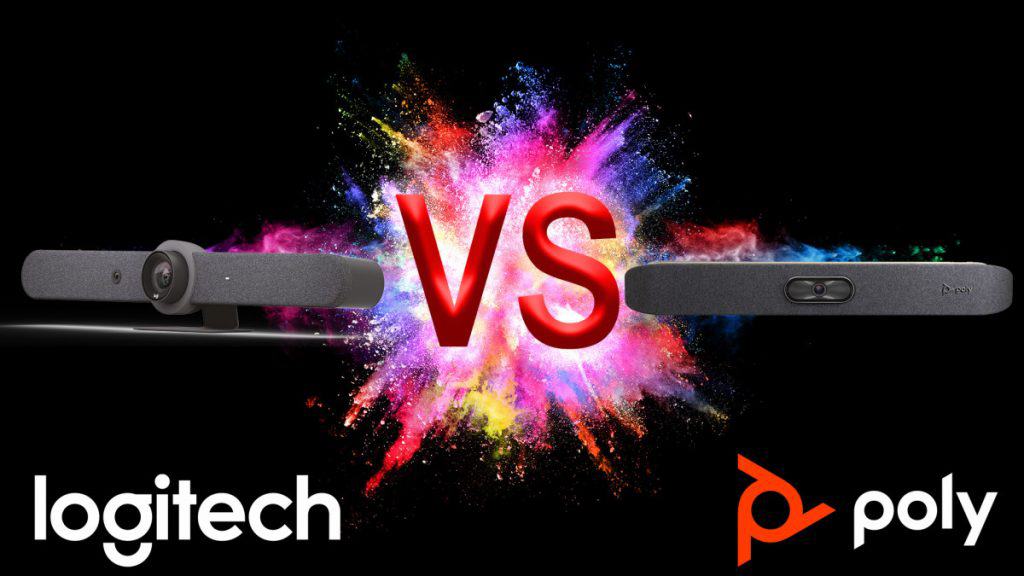
Logitech Rally Bar vs Poly X50

Logitech Rally Bar vs Poly X50

Almost every organisation has at least one meeting room; however, the space might be small to medium-sized. In such cases, an all-in-one video bar is a perfect solution for small and medium-sized meeting rooms. 

The Logitech Rally Bar and the Poly X50 are both suitable for small to medium-sized meeting rooms; however, they perform in quite different ways. The Rally Bar camera has a more limited field of view, while the X50 has a longer microphone capture range. Both could be a bargain, but the X50 camera has 5x zoom and is cheaper than the Rally Bar. 

All-in-One Video Bars are a great way to easily video-enable meeting rooms. These compact, all-in-one designs are easy to set up and use, compatible with all major video platforms, and quite affordable. 

Logitech Rally Bar

About Logitech Rally Bar

The Logitech Rally Bar is an all-in-one video bar with an integrated AI camera for medium to large rooms. Its brilliant optics, automated PTZ, and high-performance audio set a new standard for video meetings. Logitech Rally Bar lets you do video meetings that can be just as natural as face-to-face collaboration. It is remarkably simple to manage, use, and deploy at scale, delivering professional-quality audio and video in a sleek. The Logitech Rally Bar is a system that includes cameras, microphones, and standalone speakers and is meant for larger meeting rooms.

Features of Logitech Rally Bar

Logitech Rally Bar features a multi-element lens assembly, powerful low distortion speakers, and an advanced mic system to create meeting experiences that sound as good as they look. It has several management features that assemble multiple devices. Here is a detailed feature description for your complete understanding:

  • Excellent camera

The built-in camera of Logitech Rally Bar detects meeting participants automatically and moves the lens. It adjusts the zoom accordingly so that no one is left out of the picture. Logitech RightLight™ technology intelligently adjusts video settings, so everyone always looks their best, even in dim or backlit conditions. Its motorised lens covers rooms 130° across by 80° high, with lossless image quality up to 5X optical zoom.

  • Great sound quality

Logitech Rally Bar promises that even if you have many meeting participants in a room, all voices will sound good. It is because of its advanced beamforming microphones. Its large, ultra-low distortion speakers with RightSound deliver every word with clarity. You can add up to three Rally mic pods for even greater coverage if you have larger settings. 

  • PC-free solution

The Rally Bar easily connects to virtually any PC or Mac® with a USB cable. Logitech Rally Bar’s built-in computer lets you directly run supported video conferencing apps like Zoom. But the magic starts when you pair it with the one-touch Logitech Tap. Besides, Logitech’s built-in interface for meetings helps you easily and quickly initiate meetings across Microsoft Teams, Zoom, and other video conferencing apps. 

  • Double Screen

The Logitech Rally Bar can be connected to two 4K screens to get the best possible overview of virtual participants. It has a built-in proximity sensor and an HDMI input, detecting when a nearby PC opens certain programs such as PowerPoint or  Microsoft Excel. For example, if you have a Zoom Rooms account, you can wirelessly open a spreadsheet or Powerpoint presentation on your project and PC. 

Product Description 

  • Built-in Components:

-6 beamforming microphones

-2 speakers, 

-PTZ camera

– AI Viewfinder

-retention system and cable management

-Logitech CollabOS platform

-table stand.

  • Camera:

-Resolution: 4K, 1440p, 1080p, 900p, 720p, and SD at 30fps

-Pan: Motorized ±25° 

-Tilt: Motorized ±15° Zoom: 15X HD zoom (5X optical, 3X digital available with              upcoming software update) 

-Diagonal Field of View: 90° 

-Horizontal Field of View: 82.1° 

-Vertical Field of View: 52.2° 

-Total Room Coverage: 132.1° Horizontal x 82.2° Vertical

  • Dimensions:

-Height: 164 mm / 6.46 in 

-Width: 910 mm / 2.99 ft 

-Depth: 130.5 mm / 5.14 in 

-Lens Depth: 28.8 mm / 1.13 in 

-Weight: 7.08 kg / 15.6 lbs

  • Speakers:

-Drivers: 2x 70mm / 2.7 in 

-Output: 90dB SPL @1W, 99dB SPL @8.0W, both +/-2dB at ½ meter 

-Sensitivity: 90+/-3dB SPL at 1W, ½ meter 

-THD: 1kHz < 2% 

-Speaker Sampling Rate: 48 kHz

  • Interfaces:

-HDMI Out: 2 (up to 1080p) 

-HDMI In 1 

-USB 3.0: 3x Type A, 1x Type C 

-Network: 10/100/1G Ethernet 

-WiFi: 802.11a/b/g/n/ac (MIMO) External Mic Input: Yes (proprietary input supports optional -Rally Mic Pod, Rally Mic Pod Hub, and Rally Mic Pod Extension Cable) 

-Remote Control: Bluetooth® Low Energy

  • Microphones:

-Frequency Response: 90Hz – 16kHz 

-Sensitivity: >-36dBFS +/-1dB @ 1Pa 

-Microphone Data Rate Output: 48 kHz 

-Pickup Range: 4.5m / 15 ft 

-Beamforming Elements: Six omnidirectional digital MEMS microphones forming five adaptive acoustic broadside beams 

-Audio Processing: AEC (Acoustic Echo Cancellation), VAD (Voice Activity Detector) 

-Noise Suppression: AI filter 

-Add-on Mics: Supports up to 3 additional Rally Mic Pods for larger conference rooms

  • Power & Cables

-Power Supply: Auto-sensing 

-Operating Voltage/Power: 100-240V, 19V, 4.74A 

-Power Supply Dimensions: 127mm x 51mm x 30mm 

-DC Cable: 1.5m / 4.9 ft 

-AC Cable: 1m / 3.28 ft 

-HDMI 1.4 Cable: 2m / 6.5 ft 

-USB A to USB C 3.0 Cable: 2.2m / 7.2 ft

Compatibility with other platforms

The Logitech Rally Bar is compatible with Microsoft Teams Rooms on Windows(for medium-sized rooms), Microsoft Teams Rooms on Android (for medium-sized rooms), Zoom Rooms and Google Meet Rooms.

Poly X50

About Poly X50

Poly X50 video bar is designed for medium-sized conference rooms. It makes you connect natively with leading video collaboration services. X50 delivers extreme simplicity in a small, elegant package. This all-in-one sleek video bar has e full boardroom-quality audio, quick wireless content, and advanced camera capabilities. It is very easy to install and manage Poly X50 as it runs the show with any PC or Mac to drive the meeting. Poly has been a big name in the conferencing space for a long time. This all-in-one solution has all of the good parts of the other solutions. It has a wide angle of view, digital zoom, speaker tracking technology, expansion mic, etc.

 Features of Poly X50 

Video conferencing equipment such as Poly X50 helps you feel more connected with its intelligent and manageable features. It makes it easy for anyone, even guests, to share content wirelessly from any personal device without special apps or tools. Let’s look at its advanced features:

  • Amazing Camera

 The built-in 4K camera of Poly X50 makes each person on the video call clear. It automatically zooms in on the person talking because of the smart and advanced software for the camera and microphones. The Poly X50 video bar shows the received image in Ultra High Definition on the connected screen. 

  • No set-up drama

The Poly X50 is easy to install and use. All needed software is already installed on it. So you can quickly work with video conferencing apps like Microsoft Teams, Zoom, and more. Poly X50 do not require a PC or Mac as all cloud service platform support is built right in. It is ideal for rooms with up to 10 participants. Moreover, with its optional TC8 touch panel, you always control the screen and the camera.  

  • Excellent audio quality

The Poly X50 video bar has stereo speakers, providing crystal-clear and rich audio. The device features a state-of-the-art microphone array. This way, every participant in the room can hear their colleagues and be heard clearly. It provides room-filling sound and blocks out distractions with its NoiseBlock AI. 

  • Quality Performance

The user-friendly design of Poly X50 allows users to connect two screens at a time. The dual monitor offers great flexibility and makes more productivity in a meeting than ever. So if you have a medium-sized room and don’t want to install an extension mic, the X50 is a perfect choice.

Product Description

  • Camera:

-5x digital zoom

-121° DFOV, 110° HFOV

-UHD 2160p (4K) capture resolution

-Automatic group framing

-Automatic speaker framing

-Presenter Mode

-Secondary cameras can be added via USB and HDMI

  • Microphones:

-3x MEMS microphones, plus 2x 2nd order microphones

-Up to 25 ft of microphone pick-up range

-Optional expansion microphone available (p/n 2200-69631-001)

  •  Interfaces:

-2x USB-A (3.0)

-1x USB-C

-Bluetooth® 5.0

-WiFi 802.11a/b/g/n/ac (MIMO) Multi-channel Concurrency

  • Audio Output:

-Stereo speakers

*Power Handling (RMS) 20 Watts

*Power Handling (MAX) 40 Watts

*Sensitivity 86.1 dB

– audio output 5 mm

– HDMI x 1

  • Power:

-Auto-sensing power supply

-Typical operating voltage/power

    *37 VA @ 120 V @ 60 Hz

   *37 VA @ 230 V @ 50/60 Hz

– Typical BTU/h: 65

  • Dimensions:

-Height: 30 W x 4 H x 4 D (Inches) 

-Width: 762 W x 102 H x 102 D (MM) 

-Weight: 5.6 lbs/2.54 kg

  • Speakers:

 -Stereo speakers:

        * Power Handling (RMS) 20 Watts 

        * Power Handling (MAX) 40 Watts 

         * Sensitivity 86.1 dB 

-3.5 mm audio output 

– HDMI x 1

Compatibility with other platforms

Poly X50 video conferencing equipment features native support for Video-as-a-Service (VaaS) applications, including Microsoft Teams and Zoom,

Logitech Rally Bar vs Poly X50 

The following table compares the specifications of the Logitech Rally Bar and Poly X50. However, multiple configurations are available for the Logitech and Poly video bar, based on your needs and requirements.

Items Logitech Rally Bar Poly X50
Price £3,015.88  £2,122.32
Part Number 960-001312 2200-85970-102
Camera
Resolution 4K 4K
Field of View 90º 120º
Zoom 5x Digital 5x Digital
Speaker Tracking  Yes Yes
PTZ PTZ (motorised) ePTZ
Group Framing Yes Yes
Audio
Microphones 6 5
Range 15ft 20ft
Noise Filtering/Block Yes Yes
Number of Speakers 2 2
Extension Microphone Yes(Optional) Yes(Optional)
Compute Mode
USB Attached Yes Yes
Appliance (Android) Yes Yes
Ports
  USB Ports 3x USB-A, 1x USB-C 2x USB-A (3.0), 1x USB-C
Host Connection LAN LAN
Audio Input HDMI HDMI, 3.5mm
Audio Output HDMI HDMI/ 3.5mm
Video Input HDMI HDMI
Video Output 2x HDMI 2x HDMI
Connectivity/Network Wired, WiFi Wired, WiFi
Bluetooth Bluetooth® Low Energy Bluetooth® 5.0
Other Features
Content Sharing Yes Airplay/Miracast/HDMI
Mount Options Wall, Table, Display Wall, Table, Display
Displays Supported 2 2
Color Options Graphite, White Black
Room Controller (MFG) Tap V2 8″ TC8
Supported Platforms
Microsoft Teams Certified (USB Attached) Certified
Zoom Certified Certified
Google Meet Yes No


Picture of Meeting Store

Meeting Store

Table of Contents

Cutting-edge AV education
Training and Education

Cutting-Edge AV Education: Stay Ahead of Industry Trends

In today’s rapidly evolving technological landscape, the importance of AV education cannot be overstated. The Audiovisual (AV) industry is continuously advancing, and staying updated with cutting-edge AV education is essential for professionals and beginners alike.Cutting-edge AV technology is at the forefront of multimedia learning, shaping the AV industry trends and pushing boundaries. Whether you are a novice or an expert, innovative AV learning is the key to success. It equips you with the necessary skills and knowledge to thrive in this dynamic field.The purpose of this blog is to delve into various aspects of AV education and how it caters to different levels of learners. From beginners seeking a strong foundation to professionals aiming for career development and experts looking to stay at the forefront of the industry, AV education offers tailored pathways for all.Cutting-edge AV education encompasses advanced audiovisual education, modern audiovisual training, and next-gen AV education. It focuses on AV industry trends, innovative AV learning, and hands-on training with AV equipment. With AV certification programs and educational resources, it foster expertise development and professional growth.By mastering AV instructional techniques and keeping abreast of AV industry updates, you future-proof your career. This multimedia education equips you with the skills needed for AV equipment mastery and expertise acquisition. It opens up opportunities in the rapidly evolving AV landscape.Transforming Education with Cutting-Edge AV Technology: Visit IQ | Q-NEX at InfoComm Asia 2023  The Basics of Cutting-Edge AV EducationCutting-edge AV education, in today’s rapidly evolving world, holds paramount significance. It encompasses innovative approaches to audiovisual training, equipping learners with skills that are essential for success in the AV industry. This section explores the concept of cutting-edge AV education, its relevance, and why it is crucial for beginners, emphasizing its foundational role. Additionally, we will delve into how specialized AV training programs cater to specific learner needs and interests.Cutting-edge AV education refers to the modern, advanced, and forward-looking approaches to audiovisual training. It keeps pace with AV industry trends and the latest AV technology, ensuring that learners stay at the forefront of innovation. It goes beyond traditional methods to incorporate cutting-edge curriculum, audiovisual skills, and innovative training techniques.Relevance in the Modern WorldIn the contemporary landscape, multimedia learning is pervasive. The AV industry trends are dynamic, with rapid AV technology advancements in 2023 and beyond. As such, staying updated with the latest AV advancements is paramount. Cutting-edge AV education addresses this need by providing next-gen AV education that aligns with the industry’s direction.Value for BeginnersFor beginners, cutting-edge AV education serves as the foundational step toward a successful career in the AV industry. It equips them with essential skills, knowledge, and AV industry updates that form the building blocks of their careers. With practical AV learning, beginners gain hands-on training, mastering AV equipment and AV instructional techniques.Specialized AV Training ProgramsSpecialized AV training programs are tailored to meet the specific needs and interests of learners. They offer AV certification programs that not only boost career prospects but also ensure expertise development. Learners can choose from a variety of AV educational resources and multimedia courses that align with their goals.  Advancing Your Skills in AV EducationIn today’s fast-evolving world of audiovisual (AV) technology, staying at the forefront of industry trends is essential for both beginners and seasoned professionals. Cutting-edge AV education is the key to achieving this goal. In this section, we will explore advanced AV techniques and their significance for learners looking to take their skills to the next level, emphasizing the importance of hands-on training in audiovisual education. Hands-On Training in Audiovisual EducationAV education is not merely about theoretical knowledge; it’s about practical application. Hands-on training is crucial for learners to grasp the nuances of AV equipment and techniques effectively. It bridges the gap between theory and practice, allowing students to gain valuable experience.For beginners, practical AV learning provides a solid foundation to navigate the AV industry trends. They can familiarize themselves with AV equipment, learn the art of troubleshooting, and develop multimedia skills that are in high demand in today’s job market.In-Depth AV Technology CoursesTo truly excel in the AV industry, one must dive deep into the world of AV technology. Cutting-edge AV education offers courses that provide comprehensive insights into the latest AV advancements. These courses cover a wide range of topics, from the intricacies of AV equipment mastery to innovative AV instructional techniques.Advanced learners benefit from specialized AV training programs that cater to their specific needs. These programs offer tailored AV courses, ensuring that professionals acquire the skills required for their unique career prospects.Future-Proof Education in AVIn a rapidly changing field like AV, it’s essential to future-proof your education. This means staying updated with the latest AV industry trends and innovations. Cutting-edge AV technology is continually evolving, and professionals must adapt to remain competitive.AV certification programs play a significant role in career growth. They validate your expertise and demonstrate your commitment to excellence in the industry. By enrolling in these programs, individuals can position themselves for better career opportunities in AV.Educational Resources for AV KnowledgeCutting-edge AV education provides a wealth of educational resources for learners. These resources include AV coursework, AV skill acquisition guides, and AV knowledge base materials. They serve as invaluable references, allowing individuals to enhance their understanding of the field.Online multimedia courses are also gaining popularity, providing flexibility for learners to acquire AV skills at their own pace. These courses cover a wide range of topics, from AV curriculum design to AV education strategies.  Navigating AV Industry Trends for BeginnersIn the ever-evolving world of audiovisual (AV) technology, staying ahead of industry trends is crucial, especially for beginners looking to establish a successful career in this dynamic field. This section delves into AV industry trends and provides insights into how cutting-edge AV education can benefit beginners while offering practical learning opportunities.Significance of AV Industry TrendsAV technology is constantly evolving, with innovations emerging at a rapid pace. Beginners in the field must grasp these trends to remain competitive. By staying updated with AV industry trends, beginners can: Stay Relevant in the Field: AV technology

Read More »
AV tools for ultimate meeting productivity
productivity

Conquer the Challenge: AV Tools for Ultimate Meeting Productivity

In the ever-evolving landscape of remote work, the importance of effective virtual meetings cannot be overstated. The modern professional world has shifted toward decentralized operations, making virtual collaboration a cornerstone of productivity. With the growing reliance on audio visual (AV) tools, businesses are finding innovative ways to enhance communication, foster collaboration, and drive efficient remote teamwork. This article delves into the significance of utilizing cutting-edge AV tools to optimize virtual conferences, ultimately boosting meeting productivity and facilitating seamless online interactions.Audio visual technology has become the linchpin of remote communication, providing a lifeline for teams spread across different geographies. Leveraging AV solutions enables efficient virtual meetings, where participants can interact as if they were in the same room. Through video conferencing software and advanced AV equipment, remote teams can engage in productive collaboration that transcends physical barriers. This technology empowers professionals to share ideas, insights, and data effortlessly, fostering a sense of virtual teamwork optimization.Digital conferencing aids have redefined the way meetings are conducted. Meeting efficiency apps, advanced AV equipment, and virtual presentation tools collectively form a suite of solutions designed to streamline communication. This cutting-edge meeting tech not only ensures effective communication solutions but also enables remote work communication that matches the experience of in-person interactions. Such advancements are pivotal in modern meeting setups, enhancing remote team collaboration tools and driving digital workspace solutions.The realm of virtual conferences has witnessed a transformation through top-rated meeting solutions. Best AV tools for virtual meetings play a pivotal role in improving virtual communication and maximizing online meetings. These tools offer seamless conference setups and expert video conferencing gear, enhancing remote presentations for an effortless online meeting experience. As businesses continue to explore efficient digital collaboration, these advanced audio visual tools stand out as the catalysts for productive video calls and remote meeting success.Effective communication tools are integral to virtual meeting success. The integration of remote meeting technology, including video meeting platforms and efficient online presentations, offers a compelling solution. By optimizing remote presentations, businesses can enhance virtual meeting platforms, facilitating modern conference technology. This ensures that remote team connectivity remains robust, and the efficiency of virtual teamwork tools is maximized.5 Best Conference Room Cameras || You Can Buy Now  The Evolution of Virtual CollaborationThe modern business landscape has undergone a transformative shift in how professionals collaborate. The era of traditional in-person meetings has evolved into a new realm of virtual communication. This transition has been facilitated by the rapid advancements in audio visual (AV) technology, which play a pivotal role in bridging the geographical gap between remote participants.Role of Audio Visual Technology in Remote CollaborationAV Tools for Ultimate Meeting ProductivityThe seamless transition from physical boardrooms to virtual conference solutions has been made possible by cutting-edge AV tools for meetings. These audio visual solutions have revolutionized remote communication by offering efficient virtual meetings and enhancing productive collaboration.AV Advancements Enabling Virtual Meeting FacilitationModern meeting tools have paved the way for ultimate meeting productivity, eliminating barriers posed by distance. Advanced AV equipment empowers teams to engage in effective communication solutions through virtual presentation tools, video conferencing software, and meeting efficiency apps. This digital conferencing aids foster a sense of connectivity despite physical separation.Virtual Collaboration: A Critical Aspect of Remote TeamworkOptimizing Remote Team Collaboration ToolsVirtual collaboration has transitioned from a convenience to a necessity in the age of remote work. The integration of audio visual solutions has enabled organizations to optimize remote teamwork. Top-rated meeting solutions and efficient digital collaboration tools have become essential components for remote team connectivity.Enhancing Remote Presentations and CommunicationDigital workspace solutions, powered by AV advancements, allow for enhancing remote presentations and seamless online meetings. Expert video conferencing gear and advanced audio visual tools are the backbone of modern conference technology, maximizing online meetings and boosting remote meeting success.The Dynamics of Virtual Meeting PlatformsEfficient Online Presentations and Virtual Teamwork ToolsEffortless online meetings have become the hallmark of efficient virtual collaboration. Virtual meeting platforms equipped with audio visual technology provide remote communication tools that cater to the needs of distributed teams. This includes video meeting platforms and meeting room technology that foster a sense of togetherness.Boosting Meeting Productivity: Cutting-Edge Meeting TechThe era of virtual teamwork optimization is exemplified by the best AV tools for virtual meetings. Cutting-edge meeting tech, along with advanced audio visual solutions, ensures that remote collaboration remains as effective as in-person interactions. The digital conferencing aids not only facilitate communication but also enrich the overall meeting experience.  Best AV Tools for Virtual MeetingsIn the realm of modern business operations, virtual collaboration has become a cornerstone of remote communication. Audio visual technology, often referred to as AV tools, plays a pivotal role in ensuring effective online teamwork and seamless digital conferencing. By leveraging advanced AV equipment and cutting-edge meeting tech, businesses can optimize virtual conferences, boost meeting productivity, and enhance remote presentations. In this comprehensive guide, we’ll delve into the world of AV solutions for ultimate meeting productivity, exploring top-rated meeting solutions that address specific challenges and contribute to meeting efficiency.Top-Rated Meeting Solutions for Maximized Productivity Video Meeting Platforms Video conferencing software has revolutionized the way teams interact remotely. With options such as Zoom, Microsoft Teams, and Google Meet, efficient digital collaboration has never been easier. These platforms offer advanced audio visual tools that facilitate productive video calls and virtual meeting facilitation. They enable remote team collaboration tools, making it effortless for teams to connect and share ideas, ultimately improving virtual communication and meeting efficiency. Virtual Presentation Tools Effective communication solutions are crucial for online meeting success. Virtual presentation tools like Prezi and Canva allow presenters to create engaging and interactive presentations, boosting meeting productivity. These tools offer modern meeting features such as seamless conference setups, enhancing remote presentations, and maximizing online meetings through visually appealing content. Conference Tech Solutions To achieve ultimate meeting productivity, conference solutions like Cisco Webex and BlueJeans provide advanced AV equipment and digital workspace solutions. These platforms optimize remote communication tools, ensuring efficient online presentations and enhancing virtual meetings. Their modern conference technology is designed to improve virtual communication

Read More »
real-time collaboration tools
Remote Collaboration

Experience Instant Connection with the Best Real-Time Collaboration Tools

Real-time collaboration tools have become essential in the modern digital landscape, revolutionizing the way teams work together, particularly in remote and virtual settings. These tools enable seamless communication, enhance productivity, and improve efficiency, making them indispensable for businesses of all sizes. In this blog, we will explore the benefits of using real-time collaboration tools, with a focus on identifying the best tools for various use cases.Effective team communication lies at the heart of any successful project. Real-time collaboration tools provide an instant connection between team members, regardless of their physical locations. With features such as instant messaging, video conferencing, and virtual collaboration workspaces, these tools facilitate seamless and efficient communication. Team members can easily share ideas, exchange feedback, and clarify doubts, fostering a sense of unity and synergy.Productivity tools integrated into real-time collaboration platforms help streamline workflows and optimize task management. Teams can centralize project management activities, assign tasks, set deadlines, and track progress, ensuring everyone stays on the same page. With cloud-based collaboration, team members can access and edit documents simultaneously, eliminating the need for time-consuming back-and-forth email exchanges. Real-time collaboration tools also offer version control and document history features, reducing errors and improving overall productivity.As remote work becomes increasingly prevalent, real-time collaboration tools play a vital role in facilitating seamless remote collaboration. They bridge the gap between geographically dispersed teams, enabling them to work together as if they were in the same office. Through features like virtual meetings, screen sharing, and file sharing, these tools enable efficient collaboration among remote teams. They foster a sense of connection, maintain transparency, and ensure that remote workers are included in the decision-making process.The best Real-Time collaboration tools are Slack, Asana, Trello, Microsoft Teams, Google Workspace.7 Tools and Services for Real Time Collaborative Coding in 2023 | Learn with Turing  Best Real-Time Collaboration Tools for Remote TeamsRemote collaboration presents unique challenges for teams working in different locations. The lack of physical proximity can hinder effective communication, project management, and teamwork. However, real-time collaboration tools have emerged as a solution to enhance productivity and streamline remote work processes.Real-Time Collaboration Tools: Empowering Virtual Teams Slack: Key Features: Real-time messaging, file sharing, integrations with other productivity tools, channels for organized communication. Pricing Options: Free version available, with tiered pricing for advanced features. User Reviews: Rated highly for its ease of use and instant connection among team members. Microsoft Teams: Key Features: Team chat, video conferencing, document collaboration, integration with Office 365 suite. Pricing Options: Part of Microsoft 365 subscriptions, with free and premium tiers. User Reviews: Praised for its seamless integration with other Microsoft apps and smooth video conferencing experience. Trello: Key Features: Kanban-style project management, task assignment, progress tracking, and file attachments. Pricing Options: Free version available, with business plans for larger teams. User Reviews: Commended for its visual organization and simplicity in managing tasks remotely. Google Workspace (formerly G Suite): Key Features: Real-time document editing, shared calendars, video conferencing, and cloud-based storage. Pricing Options: Different plans based on organizational needs. User Reviews: Loved for its collaboration capabilities and ease of remote teamwork. Zoom: Key Features: Video conferencing, webinars, screen sharing, and breakout rooms. Pricing Options: Free version available, with subscription plans for extended features. User Reviews: Rated highly for its video and audio quality during online meetings. Tool Key Features Pricing Options User Reviews Slack Real-time messaging Free and premium plans Instant connection, easy team communication Microsoft Teams Team chat, video conferencing Free and premium plans Seamless integration, reliable video meetings Trello Kanban-style project management Free and business plans Visual organization, simple task management Google Workspace Real-time document editing Various subscription plans Efficient collaboration, shared calendars Zoom Video conferencing, webinars Free and subscription Excellent video and audio quality during meetings   Affordable and Easy-to-Use Collaboration Tools for Small BusinessesIn today’s fast-paced business landscape, real-time collaboration tools have become a necessity for small businesses. The ability to seamlessly communicate and work together remotely is crucial for enhancing team productivity and streamlining operations. Small businesses often have limited budgets and resources, making cost-effectiveness and user-friendliness vital factors in choosing the right collaboration software. This section explores some affordable and easy-to-use collaboration tools that cater specifically to the needs of small businesses.Importance of Cost-effectiveness and User-friendlinessWhen it comes to collaboration software for small businesses, cost-effectiveness and user-friendliness are paramount. Small businesses typically operate on tight budgets, making it essential to invest in tools that offer maximum value without breaking the bank. Additionally, user-friendliness ensures that team members can quickly adapt to and use the software effectively, minimizing the learning curve and maximizing productivity.Affordable Real-time Collaboration Software Options Google Workspace (formerly G Suite): Google Workspace offers a suite of productivity tools, including Google Docs, Sheets, and Slides, enabling real-time document collaboration. With its affordable pricing plans, businesses can access cloud-based collaboration and communication tools like Gmail and Google Meet. Slack: Slack is a popular team communication platform that facilitates instant connections between team members. Its free version provides basic functionality, making it ideal for small businesses looking to enhance remote collaboration. Trello: Trello is a user-friendly project management tool that allows teams to organize tasks and collaborate in real-time. Its visual boards and easy-to-use interface make it a top choice for small businesses. Asana: Asana offers collaborative workspaces and task management features that allow teams to coordinate and track projects efficiently. Its straightforward layout and scalable features cater to businesses of all sizes. Ease of Implementation, Learning Curve, and ScalabilitySmall businesses often lack the resources for complex software implementations. The selected collaboration tools must be easy to set up and integrate seamlessly into existing workflows. Fortunately, the tools mentioned above meet these criteria and provide user-friendly interfaces that require minimal training.For instance, Google Workspace and its applications have a shallow learning curve, thanks to their intuitive design and widespread familiarity. Slack’s simple user interface enables quick onboarding, allowing teams to start collaborating immediately. Trello and Asana’s visual project organization makes it easy for teams to understand and adapt to their workflows.Moreover, these tools are scalable, meaning they can

Read More »
AV technology: The productivity powerhouse
productivity

Push the Limits- AV Technology: The Productivity Powerhouse

In today’s fast-paced business landscape, where technology’s role is becoming increasingly vital, audiovisual (AV) technology has emerged as a driving force behind workplace productivity. As modern businesses recognize the pivotal importance of technology in staying competitive, they are leveraging AV technology to enhance efficiency, streamline communication, and foster collaboration. This blog aims to delve into the myriad ways AV technology transforms businesses by maximizing productivity and ushering in a new era of workplace innovation.Integrating AV technology into the workplace is akin to harnessing a suite of productivity tools that catalyze operational efficiency. By incorporating advanced AV solutions, businesses can seamlessly conduct modern conferencing, create efficient presentations, and facilitate interactive displays. This technology impact is two-fold: it optimizes communication enhancement while creating a platform for efficient collaboration among teams.In the digital transformation era, multimedia systems have emerged as indispensable components of workplace efficiency. Visual communication through AV solutions not only engages audiences but also expedites the conveyance of complex ideas. Efficient presentations using AV tools lead to better retention and understanding, a cornerstone of workplace innovation in the modern age.The trajectory of workplace productivity is closely intertwined with AV integration. Smart office technology, including seamless AV setups, paves the way for enhanced communication trends. With advanced technology at the helm, businesses are experiencing efficient collaboration that transcends geographical barriers, making remote work solutions more effective than ever.Maximizing productivity with AV integration is a hallmark of the future workplace. As businesses explore the best AV solutions for efficiency, they are investing in easy-to-use AV tools that ensure cost-effective audiovisual solutions. The future of AV technology lies in its ability to adapt to changing workplace dynamics while keeping the focus firmly on enhancing productivity.AV Systems Integration Powerhouse  Unveiling the Advantages of AV Technology for BusinessesIn the ever-evolving landscape of business, audiovisual technology emerges as a catalyst for change, revolutionizing traditional workflows and redefining workplace efficiency. The integration of AV technology has transcended the conventional norms, paving the way for digital transformation and remote work solutions. This section delves into the profound impact of AV technology on modern business operations.Enhanced Communication and Collaboration through AV IntegrationThe synergy between AV technology and productivity tools amplifies communication enhancement and collaboration, thus becoming an emblem of efficient teamwork. Through the lens of modern conferencing and collaboration tools, organizations are fostering seamless communication, irrespective of geographical boundaries. The immersive experience offered by AV solutions strengthens the connection between team members, transcending the limitations of text-based communication.Maximizing Productivity with AV EquipmentOne of the most striking advantages of AV technology is its capability to convey complex ideas effortlessly. Visual and auditory stimuli are instrumental in capturing attention, boosting information retention, and enhancing engagement. Efficient presentations are realized through multimedia systems, where intricate concepts are elucidated through a blend of visuals and sound. This approach not only quickens understanding but also aligns with the preferences of diverse learning styles.Unlocking Efficiency and InnovationThe era of smart office technology thrives on AV integration, where cutting-edge tools shape workplace innovation. AV technology allows for the creation of efficient presentations that captivate audiences and facilitate the dissemination of knowledge. As businesses delve deeper into the possibilities of AV, they unlock avenues for efficient communication and streamlined operations, manifesting in enhanced productivity.AV Technology Advantages for BusinessThe trajectory of AV technology unveils a promising future. As the world embraces AV trends that emphasize productivity, businesses are optimizing their communication strategies. The marriage of AV solutions with productivity software introduces a harmonious blend, fostering interactive displays and seamless communication. Organizations embracing these trends position themselves at the forefront of tech-driven productivity.  Boosting Productivity: The Magic of AV ToolsIn today’s rapidly evolving business landscape, where efficiency and collaboration are paramount, leveraging Audiovisual (AV) technology has emerged as a productivity powerhouse. By integrating a wide array of AV tools, businesses can optimize workplace efficiency, foster effective communication, and drive innovation. This section delves into the world of AV technology, highlighting its benefits and showcasing how industries are maximizing productivity with AV equipment.The Multitude of AV Tools at Your FingertipsFrom interactive displays to video conferencing and digital whiteboards, a plethora of AV tools is available to revolutionize the way businesses operate. These modern collaboration tools have disrupted traditional communication norms and are driving efficient presentations and seamless communication. With AV technology benefits ranging from improved engagement to enhanced understanding, businesses can truly unlock their potential.Interactive Displays: Visual Communication RedefinedIn the realm of technology integration, interactive displays stand out as champions of communication enhancement. These smart office solutions facilitate dynamic presentations, allowing teams to interact with content in real time. Whether it’s brainstorming sessions, project updates, or client presentations, interactive displays promote efficient collaboration, transforming ideas into action. Industries such as education, design, and engineering have witnessed remarkable productivity leaps by embracing interactive displays.Video Conferencing: Bridging Distances for Efficient CollaborationModern conferencing tools have transcended geographical boundaries, becoming instrumental in the era of remote work solutions. With the ability to host virtual meetings, webinars, and training sessions, video conferencing ensures that teams remain connected regardless of their locations. The technology impact is profound, fostering not only real-time discussions but also nurturing relationships critical for effective teamwork. Industries across the spectrum, from healthcare to finance, have embraced video conferencing to optimize workplace communication.Digital Whiteboards: Innovative Problem-SolvingDigital whiteboards have redefined the way ideas are conceptualized and problems are solved. These multimedia systems enable teams to collaborate on a shared virtual canvas, making information dissemination and idea sharing more efficient. Complex concepts are broken down visually, leading to enhanced productivity and workplace innovation. Fields like architecture, marketing, and product development have harnessed the advantages of digital whiteboards to drive tech-driven productivity.AV Integration: A Catalyst for Digital TransformationThe marriage of AV technology with workplace efficiency has ushered in an era of digital transformation. This integration aligns seamlessly with communication trends, leading to enhanced productivity through multimedia-rich experiences. The efficient presentations offered by AV solutions not only captivate audiences but also convey information more effectively. Forward-looking industries, including entertainment, retail, and hospitality, are spearheading the adoption of AV tools

Read More »
AV equipment mastery
Training and Education

Achieve AV Equipment Mastery: Expert-Led Training

In today’s technology-driven world, mastering AV equipment is more crucial than ever. The demand for audiovisual experts spans across various industries, making it a valuable skillset. This blog will delve into the importance of AV equipment mastery, the increasing demand for audiovisual experts.AV equipment, short for audiovisual equipment, encompasses a broad range of multimedia gear, sound systems, video equipment, and AV systems. The ability to master these tools and technologies is vital, ensuring seamless operation, optimal performance, and troubleshooting when issues arise. Whether you’re an aspiring professional or a seasoned expert, AV equipment mastery unlocks countless opportunities.Expert-led training programs can help you achieve AV equipment mastery by providing comprehensive instruction from seasoned professionals. These programs typically cover various aspects of audiovisual equipment, including setup, operation, troubleshooting, and advanced techniques.With the advancement of audiovisual technology, the demand for certified experts has surged. Industries such as entertainment, education, corporate, and healthcare require professionals with competency in multimedia equipment and audiovisual skills. The need for advanced AV knowledge is undeniable as organizations seek individuals who can optimize AV systems effectively.Equipment for Online Teaching | Best Microphone, Headphones & Webcam  Best Practices for AV Equipment MasteryIn the fast-evolving world of audiovisual technology, mastering AV equipment is paramount to staying competitive and providing top-notch multimedia experiences. This section explores fundamental principles and best practices for achieving AV equipment mastery, emphasizing the significance of understanding both audio and visual components. Basics of AV EquipmentAV equipment encompasses a wide range of multimedia gear, including sound systems, video equipment, and AV systems. To excel in this field, you need to start with a solid foundation of knowledge. This begins with AV equipment training, which is essential for mastering AV gear.AV Equipment TrainingAudiovisual expertise starts with proper training. Consider enrolling in expert-led AV training programs that cover a wide range of topics. These programs often include certification to validate your expertise, making it an excellent investment in your professional growth.Continuous LearningThe world of AV technology is constantly evolving. To stay on top, you must commit to continuous learning. Online classes, workshops, and tutorials are invaluable learning resources that allow you to keep your skills sharp. Many professionals also benefit from participating in AV equipment mastery courses to further hone their expertise.Advanced AV SkillsBecoming an AV equipment expert involves more than just the basics. Advanced AV skills are necessary to tackle complex projects. These skills include troubleshooting, optimization, and advanced audiovisual techniques. Mastering audiovisual technology proficiency is essential for delivering exceptional multimedia experiences.Choosing the Right EquipmentOne of the best practices for AV equipment mastery is selecting the right gear for the job. This includes understanding the different options available in the market and choosing equipment that aligns with your project requirements. Your professional AV knowledge will guide you in making informed decisions.Maintenance and OptimizationOnce you have your AV equipment in place, it’s crucial to ensure it operates flawlessly. Regular maintenance is key to preventing issues and optimizing performance. Effective AV system optimization and multimedia gear maintenance hacks are essential skills for any AV professional.Data-Driven DecisionsIn the era of data-driven decision-making, mastering video equipment operation is a significant advantage. Professionals who can analyze and utilize data effectively are in high demand. This skill enhances your ability to provide value to clients and organizations.Becoming an AV ExpertBecoming an AV expert is a journey that requires dedication and commitment. With the right AV equipment learning resources and professional AV training, you can achieve mastery in this field. Remember to keep an eye on industry trends, as staying up-to-date is crucial for maintaining your competitive edge.  How to Become an AV Equipment ExpertStep 1: Start with a Strong Foundation in AV Equipment TrainingThe journey toward AV equipment mastery begins with a solid educational foundation. Enroll in reputable audiovisual training programs that offer comprehensive courses on AV equipment and technology. These programs provide structured learning resources and expert-led AV training to help you build a strong knowledge base.Step 2: Embrace Continuous Learning and CertificationTo excel in the field of AV equipment, never stop learning. Seek certifications in advanced AV systems to demonstrate your commitment to professional competency. Certifications add credibility to your profile and signify your dedication to mastering AV gear.Explore certification programs such as “Advanced AV system certification” to further enhance your skills. These certifications often include modules on maintenance, troubleshooting, and optimization of AV systems, providing valuable insights for your journey.Step 3: Gain Practical ExperienceWhile formal education and certifications are crucial, practical experience is equally vital. Hands-on experience with audiovisual equipment allows you to apply your knowledge and develop expertise. Consider internships or entry-level positions in the AV industry to gain valuable real-world exposure.Learn from experienced professionals who have already mastered audiovisual technology. Networking with experts in the field can provide you with valuable insights and mentorship opportunities.Step 4: Explore Learning Resources and WorkshopsTo continue your growth, explore additional learning resources and workshops. Online classes and tutorials on AV equipment can be highly beneficial. These resources offer flexibility in your learning journey and cover advanced audiovisual techniques.Look for “top AV training” options and “AV equipment mastery course” offerings to stay updated with the latest advancements in the AV industry. These resources ensure you remain at the forefront of audiovisual technology proficiency.Step 5: Optimize Your AV Equipment MasteryBecoming an AV equipment expert involves not only learning but also optimizing your skills. Regularly update your knowledge base to stay relevant in the ever-evolving AV landscape. Mastering video equipment operation, audiovisual technology proficiency, and advanced AV skills should be ongoing goals.Utilize “AV equipment maintenance hacks” and “effective AV system optimization” techniques to keep your equipment in peak condition. This ensures that you can provide top-notch audiovisual skills to your clients or organization.  AV Equipment Training for BeginnersAre you eager to embark on a journey towards AV equipment mastery? If you’re a beginner looking to acquire audiovisual expertise and professional competency, you’re in the right place. In this guide, we’ll provide you with tailored advice, recommend beginner-friendly resources and courses, and discuss the foundational skills and knowledge needed to get

Read More »
cloud collaboration tools
Remote Collaboration

Transform Your Workflow with these Powerful Cloud Collaboration Tools

In today’s fast-paced digital workplace, effective collaboration is crucial for success. Cloud collaboration tools have revolutionized the way teams work together, providing seamless communication, enhanced productivity, and streamlined workflow management. This blog explores a variety of powerful cloud collaboration tools that cater to different needs and scenarios, empowering businesses to achieve their goals efficiently.Cloud collaboration tools play a pivotal role in fostering teamwork and boosting productivity within organizations. These tools facilitate real-time collaboration among team members, regardless of their geographical location. By enabling virtual teams to work together seamlessly, cloud collaboration tools break down barriers and promote efficient communication.Efficient workflow management is a key aspect of any successful business. Cloud collaboration tools offer a range of features that simplify task and project management. With cloud-based software, teams can track progress, assign tasks, and set deadlines, ensuring everyone is aligned and aware of their responsibilities. This streamlined workflow management helps teams stay organized, meet deadlines, and achieve optimal efficiency.Best Free Cloud Collaboration Tools  Cloud Collaboration Tools for Startups and Small BusinessesStartups and small businesses often face unique challenges when it comes to collaboration and workflow management. Limited resources, remote work setups, and the need for seamless communication among team members are just a few of the hurdles they encounter. To overcome these challenges, leveraging cloud collaboration tools can be a game-changer. These tools enable teams to collaborate effectively, streamline their workflows, and improve productivity. In this section, we will discuss specific challenges faced by startups and small businesses in terms of collaboration and workflow management, and present a curated list of cloud collaboration tools designed to address these challenges.Limited Resources and Budget ConstraintsStartups and small businesses often have limited resources and tight budgets. Investing in expensive collaboration solutions can be a challenge. However, cloud collaboration tools provide affordable options without compromising functionality. They offer flexible pricing plans and scalable features, allowing businesses to adapt as they grow.Remote Work and Virtual TeamsWith the rise of remote work, startups and small businesses frequently operate with virtual teams spread across different locations. This setup requires effective collaboration tools that facilitate seamless communication, file sharing, and real-time editing. Cloud-based software provides a centralized platform accessible from anywhere, allowing team members to collaborate efficiently regardless of their physical location.Document Management and Version ControlEfficient document management is crucial for startups and small businesses to ensure seamless collaboration. Cloud collaboration tools offer robust document management features, allowing teams to store, share, and manage files securely. Additionally, version control features ensure that everyone is working on the latest document version, eliminating confusion and saving time.Curated List of Cloud Collaboration Tools Google Workspace Google Workspace (formerly G Suite) is a comprehensive cloud-based collaboration platform that offers a suite of productivity tools, including Gmail, Google Drive, Google Docs, Google Sheets, and Google Meet. It enables real-time collaboration, document sharing, and video conferencing. Google Workspace is suitable for startups and small businesses of all sizes, offering affordable pricing plans and seamless integration with other Google services. Microsoft 365 Microsoft 365 (formerly Office 365) is another popular cloud collaboration suite. It includes tools like Microsoft Teams, SharePoint, OneDrive, and Microsoft Word, Excel, and PowerPoint. Microsoft 365 provides a robust ecosystem for teamwork, project management, and file sharing. It offers various plans tailored to the needs of startups and small businesses, ensuring affordability and scalability. Slack Slack is a cloud-based team collaboration tool designed to enhance communication and streamline workflows. It offers channels for organized discussions, direct messaging, file sharing, and integration with other apps. Slack provides startups and small businesses with an efficient platform for remote collaboration, boosting productivity and fostering teamwork. Trello Trello is a popular cloud-based project management tool that uses a visual board and card system. It allows teams to create task lists, assign responsibilities, set due dates, and track progress. Trello’s intuitive interface makes it easy to manage projects and collaborate effectively. Startups and small businesses can benefit from Trello’s simplicity and flexibility. Asana Asana is a powerful cloud-based project and task management tool. It offers features such as project planning, task assignment, deadlines, and progress tracking. Asana provides startups and small businesses with a centralized platform for managing workflows, increasing transparency, and improving team collaboration. Dropbox Dropbox is a widely used cloud-based file sharing and storage platform. It allows teams to store, sync, and share files securely. With features like file versioning and collaboration on documents, Dropbox facilitates smooth teamwork and efficient collaboration. Startups and small businesses can benefit from its user-friendly interface and robust security measures.  Boosting Productivity with Easy-to-Use Cloud Collaboration ToolsWhen it comes to optimizing productivity in today’s fast-paced work environment, seamless collaboration among team members is paramount. Cloud collaboration tools have emerged as a game-changer, enabling remote collaboration and enhancing teamwork by providing efficient project management, file sharing, real-time editing, and more. To maximize productivity, it is essential for these tools to offer user-friendly interfaces and intuitive workflows that minimize the learning curve for team members.Facilitating Seamless Collaboration and Minimizing Learning CurvesThe chosen cloud collaboration tools provide several key benefits that facilitate seamless collaboration and minimize the learning curve for team members:Streamlined Workflow ManagementBy offering intuitive workflow management features, cloud collaboration tools enable teams to organize and prioritize tasks efficiently. The ability to assign, track, and update tasks in real-time fosters transparency and accountability, leading to increased productivity and smoother project execution.Real-time Editing and CollaborationCloud collaboration tools empower team members to collaborate on shared documents in real time. Multiple users can simultaneously make edits and provide feedback, eliminating the need for time-consuming back-and-forth exchanges. This real-time editing capability enhances efficiency and accelerates decision-making, ultimately boosting overall productivity.Simplified File Sharing and Document ManagementEffortless file sharing and secure document management are crucial aspects of effective cloud collaboration. The selected tools offer secure cloud-based platforms that enable seamless sharing of files and folders among team members. Additionally, advanced document management features, such as version control and document locking, ensure data integrity and eliminate confusion caused by multiple file versions.  Secure and Efficient Cloud Collaboration ToolsIn today’s dynamic work environment,

Read More »
MeetingStore.co.uk
Logo
Compare items
  • Total (0)
Compare
0
Shopping cart