Excellent
Next day delivery! Depending on Availability*
Here to help! Monday to Friday, 8:30AM-5:30PM*

Is The Meta-World Our New Reality? In Depth Look At Each Metaverse

metaverse blog header

The term Metaverse has been around for years, but its only now that the term has become as well known as it is. Facebook has been the giant of social media, with the app running miles ahead of the other platforms with 2.80 billion active users – as of January 2021. It Is no question that Facebook rules. But with Facebook now changing over to Meta, the Metaverse was introduced soon after. A mixed reality world for you to roam around, hold business meetings, meet friends, and play games. The possibilities are endless.
However, with the term ‘Metaverse’ becoming the staple way to describe this mixed reality world. Other companies soon jumped on the bandwagon and created their own augmented reality. From Microsoft Mesh, to Bluejeans: Spaces, mixed reality is slowly becoming our new reality. But is this really the right way to go?

Facebook Metaverse  

Facebook introduced Metaverse to the world only last year in October, but it has already taken techy people by storm. A whole new world through just a headset. Mark Zuckerberg has created a whole new world, a world for friends to hang out, businesses to hold meetings and for family to play games. This open world lets you create your character and join others in roaming the world. With no limit.

This augmented reality uses the Oculus Quest 2, and other headsets, to transform you into the new world. A world with no limits, on what you can do or where you can go. This open world lets you meet as many of your friends as possible, in any shape you want. From the first teaser of the Metaverse, wee see Zuckerberg meet his friends up in space. Friends consisting of normal avatars and robots. As weird as this may seem, it shows the creativity and the lengths the Metaverse will let you go. The lengths, of which we said before, that you can travel the Meta-world without limit and meet other Metaverse users in the world. 

What Can You Do? 

There are so many things to do with the Metaverse. When using the Meta-world for corporate, it changes the way hybrid and home workers join their colleagues. Simply pop on the headset, grab the controllers, and sit down at the meeting table next to your work colleagues – in the Metaverse. Move your head left to right, up and down, and you will see a virtual reality that feels like you are actually there. To enhance this effect even more, the controllers allow you to move you arms and hands around during a conversation. Just as you would normally, if you were in the real world. 

But what is the Metaverse really there for? Well from what we have been shown, is a virtual way for friends to hang out. If you have friends all over the globe then the Metaverse can bring you together in an instant – in whatever form you want. The Metaverse is integrated with many features, so if you are sat around chatting with your mates and you get a Facebook message. You can still be present in the Metaverse and check your message. The same thing goes with a phone and video call. Pick it up right there in the Metaverse with the video call being shown in front of you. 

Essentially the Metaverse is an open world for people to showcase their creativity and to meet their friends, alongside others in the Meta-world.

Horizon Workrooms

If you just read that paragraph about the Metaverse and still didn’t really see the point in the Meta-world, then Horizon Workrooms may seem more your idea of a beneficial augmented world. Horizon Workrooms is apart of Facebook’s (Meta) Metaverse, a more secure way for teams to collaborate and hold meetings. Workrooms lets you hold meetings to the most realistic way possible. Bring your keyboard and desktop into the Horizon meetings, scroll and type on your desktop as you would normally in the meeting without any lagging or disruptions.  

Imagine this you have a big meeting coming up with a company across the world. Which you just cant travel to. So you have planned and set out a presentation for your meeting, using Horizon Workrooms. With Horizon you have the chance to be with the across-the-world company, a chance to stand in front of a virtual display and present your PowerPoint. Share your files and your  screen to the Metaverse and let your animated self lead the way. Plus, like we said before you can bring your desktop and keyboard into the Workroom. Simply scan your desk area that you want the Metaverse to pick up and your actions will be copied by your avatar. This gives you a set area of where you want the Oculus to pick up. So if you are typing on your laptop, the Metaverse you will also show your typing.

How It Feels Real

Just by looking at images and videos of Horizon Workrooms, it shows that meetings with remote members of a team can be made as easy as a meeting with everyone in the office. Plus more beneficial, making you feel as though you are there together. Okay, most people probably look at it and just think of it as a little game. With creating your avatar and workroom to your liking. But with video calls becoming a bit stagnant, a change up is what people need to revive remote meetings. Including spatial audio, expressive avatars and hand tracking, all this bringing a real life feel to your meetings.

If you sitting around the table and someone to your left speaks up, their voice will come from that area. The volume adjusting to their location. With inclusive features, every avatar will look different and true to them. Not only this but give non-verbal ques to other members in the team with nodding and turning to include other employees in a conversation. Alongside head nodding, you can point, raise a hand or give a thumbs up to your colleagues with smart hand tracking technology. Promoting collaboration, employee communication and relationships.

All this technology bringing Horizon Workrooms to life and functioning just like a real meeting.  

Microsoft Mesh

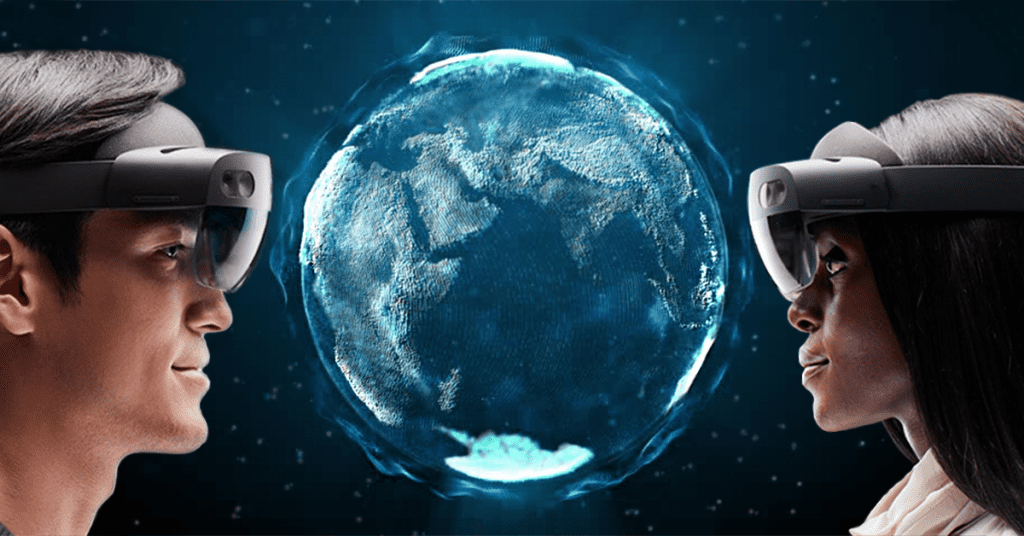
Avatars and holographic content is what makes up Microsoft Mesh. Whether you want to fully immersive yourself of mix real life with holograms, Mesh can bring a whole new reality to your world. Its up to you. Using the Microsoft Hololens you can project your work colleagues, a zoom call or a model right in front of your eyes – as a hologram. Yep, a hologram. There was a time that holograms were something of a reality in the far future. But now it is a reality. On the other hand, if the thought of using a hologram doesn’t suit you. Then, just like Horizon Workrooms, you can wear the fully immersive headset and bring your avatar self to life and sit across from your work buddie. 

Holographics

Lets dive into the holographic content just a bit. With the Hololens glasses you can project a zoom call or a model in front of your eyes. Lets say you were at a construction site on a job. You come across a problem that needs to be dealt with that day but a phone call to your boss won’t really do any good. With the Hololens glasses you can stay on site, Zoom call your boss and while seeing their face in front of you (as a hologram) they can see the problem at hand and guide you through it. Its as simple as that. The Hololens is designed for this type of work and his type of problem. A separate Hololens Glasses with ruggedized features to withstand an dropping on construction sites.

Immerse Yourself

Holoportation sounds good right? But Mesh doesn’t stop there. With a whole new headset, Microsoft Mesh brings a new world to life. You can fully immerse yourself into a 3D world, full of your colleagues – as avatars. Just like Horizon Workrooms, you can hold meetings, brainstorming sessions and one-to-one meetings in the Mesh world. Build your avatar, pop on your VR headset and join or host a meeting.  

BlueJeans: Spaces

Not much has been spoken about Spaces recently. But joining in the Metaverse world, Spaces is a place to huddle, share files, brainstorm, organise, and socialise. Roam the virtual Spaces office and see who is available to talk. Or if you want to set up a meeting with a certain colleague, you can do so by booking out a meeting room for your meeting. Just like Horizon Workrooms, you can customise you huddle space to your needs.

With the vice president of product management at BlueJeans saying that hybrid work is here to stay, BlueJeans has worked hard to bring a place for remote workers to walk around and feel as though they are back in the office. With the ability to hold 1,000 person meetings, Spaces is the way forward for hybrid or remote workers. 

Spaces isn’t just a video calling application though. Unlike the Metaverse or Mesh, Bluejeans offers a more office feel. Not just a space for meeting rooms. You can walk around a virtual office and join in with others conversations, bringing back casual talks with other colleagues. Sparking new relationships, leading to new and fresh ideas. Using the collaboration board, users can draw and share ideas to your team. You can access drawing tools to bring your plan to life, add sticky notes and images to the collaboration board to fill out you idea. Plus if you want to stay present in your meeting, giving the presenter or presenters your full attention, you can take screen shots of the collaboration board for later use and note taking. Alongside this, you can hold Q&A’s, polls and chats during a meeting.

How Does It Look?

Spaces has an easy look, quickly join meetings and see who’s available for a chat. Without having to hunt for codes or for the colleague you need to talk to. All the names of the meetings happening in Bluejeans are shown on the side of the screen, simply click the meeting on the side and join straight away. When you join one of these meetings you will be placed around the meeting room table. Now Spaces may have a lesser reality feel than the others, but that doesn’t mean the experience is any lesser. You still get a real feel when using Spaces, with spatialised audio and head movements.

The difference that makes BlueJeans stand out is that it gives way more of a social feel. Letting you walk around the office and chat with people at their desks. Setting up a meeting in real time. Something that remote workers must miss. Well, not the meetings but that office feel of walking to your desk and chatting to colleagues along the way. With the 2D view, you can easily see the floor plan of the virtual office and see where everyone is. Or to get more of an immersive feel, you can switch to a 3D view and actually go into the virtual office. 

Is The Metaverse Actually Beneficial To Us?

With technology becoming more and more advanced, addiction is getting too real. With phones consuming our adult life and now tablets consuming children’s lives, is the Metaverse really a good platform to introduce to children. To children it must feel like a whole different world when using their tablets and gaming stations. So with actually introducing a new world to them, it could have damaging effects. Damaging effects that see people become addicted and only want to live within the Metaverse, preferring the augmented reality then to actual reality.

Zoom usage skyrocketed, with pretty much everyone being a regular user daily. With so much time looking at people through a screen, Zoom call fatigue was prominent as people where using the application regularly. Leaving people feeling drowsy and run down throughout the day. With evidence like this, if the Metaverse takes over, and like Zoom, skyrockets with users. A Metaverse fatigue could definitely be on the horizon.

Although this doesn’t relate that much to a ‘Metaverse fatigue’, there are already problems popping up with the Metaverse world. Unfortunately, harassment has already made its way onto the Metaverse. Now this is obviously a worry, especially to children, so digital safety is something that needs to be discussed within the Metaverse. Facebook (Meta) have already come up with the idea of personal bubbles to stop anything like this happening further.

Even though the Metaverse is having problems, Horizon Workrooms dedicated for meetings may actually become beneficial for your once in a while meetings. Meetings with team members working from home, team members who are international and meeting with companies who are international. It brings everyone together in a way that heightens your meeting to a level that you may not of thought it could. Dedicated for only meetings, Horizon can be a better way for people to use the Metaverse – leading to potentially less ‘Metaverse fatigue’. 


Is The Metaverse Important To Have? 

The big question around the Metaverse if its going to land. There have been mixed reviews with the virtual world. Although its a great opportunity to push the boundary’s on technology and open worlds. Its more an importance to companies than to just people. And even then, work from home isn’t mandatory anymore, which means fewer video calls with colleagues and less of a reason to use Horizon Workrooms. Even though it might not be that important for work from home people that much, the Metaverse can still be a fun tool to use for gaming.

Picture of Natalie Horn

Natalie Horn

Table of Contents

Customized AV education
Training and Education

Experience Customized AV Education: Expert Learning

Customized AV education is a transformative approach to learning in the digital age, providing tailor-made, multimedia-rich educational experiences that cater to individual needs and preferences. This innovative concept not only keeps pace with the fast-evolving digital landscape but also addresses the demand for personalized learning experiences. In this article, we delve into the importance of personalized learning and its growing relevance, while discussing the various aspects of customized AV education.In the digital age, AV education, or Audio Visual training, plays a crucial role in disseminating information effectively. With the rapid advancement of multimedia technology, traditional methods often fall short of engaging modern learners. Customized AV education fills this gap by offering a dynamic, interactive, and engaging learning environment.One of the key components of customized AV education is the emphasis on personalized learning experiences. In this approach, learners are at the centre of their educational journey. Personalization allows students to choose their learning path, pacing, and content, creating a highly engaging and effective learning environment. This tailored approach ensures that learners can study at their speed, addressing their unique needs and goals.Customized AV education introduces tailored curriculum options, allowing learners to select courses that align with their interests, career goals, and learning preferences. It integrates multimedia instruction, enabling students to engage with a variety of content formats, such as videos, audio, animations, and interactive simulations. This multimedia-rich approach enhances comprehension and retention, making learning more enjoyable and efficient.AV for Education: Classrooms, Lecture Halls, AV Control  Customized AV Education for BeginnersIn the fast-evolving landscape of AV education, beginners face unique challenges that demand personalized solutions. Traditional one-size-fits-all approaches often fall short of meeting the specific needs of newcomers. This is where customized AV education steps in, addressing the individual learning styles and preferences of beginners through tailored programs and specialized teaching methods.Benefits of Customized AV Education for NewcomersCustomized AV education offers a plethora of benefits for beginners, ensuring a seamless transition into the intricate world of audiovisual training. Personalized audiovisual learning experiences empower beginners to grasp complex concepts at their own pace, fostering a deeper understanding of multimedia instruction. Tailored AV training programs for professionals cater to diverse backgrounds and expertise levels, ensuring that each learner receives individualized multimedia courses designed to meet their unique needs.Comparative Analysis: Customized Learning SolutionsTo highlight the advantages of customized AV education, let’s delve into a comparative analysis of different learning paths available to beginners: Learning Path Advantages Customized AV Education 1. Personalized curriculum tailored to individual needs. 2. Specialized teaching methods for effective learning. 3. Hands-on audiovisual workshops for practical experience. Personalized Audiovisual Learning Platforms 1. Limited flexibility in course content. 2. Standardized instruction may not suit diverse learning styles. Tailored AV Training Providers 1. Varied quality of instruction. 2. Limited customization options for specific learning requirements. Choosing the Right Path: Key ConsiderationsWhen opting for customized AV education, beginners must consider several factors to make informed decisions: Course Flexibility: Ensure the program allows for tailored visual training and individualized multimedia instruction, accommodating various learning paces. Quality of Instruction: Seek providers with proven expertise in bespoke AV training, emphasizing specialized teaching methods and unique educational experiences. Cost Efficiency: While a personalized AV curriculum might seem pricier, the value gained through customized learning experiences justifies the investment.   Personalized Audiovisual Learning ExperiencesIn the realm of AV education, a transformative shift is underway, driven by the adoption of personalized learning experiences. Customized AV education, often referred to as tailored AV training, is revolutionizing the way students and professionals engage with audiovisual content. Let’s dive right into the fascinating world of personalized audiovisual learning.Customized AV Education for BeginnersFor beginners entering the world of AV education, the concept of personalized audiovisual learning experiences can be a game-changer. These individuals often seek tailored AV training programs designed to cater to their unique learning styles and preferences. Such programs not only enable them to grasp complex AV concepts quickly but also help in building a solid foundation.Personalized Audiovisual Learning ExperiencesPersonalized audiovisual learning experiences are at the heart of customized AV education. The approach involves adapting the content and teaching methods to match each student’s specific needs. This highly personalized approach ensures that students remain engaged and motivated throughout their AV education journey.Tailored AV Training Programs for ProfessionalsProfessionals, on the other hand, require a different level of customization. Tailored AV training programs for professionals are designed to fit around their busy schedules, allowing them to acquire new skills and knowledge without compromising their work commitments. This approach is essential for continuous professional development.Individualized Multimedia Courses for StudentsStudents, especially those pursuing multimedia-related degrees, benefit immensely from individualized multimedia courses. These courses cover a range of multimedia instruction, including bespoke visual education techniques and specialized AV instruction methods. Such courses are crucial for honing the skills necessary for success in the AV industry.Specialized Visual Instruction for StudentsFor students, specialized visual instruction is key to grasping the intricacies of the AV world. These instruction methods, rooted in custom audiovisual education, provide students with a solid foundation for future career opportunities.Bespoke AV Training for EducatorsEducators looking to create exceptional learning experiences can explore bespoke AV training. This involves utilizing unique AV teaching methods, such as multimedia learning paths and personalized visual education. Such training equips educators with the tools they need to inspire their students and create engaging lessons.Unique Multimedia Learning Experiences for ProfessionalsProfessionals seeking to expand their horizons should consider unique multimedia learning experiences. These experiences go beyond the traditional classroom setup and often incorporate customized audiovisual education. They allow professionals to gain expertise in their chosen field and stay ahead of the curve.  Tailored AV Training Programs for ProfessionalsIn the ever-evolving world of audiovisual technology, staying ahead requires more than just basic skills. Professionals in the AV industry demand specialized knowledge and expertise. This is where Customized AV education steps in, offering personalized learning experiences that cater to the unique needs and expectations of AV enthusiasts. Let’s delve into the advantages of these specialized AV training programs and explore how they can significantly boost your career development and

Read More »
Multimedia learning
productivity

Multimedia Learning: The Gateway to AV Excellence

In today’s dynamic educational landscape, multimedia learning has emerged as a revolutionary paradigm, transforming traditional teaching methods. This innovative approach integrates diverse forms of media, such as images, videos, and interactive elements, into the educational process. Its significance lies in its capacity to engage learners, enhance comprehension, and foster immersive learning experiences.The incorporation of audiovisual (AV) elements has proven to be a game-changer in educational technology. By embracing visual learning and interactive media, educators tap into the power of multimedia integration, which in turn leads to effective learning techniques. Research indicates that multimedia content boosts information retention and engagement. This digital education evolution capitalizes on audiovisual learning to offer a holistic approach that caters to various learning styles.Immersive learning experiences are at the forefront of multimedia curriculum design. Educators now possess an array of multimedia tools to craft lessons that resonate with students. Interactive multimedia for learners not only captures attention but also enhances comprehension. Through advanced multimedia instruction, educators implement innovative AV teaching methods that resonate with today’s digital-native students.In the era of online education, multimedia’s prowess shines even brighter. The integration of multimedia in online education offers an opportunity to transcend geographical barriers. Multimedia resources provide a rich and dynamic learning environment, ensuring that digital learners remain engaged and active participants in their education.To optimize AV education, educators must be well-versed in multimedia techniques. Interactive media for better learning should be leveraged strategically. Educators can enhance audiovisual learning by utilizing multimedia platforms that cater to diverse learning preferences. Moreover, the best multimedia learning techniques should be embraced to deliver value and facilitate knowledge retention.Crafting multimedia-rich lessons demands finesse. Educators must adeptly utilize multimedia technology in education to drive home key concepts. Multimedia curriculum design hinges on innovative thinking and incorporation of interactive media. Successful examples abound, showcasing how immersive learning experiences bolster student achievement.Research-based principles for multimedia learning  Best Multimedia Learning TechniquesIn today’s digital age, educational technology has revolutionized the way we learn. Multimedia learning, a dynamic approach that incorporates various forms of media, including visual, auditory, and interactive elements, has emerged as a powerful method for delivering effective learning experiences. This section explores the world of multimedia learning, delving into proven techniques, successful examples, and the integration of audiovisual training to optimize educational outcomes.Proven Techniques for Multimedia LearningThe integration of multimedia content within education has opened up a realm of possibilities. Incorporating visual learning materials, interactive media, and cutting-edge multimedia tools, educators can craft immersive learning experiences that cater to diverse learning styles. This multimedia integration can occur across various educational settings, from traditional classrooms to online platforms.Examples of Successful Multimedia Learning MethodsMultimedia techniques are effectively utilized in diverse educational contexts. In the realm of online education, educators leverage multimedia resources to create engaging lessons. For instance, interactive multimedia for learners enhances understanding through hands-on experiences. In traditional classrooms, multimedia curriculum design enhances engagement, leveraging the power of audiovisual learning to enrich lessons. Innovative AV teaching methods, such as interactive media for better learning, drive home complex concepts by tapping into the benefits of visual learning.Optimizing AV Education for Enhanced LearningThe role of multimedia in digital education cannot be understated. Incorporating multimedia tools for educators paves the way for impactful instructional strategies. By strategically blending visual learning resources and interactive media, educators can create a multimedia classroom that caters to individual student needs. This multimedia-rich environment cultivates effective learning by engaging multiple senses and learning modalities.Impact on Students and Effective LearningResearch indicates that multimedia integration strategies significantly impact students’ learning experiences. When learners are exposed to immersive learning experiences, they retain information more effectively. The utilization of multimedia in education improves comprehension, aids memory retention, and enhances critical thinking skills. Furthermore, multimedia instruction encourages active participation, fostering a deeper understanding of complex subjects.Visual Learning: From Theory to ImplementationVisual learning plays a pivotal role in multimedia-based education. Educational resources that incorporate visual elements, such as images, diagrams, and videos, provide learners with a clear and engaging way to grasp complex concepts. This approach aligns with best practices for multimedia teaching, as it ensures that information is presented in a visually appealing manner that resonates with learners.Incorporating Interactive Media for Deeper EngagementInteractive media offers a unique avenue for learners to actively engage with educational content. Through multimedia techniques, students can interact with simulations, quizzes, and virtual environments, promoting hands-on learning. This approach cultivates deeper understanding and long-lasting knowledge retention, making it an essential component of any multimedia curriculum.  Optimising AV Education: Enhancing Audiovisual LearningAudiovisual education, also known as multimedia learning, revolutionizes traditional teaching methods by integrating visual learning, interactive media, and educational technology. This approach offers a dynamic and engaging learning experience that enhances comprehension and retention.  AV Elements and ComprehensionThe integration of multimedia content and effective learning techniques greatly improves comprehension. Visual learning aids, such as videos, images, and infographics, provide learners with a deeper understanding of complex concepts. Interactive media encourages active participation, fostering a deeper connection to the subject matter. Educational technology enables real-time feedback, allowing students to gauge their understanding and address gaps in their knowledge.Optimizing AV Education for Different Learning StylesTo cater to diverse learning styles, educators should employ multimedia tools that accommodate various preferences. Visual learners benefit from diagrams and videos, while auditory learners thrive with audio explanations. Kinesthetic learners engage with interactive simulations. Digital education platforms offer personalized experiences, tailoring content to individual needs.Multimedia Curriculum Design and BenefitsCreating an effective multimedia curriculum requires careful consideration of multimedia integration strategies. By strategically incorporating multimedia resources, educators can create immersive learning experiences that resonate with students. The multimedia classroom becomes a dynamic environment where learners actively participate, fostering deeper engagement.Innovative AV Teaching MethodsInnovative AV teaching methods utilize multimedia technology in education. Educators leverage interactive media to provide real-world examples, making lessons relatable and memorable. Advanced multimedia instruction involves crafting multimedia-rich lessons that balance information and engagement. This approach not only addresses the topic at hand but also cultivates critical thinking skills.Role of Multimedia in Online EducationOnline education embraces multimedia’s power, ensuring that learning transcends traditional barriers.

Read More »
remote team expense management
Remote Collaboration

Revolutionise Remote Team Expense Management with These Innovative Solutions

In the context of remote work, effective expense management is crucial for distributed teams to maintain financial control and optimize their operations. Remote team expense management refers to the process of tracking, controlling, and streamlining expenses incurred by virtual teams. By implementing innovative solutions and leveraging software tools, organizations can ensure cost optimization, efficient budget management, and streamlined expense tracking. This article highlights the importance of remote team expense management, addresses the challenges faced by distributed teams, and emphasizes the need for innovative solutions to streamline the expense management process.In today’s remote work landscape, where virtual collaboration is the norm, managing expenses efficiently is vital for organizations. Remote team expense management enables businesses to maintain financial transparency, ensure cost control, and make informed decisions about resource allocation.Remote team expense management allows businesses to track and analyze their expenditures, identifying areas for cost reduction and optimization. By gaining insights into spending patterns, organizations can make informed decisions to control expenses and improve overall financial management.With distributed teams, it becomes crucial to establish and manage budgets effectively. Remote team expense management enables organizations to set clear budgets, allocate funds, and monitor expenses against predefined financial targets. This ensures that the virtual team operates within allocated budgets, minimizing financial risks.Tracking expenses across multiple remote team members can be challenging without proper systems in place. Remote team expense management solutions provide centralized platforms that streamline expense tracking, allowing team members to submit and track expenses efficiently. This not only saves time but also reduces the chances of errors or overlooked expenses.How to Manage Remote Teams  Understanding Remote Team Expense ManagementIn today’s era of remote work, efficient management of team expenses is crucial for organizations. Remote team expense management encompasses several key components that ensure smooth financial operations. These components include expense tracking, control, and reimbursement.Expense tracking is the process of recording and monitoring all expenses incurred by remote team members. It involves keeping a detailed record of individual expenses, categorizing them, and maintaining accurate documentation. Remote expense tracking tools and software simplify this task by automating the process, reducing errors, and providing real-time visibility into expenditure.Expense control refers to the establishment of policies and procedures to regulate spending within remote teams. By implementing an expense policy, organizations can set clear guidelines on what expenses are permissible and define spending limits. This helps in preventing overspending, improving cost control, and maintaining budget discipline.Reimbursement is the final stage of remote team expense management. It involves the timely and accurate reimbursement of expenses incurred by remote team members. Clear reimbursement processes ensure that team members are promptly reimbursed for legitimate expenses, fostering trust and satisfaction within the virtual team.Significance of Maintaining a Clear Expense Policy for Remote TeamsMaintaining a clear expense policy holds immense importance in remote team expense management. An expense policy acts as a guiding framework that defines acceptable expenses, spending limits, and reimbursement procedures for remote team members.Having a well-communicated policy ensures that all team members understand what expenses are covered and how to submit reimbursement requests. It eliminates confusion, prevents disputes, and promotes consistency in expense management practices across the organization.A clear expense policy also contributes to cost control. By setting spending limits and defining authorized expenses, organizations can effectively manage their budgets and avoid unnecessary expenditures. This enables businesses to optimize their financial resources and allocate funds to priority areas.Moreover, a transparent expense policy enhances compliance with regulatory requirements and mitigates the risk of financial fraud. It sets expectations for ethical conduct, prevents misuse of funds, and ensures accountability within the remote team.Importance of Accurate Financial Tracking and Auditing in Remote Expense ManagementAccurate financial tracking and auditing play a vital role in remote expense management. These practices provide organizations with valuable insights into their expenditure patterns, identify areas for optimization, and facilitate informed decision-making.Financial tracking involves consistently monitoring and analyzing expenses incurred by remote teams. It enables organizations to identify spending trends, evaluate cost-saving opportunities, and assess the financial health of the remote workforce. By leveraging cloud-based expense management tools, businesses can streamline the tracking process, capture real-time data, and generate comprehensive reports.Regular financial audits further enhance expense management by ensuring compliance with policies, regulations, and industry standards. Audits help in identifying discrepancies, errors, or fraudulent activities, providing an additional layer of control and risk mitigation. They contribute to maintaining the integrity of financial processes and building trust among stakeholders. Key Components Description Expense tracking Recording and monitoring individual expenses incurred by remote team members Expense control Establishing policies and procedures to regulate spending within remote teams Reimbursement Timely and accurate reimbursement of legitimate expenses incurred by remote team members Clear expense policy Guiding framework defining acceptable expenses, spending limits, and reimbursement procedures Accurate financial tracking Consistently monitoring and analyzing expenses incurred by remote teams Financial auditing Regular assessment of expenses to ensure compliance, identify discrepancies, and mitigate risks   Best Practices for Remote Team Expense ControlAs the world continues to embrace remote work, effective expense control within remote teams becomes a crucial aspect of financial management. Managing expenses in a distributed work environment requires a different approach compared to traditional office settings. In this section, we will discuss the best practices for remote team expense control, providing practical tips and strategies to streamline and optimize the financial management process.Setting Clear Spending Limits and GuidelinesOne of the key aspects of remote team expense management is setting clear spending limits and guidelines for team members. Without proper boundaries, expenses can quickly spiral out of control. Here are some best practices in this regard: Define spending policies and guidelines: Establish comprehensive policies that clearly outline acceptable expenses and spending limits. Ensure these policies are easily accessible to all team members and regularly communicated. Encourage pre-approval for significant expenses: Implement a pre-approval process for large expenses to ensure they align with the company’s budget and goals. This step helps prevent unnecessary overspending and ensures financial accountability. Educate team members: Conduct training sessions to educate team members about the company’s expense policies and provide guidance on making

Read More »
AV transformation journey
Training and Education

Transformative AV Journey: Expert-Led Learning

In the realm of modern education, the concept of AV transformation journey stands as a pivotal force, reshaping classrooms and revolutionizing learning experiences. This transformative process, rooted in cutting-edge Audio Visual (AV) technology, is more than a mere upgrade; it’s an evolution. As educational technology intertwines seamlessly with interactive learning tools, multimedia integration, and experiential education, the role of expert-led learning becomes paramount in this journey.Educational technology has swiftly embraced AV solutions, paving the way for immersive teaching and collaborative learning. Traditional classrooms are no longer confined to static teaching methods. Instead, digital learning and interactive displays have ushered in an era of experiential learning experiences. Here, the AV transformation journey acts as a bridge, connecting educators and students to a world of innovative teaching tools and multimedia resources.Expert-led learning plays a pivotal role in guiding this AV transformation journey. Educators armed with knowledge about the future of AV technology are instrumental in implementing advanced visual solutions and interactive projection techniques. By understanding the nuances of AV integration solutions, educators can create interactive classroom experiences that resonate with the evolving needs of students. This process isn’t merely about incorporating technology; it’s about curating transformative learning experiences that enhance student engagement and optimize AV for effective teaching.For beginners, the AV journey might seem daunting. However, with the right guidance, transforming classrooms with AV becomes not only feasible but also enriching. The future-ready AV solutions available today cater to diverse educational settings, offering affordable classroom AV setups. Educators can benefit from guides that help them choose the right AV equipment and interactive displays suitable for their specific needs. From interactive projection solutions to budget-friendly classroom AV setups, the options are vast, allowing seamless integration of AV technology into education.How to use your interactive Epson projector in your classroom   AV Journey for BeginnersIn the ever-evolving landscape of education, the term “AV transformation journey” has emerged as a pivotal concept that underscores the integration of advanced audiovisual technology into the classroom. This journey encompasses a myriad of fundamental concepts and terminologies, offering innovative approaches to education while ensuring a seamless transition to the digital era.AV Transformation JourneyThe AV transformation journey signifies a paradigm shift in the education sector, characterized by the fusion of educational technology, interactive learning tools, and multimedia integration. At its core, this journey revolves around creating experiential education through AV solutions, thereby enhancing classroom technology and enabling digital learning. To navigate this path successfully, beginners must acquaint themselves with key terminologies, concepts, and cutting-edge audiovisual trends.Fundamental Concepts and Terminologies Immersive Teaching: Immersive technology refers to creating an environment that deeply engages students. It involves the use of interactive displays, interactive projection, and advanced visual solutions to create transformative learning experiences. Educational Innovation: This concept encompasses the adoption of innovative learning tools and experiential technology to enhance the learning process. Multimedia Resources: Multimedia resources include various content forms like videos, images, and interactive presentation tools that facilitate collaborative learning solutions. Technology-Enabled Education: The incorporation of AV integration solutions, adaptive AV systems, and next-gen multimedia to enable technology-driven teaching methods. Experiential Learning Experiences: Creating interactive and immersive classroom experiences that promote experiential education and improve student engagement. AV Innovation Trends: Staying updated with the latest AV technology trends is essential for maintaining an innovative learning environment.   Transforming Classrooms with AVEducational technology has come a long way in revolutionizing traditional classrooms. The integration of Audio-Visual (AV) technology has played a pivotal role in this transformation, shaping the way educators teach and students learn. In this section, we’ll explore the impact of AV technology on teaching methods, student engagement, and real-life examples of schools that have successfully embraced the AV transformation journey.AV Transformation Journey in EducationAV technology has evolved significantly, shaping the future of education. The AV transformation journey in classrooms has paved the way for immersive technology and experiential education. With cutting-edge AV solutions, traditional classrooms are no longer confined to static textbooks and chalkboards. Instead, digital transformation has ushered in an era of smart multimedia solutions, interactive displays, and immersive teaching.Impact on Teaching MethodsAV technology has redefined teaching methods, making learning more interactive and engaging. Educators can now leverage AV integration solutions to create transformative learning experiences. Interactive projection tools and multimedia resources empower teachers to deliver content in innovative ways. This shift from traditional teaching methods to experiential learning experiences has had a profound impact on students.Benefits of AV IntegrationThe benefits of AV technology in education are numerous. It enhances student engagement, making learning more enjoyable and effective. As a result, it fosters collaborative learning, allowing students to actively participate and work together. With AV innovation trends, educators can adapt their teaching methods to cater to diverse learning styles, ensuring a more inclusive and technology-enabled education.Choosing the Right AV EquipmentFor educators embarking on their AV journey for the first time, it’s crucial to choose the right AV equipment. Budget-friendly classroom AV setups are available, and AV setup guides for educators can help in this process. By optimizing AV for effective teaching, educators can ensure a smooth transition into the world of interactive multimedia learning tools.The Future of AV TechnologyAs we look to the future, the role of AV technology in education is set to expand. Emerging AV technologies will continue to shape the classroom of tomorrow. With interactive presentation software and AV solutions comparison, educators will have more choices than ever before. The future-ready AV solutions will empower educators to create immersive classroom experiences that cater to the needs of the digital generation.  Future-Ready AV SolutionsIn the fast-paced world of education, staying future-ready is crucial, and the adoption of cutting-edge AV solutions plays a pivotal role in this journey. As educational technology continues to evolve, so do the demands for immersive, interactive, and experiential education. Importance of Being Future-Ready with AV SolutionsThe AV transformation journey is a continuous process of adapting to the ever-changing educational landscape. Educational technology and interactive learning tools have revolutionized the way students engage with content, making multimedia integration a necessity for educators. AV solutions are the cornerstone of this

Read More »
Customized AV workshops
Training and Education

Tailored Learning: Customized AV Workshops with Experts

In today’s rapidly evolving landscape, the demand for audiovisual (AV) skills spans across various industries. The convergence of technology and communication has placed a premium on individuals equipped with expertise in multimedia production, making tailored learning in AV skills more crucial than ever. This article explores the growing importance of AV skills, the concept of tailored learning, and the need for customized AV workshops to meet the diverse needs of learners.Audiovisual education is at the forefront of skill development in the multimedia landscape. As businesses and professionals seek to enhance their communication strategies, proficiency in AV technology becomes a valuable asset.The multimedia landscape is diverse, and a one-size-fits-all approach to training is no longer effective. Tailored instruction ensures that learners receive content that aligns with their specific needs, leading to more meaningful skill development.In the realm of audiovisual training, personalized learning experiences are indispensable. Expert-led workshops, such as those recommended by Jim Harmer, provide a unique opportunity for individuals to interact with specialized curriculum tailored to their skill level and professional aspirations. This approach fosters a deeper understanding of AV technology and multimedia production.To address the demand for personalized audiovisual training, customized AV workshops have emerged as a solution. These workshops, incorporating elements of bespoke AV solutions and individualized training, cater to the specific requirements of participants. This tailored approach ensures that learners engage in interactive sessions, acquiring skills that are directly applicable to their roles.Design, integration and full installation of AV systems in a corporate building  The Significance of Customized AV WorkshopsIn the dynamic realm of Audiovisual (AV) education, the demand for customized learning experiences has surged. Tailored AV workshops have become the cornerstone for individuals at varying skill levels, offering personalized audiovisual training that caters to specific needs. This section delves into the advantages of customized workshops, emphasizing the importance of individualized instruction, expert-led sessions, and specialized curriculum in the AV domain.Customized AV Workshops for Beginners: Unlocking the PotentialTailored AV training for beginners is pivotal in laying a strong foundation for multimedia skills. These workshops are designed to address the unique needs of novices, ensuring a gradual and comprehensive understanding of AV technology and multimedia production. By integrating personalized learning experiences, beginners gain confidence and proficiency in audiovisual technologies.Expert-led Workshops: Elevating Skill DevelopmentExpert-led AV programs play a crucial role in skill development. Through specialized audiovisual courses, participants benefit from the wealth of knowledge imparted by industry experts. This bespoke AV education approach not only enhances technical skills but also provides valuable insights into the latest trends in AV technology. It’s a holistic approach to learning that goes beyond basic instruction.Personalized Learning for Varied Skill Levels:Customized workshops extend beyond beginners, catering to individuals at different skill levels. Whether it’s tailor-made learning experiences for intermediate users or advanced sessions for professionals, these programs adapt to the unique requirements of each participant. This customization in learning ensures that individuals progress at their own pace, fostering a more effective and engaging educational journey.Interactive Sessions and Multimedia Training:The incorporation of interactive learning sessions is a key component of customized AV workshops. Participants actively engage with the content, reinforcing their understanding of multimedia production and AV technology. This approach aligns with best practices for personalized learning, promoting a hands-on experience that enhances retention and application of skills.Corporate Workshops and Bespoke AV Solutions:For businesses, customized AV workshops offer tailor-made solutions for training corporate teams. These programs are designed to meet the specific needs of the company, providing specialized multimedia training for employees. The benefits extend beyond skill development, fostering teamwork and aligning the workforce with the latest AV technologies.  Expert-Led AV Sessions for BusinessesIn the ever-evolving landscape of professional development, the role of expert-led AV sessions for businesses has emerged as a pivotal force in shaping the trajectory of corporate teams. As we delve into the realm of specialized audiovisual training, we explore how these workshops, customized to cater to unique industry needs, not only enhance skill development but also foster individual growth and team synergy.Tailored Instruction for Precision LearningAudiovisual education has transcended traditional boundaries, embracing customization in learning through expert-led workshops. These workshops, often tailored to specific industries and organizational objectives, go beyond generic training. They cater to the unique needs of corporate teams, ensuring that each participant receives personalized audiovisual training that aligns with their roles and responsibilities.The Impact of Expert-Guided Learning on Professional GrowthOne of the key advantages of expert-led AV programs is their transformative impact on the professional growth of employees. These workshops, rooted in the principles of multimedia training, are designed by industry experts who bring a wealth of knowledge and experience. Participants benefit not only from theoretical insights but also from real-world applications, accelerating their learning curve and contributing to their skill development.Bespoke AV Solutions for Corporate TeamsIn the realm of corporate workshops, the customization in learning extends to bespoke AV solutions. These programs, crafted with precision and expertise, address the unique challenges and opportunities within a business. Whether it’s enhancing multimedia production skills or staying updated on the latest AV technologies, these customized workshops provide a platform for targeted skill development.Interactive Sessions and Personalized Learning ExperiencesThe essence of tailored instruction lies in its interactivity and personalized learning experiences. Expert-led AV workshops foster engagement through interactive sessions, creating an environment where participants actively apply what they learn. This not only enhances retention but also ensures that the knowledge gained is immediately applicable in real-world scenarios.  Personalised Learning Experiences in MultimediaIn the dynamic landscape of education, personalized learning experiences in multimedia have emerged as a cornerstone for effective skill development. This section explores the diverse aspects of multimedia, highlighting how tailored workshops cater to individual preferences, and showcases real-world examples of successful personalized multimedia training.Multimedia Training and Customization in LearningAudiovisual education is at the forefront of modern learning, encompassing various aspects of multimedia production and AV technology. Customization in learning has become a key focus, ensuring that educational events and corporate workshops provide tailored instruction. Expert-led workshops offer specialized curriculum and bespoke AV solutions, allowing for skill development through customized programs.Real-world Success

Read More »
AV Equipment

Mersive Solstice: How To Become The Leader Of Your Meeting

Without a doubt, multiple people will want to share something their either saw or created during a meeting. Then the meeting that was meant to be 30 minutes to an hour, is now running into an hour an a half long and there's no end in sight. And its all because one person can only share at one time. If this is a common occurrence for you and your team when heading into a meeting, then it may be time to completely upgrade your system and take control of your meeting. Thankfully, Mersive can solve all your sharing problems. With this sharing device you can become the leader of your meeting, no matter if you were the original host or not. Passing the cape on to your peers, bringing independence and seamless collaboration to your meeting room. Allowing ideas to fly.  The Mersive Solstice can easily transform the way you hold meetings. Simply walk into your meeting room, enter the 4 digit pin that is shown on the display and automatically connect to the device. In an instant you are ready to be a professional and all eyes will be on you. At first glance, the Mersive Solstice Pod is just a device for sharing but the Pod delivers so much more. What Is Mersive Solstice? The Mersive Solstice is a wireless content sharing device for multiple people to share simultaneously in a meeting. Supporting Windows, MacOS, android and IOS, the Mersive Solstice can be integrated into any type of room. Allowing you and your guests to bring their own device. No matter your device preferences, as the Mersive is BYOD compatible. This meaning that anyone and everyone can join the meeting from there device and present their content. Whether that's wirelessly sharing over the Mersive Solstice app on their laptop, or sharing through Miracast or airplay on their iPad. Plus, the Solstice Pod also supports all major conferencing platforms, such as Zoom, Teams and GoToMeeting. So however your meet, the Mersive Solstice wont hold you back. And any remote guests can have a clear view of what you are sharing.  With this device, the meetings that run longer than they should will be a thing of the past. With the Mersive Solstice, you wont have to wait for one colleague to disconnect and the other next in line to pair up with the device - multiple people can share at once. Not only does this save time within your meeting, but it allows more definitive collaboration and creation within your team. Letting others in the meeting compare two pieces of work, from two different colleagues, and find out together the solution to a problem you may be having. Again making you the leader of your meeting.   Non Sharing Capabilities As we said, Mersive Solstice is more than a wireless sharing device. Its a great accessory to your meeting room. For when you are not wearing your meeting room cape and leading a meeting with the Solstice Pod. The cloud connected device can act as a room calendar, and be a host for digital signage. So when you are done with your meeting and disconnect from the Solstice, it can be programmed to stay on and share the room calendar or any information to the room display. So as we are still in the era of wearing face coverings, you can program the Solstice to share the informational poster you made asking people to wear masks. Very quickly changing the room display to a digital signage display. Display additional information to your employees and guests. You can do all this without needing any additional hardware or software, just jump straight into displaying your digital signage in a Mersive Solstice room.  The way this works is that the Solstice Pod integrates with the top digital signage display management platforms. Mersive Solstice's digital signage partners include: 22Miles Appspace Signagelive TriplePlay Zignage Carousel   SGE Or Enterprise You can get a Mersive Solstice in standard or enterprise. The SP-8000-e3 Unlimited Enterprise 3, SP-8100- SGE Enterprise, SP-8000-e5 Unlimited Enterprise, SP-8100-e5 SGE Enterprise. If you are reading this looking for a a solution for your large boardroom. Then the SP-8000-e5 Unlimited Enterprise 5 will be the answer to your content sharing nightmare. This Solsitce device allows an unlimited amount of users to share. Standard and enterprise Pods allow users to bring their own device, share their desktop screen with the Solstice Collaboration App and support up to two displays at 1080p.  Specs The Solstice Pods weighs 0.75lbs and measures 184.2mm x 86.2mm x 26.3mm. Meaning the Pod can easily sit either behind your meeting room display or tucked away on a cabinet close by. The Pod has an internal storage of 4GB RAM and 16GB eMMC Flash Storage. With multiple sharing capabilities, you can share 4K videos with the Pod. Letting you share the promotional video you created in crisp resolution. The hardware ports include:  Gigabit Ethernet with PoE+ support Two HDMI out HDMI in Two USB 3.0 One USB-C How To Activate Your Mersive Solstice? With all this information at hand the Solstice may sound like a great fit for your small, medium or large meeting room. When getting your Solstice you'll need to activate your Pod before you jump into sharing. To do this you will need to install the Solstice dashboard and import your Solstice Pod. With the Solstice Dashboard downloaded, you can then start to configure your Pod. All you have to do is plug a USB mouse and keyboard into the Pod. That is one way to complete the import but, Mersive themselves recommend using the Dashboard to configure your Pods. As it will give you a more streamline deployment and management. If you take Mersive's advice and configure with the Solstice Dashboard. Then your Pods and your Windows computer need to be on the same network. This will make sure that the configuration will be completed. The quickest and the most easiest way to get your Pod on
Read More »
MeetingStore.co.uk
Logo
Compare items
  • Total (0)
Compare
0
Shopping cart