Excellent
Next day delivery! Depending on Availability*
Here to help! Monday to Friday, 8:30AM-5:30PM*

Is Telehealth The Way Forward After Covid? How VC Platforms Can Aid Health Services

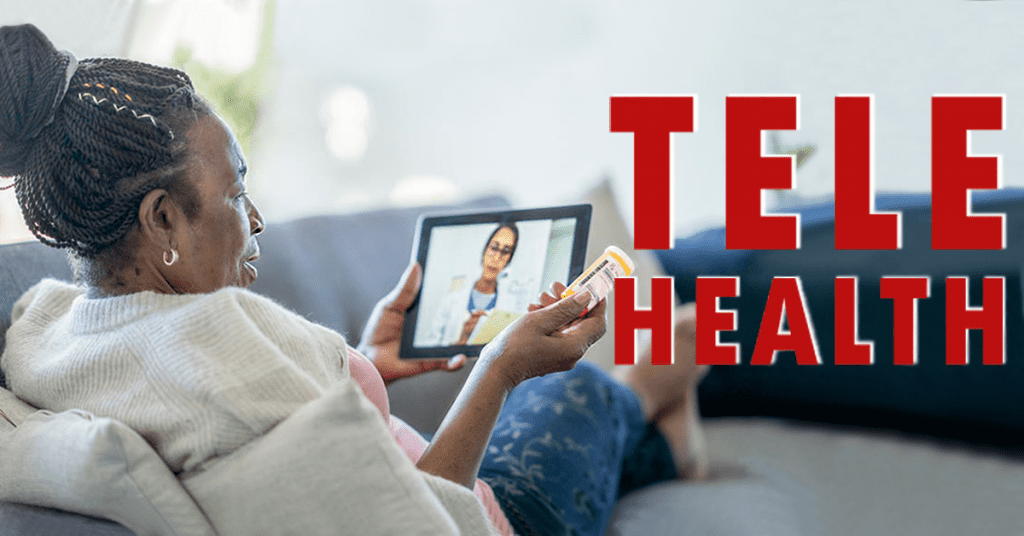
More than ever people are focusing on their health, looking after themselves any way they can. Hospitals being over run and complicated to get into. Within these times people needed a way to communicate with a doctor without having to worry about getting into the hospital. Telehealth has been around for many years, but recently it has skyrocketed in acknowledgment and in users who swear by it. Video calls were at an all time high over COVID, it made sense that Telehealth, a way of visiting the doctors without leaving your home, was a popular way to get medical help. A relaxed and more suitable way for most people to see a doctor or their GP.
 

Telehealth Rundown 

Telehealth is a way for people to visit the doctors. Virtually. Communicate to your doctor through electronic devices – phone, laptop or tablet. It can be a call, video call or message. Video calling wasn’t just used for business conferencing during 2020 as Telehealth had its peak usage. To some it may seem a hazardous solution, but for others it gives them the freedom to stay healthy both mentally and physically anytime, anywhere.

Imagine living on the outskirts of a town or a city, miles away from a hospital or a doctors office and you have a concern about your health. But know that travelling to the hospital isn’t an option. With Telehealth you can calm any medical worries through a phone or video call. A lot of Telehealth services will run through an application. Making it super simply to use and all your health data and records will be stored safely within the app. Giving you easy access to your records and your past history of using Telehealth. So if any problems do occur and you cant get to a doctor at that moment, you can go back through your records and Telehealth history via the app. With this you could find a reason to your medical worry – perfect for long term medical conditions. Not only that but to aid your Telehealth experience, vital monitoring devices can be bought to monitor your health throughout the day. These devices will then store your health data for you to view. Letting you not only view the data but you can share the data with your doctor during a video call.  

How Does Telehealth Work?

Some of you may be reading this thinking, well if I have a long term medical condition how are they going to be taking my vitals if we are miles apart? But the Telehealth world has already thought this through. Alongside phone calls, a video call is probably the best way to meeting with your doctor. Not only can you discuss your medical worry, but you can show any signs of medical concern on your body. With those devices we mentioned, such as the Remote Vital Monitoring Device, doctors can give a full examination as they normally would but this time just through a screen. This Remote Vital Device works by checking a patients vitals during a call, or throughout your day.

So if you suffer from diabetes for example and need to keep an eye on your glucose levels. You can purchase wearable devices that monitor your glucose levels throughout the day. Taking Telehealth even further, watches are becoming more and more advanced. They’re not just their to tell you the time anymore. You can connect your Remote Vital Monitoring Device to your watch to keep you updated every few minutes. Your health in the palm of your hands. 

Remote Vital Monitoring Devices

This topic needs to be dived into a little bit more. Telehealth isn’t just phone, video calls and messaging. There are many devices people can wear or have in their home to check their vitals, without a trip to the doctors. Referring back to having long term medical conditions, with Dexcom your can monitor your glucose levels at home and in real-time. With the use of Clarity, the Dexcom device tracks your glucose levels and secures them in an app. Clarity is a management software that stores your data safely. You can buy Dexcom’s G6 Starter Kit, made up of glucose transmitters and the sensors. You will have to wear the transmitter, by applying it to your arm or stomach with the sensor. Once that is applied you can track your glucose levels throughout you day. Plus, as we said before, you can connect the transmitter to your phone, smartwatch or to a monitoring device.

So going back to the situation before. You have a worry and cant make it to any professional. You can easily check you health throughout your day that could help you come to a solution to your worry. Also a great thing about the Dexcom device is that it will send you alerts when your glucose level is too high. Not only keeping your health in check but letting you live out your day without having to use finger sticks to check your levels.

BioButton

Another Telehealth device to keep track of your health throughout the day is the BioButton. If you are just generally trying to look after your health or have a long term health issue, the ‘coin-sized’ BioButton can give you peace of mind. Designed to ‘wear and forget’, this small stick on device can track your health vitals through out 30 days of wear. The device continuously tracks your temperature, respiratory rate and heart rate. And just like the Dexcom, the BioButton has a dedicated app for you to store and log your health data. Plus, making your health monitoring device even better, the BioButton has a dedicated cloud portal – the BioCloud. A place where your data from the BioButton can be used to detect any physiological changes in your health. Sending you a electronical report.

Another advantage of the BioButton is the BioMobile. If one day you are feeling a bit under the weather and have a few symptoms that may concern you. You can chat with a coversational AI with BioMobile. Type in your queries and the AI will ask questions suitable to your queries or symptoms. A quick way for you to ease your mind and figure out if your condition is serious or mild. 

Benefits

Through the recent years video conferencing platforms have massively helped us with day to day life. Telehealth is just another way video conferencing platforms are helping us. Whether you suffer from a long term condition or just need your mind to be eased, Telehealth can suit everyone. You can easily pick up your phone and book a video call appointment with your doctor. Plus, Telehealth is pretty much a on the go service. If you are out and about doing your daily tasks and start to feel unwell. You could easily talk with your doctor over a video call in your car to find a solution to your problem. Or if a doctor is busy and cant be reached. You can still arrange an appointment that suits you. 

As we said, Telehealth isn’t just talking with a doctor over the phone Telehealth can be small devices that people with long term illnesses wear to track their health. These little devices can generally save lives or prevent any situation from escalating. As the BioButton monitors your health vitals throughout the day. Alerting you if anything peaks or lows too much. This little device can also acknowledge COVID-19 symptoms in a person before you may have even thought about doing a test.


Disadvantages

With everything there are disadvantages next to the benefits. A main disadvantage with Telehealth is security. Your health records and data is private and should stay that way. With 54% of people admitting that some clinics will use Zoom, Facebook Messenger, Facetime and WhatsApp to conduct their Telehealth services. And even though, like we said, video conferencing platforms have supported us through the last few years. Having a secure and safe way to talk to professionals and keep your data private is something that needs to be a main focus with Telehealth.

Another fault in Telehealth is that if you rely on the service too much, other illnesses and issues can go unnoticed. Yes, you are technically seeing a doctor. But sometimes actually going to see your doctor can be more beneficial to you then talking to them through a screen. It allows the doctor to fully examine the patient alongside checking their vitals. Using Telehealth to talk to your doctor is great every once in a while, but using it as your ‘hospital’ almost. Isn’t the best way to look after your health. Another reason to not rely on Telehealth too much is that you could almost become a little bit obsessed with checking your health through the data tracking. Not only making you bit obsessed with checking the app but this can put a strain on your mental health. As you are always worried or paranoid.  


Will Telehealth Be The Future?

Well Telehealth is a great tool, especially during COVID, for obvious reasons. But as for Telehealth being the future, there are pro and cons. From all this information, Telehealth needs to be clear on what their goal is. Is it trying to take over seeing your general doctor in general or is it trying to be an add on feature to help healthcare professionals. Telehealth services need to focus on their security and how they store their patients data. However, even though it seems that Telehealth has still got a bit to go. The future of Telehealth could be amazing.

Just think, with the new technology being introduced in the world, Telehealth could really thrive. With things like holograms and holoportation now coming to life, Telehealth can take advantage of this technology and improve how doctors communicate with their patients. Letting patients holoportate into the doctors office for a full body examination. And with 56% of UK patients claiming that they would use Telehealth mobile applications in the future after trying them on COVID. Shows that a improvement in technology, like the Metaverse. Could help telehealth gain more attention and potential users.     

Picture of Natalie Horn

Natalie Horn

Table of Contents

Transparent displays in meeting rooms
Future Trends

The Potential of Transparent Displays in Meeting Rooms

Discover the potential of transparent displays in meeting rooms. Revolutionize your office presentations and collaboration with this cutting-edge display technology. From interactive screens to holographic displays, these transparent monitors provide a seamless visual experience that enhances communication and creativity in the workplace.

Read More »
Amplifying presentation success with AV equipment
productivity

Ride the Wave: Amplifying Presentation Success with AV Equipment

In the fast-paced world of presentations, achieving maximum engagement and impact is crucial. This is where AV equipment and multimedia tools come into play, revolutionizing the way we deliver information and connect with our audience. In this article, we’ll explore the realm of presentation enhancement using audiovisual solutions, and delve into strategies to create immersive and impactful presentations that resonate with your audience.Effective presentations go beyond mere words – they leverage technology to create an experience that captivates and educates. AV equipment, short for audiovisual equipment, encompasses a range of tools such as projection equipment, interactive displays, and audio systems. These advanced presentation tools offer the potential to convey complex ideas seamlessly, and that’s where the journey to amplifying presentation success begins.Multimedia tools play a pivotal role in creating engaging and visually captivating presentations. Incorporating impactful visuals and audio enhancements can significantly enhance audience engagement. Whether it’s using interactive displays to encourage participation or incorporating immersive visuals to transport your audience, multimedia tools offer a diverse set of options for amplifying presentation impact.To achieve the level of engagement that modern audiences expect, seamless AV integration is essential. This involves harmoniously blending different AV components to create a cohesive and immersive experience. By upgrading your presentation equipment and optimizing your AV setup, you ensure that your audience is fully immersed in the content, leading to better retention and understanding.Logitech + Microsoft Teams | Raising the Bar on Video Meetings  The Power of AV Equipment in Presentation SuccessIn the realm of public speaking, the power of AV equipment cannot be underestimated. The integration of audiovisual solutions and multimedia tools has revolutionized the way presentations are conducted. Effective presentations go beyond mere verbal communication; they leverage visual aids, immersive visuals, and audio enhancements to captivate audiences and convey messages more powerfully.Maximising Productivity with AV Equipment: An Essential Component of Modern PresentationsWhen it comes to presentation enhancement, AV equipment stands as a cornerstone. The synergy between presentation technology and AV equipment brings about unparalleled engagement and impact. By adopting advanced presentation tools, speakers can elevate their performance, making successful public speaking more achievable.Significance of Technology Integration for Impactful Public SpeakingTo engage today’s audiences effectively, public speakers must harness the potential of AV equipment. Incorporating interactive displays, projection equipment, and cutting-edge audio systems ensures a dynamic presentation experience. This not only captures attention but also creates an environment conducive to learning and understanding.Connecting AV Equipment to Improved Engagement Strategies and Audience ImpactEngaging an audience requires a multi-faceted approach. AV equipment enhances engagement strategies by offering a visual and auditory feast. Immersive presentations facilitated by AV integration make complex topics more digestible, resulting in a higher retention rate among listeners.AV Equipment Setup Guide: Tips for Enhancing Presentation ImpactAchieving presentation success starts with selecting the right AV equipment. When choosing audiovisual tools, consider factors such as audience size, venue, and content format. Affordable multimedia solutions for presentations can be just as effective as high-end options, as long as they align with the speaker’s objectives.Optimising Audio Systems for Successful Speaking: Audio Enhancements for Impactful PresentationsAudio amplification is an integral aspect of AV equipment that often goes unnoticed until it’s absent. A clear and resonant voice amplifies the speaker’s credibility and message delivery. Upgrading AV equipment to include top-notch audio systems ensures that every word resonates with the audience.Choosing the Right Audiovisual Tools for Public Speaking: AV Solutions for Enhanced EngagementThe process of upgrading presentation equipment is not just about technology; it’s about enhancing presentation impact. By integrating AV solutions, speakers can weave impactful visuals seamlessly into their narratives. This not only keeps the audience engaged but also aids in conveying complex concepts effectively.Interactive Display Benefits in Presentations: Transforming Communication DynamicsIncorporating interactive displays into presentations fosters a sense of participation among attendees. These displays facilitate real-time interactions, allowing the speaker to address questions and concerns directly. This two-way communication enhances audience involvement and comprehension.AV Integration Tips for Public Speakers: Technology’s Role in Crafting Compelling NarrativesTechnology in presentations should be wielded with intention. Public speakers must strike a balance between multimedia enhancements and the core message. By following best practices and integrating AV solutions thoughtfully, speakers can create a harmonious fusion of technology and storytelling.  Choosing the Right Audiovisual Tools for Public SpeakingWhen it comes to delivering impactful presentations, the role of AV equipment cannot be underestimated. Selecting the right audiovisual solutions is a crucial aspect of enhancing your public speaking engagements. By effectively integrating technology and multimedia tools, you can captivate your audience and create immersive presentations that leave a lasting impact. Let’s dive into the key considerations for choosing the best AV equipment for your presentations.Enhancing Presentation Impact with AV ToolsIn the realm of public speaking, presentation success hinges on engaging your audience through visual aids and immersive content. By choosing the right AV equipment, you can maximize your productivity and create presentations that resonate with your audience. Utilizing advanced presentation tools, such as interactive displays and projection equipment, can significantly elevate your content delivery.Evaluating Multimedia Solutions for Engaging ContentMultimedia tools play a pivotal role in conveying your message effectively. Incorporating visual aids and audio enhancements can help convey complex ideas with clarity. When evaluating AV equipment, prioritize devices that seamlessly integrate multimedia elements. This integration enhances your ability to create visually appealing presentations that amplify engagement and audience impact.Optimizing Audio Systems for Effective CommunicationAudio quality is a critical component of successful public speaking. Upgrading your AV setup with high-quality audio systems ensures that your message is conveyed clearly to every corner of the room. This optimization eliminates distractions and ensures that your audience remains focused on your presentation. By prioritizing audio amplification, you create an immersive auditory experience that complements your visuals.Budget-Friendly AV Solutions for ValueWhile considering AV equipment, it’s essential to address budget considerations. Affordable multimedia solutions exist that offer excellent value without compromising quality. Careful research and comparison of available options can lead to a selection that aligns with your objectives while staying within your budget.Integrating AV Technology for Immersive PresentationsIncorporating AV technology into your presentations

Read More »
collaboration with remote teams
Remote Collaboration

Build Strong Connections: How to Excel at Collaboration with Remote Teams

Build strong connections: How to excel at collaboration with remote teams. Discover effective strategies, tools, and best practices for remote team collaboration. Enhance communication, boost productivity, and overcome challenges. Unlock the benefits of remote collaboration. Read on for valuable insights and actionable tips.

Read More »
remote project management tools
Remote Collaboration

Streamline Your Projects with these Powerful Remote Project Management Tools

In today’s digital landscape, remote project management has emerged as a vital practice for businesses and teams worldwide. This innovative approach allows organizations to effectively collaborate, communicate, and manage projects without the constraints of physical proximity. Remote project management tools play a significant role in enabling seamless remote collaboration, enhancing productivity, and overcoming the challenges faced by distributed teams. In this blog, we will explore and compare various remote project management tools, focusing on their features, benefits, and suitability for different types of remote projects.Remote project management refers to the process of overseeing and coordinating projects with team members located in different geographical locations. With the increasing prevalence of remote work, organizations are recognizing the numerous advantages of embracing remote project management. By leveraging digital technologies and communication platforms, teams can collaborate and contribute to projects regardless of their physical location. This flexibility not only enables businesses to tap into a global talent pool but also enhances work-life balance and employee satisfaction.While remote project management offers many benefits, it also presents unique challenges that must be effectively addressed. One of the primary difficulties is ensuring efficient communication and collaboration among team members spread across different time zones. Lack of face-to-face interaction can lead to miscommunication, delays, and a loss of team cohesion. Additionally, managing tasks, deadlines, and dependencies becomes more complex in a remote environment, requiring robust project management tools to streamline operations.To overcome the challenges posed by remote project management, organizations must rely on effective project management tools. These tools serve as a centralized hub for collaboration, communication, task tracking, and resource management. By utilizing project management software specifically designed for remote teams, businesses can enhance their productivity, streamline workflows, and ensure seamless coordination across distributed team members.Project Management Tools for Remote Business  Understanding Remote Project ManagementRemote project management is the practice of overseeing and coordinating projects with geographically dispersed teams using specialized tools and software. It plays a significant role in enabling collaboration and coordination among team members who are not physically present in the same location. In today’s digital age, where remote work is becoming increasingly common, remote project management is a crucial skill for efficient project execution.What is Remote Project Management?Remote project management involves managing projects where team members are located in different geographical areas, often working from their own homes or remote offices. It requires the use of various tools, such as project management software and online collaboration platforms, to facilitate communication, track progress, and ensure the successful completion of projects.The Significance of Remote Project ManagementRemote project management is essential for enabling collaboration and coordination among geographically dispersed teams. It breaks down barriers of time and location, allowing businesses to tap into a global talent pool and leverage the expertise of professionals from different parts of the world. This expanded access to talent can lead to increased innovation and improved project outcomes.Benefits of Remote Project ManagementIncreased Flexibility Remote project management offers increased flexibility for both project managers and team members. It allows individuals to work from anywhere, eliminating the need for a centralized office. This flexibility can improve work-life balance and employee satisfaction, leading to higher productivity and reduced turnover rates.Cost Savings Remote project management eliminates the need for physical office space, reducing overhead costs associated with rent, utilities, and office equipment. Additionally, businesses can save on commuting expenses and employee relocation costs. These cost savings can be significant, especially for small businesses and startups.Access to a Global Talent Pool With remote project management, organizations can access a diverse talent pool from around the world. This global reach enables businesses to find and hire the best professionals, regardless of their physical location. It fosters a more inclusive and diverse workforce, bringing unique perspectives and expertise to the project team.Unique Challenges of Remote Project ManagementCommunication BarriersRemote project management introduces communication challenges due to the lack of face-to-face interaction. Misinterpretation of messages and delayed responses can occur, leading to misunderstandings and potential delays in project progress. Effective communication strategies, such as regular video conferences and clear written communication, are essential to overcome these barriers.Time Zone Differences When team members are located in different time zones, scheduling meetings and ensuring real-time collaboration becomes more complex. Project managers must consider overlapping work hours and find suitable meeting times that accommodate everyone’s schedules. Time zone management tools and establishing clear communication norms can help mitigate this challenge.Tracking Progress Monitoring and tracking project progress can be more challenging in a remote project management setup. Without physical proximity, project managers need to rely on project management tools that provide real-time updates, task tracking, and progress reports. These tools enable transparency and accountability among team members, ensuring everyone is aligned and aware of project milestones.Tools for Remote Project ManagementTo facilitate effective remote project management, various project management tools and software are available. These tools aid in collaboration, task management, file sharing, and communication. Some popular remote project management tools include:Project Management Software Project management software, such as {mention specific project management software names}, provides comprehensive solutions for remote project management. It offers features like task assignment, progress tracking, document sharing, and team communication, all in one centralized platform.Online Project Management Tools Online project management tools offer cloud-based solutions that can be accessed from anywhere with an internet connection. They enable remote teams to collaborate on tasks, share files, and manage project timelines efficiently.Project Management Apps Project management apps designed for mobile devices allow team members to access project-related information and collaborate on the go. These apps offer flexibility and convenience for remote workers who primarily rely on their smartphones or tablets.  Key Features and Functionality of Remote Project Management ToolsEffective project management is crucial for remote teams to collaborate efficiently and achieve desired outcomes. Remote project management tools play a pivotal role in facilitating seamless coordination, enhancing productivity, and ensuring project success. In this section, we will explore the key features and functionalities that one should look for in remote project management tools, with a focus on task management, team collaboration, file sharing, real-time communication, and reporting capabilities.Task Management: Streamline Workflows and

Read More »
optimizing productivity in presentations with av gear
productivity

Thrive: Optimizing Productivity in Presentations with AV Gear

In today’s fast-paced world, effective presentations have become essential for conveying ideas, persuading audiences, and achieving success in various domains. Audiovisual (AV) equipment plays a pivotal role in enhancing the productivity and impact of presentations. In this article, we explore the concept of AV gear optimization and its role in streamlining presentations. We also highlight the relevance of AV technology in contributing to effective public speaking and presentation skills.Audiovisual equipment serves as a powerful tool in presentations, facilitating the seamless integration of multimedia elements such as images, videos, and sound. Integrating AV technology into presentations not only captures the audience’s attention but also ensures that information is conveyed in a more engaging and digestible manner. By leveraging presentation productivity tools and AV gear optimization techniques, presenters can deliver their messages more efficiently and leave a lasting impression.AV gear optimisation involves fine-tuning and aligning the audiovisual setup to maximize its potential during presentations. Presenters can employ various strategies to improve presentation effectiveness through AV equipment usage. By considering factors such as AV gear setup checklist, AV gear compatibility guide, and AV gear maintenance tips, presenters can minimize technical glitches and distractions, allowing them to focus on delivering a compelling message.Public speaking skills are crucial for delivering impactful presentations, and AV technology can significantly contribute to their enhancement. Utilizing AV equipment during speeches allows presenters to establish a connection with the audience through visual aids, making complex concepts more accessible. By following AV gear setup tutorials and AV gear user manuals, presenters can confidently deliver interactive presentations that captivate the audience and foster a deeper understanding of the subject matter.How To Increase Employee Productivity In The Workplace  AV Gear Setup Checklist for Better PresentationsWhen it comes to delivering impactful presentations, having a well-organized AV setup is crucial. An efficient audiovisual equipment arrangement not only enhances presentation productivity but also reduces technical issues, ensuring a seamless and productive presentation delivery.Maximising Productivity with AV EquipmentTo optimize productivity in presentations with AV gear, consider the following essential steps and tools: AV Gear Selection and Setup Choose top-rated AV gear brands for enhancing productivity in presentations. Ensure AV gear compatibility with your devices to streamline presentations effectively. Follow a step-by-step AV gear installation guide to avoid any setup issues. Optimize AV gear potential by avoiding common mistakes that might affect presentation productivity. Quick AV Gear Optimization Tips Conduct AV gear troubleshooting beforehand to address any technical glitches during presentations. Regular AV gear maintenance helps ensure seamless performance and boosts presentation productivity. Enhancing Presentation Impact with AV Utilize effective presentation techniques and delivery strategies while incorporating AV equipment for impressive presentations. Engage the audience with interactive presentations using AV gear for an impactful experience. Boosting Productivity with AV Technology Explore productivity tools and software recommendations for seamless integration with AV equipment. Utilize AV gear user manuals and setup tutorials to become proficient in handling the equipment. AV Gear for Better Presentations on a Budget Consider affordable AV equipment options without compromising on quality and productivity. Explore AV gear rental services to access high-end equipment for important presentations. Importance of AV Equipment in Public Speaking Understand the significance of AV gear in enhancing public speaking engagements and presentation effectiveness. Seek AV gear training for better presentation skills and delivery.   Quick AV Gear Optimisation Tips for PresentationsWhen it comes to delivering impactful presentations, having optimized AV gear can significantly enhance your performance and engagement with the audience. In this section, we’ll explore practical and time-saving tips to optimize audiovisual (AV) equipment for presentations, ensuring seamless delivery and maximizing productivity. Audio Levels Adjustment for Clear Communication Properly adjusting audio levels is essential to ensure that your voice reaches all corners of the room. Use the right microphone for the venue size and speaking style. Check for any feedback or background noise and adjust accordingly to maintain clarity throughout the presentation. Display Settings for Visual Impact Selecting the right display settings can boost visual impact and improve audience retention. Calibrate the screen resolution, brightness, and colour contrast for optimal visibility. Utilize presentation software features to highlight key points and keep the audience engaged. Lighting Techniques for Setting the Mood Lighting plays a vital role in setting the mood and capturing audience’s attention. Avoid harsh overhead lights that may cast shadows on your face. Consider using stage lighting or diffused lighting to create a warm and professional atmosphere. Small Adjustments, Big Difference Even minor adjustments to your AV gear can make a significant difference in your presentation’s effectiveness. Double-check all connections and equipment functionality before the event to avoid last-minute hiccups. Enhance Presentation Delivery and Performance By leveraging AV technology, you can enhance your presentation delivery and overall performance. Use presentation productivity tools to structure your content effectively, maintain a smooth flow, and keep the audience engaged. Mastering Presentation Skills with AV Gear Practice using AV equipment to master your presentation skills. Familiarize yourself with the AV setup to seamlessly navigate through slides, videos, or other multimedia elements during your talk. AV Resources for Efficient Presentations Utilize AV resources available to you, such as presentation software, remote clickers, or audio enhancement tools, to deliver a seamless presentation and leave a lasting impact. Boosting Productivity with Audiovisual Equipment Maximize productivity with AV equipment by incorporating interactive elements or polls, enabling real-time feedback from the audience and tailoring your presentation accordingly. AV Gear Setup Checklist for Seamless Presentations Before your presentation, use a comprehensive AV gear setup checklist to ensure all components are functioning correctly, minimizing any technical interruptions during your talk. Troubleshooting AV Gear During Presentations Prepare for unforeseen technical issues by having troubleshooting steps in place. Familiarize yourself with common AV gear problems and their solutions to handle any challenges smoothly.Common AV Gear Mistakes Affecting Presentation Productivity Mistake Impact Incorrect microphone selection Poor audio quality and communication Improper screen calibration Reduced visibility and engagement Inadequate lighting setup Diminished audience attention Lack of AV gear rehearsal Disrupted presentation flow Ignoring interactive elements Limited audience engagement   Affordable AV Equipment Options for PresentationsWhen it comes

Read More »
Proven AV strategies
Training and Education

Implement Proven AV Strategies for Skill Enhancement

In today’s fast-paced world, the importance of audiovisual (AV) strategies in skill enhancement cannot be overstated. With the advent of educational technology, multimedia learning has taken center stage in skill development. This article delves into the significance of multimedia learning and its impact on skill enhancement.Proven AV strategies encompass a wide range of techniques that combine visual and auditory elements to enhance the learning experience. These methods have proven to be incredibly effective in improving skills and knowledge retention. By incorporating audiovisual techniques, educators can create engaging and interactive presentations that cater to diverse learning styles, ultimately leading to better skill development outcomes.When it comes to skill enhancement, leveraging audiovisual technology is essential. This approach optimizes the learning process, making it more engaging and efficient. Incorporating AV tools and multimedia resources into educational materials can significantly enhance the overall learning experience. Educational institutions worldwide are recognizing the benefits of AV integration, especially in online courses.Audio Visual Class  The Power of Innovative AV Methods for LearningIn today’s fast-paced educational landscape, innovative audiovisual (AV) methods have emerged as powerful tools for enhancing skills and engaging learners effectively. This section explores the concept of innovative AV methods for skill enhancement, explains how they can make learning more engaging and effective, and provides examples of innovative AV tools and resources.Skill Enhancement through Innovative AV MethodsSkill enhancement is a critical aspect of education and professional development. Innovative AV methods leverage audiovisual techniques to create immersive learning experiences, making skill development more interactive and engaging. By incorporating multimedia learning approaches, such as visual and auditory strategies, educators can provide students with a holistic understanding of complex topics.Engaging and Effective Audiovisual MethodsInnovative AV methods have revolutionized the way we learn by making educational resources more accessible and engaging. These methods optimize AV technology to deliver content that caters to various learning styles. Here are some effective audiovisual methods for skill enhancement: Interactive Presentations: Interactive presentations use multimedia tools to create dynamic learning experiences. They encourage active participation and knowledge retention, making them a valuable asset in skill development. Educational Multimedia: Incorporating multimedia resources, such as videos, animations, and infographics, enhances the learning process. These resources provide a visual and auditory dimension to the content, facilitating better understanding. AV Integration: AV integration in classrooms and online courses allows for seamless incorporation of audiovisual aids. This approach ensures that students benefit from the advantages of AV technology for skill improvement. AV Equipment: Utilizing AV equipment, such as projectors, interactive whiteboards, and audio systems, enhances the delivery of educational content. It creates an immersive learning environment, improving skills through sensory engagement. Examples of Proven AV SolutionsTo illustrate the practicality of innovative AV methods, let’s explore a few examples of AV tools and resources used in skill development: Virtual Reality (VR) Simulations: VR technology immerses learners in realistic scenarios, providing hands-on experience in a safe and controlled environment. This approach is particularly effective for skill development in fields like healthcare and engineering. Online Learning Platforms: Many educational technology companies offer comprehensive online courses that incorporate multimedia learning resources. These platforms utilize AV techniques to deliver engaging content and track skill development progress. Video Conferencing Tools: AV technology, such as video conferencing software, facilitates collaborative learning. Students can engage with instructors and peers in real time, fostering skill improvement through discussion and interaction.   Maximising AV for Skills: Best PracticesWhen it comes to skill development, harnessing the power of audiovisual (AV) resources is paramount. Proven AV strategies have shown time and again that they can significantly enhance the learning experience. AV Integration: The Foundation for Skill EnhancementEffective audiovisual methods have become indispensable tools in skill enhancement. By seamlessly combining visual and auditory strategies, AV resources offer a multifaceted approach to learning. But to truly maximize AV for skills, one must consider several key factors.Selecting the Right AV Tools and EquipmentTo start, selecting the appropriate AV equipment is crucial. Educational institutions and learners alike should invest in state-of-the-art AV technology. This includes interactive whiteboards, high-definition projectors, and surround sound systems. These AV tools provide the foundation for enhanced learning with AV technology.Multimedia Learning: The Key to SuccessMultimedia learning, a concept rooted in AV techniques, has gained prominence in education. It capitalizes on the synergy between visual and auditory learning methods. Effective visual learning techniques, combined with auditory learning, stimulate cognitive processes, aiding in better comprehension and retention of information.Interactive Presentations: A Game-ChangerOne of the most innovative AV methods for learning is the integration of interactive presentations. These presentations not only captivate learners but also actively engage them. By involving the audience in the learning process, skills are honed more effectively. Interactive presentations are the epitome of skill enhancement through AV.AV Optimization: A Constant PursuitThe journey towards skill development techniques involving AV is an ongoing process. AV optimization should be a continuous effort. This means staying updated on the latest AV solutions, exploring audiovisual technology advancements, and embracing AV best practices.Benefits of AV in Skill DevelopmentMaximizing AV for skills yields numerous benefits. It caters to various learning methods and preferences, making it suitable for a wide range of learners. AV in education provides audiovisual resources that enable teaching with AV technology, ensuring that the educational multimedia used aligns with the learning goals.  Advanced AV Tools for EducationIn today’s rapidly evolving educational landscape, the integration of Advanced Audio Visual (AV) tools and technologies has become a cornerstone for effective teaching and learning. These Proven AV strategies encompass a diverse range of Audiovisual techniques, incorporating Visual and Auditory strategies, Multimedia learning, and Interactive presentations.Enhancing Skill DevelopmentEffective Audiovisual Methods: Audiovisual techniques have proven to be highly effective in enhancing skill development. By engaging both the visual and auditory senses, learners can absorb information more comprehensively. This method, rooted in Proven AV solutions, ensures that educational content is not only engaging but also memorable.AV Optimization for Skill Enhancement: AV technology provides a platform for educators to optimize their teaching methods. Multimedia tools, such as interactive presentations and multimedia resources, enable instructors to create dynamic learning experiences that cater to various learning

Read More »
MeetingStore.co.uk
Logo
Compare items
  • Total (0)
Compare
0
Shopping cart