Excellent
Next day delivery! Depending on Availability*
Here to help! Monday to Friday, 8:30AM-5:30PM*

Our Recommended Meeting Room Equipment For 2022

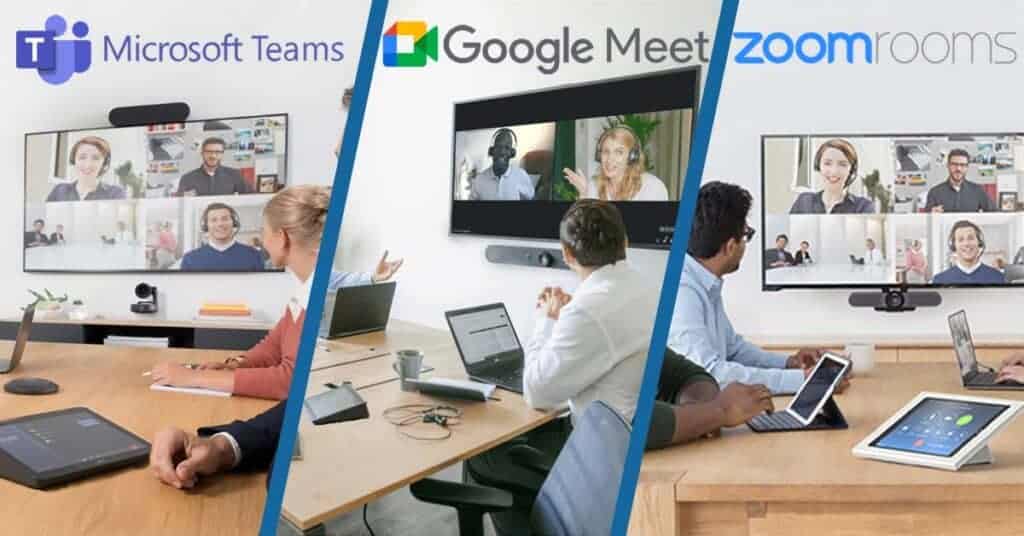
Video conferencing has taken over our lives for the past two years. And with the AV market ever growing, it can be a challenge trying to find the right equipment. That not only suits your wants and needs, but each device being high quality to deliver a high quality meeting. However, now a days its not just about buying the best camera with 4K quality or a microphone with 360° pickup. You now have to think about the platforms you’re using, Zoom, Teams or Google Meet. They all have the basic job of connecting people via video, but people definitely have their favourite. That’s where meeting room solution kits come into the game. 
With it now nearing the end of the year and there being lots of new equipment, there’s still a lot to think about when buying meeting room equipment. To make things easier for you, here are our recommended meeting room equipment for 2022.

For Zoom Rooms

With many different video conferencing platforms, finding the right one that works for you can seem a bit pointless. Considering they all do the same thing. But with Zoom Rooms, you can conference simply and seamlessly. All you have to do is install the equipment and get to conferencing. Zoom handling the rest.

If you don’t know what Zoom Rooms is, it is basically turning your small, medium or large meeting room into a Zoom based room. Making Zoom meetings just as simple tap away. And that’s all it takes to start a Zoom call with Zoom Room kits. It integrates all the necessary meeting room equipment with Zoom software. So if you’re a dedicated Zoom platform user, purchasing Zoom Room kits is a big benefit to not only upgrading your meeting room, but upgrading your meetings and making it an easier task for you and your colleagues. Zoom Room kits can totally transform your meeting room, taking once an old, forgotten meeting room to a collaborative, easy to manage space to hold all your meetings.

Its more than just room to room conferencing, it makes video conferencing external colleagues or business partners easy. Zoom Room kits don’t only accommodate huddle spaces and medium to large meeting rooms, but they also offer separate touch screen displays and scheduling displays for your meeting rooms. Zoom being able to fully kit out your meeting. They have teamed up with many big named brand to bring you the best meeting room kit possible: Logitech, Yealink, DTEN, Neat, Poly, all covering small to large rooms.

Yealink ZVC500 Zoom Room Meeting Kit 

If Zoom Rooms sounds like the best fit to your meetings, the Yealink ZVC500 is the best kit for you. With high quality devices, your meetings will be transformed with just a few connections. This video conferencing kit comes includes:

  • Yealink UVC50 PTZ Camera
  • CP960 Conference Phone
  • MCore Mini-PC

A kit that includes all of your needs, taking the difficulty out of upgrading your meeting room. The ZVC500 is packed full of qualities to help you conference better. This kit is specifically designed for medium sized rooms but with a 5x optical zoom, 4k camera, and a 360° voice pickup range. It’s easy for the ZVC500 to fit in with your small or even your huddle room. 

Yealink UVC50 Camera

The UVC50 camera makes this video conferencing equipment. It has to be in top condition to bring perfect meetings. The camera includes a pan range of 60°, a tilt range of 40° and a 91° field of view. So with these qualities alongside a powerful 4K camera to capture you and several other colleagues in a meeting. It shows that the UVC50 camera is just the camera to capture everyone in a medium sized meeting. Plus it shows that Zoom have chosen the right brand and equipment to better your meetings. Furthermore, the UVC50 includes auto framing with 60 frame rate. A perfect combination to give the best angle and the clearest picture. 

Yealink CP960

Having high quality audio is important. Participants at both ends need equipment to be able to hear every thought and idea clearly. The CP960 is the perfect addition to the ZVC500 room kit.

If you only have the choice of one meeting room for all of your meetings, no matter the size, then the CP960 will still work in your meeting room. With a 5″ capacitive touchscreen display and 360° voice pickup range, you can place the device anywhere on your meeting room table. So if you are using your one meeting room for a huddle sized meeting. You can easily place the CP960 on the table where you and your colleague or colleagues are sitting.

However, if you are using that one meeting room for your medium sized meeting and the meeting room table is full. The CP960 Conference Phone can still pick up you and your colleagues voices. Plus with Yealink Noiseproof technology, you voices will be the only thing that the CP960 will pick up. Putting across crystal clear audio to your external participants. Blocking out any unwanted and distracting noises. 

MCore Mini-PC

The MCore Mini-PC is the heart of the ZVC500. The heart that makes the UVC50 camera and the CP960 Conference Phone run smoothly. The 8th Gen Intel Quad-Core Processor and 128GB storage, lets you do just that. This is the heart as everything in the ZVC500 kit connects to the MCore Mini-PC. Now this may sound like a messy bit of the equipment, but the MCore has built in cable management. Stopping any cables from overlapping and confusing anyone who may need to unplug something. Not only that but keeping, wherever you put the Mini-PC, tidy. Alongside this, the MCore has a security slot. Meaning that it you want your MCore to stay in its designated space. The security slot feature will stop anyone from unplugging anything from the MCore and moving it anywhere. 

[vc_images_carousel images=”12288,12286″ img_size=”full” autoplay=”yes” wrap=”yes”]

For Google Meet

Just like Zoom Rooms, Google Meet has full kits for specific meeting room sizes. From stand alone displays to full kits including a camera, speaker and microphones. Google Meet room solutions integrates the Google Meet software into the meeting room equipment so you can quickly set the equipment up and start your scheduled meetings. Not only does the equipment make for quick meetings but the equipment also works alongside Google G Suite Calendar. So if you are working from home today but tomorrow you are going back to the office to have some meetings. You can easily schedule your meeting for the time you would like, from your home. The scheduled meeting will then be logged on the Google Meet Room equipment, ready for your meeting tomorrow and not letting any double booking of the room happen.

Google Meet has worked with big brands to accomplish video conferencing equipment for better meetings. From Logitech, Lenovo Series One Kits, ASUS Kits and Avocor, Google Meet can be used across a wide range of video conferencing equipment.  

Google Meet Series One Board 65

The Google Meet Board 65 from Avocor is one of the newest products to the Google Meet Series One kits. This board is perfect for small and medium sized meetings, letting you wheel the Board out to the any spot in the room and then wheel back in again when your meeting has finished. Keeping the meeting room clean and tidy. The Board is basically a modernised Jamboard, just on a 4K, 65″ screen with a viewing angle of 178°. Bringing the Jamboard experience to a whole new level. All while making sure that everybody can see what is being shown on the display.

This interactive Board is meant to be released early next year, making it our recommended device for sharing, creating, presenting and video conferencing for small and medium sized meetings.   

Video Conferencing 

Board 65 is made for video conferencing, bringing external and internal colleagues and business partners together. The Board 65 makes it simple for people to hold their meetings. So simple that you wont have to go out to buy a camera, speaker or microphone as it all comes with the board. Everything in one place, with the technology of a digital PTZ camera and microphone arrays. The Board not only bringing Google Meet software to your room but effective sound and video quality for high quality meetings.

The layout of the device is easy to use with a simple tap of a button to start your scheduled meeting, bring up the whiteboard and start a meeting all together. Video conferencing can be made collaborative with the whiteboarding feature, allowing you to bring the whiteboard up during a video conference. This will simply push the grid layout of every external participant to the side while the whiteboard takes place front and centre. Still letting you converse with each other, while creating on the whiteboard.

The Board is jam packed of features, big and small, making the board the best thing for bringing collaboration into your meeting rooms. The device is tilt optimized for a natural writing angle, making it comfortable for anybody and everybody to create and annotate. The whiteboarding feature allows multiple people to use the whiteboard at once, making bigger ideas happen on the spot, the Board comes with two stylus pens so that this collaboration can happen. This isn’t only for participants in the meeting room but for those participating over Google Meet. As they can create on the whiteboard while someone else is as well. 

For Teams Room

Have a clean and professional meeting room with equipment dedicated to Teams. You will have the peace of mind knowing that your equipment will all work seamlessly together. Teams has worked with big brands such as Logitech, Yealink, Poly and Crestron. Giving you high quality meetings using the Teams software. Upgrading your meeting room to a Teams Room allows you and your participants to use the Surface Hub. The Surface Hub is a place where everyone can share, create and collaborate on any piece of content, this content can be shared with the access to Microsoft 365 files. Making it easy for you to pull a document from the files and bring it to everyone’s attention, allowing your meeting to run smoothly without any sharing hiccups. 

Alongside creating a perfect Team meeting, the Teams equipment uses the Microsoft Calendar to book meeting rooms and schedule meetings. A great addition for businesses that only have a few meeting rooms as everyone can go into the calendar and see what room they can use for their meeting and when they can use it. Not only that but by having a controller panel with your Teams Room kit, your meeting will be shown on the controller. So you can start your meeting with a tap of a button.   

Yealink MVC840 Microsoft Teams For Large Room

This kit, we feel, is perfect for your larger meetings, holding the specs to capture a space with more than eight people. The MVC840 kit includes:

  • Yealink UVC84 Camera
  • MTouch II Touch Panel
  • 2x VCM34 Array Microphones
  • Yealink Soundbar
  • WPP20 Wireless Presentation Pod

Each device brings a new level to your meetings, constantly making your meetings better. From the audio to the video, the MVC84 is tailored to bring your Teams meetings to life.

Yealink UVC84 Camera

The UVC84 camera is a powerful 4K, auto framing camera with a 12x optical zoom. Easily making sure that everyone is included in the meeting.  These features turn the camera into a clever device as it can recognise how many people are in the meeting. Plus using its auto framing technology to adjust the camera and set it to the right frame. You may now be thinking that the camera may disrupt your meeting if anyone new enters. With it having to adjust to fit them in the meeting. But the camera has a smooth mechanical pan, tilt and zoom, meaning that the camera will adjust quietly without projecting an mechanical noises through to your external participants. By having this automatic adjusting feature, it also stops any one else in a different meeting from grabbing at the camera. The UVC84 camera always being in the place you need it.  

Yealink VCM34 Array Microphones

Capturing everyone’s voices in a meeting can be difficult. But the VCM34 array microphones have no problem with making everyone heard. With a 360°, 20ft (6 meters) audio pickup range. Even the person right at the very end of the table will be picked up clearly. The MVC84 kit including two VCM34 microphones, you can easily chain the microphones together and have a microphone at either end of the table. 

If you meeting room is located in a bit of a noisy environment, you main focus can be to buy equipment that guarantees crystal clear voice pickup. The VCM34 comes with Yealink’s Noise Proof technology, giving you that guarantee you want. This technology pushes out any noises that can disrupt your meeting, blocking out any noises that aren’t voices. Keeping you the main focus of the meeting. 

Yealink MTouch II Touch Panel

There’s a simple way to control your meeting. This 8-inch touchscreen controller lets you start your meeting from a single tap. The device has a human motion sensor, so it really is only one tap to start your meetings. From this touch panel you can see your scheduled meetings, start a new meeting and present to your room display. You can share your content through this device wirelessly or wired. Giving you the control on how you want to share. Plus, being able to share wirelessly can be a time saver. Meaning you wont have to waste time in finding the right cable and connecting your device. It also stops the table from looking messy with a handful of cables.

Furthermore, the MTouch has an angle adjustable bracket. So you can place and adjust the touch panel wherever you want it to be. The touch panel can be sat on the table for easy accessibility or it can be mounted on the wall for a more room controller feel.  

[vc_images_carousel images=”30704,12317″ img_size=”full” autoplay=”yes” wrap=”yes”]

Picture of Natalie Horn

Natalie Horn

Table of Contents

remote collaboration for HR teams
Remote Collaboration

Optimise Remote Collaboration for HR Teams with these Powerful Tools

In today’s remote work environment, HR teams face unique challenges in maintaining effective collaboration and workflow management. The shift towards remote work has necessitated the adoption of powerful remote collaboration tools to streamline HR processes and enhance productivity. This blog aims to provide a comprehensive list of such tools, enabling HR teams to overcome the hurdles of remote collaboration and optimise their workflow. Communication and Collaboration: HR teams heavily rely on seamless communication and collaboration to fulfill their responsibilities. However, remote work settings often hinder face-to-face interactions and impede the spontaneous exchange of ideas, leading to communication gaps and reduced collaboration. Workflow Management: Coordinating HR activities, managing projects, and tracking progress can be challenging when team members are geographically dispersed. The absence of physical proximity requires HR teams to find efficient ways to delegate tasks, monitor workflows, and ensure timely completion of assignments. Document Management: With remote work, HR teams need efficient systems for sharing, editing, and storing documents securely. Traditional methods of document handling become impractical, emphasising the need for digital collaboration tools that enable remote access, version control, and document security. Project and Task Management: HR projects often involve multiple tasks, deadlines, and dependencies. Without proper tools, remote teams may struggle to track progress, assign responsibilities, and manage tasks effectively. HR teams require streamlined project management and task tracking solutions tailored to remote work environments. How I use Asana to manage my organization’s work and teams  Understanding Remote Collaboration for HR TeamsRemote collaboration has become increasingly important for HR teams in today’s digital era. It refers to the process of working together on projects, tasks, and initiatives while being physically located in different places. This concept has gained significant significance as organisations embrace remote work and virtual teams. In this section, we will explore the concept of remote collaboration and its vital role in enhancing efficiency, communication, and workflow management for HR teams.Improving Efficiency through Remote CollaborationRemote collaboration offers numerous benefits to HR teams, and one of the key advantages is improved efficiency. By leveraging collaboration tools and software, HR professionals can streamline their workflow and eliminate geographical limitations. They can work on projects, exchange information, and collaborate on tasks seamlessly, regardless of their physical location. This streamlined process allows HR teams to work more efficiently and complete projects in a timely manner.Enhancing Communication within HR TeamsEffective communication is vital for the success of HR teams, and remote collaboration plays a crucial role in facilitating communication across distributed teams. Collaboration tools for HR teams enable real-time communication, allowing team members to connect and interact instantly. Whether it’s discussing HR strategies, addressing employee concerns, or coordinating recruitment efforts, remote collaboration tools provide a platform for seamless communication. This enhanced communication fosters stronger collaboration and ensures that everyone is on the same page, regardless of their physical location.Enabling Seamless Workflow ManagementWorkflow management is a critical aspect of HR operations, and remote collaboration simplifies this process for distributed teams. With the help of collaboration tools, HR professionals can effectively manage documents, projects, and tasks. Cloud-based collaboration platforms offer secure and centralised document management, allowing HR teams to access and collaborate on files from anywhere. HR project management software and task management solutions also enable efficient planning, execution, and tracking of HR initiatives, even in a remote work environment. These tools automate manual processes, streamline HR workflow, and ensure that tasks are completed on time.The Role of Collaboration Tools in Remote WorkCollaboration tools are the backbone of remote work and play a pivotal role in facilitating remote collaboration for HR teams. These tools encompass a wide range of software, platforms, and applications designed to support virtual teams and enable effective collaboration. HR collaboration software offers features tailored to HR processes, such as employee onboarding, performance management, and HR analytics. Virtual collaboration tools provide virtual meeting spaces, video conferencing capabilities, and chat functions to encourage real-time collaboration and idea sharing among team members. By leveraging these tools, HR teams can overcome the challenges of remote work and continue to collaborate effectively. Collaboration Tool Description HR Collaboration Software Software designed specifically for HR processes Virtual Collaboration Tools Tools that provide virtual meeting spaces and chat HR Project Management Software Software for planning, executing, and tracking HR projects Task Management Solutions Tools for efficient management and tracking of tasks Cloud-Based Collaboration Tools Tools that enable secure and centralised document management   Key Features to Look for in Remote Collaboration Tools for HRIn today’s evolving work landscape, remote collaboration has become essential for HR teams to manage their workflow and ensure seamless communication effectively. The right collaboration tools empower HR professionals to streamline processes, enhance productivity, and foster efficient teamwork. In this section, we will explore the key features that HR teams should consider when selecting remote collaboration tools, emphasising document management, project management, task management, and secure communication. We will also highlight the significance of cloud-based solutions and automation capabilities in effectively streamlining HR workflows.Document Management: Centralize and Organize HR DocumentsEfficient document management is crucial for HR teams operating remotely. Look for remote collaboration tools that offer robust document management capabilities. These tools should enable HR teams to centralise all HR-related documents securely, allowing easy access for authorised team members. With features like version control, document sharing, and real-time collaboration, HR professionals can collaborate seamlessly on projects, policies, and procedures. A comprehensive document management system ensures that HR teams can maintain accurate records and easily retrieve information as needed.Project Management: Track and Coordinate HR ProjectsRemote collaboration tools should include project management features tailored to the specific needs of HR teams. These features enable HR professionals to define project goals, set milestones, assign tasks, and track progress. An effective project management module allows for transparency and accountability within the HR team, ensuring everyone stays on track and meets deadlines. Look for tools that offer visual timelines, task dependencies, and team collaboration functionalities to enhance project coordination and productivity.Task Management: Streamline HR WorkflowsStreamlining HR workflows is essential for remote teams. Look for collaboration tools that provide robust task

Read More »
remote collaboration solutions
Remote Collaboration

Discover the Top Remote Collaboration Solutions for Streamlined Teamwork

Discover the Top Remote Collaboration Solutions for Streamlined Teamwork. Explore the best remote collaboration solutions that enable seamless virtual teamwork. Boost productivity, enhance communication, and achieve project success with cutting-edge remote collaboration tools and software. Find the perfect solutions to transform your remote work experience today.

Read More »
remote team document collaboration
Remote Collaboration

Streamline Your Team’s Workflow with these Remote Team Document Collaboration Tools

In the modern work landscape, remote team collaboration has become increasingly significant, transforming the way organisations operate. As more companies embrace remote work and virtual teams, the need for effective document collaboration tools and streamlined workflows has become paramount. This article explores the concept of remote team collaboration, highlights the challenges faced by remote teams in terms of document collaboration, and emphasises the importance of using effective tools to enhance workflow efficiency.The essential document collaboration tools are Google Workspace, Trello, Slack, Microsoft Teams, Quip, Notion, and Dropbox.  Limited Communication Channels: Remote collaboration relies heavily on digital communication channels such as email, chat platforms, or video conferencing. However, these methods may not always provide the same level of interaction and clarity as face-to-face communication. Version Control and File Management: Coordinating multiple team members working on the same document can lead to version control issues. Without proper systems in place, it becomes challenging to track changes, manage different file versions, and ensure everyone is working on the latest document. Security and Data Protection: Remote collaboration requires careful attention to document security and data protection. Sharing sensitive information over various communication channels can pose risks if not adequately secured. Cross-Functional Collaboration: Collaborating on documents often involves cross-functional teams with diverse skill sets and backgrounds. Remote teams need effective tools to facilitate seamless collaboration among team members from different departments or locations. How to Collaborate on a File with your Team in Teams  Understanding Remote Team Document CollaborationIn today’s fast-paced work environment, remote team document collaboration plays a crucial role in optimising workflow and enhancing productivity. With the rise of remote work and virtual teams, efficient document collaboration has become essential for seamless communication, streamlined processes, and effective task management. This section explores the benefits of remote team document collaboration, addresses the specific needs of remote teams, and highlights the tools and strategies that facilitate efficient collaboration.Remote Team Document Collaboration: A Key to Workflow OptimizationRemote team document collaboration refers to the process of working together on shared documents, files, and projects in a virtual environment. It involves utilizing various document collaboration tools and platforms to enable real-time editing, task management, file versioning, and document security. By leveraging cloud-based collaboration solutions, remote teams can collaborate effectively regardless of their physical locations, enabling them to optimise workflow and achieve business goals efficiently.Benefits of Efficient Document Collaboration for Remote TeamsEfficient document collaboration brings several benefits to remote teams, contributing to improved communication, streamlined processes, and increased productivity.Improved Communication and CollaborationRemote team document collaboration tools facilitate seamless communication among team members, regardless of their geographical locations. With features such as real-time editing, team members can collaborate on documents simultaneously, eliminating the need for lengthy email exchanges and reducing communication gaps. These tools also offer chat functionality, allowing team members to discuss project details, share ideas, and address queries in real-time, fostering effective collaboration and enhancing team cohesion.Streamlined Processes and Task ManagementDocument collaboration tools provide remote teams with streamlined processes and efficient task management capabilities. Team members can assign tasks, set deadlines, and track progress within a centralised platform, ensuring clarity and accountability. By having a clear overview of project timelines and responsibilities, remote teams can optimise their workflow, avoid duplication of efforts, and ensure tasks are completed on time.Increased Productivity and EfficiencyEfficient document collaboration enables remote teams to work more productively and efficiently. With cloud-based collaboration tools, team members can access documents and files from anywhere, at any time, using any device with internet access. This flexibility eliminates barriers to productivity and allows team members to collaborate seamlessly, even across different time zones. By eliminating the constraints of physical proximity, remote team document collaboration empowers individuals to work at their own pace, boosting overall productivity.Addressing the Specific Needs of Remote TeamsRemote teams have specific needs that must be addressed to ensure successful document collaboration. Let’s explore some crucial aspects.Real-Time Editing and CollaborationFor remote teams, real-time editing is paramount. Document collaboration tools enable team members to edit documents simultaneously, view changes in real-time, and track revisions. This capability ensures that all team members are working on the latest version of a document, reducing confusion and maintaining consistency. Real-time editing promotes efficient collaboration, as team members can provide instant feedback and make necessary adjustments without delays.Task Management and Collaboration PlatformsRemote teams rely on task management and collaboration platforms to keep their projects organised and on track. These platforms allow teams to create and assign tasks, set priorities, and monitor progress. With features like notifications and reminders, remote teams can stay informed about project updates and upcoming deadlines. Task management platforms enhance efficiency, transparency, and accountability within remote teams.File Versioning and Document SecurityDocument collaboration tools provide file versioning capabilities that allow remote teams to track changes and access previous versions of documents. This feature ensures that team members can revert to previous iterations if needed, reducing the risk of data loss or errors. Additionally, document security is vital for remote teams, as sensitive information may be shared during collaboration. Robust security measures, such as user permissions and encryption, safeguard documents from unauthorised access and data breaches, maintaining confidentiality and compliance.  Key Considerations for Remote Team Document Collaboration SolutionsIn today’s fast-paced and digital work environment, remote team collaboration is becoming increasingly prevalent. As virtual teams and remote work continue to thrive, selecting the right document collaboration tools is crucial for streamlined workflow optimisation. This section explores the essential factors to consider when choosing document collaboration solutions for remote teams, emphasising the importance of cloud-based collaboration, key features like real-time editing, task management, file versioning, and document security.Remote Team Document Collaboration Essential Factors to Consider When evaluating document collaboration tools for remote teams, several key considerations can help ensure efficient and productive collaboration: Cloud-Based Collaboration for Remote Work Environments: Cloud-based collaboration platforms offer a host of advantages for remote teams. They provide centralised storage, easy access to documents from anywhere with an internet connection, and real-time updates. With cloud-based solutions, remote teams can collaborate seamlessly, eliminating the need for cumbersome email exchanges or version

Read More »
remote video collaboration
Remote Collaboration

Enhance Teamwork with These Remarkable Remote Video Collaboration Tools

Enhance teamwork with these remarkable remote video collaboration tools. Remote video collaboration is the key to seamless communication and effective collaboration among remote teams. Discover the best video conferencing solutions and online collaboration software to improve remote team collaboration and enhance productivity. Read on to explore the power of remote video collaboration.

Read More »
remote collaboration for architects
Remote Collaboration

Elevate Architectural Collaboration: Embrace the Power of Remote Collaboration for Architects with Advanced Tools and Techniques

Remote collaboration for architects refers to the process of engaging in architectural collaboration activities and communication through virtual platforms and tools, allowing architects and their teams to work together efficiently, regardless of their physical locations. This modern approach to collaboration enables seamless interaction, data sharing, and coordination, ultimately enhancing productivity and streamlining architectural projects.Remote collaboration eliminates the limitations of geographical boundaries, enabling architects to work on projects with colleagues or clients located anywhere in the world. This allows for a more diverse and talented pool of professionals to collaborate, leading to enhanced project efficiency and outcomes.Virtual collaboration tools and platforms provide real-time communication channels such as video conferencing, instant messaging, and project management software. These tools facilitate effective communication between team members, stakeholders, and clients, fostering better understanding, quick decision-making, and smoother workflow.By eliminating the need for physical meetings and travel, remote collaboration significantly reduces expenses associated with transportation, accommodation, and other logistical aspects. Moreover, it saves valuable time by enabling architects to focus on project tasks rather than being consumed by commuting or scheduling conflicts.Remote collaboration allows architects to work at their own pace and in an environment that suits them best, resulting in improved work-life balance. This flexibility boosts creativity and productivity while accommodating diverse work preferences and individual needs.Work from Anywhere: Tools, Tips, + Methods I Use to Run a Remote Architecture Studio  Remote Collaboration Tools for ArchitectsArchitects today are embracing remote collaboration tools to enhance their workflow and streamline architectural projects. Remote collaboration tools refer to software, platforms, and techniques that enable architects to collaborate effectively with their teams and clients regardless of their physical location. These tools have gained significance in architectural projects due to the increasing prevalence of remote work and the need for seamless communication and coordination.Best Remote Collaboration Software for ArchitectsWhen it comes to remote collaboration for architects, several software options stand out for their features and advantages. These tools facilitate efficient communication, file sharing, and real-time collaboration, enhancing productivity and reducing project timelines. Here are some of the best remote collaboration software options available for architects: Autodesk BIM 360: This comprehensive platform offers collaboration features specifically designed for architectural projects. It enables architects to manage designs, documents, and project data in a centralised environment accessible to all team members. Bluebeam Revu: With its powerful markup and collaboration capabilities, Bluebeam Revu allows architects to review, annotate, and share project documents effortlessly. It promotes effective collaboration among team members, eliminating the need for physical meetings. Figma: Figma is a cloud-based design and prototyping tool that supports collaborative work on architectural designs. It enables architects to create, edit, and share design files in real time, fostering seamless collaboration with team members and clients. Software Features Advantages Autodesk BIM 360 Centralized project management Streamlined coordination and document control Bluebeam Revu Markup and review tools Efficient document collaboration Figma Real-time design collaboration Seamless integration with design workflows Evaluation of Virtual Collaboration Tools for Architectural Design and Project ManagementArchitectural design and project management require effective virtual collaboration tools that support remote teamwork and enhance efficiency. The following virtual collaboration tools are suitable for architectural design and project management: Asana: Asana is a project management platform that allows architects to create tasks, set deadlines, and track progress. It facilitates collaboration by providing a central hub for project-related discussions, file sharing, and updates. Microsoft Teams: Microsoft Teams is a comprehensive collaboration platform that integrates chat, video meetings, and file sharing. It offers architects a seamless environment for virtual communication, team collaboration, and project coordination. Trello: Trello is a visual project management tool that enables architects to organise and track tasks using customisable boards. It promotes collaboration by providing a clear overview of project progress and facilitating communication among team members.   Efficient Architectural Collaboration TechniquesIn today’s fast-paced world, remote collaboration for architects has become an essential aspect of efficient architectural practices. With advancements in technology, architects can now seamlessly collaborate with team members and clients regardless of their physical location. This section explores effective techniques for remote architectural collaboration, the role of virtual design collaboration software in streamlining communication and workflow, online architectural collaboration tools that enhance productivity and collaboration, and showcases successful architectural collaboration projects and the techniques utilised.Remote Collaboration for Architects: Enhancing Efficiency and FlexibilityArchitectural collaboration techniques have evolved significantly with the introduction of remote collaboration. This approach allows architects to work together efficiently and flexibly, regardless of their geographical constraints. Remote collaboration enables architects to overcome the limitations of traditional in-person meetings and facilitates seamless communication and coordination among team members.Virtual Design Collaboration Software: Streamlining Communication and WorkflowVirtual design collaboration software plays a pivotal role in remote architectural collaboration. This software empowers architects to collaborate in real-time, share design ideas, and make simultaneous modifications to architectural plans. By leveraging virtual collaboration platforms, architects can streamline communication, enhance workflow efficiency, and ensure that project timelines are met with precision.Online Architectural Collaboration Tools: Enhancing Productivity and CollaborationA wide array of online architectural collaboration tools is available to architects, offering diverse functionalities to enhance productivity and collaboration. These tools enable architects to share files, collaborate on design concepts, track project progress, and communicate seamlessly. Remote collaboration tools for architects foster a collaborative environment that encourages knowledge sharing, problem-solving, and efficient decision-making.The Future of Remote Architectural CollaborationAs technology continues to advance, remote collaboration for architects will only grow in significance. Architectural firms will increasingly rely on collaborative software, virtual collaboration platforms, and remote collaboration solutions to overcome geographical barriers and optimise their efficiency. Remote collaboration holds immense potential in transforming the architectural landscape, enabling architects to work as cohesive teams, regardless of their physical locations.  Remote Collaboration for Architectural TeamsArchitectural collaboration has undergone a significant transformation with the rise of remote work. As architectural teams increasingly embrace remote collaboration, it becomes crucial to understand its importance, effective strategies, and the tools and techniques that facilitate seamless teamwork. In this section, we explore the significance of remote collaboration for architects, discuss strategies for effective collaboration within architectural teams, provide tips for remote project

Read More »
MeetingStore.co.uk
Logo
Compare items
  • Total (0)
Compare
0
Shopping cart