Excellent
Next day delivery! Depending on Availability*
Here to help! Monday to Friday, 8:30AM-5:30PM*

The Future of Voice-Activated Meeting Technology

Voice-activated meeting technology

Voice-activated meeting technology is revolutionising the workplace by providing an effortless and efficient way to conduct virtual meetings. This technology utilises voice recognition, natural language processing, and AI-powered meeting technology to enable seamless collaboration among team members, regardless of location. With the rise of remote teams and hybrid work, voice-activated meeting technology has become an essential tool for businesses of all sizes.

Businesses can enhance productivity and streamline operations by leveraging voice recognition tools, virtual meeting assistants, and collaboration tools. 

When choosing a voice-activated meeting platform, it’s essential to consider integration options, user-friendliness, and real-time transcription capabilities. Affordable and advanced voice-activated meeting software is available for businesses of all sizes, including small and large organisations.


The evolution of voice-activated meeting technology

Voice-activated meeting technology has revolutionised the way we conduct meetings. This technology allows individuals to interact with collaboration tools using voice commands. 

The earliest voice recognition technology was created in the 1950s for military purposes. In the 1970s, speech recognition software was developed for consumer use. However, the technology was not widely adopted due to its limited accuracy. Today, voice recognition technology is used in virtual meeting technology and conference room technology to enhance communication and collaboration among remote and hybrid work teams.

AI-Powered Meeting Technology and Voice-Activated Conferencing

AI-powered meeting technology has advanced voice-activated conferencing in a significant way. Virtual meeting assistants and smart conference rooms are examples of this technology. These solutions use speech recognition and voice control software to understand and respond to voice commands. They also use natural language processing to improve voice recognition accuracy, making voice-activated meeting solutions more accessible to individuals with different speaking styles and accents.

The Role of Natural Language Processing in Voice Recognition

Natural language processing plays a crucial role in improving voice recognition accuracy. It is a branch of AI focusing on the interaction between computers and humans in natural language. It helps voice recognition systems understand and interpret human language, which leads to more accurate transcription software and voice recognition tools. Voice interface technology, voice-activated virtual assistants, and voice-powered meeting tools all benefit from natural language processing.


Virtual assistants for meeting efficiency

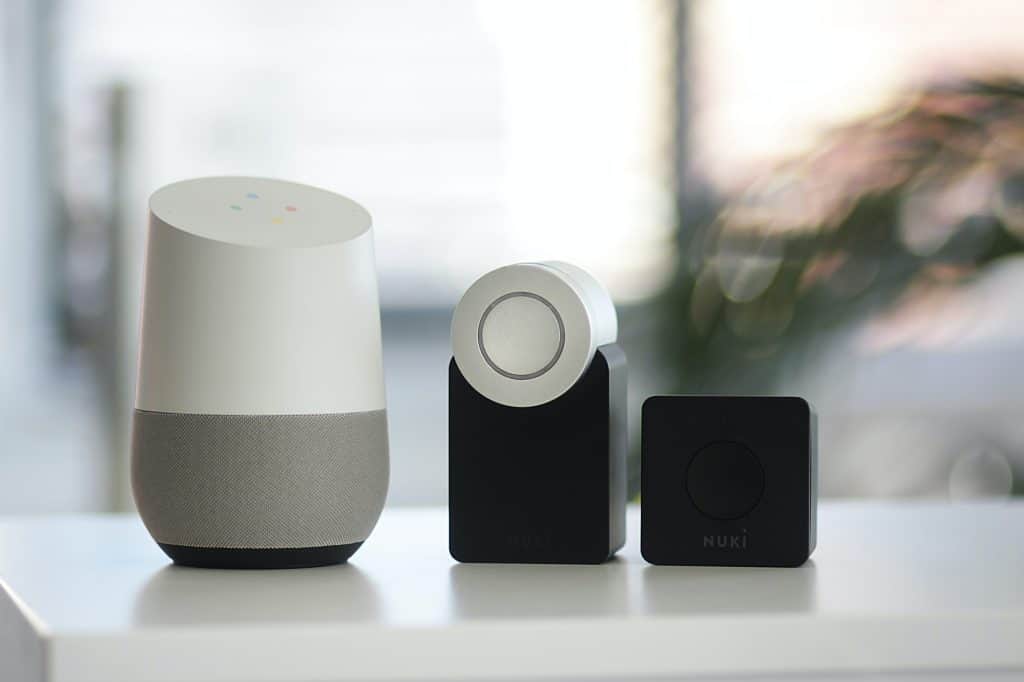
Virtual assistants such as Siri, Alexa, and Google Assistant have become essential to our daily lives. These smart assistants have the potential to revolutionise the way we conduct meetings by providing voice-activated meeting technology. With the integration of voice recognition technology, AI-powered meeting technology, natural language processing, and speech recognition software, virtual assistants can enhance meeting productivity and help save business time.

How Virtual Assistants Can Enhance Productivity in Meetings

Virtual assistants can perform various tasks during meetings, such as taking notes, scheduling appointments, setting reminders, and sending emails. They can also act as smart conference room controllers, enabling users to control the meeting room equipment with voice-activated meeting solutions. This can save time and reduce distractions during meetings, enabling participants to focus on the discussion. With the integration of voice command technology, meeting transcription software, and collaboration tools, virtual assistants can provide real-time meeting notes and transcriptions, allowing remote teams to participate more efficiently in hybrid work environments. Moreover, virtual assistants can provide accessibility for individuals with disabilities, helping to make meetings more inclusive.

Successful Virtual Assistant Integration in Conference Rooms

The following are some examples of successful virtual assistant integration in conference rooms:

  • Amazon Alexa for Business: Amazon Alexa for Business is a voice-enabled virtual assistant that can help organisations manage their meetings more efficiently. With voice-activated conferencing and voice recognition technology, Alexa for Business can control the meeting room equipment, provide real-time notes, and transcribe meetings. It can also schedule meetings, set reminders, and send emails.
  • Google Assistant: Google Assistant is a virtual meeting assistant that can be used to control conference room technology, such as the projector and sound system. With the integration of voice interface technology and speech recognition software, Google Assistant can provide real-time meeting notes and transcriptions, enabling remote teams to participate more efficiently. It can also schedule meetings, send reminders, and manage calendars.
  • Apple Siri: Apple Siri is a virtual assistant that can control the conference room technology, such as the lighting and temperature. With the integration of natural language processing and voice recognition technology, Siri can provide real-time meeting notes and transcriptions, enabling remote teams to participate more efficiently. It can also schedule meetings, send reminders, and manage calendars.

How to Choose a Voice-Activated Meeting Technology

When choosing a voice-activated meeting technology, consider the following:

  1. Features: Look for speech recognition software with real-time transcription, integration options, and accessibility features like captions.
  2. Pricing: Consider the pricing options for different speech recognition software and choose one that fits your budget.
  3. User-Friendliness: Look for speech recognition software that is easy to use and does not require extensive training.


Speech recognition software for accurate transcription

In today’s fast-paced work environment, meetings are crucial to collaboration and decision-making. However, keeping track of everything said during a meeting can be challenging, especially when there are multiple participants. This is where speech recognition software comes in handy. Accurate transcription of meetings is critical to ensure that everything is noticed and everyone is on the same page.

Latest Speech Recognition Software and Its Features

Voice recognition technology has come a long way in recent years. AI-powered meeting technology, natural language processing, and virtual assistants have allowed speech recognition software to transcribe meetings accurately. Some of the latest speech recognition software available today include:

  1. Otter.ai: Otter.ai is a popular transcription software that uses AI-powered meeting technology to transcribe real-time meetings. It can recognise multiple speakers and differentiate between them. Otter.ai also has a virtual meeting assistant to help schedule and organise meetings.
  2. Rev.com: Rev.com is another popular transcription software that uses speech recognition technology to transcribe meetings accurately. It offers real-time transcription, and users can edit transcripts after the meeting. Rev.com also offers translation services for meetings conducted in different languages.
  3. Google Meet: Google Meet is a virtual meeting technology offering speech recognition software with video conferencing solutions. It uses natural language processing to transcribe meetings and offers real-time captions for accessibility purposes.

Benefits of Speech Recognition Software for Meeting Transcriptions

Speech recognition software has several use cases and benefits for meeting transcriptions. Here are some of them:

  • Accessibility: Speech recognition software offers real-time transcription and captions, making meetings accessible for individuals with hearing impairments.
  • Remote Teams: With hybrid work becoming more common, speech recognition software can help remote teams collaborate more effectively by providing accurate transcriptions of meetings.
  • Virtual Events: Virtual events can also benefit from speech recognition software, which can transcribe live presentations and discussions in real-time.
  • Integration Options: Speech recognition software can integrate with collaboration tools like Slack and Trello, making it easier to organise and share meeting transcripts.


Collaboration tools for remote and hybrid teams

Remote and hybrid work models have recently gained popularity, particularly due to the COVID-19 pandemic. According to a FlexJobs and Global Workplace Analytics report, remote work has increased by 159% since 2005, and it is predicted that it will continue to rise. This shift has resulted in a significant impact on the way meetings are conducted. Remote and hybrid teams now require virtual collaboration tools that enable seamless communication, easy file sharing, and efficient project management.

Virtual meeting technology has seen a tremendous increase in demand due to remote and hybrid work models. Video conferencing solutions such as Zoom and Microsoft Teams have become the go-to platforms for virtual meetings. However, many other collaboration tools cater to remote and hybrid teams.

Features and Benefits of Collaboration Tools for Remote and Hybrid Teams

Collaboration tools offer many features and benefits that enable efficient communication and project management for remote and hybrid teams. The followings are some of the most popular tools and their features:

  • Voice-Activated Meeting Technology

Voice recognition technology, AI-powered meeting technology, natural language processing, virtual assistants, speech recognition software, and collaboration tools have paved the way for voice-activated meeting technology. Voice-activated meeting technology allows team members to initiate and control meetings using voice commands.

  • Virtual Meeting Assistant

A virtual meeting assistant can help teams manage tasks and scheduling. A smart conference room with a voice-activated meeting solution can enable seamless scheduling and task management.

  • Meeting Transcription Software

Meeting transcription software allows team members to keep track of discussions and decisions made during meetings. Real-time transcription is an essential feature of voice-activated meeting technology.

Real-time transcription is an essential feature for remote and hybrid teams. A few popular voice-activated meeting solutions with real-time transcription are Otter.ai, Verbit.ai, and Rev.ai.

  • Accessibility

Accessibility is crucial for remote and hybrid teams. Voice-activated meeting technology allows team members with disabilities to initiate and control meetings using voice commands. Voice-activated meeting technology can enable accessibility for team members with disabilities. Some popular solutions are Google Assistant, Amazon Alexa, and Apple Siri.

  • Virtual Event Technology

Virtual event technology can enable remote teams to host virtual events, such as webinars and virtual conferences. Voice-activated meeting technology can make virtual event technology more accessible and user-friendly.


Virtual meeting technology for inclusive meetings

The use of virtual meeting technology has been on the rise in recent years, especially with the shift to remote and hybrid work models. With the growing need for inclusivity in meetings, accessibility has become a crucial factor in the selection of meeting technology. 

Accessibility is essential in meetings, as it ensures that all participants can fully engage in the discussion. With virtual meeting technology, accessibility can be enhanced in several ways. For instance, individuals with hearing or speech impairments can benefit from voice recognition technology, which transcribes spoken words into text in real time. AI-powered meeting technology also allows for natural language processing and virtual assistants that can understand and respond to verbal commands.

Virtual Meeting Technology and its Features for Inclusive Meetings

Virtual meeting technology is a suite of tools and software designed to facilitate remote meetings. These tools include video conferencing solutions, collaboration tools, and meeting transcription software. For inclusive meetings, the following features are critical:

  • Voice recognition technology: Voice recognition technology enables the real-time transcription of spoken words, making meetings accessible to individuals with hearing or speech impairments.
  • Natural language processing: Natural language processing allows virtual assistants to understand and respond to verbal commands, making meetings more accessible and efficient.
  • Virtual assistant: Virtual assistants can help manage tasks such as scheduling, taking notes, and providing meeting summaries, making meetings more accessible and streamlined.
  • Speech recognition software: Speech recognition software can transcribe spoken words into text, making meetings accessible to individuals with hearing or speech impairments.
  • Collaboration tools: Collaboration tools such as screen sharing, file sharing, and virtual whiteboards enhance engagement and accessibility in meetings.
  • Conference room technology: Conference room technology such as smart voice assistants, voice-activated conference room technology, and voice-enabled meeting room technology can enhance the accessibility and efficiency of in-person meetings.

Successful Virtual Meeting Technology Integration for Accessibility

Here are some examples of successful virtual meeting technology integration for accessibility:

  • Microsoft Teams: Microsoft Teams offers a range of accessibility features, including live captions and subtitles, high-contrast modes, and screen readers. The platform also integrates with third-party voice recognition tools, making it more accessible to individuals with hearing or speech impairments.
  • Zoom: Zoom offers features such as live transcription and closed captioning, making meetings accessible to individuals with hearing or speech impairments. The platform also integrates with virtual assistants and other collaboration tools to enhance engagement and accessibility.
  • Google Meet: Google Meet offers features such as live captions and subtitles, making meetings accessible to individuals with hearing or speech impairments. The platform also integrates with third-party voice recognition tools and collaboration tools such as virtual whiteboards and screen sharing.
  • Cisco Webex: Cisco Webex offers real-time translations, live transcription, and closed captioning, making meetings accessible to individuals with hearing or speech impairments. The platform also integrates with virtual assistants and collaboration tools such as screen and file sharing.


Conference room technology for streamlined meetings

Conference room technology has evolved significantly in recent years, thanks to the development of voice recognition technology, AI-powered meeting technology, natural language processing, and virtual assistant software. These advancements have made it possible to streamline meetings and improve collaboration among team members, regardless of their location. Today, conference room technology can be broken down into various categories, including video conferencing solutions, smart conference rooms, and voice-activated meeting solutions.

Video conferencing solutions enable teams to communicate with one another in real-time, regardless of where they are located. They allow participants to share ideas, exchange information, and collaborate effectively. Some features of video conferencing solutions include screen sharing, file sharing, and chat features.

Smart conference rooms, on the other hand, are equipped with state-of-the-art technology that enables seamless collaboration among team members. They include features such as interactive whiteboards, projectors, and other collaboration tools that make it easier for participants to share ideas and collaborate.

The Role of Conference Room Technology in Streamlining Meetings

The primary role of conference room technology is to streamline meetings and improve collaboration among team members. It helps teams communicate and collaborate more effectively, regardless of location. By using conference room technology, teams can avoid the hassles associated with traditional meetings, such as scheduling conflicts, travel expenses, and other logistical challenges.

Conference room technology also makes it possible to hold virtual meetings, which are becoming increasingly popular due to the rise of remote teams and hybrid work arrangements. Virtual meetings enable participants to connect from anywhere globally, which is particularly beneficial for international teams.

Benefits of Conference Room Technology for Efficient Meetings

There are many use cases and benefits of conference room technology for efficient meetings. Some of these include:

  • Accessibility: Voice-activated meeting technology makes it easier for people with disabilities to participate in meetings. It enables participants to control their meetings with voice commands, which is particularly beneficial for individuals with difficulty using traditional input devices, such as a keyboard or a mouse.
  • Remote teams: Conference room technology enables remote teams to communicate and collaborate effectively. It allows team members to participate in meetings from anywhere in the world, making it easier for teams to work together, regardless of location.
  • Hybrid work: Conference room technology also allows teams to work in a hybrid environment, where some team members work from home and others work from the office. By using conference room technology, teams can collaborate effectively, regardless of where their team members are.
  • Virtual events: Conference room technology is also used to hold virtual events, such as webinars and online conferences. Using virtual meeting technology, event organisers can connect with attendees from anywhere worldwide, which is particularly beneficial for international events.


The future of voice-activated meeting technology

Voice-activated meeting technology is rapidly advancing, and it is changing the way we conduct meetings. Voice recognition technology, AI-powered meeting technology, natural language processing, and virtual assistants are some of the advanced features that make voice-activated meeting technology an essential tool for remote teams and hybrid work. 

Trends and Predictions for the Future of Voice-Activated Meeting Technology

Voice-activated meeting technology is not only limited to voice recognition software but also includes speech recognition software, virtual meeting assistants, smart conference rooms, and voice control software. The integration of AI-powered meeting technology and natural language processing has allowed the holding of meetings with minimal human intervention. The voice interface technology and voice-activated virtual assistants have made scheduling meetings and sharing files much more comfortable.

According to recent statistics, the voice recognition market is expected to reach USD 31.82 billion by 2025, with a CAGR of 17.2%. The growing demand for voice-activated meeting solutions is mainly attributed to their ease of use, convenience, and accessibility. The voice recognition system has enabled the automation of several processes, such as taking notes and transcribing, significantly increasing productivity and efficiency.

How Voice-Activated Meeting Technology Will Continue to Revolutionize the Way We Collaborate

Voice-activated meeting technology is already significantly impacting how we collaborate, and it is set to continue revolutionising how we work. The voice-activated conferencing and collaboration tools have enabled remote teams to collaborate seamlessly, regardless of their location. This has made it possible to work with international teams and hold virtual events without physical attendance.

The voice-enabled meeting room technology has made it possible to hold meetings with accessibility features for people with disabilities. The meeting transcription software with real-time transcription has made it possible to transcribe and share meeting notes instantly. The voice-activated conference room technology with integration options has enabled the integration of other collaboration tools, such as video conferencing solutions and instant messaging.


Conclusion 

When choosing the best voice-activated meeting technology for your organisation, you must consider several factors such as affordability, user-friendliness, integration options, and accessibility features. Some top-rated voice-activated meeting technology for remote teams include virtual meeting technology, voice-activated meeting platform, and intelligent meeting technology.

For small businesses, affordable voice-activated meeting technology such as voice-controlled meeting rooms and voice-powered meeting tools may be the best option. Advanced voice-activated meeting software with integration options may be best for large organisations. When implementing voice-activated meeting technology, it is crucial to ensure that it meets the accessibility requirements for people with disabilities.


FAQs

Q. What are the benefits of using voice-activated meeting technology?

The benefits of using voice-activated meeting technology include increased productivity and efficiency in meetings, as participants can interact more naturally and focus on the discussion rather than taking notes. Voice recognition technology also enables automatic transcription and easy access to recorded conversations. Additionally, it can be used to control other devices in the meeting room, such as projectors or lighting, and to integrate with other communication tools, such as messaging or email platforms. Voice-activated meeting technology can also improve accessibility for individuals with disabilities or non-native speakers of the meeting language.

Q. How does voice recognition technology work?

Voice recognition technology analyses audio input to identify and interpret speech patterns. The system uses acoustic and language models to compare the input against a database of known speech patterns and then generates a text transcription of the spoken words. The transcription accuracy depends on the audio input quality and the sophisticated algorithms the system uses.

Q. Can voice-activated meeting technology transcribe meetings in real time?

Yes, voice-activated meeting technology can transcribe meetings in real time. The system processes the audio input as it is being spoken and generates a text transcription that can be displayed on a screen or shared with participants in real time. This can be particularly useful for remote or hybrid meetings, as it allows all participants to follow along with the conversation and contributes to greater engagement and understanding.

Q. What are the best voice-activated meeting solutions for small businesses?

Some of the best voice-activated meeting solutions for small businesses include Zoom, Microsoft Teams, Google Meet, and Amazon Chime. These platforms offer a range of features, including video and audio conferencing, screen sharing, and real-time transcription, at an affordable price point. Other options include specialised meeting solutions such as Otter.ai, which provides real-time transcription and AI-powered note-taking features.

Q. How can voice-activated meeting technology improve accessibility in the workplace?

Voice-activated meeting technology can improve accessibility in the workplace by providing a more inclusive meeting environment for individuals with disabilities or non-native speakers of the meeting language. Real-time transcription and closed captioning enable individuals to follow along with the conversation, even if they have hearing impairments or difficulty understanding the spoken language. Additionally, voice-activated meeting technology can control other devices in the meeting room, such as lighting or temperature, which can benefit individuals with mobility impairments or other disabilities.

Q. What are the key features when choosing a voice-activated meeting technology?

When choosing a voice-activated meeting technology, key features include real-time transcription, audio quality, ease of use, integration with other communication tools, security and privacy, and accessibility features. Other factors to consider include the platform’s cost, scalability, customisation options, customer support, and reliability.

Q. How secure is voice-activated meeting technology?

The security of voice-activated meeting technology depends on the platform used and the measures taken to protect user data. Choosing a platform that encrypts audio and video data both in transit and at rest and provides secure user authentication and access controls is important. Additionally, users should be aware of potential privacy concerns related to the storage and processing of audio data and ensure that the platform complies with relevant data protection regulations.

Q. How does AI-powered meeting technology enhance virtual collaboration?

AI-powered meeting technology enhances virtual collaboration by automating transcription, note-taking, and task-tracking tasks, allowing participants to focus on the discussion rather than administrative tasks. Additionally, AI-powered meeting technology can provide insights into meeting performance and suggest improvements based on data analysis. AI-powered meeting technology can also automate scheduling and follow-up and increase productivity.

Q. What are the most popular voice-activated meeting platforms?

The most popular voice-activated meeting platforms include Zoom, Microsoft Teams, Google Meet, and Cisco Webex. These platforms offer a range of features, including real-time transcription, video and audio conferencing, screen sharing, and integration with other communication tools. Other options include specialised meeting solutions such as Otter.ai, which provides real-time transcription and AI-powered note-taking features.

Q. How does voice-activated meeting technology support remote and hybrid work?

Voice-activated meeting technology supports remote and hybrid work by enabling virtual collaboration that is more natural and engaging than traditional conference calls or video meetings. Real-time transcription and closed captioning enable participants to follow along with the conversation, even if they are in a noisy environment or have hearing impairments. Additionally, voice-activated meeting technology can control other devices in the meeting room, such as lighting or temperature, improving the remote participant’s experience. Finally, voice-activated meeting technology can improve accessibility for individuals with disabilities or non-native speakers of the meeting language, contributing to a more inclusive workplace culture.

Picture of Meeting Store

Meeting Store

Table of Contents

remote collaboration solutions for designers
Remote Collaboration

Unleash Creativity with these Essential Remote Collaboration Solutions for Designers

Effective collaboration is vital for designers in the digital age, especially when working remotely. Design projects often require a high level of coordination and teamwork, making collaboration an essential aspect of the design process. By leveraging remote collaboration solutions, designers can overcome geographical barriers and work seamlessly together, ensuring the successful completion of projects.In remote work environments, effective communication and coordination are crucial. Designers need to be able to share ideas, provide feedback, and align their efforts seamlessly. Remote collaboration software plays a pivotal role in bridging this gap by offering real-time communication channels, such as chat, video conferencing, and project management tools.Collaborating on design projects often involves sharing and editing large files. Remote design teams need reliable solutions for version control and secure file sharing. Design collaboration software enables teams to maintain a centralized repository for their design files, ensuring that everyone has access to the latest versions. This eliminates confusion and minimizes the risk of errors or data loss.Designers thrive on visual feedback to iterate and improve their work. Remote collaboration tools provide features that allow team members to provide feedback directly on design files, making it easier to communicate ideas and suggestions. Visual annotations and comments streamline the feedback process, reducing the need for lengthy email threads or multiple feedback rounds.Collaboration Tools For Designers – Remote Working Basics  Best Collaboration Software for DesignersIn today’s remote work landscape, collaboration software has become an essential tool for designers and design teams. This review explores the top collaboration platforms, examining their suitability for designers and highlighting their unique features and integrations. Whether you are a graphic designer, UX designer, or part of a design team, these remote collaboration solutions can enhance your productivity and streamline your design projects. Remote Collaboration Solutions for Designers Remote collaboration has become a norm in the design industry. Designers now rely on various digital collaboration tools to work seamlessly with clients and colleagues, regardless of geographical barriers. These solutions facilitate efficient communication and real-time collaboration, empowering designers to produce their best work. Top Collaboration Software for Designers Here are some of the best collaboration software options for designers:Virtual Collaboration Design Collaboration Software: This platform offers a wide range of tools for remote design teams. It allows real-time collaboration, file sharing, and feedback collection, making it a top choice for designers seeking seamless communication. Remote Design Collaboration Tools: Tailored specifically for designers, this software streamlines the design process by providing features like version control, design annotations, and task assignments. Online Collaboration Solutions Virtual Design Collaboration Tools: Ideal for virtual design teams, this software fosters creativity and productivity through collaborative brainstorming sessions and interactive whiteboards. Remote Design Team Tools: This platform focuses on enhancing team efficiency through project management, resource allocation, and progress tracking. Digital Collaboration Online Collaboration Software: With a user-friendly interface and secure cloud storage, this software enables designers to collaborate on projects seamlessly. Remote Graphic Design Collaboration: Tailored specifically for graphic designers, this software allows for quick and effective collaboration on visual assets. Collaboration Software Unique Features Integrations Design Collaboration Software Real-time commenting and annotation on designs Adobe Creative Suite, Sketch Remote Design Collaboration Tools Design version control and comparison Figma, Adobe XD Virtual Design Collaboration Tools Virtual whiteboards for brainstorming Miro, MURAL Remote Design Team Tools Task automation and project timelines Trello, Asana Online Collaboration Software Integrated video conferencing Zoom, Microsoft Teams Remote Graphic Design Collaboration Visual feedback and collaboration tools InVision, Marvel   Effective Virtual Collaboration ToolsIn today’s remote work environment, collaboration among designers has become essential for successful project execution. With the rise of remote collaboration solutions, designers can now seamlessly work together regardless of their physical location. In this section, we will explore the key aspects of virtual collaboration tools, including real-time collaboration, file sharing, and feedback features. We will also highlight how these tools enhance productivity and creativity for remote design teams.Analyzing Real-Time Collaboration, File Sharing, and Feedback FeaturesReal-time collaboration is the cornerstone of effective remote design collaboration. With the help of collaboration software, designers can work together on the same project simultaneously, making it easier to brainstorm ideas, provide feedback, and make instant changes. This level of synchronization greatly improves the efficiency of design collaboration, enabling designers to work in harmony, even when physically apart.File sharing is another crucial aspect of virtual collaboration tools. Designers can securely upload and share design files, ensuring everyone has access to the latest version. By centralizing all design assets in one place, collaboration software streamlines the workflow and eliminates the hassle of emailing large files back and forth. Designers can now focus on their creative process without worrying about version control issues.Feedback features play a vital role in remote design collaboration. These tools allow designers to provide comments, annotations, and suggestions directly on design files. With clear communication channels facilitated by virtual collaboration tools, designers can exchange feedback and iterate on designs seamlessly. This interactive process enhances the quality of the final product and fosters a collaborative environment where ideas can flourish.Showcasing How These Tools Enhance Productivity and CreativityVirtual collaboration tools offer numerous benefits that significantly enhance productivity and creativity for designers. Let’s explore some key advantages: Seamless Communication: Online collaboration solutions provide real-time messaging and video conferencing capabilities, enabling designers to communicate effortlessly. This eliminates the need for lengthy email chains and ensures quick decision-making, ultimately saving valuable time. Increased Efficiency: By leveraging remote collaboration platforms, designers can access design files anytime, anywhere. This flexibility allows for efficient time management and eliminates delays caused by geographic barriers or conflicting schedules. Streamlined Project Management: Design collaboration software often includes project management features that enable remote design teams to track tasks, set deadlines, and monitor progress. This centralized approach enhances organization and accountability, leading to improved project outcomes. Enhanced Creativity: The virtual nature of design collaboration tools allows designers to break free from the constraints of physical space. Remote graphic design collaboration fosters diversity by bringing together talent from different regions and backgrounds. This fusion of ideas and perspectives often leads to innovative and

Read More »
Boost productivity with audio visual gear
productivity

Break the Mold: Boost Productivity with Audio Visual Gear

In today’s fast-paced business landscape, where time is of the essence, maximizing productivity is paramount. The modern era demands seamless work efficiency to stay competitive and meet the ever-increasing demands of industries across the board. As professionals strive to accomplish more in less time, the concept of using multimedia tools to optimize productivity has emerged as a game-changer.In the pursuit of enhancing work performance, professionals are turning to innovative solutions such as audio visual gear, a cornerstone of contemporary productivity tools. This transformative approach to work efficiency leverages multimedia devices and advanced presentation equipment to streamline workflows, thereby boosting work output and creating a more effective work environment.Visual communication stands as a beacon of productivity enhancement in the modern workplace. Utilizing audiovisual technology to convey information with precision not only captures attention but also expedites comprehension. With visual communication tools at the forefront, professionals can optimize their workflow, leveraging the prowess of audiovisual solutions to foster collaboration and ensure seamless information dissemination.The synergy between multimedia productivity tools and audiovisual equipment yields remarkable results. The benefits span from enhancing work efficiency with multimedia tools to boosting work output through visual communication devices. Effective integration of audiovisual aids advantages professionals by optimizing productivity, enabling them to achieve more in less time.The impact of audiovisual solutions on productivity cannot be overstated. By embracing advanced presentation gear benefits, professionals can seamlessly integrate multimedia solutions into their daily routines. These solutions offer multifaceted advantages, including improved efficiency and optimized workflow. The combination of audiovisual technology benefits and productivity optimization tools presents a robust framework for individuals and teams to excel.For those seeking actionable guidance on how to improve productivity with audiovisual gear, a plethora of strategies is available. The use of top audio visual equipment for boosting productivity forms the cornerstone of such strategies. Additionally, tips for optimizing work efficiency with visual aids empower professionals to harness the potential of audiovisual technology. The impact of audiovisual solutions on productivity is undeniable, and through strategic utilization, professionals can achieve unprecedented levels of efficiency.Optima Adaptable Meeting Room | Enhancing Acoustic Performance at Workspace Audio Visual’s Office  Unveiling the Best Affordable Audio Visual GearIn today’s fast-paced world, where work efficiency and effective communication are paramount, leveraging advanced audio visual (AV) equipment has become indispensable. The right tools not only enhance your work performance but also maximize productivity. This section dives into the realm of affordable audio visual gear that can elevate your work efficiency and revolutionize your workspace. Let’s explore how affordability does not compromise quality and functionality when it comes to audio visual technology.Maximizing Productivity with AV EquipmentIncorporating audio visual gear into your workflow can significantly boost work output and optimize your overall efficiency. By using multimedia tools, such as advanced presentation equipment and visual communication tools, you can create impactful presentations that captivate your audience and convey your message effectively. These tools enable you to streamline your presentations, saving you time and enhancing your work performance.Enhance Work Efficiency with Multimedia ToolsWhen it comes to enhancing work efficiency, audio visual equipment plays a pivotal role. Investing in the right multimedia devices allows you to create dynamic presentations that resonate with your audience. Effective audio visual equipment for productivity offers benefits beyond the surface, enabling you to convey complex information in a simplified manner. This not only saves time but also ensures that your message is comprehensible and memorable.Optimising Workflow through Audiovisual ToolsOne of the key advantages of audio visual gear is its ability to optimize workflow. With audiovisual solutions, you can seamlessly integrate various multimedia productivity tools into your work routine. This integration ensures that your tasks are accomplished more efficiently, leading to a boost in productivity. By utilizing audiovisual aids, you can effectively communicate your ideas, collaborate with your team, and achieve your goals with precision.Top Productivity-Boosting Gadgets Product Features Benefits AV Presentation System Seamless integration, intuitive controls Streamlined presentations, enhanced engagement Visual Communication Device HD display, interactive features Enhanced collaboration, impactful communication Multimedia Projector High-resolution projection, versatility Dynamic presentations, versatile usage Effective Audio Visual Equipment for ProductivityInvesting in advanced presentation gear brings forth numerous benefits that directly impact work efficiency. These multimedia solutions offer better productivity by facilitating engaging presentations, interactive discussions, and efficient information sharing. Visual aids provide clarity, making it easier to understand complex concepts and leading to more effective decision-making processes.Impact of Audiovisual Solutions on ProductivityThe impact of audiovisual solutions on productivity is undeniable. By incorporating audiovisual technology, you can revolutionize your workspace and create an environment that fosters creativity, collaboration, and efficiency. The benefits extend beyond just presentations; audiovisual technology enhances overall work effectiveness, promotes knowledge sharing, and ultimately contributes to achieving your goals.  Top Productivity-Boosting Gadgets: A New Way ForwardIn today’s fast-paced work environment, staying ahead requires innovative strategies. Leveraging cutting-edge gadgets is a new way forward to revolutionize productivity. These gadgets not only enhance work performance but also provide a significant boost to overall efficiency. Let’s delve into the realm of productivity-boosting gadgets and discover how they are changing the game.Advanced Presentation Gear for Work EfficiencyVisual communication is a cornerstone of effective collaboration. With audiovisual technology, individuals and businesses can optimize workflow and communication. This innovative approach leads to improved work output and higher work effectiveness.Impact of Audiovisual Solutions on Productivity: Real-world Success StoriesReal-world success stories highlight the profound impact of audiovisual technology benefits. Individuals and businesses that have embraced audio visual gear report significant productivity enhancements. Businesses that integrate audiovisual aids see a remarkable boost in work output and overall efficiency.Optimizing Workflow through Audiovisual Tools: Data-driven Insights Gadget Key Features Work Efficiency Impact Visual Communication Seamless video conferencing Enhanced remote collaboration Effective Presentation Interactive displays and annotation tools Captivating presentations Multimedia Tools Simultaneous content sharing Streamlined communication Advanced AV Equipment High-definition visuals and clear audio Engaging virtual meetings Productivity Tools Integration with productivity software Streamlined task management Enhance Work Efficiency with Multimedia Tools: Key Takeaways Leveraging audiovisual equipment benefits businesses and individuals alike by enhancing work efficiency. Integration of audiovisual technology optimizes workflow and communication, translating to increased work

Read More »
Using AV gear to optimize meeting productivity
productivity

Redefine Success: Using AV Gear to Optimize Meeting Productivity

In today’s fast-paced business landscape, the concept of success in meetings and productivity has undergone a significant transformation. Traditional notions of success were once centered around meeting outcomes, but now the focus is shifting towards the process itself. Redefining success in this context involves creating an environment where collaboration thrives, communication is seamless, and outcomes are maximized. This paradigm shift is being driven by the growing significance of audiovisual (AV) gear in revolutionizing meeting dynamics.As meetings have evolved from physical boardrooms to virtual spaces, the role of AV gear has become pivotal in enhancing the overall experience. Modern conference room setups are no longer confined to mundane setups; they are powered by advanced audiovisual equipment that’s tailored to boost team collaboration and communication. The integration of technology has brought forth innovative solutions that streamline communication enhancement and remote teamwork.The purpose of this blog is to delve into how AV gear can become the driving force behind enhanced meeting productivity. By optimizing conference room setups with effective audiovisual equipment, businesses can create an environment that fosters efficient virtual meetings and impactful communication. This blog aims to provide practical insights into leveraging AV gear for maximum productivity and improved outcomes.Choosing the best AV gear for productive meetings is a critical decision. Optimal meeting room AV setup involves the strategic placement of audiovisual equipment that aligns with the objectives of the meeting. The right technology integration can simplify meetings and elevate teamwork. Interactive presentation tools, such as visual communication enhancement and video conferencing optimization, are essential components in the audiovisual setup strategies that redefine success in meetings.basic explaination of installation ( pemasangan ) of Bosch CCSD 1000 microphone  The Power of AV Gear in Meeting ProductivityAV gear for meetings has become a cornerstone in revolutionizing traditional meeting dynamics. Through strategic utilization of audiovisual equipment, companies are now able to amplify meeting productivity and enhance collaboration in ways previously unimaginable. The synergy between AV equipment and meeting productivity tools is driving a paradigm shift in how businesses communicate and collaborate.Creating Immersive and Engaging Meeting ExperiencesIn the age of remote teamwork, AV gear has emerged as a beacon of innovation. By leveraging advanced meeting solutions and cutting-edge audiovisual technology, businesses are maximizing productivity with AV equipment. Virtual meetings are no longer hindered by geographical limitations. The integration of AV gear simplifies conference room technology, making it easier to engage in efficient virtual meetings. The multimedia tools for productivity embedded in AV gear enable interactive presentations, elevating visual communication and fostering a more immersive meeting experience.Visual and Auditory Stimuli: Conveying Ideas EffectivelyVisual and auditory stimuli play a pivotal role in effective communication. AV gear facilitates impactful presentations, enhancing the way ideas are conveyed. The integration of audiovisual equipment amplifies the impact of meetings, enabling teams to choose the right AV gear for meetings. By strategically selecting AV equipment, businesses streamline conference room setup and simplify technology-driven meetings. The power of AV gear in meeting productivity cannot be overstated, as it provides the tools needed to optimize virtual conferences and enhance communication in a remote setting.Choosing the Right AV Gear for MeetingsTo boost remote collaboration and optimize meeting productivity, it’s crucial to select the best AV gear for productive meetings. This involves careful consideration of audiovisual equipment advantages and innovative meeting solutions. By choosing the right AV equipment, businesses can improve meeting impact and enhance teamwork. The audiovisual setup strategies employed directly influence the effectiveness of virtual meetings and the overall communication enhancement achieved.Maximising Productivity with AV EquipmentMaximizing productivity with AV equipment goes beyond mere technology integration. It’s about elevating the efficiency of meeting room equipment and audiovisual solutions for productivity. By simplifying meetings through audiovisual technology, businesses can effectively boost meeting productivity. The power of AV equipment lies in its ability to elevate teamwork and streamline conference room setup, making it an invaluable asset for successful meetings.Enhancing Meeting Efficiency: Best PracticesTo achieve optimal meeting efficiency, integrating audiovisual equipment is key. This involves implementing best practices for using AV gear in meetings and ensuring seamless AV integration benefits. By enhancing virtual meetings with AV equipment, businesses can harness the potential of innovative meeting solutions. Strategic utilization of AV gear optimizes conference room setup, simplifies technology integration, and enhances the overall impact of meetings.Innovative Solutions: Audiovisual TechnologyIn the pursuit of meeting productivity, AV gear emerges as a driving force. Its role in enhancing communication, optimizing virtual conferences, and providing effective meeting room equipment is unparalleled. Through the power of AV equipment, businesses can achieve technology-driven meetings that empower collaboration and elevate the impact of every interaction. AV Gear Advantages Meeting Impact Streamlined Setup Enhanced Focus Interactive Tools Dynamic Presentations Visual Engagement Effective Communication Auditory Clarity Collaborative Environment   Enhancing Communication in Virtual MeetingsIn today’s rapidly evolving business landscape, virtual meetings have become an integral part of remote teamwork and collaboration. However, these meetings come with their own set of challenges, particularly related to communication and engagement. To overcome these hurdles and foster efficient virtual interactions, integrating advanced audiovisual (AV) solutions is crucial. This section delves into the strategies to optimize virtual meetings using AV gear to maximize productivity, boost collaboration, and enhance communication.Challenges of Virtual Meetings and Communication EnhancementVirtual meetings have revolutionized the way teams connect, but they often encounter hurdles that impede effective communication and engagement. Limited visual cues, audio disruptions, and technical glitches can hamper the flow of discussions and diminish overall meeting impact. To address these challenges, organizations must focus on integrating top-notch AV gear into their conference room setups.AV Solutions for Meeting Efficiency and CollaborationOptimal AV Equipment SelectionChoosing the right AV gear for meetings is a critical step toward enhancing communication and productivity. The best AV gear for productive meetings encompasses high-quality cameras, advanced microphones, and screen-sharing tools. These components work together to provide a seamless and immersive meeting experience.Boosting Collaboration with AV IntegrationEffective audiovisual equipment serves as a catalyst for boosting team collaboration. By optimizing conference room technology with AV gear, participants can engage in interactive presentations, share visuals effortlessly, and collaborate on projects

Read More »
Amplifying presentation success with AV equipment
productivity

Ride the Wave: Amplifying Presentation Success with AV Equipment

In the fast-paced world of presentations, achieving maximum engagement and impact is crucial. This is where AV equipment and multimedia tools come into play, revolutionizing the way we deliver information and connect with our audience. In this article, we’ll explore the realm of presentation enhancement using audiovisual solutions, and delve into strategies to create immersive and impactful presentations that resonate with your audience.Effective presentations go beyond mere words – they leverage technology to create an experience that captivates and educates. AV equipment, short for audiovisual equipment, encompasses a range of tools such as projection equipment, interactive displays, and audio systems. These advanced presentation tools offer the potential to convey complex ideas seamlessly, and that’s where the journey to amplifying presentation success begins.Multimedia tools play a pivotal role in creating engaging and visually captivating presentations. Incorporating impactful visuals and audio enhancements can significantly enhance audience engagement. Whether it’s using interactive displays to encourage participation or incorporating immersive visuals to transport your audience, multimedia tools offer a diverse set of options for amplifying presentation impact.To achieve the level of engagement that modern audiences expect, seamless AV integration is essential. This involves harmoniously blending different AV components to create a cohesive and immersive experience. By upgrading your presentation equipment and optimizing your AV setup, you ensure that your audience is fully immersed in the content, leading to better retention and understanding.Logitech + Microsoft Teams | Raising the Bar on Video Meetings  The Power of AV Equipment in Presentation SuccessIn the realm of public speaking, the power of AV equipment cannot be underestimated. The integration of audiovisual solutions and multimedia tools has revolutionized the way presentations are conducted. Effective presentations go beyond mere verbal communication; they leverage visual aids, immersive visuals, and audio enhancements to captivate audiences and convey messages more powerfully.Maximising Productivity with AV Equipment: An Essential Component of Modern PresentationsWhen it comes to presentation enhancement, AV equipment stands as a cornerstone. The synergy between presentation technology and AV equipment brings about unparalleled engagement and impact. By adopting advanced presentation tools, speakers can elevate their performance, making successful public speaking more achievable.Significance of Technology Integration for Impactful Public SpeakingTo engage today’s audiences effectively, public speakers must harness the potential of AV equipment. Incorporating interactive displays, projection equipment, and cutting-edge audio systems ensures a dynamic presentation experience. This not only captures attention but also creates an environment conducive to learning and understanding.Connecting AV Equipment to Improved Engagement Strategies and Audience ImpactEngaging an audience requires a multi-faceted approach. AV equipment enhances engagement strategies by offering a visual and auditory feast. Immersive presentations facilitated by AV integration make complex topics more digestible, resulting in a higher retention rate among listeners.AV Equipment Setup Guide: Tips for Enhancing Presentation ImpactAchieving presentation success starts with selecting the right AV equipment. When choosing audiovisual tools, consider factors such as audience size, venue, and content format. Affordable multimedia solutions for presentations can be just as effective as high-end options, as long as they align with the speaker’s objectives.Optimising Audio Systems for Successful Speaking: Audio Enhancements for Impactful PresentationsAudio amplification is an integral aspect of AV equipment that often goes unnoticed until it’s absent. A clear and resonant voice amplifies the speaker’s credibility and message delivery. Upgrading AV equipment to include top-notch audio systems ensures that every word resonates with the audience.Choosing the Right Audiovisual Tools for Public Speaking: AV Solutions for Enhanced EngagementThe process of upgrading presentation equipment is not just about technology; it’s about enhancing presentation impact. By integrating AV solutions, speakers can weave impactful visuals seamlessly into their narratives. This not only keeps the audience engaged but also aids in conveying complex concepts effectively.Interactive Display Benefits in Presentations: Transforming Communication DynamicsIncorporating interactive displays into presentations fosters a sense of participation among attendees. These displays facilitate real-time interactions, allowing the speaker to address questions and concerns directly. This two-way communication enhances audience involvement and comprehension.AV Integration Tips for Public Speakers: Technology’s Role in Crafting Compelling NarrativesTechnology in presentations should be wielded with intention. Public speakers must strike a balance between multimedia enhancements and the core message. By following best practices and integrating AV solutions thoughtfully, speakers can create a harmonious fusion of technology and storytelling.  Choosing the Right Audiovisual Tools for Public SpeakingWhen it comes to delivering impactful presentations, the role of AV equipment cannot be underestimated. Selecting the right audiovisual solutions is a crucial aspect of enhancing your public speaking engagements. By effectively integrating technology and multimedia tools, you can captivate your audience and create immersive presentations that leave a lasting impact. Let’s dive into the key considerations for choosing the best AV equipment for your presentations.Enhancing Presentation Impact with AV ToolsIn the realm of public speaking, presentation success hinges on engaging your audience through visual aids and immersive content. By choosing the right AV equipment, you can maximize your productivity and create presentations that resonate with your audience. Utilizing advanced presentation tools, such as interactive displays and projection equipment, can significantly elevate your content delivery.Evaluating Multimedia Solutions for Engaging ContentMultimedia tools play a pivotal role in conveying your message effectively. Incorporating visual aids and audio enhancements can help convey complex ideas with clarity. When evaluating AV equipment, prioritize devices that seamlessly integrate multimedia elements. This integration enhances your ability to create visually appealing presentations that amplify engagement and audience impact.Optimizing Audio Systems for Effective CommunicationAudio quality is a critical component of successful public speaking. Upgrading your AV setup with high-quality audio systems ensures that your message is conveyed clearly to every corner of the room. This optimization eliminates distractions and ensures that your audience remains focused on your presentation. By prioritizing audio amplification, you create an immersive auditory experience that complements your visuals.Budget-Friendly AV Solutions for ValueWhile considering AV equipment, it’s essential to address budget considerations. Affordable multimedia solutions exist that offer excellent value without compromising quality. Careful research and comparison of available options can lead to a selection that aligns with your objectives while staying within your budget.Integrating AV Technology for Immersive PresentationsIncorporating AV technology into your presentations

Read More »
Using AV tools for successful presentations
productivity

Ignite Transformation: Using AV Tools for Successful Presentations

Presentations are an integral part of modern communication across various fields. They serve as a powerful medium to convey information, persuade audiences, and share ideas. Whether in business, education, or public speaking, effective presentations play a pivotal role in delivering messages with impact and engagement. In today’s dynamic communication landscape, where attention spans are short and information overload is rampant, the utilization of Audio-Visual (AV) tools has emerged as a game-changing strategy to enhance the effectiveness of presentations.In the realm of presentations, the incorporation of audio-visual aids has revolutionized the way information is conveyed and received. AV tools offer a dynamic platform to complement verbal communication with visual elements, creating a multi-sensory experience that resonates deeply with audiences. By harnessing the power of multimedia tools, presenters can transcend the limitations of text-based content and captivate their viewers through a combination of imagery, sound, and interactivity.In today’s fast-paced world, successful presentations require more than just compelling content; they demand seamless integration of AV solutions to enhance engagement and comprehension. Traditional presentation techniques are being augmented by innovative multimedia presentations that leverage cutting-edge presentation software and hardware. Digital presentations have gained momentum, as they allow for the seamless incorporation of dynamic visuals, interactive elements, and multimedia integration.Effective public speaking goes hand in hand with impactful visuals. Leveraging presentation design principles and AV tools, presenters can create engaging slides that resonate with their audience. By employing engaging multimedia presentations, presenters can transform complex ideas into digestible visual representations, simplifying comprehension and boosting engagement.Conference Room Installation  The Power of AV Tools in PresentationsIn the realm of presentation techniques, the fusion of audio-visual aids (AV) has emerged as a game-changer, revolutionizing the way ideas are conveyed and audiences engaged. This integration of multimedia tools has not only transformed the landscape of public speaking but has also elevated the impact of presentations to new heights. Discover the profound influence of AV solutions on maximizing productivity with AV equipment, and how they contribute to creating impactful presentations that resonate with audiences.Enhancing Engagement with Multimedia IntegrationEffective public speaking is not just about eloquence; it’s about capturing hearts and minds. The marriage of AV tools with engagement strategies has paved the way for interactive presentations that leave a lasting impression. Through the strategic use of visual aids and dynamic visuals, speakers can seamlessly convey complex concepts, making them more comprehensible and memorable. Visual communication has proven to be a potent vehicle for enhancing audience engagement, ensuring that the message not only resonates but also endures.AV Solutions and Presentation DesignWhen it comes to creating engaging multimedia presentations, the choice of AV hardware plays a pivotal role. Selecting the best AV tools for presentations requires careful consideration of presentation equipment and AV software. A seamless AV setup guide can make all the difference in achieving a flawless presentation delivery. From impactful visuals to expert AV advice, leveraging top presentation equipment brands can lead to the creation of truly remarkable presentations.Boosting Presentation Impact with AV IntegrationThe true power of AV tools lies in their integration. To create seamless and engaging multimedia presentations, AV integration becomes a key focus. Integrating audio-visual aids into presentation design can significantly enhance the overall impact. Incorporating interactive slides for talks, optimizing presentation visuals, and effectively using AV software are steps that can elevate the quality of presentations, making them more captivating and informative.Unveiling the Future of Presentation TechnologyAs technology continues to advance, presentation techniques evolve in tandem. The utilization of AV solutions is a prime example of how the landscape of public speaking is shifting. The increasing demand for virtual presentations has driven the need for advanced presentation technology. The trend of digital presentations and the seamless usage of AV software is reshaping the way presentations are delivered, making them more accessible and engaging than ever before.  Selecting the Best AV Tools for PresentationsIn the realm of modern presentations, the strategic utilization of audio-visual aids (AV tools) has become paramount for successful delivery. By harnessing advanced presentation technology and affordable AV solutions, presenters can create engaging multimedia presentations that leave a lasting impact on their audience. In this guide, we explore the top AV tools available in the market, discuss their benefits and features, and delve into the importance of effective AV integration to enhance presentation impact.Maximizing Productivity with AV Equipment: Maximizing productivity with AV equipment involves seamless AV software usage and AV hardware selection tips. By optimizing presentation visuals and using interactive slides, presenters can create engaging multimedia presentations that captivate their audience. Furthermore, an easy AV setup guide ensures a hassle-free experience, allowing presenters to focus on delivering a dynamic presentation.Top AV Tools: When it comes to selecting the best AV tools for presentations, several factors must be considered. Let’s delve into the options available: Presentation Software and Multimedia Tools: Effective public speaking hinges on engaging slides and impactful visuals. Presentation software like Microsoft PowerPoint, Google Slides, and Keynote offers dynamic visuals and multimedia integration capabilities. By incorporating relevant visual aids and engaging content, presenters can deliver compelling messages that resonate with their audience. AV Solutions for Virtual Presentations: With the rise of remote work, virtual presentations have gained prominence. Utilizing AV solutions like Zoom, Microsoft Teams, or Webex enables seamless virtual communication. These platforms facilitate interactive presentations, audience engagement, and real-time collaboration, making them essential for remote presentations. Presentation Equipment and Hardware: Presentation hardware, including projectors, interactive displays, and high-quality microphones, play a crucial role in effective AV integration. Selecting top presentation equipment brands ensures clear audio, vibrant visuals, and smooth delivery, elevating the overall presentation experience.   Setting Up AV Equipment for Seamless PresentationsIn today’s dynamic world of presentations, audio-visual aids (AV) play a pivotal role in delivering impactful content. Effective presentation techniques combined with the right multimedia tools can elevate your presentation from ordinary to extraordinary. This guide provides a comprehensive approach to setting up AV equipment for seamless presentations, ensuring that you maximize productivity with AV tools and create engaging, dynamic visuals that captivate your audience.Audio-Visual Aids: The Key to Engaging PresentationsAudio-visual aids

Read More »
AV gear's role in enhancing productivity
productivity

Rule the World: AV Gear’s Role in Enhancing Productivity

In today’s fast-paced world, the relentless pursuit of productivity enhancement has become paramount. As the demands of work continue to intensify, businesses and individuals are seeking innovative ways to optimize their workflow and improve overall efficiency. One remarkable transformation that has redefined work effectiveness is the integration of AV gear – audio-visual equipment that has evolved from being a mere tool to an indispensable asset for boosting productivity.In the quest for optimal workplace efficiency, the role of AV gear cannot be underestimated. From boardrooms to home offices, audio-visual solutions have become an essential part of daily operations. Leveraging AV technology, companies are embracing new avenues to communicate, collaborate, and deliver exceptional work output.The benefits of integrating AV equipment extend beyond traditional meetings and presentations. Modern workplaces recognize the power of visual communication in conveying complex ideas succinctly. The use of audio-visual aids for enhanced productivity is evident in training sessions, brainstorming meetings, and even client interactions. This seamless integration allows for efficient knowledge sharing and innovation.One of the key ways AV gear improves productivity is by enabling remote work. As businesses embrace flexible work arrangements, AV technology bridges the gap between team members located across various geographic locations. Collaborative tools like video conferencing and screen sharing facilitate real-time discussions, reducing the need for time-consuming travel.Ava interactive meeting room solutions  Significance of AV Gear in Productivity EnhancementAV gear, short for audio-visual gear, plays a pivotal role in transforming work environments and elevating productivity levels. In a rapidly evolving technological landscape, businesses are increasingly recognizing the profound impact of AV equipment on productivity enhancement. This section delves into the relationship between AV gear, audio-visual solutions, and productivity enhancement while shedding light on the benefits of integrating AV equipment into various work scenarios.AV Gear and Its Relation to Audio-Visual SolutionsAV gear encompasses a range of technologies, including display screens, projectors, audio systems, video conferencing tools, and interactive whiteboards. These elements collectively constitute audio-visual solutions that facilitate effective communication, collaboration, and presentation within organizations. By leveraging AV equipment, businesses can foster a dynamic environment that fosters creativity and knowledge sharing.Concept of Productivity Enhancement and Workplace EfficiencyProductivity enhancement revolves around optimizing work processes to achieve higher levels of output with the same or fewer resources. Workplace efficiency, on the other hand, pertains to streamlining operations to minimize wastage of time and effort. The integration of AV gear aligns with both these concepts, as it empowers employees to communicate and collaborate seamlessly, thereby minimizing bottlenecks and maximizing work effectiveness.Benefits of Integrating AV Equipment into Work Scenarios Optimizing Workflow: AV technology streamlines information dissemination, enabling teams to convey complex ideas more effectively. Meetings, presentations, and training sessions become more engaging, accelerating decision-making processes. Remote Work Tools: In the era of remote work, AV solutions enable virtual collaboration through high-quality video conferencing and screen sharing. This facilitates seamless communication regardless of geographic boundaries. Efficiency Boost: AV gear reduces communication barriers by enabling visual and auditory cues, fostering a deeper understanding of concepts. This leads to improved efficiency in project execution and problem-solving. Maximizing Productivity with AV EquipmentThe seamless integration of AV equipment enhances work environments by providing tools that boost collaboration, creativity, and efficiency. Organizations can harness the power of AV gear to optimize workflow, facilitate remote work, and amplify work output. The combination of AV technology with effective communication strategies can truly revolutionize workplace productivity, aligning with the ever-changing demands of the modern business landscape.AV Gear’s Impact on Work Effectiveness and EfficiencyEmploying AV tools cultivates an environment where employees can exchange ideas effortlessly, transcending physical barriers. As technology evolves, so do the methods of interaction, making remote collaboration more engaging and efficient. This is especially relevant in today’s dynamic work scenarios, where the ability to connect and communicate across distances is crucial for maintaining productivity.Incorporating AV Solutions for Better EfficiencyAV gear has become synonymous with enhancing work efficiency, allowing teams to collaborate in real time, regardless of their physical locations. The rapid evolution of AV technology has paved the way for seamless integration into various work settings, offering a plethora of tools that cater to different communication needs. As businesses continue to adapt to new ways of working, AV solutions emerge as key facilitators of productivity enhancement.AV Gear’s Influence on Workplace ProductivityThe role of AV equipment in the modern workplace cannot be overstated. Its ability to transcend barriers and enable effective communication contributes directly to the overall efficiency of an organization. The integration of AV technology aligns with the goal of achieving higher work output without sacrificing quality, making it an essential component of any productivity-focused strategy.  Optimising Workflow: How AV Tools Can Make a DifferenceIn today’s fast-paced business landscape, optimizing workflow and enhancing productivity have become paramount for organizations aiming to stay competitive. Leveraging audio-visual (AV) technology has emerged as a powerful strategy to achieve these goals. AV gear’s impact on workplace productivity cannot be understated, as it revolutionizes communication, collaboration, and overall work effectiveness.Audio-Visual Equipment Benefits for Work EfficiencyAV technology integration brings a multitude of benefits that contribute to productivity enhancement and workplace efficiency. By seamlessly blending audio and visual components, AV tools facilitate engaging communication that captures attention and promotes information retention. This dynamic approach enables faster comprehension and decision-making, ultimately leading to improved work output.Maximizing Productivity with AV EquipmentMaximizing productivity with AV gear is a cornerstone of modern business practices. Integrating AV solutions into daily operations offers tangible efficiency boosts. Whether it’s conducting remote meetings or sharing complex ideas through interactive presentations, AV equipment streamlines tasks, reduces misunderstandings, and fosters more productive interactions.Optimizing Workflow with AV Tools: Practical Examples Video Conferencing Systems: AV technology enables geographically dispersed teams to collaborate effortlessly. Video conferencing systems like Zoom and Microsoft Teams transcend physical boundaries, allowing teams to discuss projects, make decisions, and maintain a cohesive workflow, even when working remotely. Interactive Displays: Interactive displays, such as digital whiteboards, revolutionize brainstorming and idea sharing. Teams can collectively contribute and visualize concepts in real-time, expediting problem-solving and ideation processes. AV Equipment for Remote Work: Enhancing Work OutputIn the

Read More »
MeetingStore.co.uk
Logo
Compare items
  • Total (0)
Compare
0
Shopping cart