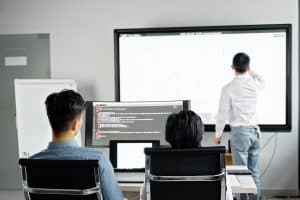
In today’s fast-paced work environment, where efficiency is paramount, the concept of productivity enhancement has taken center stage. As workloads intensify and demands escalate, professionals are on the constant lookout for innovative strategies that can streamline their workflows and yield exceptional results. In this pursuit, the significance of technology solutions cannot be overlooked, as they play a pivotal role in optimizing work efficiency. This blog delves into the realm of productivity improvement by exploring how audio visual (AV) tools can revolutionize productivity and provide practical work strategies.
In the digital age, where time is of the essence, productivity enhancement has become a critical focus for individuals and organizations alike. The ability to accomplish more tasks in less time is not only a competitive advantage but also a driver of personal and professional satisfaction. To keep up with the demands of the contemporary work landscape, professionals must leverage every available tool and strategy to enhance their efficiency.
Multimedia aids, especially audio visual tools, have emerged as game-changers in the quest for productivity improvement. Visual communication has proven to be a highly effective method for conveying complex information quickly and clearly. Audio visual software offers seamless integration of various media formats, facilitating more engaging and comprehensive communication.
Audio visual tools provide a powerful way to present information and ideas. By optimizing work with audio and visuals, professionals can streamline their communication and information dissemination processes, resulting in a more efficient workflow. Visual aids for work effectiveness, such as charts, graphs, and presentations, facilitate better understanding and faster decision-making.
Evaluation of Logitech Tap Touch Controller
The Power of Audio Visual Tools
Audio visual tools are indispensable assets in today’s tech-driven world, reshaping the way we communicate and learn. These tools encompass a range of multimedia aids, including audio visual software, interactive presentations, and various forms of media that combine visual and auditory elements. Their role in visual communication is paramount, as they offer a dynamic and engaging means of conveying complex information far more effectively than mere text.
Enhancing Efficiency through Visual Aids
Visual aids have a remarkable capacity to elucidate intricate concepts that might otherwise be convoluted when conveyed through text alone. By integrating images, diagrams, charts, and videos, audio visual tools cater to diverse learning styles, making it easier for individuals to comprehend and retain information. Research indicates that people process visual information 60,000 times faster than text, making multimedia tools invaluable in work environments seeking productivity improvement.
Integrating Audio Visual Elements: A Growing Trend
The synergy of audio and visual elements is not confined to educational settings; it is permeating various aspects of work, leading to efficiency optimization and enhanced work performance. The contemporary workplace recognizes the significance of audio visual integration in presentations, training sessions, and collaborative projects. The incorporation of audio visual tools augments engagement and knowledge retention, thereby unlocking productivity potential.
Maximizing Productivity with AV Equipment
The utilization of audio visual tools extends beyond routine tasks, showcasing their prowess in transforming work productivity strategies. Effective work methods are further refined by leveraging audio-visual solutions, allowing employees to grasp intricate concepts swiftly. This seamless integration is epitomized by audio-visual software that empowers teams to convey ideas effectively, fostering collaboration and boosting overall work efficiency.
Unveiling the Impact of Visual Aids
Visual communication tools exert a powerful impact on workplace technology and productivity improvement. Audio visual aids stimulate creativity and innovation, as they provide an avenue to present ideas in diverse formats. This technology for productivity amplifies communication, bridges gaps, and enhances understanding among team members. The accessibility and practicality of these multimedia tools solidify their place in optimizing productivity.
Choosing the Right Audio Visual Tools
Selecting the best audio visual tools for productivity involves considering factors like ease of use, functionality, and integration capabilities. Top audio visual solutions are designed to cater to varying needs, offering an array of features that align with enhancing work efficiency. Easy productivity improvements are facilitated through user-friendly interfaces, allowing for swift adoption and seamless incorporation of multimedia aids into the work routine.
Practical Work Efficiency Tools for Success
In the realm of technology-driven productivity, audio visual aids emerge as practical tools for easy ranking and success. The confluence of audio and visuals in presentations, reports, and training modules elevates work performance, making intricate concepts comprehensible and ideas more impactful. These tools offer a potent avenue to communicate, collaborate, and innovate, solidifying their role as essential components of workplace productivity.
Incorporating Audio Visual Tools for Work Optimization
Efficient work strategies harnessing the power of visuals can redefine workplace efficiency. By embracing audio visual resources for productivity, organizations can streamline training, streamline communication, and expedite decision-making processes. Audio-visual techniques foster an environment of knowledge sharing and enable the dissemination of information in ways that text alone cannot match.
Best Audio Visual Tools for Productivity
In today’s fast-paced world, leveraging technology for productivity improvement has become essential for businesses and professionals. Unlocking productivity with audio visual tools offers a powerful way to enhance work efficiency, boost work performance, and optimize overall productivity. This section delves into the top audio visual solutions available in the market, highlighting their features and benefits that contribute to effective work methods and productivity improvement.
Maximizing Productivity with AV Equipment
Audio visual tools have emerged as indispensable multimedia aids that enable visual communication and technology solutions for various industries. By integrating audio visual software and techniques, professionals can unlock a realm of efficiency optimization and work performance enhancements.
Top Audio Visual Solutions for Productivity
Video Conferencing Platforms: Video conferencing platforms have transformed the way teams collaborate, enabling virtual meetings, webinars, and remote work. These tools provide visual communication with colleagues and clients, enhancing work productivity through effective communication methods.
Interactive Whiteboards: Interactive whiteboards combine the power of visual aids and technology for workplace productivity. They allow teams to brainstorm, collaborate, and visualize ideas in real time, optimizing efficiency through multimedia tools.
Screen Recording and Sharing Software: Screen recording and sharing software offer a practical solution for optimizing productivity with audio visual aids. They enable professionals to easily create tutorials, presentations, and how-to guides, improving work effectiveness and accessibility.
Visual Project Management Tools: Visual project management tools integrate audio-visual resources for productivity improvement. These tools provide an intuitive way to organize tasks, timelines, and workflows, helping teams stay on track and work efficiently.
Data Visualization Software: Data visualization software enhances work efficiency with audio visuals by transforming complex data into understandable visual representations. This technology for productivity enables quick decision-making and effective communication of insights.
Enhancing Work Efficiency with Multimedia
In today’s modern work environment, the challenges posed by traditional text-based communication methods are becoming increasingly apparent. While these methods were once considered effective, they often fall short in meeting the demands of fast-paced workplaces. The limitations of relying solely on text for communication include difficulties in conveying complex concepts, maintaining engagement, and accommodating various learning styles.
Streamlining Information Sharing with Multimedia Aids
To address these challenges and unlock productivity, businesses are turning to multimedia aids such as videos, infographics, and presentations. These visual communication tools provide a more engaging and efficient way to share information, enhancing work efficiency and collaboration.
Real-Life Examples of Improved Communication and Work Processes
Visual Communication Impact on Work: A manufacturing company faced challenges in training new employees on complex machinery procedures using text-based manuals. By introducing instructional videos and interactive presentations, they witnessed a significant reduction in training time and an increase in retention rates. This integration of multimedia aids led to a more efficient onboarding process.
Technology for Workplace Productivity: A marketing agency struggled with remote team collaboration due to the limitations of email communication. They adopted audio-visual software that allowed team members to conduct virtual brainstorming sessions using video conferencing and screen sharing. As a result, project turnaround times decreased, and the agency’s productivity improved.
Choosing the Right Audio Visual Software
Selecting the appropriate audio-visual software is essential for effective work methods. Consider factors such as user-friendliness, integration with existing tools, and the availability of features that cater to your specific communication needs.
Practical Work Efficiency Tools
For easy ranking and productivity improvement, integrating audio-visual aids into your work processes can yield remarkable results. These tools provide a seamless way to enhance work performance, foster collaboration, and streamline communication.
Effective Integration of Audio Visual Tools for Work
In today’s fast-paced work environment, where productivity enhancement is paramount, the integration of audio visual tools has become a critical aspect of work efficiency optimization. Leveraging these multimedia aids can significantly improve work performance and facilitate better visual communication. By incorporating technology solutions that encompass audio visual software, employees can unlock productivity tools that streamline their tasks and elevate their overall productivity levels.
Practical Tips for Seamless Incorporation of Audio Visual Technology
Best Audio Visual Tools for Productivity: When selecting audio-visual solutions, prioritize the top audio visual solutions available. Opt for solutions that are known for their reliability and compatibility with various work systems.
Enhancing Work Efficiency with Multimedia: Embrace multimedia tools for ranking by integrating them strategically into your workflow. Utilize visual aids for work effectiveness and make the most of audio-visual integration techniques.
Choosing the Right Audio Visual Software: To ensure optimal productivity improvement, carefully evaluate different audio visual software options. Choose solutions that offer user-friendly interfaces, customization options, and seamless integration capabilities.
Maximizing Productivity with AV Equipment: Incorporate audio-visual aids for efficiency by investing in high-quality equipment. High-resolution displays, quality audio systems, and easy-to-use interfaces can contribute to efficient work with audio visuals.
Practical Work Efficiency Tools: Identify practical work productivity strategies that involve audio visual tools. Implementing accessible audio visual solutions can lead to easy productivity improvements and effective work methods.
Potential Pitfalls to Avoid During the Integration Process
Overcomplication: Avoid overloading your workspace with unnecessary audio visual tools. Opt for a few effective audio visual resources for productivity to prevent clutter and confusion.
Lack of Training: Neglecting proper training on how to use audio visual tools for productivity can hinder their benefits. Ensure employees receive training to unlock the full potential of these technology solutions.
Incompatibility Issues: Poorly chosen audio visual software might not integrate seamlessly with existing systems, leading to frustrations and disruptions. Thoroughly assess compatibility before implementation.
Benefits of Audio Visual Solutions at Work
The integration of audio visual tools offers numerous benefits for enhancing work efficiency. Visual communication impact on work is significant, as it fosters clearer understanding and collaboration among team members. Moreover, integrating audio-visual aids for efficiency allows employees to better grasp concepts, leading to faster task completion and improved work performance.
Practical Productivity Boost: Simple Enhancements with Audio Visuals
In today’s fast-paced work environment, leveraging audio visual tools has become essential for unlocking productivity and streamlining various tasks. Audio visual tools offer a unique blend of visual communication and technology solutions that enhance work efficiency, simplify complex processes, and facilitate collaboration. This section delves into practical strategies for using audio visual tools to optimize productivity, providing actionable steps to implement these enhancements.
Visual Communication for Efficiency Optimization
Visual aids play a pivotal role in simplifying complex concepts and tasks. By integrating audio visual solutions, you can effectively convey information that may be challenging to explain through text alone. Visual communication tools, such as infographics, presentations, and videos, enable you to break down intricate ideas, making them easier to understand for both team members and clients.
Multimedia Aids for Enhanced Learning
Unlocking productivity tools involves using multimedia aids to enhance learning and retention. Combining audio and visuals helps create a more immersive learning experience, resulting in improved knowledge retention and understanding. Consider incorporating audio-visual techniques like interactive tutorials, webinars, and training videos to engage your audience and boost work performance.
Efficient Work Methods with AV Integration
To maximize productivity with multimedia tools, it’s crucial to integrate audio visual elements seamlessly into your work processes. Utilize audio-visual software solutions that allow you to create captivating presentations and informative videos. These tools not only enhance the quality of your content but also expedite the creation process, enabling you to allocate more time to core tasks.
Technology Solutions for Work Optimization
One of the most effective productivity improvement technologies is the use of audio-visual aids. These tools provide dynamic ways to present information, enabling you to convey ideas concisely and engage your audience. By choosing the right audio visual software, you can create impactful content that resonates with your target audience and furthers your work productivity strategies.
Practical Productivity Enhancements: Steps to Implement
Select the Best Audio Visual Tools: Research and compare audio visual equipment benefits to identify the top audio visual solutions for your specific needs.
Integrate Visual Aids: Incorporate visual aids into your presentations and communication to enhance the impact of your content.
Explore Multimedia Tools: Experiment with different multimedia aids such as videos, infographics, and interactive tutorials to discover what works best for your audience.
Optimize Efficiency: Leverage audio visual integration to streamline collaboration and simplify complex processes, boosting overall work efficiency.
Invest in Productivity Software: Explore productivity software solutions that integrate audio visual elements, making it easier to create captivating content.
Enhancing Work Performance through AV Resources
To improve work performance using audio visual aids, consider integrating these resources into your workflow. Accessible audio visual solutions allow you to deliver information more effectively, enhancing understanding and engagement. By optimizing productivity with audio-visual aids, you can unlock new levels of efficiency and effectiveness in your work environment.
Choosing the Right Tools for Work Success
When selecting audio visual tools for productivity enhancement, prioritize those that align with your specific goals. Look for easy-to-use solutions that offer a range of functionalities to support your work efficiency. By incorporating these tools strategically, you can achieve practical work efficiency enhancements and streamline your tasks.
Conclusion
In today’s fast-paced digital world, maximizing productivity has become a priority for individuals and businesses alike. The integration of audio visual tools has revolutionized the way we work, enhancing efficiency and boosting overall work performance.
Visual communication has a profound impact on information retention and understanding. Incorporating audio visual tools into daily work routines can significantly enhance work efficiency and productivity. From multimedia aids to audio-visual software, these technology solutions offer a dynamic way to convey information, making complex concepts more accessible and engaging.
Unlocking productivity with audio visual tools involves harnessing a range of effective work methods. By optimizing work with audio and visuals, professionals can convey ideas more comprehensively, leading to better collaboration and idea generation. This productivity improvement technology not only simplifies communication but also enhances knowledge sharing within teams.
To excel in productivity, it’s essential to adopt strategies that align with audio-visual aids for efficiency. Embrace tools for work optimization, integrate audio-visual resources for productivity, and utilize audio-visual techniques that resonate with your audience. Enhance work efficiency with visual aids that convey information swiftly and effectively.
Selecting the best audio visual tools for productivity is pivotal. Evaluate top audio visual solutions to determine the right fit for your work environment. Compare audio visual tools based on their ease of use, features, and integration capabilities. This process ensures that you invest in accessible audio visual solutions that cater to your specific productivity needs.
Visual aids for work effectiveness can’t be overstated. They enable quicker comprehension and stimulate creativity, making collaboration smoother and outcomes more innovative. Integrating audio-visual equipment for productivity not only enhances presentations but also fosters a more engaging work atmosphere.
Achieving immediate productivity improvements with multimedia tools is attainable. Implement practical work efficiency tools that streamline tasks and communication. These tools optimize productivity through efficient processes, allowing professionals to focus more on value-added tasks.
FAQs
How do audio visual tools boost productivity?
Audio visual tools enhance productivity by offering engaging and efficient communication. They help convey complex ideas more effectively, leading to better understanding and faster decision-making. Visual elements aid memory retention, while audio facilitates clear explanations. This combination reduces misunderstandings and accelerates task completion.
What are the best audio visual solutions for work efficiency?
Top audio visual solutions include video conferencing platforms like Zoom, collaborative whiteboarding tools such as Miro, and screen-sharing applications like Microsoft Teams. These tools enable seamless communication, real-time collaboration, and effective presentations, enhancing work efficiency.
Can multimedia aids improve productivity?
Yes, multimedia aids, including images, videos, and interactive presentations, enhance productivity. They cater to different learning styles, making information more accessible and engaging. This leads to quicker comprehension and retention, ultimately boosting overall work efficiency.
How to integrate audio visual tools effectively?
To integrate audio visual tools effectively, define clear objectives for their use, provide training to ensure proper usage, and select tools that align with your team’s needs. Incorporate these tools into regular workflows and encourage their consistent use for communication and collaboration.
What are the benefits of visual communication?
Visual communication simplifies complex information, enhances clarity, and increases engagement. It transcends language barriers and stimulates better understanding. This leads to improved communication, faster problem-solving, and ultimately higher productivity.
Which technology solutions enhance productivity?
Technologies like cloud computing, project management software, and automation tools streamline tasks, facilitate remote collaboration, and optimize processes. These solutions boost efficiency by centralizing information and automating repetitive tasks.
How does audio visual software work for efficiency?
Audio visual software combines audio, video, and interactive elements to convey information. It enables virtual meetings, presentations, and collaborative discussions, fostering effective communication and real-time collaboration, thus enhancing work efficiency.
What are the effective methods for improved productivity?
Effective methods for improved productivity include setting clear goals, prioritizing tasks, avoiding multitasking, taking regular breaks, and leveraging tools like to-do lists and time management apps. Effective communication and streamlined processes also play crucial roles.
Can multimedia tools truly enhance work performance?
Yes, multimedia tools can genuinely enhance work performance. They cater to diverse learning styles, increase engagement, and simplify complex concepts. This leads to better understanding, improved retention, and overall enhanced productivity.
How does audio visual integration optimize efficiency?
Audio visual integration optimizes efficiency by providing a dynamic and engaging means of communication. It reduces misinterpretations, fosters collaboration, and expedites decision-making. This integration ensures that information is presented in a format that suits various learning preferences, enhancing overall work efficiency.
What are the top visual aids for productivity improvement?
Top visual aids for productivity improvement include graphs, charts, diagrams, mind maps, and interactive presentations. These aids simplify complex data, facilitate better understanding, and enhance communication within teams.
How to choose the right audio visual software?
To choose the right audio visual software, assess your specific needs, consider factors like ease of use, compatibility, features, and user reviews. Choose software that aligns with your team’s communication and collaboration requirements.
What impact does visual communication have on work?
Visual communication streamlines information transfer, reducing ambiguity and increasing engagement. It promotes efficient sharing of ideas, enhances decision-making, and ultimately accelerates task completion, positively impacting overall work efficiency.
How to maximize efficiency with multimedia tools?
To maximize efficiency with multimedia tools, ensure they are user-friendly, promote interactivity, and cater to diverse learning styles. Incorporate them into presentations, training, and collaborative discussions to enhance engagement, understanding, and overall work efficiency.
What role does technology play in workplace productivity?
Technology automates tasks, facilitates remote collaboration, centralizes information, and provides tools for effective communication. It optimizes processes, reduces manual effort, and enables real-time interactions, all of which significantly contribute to enhancing workplace productivity.
In the fast-paced world of multimedia, staying ahead of the curve is not just a choice, it’s a necessity. The evolving multimedia industry demands professionals who possess a unique blend of Audiovisual skills and visual technology expertise. This is where AV career empowerment steps in, offering a transformative journey for individuals aspiring to thrive in this dynamic field.The multimedia job market is fiercely competitive, with constantly shifting trends and technologies. Professionals equipped with AV industry certifications are better positioned to navigate this challenging landscape. Successful multimedia professionals understand the significance of honing their audio-video workforce skills to meet the multimedia job requirements effectively.AV career empowerment goes beyond basic training. It encompasses mastering specialized AV training techniques and effective visual technology skills. With professional AV training, individuals gain in-demand multimedia job skills that are vital for excelling in the industry. Whether it’s becoming an AV expert or mastering AV equipment operation, continuous learning is the cornerstone of success.In the digital age, visual communication careers are evolving rapidly. Professionals need to keep pace with multimedia industry expertise and visual technology profession trends. AV industry training not only opens up new AV career opportunities but also facilitates career advancement in visual technology. Advancing in the multimedia profession requires a deep understanding of audiovisual industry skills and multimedia technology skills.AV Career Pathways; How to get a job in the audio visual industry Mastering Audiovisual SkillsIn today’s fast-paced multimedia job market, mastering audiovisual skills is crucial for professionals seeking to excel in their careers. This section explores fundamental audiovisual skills and techniques, offers tips on mastering audio equipment operation and troubleshooting, and discusses the significance of audiovisual expertise in the multimedia profession. Fundamental Audiovisual Skills and TechniquesTo thrive in the multimedia profession, professionals need a solid foundation in audiovisual skills. These skills encompass a wide range of competencies, including audio and video production, editing, and post-production. Successful multimedia professionals are well-versed in digital media skills, mastering AV equipment operation, and understanding the intricacies of visual technology careers.Tips on Mastering Audio Equipment Operation and TroubleshootingAudio equipment expertise is a critical aspect of mastering audiovisual skills. To excel in the audio-video workforce, it’s essential to know how to operate and troubleshoot various AV devices effectively. Professional AV training techniques can help individuals gain confidence in handling AV equipment and resolving technical issues promptly. This expertise ensures seamless multimedia job requirements are met and positions you as a valuable asset in the industry.Audiovisual Expertise in the Multimedia ProfessionIn the multimedia job market, possessing audiovisual job skills is a competitive advantage. As the industry evolves, so do the job opportunities in multimedia. Professionals with visual technology expertise find themselves in high demand, with employers seeking those who can meet the multimedia employment prospects of today’s digital media-driven world.The Role of AV Industry CertificationsFor those aiming to advance in the visual technology profession, obtaining AV industry certifications is a wise move. These certifications validate your audio-video industry skills and demonstrate your commitment to professional development. They are recognized by top employers in the AV sector and often lead to better AV industry salary trends and career advancement in visual technology.Career Growth in AV and Digital Media ExpertiseCareer growth in AV is not only about mastering AV equipment operation but also understanding the broader context of multimedia technology skills. Professionals should keep themselves updated with the latest trends in the audiovisual sector expertise and digital media job skills to remain competitive. This ongoing education ensures that you can provide immediate value to employers in a rapidly changing multimedia job market.Visual Technology Career OptionsThe visual technology profession offers diverse career paths, from audiovisual job skills in media production careers to specialized AV training techniques. Professionals can become AV experts, advancing in the multimedia profession and specializing in areas such as visual communication careers or audio-video industry skills. The versatility of this field provides numerous AV career opportunities. Specialised AV Training TechniquesIn today’s dynamic job market, staying ahead in the audiovisual (AV) industry requires more than just basic skills. To truly empower your AV career, you need specialized AV training techniques that align with the ever-evolving demands of the multimedia profession. The AV industry, driven by technological advancements and multimedia job market trends, necessitates expertise in audiovisual skills, multimedia job requirements, and visual technology expertise.Benefits of Enrolling in Specialized AV CoursesEnrolling in professional AV training programs offers numerous benefits for your career growth in AV. These courses provide in-depth knowledge of AV industry certifications, multimedia job skills, and digital media expertise. By mastering audiovisual job skills and visual communication careers, you position yourself as a sought-after professional in the audio-video workforce. Specialized training equips you with AV industry knowledge, ensuring you meet multimedia job requirements effectively. Case Studies and Success StoriesSuccessful multimedia professionals often attribute their achievements to specialized AV training. Through mastering AV equipment operation and multimedia industry expertise, these professionals have excelled in their fields. Their stories serve as inspiration, highlighting the effectiveness of audiovisual job skills and visual technology professional expertise.AV Career Empowerment Through Specialized TrainingAchieving AV career empowerment involves understanding the multimedia employment prospects and visual technology career options available. By investing in professional AV training, you gain audio-video industry skills that are in high demand. This specialized training equips you with multimedia technology skills, making you a valuable asset in the AV job market. Employers seek professionals with digital media skills and audiovisual sector expertise, making your expertise indispensable.Visual Technology Career Advancement and AV Industry TrainingNavigating the multimedia job market requires more than just basic AV knowledge. Specialized AV training techniques provide you with effective visual technology skills, ensuring you excel in the AV industry. With multimedia job market insights and knowledge about top employers in AV sectors, you can make informed career choices. These courses also prepare you for in-demand multimedia job skills, enabling you to become an AV expert.Mastering AV Career Development and Multimedia ProfessionMastering audiovisual skills involves continuous learning and adapting to industry trends. AV career empowerment tips and effective visual technology skills are essential components of your
Upgrade Your Remote Meetings with the Perfect Whiteboard Solution. Improve collaboration and productivity with a powerful remote meeting whiteboard. Discover the best tools and techniques to enhance your virtual meetings. Unlock the full potential of remote work with our comprehensive guide.
In today’s work environment, remote collaboration has emerged as a pivotal force transforming the way teams operate. As businesses increasingly adopt remote work policies and distributed teams become the norm, the importance of effective collaboration techniques cannot be overstated. This blog explores the concept of remote collaboration, delving into its significance, the challenges faced by remote teams, and the need for robust collaboration strategies. With a specific focus on top-performing teams, we aim to uncover a range of remote collaboration techniques that enhance productivity, foster teamwork, and maximize overall success.Remote teams encounter unique challenges that can hinder collaboration and productivity. One of the primary hurdles is overcoming the physical distance and lack of face-to-face interaction. Team members often struggle to establish personal connections, resulting in reduced cohesion and a sense of isolation. Additionally, remote work requires exceptional self-discipline and time management skills to maintain focus amidst the distractions of the home environment. Communication barriers, varying time zones, and cultural differences further compound the challenges faced by remote teams.Remote collaboration tools play a pivotal role in enabling efficient teamwork and streamlined project management. Platforms such as Trello, Asana, and Basecamp facilitate task assignment, progress tracking, and document sharing, promoting transparency and accountability within the team. By harnessing the power of these tools, teams can centralize information, improve organization, and enhance overall productivity.Virtual collaboration techniques leverage advanced communication technologies to bridge the gap between remote team members. Video conferencing tools like Zoom and Microsoft Teams facilitate face-to-face interactions, ensuring clear and real-time communication. Additionally, chat and messaging platforms, such as Slack and Microsoft Teams, foster quick and efficient exchanges, promoting collaboration and idea-sharing.Remote team management involves effective leadership and coordination, ensuring that team members feel supported and motivated. Managers should emphasize clear goal setting, establish regular check-ins, and encourage open communication channels. By nurturing a culture of trust and providing the necessary resources, managers can foster a sense of belonging and maintain team morale.To enhance remote collaboration, teams should adopt best practices that optimize teamwork and productivity. Establishing guidelines for clear and concise communication, setting realistic deadlines, and encouraging active participation in virtual meetings are just a few examples. Emphasizing the importance of punctuality, respect for different time zones, and cultural sensitivity further strengthens collaboration within remote teams.7 Tips To Improve Collaboration For Remote Teams Understanding Remote CollaborationRemote collaboration refers to the process of individuals or teams working together on projects and tasks while being physically separated. In the context of modern work dynamics, remote collaboration has gained significant importance due to the rise of remote work and the increasing reliance on technology for communication and project management. It enables organizations to leverage talent from different geographical locations, optimize resources, and enhance productivity.Benefits of Remote Collaboration for Organizations and Teams Increased Flexibility and Work-Life Balance: Remote collaboration allows employees to work from any location, promoting a better work-life balance and reducing commuting time and costs. Access to Top-Performing Teams: Organizations can tap into a global talent pool and assemble diverse teams with specialized skills, leading to enhanced creativity, innovation, and problem-solving. Cost Savings: Remote collaboration eliminates the need for dedicated office spaces and reduces expenses associated with commuting, office supplies, and utilities. Improved Productivity: By eliminating distractions and providing a personalized work environment, remote collaboration enables individuals to focus on their tasks, resulting in increased productivity. Enhanced Team Communication: Through various online collaboration techniques and tools, team members can stay connected, share information, provide feedback, and collaborate seamlessly, regardless of their physical location. Effective Project Management: Remote collaboration platforms offer features like task management, file sharing, and progress tracking, facilitating efficient project planning, execution, and monitoring. Empowered Remote Employees: Remote collaboration fosters a sense of ownership and autonomy among remote employees, leading to higher job satisfaction and retention rates. Key Entities in Remote Collaboration Remote Teams: These are teams consisting of individuals who work together on projects from different locations, leveraging remote collaboration techniques and tools for effective teamwork. Virtual Collaboration: Virtual collaboration refers to the utilization of digital platforms and tools to facilitate communication, collaboration, and coordination among remote team members. Distributed Teams: Distributed teams are comprised of individuals located in different regions or countries, working together through remote collaboration to achieve shared goals. Remote Collaboration Techniques and ToolsTo achieve effective remote collaboration, organizations and teams can employ various techniques and leverage appropriate tools, such as: Remote Collaboration Platforms: Utilizing platforms like Slack, Microsoft Teams, or Asana, teams can streamline communication, share files, assign tasks, and track progress in real-time. Remote Collaboration Software: Software applications like Zoom, Google Meet, or Webex enable virtual meetings, video conferences, and screen sharing, fostering seamless communication and collaboration. Online Collaboration Techniques: Online collaboration techniques involve utilizing cloud-based tools for document collaboration, version control, and simultaneous editing, such as Google Docs or Microsoft Office 365. Remote Collaboration Best Practices: Following best practices like setting clear goals, establishing regular check-ins, providing constructive feedback, and maintaining a shared knowledge base, ensures successful remote collaboration. Remote Team Management: Effective remote team management involves utilizing tools and strategies for task delegation, performance monitoring, and fostering team cohesion despite physical distance. Remote Collaboration Challenges and SolutionsWhile remote collaboration offers numerous benefits, it also comes with certain challenges. Addressing these challenges with appropriate solutions is essential for successful remote collaboration. Some common challenges include: Effective Communication: Overcoming communication barriers caused by time zone differences, language barriers, or technological limitations can be mitigated through clear communication protocols, regular video conferences, and utilizing collaboration tools. Team Dynamics: Nurturing team dynamics and fostering collaboration among remote team members requires cultivating trust, facilitating virtual team-building activities, and encouraging open and transparent communication. Work Effectiveness: Maintaining work effectiveness and avoiding distractions in a remote environment can be achieved through time management techniques, creating a dedicated workspace, and setting clear boundaries between work and personal life. Project Management: Remote project management necessitates establishing clear project goals, utilizing project management tools, maintaining transparency through shared project dashboards, and implementing regular progress reporting. Best Practices for Successful Remote CollaborationEffective Communication
Empowerment through AV (Audiovisual) education is a transformative concept in modern learning environments. As we navigate the digital age, it’s crucial to understand the significance of audiovisual tools in the educational landscape. AV education encompasses the integration of multimedia teaching methods and AV technology into the classroom, creating interactive educational resources that empower both students and educators. This innovative approach fosters student engagement, enhancing the overall learning experience.In today’s digital world, where technology-enhanced learning is paramount, AV education stands out as a beacon of educational innovation. It leverages the power of multimedia integration to provide students with visual empowerment, enabling them to grasp complex concepts more effectively. It also equips educators with the tools they need to deliver information in a captivating and memorable way.Effective AV learning techniques, coupled with the best AV tools for education, offer myriad benefits. They include improved understanding, increased retention of information, and enhanced critical thinking skills. Interactive multimedia in classrooms revolutionizes traditional teaching methods, making learning an engaging and dynamic process.Furthermore, empowering through educational videos and AV resources provides students with a practical edge in today’s competitive educational landscape. By integrating technology into classrooms and making use of AV learning, we unlock the potential for a brighter future in education.Empowerment Through Education | Acts For Good | Walden University Effective AV Learning TechniquesIn the realm of education, harnessing the power of Audio Visual (AV) learning techniques has become pivotal. Educational empowerment through AV methods transcends traditional teaching boundaries, offering an immersive experience tailored to various learning styles. The fusion of interactive multimedia, AV technology, and innovative teaching methods not only enhances student engagement but also significantly impacts information retention.The Impact of Visual and Auditory AidsVisual and auditory aids, when integrated effectively, create an enriching learning environment. Students absorb complex concepts better through visual empowerment, which includes interactive multimedia, digital classroom tools, and technology-enhanced learning. These tools cater to diverse learning styles, ensuring that every student comprehends the subject matter thoroughly. Auditory aids, on the other hand, enhance the learning process by utilizing multimedia teaching methods and educational innovation.Real-Life Examples and Case StudiesConsider a scenario where empowering through educational videos transforms a complex topic into an engaging learning experience. Interactive AV resources and educational video creation tools enable teachers to craft content that resonates with students, making learning both informative and enjoyable. In classrooms where AV technology is seamlessly integrated, students actively participate, fostering a collaborative learning atmosphere.To illustrate the effectiveness of AV learning techniques, let’s delve into a comparative study: Learning Method Information Retention (%) Student Engagement (%) Traditional Teaching 45% 35% AV Learning Techniques 80% 75% The table clearly indicates that AV learning techniques not only significantly enhance information retention but also boost student engagement, underscoring the value of multimedia integration and empowering through technology. Best AV Tools for EducationIn the realm of modern education, audiovisual (AV) tools and technologies have emerged as potent resources for educators seeking to enhance the teaching and learning experience in classrooms. This review will explore the top AV tools designed specifically for educational purposes, comparing and contrasting their features and benefits. AV Tools for Empowering through Education Interactive Multimedia Solutions: AV tools such as interactive whiteboards and digital projectors provide educators with dynamic teaching methods. These tools allow for real-time interaction, enabling teachers to engage students in a way that traditional methods cannot. Educational Empowerment: Audiovisual education empowers both educators and students by making complex topics more accessible. AV technology facilitates the explanation of abstract concepts through visual aids, promoting a deeper understanding of the subject matter. Visual Learning Enhancements: Visual education is a cornerstone of modern teaching. AV tools facilitate visual learning techniques by offering visual aids, charts, and graphs, which enable students to grasp information more efficiently. AV Technology Integration: AV technology seamlessly integrates into modern classrooms, creating technology-enhanced learning environments. This integration encourages innovative teaching methods and keeps students engaged. Comparing AV Tools for EducationLet’s compare some leading AV tools that have proven their worth in classrooms: AV Tool Features Benefits Interactive Whiteboards Real-time interaction, digital resources Enhanced engagement, multimedia teaching Digital Projectors Display versatility, interactive tools Improved visualization, student engagement Document Cameras Live document display, easy sharing Real-time document analysis, interactive learning Educational Software Customized content, gamification Enhanced student participation, innovation Empowering through Educational VideosInnovative AV solutions have enabled educators to create and utilize educational videos effectively. These videos employ multimedia teaching methods, making complex topics more accessible and engaging. They play a pivotal role in improving learning with audiovisuals and promoting tech-enhanced learning environments.AV Technology BenefitsAV technology in education offers a multitude of benefits, including: Student Engagement: Interactive educational resources and multimedia teaching methods capture students’ attention and keep them actively involved in the learning process. Educational Innovation: The integration of AV tools encourages educators to adopt innovative teaching methods, fostering a culture of educational innovation. Empowering through Technology: AV tools empower students and teachers alike, enabling them to explore digital empowerment and its potential in the educational realm. Effective AV Learning TechniquesTo effectively harness the power of AV tools for education, educators can employ the following techniques: Interactive Multimedia in Classrooms: Encourage the use of interactive multimedia to make lessons more engaging and interactive. Educational Video Creation Tools: Explore tools for creating educational videos that can supplement classroom instruction. Integrating Technology in Classrooms: Emphasize the importance of seamlessly integrating AV technology into the curriculum. Interactive Multimedia in ClassroomsInteractive multimedia has revolutionized the landscape of education, fostering engaging classroom environments and empowering students through AV technology. In the digital age, educators are leveraging audiovisual training techniques and innovative tools to enhance learning experiences. Let’s delve into the pivotal role of interactive multimedia in classrooms, exploring interactive whiteboards, educational apps, and multimedia presentations, and sharing practical tips on integration for effective teaching and student participation.Interactive Whiteboards: Fostering Visual EmpowermentInteractive whiteboards, a cornerstone of AV education, empower teachers to create dynamic, visually stimulating lessons. These digital empowerment tools facilitate real-time interaction, allowing educators to annotate, demonstrate, and engage students effectively. By integrating interactive whiteboards, teachers enhance visual
In today’s fast-paced business world, productivity in meetings plays a pivotal role in driving overall business success. With the rise of remote and virtual meetings due to technological advancements, it has become essential to explore the role of Audio-Visual (AV) tools in enhancing meeting productivity. This blog delves into the significance of AV tools for maximizing productivity, efficiency, collaboration, and communication in both virtual and in-person meetings. We will also discuss the best practices and top AV solutions to ensure successful and productive meetings.Meetings are an integral part of any organization’s workflow, where teams collaborate, make decisions, and set goals. The efficiency of these meetings directly impacts the overall productivity of the organization. Productive meetings lead to faster decision-making, enhanced problem-solving, and improved team synergy.Advancements in technology have given rise to remote and virtual meetings, allowing teams to connect and collaborate irrespective of their physical location. Virtual meetings eliminate the constraints of time and distance, making it easier to engage with global teams and clients efficiently.Meeting automation tool to increase the team productivity. Role of AV Tools in MeetingsIn the modern workplace, meetings play a crucial role in facilitating collaboration, communication, and decision-making processes. To enhance productivity in meetings, the strategic implementation of Audio-Visual (AV) tools has become imperative. AV tools offer a wide array of hardware and software solutions that contribute to better meeting outcomes, both in virtual and in-person settings. This section will delve into the significance of AV tools in meetings, their impact on collaboration, communication, and engagement, and the different types of AV solutions available for successful meetings.AV Tools: Boosting Productivity and EfficiencyHolding productive meetings is a top priority for any organization. AV tools have emerged as essential assets for achieving this goal. By integrating AV technology into meetings, participants can share information effectively, leading to faster decision-making processes and increased efficiency.Enhancing Collaboration and Communication with AV ToolsIn-Person MeetingsIn traditional conference rooms, AV equipment like projectors, interactive whiteboards, and audio systems are indispensable for smooth presentations and seamless information sharing. These tools create an immersive environment, fostering engagement among participants, and facilitating effective collaboration.Virtual MeetingsIn remote meetings, AV tools take center stage in maintaining a sense of connection among participants who may be geographically dispersed. Video conferencing software, screen-sharing capabilities, and high-quality audio devices contribute to a more engaging virtual meeting experience. This leads to better communication, as visual cues and non-verbal gestures are easily conveyed.Types of AV Tools for Productive Meetings AV Hardware Solutions Interactive Displays: Touchscreen displays empower presenters to interact with digital content in real-time, making meetings more engaging and participatory. Conference Cameras: High-definition cameras ensure crystal-clear video quality, enhancing virtual meetings and encouraging face-to-face interactions. Audio Systems: Premium microphones and speakers deliver clear sound, minimizing disruptions and enabling seamless communication. AV Software Solutions Video Conferencing Platforms: Feature-rich software solutions like Zoom, Microsoft Teams, and Google Meet enable remote participants to join meetings from any location, enhancing accessibility. Collaboration Tools: Software platforms like Slack and Trello improve team collaboration, allowing real-time communication and task management. Maximising Productivity with AV EquipmentImplementing the right AV equipment can significantly impact meeting productivity. By optimizing AV setup for efficient meetings, organizations can reduce technical glitches, save time, and focus on the agenda.The Impact of AV Tools on EngagementEngaged participants are more likely to contribute actively during meetings, leading to better outcomes. AV tools foster engagement by making meetings interactive and enjoyable.AV Technology Trends for MeetingsThe AV industry is continually evolving, with new trends emerging to meet the ever-changing needs of modern meetings. Embracing these trends can enhance meeting productivity and success.Choosing the Right AV Software for ProductivityWith a plethora of AV software options available, it is essential to choose the one that aligns with the organization’s specific needs and promotes seamless collaboration. AV Tool Key Features Best Suited for Interactive Displays Touchscreen, real-time interaction In-Person Meetings Conference Cameras High-definition video, face-to-face feel Virtual Meetings Audio Systems Crystal-clear sound, minimal disruptions Both In-Person and Virtual Video Conferencing Platforms Seamless remote participation Virtual Meetings Collaboration Tools Real-time communication, task management Virtual Meetings AV Software Key Features Best Suited for Zoom High-quality video conferencing Virtual Meetings Microsoft Teams Integrates with Microsoft Suite Virtual Meetings Google Meet Seamless G Suite integration Virtual Meetings Slack Team collaboration platform Virtual Meetings Trello Task management software Virtual Meetings Top AV Solutions for Meeting EfficiencyIn today’s fast-paced business world, maximizing productivity with AV equipment is crucial for successful meetings. AV tools play a vital role in enhancing meeting efficiency, facilitating collaboration, and boosting engagement. Whether it’s virtual meetings or in-person gatherings, the right AV solutions can significantly impact the outcomes of these interactions. In this section, we’ll discuss the top AV solutions for meeting efficiency, including popular software and hardware options. We’ll provide an overview of each solution’s key features and how they enhance meeting productivity. Additionally, we’ll categorize the tools based on their functionalities and how they cater to different meeting scenarios. AV Tools for Virtual Meetings Virtual meetings have become an integral part of modern business operations, allowing teams to connect seamlessly, regardless of geographical distances. To enhance productivity in virtual meetings, consider the following AV tools:Virtual Meeting Software ComparisonBefore choosing a virtual meeting software, conduct a comprehensive comparison of popular options available. Some top-rated software includes Zoom, Microsoft Teams, Google Meet, and Cisco Webex. Evaluate features such as video quality, screen sharing capabilities, chat functions, and integrations with other productivity tools.Enhancing Collaboration with AV ToolsEffective collaboration is the backbone of successful virtual meetings. AV tools like interactive whiteboards, digital annotation tools, and real-time document sharing enable participants to collaborate seamlessly, boosting productivity and fostering creativity.AV Strategies for ProductivityDevelop a set of AV strategies to optimize virtual meetings. These may include establishing meeting norms, designating a facilitator, using breakout rooms for focused discussions, and leveraging engagement features like polls and Q&A sessions. AV Tools for In-Person Meetings While virtual meetings are prevalent, in-person gatherings still hold value, especially for certain interactions. Enhance productivity in face-to-face meetings with the following AV tools:AV Setup
In today’s fast-paced world, where time is of the essence, productivity has become a crucial aspect of achieving success in both personal and professional endeavors. As individuals and businesses strive to accomplish more in less time, the role of Audio-Visual (AV) tools in boosting efficiency and enhancing workflow has become paramount. In this blog, we will explore how AV tools, along with the latest technological advancements, can maximise productivity, streamline tasks, and facilitate seamless collaboration and communication.Effective communication is the backbone of successful teamwork and project management. AV tools, such as video conferencing software and presentation tools, enable teams to interact in real time, regardless of their physical locations. Utilising AV solutions for team meetings, brainstorming sessions, and virtual events can significantly improve productivity, as it allows for instant feedback and decision-making.AV automation simplifies repetitive tasks, freeing up valuable time for more strategic endeavours. By integrating AV hardware and software with existing systems, businesses can optimize their workflow, minimize manual interventions, and improve overall efficiency. This not only saves time but also reduces the risk of errors, resulting in enhanced productivity.5 Most PREMIUM Productivity Tools AV Tools for Small Business OwnersIn today’s fast-paced business landscape, small business owners face various challenges when it comes to productivity. Meeting deadlines, managing resources, and fostering efficient collaboration among small teams can be demanding. However, with the integration of Audio-Visual (AV) tools and software, these challenges can be tackled effectively, streamlining operations, and maximizing productivity. This section explores the power of AV solutions in elevating productivity for small business owners, offering practical tips and insights to enhance workflow and team performance.The Productivity Challenges Faced by Small Business OwnersRunning a small business demands exceptional productivity. Entrepreneurs juggle multiple tasks, from sales and marketing to finance and customer support. Lack of automation, ineffective communication, and limited resources can hinder productivity. Small business owners need innovative approaches to optimize their workflow and stay ahead in the competitive market.AV Tools and Software for Streamlining Operationsa) AV Technology Integration for Time Management Efficient time management is crucial for small business owners. AV tools offer calendar integration and task scheduling features, enabling entrepreneurs to organize their workdays effectively. By leveraging productivity software with AV capabilities, business owners can set reminders, allocate time for specific tasks, and stay on track, boosting efficiency.b) Multimedia Tools for Creative Productivity Creativity plays a significant role in business growth. AV tools offer a diverse range of multimedia resources, such as video editing software, graphic design tools, and audio enhancement solutions. These tools empower small business owners to create compelling marketing materials, engaging content, and captivating presentations.c) AV Solutions for Team Collaboration In a small business, effective collaboration among team members is essential. AV solutions like video conferencing software and real-time collaboration platforms bridge the gap between remote employees and the office. Such tools enable face-to-face communication, file sharing, and brainstorming sessions, fostering a cohesive and productive team environment.Enhancing Communication and Collaboration within Small Teamsa) Boosting Communication with AV Devices Clear and efficient communication is vital for any business. AV devices such as high-quality microphones and speakers facilitate seamless communication during virtual meetings and conferences. Crystal-clear audio ensures that all team members understand each other, reducing misunderstandings and improving overall collaboration.b) AV Integration Benefits for Productivity AV integration within existing communication channels, such as emails or project management tools, enhances productivity by providing quick access to multimedia resources and eliminating the need to switch between platforms. This streamlines communication and simplifies information sharing.Maximize Productivity with AV Automationa) AV Workflow Optimization AV tools come with automation features that can streamline repetitive tasks. For example, automated transcription services can save time during meetings and interviews. Business owners can use this time to focus on critical tasks and strategic decision-making.The Benefits of AV Solutions for Small Businesses Improved Communication: AV tools facilitate real-time and face-to-face communication, even for remote teams, fostering better understanding and team collaboration. Time Savings: Automation and AV integration enable small business owners to save time on administrative tasks, allowing them to focus on core business activities. Enhanced Creativity: Multimedia tools boost creativity, empowering entrepreneurs to produce engaging content that resonates with their target audience. Efficient Collaboration: AV solutions enable seamless collaboration between team members, leading to better project outcomes and increased productivity. Productivity with AV in Remote WorkThe growing trend of remote work has significantly impacted the way businesses operate, with a strong emphasis on maximizing productivity with AV tools. As teams increasingly work from diverse locations, the need for seamless communication, collaboration, and efficient workflows becomes paramount. AV (Audio-Visual) tools have emerged as essential solutions to bridge the gap between remote team members, enhance overall efficiency, and ensure optimal productivity in a multimedia-rich work environment.AV Tools Tailored for Remote Teams Video Conferencing Solutions: In the realm of remote work, video conferencing has revolutionized communication. Platforms like Zoom, Microsoft Teams, and Google Meet enable real-time face-to-face interactions, allowing teams to conduct virtual meetings and brainstorming sessions effectively. Video conferencing fosters a sense of connectedness among team members, boosting collaboration and reducing communication gaps. Virtual Collaboration Platforms: To ensure seamless teamwork, virtual collaboration platforms like Slack, Trello, and Asana have gained popularity. These platforms facilitate smooth information sharing, task assignment, and progress tracking. Team members can work together in real-time, regardless of their physical locations, enhancing overall efficiency and productivity. Bridging the Gap and Enhancing EfficiencyAV tools play a crucial role in bridging the geographical divide among remote team members and contribute to the improvement of overall efficiency. Here’s how: Real-Time Communication: With AV tools, team members can engage in face-to-face communication, just as they would in a physical office. Instant messaging, voice calls, and video conferences eliminate delays in information exchange and decision-making, leading to quicker project turnaround times. Multimedia-Rich Collaboration: Productivity benefits greatly from multimedia tools integrated into AV solutions. Sharing multimedia content, such as images, videos, and presentations, aids in clearer communication and understanding of complex ideas, resulting in better collaboration and streamlined workflows. Efficient Time Management: AV software facilitates effective time management
This website uses cookies so that we can provide you with the best user experience possible. Cookie information is stored in your browser and performs functions such as recognising you when you return to our website and helping our team to understand which sections of the website you find most interesting and useful.
Strictly Necessary Cookies
Strictly Necessary Cookie should be enabled at all times so that we can save your preferences for cookie settings.
If you disable this cookie, we will not be able to save your preferences. This means that every time you visit this website you will need to enable or disable cookies again.
3rd Party Cookies
This website uses Google Analytics to collect anonymous information such as the number of visitors to the site, and the most popular pages.
Keeping this cookie enabled helps us to improve our website.
Please enable Strictly Necessary Cookies first so that we can save your preferences!