Excellent
Next day delivery! Depending on Availability*
Here to help! Monday to Friday, 8:30AM-5:30PM*

The Future of Audio-Visual Technology in Meeting Rooms

Audio visual technology in meeting rooms

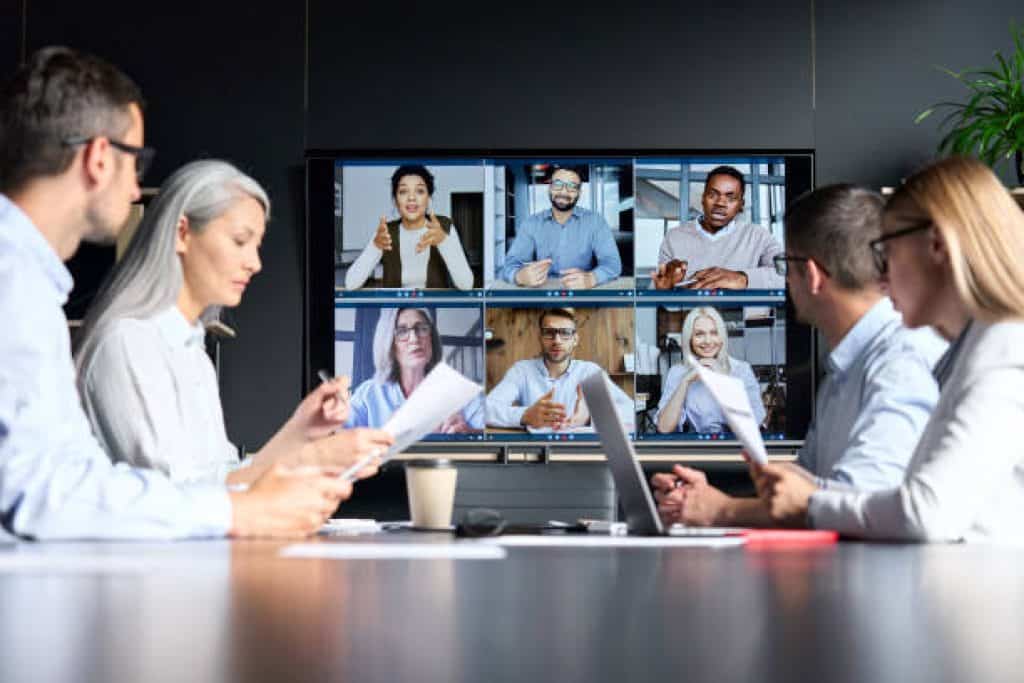
In today’s fast-paced business environment, the importance of audio-visual technology in meeting rooms cannot be overstated. Audio-visual technology is essential for businesses seeking to communicate effectively and efficiently in a meeting setting. Meeting rooms equipped with state-of-the-art audio-visual equipment enable businesses to conduct meetings remotely, share presentations, and collaborate with colleagues in real time.

In the future, the importance of AV technology in meeting rooms will only continue to grow. With advancements in technology, the possibilities for communication and collaboration are endless. Meetings and presentations can be more interactive and engaging than ever before and using augmented and virtual reality will allow for even more immersive experiences. Emerging technology such as AI, AR & VR, interactive displays, voice-activated assistants, and wireless presentation systems are set to revolutionise the industry’s future. By equipping meeting rooms with the right equipment and systems, businesses can ensure that their meetings are efficient, collaborative, and productive.

Furthermore, AV technology can be integrated with artificial intelligence, enabling meeting room systems to learn from user behaviour and preferences, making meetings and presentations more efficient and personalised. By investing in the latest audio-visual technology solutions, businesses can create a professional and engaging environment that enhances communication, collaboration, and productivity.

Current state of audio-visual technology in meeting rooms

Audio-visual technology in meeting rooms has been a game changer in modern business. With advancements in digital technology, modern meeting rooms are equipped with state-of-the-art audio and visual equipment that enables seamless communication and collaboration. Using audio-visual technology in meeting rooms facilitates effective communication and decision-making. Organisations worldwide invest in the latest AV equipment to ensure seamless collaboration, communication, and presentation in their conference rooms.

The adoption of this technology has revolutionised the way people conduct meetings and presentations and collaborate with others. However, like any other technology, some advantages and disadvantages come with it.

Pros:

  1. Better communication: Audio-visual technology provides better communication among meeting participants. With video conferencing and teleconferencing technology, participants can easily communicate with each other, even when they are not physically present in the same location.
  2. Improved collaboration: Audio-visual technology makes it easier for people to collaborate. Participants can easily share ideas and work on projects with wireless presentation and touch panel control systems.
  3. Enhanced presentations: Audio-visual technology can significantly improve the quality of presentations. Projectors, displays, and digital signage solutions can display high-quality graphics and videos, making presentations more engaging and memorable.
  4. Increased productivity: With the right audio-visual equipment, meetings can be conducted more efficiently, saving time and increasing productivity.

Cons:

  1. Technical difficulties: Audio-visual technology can be complex, and technical difficulties can arise during meetings. This can lead to frustration and wasted time.
  2. Cost: Implementing audio-visual technology can be expensive, especially for small businesses or organisations with limited budgets.
  3. Maintenance: Audio-visual equipment requires regular maintenance to ensure it is functioning properly. This can be time-consuming and costly.
  4. Integration issues: Integrating audio-visual equipment with existing systems can be challenging. With proper integration, the technology may work as intended.

Common Audio-Visual Technology Used In Meeting Rooms

Some audio-visual equipment commonly used in modern meeting rooms include displays, sound systems, interactive whiteboards, and video conferencing. These systems allow for the smooth presentation of ideas, sharing of information and video conferencing with remote participants.

  • Display Screens are a popular audio-visual tool used in meeting rooms. They display presentations, videos, and other digital content on a large screen or wall. Display screens can be connected to a laptop or other devices, making sharing information with other attendees easy.
  • Interactive whiteboards are another useful audio-visual technology used in meeting rooms. They allow meeting participants to interact with digital content in real-time using a touch screen or stylus. This technology allows for more engaging presentations and collaborative brainstorming sessions.
  • Video conferencing systems have also become increasingly popular in meeting rooms. They allow remote participants to join meetings, regardless of location. Video conferencing provides clear audio and video, enabling participants to communicate effectively and collaborate seamlessly.
  • Audio systems are another essential audio-visual tool used in meeting rooms. They provide high-quality sound for presentations, video conferencing, and other audio content. Good quality audio ensures that all meeting participants can hear and participate effectively.

Future trends in audio-visual technology in meeting rooms

Audio-visual technology has become an indispensable tool for modern meetings, and its importance is only set to grow. Nowadays, meeting rooms are equipped with the latest audio-visual technology to enhance collaboration, communication and productivity. AV technology in meeting rooms includes solutions for digital signage, teleconferencing, video conferencing, wireless presentation systems, touch panel control systems, and AV integration for meeting rooms. These solutions offer convenience and flexibility, allowing participants to connect and collaborate seamlessly.

One of the major advancements in audio-visual technology in meeting rooms is integrating automation and using unified communication systems. This allows for the easy control and management of various devices and equipment in the meeting room, enabling the user to focus on the task rather than dealing with technical issues. As well as combine audio, video and web conferencing technologies to offer seamless communication solutions for meeting rooms.

Advantages And Disadvantages Of Emerging Technology

Audio-visual technology in meeting rooms has come a long way since its inception and has transformed how businesses conduct meetings and presentations.  This technology enhances collaboration and communication, providing several advantages for organisations.

  • Improved communication: With the ability to connect with team members and clients remotely, businesses can save time and reduce travel costs. Teleconferencing, web conferencing, and video conferencing solutions enable real-time collaboration, making it easier to exchange ideas and information across different locations.
  • Streamline presentations: Another advantage of audio-visual technology in meeting rooms is the ability to streamline presentations. Wireless presentation systems, touch panels, and control systems seamlessly integrate different devices and applications. This integration improves productivity by eliminating the need for manual setup and configuration of equipment.
  • Immersive content display: Digital signage solutions and projectors also effectively display information in meeting rooms. Businesses can showcase products, services, and relevant content to attendees, creating an immersive and engaging experience.
  • High-quality sound and video: The sound and video quality of audio-visual technology in meeting rooms is superior, ensuring that attendees can hear and see presentations. This quality helps to maintain audience attention and engagement, improving overall communication effectiveness.

However it is important to acknowledge the potential downsides of AV technologies as well.

  • Budget: One of the main disadvantages of audio-visual technology in meeting rooms is the cost of equipment and installation. AV equipment, such as displays, sound systems, and digital displays, can be expensive to purchase and maintain. Additionally, the installation process can be complicated and time-consuming, disrupting regular business operations.
  • Technical issues: Even with the most advanced equipment and systems, technical glitches and malfunctions are always risky. This can frustrate meeting attendees and may lead to delays or cancellations.
  • Distraction: Using audio-visual technology in meeting rooms may lead to distractions during presentations. Attendees may become more focused on the technology and less on the presentation’s content, which can hinder the effectiveness of the meeting.
  • Security: There are potential security concerns with audio-visual technology in meeting rooms. Wireless systems and teleconferencing technology can be vulnerable to hacking and cyber attacks, which can compromise sensitive information and data.

Emerging Audio-Visual Technology In Meeting Rooms

As technology continues to advance, so do meeting rooms. Upcoming audio-visual technology in meeting rooms includes

  • AI or artificial intelligence has been rapidly integrated into various industries, including the audio-visual industry. AI provides intelligent automation and control systems in meeting rooms, making meetings more efficient. AR or augmented reality and VR or virtual reality technologies are also emerging in the audio-visual industry, enabling remote attendees to feel like they are in the same room with other participants. This technology is great for remote employees or clients who cannot physically attend a meeting but still need to be involved.
  • Interactive displays have become a standard feature in many modern meeting rooms. These displays are designed to engage participants and increase collaboration. The displays allow participants to share information quickly and efficiently. They can be used to display presentations, brainstorming sessions, and interactive touchscreens for annotation and whiteboarding.
  • Voice-activated assistants have also become popular in meeting rooms. They enable hands-free control over meeting room technology and can be integrated with other technologies like projectors, sound systems, and video conferencing equipment. Wireless presentation systems have also become popular in modern meeting rooms. They enable participants to share content easily from their own devices, eliminating the need for wires and cables.
  • Touch panel control systems enable easy control over meeting room equipment, making it easier for participants to focus on the meeting instead of figuring out how to use the technology. Collaboration is essential in meetings; unified communications and tools can help teams work together effectively. Teleconferencing, web conferencing, and video conferencing solutions allow remote participants to join meetings from anywhere, making meetings more accessible and inclusive. 

To make the most of these upcoming technologies, businesses must ensure that their meeting rooms have the right equipment and systems. The AV equipment for meeting rooms should be selected based on the business’s specific needs. This equipment includes projectors, sound systems, and video conferencing equipment. Digital signage solutions can also be integrated into meeting rooms to display relevant information or provide wayfinding. By equipping meeting rooms with the right equipment and systems, businesses can ensure that their meetings are efficient, collaborative, and productive.

Impacts of audio-visual technology on meeting rooms

Implementing audio-visual technology in meeting rooms can present various challenges, such as:

  1. Compatibility Issues: When implementing audio-visual technology in meeting rooms, one major challenge is the compatibility of equipment and systems. Different equipment, such as projectors, sound systems, and displays, may have varying compatibility requirements, making integrating them into a cohesive system difficult. The solution to this challenge is to ensure that all equipment and systems are compatible before implementing them in the meeting room.
  2. Complexity: Another challenge is the complexity of the technology itself. The equipment and systems used for audio-visual technology in meeting rooms can be sophisticated, requiring skilled professionals to install and maintain them. This can pose a problem for smaller businesses or those with limited resources. One solution is to outsource the installation and maintenance of the equipment to professional audio-visual service providers who specialise in setting up and maintaining such systems.
  3. User adoption: Some employees may need to become more familiar with the technology or resist change. This can result in frustration and difficulty using the equipment, decreasing productivity. One possible solution is to provide training sessions to all employees to ensure they are familiar with the technology and how to use it effectively.
  4. Cost: The equipment and systems used can be expensive, and smaller businesses or those with limited budgets may need more money to invest in such technology. One solution to this challenge is to explore alternative options, such as wireless presentation systems, digital signage solutions, and web conferencing technology, which may be more cost-effective and still provide the necessary functionality.

However, these challenges can be overcome with careful planning, research, and the right solutions, leading to a more efficient and productive meeting experience.

How Audio-Visual Technology Affects Meeting Productivity And Communication?

Audio-visual technology in meeting rooms has transformed how meetings are conducted, increasing productivity and improving communication among team members. With technological advancement, audio-visual equipment has become an essential tool for businesses to communicate and collaborate effectively, making meetings more productive and engaging. Modern meeting room technologies enable teams to collaborate remotely, share information, and make decisions quickly without leaving their desks.

One of the most important aspects of audio-visual technology in meeting rooms is the ability to display high-quality visuals on large screens, enabling teams to present their ideas and thoughts. This technology is particularly useful during presentations, where teams can showcase their work to stakeholders and decision-makers, making getting buy-in and approval for projects easier.

In addition, audio-visual technology in meeting rooms enables teams to collaborate more effectively. With the integration of teleconferencing and web conferencing solutions, team members can connect remotely, making it easier to work together, regardless of their physical location. This technology has become particularly important in the current global climate, where remote working has become the norm.

However, integrating the latest audio-visual equipment allows teams to communicate and collaborate more effectively, improving productivity and decision-making. As businesses adopt new technologies, audio-visual technology in meeting rooms will continue to play a critical role in the success of meetings and the business’s overall success.

Implementing audio-visual technology in meeting rooms

When selecting audio-visual technology for meeting rooms, businesses should keep several key considerations in mind. The right technology can improve communication, collaboration, and productivity during meetings, while the wrong technology can create frustration and hinder progress. Some key factors to consider when selecting audio-visual technology for meeting rooms are.

  1. It’s important to understand the specific needs of your organisation. Consider the types of meetings that typically take place in your meeting rooms and the goals of those meetings. Do you need to accommodate large groups or small teams? Will you be presenting complex data or simply discussing ideas? Understanding your needs will help you select the right equipment and systems to support your meetings.
  2. Regarding equipment, there are a few key pieces to consider. Displays, projectors, and screens are all essential for sharing information and presentations with meeting attendees. Sound systems are also important for ensuring that everyone can hear what’s being said, while digital signage can be useful for displaying information or wayfinding in larger meeting spaces.
  3. Collaboration is another important consideration. Wireless presentation systems, touch panels, and control systems can facilitate meeting collaboration. Integration with other technology solutions, such as unified communications and web conferencing, can further enhance collaboration and productivity.
  4. Of course, budget is always a consideration when selecting technology for meeting rooms. It’s important to balance the features and capabilities of different systems with the budget available to your organisation. In some cases, it may be worth investing more in high-quality equipment that will provide long-term benefits. In contrast, a simpler, more affordable solution may be sufficient in other cases.
  5. When selecting audio-visual technology for meeting rooms, it’s also important to consider ease of use. Systems should be intuitive and user-friendly, allowing meeting attendees to quickly and easily access the needed features without confusion or frustration.
  6. It’s worth considering the future of your organisation and the technology landscape. As technology evolves, selecting solutions that can adapt and grow within your organisation is important. Upgradable systems and solutions with built-in automation can help future-proof your meeting rooms and ensure that your investment will continue to provide value over time.

Thus, selecting the right audio-visual technology for meeting rooms can create an environment that supports communication, collaboration, and productivity.

Tips For Ensuring Audio-Visual Technology Is Effective In Meeting Rooms

  • Firstly, determine the meeting room’s size and layout to select the right AV system. Consider the room’s lighting, seating arrangement, and the distance between the attendees and the display or projection screen. 
  • Ensure the AV equipment is compatible with devices and software, including laptops, smartphones, and tablets, to facilitate smooth presentations.
  • Invest in high-quality AV equipment that is easy to operate and install, with simple and user-friendly interfaces. 
  • Wireless presentation systems are also useful for modern meeting rooms, as they eliminate the need for tangled cables and messy wires.
  • Unified communications and automation can also improve efficiency and productivity during meetings.
  • Seek professional AV integration services to ensure the AV equipment is installed and configured correctly. Regular maintenance and upgrades can also ensure that the AV technology in the meeting rooms remains effective and up-to-date.

Picture of Meeting Store

Meeting Store

Table of Contents

Audio visual technology for efficient presentations
productivity

Transform and Lead: Audio Visual Technology for Efficient Presentations

In today’s fast-paced world, audiovisual (AV) technology has become an indispensable tool for delivering efficient and impactful presentations. This article explores the importance of AV technology in modern presentations, its impact on audience engagement and communication success. We will also delve into a wide range of topics, from cost-effective solutions to advanced multimedia options, catering to various presentation needs.AV technology enables presenters to go beyond traditional text-based presentations. Interactive displays and visual aids create an immersive experience for the audience, increasing engagement and comprehension.Incorporating multimedia elements such as images, videos, and animations can effectively convey complex information and captivate the audience’s attention, ensuring a smooth flow of ideas.High-quality audio systems ensure clear and crisp sound, eliminating communication barriers, while cutting-edge presentation devices add a touch of professionalism to the overall presentation.Implementing AV technology doesn’t have to break the bank. Many cost-effective solutions are available, making it accessible to businesses of all sizes.BenQ Meeting Room Projector | Easily use a projector for the first time  The Evolution of Audio Visual Technology in PresentationsAudio visual technology has undergone remarkable advancements over the years, transforming traditional presentations into interactive and dynamic experiences. This evolution has significantly enhanced communication and engagement, making presentations more efficient and effective in conveying information. In this section, we will explore the historical development of audiovisual technology in presentation settings, discuss its significance in modern communication, and highlight the various tools and solutions that maximize productivity with AV equipment.Historical Development of Audiovisual Technology in Presentation SettingsThe Early Days of Visual CommunicationThe roots of audiovisual technology in presentations can be traced back to the early 19th century when visual aids like charts, graphs, and illustrations were used to support oral presentations. However, it wasn’t until the 20th century that significant advancements were made with the introduction of overhead projectors and slide projectors. These tools revolutionized presentations by enabling speakers to display visual content to large audiences.The Advent of Audio in PresentationsWith the advent of audio technology, presentations took a leap forward in the 1920s when the first sound systems were incorporated into presentations. This innovation allowed presenters to add voiceovers, music, and sound effects to their visuals, further enhancing the audience’s engagement and comprehension.The Digital RevolutionThe digital era brought about a profound transformation in audiovisual technology. In the 1980s, digital projectors replaced traditional slide projectors, enabling presenters to display high-quality images and videos effortlessly. Additionally, presentation software, such as PowerPoint, emerged, providing a user-friendly platform for creating multimedia presentations.Advancements Transforming Traditional PresentationsInteractive Displays and Multimedia SolutionsInteractive displays have ushered in a new era of audience participation. These advanced presentation devices allow presenters to engage their audience by enabling touch-screen interactions, real-time annotations, and collaborative activities. Moreover, multimedia solutions integrate various forms of content, such as video, audio, graphics, and text, into a seamless and engaging presentation.Smart Presentation TechnologyThe integration of smart technology has revolutionized the way presentations are conducted. Smart presentation technology allows presenters to control visuals, audio, and other elements remotely, streamlining the presentation process and enhancing the overall experience for both presenters and audiences.Presentation Automation and AV IntegrationAutomation has further improved presentation efficiency by allowing presenters to schedule and execute tasks automatically. Furthermore, audiovisual integration has enabled seamless connectivity between various presentation tools and devices, reducing setup time and ensuring smooth presentations.Audiovisual Technology in Modern CommunicationAudiovisual technology plays a pivotal role in modern communication, offering numerous benefits to presenters and audiences alike. Its significance can be summarized as follows: Enhanced Engagement: The integration of audio, visuals, and interactive elements keeps audiences engaged and attentive, leading to better retention of information. Clear Communication: Visual aids and audio systems help presenters convey complex ideas more effectively, ensuring that the message is understood clearly. Versatility: From conference room solutions to remote presentations, audiovisual technology adapts to various settings and caters to different presentation needs. Professionalism: The use of modern presentation tools reflects professionalism and competence, leaving a positive impression on the audience. Efficiency: AV technology streamlines the presentation process, saving time and effort for both presenters and attendees. Maximising Productivity with AV EquipmentTo maximize productivity with AV equipment, presenters must utilize the latest audiovisual tools and solutions. By incorporating interactive displays, presentation software, and smart technology, presenters can create captivating and efficient presentations that leave a lasting impact on their audience.  Best Presentation Software for Remote TeamsIn today’s remote work environment, efficient collaboration is crucial for the success of teams. Presentation software plays a significant role in enabling seamless communication and engagement among remote team members. This section explores top-rated presentation software that enhances collaboration for remote teams, focusing on audiovisual technology for efficient presentations.Cloud-Based Solutions for Collaborative PresentationsCloud-based presentation software offers remote teams the advantage of real-time collaboration, allowing multiple team members to work on presentations simultaneously. With features like live editing, comments, and version control, teams can collaborate seamlessly and efficiently. By leveraging modern presentation tools, remote teams can enhance productivity and streamline their workflows.Real-Time Editing and Virtual Meeting IntegrationEfficient presentations require the ability to edit and update content in real time, especially when team members are geographically dispersed. The integration of presentation software with virtual meeting platforms enables real-time interactions, feedback, and discussion, creating a dynamic and engaging presentation experience. By utilizing interactive displays and visual aids, remote teams can capture their audience’s attention and foster better communication.Audio Visual Technology for Engaging PresentationsAudiovisual technology plays a crucial role in capturing and maintaining audience engagement during remote presentations. High-quality audio systems ensure clear communication, while digital projectors and multimedia solutions provide visually appealing presentations. Integrating AV technology effectively leads to effective communication and more engaging presentations, resulting in better understanding and retention of information.Conference Room Solutions and Presentation AccessoriesFor hybrid teams with some members working in physical conference rooms, having compatible AV technology is essential. Conference room solutions that integrate seamlessly with presentation software facilitate better connectivity and communication between remote and on-site team members. Additionally, using wireless presentation accessories offers convenience and flexibility, making the presentation process smoother.Choosing the Best Presentation Software for Remote TeamsWhen selecting presentation software for

Read More »
remote team productivity tools
Remote Collaboration

Drive Success with these Essential Remote Team Productivity Tools

Remote work has witnessed a significant surge in popularity in recent years, transforming the traditional office-based work culture. With advancements in technology and the changing dynamics of the modern workforce, more and more companies are embracing remote work as a viable option for their teams. This shift allows employees to work from the comfort of their own homes or any location of their choosing, providing flexibility and independence.While remote work offers numerous benefits, it also presents unique challenges for teams, particularly in terms of productivity and collaboration. Without the structure and physical presence of a shared office space, remote teams may encounter hurdles that affect their efficiency and communication.Remote work can sometimes lead to distractions and decreased productivity if not managed effectively. The absence of direct supervision and a designated workspace can make it challenging for individuals to maintain focus. Additionally, remote team members may struggle with time management and balancing personal and professional responsibilities.Collaborating with team members spread across different locations can be a daunting task. Remote collaboration requires efficient communication channels and effective project management to ensure seamless coordination. Without the ability to have face-to-face interactions, remote teams may face difficulties in building relationships, fostering teamwork, and maintaining a sense of camaraderie.7 FREE Productivity Tools You Didn’t Know Existed!  Best Remote Team Productivity Tools1. AsanaAsana is one of the essential productivity tools for remote teams. It offers robust project management features that enable seamless collaboration and organisation. Remote teams can create and assign tasks, set due dates, and track progress. Asana’s intuitive interface and user-friendly design make it easy for team members to stay productive and aligned. By improving remote team collaboration and task management, Asana drives remote team success.2. TogglToggl is a powerful time tracking tool that helps remote teams monitor their work hours efficiently. With Toggl, team members can track time spent on specific tasks and projects. It provides detailed insights into individual and team productivity, allowing remote teams to optimise their workflow. By enabling accurate time tracking and performance monitoring, Toggl contributes to remote team success.3. SlackSlack is a popular communication platform that enhances remote team collaboration. It provides real-time messaging, file sharing, and integrations with various productivity tools. Slack’s intuitive interface and robust features facilitate seamless communication and quick decision-making. By fostering efficient remote team communication and reducing email clutter, Slack drives remote team productivity.4. Monday.comMonday.com is a versatile project management tool that enhances remote team collaboration and workflow optimisation. It offers customisable boards, task tracking, and visual project timelines. Remote teams can easily assign tasks, set deadlines, and track progress using Monday.com. Its flexibility and integrations with other tools make it a valuable asset for remote team productivity.5. JiraJira is a comprehensive project management and issue tracking tool widely used by remote teams. It enables remote teams to plan, track, and release software projects efficiently. Jira provides features like task management, bug tracking, and agile project management methodologies. By streamlining project management and enhancing remote team collaboration, Jira contributes to remote team success.6. Google WorkspaceGoogle Workspace offers a suite of productivity tools that cater to remote team needs. It includes applications like Gmail, Google Docs, Google Sheets, and Google Drive. These tools facilitate seamless remote team collaboration, document sharing, and real-time editing. Google Workspace’s cloud-based approach ensures remote teams can access and work on files from anywhere, enhancing remote team productivity.7. ZoomZoom is a widely used video conferencing and online meeting platform. It enables remote teams to conduct virtual meetings, share screens, and collaborate effectively. Zoom’s features, such as breakout rooms and chat functionalities, enhance remote team communication and engagement. By enabling seamless remote team collaboration and virtual interactions, Zoom contributes to remote team success.8. TrelloTrello is a popular task management tool that helps remote teams stay organised and focused. It utilises boards, lists, and cards to represent tasks and their progress. Remote teams can assign tasks, set deadlines, and track progress easily with Trello. Its intuitive and visual approach enhances remote team collaboration and task management, driving remote team success.9. BasecampBasecamp is a comprehensive project management and team communication tool. It offers features like to-do lists, message boards, and file sharing. Basecamp’s simple and user-friendly interface fosters seamless remote team collaboration and project management. By centralising project communication and tasks, Basecamp improves remote team productivity.10. NotionNotion is a versatile all-in-one workspace that empowers remote teams to collaborate effectively. It combines note-taking, project management, and knowledge sharing features. Notion’s customisable templates and databases enable remote teams to organise and track their work efficiently. By providing a centralised platform for remote team collaboration and knowledge management, Notion drives remote team success.  Effective Remote Team Collaboration ToolsIn today’s remote work landscape, where teams are geographically dispersed, having the right tools for collaboration is crucial for productivity and success. Remote team collaboration tools enable seamless communication, efficient project management, and streamlined workflows. This section explores various tools specifically designed for remote team collaboration, highlighting their key features and functionalities that foster effective collaboration among remote team members.Real-Time Messaging ToolsReal-time messaging tools are essential for instant communication and quick decision-making within remote teams. These tools facilitate seamless and efficient interactions, enabling team members to stay connected regardless of their physical locations. Popular examples of real-time messaging tools include: Slack: Slack is a widely-used messaging platform that allows teams to collaborate in real-time. It offers channels for different projects, direct messaging, file sharing, and integrations with other productivity tools. Microsoft Teams: Microsoft Teams provides a comprehensive collaboration hub with features such as chat, video calls, file sharing, and task management. It integrates seamlessly with other Microsoft Office applications. Video Conferencing ToolsVideo conferencing tools bridge the gap between remote team members by enabling face-to-face communication, regardless of physical distances. These tools facilitate virtual meetings, presentations, and discussions. Some popular video conferencing tools include: Zoom: Zoom is a widely-used video conferencing platform known for its reliable performance and user-friendly interface. It offers features like screen sharing, recording, and breakout rooms. Google Meet: Google Meet is a robust video conferencing solution integrated

Read More »
remote team decision-making tools
Remote Collaboration

Boost Team’s Decision-Making with Top-notch Remote Team Decision-Making Tools

In today’s fast-paced and interconnected world, remote teams have become increasingly prevalent, allowing organizations to tap into global talent and foster collaboration across geographic boundaries. However, effective decision-making within remote teams presents unique challenges that must be addressed for successful outcomes. The ability to make informed decisions efficiently is crucial for maintaining productivity, promoting teamwork, and achieving desired results. This article explores the importance of effective decision-making in remote teams, highlights the challenges faced, and emphasizes the significance of specialized tools and techniques to streamline the decision-making process.Remote teams encounter various obstacles when it comes to decision-making. The absence of face-to-face interactions and physical proximity can hinder effective communication and impede the decision-making process. Additionally, differences in time zones, cultural nuances, and language barriers may further complicate matters. These challenges can lead to misinterpretations, delays, and suboptimal decisions, impacting the overall productivity and success of remote teams. Therefore, it is essential to address these hurdles and implement strategies to enhance decision-making efficiency.To mitigate the challenges faced by remote teams in decision-making, the utilization of specialized tools and techniques is instrumental. These resources provide remote teams with the necessary means to enhance collaboration, communication, and overall decision-making processes.Effective remote collaboration is vital for facilitating smooth decision-making. Remote team collaboration software offers a centralized platform for team members to connect, share ideas, and collaborate in real time. Such software enables seamless communication, file sharing, and project tracking, promoting a cohesive decision-making environment across remote teams.HOW TO: Lead an Effective Remote Team and Best Practices on Making Group Decisions  Understanding Remote Team Decision-MakingIn today’s digital age, remote teams have become increasingly common, requiring effective decision-making processes to ensure their success. Remote team decision-making refers to the methods and techniques employed by virtual teams to make informed choices and reach consensus while working remotely. It involves collaboration, communication, and problem-solving to make effective decisions that align with the team’s goals and objectives. To facilitate this process, various remote team decision-making tools and software have emerged, enabling seamless collaboration and enhancing productivity.Unique Characteristics and Considerations of Decision-Making in Remote TeamsDecision-making in remote teams presents unique challenges that require careful consideration. Unlike traditional office settings, remote teams rely heavily on virtual communication and collaboration platforms, making clear and concise communication paramount. The absence of face-to-face interaction can hinder the exchange of non-verbal cues, potentially affecting the decision-making process. Furthermore, time zone differences, language barriers, and cultural diversity can pose additional obstacles to effective decision-making.To overcome these challenges, remote teams must prioritize open and transparent communication. By leveraging remote team collaboration software, teams can bridge the gap created by physical separation and foster meaningful interactions. These tools facilitate real-time communication, file sharing, and task management, enabling seamless collaboration regardless of geographical locations. Virtual team decision-making becomes more efficient when everyone has access to effective remote team tools, ensuring that every member can contribute and participate actively.The Importance of Collaboration, Communication, and Problem-Solving in Remote Decision-Making ProcessesCollaboration, communication, and problem-solving are essential elements of successful remote decision-making processes. Remote team collaboration software plays a crucial role in fostering effective collaboration, enabling team members to share ideas, discuss alternatives, and work together towards a common goal. By utilizing these platforms, virtual teams can overcome communication barriers, promote active participation, and ensure that all team members have a voice in the decision-making process.Moreover, remote team decision-making relies on the collective problem-solving abilities of the team. Effective problem-solving techniques enable remote teams to analyze complex situations, identify potential solutions, and make informed decisions. Decision-making software for remote teams can provide valuable insights and assist in evaluating various alternatives based on predefined criteria. By streamlining the decision-making process, these tools enhance efficiency and promote better outcomes.Strategies and Tools for Effective Remote Team Decision-MakingTo enhance remote team decision-making, it is crucial to utilize a range of strategies, tools, and software. Some effective approaches and tools include: Virtual Team Collaboration Platforms: These platforms, such as remote team collaboration software, offer features like real-time messaging, video conferencing, and document sharing, facilitating seamless collaboration and effective decision-making. Remote Team Project Management Tools: Project management software tailored for remote teams provides features for task allocation, progress tracking, and deadline management, ensuring clarity and accountability throughout the decision-making process. Remote Team Communication Tools: Communication tools like video conferencing software, instant messaging platforms, and email enable efficient information exchange, fostering better understanding and consensus-building. Remote Team Problem-Solving Tools: Online problem-solving tools and techniques, such as brainstorming platforms and decision matrix frameworks, can assist remote teams in generating and evaluating potential solutions.   Essential Remote Team Decision-Making ToolsIn today’s dynamic work environment, remote teams have become increasingly prevalent. Decision-making plays a vital role in the success of these teams, requiring effective tools to facilitate collaboration, communication, and problem-solving. This section explores a range of powerful tools specifically designed for remote team decision-making. We will discuss various software options suitable for startups, small businesses, and distributed teams, and compare and contrast different tools based on features, functionality, and pricing.Remote Team Collaboration SoftwareRemote collaboration is a fundamental aspect of decision-making in virtual teams. To enhance collaboration among team members, several software options are available:SlackSlack is a popular communication platform that enables real-time messaging, file sharing, and team collaboration. With its intuitive interface and extensive integration capabilities, Slack serves as an effective tool for remote team decision-making. It allows seamless communication, ensuring timely discussions and efficient problem-solving.Microsoft TeamsMicrosoft Teams is a comprehensive collaboration platform that combines chat, video meetings, file sharing, and project management capabilities. It provides a centralized hub for remote teams to collaborate, making it an ideal choice for decision-making processes in distributed environments.Virtual Team Decision-Making ToolsEffective decision-making in virtual teams requires specialized tools that facilitate discussions and enable informed choices. Here are some noteworthy options:MiroMiro is a versatile online whiteboard platform that enables virtual collaboration and visual thinking. It allows team members to brainstorm, create diagrams, and visually map out decisions. Miro’s interactive features make it a valuable tool for remote team decision-making.TrelloTrello is a popular project management tool that helps

Read More »

Harness the Magic: Using AV Technology to Improve Productivity

In today’s fast-paced business landscape, harnessing the transformative power of AV (Audiovisual) technology has become indispensable for organizations looking to thrive. AV technology is not merely about fancy equipment; it is a game-changer that can maximize productivity and efficiency in various aspects of business operations. From small businesses to remote teams and virtual meetings, the relevance of AV technology has never been more significant.Small businesses often face resource constraints, but they can gain a competitive edge by embracing AV technology. Implementing cost-effective audiovisual solutions can streamline communication, presentations, and training, leading to improved productivity and better employee engagement. Embracing AV technology benefits for small businesses can be a game-changer, empowering them to compete with larger enterprises effectively.Maximising productivity with AV equipment has become a key priority for forward-thinking companies. Utilising AV integration can optimize business processes, enhance collaboration, and facilitate remote work. By integrating audiovisual solutions, businesses can effectively connect with their teams, foster innovation, and achieve higher efficiency levels.In the modern work environment, remote teams have become a norm. AV technology enables seamless communication and collaboration across distributed teams, transcending geographical barriers. Video conferencing and collaboration tools empower remote teams to work together efficiently, reducing downtime and ensuring tasks are completed promptly.Virtual meetings have revolutionized the way businesses interact. AV technology offers interactive presentations, making virtual meetings more engaging and productive. With multimedia solutions, participants can share content in real-time, brainstorm ideas, and foster a sense of teamwork, even from different corners of the world.How to Prepare your Organization for the Future of Work, Using Modern AV Technology  AV Technology and its Benefits for Small BusinessesAV technology, short for Audiovisual technology, refers to the integration of audio and visual elements to create multimedia content and facilitate communication. In today’s digital landscape, AV technology plays a pivotal role in transforming the way businesses operate and communicate. By utilizing advanced audiovisual solutions, small businesses can enhance productivity, streamline operations, and achieve higher levels of efficiency.AV Solutions: Maximising Productivity with AV EquipmentAV technology has emerged as a powerful tool for improving productivity in small businesses. By leveraging audiovisual equipment and solutions, companies can optimize their workflows and achieve better results. Maximizing productivity with AV equipment allows businesses to efficiently manage tasks, collaborate seamlessly, and communicate effectively, regardless of their team’s physical location.Benefits of AV Solutions for Small Businesses Cost-Effectiveness: AV technology offers cost-effective solutions that eliminate the need for extensive travel and on-site meetings. Video conferencing and virtual meetings enable businesses to connect with clients, partners, and remote teams without incurring significant expenses. Flexibility and Scalability: AV solutions provide small businesses with the flexibility to adapt to changing demands and scale their operations as needed. Whether it’s expanding the team or accommodating remote work, AV technology ensures seamless collaboration and communication. Improved Workplace Efficiency: AV integration streamlines internal processes and enhances workplace efficiency. By utilizing interactive presentations and communication tools, employees can share ideas and information swiftly, resulting in better decision-making and problem-solving. Enhanced Collaboration: AV technology fosters collaboration among team members, regardless of their physical location. Through virtual meetings and multimedia solutions, small businesses can brainstorm, plan, and execute projects efficiently, promoting a cohesive work environment. Support for Remote Work: With the rise of remote work, AV technology has become essential for businesses to maintain productivity. Audiovisual solutions enable teams to stay connected and remain productive, even when working from different locations. Real-Life Examples of Small Businesses Utilizing AV Technology Digital Marketing Agency “Innovate Media Solutions”: The agency implemented AV automation to streamline its content production process. By using productivity software and collaboration tools, they improved project management and content delivery, resulting in a 30% increase in client satisfaction. AV Technology Implemented Productivity Impact AV Automation Improved Efficiency Collaboration Tools Enhanced Workflow Productivity Software Streamlined Projects Tech Startup “TechSavvy Innovations”: To enhance remote team productivity, TechSavvy Innovations adopted video conferencing and smart office solutions. This move reduced communication barriers, enabling real-time collaboration and boosting overall productivity by 25%. AV Technology Implemented Productivity Impact Video Conferencing Seamless Collaboration Smart Office Solutions Enhanced Remote Work Multimedia Solutions Increased Task Efficiency   Boosting Productivity with AV Solutions: A Comprehensive ApproachIn today’s fast-paced business landscape, optimizing productivity is paramount to success. Leveraging AV technology has become an indispensable strategy for companies seeking to streamline operations and enhance workplace efficiency. This section explores the various ways AV solutions can boost productivity across different departments and tasks, emphasizing the importance of seamlessly integrating AV technology into existing workflows.Maximising Productivity with AV EquipmentAV technology is a game-changer when it comes to maximizing productivity in the modern workplace. By utilizing cutting-edge audiovisual solutions, businesses can elevate their communication, collaboration, and information-sharing capabilities, ultimately leading to increased efficiency and effectiveness.Enhancing Communication with Video ConferencingOne of the key advantages of AV technology is its ability to facilitate seamless virtual meetings through video conferencing. With remote work becoming more prevalent, video conferencing has emerged as a critical tool for connecting remote teams. It enables face-to-face interactions, fostering a sense of collaboration and cohesion among team members regardless of their geographical locations.Improving Collaboration with AV ToolsCollaboration is at the core of successful projects, and AV tools play a pivotal role in enhancing teamwork. These solutions offer interactive presentations, enabling real-time feedback and idea sharing. When team members can collaborate effectively, the collective productivity of the entire workforce increases significantly.AV Technology Benefits for Small BusinessesSmall businesses can particularly benefit from AV technology adoption. With limited resources, maximizing productivity becomes even more crucial. AV solutions allow small businesses to compete on a level playing field with larger enterprises by improving their efficiency, enabling them to achieve more with fewer resources.Enhancing Productivity through AV IntegrationSeamlessly integrating AV technology into existing workflows is essential for productivity enhancement. AV integration ensures that audiovisual solutions work harmoniously with other communication tools and productivity software, providing a cohesive and streamlined user experience.AV Technology for Effective CommunicationEffective communication is the cornerstone of a well-functioning organization. AV technology offers advanced communication tools that allow teams to exchange information promptly and efficiently, reducing misunderstandings

Read More »
remote work team collaboration
Remote Collaboration

Boost Your Remote Work Team Collaboration with these Powerful Strategies

Remote work has witnessed a remarkable surge in popularity in recent years, transforming the traditional business landscape. This shift has been accelerated by advancements in technology, enabling individuals to work from any location, breaking the constraints of physical office spaces. In this article, we will delve into the growing prevalence of remote work and highlight the significance of effective collaboration for remote teams. We will also explore various strategies, tools, and platforms that enhance remote collaboration, ensuring seamless communication, productivity, and project management.The concept of remote work refers to the practice of performing job responsibilities outside of a traditional office environment, leveraging technology for communication and collaboration. With the rise of digital connectivity, remote work has become increasingly feasible and appealing to both employers and employees. Companies have recognized the benefits of remote work, including enhanced productivity, improved work-life balance, reduced overhead costs, and access to a global talent pool.Collaboration lies at the heart of successful remote teams. Effective collaboration fosters creativity, innovation, and synergy among team members, irrespective of their physical locations. To boost remote team success, it is crucial to employ powerful collaboration strategies that overcome the challenges of geographical dispersion. Employing remote collaboration tools and virtual collaboration platforms can facilitate seamless communication, file sharing, and task management.One of the key aspects of remote collaboration is establishing robust communication channels. Remote teams rely heavily on virtual communication methods to bridge the distance gap and ensure effective information exchange. Implementing remote team communication best practices, such as regular video conferences, real-time messaging apps, and project management software, can significantly improve team collaboration and cohesion.Maintaining productivity in a remote work environment requires careful planning and the implementation of appropriate remote collaboration techniques. Encouraging teamwork and establishing clear goals and expectations are essential for remote team productivity. Leveraging remote collaboration tools and software can streamline workflows, track progress, and facilitate efficient remote project management.The 21 Rules for Managing Remote Teams  Understanding Remote Team CollaborationRemote team collaboration refers to the process of individuals working together effectively and seamlessly, despite being geographically dispersed. It involves the coordination, communication, and synergy of team members who work remotely, utilizing various collaboration strategies and virtual collaboration platforms. This modern approach to teamwork has gained significant importance in today’s dynamic work environment, where remote work has become increasingly prevalent.Exploring the Challenges and Benefits of Remote CollaborationRemote collaboration presents both unique challenges and valuable benefits for teams operating in a distributed manner. Understanding these aspects is crucial to successfully navigate the remote work landscape.Challenges of Remote Collaboration Limited Face-to-Face Interaction: Remote teams often face the challenge of reduced face-to-face interaction, which can hinder the development of personal connections and trust among team members. Communication Barriers: Without in-person cues, remote team communication may be prone to misunderstandings and delays. Overcoming language barriers and ensuring effective communication channels are vital. Time Zone Differences: Global remote teams face the additional hurdle of managing time zone differences, requiring careful scheduling and coordination to maintain efficient workflow and collaboration. Benefits of Remote Collaboration Increased Flexibility: Remote collaboration allows team members to work from anywhere, providing flexibility in managing work-life balance and attracting diverse talent. Improved Productivity: Studies have shown that remote teams can achieve higher productivity levels due to reduced distractions and the ability to create a customized work environment. Enhanced Collaboration: Virtual collaboration platforms enable real-time collaboration, document sharing, and task management, fostering seamless teamwork regardless of physical location. Effective Strategies for Remote Team CollaborationTo boost remote team success and foster effective remote team collaboration, implementing powerful collaboration strategies is essential. The following techniques can help improve team collaboration in remote work settings: Establish Clear Communication Channels: Remote teams should adopt reliable communication tools such as Slack, Microsoft Teams, or Zoom to facilitate seamless remote communication and enhance team cohesion. Define Goals and Expectations: Clearly communicate team goals, roles, and expectations to ensure alignment and accountability among remote team members. Project management platforms like Asana or Trello can assist in setting priorities and tracking progress. Foster Virtual Team Bonding: Encourage virtual team building activities, such as icebreaker sessions or virtual happy hours, to develop personal connections and strengthen team morale. Embrace Virtual Collaboration Tools: Leverage remote collaboration tools like Google Workspace, Microsoft Office 365, or project-specific platforms such as Jira or Basecamp to facilitate document sharing, version control, and collaborative editing. Remote Collaboration Tools Google Workspace (Docs, Sheets, Slides, Drive) Microsoft Office 365 (Word, Excel, PowerPoint, OneDrive) Jira (Project management and issue tracking) Basecamp (Project collaboration and task management) Successful Remote Team Collaboration Examples GitLab: This remote-first company utilizes a transparent and asynchronous communication model, enabling collaboration across time zones. They emphasize documentation and utilize virtual collaboration platforms for effective remote teamwork. Automattic (WordPress): With over 1,200 employees working remotely, Automattic focuses on asynchronous communication, trusting employees to manage their own time and tasks effectively. They utilize various remote collaboration tools for seamless virtual teamwork.   Best Practices for Remote Team CollaborationClear communication is the foundation of successful remote team collaboration. When working in a virtual environment, it is crucial to establish clear communication channels and protocols to ensure seamless information flow. By implementing effective communication practices, remote teams can overcome the challenges of physical distance and maintain strong collaboration.To enhance remote work team collaboration, it is important to utilize various remote communication tools and platforms. Virtual collaboration methods such as video conferencing, instant messaging, and project management software enable teams to connect and interact in real-time. These tools promote efficient remote team communication, allowing members to share ideas, ask questions, and address concerns promptly.Setting Clear Goals and Expectations for Team MembersSetting clear goals and expectations is essential to align remote teams and enhance their collaboration. Each team member should have a clear understanding of their roles, responsibilities, and objectives. This clarity fosters a sense of purpose and enables individuals to work together towards common goals.To improve remote team collaboration, it is recommended to establish specific, measurable, achievable, relevant, and time-bound (SMART) goals. By breaking down larger objectives into smaller, actionable tasks, teams

Read More »
MeetingStore.co.uk
Logo
Compare items
  • Total (0)
Compare
0
Shopping cart