
Excellent
Next day delivery! Depending on Availability*
Here to help! Monday to Friday, 8:30AM-5:30PM*

The Advantages of Digital Signage for Meeting Rooms

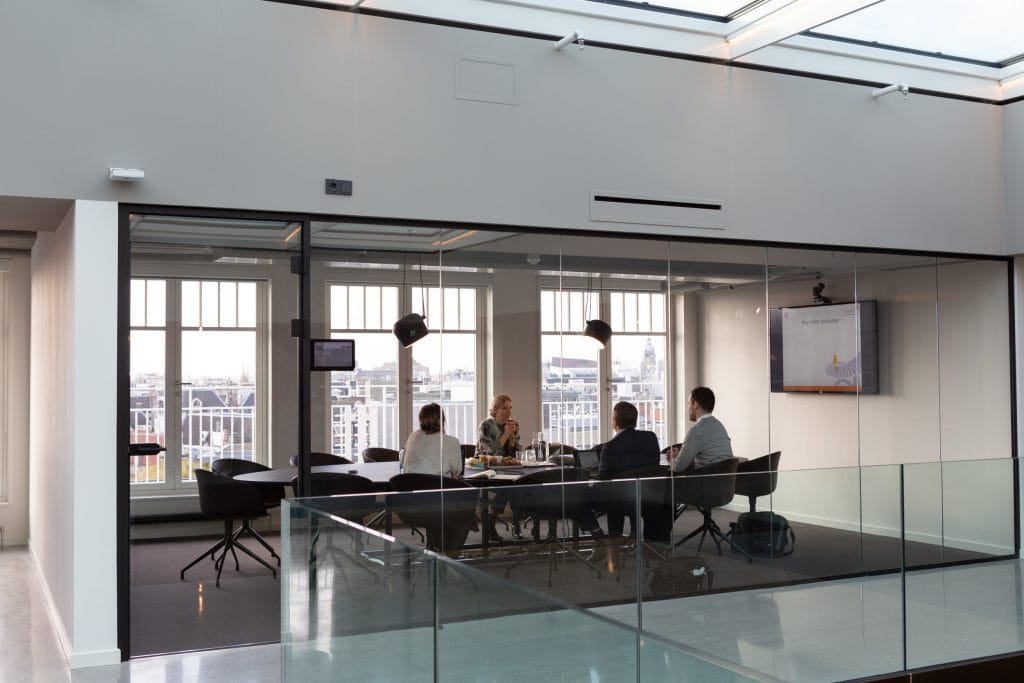
Digital signage for meeting rooms

Digital signage has revolutionised how businesses communicate with employees and clients. Specifically, digital signage for meeting rooms has been gaining popularity due to its ability to enhance workplace productivity and collaboration. In this article, we’ll explore the importance of digital signage for meeting rooms and its benefits for modern businesses.

Digital signage for meeting rooms refers to using interactive displays or digital screens to communicate information in conference or meeting rooms. This technology allows businesses to display real-time information, such as room availability, upcoming events, and announcements. With digital signage, employees and clients can easily access and understand important information, improving workplace communication and efficiency.

Digital signage enhances workplace productivity and collaboration, improves aesthetics, and simplifies room booking. Businesses can improve communication tools, increase business efficiency, and engage employees in meetings by choosing the right digital signage solution.

Improved communication with digital signage

Digital signage is an effective tool for enhancing communication in meeting rooms. It involves interactive displays that can be used to share visual communication, collaborate and automate office processes. Digital signage is an efficient way of improving communication and productivity in the workplace, allowing businesses to achieve their goals efficiently.

One of the significant advantages of digital signage in meeting rooms is that it provides a visual communication platform. It can be used to display presentations, share files, and collaborate with team members. Interactive displays can also engage participants and allow them to share their ideas in real-time, making the meetings more interactive and productive. Additionally, digital signage can provide wayfinding and room booking information, simplifying locating meeting rooms. 

How Digital Signage Is Better Than Traditional Communication Methods?

Effective communication is crucial for businesses to stay ahead of the competition in today’s fast-paced world. Traditional communication methods like posters, flyers, and bulletin boards have been used for decades, but they have limitations. Digital signage, on the other hand, has revolutionised how visual communication occurs in the workplace. Let’s take a look at both of them.

  • Traditional communication methods like posters and flyers are inexpensive and easy to create. However, they have a limited lifespan and are prone to wear and tear. Bulletin boards are another common communication method, but they can become cluttered and difficult to read over time. They also require constant monitoring and updating. Digital signage, on the other hand, offers a range of benefits over traditional communication methods. It allows for dynamic content that can be easily updated and customised to suit the audience’s needs. Digital signage for meeting rooms can display important information like room schedules, upcoming events, and presentations. It can also create an immersive experience for attendees with interactive displays and wayfinding tools.

One of the main advantages of digital signage is its ability to engage and captivate the audience. Interactive digital signage for meeting rooms can help break the ice and encourage collaboration among attendees. It can also provide valuable insights into audience behaviour and preferences.

  • Unlike traditional communication methods, digital signage can be easily updated and adapted to suit changing business needs. It can also be integrated with other workplace technologies like room booking systems and display solutions. However, digital signage does have its disadvantages. It requires a significant investment in hardware, software, and ongoing maintenance and support. It also requires careful planning and execution to ensure the content is relevant and engaging for the audience.

Digital signage enhances efficiency.

As businesses continue to invest in workplace technology and digital transformation, digital signage is poised to become essential for meeting and business efficiency. One of the main advantages of digital signage in meeting rooms is that it can provide interactive displays that facilitate collaboration and communication. It can also enhance efficiency in the following ways.

  • Firstly, digital signage can be used for room booking and scheduling. This means that employees can easily see which meeting rooms are available and reserve them on the spot without wasting time going to the room to check their availability. This can save time and reduce frustration.
  • In addition, digital signage can also be used for wayfinding in larger office buildings. Employees can easily find their way to the meeting room they need to be in without getting lost or confused. This can help ensure that meetings start on time and run smoothly.
  • Interactive displays can also be used to enhance collaboration during meetings. For example, employees can use a touchscreen display to brainstorm ideas, annotate presentations or documents, and work collaboratively in real-time. This can lead to more productive and engaging meetings.
  • Digital signage can also be used for corporate communication, allowing companies to quickly and easily share important information with employees. This can include updates on company news, announcements, and upcoming events. Digital signage can effectively keep everyone in the company on the same page and feeling informed.

By investing in digital signage, companies can improve productivity, communication, and overall efficiency in the workplace. If you want to incorporate digital signage in your meeting rooms, research the best solutions for your needs and choose a reputable company.

Customisation and flexibility

Digital signage for meeting rooms provides a flexible and customisable way to display information, promote collaboration and enhance communication in the workplace. This advanced technology combines interactive displays and powerful software to provide a range of benefits for businesses, including improved productivity, streamlined meeting room booking and scheduling, wayfinding and more.

One of the major advantages of digital signage for meeting rooms is the ability to change and customise content quickly. Administrators can update information, display schedules and agendas, or even showcase branded messages and visuals with just a few clicks. This flexibility ensures that the information displayed is always up-to-date and relevant, providing an efficient and effective way to communicate with employees and visitors. 

It can also provide a more personalised experience for viewers. It can display targeted content based on the time of day, the location of the viewer, or other demographic information, ensuring that the content is relevant and engaging.

Digital signage can integrate with other software and tools.

Digital signage for meeting rooms can enhance communication tools and boost business efficiency. By integrating with other software and tools, digital signage can provide various benefits and advantages for interactive displays, room booking, wayfinding, and collaboration in conference rooms. With custom digital signage for meeting rooms, employees can easily book and reserve conference rooms, reducing the time spent on administrative tasks and increasing meeting efficiency. 

By connecting with other systems, digital signage can display real-time information and updates, providing a dynamic and up-to-date display solution. It can also pull data from other sources, such as social media or news feeds, to keep viewers engaged and informed. In addition, digital signage can integrate with room booking and scheduling systems, making it easy for employees to reserve meeting rooms and reducing the likelihood of double bookings. It can also integrate with wayfinding systems, providing directions and guidance to help visitors navigate the building.

Digital signage helps in long-term savings.

Digital signage for meeting rooms is a smart investment for businesses looking to improve communication and productivity while saving money in the long run. It is a cost-effective solution for several reasons:

  • First and foremost, it is typically much cheaper than traditional print signage, which can be expensive to produce, update, and replace. Digital signage is also more versatile than print signage, allowing businesses to easily update and customise their messaging in real time.
  • Furthermore, digital signage can help businesses save money by automating certain workplace processes. For example, by using digital signage for room booking and wayfinding, businesses can reduce the need for manual labour and increase workplace efficiency. This can help reduce costs and improve productivity, particularly in larger organisations where employee time is valuable.
  • It is also more environmentally friendly than print signage, as it does not require paper or other physical materials. This can help businesses to reduce their carbon footprint and save on printing costs.
  • Lastly, digital signage can provide a cost-effective solution for improving workplace communication and employee engagement. By providing employees with access to real-time data, company updates, and other multimedia content, digital signage can help to keep employees informed and motivated. This can lead to increased productivity, better collaboration, and improved business outcomes, all of which can help to reduce costs and improve profitability over time.

 Digital signage enhances audience engagement.

Digital signage offers a range of advantages in meeting rooms, such as visual communication tools and wayfinding solutions. With the help of custom digital signage, companies can also automate room booking and collaboration processes, leading to better business efficiency. Incorporating gamification into digital signage can make it even more effective. 

Gamification into digital signage can take these benefits to the next level. Businesses can make meetings more engaging and memorable by using interactive displays that feature quizzes, games, or challenges. Digital signage can also showcase meeting schedules, important announcements, or social media feeds to keep employees informed and connected.

Companies can provide businesses with the technology and support needed to create engaging, informative digital signage for their meeting rooms. With the right digital signage solutions and content, companies can create a more efficient and engaging meeting environment that delivers immediate value to employees and customers.

Factors to consider when choosing digital signage for meeting rooms

With the right digital signage solution, businesses can enhance collaboration, increase productivity, and improve employee engagement. However, choosing the right digital signage for meeting rooms can be challenging with so many options available. Here are some factors to consider when deciding.

  1. Meeting Room Size – Consider the meeting room size when selecting a digital signage solution. Interactive displays are more suitable for small meeting rooms, while larger conference rooms require larger displays with higher resolutions.
  2. Room Booking and Wayfinding – Digital signage can manage room bookings and wayfinding. Choose a solution that integrates with your current room booking system and allows visitors to find their way to the correct meeting room easily.
  3. Content Management The ability to easily manage and update content is crucial. Choose a digital signage solution that offers a user-friendly content management system that allows you to update content in real time.
  4. Display Solutions – Consider the solution that best fits your needs. Interactive digital signage can be useful for brainstorming sessions and collaboration, while traditional displays may be better suited for presenting the information.
  5. Integration with Other Tools – Consider the digital signage solution’s compatibility with other workplace technology tools, such as room scheduling displays and visual communication tools.
  6. Customisation – Look for a solution that can be customised to fit your brand’s look and feel and display tailored content based on your business’s specific needs.
  7. Support and Maintenance Choose a digital signage solution that offers reliable support and maintenance, ensuring any issues can be quickly resolved.

Considering the above factors, you can select a solution that fits your needs and enhances workplace communication and productivity. The right digital signage solution for meeting rooms can greatly benefit your business.

Examples of digital signage for meeting rooms

Meeting rooms are ideal for digital signage as they provide a captive audience and an opportunity to enhance the visual experience. Digital signage is available in different sizes, and choosing the right size for the meeting room to achieve maximum impact is important. Here are some examples of digital signage for different-sized meeting rooms.

Small meeting rooms:

For small meeting rooms, interactive displays are ideal. These displays provide a hands-on experience for users and allow them to interact with the content. This type of digital signage is perfect for brainstorming sessions and collaboration. Additionally, room booking digital signage can be placed outside the meeting room to display availability and allow for easy booking.

Medium meeting rooms:

In medium-sized meeting rooms, large displays are ideal. These displays can be used to display presentations and other visual content. Custom digital signage can be created to suit the organisation’s specific needs. Wayfinding digital signage can be placed in hallways to guide visitors to the meeting rooms.

Large meeting rooms:

In large meeting rooms, digital signage can display information from multiple sources. Multiple displays can be placed around the room to ensure all attendees have a clear view. Additionally, digital signage can display real-time data, such as sales figures or website traffic.

Hence, with the multiple benefits of digital signage for meeting rooms, it’s no wonder many businesses are incorporating it into their workplace technology arsenal. 

Picture of Meeting Store

Meeting Store

Table of Contents

work from home collaboration
Remote Collaboration

Master Work from Home Collaboration with these Innovative Strategies

In recent years, remote work has gained significant popularity, with more and more individuals and organizations embracing the freedom and flexibility it offers. The concept of remote work involves performing tasks and fulfilling responsibilities from a location outside of the traditional office environment. As this trend continues to grow, the need for effective collaboration in remote work environments becomes paramount. This blog focuses on providing innovative strategies to enhance work from home collaboration, ensuring seamless communication, productivity, and success for virtual teams.Collaboration lies at the core of any successful work environment, whether physical or remote. However, in a work-from-home setup, where team members are geographically dispersed, effective collaboration becomes even more crucial. Without proper collaboration, remote teams may face challenges such as miscommunication, lack of coordination, and decreased productivity. By emphasizing efficient collaboration, virtual teams can overcome these obstacles and thrive in a remote work setting.One of the key components of successful work from home collaboration is leveraging collaboration tools and embracing virtual teams. These tools and platforms enable seamless online communication, project management, and remote collaboration. By utilizing remote work software and virtual collaboration solutions, teams can bridge the physical gap and work together efficiently, regardless of their geographical locations.Effective remote collaboration begins with establishing clear communication channels. Virtual team members should have access to reliable online communication platforms to share ideas, provide feedback, and engage in real-time discussions. Online collaboration platforms facilitate instant messaging, video conferences, and document sharing, ensuring efficient information exchange among team members.Invite Collaboration in English and Help Your Team to Work Together  Understanding Remote Work CollaborationRemote work collaboration is a vital aspect of today’s digital landscape, enabling individuals and teams to effectively work together regardless of geographical barriers. In this section, we will define remote work collaboration, explore its significance, discuss the challenges faced by remote teams, and highlight the benefits of successful work from home collaboration.What is Remote Work Collaboration?Remote work collaboration refers to the process of individuals or virtual teams working together on projects and tasks while being physically located in different places. It involves the utilization of collaboration tools, virtual teams, and online communication to foster effective coordination and project management.The Significance of Remote Work Collaboration in Today’s Digital LandscapeIn today’s digital landscape, remote work collaboration has gained immense importance due to several reasons. Firstly, it allows businesses to tap into a global talent pool, enabling them to access skilled professionals regardless of their physical location. This widens the pool of expertise and fosters diversity within teams.Secondly, remote work collaboration provides flexibility to individuals, allowing them to work from their preferred location and optimize their productivity. This flexibility also contributes to improved work-life balance and reduced commuting time, resulting in higher job satisfaction.Furthermore, the use of collaboration tools and virtual collaboration solutions enhances productivity by streamlining communication and project management processes. These tools enable real-time document sharing, video conferencing, and instant messaging, facilitating seamless collaboration among team members.Challenges Faced by Remote TeamsWhile remote work collaboration offers numerous advantages, it also presents challenges that need to be addressed. Communication is a key challenge for remote teams, as they lack face-to-face interaction. Misunderstandings and delays in information sharing can occur, leading to decreased efficiency and potential conflicts.Project management can also be challenging in remote settings. Coordinating tasks, tracking progress, and ensuring everyone is on the same page requires effective planning and the utilization of remote work software and project management tools.Coordination among team members, especially across different time zones, can pose difficulties. Scheduling meetings and finding suitable time slots for everyone can be complex, requiring virtual collaboration skills and effective time management.Benefits of Successful Work from Home CollaborationDespite the challenges, successful work from home collaboration offers numerous benefits that contribute to enhanced productivity and overall team success.Increased Productivity: Remote collaboration enables individuals to work in their preferred environment, resulting in increased focus and productivity. The flexibility of remote work allows individuals to optimize their working hours, leading to better outcomes.Flexibility: Work from home collaboration provides flexibility to employees, allowing them to balance personal and professional commitments. This flexibility enhances job satisfaction and employee retention.Efficient Project Management: Through the use of collaboration tools and remote work software, project management becomes more streamlined and efficient. Tasks can be assigned, tracked, and completed within designated timeframes, ensuring project milestones are met.Cost Savings: Remote work collaboration reduces overhead costs associated with physical office spaces. It also eliminates the need for commuting, saving both time and money for employees.  Effective Remote Collaboration Tips for BeginnersIn today’s digital age, remote work has become increasingly prevalent, offering individuals the flexibility to work from home or anywhere in the world. However, successful remote collaboration requires a unique set of skills and strategies. In this section, we will explore practical tips for individuals new to remote work collaboration. By establishing clear communication channels, setting expectations, practicing effective time management, self-discipline, and maintaining work-life balance, you can thrive in a remote work environment.Establish Clear Communication Channels and Set ExpectationsClear communication is the cornerstone of remote collaboration. When working remotely, it’s crucial to establish reliable communication channels with your team members and clients. Utilize a variety of collaboration tools such as project management software, online communication platforms, and virtual collaboration solutions. These tools enable seamless communication, real-time updates, and file sharing, fostering effective remote collaboration.To ensure smooth communication, establish guidelines and expectations from the outset. Clearly define project goals, deliverables, and deadlines. Encourage open and transparent communication, and encourage team members to ask questions or seek clarification when needed. By setting clear expectations, you can minimize misunderstandings and enhance productivity in remote work collaboration.Emphasize Time Management, Self-Discipline, and Work-Life BalanceTime management is crucial when working remotely. Without the physical boundaries of an office, it’s easy to become distracted or overwhelmed by the freedom and flexibility remote work offers. To optimize your productivity, implement effective time management techniques.Create a dedicated workspace that helps you focus and minimizes distractions. Establish a routine and stick to a schedule, allocating specific time slots for different tasks. Prioritize your work

Read More »
AV technology immersion
Training and Education

Dive into AV Technology Immersion: Expert Insights

AV technology immersion, often referred to as audio visual training, encompasses a comprehensive approach to integrating audiovisual systems, interactive displays, virtual reality, and augmented reality learning tools in educational settings. In today’s digital age, the relevance and impact of AV technology in education are profound. Immersive learning platforms, developed by AV technology companies and educational VR developers, create multimedia educational content that enhances experiential learning. Interactive classroom technologies and AR learning applications engage students, fostering active participation and deeper understanding.Staying updated with AV technology trends is paramount. Educational technology experts and AV technology consulting firms emphasize the importance of embracing innovative learning solutions. By integrating advanced AV systems and interactive educational devices, classrooms transform into immersive digital experiences. Affordable AV technology immersion solutions empower institutions, enabling cost-effective AV integration, especially vital for remote learning environments.Embracing multimedia integration, immersive media experiences, and interactive learning tools for classrooms enhance student engagement. The benefits of audiovisual systems in classrooms are evident, paving the way for the future of immersive education. By implementing interactive digital classrooms and multimedia teaching methods, education becomes dynamic and enriching.How immersive technologies (AR/VR) will shape our future | Dinesh Punni | TEDxTUBerlinSalon  Affordable AV Technology Immersion SolutionsIn the world of education, the integration of AV technology immersion has become increasingly crucial. Schools and institutions are continuously seeking cost-effective AV solutions to enhance the learning experience for students. This section explores the availability of budget-friendly options for immersive learning and showcases real-world success stories of affordable AV technology integration.Affordable AV Technology Immersion SolutionsEducators and institutions are now turning to affordable AV technology immersion solutions to create engaging and interactive learning environments. These solutions involve the integration of audiovisual systems and multimedia content into the classroom, enabling experiential learning through interactive displays, virtual reality (VR), and augmented reality (AR). This integration is made possible by AV technology companies, immersive learning platforms, and educational VR developers who offer cost-effective options.Benefits of AV Technology ImmersionThe benefits of AV technology immersion are numerous. It allows students to experience immersive media technology, fostering better engagement and retention of information. When students can interact with multimedia educational content through interactive classroom technologies, the learning experience becomes more dynamic and effective. These immersive educational tools are supplied by AV technology consulting firms, digital learning solutions providers, and multimedia classroom equipment suppliers.Real-World Success StoriesReal-world success stories highlight the effectiveness of affordable AV technology integration. Educators have witnessed improved student engagement, retention, and overall learning outcomes. They have integrated VR and AR learning applications, which have proven to be innovative learning solutions. Such success stories are essential for educators seeking to implement AV technology in their classrooms.  Interactive Learning Tools for ClassroomsInteractive learning tools have revolutionized modern classrooms, providing immersive educational experiences that engage students and enhance their learning outcomes. In today’s digital age, AV technology immersion has become a cornerstone in educational environments, empowering teachers and students alike. Let’s explore the array of interactive learning tools suitable for classrooms and delve into the role of interactive displays and gadgets in elevating education.Interactive Learning Tools: Enhancing Classroom ExperiencesInnovative educational institutions are embracing interactive learning tools to create engaging and effective learning environments. AV technology companies and immersive learning platforms collaborate to develop cutting-edge multimedia educational content, integrating interactive classroom technologies seamlessly. These interactive educational devices, coupled with immersive media technology, enable students to delve into experiential learning, fostering a deeper understanding of complex subjects.The Role of Interactive Displays and GadgetsInteractive displays and gadgets play a pivotal role in shaping the future of education. Educational VR developers and AR learning applications have paved the way for immersive experiences, allowing students to explore virtual reality and augmented reality learning tools. These interactive displays, tailored for educational purposes, provide a gateway to interactive learning environments, encouraging student engagement and participation.Successful Utilization of Interactive TechnologyForward-thinking educational institutions have successfully integrated AV technology immersion into their classrooms. With the expertise of audiovisual integration experts and digital learning solutions providers, immersive media experiences have become a reality. AV technology consulting firms guide schools in implementing multimedia classroom equipment, ensuring seamless AV technology integration and maximizing the benefits of interactive educational gadgets.  Best Immersive Technology for EducationIn the realm of education, AV technology immersion has become a pivotal player, enhancing the learning experience like never before. With the proliferation of digital tools and interactive technologies, educators and students have a wide array of options to choose from. In this comprehensive guide, we will discuss the various immersive technologies available for educational purposes, delve into their benefits and drawbacks, and offer expert recommendations to help you choose the best immersive technology for specific learning objectives.Immersive Learning PlatformsImmersive learning platforms are the foundation of modern educational technology. These platforms employ AV technology to create interactive learning environments that engage students and facilitate experiential learning. They are highly adaptable, allowing educators to tailor the content to meet the needs of their students. However, they may require substantial investment in AV technology and multimedia educational content.Virtual Reality (VR) for EducationVR offers unparalleled immersion by placing students in virtual worlds that bring abstract concepts to life. It fosters experiential learning, making complex subjects more accessible. However, it can be expensive to implement, and not all educational VR developers provide content aligned with curricular needs.Augmented Reality (AR) Learning ApplicationsAR overlays digital information onto the physical world, providing a unique interactive classroom experience. It’s cost-effective and enhances student engagement. Nonetheless, AR learning applications may require specialized hardware and software, which can be a drawback for some institutions.Interactive Classroom TechnologiesInteractive displays, interactive technologies, and interactive educational devices have transformed traditional classrooms into multimedia classrooms. These technologies offer real-time engagement, improving the learning experience. Nevertheless, they may necessitate AV technology integration experts for installation and maintenance.Audiovisual Systems IntegrationAudiovisual integration experts play a vital role in implementing AV technology. They ensure that multimedia integration is seamless, and audiovisual solutions are optimized. This can be particularly beneficial for institutions seeking innovative learning solutions. However, finding the right AV technology consulting firm is essential for a successful integration.  AV Technology Integration

Read More »
Advantages of AV equipment in boosting productivity
productivity

Reach Your Peak: Advantages of AV Equipment in Boosting Productivity

In the fast-paced and competitive business landscape of today, productivity has become the cornerstone of success for any organization. With the increasing adoption of remote work and the constant quest for workplace optimization, Audio-Visual (AV) equipment emerges as a powerful ally in achieving these goals. In this blog, we will explore the various advantages that AV equipment offers in boosting productivity, with a specific focus on remote work, collaboration, productivity metrics, efficiency improvement, time management, and enhanced employee performance.In recent times, remote work has become a prevalent practice, requiring businesses to equip their workforce with the right tools for seamless collaboration and communication. AV technology provides an array of advantages in this regard. From high-quality video conferencing to virtual presentations, AV equipment bridges the gap between remote teams, leading to enhanced work efficiency and increased productivity.Successful collaboration is vital for any organization’s productivity. AV technology enables teams to connect effortlessly, regardless of their physical locations. With interactive displays, online whiteboards, and real-time document sharing, AV tools facilitate effective teamwork, fostering a cohesive and efficient work environment.Tracking and analyzing productivity metrics is essential for businesses to identify areas of improvement. AV technology enables organizations to conduct virtual meetings and presentations, record them for later review, and collect valuable data on employee engagement and performance. These insights can be used to optimize workflows and maximize overall productivity.Introducing a new hybrid meeting experience at Microsoft  AV Equipment Benefits for Remote WorkIn today’s fast-paced business landscape, remote work has become increasingly common. To ensure efficient communication and collaboration among virtual teams, AV equipment plays a pivotal role in revolutionizing remote work. By bridging the communication gap and promoting seamless interactions, AV technology maximizes productivity and enhances the overall work efficiency. Improved Communication with AV Technology In remote work settings, clear and effective communication is vital for the success of any project. AV equipment allows virtual teams to engage in face-to-face interactions, facilitating better clarity and understanding. By leveraging AV tools, remote workers can hold virtual meetings that closely resemble in-person discussions, fostering a sense of connection among team members. Real-time Collaboration and Productivity Boost One of the main advantages of AV equipment lies in its ability to promote real-time collaboration. Virtual teams can leverage AV solutions to collaborate seamlessly, exchange ideas, and work together on projects. This boosts teamwork and productivity as team members can actively participate and contribute their expertise. Enhanced Engagement for Remote Teams Engagement is a key factor in remote work environments, where employees may feel disconnected from the larger team. Utilizing AV equipment for virtual meetings and conferences encourages active participation, leading to increased engagement among remote team members. This sense of involvement strengthens team bonds and enhances productivity.AV Equipment Benefits for Remote Work Benefits Impact on Remote Work Improved Communication Enhanced clarity and understanding among virtual teams Real-time Collaboration Boosted teamwork and project productivity Enhanced Engagement Increased sense of connection and involvement AV Systems for Better Time Management Time management is crucial for remote workers to maintain a work-life balance. AV systems streamline communication, allowing employees to save time and focus on essential tasks. This efficiency enables better time management and enhances overall productivity. AV Equipment for Enhanced Employee Performance High-performing employees are the backbone of any successful business. AV technology provides tools to support and enhance employee performance in remote work settings. Whether through training sessions, virtual workshops, or knowledge-sharing platforms, AV equipment helps elevate employee capabilities. AV Solutions Effect on Employee Performance Training sessions Improved skill development and knowledge enhancement Virtual workshops Increased adaptability and creativity Knowledge-sharing platforms Enhanced expertise and problem-solving abilities   AV Tools to Increase CollaborationIn today’s fast-paced workplace, efficiency and collaboration play crucial roles in driving business success. To achieve these goals, companies are turning to AV equipment as a powerful tool to enhance productivity and promote seamless teamwork. AV technology goes beyond traditional communication methods, offering a wide range of benefits that can significantly impact employee performance, time management, and overall work efficiency.Advantages of AV Equipment in Boosting ProductivityInteractive Whiteboards and Displays AV equipment, such as interactive whiteboards and displays, revolutionizes collaboration and brainstorming sessions within the workplace. These tools facilitate real-time idea sharing, enabling teams to engage in dynamic discussions and promoting innovation. With the ability to visualize concepts and data instantly, employees can quickly align their efforts, resulting in better productivity boosters.Video Conferencing Platforms Video conferencing has become an indispensable part of modern business communication. AV technology allows virtual meetings to be more engaging and interactive, enabling participants to share screens, work on projects together, and connect with remote teams effortlessly. This level of collaboration enhances efficiency by reducing the need for frequent travel, leading to time and cost savings while optimizing productivity.Webinar and Webcasting Solutions Knowledge-sharing and training sessions are essential for a skilled and competent workforce. AV tools like webinars and webcasting solutions enable businesses to conduct informative sessions with a broader audience, both within and beyond the organization. This accessibility fosters better collaboration and aligns team members towards shared goals, ultimately enhancing productivity and employee performance.AV Tools Impact on Collaboration and Productivity  AV Tool Collaboration Impact Productivity Boost Interactive Whiteboards/Displays Real-time idea sharing; Dynamic brainstorming Promotion of innovation; Enhanced alignment Video Conferencing Platforms Engaging in virtual meetings; Screen sharing Reduced travel; Time and cost savings Webinar and Webcasting Solutions Knowledge-sharing with a broader audience Improved collaboration; Enhanced skills AV Equipment Benefits for Remote Work The rise of remote work has highlighted the need for efficient collaboration tools. AV equipment allows remote teams to connect seamlessly, fostering a sense of unity and productivity. These tools bridge the geographical gap, making it easier for teams to collaborate, share ideas, and work together despite physical distances.AV Technology and Productivity Metrics AV technology offers measurable advantages in terms of productivity metrics. With the ability to analyze data from collaborative sessions, businesses can identify trends, assess performance, and optimize productivity enhancement strategies effectively.AV Solutions for Better Time Management Time management is critical for any productive workplace. AV solutions streamline communication, allowing employees to conduct quick and efficient meetings, thus

Read More »
In-depth AV techniques
Training and Education

Master In-Depth AV Techniques: Expert Training

In the dynamic realm of multimedia production, mastering in-depth AV techniques is not just an advantage but a necessity. As the digital landscape evolves, professionals must delve into the intricacies of audio-visual training, embracing a plethora of skills like video production, sound design, cinematography, and multimedia editing. This mastery isn’t just about handling AV equipment; it’s about crafting compelling narratives through visual storytelling and creative media production.Comprehensive AV Techniques: Expert AV tutorials will explore advanced video production secrets, innovative AV strategies, and creative video editing methods.Immersive Sound and Visuals: Dive into cinematic sound recording methods and immersive sound design secrets, coupled with cutting-edge multimedia production techniques.Professional Multimedia Production: Learn about post-production software recommendations and high-quality AV content examples, ensuring your creations stand out in the crowded digital landscape.Techniques for using varieties of printed audio-visual (AV) aids for education  Advanced Audio-Visual Editing TipsAdvanced audio-visual (AV) editing is a vital aspect of multimedia content creation that combines several disciplines such as video production, sound design, cinematography, and post-production. To ensure high-quality visual content, precision in editing is of utmost importance. In this section, we’ll delve into the concept of advanced AV editing and provide practical tips for enhancing audio and video quality in post-production.Advanced Audio-Visual (AV) EditingAdvanced audio-visual editing involves a meticulous blend of multimedia editing and creative media production. It integrates AV equipment mastery, professional audio recording, immersive sound design, and cinematic recording techniques to create captivating multimedia content. This process requires expertise in advanced editing and advanced video production, setting the stage for a truly immersive viewer experience.Practical Tips for Enhancing Audio and Video Quality Professional Audio Recording: To achieve immersive sound, invest in professional audio recording equipment. Expert-level audio-visual equipment and advanced post-production tricks can significantly improve the quality of your audio. Consider high-quality microphones, audio interfaces, and soundproofing techniques. Cinematic Recording Techniques: Employ cinematic recording techniques to capture high-quality visual content. Expert cinematography techniques, including framing, lighting, and camera movements, contribute to the visual storytelling mastery of your project. Visual Storytelling Tips: Visual storytelling is a cornerstone of multimedia content creation. Utilize advanced sound design secrets and cinematic recording methods to enhance the narrative. Focus on conveying a clear message and emotional connection to the audience. Creative Multimedia Editing Skills: In-depth multimedia editing skills are crucial for refining your content. Use advanced video editing methods to ensure a seamless and engaging visual experience. Innovative AV strategies can help you stand out in the crowded digital landscape. Advanced Sound Design: Immersive sound design plays a pivotal role in creating a multisensory experience. Utilize cutting-edge multimedia production techniques to perfect audio synchronization and create an impactful auditory dimension. Post-Production Excellence: Advanced post-production tricks, such as color correction, audio mixing, and visual effects, are essential for a polished final product. Make use of post-production software recommendations to streamline your workflow. Importance of Precise Editing for High-Quality Visual ContentPrecise editing is the backbone of high-quality multimedia content. It ensures that the final product meets professional standards and captivates the audience. Visual storytelling techniques, combined with expert audio-visual skills, result in a seamless and engaging viewer experience. To achieve this, advanced media production and advanced AV technology insights are indispensable.  Cinematic Sound Recording MethodsIn-depth AV techniques are pivotal in the realm of audio-visual projects. Mastering the art of sound recording is not merely a technicality; it’s a creative pursuit that transforms ordinary visuals into immersive experiences. In this discourse, we delve into the intricacies of capturing top-notch sound, employing various techniques rooted in professional filmmaking. Sound Recording Techniques in Professional FilmmakingWhen it comes to audio-visual training, one cannot overlook the nuances of sound design and recording methods. Advanced AV strategies employed by experts include comprehensive AV techniques that merge technical prowess with creative finesse. Expert AV tutorials emphasize the mastery of AV equipment, incorporating innovative AV strategies and expert cinematography. These techniques ensure that every whisper and roar is captured with precision, enriching the visual narrative.Cinematic recording techniques go beyond the basics, delving into the realm of immersive sound design. Utilizing cutting-edge AV skills and advanced multimedia editing, professionals weave a tapestry of auditory and visual delight. Creative cinematography techniques, combined with advanced post-production tricks, are indispensable in crafting a visual story that resonates with the audience.Elevating AV Experience through Sound QualityIn the context of visual storytelling, audio-visual techniques are indispensable. High-quality multimedia production demands expertise in professional audio recording and advanced video editing. Expert audio-visual equipment, coupled with advanced sound design secrets, creates a symphony that complements the visual elements. When AV recording methods are executed with precision, the result is an audio-visual masterpiece that captivates and engages.AV Technology Insights and Future TrendsAs we explore advanced audio-visual editing tips, it’s crucial to keep an eye on AV technology trends in 2023. Professionals are leveraging innovative multimedia techniques and immersive media creation tools to push the boundaries of creative expression. The AV industry updates constantly, requiring professionals to stay abreast of post-production software recommendations and high-quality AV content examples.  Professional Video Production SecretsIn the dynamic world of video production, mastering the art of creating compelling and high-quality multimedia content requires a deep understanding of audio-visual techniques. To delve into the secrets of successful video production at an expert level, we’ll explore pre-production, shooting, and post-production techniques that yield outstanding results, while highlighting the pivotal role of AV technology.Pre-Production: Setting the Stage for ExcellenceBefore the cameras roll, a comprehensive understanding of audio-visual techniques is vital. This is where audio-visual training comes into play, offering essential skills and insights to aspiring filmmakers and professionals alike. In-depth video production starts with meticulous planning, and this is where professionals employ advanced AV strategies to map out their projects.Shooting: Expert Cinematography and Sound DesignCinematography and sound design are the cornerstone of any video production. Advanced cinematography techniques elevate the visual storytelling, making it a feast for the eyes. Simultaneously, immersive sound design techniques captivate the audience, enhancing the overall impact of the video. Cinematic sound recording methods and expert audio-visual equipment mastery play a significant role in achieving exceptional results.Post-Production: The

Read More »
Skill-focused AV learning
Training and Education

Focus Your Skills with Expert-Led AV Learning

In the ever-evolving landscape of the digital age, mastering Audiovisual (AV) skills has become indispensable. The fusion of technology and communication has birthed a realm where visual storytelling, interactive tutorials, and multimedia education reign supreme. This article delves into the profound importance of skill-focused AV learning, its relevance across diverse fields, and the myriad avenues it opens for personal and professional growth.In today’s tech-driven world, Audiovisual technology stands as the cornerstone of modern communication. From immersive multimedia experiences to interactive tutorials, mastering AV skills is essential. It facilitates effective visual communication, enabling individuals to convey complex ideas with simplicity and creativity. Expert-led training in AV skills not only sharpens technical expertise but also nurtures creative multimedia talents. As the digital sphere continues to expand, professionals equipped with AV skills mastery find themselves at the forefront of innovation.Skill-focused AV learning transcends traditional boundaries, offering hands-on learning experiences that bridge the gap between theory and practical knowledge. Online education, coupled with technical AV skills, provides a platform for skill enhancement. Interactive AV tutorials pave the way for industry certification, equipping learners with specialized AV training that aligns with the demands of the modern workforce.Navigating the world of AV education is simplified through a plethora of resources. AV learning platforms offer expert-led AV courses tailored for beginners, making AV education accessible to all. For novices, easy AV skills mastery is achieved through step-by-step AV tutorials, ensuring quick AV training and practical AV knowledge. These fundamental courses encompass basic multimedia skills, foundational media technology learning, and essential AV skills, enabling beginners to grasp the intricacies of AV equipment usage and visual communication training.Skill Focused Adaptive Learning  Understanding Skill-Focused AV LearningIn today’s digital age, skill-focused Audio Visual (AV) learning has emerged as a vital educational approach, distinct from traditional methods. This form of education places a significant emphasis on mastering basic AV skills, enabling both personal and professional development. Here, we delve into the essence of skill-focused AV learning, its importance, and how it differs from conventional educational approaches.Skill-Focused AV LearningSkill-focused AV learning, often referred to as AV education, involves the acquisition and honing of essential audiovisual competencies through expert-led training. This method incorporates the use of audiovisual technology to convey information, making it a cornerstone of modern communication and multimedia education.The crux of skill-focused AV learning lies in its practical approach. It goes beyond theoretical knowledge, offering hands-on learning experiences, online education, and technical expertise through interactive tutorials. This not only fosters skill enhancement but also opens doors to industry certification, equipping learners with practical knowledge.Mastering Basic AV Skills for Personal and Professional DevelopmentThe significance of mastering basic AV skills is undeniable. These skills form the bedrock of visual communication, multimedia, and creative multimedia. They empower individuals to harness the potential of modern technology effectively.For personal development, skill-focused AV learning enables individuals to create cutting-edge multimedia solutions and become proficient in visual storytelling, audiovisual production, and AV industry expertise. The practical audiovisual knowledge gained can be applied to real-world AV applications.On the professional front, AV skills mastery opens doors to career opportunities in the AV industry. Professionals equipped with advanced media technology training and creative AV solutions are in high demand. This skill set ensures they remain relevant in an industry driven by technological advancements.How Skill-Focused AV Learning Differs from Traditional Education MethodsSkill-focused AV learning stands out in contrast to traditional education methods. Unlike conventional approaches that often prioritize theoretical knowledge, skill-focused AV learning emphasizes practicality, industry relevance, and real-world applications.While traditional education methods follow a structured curriculum, skill-focused AV learning offers specialized AV training that can be tailored to individual needs. It caters to those seeking entry-level AV courses, fundamental audiovisual education, and basic visual communication training.  AV Learning for Beginners: Getting StartedWelcome to the world of skill-focused AV learning, where beginners embark on a transformative journey into the realm of audiovisual technology. In today’s digital age, mastering multimedia education is essential for personal and professional growth. This guide provides an in-depth introduction to basic AV concepts and terminologies, recommends beginner-friendly AV equipment and software, and explores expert-led training resources tailored for novices.Basic AV Concepts and TerminologiesBefore diving into the practical aspects of AV education, it’s crucial to understand fundamental concepts and terminologies. Visual communication, a cornerstone of AV technology, emphasizes conveying ideas through images and sounds. Hands-on learning experiences are essential, enabling beginners to grasp technical expertise efficiently. In the world of audiovisual production mastery, terms like interactive tutorials, professional development, and industry certification hold significant importance. Term Definition Visual Communication Conveying ideas and information through visual means, including images, graphics, and videos. Hands-on Learning Active learning approach where learners directly engage with materials or perform activities for better retention. Industry Certification Formal recognition of expertise in specific areas of AV technology, validating a professional’s skills and knowledge. Beginner-Friendly AV Equipment and SoftwareMastering AV skills starts with the right tools. For beginners, easy-to-use AV equipment and software are paramount. Entry-level AV courses often recommend basic multimedia skills development through software that facilitates visual storytelling. Cutting-edge multimedia skills are honed through practical AV knowledge, ensuring a seamless transition into the AV industry.AV Learning Resources Tailored for NovicesNavigating the plethora of AV learning resources can be overwhelming. However, specialized AV training centres offer immersive learning experiences, combining expert-led AV courses with hands-on audiovisual practice. Online AV learning platforms provide convenient access to step-by-step AV tutorials, allowing beginners to enhance their skills at their own pace. These resources emphasize skill enhancement with AV, focusing on real-world AV applications and modern AV techniques. Resource Features Online AV Learning Platforms Accessible tutorials, interactive learning, and certification programs for comprehensive skill development. Specialized AV Training Centers Expert-led workshops, immersive experiences, and practical knowledge sharing in a collaborative learning environment. The Future of Audiovisual Technology: Opportunities AwaitAs the AV industry continues to evolve, professionals with foundational media technology learning and essential AV skills are in high demand. Career opportunities in AV span various fields, from audiovisual production mastery to creative AV solutions. Understanding the importance of multimedia skills opens doors

Read More »
MeetingStore.co.uk
Logo
Compare items
  • Total (0)
Compare
0
Shopping cart