Excellent
Next day delivery! Depending on Availability*
Here to help! Monday to Friday, 8:30AM-5:30PM*

BenQ InstaShow: How It Differs From Other Wireless Presentation Devices

Meetings are never fun for anyone, whether you were the one hosting the meeting or being called to one. Again having to fumble through all your paper work, days and weeks of folders trying to find the couple of pages that you’ll need to share. Meetings have come a long way and gone are those days of walking into a meeting with a mountain of paperwork. There had to be a simpler way for you host and join in with your meeting. Without fumbling through papers. That’s where wireless sharing came centre stage, especially the BenQ InstaShow range.
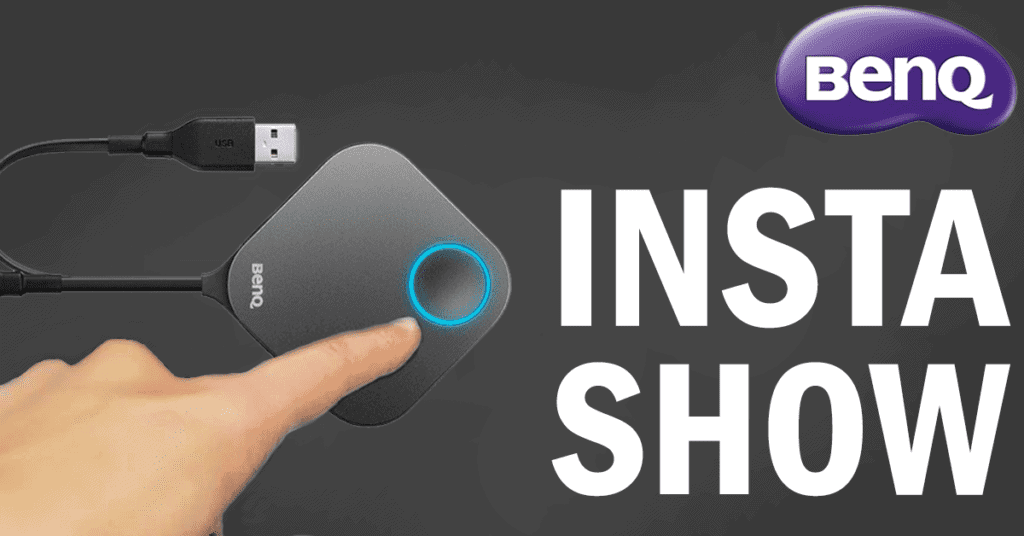
With BenQ InstaShow you can share everything your need to share and more in one click. You can simply walk into a meeting with your laptop, or phone, sit down and plug in the InstaShow Button to share the information you need to share. But with other wireless sharing devices out there, how does BenQ differ from the rest?

What is InstaShow?  

BenQ InstaShow is a way for you to brag about your ideas. Its a wireless presentation device that brings seamless sharing to any meeting room or classroom. You can walk into your meeting with your head held high, plug the InstaShow Button into your laptop and start your presentation strong. The InstaShow range is perfect for hosting meeting, letting you walk around the meeting room with your head high while showing off your great ideas on the big screen. All this is done just by plugging in and clicking the button. In just one click you can become the leader of the meeting. You can share from your laptop, Mac and even your phone and tablet devices with the USB-C Button. Made to widen the audience of who can share. InstaShow stops unnecessary actions in meetings, you wont have to be unplugging and sharing around cables anymore.

The InstaShow range includes the WDC10, WDC10C, WDC20, WDC20C, USB-C Button Kit and the InstaShow HDMI Button Kit. Each kits have different features and functions but they all share the capability of wireless sharing and presenting. 

InstaShow WDC10 And WDC10C 


First of lets talk about the WDC10 and WDC10C. The WDC10 and WDC10C are the better fit for wireless sharing and presenting within companies and classrooms. This is because it features a standard HDMI cable. This plug-and-play device is great for students, teachers and employees to share their work with the rest of the class or colleagues. And with up 16 presenters being able to present, a big chunk of your students or employees will be set up and ready to share in an instant. With no software needed, its simple for you to share. Just plug the InstaShow Button into your laptop, pair the devices together and click the Button once the pairing has finished. With this one click your work, from you laptop, will be projected onto the big screen – letting you talk away while everyone can see your work. Making you look professional and focused on your presenting. 

[vc_images_carousel images=”30946,30956,30957,30963″ img_size=”full”]

With the WDC10 and WDC10C, up to 16 people can present. Each person getting their ow time to shine. Now reading that you can probably imagine the mayhem that it might cause – especially in the classroom. With students bickering about who gets to present. Yes, the InstaShow will take up to 16 presenters, but each presenter will have their own dedicated time to present. This is as the WDC10 isn’t compatible with 4 people sharing at once. This feature really shows what the InstaShow WDC10 is all about, single person presentations in small to medium sized meetings or classrooms. 

InstaShow WDC20 And WDC20C

If the WDC10 doesn’t seem like it would be enough for want you need, then the InstaShow WDC20 and WDC20C might do the trick. The WDC20 is for much larger meetings, with the opportunity for 32 people to share and present. Giving everyone has the chance to express themselves in the meeting, by splitting the meeting room display into 4. So you can share simultaneously. 

Imagine yourself in a large meeting, all of the participants sat around the boardroom table – obviously in a COVID free world. You can feel a bit lost and unheard as so many people are chiming in. With the InstaShow WDC20 or WDC20C at hand, you can easily jump into the conversation. Just grab the InstaShow Button, plug it into your laptop with the HDMI cable and click the button on the top of the device. Your laptop screen will then be shown on the meeting room display, gaining you everyone’s attention. Plus, if you aren’t one for pacing back and forth when presenting. You can stand at the front of the room, next to the meeting room display and still use your laptop applications. This is with the help of touchback support. The capabilities are endless. The InstaShow kit will provide full HD resolution with a router level chip. Meaning that when you are in video mode, the video being show will run smoothly, with no pixilation, lagging or any awkward silences.   

The WDC20 is all you need for you to become the boss of a meeting. With no software or driver needed, the BenQ InstaShow is too easy to set up.

Setting Up

It only takes seconds for the InstaShow to be set up. Even the most untechnical person can set the InstaShow up and instantly upgrade a meeting room. When your new wireless presentation system arrives, you will have to a pair the Button and the Transmitter together. The Transmitter acts as the base unit for the Button, connecting the Button to your meeting room display. To pair these two you will have to hold down the pairing key on the Button and the Transmitter for 5 seconds. This will then pair the two devices together and connection between the two will be automatic.

If you have your InstaShow kit already installed and just want to pair another Button, then you can still do so. Even if the Transmitter is in a bit of a tricky place. The host can be put into pairing mode via the web to pair any Button with the Transmitter. 

Sharing By Phone

Now a days laptop and desktops aren’t the only way of working. With company phones being popular, people can work from whatever device they want. Although this makes working flexible and easy for you to access your work at any time, it can be annoying and a little embarrassing when you don’t have the files your need because they’re on another device. Yes files and documents can be shared and backed up to other devices, but you can guarantee that it will be that one time where your forget your laptop and realise that the file you want to share is only on your phone. Leaving you to just sit there awkwardly while you fumble to prove your point without having any files, images or videos to back it up. Well it doesn’t have to be an awkward situation as BenQ made a Button just for you. BenQ offer multiple buttons for you to share the way you want, from sharing from your laptop, phone or tablet. No one is limited to sharing. 


WDC10

If you are using the WDC10 then the USB-C Button can just be plugged straight into the USB-C port on your phone. When doing so your phone will recognise the Button and you will be able to click screen sharing on. This will then mirror you phone screen to the meeting room display. If you have many apps or web pages running in the background, than your privacy can still be covered. Just by turning on the feature of being able to share specific windows. Making sure that what you want to share is the only thing being shared.


WDC20

If you are using the WDC20 in your meeting, you can still share using your phone you will just have to use a USB-C to HDMI adapter. So your phone and the HDMI Button can both plug into the adapter.

Although, using a USB-C to HDMI adapter isn’t the only option – you can use the InstaShare app. With this app you really can share your content wirelessly. The app is super simply to use, once downloaded all you have to do is connect to the network shown on your screen. You will still be able to mirror your phone screen with the app but you can also share photos, videos, files and even use your camera. You really being able to bring your meeting to life and share whatever you want. Furthermore, the app will still allow 4 people to present simultaneously. Whether they are using their phone, laptop or tablet. 

Video Mode

When presenting you can share pretty much anything you want. From being able to share documents, files, to sharing photos and videos. So if its your turn to lead the meeting and your presenting a PowerPoint. Then last minute you want to share a video that will help hold up your ideas. You can easily switch from presenter mode to video mode.

Switching from presenter to video mode is easy and smooth, with your meeting not being interrupted or ruined by switching modes. You will still look professional in front of your peers. To switch to video mode you simply have to click the side button on the InstaShow Button. Keeping your meeting running smoothly. The video mode will bring crystal clear, HD viewing, with stereo sound. So the videos you want to show will not be hindered or disrupted when wanting to share them to your classmates or colleagues. The InstaShow keeping the video exactly how it is. Just like when you first start sharing with the InstaShow WDC10 or WDC10C kit, it just takes a click of a button to get you started. You wont have to worry about grabbing any cables or adapters to get your video playing. Stopping your meeting, and your meeting room table from getting messy.

Security 

Whether you’re a guest in a meeting room or a familiar face. Anyone can use the InstaShow Button to share. If you are a guest in a meeting room though, you wont need to worry about your security. The InstaShow uses a standalone network so when you start using the Button, anything you share across will be protected. Plus, by having a standalone network it allows you to share without any buffering or delays as the network is only for sharing. Along with your data. This can ease a lot of peoples mind, especially if you are using the WDC20 as 32 people can be support by the BenQ device. Both the WDC10 and WDC20 have a 128-bit security encryption. This meaning that when you share your content across, the information shared will only be shared to the people you want it shared to and no one else will be able to view the content.   


Accessories 

If you want to fully kit out your meeting room then the BenQ InstaShow can offer some accessories. For the InstaShow WDC10 and WDC10C you can purchase the InstaShow HDMI Button Kit and a InstaShow USB-C Button Kit. The USB-C Button Kit will allow guests and colleagues to share with their phone and tablet. If you have the InstaShow WDC20 or the WDC20C then you can purchase the InstaShow HDMI Button Kit. Each kit will come with a Cradle – a place where you Buttons can sit. So even though with InstaShow you wont have to worry about an endless amount of cables sat on your table. You might’ve worried about those who just unplug and leave the device where it is, but with the Cradle you can quickly tidy your table. Plus, it stops the Buttons from being moved around and then eventually being lost. 

Getting these kits means that you meetings potential is is limitless. No more guests walking into the meeting with their laptop at hand, ready to start sharing. Then realising the cant because they don’t have the right ports for the standard BenQ Button.    


Where Does InstaShow Thrive?

BenQ’s InstaShow kits thrives in pretty much every situation, no matter where you are InstaShow can adapt to your space. InstaShow is known for thriving in offices. With meeting rooms being kitted out with the best possible equipment for video conferencing. But when it comes to sharing, BenQ has it covered. The WDC10 and WDC20 are the best fit for professional sharing, quickly fitting in to your small, medium or large meeting rooms. With the choice of expanding your Button collection, InstaShow doesn’t have a limit on how many people there should be in a meeting. If its three or 20, the WDC10 or WDC20 can still work its wireless sharing magic. And that’s true, if there are 20 people in your meeting room then all 20 of them can share – at once.

The WDC20 will allow up to 4 people to share on the screen at once. InstaShow will recognise that multiple people are sharing and it will split your meeting room display into four equal sections. So if you are using the InstaShow in a classroom and you, as the teacher, have assigned your students to work in groups of four. And those students have gone away separately and worked on their cut of the work. Then your students can come back and easily present their work together in the classroom. Even though they have done bits separately they can come together at the end and join up all their work.

So BenQ InstaShow can work for anyone, anywhere. With a simple set up, InstaShow can ben deployed into any room in an instant. 

Picture of Natalie Horn

Natalie Horn

Table of Contents

virtual team whiteboard
Remote Collaboration

Bring Your Virtual Team Together with the Perfect Whiteboard Solution

Bring your virtual team together with the perfect whiteboard solution. Enhance remote team collaboration and communication with a digital whiteboard designed for seamless online collaboration. Boost productivity and streamline project management. Discover the power of a virtual team whiteboard today!

Read More »
remote team file sharing
Remote Collaboration

Share and Access Files Effortlessly with these Secure Remote Team File Sharing Solutions

In today’s dynamic work environment, remote team file sharing has become an essential component of efficient and collaborative workflows. With the rise of virtual teams and remote work, the ability to securely share files and collaborate effectively has become paramount. Remote team file sharing allows geographically dispersed team members to access, edit, and share files seamlessly, fostering productivity and enhancing overall workflow.While remote team file sharing offers numerous advantages, it also presents unique challenges that organizations must address. One significant challenge is ensuring secure file sharing practices. As data breaches and cyber threats continue to rise, protecting sensitive information during file transfers becomes crucial. Remote collaboration can be hindered by the lack of proper file sharing systems and tools, leading to confusion, version control issues, and inefficiencies in document management.To overcome the challenges faced by distributed teams, it is essential to identify and implement the best solutions for secure and efficient remote team file sharing. By leveraging file sharing solutions that prioritise security, accessibility, and ease of use, organisations can optimise collaboration and streamline their workflows.When it comes to remote team file sharing, utilising secure file sharing platforms is crucial for safeguarding sensitive information. These platforms offer advanced encryption techniques and multifactor authentication, ensuring that files are protected from unauthorised access. Additionally, secure file sharing platforms provide granular access controls, allowing team members to share files with specific individuals or groups while maintaining control over permissions and restrictions.Cloud-based file sharing solutions offer remote teams the flexibility and scalability required for efficient collaboration. By storing files in the cloud, team members can access and share documents from anywhere, at any time, using various devices. Cloud-based file sharing also enables real-time collaboration, where multiple team members can work on the same document simultaneously, eliminating version control issues and promoting seamless teamwork.How to Share Files with Microsoft Teams  Understanding Remote Team File SharingRemote team file sharing refers to the process of securely exchanging files and documents among members of a distributed team, enabling seamless collaboration regardless of geographical locations. It involves the use of file sharing solutions, such as online file sharing platforms, cloud-based file sharing services, and file sharing software, to facilitate efficient information exchange within virtual teams. Remote team file sharing allows team members to access, edit, and share files remotely, promoting enhanced productivity and streamlined workflows.Significance in Remote CollaborationRemote collaboration relies heavily on effective file sharing practices to ensure smooth communication and seamless teamwork. Remote team file sharing plays a crucial role in facilitating information exchange, fostering collaboration, and overcoming the limitations imposed by physical distance. By providing a centralised platform for file storage and sharing, it enables team members to access and collaborate on documents, presentations, spreadsheets, and other files, irrespective of their location.Benefits of Remote Team File Sharing for Businesses Enhanced Collaboration: Remote team file sharing promotes seamless collaboration by enabling real-time access, editing, and commenting on shared files. It facilitates efficient teamwork, reduces communication gaps, and enhances productivity. Improved Efficiency: With remote file sharing solutions, team members can easily retrieve and update files, eliminating the need for time-consuming manual file transfers. This streamlines workflows and saves valuable time for more critical tasks. Secure Data Exchange: Secure file sharing platforms employ advanced encryption and access controls, ensuring the confidentiality and integrity of sensitive business data. This safeguards against unauthorised access and potential data breaches. Anytime, Anywhere Access: Remote team file sharing allows employees to access files from any location with internet connectivity, eliminating the need for physical presence in the office. This flexibility enhances work-life balance and facilitates efficient remote work arrangements. Key Factors to Consider When Choosing File Sharing Solutions for Distributed Teams Security: Prioritize file sharing solutions with robust security features, including end-to-end encryption, access controls, and multi-factor authentication. This ensures the protection of sensitive data during transit and at rest. Ease of Use: Opt for user-friendly file sharing tools that require minimal training and offer intuitive interfaces. This reduces the learning curve and promotes seamless adoption across the distributed team. Collaboration Features: Look for file sharing platforms that provide real-time collaboration features, such as version control, document commenting, and task assignments. These features enhance teamwork and streamline the review process. Scalability: Consider the scalability of the file sharing solution to accommodate the growing needs of your remote team. Ensure it can handle increasing file sizes, user volume, and simultaneous access without compromising performance. Integration Capabilities: Evaluate whether the file sharing solution integrates with other essential tools used by your team, such as project management software, communication platforms, and productivity suites. This allows for a cohesive workflow and efficient information exchange.   Top File Sharing Tools for Remote CollaborationIn today’s digital age, remote collaboration has become increasingly common, making efficient and secure file sharing a necessity for remote teams. To streamline file sharing processes and enhance remote collaboration, it is crucial to leverage the right file sharing platforms and software. In this section, we will explore the top file sharing tools that cater to the needs of remote teams, ensuring secure and seamless collaboration. Let’s dive in!DropboxFeatures and CapabilitiesDropbox is a well-established cloud-based file sharing solution that offers a range of features tailored to remote collaboration. It provides secure file sharing, remote document sharing, and online file sharing capabilities. With Dropbox, teams can easily store, access, and share files in real time, ensuring everyone stays on the same page. Its intuitive interface and collaboration features make it a top choice for remote teams.Google DriveFeatures and CapabilitiesGoogle Drive, a popular cloud-based file sharing platform, offers seamless integration with other Google services, making it a go-to choice for virtual teams. It allows for secure file sharing, efficient online file sharing, and remote file storage. With its powerful search functionality and collaborative editing features, Google Drive facilitates effective remote collaboration and file sharing for distributed teams.OneDriveFeatures and CapabilitiesMicrosoft’s OneDrive is another robust file sharing tool that caters to the needs of remote teams. It offers secure file sharing, remote file access, and hassle-free remote file storage options. OneDrive’s integration with

Read More »
Energy-efficient meeting room technology
Future Trends

The Advantages of Energy-Efficient Meeting Room Technology

Discover the advantages of energy-efficient meeting room technology and how it can help reduce energy costs while promoting sustainability. From lighting and HVAC systems to automation and audiovisual equipment, our comprehensive guide explores the latest trends in green conference room technology.

Read More »
Maximizing productivity with AV equipment
productivity

Unlock the Power: Maximizing Productivity with AV Equipment

In today’s fast-paced work environment, where time is of the essence, businesses and individuals alike are constantly seeking ways to enhance productivity and efficiency. The rapid evolution of technology has introduced a plethora of tools and strategies to streamline tasks and optimize workflows. One such crucial element that plays a significant role in boosting productivity is AV equipment (Audiovisual Equipment). In this blog, we will explore the relevance and importance of AV equipment in the workplace and how it can be leveraged to maximize productivity. We’ll delve into various aspects, including AV equipment tips, AV tools for productivity, AV equipment benefits, and much more.In the modern business landscape, collaboration is a cornerstone of success. AV equipment fosters seamless communication and collaboration among team members, whether they are working together in the office or remotely. Virtual meetings and conference calls facilitated by AV technology transcend geographical barriers and promote efficient collaboration, ensuring that tasks are completed promptly.Visual aids have proven to be highly effective in conveying information and ideas. Utilizing AV equipment for presentations, training sessions, and data visualization enables better comprehension and retention of essential information. This, in turn, enhances productivity by reducing the time needed to grasp complex concepts.AV equipment aids in time management by enabling professionals to organize and prioritize tasks effectively. Through webinars, instructional videos, and tutorials, employees can efficiently learn new skills and improve existing ones, thus optimizing their work processes and achieving better results in less time.Integrating AV equipment into daily operations streamlines workflows and simplifies routine tasks. Video conferencing, for instance, eliminates the need for time-consuming in-person meetings and ensures that decision-making processes are swift and efficient.5 Tips For Organizing YOUR Desk Setup & MAXIMIZING Productivity! (Work From Home) | Raymond Strazdas  AV Equipment for ProductivityAV equipment, short for audiovisual equipment, encompasses a range of tools and technologies designed to enhance communication, collaboration, and overall efficiency in various settings. From corporate offices and classrooms to home-based work environments, AV equipment plays a crucial role in facilitating seamless interactions and boosting productivity.AV Equipment Definition and Its ImportanceAV equipment refers to a collection of tools such as projectors, video conferencing systems, interactive whiteboards, audio systems, and presentation software that combine both visual and auditory elements to deliver information effectively. The significance of AV equipment lies in its ability to engage multiple senses simultaneously, leading to better information retention and comprehension.Maximising Efficiency with AV TechnologyTo maximize productivity with AV equipment, consider the following tips: Invest in Quality AV Gear: Opt for reputable AV equipment brands known for their reliability and performance. This ensures that your tools work seamlessly, reducing disruptions during critical tasks. Utilize AV Tools for Productivity Enhancement: Explore various AV solutions tailored to specific tasks, such as video conferencing for remote collaboration or interactive displays for engaging presentations. AV Equipment Optimization: Regularly update and maintain your AV equipment to ensure it operates at its full potential, preventing technical glitches that could hinder productivity. AV Equipment for Workplace ProductivityIn corporate environments, AV equipment fosters better collaboration and communication among team members. Meetings and presentations become more dynamic and interactive, leading to enhanced idea-sharing and decision-making processes.AV Equipment for Classroom ProductivityIn educational settings, AV equipment aids teachers in delivering engaging lessons, capturing students’ attention, and promoting active learning. Visual aids, such as multimedia presentations, make complex topics more digestible, resulting in improved comprehension and retention.AV Equipment for Home Office ProductivityFor remote workers and home-based professionals, AV equipment is instrumental in maintaining effective communication with colleagues and clients. Video conferencing tools enable face-to-face interactions, nurturing stronger professional relationships.Boosting Productivity with Audiovisual ToolsEmploy the following AV equipment efficiency techniques to maximize productivity: Time Management with AV Technology: Use AV tools to schedule and conduct efficient online meetings, reducing the time spent on administrative tasks. Task Optimization with Visual Aids: Visualize data and information through charts, graphs, and presentations to streamline decision-making processes. AV Equipment Hacks for Better FocusAV Equipment for Better Focus and Productivity: In work environments where focus is essential, noise-cancelling headphones and soundproofing equipment enhance concentration, leading to increased productivity.AV Equipment for Collaboration and Remote Work ProductivityBest AV Equipment for Productivity: The best AV equipment for remote work includes high-definition webcams, premium microphones, and reliable video conferencing software, fostering seamless virtual collaboration.Increasing Productivity with AV Equipment in Small BusinessesSmall businesses can benefit from AV equipment that streamlines internal communications, enhances customer interactions, and boosts overall efficiency. By investing in budget-friendly AV solutions, small businesses can compete effectively with larger enterprises.AV Equipment Setup for Enhanced EfficiencyAV Equipment for Online Meetings Productivity: Utilize AV equipment setups optimized for online meetings, featuring user-friendly interfaces and robust connectivity to prevent technical disruptions during critical discussions.AV Equipment for Classroom Productivity and PresentationAV Equipment for Classroom Productivity: Teachers can leverage AV equipment to deliver more engaging and interactive lessons, leading to increased student participation and better learning outcomes.AV Equipment Buying Guide for ProductivityAV Equipment Reviews for Productivity Enhancement: Before purchasing AV equipment, read reviews and comparisons to ensure you invest in tools that align with your specific productivity needs.  Choosing the Best AV Equipment for ProductivityFor small businesses seeking to boost workplace productivity, incorporating the right AV equipment can make a significant difference. Here are some top AV tools suitable for small business settings: Interactive Whiteboards: These versatile tools combine visual aids and collaborative features, enabling teams to brainstorm, plan, and present ideas effectively. Interactive whiteboards encourage active participation and foster innovation within the team. Wireless Presentation Systems: These systems allow seamless sharing of content from multiple devices onto a central screen. This enhances collaboration during meetings, making it easier for team members to share their insights and contribute to discussions effortlessly. Unified Communication Systems: With remote work becoming prevalent, unified communication systems integrate various AV components like video conferencing, screen sharing, and instant messaging. This setup ensures efficient communication and project coordination among distributed teams. AV Equipment for Home OfficesWorking from home demands a different set of AV equipment to ensure maximum productivity. Consider the following gadgets for your home office setup: HD

Read More »
Comprehensive AV guides
Training and Education

Comprehensive AV Guides: Your Roadmap to Proficiency

In today’s fast-paced digital landscape, audiovisual (AV) technology has become an integral part of our daily lives. Whether it’s for entertainment, communication, education, or business purposes, AV technology plays a pivotal role in enhancing our experiences. In this blog, we delve into the importance of AV technology in modern life, briefly touch upon the diverse topics covered in this comprehensive guide, and highlight the relevance of comprehensive AV guides for both beginners and enthusiasts.Audiovisual technology encompasses a wide range of AV equipment and techniques that enable us to transmit and receive audio and visual information effectively. From the most basic applications like watching TV or making video calls to advanced uses in professional settings, such as AV presentations and virtual conferences, AV technology has revolutionized the way we communicate and consume content.Comprehensive AV guides are more than just informational resources; they are your roadmap to audiovisual mastery. For beginners, these guides provide a structured AV learning journey, starting with the fundamentals and progressing to advanced AV techniques. They offer in-depth AV instruction, helping you develop the skills needed to become proficient in AV technology.Enthusiasts and professionals can benefit from these guides by expanding their AV knowledge base and staying updated with the latest industry trends. Whether you’re looking to enhance your AV skills, troubleshoot issues, or optimize your AV setup, comprehensive AV guides offer expert advice and best practices.3 methods of audio-visual translation | Need-to-know  AV Essentials for BeginnersWhen embarking on your comprehensive AV journey, it’s crucial to begin with the right equipment. Whether you’re a novice looking to delve into the world of audiovisual technology or seeking to enhance your existing AV proficiency, selecting the appropriate AV equipment is the foundational step to ensure a successful and rewarding experience. In this guide, we’ll explore the significance of starting with the right gear, recommend the best AV equipment for beginners, and highlight budget-friendly options that align with your AV learning roadmap.Why Starting with the Right Equipment MattersAudiovisual technology has become an integral part of our daily lives, from home entertainment systems to professional presentations. To master the art of AV and unlock the full potential of comprehensive AV guides and AV tutorials, you need to begin with the right tools. Here’s why it’s crucial: Seamless Learning: A solid foundation in AV equipment ensures that you can follow comprehensive audiovisual guides effortlessly. With the right gear, you won’t be hindered by compatibility issues or equipment limitations as you embark on your AV education. Enhanced Understanding: Having access to the best AV equipment for beginners helps you grasp advanced AV techniques more effectively. You’ll be able to experiment with various settings, thereby accelerating your AV knowledge base. Optimized Learning Journey: Selecting the right AV setup tips for home theaters, troubleshooting AV issues, and understanding AV terminology explained become more manageable with suitable equipment. Your AV learning pathways are streamlined, allowing you to focus on mastering AV technology.   Crafting Your Home Theater: AV Setup TipsIn the world of audiovisual technology, creating an immersive home theater experience is a dream for many. To achieve this dream, you need to start with a solid foundation. In this comprehensive AV guide, we’ll provide you with practical AV setup tips for home theaters that will enhance both audio and visual quality. Whether you’re a beginner or looking to master advanced AV techniques, this guide has you covered.Speaker PlacementOne of the key elements of optimizing your home theater is speaker placement. The right placement can make a significant difference in your audiovisual experience. Here are some AV best practices to keep in mind: AV Equipment Guides: Before you begin, refer to comprehensive AV resources and AV equipment guides to understand the specifications of your speakers and how they should be positioned. Audiovisual Proficiency: Achieving audiovisual proficiency requires precise speaker placement. Follow step-by-step AV guides to position your speakers at ear level for the best sound quality. Room Acoustics: The AV knowledge base tells us that room acoustics play a crucial role. AV expertise in room treatment can make your home theater sound exceptional. Consider AV learning materials that cover soundproofing, acoustic panels, and bass traps. Screen PositioningThe placement of your screen is equally vital for an optimal viewing experience. Here’s what you need to know: Advanced AV Techniques: Use advanced AV calibration techniques to ensure your screen is positioned at the right height and angle for a comfortable viewing angle. AV Learning Journey: Along your AV learning journey, you’ll discover that screen size and distance from the viewer impact the visual quality. Refer to in-depth AV instructions to get this right. Room AcousticsAV setup isn’t complete without addressing room acoustics: AV Mastery: Achieving audiovisual mastery involves understanding how sound travels in your space. AV self-study materials can help you learn about sound reflection, diffusion, and absorption. Comprehensive AV Handbook: For a comprehensive understanding of room acoustics, delve into comprehensive AV handbooks that provide insights into designing your home theater space for optimal sound quality. Transforming Your Home Theater ExperienceNow that you’ve optimized your AV setup, you’re on the path to transforming your home theater experience. With the help of these AV setup tips, you’ll notice a remarkable improvement in both audio and visual quality. Troubleshooting AV issues becomes easier when you have a solid foundation.Audio Visual TrainingAs you embark on your audiovisual proficiency journey, consider investing in audio visual training. It’s the key to mastering AV technology and presentation skills. Look for AV certification online to validate your expertise.  Troubleshooting AV IssuesAudiovisual technology has revolutionized the way we experience multimedia content. Whether you’re setting up a home theater, improving AV presentation skills, or just getting started, it’s crucial to understand common AV problems and how to resolve them. In this comprehensive guide, we delve into the issues beginners often face and offer step-by-step solutions. Let’s embark on your audiovisual proficiency journey.Common AV Problems and SolutionsAudio Dropouts: Issue: Sudden loss of sound during playback. Solution: Check all AV cables for loose connections. Ensure speakers and audio sources are powered on.

Read More »
user-friendly-tutorials
Training and Education

Empower Yourself with User-Friendly AV Tutorials

In today’s digital world, where technology rapidly evolves, audiovisual (AV) knowledge has become a cornerstone of effective communication and engagement. The value of AV education cannot be overstated, as it empowers individuals to harness the power of visual and auditory elements for various purposes. User-friendly tutorials play a pivotal role in making this intricate knowledge accessible and comprehensible to everyone, fostering seamless learning experiences.User experience lies at the heart of AV education, and user-friendly tutorials are the bridge that connects complex AV concepts with individuals seeking to learn. These tutorials adopt a user-centric approach, delivering instructional content in an approachable manner. By offering step-by-step learning, interactive lessons, and beginner-friendly instructions, these tutorials cater to diverse learning styles and levels of expertise. This instructional content isn’t just about providing information—it’s about empowering learners to understand, apply, and create with confidence.The range of AV topics that can be mastered through user-friendly tutorials is impressive. From learning how to operate AV equipment to creating captivating visual content, these tutorials cover it all. Beginners can delve into simple AV guides, quick-start AV lessons, and easy-to-understand AV demonstrations. The comprehensive demonstrations enable learners to grasp intricate AV techniques while following clear instructions. Visual learning becomes easy, and the process is enriched by intuitive lessons and accessible AV learning resources.The effectiveness of AV tutorial quality is not just in the content itself but in how it is presented. User-empowering education is achieved through user-oriented instructional content and approachable tutorials. These tutorials not only impart knowledge but also boost learners’ confidence in applying what they’ve learned. The seamless learning process is further enhanced by the integration of interactive elements, making learning engaging and enjoyable.AV tutorial excellence extends to education accessibility. Beginner AV learning becomes a reality as user-friendly online tutorials and AV tutorial websites offer a wealth of resources. AV tutorial platforms provide user-centric AV guides, ensuring that AV education is within reach for all. The benefits of these tutorials ripple through various domains, from personal creative projects to professional presentations.Lecture Theatre Audio Visual Tutorial  The Significance of User-Friendly TutorialsLearning the intricacies of audio visual (AV) technology can be a daunting task for beginners. The complex terminology and technical jargon often act as barriers to entry, leaving learners overwhelmed. This is where user-friendly tutorials come into play, bridging the gap between complex AV terminology and learners’ understanding.Challenges for Beginners in AV EducationNovices entering the world of AV face a steep learning curve. Technical terms like HDMI, resolution, codec, and bit rate can confuse and discourage learners. The lack of familiarity with AV equipment and processes compounds the difficulty. Traditional educational resources often fail to address these challenges, leaving learners frustrated and disheartened.Breaking Down Technical JargonUser-friendly tutorials address these challenges by dismantling complex AV terminology. These tutorials take a user-centric approach, presenting information in a way that beginners can grasp easily. They offer step-by-step learning, interactive lessons, and simplified explanations that cater to the needs of novices. The instructional content utilizes beginner-friendly instructions, helpful how-tos, and intuitive lessons to make AV education accessible to all.Boosting Learners’ ConfidenceThe impact of approachable tutorials on learners’ confidence is profound. When beginners can comprehend and apply AV concepts through user-empowering education, their self-assurance grows. Visual learning aids and easy-to-follow demos provide a sense of accomplishment, motivating learners to explore further. As learners overcome challenges with seamless learning, their engagement and enthusiasm rise.Empowering AV EducationUser-friendly tutorials redefine AV education accessibility. They transform complex topics into comprehensive demonstrations that enhance learning experiences. By using clear instructions and a user-centric approach, these tutorials empower learners to navigate AV technology with ease. The availability of top-quality AV tutorial techniques, such as interactive lessons and user-oriented guides, ensures that beginners can develop their skills effectively.AV Learning Made EasyThe emergence of online AV tutorial platforms has revolutionized AV education. Learners now have access to a wealth of user-friendly online tutorials that offer quick-start AV lessons. These platforms curate instructional content that aligns with AV tutorial excellence. Beginners can explore simplified AV guides, making their journey into AV education more accessible and enjoyable.  Best User-Friendly AV TutorialsIn today’s dynamic digital landscape, gaining proficiency in audio visual (AV) skills is essential for effective communication. Fortunately, a wealth of user-friendly tutorials is readily available online, catering to learners of all levels. These tutorials empower users to navigate the realm of AV technology effortlessly, ensuring a comprehensive and engaging learning experience.User-Centric Approach to AV EducationWhen it comes to AV education, user experience reigns supreme. User-friendly tutorials prioritize learners by offering step-by-step guidance, interactive lessons, and beginner-friendly instructions. These tutorials adopt an approach that is intuitive and easy to follow, making the journey into AV mastery a seamless one.Diverse Range of TopicsThe realm of AV is broad and diverse, and user-friendly tutorials reflect this diversity. From quick-start AV lessons for beginners to in-depth demonstrations for the more advanced, these tutorials cover a comprehensive array of topics. Whether you’re exploring how to use AV equipment or seeking to enhance your interactive AV skills, these tutorials provide invaluable insights.Simplified Learning through Visual GuidesVisual learning is a cornerstone of user-friendly AV instruction. These tutorials leverage the power of visual aids to simplify complex concepts. With easy-to-understand AV demonstrations and approachable how-tos, users can grasp intricate AV techniques with ease.Accessibility and EmpowermentEducation accessibility is a key consideration in user-friendly AV tutorials. These tutorials are designed to empower users with varying learning needs. The tutorials are not only approachable but also provide comprehensive demonstrations that cater to different learning styles.Enhanced Learning ExperiencesTop user-friendly AV tutorials offer more than just information—they create enhanced learning experiences. With a focus on user-centric guidance, these tutorials are structured to ensure that learners feel supported every step of the way. The tutorials enable users to develop their AV skills effectively, boosting confidence and competence.Choosing the Best User-Friendly AV TutorialsFor those seeking the best user-friendly AV tutorials, several strategies can streamline the selection process. Look for tutorials labeled as ‘Best user-friendly AV tutorials’ to ensure top-notch quality. Seek out simple AV guides for beginners or

Read More »
MeetingStore.co.uk
Logo
Compare items
  • Total (0)
Compare
0
Shopping cart