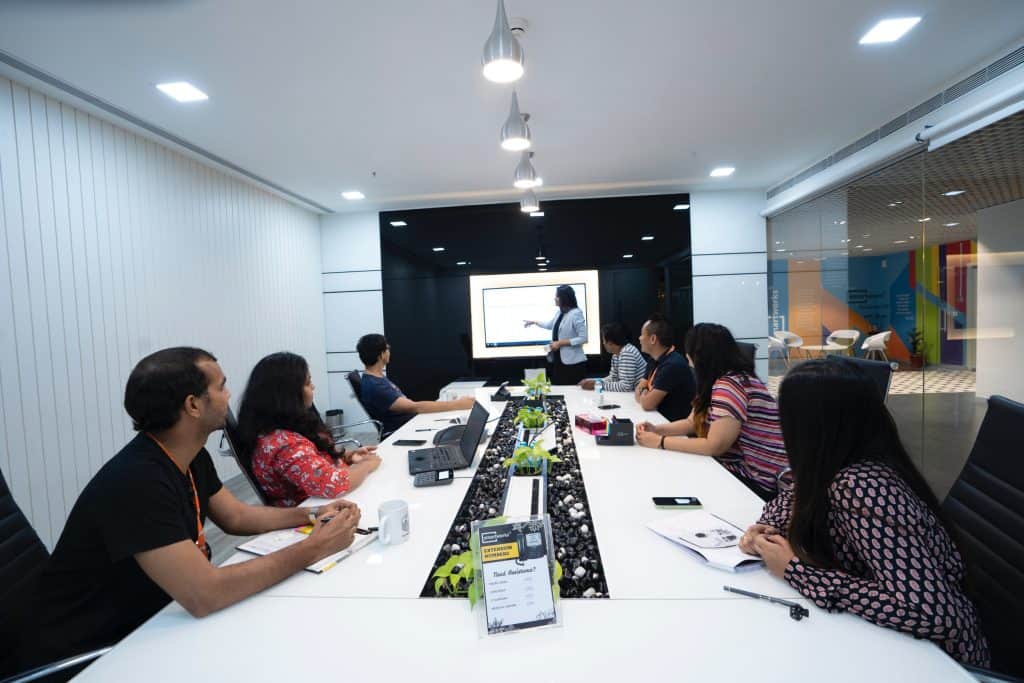
In today’s fast-paced business landscape, conducting effective meetings is essential for driving productivity, collaboration, and communication among teams. One of the key factors in ensuring successful meetings is the seamless integration of AV (Audio-Visual) equipment. This blog focuses on the essential role of AV equipment in modern meetings and highlights its impact on meeting productivity, collaboration, and communication.
AV equipment plays a pivotal role in transforming traditional meetings into interactive and engaging experiences. With the rapid advancements in meeting technology, AV solutions have become indispensable tools for businesses to foster a productive work environment.
The right AV setup can significantly boost meeting productivity by streamlining various processes. From setting up virtual meetings to using interactive displays and presentation tools, AV equipment ensures that participants can efficiently share ideas and insights, leading to quicker decision-making.
AV technology enables teams to collaborate effectively, even in remote settings. Video conferencing equipment and online meeting platforms facilitate real-time interactions, making it easier for dispersed teams to work together seamlessly.
Efficient Meetings – 7 Tips To Run an Effective Meeting
Benefits of AV Equipment in Meetings
In today’s fast-paced business environment, meetings play a crucial role in driving collaboration, decision-making, and innovation. To ensure that meetings are productive and efficient, the role of AV equipment in effective meetings cannot be overstated. AV equipment, also known as audio-visual solutions, offers a myriad of benefits that enhance engagement, communication, and comprehension during meetings. In this section, we will explore the advantages of using AV equipment in meetings and how it fosters creativity, active participation, and meeting facilitation.
Improved Engagement through AV Technology
Holding the attention of meeting attendees is essential for effective communication and successful outcomes. AV equipment provides various visual aids and presentation tools, making meetings more engaging and dynamic. Visuals, such as interactive displays and multimedia presentations, help convey complex ideas with ease and keep participants involved throughout the meeting. According to research, visual aids in meetings increase retention and understanding of information by up to 42%.
Enhanced Communication and Comprehension
Clear communication is the cornerstone of any successful meeting. AV technology enables seamless video conferencing, allowing remote collaboration and virtual meetings with ease. Communication technology integrated with AV setups bridges geographical gaps and brings teams together, leading to more productive discussions and quicker decision-making.
Fostering Creativity and Innovation in Brainstorming Sessions
Brainstorming sessions and problem-solving discussions are essential for driving innovation within organizations. AV equipment plays a vital role in fostering creativity during such sessions. Utilizing modern AV technology, teams can visualize ideas, share concepts through collaboration tools, and collectively work on solutions. This encourages creativity, as ideas can be brainstormed and visualized effectively, resulting in innovative solutions to challenges.
Positive Influence on Meeting Facilitation and Participation
Effective meeting facilitation is crucial to maintain the flow of discussions and ensure that all participants actively contribute. AV equipment facilitates meeting facilitation by providing real-time access to data, presentations, and other resources. Additionally, interactive displays allow participants to share their inputs and interact with the content, promoting active engagement from all attendees.
Optimising AV Equipment for Meetings
To make the most of AV equipment in meetings, it’s essential to optimize its usage and setup. Here are some best practices and tips for effective utilization:
AV Equipment Setup Guide: Create a comprehensive setup guide to ensure that all necessary AV tools and technology are readily available and functioning before the meeting begins.
AV Equipment Maintenance Tips: Regularly maintain and update AV equipment to avoid technical glitches and disruptions during critical meetings.
AV Equipment for Small Meetings: Tailor AV equipment to suit the size of the meeting space to maximize impact and provide a seamless experience for all participants.
Meeting Technology Trends and AV Integration
Staying abreast of meeting technology trends is essential for making informed decisions about AV equipment. The integration of AV solutions into modern workplaces is becoming increasingly prevalent due to its positive impact on productivity and collaboration.
“Companies that leverage the latest AV technology witness a 27% improvement in meeting productivity.”
Choosing the Right AV Equipment for Your Meeting Space
Selecting the appropriate AV equipment for your meeting space is crucial for successful outcomes. Factors such as room size, the number of attendees, and meeting requirements should be considered when investing in AV solutions. By choosing the right AV equipment, you can optimize collaboration and enhance the meeting experience for all participants.
AV Equipment for Small Meetings and Productive Team Discussions
In today’s fast-paced business world, effective meetings play a crucial role in driving productivity and collaboration among teams. One key factor that significantly impacts the success of such meetings is the proper utilization of AV (Audio-Visual) equipment. When tailored to suit the specific needs of small meetings, AV technology can enhance communication, streamline collaboration, and lead to better outcomes. In this section, we will explore how AV equipment can be optimized for small meetings, recommend suitable audio-visual solutions, and discuss the benefits of AV integration for productive team discussions.
The Role of AV Equipment in Small Meetings
In small meeting rooms, every participant’s engagement and understanding are vital. AV equipment serves as a powerful tool to capture and retain attendees’ attention. By leveraging visual aids and presentation tools, presenters can effectively convey information, making the meeting more engaging and fruitful.
AV Solutions for Small Meeting Rooms
When it comes to AV solutions for small meetings, simplicity and functionality are key. Here are some recommended audio-visual equipment and technologies tailored for small meeting spaces:
Interactive Displays: These displays allow seamless interaction and real-time collaboration. Participants can write, draw, and share ideas, fostering a more dynamic meeting environment.
Video Conferencing Equipment: For virtual meetings and remote collaboration, high-quality video conferencing equipment is essential. It enables face-to-face communication even when team members are geographically dispersed.
AV Setup and Integration: Ensure that AV equipment is seamlessly integrated into the meeting room setup. This includes optimizing audio quality, display placement, and cable management for a clutter-free environment.
Collaboration Tools: Invest in collaboration software that facilitates smooth file sharing, document editing, and brainstorming, promoting a cohesive and efficient meeting experience.
Communication Technology: AV equipment that supports clear and uninterrupted communication is crucial. High-quality microphones and speakers minimize audio disruptions, enhancing remote collaboration.
Optimising the Experience for Team Discussions
AV integration in small meeting rooms has the potential to transform team discussions and enhance productivity significantly. Here’s how:
Improved Engagement: Visual aids and interactive displays keep participants engaged, leading to better information retention and idea generation.
Efficient Problem-Solving: AV technology enables real-time data sharing and analysis, allowing teams to solve problems more efficiently and make informed decisions.
Remote Collaboration: With top-notch video conferencing equipment, remote team members can actively participate in discussions, fostering a sense of inclusion and teamwork.
Meeting Facilitation: AV equipment assists meeting facilitators in guiding the conversation, managing time effectively, and ensuring all participants have a chance to contribute.
Virtual Conferences and Remote Collaboration with AV Technology
In the era of remote work and global collaborations, virtual meetings and conferences have become the norm. To ensure the success of these events, the role of AV equipment ineffective meetings cannot be overstated. In this section, we will explore the various AV equipment and communication technology options that enable successful virtual conferences. Additionally, we will provide tips on how to set up and optimize AV equipment for remote collaboration, ensuring a smooth and efficient virtual meeting experience.
AV Equipment’s Role in Effective Meetings
AV equipment plays a pivotal role in facilitating seamless communication and collaboration during virtual conferences. It enables participants to connect from different locations, ensuring that they can share ideas, engage in discussions, and present information effectively.
The Importance of Audio-Visual Solutions
Audio-visual solutions are the backbone of virtual meetings. They encompass a range of technologies, including video conferencing equipment, interactive displays, and communication technology. These tools enable real-time interactions, making participants feel as if they are in the same room, fostering better engagement and understanding.
Optimising AV Equipment for Remote Collaboration
Choose the Right AV Equipment for Your Meeting Space: Consider the size of your meeting room and the number of participants when selecting AV equipment. For small meetings, compact and affordable meeting technology can be sufficient, while larger conferences may require more robust setups.
AV Equipment Setup Best Practices: Ensure proper AV setup and integration. Test all equipment before the conference to avoid technical glitches during the meeting. This practice enhances meeting productivity and minimizes disruptions.
Meeting Technology Trends: Stay updated with the latest AV equipment trends to make informed choices. Advancements in AV technology offer new features and functionalities that can enhance the virtual meeting experience.
AV Equipment Maintenance Tips: Regularly maintain and service AV equipment to keep it in top condition. Proper maintenance ensures uninterrupted and reliable performance during critical virtual conferences.
AV Technology for Effective Presentations: Utilize AV equipment to create visually engaging presentations. Incorporating visual aids and presentation tools captivates the audience and improves message retention.
AV Equipment for Interactive Meetings: Foster collaboration by using AV equipment that allows participants to share their screens, collaborate on documents in real time, and engage in group discussions effortlessly.
AV Equipment
Key Features
Suitable for
Video Conferencing
Real-time video and audio
Large-scale virtual meetings
Interactive Displays
Touchscreen interaction
Collaborative brainstorming
Communication Tech
Instant messaging and file sharing
Seamless team communication
AV Setup Integration
Unified control and automation
Streamlined operation
AV Equipment Setup Guide and Checklist
Effective meetings play a vital role in the success of any organization. To ensure meetings are productive and engaging, the right audio-visual (AV) equipment setup is crucial. This comprehensive guide will walk you through the necessary components, best practices, and a detailed checklist for setting up AV equipment in meeting rooms. By optimizing AV technology, you can create a conducive environment for effective meetings and maximize productivity with AV equipment.
The Role of AV Equipment in Effective Meetings
AV equipment plays a pivotal role in enhancing communication and collaboration during meetings. With advanced meeting technology and audio-visual solutions, organizations can conduct virtual meetings with ease. The use of visual aids and presentation tools improves meeting facilitation and overall meeting productivity. From video conferencing equipment to interactive displays, the right AV setup enables seamless communication, fostering a collaborative environment.
AV Equipment Setup Checklist
To ensure a successful meeting, a well-prepared AV equipment setup is essential. Follow this checklist to cover all crucial aspects and minimize potential issues:
Pre-Meeting Preparations
Determine the meeting’s purpose and objectives.
Assess the meeting room’s layout and seating arrangement for optimal visibility.
Check the availability and functionality of required AV equipment.
Audio Equipment
Test and optimize microphones for clear audio transmission.
Ensure speakers and amplifiers are positioned strategically for even sound distribution.
Consider using audio conferencing solutions for remote collaboration.
Visual Equipment
Set up high-quality projectors or displays for clear presentations.
Adjust screen resolution and aspect ratio to display content correctly.
Ensure proper lighting conditions to avoid glare on screens.
Connectivity and Compatibility
Verify compatibility between AV equipment and presentation devices (e.g., laptops, tablets).
Test connectivity to avoid technical difficulties during the meeting.
Video Conferencing Setup
Set up cameras at eye level for natural interactions.
Optimize video conferencing software for smooth virtual meetings.
Conduct a test call to check audio and video quality.
Interactive Tools
Install interactive whiteboards or displays for real-time collaboration.
Familiarize participants with interactive features for efficient use.
AV Equipment Maintenance Tips and Latest Trends
In today’s fast-paced business world, effective meetings play a crucial role in decision-making, collaboration, and project success. To ensure seamless meeting experiences, it is essential to maintain AV equipment regularly. This section highlights the importance of AV equipment maintenance for reliable performance and longevity. Additionally, it provides practical tips for troubleshooting common AV equipment issues and discusses the latest trends in AV technology that contribute to enhancing meeting experiences.
AV Equipment’s Role in Effective Meetings
AV equipment plays a pivotal role in facilitating effective meetings. From audio-visual solutions to presentation and collaboration tools, these technologies enable seamless communication, fostering an environment conducive to productive discussions. Whether it’s virtual meetings or in-person sessions, the right AV setup ensures clear communication, better engagement, and an overall improvement in meeting productivity.
AV Equipment Maintenance Tips
Regular maintenance of AV equipment is vital to keep it running smoothly and extend its lifespan. Here are some practical tips for maintaining and troubleshooting common AV equipment issues:
Inspect and Clean Equipment Regularly: Dust and debris can affect the performance of AV equipment. Regularly inspect and clean devices, such as projectors, interactive displays, and cameras, to ensure optimal functioning.
Update Firmware and Software: Keep all AV equipment firmware and software up to date. Manufacturers often release updates that improve performance and fix bugs, ensuring a seamless meeting experience.
Check Cables and Connections: Loose or damaged cables can lead to audio and video disruptions. Periodically check all cables and connections to ensure they are secure and in good condition.
Calibrate Audio and Visuals: Properly calibrate audio levels and visuals, such as brightness, contrast, and colour settings, to ensure a clear and vibrant display during presentations.
Maintain Video Conferencing Equipment: For remote collaboration, ensure video conferencing equipment, microphones, and speakers are in optimal condition to avoid communication issues.
Backup Meeting Data: Before important meetings, back up all essential data and presentations to prevent data loss due to technical glitches.
Provide User Training: Educate meeting facilitators and participants on how to use AV equipment effectively, reducing the chances of technical difficulties during meetings.
Latest Trends in AV Technology
The world of AV technology is constantly evolving, and embracing the latest trends can significantly enhance meeting experiences. Some of the latest trends include:
AV Integration in Modern Workplaces: AV equipment is seamlessly integrated into modern workplaces, creating interactive meeting spaces that foster collaboration and innovation.
Virtual Meetings with Advanced Features: Virtual meetings have become more immersive with features like virtual backgrounds, interactive whiteboards, and real-time document sharing.
Remote Collaboration Tools: AV technology enables real-time collaboration among remote teams, enhancing communication and teamwork.
AI-Powered Meeting Solutions: AI-driven AV equipment can automatically adjust audio levels, track speakers, and optimize visuals for a better meeting experience.
Trend
Description
AV Integration in Modern Workplaces
Seamless integration of AV equipment for interactive meeting spaces.
Virtual Meetings with Advanced Features
Immersive virtual meetings with interactive tools and real-time collaboration.
Remote Collaboration Tools
Enhancing communication and teamwork among remote teams.
AI-Powered Meeting Solutions
AI-driven features optimizing audio, visuals, and tracking.
Choosing the Right AV Equipment for Your Meeting Space
In the modern business landscape, AV equipment’s role in effective meetings cannot be overstated. Choosing the right audio-visual solutions is crucial to creating an engaging and productive meeting environment. In this guide, we will walk you through the process of selecting suitable AV equipment based on your specific meeting space requirements, considering factors such as room size, audience size, meeting purpose, and budget constraints.
AV Equipment for Different Meeting Scenarios
AV Equipment for Small Meetings: For intimate gatherings, opt for a compact AV setup that doesn’t compromise performance. Consider investing in high-quality video conferencing equipment with excellent communication technology, ensuring all participants can engage seamlessly.
AV Equipment for Virtual Conferences: Virtual meetings have become increasingly popular, and to ensure their success, invest in reliable AV equipment designed explicitly for remote collaboration. Look for solutions that provide crystal-clear audio and video, and consider interactive displays for more engaging virtual presentations.
AV Technology for Effective Presentations: To deliver impactful presentations, equip your meeting space with the latest AV tools. Consider integrating audio-visual solutions that include visual aids, presentation tools, and collaboration tools, empowering presenters to deliver their messages with clarity and flair.
Factors to Consider
Room Size and Audience Size: The first step in selecting the right AV equipment is understanding the dimensions of your meeting space and the number of attendees it can accommodate. For larger rooms or audiences, invest in AV setups with enhanced audio dispersion and powerful projection capabilities.
Purpose of Meetings: Different meeting purposes demand different AV equipment. For team discussions, prioritize audio clarity, whereas for presentations and conferences, invest in high-resolution displays and conference room equipment.
Budget Constraints: While AV technology can significantly improve meeting experiences, it’s essential to consider your budget. Opt for cost-effective AV solutions that align with your financial capabilities without compromising on quality.
Top AV Equipment Options
Video Conferencing Solutions: Modern meetings often involve remote participants. Choose video conferencing equipment that offers seamless connectivity, high-definition video, and superior audio quality to ensure effective communication.
Interactive Displays: Enhance collaboration and engagement with interactive displays. These touch-enabled screens allow real-time annotation, making brainstorming and idea sharing more dynamic and productive.
Presentation Tools: Equip your meeting space with advanced presentation tools like wireless screen-sharing devices and smart projectors. These tools simplify the process of sharing content and facilitate smooth transitions between presenters.
Meeting Room Setup: Best Practices
When setting up your meeting room with AV equipment, keep these best practices in mind:
Layout and Visibility: Arrange seating and displays to ensure all attendees have a clear view of the screen or interactive display.
Audio Calibration: Optimize audio settings to eliminate echo and ensure everyone can hear each other clearly.
User-Friendly Interfaces: Choose AV equipment with intuitive interfaces to minimize technical difficulties during meetings.
Latest AV Technology Trends
As technology advances, meeting equipment solutions continue to evolve. Stay updated on the following trends:
AI Integration: AI-powered AV technology can automatically adjust settings based on meeting conditions, ensuring optimal performance.
Virtual Reality (VR) Meeting Experiences: VR is transforming remote meetings, creating a sense of physical presence and interactivity among participants.
Conclusion
In today’s fast-paced world, effective meetings play a crucial role in driving business success and fostering collaboration among team members. Leveraging the right tools and technologies is essential to ensure meetings are productive, efficient, and yield positive outcomes.
AV equipment, including audio-visual solutions and conference room equipment, forms the backbone of modern meetings. It encompasses a wide array of tools like video conferencing equipment, interactive displays, and presentation tools that enable seamless communication and collaboration among participants. The integration of AV technology in meeting setups enhances the overall meeting experience and empowers teams to communicate more effectively.
In today’s remote work culture, virtual meetings have become the norm. AV equipment enables participants to connect from different locations, ensuring that distance does not hinder collaboration. Visual aids and collaboration tools facilitate interactive discussions, brainstorming sessions, and effective problem-solving, leading to better decision-making.
AV equipment streamlines meeting facilitation and improve meeting productivity. With easy-to-use AV setups and communication technology, participants can focus on the agenda rather than dealing with technical glitches. Engaging visuals and interactive displays captivate attendees’ attention, ensuring that information is conveyed effectively and efficiently.
The meeting technology landscape is continually evolving. Staying updated with the latest AV equipment trends can give businesses a competitive edge. From AI-powered meeting tools to advanced AV equipment solutions, adopting these trends can revolutionize how meetings are conducted, making them more impactful and result-oriented.
Choosing the right AV equipment for your meeting space is crucial. Businesses should consider factors like the size of the meeting room, the number of participants, and the nature of the discussions. AV equipment setup best practices and maintenance tips can help ensure smooth operations and longevity of the equipment.
As remote work becomes more prevalent, AV equipment for remote collaboration becomes indispensable. Seamless video conferencing, virtual whiteboarding, and screen-sharing capabilities enhance the remote meeting experience, fostering a sense of connection among team members, irrespective of their physical locations.
FAQs
What are the benefits of using AV equipment in meetings?
AV equipment in meetings offers several benefits. Firstly, it enhances engagement by providing visual and auditory aids, keeping participants attentive. Secondly, it improves communication through clearer presentations and video conferencing, fostering better understanding among attendees. Thirdly, AV equipment facilitates collaboration by allowing real-time sharing of content and ideas. Moreover, it saves time by enabling efficient information dissemination and reduces the need for extensive note-taking. Additionally, AV equipment supports remote participation, enabling people from different locations to join meetings seamlessly. Overall, using AV equipment enhances productivity, promotes effective decision-making, and creates a more dynamic and interactive meeting environment.
How can AV equipment enhance communication during meetings?
AV equipment enhances communication during meetings by providing visual aids such as slides, graphs, and videos, which clarify complex concepts and data. It enables speakers to use non-verbal cues effectively, improving message delivery. Video conferencing capabilities foster face-to-face interactions, building a stronger sense of connection among participants. Furthermore, AV tools facilitate real-time content sharing, allowing all attendees to access information simultaneously. Interactive features, like whiteboarding and polling, encourage active participation and idea sharing. Moreover, clear audio systems prevent miscommunication and enhance understanding. Overall, AV equipment ensures effective communication by combining various sensory elements and enabling seamless information exchange among meeting participants.
What AV tools are essential for productive meetings?
Essential AV tools for productive meetings include:
Projectors or displays for presentations and visual content sharing.
Audio systems, including microphones and speakers, to ensure clear communication.
Video conferencing equipment for remote participants to join seamlessly.
Interactive displays or whiteboards to facilitate collaboration and idea sharing.
Cable management solutions to maintain a tidy and organized meeting space.
Webcam and high-quality cameras for virtual meetings with clear video feeds.
Screen-sharing software to enable easy content sharing among participants.
Conference room control systems to manage AV equipment efficiently.
Quality internet connection for smooth video conferencing and online collaboration.
Adequate lighting to ensure a well-lit and professional meeting environment.
How to set up AV equipment in a meeting room?
To set up AV equipment in a meeting room, follow these steps:
Assess the room’s layout and choose the optimal location for the display screen and speakers.
Install projectors or displays securely, ensuring they are at an appropriate height and angle for visibility.
Set up a conference table with microphones for clear audio transmission.
Position cameras or webcams for video conferencing to capture all participants effectively.
Connect all AV devices to a central hub, such as a switcher or control system, for easy management.
Test all equipment thoroughly to ensure they function correctly before the meeting.
Implement cable management solutions to prevent clutter and tripping hazards.
Configure video conferencing software and test connectivity for remote participants.
Provide clear instructions on how to use the AV equipment to meeting attendees.
Regularly maintain and update the equipment to ensure optimal performance.
Which AV technology is best for virtual meetings?
The best AV technology for virtual meetings includes:
High-quality webcams or PTZ cameras for clear video feeds.
USB or Bluetooth-enabled conference room microphones to ensure excellent audio quality.
Reliable video conferencing software with features like screen sharing, chat, and breakout rooms.
Stable high-speed internet connection to avoid disruptions during the meeting.
Interactive displays or digital whiteboards for real-time collaboration and annotations.
Noise-cancellation technology to minimize background noise and distractions.
Headsets for individual participants to improve audio clarity.
Cloud-based storage and file-sharing solutions for seamless document exchange.
Virtual background capabilities to maintain privacy and professionalism.
AI-powered transcription services for accurate meeting minutes and records.
How does AV equipment contribute to meeting productivity?
AV equipment contributes to meeting productivity in various ways:
Visual aids like slides and presentations help convey information efficiently, reducing the time needed for explanations.
Real-time content sharing and collaboration tools enable participants to work together and make decisions faster.
Video conferencing allows remote team members to join, eliminating the need for travel and saving time.
Clear audio systems ensure effective communication and prevent misunderstandings.
Interactive features encourage engagement and idea sharing, fostering better outcomes.
AV technology facilitates recording and archiving meetings for future reference.
Quick access to digital files and resources enhances efficiency during discussions.
Seamless integration of AV equipment in meeting spaces streamlines the meeting setup process.
Remote access and control options make it easier to manage AV equipment in larger setups.
Overall, AV equipment streamlines communication, boosts engagement, and optimizes meeting processes, leading to increased productivity.
What are the latest AV technology trends for meetings?
As of my last update in September 2021, some of the latest AV technology trends for meetings included:
AI-powered meeting assistants for transcription, language translation, and real-time data analysis.
Advanced camera technologies, like 4K resolution and facial recognition, for improved video quality and participant tracking.
Augmented reality (AR) and virtual reality (VR) integration for immersive presentations and training sessions.
Voice-activated controls and smart room automation to simplify AV equipment management.
Cloud-based video conferencing platforms with enhanced security and scalability.
Holographic displays for lifelike 3D presentations and demonstrations.
Wireless connectivity solutions to eliminate cable clutter and enable seamless content sharing.
Integrations with popular productivity and collaboration software to enhance workflow during meetings.
Hybrid meeting solutions that combine in-person and remote participation seamlessly.
Focus on eco-friendly AV equipment with energy-saving features and recyclable materials.
Keep in mind that the AV technology landscape is continuously evolving, and there may be new trends and innovations beyond my last update.
How to choose the right AV equipment for my conference room?
To choose the right AV equipment for your conference room:
Assess your meeting room’s size and layout to determine the appropriate display size and speaker configuration.
Consider the number of participants and choose microphones accordingly for optimal audio coverage.
Select video conferencing solutions that meet your connectivity needs and provide the required video quality.
Look for user-friendly interfaces and compatibility with your existing software and devices.
Prioritize reliability and technical support to ensure smooth meeting operations.
Test the equipment’s compatibility with your room’s lighting conditions to avoid glare or poor visibility.
Evaluate additional features like interactive displays, touchscreens, or wireless presentation capabilities based on your meeting requirements.
Consider future scalability and upgrades to accommodate evolving technology needs.
Compare pricing and warranties from reputable AV equipment providers.
Seek recommendations from AV professionals to make an informed decision.
What are the advantages of AV integration in meetings?
AV integration in meetings offers several advantages:
Seamless communication: AV integration ensures all devices work together smoothly, enabling effective communication and content sharing.
Enhanced collaboration: Integrated AV systems foster real-time collaboration and idea sharing among participants.
Time-saving: With AV integration, setting up meetings becomes quicker and more efficient, reducing downtime.
Better user experience: A well-integrated AV system provides a user-friendly experience, improving engagement and productivity.
Streamlined control: Centralized control systems allow for easy management of multiple AV devices, reducing complexity.
Customization: Integrated AV solutions can be tailored to specific meeting room needs and preferences.
Scalability: As business needs change, integrated AV systems can be expanded or upgraded without major disruptions.
Cost-effectiveness: Long-term cost savings can be achieved through optimized AV integration, reducing maintenance and support expenses.
Future-proofing: By incorporating the latest technologies, AV integration ensures your meeting spaces remain relevant and up-to-date.
Overall, AV integration maximizes the value and functionality of your meeting room setup, leading to more productive and engaging meetings.
How to optimize AV equipment for better presentations?
To optimize AV equipment for better presentations:
Use high-quality displays or projectors with appropriate brightness and resolution.
Ensure the presentation content is clear and easily readable from all parts of the room.
Use visually appealing graphics and fonts to maintain audience interest.
Optimize audio settings to ensure clear and balanced sound for all participants.
Practice with the AV equipment beforehand to avoid technical glitches during the presentation.
Incorporate interactive elements, like polls or Q&A sessions, to engage the audience.
Test any wireless connections or screen-sharing features in advance.
Minimize distractions, such as unnecessary background visuals or noise.
Position the presenter strategically for optimal visibility and engagement.
Encourage feedback from attendees to continually improve future presentations.
What are the best practices for AV equipment maintenance?
Follow these best practices for AV equipment maintenance:
Regularly clean displays, projectors, cameras, and microphones to ensure optimal performance.
Check and update software, firmware, and drivers to keep equipment running smoothly.
Test all AV components before each meeting to identify and address any issues.
Implement surge protectors and power conditioning to safeguard against electrical issues.
Monitor network connectivity and bandwidth to prevent disruptions during online meetings.
Create a maintenance schedule to inspect and service AV equipment periodically.
Store cables and accessories neatly and label them for easy identification.
Train staff on proper equipment usage and handling to reduce the risk of damage.
Establish a troubleshooting guide to address common AV equipment problems swiftly.
Partner with reliable AV service providers for professional support and repairs.
What AV solutions are suitable for small meetings?
AV solutions suitable for small meetings include:
Small-sized displays or projectors with appropriate resolution for clear visuals.
Compact and portable audio systems for clear sound in small meeting rooms.
Webcam or PTZ camera for video conferencing with remote participants.
Wireless presentation solutions for easy content sharing from personal devices.
Tabletop or ceiling microphones to capture audio from all participants effectively.
Interactive whiteboards or touchscreens for collaborative brainstorming sessions.
Unified communication software that integrates various communication tools into one platform.
Compact and easily manageable AV control systems for simple operation.
Cable management solutions to keep the meeting space organized and clutter-free.
Cloud-based meeting solutions for seamless collaboration and file sharing.
How to conduct remote meetings with AV equipment?
To conduct remote meetings with AV equipment:
Choose a reliable video conferencing platform that suits your needs.
Ensure all participants have the necessary equipment, such as webcams and microphones.
Set up the AV equipment in a well-lit and quiet meeting space to avoid distractions.
Send meeting invites and share video conference links with remote attendees.
Test the AV equipment and connectivity before the meeting to resolve any technical issues.
Utilize screen-sharing features to present content and collaborate in real-time.
Encourage active participation through Q&A sessions and virtual hand-raising.
Record the meeting for reference or for those unable to attend.
Follow meeting etiquette, such as muting when not speaking and minimizing background noise.
Conduct a post-meeting evaluation to identify areas for improvement and refine the remote meeting process.
What role does AV technology play in modern meetings?
AV technology plays a crucial role in modern meetings by:
Facilitating effective communication through high-quality audio and video conferencing.
Enhancing presentations with visual aids like slides, videos, and interactive content.
Enabling remote participation, allowing teams to collaborate across geographical boundaries.
Fostering real-time collaboration and idea sharing among meeting participants.
Supporting hybrid meetings, combining in-person and remote attendance seamlessly.
Providing data visualization tools to simplify complex information sharing.
Offering smart room automation and voice-activated controls for ease of use.
Enhancing meeting efficiency and productivity through streamlined AV integration.
Allowing for easy content sharing and recording for future reference.
Contributing to a more engaging and dynamic meeting experience, leading to better decision-making and outcomes.
How to improve collaboration using AV equipment in meetings?
To improve collaboration using AV equipment in meetings:
Invest in interactive displays or whiteboards for real-time content sharing and annotation.
Utilize video conferencing with high-definition cameras to foster face-to-face interactions.
Implement collaborative software that allows multiple participants to edit and contribute to documents simultaneously.
Use screen-sharing features to showcase ideas and projects during the meeting.
Encourage open discussions and active participation among all attendees.
Provide training on AV tools and collaboration features to ensure effective usage.
Utilize breakout rooms for smaller group discussions and brainstorming sessions.
Set clear goals and agendas for each meeting to keep discussions focused.
Record meetings and share notes afterward to reinforce collaboration and accountability.
Solicit feedback from participants to continually improve collaboration processes and AV equipment usability.
Discover the top 10 video conferencing solutions for your meeting room. Our comprehensive list includes the best video conferencing software, tools and equipment to take your online meetings to the next level. Find out how you can enhance remote team collaboration and improve your video conference call experience today.
In the digital age, the significance of interactive AV learning, also known as Audio Visual training, cannot be overstated. This method of education has revolutionized the way we acquire knowledge. Interactive AV learning integrates cutting-edge AV technology and multimedia instruction, creating immersive educational experiences that cater to various learning styles.Interactive AV education leverages visual content, online courses, and educational tools to engage learners actively. This approach enhances comprehension and retention through hands-on training, making it a vital component of modern teaching methods. Educational technology has evolved to offer multimedia tools that empower both educators and learners in content creation and consumption.Within the realm of interactive AV learning, various strategies, such as interactive audiovisual instruction and AV tutorials, are employed to provide a diverse range of training resources. E-learning platforms have embraced these techniques, making knowledge acquisition a dynamic and engaging process.For beginners and seasoned learners alike, the best AV learning apps offer effective visual learning techniques. These immersive AV learning solutions provide engaging audiovisual lessons, ensuring students of all ages receive a personalized multimedia education. Educators also benefit from AV learning resources, enhancing classroom engagement and experiential learning.Interactive AV Education Room The Benefits of Interactive AV LearningInteractive AV learning, also known as audiovisual learning, is revolutionizing education across all age groups. This innovative approach leverages AV technology to create engaging, immersive, and effective learning experiences. In this section, we’ll explore the advantages of interactive AV learning, focusing on its impact on engagement, comprehension, and retention.Enhanced EngagementOne of the primary benefits of interactive AV learning is its ability to captivate students’ attention. Unlike traditional lectures, which can often be passive and monotonous, interactive AV education leverages multimedia instruction to deliver content in a visually stimulating manner. This approach uses visual content, such as videos, animations, and infographics, to make learning more dynamic and engaging.By incorporating online courses and educational tools that utilize AV technology, students can interact with the material actively. This hands-on training allows for a higher level of engagement, as learners can participate actively in their own knowledge acquisition. Educational technology and multimedia tools make it easy to create content that appeals to different learning styles, catering to visual, auditory, and kinesthetic learners simultaneously.Improved ComprehensionInteractive AV learning excels at breaking down complex concepts into digestible chunks. Through multimedia content creation, educators can simplify intricate topics, making them more accessible and understandable. AV tutorials and interactive learning tools offer visual learning strategies that enhance comprehension.Furthermore, interactive AV education promotes immersive learning experiences. Students can explore and interact with content, reinforcing their understanding through experiential learning. This approach is particularly effective for learners of all ages, as it encourages active participation and the exploration of concepts from various angles. Effective Visual Learning TechniquesIn today’s digital age, audiovisual content plays a pivotal role in education. Effective visual learning techniques have the power to transform the way we acquire knowledge, making it engaging, immersive, and highly efficient. In this section, we’ll explore various strategies for enhancing visual learning through audiovisual content, offering valuable insights for educators, students, and anyone interested in interactive AV learning.Interactive AV Education: A Paradigm ShiftInteractive AV education is at the forefront of modern teaching methods. It seamlessly integrates audiovisual learning methods, interactive visual learning tools, and multimedia instruction to create immersive learning experiences. This approach goes beyond traditional teaching methods, making education more engaging and effective.Benefits of Interactive AV Learning Engagement: Interactive AV education captivates learners by combining visual and auditory stimuli. This approach caters to diverse learning styles and keeps students actively involved. Personalization: Tailored AV learning resources allow students to learn at their own pace, making it ideal for individuals with varying levels of proficiency. Flexibility: Online courses and educational tools enable learners to access content from anywhere, promoting flexibility and accessibility. Immersive Learning: AV tutorials and hands-on training make complex concepts more accessible, promoting a deeper understanding of the subject matter. Strategies for Effective Visual Learning Utilize Educational Technology: Leverage AV technology to create captivating visual content. Incorporate multimedia tools and content creation platforms to make learning materials visually appealing and interactive. Implement Immersive Learning Experiences: Use multimedia classroom environments to simulate real-world scenarios, enhancing knowledge acquisition through experiential learning. Interactive Lessons: Design AV learning platforms that encourage active participation. Interactive educational content encourages students to engage with the material actively. Visual and Auditory Learning: Recognize that different learners have different preferences. Offer a balance between visual and auditory elements to accommodate diverse learning styles. Interactive AV Learning in PracticeEducators can harness the power of interactive AV education through various means: Interactive AV Learning Apps: Utilize the best AV learning apps for beginners to provide engaging and accessible learning materials. Digital Learning Tools: Leverage top educational technology for AV learning to enhance classroom engagement and personalize multimedia education. AV Learning Resources for Educators: Equip teachers with the necessary AV learning resources to create captivating lessons. Visual Storytelling: Incorporate interactive visual storytelling techniques to make lessons memorable and engaging. Language Acquisition: Implement AV learning for language acquisition, where students can immerse themselves in language through interactive multimedia. Top Educational Technology for AV LearningIn today’s rapidly evolving educational landscape, the integration of technology has revolutionized the way we acquire knowledge. Among these innovations, the realm of audiovisual (AV) learning has gained significant prominence. Interactive AV learning, characterized by its immersive and engaging nature, has become a cornerstone of modern education. Interactive AV Education Tools and Apps Interactive AV Learning Platforms: Leading the charge in AV education are interactive AV learning platforms. These platforms combine the power of multimedia instruction with hands-on training, offering a holistic approach to learning. Beginners benefit from intuitive interfaces that guide them through multimedia content, making complex topics easier to grasp. Audiovisual Learning Methods: Interactive AV education leverages a variety of audiovisual learning methods to enhance comprehension. Students can access visual content, online courses, and educational tools that cater to diverse learning styles. This approach transforms traditional teaching methods into engaging, dynamic experiences. Immersive Learning Experiences: Immersion is at the heart of interactive AV learning. Through
In today’s fast-paced and competitive business landscape, the role of audiovisual (AV) gear has evolved beyond its traditional usage. AV gear, encompassing a range of audio and visual equipment, has become a cornerstone of modern work environments. The seamless integration of AV technology has not only revolutionized communication and collaboration but also holds the key to unlocking enhanced productivity and efficiency.In a world where every second counts, productivity reigns supreme. Businesses are in a constant pursuit of refining their operations to achieve the highest level of work output optimization. This pursuit is driven by the realization that increased productivity directly translates to improved bottom lines and a competitive edge. To remain at the forefront, organizations must harness every available advantage, and that includes effectively leveraging AV gear.Maximizing productivity with AV equipment is not just a lofty goal – it’s an achievable reality. The fusion of AV gear and productivity tools empowers professionals to harness the full potential of audiovisual technology. This synergy offers a multifaceted approach to workplace efficiency, enabling seamless AV integration for an enhanced workflow.The benefits of integrating AV technology extend far beyond routine tasks. By embracing AV gear, organizations can create an effective workspace environment that fosters creativity, collaboration, and innovation. Leveraging AV equipment efficiency leads to boosted work productivity, paving the way for seamless communication, remote collaboration, and impactful presentations.The impact of AV solutions on work performance is undeniable. From small businesses to startups, AV gear setup tips and AV technology for productivity provide actionable strategies for optimizing office space. Remote work AV setup and productive meetings with AV gear bridge the gap between physical and virtual interactions, ensuring effective remote collaboration tools for seamless communication.When it comes to AV gear, one size does not fit all. Choosing the right AV equipment requires a careful consideration of the specific needs and goals of the organization. Affordable AV solutions and AV gear for remote productivity offer tailored options for small businesses and startups alike. A simple AV setup guide ensures that even novices can harness the power of AV technology to their advantage.Inclusive collaboration for the modern conference room | Cisco Room Kit EQ Setting the Stage: AV Gear and Remote WorkIn the wake of the global shift towards remote work, traditional office setups have undergone a remarkable transformation. This evolution has been fueled by the increasing adoption of audiovisual (AV) gear, which plays a pivotal role in creating effective remote work environments. As businesses and individuals strive to maximize productivity with AV equipment, the synergy between technology utilization and workspace enhancement becomes paramount.AV Gear’s Crucial Role in Remote WorkAV Integration Advantages for Work Output OptimizationThe surge in remote work can be attributed to advancements in AV technology, which have enabled the seamless integration of audiovisual tools into daily operations. Leveraging AV gear for optimal productivity has become a driving force behind enhanced workflow and boosted work productivity. AV systems synergy merges the benefits of AV technology with the demands of remote work, resulting in improved work output and efficiency.Maximizing Efficiency through AV EquipmentAV gear for remote productivity goes beyond mere equipment; it transforms how tasks are accomplished. Productive meetings with AV gear become the norm, as remote collaboration tools enable effective presentations and discussions. This shift is further amplified by the use of AV gear setup hacks and strategies that optimize the home office AV environment. Even small businesses and startups can benefit from AV equipment’s potential to enhance work efficiency and collaboration.Affordable AV Solutions: Balancing Performance and CostAV Technology Benefits for Workspace EfficiencyThe impact of AV gear on work environments cannot be overstated. AV setup optimization guides businesses in choosing the right AV equipment for their specific needs. The integration of AV tools results in an audiovisual enhancement that contributes to optimizing office space. AV gear’s performance boost is not restricted by budget constraints, thanks to the availability of affordable AV solutions.AV Solutions Impact on ProductivityEffective presentations with AV and the utilization of AV hardware strategies offer a practical approach to boosting meeting efficiency. The ease of use and integration of AV technology for productivity-focused scenarios have become a priority. By enhancing remote work with AV gear, businesses can navigate the challenges of the virtual workspace and achieve productivity goals.AV Equipment Efficiency: Driving Tech-Driven ProductivityAV Resources Utilization for Work PerformanceMaximizing productivity with AV gear involves aligning technology with work goals. AV tools impact the work environment by providing an array of resources that facilitate tasks. Remote work AV setup guides offer insights into AV gear setup tips, allowing individuals to create effective workspaces. The application of AV gear workflow methodologies empowers professionals to harness the benefits of AV equipment for small businesses and large corporations alike.Optimizing Work Environment with AV ToolsChoosing the right AV equipment involves understanding the synergy between AV systems and work processes. The benefits of AV gear extend beyond traditional setups, creating an environment where technology for productivity is embraced. AV gear’s impact is twofold, combining AV setup efficiency with workspace optimization. Building Blocks: Simple AV Setup GuideIn today’s fast-paced work environment, leveraging AV gear for optimal productivity has become essential. Audiovisual technology, when integrated effectively, can greatly enhance workplace efficiency and contribute to the overall optimization of work output. This comprehensive guide will provide a step-by-step approach to setting up a basic AV system for remote work or a home office, covering essential components such as monitors, cameras, microphones, and speakers. By following these strategies, you can create an effective workspace that maximizes productivity with AV equipment.AV Gear Essentials for Remote Work AV SetupWhen optimizing your home office for productivity, it’s crucial to have the right AV gear. Here’s a breakdown of the essential components you’ll need:Monitors for Enhanced Workflow: Choose high-resolution monitors to boost visual clarity and multitasking capabilities. Opt for dual monitors to streamline work processes and compare information side by side. Cameras for Effective Presentations: Select a quality webcam for video conferences and virtual meetings. Position the camera at eye level to create a more engaging and professional presence.
Remote work has become a prevalent mode of operation for businesses and individuals worldwide. It refers to the practice of working outside of a traditional office environment, often from home or other remote locations. The rise of remote work can be attributed to technological advancements, globalization, and the changing nature of work itself.As remote work gains popularity, the need for efficient virtual collaboration tools becomes increasingly crucial. Virtual collaboration tools enable remote teams to communicate, share information, and work together seamlessly, bridging the physical distance between team members. These tools are essential for fostering effective communication, maintaining productivity, and ensuring successful remote work experiences.One key aspect of virtual collaboration tools is desktop sharing, which allows users to share their computer screens with others in real time. This functionality has proven to be invaluable for remote teams. A reliable desktop sharing tool facilitates seamless collaboration, enabling team members to view and access each other’s screens, thereby enhancing communication, troubleshooting, and knowledge sharing.In a remote work setting, where face-to-face interactions are limited, desktop sharing plays a vital role in recreating the collaborative environment of a physical office. It enables team members to provide visual demonstrations, conduct online presentations, review and edit documents together, and collaborate on various tasks in real time. By sharing their screens, team members can gain a comprehensive understanding of projects, align their efforts, and make informed decisions, regardless of their geographical locations.7 Free Remote Desktop Software in 2023 Benefits of Desktop Sharing Tools for Remote WorkIn today’s fast-paced world, remote work has become increasingly common. With the rise of distributed teams and the need for virtual collaboration, desktop sharing tools have emerged as essential assets for seamless remote work experiences. These tools facilitate various aspects of remote work, including virtual collaboration, screen sharing, online meetings, team communication, file sharing, and productivity enhancement. Let’s delve into the advantages of using desktop sharing tools in remote work scenarios and explore how they optimize the remote work experience.Facilitating Virtual Collaboration and Screen SharingDesktop sharing tools empower remote teams to collaborate effectively regardless of physical distance. These tools enable real-time sharing of screens, allowing team members to view and interact with the same content simultaneously. By sharing screens, team members can easily discuss ideas, troubleshoot technical issues, and provide instant feedback, fostering a sense of virtual presence and teamwork. This seamless virtual collaboration ensures that everyone is on the same page, leading to increased productivity and efficient project execution.Enabling Online Meetings and Team CommunicationEfficient online meetings are crucial for remote teams to connect and discuss important matters. Desktop sharing tools often integrate video conferencing capabilities, enabling face-to-face interactions even when team members are geographically dispersed. These tools facilitate seamless remote team communication, as participants can see and hear each other, fostering a sense of camaraderie and eliminating communication barriers. Through online meetings, teams can brainstorm ideas, align objectives, and make informed decisions, leading to enhanced collaboration and synergy.Streamlining File Sharing and CollaborationEffective file sharing and collaboration are essential for remote teams to work harmoniously. Desktop sharing tools provide secure and user-friendly platforms for sharing files, documents, and resources in real time. Team members can access shared files, make edits collaboratively, and provide feedback, all within a centralized and synchronized environment. This streamlines workflow, eliminates version control issues, and ensures that everyone has the most up-to-date information at their fingertips. By enabling seamless file sharing and collaboration, these tools enhance productivity and facilitate efficient remote work processes.Boosting Productivity and Remote Work ExperienceDesktop sharing tools serve as invaluable productivity tools for remote workers. With features such as remote access, remote desktop sharing, and virtual workspaces, these tools enable individuals to seamlessly access their work resources from anywhere, anytime. This flexibility and convenience empower remote workers to optimize their work environments, ensuring uninterrupted productivity and minimizing downtime. Additionally, by providing easy-to-use interfaces and intuitive functionalities, these tools enhance the overall remote work experience, enabling individuals to focus on their tasks and achieve their goals efficiently. Key Features to Look for in the Best Desktop Sharing Tool for Remote WorkIn today’s remote work landscape, finding the right desktop sharing tool is crucial for effective online collaboration and enhanced productivity. The best desktop sharing tool should possess a comprehensive set of key features that cater to the needs of remote teams. When choosing a desktop sharing tool, it is important to consider the following essential features: Reliability: A reliable desktop sharing tool ensures smooth and uninterrupted remote collaboration. Look for features like stable connection, minimal latency, and consistent performance. Reliability allows teams to work seamlessly, avoiding disruptions and delays that can hinder productivity. Security: Security is of paramount importance when sharing sensitive information and files online. Choose a desktop sharing tool that prioritizes data protection, offers secure encryption, and has robust authentication protocols. It should also comply with industry standards and regulations to ensure the privacy and confidentiality of your remote work. Ease of Use: An intuitive and user-friendly interface is vital for efficient adoption and utilization of the desktop sharing tool. Look for features such as easy navigation, simple setup process, and clear instructions. A tool that is easy to use minimizes the learning curve, allowing teams to focus on collaboration rather than grappling with complex functionalities. Affordability: Cost-effectiveness is a crucial consideration, especially for small businesses and startups. Evaluate the pricing plans of different desktop sharing tools to find the one that aligns with your budget. Some tools offer free versions or affordable subscription plans with flexible options that cater to your specific needs. Flexibility: A versatile desktop sharing tool allows for seamless integration with other collaboration software and platforms. Look for compatibility with popular applications used for remote team communication, file sharing, and video conferencing. Flexibility enables you to leverage the tool alongside your existing remote work software ecosystem. The aforementioned features contribute to effective online collaboration and enhanced productivity in several ways: Streamlined Communication: A reliable desktop sharing tool facilitates real-time communication, enabling remote teams to interact seamlessly. Whether it’s screen sharing, team chat,
Unleash creativity with the best remote whiteboard for collaborative work. Boost remote team productivity with our top-rated virtual whiteboard. Satisfy all your online collaboration needs with our interactive digital whiteboard. Read on for more information and discover the power of remote work solutions.
Modern meetings have evolved significantly with the integration of audiovisual (AV) tools. These powerful tools play a crucial role in enhancing productivity and collaboration, making meetings more efficient and effective. By leveraging AV solutions, businesses can streamline communication, foster remote collaboration, and optimize meeting room setups to create an interactive and engaging environment. In this blog, we will explore the importance of AV tools in modern meetings and how they contribute to maximizing productivity while providing valuable tips and best practices for using them effectively.AV tools offer a myriad of benefits that significantly contribute to maximizing meeting productivity. The seamless integration of technology enhances communication and information sharing, ensuring that participants are engaged and aligned with the meeting’s objectives. Using advanced video conferencing tools, virtual meetings become more interactive, allowing real-time collaboration among remote teams.In the digital age, virtual meetings have become commonplace, with teams distributed across different locations. AV technology bridges the geographical gap, bringing teams together in a virtual environment. Interactive displays and screen sharing capabilities facilitate effective presentations, brainstorming, and idea sharing. This fosters better team collaboration, leading to more productive outcomes.Well-equipped conference rooms with AV technology enable seamless communication during meetings. High-quality audio and video systems, along with efficient collaboration software, ensure that participants can effectively express their ideas. This creates a conducive atmosphere for open discussions and problem-solving.AV tools also aid in meeting management, making it easier for organizers to set agendas, track progress, and manage time effectively. Utilizing AV hardware and meeting software, facilitators can enhance the flow of discussions and keep the meeting on track. This contributes to better time management and ensures that all essential topics are addressed.How to have more effective and productive meetings AV Tools for Conference RoomsIn today’s fast-paced business world, productive meetings are crucial for successful collaboration and decision-making. To achieve optimal meeting efficiency and enhance communication, the right AV tools and audiovisual solutions are indispensable. This section explores the top AV solutions designed for larger conference rooms and boardrooms, highlighting their capabilities, integration with collaboration software, and the value they bring to virtual meetings and remote collaboration.AV Tools for Enhanced Meeting Efficiency High-Quality Audio and Video Equipment: Crystal-clear audio and high-definition video are essential for seamless communication during meetings. Invest in AV equipment with noise-canceling microphones, high-resolution cameras, and immersive sound systems to ensure every participant can engage effectively. AV Integration with Collaboration Software: The integration of AV tools with collaboration software streamlines meeting management and enhances the meeting experience. Features such as screen sharing, interactive displays, and real-time document editing enable efficient collaboration and quick decision-making. Virtual Meetings and Remote Collaboration: With the rise of remote work, virtual meetings have become the norm. AV tools play a vital role in bridging the gap between team members in different locations, fostering a sense of connection, and maintaining productivity. AV Tools for Technology-Enhanced Meetings Video Conferencing Tools: Video conferencing software allows face-to-face interactions, even in remote settings. Choose user-friendly platforms that offer reliable connectivity, virtual backgrounds, and screen-sharing capabilities for engaging and productive meetings. Meeting Facilitation with AV Technology: AV tools help meeting facilitators keep discussions on track and encourage active participation. Features like breakout rooms, virtual whiteboards, and real-time polling foster collaboration and creativity. AV Hardware and Software Selection: Selecting the right AV hardware and software is crucial for meeting productivity. Consider the size of the conference room, the number of participants, and the desired meeting functionalities before making a choice. AV Tools for Effective Virtual Presentations Interactive Presentations: AV tools enable presenters to create interactive presentations that captivate the audience and keep them engaged throughout the session. Utilize features like multimedia content, annotations, and audience response systems for impactful presentations. AV Setup Tips for Productive Meetings: Ensure a smooth meeting experience by following AV setup best practices. Test all equipment before the meeting, have backup options ready, and ensure everyone knows how to use the AV tools effectively. AV Solutions for Large Meetings – Data Table AV Solution Key Features Ideal for Interactive Displays Touchscreen technology, annotation support, real-time collaboration. Large conferences, and brainstorming sessions. Video Wall Systems High-resolution displays, multi-screen configurations. Seminars, and presentations with visual impact. Unified Communication Systems Integration with collaboration platforms, and comprehensive communication. Boardroom meetings, global team conferences. Top AV Solutions for Remote MeetingsIn today’s remote work era, virtual meetings have become the norm for businesses and teams worldwide. To ensure productive and efficient remote collaboration, the right audiovisual (AV) tools play a crucial role. This section explores top AV solutions tailored for remote meetings, addressing the challenges of remote collaboration and highlighting the significance of appropriate AV tools. Let’s delve into the world of AV technology and its impact on meeting efficiency, engagement, and productivity. Enhancing Remote Collaboration with AV Tools Remote collaboration demands seamless communication and efficient virtual meetings. AV tools empower teams to bridge geographical gaps and work together effectively. By utilizing conference room technology and communication tools, teams can hold interactive virtual meetings that mimic in-person interactions. Reliable Video Conferencing Software When it comes to remote-friendly video conferencing software, reliability is paramount. The best solutions offer features like screen sharing and interactive displays, allowing participants to share information effortlessly. Top-rated video conferencing tools enable smooth online presentations, fostering engagement during virtual meetings. Boosting Engagement and Productivity Effective AV equipment for meetings goes beyond basic communication. It facilitates meeting management and meeting facilitation, allowing hosts to conduct interactive sessions seamlessly. These AV solutions create technology-enhanced meetings that keep participants engaged, leading to increased productivity and collaboration. Selecting the Right AV Tools When choosing AV tools for virtual communication, businesses should consider factors like meeting room setup, AV hardware, and collaboration software. Ensuring compatibility with existing systems is vital for a smooth integration process. Additionally, AV integration for improved communication ensures that teams can work efficiently with minimal technical disruptions. Optimise Online Meetings with Advanced AV Solutions To maximize meeting efficiency, advanced AV solutions are key. They offer features like AV tools for interactive presentations and seamless screen sharing,
This website uses cookies so that we can provide you with the best user experience possible. Cookie information is stored in your browser and performs functions such as recognising you when you return to our website and helping our team to understand which sections of the website you find most interesting and useful.
Strictly Necessary Cookies
Strictly Necessary Cookie should be enabled at all times so that we can save your preferences for cookie settings.
If you disable this cookie, we will not be able to save your preferences. This means that every time you visit this website you will need to enable or disable cookies again.
3rd Party Cookies
This website uses Google Analytics to collect anonymous information such as the number of visitors to the site, and the most popular pages.
Keeping this cookie enabled helps us to improve our website.
Please enable Strictly Necessary Cookies first so that we can save your preferences!