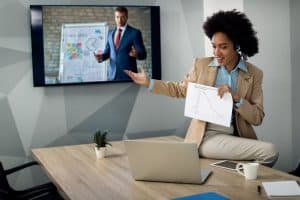
In the modern landscape of professional settings, presentations have evolved from being mere tools of information delivery to becoming powerful vehicles for communication impact. The advent of audio-visual (AV) technology has transformed the way presentations are conducted and perceived. This article delves into the pivotal role that AV equipment plays in maximizing presentation success, enhancing audience engagement, and delivering effective communication through impactful visuals.
Effective presentations are no longer restricted to compelling content and eloquent speakers alone. The integration of audio-visual technology, encompassing multimedia tools, enhances the overall communication impact. By leveraging AV setup and presentation equipment, speakers can elevate their talks from ordinary to extraordinary. This results in a higher level of audience engagement and a more profound connection between the speaker and the audience.
Incorporating various audiovisual tools into presentations is a strategic way of improving public speaking and presentation effectiveness. Visual aids such as graphs, images, and videos provide a dynamic and interactive element that captivates the audience’s attention and aids in conveying complex information with clarity. The choice of presentation technology and AV solutions significantly impacts how well the audience retains and comprehends the delivered content.
The landscape of presentation technology is constantly evolving, with new tools and techniques emerging. Presenters seeking to optimize their AV setup should be aware of the latest trends in AV equipment. From choosing the best AV equipment for presentations to utilizing innovative presentation tools and techniques, it’s crucial to stay informed about the advancements that can enhance presentation hardware and software.
10 Must have equipment in Modern high tech conference rooms and Boardroom .
The Power of Audio-Visual Technology in Presentations
Audio-visual technology, a comprehensive array of tools encompassing both auditory and visual elements, has revolutionized the landscape of modern presentations. By seamlessly merging sound and sight, it caters to diverse learning styles and audience preferences, ushering in a new era of impactful communication.
Maximizing Productivity with AV Equipment: A Game-Changer in Presentation Success
AV equipment’s influence on presentation success is undeniable. Maximizing productivity with AV equipment allows speakers to craft presentations that are not only visually captivating but also convey information effectively. This technology optimizes the delivery process, making it easier to engage the audience and ensuring that the key message is received with clarity.
Impact on Communication: Engaging the Senses for Unparalleled Audience Engagement
The communication impact of audio-visual technology cannot be overstated. Multimedia tools transcend traditional verbal communication by incorporating visual aids, such as images, videos, and slides. By engaging multiple senses, AV setup transforms presentations into immersive experiences, fostering a deeper connection between speakers and their audience. This engagement paves the way for improved retention and understanding of the subject matter.
Case Studies: Exemplifying AV Equipment’s Role in Presentation Effectiveness
Tesla’s Product Launch: Tesla’s use of multimedia presentation equipment during their product launches is a prime example of AV equipment’s impact on presentation success. Elon Musk’s ability to seamlessly integrate audiovisual support into his talks captivates the audience and emphasizes the technological prowess of the products.
TED Talks: The renowned TED Talks utilize AV technology to create impactful visuals that complement the speakers’ narratives. This multimedia approach enhances the audience’s understanding and emotional connection to the content, making the message more memorable.
Choosing the Right AV Equipment for Success: Trends and Techniques
To achieve impactful presentations, speakers must choose the right AV equipment for the job. Understanding the top presentation technology trends is crucial. Incorporating technology into public speaking through innovative tools and techniques ensures that the audience remains engaged and captivated throughout the presentation.
Enhancing Communication: The Marriage of Visual Aids and Presentation Technology
Effective communication tools, such as audiovisual setups, pave the way for successful public speaking. Visual aids not only reinforce the spoken word but also simplify complex concepts, making them more accessible to a broader audience. The seamless integration of AV solutions helps speakers create memorable presentations that resonate with their listeners.
Boosting Engagement with Multimedia: Elevating the Presentation Experience
By optimizing AV setup for presentations, speakers can boost engagement levels significantly. The strategic use of AV equipment benefits both the speaker and the audience, creating an environment where the information is effectively shared, understood, and retained. This innovative approach transforms ordinary presentations into engaging experiences.
Incorporating Technology for Unforgettable Talks: Crafting Impactful Presentations
Successful presenting hinges on the effective integration of audiovisual tools. Crafting impactful visuals and harnessing the potential of AV equipment support speakers in delivering their messages with precision and flair. This synergy of technology in presentations elevates the audience’s experience and ensures that the core message leaves a lasting impact.
Choosing the Best AV Equipment for Presentations
In the realm of effective presentations, the impact of AV equipment cannot be overstated. Maximizing productivity with AV equipment is a cornerstone of presentation success. The fusion of audio-visual technology with presentation goals significantly enhances communication impact and audience engagement. To achieve such success, careful consideration of various factors is essential.
Factors to Consider
When venturing into the world of multimedia presentations, several key factors warrant careful consideration. The venue size and audience size play pivotal roles in determining the appropriate AV setup. A large auditorium demands more potent AV equipment to ensure that every corner resonates with the presenter’s voice and visuals. On the contrary, smaller settings require a precise balance to avoid overwhelming the audience.
Presentation format also shapes the choice of AV equipment. Different formats, such as slideshows, videos, or interactive sessions, necessitate specific tools. Effective visuals, seamlessly integrated through presentation technology, create a lasting impact on the audience. Moreover, available resources play a role in equipment selection. Whether it’s a high-budget corporate affair or a grassroots seminar, tailoring the AV setup to the available resources is crucial.
Equipment for Different Scenarios
Enhancing Presentations with Audiovisual Tools
For presentations that rely heavily on impactful visuals and seamless communication, investing in a comprehensive AV setup is essential. This includes top-notch projectors, high-definition screens, and advanced sound systems. Integrating multimedia solutions enables speakers to deliver messages in a captivating manner, leaving a lasting impression on the audience.
Incorporating Technology into Public Speaking
Public speaking gear has evolved beyond just microphones and podiums. With the advent of technology, speakers can leverage AV equipment’s benefits to create engaging presentations. Wearable microphones ensure crystal-clear audio, while interactive display boards facilitate real-time engagement. These audiovisual tools bridge the gap between the speaker and the audience, enhancing the overall experience.
AV Equipment’s Impact on Presentation Effectiveness
Incorporating technology into presentations ushers in a new era of successful presenting. The combination of AV solutions and effective communication tools transforms mundane talks into engaging experiences. Visual aids, strategically deployed through multimedia presentation software, reinforce key points and maintain audience interest. The interplay of technology and impactful visuals brings forth a memorable and educational session.
AV Equipment Setup Guide for Speakers
To empower speakers with the knowledge needed to optimize their AV setup, here’s a concise guide:
Know Your Audience and Venue: Tailor your AV equipment to suit the audience size and venue dimensions.
Select the Right Presentation Technology: Choose tools that align with your presentation format – slides, videos, or interactive sessions.
Invest in Quality: Prioritize high-quality projectors, screens, and sound systems for a professional presentation experience.
Utilize Multimedia Solutions: Integrate multimedia tools to enhance engagement and convey complex ideas effectively.
Practice with the Setup: Familiarize yourself with the AV equipment before the presentation to ensure seamless execution.
Incorporating AV Technology for Enhanced Presentations
When it comes to maximizing presentation success, one cannot underestimate the influence of AV equipment on the overall experience. Among the various components of audio-visual technology, audio enhancement stands out as a critical factor in achieving effective communication and heightened audience engagement. Quality microphones and sound systems play an indispensable role in ensuring that your message is delivered loud and clear, resonating with your audience.
Communication Impact of AV Equipment’s Influence on Presentation Success
In the realm of presentations, audio-visual technology’s impact is substantial. AV equipment’s influence on presentation success cannot be overstated. Incorporating top-tier microphones and sound systems into your AV setup transforms your voice into a powerful tool that reaches every corner of the room. This seamless audio delivery ensures that your audience can absorb your message without any hindrance, thus enhancing the overall communication experience.
Visual Aids: Elevating Message Delivery through Effective Visuals
Multimedia solutions are at the forefront of modern presentation technology. Effective presentations are built upon the synergy of audio and visuals. High-quality visual aids, meticulously designed slides, and engaging videos work together to support the presenter’s message. Visuals not only enhance understanding but also cater to different learning styles, making your presentation resonate with a diverse audience.
Impactful Visuals and Multimedia Solutions for Successful Presenting
Visual aids are pivotal in conveying complex concepts with clarity. They serve as a bridge between the presenter and the audience, providing a clear roadmap for your narrative. Incorporating impactful visuals enhances retention and comprehension, resulting in a presentation that lingers in your audience’s memory long after the talk concludes.
Technology in presentations goes beyond one-way communication. To truly captivate your audience, interactive tools play a crucial role. AV equipment’s impact on presentation success extends to fostering engagement through interactive whiteboards, polling systems, and live Q&A features. These tools create a dynamic atmosphere, transforming your presentation into a two-way conversation, where the audience’s input is valued and incorporated.
Enhancing Engagement Through AV Solutions
Utilizing interactive tools, such as live polling and Q&A, encourages active participation. Audience members become invested in the presentation, sharing their thoughts and inquiries in real-time. This not only boosts engagement but also allows you to address questions that align with the audience’s immediate interests, maximizing productivity with AV equipment.
AV Equipment’s Role in Presentation Engagement and Communication
The role of AV equipment in presentation engagement and communication cannot be overstated. Effective communication tools like quality microphones, impactful visuals, and interactive features ensure that your presentation not only imparts information but also fosters a genuine connection with your audience. This two-way interaction creates an immersive experience that resonates deeply.
Innovative Presentation Tools and Techniques
Embracing AV technology opens the doors to innovative presentation tools and techniques that can transform your talks. By choosing the right AV equipment for successful presentations, you tap into a world of possibilities. From creative multimedia presentations to audience engagement through interactive features, AV solutions empower you to craft talks that leave a lasting impact.
AV Equipment Setup Guide for Speakers: Practical Tips
To optimize your AV setup for presentations, consider the following practical tips:
Acoustics Matter: Pay attention to the room’s acoustics to ensure clear audio delivery.
Visual Consistency: Maintain a consistent visual theme throughout your slides for a cohesive presentation.
Engagement Features: Incorporate interactive tools strategically to engage your audience.
Quality Matters: Invest in reliable AV equipment to ensure seamless communication.
Top Presentation Technology Trends
In the fast-paced world of presentation technology, dynamic visuals are at the forefront of creating engaging and immersive experiences for audiences. Augmented Reality (AR) and Virtual Reality (VR) have gained significant traction in recent years. These technologies go beyond traditional methods of presenting information by overlaying digital content onto the physical world (AR) or transporting users into entirely virtual environments (VR).
The impact of AR and VR on presentation success cannot be overstated. These technologies enhance communication impact by allowing presenters to visually demonstrate complex concepts and data, making them easier for the audience to understand. Incorporating AR and VR into your presentation arsenal enhances audience engagement and provides effective visuals that resonate long after the presentation ends. Incorporating multimedia tools in this manner fosters better information retention and understanding, aligning perfectly with the goals of presentation success.
Artificial Intelligence (AI): Elevating Presentations with Smart Features
The integration of Artificial Intelligence (AI) into presentation technology has paved the way for innovative features that significantly enhance the communication process. Real-time translation capabilities break language barriers, ensuring that presentations are accessible to global audiences. Automated transcription services streamline post-presentation processes and maximize productivity with AV equipment, enabling presenters to focus on delivering impactful content rather than manual note-taking.
AI-driven data insights empower presenters with valuable feedback on audience reactions and engagement levels. This data-driven approach not only improves presentation effectiveness but also helps tailor future presentations to meet audience preferences. The synergy between AI and AV equipment’s impact on presentations is undeniable, creating a holistic solution that optimizes every facet of the presentation experience.
Hybrid Presentation Solutions: Blending Physical and Virtual Engagement
As the modern world embraces remote work and virtual communication, hybrid presentation solutions have emerged as a top trend. Blending physical and virtual presentations caters to both in-person and remote audiences, ensuring that the communication impact remains consistent across different platforms. This trend seamlessly integrates AV setup and presentation equipment, offering a versatile approach to presentation success.
Maximizing productivity with AV equipment becomes paramount in hybrid presentations. Presenters must consider both physical and virtual elements, using multimedia tools to maintain audience engagement and effective communication. This approach fosters a cohesive experience for all participants, enabling them to interact with the content regardless of their location.
Incorporating AV Equipment for Optimal Presentation Success
When discussing the top presentation technology trends, it’s crucial to acknowledge the pivotal role of AV equipment. AV setup and presentation equipment form the backbone of impactful presentations, allowing presenters to deliver their messages with clarity and professionalism. Choosing the right AV tools for talks ensures that visual aids are integrated seamlessly into the presentation, enhancing the overall communication impact.
Presenters seeking to optimize their AV setup can benefit from a guide that outlines the best practices and techniques. Such a guide would encompass tips for incorporating technology into public speaking, creating memorable presentations with AV tools, and utilizing multimedia solutions effectively. By embracing technology and audiovisual support, presenters can elevate their presentation hardware and software to create engaging and successful presentations.
Setting Up AV Equipment for Maximum Impact
In today’s digital age, the effective use of audio-visual (AV) technology can significantly influence presentation success. Incorporating multimedia tools enhances communication impact, engages the audience, and enables presenters to deliver their messages with utmost clarity. To ensure your presentation stands out, follow this comprehensive guide for optimizing AV setup in various presentation spaces.
Calibration and Testing: A Crucial Step
Prior to your presentation, meticulously calibrate and test all AV equipment. This step is pivotal in guaranteeing a glitch-free presentation. Calibration ensures that the visuals and audio are perfectly aligned, creating a seamless experience for your audience. Test your equipment’s compatibility and connectivity with your presentation software to avoid any unexpected hiccups during the actual event.
Troubleshooting Tips for Smooth Presentations
Despite thorough preparations, technical issues can arise. Knowing how to address common AV equipment issues is crucial for maintaining the flow of your presentation. Refer to the following troubleshooting tips:
No Audio Output: Check all connections and ensure that audio settings are correctly configured.
Dim Visuals: Adjust projector settings for optimal brightness and clarity.
Unresponsive Remote: Always have a backup remote control handy.
Slow Response: Close any unnecessary background applications to improve system responsiveness.
Connection Drops: Carry spare cables and adapters for quick replacements.
Maximising Productivity with AV Equipment
AV Setup in Different Presentation Spaces
Different presentation spaces demand varying AV setups. Here’s a step-by-step guide:
Analyze the Space: Assess the size and layout of the venue to determine the ideal projector placement, screen size, and speaker locations.
Select Equipment: Choose AV equipment that suits the venue’s size and acoustics, ensuring it supports the multimedia tools you plan to use.
Cable Management: Conceal cables and wires to maintain a clean and professional appearance.
Screen Positioning: Ensure the screen is easily visible to all audience members, and its placement doesn’t obstruct views.
Audio Balance: Set up speakers strategically for even audio distribution. Consider using a soundboard for precise control.
Lighting Conditions: Adjust lighting to enhance the visibility of your visuals while keeping the focus on the presenter.
Remote Access: Use a wireless presentation remote for easy navigation through your slides.
Effective Visuals and Audience Engagement
AV Equipment’s Impact on Presentation Success
Engaging presentations rely on impactful visuals. The right AV setup can amplify the effectiveness of your visual aids. Utilize AV technology to display charts, graphs, and videos that reinforce your message. Select multimedia solutions that complement your content and enhance audience understanding.
AV Equipment Benefits for Effective Communication
Technology in presentations enables dynamic communication. It facilitates the delivery of information in an engaging manner, capturing and retaining the audience’s attention. Incorporating AV solutions ensures that your message is communicated effectively, leading to enhanced audience engagement and improved presentation effectiveness.
Boosting Engagement and Retention with Multimedia Presentations
The fusion of auditory and visual components in multimedia presentations has a profound impact on audience comprehension and retention. This cognitive phenomenon is driven by the brain’s ability to process information through multiple senses simultaneously. Research indicates that the combination of relevant visuals and well-articulated audio significantly improves information absorption and understanding.
Studies have demonstrated that incorporating effective visuals alongside spoken content can lead to a 42% increase in information recall compared to text-only presentations. This is attributed to the brain’s capability to process visuals 60,000 times faster than text, allowing for quicker assimilation of complex ideas. Moreover, the auditory element, when synchronized with visuals, reinforces key concepts by engaging both the auditory and visual processing centres in the brain.
Emotional Connection and Strengthened Messages
Multimedia presentations, when carefully crafted with appropriate audio and visual elements, evoke emotions that fortify the presenter’s message. Emotions play a pivotal role in memory formation, making it more likely for the audience to remember and resonate with the content. By integrating emotionally impactful visuals and auditory cues, presenters can establish a deeper connection with their audience, thereby enhancing the overall communication impact.
Utilizing storytelling through multimedia further intensifies emotional engagement. Incorporating relatable narratives, real-world examples, and relaying personal experiences using multimedia tools stimulates empathy and fosters a stronger bond between the presenter and the audience. The emotional resonance cultivated through multimedia contributes to a lasting impression of the message conveyed.
Interactive Multimedia for Active Engagement
Interactive multimedia takes audience engagement to the next level by encouraging active participation. Incorporating quizzes, polls, and interactive elements within presentations prompts the audience to become active participants rather than passive listeners. This real-time interaction stimulates cognitive engagement and promotes information retention.
Maximizing Productivity with AV Equipment
AV equipment’s influence on presentation success is undeniable. The seamless integration of audiovisual technology augments the impact of multimedia presentations. By selecting the right AV setup and presentation equipment, presenters can create engaging and effective visuals that captivate the audience. The combination of well-calibrated visuals and clear audio ensures that the audience remains attentive and comprehends the presented information.
Choosing the Right AV Equipment for Impactful Presentations
Incorporating the best AV equipment for presentations is key to achieving presentation success. Selecting high-quality audiovisual tools aligns with the growing trend of utilizing technology in presentations. The benefits of AV equipment’s impact on presentation extend beyond mere engagement; it contributes to communication effectiveness, allowing presenters to convey their messages with clarity and impact.
Conclusion
In today’s dynamic world, successful presentations demand more than just eloquence and content. The integration of Audio-Visual (AV) equipment has emerged as a game-changer, propelling presentation effectiveness to unprecedented heights.
In the realm of public speaking, time is of the essence. Leveraging AV technology, presenters can streamline their message delivery, ensuring that information is conveyed efficiently. This not only captures the audience’s attention but also enhances the overall flow of the presentation. Through the seamless integration of audiovisual tools, speakers can eliminate disruptions, ensuring that their message resonates with the audience and achieves the desired impact.
A cornerstone of successful presentations lies in engaging the audience. The amalgamation of AV equipment transforms ordinary talks into immersive experiences. Incorporating multimedia solutions such as impactful visuals, videos, and interactive elements ensures that information is not just conveyed, but experienced. Effective visuals resonate deeply, enabling the audience to grasp complex concepts effortlessly and fostering a stronger connection between the presenter and the attendees.
The plethora of presentation equipment available can be overwhelming, but selecting the right tools is crucial. Optimal AV setup involves a careful balance of hardware and software to ensure seamless communication. By considering factors such as audience size, venue, and content type, presenters can create an audiovisual setup that enhances their message and captivates the audience. The right combination of AV solutions can transform an ordinary presentation into a memorable and impactful experience.
In the digital age, technology is ubiquitous, and its role in presentations cannot be overstated. AV equipment provides a powerful arsenal for presenters to enhance their communication tools. Utilizing presentation technology not only showcases a presenter’s adaptability but also signifies their commitment to delivering engaging and relevant content. This integration resonates with modern audiences, as it aligns with their expectations of a dynamic and interactive experience.
Engaging an audience goes beyond spoken words; it involves stimulating multiple senses. AV technology achieves this by creating a multi-dimensional experience that holds the audience’s attention. Incorporating visual aids not only clarifies complex information but also aids in information retention. Engaging presentations, coupled with effective use of AV equipment, establish a strong rapport between the presenter and the audience, leading to increased engagement and better information absorption.
FAQs
How does AV equipment impact presentation success?
AV equipment significantly impacts presentation success by enhancing engagement and comprehension. Clear audio ensures the message is heard, while visuals like slides and videos aid understanding. Well-functioning AV prevents technical hiccups, maintaining a professional atmosphere. Conversely, faulty equipment can hinder communication and lower audience perception.
What are the key factors in successful presentations?
Successful presentations hinge on clear content, engaging delivery, and audience relevance. A well-structured narrative, supported by visuals, keeps attention. Confident body language and vocal modulation foster connection. Knowing your audience ensures tailored content. Interaction and a memorable conclusion drive impact.
Which AV tools enhance communication?
AV tools like projectors, microphones, interactive displays, and video conferencing platforms facilitate communication by making content visible and audible to larger audiences, regardless of location. Interactive tools encourage participation, fostering a dynamic exchange of ideas.
How can multimedia support presentation effectiveness?
Multimedia boosts presentation effectiveness by catering to diverse learning styles. Visuals reinforce spoken words, aiding retention. Videos evoke emotions, making content relatable. Multimedia also enables dynamic explanations, simplifying complex concepts.
What role does technology play in impactful presenting?
Technology enables impactful presenting by offering interactive elements, enhancing visual appeal, and extending reach through virtual presentations. It streamlines information delivery, encourages engagement, and accommodates different audience preferences.
How to choose the right AV equipment for presentations?
To choose the right AV equipment, consider audience size, venue, and content type. Opt for reliable brands, appropriate microphones, quality projectors/screens, and compatible devices. Test equipment beforehand to mitigate technical issues.
What are the benefits of using audio-visual tools in presentations?
Audio-visual tools enhance presentations by increasing engagement, aiding information retention, clarifying complex topics, and accommodating various learning styles. They create a dynamic, immersive experience that resonates with audiences.
How can I improve audience engagement in presentations?
Engage your audience by starting with a compelling opening, using relatable anecdotes, asking questions, and inviting participation. Incorporate interactive elements, such as polls or Q&A sessions. Maintain a conversational tone and eye contact to establish connection.
What is the significance of visual aids in presentations?
Visual aids clarify concepts, reinforce key points, and help retain information. They break up monotonous speech, making presentations more engaging and comprehensible. Well-designed visuals improve audience understanding and retention.
How does AV setup influence presentation delivery?
A well-executed AV setup ensures clear audio, visible visuals, and smooth transitions, enhancing presentation delivery. It minimizes distractions and technical glitches, allowing the presenter to focus on content and engage the audience effectively.
What are some modern presentation technology trends?
Modern presentation technology trends include virtual and augmented reality integration, interactive touchscreens, AI-powered content personalization, and cloud-based collaboration tools. Hybrid event solutions that blend in-person and virtual presentations are also on the rise.
How do I maximize the impact of AV gear on presentations?
Maximize AV impact by practicing with the equipment, having backup plans for technical issues, and tailoring your content to leverage AV capabilities. Incorporate multimedia strategically, ensure clear audio, and maintain a confident, engaging demeanor.
Are there affordable AV solutions for small events?
Yes, there are affordable AV solutions for small events. Renting equipment, using smartphone-compatible microphones, and leveraging free video conferencing platforms are cost-effective options. Simplified AV setups can still deliver quality presentations.
How can I ensure successful communication through AV tools?
Ensure successful communication through AV tools by familiarizing yourself with the equipment, doing sound and video checks before presenting, and considering potential technical challenges. Practice using interactive features to engage the audience effectively.
How to optimize multimedia presentations?
To optimize multimedia presentations, use high-quality visuals, keep text concise, time multimedia elements appropriately, and maintain consistency in design. Ensure all multimedia elements support and enhance the main message, rather than distract from it.
Looking for an effective way to improve communication during meetings? Look no further than wireless microphones! Our guide to the benefits of wireless microphones for meetings will explain everything you need to know, from choosing the right mic to setting up your sound system for optimal performance.
In the era of remote work, effective online collaboration tools have become increasingly essential for seamless communication and productivity. One such tool that holds significant importance in remote team collaboration is the remote whiteboard. With its interactive features and real-time syncing capabilities, a reliable and easy-to-use remote whiteboard serves as a valuable asset for remote teams, enabling them to enhance their visual collaboration efforts. In this article, we will explore the concept of remote whiteboards, their importance in visual collaboration for remote teams, and the growing demand for such tools in the current work landscape.As remote work continues to gain momentum, the need for virtual collaboration tools has become crucial. Remote whiteboards act as a digital substitute for traditional whiteboards, providing a shared space where remote team members can brainstorm, ideate, and collaborate in real-time. By replicating the physical whiteboard experience, these interactive tools eliminate geographical limitations and foster a sense of connection among team members, regardless of their locations.A reliable remote whiteboard empowers remote teams to streamline their project management efforts. With features like real-time syncing, remote teams can work simultaneously on the same canvas, making it easy to share ideas, provide feedback, and iterate on concepts collaboratively. The interactive nature of remote whiteboards promotes active participation, ensuring that everyone’s voice is heard, and facilitating effective communication within the team.The significance of remote whiteboards extends beyond project management. In the realm of online education and design collaboration, these digital tools serve as indispensable aids. Educators can leverage remote whiteboards to conduct interactive virtual classrooms, engaging students in a visually stimulating environment. Similarly, design teams can utilize remote whiteboards to share concepts, sketch ideas, and collaborate on designs, even when working from different locations.BEST FREE online whiteboard for remote meetings? (I can’t stop using it!) Miro Tutorial Understanding the Benefits of Remote WhiteboardsRemote collaboration has become an integral part of the modern work landscape, with distributed teams and virtual meetings becoming the norm. To facilitate effective visual collaboration, remote whiteboards have emerged as a valuable tool. In this section, we will explore the advantages of using a remote whiteboard for visual collaboration, discuss how it improves team collaboration, brainstorming, and idea sharing, and explain how it facilitates real-time syncing and seamless collaboration among distributed teams. Furthermore, we will delve into how a cloud-based whiteboard enhances accessibility and ensures data security.Improved Team Collaboration, Brainstorming, and Idea SharingUsing a remote whiteboard for visual collaboration brings numerous advantages to teams working remotely. It serves as an interactive tool that enables team members to collaborate seamlessly, regardless of their physical location. By providing a shared space for brainstorming, remote whiteboards foster creativity and idea generation. Team members can contribute their thoughts, concepts, and sketches in real-time, promoting an engaging and collaborative environment. The visual nature of remote whiteboards aids in conveying ideas effectively, ensuring that everyone is on the same page and encouraging active participation.Real-Time Syncing and Seamless Collaboration among Distributed TeamsOne of the key strengths of remote whiteboards is their ability to facilitate real-time syncing and seamless collaboration among distributed teams. Changes made by one team member on the whiteboard are instantly visible to others, regardless of their location. This real-time synchronization eliminates communication barriers and allows for efficient collaboration, even in geographically dispersed teams. Remote whiteboards enable teams to work on projects simultaneously, ensuring that everyone is working with the most up-to-date information. This level of collaboration promotes productivity, accelerates decision-making, and streamlines project management.Enhanced Accessibility and Data Security with Cloud-Based WhiteboardsCloud-based whiteboards offer enhanced accessibility and data security compared to traditional physical whiteboards. With a cloud-based whiteboard, team members can access and collaborate on projects from anywhere, using various devices such as laptops, tablets, or smartphones. This accessibility enables remote work and fosters flexibility among team members. Additionally, cloud-based whiteboards ensure data security by providing robust encryption and backup mechanisms. Confidential information shared on the whiteboard is protected, and data loss due to technical issues or device failures is mitigated. These features contribute to a safe and reliable collaboration platform for remote teams. Criteria for Selecting the Best Remote WhiteboardIn today’s era of remote work and virtual collaboration, having the right tools is crucial for effective communication, productivity, and project management. A remote whiteboard is an interactive tool that enables visual collaboration, allowing teams to brainstorm, present ideas, and work together seamlessly, regardless of their physical locations. When selecting the best remote whiteboard for your needs, it’s important to consider several key factors that can enhance user-friendliness, facilitate real-time syncing and video conferencing integration, ensure compatibility across devices and platforms, and provide cost-effectiveness and scalability for remote teams and project management.User-Friendliness: A Seamless ExperienceWhen choosing a remote whiteboard, user-friendliness is paramount. The tool should be intuitive and easy to navigate, allowing both technical and non-technical users to quickly grasp its functionality. An ideal remote whiteboard should have a clean and clutter-free interface, enabling users to focus on their collaboration without unnecessary distractions. Look for features such as drag-and-drop functionality, customizable templates, and a straightforward menu structure that promotes effortless interaction.Real-Time Syncing and Video Conferencing Integration: Seamless CollaborationA key feature to consider in a remote whiteboard is real-time syncing. This allows team members to collaborate simultaneously, seeing each other’s changes in real-time. With real-time syncing, remote teams can engage in interactive brainstorming sessions, contribute ideas, and build upon each other’s work seamlessly. Additionally, integration with video conferencing platforms enhances remote collaboration by allowing participants to communicate through audio and video while utilizing the whiteboard. This combination of real-time syncing and video conferencing integration fosters a virtual collaboration environment that closely mimics face-to-face interactions.Compatibility Across Devices and Platforms: Anytime, Anywhere CollaborationAs remote work becomes more prevalent, teams often use a variety of devices and platforms. To ensure seamless collaboration, it’s crucial to select a remote whiteboard that is compatible with different devices such as desktops, laptops, tablets, and smartphones. Furthermore, the whiteboard should be accessible across various operating systems and web browsers, ensuring that team members can join the collaboration regardless of their preferred
In today’s evolving work landscape, remote collaboration has become increasingly prevalent. Organizations worldwide are embracing remote work arrangements, enabling teams to operate across geographical boundaries. However, effectively managing the performance of remote teams presents unique challenges and requires specific strategies. This article explores the definition and importance of remote team performance management, highlights the challenges and benefits of managing remote teams, and emphasizes the significance of effective performance management in remote work environments.Remote team performance management refers to the process of overseeing and enhancing the productivity, efficiency, collaboration, and overall success of geographically dispersed teams. It involves utilizing various management tools, performance strategies, and performance metrics to drive remote team success.Enhanced Remote Team Collaboration: Successful remote team performance management fosters a culture of collaboration, enabling team members to work together seamlessly despite physical distance. Leveraging remote collaboration tools and platforms facilitates efficient communication, file sharing, and real-time collaboration on projects.Improved Communication and Engagement: Clear and consistent communication is vital for remote teams. Implementing robust communication channels, such as video conferencing, instant messaging, and email, ensures effective information sharing, problem-solving, and team cohesion. Regular virtual team meetings and check-ins promote engagement and prevent feelings of isolation among remote team members.Motivation and Goal Setting: Remote team performance management involves setting clear goals, both individual and team-based. Well-defined objectives and key results (OKRs) provide remote team members with a sense of direction and purpose. Regularly tracking progress, providing feedback, and recognizing achievements further motivates remote employees.5 Tips for Leading a Remote Team | Brian Tracy Remote Team Performance Management Software and ToolsIn today’s evolving work landscape, remote teams have become increasingly prevalent, necessitating effective remote team performance management strategies. To foster productivity, engagement, and success in remote work environments, organizations can leverage various performance management tools. This section provides an overview of remote team performance management software and their features, compares different software options available in the market, and highlights key considerations when selecting performance management tools for remote teams.Remote Team Performance Management Software and Their FeaturesRemote team performance management software offers comprehensive solutions to enhance collaboration, communication, and performance in remote work settings. These tools incorporate a range of features tailored to meet the specific needs of remote teams. Here are some notable features commonly found in such software: Goal Setting and Tracking: Remote team performance management tools enable organizations to set clear and measurable goals for individual team members and the team as a whole. These tools provide a centralized platform for tracking progress, aligning objectives, and fostering accountability. Performance Metrics and Evaluation: Effective remote team management requires the ability to measure and evaluate performance. Performance management software offers robust metrics and evaluation mechanisms to assess individual and team performance, identify areas for improvement, and provide constructive feedback. Collaboration and Communication: Remote collaboration is vital for team success. Performance management tools facilitate seamless communication and collaboration through features such as real-time messaging, video conferencing, file sharing, and task management. These features ensure efficient teamwork and foster a sense of connection among remote team members. Engagement and Motivation: Maintaining high levels of engagement and motivation among remote teams can be challenging. Performance management software includes features like employee recognition programs, virtual team-building activities, and gamification elements to boost morale, incentivize performance, and promote a positive remote team culture. Development and Training: Continuous learning and development opportunities are crucial for remote team success. Performance management tools offer learning management systems, online training modules, and personalized development plans to enhance individual skills, knowledge, and professional growth. Feedback and Performance Improvement: Constructive feedback is essential for remote team members to understand their strengths, areas for improvement, and growth opportunities. Performance management software facilitates regular feedback loops, performance reviews, and 360-degree assessments, promoting ongoing improvement and development. Leadership and Coaching: Effective leadership and coaching are key to remote team performance. Performance management tools provide resources for leadership training, coaching frameworks, and mentorship programs to equip remote team leaders with the skills necessary to inspire and guide their teams. Work-Life Balance and Wellbeing: Remote work can blur the boundaries between personal and professional life, potentially impacting work-life balance and employee wellbeing. Performance management software emphasizes the importance of work-life balance and incorporates features such as time tracking, flexible scheduling, and wellness initiatives to support remote team members’ overall wellbeing. Key Considerations When Choosing Performance Management Tools for Remote TeamsWhen evaluating performance management tools for remote teams, it’s important to keep several key considerations in mind: Usability and User Experience: Choose software with an intuitive interface and user-friendly features that align with your team’s technological proficiency and remote work context. Integration Capabilities: Ensure the software integrates seamlessly with existing systems and platforms, such as project management tools, communication apps, and HR systems, to streamline workflows and enhance efficiency. Scalability and Customization: Consider whether the software can accommodate your organization’s growth and adapt to evolving remote team dynamics. Look for customization options that align with your specific performance management processes and requirements. Security and Data Privacy: Prioritize software that implements robust security measures, data encryption, and complies with relevant data protection regulations to safeguard sensitive employee information. Customer Support and Training: Evaluate the level of customer support, training resources, and documentation provided by the software vendor to ensure a smooth onboarding process and ongoing assistance. Vendor Reputation and Reliability: Research the vendor’s reputation, read customer reviews, and consider their track record in providing reliable performance management solutions for remote teams. Best Practices for Effective Remote Team Performance ManagementIn today’s rapidly evolving work landscape, managing remote teams has become increasingly prevalent. To ensure remote team success, it is essential to implement effective performance management strategies that drive productivity, collaboration, and goal attainment. By following best practices for remote team performance management, organizations can foster a culture of engagement, accountability, and recognition, ultimately leading to enhanced team performance and overall success.Establishing Clear Performance Expectations and Goals for Remote Team MembersEstablishing clear performance expectations and goals is a fundamental aspect of remote team performance management. By setting measurable objectives and transparently communicating
In today’s fast-paced work environment, productivity is paramount for businesses of all sizes. Audio-Visual (AV) tools have emerged as indispensable assets in optimizing efficiency, collaboration, time management, and project execution. From small businesses to remote teams, AV technology offers powerful ways to enhance productivity and revolutionize work processes. In this blog, we will explore the various ways AV tools can significantly improve productivity across different work settings.Time management is crucial for maintaining productivity. AV tools, such as productivity software and AV productivity apps, offer features like task scheduling, reminders, and time tracking, helping individuals and teams stay organized and focused.Collaboration is the cornerstone of successful teamwork. AV tools facilitate virtual meetings and seamless communication, bridging the gap between remote team members. With AV tools for team collaboration, employees can exchange ideas, share files, and brainstorm in real-time, fostering a productive and cohesive work environment.Project execution requires careful planning and coordination. AV tools offer project management capabilities that enable teams to assign tasks, track progress, and set milestones. Through AV integration, project managers can facilitate smoother workflows and ensure projects are completed efficiently.VIP Conference Room in Prince Mohammad Bin Fahd University AV Tools and Their Impact on ProductivityAV tools, short for audiovisual tools, encompass a wide range of equipment and technologies used to enhance the quality of communication through both audio and visual means. These tools can include projectors, displays, video conferencing systems, audio systems, interactive whiteboards, and various other hardware and software components. Audiovisual technology refers to the integration of these tools to create a seamless and engaging multimedia experience.The Role of AV Tools in Modern WorkplacesIn modern workplaces, AV tools play a crucial role in facilitating communication, collaboration, and productivity. Gone are the days when meetings were confined to physical boardrooms. With the advent of AV technology, teams can now conduct virtual meetings, enabling real-time interactions regardless of geographical barriers. This fosters efficient communication among team members, clients, and stakeholders, ultimately leading to better decision-making processes and project outcomes.Connection Between AV Tools and Productivity ImprovementAV tools have a profound impact on productivity improvement. By leveraging these tools effectively, individuals and organizations can streamline their workflows and optimize time management. Productivity is not just about working harder; it’s about working smarter. AV tools provide various productivity benefits, such as: Enhanced Collaboration: AV tools enable seamless collaboration between team members, even in remote work scenarios. The ability to share screens, hold virtual meetings, and collaborate on documents in real-time ensures efficient teamwork. Time Management: AV tools help boost efficiency by saving time on mundane tasks. For instance, rather than sending lengthy emails, employees can convey information more effectively through video messages or visual presentations. Improved Communication: Clear and concise communication is essential for productivity. AV tools facilitate better communication, reducing misunderstandings and ensuring everyone is on the same page. Project Management: AV tools aid in project management by allowing teams to present project updates, timelines, and milestones visually. This ensures that everyone involved in the project is well-informed, reducing the likelihood of delays or misunderstandings. Training and Onboarding: AV tools are instrumental in conducting training sessions and onboarding new employees. These tools can deliver engaging multimedia content, making the learning process more effective and time-efficient. Potential of AV Integration in Everyday WorkflowsMaximizing productivity with AV equipment involves integrating audiovisual tools seamlessly into everyday workflows. By incorporating AV tools strategically, organizations can achieve: Efficiency Gains: AV integration streamlines processes, reduces manual tasks, and simplifies complex workflows, leading to significant efficiency gains. Productivity Software Integration: Integrating AV tools with productivity software enhances the overall work experience. For instance, pairing video conferencing tools with task management software allows teams to collaborate efficiently within the same platform. Remote Work Facilitation: AV tools enable remote work by providing the necessary infrastructure for virtual collaboration. This flexibility in work arrangements increases productivity and promotes a healthy work-life balance. Productivity Hacks and Strategies: Utilizing AV tools, organizations can implement productivity hacks and strategies tailored to their specific needs. This could include setting up virtual whiteboards for brainstorming sessions or using productivity apps integrated with AV technology. AV Tools for Small Business and Workplace ProductivitySmall businesses can significantly benefit from AV tools to improve workplace productivity. For instance, incorporating AV technology for remote work allows small teams to collaborate effectively, even without a physical office space. Moreover, AV tools for team collaboration enable seamless communication and idea sharing, fostering a dynamic work environment. AV Tools for Small Business ProductivitySmall businesses often encounter various challenges when it comes to enhancing their productivity. Limited resources, lack of efficient communication channels, and difficulty in managing remote teams are some of the common obstacles they face. However, with the right audiovisual (AV) tools and technology, these challenges can be overcome, paving the way for improved efficiency and productivity.Tailored AV Solutions for Small Business OperationsWhen it comes to AV tools for small businesses, a one-size-fits-all approach may not be suitable. Each business has unique needs and requirements. To address this, customized AV solutions offer the advantage of catering precisely to the business’s specific operational demands. Tailored AV systems ensure seamless integration with existing workflows, enabling small businesses to streamline their operations effectively.Leveraging AV Technology to Streamline Communication and CollaborationEfficient communication and collaboration play a crucial role in boosting productivity. AV technology provides various tools to facilitate seamless interactions among team members, regardless of their geographical locations. Video conferencing, virtual meetings, and real-time collaboration platforms enable teams to communicate effectively, reducing delays and increasing overall efficiency. Increasing Productivity through Virtual MeetingsVirtual meetings have become an integral part of remote work, revolutionizing the way teams collaborate and communicate. With the advancement of audiovisual (AV) technology, conducting virtual meetings has never been easier or more efficient. In this section , we will explore how AV tools can significantly improve productivity during virtual meetings and help overcome common challenges that remote teams face.The Rise of Virtual Meetings and Their Impact on Remote WorkVirtual meetings have gained immense popularity due to their ability to bridge geographical gaps and foster seamless communication
Drive Exceptional Results with the Best Virtual Team Collaboration Software. Enhance your team’s productivity and streamline communication with our powerful virtual team collaboration software. Experience seamless collaboration, efficient project management, and effective remote teamwork. Find the perfect solution for your business and achieve outstanding outcomes.
In today’s fast-paced digital age, the importance of impactful presentations cannot be underestimated. Across various domains, from business and education to entertainment and public speaking, effective presentations play a pivotal role in conveying ideas, inspiring action, and engaging audiences. With the rapid evolution of technology, audio visual tools have emerged as indispensable assets for enhancing presentation productivity. This article delves into the significance of optimizing presentations for maximum impact, leveraging audio-visual tools, and provides actionable insights to empower presenters in delivering compelling content.As the realm of presentations evolves, audio-visual technology has become a driving force behind creating multimedia-rich, engaging content. Multimedia solutions have revolutionized the way information is communicated, elevating visual communication to new heights. The integration of visual aids, interactive slides, and captivating graphics captivates audiences, making presentations more immersive and memorable.Maximizing productivity with AV equipment is no longer a luxury, but a necessity for effective communication. Incorporating audio visual technology into presentations enhances the overall presentation experience, making it easier for presenters to convey complex ideas and engage audiences effectively. From presentation software tools that enable seamless content creation to innovative audio visual equipment that brings concepts to life, leveraging these resources optimizes presentation effectiveness.Boardroom and Conference Room Design Solutions by Actis Technologies The Power of Visual CommunicationVisual communication stands as a cornerstone of effective presentations, harnessing the potency of engaging visuals to convey complex ideas with unparalleled impact. In a fast-paced world, where attention spans are fleeting, multimedia solutions, especially visual aids, emerge as indispensable tools for optimizing engagement, retention, and understanding. Let’s delve into how visual communication transforms presentations and boosts productivity, fulfilling the searcher’s intent for valuable insights on this subject.Enhancing Engagement Through Visual AidsVisual communication’s allure lies in its ability to captivate audiences and succinctly deliver intricate concepts. It leverages a blend of presentation skills, audio-visual technology, and visual storytelling to create a memorable experience. Importance of Visual AidsThe integration of visual aids isn’t mere conjecture; it’s backed by data and research. A study by Dr James McQuivey postulates that a minute of video content is worth 1.8 million words, highlighting the efficiency of visual communication. Effective presentation techniques, when coupled with multimedia solutions, lead to a staggering 97% increase in message recall. This synergy stems from audio visual technology, public speaking tools, and presentation software, all harnessed to optimize communication.To further emphasize, a comparison of presentations with and without visual aids reveals an astonishing 65% increase in information retention when visual aids are present. Incorporating practical multimedia solutions like interactive slides not only encourages participation but also solidifies understanding through experiential learning.Visual Aids for Impactful CommunicationThe concept of visual aids resonates with broader multimedia presentation strategies. Efficient presentations become conduits for impactful communication when underpinned by visual storytelling. This dynamic approach intertwines with engagement techniques, presentation design, and audio-visual integration. Presenters adept in utilizing these visual presentation tools bolster their efficacy in conveying intricate ideas to diverse audiences.Multimedia Solutions and Future TrendsLooking ahead, audio visual solutions are set to redefine presentation effectiveness. Emerging trends showcase the rise of innovative audio visual equipment, catering to speakers seeking to augment their narratives with immersive experiences. The realm of public speaking tools is evolving, advocating for a seamless blend of content and technology. Practical multimedia solutions for speeches will encompass these advancements, enriching the impact of presentations in the years to come.Incorporating Visual Aids: Best PracticesIncorporating visual aids mandates adherence to best practices. To maximize presentation impact, prioritize concise content coupled with engaging visuals. Employ top tools for interactive presentations, creating a synergy between presentation software tools and visual aids. By enhancing PowerPoint presentations with multimedia elements, speakers can craft compelling narratives that resonate and endure. Best Audio Visual Tools for PresentationsIn the dynamic landscape of modern presentations, the integration of audio visual tools has revolutionized the way information is delivered. Leveraging these tools not only enhances engagement but also enables presenters to convey their message with precision and impact. This section explores a selection of top-notch audio visual tools, their features, real-world benefits, and how they elevate presentation quality.Multimedia Presentation Software: Amplifying Visual CommunicationMultimedia presentation software stands as the cornerstone of effective communication. Tools like Microsoft PowerPoint, Google Slides, and Keynote offer a seamless platform for crafting visually compelling narratives. With a wide array of templates and customizable features, presenters can effortlessly create engaging visuals that resonate with their audience. For instance, medical professionals have used PowerPoint’s interactive slides to simplify complex concepts during medical seminars, resulting in better understanding and engagement.Interactive Slides: Pioneering Engagement TechniquesInteractive slides transcend the conventional linear approach to presentations. Platforms like Prezi and Visme allow presenters to create dynamic, non-linear narratives. This technique caters to diverse learning styles, keeping the audience engaged from start to finish. A marketing conference utilized Prezi’s zooming capabilities to explore intricate campaign details, capturing attendees’ attention and maximizing presentation impact.Audio Visual Integration Solutions: Unifying Impactful CommunicationAudio visual integration solutions amalgamate various elements, including projectors, sound systems, and interactive displays, for a seamless presentation experience. These solutions transform any setting into an immersive environment. Companies like Cisco and Crestron provide cutting-edge integration tools that enable presenters to seamlessly switch between content sources. A technology summit harnessed Cisco’s audio visual equipment to effortlessly transition from live demos to keynote presentations, enhancing overall flow.Visual Storytelling: Acing Presentation DesignVisual storytelling is a powerful technique that combines imagery and narrative to evoke emotions and convey information effectively. Tools like Canva and Adobe Spark empower presenters to craft visually appealing stories that resonate. A nonprofit utilized Canva to create impactful visuals showcasing their humanitarian efforts, emotionally connecting with the audience and underlining their cause’s importance.Maximizing Productivity with AV Equipment: Creating Impactful PresentationsMaximizing productivity with AV equipment entails leveraging tools that streamline presentation creation. A prime example is Haiku Deck, which automates design elements, enabling presenters to focus on content. This tool has been instrumental in academia, where educators have saved time designing lecture slides and instead concentrated on delivering impactful content. Elevating Presentation Skills through MultimediaIn the modern era of communication, the convergence of
This website uses cookies so that we can provide you with the best user experience possible. Cookie information is stored in your browser and performs functions such as recognising you when you return to our website and helping our team to understand which sections of the website you find most interesting and useful.
Strictly Necessary Cookies
Strictly Necessary Cookie should be enabled at all times so that we can save your preferences for cookie settings.
If you disable this cookie, we will not be able to save your preferences. This means that every time you visit this website you will need to enable or disable cookies again.
3rd Party Cookies
This website uses Google Analytics to collect anonymous information such as the number of visitors to the site, and the most popular pages.
Keeping this cookie enabled helps us to improve our website.
Please enable Strictly Necessary Cookies first so that we can save your preferences!