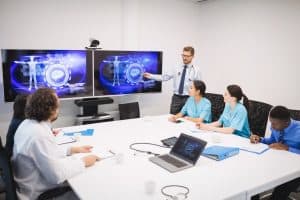
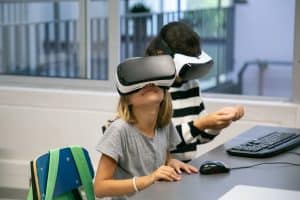
In today’s fast-paced world, Audio-Visual (AV) technology plays a pivotal role across various sectors, from education and business to entertainment and beyond. This blog will delve into the importance of AV technology, its essential aspects, and how mastering them can significantly benefit individuals and businesses. We’ll also cover relevant keywords and topics to provide you with a comprehensive understanding of this dynamic field.
AV technology, encompassing audiovisual technology, multimedia systems, and AV equipment, has become an integral part of modern life. Its significance lies in its ability to enhance communication, collaboration, and information dissemination. Businesses rely on AV technology for video conferencing, presentation technology, digital signage, and conference room solutions to streamline operations and engage with stakeholders effectively. On the other hand, AV technology enriches our entertainment experiences through home theatres and professional audio systems.
Mastering AV technology essentials for success is a crucial endeavor in today’s interconnected world. AV technology plays a pivotal role in various industries, from education and corporate settings to entertainment and healthcare. To succeed in this field, one must acquire a deep understanding of audio-visual systems, equipment, and best practices.
For individuals and businesses alike, mastering AV technology essentials is a game-changer. It ensures seamless integration of AV equipment, video conferencing solutions, and presentation technology, leading to more efficient operations. Moreover, businesses can create immersive customer experiences through digital signage and engage employees with state-of-the-art conference room technology.
Technology of The Future Classroom
Best AV Equipment for Small Businesses
In today’s fast-paced business world, equipping your small business with the right Audiovisual (AV) technology essentials is not just a luxury but a necessity. AV technology plays a pivotal role in enhancing communication, collaboration, and presentation capabilities. In this guide, we will explore specific AV equipment options suitable for small businesses, provide cost-effective recommendations, and highlight the advantages of investing in quality AV technology.
AV Technology Essentials for Small Businesses
Small businesses can benefit significantly from a well-equipped AV arsenal. Here are the key AV technology essentials every small business should consider:
Multimedia Systems: Start with a reliable multimedia system that includes projectors, screens, and high-quality speakers. This forms the foundation for effective presentations and conferences.
Video Conferencing Solutions: In the era of remote work and virtual meetings, investing in video conferencing solutions is crucial. Look for user-friendly systems that support HD video and clear audio.
Digital Signage: Digital signage can help small businesses stand out and engage customers. Use digital displays to showcase promotions, menus, or important announcements.
Conference Room Solutions: Equip your meeting rooms with AV technology that facilitates seamless presentations and discussions. This includes AV control systems and interactive displays for dynamic collaboration.
Audio Systems: Ensure crystal-clear sound quality during presentations, events, and meetings with professional audio systems. Invest in sound reinforcement systems for larger spaces.
Home Theater Setup: If your business includes entertainment areas, consider home theater setups. These can enhance customer experiences in lounges or waiting areas.
Cost-Effective AV Solutions
Small businesses often operate on tight budgets, so it’s essential to find cost-effective AV solutions that deliver value. Here are some tips:
AV Integration: Opt for AV integration services that customize solutions to your specific needs, avoiding unnecessary expenses.
Used AV Equipment: Consider purchasing refurbished AV equipment to save money without sacrificing quality.
Smart Classroom Solutions: If you’re an educational institution, explore smart classroom technology that combines AV functionality with educational tools, making the most of your investment.
How to Troubleshoot AV Technology Issues
When it comes to AV technology essentials, ensuring seamless performance is crucial, whether you’re dealing with multimedia systems, video conferencing, presentation technology, or digital signage. In this comprehensive guide, we’ll share tips and tricks to quickly identify and resolve common AV technology problems, emphasizing the importance of proactive maintenance to prevent future issues.
Troubleshooting Common AV Technology Issues
AV technology plays a pivotal role in various settings, from conference room solutions to home theaters and live events. To ensure your audiovisual experience is uninterrupted, let’s dive into effective troubleshooting techniques.
Identifying the Problem
AV Technology Basics: Begin with the basics. Check if all AV equipment is properly connected and powered on. Often, loose cables or power issues can cause disruptions.
AV Technology for Presentations: When facing issues during presentations, ensure that your video conferencing solutions are up to date, and the internet connection is stable.
AV Technology for Events: In live event technology, sound reinforcement is critical. Verify that audio systems and microphones are functioning correctly, and cables are securely connected.
Quick Solutions
AV Integration: For seamless integration, invest in AV control systems. These systems help streamline operations and can be a game-changer in troubleshooting.
AV Solutions: Look for professional audio systems that offer reliability. They can significantly improve sound quality during events or presentations.
AV Installation: If you’re new to AV technology, consider professional AV installation. Experts can ensure everything is set up correctly from the beginning.
Preventive Maintenance
AV Technology Maintenance: Regular maintenance is key. Schedule routine check-ups and updates to keep your AV equipment and multimedia systems in top shape.
AV Technology Industry Standards: Stay updated with industry standards and the latest AV technology advancements. This knowledge can help you anticipate and avoid issues.
Choosing the Right AV Control System
AV technology essentials play a pivotal role in managing audio and video equipment across various settings, from corporate boardrooms to home theatres. To make an informed decision when selecting an AV control system, it’s essential to understand its significance and compare different types of control systems, such as remote controls and touch panels.
The Role of AV Control Systems
AV control systems are the central nervous system of any audiovisual technology setup. They provide seamless integration and control over various AV equipment, ensuring a smooth and efficient user experience. Whether you’re in a conference room, home theatre, or live event, AV control systems are the invisible orchestrators that make it all work.
Comparing Control Systems
Remote Control: Remote controls are the most common and user-friendly AV control solution. They offer basic functionality for managing audiovisual essentials, like adjusting volume, changing channels, and controlling multimedia systems. While suitable for home theatres and small businesses, they may lack the complexity required for larger setups.
Touch Panels: Touch panels are a more sophisticated AV control option, often used in corporate environments and high-end home theatres. They provide intuitive, touchscreen interfaces that allow users to control various AV equipment with precision. These systems offer advanced features and customization options, making them ideal for demanding multimedia systems and professional audio setups.
Making Informed Decisions
When selecting an AV control system, consider the following factors:
Scalability: Determine whether the system can accommodate your future AV technology advancements and expansion needs.
Compatibility: Ensure that the AV control system is compatible with your existing AV equipment, such as video conferencing solutions, digital signage displays, and sound reinforcement systems.
Ease of Use: User-friendliness is crucial. Look for systems that offer a straightforward interface and minimal AV troubleshooting requirements.
Industry Standards: Verify that the system adheres to audiovisual standards and best practices to guarantee long-term reliability and performance.
AV Integration for Educational Institutions
In today’s digital age, educational institutions are embracing the integration of audiovisual (AV) technology to create engaging and immersive learning environments. This trend, driven by the advancement of AV technology essentials, has revolutionized the way students and educators interact with information.
One of the cornerstones of AV integration in education is the utilization of interactive whiteboards. These versatile tools allow educators to bring lessons to life by displaying multimedia content and fostering active participation. Interactive whiteboards are equipped with AV control systems that enable seamless navigation, annotation, and multimedia playback, making lessons more engaging and informative. With AV technology advancements, interactive whiteboards have become a staple in modern classrooms, promoting collaboration and enhancing learning outcomes.
Projectors: Enabling Visual Impact
Projectors are indispensable components of AV integration in educational institutions. They enable educators to project high-quality visuals, diagrams, and presentations, captivating the attention of students. AV equipment such as multimedia systems and video conferencing solutions can be seamlessly integrated with projectors to facilitate dynamic learning experiences. Whether it’s showcasing educational videos or conducting virtual lectures, projectors play a pivotal role in enhancing the effectiveness of presentations and classroom activities.
Audio Systems: Enhancing Clarity and Engagement
Audiovisual technology encompasses not only visuals but also sound reinforcement systems. Audio systems, when integrated into educational settings, ensure that every student can hear and engage with the content being presented. Professional audio systems are essential for large lecture halls, auditoriums, and live events within educational institutions. With AV technology essentials in place, these systems deliver crystal-clear sound, eliminating distractions and ensuring that the message is conveyed effectively.
Digital Signage Solutions for Retail
In the competitive realm of retail, businesses constantly seek innovative ways to engage customers, enhance brand visibility, and boost sales. One such game-changing avenue is leveraging Audiovisual (AV) technology essentials through digital signage solutions.
Impact of Digital Signage in Retail Environments
Digital signage has revolutionized the retail landscape by providing a dynamic platform for conveying messages and captivating audiences. Here’s how it impacts the industry:
Enhanced Customer Experience: Interactive displays and multimedia systems elevate the in-store experience, making it more engaging and informative. Shoppers are drawn to visually appealing content that showcases products and promotions.
Increased Sales: Presentation technology, including video conferencing solutions, allows retailers to demonstrate product features, conduct virtual consultations, and close deals, ultimately boosting sales conversion rates.
Real-time Updates: Digital signage offers the advantage of instant content updates. Retailers can swiftly adapt to changing market trends, pricing, or promotions, ensuring that customers receive the most up-to-date information.
Options for Digital Signage Hardware and Software
To effectively deploy digital signage in a retail setting, businesses must carefully consider their AV equipment and software choices:
AV Equipment: Retailers can choose from a wide array of AV equipment, including high-resolution displays, video walls, and sound reinforcement systems. The selection should align with the store’s size, layout, and budget.
Digital Signage Software: AV control systems and multimedia software play a crucial role in content management and display control. Solutions like AV technology advancements have made it easier than ever to design and schedule content for dynamic displays.
Latest Trends in Conference Room Technology
In today’s fast-paced business world, staying ahead of the curve is crucial, and this extends to conference room technology. Cutting-edge Audiovisual (AV) technology essentials are transforming the way businesses communicate and collaborate. In this section, we’ll explore the latest trends in conference room technology, focusing on AV technology and how it can enhance your business operations.
AV Technology Essentials for Conference Rooms
Video Conferencing Solutions
Video conferencing has become a cornerstone of modern business communication. With the advent of high-definition cameras, seamless connectivity, and AI integration, video conferencing solutions have evolved significantly. They enable teams to connect globally, making remote work and collaboration effortless.
Wireless Connectivity
Gone are the days of tangled wires and complicated setups. Wireless connectivity is now an AV technology essential. It allows for easy screen sharing and content sharing from multiple devices, fostering a more interactive and efficient meeting environment.
AI Integration
Artificial Intelligence (AI) has permeated conference room technology, making meetings smarter and more productive. AI-powered features can transcribe meetings, offer real-time language translation, and even provide insights into meeting dynamics. These advancements streamline collaboration and decision-making processes.
Digital Signage and Presentation Technology
Conference rooms are no longer limited to traditional presentations. Digital signage and presentation technology enable dynamic and engaging content delivery. With interactive displays and multimedia systems, conveying information becomes more impactful and memorable.
Home Theater Setup for Hybrid Meetings
As remote and hybrid work models gain popularity, home theatre setups for conference calls are emerging as a trend. These setups ensure a professional audio-visual experience for employees working from home, bridging the gap between on-site and remote participants.
Sound Reinforcement Systems
Crystal-clear audio is vital for effective communication. Sound reinforcement systems optimize audio quality, ensuring that every voice is heard distinctly during meetings and presentations.
Live Event Technology
Conference rooms are not just for internal meetings. They’re also becoming versatile spaces for hosting live events and webinars. AV technology advancements enable businesses to reach a wider audience through seamless live streaming and interactive features.
Conclusion
In the ever-evolving world of Audiovisual (AV) technology, staying ahead of the curve is essential. Whether you are a business professional, educator, or tech enthusiast, mastering AV technology essentials is crucial for seamless operations and delivering immersive experiences.
Key Takeaways from the Blog
Understanding the Foundation: AV technology encompasses a wide array of components, including audiovisual technology, multimedia systems, AV equipment, and presentation technology. A fundamental grasp of these elements is vital.
Collaboration in the Modern Era: Video conferencing has become a cornerstone of business communication. Integrating the right AV solutions for video conferencing is paramount for effective remote collaboration.
Enhancing Engagement: Digital signage and interactive displays are transforming the way information is presented. Whether in a corporate setting or an educational institution, these technologies engage audiences like never before.
Creating Immersive Environments: Home theatre enthusiasts can achieve cinematic experiences by mastering AV control and selecting the best audio systems. The right setup guide can make a world of difference.
Innovations in Conference Rooms: Conference room solutions are more than just projectors and screens. Discover the latest trends in conference room technology to make your meetings more productive and engaging.
Sound Reinforcement for Events: Professional audio systems are essential for live events. Learn how to choose the best equipment to ensure crystal-clear sound and unforgettable experiences.
Troubleshooting Expertise: AV technology is not without its challenges. Knowing how to troubleshoot common AV technology issues is a valuable skill set.
Adhering to Standards: Industry standards are critical for compatibility and performance. Familiarize yourself with audiovisual standards to ensure seamless integration and operation.
FAQs
What are the essential components of AV technology?
Audiovisual (AV) technology typically includes components such as displays (TVs, projectors, screens), audio equipment (speakers, microphones), source devices (computers, Blu-ray players), signal processors (AV receivers, switchers), and control interfaces (remote controls, touch panels). Cables and connectors, mounting hardware, and power management are also crucial.
How do I choose the right AV equipment for my needs?
To choose the right AV equipment, consider your specific needs and budget. Start by defining your purpose (e.g., home theater, business presentations) and desired features (e.g., 4K resolution, wireless connectivity). Research brands and models, read reviews, and compare prices. It’s essential to match equipment capabilities to your intended use and consider future expansion.
What are the common issues with AV technology and how to troubleshoot them?
Common AV issues include connectivity problems, audio/video sync issues, and poor image quality. Troubleshoot by checking connections, updating firmware, and adjusting settings. Refer to user manuals and online forums for specific guidance.
Can you recommend AV technology for home use?
For home use, consider brands like Sony, Samsung, and LG for TVs, Sonos or Bose for audio, and devices like Apple TV or Roku for streaming. Choose equipment that suits your space and entertainment preferences.
What are the latest trends in AV integration for classrooms?
Recent trends in AV integration for classrooms include interactive displays, wireless screen sharing, video conferencing integration, and smart classroom control systems. These technologies enhance engagement and remote learning capabilities.
How do I design an effective AV system for my business?
Designing an effective AV system for your business involves assessing your needs, budget, and space. Consult with AV professionals, plan the layout, choose reliable equipment, and consider scalability and future upgrades.
What are the best practices for maintaining AV equipment?
Regularly clean and inspect your AV equipment. Perform firmware updates, secure cables, and provide proper ventilation. Use surge protectors and follow manufacturer recommendations for maintenance.
Are there any industry standards for audiovisual technology?
Yes, there are several industry standards for AV technology, such as HDMI (for audio/video connectivity), ISF (Imaging Science Foundation) calibration for video displays, and various audio encoding standards. Compliance with these standards ensures compatibility and quality in AV setups.
In today’s fast-paced business landscape, the role of audio visual equipment in conducting successful meetings and impactful presentations cannot be overstated. As the corporate world continually evolves, technology solutions have become integral to ensuring that meetings are not just a mundane routine, but rather a platform for innovation, collaboration, and knowledge exchange. In the realm of modern business, the phrase “Successful meetings using audio visual equipment” resonates deeply. The integration of audio visual tools enables organizations to harness the power of technology to optimize meetings for productivity, engagement, and seamless communication. By employing audio visual equipment efficiently, businesses can create an environment that encourages effective presentations, interactive discussions, and collaborative problem-solving.One of the paramount objectives of incorporating audio visual equipment is to maximize productivity during meetings. With the right AV setup, participants can seamlessly share information, display data-driven insights, and deliver impactful presentations. This synergy between AV technology and meeting dynamics ensures that discussions remain focused and decisions are made efficiently, thereby translating into measurable business outcomes.Successful meetings hinge on the efficiency of audio visual equipment. The careful selection of AV tools and their integration within the conference tech ecosystem significantly influences the overall presentation effectiveness. High-quality audio visuals, coupled with visually engaging aids, enhance the clarity of communication and make complex ideas easier to grasp. Consequently, meeting room setups equipped with advanced AV tools become hubs of innovation and collaboration.Going Hybrid: Small Meeting Hybrid Tech Setup The Power of Audio Visual Equipment in MeetingsIn the realm of modern business, the utilization of audio visual equipment (AV) has revolutionized the way meetings are conducted. The integration of AV technology has the potential to transform ordinary gatherings into engaging and impactful experiences, ultimately leading to successful meetings using audio visual equipment. Let’s delve into how AV equipment can amplify the effectiveness of presentations, boost engagement, and maximize productivity.Improving Communication and ComprehensionVisual Aids Impact: Elevating Presentation EffectivenessEffective presentations are at the heart of successful meetings. Integrating audio visual equipment provides a powerful arsenal of visual communication tools that cater to diverse learning styles. Visual aids such as graphics, videos, and slides optimize the transmission of information. AV Integration Strategies: A Path to EngagementStreamlined Conference Tech SetupTo ensure seamless conference tech, it’s imperative to master AV setup for productive meetings. By optimizing meeting room AV, you create an environment conducive to engagement and interaction. Strategic placement of screens, audio devices, and AV tools enhances the overall experience, allowing the presenter to effortlessly navigate the technology. This kind of conference room setup guarantees that the technology doesn’t become a hurdle, but rather an enabler for successful presentation techniques.Maximizing Productivity with AV EquipmentAV Technology Success: Elevate Meeting Room VisualsThe role of AV technology extends beyond visuals; high-quality audio visuals also play a crucial part. Optimal AV equipment ensures that every participant can hear and comprehend clearly, eradicating potential communication barriers. Mastering meeting AV setup, coupled with advanced AV tools, creates an immersive auditory experience, contributing to meeting room tech excellence.Efficiency and Impact: The AV EquationAV Setup for Efficient MeetingsThe importance of AV integration in boosting productivity cannot be overstated. By adopting easy AV solutions for meetings, you can effectively utilize AV equipment to create engaging presentations. Successful business meetings hinge on the seamless flow of information and ideas, which is effortlessly facilitated by the right AV setup. Efficient meetings become the cornerstone of successful presentations, creating an atmosphere conducive to collaboration and innovation.Conference Room AV Optimization: A Recipe for SuccessSuccessful meetings using audio visual equipment are characterized by conference room AV optimization. When every detail of the AV setup is aligned, from audio clarity to visual impact, the outcome is an immersive and impactful meeting experience. Employing top audio visual tools for presentations ensures that participants are engaged, ideas are communicated effectively, and the goals of the meeting are met with utmost efficiency.Visual Aids Effectiveness: The Secret SauceVisual aids form the bedrock of impactful presentations. Their effectiveness is multiplied through AV technology. With advanced AV tools at your disposal, you can seamlessly incorporate a variety of visual aids to illustrate complex concepts, support arguments, and maintain audience interest. Utilizing visual aids in business meetings enhances comprehension and retention, leaving a lasting impact on participants. Best AV Equipment for MeetingsIn today’s fast-paced business landscape, successful meetings are the cornerstone of effective collaboration and decision-making. Maximizing productivity with AV equipment has become paramount in achieving seamless communication and impactful presentations. This comprehensive review delves into the top audio visual equipment options for meetings, encompassing projectors, displays, audio systems, video conferencing tools, and interactive whiteboards. By exploring the features, pros, and cons of each option, we cater to various meeting needs while adhering to audio visual best practices and ensuring presentation effectiveness.Streamlined Conference Tech Setup for Optimal AV Equipment UtilizationA streamlined conference tech setup is pivotal in boosting presentation impact and enhancing meeting room tech excellence. To achieve this, integrating audio visual equipment efficiently is key. Leveraging AV integration strategies ensures a harmonious blend of technology solutions that work cohesively, ultimately enhancing meetings with AV. Modern meeting technology advantages stem from the mastery of audio visual setup, encompassing both hardware and software components.Top Audio Visual Tools for Presentations: Projectors and DisplaysProjectors For successful business meetings, projectors remain a staple. Optimize meeting room AV with high-quality audio visuals by choosing a projector that aligns with your needs. The presentation impact is elevated when selecting advanced AV tools that provide sharp, clear images and vibrant colors. The conference room AV optimization is achieved through seamless conference tech and audio visual solutions that facilitate engaging presentations.Displays Modern meeting technology takes a step further with interactive displays. These visual communication tools offer an immersive experience, allowing presenters to interact with content directly. The visual aids effectiveness is heightened, providing a dynamic platform for effective presentations. The importance of AV integration is clear as displays offer a versatile solution for different meeting room tech solutions.Elevate Meeting Presentations with Audio Systems and Video Conferencing ToolsAudio Systems Effective visual aids for meetings encompass more than just visuals; audio plays a crucial
In today’s fast-paced digital landscape, audiovisual (AV) technology has become an integral part of our daily lives. Whether it’s for entertainment, communication, education, or business purposes, AV technology plays a pivotal role in enhancing our experiences. In this blog, we delve into the importance of AV technology in modern life, briefly touch upon the diverse topics covered in this comprehensive guide, and highlight the relevance of comprehensive AV guides for both beginners and enthusiasts.Audiovisual technology encompasses a wide range of AV equipment and techniques that enable us to transmit and receive audio and visual information effectively. From the most basic applications like watching TV or making video calls to advanced uses in professional settings, such as AV presentations and virtual conferences, AV technology has revolutionized the way we communicate and consume content.Comprehensive AV guides are more than just informational resources; they are your roadmap to audiovisual mastery. For beginners, these guides provide a structured AV learning journey, starting with the fundamentals and progressing to advanced AV techniques. They offer in-depth AV instruction, helping you develop the skills needed to become proficient in AV technology.Enthusiasts and professionals can benefit from these guides by expanding their AV knowledge base and staying updated with the latest industry trends. Whether you’re looking to enhance your AV skills, troubleshoot issues, or optimize your AV setup, comprehensive AV guides offer expert advice and best practices.3 methods of audio-visual translation | Need-to-know AV Essentials for BeginnersWhen embarking on your comprehensive AV journey, it’s crucial to begin with the right equipment. Whether you’re a novice looking to delve into the world of audiovisual technology or seeking to enhance your existing AV proficiency, selecting the appropriate AV equipment is the foundational step to ensure a successful and rewarding experience. In this guide, we’ll explore the significance of starting with the right gear, recommend the best AV equipment for beginners, and highlight budget-friendly options that align with your AV learning roadmap.Why Starting with the Right Equipment MattersAudiovisual technology has become an integral part of our daily lives, from home entertainment systems to professional presentations. To master the art of AV and unlock the full potential of comprehensive AV guides and AV tutorials, you need to begin with the right tools. Here’s why it’s crucial: Seamless Learning: A solid foundation in AV equipment ensures that you can follow comprehensive audiovisual guides effortlessly. With the right gear, you won’t be hindered by compatibility issues or equipment limitations as you embark on your AV education. Enhanced Understanding: Having access to the best AV equipment for beginners helps you grasp advanced AV techniques more effectively. You’ll be able to experiment with various settings, thereby accelerating your AV knowledge base. Optimized Learning Journey: Selecting the right AV setup tips for home theaters, troubleshooting AV issues, and understanding AV terminology explained become more manageable with suitable equipment. Your AV learning pathways are streamlined, allowing you to focus on mastering AV technology. Crafting Your Home Theater: AV Setup TipsIn the world of audiovisual technology, creating an immersive home theater experience is a dream for many. To achieve this dream, you need to start with a solid foundation. In this comprehensive AV guide, we’ll provide you with practical AV setup tips for home theaters that will enhance both audio and visual quality. Whether you’re a beginner or looking to master advanced AV techniques, this guide has you covered.Speaker PlacementOne of the key elements of optimizing your home theater is speaker placement. The right placement can make a significant difference in your audiovisual experience. Here are some AV best practices to keep in mind: AV Equipment Guides: Before you begin, refer to comprehensive AV resources and AV equipment guides to understand the specifications of your speakers and how they should be positioned. Audiovisual Proficiency: Achieving audiovisual proficiency requires precise speaker placement. Follow step-by-step AV guides to position your speakers at ear level for the best sound quality. Room Acoustics: The AV knowledge base tells us that room acoustics play a crucial role. AV expertise in room treatment can make your home theater sound exceptional. Consider AV learning materials that cover soundproofing, acoustic panels, and bass traps. Screen PositioningThe placement of your screen is equally vital for an optimal viewing experience. Here’s what you need to know: Advanced AV Techniques: Use advanced AV calibration techniques to ensure your screen is positioned at the right height and angle for a comfortable viewing angle. AV Learning Journey: Along your AV learning journey, you’ll discover that screen size and distance from the viewer impact the visual quality. Refer to in-depth AV instructions to get this right. Room AcousticsAV setup isn’t complete without addressing room acoustics: AV Mastery: Achieving audiovisual mastery involves understanding how sound travels in your space. AV self-study materials can help you learn about sound reflection, diffusion, and absorption. Comprehensive AV Handbook: For a comprehensive understanding of room acoustics, delve into comprehensive AV handbooks that provide insights into designing your home theater space for optimal sound quality. Transforming Your Home Theater ExperienceNow that you’ve optimized your AV setup, you’re on the path to transforming your home theater experience. With the help of these AV setup tips, you’ll notice a remarkable improvement in both audio and visual quality. Troubleshooting AV issues becomes easier when you have a solid foundation.Audio Visual TrainingAs you embark on your audiovisual proficiency journey, consider investing in audio visual training. It’s the key to mastering AV technology and presentation skills. Look for AV certification online to validate your expertise. Troubleshooting AV IssuesAudiovisual technology has revolutionized the way we experience multimedia content. Whether you’re setting up a home theater, improving AV presentation skills, or just getting started, it’s crucial to understand common AV problems and how to resolve them. In this comprehensive guide, we delve into the issues beginners often face and offer step-by-step solutions. Let’s embark on your audiovisual proficiency journey.Common AV Problems and SolutionsAudio Dropouts: Issue: Sudden loss of sound during playback. Solution: Check all AV cables for loose connections. Ensure speakers and audio sources are powered on.
Inclusive AV education is the cornerstone of modern educational approaches, catering to diverse classrooms and empowering learners of all backgrounds and abilities. As we delve into the concept of Inclusive AV education, we explore its relevance in enhancing learning for all students, ensuring equal educational opportunities, and fostering educational accessibility.Inclusive education, characterized by its commitment to accommodating diverse learners, lies at the heart of today’s educational landscape. Inclusive AV education builds upon this foundation by integrating AV technology seamlessly into the classroom environment. This synergy promotes interactive learning experiences, fostering student engagement and facilitating personalized learning.AV technology has become an indispensable tool in education. Its adaptability and accessibility make it a powerful ally for educators striving to meet the diverse needs of their students. Whether through audiovisual resources, digital learning tools, or AV integration, this technology transcends traditional teaching boundaries.One of the primary objectives of inclusive AV education is to empower all learners. It caters not only to mainstream students but also to those in special education programs. AV technology for special needs education ensures that every student has access to an accessible curriculum, thereby levelling the playing field and providing equal educational opportunities.Student engagement is a critical factor in educational success. In diverse classrooms, AV technology enhances engagement by making learning interactive and immersive. Interactive audiovisual resources and digital learning tools are vital components of this equation.Inclusive Education – Education Equity Now Inclusive AV Technology for Special EducationInclusive education has transformed the landscape of teaching, emphasizing the importance of catering to the diverse needs of students. AV technology plays a pivotal role in empowering learners with special educational requirements, fostering equal educational opportunities and enhancing accessibility in diverse classrooms. AV Technology: Bridging the Gap in Inclusive EducationInclusive education is a philosophy that promotes the integration of students with diverse abilities into regular classrooms. To achieve this, educators must leverage AV technology as a powerful tool to create an accessible curriculum that accommodates various learning styles.Empowering Learners Through AV IntegrationWhen it comes to empowering learners with special needs, AV technology is indispensable. It enables educators to implement inclusive teaching methods that cater to the unique needs of each student. Visual learners, for instance, benefit from interactive learning experiences facilitated by audiovisual resources. This personalized approach ensures that every student has equal access to educational content.Enhancing Accessibility with Assistive TechnologyAssistive technology is an integral part of inclusive AV education. It provides specialized tools and software that support students with disabilities. From screen readers for visually impaired students to speech recognition software for those with communication challenges, AV technology ensures that everyone can actively participate in the learning process.Fostering Student EngagementIn an inclusive classroom, student engagement is paramount. Utilizing AV integration and digital learning tools, educators can create interactive lessons that captivate the attention of diverse learners. This engagement is especially crucial for students with special needs, as it helps them stay motivated and actively involved in their education.Universal Design and Differentiated InstructionInclusive AV technology embraces universal design principles, ensuring that educational resources are accessible to all students, regardless of their abilities. Moreover, it facilitates differentiated instruction, allowing educators to tailor their teaching methods to meet the individual needs of each student. This approach promotes a more inclusive and equitable learning environment.Customised AV Solutions for EducationTo enhance the inclusivity of AV technology, educational institutions should invest in customized AV solutions tailored to their specific needs. These solutions can include interactive audiovisual tools, accessible curriculum resources, and digital learning platforms that cater to a wide range of learning abilities. Enhancing Audiovisual InclusivityInclusive education is a pivotal aspect of our educational landscape, aiming to provide equal educational opportunities for all learners, regardless of their diverse needs and backgrounds. In this digital age, the role of audiovisual (AV) content cannot be underestimated when it comes to empowering learners and creating a more inclusive learning environment. Let’s delve into the strategies and tips for enhancing the inclusivity of audiovisual materials, with a focus on Inclusive AV education.The Power of AV TechnologyAV technology has the potential to revolutionize education by making it more accessible and engaging for all. When used effectively, it can cater to the needs of diverse classrooms, including students with special education requirements. Educational accessibility is at the core of AV technology, with assistive technology playing a crucial role in bridging gaps and ensuring that no learner is left behind.Inclusive AV ToolsTo truly embrace inclusive education, educators should explore a wide range of AV tools and resources. These tools not only promote equal educational opportunities but also provide an accessible curriculum for all students. EdTech solutions, such as interactive learning platforms and digital learning tools, can help tailor content to individual learning needs, supporting differentiated instruction.Inclusive Teaching MethodsIncorporating inclusive teaching methods with AV technology is key to fostering learner diversity. Universal design principles can guide the development of AV resources that accommodate a wide range of learners, including those with visual impairments or other special needs. Adaptive learning systems offer personalized learning experiences, ensuring that each student can engage with the material effectively.Engaging Learners with AV IntegrationStudent engagement is a critical factor in effective teaching. AV integration into the curriculum can make learning more engaging and interactive. When educators use AV technology strategically, it enhances student engagement and encourages active participation in the learning process. Accessible Curriculum SolutionsInclusive education is a fundamental principle that ensures equal educational opportunities for all students, regardless of their diverse backgrounds and learning needs. In today’s digital age, audiovisual (AV) technology plays a pivotal role in empowering learners and creating diverse classrooms that cater to individual needs. AV Technology: A Key to Educational AccessibilityAV technology is an integral part of modern education, facilitating engaging and interactive learning experiences. Its potential for creating accessible curriculum solutions cannot be understated. By incorporating AV technology, educators can implement inclusive teaching methods that cater to the learner diversity present in their classrooms.Empowering Learners Through AV IntegrationEmpowering learners with AV technology is at the core of promoting inclusive AV education. Students, including those with special needs, benefit from
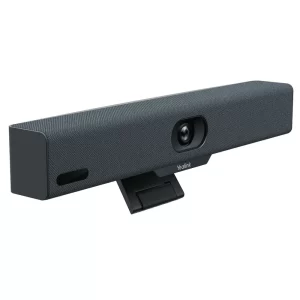
Huddle rooms are the future of the workplace, and over 75% of video meetings will occur in huddle rooms. Organisers of such meetings would often rely on USB peripherals for video conferencing, thus ignoring rapidly developing technology and solutions in the video conferencing arena. One such is Yealink A10, designed for huddle spaces. The Yealink A10 is a compact Meeting Bar for huddle rooms and home offices. It is certified for Microsoft Teams and compatible with all leading Unified Communication (UC) platforms, including Zoom. The Yealink Meeting Bar A10 is both affordable and ultra-convenient to use and set up.Yealink is a global-leading provider of Unified Communication & Collaboration Solutions specialised in video conferencing, voice communications, and collaboration, dedicated to helping every person and organisation embrace the power of “Easy Collaboration, High Productivity”. With best-in-class quality, innovative technology, and user-friendly experiences, Yealink launched the Yealink A10 for huddle spaces to provide a simple, all-in-one audio and video conferencing solution for businesses and organisations that need an easy-to-use and cost-effective way to host Huddle Space meetings. It is a versatile and reliable choice for any small business or remote team.Key Features of the Yealink A10 AI-enhanced voice: The built-in 8 MEMS microphone arrays and speaker in Meeting Bar A10 cover a huddle space nicely. As a result, you can enjoy a worry-free, full-duplex voice experience with superior performance. The device is also powered with AI noise cancellation, which blocks unnecessary background noise and makes the environment distraction-free. Thus, making everyone get heard. Speaker Tracking: Speaker Tracking frames a real-time close-up of the speaker. It brings a vivid face-to-face meeting experience. Auto Framing: The feature recognises attendees’ numbers and positions, framing everyone in the most appropriate view. Clear view: The bar packs powerful AI-enhanced video features. Important moments in the huddle space are captured with a 4k camera and 120° field of view. Smart Gallery: Smart gallery displays one panoramic view and two individual views of the current and last active speaker. This allows displaying the group more clearly to remote attendees. However, this feature is only available in Zoom-integrated devices only. What Makes the Yealink A10 a Good Choice for Huddle Spaces Simple to make room right The Yealink Meeting Bar A10 caters to all your huddle space meeting and home office needs. It is compact enough to fit anywhere. It is specially designed for focus rooms, huddle rooms, and phone rooms. You can set up within minutes and kick o your huddle space meeting in seconds. Meeting Bar A10 optimises your huddle space design and minimises visible cabling with diverse mounting options. These include desks, walls, or monitors/TV.Furthermore, compared with USB peripheral solutions, Meeting Bar A10 offers more: powerful video and audio, native meeting control and remote device management. A clean desk Meeting Bar A10 creates a wireless meeting experience with the WPP30 presentation pod. Not only content sharing but also can be wireless. Simply plug the WPP30 pod into the laptop’s USB-C port, and rich video and audio from A10 are shared immediately without installing software or drivers. Having a tidy workplace is always rewarding. Thus, reducing clutter and stress. Mini size, hardcore Though compact, the bar packs powerful AI-enhanced video and audio features. The AI-powered camera features real-time and precise Auto Framing and Speaker Tracking. Yealink’s deep learning intelligent audio analysis technology erases background noises. Thanks to its powerful video and audio technology, everyone gets an equal seat in the meeting. Unified Communication The Yealink Meeting Bar A10 is fully certified and compatible with leading video platforms such as Microsoft Teams and Zoom. It also adds flexibility as a standalone USB peripheral. No matter what platform a company starts with, later, when migrating to a native experience like Microsoft Teams or Zoom, it can complete the transition seamlessly. Management over the air The Yealink Meeting Bar A10 can be monitored, controlled and upgraded remotely with a free YMCS (Yealink Management Cloud Service) account. It can all be done, whether it’s firmware updates, configuration updates, or troubleshooting.Product Specifications Items Yealink A10 Product Code A10-010 Price £1,196.91 Inc VAT Camera 8MP Camera Resolution: 4k, 1080p and 720p 30fps 120° field of view 4x e-PTZ camera Electric privacy sheer Intelligent Features – Auto Framing – Speaker Tracking – Smart Gallery (Zoom Only) Audio Built-in 8 MEMS microphone array Built-in 5W high fidelity speaker Yealink Noise Proof Technology Full-duplex Echo cancellation Network Built-in dual-band Wi-Fi (2.4GHz/5GHz) Built-in Bluetooth Operating System Android 11 Connections 1 x HDMI output (CEC supported) 1 x USB 2.0 1 x USB-C 1 x 10/100M/1000M Ethernet port 1 x Yealink VCH port (RJ-45) 1 x Power port 1 x Security lock slot 1 x Reset slot
In today’s fast-paced technological landscape, the significance of audiovisual (AV) solutions has transcended mere convenience, evolving into an indispensable component across various settings. From corporate boardrooms to classrooms, the demand for seamless multimedia integration, efficient video conferencing, and dynamic digital signage has skyrocketed. This blog focuses on the journey toward achieving mastery in AV solutions, exploring the relevance of AV technology in diverse scenarios.AV technology is no longer confined to professional installations; it has become a driving force behind immersive experiences and multimedia trends. As businesses increasingly adopt video conferencing solutions and interactive presentation tools, the need for AV solutions mastery has never been more apparent. Professionals seeking to optimize conference room technology and live streaming solutions can benefit from advanced AV solutions and industry best practices.In the realm of AV solutions mastery, understanding multimedia integration is paramount. This involves not only choosing the right AV equipment but also delving into cutting-edge multimedia solutions. Professionals can enhance their skills through online courses, gaining insights into AV system optimization and AV integration techniques. As the industry evolves, staying abreast of audiovisual technology trends is crucial for continued success.For businesses, video conferencing solutions are no longer a luxury but a necessity. This blog emphasizes the importance of mastering AV solutions for small businesses and optimizing AV setups to meet the demands of today’s dynamic work environment. Additionally, it explores affordable digital signage solutions, providing a comprehensive review of advanced options available in the market.Audio-Visual Solutions on a Budget AV Solutions for Small BusinessesIn today’s fast-paced technological landscape, the significance of audiovisual (AV) solutions has transcended mere convenience, evolving into an indispensable component across various settings. From corporate boardrooms to classrooms, the demand for seamless multimedia integration, efficient video conferencing, and dynamic digital signage has skyrocketed. The Growing Importance of AV Solutions MasteryAV technology is no longer confined to professional installations; it has become a driving force behind immersive experiences and multimedia trends. As businesses increasingly adopt video conferencing solutions and interactive presentation tools, the need for AV solutions mastery has never been more apparent. Professionals seeking to optimize conference room technology and live streaming solutions can benefit from advanced AV solutions and industry best practices.Navigating the Multimedia Integration LandscapeIn the realm of AV solutions mastery, understanding multimedia integration is paramount. This involves not only choosing the right AV equipment but also delving into cutting-edge multimedia solutions. Professionals can enhance their skills through online courses, gaining insights into AV system optimization and AV integration techniques. As the industry evolves, staying abreast of audiovisual technology trends is crucial for continued success.Unlocking the Potential of Video Conferencing and Digital SignageFor businesses, video conferencing solutions are no longer a luxury but a necessity. This blog emphasizes the importance of mastering AV solutions for small businesses and optimizing AV setups to meet the demands of today’s dynamic work environment. Additionally, it explores affordable digital signage solutions, providing a comprehensive review of advanced options available in the market. Optimising AV Setups: A Comprehensive GuideWhen it comes to achieving AV solutions mastery, a well-optimized audiovisual (AV) setup is paramount. Whether you are delving into AV technology for professional installations or looking to enhance your multimedia integration, this guide breaks down the essential elements for an optimal AV experience.Essential Elements of an AV SetupAV Technology MasteryBegin by understanding the core components of professional AV systems. This includes selecting the right audiovisual equipment, mastering AV troubleshooting skills, and staying abreast of the latest multimedia trends. Investing time in audio-visual training and online courses ensures you are well-equipped with the knowledge to tackle any challenges that may arise.Audio and Video ConfigurationsTo achieve AV solutions mastery, pay meticulous attention to audio and video configurations. Explore advanced AV technology for immersive audiovisual experiences. Consider affordable video conferencing tools for effective communication and digital signage solutions for impactful presentations. This optimization process is crucial for conference room technology and for creating cutting-edge multimedia solutions.Tips and Tricks for OptimizationRoom Acoustics and LightingUnderstanding the role of room acoustics and lighting is key to creating immersive AV experiences. Apply AV design principles to optimize conference room AV setups. Choose the right AV equipment for events, and explore affordable digital signage solutions to enhance the visual appeal. This meticulous approach ensures that your setup aligns with industry best practices.Live Streaming SolutionsFor mastering live streaming techniques, focus on optimizing the quality of your live streams. This involves troubleshooting AV issues and choosing the right equipment. Explore live streaming solutions that align with AV technology trends and ensure a seamless streaming experience for your audience. Affordable Video Conferencing ToolsIn the realm of AV technology, mastering audiovisual solutions is crucial for businesses seeking budget-friendly and effective video conferencing tools. This section explores various affordable options, comparing and contrasting their features and costs while emphasizing the importance of seamless virtual communication.AV Solutions Mastery: Key ConsiderationsAffordable Video Conferencing ToolsWhen delving into AV solutions mastery, businesses often seek affordable video conferencing tools. Popular choices include Zoom, Microsoft Teams, and Google Meet. Each platform offers unique features catering to different business needs, from small businesses to large enterprises. Video Conferencing Tools Features Cost (Starting From) Zoom HD Video, Screen Sharing, Collaboration Tools £14.99/month Microsoft Teams Integrated with Office 365, Chat, File Sharing £5/user/month Google Meet Seamless Integration with Google Workspace £6/user/month Seamless Virtual Communication for BusinessesMastering AV solutions extends beyond the choice of video conferencing tools. Businesses must consider multimedia integration, conference room technology, and digital signage to create immersive experiences. Multimedia Trends: Staying updated on multimedia trends ensures businesses leverage cutting-edge solutions for effective communication. Immersive Experiences: Incorporating advanced AV technology enhances the overall quality of virtual interactions. AV Certification and Professional InstallationsTo achieve AV solutions mastery, businesses should invest in AV certification programs and professional installations. This ensures expertise in AV troubleshooting, system optimization, and adherence to industry best practices. AV Certification Programs: Online courses offering AV certification provide valuable learning resources for mastering AV solutions. Professional Installations: Industry experts ensure proper AV equipment mastery and efficient AV integration techniques. Advanced AV Solutions: Navigating the LandscapeInteractive Presentations
In today’s fast-paced world, productivity is a crucial aspect of both personal and professional success. One effective way to enhance productivity is by leveraging audiovisual (AV) equipment. AV tools can streamline tasks, improve communication, and foster creativity, making them indispensable assets for individuals and teams alike. Whether you’re a beginner or an advanced user, this blog will explore various strategies to boost productivity using AV equipment in different aspects of work and life.In the era of remote work, AV equipment can significantly impact productivity. With the right setup, online meetings become more efficient, and communication barriers are minimized. Invest in quality AV gear that ensures clear audio and video for seamless virtual collaboration.Time management is critical for productivity. AV equipment can assist by providing reminders, timers, and scheduling features. Utilize AV equipment with built-in time management functions to keep track of deadlines and organize your tasks effectively.Collaboration is essential in any team setting. AV equipment facilitates virtual brainstorming sessions, document sharing, and real-time feedback. By using AV tools, team members can collaborate more efficiently, regardless of their physical location.Presentations play a significant role in business and education. AV equipment can elevate your presentations by incorporating multimedia elements, ensuring your message is delivered clearly and engagingly.Tech Talk: Zoom Room Deployment AV Equipment Productivity for BeginnersIn today’s fast-paced work environment, productivity is key to success. To help you achieve peak performance, this guide will introduce you to common AV equipment and provide valuable productivity tips using AV tools. Whether you’re working from home, participating in online meetings, or giving presentations, understanding how to leverage audiovisual tools can significantly enhance your work productivity and overall efficiency.AV Equipment: A Powerful Productivity ToolAV equipment encompasses a range of essential tools, including projectors, monitors, microphones, webcams, and headphones. These audiovisual tools play a crucial role in modern workplaces, enabling seamless communication, collaboration, and creativity.Productivity Tips Using AV Equipment Choosing the Right Tools Selecting suitable AV equipment based on your specific productivity needs and budget constraints is crucial. Consider factors like video quality, audio clarity, compatibility, and ease of use when making your choices. Setting Up Your AV Gear Properly setting up and configuring your AV equipment is essential for optimal performance. Follow these steps for a smooth and efficient setup: AV Equipment for Remote Productivity: Ensure your webcam, microphone, and headphones are in top-notch condition to excel in remote work scenarios. AV Setup for Better Focus: Create a distraction-free environment by positioning your monitor, webcam, and microphone strategically to stay focused on tasks. AV Equipment for Effective Time Management: Use dual monitors to multitask efficiently and manage time effectively during online meetings and collaborative sessions. AV Equipment for Enhanced Task Management Maximise productivity with AV equipment by incorporating task management techniques: AV Gear for Productivity Improvement: Utilize productivity apps and software, such as project management tools, to stay organized and prioritize tasks effectively. AV Equipment for Streamlined Workflows: Automate repetitive tasks using AV solutions to optimize workflow and save valuable time. AV Equipment for Productive Presentations Deliver impactful presentations with the help of AV equipment: AV Equipment for Seamless Collaboration: Use video conferencing tools and share screens to collaborate with remote teams seamlessly. Boosting Creativity with AV Equipment: Engage your audience by integrating visuals, videos, and graphics into your presentations. AV Equipment Best Use Productivity Benefits Projectors Presentations Enhanced visual impact Monitors Multitasking Improved task management Microphones Communication Clear and effective voice projection Webcams Online Meetings Personalized virtual interactions Headphones Focus & Concentration Noise isolation for better focus AV Equipment Tips for Remote WorkIn today’s remote work landscape, establishing a productive home office is crucial for optimal efficiency and success. Leveraging AV equipment effectively can significantly enhance productivity, making it easier to manage tasks, collaborate with remote colleagues, and stay focused on important projects. In this section, we will explore some valuable tips on using AV equipment to create a conducive and productive remote workspace. AV Equipment for Remote Work Productivity Working remotely comes with its unique challenges, but with the right AV equipment, you can turn your home office into a highly efficient workspace. Consider investing in top-notch audiovisual tools that allow you to conduct virtual meetings, presentations, and seamless collaborations with colleagues from anywhere in the world. Choose equipment that ensures crystal-clear communication and minimizes disruptions, empowering you to stay on top of your game. Enhancing Productivity Using AV Tools AV equipment offers a multitude of features that can significantly boost productivity. Take advantage of screen-sharing capabilities to demonstrate ideas and share information during meetings. Use video conferencing to connect face-to-face with remote colleagues, promoting better communication and understanding. Utilize AV equipment for effective time management, allowing you to allocate tasks efficiently and meet deadlines promptly. AV Equipment Efficiency Methods Efficiency is key to maintaining a productive home office. Organize your AV setup in a way that enables easy access to essential tools, reducing the time wasted searching for equipment. Consider creating a dedicated space for your AV gear, ensuring it is always ready for action. Implement productivity hacks using AV equipment, such as using dual monitors for multitasking or using wireless tools for more flexibility. AV Equipment for Task Management and Workflow Optimization AV equipment plays a vital role in managing tasks and optimizing workflows. With the right tools, you can keep track of your to-do lists, set reminders, and prioritize tasks effectively. Utilize AV solutions for productivity improvement, enabling you to streamline work processes and maintain a smooth workflow. AV Equipment for Distraction Elimination Working from home often comes with distractions that can hamper productivity. AV equipment can be used to minimize interruptions and maintain focus. Invest in noise-cancelling headphones or soundproofing solutions to create a quiet workspace. Use AV tools for better focus during virtual meetings and presentations. AV Equipment for Enhanced Creativity and Presentations Creativity is vital in any remote work setting. AV equipment can be a powerful tool for boosting creativity and making impressive presentations. Use visual aids and multimedia elements to make your presentations more engaging and memorable. AV
This website uses cookies so that we can provide you with the best user experience possible. Cookie information is stored in your browser and performs functions such as recognising you when you return to our website and helping our team to understand which sections of the website you find most interesting and useful.
Strictly Necessary Cookies
Strictly Necessary Cookie should be enabled at all times so that we can save your preferences for cookie settings.
If you disable this cookie, we will not be able to save your preferences. This means that every time you visit this website you will need to enable or disable cookies again.
3rd Party Cookies
This website uses Google Analytics to collect anonymous information such as the number of visitors to the site, and the most popular pages.
Keeping this cookie enabled helps us to improve our website.
Please enable Strictly Necessary Cookies first so that we can save your preferences!