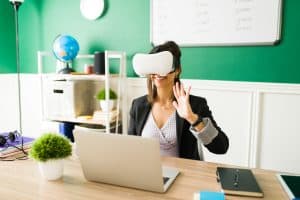
In today’s fast-paced business world, the key to success lies in conducting efficient and productive meetings. To achieve this, organizations are increasingly turning to Audio-Visual (AV) equipment to revolutionize the way meetings are conducted. AV technology offers a wide range of benefits, from small business gatherings to large conference rooms, and from virtual meetings to hybrid setups. Let’s explore how AV equipment can be your secret weapon in achieving more efficient, engaging, and collaborative meetings.
With the right AV setup, meetings can become seamless and productive. AV equipment plays a crucial role in enhancing communication and collaboration among team members. Through interactive presentations, real-time data sharing, and smooth video conferencing, AV technology fosters a more engaging meeting environment. When participants feel connected and involved, meeting productivity soars.
One of the most significant advantages of AV equipment is the array of tools it offers for productive meetings. AV devices such as high-definition projectors, video conferencing systems, and audio systems with crystal-clear sound quality elevate the meeting experience. These tools promote effective communication, help maintain focus, and ensure that every attendee can actively participate.
Implementing AV techniques can further improve meeting outcomes. Making the best use of visuals, multimedia content, and interactive elements keeps attendees engaged and interested. From well-designed presentations to immersive virtual reality experiences, AV technology adds a new dimension to meetings, making them memorable and impactful.
To leverage the full potential of AV equipment, it’s crucial to choose the right tools for your specific meeting needs. For small business meetings, portable and easy-to-use AV solutions are ideal. On the other hand, large conference rooms require more sophisticated AV setups to accommodate a larger audience effectively.
Meeting Facilitation Tips – How to Facilitate Your First Meeting
AV Equipment for Small Business Meetings
In today’s fast-paced business environment, small businesses and startups are increasingly recognizing the importance of holding productive meetings to achieve their goals effectively. One key factor that can significantly enhance meeting efficiency is the proper utilization of AV equipment. Audio-visual technology plays a crucial role in meeting facilitation, communication, collaboration, and productivity. In this section, we will explore budget-friendly AV solutions that can benefit small business meetings and offer tips for setting up an effective AV system in a small meeting room.
Maximising Productivity with AV Equipment
AV equipment can be a game-changer when it comes to maximizing productivity during meetings. By incorporating AV technology strategically, small businesses can create an environment that fosters engagement, interaction, and seamless communication. Utilizing AV equipment allows participants to share information visually and audibly, leading to more focused discussions and better decision-making processes.
AV Equipment for Small Business Meetings: The Basics
Understanding the Importance of AV Technology in Meetings: AV equipment offers the advantage of making meetings more dynamic and engaging. Visual aids, such as presentations and videos, help in conveying complex ideas effectively, leading to better understanding and retention of information.
Exploring Budget-Friendly AV Solutions: Small businesses often have limited resources, but that doesn’t mean compromising on AV capabilities. There are affordable AV solutions available, including AV equipment rental services, which provide access to high-quality devices without the need for significant upfront investments.
The Advantages of Using AV Devices to Improve Meeting Efficiency: AV technology promotes active participation and collaboration, which can significantly enhance meeting outcomes. By incorporating AV devices, businesses can stimulate creativity and ensure everyone’s ideas are effectively communicated.
Tips for an Effective AV Setup in a Small Meeting Room
Choosing the Right AV Equipment: Selecting suitable AV gear is crucial for a successful meeting. Consider factors such as the size of the meeting room, the number of participants, and the type of interactions expected to ensure the equipment meets the specific needs of the business.
Ensuring Seamless Meeting Collaboration: AV equipment should be easy to use to avoid unnecessary technical hiccups. Collaborative tools, such as interactive displays and wireless screen sharing, allow for smooth teamwork and idea exchange.
Enhancing Meeting Communication with AV: Effective communication is the backbone of productive meetings. AV technology provides various means of communication, such as video conferencing and instant messaging, to keep everyone connected and informed.
In today’s rapidly evolving business landscape, virtual meetings have become an essential aspect of modern communication and collaboration. To ensure productive and engaging virtual meetings, the right audio-visual (AV) equipment and tools play a crucial role. In this section, we will evaluate the best AV software for virtual meetings and explore how AV technology can overcome common challenges in virtual collaboration while enhancing meeting efficiency and communication.
AV Equipment for Productive Meetings: Choosing the Right Tools
One of the key elements in facilitating productive meetings is selecting the appropriate AV equipment. For small business meetings or large conference rooms, the right AV setup can make a significant difference. To enhance virtual team collaboration, businesses should invest in AV technology that supports interactive features and seamless communication.
Top-rated AV Tools for Virtual Meetings: Boosting Engagement and Interaction
When it comes to virtual meetings, engagement is vital to ensure active participation and collaboration among attendees. Utilizing top-rated AV tools can foster engagement by offering features like real-time polls, whiteboard sharing, and virtual breakout rooms for group discussions. These tools help create an immersive meeting environment that maximizes productivity and ensures effective communication.
Overcoming Common Challenges in Virtual Collaboration: AV Solutions
Virtual collaboration comes with its own set of challenges, such as technical glitches, poor audio quality, and limited interaction. However, with the right AV equipment and tools, businesses can overcome these obstacles. AV equipment benefits in business meetings include improved communication, reduced meeting downtime, and enhanced meeting productivity.
Integrating AV Technology with Virtual Meeting Platforms: Seamless Implementation
To achieve a seamless meeting experience, integrating AV technology with virtual meeting platforms is essential. By following AV equipment implementation best practices, businesses can ensure that their virtual meetings run smoothly and efficiently.
Effective Meeting Room AV Setup: Tips and Strategies
An effective meeting room AV setup is crucial for hosting successful virtual meetings. By following AV equipment user guides and considering the latest trends in AV technology, businesses can create an optimized environment for enhanced productivity and collaboration.
AV Equipment for Hybrid Meetings: Bridging the Gap
As the workforce becomes more decentralized, hybrid meetings that combine in-person and virtual attendance are gaining popularity. AV equipment for hybrid meetings should cater to both physical and virtual participants, providing a seamless experience for everyone involved.
Best AV Software for Virtual Meetings
In today’s fast-paced business world, productive meetings play a crucial role in driving success and collaboration. To achieve seamless communication and foster efficient collaboration, a well-equipped meeting room with audio-visual (AV) technology is essential. In this guide, we will explore the key components of a successful meeting room AV setup, how to choose the right AV equipment based on your meeting requirements, optimize audio and video quality, integrate AV technology with existing collaboration tools, and ultimately, enhance meeting productivity with AV equipment.
Key Components of a Successful Meeting Room AV Setup
To facilitate productive meetings, it’s essential to have the right AV equipment in place. Here are the key components you need for a successful meeting room AV setup:
HD Display Screens: High-definition display screens ensure clear and vivid visuals, making presentations and content sharing more impactful.
Audio Equipment: Crystal-clear audio is vital for seamless communication. Invest in high-quality microphones, speakers, and echo-cancellation technology to eliminate background noise.
Web Cameras: HD web cameras enable participants to see each other clearly during video conferences, enhancing engagement and building rapport.
AV Connectivity Hub: A centralized AV connectivity hub simplifies connecting laptops, tablets, and other devices to the AV system, enabling smooth presentations and content sharing.
Control Systems: Intuitive control systems make it easy for users to manage AV equipment and adjust settings effortlessly.
Collaboration Software: Integrated collaboration software allows real-time document sharing, annotation, and brainstorming, fostering teamwork and creativity.
Wire Management Solutions: Neat and organized wire management not only enhances the room’s aesthetics but also reduces the risk of technical glitches during meetings.
Choosing the Right AV Equipment Based on Your Meeting Requirements
Selecting the appropriate AV equipment depends on the specific needs of your meetings. Consider the following factors:
Meeting Size: For small meeting rooms, compact AV setups with appropriate screen and audio sizes are sufficient, while larger conference rooms may require bigger displays and powerful audio systems.
Meeting Type: Different meetings have different requirements. Video conferences may necessitate superior web cameras and reliable internet connections, while presentations might benefit from interactive displays.
Mobility: If your organization hosts meetings in various rooms, consider portable AV solutions that can be easily moved between spaces.
Budget: While investing in quality AV equipment is essential, it’s crucial to balance functionality with budget constraints.
Optimising Audio and Video Quality for Seamless Communication
Crystal-clear audio and video are critical for productive meetings. Follow these tips to optimize AV quality:
Provides sharp and detailed visuals for better engagement.
Proper Lighting Setup
Ensures participants’ faces are well-lit and visible.
Bandwidth Management
Prevents lags and disruptions during video conferences.
Regular Maintenance and Upgrades
Ensures AV equipment operates at its best capacity.
Integrating AV Technology with Existing Collaboration Tools
Seamless integration of AV technology with existing collaboration tools enhances meeting efficiency. Consider the following strategies:
Utilize compatible software that allows easy integration with your AV setup.
Provide training to employees on how to use the integrated tools effectively.
Encourage participants to use collaboration features actively for increased engagement.
Meeting Room AV Solutions: Enhancing Engagement and Interaction
Meeting rooms equipped with cutting-edge AV technology offer numerous benefits:
Enhanced participant engagement through interactive presentations.
Improved communication and idea-sharing through video conferencing.
Streamlined collaboration with real-time document sharing and editing.
AV Equipment for Remote Team Collaboration
Remote work has become the norm for many businesses, and as a result, effective team collaboration has become a top priority. Leveraging AV equipment for meetings is an excellent way to facilitate productive and seamless collaboration among remote teams. This section explores the strategies and benefits of using AV technology to maximize productivity, overcome geographical barriers, improve communication, and foster a strong remote team culture.
AV Equipment for Remote Team Collaboration
One of the primary challenges of remote work is the lack of face-to-face interaction. However, AV solutions bridge this gap by enabling team members to connect and collaborate from different locations. Whether it’s a video conference or a virtual team meeting, AV equipment ensures that everyone is engaged and actively involved in the discussion.
Strategies for Improving Communication and Interaction in Remote Meetings
Use High-Quality AV Devices: Investing in top-rated AV equipment for meetings guarantees clear communication and seamless interaction. High-definition cameras, professional microphones, and reliable speakers contribute to an immersive meeting experience.
Facilitating Meetings using AV Equipment: AV technology facilitates smooth meeting facilitation. Team leaders can use interactive features to direct discussions and maintain the flow of conversations, ensuring that the meeting objectives are met.
AV Equipment for Engaging Meetings: Engaging meetings are productive meetings. Utilize AV tools to make presentations visually appealing, encourage active participation, and keep attendees focused and interested throughout the meeting.
The Role of AV Solutions in Fostering a Strong Remote Team Culture
Enhancing Meetings with AV Tools: By incorporating AV tools, companies can create a collaborative and supportive remote team culture. These tools foster open communication and encourage team members to contribute their ideas freely.
AV Equipment Implementation in Meetings: Smooth implementation of AV equipment ensures that meetings start on time and run without technical glitches. A well-organized AV setup sets the stage for productive discussions.
Using AV Technology for Effective Presentations
Presentations are a crucial aspect of remote meetings, and AV equipment elevates their impact significantly. Utilize AV devices for impressive visual aids, interactive elements, and smooth transitions to keep participants engaged and attentive.
AV Equipment for Small Business Meetings
Small businesses benefit from AV equipment that meets their specific needs. Affordable AV solutions for meetings enable smaller teams to enjoy the benefits of seamless collaboration without straining their budgets.
Best AV Software for Virtual Meetings
Choosing the right AV software is vital for hosting successful virtual meetings. Look for features such as user-friendly interfaces, strong security measures, and compatibility with various devices to ensure smooth communication.
AV Equipment for Large Conference Rooms
In large conference rooms, AV technology plays a critical role in ensuring that all attendees can actively participate and engage with the content being presented. Large screens, quality audio systems, and advanced video conferencing equipment enhance the overall meeting experience.
How to Choose AV Devices for Meetings
When selecting AV devices, consider factors like the size of your team, meeting frequency, and specific collaboration requirements. Opt for versatile equipment that can accommodate different meeting formats.
AV Equipment Installation Guide for Meetings
Proper installation of AV equipment is essential to avoid technical issues during meetings. Follow the manufacturer’s guidelines and seek professional assistance if needed.
AV Equipment for Productive Video Conferences
Video conferences require reliable AV equipment to maintain a professional atmosphere and ensure smooth communication. High-definition cameras and noise-cancelling microphones contribute to effective virtual interactions.
AV Equipment Troubleshooting in Meetings
Technical glitches can disrupt meetings, but having troubleshooting protocols in place can quickly resolve these issues. Create a troubleshooting guide to address common AV equipment challenges efficiently.
AV Equipment Maintenance for Meetings
Regular maintenance of AV equipment ensures that it remains in optimal condition, preventing unexpected disruptions during critical meetings.
AV Equipment Rental for Meetings
For occasional meetings or events, AV equipment rental can be a cost-effective solution. This allows businesses to access state-of-the-art AV technology without the need for long-term investment.
AV Equipment for Hybrid Meetings
As some team members work in-office while others work remotely, hybrid meetings are becoming more common. AV equipment designed for hybrid setups ensures seamless collaboration between in-person and remote participants.
Affordable AV Solutions for Meetings
In today’s fast-paced business world, effective meetings are crucial for collaboration, communication, and decision-making. Leveraging audio-visual (AV) technology can significantly enhance meeting efficiency, leading to productive outcomes. In this section, we explore cost-effective AV equipment options that facilitate productive meetings, offering budget-friendly alternatives without compromising on quality. Additionally, we will delve into the benefits of AV gear rental services, long-term cost savings, and the advantages of investing in AV solutions for various meeting setups.
AV Equipment for Productive Meetings
AV equipment plays a vital role in transforming ordinary meetings into dynamic and engaging sessions. From small business meetings to large conference rooms, choosing the right AV setup is essential. To facilitate better meetings, it is crucial to consider AV devices that enhance meeting productivity, interaction, and communication.
AV Solutions for Different Meeting Setups
Small Business Meetings: For small-scale meetings, simplicity and cost-effectiveness are key. Opt for basic AV equipment, such as projectors, screens, and quality microphones, to ensure clear communication and efficient presentations.
Virtual Team Collaboration: In the era of remote work, virtual meetings have become the norm. Invest in the best AV software for virtual meetings, ensuring seamless video conferencing and effective communication.
Large Conference Rooms: In larger spaces, consider advanced AV tools like interactive displays, video walls, and professional audio systems. These solutions encourage engagement and foster collaboration among attendees.
AV Equipment Installation and Maintenance
Efficient AV equipment installation is essential for hassle-free meetings. Refer to AV equipment installation guides, which provide step-by-step instructions for setting up projectors, displays, and audio systems.
Moreover, routine AV equipment maintenance ensures optimal performance. Regular check-ups and troubleshooting will prevent technical glitches during critical meetings.
AV Equipment Rental: A Cost-effective Solution
For businesses with occasional or temporary AV needs, AV equipment rental services offer an economical solution. Renting AV gear for specific events or projects can save costs and eliminate the need for long-term investments.
Long-term Cost Savings and Benefits
While AV equipment rental may suit short-term requirements, investing in quality AV solutions brings long-term benefits:
Enhanced Meeting Productivity: AV technology enables seamless presentations, interactive discussions, and efficient communication, resulting in more productive meetings.
Collaboration and Interaction: Engaging AV setups promote active participation and foster collaboration among team members, leading to better outcomes.
Professional Presentations: High-quality AV equipment elevates the overall impression of your business, making presentations more impactful and memorable.
AV Equipment Strategies for Successful Meetings
Choosing the Right Equipment: Understand the specific needs of your meetings and choose AV equipment accordingly. Avoid overcomplicating setups for smaller gatherings.
Effective Meeting Room AV Setup: Ensure that the AV equipment is properly configured to avoid technical disruptions during important meetings.
Engaging Meetings with AV: Utilize AV techniques, such as interactive displays and video conferencing, to maintain participants’ interest and engagement.
Enhancing Meeting Efficiency with AV Technology
AV technology improves meeting efficiency in various ways:
Seamless Communication: Crystal-clear audio and video quality enables smooth communication, reducing misunderstandings and enhancing collaboration.
Visual Aid for Presentations: AV tools like projectors and displays facilitate dynamic presentations, conveying information effectively to all attendees.
Virtual Collaboration: AV technology bridges the gap between remote team members, encouraging real-time collaboration and idea exchange.
How to Choose AV Devices for Meetings
When it comes to facilitating productive meetings, harnessing the power of audio-visual (AV) equipment is paramount. To achieve seamless communication and collaboration, it is essential to understand the different types of AV devices available in the market.
AV Equipment for Meetings: A Game Changer
AV equipment is a game-changer in modern meeting setups, as it enhances communication and engagement among participants. These devices include projectors, displays, video conferencing systems, microphones, speakers, and interactive whiteboards, to name a few.
Assessing Your Meeting Requirements and Selecting Suitable AV Equipment
To maximize productivity with AV equipment, it is crucial to assess your specific meeting requirements before making a selection. Consider the size of your meeting space, the number of participants, and the nature of discussions to determine the ideal AV setup.
Effective Meeting Room AV Setup: Tailored to Your Needs
A well-planned AV setup that aligns with your meeting goals can significantly impact meeting efficiency. Ensure that the AV devices chosen are capable of catering to the specific demands of your meetings, whether they are small team huddles or large conference rooms.
Considering Factors Such as Scalability, Compatibility, and User-Friendliness
To achieve seamless meeting collaboration, it is imperative to consider factors such as scalability, compatibility, and user-friendliness when selecting AV equipment.
AV Equipment for Small Business Meetings: Scalable Solutions
For small businesses, scalable AV solutions are advantageous, allowing room for growth and future expansion. Opt for devices that can easily accommodate increasing participant numbers and evolving meeting requirements.
AV Equipment Compatibility and User-Friendly Interface
Ensure that the chosen AV equipment is compatible with your existing infrastructure, such as conference room setups or virtual meeting software. Additionally, a user-friendly interface will ensure smooth operation and reduce the need for extensive training.
Seeking Expert Advice for Personalized AV Solutions Based on Your Business Needs
For meeting facilitation that goes above and beyond, seek expert advice to create personalized AV solutions tailored to your business needs.
AV Equipment Benefits in Business Meetings: Expert Insights
Experts in AV technology can offer valuable insights into how different devices can benefit specific types of business meetings. Their guidance can help you optimize your AV setup for successful meetings and improved communication.
Enhancing Meetings with AV Equipment: Strategies for Meeting Implementation
To truly make the most of AV equipment and enhance meeting productivity, consider implementing the following strategies:
AV Techniques for Better Meetings: Utilize AV techniques, such as incorporating multimedia presentations, to enhance meeting engagement and interaction.
AV Technology for Virtual Team Meetings: In the age of remote work, leverage AV technology to conduct effective virtual team meetings, fostering collaboration regardless of location.
Meeting Room AV Essentials: Equip your meeting rooms with essential AV tools to ensure seamless communication and efficient presentations.
AV Equipment Maintenance for Meetings: Regularly maintain AV devices to ensure their optimal performance and avoid disruptions during critical meetings.
AV Tool
Features
Benefits
Interactive Whiteboards
Real-time collaboration, Digital annotation
Enhanced brainstorming and idea sharing
Video Conferencing Systems
HD video quality, Multi-participant support
Seamless communication with remote teams
Wireless Presentation Systems
Easy content sharing, Device compatibility
Effortless presentation setup and sharing
Microphone Arrays
Noise reduction, 360-degree coverage
Crystal-clear audio for all participants
Projectors
High brightness, Versatility
Clear and impactful visual presentations
AV Equipment for Hybrid Meetings: Bridging the Gap
Hybrid meetings, with both in-person and remote participants, require AV equipment that ensures smooth communication and equal participation for all attendees.
AV Equipment Installation Guide for Meetings
In today’s fast-paced business world, maximizing productivity with AV equipment has become crucial for facilitating successful meetings. Effective meeting facilitation and communication rely on reliable audio-visual technology. This guide provides step-by-step instructions for setting up AV equipment in meeting rooms, troubleshooting common installation issues, and ensuring optimal performance. We’ll also discuss the pros and cons of DIY vs. professional installation, regular maintenance, and updates to keep AV technology running smoothly.
AV Equipment Setup for Productive Meetings
Setting up AV equipment for meetings requires careful planning and organization. Follow these steps to ensure a seamless setup:
Assess Meeting Room Requirements: Determine the meeting room’s size and layout to choose the appropriate AV devices. Consider the number of participants, seating arrangement, and visibility of screens and displays.
Selecting the Right AV Tools: Choose AV equipment that aligns with meeting objectives and enhances collaboration and communication. Look for features like high-quality audio, crisp visuals, and easy connectivity.
Optimal Placement of Equipment: Position displays, projectors, and speakers strategically for maximum visibility and sound distribution. Minimize glare and echoes for an improved meeting experience.
AV Connectivity and Integration: Ensure all AV devices are compatible and can be seamlessly integrated into existing systems. This reduces technical glitches during meetings.
Troubleshooting AV Installation Issues
Even with careful setup, technical problems may still occur. Here are common AV installation issues and their solutions:
Audio Problems: If there’s no sound or distorted audio, check the speaker connections and volume settings. Update audio drivers and replace faulty cables or speakers.
Display Issues: Address blurry images or flickering screens by adjusting display settings and ensuring the correct resolution is used. Test different cables to identify potential connectivity problems.
Connectivity Challenges: If devices aren’t connecting, verify network settings and passwords. Update firmware and software to fix compatibility issues.
DIY vs. Professional AV Installation
Deciding between DIY and professional AV installation depends on various factors:
DIY (Do-It-Yourself) Installation:
Pros: Cost-saving, hands-on experience, flexibility in setup.
To ensure AV equipment operates flawlessly, regular maintenance is essential. Follow these maintenance practices:
Clean and Dust: Routinely clean screens, lenses, and equipment surfaces to maintain optimal performance.
Check Cables and Connections: Inspect and replace damaged cables, ensuring all connections are secure.
Software Updates: Regularly update firmware and software to access the latest features and security patches.
AV Equipment for Specific Meeting Types
Different meetings benefit from specific AV equipment:
Small Business Meetings: Compact AV setups offer cost-effectiveness and ease of use for smaller teams.
Virtual Meetings: Invest in top-rated AV software to facilitate seamless online collaboration.
Remote Team Collaboration: Equip remote employees with AV tools for effective virtual communication.
Large Conference Rooms: Opt for advanced AV devices that accommodate large audiences.
Conclusion
In today’s fast-paced business landscape, productive meetings are essential for the success of any organization. Utilizing audio-visual (AV) equipment can significantly enhance meeting efficiency, collaboration, and communication.
AV equipment is a powerful tool that can revolutionize the way you conduct your meetings. By seamlessly integrating audio and visual elements, AV technology elevates the meeting experience and aids in delivering impactful presentations.
AV equipment provides the means to facilitate meetings effectively. Whether you’re using interactive displays, advanced video conferencing systems, or professional sound setups, AV solutions enable smooth communication and collaboration among team members.
AV equipment breaks down communication barriers and fosters collaboration. With crystal-clear audio and high-definition video, participants can engage in discussions without any technical disruptions, ensuring productive outcomes.
A well-designed AV setup is crucial for ensuring seamless meeting experiences. Implementing AV devices strategically can improve meeting engagement, interaction, and overall productivity.
FAQs
Can AV equipment improve meeting productivity?
Yes, AV equipment can significantly improve meeting productivity. By incorporating audio-visual elements such as projectors, screens, video conferencing tools, and interactive whiteboards, presentations become more engaging and informative. Visual aids help convey complex information, foster better understanding, and keep participants attentive. Remote attendees can join effortlessly, promoting collaboration and reducing travel expenses. AV equipment streamlines communication, enhances discussions, and ensures efficient decision-making during meetings.
What AV tools are best for facilitating productive meetings?
Several AV tools are excellent for productive meetings. Video conferencing platforms like Zoom, Microsoft Teams, or Cisco Webex facilitate seamless virtual collaboration. Interactive displays, like smart whiteboards or touchscreen monitors, promote active participation and idea-sharing. High-quality projectors and screens enhance visual presentations. Good-quality microphones and speakers ensure clear audio, reducing communication barriers. Document cameras allow real-time sharing of physical materials. Additionally, wireless presentation systems enable easy content sharing from multiple devices. Choosing the right AV tools depends on meeting requirements and budget considerations.
How can I enhance meetings with AV technology?
You can enhance meetings with AV technology by incorporating interactive elements, like touchscreens or whiteboards, to promote engagement and idea exchange. Utilize video conferencing to connect remote participants and encourage inclusivity. Display clear visuals using projectors or large screens to enhance presentations. Invest in high-quality audio equipment to ensure everyone can hear and be heard. Encourage the use of collaborative tools for file sharing and real-time editing. Providing training on AV equipment usage can also boost efficiency during meetings. Regularly evaluate and update your AV setup to keep up with evolving technology and user needs.
Is AV equipment beneficial for small business meetings?
Yes, AV equipment is highly beneficial for small business meetings. In small groups, effective communication is paramount, and AV tools can facilitate this process. Visual aids improve comprehension and help present complex ideas concisely. Video conferencing bridges distances and allows remote team members or clients to participate fully. Interactive displays encourage engagement and creativity. For small businesses with limited office space, AV technology can optimize the use of available resources, making meetings more efficient and productive.
What are the advantages of AV equipment in meetings?
AV equipment offers numerous advantages in meetings. It enhances communication by providing visual aids that support and reinforce verbal messages. This combination improves message retention and understanding. AV tools facilitate remote collaboration, enabling participation from geographically dispersed teams. Interactive features foster engagement, creativity, and problem-solving. Meetings become more dynamic and inclusive, encouraging contributions from all participants. AV technology also streamlines decision-making processes and saves time through efficient sharing of information. Moreover, it enables impactful presentations, leaving a lasting impression on attendees.
How do I set up AV devices for effective meetings?
To set up AV devices for effective meetings, follow these steps:
Assess meeting needs: Understand the type of meetings and desired outcomes to determine appropriate AV tools.
Choose quality equipment: Invest in reliable audio-visual devices, considering factors like room size, lighting, and budget.
Arrange the layout: Position displays, projectors, and screens for optimal visibility. Ensure speakers and microphones are well-placed.
Test connectivity: Check internet and network connections for seamless video conferencing.
Practice beforehand: Familiarize yourself with the equipment and conduct a trial run to avoid technical glitches during the actual meeting.
Create user guides: Provide simple instructions for attendees to navigate AV tools easily.
Regular maintenance: Keep the equipment clean and updated, and address technical issues promptly.
Can AV equipment be used in virtual team meetings?
Yes, AV equipment can be effectively used in virtual team meetings. Virtual meetings often rely on video conferencing platforms, where webcams, microphones, and speakers are essential components of AV setups. Interactive whiteboards and screen-sharing capabilities promote collaboration and idea-sharing. Document cameras enable real-time display of physical materials to remote participants. Using AV equipment enhances communication, fosters team cohesion, and overcomes the challenges of distance and time zones, creating a productive virtual meeting environment.
Are there affordable AV solutions for meetings?
Yes, there are affordable AV solutions suitable for meetings. Many cost-effective video conferencing platforms like Zoom and Google Meet offer free or low-cost plans for small-scale meetings. Basic projectors, screens, and portable sound systems can be budget-friendly alternatives for presentation needs. Interactive whiteboards may have more accessible options for smaller meeting rooms. Additionally, some companies provide rental services for AV equipment, allowing you to use advanced tools without a significant upfront investment. Consider your specific meeting requirements and explore different brands and suppliers to find the most economical AV solutions.
How to troubleshoot AV equipment in meetings?
When troubleshooting AV equipment during meetings:
Check connections: Ensure all cables and connections are secure and properly plugged in.
Restart devices: Power cycle the equipment to resolve software or firmware issues.
Adjust settings: Verify volume levels, display settings, and input sources for proper functionality.
Update software: Keep software and drivers up-to-date to avoid compatibility issues.
Test with alternate devices: Check if the issue lies with a specific device by testing with other compatible equipment.
Consult manuals: Refer to user manuals or online support resources for specific troubleshooting guidance.
Have backup plans: Always have a contingency plan in case the AV equipment encounters major issues during crucial meetings.
What are the top-rated AV tools for meetings?
The top-rated AV tools for meetings include:
Zoom: A widely-used video conferencing platform known for its ease of use and reliable performance.
Microsoft Teams: Integrated with Office 365, offering seamless collaboration and productivity features.
Cisco Webex: Trusted platform for secure and scalable virtual meetings.
Google Meet: Part of G Suite, providing straightforward video conferencing capabilities.
SMART Board: Interactive whiteboards that facilitate engaging presentations and collaboration.
Logitech Rally: High-quality audio and video conferencing system suitable for larger meeting rooms.
Barco ClickShare: Wireless presentation system for easy content sharing from multiple devices.
Is AV equipment maintenance necessary for meetings?
Yes, AV equipment maintenance is necessary for meetings to ensure smooth operation and longevity. Regular cleaning of devices and connections helps prevent dust and debris buildup. Check for software updates and apply them promptly to enhance performance and security. Perform routine checks on cables, projectors, screens, and other components to identify and address any issues early on. Have a maintenance schedule in place, and if possible, invest in professional AV system servicing to keep the equipment in optimal condition for productive meetings.
How to choose the right AV equipment for large conference rooms?
To select the right AV equipment for large conference rooms:
Consider room size and layout: Opt for larger screens, high-quality projectors, and powerful sound systems to accommodate all attendees effectively.
Interactive displays: Choose touchscreens or interactive whiteboards to promote engagement and collaboration.
Microphones and speakers: Invest in high-quality audio equipment to ensure clear communication throughout the room.
Video conferencing capabilities: Look for systems that support multiple cameras and remote participant connectivity for seamless virtual meetings.
User-friendliness: Prioritize AV tools with intuitive interfaces and easy-to-use features to avoid complications during presentations.
Compatibility: Ensure the selected equipment works well with existing infrastructure and software to avoid integration problems.
Can AV equipment be rented for meetings?
Yes, AV equipment can be rented for meetings. Many AV rental companies offer flexible solutions to cater to varying meeting requirements. Renting AV equipment can be cost-effective, especially for one-time events or when you need specialized tools that aren’t used frequently. It also allows you to access the latest technology without committing to a full purchase. When renting AV equipment, ensure you communicate your specific needs to the rental provider so they can offer the most suitable solutions for your meetings.
How does AV technology aid in better presentations?
AV technology aids in better presentations by enhancing engagement and comprehension. Visual aids like slides, videos, and graphics support verbal explanations, making information more memorable and accessible to the audience. Interactive displays allow presenters to interact directly with content, fostering active participation and collaboration. Video conferencing enables real-time communication and feedback, overcoming geographical barriers. Quality audio equipment ensures clear delivery of the presenter’s message. Overall, AV technology empowers presenters to create dynamic, immersive, and impactful presentations that leave a lasting impression on attendees.
In today’s fast-paced world, effective presentations play a crucial role in various domains, including business, education, and sales pitches. With the advent of Audiovisual (AV) technology, presentations have undergone a revolutionary transformation, enhancing engagement and communication with audiences. This blog focuses on the significance of AV technology in improving presentation productivity and explores various aspects that contribute to delivering impactful presentations.AV technology has become an indispensable tool for presenters across different fields. By incorporating multimedia elements and visual aids, AV technology elevates presentations from traditional slideshows to immersive and interactive experiences. Through seamless integration of AV equipment, presenters can effectively convey their message, leaving a lasting impression on their audience.Utilizing advanced AV techniques and presentation enhancement software, presenters can maximize their productivity during the preparation and delivery phases. AV technology streamlines the presentation creation process, enabling presenters to craft visually appealing and engaging content effortlessly.Top 14 Ways how Modern Technology Increase Productivity in the Workplace AV Technology for Small Business PresentationsIn today’s fast-paced business environment, small businesses and startups are constantly seeking ways to enhance their presentations and stand out from the competition. One powerful tool that has emerged to meet this need is AV (Audiovisual) technology. AV technology offers a plethora of multimedia and visual aids that can significantly boost presentation productivity and effectiveness. Let’s delve into the significance of AV technology for small businesses and explore various AV tools and software that can maximize productivity in presentations.The Impact of AV Technology on Presentation ProductivityAV technology has revolutionized the way presentations are delivered, making them more engaging, interactive, and impactful. By incorporating multimedia elements such as images, videos, and animations, small businesses can effectively convey their messages, capture the audience’s attention, and leave a lasting impression. Visual aids not only aid in information retention but also ensure that complex concepts are easily understood, resulting in a more effective transfer of knowledge.Presentation Enhancement Software: Empowering Businesses to ExcelPresentation enhancement software is a category of AV technology that deserves special attention. This software allows users to create dynamic and interactive presentations, taking them beyond the realm of traditional slide decks. With features like real-time collaboration, multimedia content creation, and advanced AV techniques, these tools empower businesses to deliver compelling presentations that leave a lasting impact.AV Tools and Their Impact on Small BusinessesInteractive Presentation Software: With interactive presentation software, small businesses can actively involve their audience in the presentation. Features like live polls, Q&A sessions, and virtual whiteboards facilitate real-time engagement and make presentations more memorable.AV Equipment Setup for Conferences: Small businesses participating in conferences can leverage AV equipment to make their booths more attractive and interactive. Large displays, interactive touchscreens, and video walls can draw visitors in and create lasting impressions.Presentation Software with Collaboration Features: For remote teams, presentation software with collaboration features is a game-changer. It allows team members to work together seamlessly, regardless of their physical locations, enhancing productivity and ensuring a unified presentation. AV Technology Implementation Percentage of Small Businesses Benefited Interactive Multimedia 72% Real-time Collaboration 65% AV Equipment for Conferences 84% Remote Presentation Solutions 91% AV Technology Best Practices: Tips for Effective AV IntegrationTo make the most of AV technology, small businesses should follow these best practices: Know the Audience: Understand the audience’s preferences and tailor the AV elements accordingly to create a meaningful connection. Practice Moderation: While AV technology is powerful, using it judiciously ensures that it complements the content without becoming overwhelming. Test Compatibility: Ensure that AV hardware and software are compatible to avoid technical glitches during presentations. Optimize Presentation Techniques: Familiarize presenters with advanced presentation techniques to maximize the impact of AV technology. Improving Presentation Productivity with AV ToolsIn today’s fast-paced world, effective presentations play a crucial role in conveying information and ideas. Audiovisual (AV) technology has revolutionized the way presentations are created and delivered, maximizing productivity and engagement. This section explores the various AV tools and equipment that can enhance presentation productivity, tips for using them effectively, and their benefits in optimizing presentations.AV Technology: Empowering Presentations AV technology refers to a range of multimedia tools and solutions that integrate audio and visual aids to deliver impactful presentations. By leveraging AV technology, presenters can captivate their audience, streamline content delivery, and effectively convey complex information.AV Equipment for Streamlined Presentations Interactive Presentation Software: Interactive presentation software enables real-time engagement with the audience through polls, quizzes, and Q&A sessions. This fosters active participation and enhances the learning experience. Multimedia Presentation Tools: Incorporating images, videos, and infographics into presentations enhances visual appeal and helps in conveying information more effectively. AV Hardware Solutions: High-quality projectors, displays, and audio systems ensure that the audience can easily see and hear the content, improving overall engagement. AV Technology for Virtual Events: In the age of remote work and virtual events, AV technology facilitates seamless online presentations, making them feel more immersive and dynamic. AV Integration for Educational Presentations: Educational institutions can leverage AV integration to create interactive learning experiences, making complex concepts more accessible to students. Maximizing Productivity with AV Equipment To make the most of AV technology and enhance presentation productivity, consider the following best practices: Presentation Optimization: Prioritize clarity and simplicity in your content. Use AV tools strategically to reinforce key points and avoid overwhelming the audience with excessive visuals. Efficient Presentation Delivery: Practice using AV equipment before the actual presentation to ensure a smooth delivery. Familiarize yourself with the software features and hardware setup. AV Technology Setup: Arrive early to set up AV equipment properly and test it to avoid technical glitches during the presentation. Using Visual Aids Effectively: Visual aids should complement your speech, not distract from it. Ensure that graphics and videos align with the presentation’s theme and content. Collaborative Features in Presentation Software: For group presentations, explore presentation software with collaborative features that allow multiple speakers to contribute seamlessly. The Benefits of AV Technology in Presentations Enhanced Engagement: AV technology captures audience attention, fostering active participation and making presentations more memorable. Improved Retention: Visual aids and interactive elements help reinforce information, leading to better information
Remote collaboration for architects refers to the process of engaging in architectural collaboration activities and communication through virtual platforms and tools, allowing architects and their teams to work together efficiently, regardless of their physical locations. This modern approach to collaboration enables seamless interaction, data sharing, and coordination, ultimately enhancing productivity and streamlining architectural projects.Remote collaboration eliminates the limitations of geographical boundaries, enabling architects to work on projects with colleagues or clients located anywhere in the world. This allows for a more diverse and talented pool of professionals to collaborate, leading to enhanced project efficiency and outcomes.Virtual collaboration tools and platforms provide real-time communication channels such as video conferencing, instant messaging, and project management software. These tools facilitate effective communication between team members, stakeholders, and clients, fostering better understanding, quick decision-making, and smoother workflow.By eliminating the need for physical meetings and travel, remote collaboration significantly reduces expenses associated with transportation, accommodation, and other logistical aspects. Moreover, it saves valuable time by enabling architects to focus on project tasks rather than being consumed by commuting or scheduling conflicts.Remote collaboration allows architects to work at their own pace and in an environment that suits them best, resulting in improved work-life balance. This flexibility boosts creativity and productivity while accommodating diverse work preferences and individual needs.Work from Anywhere: Tools, Tips, + Methods I Use to Run a Remote Architecture Studio Remote Collaboration Tools for ArchitectsArchitects today are embracing remote collaboration tools to enhance their workflow and streamline architectural projects. Remote collaboration tools refer to software, platforms, and techniques that enable architects to collaborate effectively with their teams and clients regardless of their physical location. These tools have gained significance in architectural projects due to the increasing prevalence of remote work and the need for seamless communication and coordination.Best Remote Collaboration Software for ArchitectsWhen it comes to remote collaboration for architects, several software options stand out for their features and advantages. These tools facilitate efficient communication, file sharing, and real-time collaboration, enhancing productivity and reducing project timelines. Here are some of the best remote collaboration software options available for architects: Autodesk BIM 360: This comprehensive platform offers collaboration features specifically designed for architectural projects. It enables architects to manage designs, documents, and project data in a centralised environment accessible to all team members. Bluebeam Revu: With its powerful markup and collaboration capabilities, Bluebeam Revu allows architects to review, annotate, and share project documents effortlessly. It promotes effective collaboration among team members, eliminating the need for physical meetings. Figma: Figma is a cloud-based design and prototyping tool that supports collaborative work on architectural designs. It enables architects to create, edit, and share design files in real time, fostering seamless collaboration with team members and clients. Software Features Advantages Autodesk BIM 360 Centralized project management Streamlined coordination and document control Bluebeam Revu Markup and review tools Efficient document collaboration Figma Real-time design collaboration Seamless integration with design workflows Evaluation of Virtual Collaboration Tools for Architectural Design and Project ManagementArchitectural design and project management require effective virtual collaboration tools that support remote teamwork and enhance efficiency. The following virtual collaboration tools are suitable for architectural design and project management: Asana: Asana is a project management platform that allows architects to create tasks, set deadlines, and track progress. It facilitates collaboration by providing a central hub for project-related discussions, file sharing, and updates. Microsoft Teams: Microsoft Teams is a comprehensive collaboration platform that integrates chat, video meetings, and file sharing. It offers architects a seamless environment for virtual communication, team collaboration, and project coordination. Trello: Trello is a visual project management tool that enables architects to organise and track tasks using customisable boards. It promotes collaboration by providing a clear overview of project progress and facilitating communication among team members. Efficient Architectural Collaboration TechniquesIn today’s fast-paced world, remote collaboration for architects has become an essential aspect of efficient architectural practices. With advancements in technology, architects can now seamlessly collaborate with team members and clients regardless of their physical location. This section explores effective techniques for remote architectural collaboration, the role of virtual design collaboration software in streamlining communication and workflow, online architectural collaboration tools that enhance productivity and collaboration, and showcases successful architectural collaboration projects and the techniques utilised.Remote Collaboration for Architects: Enhancing Efficiency and FlexibilityArchitectural collaboration techniques have evolved significantly with the introduction of remote collaboration. This approach allows architects to work together efficiently and flexibly, regardless of their geographical constraints. Remote collaboration enables architects to overcome the limitations of traditional in-person meetings and facilitates seamless communication and coordination among team members.Virtual Design Collaboration Software: Streamlining Communication and WorkflowVirtual design collaboration software plays a pivotal role in remote architectural collaboration. This software empowers architects to collaborate in real-time, share design ideas, and make simultaneous modifications to architectural plans. By leveraging virtual collaboration platforms, architects can streamline communication, enhance workflow efficiency, and ensure that project timelines are met with precision.Online Architectural Collaboration Tools: Enhancing Productivity and CollaborationA wide array of online architectural collaboration tools is available to architects, offering diverse functionalities to enhance productivity and collaboration. These tools enable architects to share files, collaborate on design concepts, track project progress, and communicate seamlessly. Remote collaboration tools for architects foster a collaborative environment that encourages knowledge sharing, problem-solving, and efficient decision-making.The Future of Remote Architectural CollaborationAs technology continues to advance, remote collaboration for architects will only grow in significance. Architectural firms will increasingly rely on collaborative software, virtual collaboration platforms, and remote collaboration solutions to overcome geographical barriers and optimise their efficiency. Remote collaboration holds immense potential in transforming the architectural landscape, enabling architects to work as cohesive teams, regardless of their physical locations. Remote Collaboration for Architectural TeamsArchitectural collaboration has undergone a significant transformation with the rise of remote work. As architectural teams increasingly embrace remote collaboration, it becomes crucial to understand its importance, effective strategies, and the tools and techniques that facilitate seamless teamwork. In this section, we explore the significance of remote collaboration for architects, discuss strategies for effective collaboration within architectural teams, provide tips for remote project
Presentations are an integral part of modern communication across various fields. They serve as a powerful medium to convey information, persuade audiences, and share ideas. Whether in business, education, or public speaking, effective presentations play a pivotal role in delivering messages with impact and engagement. In today’s dynamic communication landscape, where attention spans are short and information overload is rampant, the utilization of Audio-Visual (AV) tools has emerged as a game-changing strategy to enhance the effectiveness of presentations.In the realm of presentations, the incorporation of audio-visual aids has revolutionized the way information is conveyed and received. AV tools offer a dynamic platform to complement verbal communication with visual elements, creating a multi-sensory experience that resonates deeply with audiences. By harnessing the power of multimedia tools, presenters can transcend the limitations of text-based content and captivate their viewers through a combination of imagery, sound, and interactivity.In today’s fast-paced world, successful presentations require more than just compelling content; they demand seamless integration of AV solutions to enhance engagement and comprehension. Traditional presentation techniques are being augmented by innovative multimedia presentations that leverage cutting-edge presentation software and hardware. Digital presentations have gained momentum, as they allow for the seamless incorporation of dynamic visuals, interactive elements, and multimedia integration.Effective public speaking goes hand in hand with impactful visuals. Leveraging presentation design principles and AV tools, presenters can create engaging slides that resonate with their audience. By employing engaging multimedia presentations, presenters can transform complex ideas into digestible visual representations, simplifying comprehension and boosting engagement.Conference Room Installation The Power of AV Tools in PresentationsIn the realm of presentation techniques, the fusion of audio-visual aids (AV) has emerged as a game-changer, revolutionizing the way ideas are conveyed and audiences engaged. This integration of multimedia tools has not only transformed the landscape of public speaking but has also elevated the impact of presentations to new heights. Discover the profound influence of AV solutions on maximizing productivity with AV equipment, and how they contribute to creating impactful presentations that resonate with audiences.Enhancing Engagement with Multimedia IntegrationEffective public speaking is not just about eloquence; it’s about capturing hearts and minds. The marriage of AV tools with engagement strategies has paved the way for interactive presentations that leave a lasting impression. Through the strategic use of visual aids and dynamic visuals, speakers can seamlessly convey complex concepts, making them more comprehensible and memorable. Visual communication has proven to be a potent vehicle for enhancing audience engagement, ensuring that the message not only resonates but also endures.AV Solutions and Presentation DesignWhen it comes to creating engaging multimedia presentations, the choice of AV hardware plays a pivotal role. Selecting the best AV tools for presentations requires careful consideration of presentation equipment and AV software. A seamless AV setup guide can make all the difference in achieving a flawless presentation delivery. From impactful visuals to expert AV advice, leveraging top presentation equipment brands can lead to the creation of truly remarkable presentations.Boosting Presentation Impact with AV IntegrationThe true power of AV tools lies in their integration. To create seamless and engaging multimedia presentations, AV integration becomes a key focus. Integrating audio-visual aids into presentation design can significantly enhance the overall impact. Incorporating interactive slides for talks, optimizing presentation visuals, and effectively using AV software are steps that can elevate the quality of presentations, making them more captivating and informative.Unveiling the Future of Presentation TechnologyAs technology continues to advance, presentation techniques evolve in tandem. The utilization of AV solutions is a prime example of how the landscape of public speaking is shifting. The increasing demand for virtual presentations has driven the need for advanced presentation technology. The trend of digital presentations and the seamless usage of AV software is reshaping the way presentations are delivered, making them more accessible and engaging than ever before. Selecting the Best AV Tools for PresentationsIn the realm of modern presentations, the strategic utilization of audio-visual aids (AV tools) has become paramount for successful delivery. By harnessing advanced presentation technology and affordable AV solutions, presenters can create engaging multimedia presentations that leave a lasting impact on their audience. In this guide, we explore the top AV tools available in the market, discuss their benefits and features, and delve into the importance of effective AV integration to enhance presentation impact.Maximizing Productivity with AV Equipment: Maximizing productivity with AV equipment involves seamless AV software usage and AV hardware selection tips. By optimizing presentation visuals and using interactive slides, presenters can create engaging multimedia presentations that captivate their audience. Furthermore, an easy AV setup guide ensures a hassle-free experience, allowing presenters to focus on delivering a dynamic presentation.Top AV Tools: When it comes to selecting the best AV tools for presentations, several factors must be considered. Let’s delve into the options available: Presentation Software and Multimedia Tools: Effective public speaking hinges on engaging slides and impactful visuals. Presentation software like Microsoft PowerPoint, Google Slides, and Keynote offers dynamic visuals and multimedia integration capabilities. By incorporating relevant visual aids and engaging content, presenters can deliver compelling messages that resonate with their audience. AV Solutions for Virtual Presentations: With the rise of remote work, virtual presentations have gained prominence. Utilizing AV solutions like Zoom, Microsoft Teams, or Webex enables seamless virtual communication. These platforms facilitate interactive presentations, audience engagement, and real-time collaboration, making them essential for remote presentations. Presentation Equipment and Hardware: Presentation hardware, including projectors, interactive displays, and high-quality microphones, play a crucial role in effective AV integration. Selecting top presentation equipment brands ensures clear audio, vibrant visuals, and smooth delivery, elevating the overall presentation experience. Setting Up AV Equipment for Seamless PresentationsIn today’s dynamic world of presentations, audio-visual aids (AV) play a pivotal role in delivering impactful content. Effective presentation techniques combined with the right multimedia tools can elevate your presentation from ordinary to extraordinary. This guide provides a comprehensive approach to setting up AV equipment for seamless presentations, ensuring that you maximize productivity with AV tools and create engaging, dynamic visuals that captivate your audience.Audio-Visual Aids: The Key to Engaging PresentationsAudio-visual aids
Interactive learning pathways have emerged as a transformative force in modern education, reshaping the way students acquire knowledge and skills. In this comprehensive guide, we delve into the significance of interactive learning pathways.Interactive learning pathways encompass a dynamic approach to education that combines the best of traditional teaching with cutting-edge technology. They are designed to cater to individual learning styles, preferences, and paces, making education more engaging and effective. By integrating audio-visual training and harnessing the power of educational technology, interactive learning platforms offer a tailored experience that promotes mastery of skills and knowledge acquisition.Interactive learning pathways are structured educational journeys designed to facilitate mastery of a particular subject or skill. These pathways employ various engaging tools and resources to enhance the learning experience.In the digital age, the importance of interactive learning pathways cannot be overstated. Educational technology and e-learning resources have revolutionized the way we access knowledge. These pathways empower students with personalized study plans, ensuring they progress at their own pace while mastering new skills. The gamified learning modules and virtual learning environments create an immersive experience that fosters engagement and retention.How to create interactive learning paths for in the classroom Interactive Learning PathwaysInteractive learning pathways, a cornerstone of modern education, revolutionize the way individuals acquire knowledge and skills. In this comprehensive exploration, we delve into the essence of interactive learning pathways, elucidate their role in personalized education, and highlight their adaptability and effectiveness. Interactive learning pathways represent a dynamic approach to education, where learners embark on a tailored journey of discovery. At its core, this concept integrates various educational technologies and resources within a structured framework. The interactive learning platforms leverage e-learning resources to provide learners with adaptive curriculum choices, enhancing the effectiveness of online education.The Role in Personalised EducationAt the heart of interactive learning pathways lies personalized study plans. These plans are meticulously designed to cater to the individual’s unique needs and preferences. Whether you are on a quest for knowledge progression or skill mastery, these pathways offer gamified learning modules and virtual learning environments that adapt to your pace. With self-paced courses and an arsenal of digital education tools, you’re in control of your learning journey.The Benefits of Interactive Learning Pathways Adaptability: Interactive learning pathways shine in their adaptability. They effortlessly cater to a diverse audience, allowing individuals to embark on their educational journey at their own pace. This adaptive approach resonates with lifelong learning strategies, promoting continuous skill development. Effectiveness: The effectiveness of interactive learning pathways stems from their ability to provide immediate value. By combining personalized learning with educational technology, learners can master new skills online efficiently. The course progression aligns with tailored study plans, ensuring that knowledge path optimization is at the forefront. Interactive Content Design: Interactive learning pathways prioritize interactive content design. This approach engages learners through gamified online courses, adaptive learning modules, and virtual education platforms. As a result, the learning experience becomes more immersive and enjoyable. Crafting the Best Interactive Learning PathwaysIn the ever-evolving landscape of education, crafting the best interactive learning pathways has become a critical pursuit. As we delve into the strategies and methodologies for designing these pathways, we’ll also emphasize the importance of tailored study plans and their role in enhancing the learning experience. Additionally, we’ll explore the relevance of digital skill mastery in creating superior learning journeys.Interactive Learning PathwaysInteractive learning pathways are at the forefront of modern education, leveraging interactive learning platforms and educational technology to deliver immersive experiences. These pathways utilize e-learning resources to create adaptive curriculum structures that cater to individual needs. Let’s dissect the key elements that make them so effective.Tailored Study PlansPersonalized study plans lie at the heart of interactive learning pathways. These plans are designed to adapt to each learner’s pace and preferences, ensuring a customized educational journey. By integrating knowledge progression and skill mastery, learners can grasp concepts more efficiently and effectively.Digital Skill MasteryIn the digital age, mastering skills is essential. Interactive learning pathways prioritize skill development through gamified learning modules and virtual learning environments. These self-paced courses equipped with digital education tools enable learners to acquire and apply new skills seamlessly. Gamification in Online LearningOnline education has witnessed a paradigm shift with the integration of gamified elements. These interactive learning pathways redefine the way students engage with educational content. Interactive learning platforms and educational technology have paved the way for gamification to thrive, providing learners with engaging experiences that foster knowledge progression and skill mastery.Impact on Student EngagementGamified online courses have proven to be remarkably effective in enhancing student engagement. By integrating elements such as gamified learning modules and virtual learning environments, educators create self-paced courses that cater to diverse learning styles. This personalized approach not only captivates learners but also allows them to tailor their study plans for success.Examples of Successful Gamification Duolingo: This language learning platform employs gamification techniques such as points, rewards, and progress tracking. Learners embark on a journey through various levels, enhancing their language skills while having fun. Khan Academy: Known for its adaptive curriculum and interactive content design, Khan Academy offers personalized learning experiences. Learners can navigate their unique knowledge paths, ensuring mastery of subjects. Adaptive Learning ModulesAdaptive learning modules are a transformative innovation in education that caters to individual learning needs, leveraging cutting-edge technology to optimize knowledge acquisition and skill mastery. Adaptive learning is an educational approach that tailors learning experiences to the unique needs and abilities of each learner. It leverages advanced algorithms and data analytics to personalize the learning journey. This method replaces the traditional one-size-fits-all approach with one that adapts in real-time to students’ progress, optimizing their chances of success.Technology Behind Adaptive Learning ModulesAt the heart of adaptive learning modules lies powerful educational technology. These modules employ machine learning algorithms that continuously analyze a student’s performance and adapt the content accordingly. This technology factors in various parameters like learning speed, preferred learning style, and past performance to deliver personalized study plans.Examples of Adaptive Learning Platforms Khan Academy: Khan Academy’s interactive learning pathways provide students with personalized study plans, ensuring mastery of
In a world increasingly dominated by technology, the role of visual technology has emerged as a pivotal force across various industries. The fusion of creativity and innovation has given rise to a host of opportunities, making the acquisition of visual technology skills more important than ever before. This blog delves into the significance of visual technology, its relevance in the modern landscape, and the diverse range of topics it covers to cater to different interests.As the realms of technology education and visual learning converge, mastering multimedia skills has become a necessity. Tech workshops and digital arts training now offer the chance to harness the power of virtual reality, augmented reality, and graphic design. This symbiotic relationship between creative media and emerging technologies underscores the essence of visual technology.Enrolling in visual technology classes goes beyond theoretical learning. It’s about hands-on tech education that empowers individuals with practical skills. Advanced visual training ensures that learners are equipped to thrive in a world where visual storytelling and interactive communication are vital tools for engagement. These courses don’t just teach; they inspire tech innovation and enable proficient media production.The visual technology curriculum is a gateway to a dynamic world of possibilities. It encompasses diverse subjects, including virtual reality training, augmented reality classes, graphic design courses, and interactive media learning. Through multimedia courses and creative technology classes, learners can delve into the digital arts and explore the depths of visual communication workshops. This multifaceted approach bridges the gap between traditional learning and the demands of the visual tech industry.Using Technology in the Classroom The Rise of Visual TechnologyVisual technology’s impact extends across multiple domains, from graphic design to virtual reality experiences. Technology education has evolved to encompass visual technology courses that empower learners to excel in the digital age. Enrolling in visual technology classes provides hands-on tech learning opportunities, enabling participants to grasp emerging technologies effectively.The world of multimedia skills and digital arts training has embraced the visual revolution. Creative technology courses and graphic design classes equip individuals with visual media skills and interactive communication techniques. This training facilitates the development of striking visual storytelling and enhances content creation for media production classes.Real-World ExamplesThe integration of virtual reality and augmented reality in various industries showcases the power of visual technology. Industries like architecture employ virtual reality training to bring architectural plans to life, allowing stakeholders to explore virtual spaces. Augmented reality classes empower marketers to merge digital elements with the real world, enhancing user engagement.The visual tech industry has flourished, creating career opportunities for both tech-savvy individuals and those previously unfamiliar with technology. Specialized visual tech training has opened doors for non-techies to harness the benefits of visual technology for business growth. Top visual technology schools offer comprehensive curricula, making visual technology accessible to learners of all levels.Visual Learning and EducationVisual learning, a cornerstone of effective education, has gained momentum through technology workshops and visual technology curricula. Technology classes emphasize the importance of visual learning, enabling students to excel in the fast-paced digital landscape. Multimedia courses and interactive media learning resources enhance learning experiences by leveraging visual communication techniques.Latest Trends and Future ProspectsKeeping pace with emerging technologies, hands-on tech learning has become a norm. Easy access to online resources, such as the best online visual technology classes, ensures that learners can acquire practical visual tech skills at their own pace. The rise of visual technology has sparked innovation and positioned individuals to grasp the latest trends in this dynamic field. Advantages of Learning Visual TechnologyIn today’s rapidly evolving digital landscape, enrolling in visual technology classes offers a plethora of benefits that extend beyond just learning new skills. These classes provide an invaluable opportunity for personal and professional growth, enhancing employability, and fostering versatility in an increasingly visual-oriented world. Let’s delve into the advantages of embracing visual technology education and the exciting prospects it brings.Career Growth and Employability Enhancement The demand for professionals well-versed in visual technology is on the rise, spanning various industries such as media production, graphic design, virtual and augmented reality, and interactive communication. By enrolling in visual technology classes, individuals position themselves as sought-after talents in the job market. As businesses leverage emerging technologies, those with visual skills developed through technology education and hands-on tech learning gain a competitive edge in this dynamic landscape. Visual technology classes enable them to keep pace with the latest trends, making them desirable candidates for job roles that require expertise in creative technology courses and multimedia skills.Empowerment in Conveying Complex Ideas In an era where visual storytelling and interactive communication reign supreme, mastering visual technology empowers individuals to convey complex ideas with precision and impact. Through graphic design classes, augmented reality training, and multimedia courses, students acquire the ability to transform intricate concepts into easily digestible visual content. This proficiency in visual communication workshops ensures that even the most intricate information can be understood intuitively, whether it’s presenting data in tables or utilizing visual media production skills to craft compelling narratives.Versatility in a Rapidly Evolving Landscape Visual technology classes offer a diverse curriculum that covers a spectrum of disciplines, from virtual reality to creative media. This comprehensive education equips individuals with a broad skill set, enabling them to adapt to tech innovation and emerging technologies seamlessly. The hands-on tech learning approach of technology workshops fosters practical skills development, making students well-rounded professionals capable of contributing across various domains, including the visual tech industry, digital arts education, and interactive media learning.Access to Top-notch Expertise One of the best aspects of enrolling in visual technology classes is the opportunity to learn from industry experts. Best online visual technology classes provide access to specialized training, allowing students to learn visual technology from experts. Affordable visual tech courses ensure that this knowledge is accessible to a wider audience, making visual technology beginners’ guides and visual technology workshops a gateway to mastering advanced visual training. Best Online Visual Technology ClassesAre you looking to enhance your career prospects and expand your professional horizons? Enrolling in visual technology classes offers a multitude of benefits that
In today’s rapidly evolving work landscape, remote teams have become increasingly prevalent. With the rise of remote collaboration, organizations are faced with the challenge of effectively setting goals for their distributed teams. This blog explores the concept of remote teams, highlights the importance of effective goal setting for their productivity and success, and provides a comprehensive list of goal setting tools tailored specifically for remote teams.Alignment of Objectives: One of the primary challenges faced by remote teams is aligning individual and team objectives. Without a shared understanding of goals, team members may work in silos, hindering collaboration and hindering overall progress.Communication and Collaboration: Remote work relies heavily on communication tools, and without effective communication and collaboration, goal setting becomes a complex task. The absence of face-to-face interactions can lead to misinterpretation, delays, and a lack of clarity in goal expectations.Management and Performance Tracking: Managing remote teams requires efficient monitoring and tracking of individual and team performance. Traditional methods may fall short, necessitating the need for specialized tools to keep remote team members accountable and motivated.5 Remote Work Tools Understanding Remote Team Goal SettingRemote teams have become increasingly prevalent in today’s work environment, requiring effective goal setting strategies to ensure alignment, productivity, and collaboration. Goal setting in remote teams is crucial as it provides a clear direction for team members and promotes a sense of purpose. When goals are well-defined and communicated, remote teams can achieve higher levels of success and performance.Key Elements of Effective Goal SettingClarity: Clear and concise goals are essential for remote team goal setting. When goals are specific and unambiguous, team members can better understand their individual roles and responsibilities, fostering alignment and focus. Clarity eliminates any potential confusion and ensures everyone is working towards the same objective.Specificity: Remote team goals must be specific to drive the desired outcomes. Vague or generic goals can lead to misinterpretation and lack of direction. By setting specific goals, remote teams can measure progress more effectively and take actionable steps towards achieving them.Measurability: Effective goal setting in remote teams requires measurable objectives. Measurable goals enable teams to track progress and evaluate their performance. By using quantifiable metrics, such as deadlines, key performance indicators (KPIs), or milestones, remote teams can assess their success and make necessary adjustments.Tools for Remote Team Goal Setting and TrackingIn the virtual work environment, utilizing appropriate tools is essential to facilitate remote team goal setting and tracking. These tools enhance communication, coordination, and collaboration among team members, improving overall effectiveness and efficiency.Goal Setting Software: Remote team goal setting tools like goal management software provide a centralized platform for setting, monitoring, and tracking goals. These tools enable teams to define goals, assign tasks, and track progress in real-time. They also offer features such as notifications, reminders, and progress visualization, enhancing goal visibility and accountability.Communication Tools: Effective communication is a cornerstone of remote team goal setting. Communication tools, such as video conferencing platforms and instant messaging applications, enable remote team members to collaborate, share updates, and discuss goal-related matters. Seamless communication promotes alignment and ensures that everyone is on the same page.Performance Measurement Tools: Remote team goal tracking tools help monitor individual and team performance. These tools provide insights into progress, performance metrics, and areas that need improvement. Performance measurement tools enable remote teams to identify bottlenecks, make data-driven decisions, and adjust strategies to achieve their goals efficiently.Task Management Tools: Remote team task management tools streamline the allocation and tracking of tasks. These tools allow teams to break down goals into manageable tasks, assign responsibilities, set deadlines, and monitor task progress. Task management tools facilitate collaboration and ensure that team members are aware of their priorities and deadlines.Remote Team Collaboration and Goal SettingRemote collaboration plays a vital role in successful goal setting for remote teams. Effective collaboration fosters synergy and innovation, leading to enhanced productivity and goal attainment. By leveraging online collaboration tools and establishing clear communication channels, remote teams can overcome geographical barriers and work seamlessly towards shared objectives. Best Remote Team Goal Setting ToolsEffective goal setting is crucial for remote teams to stay aligned, boost productivity, and achieve desired outcomes. Fortunately, there are several goal setting tools specifically designed to cater to the needs of remote teams. In this section, we will present a curated list of the top remote team goal setting tools, discussing their features, functionalities, and compatibility with remote work dynamics, and highlighting their unique aspects that make them suitable for remote team goal setting.1. RemoteTeamGoals.comRemoteTeamGoals.com is one of the best remote team goal setting tools available. It offers a user-friendly interface and a comprehensive set of features to enhance remote team alignment and productivity. With this tool, remote teams can create and track goals effortlessly, ensuring everyone is on the same page. It enables seamless collaboration and communication, allowing team members to share progress updates and discuss action plans. The software also offers advanced reporting and analytics capabilities, providing insights into team performance and goal effectiveness.2.VirtualObjectives.ioVirtualObjectives.io is a powerful online goal setting tool designed specifically for virtual teams. It enables remote team members to define objectives, set key results, and track progress in real-time. The tool promotes collaboration and transparency, allowing team members to align their efforts towards shared goals. It offers a range of customizable features, including automated reminders, task assignment, and progress visualization. With VirtualObjectives.io, remote teams can enhance their efficiency and achieve success through effective goal management.3. RemoteTaskTracker.comRemoteTaskTracker.com is an efficient goal tracking tool that empowers remote teams to monitor and evaluate their performance effectively. With its intuitive interface, team members can set measurable goals, track progress, and identify potential roadblocks. The software provides comprehensive reporting features, allowing managers to assess individual and team contributions. RemoteTaskTracker.com also offers integration with popular communication and project management tools, making it a seamless addition to remote team workflows.4.DistributedGoalSetter.comDistributedGoalSetter.com is a versatile goal setting tool designed specifically for distributed teams. It facilitates effective remote team communication and collaboration by providing a centralized platform for setting and managing goals. The tool supports various goal-setting techniques, including SMART
This website uses cookies so that we can provide you with the best user experience possible. Cookie information is stored in your browser and performs functions such as recognising you when you return to our website and helping our team to understand which sections of the website you find most interesting and useful.
Strictly Necessary Cookies
Strictly Necessary Cookie should be enabled at all times so that we can save your preferences for cookie settings.
If you disable this cookie, we will not be able to save your preferences. This means that every time you visit this website you will need to enable or disable cookies again.
3rd Party Cookies
This website uses Google Analytics to collect anonymous information such as the number of visitors to the site, and the most popular pages.
Keeping this cookie enabled helps us to improve our website.
Please enable Strictly Necessary Cookies first so that we can save your preferences!