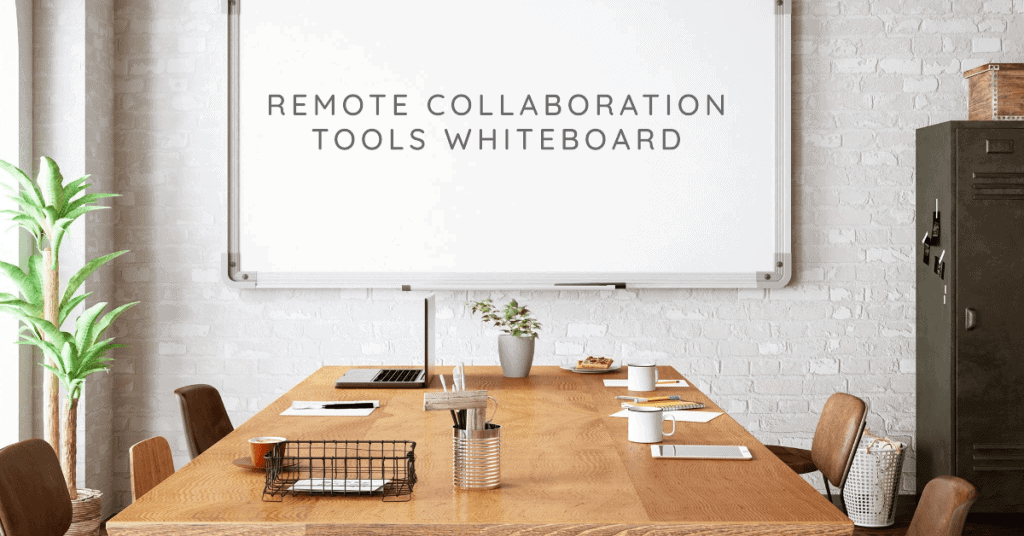
In today’s fast-paced and interconnected world, remote collaboration has become a vital aspect of the modern workplace. As teams and organizations increasingly embrace remote work, the need for effective collaboration tools and strategies has never been more critical. This article explores the significance of remote collaboration, highlights the benefits of using remote collaboration tools, and introduces the concept of a whiteboard for virtual collaboration.
Remote collaboration refers to the process of working together on projects and tasks with colleagues who are geographically dispersed. It enables teams to collaborate seamlessly, regardless of their physical location, and promotes a sense of inclusivity, flexibility, and productivity. By leveraging online collaboration platforms and tools, remote teams can overcome the challenges posed by distance and achieve their goals efficiently.
One of the primary advantages of utilizing remote collaboration tools is the substantial boost in team productivity. These tools facilitate real-time collaboration, allowing team members to work on projects simultaneously, share ideas, and provide feedback instantly. By eliminating the need for time-consuming back-and-forth communication, remote collaboration tools enable teams to accomplish tasks more efficiently.
Effective communication lies at the heart of successful collaboration, and remote collaboration tools excel in fostering seamless communication among team members. Features such as video conferencing, instant messaging, and screen sharing empower virtual teams to interact in real time, facilitating smooth information exchange and fostering a sense of connectivity despite physical distance.
Remote collaboration tools often incorporate robust project management features, enabling teams to plan, track, and organize their work effectively. These tools provide centralized platforms for task assignment, progress monitoring, and deadline management. By keeping everyone on the same page, remote collaboration tools enhance coordination and ensure efficient project execution.
A whiteboard for virtual collaboration is a digital counterpart of traditional whiteboards used in physical meeting rooms. It offers a versatile and interactive platform for teams to brainstorm, visualize ideas, and collaborate in real time. By leveraging a whiteboard for virtual collaboration, remote teams can bridge the gap between physical separation and effective teamwork.
ONLINE WHITEBOARD Demo for remote collaboration – Microsoft Whiteboard vs Miro vs Mural vs Klaxoon
Affordable Whiteboard Collaboration Tools
In today’s digital age, remote collaboration has become the norm for teams worldwide. With the rise of remote work and virtual teams, it is crucial to have efficient and cost-effective tools that foster seamless collaboration. In this section, we will explore affordable whiteboard collaboration software options that cater to the needs of remote teams, without compromising on functionality.
The Importance of Cost-Effective Solutions
Remote collaboration tools are essential for facilitating efficient teamwork, regardless of geographical boundaries. However, budget constraints can pose challenges for businesses and educational institutions seeking reliable solutions. That’s where affordable whiteboard collaboration software comes into play, offering a balance between cost and functionality.
Remote Collaboration Tools and Their Impact
The increasing popularity of remote work and virtual teams has underscored the need for reliable remote collaboration tools. These tools enable teams to collaborate seamlessly, even when physically apart. Leveraging real-time collaboration, online collaboration tools empower team members to share ideas, work on projects simultaneously, and enhance productivity.
Embracing Cloud-Based Collaboration
Cloud-based collaboration is at the core of modern remote work dynamics. By leveraging the power of the cloud, teams can access and collaborate on shared whiteboards and documents from anywhere, at any time. This flexibility allows for efficient project management, seamless file sharing, and streamlined communication within virtual teams.
Free Online Whiteboard Collaboration
The increasing demand for remote collaboration tools has led to the rise of various platforms that facilitate online collaboration. In this section, we will explore the availability of free online whiteboard collaboration tools and review their limitations and features. Additionally, we will suggest scenarios where free options are sufficient for remote collaboration needs. Whether you’re part of a remote team, an educational institution, or a creative design team, these tools can enhance your virtual collaboration experience.
Popular Free Whiteboard Collaboration Tools
Miro: Miro is a leading whiteboard collaboration software that offers a seamless whiteboard experience for remote teams. It provides real-time collaboration, allowing team members to work together on a virtual canvas. Miro is widely used by creative teams, design teams, and project management professionals.
Limnu: Limnu is another popular choice for online whiteboard collaboration. With its user-friendly interface and intuitive tools, Limnu enables remote teams to brainstorm, plan, and collaborate effectively. It offers a range of features tailored to the needs of remote work and virtual teams.
AWW App: AWW App is a cloud-based collaboration platform that offers a diverse set of tools for remote collaboration. Its interactive whiteboard tools make it ideal for educational institutions and remote teaching scenarios. AWW App also integrates with popular video conferencing platforms, enhancing real-time collaboration.
Scenarios Where Free Options Are Sufficient
Small Businesses: For small businesses with limited budgets, free online whiteboard collaboration tools provide an affordable solution to foster team collaboration. These tools offer essential features that can enhance communication and project management, even on a tight budget.
Educational Institutions: Online collaboration tools are valuable assets for educational institutions transitioning to remote teaching. Free whiteboard collaboration tools, such as AWW App mentioned earlier, offer educators the ability to engage students and facilitate interactive learning experiences.
Creative Teams: Creative teams, including design teams and content creators, can benefit from free whiteboard collaboration tools. These tools allow for real-time collaboration, visual brainstorming, and sharing of ideas, supporting efficient remote collaboration for creative projects.
Project Management: Even in project management scenarios, free online whiteboard collaboration tools can provide substantial value. They enable teams to visualize project workflows, assign tasks, and track progress in a collaborative environment, fostering effective project management.
Tool
Features
Real-Time Collaboration
Educational Support
Miro
Seamless whiteboard experience
Yes
Limited
Limnu
User-friendly interface and intuitive tools
Yes
No
AWW App
Interactive whiteboard tools
Yes
Yes
Whiteboard Collaboration Tools for Virtual Teams
In today’s fast-paced digital landscape, remote collaboration has become increasingly prevalent. As virtual teams navigate the challenges of working across different locations, effective communication and collaboration are essential for their success. Whiteboard collaboration tools offer a valuable solution by facilitating real-time collaboration, digital brainstorming, and file sharing. This section explores the specific challenges faced by virtual teams and how whiteboard collaboration tools can address them. It also reviews top whiteboard tools designed to enhance remote team collaboration and communication.
Challenges Faced by Virtual Teams
Virtual teams encounter unique challenges that can hinder effective collaboration and communication. The lack of face-to-face interaction and physical proximity can lead to miscommunication, reduced engagement, and decreased productivity. Additionally, asynchronous work schedules and time zone differences further complicate coordination efforts. To overcome these challenges, remote teams require efficient tools that enable seamless collaboration and foster a sense of connection.
Addressing Challenges with Whiteboard Collaboration Tools
Whiteboard collaboration tools play a crucial role in overcoming the challenges faced by virtual teams. These tools offer a range of features that enhance collaboration, communication, and productivity. By leveraging these tools, remote teams can bridge the gap between team members and create a shared workspace regardless of physical distance. Let’s explore some key features and benefits of whiteboard collaboration tools:
Real-Time Collaboration: Remote collaboration tools with real-time functionality allow team members to work together synchronously. This enables instant sharing of ideas, feedback, and updates, fostering a sense of teamwork and reducing delays in decision-making.
Digital Brainstorming: Whiteboard collaboration tools facilitate digital brainstorming sessions, enabling team members to contribute ideas and visualize concepts. This promotes creativity, encourages active participation, and enhances problem-solving capabilities within virtual teams.
File Sharing: Seamless file sharing capabilities are integral to whiteboard collaboration tools. Team members can effortlessly exchange documents, images, and other relevant files, ensuring everyone has access to the latest information and resources.
Remote Collaboration Platforms for Educational Institutions
In today’s digital era, remote collaboration has become a fundamental aspect of various industries, including education. Educational institutions are increasingly adopting remote collaboration tools to facilitate seamless communication, foster virtual classrooms, enable group projects, and promote effective student-teacher collaboration. This section explores the importance of remote collaboration tools in the education sector, highlights platforms tailored for educational institutions, and discusses the features that facilitate virtual classrooms, group projects, and student-teacher collaboration.
Importance of Remote Collaboration Tools in Education
Educational institutions are embracing remote collaboration tools to overcome geographical barriers and offer flexible learning opportunities. These tools allow students and teachers to engage in real-time interactions, regardless of their physical locations. With the rapid growth of remote work and virtual teams, these platforms provide students with valuable skills for their future careers. Moreover, remote collaboration enhances creativity, critical thinking, and problem-solving abilities by fostering collaborative learning environments.
Features Facilitating Remote Collaboration in Education
Real-Time Collaboration: Remote collaboration tools empower students and teachers to collaborate synchronously, enabling instant exchange of ideas, knowledge, and feedback.
Cloud-Based Accessibility: By leveraging cloud-based collaboration, educational institutions can ensure seamless access to resources and enable collaboration across devices, irrespective of physical locations.
Whiteboard Collaboration: With integrated whiteboard collaboration tools, students can brainstorm, illustrate concepts, and solve problems collaboratively, fostering active participation and deeper understanding.
Document Sharing and Editing: Remote collaboration platforms allow students and teachers to share, edit, and collaborate on documents, fostering teamwork and facilitating efficient project management.
Cloud-Based Whiteboard Collaboration Solutions
In today’s fast-paced and interconnected world, remote collaboration has become essential for businesses, educational institutions, and creative teams. Leveraging advanced technologies, cloud-based whiteboard collaboration solutions offer a seamless and efficient way for remote teams to collaborate, brainstorm, and share ideas in real-time. This section explores the advantages of cloud-based whiteboard collaboration solutions, reviews popular tools with their unique features, and discusses the benefits of real-time updates, accessibility, and data security in the cloud.
Advantages of Cloud-Based Whiteboard Collaboration Solutions
Improved Remote Collaboration Efficiency
Cloud-based whiteboard collaboration solutions enable remote teams to overcome geographical barriers and work together effortlessly. These tools provide a virtual space where team members can interact, contribute ideas, and visually communicate with ease. By utilizing real-time collaboration features, team members can collaborate synchronously, fostering efficient decision-making and boosting productivity.
Seamless Whiteboard Experience
With the best remote collaboration tools, whiteboard features are often the centerpiece. These tools provide a digital canvas that emulates a physical whiteboard, allowing users to draw, write, and illustrate concepts intuitively. The interactive nature of cloud-based whiteboards facilitates seamless collaboration, making it easy for team members to express ideas, annotate content, and create visual representations.
Enhanced Accessibility for Remote Teams
Cloud-based whiteboard collaboration tools eliminate the limitations imposed by physical proximity, enabling remote teams to work together as if they were in the same room. Regardless of geographical location, team members can access the whiteboard simultaneously, contributing their thoughts and ideas in real-time. This accessibility promotes inclusivity, breaks down barriers, and strengthens collaboration among remote team members.
Data Security and Reliability
One crucial aspect of cloud-based whiteboard collaboration solutions is their commitment to data security. Trusted providers implement robust security measures, such as encryption protocols, secure cloud storage, and access controls, to ensure the privacy and confidentiality of shared information. Additionally, cloud-based solutions offer reliable backups and automatic saving features, reducing the risk of data loss and providing peace of mind to users.
Benefits of Real-Time Updates, Accessibility, and Data Security in the Cloud
Real-Time Updates
Cloud-based whiteboard collaboration solutions enable real-time updates, ensuring that all team members have instant visibility into the changes made on the whiteboard. This feature facilitates immediate feedback, minimizes confusion, and enables efficient collaboration without delays. Team members can collaborate synchronously, making real-time decisions and driving projects forward.
Accessibility Across Devices
Cloud-based whiteboard collaboration tools support various platforms, including desktop computers, laptops, tablets, and smartphones. This accessibility empowers team members to contribute and collaborate from their preferred devices, promoting flexibility and accommodating diverse work environments. Whether in the office, at home, or on the go, team members can seamlessly access and engage with the whiteboard.
Robust Data Security
Cloud-based whiteboard collaboration solutions prioritize data security to protect valuable intellectual property, sensitive information, and confidential project details. By leveraging industry-standard encryption, secure data transmission, and reliable backups, these solutions ensure that data remains safe and accessible only to authorized users. This commitment to data security fosters trust and peace of mind among users.
Collaborative Whiteboard Software for Remote Work
In the realm of remote work, effective collaboration is crucial for teams to thrive and achieve their goals. With the rise of virtual work environments, the demand for robust collaborative whiteboard software has never been greater. This section explores the realm of remote collaboration tools and specifically focuses on whiteboard collaboration tools that cater to remote work scenarios. We delve into the key features, benefits, and integrations of these tools, highlighting how they enhance productivity and streamline remote work processes.
Remote collaboration tools empower remote teams by providing a seamless whiteboard experience that simulates in-person collaboration. These tools leverage the latest technologies to facilitate real-time collaboration, enabling teams to work together regardless of geographical barriers. By bridging the gap between team members and fostering effective communication, remote collaboration tools create a cohesive virtual workspace.
Key Features of Whiteboard Collaboration Tools
Task Management and Progress Tracking
Efficient task management is vital for remote teams to stay organized and meet deadlines. Leading whiteboard collaboration tools offer built-in task management features, allowing team members to assign tasks, set deadlines, and track progress. With clear visibility into task assignments and updates, team members can collaborate effectively and ensure project milestones are met.
Integration with Other Remote Work Tools
To facilitate seamless collaboration, whiteboard collaboration tools integrate with various remote work tools. These integrations enable teams to centralize their workflows, integrating project management, communication, and file sharing systems. By consolidating these tools, teams can enhance productivity, reduce context switching, and have all essential information readily accessible in one place.
Enhancing Productivity and Streamlining Processes
Remote Collaboration in Educational Institutions
Educational institutions have embraced remote collaboration tools to enhance the learning experience. These tools enable teachers and students to collaborate in real time, facilitating interactive lessons, group projects, and brainstorming sessions. By leveraging whiteboard collaboration tools, educational institutions foster engagement, creativity, and knowledge sharing, irrespective of physical locations.
Empowering Creative Teams and Design Collaboration
For creative teams and design-oriented industries, remote collaboration tools provide a virtual canvas for ideation and design collaboration. With digital whiteboard software, designers can sketch, annotate, and share concepts, fostering collaboration and ensuring a smooth design process. By leveraging these tools, creative teams can overcome geographical constraints and collaborate seamlessly.
Streamlining Project Management
Remote collaboration tools play a pivotal role in project management for remote teams. The ability to collaborate on a shared whiteboard allows teams to plan, strategize, and visualize project timelines and deliverables. With interactive whiteboard tools, teams can ideate, create mind maps, and track progress, ensuring project milestones are met efficiently.
Conclusion
In today’s digital age, remote collaboration has become an essential aspect of work and education. With the rise of remote teams and online collaboration, it is crucial to select the right remote collaboration tools that cater to your specific needs and requirements. This article will provide a comprehensive recap of various remote collaboration tools, emphasizing their importance and encouraging readers to explore and experiment to find the best fit for their teams.
Remote collaboration tools play a vital role in bridging the gap between geographically dispersed teams. These tools enable seamless communication, real-time collaboration, and efficient project management. One popular category of remote collaboration tools is whiteboard collaboration tools, which offer an interactive and visual platform for teams to brainstorm, share ideas, and work together effectively.
Whiteboard collaboration tools provide a virtual canvas for remote teams to collaborate and unleash their creativity. These tools simulate the experience of working on a physical whiteboard, enabling teams to sketch, annotate, and visualize ideas in real-time. Some of the best remote collaboration tools in this category include [mention specific tools], offering a seamless whiteboard experience for teams to ideate and collaborate effectively.
When choosing remote collaboration tools, it is crucial to consider the unique needs and requirements of your team. For small businesses, affordability may be a key factor, making it important to explore affordable whiteboard collaboration software options. Educational institutions may benefit from cloud-based whiteboard collaboration solutions, allowing teachers and students to engage in remote teaching and collaborative learning.
Creative teams and design teams, on the other hand, may require specific features such as advanced drawing tools and the ability to save and export design files. Remote collaboration tools that cater to these requirements can enhance the productivity and efficiency of design-oriented collaborations. Additionally, project management teams can leverage whiteboard collaboration tools for effective task tracking, progress visualization, and team alignment.
FAQs
What are the best remote collaboration tools for a seamless whiteboard experience?
Some of the best remote collaboration tools for a seamless whiteboard experience include Miro, MURAL, Microsoft Whiteboard, and Google Jamboard. These tools provide a virtual canvas where team members can collaborate in real time, creating and editing content together. They offer features like sticky notes, drawing tools, shapes, and the ability to upload images and documents. These tools often support multiple users simultaneously and allow for easy sharing and collaboration on the whiteboard.
How do whiteboard collaboration tools work?
Whiteboard collaboration tools work by providing a digital platform where multiple users can interact and collaborate on a virtual whiteboard. These tools typically offer a range of features, such as drawing tools, sticky notes, text boxes, shapes, and the ability to add images or documents. Users can create, edit, and move objects on the whiteboard in real time, and changes made by one user are instantly visible to others. Some tools also support features like video chat and screen sharing, enhancing collaboration further. Whiteboard collaboration tools enable teams to brainstorm, plan, visualize ideas, and work together seamlessly, regardless of their physical location.
Can I use remote collaboration tools for virtual teaching?
Yes, remote collaboration tools can be used for virtual teaching. Platforms like Zoom, Microsoft Teams, Google Meet, and Cisco Webex offer features that enable teachers to engage with their students in a virtual classroom setting. These tools provide functionalities like screen sharing, video conferencing, chat, and breakout rooms, which facilitate interactive teaching sessions. Additionally, specific educational platforms such as Google Classroom or Microsoft OneNote offer collaborative features for assignments, discussions, and document sharing. Teachers can use whiteboard collaboration tools within these platforms to deliver lectures, conduct group activities, and share visual content, enhancing the virtual teaching experience and fostering student engagement.
Which remote collaboration tools support real-time collaboration?
Several remote collaboration tools support real-time collaboration. Some popular options include Google Docs, Microsoft Office 365, Dropbox Paper, Notion, and Quip. These platforms allow multiple users to work on the same document simultaneously, enabling real-time editing and updates. Users can see each other’s changes in real time, facilitating seamless collaboration. In addition to document collaboration, many video conferencing tools such as Zoom, Microsoft Teams, and Webex also support real-time collaboration features like screen sharing, annotation, and whiteboard functionalities, enhancing team collaboration during online meetings and discussions.
Are there any free whiteboard collaboration software?
Yes, there are free whiteboard collaboration software available. Some notable options include Miro Free, MURAL Free, Microsoft Whiteboard (free version), Google Jamboard, and RealtimeBoard Free. These tools offer basic functionality for collaborating on a virtual whiteboard at no cost. While some limitations may exist in the free versions, they still provide valuable features like drawing tools, sticky notes, and the ability to share and collaborate with others. For more advanced features and additional team members, paid plans or subscriptions are usually available. Exploring the free versions of these tools can be a good starting point to determine if they meet your collaboration needs before considering premium options.
How can I choose the right remote collaboration platform?
When choosing a remote collaboration platform, consider the following factors:
Purpose: Determine the specific requirements of your team or organization. Identify whether you need a whiteboard, document collaboration, video conferencing, or a combination of these features.
Features: Evaluate the features offered by each platform and assess their suitability for your collaboration needs. Look for functionalities like real-time collaboration, file sharing, video conferencing, screen sharing, and integration options.
User-Friendliness: Consider the ease of use and intuitive interface of the platform. A user-friendly interface can enhance productivity and minimize the learning curve for team members.
Compatibility: Ensure the platform is compatible with the devices and operating systems your team uses. Check if it supports web browsers, mobile apps, or specific integrations you require.
Security: Assess the platform’s security measures to protect your data and ensure confidentiality. Look for encryption, access controls, data storage policies, and compliance with relevant regulations.
Pricing: Consider the cost of the platform and any additional features or user licenses required. Compare pricing plans and determine if the platform offers value for your budget.
User Reviews: Read reviews or seek recommendations from other users to gain insights into the platform’s performance, reliability, and customer support.
By considering these factors, you can make an informed decision and choose a remote collaboration platform that aligns with your team’s needs.
What features should I look for in remote collaboration software?
When evaluating remote collaboration software, consider the following features:
Real-time collaboration: The ability for multiple users to work together simultaneously on the same document or whiteboard.
File sharing: The capability to upload, share, and collaborate on documents, images, and other files.
Video conferencing: Integrated video and audio capabilities for online meetings, discussions, and presentations.
Screen sharing: The ability to share your screen with others, enabling collaboration and demonstration of ideas.
Chat and messaging: Instant messaging or chat functionality to facilitate communication and collaboration within the platform.
Whiteboard and annotation tools: Drawing, sketching, and annotation features for visual collaboration and idea sharing.
Integration with other tools: Compatibility and integration options with other applications and platforms used by your team.
Mobile support: Availability of mobile apps or responsive design for seamless collaboration on smartphones and tablets.
Security and privacy: Strong security measures to protect your data and ensure privacy during collaboration.
Version control: The ability to track changes, revert to previous versions, and collaborate on different iterations of a document.
By considering these features, you can choose a remote collaboration software that suits your team’s specific needs and enhances productivity.
Can I use whiteboard collaboration apps on mobile devices?
Yes, many whiteboard collaboration apps are available for mobile devices. Platforms like Miro, MURAL, Microsoft Whiteboard, and Google Jamboard offer dedicated mobile apps that allow you to collaborate on a virtual whiteboard from your smartphone or tablet. These apps provide similar functionalities to their desktop counterparts, enabling you to draw, add sticky notes, upload images, and collaborate with others in real time. Using whiteboard collaboration apps on mobile devices ensures that you can participate in remote collaboration sessions even while on the go, making it convenient for teams with diverse work environments or those who prefer using mobile devices for collaboration.
Do remote collaboration tools offer screen sharing?
Yes, many remote collaboration tools offer screen sharing functionality. Tools like Zoom, Microsoft Teams, Cisco Webex, and Google Meet provide screen sharing features that allow participants to share their screens with others during online meetings and collaborations. Screen sharing enables team members to showcase presentations, demonstrate software or processes, collaborate on documents or whiteboards, and provide remote assistance. Some collaboration platforms even offer advanced screen sharing options, such as selective screen sharing of specific applications or desktop areas. Screen sharing is a valuable feature for remote collaboration, as it enhances communication and facilitates a more immersive and interactive collaboration experience.
How can I collaborate with my team using a virtual whiteboard?
To collaborate with your team using a virtual whiteboard, follow these steps:
Choose a collaboration tool: Select a virtual whiteboard platform that suits your team’s needs, such as Miro, MURAL, Microsoft Whiteboard, or Google Jamboard.
Set up the whiteboard: Create a new whiteboard or choose an existing template that aligns with your collaboration goals.
Share the whiteboard: Invite team members to join the whiteboard session by sharing a link or granting them access within the chosen collaboration tool.
Collaborate in real time: Start collaborating by using the drawing tools, adding sticky notes, shapes, or uploading images. Communicate with your team members through video conferencing, chat, or audio calls.
Work together: Encourage everyone to contribute their ideas, make changes, and move objects on the whiteboard. Use the collaboration features provided by the platform to facilitate seamless teamwork.
Save and share the results: Once the collaboration session is complete, save the whiteboard and share it with team members for future reference or to continue working on it.
By following these steps, you can effectively collaborate with your team using a virtual whiteboard, fostering creativity, idea sharing, and productive teamwork.
Is online collaboration secure?
Online collaboration platforms generally prioritize security to protect user data and ensure confidentiality. Reputable collaboration tools implement measures like data encryption, user authentication, access controls, and compliance with privacy regulations (e.g., GDPR). It’s essential to choose trusted platforms and review their security documentation to understand their practices.
However, it’s also important to consider additional security measures on your end, such as using strong passwords, enabling two-factor authentication, and avoiding sharing sensitive information in insecure channels. Educating team members about best practices, updating software regularly, and being cautious with file sharing can further enhance security.
While online collaboration platforms strive to provide secure environments, there is always a risk of vulnerabilities or unauthorized access. Staying informed about security updates and taking necessary precautions can help mitigate these risks and ensure safer online collaboration.
Can I integrate remote collaboration tools with video conferencing software?
Yes, many remote collaboration tools offer integrations with video conferencing software. This integration allows you to seamlessly combine the features of both tools, enhancing collaboration and communication during online meetings and discussions.
For example, platforms like Zoom, Microsoft Teams, and Cisco Webex provide integrations with collaboration tools like Miro, MURAL, or Microsoft Whiteboard. These integrations enable you to launch a whiteboard session or access collaboration features directly within the video conferencing interface. Participants can view and collaborate on a shared whiteboard while simultaneously engaging in video and audio communication.
By integrating remote collaboration tools with video conferencing software, you can create a more immersive and interactive collaboration experience, fostering effective communication, idea sharing, and decision-making during virtual meetings.
Are there any collaborative note-taking tools available?
Yes, there are collaborative note-taking tools available that enable teams to take notes and collaborate in real time. Some popular options include Google Docs, Microsoft OneNote, Evernote, and Notion.
These tools allow multiple users to access and edit the same document simultaneously, making them suitable for team note-taking during meetings or brainstorming sessions. Team members can add, edit, and format text, insert images, create to-do lists, and collaborate on shared notes. They often offer features like version history, comments, and the ability to mention collaborators, enhancing collaboration and facilitating effective information sharing.
Collaborative note-taking tools improve team productivity, as everyone can contribute their insights and access notes from anywhere, streamlining communication and fostering better teamwork.
How do cloud-based collaboration platforms help remote teams?
Cloud-based collaboration platforms provide several benefits for remote teams:
Accessible from anywhere: Remote team members can access the platform and collaborate on projects from any location with internet access. This flexibility allows for distributed teams and remote work arrangements.
Real-time collaboration: Cloud-based platforms facilitate real-time collaboration, enabling team members to work together simultaneously on documents, whiteboards, or shared projects. Changes made by one user are instantly visible to others, enhancing productivity and teamwork.
Centralized information: Cloud-based platforms serve as a central repository for project-related documents, files, and communication. This eliminates the need for scattered information across multiple devices or email threads, ensuring everyone has access to the latest information.
Version control and history: Cloud-based collaboration platforms often provide version control, allowing teams to track changes, revert to previous versions, or review the history of document edits. This enhances accountability and simplifies collaboration on iterative projects.
Integration with other tools: Many cloud-based collaboration platforms offer integration with other productivity tools, such as project management software, messaging apps, or file-sharing platforms. This seamless integration streamlines workflows and enhances productivity.
Scalability: Cloud-based platforms can scale according to team size and project requirements. They often offer flexible pricing plans and the ability to add or remove users as needed, accommodating the growth and changing needs of remote teams.
By leveraging cloud-based collaboration platforms, remote teams can overcome geographical barriers, collaborate efficiently, and achieve their goals effectively.
What are the benefits of using digital whiteboard software?
Using digital whiteboard software offers several benefits for collaboration:
Seamless remote collaboration: Digital whiteboard software enables teams to collaborate in real time, regardless of their physical location. Team members can brainstorm, plan, and visualize ideas together, enhancing communication and teamwork.
Flexibility and accessibility: Digital whiteboards can be accessed from various devices, including computers, tablets, and smartphones. This flexibility allows team members to collaborate from anywhere, promoting productivity and accommodating diverse work environments.
Visual representation of ideas: Digital whiteboards provide a visual representation of ideas, concepts, and workflows. Team members can draw, sketch, add images, and use shapes to illustrate their thoughts, fostering creativity and clarity in communication.
Easy sharing and storage: Digital whiteboard software often allows for easy sharing of whiteboards with team members or external stakeholders. Whiteboards can be saved, exported, or shared as images or PDFs for reference or further collaboration.
Enhanced organization and collaboration: Digital whiteboards offer features like sticky notes, text boxes, and the ability to rearrange or group objects. This enhances organization and makes it easier for teams to collaborate on complex projects or processes.
Time-saving and cost-effective: Digital whiteboards eliminate the need for physical whiteboards, sticky notes, or paper-based brainstorming. They save time, reduce material costs, and provide a digital archive of collaborative work.
By leveraging digital whiteboard software, teams can streamline collaboration, foster creativity, and improve overall productivity, whether working remotely or in physical workspaces.
Dynamic learning modules are a contemporary approach to education that focuses on providing personalized, interactive, and immersive educational experiences. These modules are designed to adapt to the unique needs and learning styles of each student, creating a tailor-made educational journey. One of the key elements of dynamic learning modules is their utilization of AV (audio visual) training techniques to enhance engagement and comprehension.In the digital age, traditional one-size-fits-all educational approaches are becoming obsolete. Dynamic learning modules address this issue by incorporating AV technology, interactive education, and multimedia curriculum. They empower learners to engage with content in a way that suits their preferences, fostering a deeper understanding and retention of information.Dynamic learning modules seamlessly integrate interactive AV education tools, enhancing the overall learning experience. This innovative approach caters to various learning styles, making education more accessible and effective.Dynamic learning modules offer adaptive modules that adapt to individual progress. This personalized learning approach ensures that students receive the most relevant content, maximizing their learning potential.The incorporation of real-time feedback in education through dynamic modules promotes active participation and engagement. Learners can instantly gauge their progress and make necessary adjustments, creating a more immersive learning environment.Creating Dynamic Learning Modules Part 2 Layout and Design Benefits of Dynamic Learning ModulesDynamic learning modules are transforming the landscape of education, offering innovative ways to engage beginners effectively. In this comprehensive exploration, we delve into the numerous advantages of dynamic learning modules, highlighting their role in enhancing engagement and learning outcomes. Enhancing Engagement and Learning OutcomesDynamic learning modules, often featuring interactive education elements, provide a more engaging learning experience compared to traditional methods. This engagement stems from the integration of AV technology and multimedia curriculum, which cater to various learning styles. By offering a dynamic curriculum, beginners are more likely to stay motivated and actively participate in their education.Personalized Modules for Tailored LearningOne of the key benefits of dynamic learning modules is personalization. These modules can adapt to the individual needs and progress of each learner, aligning with the principles of adaptive learning. Learners can explore multimedia modules tailored to their skill level, allowing for a more immersive AV experience. This personalized approach not only boosts engagement but also enhances comprehension and retention of information.Real-Time Feedback for Continuous ImprovementDynamic learning modules facilitate real-time feedback, a crucial component of effective learning. Learners receive immediate insights into their performance, allowing them to identify areas for improvement and make necessary adjustments. This real-time feedback loop encourages experiential learning, as beginners can actively engage with the material and monitor their progress throughout the process.Multimedia Pedagogy and Interactive Study MaterialsThe incorporation of multimedia pedagogy and interactive study materials in dynamic learning modules elevates the learning experience. These modules leverage AV resources to provide interactive lessons, making complex concepts more accessible. Such immersive education not only caters to various learning preferences but also promotes deeper understanding.Online Course Engagement and AccessibilityDynamic learning modules are integral to online courses, fostering online course engagement. Learners can access these modules from anywhere, promoting virtual education’s accessibility. Beginners benefit from the flexibility offered by dynamic educational content, enabling them to learn at their own pace and on their own terms.Innovative Multimedia Learning SolutionsThe utilization of AV technology and multimedia resources in dynamic learning modules exemplifies innovative multimedia learning solutions. This approach encourages creative thinking and problem-solving skills, preparing beginners for real-world challenges. By immersing learners in engaging content, dynamic learning modules stand as a testament to the power of interactive AV education. Creating Dynamic Learning ModulesIn the ever-evolving landscape of education, the integration of interactive education tools and AV technology has become instrumental in enhancing the learning experience. These tools offer dynamic learning modules that cater to various educational settings. In this comprehensive comparison, we will evaluate the features, usability, and suitability of different interactive AV education tools, helping you make informed decisions for your educational needs.Interactive AV Education Tools Overview: Interactive AV education tools are designed to engage students in a multimedia curriculum that promotes personalized learning. These tools provide immersive AV experiences, real-time feedback, and e-learning resources, making them indispensable for educators in today’s digital age.Comparing Dynamic Learning Modules Adaptive Learning Platforms: Many interactive AV education tools incorporate adaptive modules, which adjust the content based on a student’s progress and learning pace. This dynamic curriculum ensures that learners receive tailored content, optimizing their educational journey. Online Course Engagement: When it comes to online courses, engaging content is paramount. Interactive AV tools offer multimedia modules and interactive tutorials, creating an immersive learning environment that keeps students motivated and committed to their studies. Personalized Learning Modules: The ability to customize content is a hallmark of these tools. They allow educators to create personalized learning experiences for their students, catering to different learning styles and preferences. Key Features and Usability Real-time Feedback in Education: Interactive AV tools provide immediate feedback, enabling students to track their progress and make necessary adjustments in real-time. This feature enhances the learning process and fosters a sense of accomplishment. Experiential Learning Techniques: These tools support experiential learning by offering interactive study materials and dynamic educational content. Students gain a deeper understanding of subjects through hands-on experiences. Multimedia Pedagogy Techniques: By incorporating multimedia pedagogy, educators can present information in diverse formats, such as videos, animations, and interactive coursework. This variety enhances comprehension and retention. AV Technology in the Classroom: AV technology integration in traditional classrooms benefits teachers and students alike. It promotes engagement, aids comprehension, and facilitates dynamic teaching methods. Interactive AV Education Tools ComparisonDynamic learning modules are at the forefront of modern education, delivering engaging and interactive educational experiences. In this comprehensive guide, we will walk you through the process of creating dynamic learning modules, incorporating multimedia curriculum design, and utilizing innovative techniques for interactive study materials. Get ready to enhance your teaching and learning with these effective strategies.Essence of Dynamic Learning ModulesDynamic learning modules are designed to provide an immersive and personalized learning experience. These modules combine elements of interactive education, AV technology, and adaptive learning to offer students a tailored approach to acquiring knowledge.
Many companies worldwide started adopting hybrid working settings, flexible schedules, and coworking spaces in recent years, and there have been positive outcomes. A considerable percentage of workers who work with a flexible arrangement at least a few times every month showed improvement in their productivity and performance. Businesses can leverage this work strategy and incorporate a flexible workspace arrangement in the office. Considering how much of an employee’s time is spent in their workstations, it is logical to give them the highest level of comfort and flexibility. A workspace should offer all the programs they need to produce successful work tasks. While allowing them to work in any place of their choice is a great idea, taking advantage of coworking spaces such as Hot Desk locations is equally important, so your staff can have other workspace alternatives.If you’re thinking of applying a flexible workspace arrangement, consider their advantages below. Diverse Places To Work In Alternative workspaces and remote work offer flexibility among employees. It is the primary benefit that most employees love about this type of work arrangement. It is up to them to choose where they want to do their tasks. Whether they work in their home office, in a coffee shop, your rented coworking space, or the hotel room, flexible work arrangement makes it easier for them to work comfortably and productively. Employees can even take a vacation while still working and producing results for your company. Those who work at home can balance time for their family and time for work, significantly enhancing every employee’s work-life balance. There can be a lot of tension and rigid commitment in traditional offices. Employees have to commute to the office and spend 8 to 9 hours every day in the same workspace. While there’s nothing wrong with this setting, flexible workspaces provide more advantages in terms of social and personal choices. Being able to work in a different environment can help the employees feel more relaxed. Those who work in flexible workspaces can do so in a distraction-free workspace. Boost In Productivity And Collaboration As mentioned, there has been a significant improvement in productivity rates once employers started applying flexible work arrangements. Shared workspaces allow workers to collaborate more effectively because these settings have more open office spaces, and employees will be able to meet more often, thereby increasing the exchange of ideas. Video conferencing produces good results because this allows the entire company to brainstorm with every member, no matter where they are. However, some managers and team members believe that great ideas are generated during small talks and informal conversations in open areas or hallways of the workplace. Flexible coworking spaces come with loose office styles where anything goes, which instantly relaxes workers. Because of a relaxed atmosphere, they can better brainstorm and focus on their tasks. As a result of this flexible workplace arrangement, your staff will also have the opportunity to meet new people. Another factor that yields a boost in productivity is the changing work layout. As your employees get exposed to different workstations, they can improve their work styles accordingly. They can experiment and discover which work layouts work best for them to improve their productivity. Performance and productivity are closely related, so this is an important factor to consider. Improved Employee Satisfaction Your employees’ well-being should be prioritized at all costs. When employees are happy, they are productive, motivated, and likely to stay with the company. Fortunately, adopting a flexible workspace arrangement generates team member satisfaction. You can give your employees freedom and flexibility by allowing them to work in a setting they feel most comfortable. It makes them more motivated to do their jobs.As employees move around the office with coworking spaces, they can interact with each other, regardless of whether they are from the same department or not. It will improve their social skills and allow them to meet colleagues that they haven’t got a chance to meet before. The more connected co-workers work together, the easier it is to ask questions and the smoother the discussion. It will foster camaraderie between everyone in the workplace. Flexible workspaces also improve employees’ physical health. Since open spaces allow them to move around more easily, they don’t have to tolerate being in the same stiff position all day long. There are also more ergonomic office furniture choices that they can try and match their preferences and needs with, compared to the fixed desks in a traditional office. When their physical health is improved, it also means they become happier, healthier, and more satisfied with their jobs. Reduced Commute Costs When it comes to applying work arrangements to foster flexibility and freedom at work, another advantage is the cost savings for transportation. Transportation costs are much less for employees who work from home or work from their ideal locations. Not only can they save money on gas and commuting fees, but they also save a lot of time. Instead of wasting long hours driving or getting stuck in traffic, they can save that time for work or other important errands. Business Cost Savings Flexible working arrangements are particularly beneficial for large organisations because they can help reduce business costs. When employees work from home or have flexible schedules, the direct costs associated with keeping them at a desk are significantly reduced. Rental fees and operational costs such as internet, electricity, and other utilities are also gradually decreased. Employees get to choose their work locations themselves, so the company is unburdened by the costs associated with their work setup. Conclusion Providing employees with the flexibility they need and want is a great business strategy that yields impressive outcomes. As mentioned in this article, employees can have diverse choices for their workstations, they become more fulfilled and healthier, and your business can save time and money. Offering a better work-life balance to your workers and trusting them with the work they do creates a more positive work environment and higher morale for your employees.
Presentations are an integral part of modern communication across various fields. They serve as a powerful medium to convey information, persuade audiences, and share ideas. Whether in business, education, or public speaking, effective presentations play a pivotal role in delivering messages with impact and engagement. In today’s dynamic communication landscape, where attention spans are short and information overload is rampant, the utilization of Audio-Visual (AV) tools has emerged as a game-changing strategy to enhance the effectiveness of presentations.In the realm of presentations, the incorporation of audio-visual aids has revolutionized the way information is conveyed and received. AV tools offer a dynamic platform to complement verbal communication with visual elements, creating a multi-sensory experience that resonates deeply with audiences. By harnessing the power of multimedia tools, presenters can transcend the limitations of text-based content and captivate their viewers through a combination of imagery, sound, and interactivity.In today’s fast-paced world, successful presentations require more than just compelling content; they demand seamless integration of AV solutions to enhance engagement and comprehension. Traditional presentation techniques are being augmented by innovative multimedia presentations that leverage cutting-edge presentation software and hardware. Digital presentations have gained momentum, as they allow for the seamless incorporation of dynamic visuals, interactive elements, and multimedia integration.Effective public speaking goes hand in hand with impactful visuals. Leveraging presentation design principles and AV tools, presenters can create engaging slides that resonate with their audience. By employing engaging multimedia presentations, presenters can transform complex ideas into digestible visual representations, simplifying comprehension and boosting engagement.Conference Room Installation The Power of AV Tools in PresentationsIn the realm of presentation techniques, the fusion of audio-visual aids (AV) has emerged as a game-changer, revolutionizing the way ideas are conveyed and audiences engaged. This integration of multimedia tools has not only transformed the landscape of public speaking but has also elevated the impact of presentations to new heights. Discover the profound influence of AV solutions on maximizing productivity with AV equipment, and how they contribute to creating impactful presentations that resonate with audiences.Enhancing Engagement with Multimedia IntegrationEffective public speaking is not just about eloquence; it’s about capturing hearts and minds. The marriage of AV tools with engagement strategies has paved the way for interactive presentations that leave a lasting impression. Through the strategic use of visual aids and dynamic visuals, speakers can seamlessly convey complex concepts, making them more comprehensible and memorable. Visual communication has proven to be a potent vehicle for enhancing audience engagement, ensuring that the message not only resonates but also endures.AV Solutions and Presentation DesignWhen it comes to creating engaging multimedia presentations, the choice of AV hardware plays a pivotal role. Selecting the best AV tools for presentations requires careful consideration of presentation equipment and AV software. A seamless AV setup guide can make all the difference in achieving a flawless presentation delivery. From impactful visuals to expert AV advice, leveraging top presentation equipment brands can lead to the creation of truly remarkable presentations.Boosting Presentation Impact with AV IntegrationThe true power of AV tools lies in their integration. To create seamless and engaging multimedia presentations, AV integration becomes a key focus. Integrating audio-visual aids into presentation design can significantly enhance the overall impact. Incorporating interactive slides for talks, optimizing presentation visuals, and effectively using AV software are steps that can elevate the quality of presentations, making them more captivating and informative.Unveiling the Future of Presentation TechnologyAs technology continues to advance, presentation techniques evolve in tandem. The utilization of AV solutions is a prime example of how the landscape of public speaking is shifting. The increasing demand for virtual presentations has driven the need for advanced presentation technology. The trend of digital presentations and the seamless usage of AV software is reshaping the way presentations are delivered, making them more accessible and engaging than ever before. Selecting the Best AV Tools for PresentationsIn the realm of modern presentations, the strategic utilization of audio-visual aids (AV tools) has become paramount for successful delivery. By harnessing advanced presentation technology and affordable AV solutions, presenters can create engaging multimedia presentations that leave a lasting impact on their audience. In this guide, we explore the top AV tools available in the market, discuss their benefits and features, and delve into the importance of effective AV integration to enhance presentation impact.Maximizing Productivity with AV Equipment: Maximizing productivity with AV equipment involves seamless AV software usage and AV hardware selection tips. By optimizing presentation visuals and using interactive slides, presenters can create engaging multimedia presentations that captivate their audience. Furthermore, an easy AV setup guide ensures a hassle-free experience, allowing presenters to focus on delivering a dynamic presentation.Top AV Tools: When it comes to selecting the best AV tools for presentations, several factors must be considered. Let’s delve into the options available: Presentation Software and Multimedia Tools: Effective public speaking hinges on engaging slides and impactful visuals. Presentation software like Microsoft PowerPoint, Google Slides, and Keynote offers dynamic visuals and multimedia integration capabilities. By incorporating relevant visual aids and engaging content, presenters can deliver compelling messages that resonate with their audience. AV Solutions for Virtual Presentations: With the rise of remote work, virtual presentations have gained prominence. Utilizing AV solutions like Zoom, Microsoft Teams, or Webex enables seamless virtual communication. These platforms facilitate interactive presentations, audience engagement, and real-time collaboration, making them essential for remote presentations. Presentation Equipment and Hardware: Presentation hardware, including projectors, interactive displays, and high-quality microphones, play a crucial role in effective AV integration. Selecting top presentation equipment brands ensures clear audio, vibrant visuals, and smooth delivery, elevating the overall presentation experience. Setting Up AV Equipment for Seamless PresentationsIn today’s dynamic world of presentations, audio-visual aids (AV) play a pivotal role in delivering impactful content. Effective presentation techniques combined with the right multimedia tools can elevate your presentation from ordinary to extraordinary. This guide provides a comprehensive approach to setting up AV equipment for seamless presentations, ensuring that you maximize productivity with AV tools and create engaging, dynamic visuals that captivate your audience.Audio-Visual Aids: The Key to Engaging PresentationsAudio-visual aids
Master the Art of Collaboration in Remote Working for Outstanding Results. Learn effective techniques and tools for remote collaboration, boost productivity, and achieve success. Discover the benefits of collaboration in remote teams and gain insights into building a collaborative culture. Unlock the secrets to seamless virtual teamwork. Read on to take your remote collaboration to new heights.
In today’s fast-paced business world, meetings play a crucial role in decision-making, collaboration, and information exchange. However, the success of a meeting heavily relies on the effectiveness of communication, collaboration, and presentation. This is where audio visual (AV) gear steps in, offering a seamless and immersive meeting experience. In this blog, we will explore the significance of AV gear in enhancing meetings and discuss various affordable, high-quality, and innovative options for different meeting scenarios.Audio visual gear for better meetings fosters seamless communication among participants, whether they are physically present or attending remotely. With advanced audio conferencing devices and video conferencing solutions, team members can engage in real-time discussions, share ideas, and exchange feedback effortlessly. Collaborative tools integrated with AV systems allow for interactive brainstorming sessions, improving team synergy and decision-making processes.Gone are the days of boring slide decks and static presentations. Audio visual equipment adds life to presentations by incorporating visual aids, multimedia devices, and interactive presentation tools. These modern meeting tools not only capture the audience’s attention but also help presenters effectively convey their ideas, resulting in a more impactful meeting experience.Modern Conference Rooms: The 5 Products You Absolutely MUST Have! Impact of Audio Visual Gear on MeetingsMeetings play a pivotal role in modern business environments, bringing teams together for collaboration, decision-making, and problem-solving. In recent years, the integration of audio visual (AV) gear in meeting setups has transformed the traditional meeting landscape. This section explores the positive impact of effective AV systems on meeting engagement, productivity, and decision-making, while also delving into the role of visual communication aids in better information retention and understanding.Maximising Productivity with AV EquipmentMeetings can often be time-consuming and less productive when not properly facilitated. However, by leveraging state-of-the-art audio visual equipment, such as conference gear, presentation tools, and multimedia devices, meeting facilitators can streamline communication, foster engagement, and drive better decision-making. Maximizing productivity with AV equipment is achievable through seamless audio conferencing, immersive video conferencing, and effective collaboration tools.The Positive Impact of Effective AV Systems Enhanced Meeting Engagement Audio visual gear fosters an immersive meeting experience that captivates participants and keeps them engaged. Interactive presentation devices and visual aids for presentations enable dynamic content delivery, making meetings more interesting and compelling. By involving meeting attendees actively, AV gear creates an inclusive environment that encourages idea sharing and active participation. Heightened Meeting Productivity With modern meeting room technology and professional audiovisual tools, participants can efficiently exchange ideas, insights, and data. These AV systems facilitate real-time information sharing, allowing teams to make informed decisions promptly. The ability to share screens, conduct live demonstrations, and access shared resources empowers teams to work collaboratively, ultimately boosting overall meeting productivity. Improved Decision-Making Visual communication tools play a crucial role in decision-making processes during meetings. When complex data or proposals are presented visually, it becomes easier for participants to comprehend and analyze information effectively. This clarity fosters informed decision-making, leading to better outcomes and consensus-building.Visual Communication for Better Information Retention and UnderstandingHuman brains process visual information more effectively than textual content alone. By incorporating visual aids, such as charts, graphs, and diagrams, AV gear enhances information retention and understanding during meetings. Meeting attendees can grasp complex concepts quicker and remember crucial details more efficiently when visual elements are employed.Meeting Room Essentials ChecklistThe successful implementation of AV gear for business meetings requires a comprehensive approach. Here’s a checklist of meeting room essentials to ensure a seamless AV setup: Item Purpose Audio Conferencing Clear audio communication for remote attendees Video Conferencing Facilitating face-to-face virtual meetings Collaboration Tools Real-time document sharing and annotation Interactive Devices Engaging and interactive presentations Visual Aids Enhancing data visualization and comprehension Meeting Technology Seamless integration and connectivity Professional AV Tools High-quality audiovisual output Presentation Gadgets Facilitating dynamic content delivery Essential Audio Visual Gear for Small BusinessesIn today’s competitive market, small businesses need to leverage modern technologies to stay ahead. Audio visual (AV) gear plays a pivotal role in enhancing meetings, presentations, and collaboration. By investing in top-quality AV equipment, small businesses can unlock their full potential, leading to better outcomes and increased productivity.Importance of Audio-Visual Gear for Better MeetingsIn the digital age, meetings have evolved beyond physical gatherings, with remote meetings becoming the norm. Utilizing advanced audio visual gear for better meetings is essential to create seamless communication and foster collaboration among team members, irrespective of their locations. The right AV equipment enables businesses to connect with clients, partners, and employees effectively, leading to improved decision-making and overall success.Best Audio Visual Gear for Small Meeting Rooms and BudgetsFor small businesses, investing in affordable yet high-quality audio visual gear is crucial. Here is a curated list of professional audiovisual tools suitable for small meeting rooms and budgets: Product Features and Benefits 1. Audio Conferencing Device Crystal-clear audio for remote meetings Noise reduction technology for distraction-free conversations Easy-to-use controls for seamless operation 2. Video Conferencing System HD video quality for immersive virtual meetings Screen sharing for presentations and collaboration Supports multiple participants for large-scale conferences 3. Interactive Presentation Device Touchscreen interface for engaging presentations Built-in annotation tools for real-time collaboration Compatibility with various presentation software 4. Multimedia Gear High-definition projectors for impressive visuals Versatile connectivity options for various devices Portable and compact design for easy setup and storage Features and Benefits of Recommended Products Audio Conferencing Device This audio conferencing device offers crystal-clear sound quality, ensuring that every participant’s voice is heard distinctly during remote meetings. With noise reduction technology, it eliminates background distractions, providing a seamless communication experience. The user-friendly controls make it easy to operate, allowing small businesses to conduct efficient and productive virtual meetings. Video Conferencing System Designed for small meeting rooms, this video conferencing system delivers high-definition video quality, creating a lifelike meeting experience. Its screen-sharing feature facilitates interactive presentations and collaborative discussions. Additionally, it accommodates multiple participants, making it suitable for conferences with external stakeholders or clients. Interactive Presentation Device The interactive presentation device features a user-friendly touchscreen interface, enabling engaging and interactive presentations. Its built-in annotation tools empower presenters to draw, highlight, and
Creative expression in audiovisual (AV) arts stands at the forefront of artistic evolution, merging traditional techniques with cutting-edge technology. In today’s rapidly evolving world, the fusion of art and technology in the realm of AV arts has become pivotal. This seamless integration sparks a wave of innovation, fostering new dimensions in artistic endeavors.In the dynamic landscape of AV arts, innovation and technology play a pivotal role. Artists are no longer confined to conventional tools; they now harness the power of interactive media art, experimenting with immersive experiences and multimedia storytelling. This evolution is not merely a trend; it’s a revolution. The creative expression in AV is reshaping the artistic paradigm, redefining the boundaries of what is possible.Exploring the world of audiovisual creativity involves delving into a plethora of techniques and methods. Artists are now adept at utilizing digital media artistry, creating expressive visual storytelling that resonates deeply with the audience. The realm of interactive media art beckons, encouraging artists to experiment with AV content creation, and pushing the boundaries of traditional art forms. These avant-garde creators employ innovative AV techniques, crafting immersive multimedia art installations that captivate and inspire.How Creative Expression can Increase Diversity in AI | Ananya Karthik | TEDxSJSU The Fusion of Art and TechnologyThe fusion of art and technology has brought forth a creative revolution in the Audiovisual (AV) industry. This dynamic integration has not only transformed the way artists create but has also redefined the way audiences experience visual and auditory content. This section delves into the evolving relationship between artists and cutting-edge technology, highlighting the crucial role of creative expression in AV.Art and Technology IntegrationThe integration of art and technology is a cornerstone of the Audiovisual arts. Artists now leverage cutting-edge tools and techniques to produce innovative AV content that captivates audiences. This integration goes beyond mere aesthetics, as it enhances the narrative and emotional impact of multimedia storytelling. Through digital creativity, artists can craft immersive experiences that resonate with viewers on a profound level.Creative Expression in AVCreative expression in AV is not confined to traditional artistic boundaries. It encompasses a wide range of disciplines, including interactive media art, visual communication, and experimental multimedia art. Artists have harnessed the power of technology to break free from conventional constraints, pushing the boundaries of creativity in the AV industry.Immersive ExperiencesThe marriage of art and technology has led to the creation of immersive experiences that engage and envelop the audience. Artists use innovative AV techniques to design multimedia installations that transport viewers into new realms of sensory delight. These immersive storytelling methods leverage cutting-edge AV techniques to craft narratives that blur the lines between fiction and reality.Multimedia StorytellingMultimedia storytelling has become a powerful tool for artists in the AV industry. Through digital media artistry, artists can combine visual arts innovation with expressive visual storytelling techniques to create compelling narratives. Whether it’s through AV content creation or the production of interactive multimedia art experiences, the possibilities are limitless.Creative Technology in AVCreative technology in AV is the driving force behind the transformation of the industry. Artists are no longer confined to static art forms; they are now exploring new media creativity and experimenting with experimental audiovisual art. This shift in approach has enabled the industry to stay at the forefront of technological innovation, pushing the envelope of what is possible in art and technology integration.AV Design InnovationInnovative AV techniques for artists have also opened up new horizons in AV design. Artists can now incorporate interactive art installations in AV projects, allowing for the seamless integration of artistic multimedia techniques. This combination of visual arts and cutting-edge AV techniques enables artists to create stunning and unique experiences that push the boundaries of artistic multimedia storytelling. Innovative AV Techniques for ArtistsWhen it comes to the dynamic realm of artistic expression, innovative AV techniques stand at the forefront, offering a captivating fusion of technology and creativity. Artists today are breaking traditional boundaries, delving into the captivating world of audiovisual arts to create immersive and interactive experiences for their audiences. This section explores the diverse landscape of innovative AV techniques, showcasing examples of artists and projects that have redefined creative expression in AV. Multimedia Storytelling Artists are embracing multimedia storytelling, weaving intricate narratives through a blend of visual and auditory elements. This approach, often termed ‘Creative expression in AV,’ incorporates Interactive media art, enhancing viewer engagement. For instance, installations like ‘Artistic Audiovisual Experiences: A Journey Through Time’ employ cutting-edge AV techniques, immersing the audience in a sensory-rich narrative experience. Digital Creativity in AV Digital media artistry has revolutionized artistic audiovisual expression, enabling artists to explore uncharted territories. Through AV content creation, artists can craft visually stimulating experiences. Take, for example, ‘Innovative Multimedia Storytelling Methods: A Digital Canvas of Emotions,’ a project that seamlessly integrates AV design innovation with expressive visual storytelling techniques. This project has garnered acclaim for its creative use of technology in audiovisual arts. Art and Technology Integration The integration of art and technology is a driving force behind experimental multimedia art. Artists are employing Creative Technology in AV to create avant-garde installations such as ‘Interactive Multimedia Art Experiences: Bridging Realities.’ This groundbreaking project explores the fusion of interactive media art and AV production innovation, offering viewers a unique blend of sensory engagement and artistic expression. Expressive Visual Storytelling Innovative AV techniques for artists encompass expressive visual storytelling techniques that captivate the audience’s imagination. AV design for immersive experiences, as seen in ‘Immersive Storytelling in Digital Media: Beyond the Canvas,’ leverages cutting-edge techniques in multimedia art to create a visual narrative that transcends traditional artistic boundaries. AV Technology in Art The AV creative process is significantly enhanced by leveraging creative expression tools and AV technology in art. Artists are utilizing Interactive digital art platforms and Visual storytelling tools to create multimedia art installations that leave a lasting impression. ‘Creative Audiovisual Experiences: A Symphony of Colors and Sounds’ is a testament to the power of innovative AV techniques, offering viewers a multisensory journey through the artist’s vision. Creative Expression Through MultimediaArtists today have a plethora
This website uses cookies so that we can provide you with the best user experience possible. Cookie information is stored in your browser and performs functions such as recognising you when you return to our website and helping our team to understand which sections of the website you find most interesting and useful.
Strictly Necessary Cookies
Strictly Necessary Cookie should be enabled at all times so that we can save your preferences for cookie settings.
If you disable this cookie, we will not be able to save your preferences. This means that every time you visit this website you will need to enable or disable cookies again.
3rd Party Cookies
This website uses Google Analytics to collect anonymous information such as the number of visitors to the site, and the most popular pages.
Keeping this cookie enabled helps us to improve our website.
Please enable Strictly Necessary Cookies first so that we can save your preferences!