Excellent
Next day delivery! Depending on Availability*
Here to help! Monday to Friday, 8:30AM-5:30PM*

The Potential of Projection Mapping in Meeting Rooms

Projection mapping in meeting rooms

Projection mapping is a relatively new technology gaining popularity in various industries, including event planning and corporate meetings. In simple terms, projection mapping involves using video projection technology to transform an object, such as a building or a stage, into a dynamic display. Using specialised software and projectors, images and videos can be projected onto any surface, creating an immersive and interactive experience for the audience.

Projection mapping is used in event technology to create visually stunning and immersive experiences for attendees. In corporate events, projection mapping in meeting rooms can transform a standard conference room into an immersive and interactive space that engages attendees. With the rise of video conferencing solutions, projection mapping can enhance the remote attendee’s experience by creating a more dynamic and interactive virtual meeting.

Some creative projection mapping ideas for meeting rooms include using projection mapping to display data in a more interactive way, creating a 3D virtual tour of a product or space, or using projection mapping to create a branded environment that enhances the overall attendee experience. Projection mapping for event planning is becoming more accessible, with affordable projection mapping solutions for meeting rooms widely available.


The benefits of projection mapping in meeting rooms

Projection mapping in meeting rooms is an innovative technology that can transform an ordinary meeting into a dynamic and memorable experience. It has become an increasingly popular trend in the corporate event industry. It offers a range of benefits, such as

Increased Engagement and Audience Interaction

Projection mapping technology can help keep attendees engaged and involved during a corporate event or meeting. Projecting images and videos onto different surfaces can create a visually stunning experience that captures the audience’s attention. This can be especially effective in large meeting rooms, where traditional displays may be less impactful.

Immersive Experiences and Interactive Displays

Projection mapping allows event planners to create immersive experiences that fully engage attendees and leave a lasting impression. This can be achieved through 3D mapping, which can project images and videos onto three-dimensional surfaces, creating an interactive and engaging experience. Interactive displays can also be incorporated into projection mapping, allowing attendees to interact with the technology and create unique experiences.

Digital Signage, Advertising, and Branding

In addition to creating immersive experiences and interactive displays, projection mapping can also be used for digital signage, advertising, and branding. Projecting logos and other brand-related imagery onto different surfaces can create a visually stunning and impactful branding experience that will leave a lasting impression on attendees.


How projection mapping works

Projection mapping is an innovative technology used in various corporate events and meeting rooms to create immersive experiences for attendees. It involves using specialised software and projectors to project images onto any surface, making it possible to create realistic and engaging projections.

How Does It Work?

Projection mapping technology uses specialised software and projectors to create dynamic images projected onto various surfaces. The software maps out the surface where the images will be projected, considering the surface’s shape, size, and texture. The software then uses this information to warp and blend the images, creating a seamless visual experience.

The projectors used for projection mapping are designed to be versatile and can project images onto any surface, including walls, ceilings, floors, and even objects. The projectors can also use other AV technology, such as digital signage and interactive displays, to create a truly immersive experience.

3D Mapping in Projection Mapping

3D mapping is essential to projection mapping technology. It involves using specialised software to create a 3D model of the surface onto which the images will be projected. The software then maps the images onto the 3D model, creating a realistic and engaging projection.

3D mapping in projection mapping is especially effective in creating immersive experiences for attendees. It can be used to project images that appear to be coming out of the walls or floors, creating a sense of depth and dimensionality that is impossible with traditional displays.

Different Types of Projection Mapping Setups

Projection mapping setups can vary depending on the event’s needs and the desired effect. In meeting rooms, projection mapping can create immersive experiences for attendees during presentations or product launches.

  • One of the most common setups is to project images onto a large screen or wall. This setup can display multimedia content, such as videos and animations, to enhance presentations and engage attendees.
  • Another popular setup uses multiple projectors to project images onto different surfaces. This setup can create a more immersive experience, with images moving seamlessly from one surface to another.


Use cases for projection mapping in meeting rooms.

Projection mapping is a technology that can transform any surface into a dynamic and interactive display, making it a popular choice for corporate meetings and events. 

Ways to Use Projection Mapping in Corporate Meetings and Events

  • Product Launches

Projection mapping can create an immersive experience for product launches. It can be used to showcase new product features, benefits, and uses in a visually attractive and interactive way. For example, the car manufacturer Audi used projection mapping to create a virtual showroom for its new A3 model, which allowed customers to see the car in various settings and colours.

  • Training Sessions

Projection mapping can create interactive displays for training sessions. It can display information visually appealing and engagingly, making it easier for attendees to retain it. For example, the pharmaceutical company Pfizer used projection mapping to display the mechanism of action of one of its drugs in a training session.

  • Trade Shows

Projection mapping can create a unique and engaging experience for trade show attendees. It can be used to showcase products and services in a visually attractive way, attracting more visitors to the booth. For example, the food and beverage company Nestle used projection mapping to create an interactive booth that showcased its products in a fun and engaging way.

Successful Projection Mapping Installations and Events

  • One successful projection mapping installation is the Victoria’s Secret Fashion Show. The show featured a 3D projection mapping display that created an immersive experience for the audience. The display showcased the brand’s lingerie in a visually stunning and engaging way, enhancing the overall experience for the audience. 
  • Another successful projection mapping event is the launch of the new Ford Mustang. Ford used projection mapping to create a virtual showroom for the new Mustang, allowing customers to see the car in various settings and colours before it was released. The event generated a lot of buzz and excitement for the new car.

Challenges of Using Projection Mapping in Meeting Rooms 

One challenge of using projection mapping in meeting rooms is the room size. The projection mapping display may be less effective if the room is bigger. To address this challenge, choosing the right projector and projection mapping software for the room size is important.

Another challenge is the ambient light in the room. Too much ambient light can wash out the projection mapping display, making it difficult to see. To address this challenge, choosing the right projector and projection mapping software that can handle ambient light is important.


AV technology and projection mapping

AV technology has revolutionised the event industry, providing endless opportunities to create immersive experiences for attendees. Projection mapping is one such technology that can be used with AV technology to create an unforgettable experience. 

Projection mapping in meeting rooms

Projection mapping can take presentations to a whole new level. It can make the content more engaging and memorable, resulting in better retention and understanding of the message. Using projection mapping for corporate events and meetings can create a unique and memorable experience for the attendees. With the right AV technology, projection mapping can provide an immersive experience that will leave a lasting impression.

Why Use High-Quality Projectors?

To achieve the best results, it is important to use high-quality projectors and sound systems. Low-quality projectors and sound systems can affect the overall experience negatively. Investing in high-quality AV technology will provide better resolution, brightness, and contrast ratio, resulting in a better projection mapping experience. A good sound system will enhance the overall experience and make the presentation more immersive.

Different Types of AV Technology Used With Projection Mapping

  • Interactive displays

Interactive displays are one of the most common types of AV technology used in conjunction with projection mapping. They allow attendees to interact with the content, making the experience more engaging and memorable. Interactive displays can be used for various purposes, such as product demonstrations, data visualisation, and entertainment.

  • Video conferencing solutions

Video conferencing solutions are also becoming increasingly popular in conjunction with projection mapping. With the rise of remote work, video conferencing solutions have become necessary for most businesses. Combining video conferencing solutions with projection mapping can create a unique and immersive experience for remote attendees.

  • 3D mapping

3D mapping is another AV technology commonly used with projection mapping. It can bring static objects to life by projecting images onto them. 3D mapping can be used for various purposes, such as creating virtual environments, product demonstrations, and entertainment.

  • Digital signage

Digital signage is another AV technology that can be used with projection mapping. It can display dynamic content and information, making the experience more engaging and informative. Digital signage can be used for various purposes, such as wayfinding, information display, and advertising.

  • Experiential marketing

Experiential marketing is a marketing strategy focusing on engaging customers through interactive and memorable experiences. Projection mapping is a popular AV technology used in experiential marketing. It can create a unique and immersive customer experience, improving brand awareness and customer loyalty.


The role of experiential marketing in projection mapping

Experiential marketing has become increasingly popular in recent years as a way to create a more engaging and memorable event experience. Combined with projection mapping technology, it can create a truly immersive and unforgettable experience for attendees.

Importance of a Cohesive Marketing Message

One of the key aspects of creating a successful experiential marketing campaign using projection mapping is to ensure that the marketing message is cohesive and aligned with the visuals being projected. This means the marketing message must be clear, concise, and relevant to the event and audience. The projected visuals should complement and enhance the marketing message rather than distract from it.

Successful Experiential Marketing Campaigns Using Projection Mapping

Many successful experiential marketing campaigns have used projection mapping technology to create a more immersive experience for attendees. One example is the “Coke Is It” campaign by Coca-Cola, which used 3D projection mapping to create a dynamic and interactive display that engaged audiences and reinforced the brand message. Another example is the “Galaxy Chocolate” campaign, which used projection mapping to create an immersive chocolate-themed environment that allowed attendees to interact with the brand in a fun and memorable way.


Tips for using projection mapping in meeting rooms

Projection mapping is an innovative technology that has revolutionised event technology by creating immersive experiences for event attendees. This technology has been widely adopted in corporate events, weddings, product launches, and trade shows. 

Best Practices for Selecting Projection Mapping Hardware and Software

When selecting projection mapping hardware and software, it is important to consider the size and layout of the room, as well as the desired outcome. The following are some of the best practices for selecting the right projection mapping hardware and software:

  1. Consider the brightness and resolution of the projector: For meeting rooms, it is recommended to use a high-brightness projector with at least 5000 lumens. The resolution should also be high enough to produce clear images.
  2. Choose the right projection mapping software: There are many options available, and selecting one that suits your needs is important. 
  3. Use a media server: A media server is a hardware device or software application that manages multimedia content. It is essential for large-scale projection mapping displays and helps to ensure a smooth and seamless experience.

Some projection mapping software for meeting rooms:

Projection Mapping Software

Price

Features

MadMapper

£240-£970

2D and 3D mapping, MIDI and DMX control, Syphon

Resolume Arena

£650-£1160

Projection mapping, live video mixing, audio sync

TouchDesigner

£365-£970

3D modelling, projection mapping, interactive apps

HeavyM

£15-£800

3D projection mapping, live effects, audio-visual

Millumin

£0-£630

Projection mapping, interactive installations

Working with Experienced Technicians and Designers

Projection mapping requires technical expertise and artistic creativity. When working with experienced technicians and designers, the following are some of the best practices to ensure the project’s success:

  1. Hire professionals with experience in projection mapping: Look for technicians and designers with experience in projection mapping and a portfolio of successful projects.
  2. Collaborate with the team: Working closely and communicating your goals and expectations is important.
  3. Conduct a site visit: A site visit is important to assess the space and identify any technical or design challenges.

Key Factors to Consider When Designing Projection Mapping Displays for Meeting Rooms and Event Spaces

When designing projection mapping displays for meeting rooms and event spaces, it is important to consider the following factors:

  1. The purpose of the display: The design of the projection mapping display should align with the goals of the event. For example, if the event is a product launch, the display should highlight the features and benefits of the product.
  2. The layout of the room: The layout of the room should be taken into consideration when designing the projection mapping display. The design should complement the existing architecture and decor of the space.
  3. Interactivity: Interactive displays are becoming increasingly popular and can enhance the overall experience for attendees. Consider incorporating touchscreens or other interactive elements into the projection mapping display.
  4. Content creation: Content creation is essential to projection mapping displays. The content should be visually engaging and align with the event’s goals.


Conclusion

Projection mapping is a powerful technology that transforms ordinary meeting rooms into immersive and interactive environments, creating an engaging experience that leaves a lasting impression. This technology offers visual storytelling and interactive displays that encourage attendee participation and collaboration, making it ideal for corporate events. Despite its advanced features, projection mapping can be affordable with many tools and software for event planners.

With its ability to create breathtaking immersive experiences and dynamic interactive displays, projection mapping is an exciting technology that can add value to any event. To learn more about projection mapping technology and its applications in the corporate world, readers are encouraged to explore the following additional resources:

  • Best projection mapping software for meeting rooms
  • How to use projection mapping in corporate events
  • Creative projection mapping ideas for meeting rooms
  • Projection mapping technology for interactive displays
  • Projection mapping for event planning
  • Projection mapping techniques for immersive experiences
  • Affordable projection mapping solutions for meeting rooms

Furthermore, readers can explore the benefits of projection mapping in events, projection mapping companies, and projection mapping trends. Using projection mapping in meeting rooms, event planners can elevate the attendee experience and create memorable events that leave a lasting impression. 


FAQs

Q. What is projection mapping?

Projection mapping, or spatial augmented reality or video mapping, projects 2D and 3D animations onto physical objects or surfaces to create a visual experience. It involves using specialised software to map the projection onto the target surface accurately, taking into account any distortions or irregularities in the surface.

Q. How does projection mapping work?

Projection mapping uses specialised software to create a virtual map of the target surface, aligning the projected image precisely with the surface’s contours and dimensions. The software uses brightness, contrast, and colour parameters to adjust the projection for an optimal viewing experience. It then projects the images or videos onto the surface using a high-quality projector or a series of projectors, creating an illusion of depth and movement.

Q. What are the benefits of projection mapping in meeting rooms?

Projection mapping can transform a plain meeting room into an immersive and engaging environment, making presentations and meetings more dynamic and memorable. It can be used to display information, graphics, and other media on walls, tables, or any other surface, enhancing the visual impact of presentations and making it easier to convey complex ideas. Projection mapping can also create interactive elements, allowing participants to interact with the projection using touchscreens or other devices.

Q. What are the best projection mapping tools?

Some of the best projection mapping tools available include TouchDesigner, Resolume Arena, and MadMapper. These tools provide many features, including advanced mapping capabilities, real-time rendering, and support for multiple projectors.

Q. How to set up a projection mapping display?

To set up a projection mapping display, you must clearly understand the target surface’s dimensions, contours, and texture. You will also need to use specialised software to map the projection onto the surface accurately. Once the mapping is complete, you must adjust the projector settings to optimise the projection’s brightness, contrast, and colour for the best viewing experience.

Q. What types of events can use projection mapping?

Projection mapping can be used in various events, including concerts, exhibitions, trade shows, product launches, and corporate events. It can create immersive environments, display information, and create interactive elements for guests to engage with.

Q. Can projection mapping be used with augmented reality?

Yes, projection mapping can be used with augmented reality to create more immersive and engaging experiences. By combining projection mapping with AR technology, users can interact with virtual objects and information projected onto physical surfaces, creating a unique and engaging experience.

Q. What is the cost of projection mapping for events?

The cost of projection mapping for events can vary widely, depending on factors such as the complexity of the mapping, the size of the target surface, and the number of projectors needed. A basic projection mapping display can cost anywhere from a few hundred to several thousand dollars.

Q. How to choose a projection mapping company?

To choose a projection mapping company, looking for one with experience in creating high-quality displays for events is important. Look for companies with a portfolio of past projects, testimonials from previous clients, and a team of experienced professionals. It’s also important to consider factors such as pricing, equipment quality, and customer service before deciding.

Picture of Meeting Store

Meeting Store

Table of Contents

Barco ClickShare CX-50
Barco

How To Download And Install Barco Clickshare

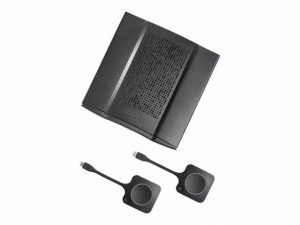
Barco’s ClickShare wirelessly connects your device to the room display, speakers, and camera in this era of click and sharing anything. Ensuring everyone is heard & seen, whether people join remotely or are right in the room. It’s a wireless presentation and conferencing technology that is easy to set up, saving time and allowing you to engage with in-room and remote participants. The Barco Clickshare Application is available for Mac, Microsoft, and mobile systems and can be downloaded from the website.  Download the Application. Follow the instructions in the installation manual. Plug the Clickshare Button into the USB port of your PC/Mac. Barco Clickshare helps the presenter get the presentation on-screen in a second, but it also allows the others in the meeting to participate more actively. Moreover, it can also be used as your display for digital signage when not for presenting or conferencing. How to download Barco Clickshare?Clickshare connects your screen, speakers, and microphone to the main presentation screen with no hassle, messy cables, and quick, secure sharing. Before downloading, first, install the base unit of Clickshare. The steps of installation include: Take the Base Unit out of the box, and connect the Base Unit to the network and the display. Connect the power cable to the Base Unit; this will start up the device. Now, connect your meeting room peripherals to the USB port of the Base Unit. Navigate to the Clickshare configuration wizard and click Finish configuration to complete the configuration. Tips on Installation: It is recommended to set it to automatic so that your Base Unit can automatically update at any time after Barco has released a new version of the firmware. Register your Clickshare Base Unit SmartCare in XMS Cloud. It will ensure that the SmartCare contract is activated. Once the Button is paired, it will only connect to that Base Unit, and when a consecutive firmware version is installed on the Base Unit, it is not required to re-pair the Buttons.  Once the Clickshare base unit is installed, you can download the Clickshare app, enter a meeting room, and get on the screen in a few seconds. The Clickshare app connects to the meeting room screen to share your content. Its presence detection technology does so. The Clickshare app uses an audio signal and WiFi beacon to detect the most nearby meeting rooms and a list of the five most nearby meeting rooms sorted based on signal strength. Just click on your meeting room name. Simple ways to download the Clickshare application are: Download Barco Clickshare Windows App Step 1: Go to Barco’s official website and opt for ClickshareStep 2: Click on the ‘Download’ to download the app on your window. Step 3: Wait for the download to finish.Step 4:Run the downloaded file and perform installationStep 5: Host your call and/or start sharingDownload Barco Clickshare MacOS AppStep 1: Go to Barco’s official website and opt for ClickshareStep 2: Click on the ‘Download’ to download the app on your window. Step 3: Wait for the download to finish.Step 4:Run the downloaded file and perform installationStep 5: Host your call and/or start sharingDownload Barco Clickshare Mobile AppStep 1: Go to the Google Play/App Store and search for ‘Barco Clickshare App’.Step 2: Click on ‘Install’.Step 3: Wait for the download to finishStep 4: Host your call and/or start sharingHow do you use the Clickshare app?To be able to use a Button, it should be assigned to the Base Unit you are using. However, the ClickShare app could be connected in two ways: by plugging the Button into the Base Unit via dongle. by running the Clickshare application on your laptop/desktop/android device.  Connect through USB Locate the room’s AV touch panel and select ‘POWER ON.’ If the touch panel is black or showing ‘PRESS SCREEN TO ACTIVATE’, touch the display to activate the panel. Select the ‘Click Share’ button at the bottom of the screen. Connect the Clickshare USB dongle to your laptop. The light on the dongle will flash. If you’re using a Windows device, open ‘File Explorer’ > ‘Clickshare’ > ‘Clickshare_for_Windows’. If you’re using a Mac, open ‘Finder’ > ‘Clickshare’> ‘Clickshare_for_Mac’. When Clickshare is ready, the light on the dongle will stop flashing. To share your screen on display, click the button on the dongle. The light on the dongle will change to red. To stop sharing your screen, click the button on the dongle again. Connect Using Windows PC Locate the room’s audiovisual (AV) touch panel and select ‘POWER ON. If the touch panel is black or showing ‘PRESS SCREEN TO ACTIVATE’, touch the display to activate the touch panel. Select the ‘Click Share’ button at the bottom of the screen. Connect to the ClickShare wifi network. The wifi network name will correspond with the campus, building and room that you’re in Enter ‘clickshare’ as the wifi password. Select ‘Settings’ from the ‘Start Menu. Select ‘Devices’ > ‘Connected devices’ > ‘Add a device. A list of available devices will appear; select ‘Clickshare’. Connect Using Android Device Locate the room’s audiovisual (AV) touch panel and select ‘POWER ON. If the touch panel is black or showing ‘PRESS SCREEN TO ACTIVATE’, touch the display to activate the touch panel. Select the ‘Click Share’ button at the bottom of the screen. Connect to the Clickshare wifi network. The Clickshare wifi network name will correspond with the campus, building and room you’re in.  Enter ‘Clickshare’ as the Wifi password. Open ‘Settings’. Select ‘Displays’> ‘Cast Screen’. A list of available devices will appear; select ‘Clickshare’. Connect through MacOs Locate the room’s AV touch panel and select ‘POWER ON. If the touch panel is black or showing ‘PRESS SCREEN TO ACTIVATE’, touch the display to activate the touch panel. Select the ‘Click Share’ button at the bottom of the screen. Connect to the Clickshare wifi network. The wifi network name will correspond with the campus, building and room you’re in.  Enter ‘Clickshare’ as the wifi password. Select AirPlay from the status menu at the top right of your screen. A list of available devices will

Read More »
Amplify productivity with audio visual gear
productivity

Harness the Force: Amplify Productivity with Audio Visual Gear

In today’s fast-paced world, the growing importance of productivity has taken center stage. As work demands increase, individuals and businesses alike are seeking innovative ways to maximize output and efficiency. A key solution emerging on this front is the integration of audio visual (AV) gear to optimize workflow and enhance work performance. This blog delves into the realm of audio visual gear, shedding light on how it can be a game-changer in boosting productivity.Multimedia solutions have become integral tools for enhancing effectiveness in various domains. Visual communication tools, driven by audiovisual technology, are revolutionizing how we process and convey information. The synergy between auditory and visual elements creates a more engaging and comprehensible experience. Leveraging this, businesses and individuals can optimize performance and amplify productivity.The integration of audio visual gear can significantly optimize workflow. By seamlessly incorporating multimedia devices, individuals can streamline tasks and bridge communication gaps. Visual aids and audio gear complement each other to provide a holistic work environment, where information is disseminated swiftly and accurately. This approach not only saves time but also ensures the seamless flow of ideas and collaboration.Selecting appropriate audio gear is pivotal in ensuring effective communication. We will guide you through the process of choosing the right audiovisual solutions tailored to your needs, a crucial step toward productivity improvement. Our insights will help you make informed decisions to amplify your work efficiency.Davis Audio Visual: Video Conference Room Salt Lake City  Role of Audio Visual Gear in Productivity EnhancementAudio visual gear, encompassing both audio and visual components, forms a dynamic fusion of tools designed to elevate productivity and communication within various work settings. This amalgamation comprises multimedia devices, audio gear, and visual communication tools that collectively create an environment conducive to efficient workflows and effective collaboration. Amplifying productivity with audio visual gear is not just a trend but a strategic move towards optimizing performance.Leveraging Multimedia Solutions: A Catalyst for Enhanced Work PerformanceMultimedia solutions serve as potent catalysts in boosting work performance. By integrating audio visual gear into daily tasks, teams can break down complex ideas through visual aids, making information easier to grasp. Incorporating audiovisual technology into presentations and meetings can significantly enhance the overall engagement level and comprehension. This approach is a cornerstone of maximizing productivity with AV equipment, where the fusion of multimedia tools with work tasks drives results.Optimizing Workflow and Communication: The Power of Effective AV SolutionsEfficiency tools like audio visual gear play a pivotal role in optimizing workflow and communication. Visual presentation using multimedia equipment simplifies conveying intricate concepts, saving time and promoting understanding. Audio gear aids in clear communication, eliminating misunderstandings that can hamper progress. Choosing the right audio gear for better productivity empowers teams to communicate seamlessly, contributing to a streamlined workflow.Visual Communication: A Key Driver of Productivity EnhancementVisual communication tools integrated into audio visual solutions are instrumental in enhancing productivity. Visual aids facilitate the absorption of information, ensuring that ideas are comprehended swiftly. The incorporation of visual aids in presentations and discussions helps in retaining key points and ideas, furthering the productivity enhancement through visual aids.Selecting the Best Audio Visual Gear: A Prerequisite for Optimal PerformanceTo maximize output, it’s essential to select the best audio visual gear for productivity enhancement. Top multimedia tools for efficiency bring clarity to communication, reducing the chances of misinterpretation. The effectiveness of audio visual solutions rests on the compatibility of multimedia devices with the tasks at hand. By choosing the right audiovisual solutions, organizations can set the stage for improved efficiency and productivity.  Selecting the Right Audio Visual Gear for Better ProductivityIn today’s fast-paced work environment, audio visual (AV) gear plays a pivotal role in enhancing productivity. By choosing the right multimedia solutions, businesses can optimize workflow, boost work performance, and effectively communicate their ideas. Criteria for Choosing the Best Audio Visual GearWhen aiming to enhance productivity through audio visual gear, it’s crucial to consider the following criteria: Efficiency Tools for Specific Needs: Different tasks require different tools. Select AV equipment that caters to your specific needs, whether it’s interactive displays for collaborative brainstorming or high-quality headphones for focused audio work. Audiovisual Technology: Embrace cutting-edge audiovisual technology that offers seamless integration and compatibility. Look for devices that support wireless connectivity, high-definition displays, and advanced audio processing. Visual Communication Tools: Opt for gear that facilitates clear and effective visual communication. Visual aids like projectors, digital whiteboards, and video conferencing systems enable efficient idea sharing and remote collaboration. User-Friendly Interface: Choose gear with intuitive interfaces. Devices that are easy to set up, operate, and customize contribute to smoother workflow integration. Multimedia Solutions: Prioritize devices that offer comprehensive multimedia solutions. This could range from all-in-one presentation systems to versatile audio mixers for dynamic content creation. Top Audio Gear and Multimedia Devices in the Market Gear Category Top Products Headphones Sony WH-1000XM4, Bose QuietComfort 35 II Interactive Displays Microsoft Surface Hub 2S, Google Jamboard Projectors Epson PowerLite 2250U, BenQ HT3550 Audio Mixers Behringer X32, Yamaha MG10XU Video Conferencing Logitech MeetUp, Poly Studio X Matching Gear to Productivity Enhancement Collaborative Brainstorming: Interactive displays like Microsoft Surface Hub 2S are ideal for team brainstorming sessions. Their touch-enabled screens allow participants to contribute directly, enhancing engagement and idea sharing. Noise-Canceling Headphones: When focus is paramount, noise-canceling headphones like Sony WH-1000XM4 create an immersive environment, allowing individuals to delve into tasks without distractions. Professional Audio Mixing: Audio mixers such as the Behringer X32 are valuable for content creators. They ensure high-quality sound production, making them essential for podcasts, video production, and virtual events.   Enhancing Visual Communication for Improved EfficiencyIn today’s fast-paced world, effective communication is key to success. Visual communication stands out as a powerful tool for conveying information quickly and effectively. Integrating well-crafted visuals into your content can amplify productivity with audio visual gear. These multimedia solutions not only enhance effectiveness but also optimize workflow, leading to a significant boost in work performance.Audio Visual Gear: Facilitating Clear and Concise CommunicationAudio visual gear plays a pivotal role in modern communication settings. From boardrooms to classrooms, this technology has revolutionized the way we

Read More »
Intuitive AV education
Training and Education

Intuitive AV Education: Seamless Learning Experience

In today’s ever-evolving educational landscape, the concept of Intuitive AV education has emerged as a pivotal force shaping the way students learn and educators teach. This innovative approach, driven by AV technology, is redefining the traditional classroom experience and aligning it with the demands of the digital age. In this article, we will delve into the significance of Intuitive AV education, highlighting its role in creating seamless learning experiences.AV technology has become the cornerstone of modern classrooms, revolutionizing the way educational content is delivered. With multimedia classrooms becoming the norm, AV technology plays a crucial role in facilitating interactive teaching methods. It enables educators to transcend the limitations of conventional teaching and engage students through immersive learning tools.The primary focus of Intuitive AV education is to provide seamless learning experiences. It seamlessly integrates audiovisual education into the curriculum, making the learning process not only more engaging but also more effective. With user-friendly e-learning tools and intuitive teaching aids, educators can effortlessly incorporate multimedia resources into their lessons.Intuitive AV education enhances the overall learning experience. It creates modern classroom solutions that captivate students’ attention and foster a deeper understanding of the subject matter. By utilizing smart classroom technology, educators can employ interactive AV solutions that cater to diverse learning styles, thus ensuring that no student is left behind.Intuitive AV education places a strong emphasis on instructional design. Educators are encouraged to adopt intuitive instructional design tips that maximize the benefits of AV technology. This approach not only enhances the content but also ensures that it aligns with the latest educational technology trends.The integration of AV technology into the classroom environment is a game-changer. It allows for the creation of intuitive learning environments where students can immerse themselves in the subject matter. AV equipment for interactive learning becomes an indispensable part of the educational toolkit, empowering educators to deliver content that resonates with today’s tech-savvy generation.Intuitive edtech solutions are a lifeline for teachers navigating the complex world of modern education. These solutions offer innovative AV teaching techniques, ensuring that educators have access to the best practices for intuitive AV education. They enable educators to stay ahead in the ever-changing educational landscape.Classroom of The Future: AV Innovations For Education  The Evolution of AV EducationThe evolution of AV (audio-visual) education has been nothing short of transformative. This journey has taken us from traditional teaching methods to modern, intuitive AV solutions, redefining the way students learn. In this comprehensive exploration, we will delve into the history of AV technology in education, its transition, and the revolution brought about by intuitive AV education.History of AV Technology in EducationThe roots of AV technology in education date back to the early 20th century when schools started using film projectors to enhance classroom teaching. This marked the inception of multimedia resources in education, which have come a long way since then. Today, AV technology has expanded far beyond projectors to encompass a wide range of user-friendly tools, creating immersive multimedia classrooms that cater to diverse learning styles.Transition from Traditional Teaching to Modern AV SolutionsThe transition from traditional teaching methods to modern AV solutions has been driven by a quest for more interactive teaching methods. In the past, education primarily relied on textbooks and chalkboards. However, with the advent of smart technology, the integration of AV systems into modern classrooms has become the norm. This shift has not only made learning more engaging but also aligned with the educational trends of the digital age.Revolutionising Learning with Intuitive AV EducationIntuitive AV education has revolutionized the way students learn. It offers a seamless learning experience that caters to the diverse needs of today’s learners. Through interactive teaching methods and intuitive technology, students are more engaged and participative in the learning process. This approach ensures that education is no longer a passive experience but an active one where students are encouraged to explore and discover.Enhanced Learning ExperienceAV technology provides enhanced learning experiences by offering immersive learning tools. Students can now immerse themselves in educational content through multimedia resources, creating an intuitive learning environment. This approach transcends traditional boundaries and makes learning more accessible and engaging.The Role of Educational ResourcesThe role of educational resources in intuitive AV education cannot be overstated. These resources, backed by intuitive instructional design, empower educators to create dynamic and engaging lessons. With multimedia classrooms at their disposal, teachers can utilize innovative AV teaching techniques that enhance their teaching capabilities.Smart Classroom TechnologySmart classroom technology is at the forefront of this revolution. It allows for AV equipment to seamlessly integrate with the curriculum. Teachers can employ user-friendly AV integration tools to enhance their teaching methods, ensuring that they meet the educational technology trends of the 21st century.  Intuitive AV Education for BeginnersIntuitive AV education, a vital component of modern educational strategies, aims to facilitate a seamless learning experience for novice learners through the integration of audiovisual (AV) technology. This approach not only enhances the learning process but also aligns with the latest educational trends and instructional design principles, making it an invaluable tool for educators. In this guide, we will define what intuitive AV education means for beginners, provide practical tips and strategies for educators, and highlight the benefits of incorporating AV technology into the classroom.Defining Intuitive AV Education for BeginnersIntuitive AV education refers to a pedagogical approach that leverages user-friendly AV technology to create immersive and interactive teaching environments. It prioritizes the ease of use and quick comprehension of multimedia-rich learning materials, ensuring that beginners can access educational resources effortlessly. This approach is underpinned by intuitive pedagogy, emphasizing the seamless integration of AV technology into the learning process.Practical Tips and Strategies for Educators Select the Right Tools: Begin by choosing user-friendly e-learning platforms and AV equipment for education. These tools should align with intuitive technology and be compatible with modern classrooms. Intuitive Instructional Design: Create intuitive instructional design plans that incorporate multimedia resources for educators. Organize content in a logical and visually appealing manner, ensuring that learners can navigate effortlessly. Interactive Teaching Methods: Implement interactive teaching methods using AV technology. This

Read More »
collaboration during work from home
Remote Collaboration

Stay Connected: Master Collaboration during Work from Home with These Proven Tips

Stay Connected: Master Collaboration during Work from Home with these Proven Tips. In today’s world of remote work, staying connected and collaborating effectively is more important than ever. This blog provides practical tips and strategies for improving remote collaboration, managing virtual teams, and staying productive while working from home.

Read More »
AV skills sharpening
Training and Education

Sharpen Your AV Skills with Dedicated Training

In today’s fast-paced digital landscape, where multimedia content reigns supreme, mastering the art of AV skills sharpening has never been more critical. From video editing to visual communication, multimedia production to audiovisual technology, these skills are the building blocks of modern content creation. In this comprehensive guide, we will delve into the world of AV skills enhancement, exploring its significance, evolution, and the necessity of dedicated training. Let’s dive straight into the heart of this transformative journey.In an era dominated by multimedia content, having proficiency in AV skills is akin to possessing a superpower. These skills empower individuals and businesses to create captivating, engaging, and informative content that resonates with audiences worldwide. Whether it’s producing visually stunning video content or delivering compelling business presentations, AV skills are the cornerstone of success.The landscape of multimedia content creation is in a constant state of flux. New technologies, platforms, and trends emerge regularly, demanding that content creators stay ahead of the curve. To remain competitive, one must embrace multimedia skills that encompass video editing, visual communication, multimedia production, and audiovisual technology.AV skills improvement is a journey that requires dedication and structured learning. It’s not enough to dabble in video editing or experiment with multimedia content creation. To truly excel, one must undergo specialized training that hones their AV competency.When it comes to AV skills improvement, audio-visual training is your secret weapon. These training programs offer a structured approach to enhancing your multimedia skills. Whether you’re a content creator, educator, or business professional, AV training programs are tailored to sharpen presentation skills, enhance AV capabilities, and master video editing proficiency.In your pursuit of AV skills improvement, you’ll delve into multimedia skills development, discovering the intricacies of visual storytelling techniques and multimedia content creation. These skills will empower you to convey your message effectively and captivate your audience through various multimedia strategies.Audio-Visual Aids  Mastering Video Production FundamentalsIn the ever-evolving landscape of multimedia skills, honing your AV (audio-visual) skills is essential for staying ahead. Whether you’re a content creator, educator, or business professional, the ability to produce high-quality videos and multimedia content is paramount in today’s digital world.Camera Operation, Lighting, and Composition BasicsA strong foundation in camera operation, lighting, and composition is fundamental to video production excellence. When embarking on your AV skills improvement journey, start with these essential aspects: Camera Operation: Begin by familiarizing yourself with your camera’s settings, including aperture, shutter speed, ISO, and white balance. This will enable you to capture visually stunning footage with precision. Lighting Techniques: Mastering lighting is crucial for achieving professional-looking videos. Understand various lighting setups, such as three-point lighting, to enhance the visual appeal of your content. Composition Principles: Explore the rule of thirds, leading lines, and framing techniques to create aesthetically pleasing visuals that capture your audience’s attention. Audio Recording and Editing Techniques for High-Quality VideosAudio is half of the audiovisual equation, and it’s often overlooked. Here are some AV skills development strategies for audio: Quality Audio Recording: Invest in a high-quality microphone and understand proper microphone placement. Reducing background noise and capturing clear, crisp sound is essential for effective multimedia storytelling. Audio Editing Proficiency: Learn audio editing techniques to remove unwanted noise, enhance voice clarity, and add music or sound effects. Tools like Adobe Audition and Audacity can be your allies in this journey. AV Skills Sharpening through Multimedia ProductionMultimedia skills encompass not only video but also various aspects of content creation, including visual communication, multimedia technology, and more: Visual Communication Skills: Enhance your visual storytelling techniques to convey your message effectively. Incorporate graphics, animations, and infographics to engage your audience visually. Multimedia Strategies: Stay updated with the latest trends and best practices in multimedia. This includes interactive content, 360-degree videos, and virtual reality experiences. AV Certification and Online Courses: Consider enrolling in AV training programs and online courses to acquire formal AV competency. These resources offer structured learning paths and certification opportunities.   Advanced Video Editing Techniques for BeginnersVideo editing has become an essential skill in today’s multimedia-driven world. Whether you’re a content creator, educator, or business professional, sharpening your AV skills is crucial for effective visual communication and multimedia production. In this guide, we will demystify video editing for beginners, introduce popular video editing software, and provide step-by-step tutorials on essential editing tasks to enhance your AV skills and multimedia mastery.Popular Video Editing SoftwareBefore diving into advanced techniques, let’s familiarize ourselves with the popular video editing software options available. Learning the basics of these tools is the first step towards multimedia skills development: Adobe Premiere Pro: A professional-grade software favoured by filmmakers and video editors worldwide. It offers a wide range of features for both beginners and experts. Final Cut Pro X: Mac users often prefer this software, known for its user-friendly interface and advanced editing capabilities. DaVinci Resolve: A powerful, free-to-use video editing software that’s perfect for those just starting in video editing. iMovie: A user-friendly, entry-level video editing tool for Mac users, ideal for beginners. Step-by-Step Tutorials on Essential Editing TasksNow, let’s dive into the core of AV training with step-by-step tutorials on key video editing tasks:1. Cutting and Trimming ClipsLearning how to trim and cut clips efficiently is fundamental to video editing proficiency. This technique ensures your content flows seamlessly and holds the viewer’s attention.2. Adding TransitionsMaster the art of transitions to enhance the visual appeal of your videos. Discover how to use fades, wipes, and other effects to create a polished final product.3. Applying Filters and EffectsElevate your video quality by applying filters and effects that enhance colors, contrast, and overall aesthetics.4. Audio EnhancementsEffective multimedia storytelling methods require quality audio. Learn to remove background noise, add music, and ensure clear audiovisual excellence.5. Titles and TextEnhance your AV capabilities by adding titles and text overlays to your videos. Effective use of text can clarify your message and engage your audience.6. Exporting and SharingOnce your video masterpiece is ready, it’s time to export and share it with the world. Discover the best export settings for different platforms and how to maximize the impact

Read More »
AV Equipment

Omicron Changed Your Back To Office Plan? Here’s How You Can Stay Productive

2022 seemed like the time to get back to the work. Tackling the morning rush to sit back in the office chair you abandoned months ago. For some there's still hope that that plan will go ahead. But for others, their back to office plan for 2022 has been hit. And maybe hit hard. With the recent news of the new COVID variant, Omicron, office workers have been faced with the work from home conversations once again. COVID-19 has bought confusion and disruption to peoples lives - and is still continuing to do so. Challenging any plans that might have been made for 2022. Not much is know about this variant, as of yet, but for a lot of home workers they know that continuing to work from home is very possibly the answer for 2022. Whether they created that answer themselves or that answer was given to them. However, working from home may have already been the plan for some in 2022 - with people getting into a routine. But we know for a lot of people their plan has been halted. So how can you make working from home just as productive as working in the office? How To Work From Home Effectively Working from home has been a tough change, with people itching to get back into the office. And with the recent news about a new variant, working from home may have reared a big black shadow hanging over you. Creating uncertainty, especially if that black shadow was just easing off. There are many simple ways for you to be okay with working from home. An easy, and probably very obvious tip is to take breaks. Just because you're working from home doesn't mean you shouldn't take the breaks you would if you were in the office. When your time for lunch is coming up, take it. Staring at your screen all day is not good, for anybody. It not only puts a strain on your eyes but can put a strain on your productivity. Another simple tip for working from home is to plan your day out. If you were always one to get into work with a pile of things to do, with no schedule for the day. Then this tip is for you. Take a few minutes in the morning, or if you're super organised the day before, and plan out your day with the tasks you need to do. If you know you have something that is super important or a task that could take a long time to finish. Schedule it in for the morning. Making sure that you get the important tasks done first and giving yourself enough time to complete it. Without having to schedule in time for you to stress over a task that isn't sorted. Work From Home Equipment As we said, this new variant has really swerved workers plans for 2022. But working from home can still be productive and effective. We know for pretty much everyone who was new to working from home, they did not have the right equipment. Or set up for that matter. Having a good working from home experience really depends on the equipment you have. At the start a laptop or desktop would've done its justice. But as time went on people have realised that you just needed more to be able to get the work done.  If you are thinking that now is a better time than ever to upgrade your working from home equipment, then these are our recommended equipment to get the best out of working from home.   Acer Chromebase 24V2 - Google Meet With a 24" touchscreen desktop, the Chromebase 24V2 is the perfect match for you working from home space. If you are one to always be on a call, nowadays a video call, this sleek designed desktop will not only look great in your home office but will hold great Google Meet meetings. Integrated with a 5.0 megapixel, wide angled camera, the Chromebase can easily upgrade your meetings. Giving you the highest quality Google Meet's as if you were in the office. On a professional office set up. The 24" touchscreen allows you to start, join meetings and open up the whiteboard - a display so easy to manage and use. However, if anything does seem to go wrong with your Chromebase, the device includes 24/7 support from Google. Making it easy for you to get your 24V2 up and running without being shut off for hours. And taking precious work time out of your day.   Working along with the camera, the Chromebase has 2 integrated microphones and speakers. Giving you and your Google Meet participants the clearest audio of your voices. No more is the worry about having to buy microphones and speakers to accommodate your home office. Its an all-in-one device that looks professional, either sat on your desk or placed on your wall. With the help of the optional VESA mounting kit. It doesn't mater if the Chromebase is placed on your desk or your wall, the device can still be tilted from -5°  and 25°. Letting your adjust the Chromebase to how you want it - exceeding your wants and needs.    DTEN Me - Zoom This 27" touchscreen display will definitely upgrade your home office. If you have been one, of the many people, working from home since COVID began. Then now is the best time to update your equipment. Especially if working from home will roll on into next year. This all-in-one display is all you need to video conference and collaborate seamlessly. And it really is all-in-one. The DTEN Me has an integrated camera, microphone and speaker. Making it so simple to unbox the DTEN Me and get to work within minutes - with the display just needing to be placed on our desk. No mount needed. However, the device does have an optional mount if you would prefer the display sat on your
Read More »
MeetingStore.co.uk
Logo
Compare items
  • Total (0)
Compare
0
Shopping cart