Excellent
Next day delivery! Depending on Availability*
Here to help! Monday to Friday, 8:30AM-5:30PM*

Logitech Rally Bar vs Logitech Rally Bar Mini

Today, almost every company heavily relies on remote communication tools to create a hybrid workplace and support its business. All-in-one video bars deliver a clear picture and audio in such scenarios, making a video conferencing solution great. Thus, the implementation of these two pillars has proven to be anything but simple. 

Both the Logitech Rally Bar and the Logitech Rally Bar Mini are made to provide a well-defined, clear, and crisp video resolution for video conferencing.  Rally bar mini is intended for small-medium rooms. On the other hand, a rally bar is used in a large meeting room. 


Logitech’s Rally Bar and Mini is a far tidier proposition which combines everything into a single unit that can be mounted on a wall or desk. With so many amazing features, the best way to decide which Logitech product is right for you is to focus on your specific preferences. Let us know each of them in detail to help you make the right choice. 


Logitech Rally Bar

About Logitech Rally Bar

With a 4K-resolution wide-angle pan-tilt-zoom camera, solid speaker sound, and a beamforming mic array, the Logitech Rally is the perfect all-in-one meeting solution. It prepares you for the next bump in video conferencing quality and technology. It is designed to work with various video conferencing software applications. Logitech Rally Bar is remarkably simple to manage, use, and deploy at scale, delivering professional-quality audio and video sleekly. It offers expanded room coverage for large to medium-sized rooms and supports two display monitors.

Product Description 

  • Camera:

-Resolution: 4K, 1440p, 1080p, 900p, 720p, and SD at 30fps

-Pan: Motorized ±25° 

-Tilt: Motorized ±15° Zoom: 15X HD zoom (5X optical, 3X digital available with upcoming software update) 

-Total Room Coverage: 132.1° Horizontal x 82.2° Vertical

*Diagonal Field of View: 90° 

         *Horizontal Field of View: 82.1° 

         *Vertical Field of View: 52.2° 

  • Built-in Components:

-6 beamforming microphones

-2 speakers, 

-PTZ camera

– AI Viewfinder

-retention system and cable management

-Logitech CollabOS platform

-table stand.

  • Power & Cables

-Power Supply: Auto-sensing 

-Operating Voltage/Power: 100-240V, 19V, 4.74A 

-Power Supply Dimensions: 127mm x 51mm x 30mm 

-DC Cable: 1.5m / 4.9 ft 

-AC Cable: 1m / 3.28 ft 

-HDMI 1.4 Cable: 2m / 6.5 ft 

-USB A to USB C 3.0 Cable: 2.2m / 7.2 ft

  • Dimensions:

-Height: 164 mm / 6.46 in 

-Width: 910 mm / 2.99 ft 

-Depth: 130.5 mm / 5.14 in 

-Lens Depth: 28.8 mm / 1.13 in 

-Weight: 7.08 kg / 15.6 lbs

  • Interfaces:

-HDMI Out: 2 (up to 1080p) 

-HDMI In: 1 

-USB 3.0: 3x Type A, 1x Type C 

-Network: 10/100/1G Ethernet 

-WiFi: 802.11a/b/g/n/ac (MIMO) External Mic Input: Yes (proprietary input supports optional -Rally Mic Pod, Rally Mic Pod Hub, and Rally Mic Pod Extension Cable) 

-Remote Control: Bluetooth® Low Energy

  • Speakers:

-Drivers: 2x 70mm / 2.7 in 

-Output: 90dB SPL @1W, 99dB SPL @8.0W, both +/-2dB at ½ meter 

-Sensitivity: 90+/-3dB SPL at 1W, ½ meter 

-THD: 1kHz < 2% 

-Speaker Sampling Rate: 48 kHz

  • Microphones:

-Frequency Response: 90Hz – 16kHz 

-Sensitivity: >-36dBFS +/-1dB @ 1Pa 

-Microphone Data Rate Output: 48 kHz 

-Pickup Range: 4.5m / 15 ft 

-Beamforming Elements: Six omnidirectional digital MEMS microphones forming five adaptive acoustic broadside beams 

-Audio Processing: AEC (Acoustic Echo Cancellation), VAD (Voice Activity Detector) 

-Noise Suppression: AI filter 

-Add-on Mics: Supports up to 3 additional Rally Mic Pods for larger conference rooms

Compatibility with other platforms

The Logitech Rally Bar works best with Microsoft Teams Rooms on Windows(for medium-sized rooms), Microsoft Teams Rooms on Android (for medium-sized rooms), Zoom Rooms and Google Meet Rooms.


Logitech Rally Bar Mini

About Logitech Rally Bar Mini

The Logitech Rally Bar Mini is a simple, plug-and-play device for the modern meeting room. This little brother of the Rally Bar was launched in mid-2021. It offers an all-in-one solution for small conference rooms with approximately 1–6 participants. Rally Bar Mini is a convenient product which is easy to set up within seconds, with USB plug-and-play support. Designed to reduce setup stress with a streamlined and flexible installation, Rally Bar Mini allows for instant access to a wide variety of video conferencing software applications. 

Product Description

  • Built-in Components: 

-6 beamforming microphones

-PTZ camera

-3 speakers

-AI Viewfinder
-cable management & retention system

-table stand

-Logitech CollabOS platform  

  • Camera:

-Resolution: 4K, 1440p, 1080p, 900p, 720p, and SD at 30fps 

-Pan: Motorized ±25° 

-Tilt: Motorized ±15° 

-Zoom: 4X HD digital zoom 

-Total Room Coverage (field of view + pan and tilt): 163° horizontal x 110° vertical

            *Diagonal Field of View: 120°

            *Horizontal Field of View: 113° 

            *Vertical Field of View: 80.7°

  • Dimensions:

-Height: 91.4 mm / 3.6 in 

-Width: 719 mm / 2.36 ft 

-Depth: 101 mm / 3.98 in 

-Lens Depth: 18.5 mm / 0.73 in 

-Weight: 4.03 kgs / 8.88 lbs

  • Microphones:

-Frequency Response: 90Hz – 16kHz 

-Sensitivity: >-36dBFS +/-1dB @ 1Pa 

-Microphone Data Rate Output: 48 kHz 

-Pickup Range: 4.5m / 15 ft 

-Beamforming Elements: Six omnidirectional digital MEMS microphones forming five adaptive acoustic broadside beams 

-Audio Processing: AEC (Acoustic Echo Cancellation), VAD (Voice Activity Detector) 

-Noise Suppression: AI filter 

-Add-on Mics: Supports up to 2 additional Rally Mic Pods 

  • Speakers:

-Woofer: 70mm / 2.7in 

-Mid-range: 2x / 1.5in 

-Output: 90dB SPL @1W, 99dB SPL @8.0W, both +/-2dB at ½ meter 

-Sensitivity: 86+/-2dB SPL at 1W, ½ meter 

-THD: 1kHz < 2% 

-Speaker Sampling Rate: 48 kHz

  • Power & Cables:

-Power Supply: Auto-sensing 

-Operating Voltage/Power: 100-240V, 19V, 4.74A 

-Power Supply Dimensions: 127mm x 51mm x 30mm 

-DC Cable: 1.5m / 4.9 ft 

-AC Cable: 1m / 3.28 ft 

-HDMI 1.4 Cable: 2m / 6.5 ft 

-USB A to USB C 3.0 Cable: 2.2m / 7.2 ft 

  • Interfaces: 

-HDMI Out: 2 (up to 1080p) 

-HDMI In: 1 

-USB 3.0: 3x Type A, 1x Type C 

-Network: 10/100/1G Ethernet 

-WiFi: 802.11a/b/g/n/ac (MIMO) 

-External Mic Input: Yes (proprietary input supports optional Rally Mic Pod, Rally Mic Pod Hub, and Rally Mic Pod Extension Cable) 

-Remote Control: Bluetooth® Low Energy

Compatibility with other platforms

The Logitech Rally Bar Mini supports compatible video conferencing software in appliance mode with Microsoft Teams Rooms on Android and Zoom Rooms. Besides, it is highly certified for Microsoft Teams Rooms on Android (for small rooms), Microsoft Teams Rooms on Windows (for small rooms), Zoom Rooms, and Google Meet. 


Similar Features Of Logitech Rally Bar and Logitech Rally Bar Mini

  • Easy to manage

Both Logitech Rally Bar and Rally Bar Mini come with an easy-to-understand guide. It makes operating and managing gadgets easily for the user.

  • Easy to set up and install

Both are intelligently designed to ensure the installation process goes smoothly. It also ensures that you save time and boost labour efficiency. 

  • Built-in AI

The devices can recognise human figures, voices, and faces with great AI features. Therefore, making them smart. 

  • Excellent Audio Features

The rally bar and the rally bar mini have brilliant voice-capturing features. They have a well-established audio system with the latest technology that guarantees that voice is captured from all corners of a room. They also have a noise cancellation element that tunes out unwanted background noise. 

  • Outstanding Video Quality

The gadgets are built to give first-class visual broadcasts with up to 4K resolutions.


Difference Between The Logitech Rally Bar and Logitech Rally Bar Mini

Despite being similar in roles and functions, the Logitech Rally Bar and Rally Bar Mini have a few key contrasts:

  • Price

The prices for the rally bar and the rally bar mini are different. Therefore, the rally bar mini is projected to cost cheaper than the rally bar.

  • Room Size

The rally bar is designed for large-midsize meeting rooms. But the rally bar mini, as the name signifies, is for small-sized meeting rooms.

Logitech Rally Bar vs Logitech Rally Bar Mini

The following table compares the specifications of the Logitech Rally Bar and Logitech Rally Bar Mini. 

Items Logitech Rally Bar Logitech Rally Bar Mini
Price £3,015.88  £2,336.36
Part Number 960-001312 960-001340
Room Size Large-medium Small
General
Power Source AC Adapter AC Adapter
Host Connection USB Type-A USB 3.1 / USB 3.2 Gen 1      No
Additional I/O 1 x USB Type-C USB 3.1 / USB 3.2 Gen 1   1 x HDMI Type-A Input

  2 x HDMI Type-A

  1 x RJ45

  3 x USB Type-A

  1 x USB Type-Clow

Low-Light Correction Yes No
Camera
Field of View Diagonal: 90°, Horizontal: 82.1°, Vertical: 52.2°  Diagonal: 120°, Horizontal: 113°, Vertical: 80.7°
Resolution and Frame Rate 4K, 1440p, 1080p, 900p, 720p, and SD at 30fps   4K, 1440p, 1080p, 900p, 720p, and     SD at 30fps 
Zoom 5x (Optical)

3x (Digital)

4X HD digital zoom 
Tilt +/- 15° +/- 15°
Speaker Tracking Yes Yes
Pan +/- 25° +/- 25°
Speaker
Maximum Sound Pressure Level (SPL) 90dB SPL @1W, 99dB SPL @8.0W 90dB SPL @1W, 99dB SPL @8.0W
Built-In Speakers 2 3
Sensitivity 90+/-3dB SPL at 1W, ½ meter 86+/-2dB SPL at 1W, ½ meter 
Microphone
Range 15ft 15ft
Extension Microphone Yes(Optional) Yes(Optional)
Sensitivity >-36dBFS +/-1dB @ 1Pa >-36dBFS +/-1dB @ 1Pa 
Noise Cancellation  AI filter  AI filter 
Ports
Audio Input HDMI No
Audio Output HDMI No
Bluetooth Bluetooth® Low Energy Bluetooth® Low Energy
Other Features
Wireless Screen Sharing No No
Touch Control Panel No (Optional)
Mount Options Wall, Table, Display Wall, Table, Display
Color Options Graphite, White Graphite, White
Supported Platforms
Zoom Certified Certified
Google Meet Yes Yes
Microsoft Teams Certified (USB Attached) Certified


Picture of Meeting Store

Meeting Store

Table of Contents

remote team chat apps
Remote Collaboration

Boost Your Communication with the Best Remote Team Chat Apps for Seamless Connectivity

Effective communication plays a vital role in the success of remote teams. With the rise of remote work and virtual collaboration, the need for seamless connectivity and efficient communication tools has become increasingly important. In this article, we will explore the significance of effective communication in remote teams and highlight how chat apps can enhance collaboration and productivity. We will also discuss various chat app features that facilitate seamless connectivity and support remote team communication.Remote collaboration relies heavily on effective communication to bridge the physical distance between team members. Clear and timely communication fosters understanding, builds trust, and ensures alignment within the team. It allows remote team members to collaborate efficiently, share ideas, resolve issues, and stay connected regardless of geographical boundaries. Effective communication in remote teams leads to enhanced productivity, improved teamwork, and better outcomes.Chat apps serve as online communication platforms, facilitating instant messaging for remote teams. With real-time messaging, team members can exchange information, seek clarifications, and share updates in a quick and efficient manner. These apps offer features such as read receipts and typing indicators, ensuring that messages are promptly received and acknowledged.Efficient file sharing is crucial for remote team productivity. Chat apps enable seamless sharing of documents, files, and media, eliminating the need for lengthy email chains. Team members can easily collaborate on projects, review documents, and provide feedback in real time. Additionally, version control features ensure that everyone has access to the latest file versions, promoting accuracy and consistency.The 10 Best Team Chat Apps for Working Remotely in 2020  Choosing the Right Remote Team Chat AppsIn today’s digital age, remote work has become increasingly prevalent, making effective communication and collaboration essential for remote teams. Selecting the appropriate chat app for remote teams is a crucial decision that can significantly impact remote collaboration, seamless connectivity, and overall team productivity.Significance of Selecting the Appropriate Chat App for Remote TeamsThe choice of a chat app for remote teams holds significant importance in enabling efficient and streamlined communication among team members. A suitable chat app facilitates real-time collaboration, quick information sharing, and the ability to connect seamlessly regardless of geographical distances. By leveraging the right chat app, remote teams can overcome communication barriers and foster a sense of virtual togetherness, which is crucial for successful remote work collaboration.Essential Features to Consider When Choosing a Chat App for Remote Teams Real-Time Communication: A chat app should offer instant messaging capabilities, enabling team members to communicate in real-time. This feature allows for quick decision-making, immediate feedback, and reduces communication gaps, fostering seamless connectivity among remote teams. File Sharing Capabilities: An essential feature to consider is the ability to share files effortlessly within the chat app. This allows team members to exchange documents, images, and other files without the need for separate file-sharing platforms. It enhances collaboration, enables version control, and ensures that everyone has access to the most up-to-date information. Video Calling Functionality: Effective communication often requires face-to-face interaction. A chat app with video calling functionality facilitates virtual meetings, conference calls, and screen sharing, promoting better understanding and team cohesion. It helps remote teams connect on a more personal level and strengthens remote work collaboration. Task Management Integration: Integration with task management tools enhances productivity and project organization. A chat app that integrates with popular task management platforms enables remote teams to create, assign, and track tasks directly within the app, streamlining workflows and ensuring efficient project management. End-to-End Encryption: Security is a paramount concern for remote teams. Choosing a chat app with end-to-end encryption ensures that messages and files exchanged within the app are secure and protected from unauthorized access. This feature helps maintain the confidentiality of sensitive information and instills trust among team members. Cross-Platform Compatibility: Remote teams often work across various devices and operating systems. A chat app that is compatible with different platforms ensures that team members can access and use the app seamlessly, regardless of their preferred device, enhancing remote work efficiency. Emoji Reactions and Screen Sharing: Additional features such as emoji reactions and screen sharing can enhance remote team communication. Emoji reactions provide a quick and visual way to express emotions or acknowledge messages, while screen sharing facilitates collaboration during presentations, design reviews, or troubleshooting sessions.   Top Chat Apps for Remote TeamsEffective communication is the cornerstone of remote team collaboration. In today’s fast-paced work environment, remote team chat apps have become essential tools for seamless connectivity and real-time collaboration. Whether you’re a small remote team or a large virtual workforce, choosing the right chat app can significantly enhance your team’s productivity and streamline your remote work communication.SlackSlack is a leading name among remote team chat apps, offering a comprehensive set of features for team communication. With its intuitive interface and robust functionality, Slack is a top choice for remote teams seeking seamless connectivity. It allows real-time messaging, file sharing capabilities, and supports video calling functionality for face-to-face interactions. Additionally, Slack offers task management features, making it easier for teams to collaborate and stay organized. Its extensive library of messaging app integrations further enhances productivity and remote work collaboration.Microsoft TeamsMicrosoft Teams is another prominent player in the realm of remote team chat apps. Built on the foundation of Microsoft’s productivity suite, Teams offers a cohesive platform for online communication and collaboration. Teams facilitate file sharing capabilities, allowing team members to access and edit documents in real-time. Its video calling functionality enables smooth virtual meetings and enhances remote collaboration. With seamless integration with other Microsoft tools, Teams ensures a cohesive and efficient remote work environment.Google ChatGoogle Chat, part of the Google Workspace suite, provides a robust solution for remote team communication. With its user-friendly interface and powerful features, Google Chat enables real-time collaboration and enhances remote team productivity. It offers file sharing capabilities, allowing teams to exchange documents and work on them simultaneously. Google Chat also supports video calling functionality, enabling face-to-face conversations from anywhere. Leveraging Google’s ecosystem, Chat seamlessly integrates with other Google apps, providing a comprehensive solution for remote work efficiency.ZoomWhile Zoom is primarily known
Read More »
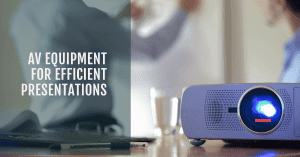
AV equipment for efficient presentations
productivity

AV Equipment for Efficient Presentations: Transform Your Presentations with Ultimate Efficiency

In today’s fast-paced world, where time is of the essence, the importance of AV equipment in making presentations more efficient and impactful cannot be overstated. Seamless presentation technology is experiencing an increasing demand in various sectors, enabling professionals to deliver compelling and engaging content. This blog aims to explore the significance of AV equipment for efficient presentations, covering a wide range of topics related to presentation technology, audio-visual solutions, and cutting-edge devices that enhance the overall presentation experience.AV equipment plays a crucial role in streamlining presentations, helping presenters captivate their audiences and leave a lasting impression. With a vast array of presentation tools available, such as multimedia devices, projector systems, conference room gadgets, and more, professionals now have access to sophisticated and modern presentation aids to elevate their communication.Across various sectors, the demand for seamless presentation technology is on the rise. Professionals are seeking effective displays, interactive technology, and smart presentation gear to make their content stand out. The use of advanced visual equipment and top-notch AV gear ensures that presentations are delivered flawlessly, thereby elevating the overall audience experience.The 5 Best Projector for Business (Presentations)  AV Equipment for Efficient Presentations: An OverviewIn today’s fast-paced world, delivering impactful presentations is essential for businesses, educators, and professionals across various industries. Maximizing productivity with AV equipment plays a crucial role in enhancing presentations and engaging audiences. This section explores the significance of using cutting-edge presentation devices, the role of efficient AV solutions in communication and understanding, and the array of AV equipment available to create seamless and effective presentations.AV Equipment: The Foundation of Engaging PresentationsAV equipment, short for Audio-Visual equipment, encompasses a wide range of presentation tools, audio-visual solutions, multimedia devices, and projector systems. These modern presentation aids have become indispensable for creating dynamic and interactive presentations. From conference room gadgets to high-quality projection systems, AV equipment provides a comprehensive suite of resources to deliver impactful content to the audience.The Significance of Cutting-Edge Presentation DevicesCutting-edge presentation devices take presentations to a whole new level by offering advanced visual equipment, audio enhancement gear, and seamless presentation integration. Such devices enable presenters to captivate the audience’s attention and make complex information more accessible and understandable. By incorporating interactive technology, effective displays, and smart presentation gear, presenters can foster greater engagement and interest among their listeners.Efficient AV Solutions for Better Communication and UnderstandingEfficient AV solutions contribute significantly to better communication and understanding during presentations. With streamlined presentation setups and top-notch AV gear, presenters can focus on delivering their message without technical distractions. The integration of professional AV tools and efficient display solutions ensures that the content is showcased flawlessly, enhancing comprehension and knowledge retention among the audience.The Array of AV System Components and Presentation AccessoriesTo achieve seamless presentations, it is essential to leverage a wide range of AV system components and presentation accessories. These productivity-focused gadgets include AV controllers, wireless presenters, audio mixers, and signal processors. By using optimal presentation hardware, presenters can deliver their message with confidence, knowing that the equipment will perform reliably and deliver a memorable experience to the audience.Affordable AV Equipment for Presentations: Meeting Budget ConstraintsFor small businesses or educators on a budget, affordable AV equipment is a viable option. Reliable presentation gadgets under £500 offer impressive features without compromising on quality. These user-friendly AV solutions cater to the needs of budget-conscious presenters while delivering impactful and engaging content to their audience.  Affordable AV Equipment for PresentationsIn today’s fast-paced business and educational environments, efficient presentations are crucial for conveying ideas effectively. However, investing in high-quality AV equipment can often be a challenge, especially for small businesses and educators with limited budgets. In this comprehensive guide, we will explore the market for budget-friendly AV equipment that doesn’t compromise on quality, providing a list of devices and accessories suitable for those on a tight budget. We will highlight the benefits of choosing cost-effective options without sacrificing performance and how these AV solutions can maximize productivity during presentations. AV Equipment for Efficient Presentations: Enhancing the Experience AV equipment plays a pivotal role in delivering impactful presentations. From presentation technology to audio-visual solutions, there is a wide range of multimedia devices available to cater to diverse needs. For small businesses and educators, it is essential to make informed choices to ensure efficient displays and seamless presentation integration. Budget-Friendly Projector Systems: Delivering Professional Quality Projectors are indispensable tools for presentations, and luckily, there are affordable options available that don’t compromise performance. Reliable presentation gadgets under £500 can offer high-quality projection systems, making it easier for businesses and educators to make a lasting impression. Conference Room Gadgets: Optimising Collaboration In the modern business landscape, collaborative presentations are becoming increasingly popular. Conference room gadgets enable interactive technology, enhancing engagement and fostering effective communication. We will explore user-friendly AV solutions that cater to the needs of small businesses and educators seeking productive teamwork. Cutting-Edge Presentation Devices: Embracing Innovation Keeping up with the latest tech trends is vital to stay ahead in the competitive world of presentations. Discover the top-rated wireless projectors for presentations that offer advanced visual equipment and streamline presentation setups, empowering presenters to deliver captivating content. Audio Enhancement Gear: Crystal Clear Sound Matters Audio quality can make or break a presentation. For educators and businesses looking to deliver impactful messages, affordable audio enhancement gear is a must. We will explore AV system components that provide optimal presentation hardware, ensuring that your audience hears every word loud and clear. Efficient Presentation Accessories: The Devil is in the Details While the major AV equipment is crucial, the right accessories can significantly contribute to the overall presentation experience. Learn about productivity-focused gadgets that complement your setup and make your presentations stand out. Device/Accessory Features Price (Approx.) Wireless Projector Advanced visual equipment, user-friendly setup £400-£500 Portable PA System Clear audio, lightweight and portable £200-£300 Interactive Whiteboard Interactive technology enhances engagement £300-£400 Presentation Clicker Seamless slide control, ergonomic design £20-£50   Reliable Presentation Gadgets for Small BusinessesFor small businesses looking to make a big impact during presentations, reliable AV equipment can be a game-changer.

Read More »
Interactive displays for meetings
Future Trends

The Benefits of Interactive Displays for Meetings

Discover the many benefits of interactive displays for meetings. Our expertly designed displays allow for seamless collaboration, increased productivity, and improved communication in any meeting room. Elevate your business meetings today with our interactive technology.

Read More »
Advanced AV techniques
Uncategorized

Unlock Advanced AV Techniques: Expert-Guided Mastery

In the fast-paced world of multimedia expertise, optimizing AV setups with advanced AV techniques is no longer a luxury but a necessity. The importance of cutting-edge AV technology and expert guidance in achieving top-notch quality cannot be overstated. This article delves into the significance of these techniques, their relevance, and the path to AV mastery.In the realm of audiovisual solutions, professional setups have become synonymous with advanced AV techniques. These techniques involve the use of state-of-the-art AV equipment to ensure superior quality in both visual displays and sound systems. Multimedia presentations demand a high level of precision, and advanced AV techniques are the key to delivering premium experiences.AV technology innovations are continually reshaping the industry. To excel, one must master expert-level AV knowledge and pro-level mastery of advanced techniques. Multimedia expertise is equally vital for success in optimizing AV setups for quality. It involves innovative AV setups and advanced multimedia techniques to fine-tune AV experiences.For those seeking to perfect multimedia presentations, mastering advanced audiovisual techniques is the ultimate goal. Expert AV tips, cutting-edge AV methods, and pro audiovisual skills are essential components of this journey. High-tech visual solutions and advanced sound systems optimization go hand in hand with achieving this level of expertise.To ensure top-tier audiovisual technologies, it’s crucial to make advanced AV equipment choices. This process involves selecting cutting-edge audiovisual solutions and integrating innovative AV technology. Expert audiovisual solutions, along with advanced video displays, play a pivotal role in achieving this goal.Audio visual techniques  Mastering Advanced Audiovisual TechniquesIn the ever-evolving landscape of AV technology, mastering advanced AV techniques is the key to unlocking unparalleled multimedia expertise. With the fusion of cutting-edge equipment and expert guidance, professionals can achieve superior quality and deliver premium audiovisual experiences. Let’s delve into the fundamentals of advanced AV techniques, explore how they elevate multimedia presentations, and provide real-life examples of their impact.Fundamentals of Advanced AV TechniquesAdvanced AV techniques encompass a wide array of skills, from optimizing AV setups for quality to fine-tuning AV experiences. Expert-level knowledge in audiovisual solutions involves precision in multimedia setups, innovative AV technology integration, and pro tips for advanced AV. Professionals must focus on state-of-the-art AV gear selection and advanced sound system optimization. By perfecting multimedia presentations and employing advanced equipment for AV excellence, one can achieve superior audiovisual mastery.Elevating Multimedia PresentationsWhen professionals master advanced audiovisual techniques, they can seamlessly integrate high-tech visual solutions and advanced sound systems into their presentations. This integration enhances visual displays and sound quality, creating a captivating and immersive experience for the audience. Through expert-guided AV enhancements and innovative AV setups, multimedia presentations become more engaging and impactful. Pro-level video display strategies further elevate the quality, ensuring that every detail is showcased with precision.  High-Quality AV Gear SelectionWhen it comes to selecting high-quality AV gear for your needs, it’s essential to have a deep understanding of Advanced AV techniques and the latest trends in the industry. Whether you’re a professional in the field or just getting started, this guide will help you make informed decisions about AV technology and multimedia expertise to create cutting-edge audiovisual solutions and professional setups that deliver superior quality and advanced techniques. Audiovisual Solutions and Advanced AV TechniquesTo ensure that your AV setup meets the highest standards, it’s crucial to master Advanced AV techniques and stay updated with AV technology trends. Let’s explore various aspects of audiovisual equipment selection and optimization:CamerasSelecting the right camera is paramount for capturing premium visual displays. Advanced AV techniques involve understanding the latest AV equipment innovations. Consider professional setups that offer top-tier audiovisual technologies for high-quality multimedia presentations. Expert-guided AV mastery is key in this realm, as it ensures you achieve the best results with your chosen camera.MicrophonesAdvanced sound systems are the backbone of any successful AV setup. High-tech visual solutions demand cutting-edge audiovisual solutions, where precision in multimedia setups and advanced audio solutions are essential. By mastering advanced audiovisual techniques, you can ensure crystal-clear sound quality that enhances your multimedia presentations.ProjectorsWhen it comes to visual displays, nothing beats state-of-the-art AV gear. Expert audiovisual solutions and innovative AV setups will enable you to create immersive experiences. Expert audiovisual solutions are essential to delivering premium audiovisual experiences. Pro-level multimedia setups are a must for those seeking the highest-quality visuals.AV MasteryTo achieve pro-level mastery in audiovisual technology, it’s crucial to have expert-level AV knowledge and expert-guided AV mastery. This not only helps in equipment selection but also in integrating innovative AV technology into your setups. By fine-tuning AV experiences with the right gear, you can achieve audiovisual excellence.Professional AV Training and Expert TipsFor those looking to further their knowledge in the field, consider seeking professional AV training. These programs often cover topics such as Advanced AV techniques for professionals, AV industry insights 2023, and AV technology advancements. They can provide expert audiovisual tips and AV software recommendations to enhance your skill set.  Expert Tips for Superior MultimediaWhen it comes to achieving superior multimedia experiences, mastering advanced audiovisual (AV) techniques is paramount. In the ever-evolving landscape of AV technology, staying ahead with expert guidance and pro-level mastery can make all the difference. This section delves into the realm of cutting-edge AV methods, providing valuable insights and expert tips for optimizing AV setups for quality and precision.Fine-Tuning AV Setups for QualityProfessional setups demand precision in multimedia setups, where every aspect of audiovisual solutions plays a crucial role. To ensure superior quality, experts emphasize the importance of AV mastery. Leveraging advanced sound systems and high-tech visual solutions, professionals can create premium experiences for their audience.Expert-Recommended AV Equipment AV Equipment Expert Recommendations Visual Displays Cutting-edge video displays for clarity Sound Systems High-quality sound solutions for depth Multimedia Software Innovative presentation tools for impact Mastering Advanced Audiovisual TechniquesAV technology innovations have paved the way for state-of-the-art AV gear. Expert-guided AV mastery involves integrating advanced equipment for AV excellence. Through advanced sound system optimization and pro-level video display strategies, professionals can elevate their multimedia presentations to new heights.  Advanced Sound System OptimizationIn the ever-evolving world of AV technology, mastering Advanced AV techniques is crucial for delivering premium audiovisual

Read More »
remote collaboration tools for educators
Remote Collaboration

Unlocking Learning Potential: Exploring Cutting-Edge Remote Collaboration Tools for Educators

In today’s digital age, remote learning has become increasingly prevalent, making effective collaboration tools a necessity for educators and students alike. As the world embraces online education, the demand for enhanced learning experiences and innovative tools to facilitate remote collaboration has grown exponentially.The advent of remote learning has revolutionized education by transcending physical boundaries and offering unparalleled opportunities for students to learn from anywhere. However, to ensure a seamless learning experience, educators require robust remote collaboration tools that empower them to engage and connect with their students effectively.Educators play a crucial role in fostering student growth and development, even in remote learning environments. By harnessing the power of educational collaboration tools, teachers can create engaging and interactive virtual classrooms that promote active participation and facilitate collaborative learning.Remote collaboration tools for educators provide a range of functionalities that enable seamless communication, content sharing, and real-time interaction with students. These tools, such as online collaboration platforms, virtual classroom software, and e-learning tools, offer a comprehensive suite of features to facilitate effective remote teaching.By embracing remote collaboration tools, educators can enhance the learning experiences of their students. These tools enable teachers to deliver engaging lessons, facilitate group collaboration, and promote interactive discussions. Through features like video conferencing, screen sharing, and file sharing tools, educators can create a dynamic virtual classroom environment that closely emulates traditional in-person interactions.8 easy brainstorm apps for in a collaborative classroom  Importance of Remote Collaboration Tools for EducatorsIn today’s rapidly evolving educational landscape, educators face numerous challenges when it comes to remote learning. The shift from traditional classroom settings to virtual platforms has presented unique obstacles that require innovative solutions. Educators must adapt to new teaching methods, navigate technological barriers, and ensure effective communication and collaboration with their students. By understanding these challenges, we can emphasize the need for effective remote collaboration tools to bridge the gap between educators and students.Emphasizing the Need for Effective Collaboration ToolsRemote collaboration tools play a vital role in facilitating enhanced learning experiences for educators and students alike. These tools enable seamless communication, real-time collaboration, and efficient information sharing. By leveraging remote collaboration tools, educators can overcome the barriers of physical distance and create engaging virtual classrooms.One of the key challenges in remote learning is the lack of face-to-face interaction between educators and students. Educational collaboration tools provide a solution by enabling virtual classrooms where students can actively participate in discussions, ask questions, and receive immediate feedback from their teachers. This fosters a sense of community and engagement, which is crucial for effective learning outcomes.Impact of Collaboration Tools on Student Engagement and ParticipationRemote collaboration tools have a profound impact on student engagement, participation, and overall learning outcomes. These tools empower students to actively participate in virtual classrooms, collaborate with their peers, and contribute to group projects. By facilitating interactive discussions and providing a platform for sharing ideas, collaboration tools create an inclusive learning environment that promotes active learning.Moreover, collaboration tools enable educators to personalize the learning experience for each student. They can provide individualized feedback, track student progress, and identify areas for improvement. This tailored approach enhances student engagement, motivation, and ultimately leads to better learning outcomes.Utilizing various educational collaboration tools, such as online classroom tools, virtual classroom tools, and e-learning tools, educators can leverage multimedia resources, interactive presentations, and gamified learning experiences to make lessons more engaging and interactive. These tools also allow for the integration of educational technology, enabling educators to incorporate virtual simulations, educational videos, and interactive quizzes into their teaching methods.The Impact of Collaboration Tools on Learning OutcomesBy utilizing remote collaboration tools, educators can significantly improve learning outcomes for their students. Collaborative learning promotes critical thinking, problem-solving skills, and effective communication. It encourages students to work together, share knowledge, and learn from their peers. With the help of online collaboration tools, students can engage in group projects, brainstorm ideas, and develop a deeper understanding of the subject matter.Moreover, remote collaboration tools facilitate seamless communication between educators, students, and even parents. Video conferencing tools enable real-time interaction, while screen sharing tools and file sharing tools simplify the exchange of information and resources. Online whiteboard tools offer a dynamic platform for visual explanations and concept mapping.By employing collaborative learning platforms for teachers and incorporating remote collaboration tools into their teaching strategies, educators can create an inclusive and dynamic learning environment that promotes student-centered learning. These tools empower educators to adapt their teaching methods to meet the diverse needs of their students and ensure that no student is left behind.  Best Remote Collaboration Tools for EducatorsIn today’s digital age, remote collaboration tools have become essential for educators to enhance the virtual classroom experience and facilitate efficient communication and group collaboration. With the advent of educational technology, teachers and students can now seamlessly connect and engage in remote learning environments. Here, we provide an overview of the top remote collaboration tools available for educators, highlighting their features, functionalities, and how they cater to the needs of teachers and students. Collaboration Software Collaboration software is a cornerstone of remote education, enabling teachers and students to collaborate effectively regardless of their physical locations. Tools like Google Workspace (formerly G Suite), Microsoft 365, and Slack offer a range of features that promote collaboration, such as shared document editing, real-time messaging, and project management capabilities. Educators can use these tools to create virtual classrooms, share resources, and foster collaborative learning environments. Video Conferencing Tools Video conferencing tools have revolutionized remote teaching by allowing educators to conduct live classes, host webinars, and engage with students face-to-face, virtually. Popular video conferencing tools include Zoom, Google Meet, and Microsoft Teams. These platforms offer features like screen sharing, breakout rooms for group activities, and chat functionalities, enabling teachers to deliver interactive and engaging lessons while maintaining direct communication with their students. Screen Sharing Tools Screen sharing tools are invaluable for educators, as they enable seamless sharing of presentations, documents, and multimedia content during online classes. Tools such as Loom, ShareScreen, and OBS Studio allow teachers to share their screens, making it easier to

Read More »
MeetingStore.co.uk
Logo
Compare items
  • Total (0)
Compare
0
Shopping cart