Excellent
Next day delivery! Depending on Availability*
Here to help! Monday to Friday, 8:30AM-5:30PM*

Everything You Need To Know About Airtame

Everything About Airtame - Blog

Airtame is one of the most well known brands that can make your meetings simpler. Their wireless presentation device, the Airtame 2, makes for great content sharing during meetings and presentations. Making it easy for colleagues in the office and guests to share their ideas and PowerPoints to the meeting.

Now with their newest device, the Airtame Hub, it can help you join any meeting from anywhere. Helping join hybrid and in-office workers together. Making hybrid meetings possible in your office, not only making your team meetings easier but giving your employees flexibility in working environments.
If Airtame sounds like something that you think could take your meetings to the next level, fill out the form with all your details or give us a call on (01189) 977 785

Airtame 2

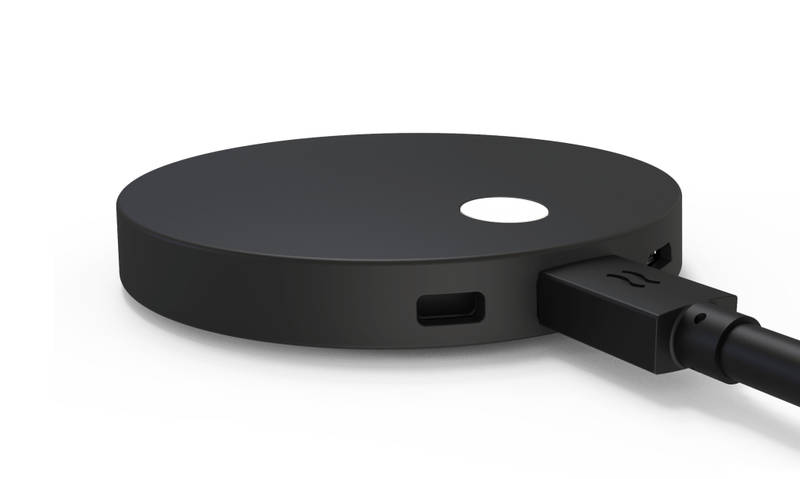
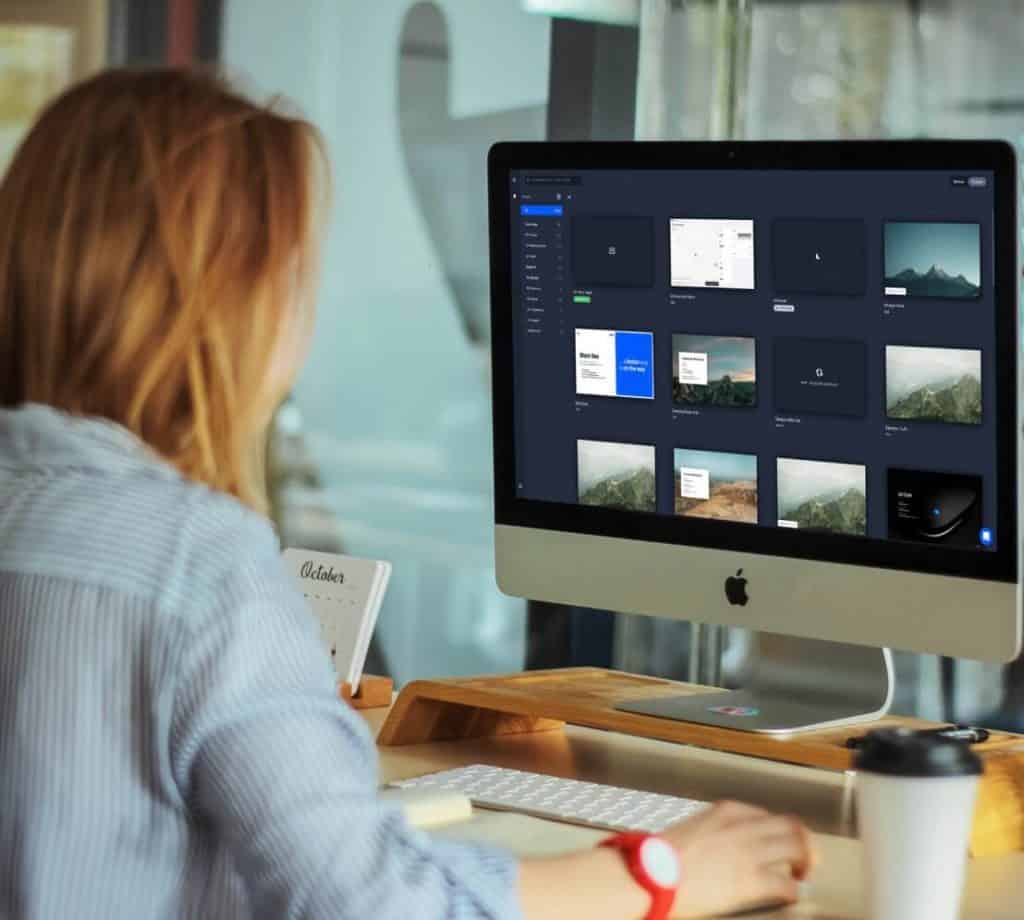
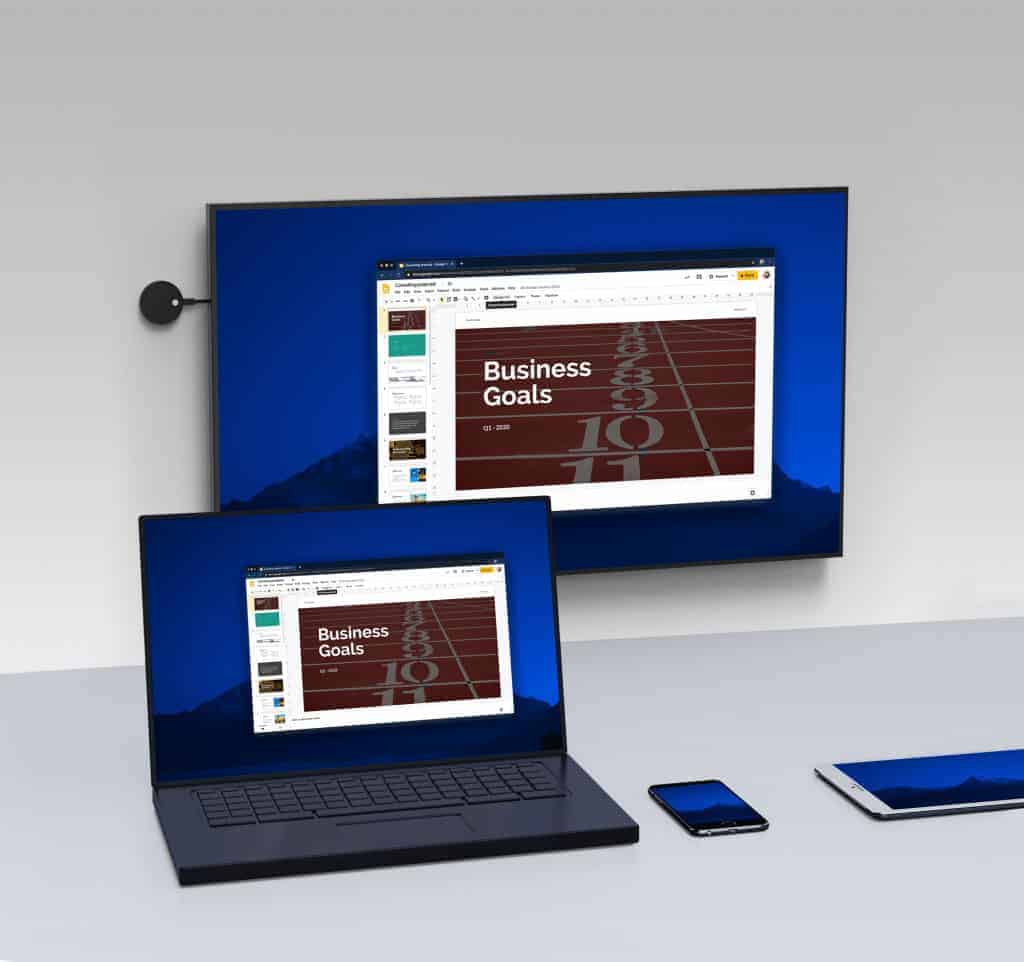
The Airtame 2 is a dongle device that brings wireless sharing and digital signage to any display. Securely sitting behind your chosen display, the Airtame 2 allows regulars and guests to wirelessly connect and share either the content or mirror their full screen. With the option to use Miracast, GoogleCast, Airplay, or the Airtame App, it really doesn’t matter what type of device you have. As long as you have any of these options you can share via the Airtame. 

Airtame Specs

  • Connections: 1x USB-C (Power, HDMI, USB Host, Ethernet) 1x Micro USB OTG port
  • Output Resolution: 1920 x 1080 (up to 60 Hz progressive mode) 1280 x 720 (up to 60 Hz)
  • Screen Connections: HDMI 1.4b / VGA* / DVI* With external adapter
airtame 2 wireless presentation

Digital Signage

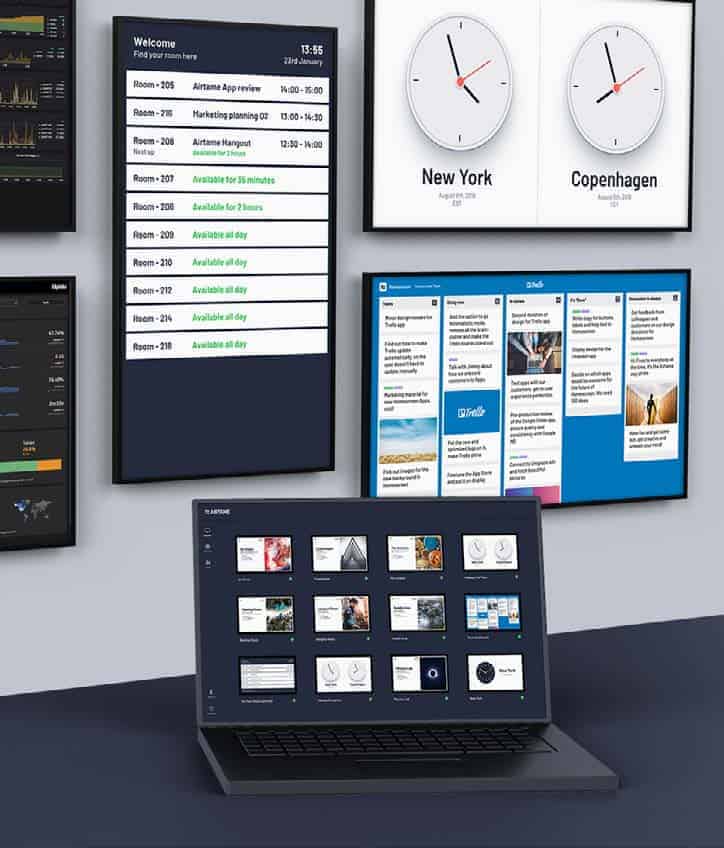
Having the option to use the Airtame 2 as a digital signage display, means that the Airtame 2 can work for anyone. No matter their business. Plan, create, and schedule you digital signage content to any of your screens with the Airtame 2 connected. With the integrated apps:

  • Youtube
  • Room Overview
  • Dropbox Gallery & Dropbox Video
  • OneDrive Gallery & OneDrive Video
  • Google Slides
  • PowerPoint
  • Trello
  • World Clock
  • Website
  • Home screen
  • Rise Vision 
  • Unsplash

you can turn you screen into something creative with the Rise Vision app and informative with the Room Overview app. Making digital signage creativities endless. With all of these apps included making a fun or professional displays is easy, and so is publishing your content. With Airtame Cloud you have the chance to preview you content, correcting or adding, then you can schedule the signage on set weeks, days, and times. 

Wireless Sharing 

Now some of you may be thinking that if anyone can connect and share with the Airtame 2, then interruptions are bound to happen. And when you’re holding a professional meeting with lets say potential business partners, having another colleague connect and start sharing to the Airtame device by accident can be unprofessional. However with Airtame thinking of this situation, they give you a pin code to enter your meeting. Meaning that the random colleague sharing situation won’t happen, plus you have piece of mind that any content shared by you or your guests in the meeting will be secure and private to only those in the meeting.   

Airtame Hub

To make hybrid conferencing easier, the Airtame Hub will be your answer. This sleek box will connect your hybrid workers to your meeting, no matter where they are. With hybrid conferencing now being the normal way of meeting in the office, something like the Airtame Hub in your meeting room will make it easier for you to walk into the meeting room and connect as quickly as possible. Not only does the Airtame Hub allow for quicker meeting connections, but it means that the meeting call, either Teams or Zoom, will now run on the Airtame Hub instead of running on your laptop. Leading to a better performing video conferencing. 

Airtame Hub UK

Just like the Airtame 2, the Airtame Hub is easy to install and use in your meeting room. With PoE for power it makes for quicker installations, along with better quality images and audio while sharing with the Airtame Hub.

Airtame Hub Specs

  • Connections: 2x HDMI Out, 2x Type A, 1x Type C USB
  • Power Input: PoE IEEE 802.3 at Type 2
  • Streaming Encryption: Airplay, Miracast
  • Conferencing Encryption: TLS, WebRTC

Airtame In Meetings

Wireless sharing in meetings has never been easier with Airtame. Using the Airtame 2 you have multiple meeting avenues you can go down, you can wirelessly share content the way you want, fully mirror your laptop screen, and create information packed digital signage for your displays. With full screen mirroring and wireless sharing capabilities, anyone and everyone in the meeting can share their ideas to the team. Now normally when guests join your meeting, its a fumble for cables and sharing devices to allow them to present their plan and ideas. Its a fumble that can waste time and look unprofessional if you are really trying to impress. With the Airtame 2 that scramble for a cable is long gone. Sitting discretely behind you meeting room display, guests and regular attendees to your meeting room can wirelessly connect and share their content to the meeting. Saving time and keeping professionalism within your meeting. As mentioned, the Airtame 2 dongle will sit comfortably behind your display, not only keeping your meeting room spick and pan of cables and wires but keeps the Airtame 2 accessible and close by for a perfect connection.

Using the Airtame 2 for digital signage is a no brainer, with a list of integrated apps you can create digital signage displays how you want. With apps including, Youtube, PowerPoint, OneDrive Gallery, Room Overview, and many more, creating a digital signage display with Airtame makes life just that tad easier. Plus with the Airtame 2, you can turn any of your displays into a digital signage device. Making the Airtame 2 suitable for any of your displays. Got a display in your reception area? Connect the Airtame 2 and turn the standard screen into a digital signage display. Got a display in your meeting room? The obvious answer is to use the Airtame 2 to hold your meetings, allowing for wireless sharing and collaboration to happen.

It doesn’t matter what size meeting room you use the Airtame 2 in as the device can work anywhere. Huddle, small, medium, or large the Airtame 2 can bring high quality sharing. 


Airtame In Education

Just like using the Airtame 2 in your meeting rooms, the device can work seamlessly in any education environment. The wireless sharing feature can make it easy for students to hold team presentations and for teachers to wirelessly connect their laptop to a screen and share with the class. Again just like using the Airtame 2 in your meetings, it saves times as you wont have to sit download the presentation on a memory stick or a shared drive. You can just connect to the Airtame and quickly start sharing you presentation to the whole class. Therefore, saving time and  making team presentations more efficient. 


Airtame Rooms

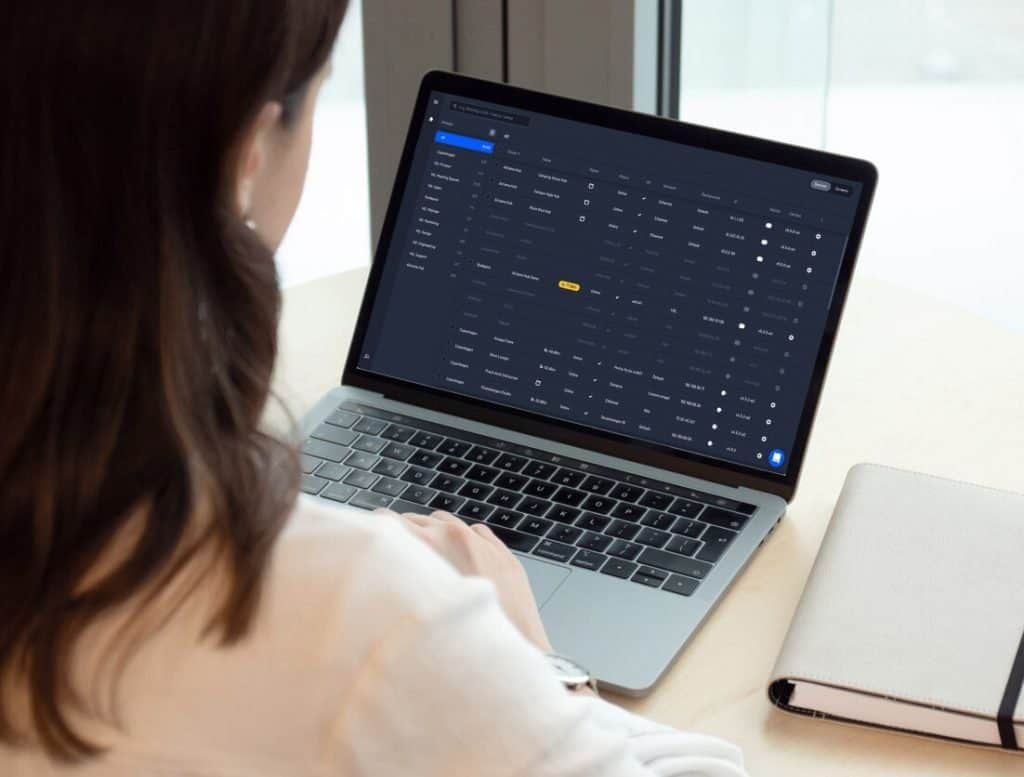
One place to control you hybrid conferencing. Airtame Rooms lets you have unified cloud management through the web portal, in this cloud management you can update the firmware, monitor usage, and control your digital signage displays. All of this management in one place. This is perfect for managers who are still working from home as they can easily log into the web portal and make sure that everything is up to date and running as it should. 

On the other side of Airtame Rooms, it lets you join your meetings even quicker. Pair your Microsoft Outlook Calendar to the Airtame App, meaning that you and your team can join the meeting from the Outlook Calendar. Making it easier for your team to know when the meeting is scheduled for and to join the meeting, integrating your calendar and meetings together makes sure that everyone will join the meeting on time. Making the Airtame Hub essential to holding your Teams and Zoom meetings. Leading on from this, the Airtame Hub lets you CastYourCall. This feature lets you join your meeting from your calendar integration on your laptop and lets you cast the video conference call to your Airtame Hub in the meeting room. Not only making it easier for you to use your laptop during a meeting, but stops the video conference from draining the battery on your laptop.  

Keep in mind that Airtame Rooms only runs on the Airtame Hub, with the solution only being offered in a bundled package with a one year software license with annual renewal.

Airtame Cloud

Airtame Cloud and Airtame Rooms can seem similar, but Airtame Cloud gives centralized remote management. Different from Airtame Rooms, Cloud is more of a system that allows you to run your content instead of making sure that the firmware is up-to-date. With Cloud you can control your screens from wherever you are. Run your digital signage, set a screen timer to save power, and schedule content to specific Airtame screens, all from Airtame Cloud.

Whats great about Airtame Cloud is that if you are unable to get into the Cloud and schedule a piece of content that needs to be scheduled, you can assign different levels of access to other users. So stopping any panic or worrying, you can assign another one of your colleagues the access to be able to find the content and schedule it on the desired week, day, and time. Not only does the feature of assigning different levels of access help with any interruptions with logging in, but it can also help stop any mistakes from happening with people clicking on the wrong thing by accident. Giving people only access to what they need, making their job easier and stopping any cross overs. Also, with single sign in access to OneDrive and Dropbox, it helps keep your content secure.

There are three different types of Airtame Cloud Licenses you can get, lite, plus, or custom.

Included in all three licenses you can get the basics of;

  • firmware updates
  • Unlimited amount of users, groups, and devices
  • Global device management
  • Moderator mode
  • Branded image and custom background
  • Change the screen orientation
  • Set a public website URL for your digital signage

Then with the plus and custom licenses you can get;

  • Signage content scheduling
  • Looped content with playlists for signage
  • Third party app integrations
  • Remote monitoring with up-to-date screen preview
  • Meeting room overview 
  • Energy saver with Sleep Schedule 
  • On-demand training
  • 24-Hour email, chat support

Then finally with the custom licenses you can get the extras of a dedicated training webinar and a designated customer success team for onboarding and activation. 

Picture of Natalie Horn

Natalie Horn

Table of Contents

Optimize productivity with audio visual technology
productivity

Break the Chains: Optimize Productivity with Audio Visual Technology

In today’s fast-paced business landscape, optimizing productivity in the modern workplace is a crucial goal for any organization. As technology continues to evolve, one tool stands out in achieving productivity enhancement: audio visual (AV) technology. This blog aims to explore the myriad ways in which AV technology can streamline work processes, enhance collaboration, and create an efficient work environment.In the quest to maximize productivity with audio visual technology, it’s important to understand its significance in the modern workplace. AV technology encompasses a range of multimedia tools that seamlessly integrate into daily operations, enabling effective collaboration and visual communication. By harnessing the power of audio visual systems, businesses can streamline work processes, boost digital efficiency, and deliver advanced presentations that captivate and inform.The integration of AV solutions plays a pivotal role in workplace optimization. Imagine a scenario where team members effortlessly connect, brainstorm, and share ideas through the efficient use of audiovisual aids. This tech-enabled productivity fosters effective collaboration, resulting in optimized efficiency and enhanced work output. Moreover, remote work effectiveness is significantly enhanced through the use of audiovisual technology, allowing teams to communicate seamlessly regardless of geographical barriers.Modern communication hinges on the seamless integration of audio visual technology. By optimizing the work environment with AV tools, businesses can achieve a harmonious blend of efficiency and creativity. This integration leads to a work environment that encourages efficient teamwork and fosters a culture of innovation. From enhancing presentations with multimedia solutions to using AV technology for effective communication, the possibilities are boundless.Retractable Monitor and Microphones perfectly integrated in a Conference Room by ELEMENT ONE  Best AV Tools for ProductivityIn today’s fast-paced work environment, optimizing productivity is paramount for any organization. Leveraging audio visual (AV) technology can revolutionize the way we work, enhancing efficiency and collaboration. Here, we’ll explore a selection of the best AV tools that cater to different aspects of workplace optimization, ranging from effective collaboration to advanced presentations.Streamline Presentations with AV SolutionsWhen it comes to maximising productivity with AV equipment, streamlined presentations play a crucial role. Multimedia tools such as projectors, interactive displays, and presentation software enable efficient delivery of information. These tools integrate audio visual technology seamlessly, allowing for advanced presentations that captivate and engage the audience. By incorporating visual aids and interactive elements, presenters can effectively convey complex concepts, resulting in enhanced work output and tech-enabled productivity.Boost Efficiency through Audiovisual IntegrationOptimize productivity by integrating audio visual technology into the work environment. AV systems facilitate effective collaboration, allowing teams to communicate seamlessly across distances. Video conferencing platforms, powered by multimedia solutions, enable face-to-face interactions even in remote settings. This integration of audio visual technology not only saves time but also enhances work effectiveness through improved communication and efficient teamwork.Effective Collaboration Using AV TechnologyIn the modern work landscape, effective collaboration is vital. AV technology fosters collaboration by providing tools for visual communication. Video conferencing, collaborative whiteboards, and screen sharing facilitate real-time information exchange, enabling teams to work together on projects regardless of their physical location. This technology integration optimizes the work environment, creating a platform for creative brainstorming, idea sharing, and problem-solving.Optimize Productivity with Multimedia ToolsMultimedia tools go beyond traditional methods, offering innovative ways to optimize efficiency. These tools encompass audiovisual aids that cater to diverse learning styles, making information retention more effective. By utilizing multimedia solutions, organizations can create training materials, instructional videos, and presentations that resonate with different audiences. This approach not only enhances employee training but also contributes to long-term productivity enhancement.AV Integration in the WorkplaceThe importance of audio visual tools in productivity cannot be overstated. AV solutions bring about a dynamic shift in how we interact with technology, creating opportunities for tech-enabled productivity improvements. By embracing audiovisual technology, businesses can modernize their communication methods, effectively engaging with clients, stakeholders, and employees. This shift leads to a more efficient work environment and fosters a culture of continuous improvement.Top Multimedia Solutions for EfficiencyTo optimize efficiency, it’s essential to adopt top multimedia solutions. These solutions encompass a range of AV tools that cater to different aspects of workplace optimization. From video conferencing platforms that enable effective collaboration to presentation software that enhances communication, each tool plays a vital role in maximizing productivity with AV equipment. By embracing these solutions, organizations can create a work environment that thrives on digital efficiency and modern communication.  Enhance Remote Work with Audiovisual TechIn today’s dynamic work landscape, where remote collaboration has become the norm, businesses are increasingly turning to audio visual technology to optimize productivity and enhance work output. The integration of AV solutions has proven to be a game-changer in streamlining presentations, boosting efficiency, and enabling effective collaboration among remote teams. Let’s explore how audiovisual tech can revolutionize remote work scenarios, focusing on the role of key tools such as video conferencing, virtual whiteboards, and multimedia presentations.Streamline Presentations with AV SolutionsAudio visual technology plays a pivotal role in modern communication by enabling remote teams to interact seamlessly through visual communication. Multimedia tools and advanced presentations transform traditional slideshows into interactive experiences, captivating audiences and conveying complex ideas with clarity. Boost Efficiency through Audiovisual IntegrationEffective collaboration is the cornerstone of efficient teamwork. AV technology facilitates this collaboration by creating a virtual workspace that bridges geographical distances. Through technology integration, team members can discuss projects in real time, brainstorm ideas, and provide instant feedback.  Optimise Work Environment with AV ToolsTo optimize productivity in remote work setups, creating an environment that mimics in-person interactions is crucial. This is where audio visual integration shines. Virtual whiteboards allow teams to brainstorm and sketch ideas collectively, promoting creativity and interactivity. Workplace Technology: The Future of EfficiencyThe future of remote work lies in embracing workplace technology that fosters a collaborative and productive environment. As companies continue to prioritize digital efficiency, the demand for audiovisual aids will only increase. By adopting the best AV tools for productivity, businesses can position themselves at the forefront of innovation, enabling efficient teamwork and ultimately enhancing their bottom line. “In a recent survey, 87% of employees reported feeling more connected and engaged during virtual meetings that incorporated visual

Read More »
Interactive learning pathways
Training and Education

Interactive Learning Pathways: Your Route to Mastery

Interactive learning pathways have emerged as a transformative force in modern education, reshaping the way students acquire knowledge and skills. In this comprehensive guide, we delve into the significance of interactive learning pathways.Interactive learning pathways encompass a dynamic approach to education that combines the best of traditional teaching with cutting-edge technology. They are designed to cater to individual learning styles, preferences, and paces, making education more engaging and effective. By integrating audio-visual training and harnessing the power of educational technology, interactive learning platforms offer a tailored experience that promotes mastery of skills and knowledge acquisition.Interactive learning pathways are structured educational journeys designed to facilitate mastery of a particular subject or skill. These pathways employ various engaging tools and resources to enhance the learning experience.In the digital age, the importance of interactive learning pathways cannot be overstated. Educational technology and e-learning resources have revolutionized the way we access knowledge. These pathways empower students with personalized study plans, ensuring they progress at their own pace while mastering new skills. The gamified learning modules and virtual learning environments create an immersive experience that fosters engagement and retention.How to create interactive learning paths for in the classroom  Interactive Learning PathwaysInteractive learning pathways, a cornerstone of modern education, revolutionize the way individuals acquire knowledge and skills. In this comprehensive exploration, we delve into the essence of interactive learning pathways, elucidate their role in personalized education, and highlight their adaptability and effectiveness. Interactive learning pathways represent a dynamic approach to education, where learners embark on a tailored journey of discovery. At its core, this concept integrates various educational technologies and resources within a structured framework. The interactive learning platforms leverage e-learning resources to provide learners with adaptive curriculum choices, enhancing the effectiveness of online education.The Role in Personalised EducationAt the heart of interactive learning pathways lies personalized study plans. These plans are meticulously designed to cater to the individual’s unique needs and preferences. Whether you are on a quest for knowledge progression or skill mastery, these pathways offer gamified learning modules and virtual learning environments that adapt to your pace. With self-paced courses and an arsenal of digital education tools, you’re in control of your learning journey.The Benefits of Interactive Learning Pathways Adaptability: Interactive learning pathways shine in their adaptability. They effortlessly cater to a diverse audience, allowing individuals to embark on their educational journey at their own pace. This adaptive approach resonates with lifelong learning strategies, promoting continuous skill development. Effectiveness: The effectiveness of interactive learning pathways stems from their ability to provide immediate value. By combining personalized learning with educational technology, learners can master new skills online efficiently. The course progression aligns with tailored study plans, ensuring that knowledge path optimization is at the forefront. Interactive Content Design: Interactive learning pathways prioritize interactive content design. This approach engages learners through gamified online courses, adaptive learning modules, and virtual education platforms. As a result, the learning experience becomes more immersive and enjoyable.    Crafting the Best Interactive Learning PathwaysIn the ever-evolving landscape of education, crafting the best interactive learning pathways has become a critical pursuit. As we delve into the strategies and methodologies for designing these pathways, we’ll also emphasize the importance of tailored study plans and their role in enhancing the learning experience. Additionally, we’ll explore the relevance of digital skill mastery in creating superior learning journeys.Interactive Learning PathwaysInteractive learning pathways are at the forefront of modern education, leveraging interactive learning platforms and educational technology to deliver immersive experiences. These pathways utilize e-learning resources to create adaptive curriculum structures that cater to individual needs. Let’s dissect the key elements that make them so effective.Tailored Study PlansPersonalized study plans lie at the heart of interactive learning pathways. These plans are designed to adapt to each learner’s pace and preferences, ensuring a customized educational journey. By integrating knowledge progression and skill mastery, learners can grasp concepts more efficiently and effectively.Digital Skill MasteryIn the digital age, mastering skills is essential. Interactive learning pathways prioritize skill development through gamified learning modules and virtual learning environments. These self-paced courses equipped with digital education tools enable learners to acquire and apply new skills seamlessly.  Gamification in Online LearningOnline education has witnessed a paradigm shift with the integration of gamified elements. These interactive learning pathways redefine the way students engage with educational content. Interactive learning platforms and educational technology have paved the way for gamification to thrive, providing learners with engaging experiences that foster knowledge progression and skill mastery.Impact on Student EngagementGamified online courses have proven to be remarkably effective in enhancing student engagement. By integrating elements such as gamified learning modules and virtual learning environments, educators create self-paced courses that cater to diverse learning styles. This personalized approach not only captivates learners but also allows them to tailor their study plans for success.Examples of Successful Gamification Duolingo: This language learning platform employs gamification techniques such as points, rewards, and progress tracking. Learners embark on a journey through various levels, enhancing their language skills while having fun. Khan Academy: Known for its adaptive curriculum and interactive content design, Khan Academy offers personalized learning experiences. Learners can navigate their unique knowledge paths, ensuring mastery of subjects.    Adaptive Learning ModulesAdaptive learning modules are a transformative innovation in education that caters to individual learning needs, leveraging cutting-edge technology to optimize knowledge acquisition and skill mastery. Adaptive learning is an educational approach that tailors learning experiences to the unique needs and abilities of each learner. It leverages advanced algorithms and data analytics to personalize the learning journey. This method replaces the traditional one-size-fits-all approach with one that adapts in real-time to students’ progress, optimizing their chances of success.Technology Behind Adaptive Learning ModulesAt the heart of adaptive learning modules lies powerful educational technology. These modules employ machine learning algorithms that continuously analyze a student’s performance and adapt the content accordingly. This technology factors in various parameters like learning speed, preferred learning style, and past performance to deliver personalized study plans.Examples of Adaptive Learning Platforms Khan Academy: Khan Academy’s interactive learning pathways provide students with personalized study plans, ensuring mastery of

Read More »
Amplify productivity with audio visual gear
productivity

Harness the Force: Amplify Productivity with Audio Visual Gear

In today’s fast-paced world, the growing importance of productivity has taken center stage. As work demands increase, individuals and businesses alike are seeking innovative ways to maximize output and efficiency. A key solution emerging on this front is the integration of audio visual (AV) gear to optimize workflow and enhance work performance. This blog delves into the realm of audio visual gear, shedding light on how it can be a game-changer in boosting productivity.Multimedia solutions have become integral tools for enhancing effectiveness in various domains. Visual communication tools, driven by audiovisual technology, are revolutionizing how we process and convey information. The synergy between auditory and visual elements creates a more engaging and comprehensible experience. Leveraging this, businesses and individuals can optimize performance and amplify productivity.The integration of audio visual gear can significantly optimize workflow. By seamlessly incorporating multimedia devices, individuals can streamline tasks and bridge communication gaps. Visual aids and audio gear complement each other to provide a holistic work environment, where information is disseminated swiftly and accurately. This approach not only saves time but also ensures the seamless flow of ideas and collaboration.Selecting appropriate audio gear is pivotal in ensuring effective communication. We will guide you through the process of choosing the right audiovisual solutions tailored to your needs, a crucial step toward productivity improvement. Our insights will help you make informed decisions to amplify your work efficiency.Davis Audio Visual: Video Conference Room Salt Lake City  Role of Audio Visual Gear in Productivity EnhancementAudio visual gear, encompassing both audio and visual components, forms a dynamic fusion of tools designed to elevate productivity and communication within various work settings. This amalgamation comprises multimedia devices, audio gear, and visual communication tools that collectively create an environment conducive to efficient workflows and effective collaboration. Amplifying productivity with audio visual gear is not just a trend but a strategic move towards optimizing performance.Leveraging Multimedia Solutions: A Catalyst for Enhanced Work PerformanceMultimedia solutions serve as potent catalysts in boosting work performance. By integrating audio visual gear into daily tasks, teams can break down complex ideas through visual aids, making information easier to grasp. Incorporating audiovisual technology into presentations and meetings can significantly enhance the overall engagement level and comprehension. This approach is a cornerstone of maximizing productivity with AV equipment, where the fusion of multimedia tools with work tasks drives results.Optimizing Workflow and Communication: The Power of Effective AV SolutionsEfficiency tools like audio visual gear play a pivotal role in optimizing workflow and communication. Visual presentation using multimedia equipment simplifies conveying intricate concepts, saving time and promoting understanding. Audio gear aids in clear communication, eliminating misunderstandings that can hamper progress. Choosing the right audio gear for better productivity empowers teams to communicate seamlessly, contributing to a streamlined workflow.Visual Communication: A Key Driver of Productivity EnhancementVisual communication tools integrated into audio visual solutions are instrumental in enhancing productivity. Visual aids facilitate the absorption of information, ensuring that ideas are comprehended swiftly. The incorporation of visual aids in presentations and discussions helps in retaining key points and ideas, furthering the productivity enhancement through visual aids.Selecting the Best Audio Visual Gear: A Prerequisite for Optimal PerformanceTo maximize output, it’s essential to select the best audio visual gear for productivity enhancement. Top multimedia tools for efficiency bring clarity to communication, reducing the chances of misinterpretation. The effectiveness of audio visual solutions rests on the compatibility of multimedia devices with the tasks at hand. By choosing the right audiovisual solutions, organizations can set the stage for improved efficiency and productivity.  Selecting the Right Audio Visual Gear for Better ProductivityIn today’s fast-paced work environment, audio visual (AV) gear plays a pivotal role in enhancing productivity. By choosing the right multimedia solutions, businesses can optimize workflow, boost work performance, and effectively communicate their ideas. Criteria for Choosing the Best Audio Visual GearWhen aiming to enhance productivity through audio visual gear, it’s crucial to consider the following criteria: Efficiency Tools for Specific Needs: Different tasks require different tools. Select AV equipment that caters to your specific needs, whether it’s interactive displays for collaborative brainstorming or high-quality headphones for focused audio work. Audiovisual Technology: Embrace cutting-edge audiovisual technology that offers seamless integration and compatibility. Look for devices that support wireless connectivity, high-definition displays, and advanced audio processing. Visual Communication Tools: Opt for gear that facilitates clear and effective visual communication. Visual aids like projectors, digital whiteboards, and video conferencing systems enable efficient idea sharing and remote collaboration. User-Friendly Interface: Choose gear with intuitive interfaces. Devices that are easy to set up, operate, and customize contribute to smoother workflow integration. Multimedia Solutions: Prioritize devices that offer comprehensive multimedia solutions. This could range from all-in-one presentation systems to versatile audio mixers for dynamic content creation. Top Audio Gear and Multimedia Devices in the Market Gear Category Top Products Headphones Sony WH-1000XM4, Bose QuietComfort 35 II Interactive Displays Microsoft Surface Hub 2S, Google Jamboard Projectors Epson PowerLite 2250U, BenQ HT3550 Audio Mixers Behringer X32, Yamaha MG10XU Video Conferencing Logitech MeetUp, Poly Studio X Matching Gear to Productivity Enhancement Collaborative Brainstorming: Interactive displays like Microsoft Surface Hub 2S are ideal for team brainstorming sessions. Their touch-enabled screens allow participants to contribute directly, enhancing engagement and idea sharing. Noise-Canceling Headphones: When focus is paramount, noise-canceling headphones like Sony WH-1000XM4 create an immersive environment, allowing individuals to delve into tasks without distractions. Professional Audio Mixing: Audio mixers such as the Behringer X32 are valuable for content creators. They ensure high-quality sound production, making them essential for podcasts, video production, and virtual events.   Enhancing Visual Communication for Improved EfficiencyIn today’s fast-paced world, effective communication is key to success. Visual communication stands out as a powerful tool for conveying information quickly and effectively. Integrating well-crafted visuals into your content can amplify productivity with audio visual gear. These multimedia solutions not only enhance effectiveness but also optimize workflow, leading to a significant boost in work performance.Audio Visual Gear: Facilitating Clear and Concise CommunicationAudio visual gear plays a pivotal role in modern communication settings. From boardrooms to classrooms, this technology has revolutionized the way we

Read More »
remote collaboration for education
Remote Collaboration

Remote Collaboration for Education: Unleashing the Power of Collaboration Tools for Educators and Students

In today’s digital age, remote collaboration has emerged as a transformative force in education, revolutionizing the way educators and students interact, learn, and engage. As traditional classrooms evolve into virtual learning environments, the significance of effective remote collaboration tools becomes increasingly evident. This article explores the growing importance of remote collaboration in education, the need for innovative solutions to enhance virtual classroom environments, and the crucial role it plays in fostering student engagement.Remote collaboration for education refers to the practice of educators and students working together seamlessly, irrespective of their physical locations. It leverages technology to bridge the gaps created by distance, facilitating real-time interaction and knowledge sharing. With the advent of online education and the rise of collaborative teaching approaches, remote collaboration has become a cornerstone of modern learning.As educators navigate the challenges of remote teaching and students adapt to distance learning, the demand for robust remote collaboration tools has surged. These tools empower educators to create interactive virtual classrooms and facilitate seamless student engagement. Additionally, they enable students to actively participate in remote education, fostering a sense of connection and community.Innovative remote collaboration tools offer numerous benefits to educators and students alike. They provide a platform for synchronous and asynchronous communication, allowing for interactive discussions, group projects, and peer-to-peer learning. Furthermore, these tools support the integration of multimedia elements, such as videos and presentations, to enhance the learning experience.To create effective virtual classroom environments, educators must embrace innovative solutions that prioritize student engagement. Remote collaboration tools play a pivotal role in achieving this objective. By incorporating features such as chat functionalities, breakout rooms, and collaborative whiteboards, these tools encourage active participation and collaboration among students.How to Keep Kids Collaborating Remotely  Best Remote Collaboration Tools for EducatorsAs education evolves to meet the demands of a digital world, remote collaboration for education has become essential. Educators and students alike can benefit from harnessing the power of technology to enhance collaborative teaching and learning experiences. In this section, we will explore a selection of the top remote collaboration tools specifically designed for educators. These innovative solutions facilitate virtual classrooms, distance learning, and online education, promoting effective student engagement and interaction.Zoom for Education Remote Collaboration and Video Conferencing PlatformZoom for Education is a leading video conferencing tool that has gained immense popularity among educators worldwide. Its user-friendly interface and reliable performance make it an ideal choice for remote teaching. Educators can host virtual classes, conduct interactive discussions, and share educational resources seamlessly. The platform’s breakout rooms enable group activities, fostering collaborative learning among students, even in a virtual environment.Google Workspace for Education Comprehensive Suite of Remote Collaboration ToolsGoogle Workspace for Education, formerly known as G Suite for Education, offers a suite of powerful tools tailored for educators. With Google Classroom, teachers can create, distribute, and grade assignments digitally. Google Meet facilitates virtual classes and allows for real-time collaboration among students. Google Drive and Docs support collaborative projects, enabling students to work together on assignments and presentations.Microsoft Teams Collaboration Hub for Educators and StudentsMicrosoft Teams is an all-in-one collaboration platform that integrates seamlessly with the Microsoft Office suite. Teachers can organize virtual classrooms, conduct video meetings, and collaborate on documents with students. The “Class Notebook” feature allows educators to provide personalized feedback and track student progress effectively. Microsoft Teams also supports third-party educational apps to enhance the teaching experience.Padlet Interactive Virtual Collaboration ToolPadlet is an innovative digital platform that acts as a virtual bulletin board, promoting interactive collaboration. Educators can create “walls” where students can post their ideas, responses, and multimedia content. This fosters a sense of community and engagement among students. Padlet’s versatility makes it suitable for brainstorming sessions, discussions, and sharing resources in an online classroom setting.Nearpod Engaging Multimedia Presentations for Remote TeachingNearpod offers a dynamic platform for creating and delivering interactive lessons to remote students. Educators can build multimedia presentations, quizzes, and polls to keep students engaged throughout the learning process. The “Collaborate” feature allows students to work together on group projects and share their responses in real-time, promoting collaborative learning.  Innovative Remote Collaboration Solutions for EducationRemote collaboration has become increasingly important in the field of education, especially in light of recent global events. Traditional video conferencing platforms are no longer sufficient for addressing the evolving needs of educators and students. In this section, we will explore innovative solutions that go beyond video conferencing, leveraging emerging technologies and trends in remote collaboration for education. These solutions offer unique features and advantages such as augmented reality, virtual reality, and AI-powered tools, transforming the way educators and students engage in collaborative teaching and learning.Augmented Reality in Remote CollaborationAugmented reality (AR) has the potential to revolutionize remote collaboration in education. By overlaying digital content onto the real world, AR enhances student engagement and interaction. Educators can utilize AR applications to create immersive learning experiences, allowing students to explore complex concepts and subjects in a visually captivating manner. AR can be used in virtual classrooms, providing students with interactive experiences and promoting active participation. It offers a novel way to bridge the gap between distance learning and in-person instruction, fostering a sense of presence and enhancing student understanding.Virtual Reality for Enhanced LearningVirtual reality (VR) is another cutting-edge technology that holds great promise in remote collaboration for education. By creating fully immersive and interactive environments, VR enables students to engage in virtual field trips, simulations, and experiments. Educators can leverage VR to transport students to historical sites, scientific laboratories, or even imaginary worlds, making learning more exciting and memorable. VR can also facilitate collaborative projects, where students can work together in a shared virtual space, fostering teamwork and problem-solving skills.AI-Powered Tools for Intelligent CollaborationArtificial intelligence (AI) is rapidly transforming various industries, including education. AI-powered tools can significantly enhance remote collaboration by automating repetitive tasks, providing personalized learning experiences, and facilitating intelligent feedback. Intelligent tutoring systems can adapt to individual student needs, offering tailored guidance and support. AI chatbots can assist students with questions and provide real-time assistance. These tools enable educators to focus on higher-order teaching

Read More »
Strategic AV training
Training and Education

Strategic AV Training: Building Skills Strategically

In the fast-evolving landscape of multimedia, staying ahead of the curve is not just an advantage; it’s a necessity. Audiovisual (AV) training stands as the cornerstone of thriving in this dynamic industry. Strategic AV training is not merely about mastering technical skills; it’s about embracing a holistic approach that amalgamates creativity, technology, and strategy. In this competitive era, where trends change like the wind, understanding the relevance of strategic AV training is pivotal in enhancing career prospects and staying updated in the AV industry.With the rapid integration of technology in education, business, and entertainment, the demand for professionals versed in multimedia skills is skyrocketing. Strategic AV training unlocks a world of opportunities. It delves deep into instructional technology, nurturing professionals capable of harnessing the power of multimedia production effectively. By delving into areas like professional development, e-learning, and educational technology, individuals equipped with strategic AV training can navigate the intricate web of the AV industry trends with finesse.In this era of digital dominance, AV certification is akin to holding the master key. It not only validates your skills but also certifies your expertise in AV technology and instructional design. Through strategic AV training programs, professionals can optimize their multimedia education, ensuring they are well-versed in audiovisual skills and digital media technologies. Specialized AV technology training, especially through interactive learning methods, enhances the learning experience, making it engaging and effective.Multimedia production is not just a skill; it’s an art. Strategic AV training emphasizes mastering AV equipment, understanding AV solutions, and delving into audiovisual systems. Professionals equipped with such knowledge can optimize instructional AV, ensuring that their multimedia productions are not just technically sound but also creatively enriching. Through in-depth AV training programs, individuals can explore advanced AV training techniques, ensuring they stay ahead of industry trends.Gone are the days when basic skills sufficed in the AV industry. Today, employers seek specialists who have honed their skills through strategic learning. Strategic AV career development is not a choice; it’s a mandate. Professionals need to focus on personalized multimedia learning, building their AV skills systematically. This not only enhances their employability but also ensures they are equipped to lead in this competitive landscape.Amidst the plethora of online education options, AV training resources have become invaluable. These resources encompass effective multimedia teaching tools, audiovisual industry updates, and best AV practices. For educators especially, multimedia production tools tailored for educational purposes can revolutionize their teaching methods.Training and Development Strategy  The Fundamentals of Strategic AV TrainingIn the dynamic realm of audiovisual (AV) technology, staying ahead of the curve is essential. To achieve proficiency and excellence in this field, one must embrace the core principles of Strategic AV Training. This section explores what Strategic AV Training entails, its key objectives, and why it is pivotal for effective AV skill development and career growth.What is Strategic AV Training?Strategic AV Training, often referred to as audiovisual training, is a comprehensive educational approach designed to equip individuals with the essential skills and knowledge required to excel in the AV industry. It encompasses a diverse range of subjects, including multimedia skills, instructional technology, professional development, and educational technology. The primary goal is to empower learners with the expertise necessary to harness the potential of AV technology to its fullest extent.Core Objectives of Strategic AV Training AV Certification: One of the primary objectives of Strategic AV Training is to facilitate AV certification. This validates an individual’s expertise in various AV technologies and practices, making them a recognized specialist in the field. Multimedia Production Skills: Strategic AV Training focuses on honing multimedia production skills. Learners are taught the art of creating engaging and impactful multimedia content, which is a cornerstone of effective communication in today’s digital landscape. Instructional Design: Understanding instructional design is crucial in AV training strategies. It enables professionals to craft effective and engaging learning experiences using AV technology, enhancing the learning process. AV Industry Trends: Keeping abreast of AV industry trends is essential. Strategic AV Training ensures that individuals are well informed about the latest developments and innovations, positioning them as industry leaders. The Crucial Role of a Strategic ApproachA strategic approach is indispensable for effective AV skill development. Here’s why: Personalized Multimedia Learning: Strategic AV Training tailors the learning experience to individual needs. This personalized approach ensures that learners can focus on areas where they need improvement, optimizing their skill-building journey. Interactive Learning: Interactive audiovisual instruction is a hallmark of Strategic AV Training. It fosters active engagement, deeper understanding, and retention of knowledge. Effective Multimedia Learning Strategies: By incorporating effective multimedia learning strategies, this approach ensures that information is presented in a format that is easy to digest and remember. Optimizing Instructional AV: Strategic AV Training emphasizes the effective use of AV technology in instructional settings. This is invaluable for educators who wish to enhance their teaching methods and reach a broader audience. Strategic AV Training and Career GrowthStrategic AV Training is intrinsically linked to career growth in the AV industry. Here’s how: AV Career Development: Professionals who undergo Strategic AV Training are better positioned to advance in their careers. Their proficiency in AV technology, multimedia production, and instructional design opens doors to higher-paying roles and leadership positions. AV Career Opportunities: The AV industry offers a myriad of career opportunities, from AV specialists to multimedia production experts. Strategic AV Training equips individuals with the versatility needed to explore diverse career paths. AV Training for Educators: Educators, in particular, benefit from Strategic AV Training. It empowers them to deliver more engaging and effective lessons, enhancing their teaching capabilities and career prospects.   Advanced AV Training TechniquesIn the dynamic realm of audiovisual training, staying ahead demands more than just basic skills; it requires a strategic approach encompassing cutting-edge methodologies like hands-on experiences, simulations, and real-world projects. Strategic AV training, often synonymous with advanced AV training techniques, is the cornerstone of empowering professionals in the audiovisual industry with unparalleled expertise and proficiency.Benefits of Incorporating Advanced TechniquesBy delving into strategic AV training, professionals are exposed to a myriad of benefits. Firstly, it sharpens audiovisual

Read More »
5G and meeting rooms
Future Trends

The Impact of 5G on Meeting Room Technology

Experience the future of meeting rooms with the impact of 5G technology. Enhance your connectivity and collaboration with 5G-enabled solutions and smart meeting technology. Discover how 5G is changing the game for meeting rooms today.

Read More »
MeetingStore.co.uk
Logo
Compare items
  • Total (0)
Compare
0
Shopping cart